TradePilot MT5
- Experts
- Version: 1.3
- Updated: 8 April 2026

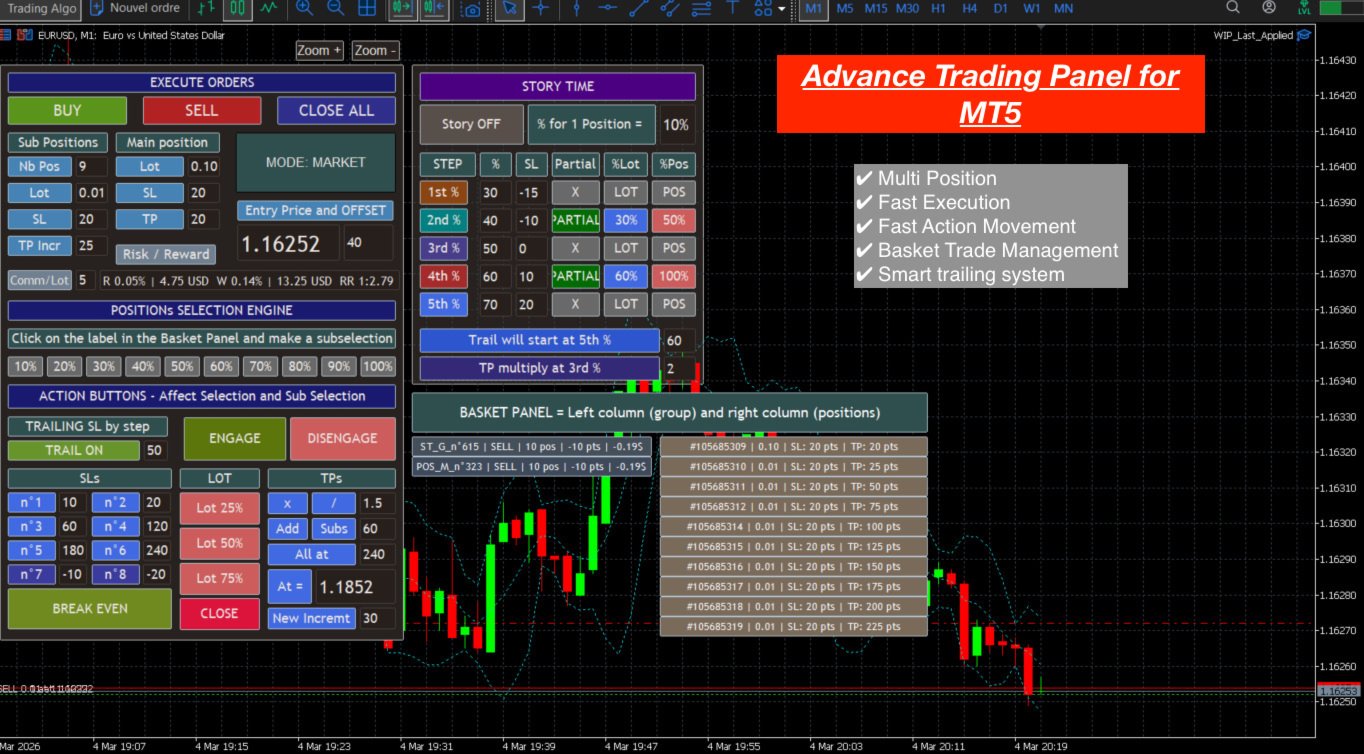
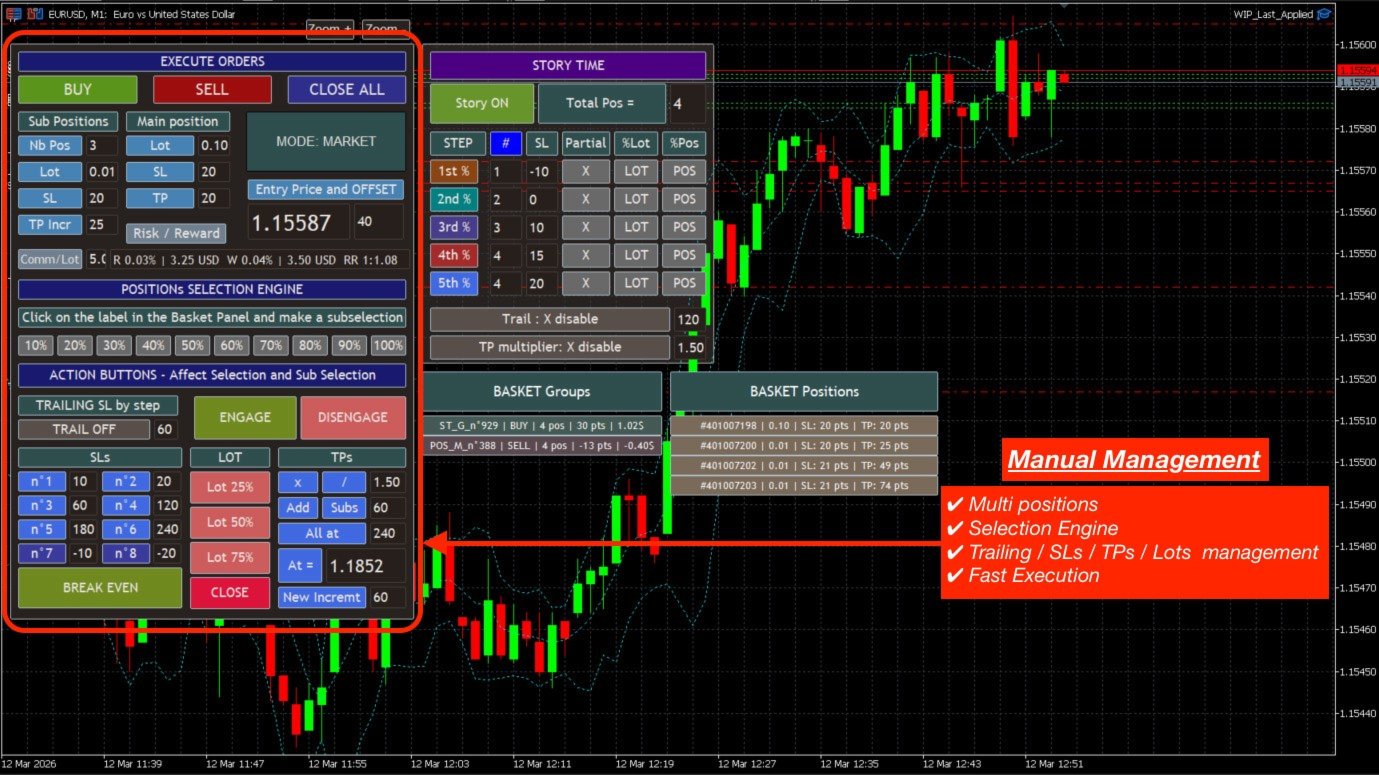
1/ Manual Features of the Expert Advisor (EA)
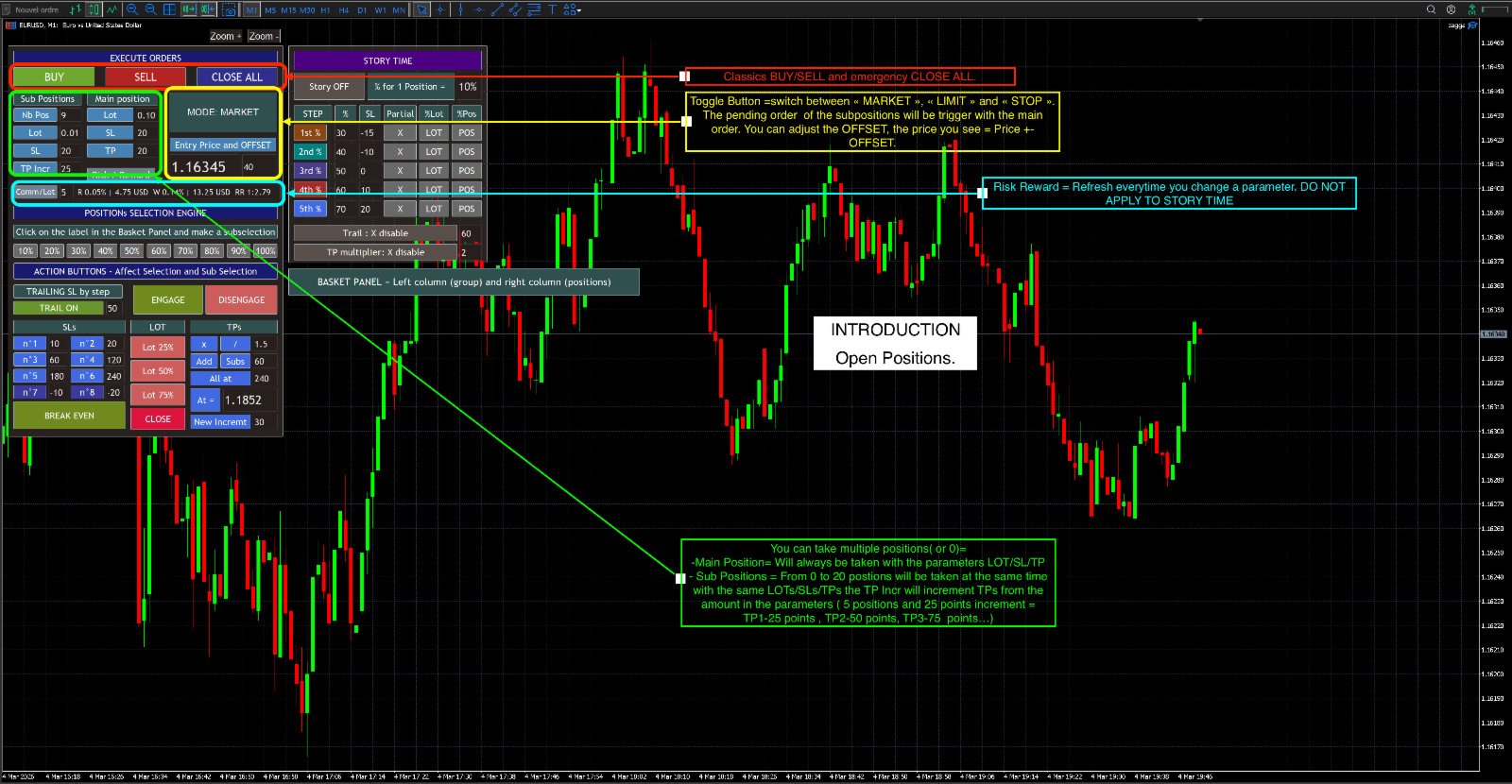
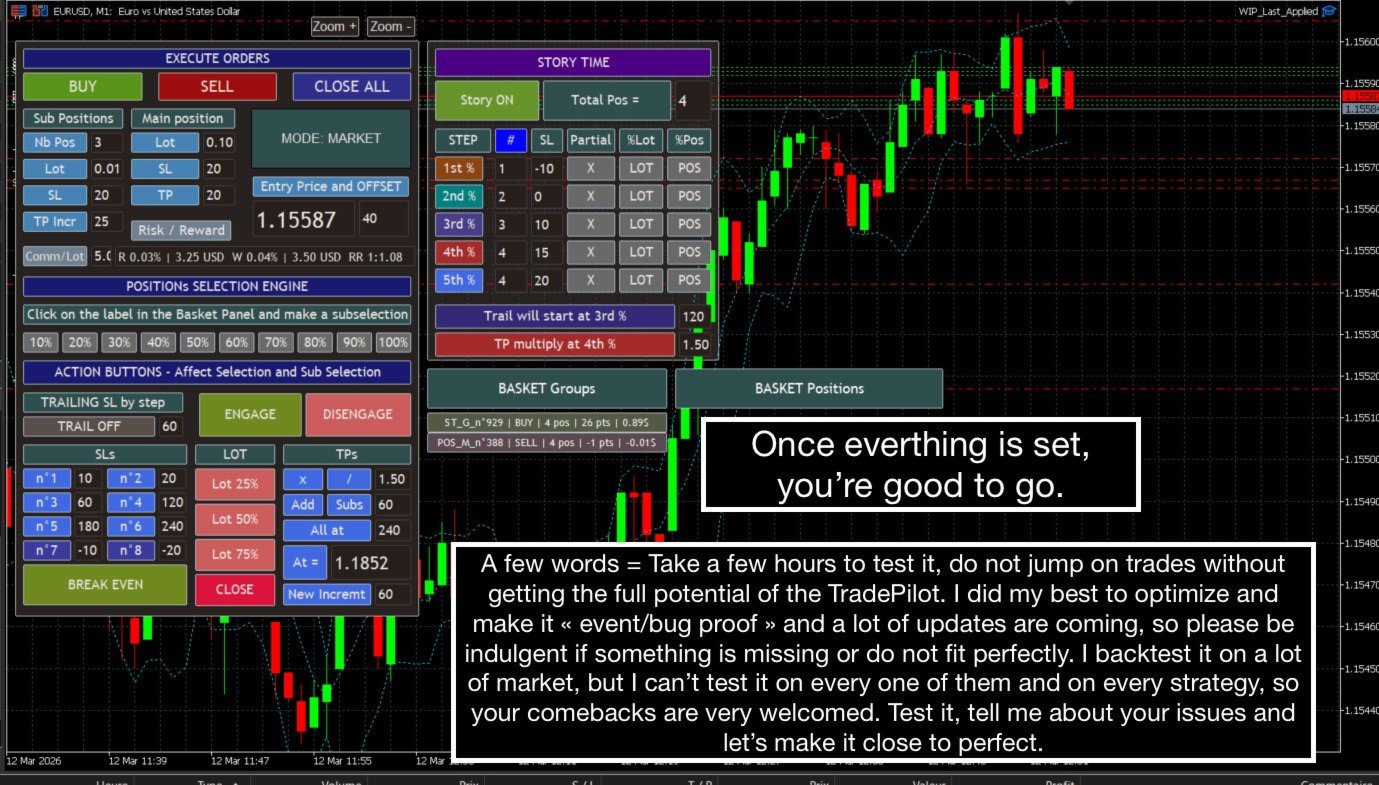
- Multi-Positions =
- Main position: always open with its Stop Loss (SL), Take Profit (TP), and lot size settings.
- Sub-positions: from 0 to 20 additional positions.
They share the same Stop Loss (SL) and lot size, but their Take Profit (TP) is incremented according to a user-defined value.
(Example: TP increment = 30 points → TP1 = 30, TP2 = 60, etc.
- MOD: three position entry modes are available via a toggle button:
MARKET, LIMIT, and STOP.
Pending orders trigger both the main position and the sub-positions.
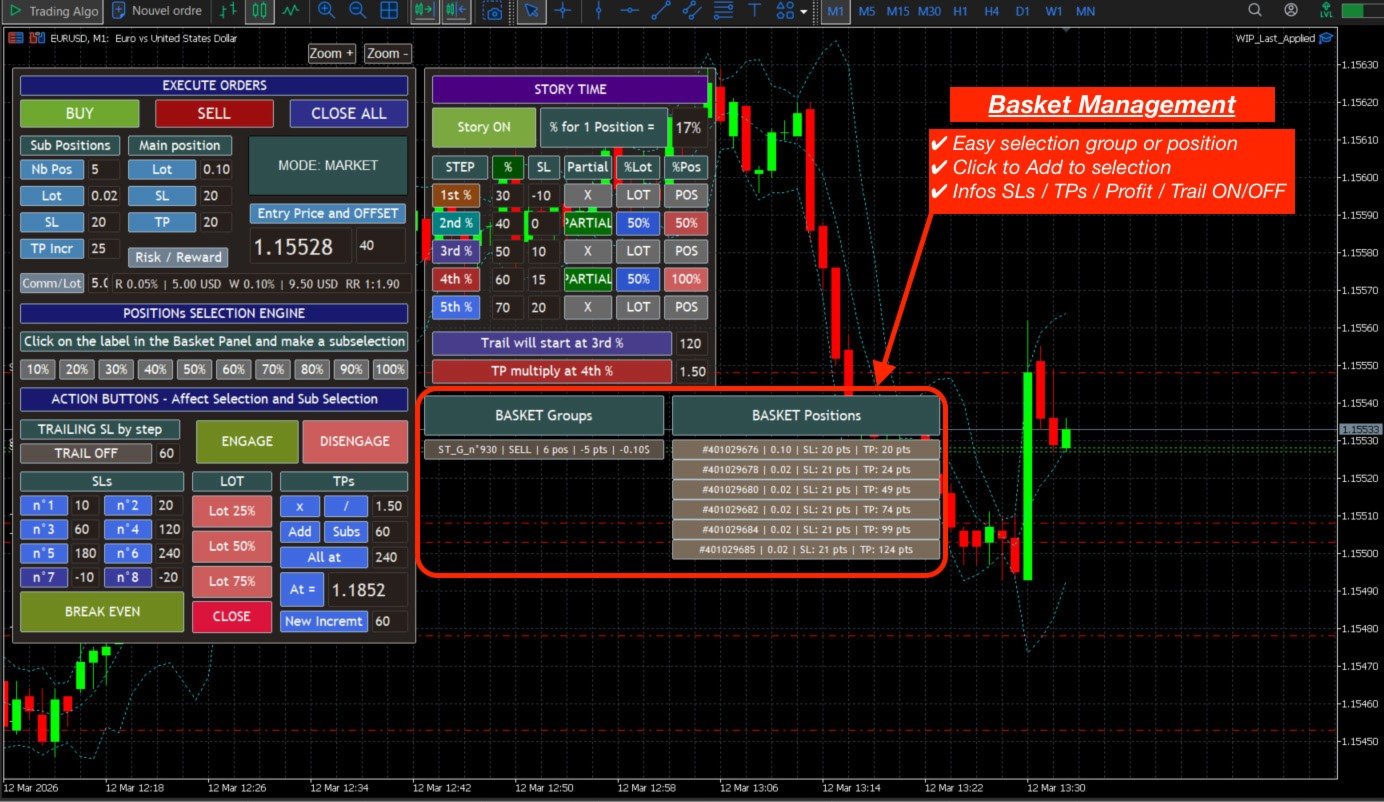
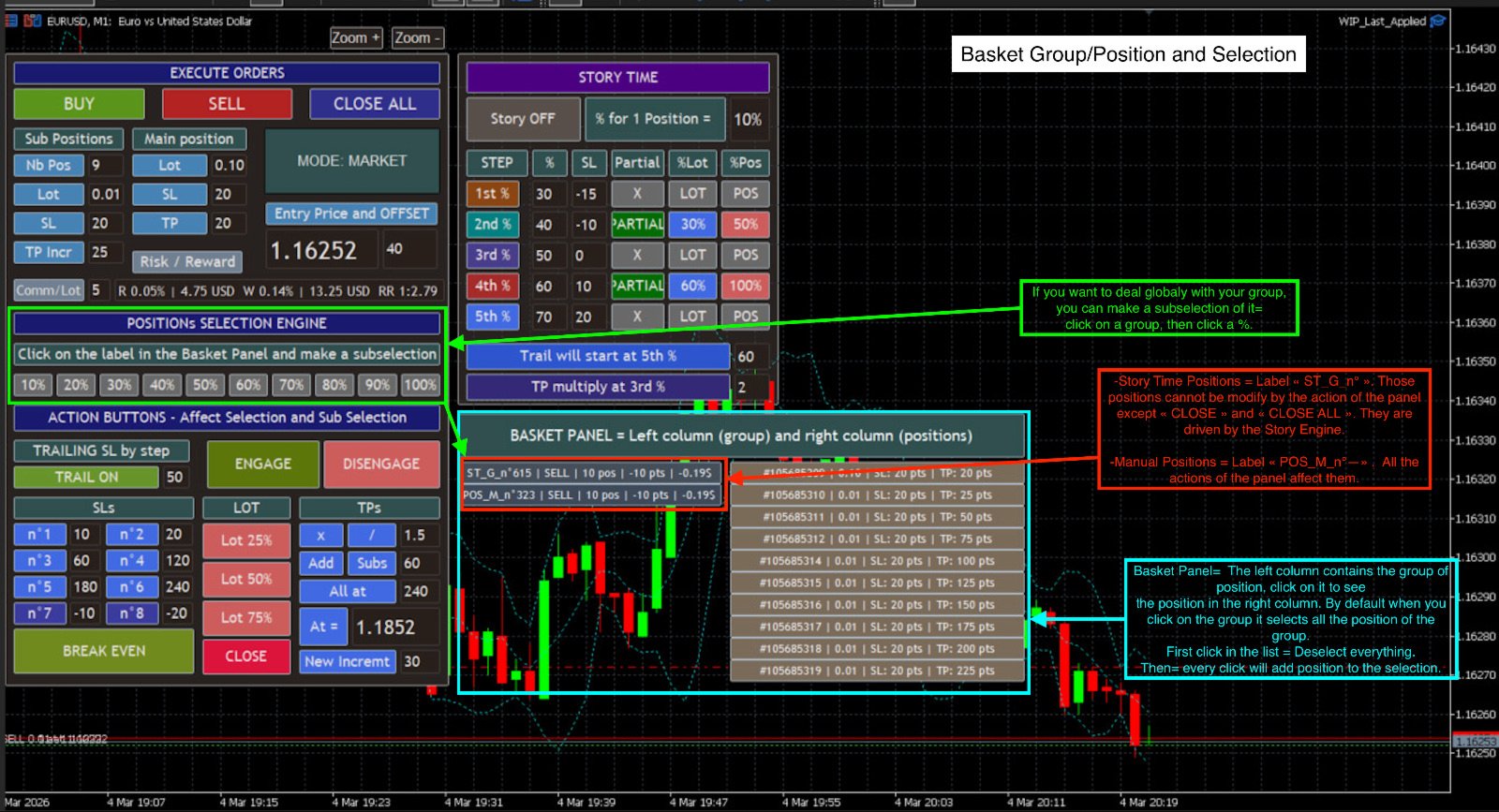
- Basket Engine = A basket allows you to view your positions and groups of positions with their information: type (Buy/Sell), number of positions, profit, etc.
It also allows you to select a group or individual positions to modify
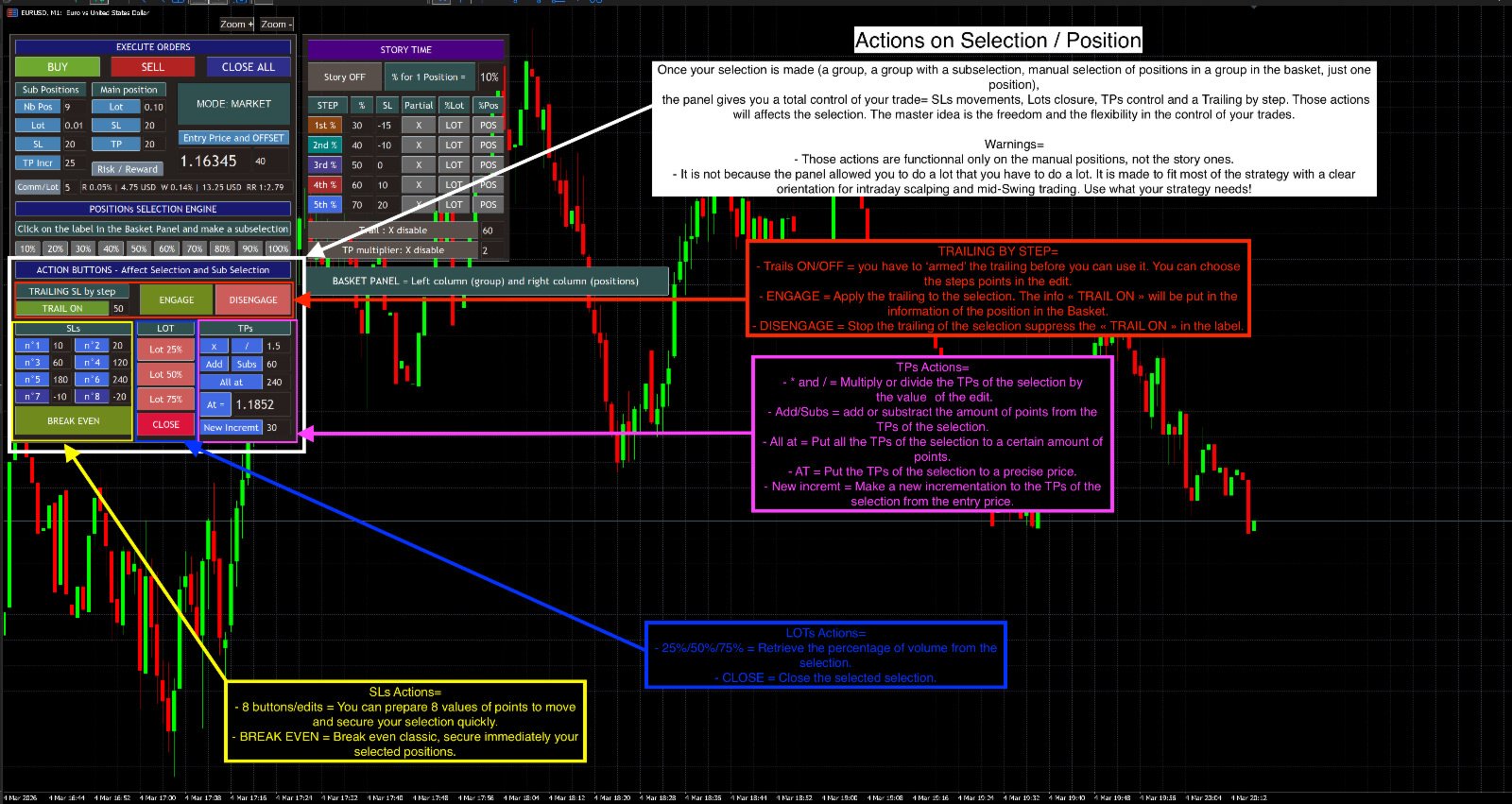
- Trailing by Step = Trailing stop function with incremental steps, the value of which is defined by the user.
An ON/OFF button is available for added security.
⚠️ Remember to activate (arm) trailing before using:
ENGAGE: to activate trailing
DISENGAGE: to deactivate it
- SL = Several pre-set SL levels for quickly adjusting your positions. A "Break Even" button is provided for easily and quickly securing trades.
- Partial withdrawal function with several percentages.
- Multiple functions for manipulating your Take Profits (TP).
All these features are manual and only apply to positions opened in this mode.
They do not affect positions managed via Story Time.
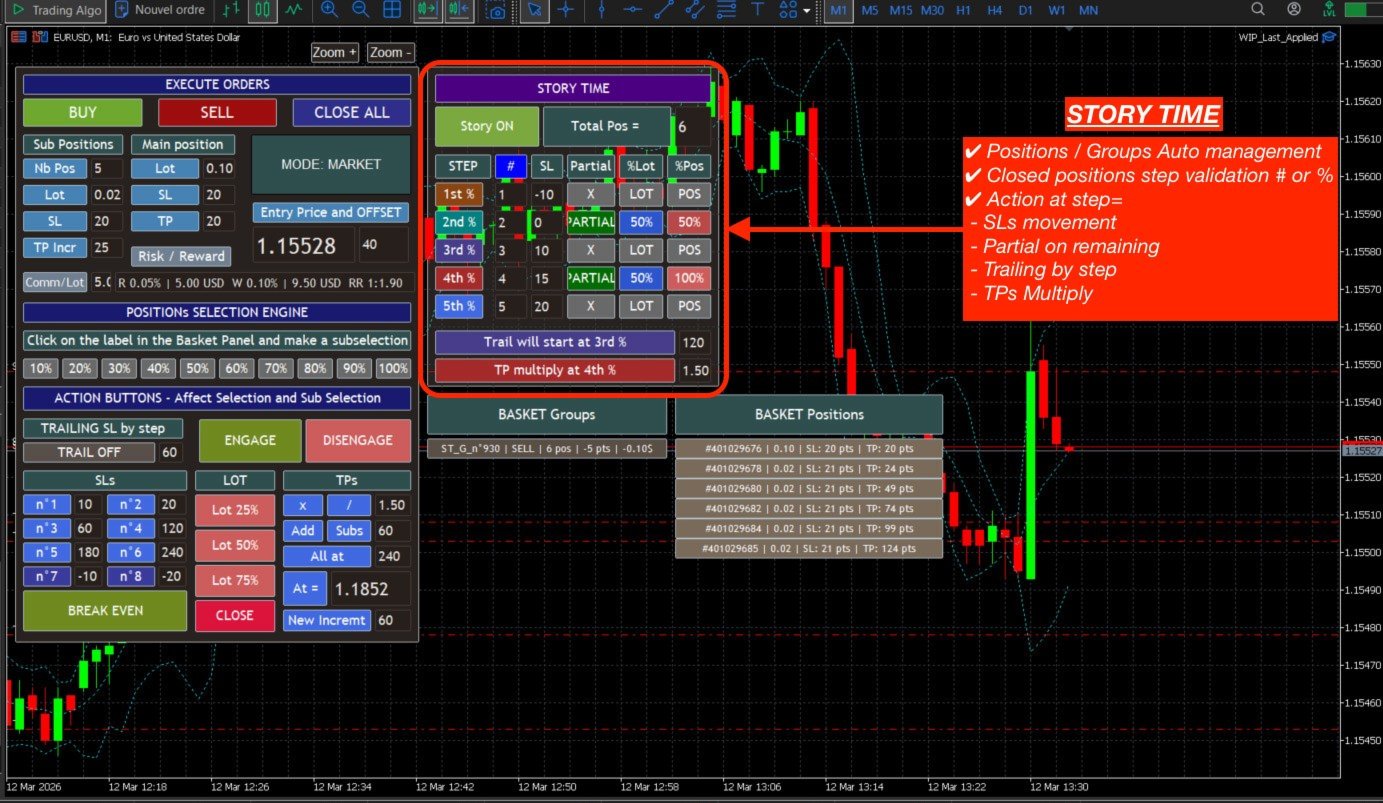
2/ Special Function: "Story Time"
This is the core of the Expert Advisor (EA).
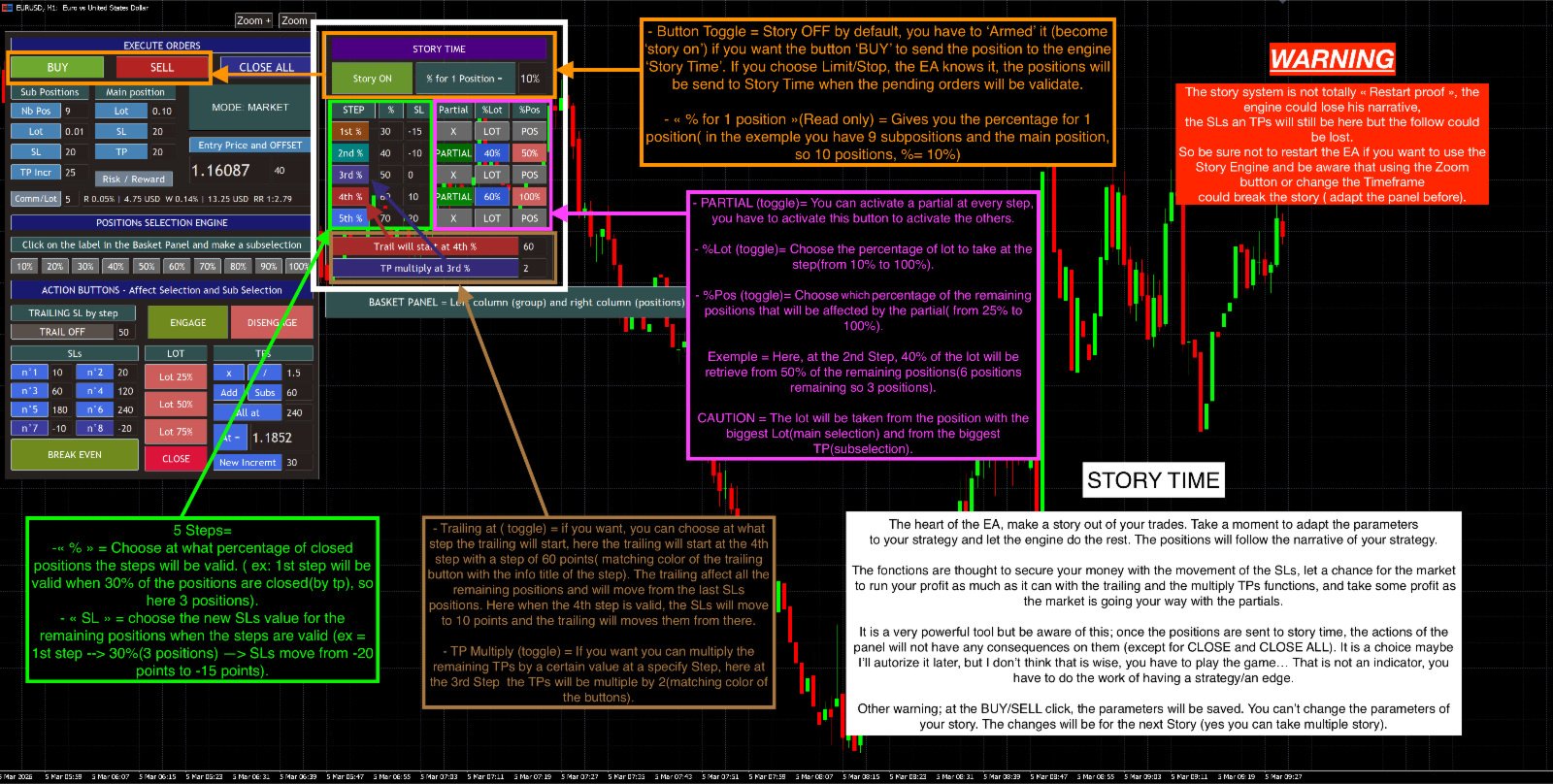
When this function is activated (Story ON), all open positions via BUY/SELL (regardless of the mode) are automatically managed according to different validation steps.
At each step, several actions can be performed:
- Stop Limit Adjustment
- Partial Closure of a Percentage of Positions
- Trailing by Step
- Multiply Take Profit (TP)
Functions =
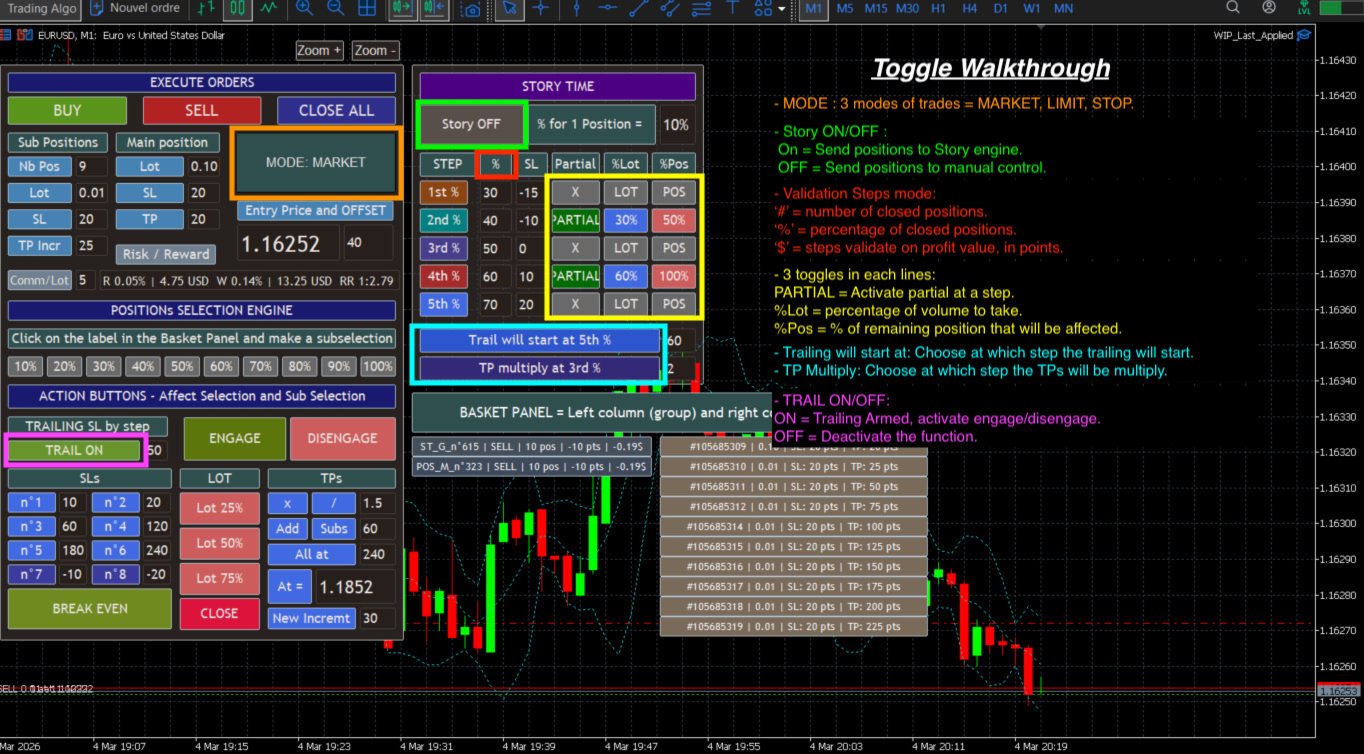
- 5 validation steps, with 3 modes:
#: Validation based on the number of closed positions
%: Validation based on the percentage of closed positions
$: Validation based on profit in points (ideal for a single position)
- Partials = At each validated step, it is possible to perform a partial closure on the remaining positions.
- Trailing at = Ability to activate step-by-step trailing from a given step.
The step value is user-defined.
- Multiply TP = Allows you to multiply the remaining Take Profits at a given step.
This function is particularly effective when combined with trailing to allow positions to run.
Ensure that the Story Time button is set to "Story ON" to activate automated management. Otherwise, positions will be treated as manual trades.
Positions Managed by Story Timeframes are independent of the panel, except for the following actions:
- CLOSE
- CLOSE ALL
- Partial closures
With careful consideration and some time to learn, this tool can be very useful. Hoping this helps, happy trading!
Note: The Expert Advisor (EA) does not yet properly support reloading, changing the Timeframe, or other refreshes. Some positions managed by Story Time may lose tracking after these actions.
P.S.: Leave comments to share your feedback.