 MetaTrader 5
 Experts
 지표
지표
 라이브러리
라이브러리
 유틸리티
유틸리티
 위젯
위젯
 규칙
규칙
MetaTrader 5용 무료 트레이딩 유틸리티 - 13
 다음은 MetaTrader 5의 거래를 단순화하는 거래 프로그램입니다. 유틸리티의 설명과 목적을 읽으려면 유틸리티 위에 마우스를 놓으십시오.
Un cronómetro de fin de vela (o Candle Timer ) es una herramienta esencial, especialmente para alguien que opera con estrategias de precisióncomo las que manejan los traders. Su función es simple pero crítica: te dice exactamente cuánto tiempo falta para que la vela actual se cierre y comience una nueva..............................................
FREE

Product Description: Effortlessly bridge the gap between Binance and MetaTrader 5 with this sleek integration tool. Designed for traders who demand precision and real-time data, this product fetches live Binance chart information directly into MT5, enabling seamless technical analysis and strategy execution. Whether you're tracking candlestick patterns or refining your forex indicators, this tool ensures your MT5 environment stays synced with the crypto market pulse. Getting Started: Place the
FREE

Gold Precision Execution Panel V5.3 The Ultimate Risk-Controlled Trading Dashboard for XAUUSD Gold Precision Execution Panel is a professional-grade trading tool specifically engineered for gold traders who prioritize speed, accuracy, and rigorous risk management. In the fast-moving XAUUSD market, one mistake can be costly; this panel eliminates human error by automating complex lot calculations and providing a clear visual preview of every trade before execution. Key Features Fixed Risk Managem
FREE

[Product Overview] Transform RSI into a Precision Trend-Following Weapon Are you tired of traditional RSI indicators generating premature "Overbought/Oversold" reversal signals during strong trends, causing you to trade against the flow and incur losses? 。 signals in trending markets. The core philosophy of this system is: "Follow the Trend, Trade the Pullback, Snipe the Entry." It focuses on finding high-probability pullback entries only when the trend is clear and momentum is stro
FREE

Historical Info 차트에서 직접 필수 거래 정보를 표시하는 간단한 무료 유틸리티입니다. 이 가벼운 도구는 한눈에 성과를 추적하는 데 도움이 됩니다. 기능: 현재 오픈된 포지션: 모든 활성 포지션의 요약을 즉시 확인합니다. 최근 거래 내역: 지난 30일 중 선택한 기간의 종료된 거래를 분석합니다. 명확한 데이터 구성: 과거 데이터는 검토하기로 선택한 날의 시작부터 깔끔하게 정리됩니다. 사용 방법: 탐색기 창에서 차트로 유틸리티를 드래그하세요. 패널은 계정 전체 데이터를 표시하며, 배치된 차트의 영향을 받지 않으므로 어떤 종목이나 시간대에서도 사용할 수 있습니다 . 팝업 창에서 '입력' 탭으로 이동하세요. 종료된 거래를 검토할 과거 일수를 설정하세요. '확인'을 클릭하면 패널이 차트에 나타납니다.
FREE

Advanced Signals Pro v10.0 is a professional-grade, all-in-one trading dashboard that combines 11 powerful technical indicators into a single, elegant interface. Monitor multiple symbols simultaneously, receive instant buy/sell signals with calculated targets, and make informed trading decisions with confidence. adjust parameters as you wish and if you want to see detailed analysis for any pair double click on it you will get tp , sl and support and resistance and accurate signal Whether you're
FREE

Prop Firm Guardian Prop Firm Guardian is a MetaTrader 5 utility designed to help traders monitor the most important limits of a funded account in a clear, visual, and organized way. The panel displays key real-time metrics such as daily drawdown , maximum drawdown , profit target , balance , equity , open P&L , and basic historical account statistics. It can be useful for traders looking for a prop firm dashboard , drawdown monitor , risk monitor , or funded account control panel inside MetaTrad
FREE

QuAI EA Preflight Check is a free MetaTrader 5 utility designed to answer one simple question before you run an Expert Advisor:
Is this account, broker and symbol environment compatible with the EA settings you intend to use?
Instead of showing only raw account information, the utility performs a practical preflight diagnostic and classifies the most important conditions as PASS, WARN or FAIL.
The tool never opens, modifies or closes trades.
Main checks
- MetaTrader connection - Terminal A
FREE

Risk Manager – Account Protection Tool Risk Manager is an Expert Advisor for MetaTrader 5 designed to protect your trading account by applying automatic risk management rules. This tool does not open trades .
It continuously monitors your account and enforces predefined limits to help prevent excessive losses and maintain disciplined trading. Risk Manager works in the background and can manage positions opened by manual trading or other Expert Advisors. It is particularly useful for: • Manual tr
FREE

MQT Prop Guard DD는 프롭펌 계좌를 일일 손실 한도와 총 드로다운 초과로부터 보호합니다. 자기자본을 매초 감시하여 챌린지의 일일 한도에 도달하기 전에 모든 포지션을 청산한 뒤, 다음 일일 리셋까지 거래를 잠급니다. FTMO, The5ers, FundedNext 같은 프롭펌의 규칙과 호환됩니다(회사의 정확한 리셋 시간과 한도를 항상 확인하세요). 작동 방식(로직 요약): 설정한 리셋 시간(서버 시간)에 당일 시작 기준값을 기록합니다: 잔고, 자기자본 또는 둘 중 큰 값(기본값은 보수적 선택). 매초 현재 자기자본(미실현 손실 포함)을 기준값에서 일일 한도(% 또는 고정 금액)를 뺀 값과 비교합니다. 설정 가능한 경고 수준(기본 한도의 80%)에서 하루에 한 번 경고합니다: 팝업, 저널, 선택적 푸시 알림. 한도를 초과하면 모든 심볼의 모든 포지션을 청산하고 대기 주문을 삭제하며 다음 리셋까지 거래를 잠급니다. 잠금 중에 열린 것은 즉시 청산됩니다. 선택적 총 드로다운 한도
FREE

OB FVG Trade Copier: Unified Master & Slave EA Version: 2.00 Type: Trade Copier / Risk Management Utility Compatibility: MetaTrader 4 & MetaTrader 5 (Cross-compatible codebase)
Overview The OB FVG Trade Copier is a professional-grade, unified trade copying system designed to mirror trades between Master and Slave accounts seamlessly. Built with a unified architecture, a single EA file serves as both the sender (Master) and receiver (Slave) simply by toggling the EA Mode in the settings. It uti
FREE

Signalator Lot Size Evaluator MT5 는 수동 트레이더가 주문을 실행하기 전에 예상 포지션 크기를 계산할 수 있도록 설계된 무료 로컬 MetaTrader 5 유틸리티입니다. 선택한 심볼, BUY 또는 SELL 방향, 예정 진입 가격, Stop Loss, 선택적 Take Profit 및 리스크 비율을 사용하여 거래를 계획할 수 있습니다. 계산기는 현재 계좌 정보와 브로커가 제공하는 심볼 사양을 함께 사용하여 권장 랏 크기와 주요 리스크 값을 계산합니다. 사용 절차는 간단합니다: 거래 설정 정의 → 계좌 리스크 수준 선택 → 권장 랏 크기와 브로커 조건 확인 → 설정이 적절한 경우 수동으로 거래를 실행합니다. Signalator Lot Size Evaluator MT5 는 Signalator Trading and Analysis Ecosystem 의 일부입니다. 이는 거래 준비, 심볼 및 브로커 분석, 계좌 모니터링, 포지션 관리 및 일상적인 트레이딩 작업 흐름
FREE

Graph the take profit and stop loss levels of closed and open trades. Green rectangles for the take profit zone and red rectangles for the stop loss zone. It updates automatically when opening a trade and extends the rectangle to the last open candle. Useful for analyzing whether the trade limits have been chosen correctly. Its only input parameter is the date from which you want to start graphing, in the format year-month-day.
FREE

This tool is designed to quickly calculate the lot depending on the Stop Loss.
The control is done by hot keys
By default:
1 - Limit order price level
2 - Stop Loss Level
3 - Take Profit Level
Space Bar - Open an order
Escape - Cancel All 9 - Open 2 orders
Market Order
To open a Market order, click (2) and set up Stop Loss with the mouse If you want to put Take Profit - click (3) and set up Take Profit with the mouse
FREE

RSI & Moving Average Expert v1.0
A fully automated trading robot that combines the power of two classic indicators: Moving Averages and RSI, to identify strong, low-risk entries aligned with the market trend. How it works: Uses a Fast and Slow MA crossover on M15 timeframe for signal generation. Confirms trend direction using a higher timeframe EMA (default H1, 100-period). Applies RSI filtering to avoid false breakouts and extreme zones. Calculates lot size dynamically based on account risk
FREE
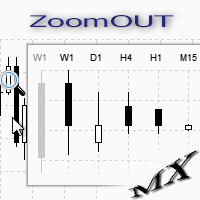
ZoomOUT allows you to have a quick look at a selected bar on a higher timeframe in a pop-up window. After the launch, the indicator works in the background mode occupying no place in the chart and consuming no resources. When activating the indicator by Shift + o (customizable), a pop-up window with a chart displaying bars of higher timeframes is created. To hide a pop-up window, left-click on any clear place on the chart. The indicator is simple and requires no settings.
FREE

KChrono Timer is a four-mode timing utility for MetaTrader 5. It keeps candle, countdown and trading-session time information visible directly on the chart.
Timer modes
1. Candle Close Timer
Displays the remaining time and progress of the active candle. The current chart timeframe or another candle timeframe can be selected.
2. Custom Countdown
Runs a user-defined countdown with optional automatic restart or reset when a new candle begins. Pause, Resume and Reset controls are available dire
FREE

Second Level Candles And Alligator Indicators 每12秒产生一个K线,而且自带Alligator指标,对超短线选手交易非常有帮助。程序启动时可能不成功,是因为MT5 MqlTick 数据加载少的原因。可以通过修改显示的数据参数避免,比如display=100,程序正常之后再将参数调大 display=300 。如果数据不正常,也可以采用重新加载的方式解决。 如果您对这个指标有任何建议,请联系作者。 Second Level Candles And Alligator Indicators produced a candle per 12 seconds,include Alligator, it's helpful to Short-Term Trading。You'd better reload the indicator every start MT5 or change display parameter to reslove data bug. Please attach author when you had some su
FREE

Anti Revenge Trading Police Bot v1.80 (Revenge Trading Protector) 개발자: Mindfultradeness
복수 트레이딩의 순환에 갇혀 있나요? 매번 손실이 다시 시장에 들어가게 유혹하나요? 당신의 곁에 지킴이가 있다고 상상해 보세요 — Anti-Revenge Police Bot, 복수 트레이딩을 극복하는 궁극적인 도구입니다! 이 혁신적인 유틸리티는 당신의 모든 움직임을 감시하며, 마감된 손실을 감지하고 맞춤형 쿨다운을 활성화하여 독성 충동을 멈춥니다. 실시간 개입으로 모든 포지션과 보류 주문을 종료하며, 희망으로 가득 찬 마인드풀 트레이딩 여정을 안내합니다. 작동 방식과 설정 방법을 함께 알아봅시다!
주요 기능과 이점: - **실시간 다국어 HUD with 프로그레스 바와 카운트다운:** 당신의 언어로 동적 화면을 즉시 확인하여 거래의 명확성을 제공합니다. - **Anti-Revenge Police: 열린 포지션을 종료하고
FREE
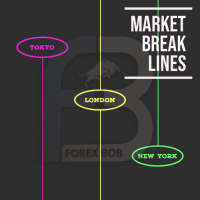
Market Break Lines is an utility tool to create a partition line at market openings/closings of Tokyo/London/NewYork sessions. This will help you to compare the market movements, volatility variations between the different markets.
Inputs: Inputs are simple to feed the time of Tokyo/London/NewYork sessions as per your broker server time Change Color and width of partition lines You can enable or disable any line (Hide/Show).
Please don't forget to support by giving handsome reviews/rating MT
FREE

정확한 진입 및 종료 조건에서 거래할 수 있는 거래 봇이 있는지 궁금했던 적이 있나요? 걱정하지 마세요. Pebble이 있습니다!
RSI 거래 패널에서 거래 매개변수를 설정하고 "거래 시작"을 누르면 됩니다! Pebble이 나머지를 처리합니다.
Pebble을 사용하는 몇 가지 이점은 다음과 같습니다.-
거래에서 인간의 감정을 제거합니다. 24시간 연중무휴로 활동하며 거래 조건을 검색합니다. 자동으로 주문을 하고 손절매를 손익분기점으로 이동합니다. SL 및 TP뿐만 아니라 RSI 조건에 따라 포지션을 종료할 수 있습니다. 패널에서 직접 RSI 기간을 변경합니다. 하위 창 1에 녹색 및 빨간색 선을 배치하여 각각 매수 및 매도 수준을 쉽게 시각화할 수 있도록 도와줍니다. 이것은 거래를 자동화하고 당신이 잠들어 있는 동안 이 봇이 당신을 대신하여 거래를 하게 하는 최고의 방법입니다!
FREE
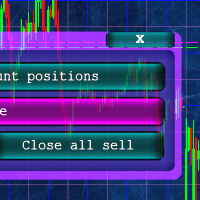
Кнопочная панель для одновременного закрывания большого числа позиций. Всего четыре варианта закрывания: Закрыть все позиции на счёте ( Close all account positions ). Закрыть все позиции по символу графика, на котором находится панель ( Close all positions ). Закрыть все Buy позиции по символу графика, на котором находится панель ( Close all Buy positions ). Закрыть все Sell позиции по символу графика, на котором находится панель ( Close all Sell positions ).
FREE

Ritz_BUYnSELL_Detection
The Ritz_BUYnSELL_Detection is a custom MetaTrader 5 (MT5) indicator that detects BUY and SELL trading signals based on trend detection and ATR-based volatility filtering. It provides visual arrows , entry alerts , and mobile push notifications , making it suitable for traders using a VPS setup for 24/7 signal monitoring. How to Use the Indicator Install on MT5 : Place the .mq5 file in the MQL5/Indicators folder. Compile it in MetaEditor, then apply it to any chart. A
FREE
This Expert Advisor is used to send messages from the PCT Multi indicator to Telegram.
The EA has 5 settings: - Channel name: The name of the Telegram channel. - Token: Your bot's Token. - Entries: Entry messages will be sent. - Results: Entry results will be sent. - Alerts: Alerts will be sent.
How to set up: In the Tools -> Options menu, in the "Expert Advisors" tab: - Check the "Allow WebRequest for listed URL:" option. - Click "add new URL" and add " https://api.telegram.org " (without the
FREE

A simple and useful Current Price Panel, which displays magnified current Bid, Ask prices and spread, movable anywhere on chart window using the mouse. Also provides an option to have as text at a static location showing bid or ask price along with spread, shown at any location on the chart. Allows display as pips or points along with spread highlighted in distinct color if it crosses the threshold point for the previous 100 ticks. Includes an option to show or hide the last digit (pipette) of t
FREE

Trade Manager Panel is a free on-chart utility that helps you manage open positions quickly with a set of one-click buttons. It does not open trades on its own and generates no trading signals - it is a pure manual-trading assistant that works on any account with no restrictions.
Features: - Close All: close every open position at once. - Close Profit: close only the positions currently in profit. - Close Loss: close only the positions currently in loss. - Partial Close: close a configurable p
FREE

Use Day Trading Tracker to keep a record of your earnings across accounts. This indicator will show a dashboard in the Meta Trader chart to show for the profit or loss money in your account. It’s easy to see just how much money you’re making matched betting with the Forex Trading Profit Tracker. Key features: Track your profit over time Check out your stats. Track expected profits against actual profits. Export account history to Excel. MT4 version: https://www.mql5.com/en/market/product/39113
FREE

Korean CCI Cross Alert EA for MT5 CCI Cross Alert EA는 상품 채널 지수 (CCI) 가 일반적인 과매수 또는 과매도 수준에 도달할 때 알림을 보내는 MetaTrader 5용 간단한 도구입니다. 차트를 계속 확인하지 않아도 CCI 상태를 모니터링할 수 있습니다. 차트에 설치하면 EA가 CCI를 확인하고 중요한 수준을 돌파할 때 팝업 알림 을 표시합니다. 이를 통해 차트를 빠르게 확인하고 잠재적인 거래 기회를 평가할 수 있습니다. 기능 CCI가 과매수 수준(기본값 100)을 상향 돌파할 때 감지
CCI가 과매도 수준(기본값 -100)을 하향 돌파할 때 감지
MetaTrader 5 팝업 알림
모든 심볼과 시간대에서 사용 가능
가볍고 사용하기 쉬움 작동 방식 EA는 차트의 CCI를 모니터링합니다. CCI가 과매수 수준 위로 올라가거나 과매도 수준 아래로 내려가면 팝업 알림이 나타납니다. CCI 기간과 알림 수준은 설정에서 조정할 수 있습니다. 이 EA
FREE

Description: Protect your live or evaluation accounts by not letting it hit the maximum daily draw down! This utility is best for prop firms such as FTMO and MFF(MyForexFunds) and etc. Guide: Apply to EURUSD 1m Chart.
Default Settings: Maximum Draw Down Balance: 4% Account Balance. Maximum Draw Down Equity: 4% Account Balance Target Profit Balance: 1% Account Balance. Target Profit Equity: 1% Account Balance. Time To Reset: 16:57 to 16:58 GMT
Behavior: Setting starting_balance to 0 will auto
FREE
Expert Advisor that tracks assets listed in the Market Watch window by checking which assets are needled (crossing the 3, 8, and 20 moving averages) or are close to crossing. It does not track when there is no crossing of the averages. The EA allows you to choose the timeframe for analyzing the crossings. There is no maximum limit for assets or EAs running simultaneously, but a very large number can lead to system slowdown and freezing. Users should be mindful of their device's capabilities. Th
FREE

天机账户统计分析是一款账户交易统计面板 EA。它在图表内嵌悬浮窗口,将账户历史交易记录按日、周、月、季、年、品种、幻数(Magic)、注释八大维度自动汇总成可视化报表,一键切换查看。
每个维度展示总手数、最大手数、交易次数、连亏、连赢、最大亏损、最大盈利、胜率、百分比、利润、余额、出入金、最大浮亏、最大浮盈等十五项统计指标,列可按需开关显示。内置账户实时面板,三列布局呈现账户信息、资金状况(余额、净值、保证金、浮动盈亏等)与持仓明细(多空单数、总/最大/最小/平均手数、持仓盈亏等)。
性能方面,采用历史记录缓存与增量更新、统计指纹校验、浮盈浮亏独立跟踪,配合防抖节流与定时刷新,兼顾实时性与流畅度。界面支持拖拽、滚动条、DPI 自适应,颜色、语言、字体、缩放均可配置,。
该工具适合交易复盘、多策略账户监控与实时风险查看,当前版本 v6.9,由天机(官网 tianjigendan.cn)提供,专注跟单系统、量化系统与定制服务。
FREE
Itrade manager expert advisor (EA) is a type of software that can be programmed to perform a variety of tasks related to managing trades in the financial markets. Some of the ways in which the Itrade manager EA can help you trade better include: Itrade manager EA can automatically modify, and close trades based on predefined rules and conditions, freeing you up to focus on other aspects of your trading strategy. Managing risk: Itrade manager EA can help you manage risk by placing stop-loss and t
FREE

JVH Protection – Universal Prop Firm Risk Manager (MT5) Broker-Time Reset | Daily Max Loss | Overall Drawdown | Trailing Lock | Full Account Guard JVH Protection is a professional-grade equity protection tool for MetaTrader 5, built for prop firm traders, EA users, and anyone who wants strict automated risk control. This EA acts as a real-time risk firewall for your entire MT5 trading account. Key Features Full Account Protection Monitors all symbols Covers all magic numbers Works with m
FREE

You may have found after a carefully planned trade something happened. An unexpected event... You forgot to look the web calender or use any kind of program. This fills this gap in its own way. Features: - show all events as vertical lines - low, medium or high events... with different colors. -name of the events and numbers associated with the event are also shown such actual value, forecast value and previous value.
The calendar information is obtained from your broker. It is a built-in serv
FREE

Manual Trading Assistant is a professional EA designed for manual traders who want institutional-level trade management without losing control. This tool does NOT open trades automatically - you remain in full control of your entries. Once you open a position manually, the EA takes over with advanced features: automatic TP/SL placement based on ATR or fixed pips, dynamic trailing stop that adapts to volatility, break even protection to eliminate risk after initial profit , partial close
FREE

Prop Trade Guard is an on-chart discipline panel for MetaTrader 5. It keeps you inside your own trading rules instead of relying on willpower after a loss. It tracks your account's closed trades for the day and shows a live session window, trade count, and daily P/L against your limits. A fully editable 5-item confluence checklist lets you define entry criteria for any strategy — check each box before you enter, and the panel only shows SETUP READY when everything lines up. Most importantly, it
FREE

ForexFanclub(FFC) : For detailed instructions and our official website, please visit my profile !
PidPro is a fully-featured, professional bulk order closing tool provided by Forex Fanclub, designed to maximize the efficiency of position management. Whether you are a scalper needing lightning-fast exits or managing a basket of positions from an Expert Advisor, PidPro provides the ultimate control. [Key Features] 1. Flexible Target Selection:
Choose between "All Charts" to manage your entire acc
FREE

Korean (한국어) MT5 파라볼릭 SAR 크로스 알림 EA Parabolic SAR Cross Alert EA는 MetaTrader 5용 간단한 도구로, 파라볼릭 SAR 지표가 방향을 전환하여 잠재적 트렌드 반전을 알릴 때 알림을 보냅니다. 차트를 지속적으로 모니터링하지 않고도 SAR이 가격 위 또는 아래로 교차할 때 포착할 수 있습니다. 기능 파라볼릭 SAR이 가격 위로 교차 (매수 신호) 파라볼릭 SAR이 가격 아래로 교차 (매도 신호) MetaTrader 5에서 직접 팝업 알림 브로커의 모든 심볼 및 시간대 지원 SAR step 및 maximum 파라미터 사용자 설정 가능 가볍고 사용하기 쉬움 작동 원리
EA는 차트의 파라볼릭 SAR 지표를 모니터링합니다. SAR 점이 두 개의 완료된 K라인 사이에서 가격 반대편으로 전환될 때 MT5에서 직접 팝업 알림이 나타납니다.
FREE
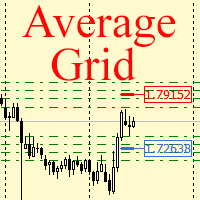
For any number of placed market and pending orders, the utility calculates the "breakeven level" - weighted average price. The calculation is performed individually for buy and sell orders. The weighted average price is marked with a label and colored horizontal line separately as well - one line for the buy price, and the other for sell price.
Input Parameters: Include pending. Include the pending orders in calculation. The default value of this parameter is false, and the calculation of the b
FREE
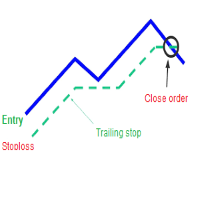
A trailing stop loss is a type of day-trading order that lets you set a maximum value or percentage of loss you can incur on a trade . If the security price rises or falls in your favor, the stop price moves with it. If the security price rises or falls against you, the stop stays in place. With this version, you can run trailing stoploss with currencies (ex start when profit more 1$, trailing stop with 2$...)
FREE

A fully automated, zero-input trailing stop-loss management utility designed specifically for Gold (XAUUSD) to lock in profits using dynamic milestones. Full Description Smart Trail SL is a specialized algorithmic trade-management utility designed for Gold (XAUUSD) traders who want automated, disciplined, and strict protective stop-loss enforcement without manual intervention. This utility features a hardcoded "Attack Mode" trailing engine. It completely removes the need for configuring complex
FREE

What this tool does Daily and Max Loss Protector is a protective account monitor for traders on prop firm challenge or funded accounts (built with common prop firm evaluation rule methodology in mind, and adjustable to match similar rules from other firms). It continuously tracks your account against: Daily loss limit — measured from your account BALANCE at the start of each trading day (matching how many prop firms calculate this, rather than a simplified equity-only approximation) Maximum ove
FREE

Account Turbo Flip: The Ultimate Manual Trading & Management Assistant Trading successfully isn't just about finding the perfect entry—it is about how you manage the trade once you are in the market. Account Turbo Flip is a streamlined utility Expert Advisor designed to take the emotion and hesitation out of trade management. Built for traders who prefer to maintain control over their own entries, it acts as your dedicated tactical assistant. You pull the trigger based on your own analysis, an
FREE

MT5 to MT4 Trade Copier (Master)
SHORT DESCRIPTION Copies trades from MetaTrader 5 to MetaTrader 4 on the same PC/VPS. You also need the EA "MT5 to MT4 Trade Copier I Slave" from the Market. If you have any questions, problems, or suggestions for improvement, feel free to send me a message or leave a comment.
KEY FEATURES Market execution copying (fast, stable) Multi-symbol filter (copy only selected symbols) Symbol mapping (master symbol -> receiver symbol) Lot multiplier (scale lots on rec
FREE

FREE

Berikut adalah deskripsi profesional yang dapat digunakan untuk header source code , halaman MQL5 Market , GitHub, maupun dokumentasi EA Anda. Deskripsi ini disesuaikan dengan fitur yang ada pada versi terbaru panel trading. Berdasarkan file yang Anda unggah, panel ini merupakan Gold Manual Trading Panel - BangkacangFX v2.1 dengan fitur panel trading manual untuk MT5. BangkacangFX Gold Manual Trading Panel v2.20 BangkacangFX Gold Manual Trading Panel adalah panel trading manual profesional untuk
FREE

Slave Link >> https://www.mql5.com/en/market/product/160092
CopyTrade Server is a lightweight, reliable local trade copier for MetaTrader 5 that mirrors positions from a Master account to one or more Slave accounts using a fast shared-file mechanism. It is designed for signal providers, account managers, and traders who need precise synchronization of trades with flexible delay and lot control.
Main concept Role: Works as the Slave side of a local copy trading setup and receives trades fro
FREE

Local Account Monitor MT5 is a read-only local monitoring utility for traders who run multiple MetaTrader terminals on the same PC or the same Windows VPS . It combines Agent mode and Dashboard mode so you can monitor local accounts from one place, spot stale terminals quickly, review account health states, and inspect risk details without switching between many terminals. Public channel: CLICK HERE
What it is for Monitoring multiple local MT5 terminals from one dashboard Quickly identifying
FREE

Product Overview The Simple Telegram Copy Trader is a FREE unified Expert Advisor that combines both Master and Slave functionality in a single EA with easy mode switching. This simplified version focuses on OPEN TRADES ONLY , making it perfect for basic copy trading setups without the complexity of advanced features.
Get professional-grade copy trading with complete lifecycle management: Telegram Signal Broadcaster MT5 (Master)
Telegram Signal Subscriber MT5 (Slave) Key Features Unified Des
FREE

Day Close Hunter 이것이 중요한 이유 모든 트레이더가 이 상황을 알고 있습니다. 금요일 저녁, 시장이 곧 마감되려 하는데 주말 전에 포지션을 청산하는 것을 잊어버렸습니다. 월요일, 시장은 갭으로 열리고 피할 수 있었던 손실이 당신의 예치금에 발생합니다. 많은 자동 매매 시스템에는 금요일 청산 기능이 내장되어 있지 않습니다. 주말 내내 포지션을 유지하여 시장 갭에 취약해집니다. Day Close Hunter는 이 문제를 완벽하게 해결합니다. 청산 시간과 요일을 설정하기만 하면 전문가 어드바이저가 당신이 잊더라도 포지션을 관리해 드립니다. 목적 Day Close Hunter는 MetaTrader 5용 범용 전문가 어드바이저로, 선택한 요일과 지정된 시간에 모든 포지션과 대기 주문을 자동으로 청산합니다. 주말 갭으로부터 보호할 뿐만 아니라 시장 마감 전 일일 계좌 정리에도 완벽합니다. 주요 기능 선택 가능한 요일 — 체크박스를 통한 유연한 설정. 원하는 요일에 포지션을 청
FREE

Simple Position Manager is a professional-grade MT5 script designed for efficient trade management. This versatile tool allows traders to quickly apply Take Profit, Stop Loss, and Breakeven settings across multiple open positions with precision and reliability. Key Features Multi-Position Management Apply TP/SL to all open positions of the current symbol simultaneously Intelligent position filtering by symbol Batch modification capabilities Smart Breakeven Technology Automated breakeven tri
FREE

PipPal - Your Animated Robot Trading Companion Trading can feel lonely and stressful. PipPal puts a friendly little robot right on your chart who stays with you through every trade. He flies out of a glowing sci-fi portal, follows your live price in real time, and reacts to what is happening in your account - so your chart finally feels alive. PipPal is a pure visual companion. It reads your open trades to show emotions, but it never opens, modifies, or closes any position. Your trading stays 10
FREE

If you want something as below: Sell FOREX trading signal. Manage multiple accounts. Follow the trading from somebody. "TradeCopier_follow" and "TradeCopier_source" can help you! Features: Copying from one source (master) account to multiple follower (slave) accounts. Allow investor (read only) password for the source (master) account. There are no complicated settings and input parameters, everything is easy. Works with different Brokers. Works with different symbols (EURUSD_FX, eurusd_m, e
FREE
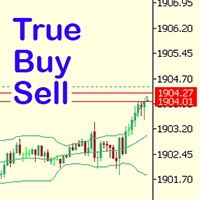
Have you ever noticed how on the forex symbols, the buy / sell button's price doesn't match the buy / sell lines on the chart? The spread always looks a lot tighter on the chart, you open a position and then realise the spread is huge. This is a very simple utility, it adds lines on the chart which match the buy / sell price on the buttons. Once installed I recommend right clicking the chart, go to Properties and uncheck "Show bid price line" and "Show ask price line", now click OK. Then righ
FREE

PositionRelay Master Publisher는 MetaTrader 5의 열린 포지션 스냅샷을 PositionRelay 클라우드 릴레이로 전송합니다. 마스터 계좌를 운영하며 다른 터미널이나 브로커의 슬레이브 계좌에서 진입, 청산, 스톱로스 및 테이크프로핏 업데이트를 낮은 지연으로 미러링하려는 트레이더를 위해 설계되었습니다.
연관 제품: PositionRelay Slave Subscriber(무료). 이 EA가 게시를 시작한 후 각 팔로워 계좌에 설치하세요. 두 EA 모두 동일한 PositionRelay User ID를 사용합니다.
요구 사항: - 활성 PositionRelay 클라우드 구독(positionrelay.com 가입) - positionrelay.com 대시보드의 PositionRelay User ID - 각 팔로워 터미널에 PositionRelay Slave Subscriber - 마스터 터미널의 안정적인 인터넷 연결
설정: 1. positionrelay.
FREE

X-STOX Session Matrix Pro puts the market's clock on your chart. Instantly see which trading session is active, when the high-liquidity overlaps hit, and exactly how long until the next session opens or closes — all adjusted automatically to your broker's server time. Built as a single lightweight indicator. No DLLs, no external data, no configuration headaches. — What it does — Session zones on-chart — the Sydney, Tokyo, London and New York sessions are drawn as clean shaded zones so you always
FREE

SimPHash is a free script that automatically generates ultra-fast conversion functions from a string to a value: it can be a simple type (integer, double, ulong, etc.) or an index into your own array or struct when the value you need is more complex. Instead of using a HashMap, a linear array with a search, or an endless chain of if / switch, SimPHash builds a Perfect Hash table at design time: a function that resolves each known key in a handful of arithmetic operations and a single array acces
FREE

PEAK MASTER LITE – PRECISION RESISTANCE NAVIGATOR
Peak Master Navigator is a non-repainting technical indicator designed to accurately identify and visualize structurally confirmed resistance levels in real time.
It detects valid swing highs based on market structure confirmation rules, ensuring that only meaningful and reliable resistance points are displayed on the chart. By filtering out weak or premature highs, Peak Master Navigator helps traders focus on true price reaction zones , improvi
FREE

One-Click Trade Manager for MetaTrader 5 The Close Manager Buttons EA is a powerful utility designed to give you full control of your open positions and pending orders with just one click.
Forget about manually closing trades one by one during fast market moves—this EA does it instantly, safely, and efficiently. Key Features Close All Trades – instantly close every open position Close Only Buy Trades – exit only BUY positions while keeping SELL trades running Close Only Sell Trades – exit only
FREE

Account Info AS는 MetaTrader 5용 강력한 정보 스크립트로, 거래 계좌에 대한 모든 정보를 차트에 직접 표시해 줍니다. 이 스크립트는 계좌 분석, 위험 관리 및 거래 의사 결정에 필요한 모든 데이터를 제공합니다.
주요 기능 완전한 재무 정보 계좌 유형 (데모/실계좌/경연 대회)
잔액, 자산 및 마진
현금 및 비율로 표시되는 사용 가능 마진
마진 레벨
현재 손익
위험 관리 마진콜 및 손절매 레벨
현재 심볼 1랏에 대한 마진 계산
인기 거래 상품 마진
거래 정보 미체결 포지션 (수량, 방향, 총 수익)
유형별 대기 주문
현재 심볼 정보:
랏 크기 (최소/최대/단계)
핍 단위 스프레드
스왑 크기
기술 데이터 현재 서버 시간
회사 및 서버 이름
계좌 번호 및 고객 정보
설정 스크립트는 세 가지 간단한 매개변수를 사용합니다.
Line_spacing - 가독성 향상을 위해 데이터 사이에 빈 줄 추가
ShowAllSymbolsInfo -
FREE
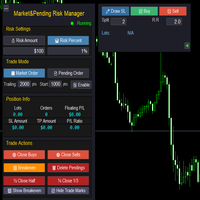
Market & Pending Risk Manager EA Operation Manual Market & Pending Risk Manager is a professional MT5 trading panel EA that integrates multiple functions such as market order trading, pending order trading, risk management, and trailing stop loss, providing traders with a comprehensive trading solution. Core Advantages Intelligent Dual-Mode Trading Market Order Mode: One-click buy/sell for fast execution Pending Order Mode: Precise entry to wait for the optimal timing Seamless Switching:
FREE

Native Account Stats breaks your own closed-trade history down by symbol, by hour of day and by weekday, with profit factor, win rate, expectancy and the drawdown of the closed-trade equity curve. Trades are reconstructed from MT5 deals, so deposits, credits and corrections never count as winning trades.
WHAT IT SHOWS
A panel on the chart reports: Trades, net result, profit factor, win rate, expectancy and max drawdown Average win, average loss, largest win, largest loss A breakdown by symbol
FREE

COASYN ATR Table is a multi-timeframe volatility reference for MetaTrader 5. It displays Average True Range across up to four user-selected timeframes and converts the values into pips for a cleaner comparison of how much the market is currently moving. The indicator does not generate signals, determine direction, or execute trades. Its purpose is simple: Use ATR as a ruler for current market movement. Features Up to 4 selectable timeframes Adjustable ATR length ATR displayed in pips Optional ra
FREE

Relentless Prop Firm Risk Guardian — Free Risk Dashboard for Prop-Firm and Funded Traders
Most funded challenges are not lost to bad trades. They are lost to a limit the trader did not see coming. One oversized position, one rough day, and the account is gone.
Relentless Prop Firm Risk Guardian keeps your limits in front of you, in real time, on your chart, so you always know how much room you have left.
It is free. If it saves you from one avoidable breach, an honest review helps the next tr
FREE

Introducing our simple yet powerful trendline trading expert, designed to open positions upon trendline breaks or touches based on predefined parameters. All you need to do is rename it to buy, sell, buy limit, or sell limit. As the name suggests, this is the basic version with minimal features. However, if you're looking for a truly professional trendline trading expert equipped with various trading management tools, automatic position sizing, trailing stops, breakeven points, partial closures,
FREE

QuickTrade Control (Free Version) The QuickTrade Control is a powerful and flexible Expert Advisor designed to give you complete control over your trades in MetaTrader 5. This free version includes a comprehensive set of tools and features that simplify decision-making and trade management. You can find more free products HERE . If you're looking for a low risk EA , check the Silent Pressure EA . Features: Instant closure of all open positions:
Close all active positions with a si
FREE

Risk Manager - Equity and Trade Protection Risk Manager is a utility Expert Advisor for MetaTrader 5 that monitors open positions and account equity and closes trades when predefined risk limits are reached. The EA does not open trades. It can run alongside manual trading, signal services, or other Expert Advisors and manages risk by closing positions when defined thresholds are reached. The program operates using two independent modules. Per-trade profit and loss monitoring
Account equity monit
FREE

================================================================ MATRIX CONDITION MONITOR Live Trade Condition Panel for MetaTrader 5 Fully Automatic -- Works with ALL Matrix EAs ================================================================
NEVER MISS A TRADE SETUP AGAIN
Matrix Condition Monitor is a free utility that attaches to any chart and automatically checks all 10 trade conditions in real time -- showing you exactly why a trade will or will not open, and alerting you the moment ever
FREE

UMNi-NTFY MT5 Telegram Notification System UMNi-NTFY is a lightweight Telegram notification tool for MetaTrader. It monitors trading activity and delivers fast, structured alerts directly to your phone — keeping you connected to your system without watching charts. KEY FEATURES Trade Open alerts (Entry, SL, TP) Trade Close alerts (P&L outcome) Session summaries System Online / Offline status Clean, structured message format Works with all symbols and timeframes Compatible
FREE

Find Your Fibonacci Entry Levels Automatically Fibonacci Entries is a FREE trading utility that automatically displays key Fibonacci entry levels from the selected candle—so you can quickly identify potential pullback areas without manually drawing Fibonacci levels. KEY FEATURES Automatic Fibonacci Entries
Automatically calculate and display Fibonacci levels from the selected candle. Key Entry Levels
Displays: 23.6% • 38.2% • 50.0% Last Candle Analysis
Use the previous can
FREE
MetaTrader 마켓은 과거 데이터를 이용한 테스트 및 최적화를 위해 무료 데모 거래 로봇을 다운로드할 수 있는 유일한 스토어입니다.
어플리케이션의 개요와 다른 고객의 리뷰를 읽어보시고 터미널에 바로 다운로드하신 다음 구매 전 트레이딩 로봇을 테스트해보시기 바랍니다. 오직 MetaTrader 마켓에서만 무료로 애플리케이션을 테스트할 수 있습니다.
