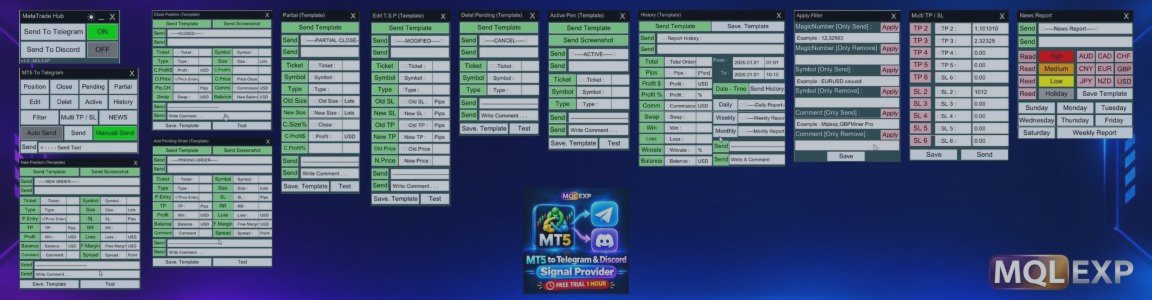

Looking for a free way to send MetaTrader 5 trading signals to Telegram or Discord?
Good news! MT5 to Telegram And Discord Signal Provider is now completely FREE on the MQL5 Market.
The full version is available to everyone at no cost. You can download and use this trading communication utility without purchasing a license.
Download the Full Version for FREE: https://www.mql5.com/en/market/product/194600
This guide explains how to install, configure, and use the MT5 to Telegram and Discord Signal Provider to automatically share trading activity, order notifications, screenshots, Forex news, and trading performance reports.
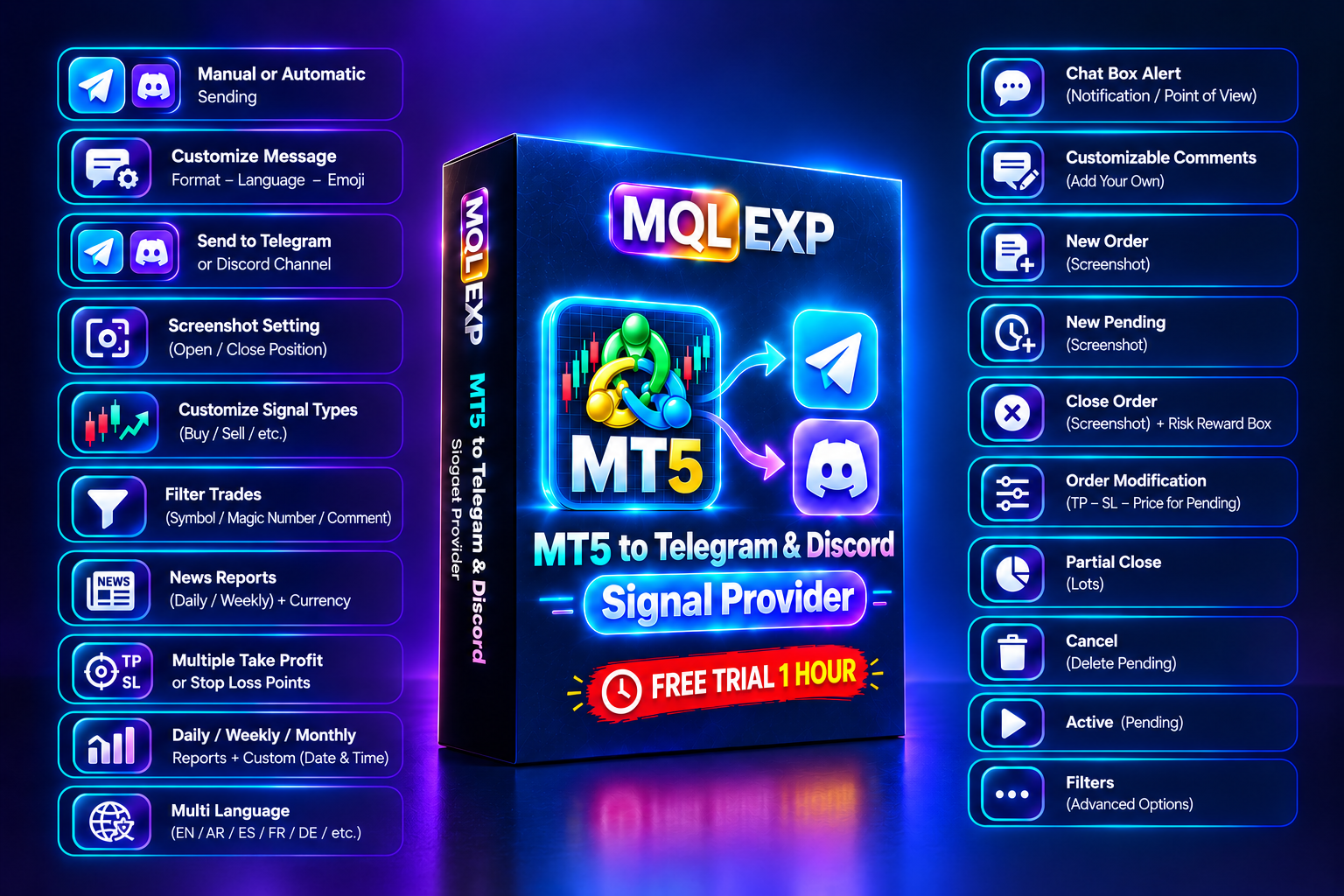
What Is MT5 to Telegram and Discord Signal Provider?
MT5 to Telegram And Discord Signal Provider is a customizable MetaTrader 5 utility designed for traders, signal providers, Forex educators, and trading communities.
It connects your MetaTrader 5 trading account to Telegram and Discord, allowing you to share trading information with your audience.
You can choose between manual and automatic message delivery and decide exactly what information should be published.
Unlike a simple notification tool, it provides detailed control over trade messages, screenshots, order updates, news reports, and performance statistics.
Main Features
1. Automatic and Manual Trading Signals
Send your trading activity directly from MetaTrader 5 to your Telegram or Discord channel.
Supported options include:
-
Automatic trading notifications.
-
Manual signal publishing.
-
Custom messages and announcements.
-
Separate configuration for Telegram and Discord.
-
Control over which trading events are published.
2. Complete Order Notifications
Keep your audience informed about important trading events.
The utility supports notifications for:
-
New market orders.
-
New pending orders.
-
Position closing.
-
Partial position closing.
-
Stop Loss modifications.
-
Take Profit modifications.
-
Pending order price changes.
-
Pending order activation.
-
Pending order cancellation.
You can also configure multiple Take Profit and Stop Loss levels.
3. Advanced Trade Filters
You don't always need to share every trade.
Use the built-in filters to control which trading activities are sent to your channels.
Available filters:
-
Symbol
-
Magic Number
-
Order Comment
This is especially useful when you operate multiple Expert Advisors or trading strategies on the same account.
4. Customizable Messages and Languages
Personalize your trading notifications to match your channel's style.
You can customize:
-
Message format.
-
Message language.
-
Emojis.
-
Custom comments.
-
Individual message sections.
-
Enabled and disabled information fields.
This makes it easier to create professional trading signals for your followers.
5. Automatic Trading Screenshots
Share visual trading information instead of sending text notifications only.
The utility can automatically capture and send chart screenshots for supported trading events.
You can configure screenshot dimensions, timing, and chart templates to create a consistent presentation for your audience.
6. Forex Economic News Reports
Share important economic calendar information through Telegram and Discord.
Configure news reports according to:
-
Economic event impact.
-
Selected currencies.
-
Days of the week.
-
Daily and weekly reporting.
This feature helps keep your trading community informed about upcoming market events.
7. Daily, Weekly and Monthly Performance Reports
Share trading performance information with your audience.
Available report options include:
-
Daily trading reports.
-
Weekly trading reports.
-
Monthly trading reports.
-
Custom reports based on selected dates and time periods.
You can choose when and how these reports are published.
8. Built-in Chat Box
Send your own messages, announcements, trading explanations, and market comments directly to your Telegram or Discord channels.
This feature allows you to communicate with your audience without switching between different applications.
How to Install MT5 to Telegram and Discord Signal Provider
Installation is straightforward.
-
Open the official MQL5 Market product page.
-
Download the full version for FREE.
-
Install the product in your MetaTrader 5 terminal.
-
Open the Navigator window and locate the installed utility.
-
Attach it to your chart.
-
Configure your Telegram or Discord connection.
Official Download:
https://www.mql5.com/en/market/product/194600
How to Connect Telegram
To connect your MetaTrader 5 account to Telegram:
-
Open Telegram and search for @BotFather.
-
Create a new Telegram bot.
-
Copy your bot token.
-
Add your bot to your target Telegram channel with permission to publish messages.
-
Obtain the channel Chat ID.
-
Enter the required information in the Telegram settings of the utility.
How to Connect Discord
Connecting Discord is also simple.
-
Open your Discord server.
-
Select the channel where you want to publish trading signals.
-
Open Channel Settings.
-
Navigate to Integrations and Webhooks.
-
Create a new webhook.
-
Copy the webhook URL.
-
Enter the webhook information in the Discord settings of the utility.
Who Can Benefit From This Free Utility?
This tool is useful for:
-
Forex signal providers.
-
Professional traders.
-
Trading educators.
-
Telegram trading channel owners.
-
Discord trading communities.
-
Forex account managers.
-
Developers and users of automated trading systems.
Whether you want to share your personal trades, publish automated signals, or provide transparent trading reports, this utility gives you the necessary communication tools.
Is MT5 to Telegram and Discord Signal Provider Really Free?
Yes! The full version is now FREE on the MQL5 Market.
You do not need to purchase the product to access its available features.
Anyone with access to the MQL5 Market can download the product and use it without a purchase payment.
There is no need to use an old demo version when you can access the full free release.
Frequently Asked Questions
1. Can I send MT5 trading signals to Telegram automatically?
Yes. You can configure automatic notifications for supported trading events and publish them directly to your Telegram channel.
2. Does it support Discord?
Yes. You can connect Discord using a webhook and send trading notifications to your selected channel.
3. Can I customize trading signal messages?
Yes. You can customize message formats, languages, emojis, comments, and individual message sections.
4. Can I send screenshots with trading signals?
Yes. The utility supports automatic chart screenshots for supported trading events.
5. Can I filter which trades are published?
Yes. You can filter trading activity by symbol, Magic Number, and order comment.
6. Is this product free or just a demo?
It is the full version, available FREE on the official MQL5 Market.
Download MT5 to Telegram and Discord Signal Provider for FREE
If you are looking for a free MT5 Telegram signal provider, a Discord trading notification tool, or an easy way to share MetaTrader 5 trading activity with your audience, this utility is worth exploring.
Download it today and start sharing your trading activity with your community.
Official MQL5 Market Download:
https://www.mql5.com/en/market/product/194600
MQLEXP Public Channel:
https://www.mql5.com/en/channels/mqlexp
Developed by MQLEXP.