One Bad EA Should Not Fail Your Prop Firm Challenge: Protecting Each EA Separately in MT5

Running several Expert Advisors on one prop firm account is common: a trend EA on indices, a breakout EA on gold, a scalper during the London session. It spreads the risk across strategies. But it also hides a trap that most account-level protectors do not handle.
The problem: one account, one daily limit, several robots
A prop firm judges the whole account. On a typical 2-step challenge, if the account loses 5% in one day, the challenge is over — it does not matter which EA caused it.
Example (sample numbers): a $100,000 account with three EAs.
- Trend EA: -$300 today
- Breakout EA: +$400 today
- Scalper EA: -$3,900 today, still trading
The account is at -$3,800 for the day. The scalper alone is about to fail the challenge for everyone.
A classic equity protector only sees the total. Its only answer is to close EVERYTHING when the account limit is close — including the two EAs that were doing their job. You lose the day's good trades and your other strategies stop too.
The idea: a limit for the account and a limit for each EA
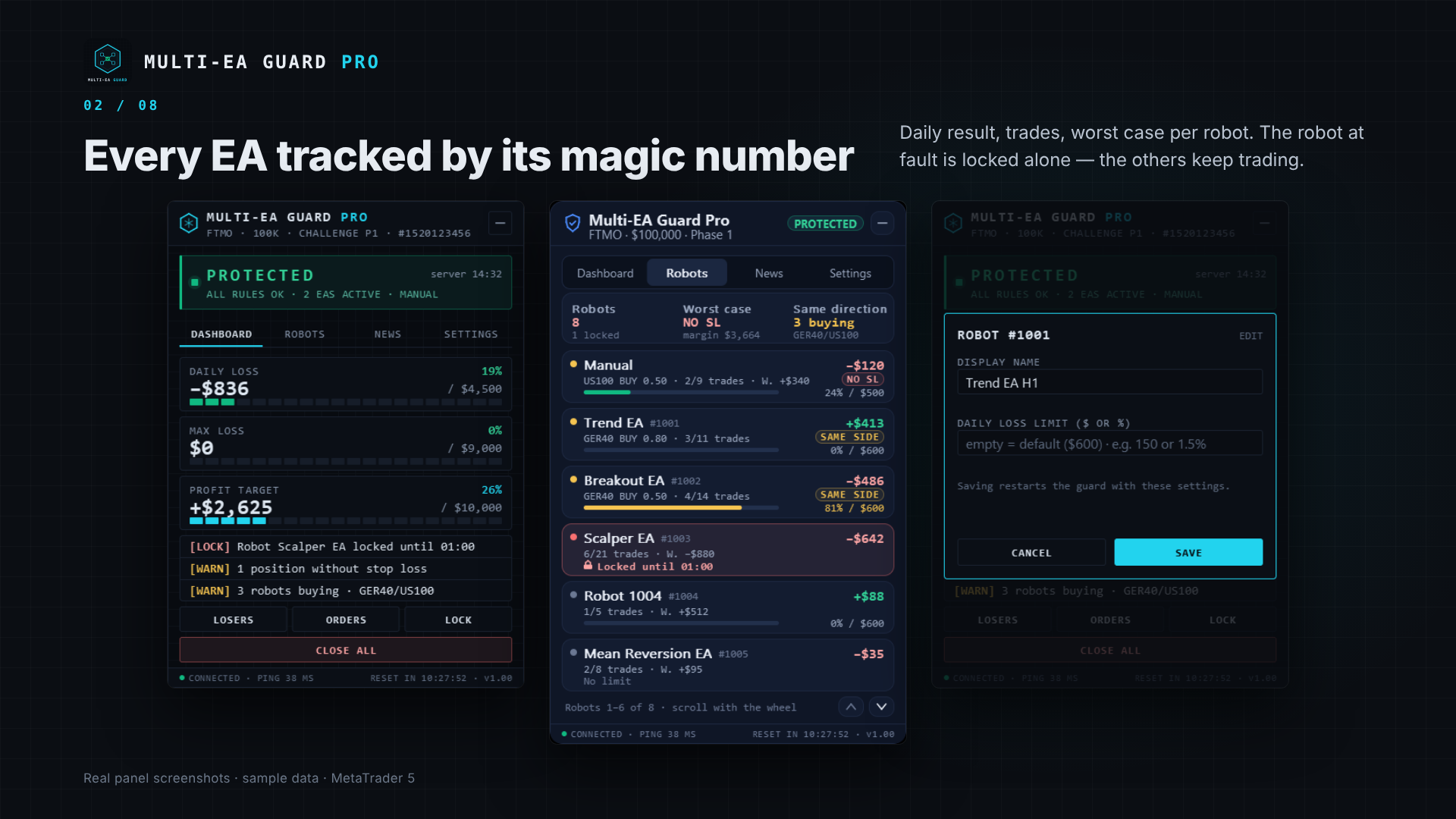
In MT5 every EA opens its trades with its own magic number. That makes it possible to follow each robot separately and to give each one its own daily loss limit:
- Account level (the firm's rules): daily loss and max loss locks, set with a safety margin below the official limits.
- Robot level (your rules): a daily loss limit per EA. When one EA reaches it, only that EA's positions are closed and only that EA is blocked until the next day. The others keep trading.
- Manual trading is treated like one more "robot" (magic 0), with its own limit and a max number of trades per day.
With the example above and a $600 limit per robot, the scalper would have been closed and blocked at -$600. The account would end the day at about -$500 instead of standing at the edge of the daily limit.
What to watch before a limit is hit
Locks are the last line of defence. Good protection also warns earlier:
- Worst case: the sum of all stop losses currently open, compared with what is left before the daily lock. Three positions with stops at -$200, -$150 and -$450 mean a worst case of -$800. If only $680 is left today, you want to know now, not after the stops are hit.
- Positions without a stop loss: an unlimited possible loss on a prop firm account.
- Several EAs trading the same way on correlated symbols (for example two EAs buying GER40 while another buys US100): three "different" strategies that are in fact one big bet.
Set the limits below the firm's limits
Never set your lock exactly on the firm's limit: spreads, slippage and a fast market can push a closing order past it. A simple rule that works well:
- Lock at 90% of the firm's limit (5% daily loss → lock at 4.5%).
- Alert at 80% of the lock, so you have time to react.
And always check how YOUR firm measures the daily loss (start-of-day balance, or the higher of balance and equity) and at what time the day resets on its server. Rules change — read the firm's current terms.
Two details that matter more than they seem
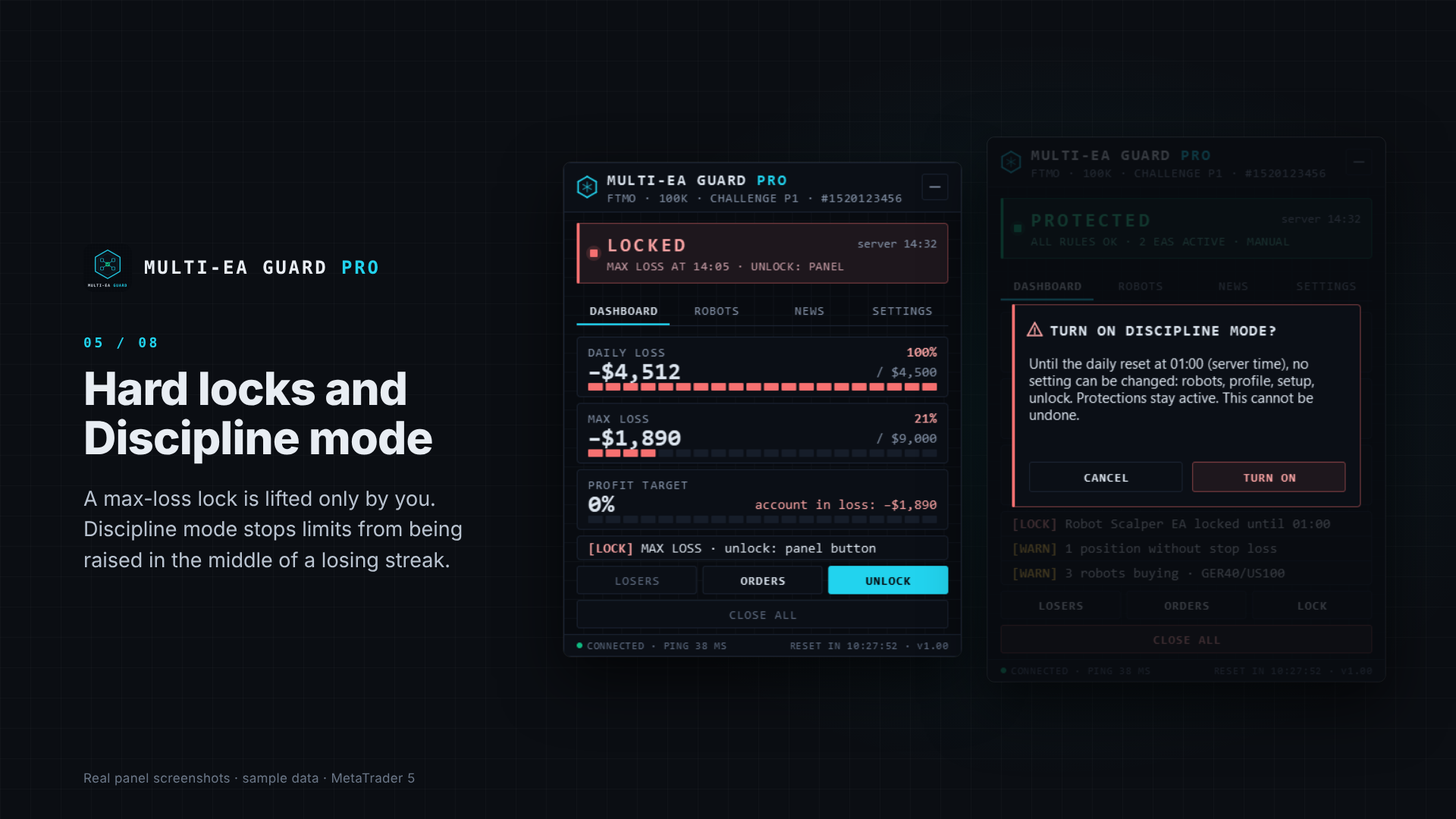
- A daily lock must hold until the reset. Raising a limit in the middle of a losing day should not lift a lock that is already set.
- The protection only works while MT5 is running. For 24/7 protection, run MT5 on a VPS (for example the built-in MQL5 VPS).
How I applied this: Multi-EA Guard Pro
I built these ideas into a utility for MT5: Multi-EA Guard Pro. It watches the account, every EA by magic number and manual trading, and acts before a limit is broken. It closes positions, deletes pending orders and alerts you. It never opens a trade.
- Setup wizard: the account type is detected from the server (FTMO, The5ers, FundedNext, Funding Pips presets, each with a safety margin) — protected in under a minute.
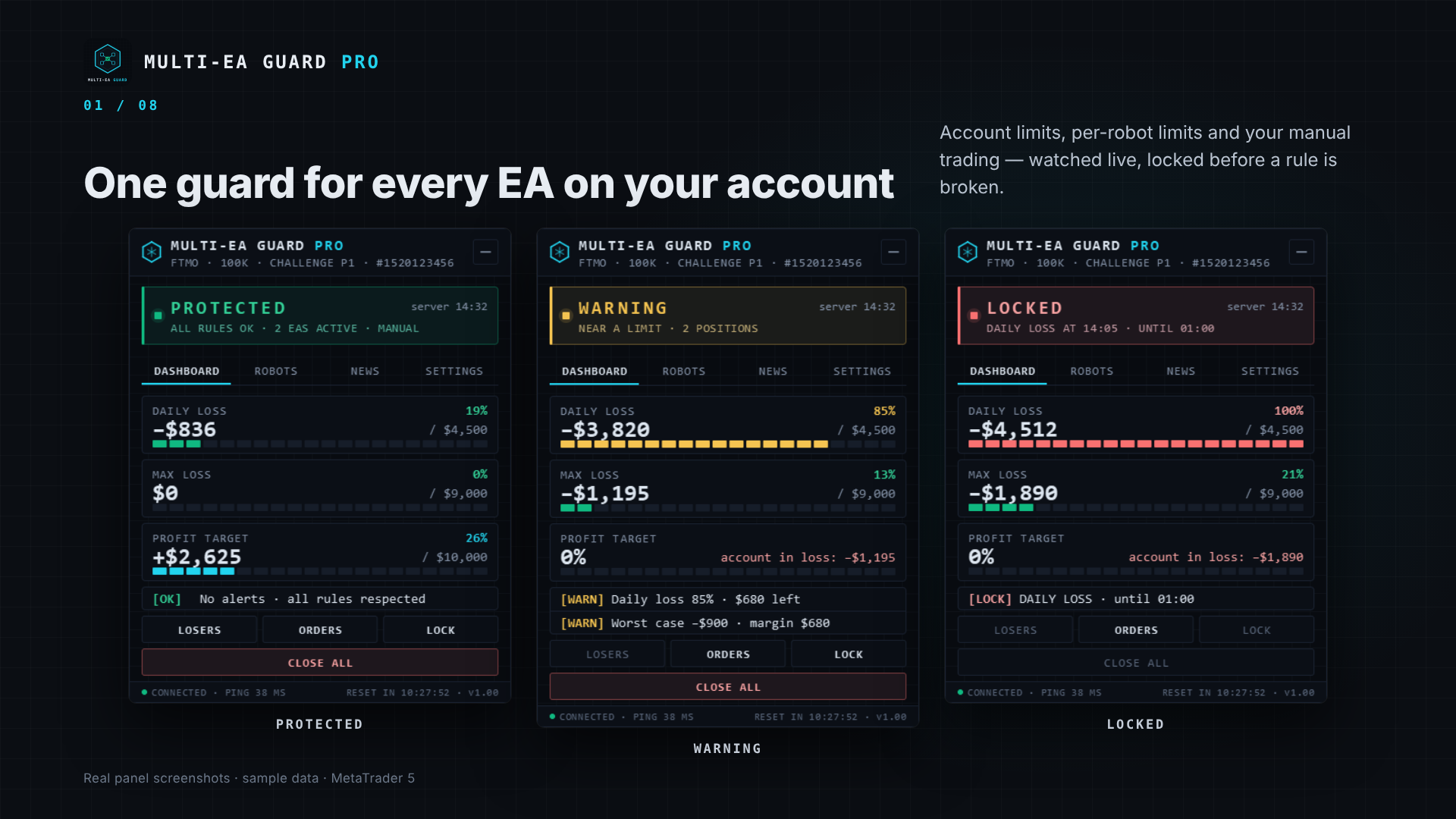
- Robots tab: one card per EA with its daily result, trades and worst case; click a card to name the robot and give it its own limit.
- Alerts by popup, sound, push to your phone and Telegram (optional), sent once, saying what to do.
- Discipline mode: no setting can be changed until the daily reset.
- Simulation mode: the guard watches and writes what it would do, without closing anything — ideal for a first week on a live account.
You can try it for free: download the demo from the product page and run it in the Strategy Tester in visual mode. It plays a short demonstration — gauges, a warning, then a lock — without placing any order.
Product page: https://www.mql5.com/en/market/product/208820
Not affiliated with FTMO, The5ers, FundedNext or Funding Pips. Always check your prop firm's current rules. A risk tool reduces risk; it does not guarantee passing any challenge and does not promise profits.
Try it first: download the free demo and run it in the Strategy Tester (visual mode) — you will see the guard warn and lock in under a minute.
Read more — why each EA needs its own limit: https://www.mql5.com/en/blogs/post/780766