 MetaTrader 5
 专家
专家
 指标
指标
 程序库
程序库
 实用工具
实用工具
 窗口小部件
窗口小部件
 规则
规则
免费的MetaTrader 5 交易实用工具 - 6
 以下是可在MetaTrader 5中简化交易的交易程序。将鼠标悬停在一个工具上,阅读它的描述和用途。
AI Economic Calendar News Filter reads MetaTrader 5's built-in live economic calendar and automatically protects your account around high-impact news events for the currencies involved in the chart's symbol. Key features: Uses the native MQL5 economic calendar (CalendarValueHistory) - no external news feed or subscription needed Automatically detects high-impact events for the symbol's base and profit currency Configurable blackout window before and after each event Optionally closes your own op
FREE

is an exit manager for trades you open yourself. It does not open positions and it does not send signals. After a manual buy or sell, it gives that trade a stop and up to six exit stages based on volatility. Three stages come from Average True Range, each with its own timeframe. Three come from completed range: daily (ADR), weekly (AWR), and monthly (AMR). Each stage can be switched on or off. Enabled stages are sorted by distance. Nearer stages trail the stop. The furthest is posted as the take
FREE

AutoTarget Guardian is a trade management utility for MetaTrader 5 that automatically sets Take Profit and Stop Loss levels for newly opened positions. Instead of calculating point distances manually or dragging order lines on the chart, the utility can set target levels based on a specified monetary amount in the account deposit currency, or by fixed points. The target levels are calculated and applied immediately when a position opens. Key Features The utility monitors positions and applies ri
FREE

The "Simple Trading Controller" for MetaTrader 5 sets a new standard for speed and efficiency in opening and closing market positions. Crafted with a clean and intuitive design, this tool is a response to the specific needs of traders, ensuring a seamless and rapid trading experience. All it provides is: Quick BUY and SELL Buttons Open multiple operations at the same time Set Trade Size Set Stop Loss Take Profit Points Close All Positions Let's go and see the advantages of using "Simple Trading
FREE

Order Entry - Probably the easiest way to enter an order If you like this perhaps you might consider buying the pro version https://www.mql5.com/en/market/product/64353?source=Site +Profile+Seller An aid for entering orders. Features: * Drag & drop tool to adjust price, stop loss and take profit levels. * Calculates lot sizes automatically based on risk entered, currency pair and stop loss / price levels.
Description It enables you to visually enter a trade's price, stop loss and take profit
FREE

即时 Telegram 通知。可直接在图表上设置价格水平,当价格突破该水平时即可收到消息。添加一个水平只需一次点击。你可以用鼠标拖动线条,以精确设置所需的价格水平。 便捷控制面板: 所有活动提醒都会显示在列表中
可以通过拖动线条来编辑价格水平
不需要的提醒可以一键删除
提醒在触发后会自动移除
可选择在图表上隐藏提醒线
支持自定义通知文本(例如:crossed、reached、touched)
支持 Dark/Light 模式 工作原理: 点击 Add Alert
图表上会出现一条价格水平线
将其移动到所需的价格水平
当价格突破该水平时 - 你将会在 Telegram 收到消息 简单设置: 通过 @BotFather 创建 Telegram 机器人并获取 Bot Token。
创建一个 Telegram 频道(公开或私密),获取其 Chat ID,并将机器人添加为具有发送消息权限的管理员。
在 MetaTrader 5 → Tools → Options → Expert Advisor 中启用 https://api.telegram.org 的 WebRequest,将该工具附加到任
FREE

该工具直接在图表上显示经济新闻。它会显示即将发生的事件、事件发生时间、事件的重要性,并发送通知。
适用对象:
关注经济新闻的交易者
根据新闻进行交易的交易者
希望及时接收提醒的交易者
需要在图表上直接使用简洁直观日历的用户
主要功能
新闻面板 - 在图表上显示最近的经济事件
货币筛选器 - 仅显示您交易品种的货币新闻
提醒 - 在新闻发布前指定时间发出通知
推送通知 - 向您的 MetaTrader 移动设备发送通知
声音提醒 - 可自定义声音提醒
颜色指示器 - 以视觉方式指示重要性和紧急程度
设置 提醒时间 - 事件发生前多少分钟发送提醒
最低重要性 - 提醒的最低新闻重要性
按货币筛选 - 按当前交易品种的货币筛选新闻
启用声音提醒 - 启用声音提醒通知
启用推送提醒 - 启用推送通知到您的手机
启用额外 1 分钟提醒 - 在事件发生前 1 分钟发送额外提醒
使用方法使用方法
在图表上安装该实用程序
在属性窗口中配置设置
面板将显示在左上角
事件发生前指定时间将发送警报
FREE

EA可以通过搜索并平掉盈利仓位来平掉无利可图的仓位 。
该助手 在所有位置中 寻找 终端中 最 无利可图的位置 。 进一步地,通过搜索剩余的盈利头寸,他计算出当一个或多个头寸的 利润 大于另一个头寸的损失时可以弥补损失的一系列头寸。 如果找到一组此类头寸,顾问就会将其平仓。 一系列位置可以由任何位置组成。 它们的最大数量可以在顾问设置中调整。 您还可以指定搜索的最小损失和平仓的额外利润。 MT4版本
详细描述 如何购买
如何安装
如何获取日志文件 如何测试和优化 Expforex 的所有产品 您可以在策略测试器中测试 Expert Advisor,并在可视化模式下使用我们的 EAPADPRO 工具栏进行交易! 近减加加在图表上的工作原理 认为 您以 1.600 的价格开设买入 #1 仓位; 价格跌至 1.550 ,目前亏损 -50点; 盈亏平衡点(平均价格)= 1.600 ; 如果我们打开 SELL #2、Sell #3 和 Sell #4; EA 交易开始执行主算法。 那么总利润将为+5$; 智能交易系统 (EA) 激活算法,并且必须平仓
FREE

PROP FIRM 首选 准备挖掘你的财务潜力吗?立即购买Gold Digger,成为真正的淘金者! Gold Digger EA简介: 通过精心分析的网格系统实现每月4-8%的回报率 概述 Gold Digger 是一个复杂的专家顾问 (EA),它使用专门为交易XAUUSD(黄金)设计的先进网格交易系统。该EA旨在提供4-8%范围内的稳定月收益。该EA为专业交易员、机构投资者和Prop Firm而设计,结合了严格的量化分析、自适应算法和全面的风险管理策略,以优化在各种市场条件下的交易表现。 Gold Digger拥有经过Myfxbook验证的可靠记录。有兴趣的各方可以通过以下链接查看特定月份的详细业绩指标和实时账户表现: 网格系统分析 Gold Digger策略的核心是其高度优化的网格交易系统。该系统通过在基础价格上下方的预定区间内下达买卖订单,利用黄金市场的波动性。主要组件包括: 网格间距: 根据实时市场波动性和流动性动态调整,以最大化盈利潜力并最小化回撤。 订单大小: 基于账户余额、市场条件和历史表现数据的风险调整模型。 订单管理: 包括自动跟踪止损、获利水平和动态止损调整的高级
FREE

This EA get all the opened postions on the current symbol and add SL and TP And also MoveSl to perfect value. Principle Small SL according to current bid or ask. Ex: If current SL is too big compared to the configured SL, move it. But never move a position SL Higher
The EA also go through all positions and activate trailing stops, so that you never lose any winning position.
FREE

AURA Backtester Forex Simulator is a state-of-the-art manual trading simulator designed to help you master price action, test new strategies, and build trading discipline without risking real money. Unlike traditional automated backtesters, AURA transforms your standard MetaTrader chart into a fully interactive simulation environment. Practice trading historical data exactly as if you were trading the live, breathing market. Whether you are a beginner trying to understand market structure or a p
FREE

Sentinel Trade Manager is a free, premium trade panel for MetaTrader 5. It does the one thing every trader needs and most people get wrong: it sizes your position by RISK, not by guesswork. HOW IT WORKS Drag three lines on the chart - Entry, Stop and Target. The panel instantly shows: - the exact LOT for your chosen risk, - your risk in money AND in % of balance, - the reward and the R:R ratio, - the stop and target distance in pips. Set your risk once (as a % of balance, a fixed money amount, o
FREE

免费获取我所有的 MT4 和 MT5 指标 — 点击这里了解方法
新工具 售价 $30 限于 首周 或 前 3 次购买 ! MQL5 Trading Tools 频道 : 加入我的 MQL5 频道,获取我的最新动态 Custom Indicator Buffer Analyzer 帮助识别 MetaTrader 5 中 Custom Indicator 使用的缓冲区索引和比较值。 当您想把外部指标用作 EA 的信号源,却不了解以下信息时,本工具很有用: 哪个缓冲区包含 Buy 信号。 哪个缓冲区包含 Sell 信号。 应该检查哪个数值来判断是否存在信号。 指标在无信号时使用 EMPTY_VALUE、0 还是其他值。 1. 准备 Custom Indicator 请将待分析的指标安装到: MQL5\Indicators\ 所需数据必须通过指标缓冲区提供。如果指标仅通过箭头、标签、文字、矩形或趋势线等图表对象显示信号,而不通过缓冲区提供相同数据,本工具便无法依据缓冲区索引识别这些信号。 2. 选择 Custom Indicator 输入待分析指标的路径。此路径
FREE

ClickDrag可以轻松地在图表上画线和移动对象。
点击,然后拖动,开始绘制趋势线。
水平移动鼠标可以画出价格线。
垂直移动鼠标可画出日期线。
现有的线和对象可以通过点击和拖动来移动。
显示开始点到结束点之间的价格和时间差。
开始后点击&拖动。
左右摇动来改变颜色。
向上和向下摇动可以删除。
- 什么是Click & Drag ?
1. 按下鼠标左键(按)。
2. 松开鼠标左键(释放)
3. 按下鼠标左键(按住)
4.保持按住并移动鼠标(拖动)
这个动作允许你画趋势线,移动对象,改变颜色和擦除。
箭头、价格对象、斐波那契、吉安线、周期线和形状也可以移动。
如果你不小心画了一条线,请移动到图表外,然后释放按钮。这条线就会消失。
比中间点击更容易。比中间点击的可见性更好。
但它不能用于不可选择的对象。
外汇的PIPS和差价合约的货币。
FREE

This script exports the economic calendar from MT5 as a .csv-file into the common directory of the terminal (...\Terminal\Common\Files). The generated file news.csv is necessary for using the news filter in back testing the Range Breakout Day Trader EA.
Input parameters: Currency symbol 1-9: Country currency symbol from which the news will be exported Date from: Start date from which the calendar data will be exported Date to: End date to which the calendar data will be exported News data: Incl
FREE

Many friends asked me for a simple, non-obtrusive, resource-friendly clock to track the time during their trades. It seems pretty obvious, but it is a must-have for those trading the market manually, waiting for the Market News, or just to visually know what time it is... Trading is an absorbing endeavor! So, here it is... Totally configurable, including Font Type, Font Size and Chart Location: Upper Left/Center/Right OR Lower Left/Center/Right, with a little twist of adjusting the Offset, just
FREE

COMPLETE USER MANUAL Apex Trade Terminal is a professional visual order entry and dynamic risk management suite engineered for MetaTrader 5. Designed for prop-firm traders, scalpers, and day traders, Apex combines manual visual control with algorithmic capital protection directly on your charts. ________________________________________ 5 KEY STRENGTHS THAT DISTINGUISH APEX FROM THE COMPETITION 1. ️️ Proprietary Stealth V-Orders (Trigger+Stop) Never reveal your breakout levels to broker o
FREE

Trading Manager Tool – Execute and Manage Your Trades with Professional Precision Introduction
The Trading Manager Tool is a complete solution for traders who want precise control over risk, execution, and trade management.
No more manual calculations or complex steps — this tool simplifies your trading process and enhances your efficiency. Key Features Smart Risk Management Define SL/TP in real values (e.g., “I risk $30”) and let the tool calculate the lot size automatically Visualize risk and
FREE

这是一个看起来很普通的面板,但是,除了用于关闭多个订单的其他按钮之外,它对于使用Renko,Range,Ticks等类似的离线图表生成器的用户来说至关重要,因为在Metatrader 5中您无法手动处理订单 在非平台本身的图形上。 “TRADE PANEL”执行订单和下达挂单,提供与平台图表常规时间段相同的即时操作资源。
可用资源
[ 1 ] 等同于Metatrader 5的常规迷你面板,具有报价(询问/出价),批次配置和订单执行;
[ 2 ] 多个订单关闭按钮:
- CLOSE EXECUTED SELLS
- CLOSE PENDING SELLS
- CLOSE EXECUTED BUYS
- CLOSE PENDING BUYS
[ 3 ] 快速菜单,用于放置在图表上用鼠标左键单击“ 2次单击”激活的挂单:
- BUY LIMIT / BUY STOP
- SELL LIMIT / SELL STOP
- ALERT: 在图
FREE

Конечно, вот полный перевод описания продукта на китайский язык (упрощенный китайский). Я сохранил профессиональную терминологию, используемую в трейдинге и на платформе MetaTrader 5. MTForge Chart Trader — 专业图表交易执行与管理面板 专为 MetaTrader 5 原生打造的最完善图表订单执行系统 MT5 Chart Trader 通过一个简洁、全互动的图表控制面板,为 MetaTrader 5 带来了机构级的订单执行、订单组合(Bracket)管理和风险控制功能。从进场、管理、保护到出场,您所需的一切功能都可以在图表上完成,无需切换窗口。无需外部桥接、无需 DLL 依赖、无需第三方平台。纯 MQL5 编写,直接在您的 MT5 终端内运行。 无论您是在 1 分钟图表上剥头皮交易(Scalp)纳斯达克(NQ)期货,还是在 15 分钟图表上进行外汇日内交易,亦或是在日线图上进行黄金波
FREE
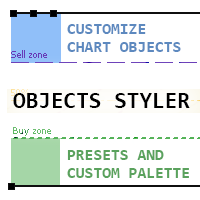
Objects Styler 是一款实用工具,提供一个 上下文感知面板 ,用于直接在图表上编辑标准图形对象的属性。其核心功能是一套强大的 模板系统 ,允许用户保存、管理并即时将复杂样式集应用于对象。 核心功能 界面与交互 上下文激活: 通过单击(或 Shift + 单击)图形对象来调用面板。支持所有标准对象及其大多数属性。 可拖动界面: 面板可自由移动到图表的任意区域。 弹出窗口: 样式选择、调色板和时间框架列表等附加选项会在紧凑的弹出窗口中打开,保持主界面简洁整齐。 模板管理系统 保存和应用样式: 将对象的完整属性集保存为命名模板。模板只需单击即可应用。 按对象类型区分: 模板针对特定对象类型保存。例如,为趋势线创建的样式仅在编辑其他趋势线时可用。 收藏夹(固定): 常用模板可固定以便快速访问。它们将始终可见,而其他模板则隐藏在附加窗口中。 同步与可移植性: 模板和调色板的更改可自动同步到其他图表上的所有指标实例。 设置文件单独保存,便于转移到其他计算机或不同终端。 对象属性控制 常规属性: 直接访问以编辑颜色、宽度和线条样式。
FREE

一款简洁的 MetaTrader 5 实时信息面板。不含任何交易逻辑——从不开仓、修改或平仓,也不会干扰您的智能交易系统(EA)。
时间与交易时段 • 服务器时间、本地时间和 GMT 时间 • 悉尼、东京、伦敦和纽约时段实时高亮 • 时段重叠检测及下一时段倒计时
市场数据 • 交易品种和时间周期 • 当前点差、平均点差和最大点差
账户 • 余额、净值、可用保证金、浮动盈亏
活动 • 持仓、挂单、市场总手数
交易历史 • 按交易品种和魔术号分组 • 周期:Today / This week / This month / All time • 可按 Trades、Win%、P&L 和 MaxDD(单笔最大亏损)排序 • 行数不足时自动改为仅按交易品种分组 • 最多可按 2 个魔术号筛选,可选择是否包含手动交易
新闻过滤 • 内置 MQL5 经济日历——无外部数据源,无 DLL • 周期:Today / Tomorrow / This week / Next week • 重要性切换按钮:High / Medium / Low • 显示下一事件及倒计时 • 根据交易品种自动识别
FREE

HotkeyTrader Pro — Expert Advisor for MetaTrader 5 HotkeyTrader Pro is an Expert Advisor that allows executing and managing trades through configurable keyboard shortcuts, with integrated risk management tools and position tracking. Keyboard execution The EA includes 11 predefined keyboard shortcuts for opening buy and sell orders, managing open positions, and executing partial or full closes. It is compatible with external macro software such as AutoHotKey and with programmable input devices. R
FREE
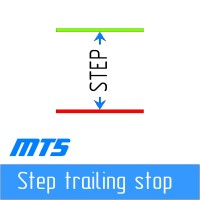
逐步“追踪止損”
該實用程序允許您設置在使用“追踪止損”工具時跟隨價格移動“止損”的步驟。 與“MetaTrader”終端中可用的“常規”“Trailing Stop”不同,它允許您以 1 點為增量設置“Stop Loss”移動,此“Trailing Stop”配置為任意增量。 此設置可讓您避免在錯誤的趨勢反轉期間平倉,此時價格在一個方向的長期移動之後出現小幅回調,然後再次繼續向同一方向移動。 為了方便管理具有可變“止損”移動步驟的“Trailing Stop”工具的工作,開發人員 Dmitry Fedoseev 已將實現該工具操作的腳本改編為現有的交易面板“eInTradePane”。 交易面板的源代碼可在 https://www.mql5.com/en/code/220 免費獲得。 添加了“Trailing Stop”的“eInTradePanel”交易面板的描述在“ 討論 ”選項卡上給出。
FREE

让盈利单利润最大化,在行情顺势时持续锁定利润。Auto Trailing Stop Manager 是一款 MT5 移动止损工具,可平滑地让止损跟随当前价格,既保护利润,又给订单留出波动空间。 无需手动拖动止损,EA 按精确的 Start、Stop、Step 参数自动完成。适合想抓住大趋势又不想让利润裸露的交易者。 主要功能 - 动态锁定利润:订单盈利后,止损与价格保持固定距离跟随。 - 自定义步长(Step):精确控制止损更新频率(如每 1 点),避免频繁请求经纪商服务器。 - 延迟启动(Start):行情朝有利方向运行 X 点后才开始移动止损。 - 多品种:单个图表,或在一个窗口管理多个货币对。 - Magic Number 过滤:管理手动订单或其他 EA 的订单。 参数说明 - Auto Trailing Stop:开/关。 - Start:启动移动止损所需的盈利点数。 - Stop:价格与止损之间保持的距离(点)。 - Step:再次更新止损所需的最小移动。 - Symbols:要管理的品种(如 EURUSD)或当前图表。 - Magic Number:选择 EA 管理哪些订单
FREE

WatchListPro — Watch list and Linker for MetaTrader 5 Developer / website: Tradingvyuga.com
WatchListPro is a MetaTrader 5 Expert Advisor: a ticker watchlist with a chart linker. Build working instrument sheets, switch the symbol on several charts with one click, save templates, and trade from a single hub.
It uses your broker's symbols (forex, crypto, metals, stocks, and more). Instrument selection is manual. Several open charts are recommended. It does not work in the Strategy Tester.
Featu
FREE

TapTrade is a MetaTrader 5 chart trading assistant (Expert Advisor). It provides an on-chart control panel and draggable lines for Entry, Stop Loss, Take Profit, and Break-Even so you can place market and pending orders with clear risk control. Semi-manual: you decide when to click Place. No trading signals and no guaranteed profit. What it does Attach TapTrade to any chart. Choose order type (Buy/Sell Market, Limit, Stop), set risk mode and value, drag the chart lines to your levels, select TP
FREE

AutoSLTP Assistant — Automated Trade Management Short Description AutoSLTP Assistant automatically manages Stop Loss, Take Profit, Break-Even, Trailing Stop and Partial Close for your existing MT5 positions. Fully configurable and compatible with manual trades, signals and other Expert Advisors. Full Description Automated trade management without changing your entry strategy. AutoSLTP Assistant monitors your existing positions and applies your predefined risk-management rules automatically. It d
FREE
The RFOC Candle Timer 2x was created for the trader to locate himself in time, having access to the pending time for the formation of a new candle. Additionally, it is possible to include in the chart a second timer that shows the pending time for the formation of a new candle in a time period different from the current one. The user will have the option to select up to 4 different positions for the timer display ("No candle", lower left corner, lower right corner or upper right corner). In ad
FREE
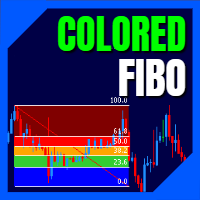
LT Colored Fibo is a simple indicator that paints the price zones between Fibonacci Retracement levels. Its configuration is extremely simple. It is possible to change the colors of each level of the retracement, choose between background or front of the chart and also work only with the current asset or all open. If you found a bug or have any suggestion for improvement, please contact me. Enjoy!
This is a free indicator, but it took hours to develop. If you want to pay me a coffee, I apprecia
FREE

MORE FREE TOOLS ON THE WAY - LEAVE A REVIEW AND I WILL SEND THEM TO YOU FIRST. I am building a set of these and publishing them free. Session levels, structure tools, risk utilities - all free, all on this profile. Leave a review on this one and message me, and I will send you each new tool the day it is ready, before it goes on the Market. Reviews are the only way a free tool gets found here, so it genuinely helps - and it takes thirty seconds. Elysium Supply and Demand marks the zones price ac
FREE

Candle Countdown Timer - Optimized Edition
Overview
Candle Countdown Timer is a lightweight, high-performance indicator that displays the exact time remaining until the current candle closes. Designed with efficiency as a top priority, this indicator provides traders with essential timing information without consuming unnecessary system resources.
Whether you're a scalper watching every second on M1 charts, a day trader timing entries on H1, or a swing trader monitoring daily candles, this i
FREE
With Break Even Trader placed onto your chart, it will automatically place the stop loss and take profit levels when you open a buy or sell order. And when you are in profit by the amount defined in user settings, it will automatically move your stop loss to that break even level, thereby protecting your trade from a loss. Features :
Simple to trade with you just enter your trade it will place the stop loss and take profit as input in user inputs. Sends you an alert when your trade is in profit
FREE

Equity Panel for MT5 Equity Panel is a free MT5 indicator that gives you a fast and convenient live overview of your account directly from the chart. Monitor balance, equity, floating P/L, drawdown, daily performance, margin data, and warning levels in one compact dashboard. Built for traders who want better control, faster risk awareness, and clearer account monitoring in live market conditions. Equity Panel is a lightweight and practical account monitoring indicator for MetaTrader 5 that helps
FREE

Sessions and News Panel
An on-chart dashboard that shows the world's trading sessions and the economic
calendar in real time, plus an optional News Guard that can protect your account
around high-impact news.
This is a utility / information panel. It does NOT open trades on its own and it
is NOT a signal system. Its only trading action is the optional News Guard, which
can cancel pending orders and/or close open positions around scheduled news - and
only when you explicitly enable it.
-------
FREE

Ultra Charts - Advanced Custom Chart Types for MT5 Get Manual Here! Get The Free Ultra Charts Trader Here! Ultra Charts is a comprehensive charting solution that brings professional-grade alternative chart types to MetaTrader 5. This Expert Advisor provides traders with multiple custom chart formats beyond standard time-based candlesticks, enabling enhanced technical analysis and pattern recognition. Chart Types Included The product includes six distinct chart types, each designed to filter mark
FREE

Pending Stop Order Trailing Et - is a utility for automatic trailing of pending orders (Buy Stop and Sell Stop) in MetaTrader 5.
It dynamically adjusts pending order prices following the market until activation, helping to achieve better entry levels and reduce poor entries.
The tool is designed for both manual and semi-automated trading workflows.
STANDALONE & INTEGRATION
The utility works fully in standalone mode and performs its core trailing function on any symbol without additiona
FREE

OHLC 磁铁增加了水平线、矩形和价格标签的缺失磁点。 如果你喜欢这个实用程序,请评价,评论,并查看我的其他程序。 指示:
只需将上述对象之一拖动到像素接近范围内所需的 "打开"、"高"、"低" 或 "关闭", OHLC 磁铁就会自动将该对象附加到您选择的确切价格点。
参数:
接近度 (像素): 要将实用程序附加到该特定价格点的实用程序的 "打开/高/低/关闭" 的接近程度 (以像素为单位)。默认值为10。 自动调整价格标签: 将自动调整价格标签的左侧 (左价格标签) 或右侧 (对于右侧的价格标签)。默认值为 "已启用"。 (Sorry for the rough translation. The rest is here to meet the minimum character count.)
FREE

Quick Lines Mastery Lite v1.85 — 用户手册 发布方: Forex Noob Tube 网址: forexnoobtube.com 1. 概述 Quick Lines Mastery Lite 是一款专为 MT5 交易者设计的精简、专业图表工具,注重速度、精度和整洁的界面。通过一个可拖动的浮动控制面板,您可以一键快速部署预配置的水平线、垂直线、射线趋势线和拖放趋势线。 2. 仪表盘界面与控制 仪表盘采用紧凑的居中布局,不会遮挡图表。 提示: 点击并拖动深灰色标题 ( Quick Lines Mastery Lite ) 即可将面板重新定位到图表窗口的任意位置。 H-Line 1 & H-Line 2: 使用预定义的自定义颜色、宽度和样式,在图表上即时创建水平价格线。 V-Line 1 & V-Line 2: 在您点击的具体 K 线柱上即时绘制垂直时间标记。 Ray Trend: 部署一条从锚点向右无限延伸的射线趋势线。 Drag Trend: 在起始点击点和释放点之间部署标准的有限趋势线段。 CANCEL 按钮: 立即解除当前激活的工具,清除绘图状态并恢复
FREE

no Trade operation, Robot Set auto SL to every manually Trade from a Phone Automatic Phone TradeManager Need just Set on 1 Symbol Auto BE Trigger is added that immediately sets a stop-loss for every () But does NOT calculate position size based on risk, allows the fixed SL to adjusted dynamically drag on Chart or Menu. It protects capital around the clock, reduces emotional mistakes, and ensures consistent risk management.
FREE

复盘的不只是你做了什么交易,还包括你交易时图表当时是什么样子。 ChartLedger 是一款面向 MetaTrader 5 的本地可视化交易日志工具。它会自动记录当前所附加图表品种的交易,并将交易数据与开仓时和最终平仓时的图表截图结合保存。 当你准备复盘交易时,ChartLedger 可以生成一套完整的本地导出文件,包括交互式 HTML 报告、Excel 兼容工作簿、CSV 数据文件以及相关图表图片。 ChartLedger 仅用于观察和记录。 它不会发送任何交易请求,也不会开仓、修改或关闭任何订单或持仓。 为什么使用 ChartLedger? 普通交易历史可以告诉你入场价格、出场价格和交易结果。 ChartLedger 通过捕捉实际用于记录的 MetaTrader 图表,补充这一缺失的视觉背景,包括时间周期、指标、绘图对象和图表布局。 因此,它适合用于复盘: 手动交易。 通过 MetaTrader 移动端或 Web 端执行的交易。 由其他 Expert Advisor 开启的交易。 通过 Magic Number Filter 单独筛选的自动化策略。 ChartLedger 会记录
FREE

A manual trade manager with a live on-chart preview. Plan every trade visually: entry, stop and up to four take-profits appear as draggable lines with filled risk/reward zones — lot size, R-multiple and money value update in real time. One click places it all. Market, Limit and Stop orders at the press of a button Position sizing by percent, money risk or fixed lot Up to 4 partial positions, each with its own TP and a shared SL Stop by pip/ATR distance or anchored to the last swing high/low Auto
FREE

100% 免费 — 完整版,无限制,无需注册。
Falcon Trailing Stop Manager — 通用移动止损与保本
这是一款独立工具,不开仓交易。它管理由任何EA、信号或手动开仓的止损:为没有移动止损的策略加上保本与移动止损,并自动保护手动交易。
这是工具,并非投资建议。止损会发送至你的经纪商,受滑点、跳空和最小止损距离影响。
功能
- 保本:达到设定点数盈利后,将止损移至开仓价加锁定偏移——该交易不再变为亏损。
- 移动止损三种方式:固定点数 / ATR×倍数 / 价格百分比。
- 步进移动:仅当改善至少达到设定点数时才推进止损。
- 为无止损/止盈的“裸”持仓强制添加止损/止盈。
- 识别经纪商最小止损距离:违反最小值的修改会被跳过而非拒绝。
作用范围
仅管理当前图表品种或整个账户,并可用 magic 编号过滤只对某一策略进行移动止损。
面板
紧凑面板显示当前保本与移动止损设置、管理中的持仓数量以及以账户货币计的浮动盈亏。
可在策略测试器中运行。点值与止损位均取自各品种规格——兼容任何经纪商。
=== 如果你想把它变成自动交易系统 ===
这个工具管
FREE

MORE FREE TOOLS ON THE WAY - LEAVE A REVIEW AND I WILL SEND THEM TO YOU FIRST. I am building a set of these and publishing them free. Supply and demand zones, session levels, structure tools - all free, all on this profile. Leave a review on this one and message me, and I will send you each new tool the day it is ready, before it goes on the Market. Reviews are the only way a free tool gets found here, so it genuinely helps - and it takes thirty seconds. Elysium HUD puts the four numbers you che
FREE

Automated Timeframe cycling with Symbols centered. Force every timeframe onto one clock window, so the story you see on Daily is the same story you are slicing on H4, H1, and M1. Traders usually flip timeframes and lose the span. A Daily chart shows a few weeks, then M15 shows a few hours, and the eye treats them as different markets. TASSERACT locks the window to N bars of the highest enabled timeframe — default 10 Daily — and maps every lower timeframe to that same stretch. You stay inside o
FREE
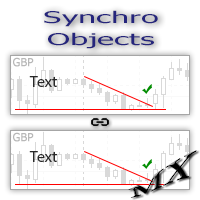
The SynchroObjects utility is designed to facilitate and speed up the work with graphic constructions on different charts of one symbol. The SynchroObjects utility clones the created objects to all charts on which the utility is running and which have the same symbol. And also synchronously changes their properties. The utility is easy to use and requires no configuration. Tip: If you view the history frequently - we also recommend you to also install the free Smart AutoScroll utility. It automa
FREE

Risk Calculator EA – Utility for Precise Trade Sizing If you find this tool useful consider to Buy me a coffee! The Ultimate Risk Calculator is a lightweight in-chart Expert Advisor (EA) designed to help you easily and quickly calculate position size and set stop-loss / take-profit levels with full control over risk management directly on the chart.
What it does? It turns manual risk decisions into fast, visual, and accurate calculations. You draw or adjust the Entry, Stop-Loss and Take-P
FREE

Это DEMO версия Renko Maker PRO к сожалению правила маркета не позволили указать это в названии. Почему то проверка маркета запрещает в названии слово DEMO. Демо версия строит ренко бары только на основе EURUSD из 1000 последних минутных баров. Revolution Renko Maker PRO — Инновационный Конструктор Ренко Графиков для MetaTrader 5
Создавайте идеальные ренко-бары с сохранением тиковых данных и реальных объемов — теперь с полной поддержкой индикаторов, советников и тестера стратегий!
FREE

Dual Symbol Bars
在独立副窗口中绘制第二个品种的K线,时间周期和时间轴与主图相同。 在单独窗口中显示任意第二个品种的K线,并与主图时间对齐。适合把黄金和美元指数放在一起,也可用于经纪商提供的其他品种。 Dual Symbol Bars 在主图下方增加第二张K线图。两个窗口使用相同周期和相同开盘时间,因此无需再开一张图表即可比较两个品种。 例如:主图为 XAUUSD,副窗口为美元指数。品种不固定。请在“面板中显示的品种”中填写经纪商的准确名称。若该名称不存在,指标还会尝试常见美元指数名称(USDIndex、USDX、DXY 等)。 每根K线按开盘时间对齐。阳线(收盘不低于开盘)使用阳线颜色。阴线使用阴线颜色。影线、实体和边框颜色可分别设置。品种名称会画在面板中。若服务器上没有该名称,标签会显示未找到。 可设置: 面板中显示的品种(经纪商准确名称) 阳线影线、实体和边框颜色 阴线影线、实体和边框颜色 影线宽度 标签颜色和字号 使用方法: 将指标附加到任意图表。 按市场报价中的准确名称输入第二个品种。 若没有绘制,请打开查看 → 品种,找到该品种并显示。在历史数据到达之前,面
FREE
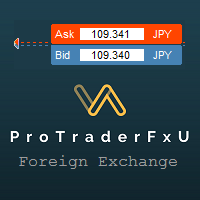
Description: - BidAskLine Indicator is very simple and easy, but each utility can be important in the probability that we will win in our trade. This utility Indicator shows lines and prices of the Bid, Ask and Spread. Input Parameters: - Visual Aspect Options : Select between 2 options with Box or Simple Style. - Parameters Bid Price : Select between show or hide line or box objects, change color, style or width line. - Parameters Ask Price : Select between show
FREE

CC Cent(Cash Cow Cent)的免费配套工具。 只读。从不开仓、平仓或修改任何交易。 需要配合 CC Cent EA 使用: 在市场中查看 CC Cent
Monitor for CC Cent:随时随地看住你的奶牛。 一款为 CC Cent EA 打造的只读面板。在 VPS 上运行 EA,然后在笔记本、办公电脑或第二个终端上,用同样的奶牛主题面板跟踪每一个篮子。 Monitor 只读取数据。它无法下单、平仓或修改订单,因此可以放心地与实盘账户一起运行,即使用投资者(只读)密码登录也可以。
显示内容 账户: 余额、净值,以及所监控 EA 今天、昨天、本周和本月的利润。 每个篮子一张卡片: 持仓和手数、平均价格、止盈、到达止盈时的预计利润和浮动盈亏。 强平价格: 篮子触及强平的价格。 状态标签: 连接状态、方向模式(只做多、只做空或双向)以及信标(beacon)状态。 空仓时的交易状态: 网格模式和 EA 的交易时间。 图表线: 篮子止盈、追踪起点和止损线,以及 EA 使用篮子止损时的止损线。使用 BB 线止盈时,面板显示 "BB line",不显示止盈价位。 声音:
FREE

The panel is a compact interface that can be freely moved across the chart. A horizontal line and visual pointer show the exact price level where the pending order will be placed. The order type is determined automatically based on the panel position relative to the current market price.
If the panel is above the Ask price — the Buy button becomes Buy Stop, below — Buy Limit. Similarly for Sell: above Bid — Sell Limit, below — Sell Stop. This eliminates the need to manually select the order ty
FREE

The utility places a grid of pending orders . You can select the number of orders in the grid, the step between orders, multiplier for the order size, SL and TP levels, magic number etc. If you use a profit bucket , please note that it applies to all orders on the current currency pair with the current magic. If you want to use several grids with independent profit buckets at the same time, run several copies of the utility and specify different magics in the settings. MT4 version of the utility
FREE

Elevate your trading precision with the ultimate Multi-Timeframe (MTF) Candle Countdown Monitor . Built for professional traders, this indicator is not just a standard timer—it is a powerful, fully interactive dashboard featuring a dynamic mini-chart, custom alerts, and a cutting-edge DPI-Aware Scaling Engine. Whether you are trading on a compact laptop or a massive 4K multi-monitor setup, this indicator perfectly adapts to your screen, providing a flawless visual experience. "Simplify your tra
FREE

Risk calculator for MetaTrader 5.
Precision Position Calculator is a MetaTrader 5 utility that helps calculate trade volume based on the risk configured by the user. The panel allows the user to work with Entry, Stop Loss and up to three Take Profit levels directly on the chart. Main description Precision Position Calculator is a utility for MetaTrader 5 designed to help calculate the volume of a trade before opening it. The panel allows the user to configure risk, select the order type, set th
FREE

Buffer Finder MT5
Is a custom technical Utility for MetaTrader 5, designed to inspect and analyze buffers of other indicators for EA integration, signal detection, or debugging. Support and questions via MQL5 product comments. For questions, updates, and to connect with other traders, join my official MQL5 group ForexEAandMore Major update in Version 1.2 All update Infos in the first comment. You can check now the indicator directly without loading in the chart by filling the exact indicator
FREE

Take full control of your trade planning and risk management directly on your MT5 chart! Advanced Risk Reward Planner Pro is an ultra-smooth, TradingView-style interactive drag-and-drop tool designed for modern traders. Whether you are live trading or backtesting, this utility allows you to map out your Trade Entry, Stop Loss, and Take Profit visually with real-time financial PnL calculations.
"Simplify your trading, maximize your profits, and eliminate emotional errors by combining this tool wi
FREE

This indicator is designed to provide all useful information about symbol, account, positions and profit. It is developed for improving trader's money management.
Parameters Calc can be divided to separate blocks. Each block is possible to hide, set its own color and other properties. Block symbol: This block displays information about actual SPREAD, POINT VALUE (in deposit currency for 1 lot), SWAP LONG and SHORT. Show symbol info - display/hide this block Color of symbol info - color of this
FREE

Quick Trade is a simple but needful utility for MT5 that allows to set SL, TP and entry price for a trade in a couple of seconds, allowing also shaping right position size based on risk wanted. It provide shortcuts to save more time and of course, you can also put values typing with keyboard or drag lines at your desired value! Shortcut Action CTRL + Click Set SL Shift + Click
Set TP z + Click Set Price A simple utility that you will start to love if you do manual trading. Stop calculating risk
FREE

实时价格和总利润显示指标 完美适用于实盘交易和屏幕分享 专为日内交易者、剥头皮交易者和实时交易直播会话设计 这个专业指标直接在您的图表上提供实时价格显示和综合利润跟踪 - 对于高频交易和实时交易广播至关重要。 核心功能 实时价格显示 每秒更新实时买价 所有品种类型的专业格式化 黄金/XAU的特殊格式化 大型清晰显示,完美适合屏幕分享 日内交易决策的即时价格更新 综合利润跟踪 来自交易历史的账户总利润 交易平仓时的实时利润更新 自定义额外利润金额 包含佣金和库存费 带正负指标的专业利润格式化 性能优化 智能缓存系统 - 最小CPU使用 1秒更新间隔 - 闪电般快速 高效的基于定时器的更新 实时交易监控 专业错误处理 高级自定义 可调节字体名称和大小 盈亏自定义颜色 图表上任意位置的灵活定位 专业角落锚定 关键词: 实时价格显示,实时利润追踪器,交易利润指标,账户监视器,日内交易工具,剥头皮指标,直播显示,屏幕分享工具,高频交易,外汇指标,黄金价格显示,利润计算器,实时更新,实时图表显示,交易表现监视器,MT5指标,MetaTrader 5工具
FREE

Institutional-Grade Trade Execution & Dynamic Risk Management Utility for MetaTrader 5 Overview FxNeel Trade Engine Pro is a comprehensive, institutional-grade trade execution and risk management utility designed natively for MetaTrader 5 . Built specifically for active price action, scalping, intraday, and prop-firm traders, it replaces manual lot calculation and slow order entry with an interactive, on-chart visual management system. With one-click trade preparation, drag-and-drop Stop Loss t
FREE

【MT5】让图表分析更高效!一键切换货币对与时间周期的工具“One Touch Chart Switcher”
大家好!
在交易分析过程中,大家是不是经常需要在多个货币对和不同时间周期之间频繁切换呢?“那个货币对的1小时图怎么样了…?”“这个的4小时图也想看一下…”,像这样不停地点击切换图表,其实是一项相当耗费时间和精力的工作。 为了解决交易者们这些“小麻烦”,并 提升分析效率 ,我们开发了这款便捷的指标工具——“ One Touch Chart Switcher ”。 “One Touch Chart Switcher”是什么? 这款指标是一个简单的辅助工具,它会在图表左上角设置用于 切换货币对和时间周期的按钮 。 只需点击您想分析的货币对或时间周期的按钮,图表就会瞬间切换。您再也无需从市场报价窗口拖拽货币对,或从工具栏中选择时间周期了。 推荐给以下人群! 监控多个货币对的用户 经常进行多时间周期分析的用户 进行剥头皮交易等需要快速判断的交易者 希望减少电脑操作的麻烦,专注于分析的用户 主要功能 这款工具包含了众多功能,旨在让您的交易分析体验更加舒适。 一键切换时间周期
FREE

Strifor Auto Lot Calculator — MetaTrader 5 基于风险的手数计算工具 Strifor Auto Lot Calculator 是一款适用于 MetaTrader 5 的交易工具,可根据您设定的风险水平和止损(Stop Loss)计算合适的仓位手数。 该工具帮助交易者在开仓前确定仓位大小,控制交易风险,并在规划后续加仓时考虑已经持有的仓位。 这不是交易机器人,也不是交易信号生成器。 Strifor Auto Lot Calculator 不判断市场方向,也不会决定何时买入或卖出。交易者自行选择入场点和止损水平,而工具负责计算相应的仓位大小并帮助控制风险。 主要功能 根据风险自动计算手数 设置目标风险和止损水平后,Strifor Auto Lot Calculator 将自动计算合适的仓位手数。 计算过程中会根据所选交易品种的具体规格进行计算,包括每跳价值、合约大小以及其他交易品种参数。 开仓前,面板会显示: 计算出的仓位手数; 潜在亏损; 止损距离; 允许的风险; 当前仓位限制。 无需手动计算手数,即可在开仓前了解交易可能承担的风险。 多种止损设置
FREE

SHORT DESCRIPTION Draw your stop and take on the chart - Easy Entry calculates the lot from your risk and places the order after you confirm.
FULL DESCRIPTION
Easy Entry is a simple trading panel for manual traders. You decide where the stop and the target are - the panel does the rest: it works out the direction, calculates the lot from your risk, shows you exactly what will be sent and places the order only when you press Confirm.
No calculator, no order window, no typing prices.
HOW IT WO
FREE

MetaTrader 5 批量操作面板 批量操作面板是一款适用于 MetaTrader 5 的实用交易工具,专为帮助交易者在一个整洁的面板中管理多个持仓而设计。它将批量交易管理,快速执行,移动止损控制,对冲开仓,实时统计以及紧凑的最小化功能结合在一个简单直观的界面中,强调速度与便利性。 本产品适合希望更快速管理持仓和挂单的交易者,无需再手动逐一处理每一笔交易。在市场活跃,行情变化快速的环境中,这款面板尤其有用,因为此时快速决策和顺畅执行非常重要。 主要用途 这款面板的主要目标是简化批量交易操作。您可以直接在图表上通过一个面板完成开仓,对冲持仓,关闭指定类型的交易,删除挂单,以及管理移动止损设置。 主要功能 支持批量关闭全部持仓,盈利持仓,亏损持仓,买入持仓以及卖出持仓 支持快速删除全部挂单,便于更高效地清理订单 支持从面板直接手动开立买单和卖单 支持对冲功能,可同时开立买单和卖单 内置移动止损管理,支持自定义启动值,步进值和距离值 支持直接在图表上开启或关闭移动止损 实时持仓统计,显示总交易数,买入数量,卖出数量,挂单数量,盈利持仓数量,亏损持仓数量,总盈亏,买入盈亏和卖出盈亏 支持
FREE

Price Alert MT5 — 一次购买,终身提醒。
曾几何时,要想在市场中保持领先,就得订阅那些昂贵的平台……
这里 20 美元,那里 50 美元 — 只是为了每天收到几次提醒。你不是在为价值买单,而是因为没有其他选择。直到现在。
由一位交易者为交易者打造,此工具让你可以自由设定任何价格提醒——也可在价格进入你关注的区域时,毫秒级收到通知。
想象一下:在你的图表上设定价格区间,离开电脑,价格一进入区域,你就第一时间收到实时提醒。不再错过行情,也无需月付订阅费。
为什么选择 Price Alert MT5? 自定义价格提醒,完全依据你的交易水平 不再支付有限数量的通知费用 一次购买,终身使用 由真实交易者开发,而非只想绑定你订阅的公司
无论你是关注价格行为、供需区还是支撑阻力区域——
Price Alert MT5 不只是另一个指标。
它是交易者的“无声助手”,替你监视图表,只在关键时刻提醒你。
因为聪明的交易者不会追逐市场——他们会等待市场来到他们身边。
FREE

TradeInfo Panel is a lightweight indicator that displays your trading performance directly on the chart as a draggable dark-themed panel. It tracks daily profit and loss, pips, gain percentage, and lot volume for Today, Yesterday, and the previous 3 trading days. It also calculates automatic summaries for the current Week, Month, and Year. All values include commission and swap for accurate net results. Features Daily performance for the last 5 trading days with Pips, Profit, Gain%, and Lots. We
FREE

Native Depth Viewer renders the order book of the current symbol directly on the chart: ask ladder, bid ladder, spread, and bid/ask volume imbalance. MarketBookAdd, OnBookEvent and MarketBookGet, the functions this indicator is built on, have no equivalent in MQL4. This reading is native to MetaTrader 5 only.
WHAT IT SHOWS
When your broker does publish a real book for the symbol: Ask ladder (sell side), worst price first, reading top-down like a real DOM Bid ladder (buy side), best price firs
FREE

Pare de lutar contra o terminal. Comece a operar com precisão cirúrgica. O Profit Station Pro não é apenas um painel; é uma reformulação completa da experiência de trading no MetaTrader 5. Desenvolvido para traders que exigem agilidade, este utilitário transforma o gráfico em um Cockpit Operacional , eliminando a necessidade de boletas complexas e cálculos manuais lentos. Seja você um Scalper ou Day Trader, o Profit Station oferece as ferramentas que faltavam para sua consistência. Funcion
FREE

Nomad Trade Panel is a trade panel for MetaTrader 5 that works out the lot size from your stop loss and the risk you choose, then sends the order from the chart. It is for manual traders who decide the risk first and want to see what will be sent before they click.
It is a manual tool. It never opens, changes or closes anything by itself: every action starts with your click, a level you drag, or the close-all key (Ctrl+Shift+F, pressed twice).
To start: attach it to a chart, check the stop lo
FREE
学习如何在MetaTrader AppStore上购买EA交易,MetaTrader平台的应用程序商店。
MQL5.community支付系统支持通过PayPay、银行卡和热门付款系统进行交易。为更好的客户体验我们强烈建议您在购买前测试EA交易。
