 MetaTrader 5
 专家
专家
 指标
指标
 程序库
程序库
 实用工具
实用工具
 窗口小部件
窗口小部件
 规则
规则
免费的MetaTrader 5 交易实用工具 - 12
 以下是可在MetaTrader 5中简化交易的交易程序。将鼠标悬停在一个工具上,阅读它的描述和用途。
MGD Prop Risk Guard MT5 Professional Account Risk Monitoring for MetaTrader 5 — FREE MGD Prop Risk Guard MT5 is a free account risk monitoring utility designed to help traders stay informed about their daily loss limits, maximum drawdown, and available risk. Whether you trade manually, use Expert Advisors, or participate in proprietary trading firm challenges, MGD Prop Risk Guard provides a clear, real-time overview of your account's risk exposure. Monitor your trading risk directly from your MT
FREE

MT5历史记录显示的是交易,而不是策略。如果您在一个账户上运行多个EA,很难看出哪个在为账户贡献,哪个在让您付出代价。 VRD Insight 按魔术号(magic number)对账户进行分组,加载后立即在图表上显示每个策略。 您将看到 每个EA(魔术号)一行,名称取自交易注释,或显示为"Magic N" 每个EA的已平仓结果,根据账户的出场成交计算 每个EA的持仓敞口:浮动结果和持仓数量 账户最大回撤,从余额曲线的累计高点开始计算 手动交易(魔术号0)单独归入"Manual"一行 每个EA的活跃度条:绿色为活跃,琥珀色为安静,红色为停滞,并显示距上次交易的时间 终端健康评分卡,以绿、琥珀、红色圆点显示可用内存、CPU核心与负载、延迟与连接、报价时效、可用磁盘和运行时间 适合谁 在一个账户上运行多个EA、希望在MT5内查看按EA划分的结果面板的交易者。 如何开始 将 VRD Insight 加载到任意图表。 面板读取您的历史记录,并按魔术号列出您的策略。 保持运行:默认情况下,面板每秒刷新一次,每15秒重建一次历史。 须知 只读。Insight 不包含任何下单代码,因此从不开仓、修改
FREE

— 与专用图表指标 Super Fast Second Chart 完全联动的超短线AI判定系统 — 本产品是一套 与专用图表指标深度整合的自动AI判定系统 。 只需保存图表截图,AI即可在数秒内返回 多周期综合分析、方向判断、置信度、反转条件、下一机会 。 与专用图表指标配合使用时,AI还能读取 CSV数值数据(10–20根K线) , 获得图像无法提供的精确信息,使判定精度提升到“完全不同的层级”。 与专用图表指标的完全联动 指标向AI提供以下数据: 15秒~30分钟的多周期结构 ALMA(短期/长期) 自定义CCI MACD直方图 回归通道(reg_upper / reg_lower) 多项式回归(polyreg) ATR TrueTL趋势线 最近10根K线的统计(阳线/阴线/同值) CSV提供的精确OHLC、区间、实体大小、波动率 秒级波动与细微价格变化 AI整合所有数据后,将高精度返回 “当前5分钟K线剩余方向(阳/阴)” 。 与专用指标配合使用,可达到图像分析永远无法实现的精度。 AI输出示例 各周期的当前状态 趋势 / 位置结构 / 动能 最终方向判断(阳/阴)
FREE
Script to load history of a symbol on determined timeframe (default M1).
It is extracted from the MQL5 documentation:
https://www.mql5.com/en/docs/series/timeseries_access
Adapted by Renato Fiche Junior #melhoresferramentas #renato #larissasihle #aguiatraders
Parâmetros de Entrada
- Start datetime : the initial datetime from the history will be loaded - Timeframe to be loaded: period that will be loaded
FREE

Setting a chart up exactly the way you like it takes a few minutes. Doing it twenty times takes an afternoon. Chart Cloner opens exact copies of the chart you drop it on. Symbol, timeframe, colours, scale and chart mode always carry across, because that is what makes a copy a copy. You decide whether the attached Expert Advisor, the indicators and the drawn objects come with them. Point it at your Market Watch instead of a copy count and it opens one chart per symbol, every pair wearing the same
FREE

Axilgo Pip Piper CoPilot Elevate your trading game with the Axilgo Pip Piper CoPilot, the first in our revolutionary Pip Piper Series. This all-inclusive toolset is meticulously crafted for serious traders, focusing on key areas such as Risk Management, Trade Management, Prop Firm Rule Compliance, and Advanced Account Management . With CoPilot, you’re not just investing in a tool—you’re gaining a strategic partner in the intricate world of trading. Important Notice: To ensure you receive the fu
FREE

This is a demo version of a non-trading expert , which utilizes so called the custom symbols feature ( available in MQL as well ) to build renko charts based on historical quotes of selected standard symbol and to refresh renko in real-time according to new ticks. Also it translates real ticks to the renko charts, which allows other EAs and indicators to trade and analyze renko. Place the EA on a chart of a working instrument. The lesser timeframe of the source chart is, the more precise resulti
FREE

A. Chart Manager: Designed by an experienced trader and web performance engineer. Developed and built with performance, speed and optimization in mind. Uses unique clean outline of events, even when there are multiple events. Restyles your chart with one of five color themes when you click it. Removes background images and the objects other tools leave on the chart. Never removes the rectangle labels that Expert Advisor panels are built from. Shows or hides the grid, volumes, trade levels, price
FREE
简体中文
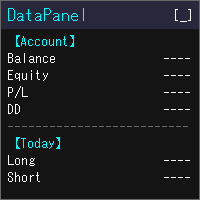
DataPanel 将账户状态集中显示在图表上的一个面板中。 它不会下任何订单,也不使用 DLL。 我最初用 Claude Code 开发它,是为了一眼看清运行着其他 EA 的账户情况。功能增加后信息变多了,但可以只显示需要的内容,请在设置中按需调整。 可查看的内容 余额、净值、浮动盈亏、保证金比例 余额和净值的回撤(最大值及发生时间)。入金、出金和赠金不计入回撤 今日、本周、本月、本年及全部时间的盈亏(多单/空单分开)和增长率 胜率、盈利因子、期望值、连胜/连败、平均持仓时间,以及隔夜利息、手续费等成本 按魔术号、按品种的盈亏,以及所交易品种的占比 持仓列表、盈亏平衡价、距强平的余量 经济日历(可选择国家和重要性)、当日假日、报价列表、货币强弱、市场时段 同一台电脑上所有 MT5 的真实账户盈亏合计(其他 MT5 也需要运行 DataPanel) 使用方式 金额可按所选货币显示(日元、美元、欧元等) 每个项目都可以显示或隐藏。隐藏的项目会停止更新,因此不占用资源 列数和字号会随图表大小自动调整 可用 [↑↓] 按钮调整项目顺序 显示语言跟随 MT5 的语言(共 17 种语
FREE

ThemeChanger for MT5: Instantly Transform Your Chart Environment with One Click
In the dynamic world of trading, your chart's appearance is more than just aesthetics; it significantly impacts analytical efficiency, visibility, and even your psychological state. However, manually adjusting MT5's color settings can be time-consuming, and switching between preferred themes quickly is often a hassle.
ThemeChanger is the advanced MT5 indicator designed to revolutionize how you interact with your c
FREE

Key Features: Automatic swing detection on any timeframe (M1 to MN1) Visual arrow indicators (red for swing highs, blue for swing lows) Adjustable sensitivity with customizable swing strength parameter Dynamic arrow positioning that never overlaps with candles Instant display when changing timeframes - no delays Compatible with MT4 and MT5 platforms Clean, professional interface with minimal screen clutter Lightweight code for fast performance Customizable colors and arrow sizes
Customizable S
FREE
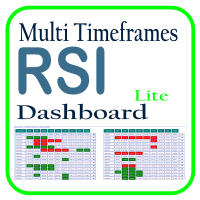
利用 RSI 多时间框架仪表板优化您的交易分析,这是一个强大的工具,可以实时监控市场观察列表中所有时间框架和符号的 RSI。这款仪表板提供即时的洞察和通知,非常适合依赖 RSI 进行潜在市场进出点识别的交易者。主要功能包括: 全面的 RSI 概览 :即时查看市场观察列表中所有符号的每个时间框架的 RSI 值,轻松进行多时间框架分析。 可自定义的超买/超卖警报 :设定您自己的超买和超卖阈值,当达到这些水平时,仪表板将突出显示相关的时间框架。 一键式图表访问 :单击即可打开任何符号的图表,帮助您快速响应并执行交易策略。 实时通知 :当任何符号在任何时间框架的 RSI 进入超买/超卖区域时,即时通知您。 使用 RSI 多时间框架仪表板提升交易效率——这是您进行精准 RSI 分析的必备工具!
FREE

Market Desk — 多周期市场裁决 (Multi-Timeframe Market Verdict)
Market Desk 是 MetaTrader 5 的一款只读分析工具, 它将多周期分析与 Market Watch(市场报价)的全局上下文相结合, 为当前市场状况提供结构化的视图。 它分析图表品种的 D1、 H4、 H1、 M30 和 M15 周期, 并给予较高周期更大的权重。 它还会检查 Market Watch 中的合资格品种, 以评估总体市场压力, 并在适用的情况下评估货币的相对强弱和方向一致性。
Market Desk 提供什么?
市场裁决 (Market Verdict): 识别看涨、 看跌或盘整(震荡)状况, 并突出显示市场结构之间的过渡和背离情况。
多周期分析: 将五个周期结合成单一的加权读数。
全局市场上下文: 评估其他可用品种的信息, 以识别方向支撑、 背离或中性条件。
可视化解释: 通过颜色显示看涨、 盘整和看跌读数的分布, 并配有上下文标签。
市场状况详情: 识别诸如修正性回调、 裁决之间的窄幅差距、 平衡区间以及不完整的市场数据等情况
FREE

本工具解决的问题 在 MetaTrader 5 策略测试器中,交易者 通常无法手动执行交易 。你只能观察自动化专家顾问(EA)的运行情况,而无法亲自下达 Buy 或 Sell 订单,这使得手动策略测试、价格行为练习以及主观交易分析变得非常受限。 Algoyin MT5 Strategy Tester 解决了这一限制,使你可以: 直接在 MT5 策略测试器中执行交易 通过一键按钮快速开立 Buy 和 Sell 仓位 在每一笔交易中自动应用预设的止损(Stop Loss)和止盈(Take Profit) 通过一次操作立即关闭所有已开仓位 在可控的回测环境中手动测试并优化交易思路 将手动交易执行与内置技术指标结合,用于分析和确认 手动交易执行功能 BUY 按钮 :一键快速开立买入订单 SELL 按钮 :一键快速开立卖出订单 CLOSE 按钮 :关闭由该 EA 创建的所有未平仓头寸 固定手数交易,并自动设置止损和止盈 无需手动拖动价格线或输入价格 核心交易参数说明 1. LOT-SIZE(手数大小) 定义执行 Buy 或 Sell 订单时使用的固定交易手数。 每一笔交易都使用相同的手数 有助于
FREE

When executing an order, whether through the Metatrader ticket on a computer or the Metatrader app on a mobile device, either manual or pending,
Easy Trade will automatically set the take profit and stop loss levels, as well as a limit order with its respective take profit and stop loss levels. It follows the trading strategy for market open (US30, US100, US500), but it can be applied to any market asset.
FREE
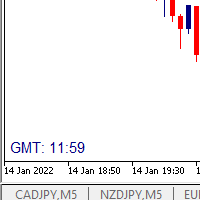
I wrote a small label to show GMT time. I t helps me to know the trading hours in Europe. I searched in the market but couldn't find it, hope it helps those who need it.
Functions: X_: Horizontal distance from border. Y_: Vertical distance from border. FontType: label color. FontSize : label font. Color3 : label color. WhatCorner : which chart corner will be drawn. If you have any request or errors please tell me to help it better.
Donate us , Thank u!
Telegram: 0388894014
FREE
This indicator allows to hide ZigZag indicator (on all MT4 timeframes) from a date define by the user with the vertical line. This indicator can be use with other "Hidden Indicators". Indicator Inputs: Depth Deviation Backstep Information on "ZigZag" indicator is available here: https://www.mql5.com/en/articles/1537 ************************************************************* Hey traders!! Give me your feeds! We are a community here and we have the same objective.... make some money from th
FREE

TradeBox - Trade Statistics & Costs Panel for MetaTrader 5
NOTES - The report reflects the history available in your account for the selected magic and period. - On accounts with a very long history the first calculation may take a moment; the panel then refreshes periodically. - Does not trade: in the Strategy Tester there are no trades and no profit curve; check the panel screenshots instead. - The "Parameters" tab of the product lists the panel settings (language, filter, panel, tabs/scrol
FREE

Level Painter PRO — Professional Manual Chart Markup Tool Level Painter PRO is a powerful and stylish tool for manually drawing support and resistance levels, price zones, rectangles, and vertical areas on the MetaTrader 5 chart. The indicator is designed for traders who value visual analysis and prefer to mark up their charts manually while maintaining full control over the process. Key Features Manual Drawing of Levels and Zones Horizontal Lines — quickly mark key price levels Vertical Line
FREE

Close All Charts 是一款实用工具,旨在快速、方便地关闭MetaTrader 5(MT5)平台中的所有打开图表。对于同时处理大量工具和图表的交易者,以及那些喜欢保持工作空间整洁的人来说,它尤其有用。 在策略测试器中测试顾问时,使用不同的参数经常会打开很多图表。 Close All Charts 工具能够在短短1秒钟内关闭它们,从而避免了手动关闭每个图表的麻烦。 让我们考虑一个例子:如果您打开了100个图表,手动关闭每个图表可能需要相当长的时间。假设关闭一个图表需要大约1秒钟。因此,手动关闭100个图表将需要大约100秒或超过1分钟。而使用我们的 "Close All Charts" 工具,只需1秒钟即可完成! 如果我们的 Close All Charts 工具对您有帮助,请您评估并留下反馈,这对我们来说非常重要!您的反馈帮助我们为交易者创造更高质量的工具。 订阅我们的频道 !在这里,您将找到详细的顾问和指标评论、最新的交易策略以及来自经验丰富的交易者的有用建议。加入我们的社区,成为更自信的交易者!
FREE

AutoSLTP Assistant — Automated Trade Management Short Description AutoSLTP Assistant automatically manages Stop Loss, Take Profit, Break-Even, Trailing Stop and Partial Close for your existing MT5 positions. Fully configurable and compatible with manual trades, signals and other Expert Advisors. Full Description Automated trade management without changing your entry strategy. AutoSLTP Assistant monitors your existing positions and applies your predefined risk-management rules automatically. It d
FREE

VisualRiskTool VisualRiskTool is a professional trade execution panel and risk management utility designed for MetaTrader. It streamlines the process of opening and managing positions by automating complex lot size calculations and providing a visual interface for setting stop-loss and take-profit levels directly on the chart. Core Functionality: Precision Risk Management The primary goal of VisualRiskTool is to eliminate manual calculation errors. By defining a fixed risk percentage (e.g., 0.5%
FREE

您知道过去三个月的交易让您付出了多少成本吗?不是您赚了或亏了多少,而是开仓和平仓本身花了您多少钱。这个工具读取您账户里已经平仓的历史记录,用金额告诉您:每一笔成交那一刻的报价点差、开仓和平仓的滑点、佣金和隔夜利息。事先不需要安装任何东西。它只读取,从不发送订单。
您看不见的那笔钱
每一笔交易都要向您收四样东西。两样会出现在对账单上。另外两样藏在结果里面,所以几乎没有人把它们加起来。
- 点差。您买入时比当下价格贵一点,卖出时便宜一点。每次都是。它从不显示为一笔支出,因为已经从结果里扣掉了。 - 滑点。您要一个价格,成交给您另一个。尤其是止损触发时,或者行情走得快的时候。 - 佣金。经纪商为交易收取的费用。这是大多数人唯一会算进去的一项。 - 隔夜利息。持仓过夜时向您收取、或者付给您的那部分。
如何运作
1. 把它拖到任意图表上。没有任何需要设置的东西。 2. 它读取您已经平仓的交易,并在报价历史中查出每一笔成交那一毫秒市场的报价。 3. 一分钟后报告就出来了:花了多少,钱去了哪里。
一个真实的例子
小账户,三个月交易黄金,76 笔完整交易。
留在账户里的:102
FREE

如果您喜欢这款免费工具,请留下五星好评!非常感谢 :) “风险管理助手”专家顾问系列是一套全面的工具,旨在通过有效管理各种市场条件下的风险来增强交易策略。该系列包含三个关键组件:平均交易、切换交易和对冲交易专家顾问,每个组件都针对不同的交易场景提供独特的优势。
此 EA 是基于市场上标准风险管理策略的开发版本。
https://www.mql5.com/en/blogs/post/756961
1. “均线助手”EA: MT4: https://www.mql5.com/en/market/product/115468 MT5: https://www.mql5.com/en/market/product/115469 2. “切换助手”EA: MT4: https://www.mql5.com/en/market/product/115478 MT5: https://www.mql5.com/en/market/product/115428 3. “对冲助手”EA: MT4: https://www.mql5.com/en/market/product/115466 MT5
FREE

GntCountdown — 霓虹蜡烛倒计时 GntCountdown 是由 Genaro Trade 团队开发的免费辅助指标。它在图表上显示倒计时,准确显示当前蜡烛还有多长时间收盘。 主要功能:
• 实时倒计时(时:分:秒)
• 蜡烛进度百分比
• 动态颜色:随着时间流逝从绿色 → 黄色 → 红色
• 最后几秒自动闪烁
• 完全可自定义:位置、颜色、大小、字体
• 可锚定到图表的任何角落
• 轻量且优化——不影响终端性能 使用方法: 下载并在 MetaTrader 5 上安装该指标 将 GntCountdown 拖到图表上 根据需要配置位置、颜色和字体 完成——计数器立即显示 适用于:
• 在短时间周期(M1、M5、M15)上交易的交易者
• 需要知道蜡烛收盘确切时刻的剥头皮交易者
• 使用蜡烛突破策略的人
• 任何想要更高时间精度的交易者 兼容性: MetaTrader 5,任何品种,任何时间周期。
价格: 免费。
开发者: Genaro Trade 团队。
开发者直接用您的母语为您提供帮助。
关于 Genaro Trade 团队
FREE

BlueEdge Trading Manager (MT5) BlueEdge Trading Manager is a clean, fast manual trade manager panel for MetaTrader 5. It helps you open trades quickly (BUY/SELL), manage up to 5 take-profits , and automatically handle partial closes while drawing clear SL/TP lines directly on the chart. This product is NOT a trading strategy and does not generate entry signals. It is a trade execution + position management tool for scalpers and manual traders. Main Features One-click BUY / SELL from a compact pa
FREE

All-in-One Visual Trading Panel, Risk & Partial Close Manager, Smart Charting Toolkit (LBT), R: R Lock, Virtual TP, Multi-Chart Sync, and Telegram Zone Alerts. TradingPanel With Tool Box is a complete trading workstation and smart charting assistant for MetaTrader 5. Designed for precision-focused scalpers, day traders, and Smart Money Concepts (SMC / ICT / Price Action) traders, it combines fast trade execution , multi-mode partial close management , and an advanced object styling & synchroniz
FREE

GOM Trade Manager helps you execute trades the way you want it. Works on all instruments Forex, Commodities, & Crypto.
It helps you with lot calculations, spread addition and balance calculations so you can just focus on actual trading.
For full automatic planned management, stackable triggers and spread widening protection >> check out GOM Trade Manager Pro .
------------------------------------------NOTABLE FEATURES------------------------------------------ You set everything based on bid
FREE

Second Level Candles And Alligator Indicators 每12秒产生一个K线,而且自带Alligator指标,对超短线选手交易非常有帮助。程序启动时可能不成功,是因为MT5 MqlTick 数据加载少的原因。可以通过修改显示的数据参数避免,比如display=100,程序正常之后再将参数调大 display=300 。如果数据不正常,也可以采用重新加载的方式解决。 如果您对这个指标有任何建议,请联系作者。 Second Level Candles And Alligator Indicators produced a candle per 12 seconds,include Alligator, it's helpful to Short-Term Trading。You'd better reload the indicator every start MT5 or change display parameter to reslove data bug. Please attach author when you had some su
FREE

A simple and useful Current Price Panel, which displays magnified current Bid, Ask prices and spread, movable anywhere on chart window using the mouse. Also provides an option to have as text at a static location showing bid or ask price along with spread, shown at any location on the chart. Allows display as pips or points along with spread highlighted in distinct color if it crosses the threshold point for the previous 100 ticks. Includes an option to show or hide the last digit (pipette) of t
FREE

MTM Manual Trade Manager is a professional trading dashboard designed for manual traders who want better control over risk and trade management.
This Expert Advisor does NOT open trades automatically. All trading decisions and order executions are fully controlled by the trader.
Main Features: - Manual Buy and Sell execution from the dashboard - Visual Stop Loss and Take Profit using drag & drop lines - Fixed Lot and Risk Percentage position sizing - Automatic Break Even management - Multiple
FREE

AlsoSell Cockpit 把你完整的交易流程装进图表上一个精致的面板:分析、定量、执行、管理、复盘 —— 全程不用离开图表。
下单与执行 - 一键市价买入 / 卖出,按风险自动计算手数。 - 拖拽式图表下单:在图表上直接拖动入场、止损、止盈三条线。手数根据止损距离和风险百分比实时计算,盈亏比与到价的精确盈亏金额($)在拖动时实时显示。 - 智能执行:执行按钮根据你设定的入场位置,自动选择市价单或挂单(限价 / 突破)。 - 价格验证(止损/止盈方向正确 + 不小于 broker 最小止损距离),在下单前拦截无效订单。 - 反手:一键平掉净持仓并反向开仓。 - 灵活手数:按风险百分比自动算,或用面板上的手数步进器手动调。 - 每个订单都带 magic 编号和注释,方便追踪对账。
持仓管理 - 一键平仓:全部 / 盈利 / 亏损 / 多头 / 空头。 - 批量止损 / 止盈(按 ATR 或固定点数)以及一键保本。 - 持仓明细大表,按单列出,并支持按筛选条件一键平掉一组。
行情看板 - 多周期趋势(M1–D1)、波动率状态、当前交易时段。 - 整数关口、当日枢轴、前一日高低,
FREE

Trading Toolbox for MT5 Faster chart control. Clearer account tracking. Less friction. Trading Toolbox is a lightweight on-chart utility for MetaTrader 5 that brings essential trading controls directly to your chart. Track PnL from a marked balance, manage trade sound alerts, toggle Scale Fix instantly, and keep your preferred setup saved between sessions—all from one clean, compact panel. Main Features Real-Time PnL Tracking
Mark your current account balance and instantly see your profit or lo
FREE

Live Risk Dashboard MT5 EA Monitor your account risk clearly and trade within your limits Live Risk Dashboard MT5 EA is a practical account-monitoring utility for MetaTrader 5. It displays your most important trading and risk information directly on the chart, helping remove the "math anxiety" of managing open positions. Instead of repeatedly checking different MT5 windows or manually calculating floating profit, drawdown usage, and remaining limits, you can view everything in one clean, compact
FREE

(Multiple Close All) for MT5 a lightweight and efficient utility designed to help traders close their open positions and pending orders directly from the chart.
It provides a clean panel with interactive buttons, allowing quick closing of opened trades and deleting the Pending Orders with one click. Key Features: Close all BUY , SELL , or ALL positions with one click. Close only profitable trades or only losing trades . Close trades filtered by Magic Number or Ticket Number . Perform par
FREE

Overview Simple Trade Panel EA is a clean, lightweight trade assistant designed for manual traders who want fast and visual order placement directly from the chart.
No more fiddling with order windows – place Market and Pending orders, adjust Stop Loss & Take Profit using draggable horizontal lines, and instantly see your risk/reward ratio, point distance, and dollar value.
The panel features a modern “dirty pastel” color scheme that perfectly fits light chart themes, and can be hidden with
FREE

CSV News File Generator MT5 is a script specifically designed for the MQL5 platform. It enables the automated generation of CSV files containing economic calendar news, making it ideal for use in strategy simulators or as data for training artificial intelligence models. How Does It Work? The script gathers economic news directly from the MQL5 calendar, organizes the data into arrays, and converts it into CSV files for later use. Steps to Generate News Identify Event Codes:
Find the event code
FREE

本EA设计用于监控开仓时的滑点,和平仓时的滑点,并以文件形式记录保存在csv文件中。 本EA对记录交易滑点,统计损失,以及评估平台是很有用的。 记录文件保存在MT5数据文件夹中,比如 MT5_Data_Folder\MQL5\Files. 通过菜单栏的 “文件”->“数据文件夹” 进去。 警告 : 不要直接打开文件,否则会影响EA记录,把文件拷贝到别处再打开。 使用方法: 打开图表加载EA即可,只需要加载一个EA。EA会监控所有品种的单子。 参数: Show in brief - 如果是true,EA显示最近5单开仓/平仓的记录,滑点以点数计。 开仓滑点记录示例: 文件名是Slippage Monitor( 50495414 )-open.csv. Prior Time Ticket Position Ticket Deal Symbol Type Lots Prior Price Open Price Slippage Open Time 2021.11.17 15:47:00 96788016 73740574 XAUUSD Buy 0.05 1862.81 186
FREE

这是一款专为手动交易者设计的MT5工具。解决了MT5回测只能跑EA自动交易无法手动回测的问题。它通过图形化按钮(Buy / Sell / Close All)让您在图表上快速开平仓,并 自动记录每一笔交易 ,实时计算 胜率、盈亏比、平均盈亏、最大回撤、当前权益 等专业数据,将您的交易行为转化为直观的绩效报告。它将是您不可或缺的辅助利器。
1. 一键交易,操作流畅 Buy / Sell / Close All 按钮 2. 实时交易记录与图表标记 自动绘制买卖箭头 :开仓时在K线图上生成绿色向上(买)或红色向下(卖)箭头,复盘时一目了然。 3. 专业绩效统计面板 完整交易明细 :总交易次数、盈利次数、亏损次数。 胜率 & 盈亏比 :自动计算胜率百分比、平均盈利、平均亏损、盈亏比。 资金管理指标 :总盈利、总亏损、净利润、当前权益、虚拟余额。 风险控制 :基于虚拟余额与浮动盈亏计算最大回撤(金额与百分比),帮助评估策略稳健性。
FREE

T-Wallpaper. This is a very useful wallpaper that comes with trade manager panel. You can choose any wallpaper of your choice. Must add the WallPaper file to your MQL5 Data Folder. Follow this easy steps: Download the WallPaper files from our channel https://www.mql5.com/en/channels/transitbk98 Open MT5 Select files Open Data Folder Open MQL5 Open Files and past the Wallpaper folder Now the wallpaper will display. Wallpaper settings are found on the user input. Trade panel settings are found on
FREE

Trading Cockpit is a free, complete trading control panel for MetaTrader 5: watchlists, price & trend alerts, and automatic liquidity levels, all in one compact side panel without leaving your chart. Try everything at no cost.
WATCHLISTS & SYMBOL BASKETS - Unlimited symbols across several lists in one dropdown selector: a live mirror of your Market Watch, a Favorites list, and your own custom lists. - Predefined baskets by correlation cluster - US, Europe, Forex, Metals, Energy, Crypto - that w
FREE

What this tool does Daily and Max Loss Protector is a protective account monitor for traders on prop firm challenge or funded accounts (built with common prop firm evaluation rule methodology in mind, and adjustable to match similar rules from other firms). It continuously tracks your account against: Daily loss limit — measured from your account BALANCE at the start of each trading day (matching how many prop firms calculate this, rather than a simplified equity-only approximation) Maximum ove
FREE

SMART MONEY SCALPER EA - ICT Scalping Strategy Description INTRODUCTION - WHY THIS ICT SCALPING EA IS ESSENTIAL FOR YOUR SUCCESS Dominate the markets with the most advanced ICT scalping system ever created. The Smart Money Scalper EA is specifically engineered for high-frequency ICT scalping, combining Inner Circle Trader concepts with lightning-fast execution to capture multiple quality trades throughout each trading session. This specialized scalping EA transforms ICT methodology into a pr
FREE

Lot Size Script 在交易前回答一个问题:我可以开多少手,才能让触及止损时的亏损正好等于我选择的风险?把它拖到图表上,填两个数字,就能看到答案。
工作原理 - 风险可以是余额的百分比、净值的百分比,或以账户货币计的固定金额。 - 止损可以是以点数表示的距离,或止损价格。如果价格位于入场价错误的一侧,会被拒绝并给出明确提示。 - 入场价为图表品种当前的 ask(买入)或 bid(卖出)。 - 1.00 手在止损处的亏损 = 止损距离除以 tick 大小,再乘以该品种亏损方向的 tick 价值。该数值来自终端,已包含到账户货币的换算。 - 手数向下取整到经纪商的手数步长,因此承担风险的金额绝不会超过您的设定。 - 如果结果低于最小手数,脚本会给出提示,而不是向上取整。 - 超过最大手数时,按最大手数封顶。 - 结果在图表上和“专家”日志中显示手数、取整后的风险、止损价格以及所需保证金(由终端计算)。
输入参数 风险计算方式、风险数值、方向、止损设定方式、止损距离(点)、止损价格、在图表上显示结果。
限制 - 实际成交价可能与此处使用的当前价格不同,在快速行情中尤其如此。
FREE

this is a Demo version of product. its limit of 3 trade at a time. when you buy full version try to click here https://www.mql5.com/en/market/product/170629
The Core Philosophy: Ultra-Fast Execution In the world of scalping, milliseconds matter. This configuration utilizes a Fixed Lot Size strategy combined with lightning-fast keyboard triggers to ensure you never miss a price level. CandleWise Trade Logic This feature restricts trade frequency to prevent "over-trading" during volatile
FREE

适用于 MetaTrader 5 的专业仓位规划与交易量控制面板 Position Control Suite 是一款用于 MetaTrader 5 的专业可视化交易规划面板。 它适合希望直接在图表上准备订单、设定精确 Stop Loss 水平,并根据账户货币风险金额自动计算交易手数的交易者。 该工具的核心逻辑非常直接:输入你愿意承担的风险金额,设置 Stop Loss 距离,面板会自动计算当前交易计划所需的仓位大小。 这可以让下单准备流程更清晰、更稳定,并减少开仓前的手动计算。 主要功能 账户货币风险输入: 输入本次交易希望承担的具体风险金额。 自动手数计算: 根据风险金额和 Stop Loss 距离计算交易量。 图表可视化水平: Entry、Stop Loss 和 Take Profit 直接显示在图表上。 市价订单模式: 根据 BUY 或 SELL 自动使用正确的 Bid 或 Ask 执行价格。 挂单模式: 可手动输入或拖动入场价格,准备 Buy Limit、Buy Stop、Sell Limit 或 Sell Stop。 可编辑价格字段: Entry、SL 和 TP 可直接在面
FREE

VolPulse Telegram Bridge 把免费指标 VolPulse Volume Profile 的提醒转发到 Telegram:市场状态切换、触及关键价位(POC、VAH、VAL、未回踩 POC),以及带止损和目标的新入场信号。 它不下单,也不读取你的持仓、余额或账号。 设置(约 2 分钟) 安装免费指标「VolPulse Volume Profile」,挂到你的图表上:
https://www.mql5.com/zh/market/product/200141 工具 → 选项 → EA 交易 → 勾选「允许 WebRequest 访问下列 URL」,添加: https://volpulse.edgehone.com 把 Bridge 挂到任意一张图上。 Bridge 面板会显示机器人名称和 8 位配对码。在 Telegram 打开这个机器人,发送面板上提示的命令。 面板显示「已连接」,完成。 需要知道的 • 一个终端只需一个 Bridge,它负责所有挂了 VolPulse 的图。再挂一个会显示「待命」,第一个被移除后自动接手。
• 不漏不重:断网时提醒先存在本地队列,恢
FREE

Arixis EA Comparator — Compare Two Trading Systems Side by Side
Arixis EA Comparator is a professional MetaTrader 5 analysis tool designed to compare the observable historical performance and trading behavior of two Expert Advisors or strategies on the same account. Using Magic Numbers, the application separates the activity of two systems and presents their statistics side by side under the same analytical framework. Compare number of trades and campaigns, net results, gross profit and loss, P
FREE

Stop revenge trading, overtrading and blown accounts. Fomo Killswitch EA is a discipline assistant that automatically enforces your daily risk limits, blocks impulsive entries and protects your account during prop firm challenges – without relying on willpower. --- ## How it works Fomo Killswitch runs alongside your existing trading setup and acts as a safety gate for your account: - One click locks new entries for a chosen period (FOMO Lock) - After a significant loss, the EA automatically app
FREE

U sing keyboard shortcuts to draw Fibonacci levels and rectangles quickly and efficiently.
Press F to create a Fibonacci retracement. Click with mouse (2x): -once on the chart to set the starting point and - again to set the ending point. The Fibonacci levels are drawn automatically using the configured ratios, colors, and styles.
Press T to instantly draw a pre defined rectangle at the closest highest or lowest price (based on trend).
All levels, colors, sizes, and styles ca
FREE

Arixis Trade Broadcaster — MT5 Trade Notifications Turn your MetaTrader 5 trading activity into professional, automated notifications. Arixis Trade Broadcaster is a MetaTrader 5 Expert Advisor designed to monitor trading activity across your account and publish informative messages to external communication platforms. Whether you trade manually, use Expert Advisors, or manage several strategies, Trade Broadcaster helps you follow trading activity without continuously watching your terminal. Supp
FREE

ChartControl 是一款轻量级的实用型指标,用于快速手动切换图表。它允许你通过键盘快捷键在当前图表上切换 交易品种 和 周期 —— 非常适合快速扫盘,无需鼠标点击。 本产品仅以 EX5(已编译) 形式发布。 主要功能 通过 Market Watch(市场报价) 列表快速切换品种 按预设周期集合快速切换周期(M1…MN1) 占用资源极低(无计算、无绘图) 当你用鼠标/菜单手动切换品种或周期时自动同步 快捷键 A — 上一个品种(Market Watch) D — 下一个品种(Market Watch) W — 下一个周期(更大) S — 上一个周期(更小) 周期顺序:
M1 → M5 → M15 → M30 → H1 → H4 → D1 → W1 → MN1 使用方法 将指标加载到任意图表 点击一次图表以确保图表处于焦点 使用 A / D / W / S 切换品种/周期 说明 品种切换仅基于当前 Market Watch 中可见的品种。 若 Market Watch 为空,指标将使用当前图表品种。 兼容性
MetaTrader 5,所有经纪商,任意图表。
FREE

is a visual market-monitoring indicator that displays multiple trading instruments and timeframes within a single chart window. Developed using MQL5, the indicator transforms historical price data into a structured dashboard featuring custom candlesticks or price dots. Each row represents a symbol, while each column represents a selected timeframe. This arrangement allows traders to examine recent market behavior across several instruments and timeframes without continually opening and closing c
FREE

This is not an EA – it’s a simple and powerful MT5 indicator designed to help you manage trades quickly and easily. Key Features: TP1 Auto-Set – Fixed at 1RR TP2 Auto-Set – Set at 2RR Fast Lot Calculation – Calculates lot size based on SL in 1 second Quick Actions: Close All Trades Move to Breakeven Set TP at RR1 / RR2 User-Friendly – No complex setup, just attach to chart and start using Support:
Telegram – @inForexVIP
WhatsApp – +923118409597 MT4 Version Coming Soon
W
FREE

CHARTPILOT RISK SUITE Chart planning, position sizing, staged exits and trade management for MetaTrader 5
SHORT DESCRIPTION
Plan chart setups, calculate risk-based lots, review orders and manage TP1-TP4 exits in MetaTrader 5.
PRODUCT DESCRIPTION
ChartPilot Risk Suite is an all-in-one chart planning and execution utility for MetaTrader 5. It is designed for traders who want their drawings, position-sizing calculations and trade controls in one focused workspace without covering most of the
FREE

Timer HUD 是一款轻量级图表工具,可在图表上实时显示市场信息,结合当前K线倒计时与点差显示。 该指标支持所有时间周期,实时显示当前K线剩余时间,并无延迟更新。同时提供点差监控,帮助交易者在快速行情中及时掌握市场状况。 主要功能: 实时K线倒计时 点差显示(以点为单位) 支持所有周期(M1–MN) 轻量优化(基于定时器事件更新) 完全可自定义外观(字体、大小、颜色、位置) 简洁HUD设计,不干扰图表 Timer HUD 适用于剥头皮交易者、日内交易者以及需要快速查看时间和点差的用户。 未来我将根据用户的需求不断为该工具添加新功能。如果你在交易过程中有任何关于时间控制或其他功能的需求,可以在评论中留言,我会尽力在后续版本中开发并加入这些功能!
FREE

Minimalist Manager is a manual trade-management panel for traders who place their own entries and want precise, fast control over risk, stops, and targets directly on the chart.
It is a discretionary tool. You decide when to enter; Minimalist Manager handles the sizing, stop-loss, take-profit, break-even and trailing mechanics around your decision. Trading several accounts? Its Trade Copier places the same trade on all of them, each at its own risk.
Key features
Risk-based position sizing. Se
FREE

This powerful tool ensures you never miss important trading signals by providing instant Alerts whenever specific indicators generate signals. With its sleek and user-friendly interface, you can effortlessly stay on top of market opportunities. Once an alert is received, you have the flexibility to decide your next move, putting you in full control of your trading decisions.
Does not work in the Strategy Tester!
Indicator Alert Features Automatically get alerted when a chosen indicator produce
FREE

Overview The Dynamic Candle Timer is a lightweight and efficient utility designed for MetaTrader 5. Unlike traditional candle timers that remain static in the corner of the chart, this indicator dynamically attaches to the current Bid price line. This allows traders to monitor the remaining candle time directly at the point of action, enhancing focus during fast-paced market movements. It is highly suitable for day traders and scalpers operating on XAUUSD, Forex, Crypto, or Indices. Key Feature
FREE

Free Global Stop Loss and Take Profit Setter with Break Even
Free one click Stop Loss and Take Profit tool for manual trading. Apply a fixed SL and TP to every open position on the symbol, or move them all to break even, with a single button. It only modifies Stop Loss and Take Profit levels — it never opens or closes a trade. Set your SL and TP distance in points, click once, and every position on the current symbol is protected. The break even button moves stops to entry (or a configurable num
FREE

A fast, chart-based MT5 trade manager with one-click BUY/SELL execution, editable Lot/SL/TP controls, and selective position-closing tools. One Click Trading MT5 is a lightweight trade-management Expert Advisor for MetaTrader 5. It is designed for traders who want to manage manual trades or trades opened by an EA directly from the chart, without repeatedly opening the Terminal window. The panel is draggable and automatically switches between light and dark modes based on the chart background. I
FREE

Account Turbo Flip: The Ultimate Manual Trading & Management Assistant Trading successfully isn't just about finding the perfect entry—it is about how you manage the trade once you are in the market. Account Turbo Flip is a streamlined utility Expert Advisor designed to take the emotion and hesitation out of trade management. Built for traders who prefer to maintain control over their own entries, it acts as your dedicated tactical assistant. You pull the trigger based on your own analysis, an
FREE

Full Automated Trading panel . it works on any trading instruments: Forex, Stocks, Futures, Indices, CFD, Bonds, Cryptocurrencies; interface minimization function; flexibility of use;
Join my channel and check video of it ===> https://t.me/Ash_TheTrader/4986
Features :
Auto SL and TP Auto Close partial Auto Trailing Session Time Alert Time of trading Alert Profit and Percentage and etc.
FREE

Trading Dashboard Toolkit is a trading workspace for MetaTrader 5: one panel that plans the trade, runs it after the fill, holds you to your limits and keeps the record of what you actually did. It is an Expert Advisor, so Algo Trading must be on for it to place or change anything. It does not trade on its own. Every order comes from a button you press, or from a rule you wrote yourself.
Overview The sidebar holds seven tools in three bands. Trade is what you do to a position right now. Plan b
FREE

PFA Simulator – Portfolio Simulation Expert Advisor
Introduction The PFA Simulator is a MQL5 Expert Advisor and the final step of the Portfolio Analyzer (PFA) system — a portfolio analysis toolkit included with any compatible Expert Advisors from this profile. The PFA system allows traders to build, merge, and simulate multi-asset, multi-strategy portfolios entirely within the MT5 Strategy Tester — with no external tools required.
The three-step PFA workflow: PFA Exporter (built into the EA)
FREE

Market Scanner EA – Smart Multi-Asset Trading Scanner Market Scanner EA is a powerful, real-time decision-support trading tool designed for serious traders who want clarity bias before entering any trade. This EA scans multiple instruments simultaneously and delivers clear directional bias, momentum strength, and session-based performance — all in one clean dashboard. No noise. No guesswork. Just actionable market insight . MY OTHER EA and INDICATOR TREND BASED (MULTI SYMBOL) Solo Le
FREE

SI Connect是一个与我们的服务器建立连接的工具,以使用FX Volume或SIEA的交易系统。
准备您的终端使用SI Connect的技术说明 允许网络请求,在您的 终端选项 ->子类别 Expert Advisors 的允许URL列表中插入 https://stein.investments 。 你只需要在每个终端上运行一个EA实例,但它必须在后台持续运行,以便从我们的数据中心获取最新数据。
如果有问题,请发送私人信息,我们会协助。 SI Connect是一个与我们的服务器建立连接的工具,以使用FX Volume或SIEA的交易系统。
准备您的终端使用SI Connect的技术说明 允许网络请求,在您的 终端选项 ->子类别 Expert Advisors 的允许URL列表中插入 https://stein.investments 。 你只需要在每个终端上运行一个EA实例,但它必须在后台持续运行,以便从我们的数据中心获取最新数据。
如果有问题,请发送私人信息,我们会协助。
FREE

Sam's Automatic SL-TP System
Take your gold trading to the next level with Sam's Automatic SLTP System! This Expert Advisor (EA) is designed to simplify your trading by automatically applying your predefined Stop Loss (SL) and Take Profit (TP) levels to every trade you place on gold (XAUUSD) – effortlessly and without manual intervention. No more worrying about setting SL and TP for each trade! Once you configure your desired SL and TP values in the EA’s settings, the system takes care of the
FREE

English Description Title: Chart Cleaner (Eye Tool) Subtitle: Clean your charts instantly with 1 click while preserving your technical analysis. Inspired by TradingView's eye tool. Description: Have you ever wanted to look at clean price action without cluttering your chart with trendlines, support/resistance levels, and Fibonacci studies? Deleting and redrawing everything takes too much time. Chart Cleaner (Eye Tool) is designed to solve this exact problem. Featuring a minimalist design—a small
FREE

Risk Basket Planner Risk Basket Planner 是一款用于 MetaTrader 5 的手动篮子风险规划工具。它帮助交易者设置多个入场层级、技术止损,并在手动交易前计算每一层的手数和实际总风险。 主要功能 支持 1 到 5 个入场层级 。 可选择 BUY 或 SELL 方向。 风险按 账户净值 Equity 的百分比设置。 L1-L5 入场价格可直接输入或在图表上拖动。 所有层级共用一个 技术止损 。 Auto SL 预设:80%、100%、120%。 Manual SL 模式可由交易者精确设置止损价格。 修改入场、止损、风险%、方向或层级数量后自动重新计算。 尝试在各活跃层之间平均分配风险,并显示 经过经纪商最小手数/步进取整后的实际风险 。 显示每层手数、风险%、风险金额、总手数、目标风险和实际篮子风险。 显示当前点差以及点差与最近止损距离的关系。 当止损距离过近,或经纪商最小手数导致目标风险无法实现时给出提示。 可移动面板,支持最小化、恢复和关闭。 根据经纪商的交易品种规格进行计算,可用于经纪商支持的 Forex、贵金属和 CFD。 重要说明 本工
FREE
MetaTrader市场是一个简单方便的网站,在这里开发者可以出售自己的交易应用程序。
我们将帮助您发布您的产品,并向您解释如何为市场准备您的产品描述。市场上所有的应用程序都是加密保护并且只能在买家的电脑上运行。非法拷贝是不可能的。
