 MetaTrader 5
 エキスパート
 インディケータ
 ライブラリ
ライブラリ
 ユーティリティ
 ウィジェット
 ルール
ルール
YouTubeにあるマーケットチュートリアルビデオをご覧ください
ロボットや指標を購入する
仮想ホスティングで
EAを実行
EAを実行
ロボットや指標を購入前にテストする
マーケットで収入を得る
販売のためにプロダクトをプレゼンテーションする方法
MetaTrader 5版無料取引ユーティリティ - 6
 以下はMetaTrader5での取引を簡素化する取引プログラムです。ユーティリティにカーソルを合わせると、その説明と目的が表示されます。
MORE FREE TOOLS ON THE WAY - LEAVE A REVIEW AND I WILL SEND THEM TO YOU FIRST. I am building a set of these and publishing them free. Session levels, structure tools, risk utilities - all free, all on this profile. Leave a review on this one and message me, and I will send you each new tool the day it is ready, before it goes on the Market. Reviews are the only way a free tool gets found here, so it genuinely helps - and it takes thirty seconds. Elysium Supply and Demand marks the zones price ac
FREE

Transform your Metatrader 5 trading experience with the Smart Trade Control for MT5, a sophsiticated yet intuitive trade managtement solution designed for traders of all levels. From precise position sizing to advanced basket management, this tool streamlines your trading workflow while enhancing risk control. Core Features: Smart Position Calculator: Enter risk amount and instantly get optimal lot size based on your stop loss - eliminate manual calculations and trading errors. Advanced Basket
FREE

This EA get all the opened postions on the current symbol and add SL and TP And also MoveSl to perfect value. Principle Small SL according to current bid or ask. Ex: If current SL is too big compared to the configured SL, move it. But never move a position SL Higher
The EA also go through all positions and activate trailing stops, so that you never lose any winning position.
FREE

ATC Economic Calendar and News Panelは、MetaTrader 5内蔵の経済カレンダーをチャート上に直接表示するので、別のウィンドウを開かずに今後の発表を確認できます。
このツールは、ポジションツール、トレード管理、パフォーマンス分析とともに、 All In One Trade Management Panel MT5 の一部でもあります。 デモ口座向けの無料トライアル版 – ライブチャートで試せます、時間制限なし。
主な機能:
• 選択した通貨の次の高影響イベントと、それまでのライブカウントダウンを表示する「次の高影響」カード。
• 日別のイベントリスト。矢印ボタンで日を前後に移動したり、今日にジャンプしたりできます。
• 各イベントは、影響の色、通貨、時刻、名前、および実績値、予測値、前回値を表示します。実績値は予測を上回ると緑、下回ると赤になります。
• 発表前の最後の5分間、イベント時刻が赤いカウントダウンに変わります。
• 通貨フィルター(主要通貨とチャートシンボルの通貨)と影響フィルター(高、中、低)。選択内容はチャートごと
FREE

Seconds Chart Calculator Tester — Seconds chart + Risk-based position calculator + Trade management This is the free DEMO version of Seconds Calculator. You can try every feature of the full product, with a usage limit (see below). For unlimited use, get the full version. Seconds Calculator — The all-in-one tool for precision trading on MT5 — MetaTrader 5 only offers timeframes from 1 minute up. This utility adds, in a floating window over your chart, a seconds-based candlestick chart, a risk-ba
FREE

HotkeyTrader Pro — Expert Advisor for MetaTrader 5 HotkeyTrader Pro is an Expert Advisor that allows executing and managing trades through configurable keyboard shortcuts, with integrated risk management tools and position tracking. Keyboard execution The EA includes 11 predefined keyboard shortcuts for opening buy and sell orders, managing open positions, and executing partial or full closes. It is compatible with external macro software such as AutoHotKey and with programmable input devices. R
FREE

The "Simple Trading Controller" for MetaTrader 5 sets a new standard for speed and efficiency in opening and closing market positions. Crafted with a clean and intuitive design, this tool is a response to the specific needs of traders, ensuring a seamless and rapid trading experience. All it provides is: Quick BUY and SELL Buttons Open multiple operations at the same time Set Trade Size Set Stop Loss Take Profit Points Close All Positions Let's go and see the advantages of using "Simple Trading
FREE

SemiAutoTradingPanel 1.00 — Tulip Quick Order Tool Short description (one line) Semi-automatic MT5 trading panel with 12 multi-factor strategies, market-regime filtering, adaptive lot sizing and 3 SL/TP modes — English/Chinese bilingual. Full description A chart-based control panel that turns MetaTrader 5 into a semi-automatic trading desk. It reads market data, classifies the current market regime, and executes strategy signals automatically, while every action stays visible and one click awa
FREE

Boleta para operações Long & Short na bolsa Brasileira B3 para operações em ações, mini-indice e mini-dolar com lotes ajustaveis; Possui botões de COMPRA, VENDA e FECHAR TODAS AS OPERAÇÕES; Podem ser definidos Ganhos (TakeProfit) e perdas (StopLoss), além do controle do StopMóvel (configuravel); É possível determinar quantidade de operações por dia; Existe um painel informativo com lucro ou prejuízo diário.
É possível determinar os horários de início e término das operações quando selecion
FREE

PropFirm Risk Gatekeeper MT5
MetaTrader 5向け高度な口座リスク保護EA
PropFirm Risk Gatekeeper MT5は、口座全体のリスクを管理するために設計されたExpert Advisorです。日次ドローダウン、口座全体の最大損失、個別ポジションの損失を監視できます。
本EAは特定の売買戦略に依存せず、他のExpert Advisorによって開かれたポジションや手動で行った取引も監視できます。
主な機能
日次ドローダウン保護
設定した基準値に対する最大日次損失率を指定できます。
保護ラインに到達すると、EAは以下の処理を実行できます。
- 新規取引を停止 - 保有ポジションを決済 - 保留中の注文を削除 - 保護状態を保存
取引日の切り替え時刻は、ブローカーのサーバー時間に合わせて設定できます。
全体ドローダウン保護
口座全体の最大損失率を設定できます。
EAはBalanceとEquityを継続的に監視します。設定した制限に到達すると、新規取引を停止し、保有ポジションや保留注文を閉じることができます。
セー
FREE
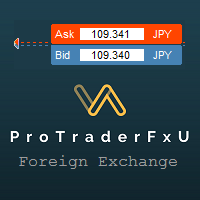
Description: - BidAskLine Indicator is very simple and easy, but each utility can be important in the probability that we will win in our trade. This utility Indicator shows lines and prices of the Bid, Ask and Spread. Input Parameters: - Visual Aspect Options : Select between 2 options with Box or Simple Style. - Parameters Bid Price : Select between show or hide line or box objects, change color, style or width line. - Parameters Ask Price : Select between show
FREE

このツールが解決する問題 MetaTrader 5 のストラテジーテスターでは、トレーダーは 通常、手動でトレードを実行できません 。自動化されたエキスパートアドバイザー(EA)の動作を観察することしかできず、自分で Buy や Sell の注文を出して手動で戦略をテストしたり、プライスアクションを練習したり、裁量的な分析を行ったりすることができません。 Algoyin MT5 Strategy Tester はこの制限を解消し、以下のことを可能にします: MT5 ストラテジーテスター内で直接トレードを実行 ワンクリックボタンで Buy と Sell のポジションを開く 各トレードに事前設定された Stop Loss(SL)と Take Profit(TP)を自動適用 すべてのオープンポジションをワンクリックで即時クローズ 管理されたバックテスト環境で手動でトレーディングアイデアをテスト・改善 手動トレードと組み込みのテクニカル指標を組み合わせて分析・確認 手動トレード実行機能 BUY ボタン :即座に買い注文を実行 SELL ボタン :即座に売り注文を実行 CLOSE ボタン :EA
FREE
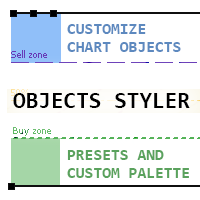
Objects Styler は、チャート上で標準的なグラフィックオブジェクトのプロパティを直接編集するための コンテキスト対応パネル を提供するユーティリティです。その主要機能は、ユーザーが複雑なスタイルセットをオブジェクトに保存・管理・即時適用できる強力な テンプレートシステム です。 主な機能 インターフェースと操作 コンテキスト起動: グラフィックオブジェクトをクリック(または Shift + クリック)することでパネルが起動します。すべての標準オブジェクトとそのほとんどのプロパティに対応しています。 ドラッグ可能なインターフェース: パネルはチャートの任意の場所に自由に移動できます。 ポップアップウィンドウ: スタイル選択、カラーパレット、タイムフレームリストなどの追加オプションはコンパクトなポップアップウィンドウで開き、メインインターフェースをすっきりと保ちます。 テンプレート管理システム スタイルの保存と適用: オブジェクトのプロパティの完全なセットを名前付きテンプレートとして保存できます。テンプレートはワンクリックで適用されま
FREE

Japanese (日本語) Close-All はMetaTrader 5 (MT5)専用の高機能スクリプトで、アカウント全体のポジションおよび保留注文を迅速かつ安全に一括決済します。緊急時のリスク管理、多シンボルヘッジポジションのクリア、日常トレード運用の効率化など、あらゆる場面で活躍します。 詳細動作フロー :任意のチャートにドラッグ&ドロップすると設定ダイアログが表示され、直感的なパラメータ選択が可能です。全アカウント全シンボル対象、または現在チャートシンボル限定を選択可能。高度なフィルタリング機能により、損益状況(全ポジション/利益のみ/損失のみ)、取引方向(買い/売り/両方)、保留注文タイプ(全タイプ/指値/ストップ/ストップリミット)で精密制御を実現します。 FIFO準拠のチケット収集方式 を採用し、最初に全対象チケットを配列に格納後、一括処理を実行。米国規制ブローカーにも完全対応です。最大5回自動リトライ機能、取引セッション確認、フリーズレベルの自動検知で確実に実行。成功時は「expert.wav」成功音、失敗時は「timeout.wav」警告音で視聴覚確認が可能
FREE

Features: fast opening / closing deals the number of deals and the total profit for the Symbol
Fast open deals: set the Lot volume set StopLoss / TakeProfit in points (if you set "0", then it is not used) set slippage set Magic (if necessary) set comment (if necessary)
Fast open features: fast open Buy fast open Sell fast close ALL open orders for the current Symbol
Attention: this utility works only on the current instrument this utility works on a VPS must enable Algo trading in the termi
FREE

EA Zone Recovery Assistant เป็น EA ที่ช่วยเปิดออเดอร์ Recovery ตามระดับราคาที่ผู้ใช้กำหนดได้อัตโนมัติ //โดยหลักการทำงานมีดังนี้// เมื่อผู้ใช้เปิดออเดอร์ Buy หรือ Sell (Market Order) EA จะตรวจสอบจุด SL ภายในเวลาที่กำหนดในตัวแปร Input Delay Check for setting Price Recovery ถ้าผู้ใช้วาง SL วางภายในเวลาที่กำหนด ระบบจะลบ SL ออกแล้วใช้จุดที่วาง SL เปิดออเดอร์ Recovery เมื่อกราฟวิ่งผิดทางถึงจุดที่กำหนด //แต่ถ้าผู้ใช้ไม่วาง SL ภายในเวลาที่กำหนดระบบจะไม่มีการทำ Recovery ในออเดอร์นั้นแม้ผู้ใช้มีการวาง SL
FREE

完全無料 — フル機能・制限なし・登録不要。
完全無料・制限なしでご利用いただけます。チャートで役立つと感じられましたら、短いレビューをいただけると何よりの助けになります。30秒で終わり、他のトレーダーがこのツールを見つける唯一の手がかりになります。
Falconが役に立ったら、ぜひレビューをお願いします。無料提供の継続につながります。
対応プラットフォーム: MetaTrader 5(このページ)。MetaTrader 4 版: https://www.mql5.com/en/market/product/188540
同開発者の他ツール (FXEA365):
- Aegis Account Protector(口座全体の資産保護): https://www.mql5.com/en/market/product/182632
- Sentinel News Filter(指標前後の取引停止): https://www.mql5.com/en/market/product/182634
- Rapid Trade Panel(ワンクリック発注パネル): https://
FREE

Smart Data Export Indicator は、MetaTrader 5 の相場のデータを、選んだ列だけで CSV か JSON Lines に書き出すインジケータです。すべての列を説明する「データの説明書」と、ChatGPT・Claude などの AI アシスタントにそのまま貼れる「要約」も一緒に書き出します。 無料の SmartDataExportEa の後継で、インジケータとして作り直しました。お使いの EA と同じチャートで動き、取引は一切しません。DLL・Web への通信も使いません。 書き出すもの データのファイル (CSV(カンマかセミコロン)または JSON Lines): 確定した足 1 本につき 1 行、古い順、UTF-8。新しい足は確定するたびに追記します。そのため Python・Excel・Power BI で読みながら増やせます。書き出しを始めるたび(インジケータをチャートに付けたとき・入力を変えたとき・MetaTrader を再起動したとき・「Export again」を押したとき)に、ファイルを最初から書き直します。前のファイルを残したいときは
FREE

AntaresX Volume Profile — Indicator for MetaTrader 5 AntaresX Volume Profile is an indicator that displays the price levels where the highest trading activity was concentrated during a selected period, and calculates the historical probability of the price reacting when it reaches each of those levels. What the indicator draws The indicator identifies three levels on the chart: POC (Point of Control): the price where the highest trading activity was recorded during the selected period. Displaye
FREE

EA Follower Version any Follow Copy Account (Acc. Number) need a open MT Terminal, download multiple times Step1: Open Master MT5 Terminal = install master- Version (on any Symbol just one Time) Step2: Open Follower MT5 Terminal = install follower- Version (on any Symbol just one Time) Step3: all Trades from any Symbol or any Robot are copy now to follow- Terminal immediately for simple copy set on Chart and Start no optimization. This Robot is a Trade Copier for MT5 that auto
FREE

Strifor Risk-Manager — リアルタイムのプロフェッショナルリスク管理 Strifor Risk-Manager は、厳格なリスク管理と規律を重視するトレーダーのための強力なツールです。
日次・週次・月次の取引結果を自動で監視し、リミット超過を警告、取引システムの安定性を維持します。 対象:
スキャルピング、デイトレード、スイング、中期システム、手動および自動取引に対応。 主な機能: 柔軟なリミットシステム 日次リスク: %またはUSD 週次リスク: %またはUSD 月次リスク: %またはUSD 計算優先度: %または固定値 リミット増加制限 (Cap flex by max limit) 取引結果の追跡 各期間の現在の損益表示 手数料とスワップ考慮 利益を使用して利用可能リミットを増加可能 損失をゼロまで考慮 (Use net loss) 詳細設定 現在の残高または手動設定基準から計算 オープンポジションの含める/除外 シンボル別フィルタリング 週の開始日: 月曜日 / 日曜日 表示モード: 完全 / コンパクト パネル位置: マージンと角選択 チャート上表示
FREE

Equity Panel for MT5 Equity Panel is a free MT5 indicator that gives you a fast and convenient live overview of your account directly from the chart. Monitor balance, equity, floating P/L, drawdown, daily performance, margin data, and warning levels in one compact dashboard. Built for traders who want better control, faster risk awareness, and clearer account monitoring in live market conditions. Equity Panel is a lightweight and practical account monitoring indicator for MetaTrader 5 that helps
FREE
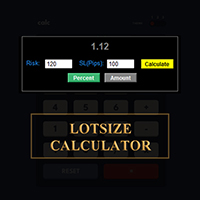
MetaTraderでロットサイズを計算しましょう!
トレーダーの皆さん、こんにちは。リスク管理重視のトレーダーですか?もしそうなら、これはまさにあなたのためのツールです。Ibrahimと申します。口座残高に対するリスク率に基づいてロットサイズを計算できるツールを開発しました。このツールは、リスクを%で指定するのではなく、リスクを負いたい絶対値がある場合にも、ロットサイズを計算するのに役立ちます。例えば、残高から100ドルのリスクを負いたいと指定できます。
MT4バージョン: https://www.mql5.com/en/market/product/155026
無料ですので、ぜひお試しください。コメント欄で、今後コミュニティ向けに開発してほしいツールや、今後追加してほしいツールがあれば教えてください。
ハッピートレーディング、ハッピーオートメーション!
FREE

Shadow Mark Scanner Your Edge in Candle Range Theory – Automate Advanced Price Action Setups Introduction - Make sure you know those strategies and backtested them before using this scanner - Use at your own risk Shadow Mark Scanner is a cutting-edge MetaTrader 5 indicator that automatically identifies advanced price action setups using candle range theory . This powerful scanner detects high-probability patterns like Previous Candle Range (PCR) breakouts and Engulfing Sweeping Candles (also kn
FREE

Synchronizes all open charts to the symbol of the chart this indicator is applied to.
SyncAllCharts is a MetaTrader 5 indicator that lets one main chart control the trading symbol shown on all other open charts. Change the symbol on the main chart, and the other charts follow while keeping their own timeframes. It helps you review the same market across several timeframes without changing each chart manually. How to use it Attach the indicator to one chart that you want to use as the main contr
FREE

Risk Calculator Panel is a free on-chart utility that calculates the correct position size for every trade based on the risk you choose. Type your Stop Loss and Take Profit, pick your risk, and the panel instantly shows the exact lot size to use. One click on BUY or SELL opens the trade with the calculated lot, Stop Loss and Take Profit already set. It is a pure manual-trading assistant - it does not generate trading signals and has no restrictions.
Features: - Two risk modes: risk a percentag
FREE

Sentinel Trade Manager is a free, premium trade panel for MetaTrader 5. It does the one thing every trader needs and most people get wrong: it sizes your position by RISK, not by guesswork. HOW IT WORKS Drag three lines on the chart - Entry, Stop and Target. The panel instantly shows: - the exact LOT for your chosen risk, - your risk in money AND in % of balance, - the reward and the R:R ratio, - the stop and target distance in pips. Set your risk once (as a % of balance, a fixed money amount, o
FREE
このユーティリティ EA は、希望の利益値に達したとき、またはストップゲインが有効になったときに、買い注文または売り注文を閉じます。手動または他のロボットによってオープンされた注文をクローズします。 急激な価格変動で利益を保護または保証するのに非常に効果的です。 MT5 で利用可能なあらゆる期間およびあらゆる資産で機能します。
トレーリングスタート: たとえば、価格が 70 ピップス有利に動いた場合、ストップゲインが有効になります。 トレーリングストップ: またはトレーリングステップ: 価格がトレーリングスタートよりも上に定義された量だけ動く場合、利益を最大化するためにストップゲインを動かします。
ストップロス: 手動で設定する必要があります。
この製品は常により良いアップデートを受けます。 ご質問がございましたら、チャットで直接質問していただけます。
ご相談や改善提案など承ります。
FREE

Order Entry - Probably the easiest way to enter an order If you like this perhaps you might consider buying the pro version https://www.mql5.com/en/market/product/64353?source=Site +Profile+Seller An aid for entering orders. Features: * Drag & drop tool to adjust price, stop loss and take profit levels. * Calculates lot sizes automatically based on risk entered, currency pair and stop loss / price levels.
Description It enables you to visually enter a trade's price, stop loss and take profit
FREE

The Trading Sessions indicator is a simple tool that helps to highlight a specific trading session. For example, it can be used to differentiate the European, American or Asian sessions.
Main features The indicator shows a user-defined trading session. Alert notifications for the start and end of the session. Custom session time. Works on every timeframe (M1, M5, M15, M30, H1, H4, D1, W1, MN). Customizable parameters (Colors, alerts...). It can be used for creating EA. Available for MT4 an
FREE

Drag the stop line on your chart and see the lot size update live. Sizes every trade from your own risk setting, using the broker's real contract size and lot step. It does not trade and it sends no orders. What it does Set the stop where you actually want it - by dragging a line on the chart, not by typing points into a box - and read the lot size straight off the panel. The panel shows direction, entry, stop, stop distance in price and points, your risk in both percent and account currency, th
FREE

Apex MTF Panel
A clean, standalone multi-timeframe RSI/MACD dashboard that instantly shows buy, sell, or neutral confluence signals across your chosen timeframes in a compact horizontal layout. TF names sit directly above signals with matching colors for instant readability. Fully customizable signal colors, live font-size adjustment, corner positioning, and smart “loading” state ensure performance on any chart. Support and questions via MQL5 product comments. For questions, updates, and to conn
FREE

トレードコピー - 投資家パスワード - コピートレード - MT4 x MT5 クロスプラットフォーム
注: クライアントアカウントがフォローするマスターアカウントに「ミラーコピーマスター」、マスターアカウントがフォローするクライアントアカウントに「ミラーコピークライアント」の両方が必要です
ブログ: https://www.mql5.com/en/blogs/post/756897
仕組み:
https://www.youtube.com/watch?v=V7FNpuzrg5M
MT4 バージョン
マスター: https://www.mql5.com/en/market/product/114774
クライアント: https://www.mql5.com/en/market/product/114843
MT5 バージョン
マスター: https://www.mql5.com/en/market/product/114775
クライアント: https://www.mql5.com/en/market/product/114844
「ミラー コピー」エキス
FREE

# MiniBull Guard v1.30
## Never trade without a stop again.
**You open the trade. MiniBull Guard sets the stop, shows the risk and keeps your head clear.**
- **No more naked positions.** Every new trade gets a stop loss within moments, even when you forget, hesitate or trade from your phone. - **A stop the market can breathe around.** Sized from real volatility (ATR) by default, or from a distance you choose. - **Know your loss before it happens.** In money and in percent of your equity, not
FREE

EA Risk Commander is the central risk manager of the From Learn to Earn EA System for MetaTrader 5. The EAs of the system send every trade proposal to it; EA Risk Commander executes it, executes it with an adjusted lot, or rejects it, and writes the reason in its journal. It does not open trades by itself.
Important: it works only together with the EAs of the From Learn to Earn EA System (BoS CHoCH Engulfing, Engulfing In Engulfing, Manual Trader) in their versions with the input group "0. EA R
FREE

TITAN T-Trade – one-click trading panel with Telegram signal sharing. Works on any symbol: gold, forex, indices.
Press T (or click the T-TRADE button) and the panel shows your trade plan: - Stop-loss based on ATR (M5) - 3 take-profit legs: TP1 / TP2 / TP3 as multiples of your risk - Lot size from % risk of your account (or a fixed lot), split into 3 legs - Break-even after TP1 for the remaining legs - Live result of your open trades on the panel
One click on BUY or SELL opens all 3 legs with
FREE

Risk Calculator Panel shows the correct lot size for your risk before you open a trade. Drag the Stop Loss line on the chart, and the panel updates immediately. What the panel shows Lot size for your risk, rounded down to the broker's lot step Money at risk and potential profit in account currency Stop loss and take profit distance in points Reward:risk ratio Required margin and free margin after the trade How to use Attach the indicator to any chart. Drag the red SL line (and the green TP line)
FREE

is a visual market-monitoring indicator that displays multiple trading instruments and timeframes within a single chart window. Developed using MQL5, the indicator transforms historical price data into a structured dashboard featuring custom candlesticks or price dots. Each row represents a symbol, while each column represents a selected timeframe. This arrangement allows traders to examine recent market behavior across several instruments and timeframes without continually opening and closing c
FREE

Candle Countdown Timer - Optimized Edition
Overview
Candle Countdown Timer is a lightweight, high-performance indicator that displays the exact time remaining until the current candle closes. Designed with efficiency as a top priority, this indicator provides traders with essential timing information without consuming unnecessary system resources.
Whether you're a scalper watching every second on M1 charts, a day trader timing entries on H1, or a swing trader monitoring daily candles, this i
FREE

SHORT DESCRIPTION Draw your stop and take on the chart - Easy Entry calculates the lot from your risk and places the order after you confirm.
FULL DESCRIPTION
Easy Entry is a simple trading panel for manual traders. You decide where the stop and the target are - the panel does the rest: it works out the direction, calculates the lot from your risk, shows you exactly what will be sent and places the order only when you press Confirm.
No calculator, no order window, no typing prices.
HOW IT WO
FREE

Advanced Risk Return Tool は、MetaTrader 5向けのリスク/リターン計画および管理用のビジュアルツールです。 チャート上で直接 買いと売り のストラクチャーを作成・管理し、 エントリー、ターゲット、ストップ の各レベルを視覚的に配置できます。また、リスク/リターン比率、pips距離、取引量、金額情報も表示します。 ストラクチャーはマウスを使用してチャート上で直接調整できます。 主な機能 リスク/リターンの視覚化 ツールパネルから Buy と Sell のストラクチャーを作成できます。 各ストラクチャーには以下を表示します。 エントリーレベル ターゲットレベル ストップレベル リスク/リターン比率 pips距離 取引量 推定利益 推定損失 情報はチャート上で設定されたレベルに応じて更新されます。 チャート上でのインタラクティブ編集 マウスを使用して以下の操作ができます。 ストラクチャー全体を移動 エントリーレベルを調整 ターゲットレベルを調整 ストップレベルを調整 水平方向の長さを変更 個別のストラクチャーを選択 同じチャート上で複数のストラクチャーを使
FREE

このユーティリティは、経済ニュースをチャート上に直接表示します。今後のイベント、発表までの時間、重要性を表示し、通知を送信します。
対象:
経済ニュースをフォローしているトレーダー
ニュースに基づいて取引するトレーダー
タイムリーなアラートを受け取りたいトレーダー
チャート上でシンプルで直感的なカレンダーを必要とするユーザー
主な機能 ニュースパネル - 直近の経済イベントをチャート上に表示します
通貨フィルター - 取引銘柄の通貨のニュースのみを表示します
アラート - ニュースリリースの指定時間前に通知します
プッシュ通知 - MetaTraderモバイルデバイスに通知を送信します
サウンドアラート - カスタマイズ可能なサウンドアラート
カラーインジケーター - 重要度と緊急度を視覚的に表示します
設定 AlertMinutesBefore - イベントの何分前にアラートを送信するか
MinImportance - アラートの最小重要度
FilterByCurrency - 現在のシンボルの通貨でニュースをフィルタリングします
EnableSoun
FREE
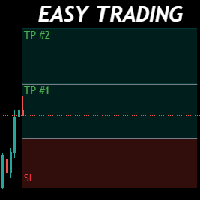
Money Management will help you to Easy Trade with One Click , instance and pending, set SL, and manage the number of your TP . You can use this expert for different currency pairs, CFDs, cryptocurrency, and stocks .
The basic formula for calculating pip value and position size , which has been used in this expert, are:
Pipette Value = Position Size * (Exchange Rate (Base Currency) / Entry Price) * Contract Size * Digits Exp. Account Currency: USD Currency Pair: GBPJPY Position Si
FREE

TrendSync Time Alarm turns your chart into a precise, dependable clock. Set an interval and it alerts you - on screen, by sound, on your phone, or by email - the moment each time block is reached.
Because it runs on a built-in timer instead of waiting for price ticks, it fires on time even in a quiet or illiquid market, when tick-based alerts go silent. It is a lightweight utility with no buffers and no plots, so it adds virtually no load, and it works on any symbol and any timeframe.
KEY FEA
FREE

Practice Prop Firm Challenges Risk-Free
Bneu Prop Firm Simulator FREE is a simulation utility for MetaTrader 5 that allows traders to practice prop firm challenges on demo accounts before risking real money on actual challenges. Track your progress, monitor rule compliance, and understand how prop firm rules work in real-time.
Why Use a Prop Firm Simulator?
- Practice challenge rules on demo accounts before paying for real challenges - Understand how daily loss and drawdown calculations work
FREE

Arixis Strategy Analyzer — Understand How Your Trading System Behaves
Arixis Strategy Analyzer is a professional MetaTrader 5 analytics tool designed to transform raw trading history into a clear and structured behavioral profile of your trading system. Instead of simply showing profit, loss or basic account statistics, Arixis Strategy Analyzer studies how positions are actually opened, expanded and closed. It reconstructs trading campaigns and baskets from observable MT5 activity and analyzes
FREE

NOTE : The walkthrough GIFs on this page were recorded on an earlier build, so they show the old plain-text status instead of the new PFX status panel. Updated GIFs showing the new panel are on my list for the next update. Everything else works exactly as shown.
STOP COPYING TRADES INTO SPREADSHEETS. FOREVER. Every serious trader knows a journal is what separates guessing from improving. And almost nobody keeps one - because typing trades into a spreadsheet after a long session is the last thin
FREE

Maximize your winning trades and lock in profits as the market moves in your favor. Auto Trailing Stop Manager is an advanced trailing stop utility that smoothly moves your Stop Loss behind the current price, securing your gains while giving your trade room to breathe. Instead of manually dragging your Stop Loss, this EA automates the process using a precise Start, Stop, and Step metric. It is the perfect companion for traders who want to ride massive market trends without leaving their profits
FREE

Sobre a Boleta Ágil – Descrição Completa Apresentamos a Boleta Ágil , um painel de negociação completo e altamente personalizável para MetaTrader 5 . Desenvolvida para traders que exigem velocidade, precisão e flexibilidade , esta ferramenta coloca o controle total das suas operações na palma da sua mão — diretamente no gráfico. Com uma interface moderna e intuitiva, você executa ordens, gerencia riscos e ajusta estratégias em tempo real, sem perder tempo com menus complicados. Botões
FREE

Это DEMO версия Renko Maker PRO к сожалению правила маркета не позволили указать это в названии. Почему то проверка маркета запрещает в названии слово DEMO. Демо версия строит ренко бары только на основе EURUSD из 1000 последних минутных баров. Revolution Renko Maker PRO — Инновационный Конструктор Ренко Графиков для MetaTrader 5
Создавайте идеальные ренко-бары с сохранением тиковых данных и реальных объемов — теперь с полной поддержкой индикаторов, советников и тестера стратегий!
FREE

Ritz Conspiracy 16 – 多層型マーケット・インテリジェンス・システム Ritz Conspiracy 16 は、16種類の主要テクニカル指標を
1つの統合ビジュアルパネルにまとめた 多層型マーケット分析インジケーター です。 マーケット・インテリジェンスの概念に基づいて設計され、
トレンド、ボラティリティ、モメンタム、出来高、価格構造など、
あらゆる角度から市場の挙動を司令室のように読み取ります。 “コンスピラシー(共謀)” 的アプローチにより、
16のアルゴリズムが生み出す小さな手がかりをつなぎ合わせ、
市場が本当に向かおうとしている力学を一つの大きな絵として描き出します。 最終的に、各テクニカルカテゴリに対する BUY/SELL の確率パーセンテージ を
リアルタイムで、かつ適応的に、非常に情報量豊かに表示します。 Ritz Conspiracy 16 の内部構造 1つのインジケーター、6つの主要カテゴリ、16の分析エンジン。 1. TREND インテリジェンス クラシック指標と適応型指標を組み合わせ、
トレンドの方向性と強さを捉える層。 Moving Aver
FREE

PG Lot Calculator tells you the exact lot size for every trade, so you always risk the amount you planned. No spreadsheets, no guessing. It works on Forex, gold, silver, indices, crypto and stocks. Part of the PG tools for prop firm traders. For full challenge protection, see PropGuardian . HOW IT WORKS Choose how you risk: % of Balance, % of Equity or a fixed amount of money. Set your Stop Loss in pips (or drag the SL line on the chart). Read your lot size. Click BUY or SELL if you want to tr
FREE
Session Timers (MT5) Session Timers adds a clean ribbon at the bottom of the chart showing the time until open and time until close for major FX sessions. While a session is open, a progress bar fills in real time. Vertical separators also mark session open and close directly on the chart. This is a charting utility; it does not provide trading signals and does not guarantee any profit. Sessions covered Sydney Tokyo Frankfurt London New York Main functions Countdown to each session’s next open/
FREE

MT5 Account Protector Basic Account Protector Basic is a streamlined risk management tool for MetaTrader 5 (MT5) that helps traders safeguard their accounts with clear, customizable limits.
Designed for simplicity and reliability, it ensures that trading remains disciplined and capital is protected. This EA closes all trades once the maximum loss is reached either in value or account percentage. It is especially useful for those trading prop funds account. Key Features:
Loss Selection You can
FREE

AutoSLTP Assistant — Automated Trade Management Short Description AutoSLTP Assistant automatically manages Stop Loss, Take Profit, Break-Even, Trailing Stop and Partial Close for your existing MT5 positions. Fully configurable and compatible with manual trades, signals and other Expert Advisors. Full Description Automated trade management without changing your entry strategy. AutoSLTP Assistant monitors your existing positions and applies your predefined risk-management rules automatically. It d
FREE

Blodsalgo Analytics — あなたのトレードを解読する。MetaTrader 5 のための無料リアルタイム分析。 Blodsalgo Analytics は、MetaTrader 5 ターミナルをウェブ上のプロ仕様の分析ダッシュボードにつなぐ 無料の補助ユーティリティ です。すべての約定、指標、保有ポジションが自動で同期され、各口座と各 EA の本当のパフォーマンスがわかります。すべてのブローカーを一か所で、どの端末からでも確認できます。 設定方法、ダッシュボードのアドレス、各種リンクは本製品の セットアップとリンクのコメント にまとめてあります。 MQL5 Market のガイドラインでは製品説明に外部リンクを掲載できないため、すべてそちらに集約しています。 これはトレード用の EA ではありません。 取引を新規建て・変更・決済することは一切ありません。EA の隣で静かに動作する読み取り専用のデータコネクタで、取引には一切干渉しません。 BLODSALGO の EA をお持ちの方だけがご利用いただけます。 無料。サブスクリプションなし。隠れた費用もありません。 新着
FREE

MORE FREE TOOLS ON THE WAY - LEAVE A REVIEW AND I WILL SEND THEM TO YOU FIRST. I am building a set of these and publishing them free. Supply and demand zones, session levels, structure tools - all free, all on this profile. Leave a review on this one and message me, and I will send you each new tool the day it is ready, before it goes on the Market. Reviews are the only way a free tool gets found here, so it genuinely helps - and it takes thirty seconds. Elysium HUD puts the four numbers you che
FREE

See your broker's pending order limit, free margin with margin call and stop out, and your open charts at a glance - read-only, never trades. Limit Monitor shows the limits of your trading account on one clean panel, so you notice a problem before your broker rejects an order. What you see Pending orders – your pending orders right now against the server limit of your account, with the highest value seen, your open positions and the total. If the server reports no limit, the panel says so. Margi
FREE

SmartLimits - ビジュアル保留注文マネージャー SmartLimits は、チャート上で保留注文を直接管理できるプロフェッショナルな取引ツールです。
MetaTrader の注文ウィンドウを開くことなく、直感的なオンチャートパネルを通じて、Buy または Sell の Limit/Stop 注文を作成、調整、確認できます。 このツールは、繰り返しの操作を最小限にし、入力ミスを減らしながら、視覚的にすばやく整理された方法で注文を管理したいトレーダーのために設計されています。 主な機能 「New Order」ボタンを使って、チャート上から直接新しい保留注文を作成できます。 エントリー(Entry)、ストップロス(SL)、テイクプロフィット(TP)のレベルをドラッグまたはパネル内で数値を編集して調整できます。 ワンクリックで任意の注文を即座に変更または削除できます。 複数の保留注文を同時に管理でき、それぞれに専用のコントロールパネルがあります。 価格、距離、リスクリワード比(R:R)などのリアルタイムデータを表示するビジュアルインターフェース。 価格位置に基づいて、注文が Lim
FREE

Trade Manager Pro MT5 は、単一のフローティングインターフェースから取引執行およびポジション管理のあらゆる側面を完全にコントロールできるよう設計された、プロフェッショナル向けオールインワントレード管理パネルです。高速な注文執行、高い精度、そしてインテリジェントな自動化を組み合わせることで、MetaTrader 5 を強力なプロフェッショナル向けトレーディングワークステーションへと変えながら、軽量・高速・使いやすさを実現しています。 MetaTrader 5 のネイティブ取引クラスを使用して開発されており、優れた安定性、ブローカーとの高い互換性、そして信頼性の高い注文執行を提供します。注文発注、リスク計算から高度なポジション管理、取引パフォーマンスの監視まで、取引プロセスのすべてを効率化します。 FX、ゴールド、株価指数、コモディティ、株式、暗号資産(仮想通貨) を取引する場合でも、 Trade Manager Pro MT5 は複雑さを排除し、効率的な裁量取引に必要なプロフェッショナルツールを提供します。 主なメリット ワンクリックで注文を実行。 自動リスク管理によ
FREE

説明: VPS ヘルス チェック EA は、ブローカーへの接続を監視し、接続の状態に関する通知をタイムリーに提供するように設計された MetaTrader 5 ユーティリティです。このツールにより、接続の問題がすぐに通知され、取引活動の安定性と信頼性が維持されます。 特徴: 接続チェック モード: 新しいキャンドルごとに接続をチェックするか、特定の時刻に接続をチェックするかを選択します。 カスタマイズ可能な時間: スケジュールされた接続チェックの正確な時間と分 (24 時間形式) を設定します。 リアルタイム通知: MetaTrader 5 アプリ経由で接続ステータスに関する即時通知を受け取ります。 情報表示: 最後の通知時間とメッセージをチャート上に直接表示して簡単に参照できます。 入力: モード: 接続チェックのモードを選択します Check_On_Each_Candle - チャートに新しいローソク足が表示されたときに通知をトリガーします。 Check_At_Particular_Time - 指定されたブローカー時間 (デフォルトでは 14:00) に毎日チェ
FREE

You run several EAs on one account, plus a few trades by hand. The balance shows the total. It doesn't show which EA earns the money and which one gives it back. Magic Stats reads the deal history of your MT5 account and shows one row per magic number : how each EA has actually performed, in any period you choose. It is an indicator, so it sits on a chart next to any EA. It never opens, changes or closes a trade. What you see for every EA (magic number) Name and symbols traded Trades , win % , n
FREE

Global Market Sessions – Visual Analyzer for MT5
A lightweight MT5 indicator that visually maps Tokyo, London and New York sessions, auto-detects broker timezone & DST, and highlights the best liquidity windows for smarter trading. See the market’s rhythm at a glance. Trade with clarity, precision, and confidence. Overview Global Market Sessions is a powerful yet easy-to-use MT5 indicator that visually displays the world’s major trading sessions (Tokyo, London, New York) directly on your chart
FREE
Have you ever been in a situation when you could not control the chart conveniently or had to make additional clicks to be able to scroll the history or set the scale fix numbers manually to be able to stretch the chart? Features: Chart centering. Automatic scale fix. Automatic scroll control. This tool is one of many features included in "Trading Essentials" utility application, which can be found on mql5.com
FREE

この無料ツールが気に入っていただけましたら、ぜひ5つ星の評価をお願いします!本当にありがとうございます :) 「リスク管理アシスタント」エキスパートアドバイザーコレクションは、様々な市場環境においてリスクを効果的に管理することで、取引戦略を強化するために設計された包括的なツールスイートです。このコレクションは、平均化、スイッチング、ヘッジの3つの主要コンポーネントで構成されており、それぞれが異なる取引シナリオに合わせて独自のメリットを提供します。
このEAは、市場で標準的なリスク管理戦略を発展させたものです。
https://www.mql5.com/en/blogs/post/756961
1. 「平均化アシスタント」EA: MT4: https://www.mql5.com/en/market/product/115468 MT5: https://www.mql5.com/en/market/product/115469 2. 「スイッチングアシスタント」EA: MT4: https://www.mql5.com/en/market/product/115478 MT5:
FREE

Indicator Signal Alerts Kb は、インジケーターを監視し、買いまたは売りのシグナルが出たときにポップアップ、スマートフォンへのプッシュ通知、メールでお知らせします。MetaTrader 5 の内蔵インジケーター向けのすぐに使える設定から始めることも、お使いのインジケーターを接続することもできます。最大4つの追加インジケーターをフィルターとして各シグナルの確認に使えます。プログラミングは不要です。 ユーザーマニュアル 完全版マニュアル(英語):設定、すぐに使えるレシピ、フィルター、トラブルシューティング すぐに使える設定から始める パラメータの最初の行は Ready setup です。下のリストから設定を選んで OK を押すと、インジケーター、ルール、フィルターが設定され、次のシグナルでアラートが届きます。 1. Alligator + EMA 200 trend, H4 (EURUSD, GBPUSD, USDJPY, XAUUSD) 2. Awesome Oscillator + EMA 200 trend, H4 (EURUSD, GBPUSD, USDJP
FREE
Traders Club Clock for MT5 Readme
ローソク足のすぐ横にその時間足での 残り時間とスプレッドを表示します。 ※残り時間はサーバ時間から計算しています。 月足、週足、日足、4時間足、1時間足、30分足、15分足、5分足、1分足
で表示可能となっております。
※スプレッド値ポイント単位での表示になります。
※時間の更新はティック毎ではなく1秒 毎 に更新するようにしています。
一目で残り時間とスプレッドを確認できます。 機能: 使用しているフォント種類を変更できます。 使用しているフォントサイズを変更できます。 表示しているテキストの色を変更できます。 スプレッド表示を非表示にすることができます。 表示する位置を変更することが出来ます。
FREE

"Manage multiple positions as a single unit with hidden targets." The Virtual Basket TP SL Manager is a professional MetaTrader 5 utility designed to automate the closing of positions based on the total profit or loss of a group of orders (a "basket"). By utilizing Virtual Levels , all Take Profit (TP) and Stop Loss (SL) targets are stored locally within the EA's memory and are not sent to the broker's server, keeping your strategy safe from stop-hunting and price manipulation. Key Features Virt
FREE

Performance Tracker Performance Tracker は、MetaTrader 5 向けの取引分析および口座パフォーマンス管理ツールです。 この製品は、トレーダーが過去の取引履歴を分析し、リスクを評価し、視覚的なレポートと詳細な統計を通じて取引判断を改善するために設計されています。自分の取引活動を分かりやすく体系的に把握したい方に適しています。 主な機能 口座分析ダッシュボード インタラクティブなダッシュボードで口座全体の取引パフォーマンスを確認できます。 利用可能な指標: 純利益 総利益と総損失 プロフィットファクター (Profit Factor) 期待収益 リカバリーファクター (Recovery Factor) シャープレシオ (Sharpe Ratio) ソルティノレシオ (Sortino Ratio) 勝率 平均リスクリワード比率 残高とドローダウンの可視化 口座残高の成長とドローダウンの動きを時系列で確認できます。 表示可能なチャート: 残高曲線 エクイティドローダウン ドローダウン期間分析 これにより、安定した期間やリスクが高かった期間を把握で
FREE

EA Master Version any Follow Copy Account (Acc. Number) need a open MT Terminal, download multiple times Step1: Open Master MT5 Terminal = install master- Version (on any Symbol just one Time) Step2: Open Follower MT5 Terminal = install follower- Version (on any Symbol just one Time) Step3: all Trades from any Symbol or any Robot are copy now to follow- Terminal immediately for simple copy set on Chart and Start no optimization. This Robot is a Trade Copier for MT5 that automa
FREE
MetaTraderマーケットは、開発者がトレーディングアプリを販売するシンプルで便利なサイトです。
プロダクトを投稿するのをお手伝いし、マーケットのためにプロダクト記載を準備する方法を説明します。マーケットのすべてのアプリは暗号化によって守られ、購入者のコンピュータでしか動作しません。違法なコピーは不可能です。

取引の機会を逃しています。
- 無料取引アプリ
- 8千を超えるシグナルをコピー
- 金融ニュースで金融マーケットを探索