 MetaTrader 5
 专家
专家
 指标
指标
 程序库
程序库
 实用工具
实用工具
 窗口小部件
窗口小部件
 规则
规则
免费的MetaTrader 5 交易实用工具 - 2
 以下是可在MetaTrader 5中简化交易的交易程序。将鼠标悬停在一个工具上,阅读它的描述和用途。
On the standard MT5 platform, only minute-based timeframes are available, and ultra-short charts such as 1-second or 5-second bars are not provided. The tool Seconds Chart Generator SimpleVer is a utility EA designed to generate real-time second-based charts from tick data, allowing traders to observe ultra-short-term price movements with precision. You can use it simply by attaching it to a regular chart. The generated second-based charts are automatically created as custom symbols, so you can
FREE

Performance Dashboard Free Trade & EA Portfolio Analytics for MetaTrader 5 See how your trading strategies actually perform. Performance Dashboard analyzes closed trades directly from your MT5 account history. Select individual EAs by Magic Number, compare their results and review performance across different periods.
USER GUIDE
FEATURES ANALYZE Automatic and manual Magic Number selection Basic and Extended performance statistics Profit Factor, Win Rate, Sharpe Ratio, Drawdown and more Profit
FREE

Fast CopyTrade LAN — Local Trade Copier for MetaTrader 5 Overview
Fast CopyTrade LAN is a fast, DLL-free local trade copier for MetaTrader 5. It instantly copies trades between MT5 accounts on the same PC — copying OPEN, PARTIAL, MOD (SL/TP) and CLOSE from a Provider to one or more Receivers. This copy trader uses the MT5 Files folder for secure local messaging, requires no external files, no DLLs, and is fully Market-compliant. Advantages Fastest local copy trading with very low latency Market
FREE

Stop Loss and Take Profit Manager The EA allows you to set a Stop Loss (SL) for your orders or positions within milliseconds, regardless of the number of orders. How to Use: Attach the EA to the chart where you want to modify the SL for your orders. Configure the following input settings : Order_Type: Select the order or position types. SetStopLoss: Enable this if you want to set a Stop Loss. StopLoss: Enter the SL price. SetTakeProfit: Enable this if you want to set a Take Profit
FREE

交易面板,手动交易,订单管理,风险管理,交易管理器,交易助手,一键交易,止损,止盈,移动止损
重要说明
为了使 JoPanel Prime 正常运行,必须在 MetaTrader 5 中启用“Algo Trading(算法交易)”选项。否则,交易面板将无法正常工作。
JoPanel Prime 是一款专为 MetaTrader 5 开发的专业手动交易面板,可帮助交易者快速执行订单并高效管理持仓。它使用现代化的图表交易面板取代 MT5 的默认交易界面,让交易操作更加便捷。
主要功能
• 一键执行市价买入(Buy)和卖出(Sell)订单。 • 支持挂单预览(Shift 创建买入挂单,Alt 创建卖出挂单)。 • 热键(Hotkeys):X(全部平仓)、I(反向持仓)、M(最小化面板)。 • 独立设置 Take Profit(止盈)和 Stop Loss(止损)。 • 支持 OCO(One-Cancels-Other,一单成交另一单自动取消)挂单。 • 实时统计:浮动盈亏、当日盈亏和手续费。 • 通过输入框或预设按钮调整手数(Lot Size)。 • 支持英语和葡萄牙语界面。 •
FREE

A 'Seconds Period' chart, offering enhanced precision for charting and analysis. Especially beneficial during volatile market conditions and intraday trading. This indicator addresses the limitations of MT5's predefined timeframes, allowing for finer granularity down to second intervals.
Since only one EA can run per chart, being an Indicator allows for the additional advantage of running an EA alongside the Seconds Timeframe Candles Indicator on the same chart. Compatible with any intraday tim
FREE
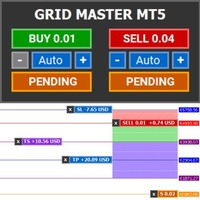
Introducing Grid Master MT5, your ultimate trading utility designed to revolutionize the management of single or multiple orders with unparalleled ease and effectiveness.
Evaluation version of Grid Master MT5 Some limitations are applied: - Maximum of 3 open positions and 1 pending order per side (Buy/Sell) - Trailing Stop feature disabled - Economic calendar and news protection disabled - Trade event push notifications disabled Features: Clean and user friendly UI: With the benefits of fellow
FREE

Trading Calendar — 查看您最盈利的交易日 将您的交易历史转化为清晰的每日交易表现分析,使用 Trading Calendar 轻松掌握盈利规律。 Trading Calendar 是一款强大的 MT5 分析工具,帮助交易者通过交互式盈亏热力图直观查看每日交易表现。无需翻阅冗长的交易记录,您可以快速发现自己的最佳交易日、最差交易日,以及连续盈利和亏损的规律。 按天、按周或按月分析交易表现,精准了解您的交易策略在哪些时间段效果最佳。 核心功能 • 每日盈利热力图
通过颜色区分盈利和亏损交易日,快速掌握表现。 • 胜率追踪
实时监控您的交易准确率和稳定性。 • 盈利因子分析(Profit Factor)
评估交易策略整体质量和效率。 • 平均盈利与平均亏损统计
清楚了解您的风险回报比。 • 最佳与最差交易日识别
快速找出表现最强和最弱的交易日。 • 每周交易总结
一目了然查看每周整体表现。 • 夏普比率监控
评估风险调整后的收益表现。 • 交易量分析
了解交易频率与盈利之间的关系。 • 月度与年度视图
支持多时间周期切换,深入分析交易数据。 为什么选择 T
FREE

自动将 MT5 中的交易开仓、平仓以及部分平仓的实时通知发送到 Telegram。 该工具支持 16 种语言:English、French、German、Indian (Hindi)、Indonesian、Italian、Kazakh、Korean、Dutch、Polish、Portuguese、Russian、Spanish、Turkish、Ukrainian 和 Vietnamese。您也可以通过自定义通知文本使用任何其他语言。该产品适用于需要在不持续监控终端的情况下接收 Telegram 通知的交易者。它适合使用 Expert Advisor 的用户、同时交易多个品种的交易者以及 VPS 用户。 系统能够正确识别全部或部分平仓(例如:0.10 / 0.30 手),并且具备防止重复消息的功能。 通知可以针对交易账户中的所有品种发送,也可以仅针对挂载该工具的图表品种发送(可选)。 图表上提供 Test Telegram 按钮用于测试聊天功能,设置完成后可以将其隐藏。同时新增 Send open positions 按钮,可将当前所有未平仓交易以表格格式发送到 Telegram。 通
FREE

This indicator draw a watermark on the chart, with the timeframe and symbol name. You can change everything, including add a aditional watermark. Functions: Symbol watermark: Size - text size. Font - text font. Color - text color. Background text - watermark at foreground or background mode. Horizontal correction - x correction in pixels. Vertical correction - y correction in pixels. Separator period X symbol - what will separate the period from symbol. Aditional watermark: Enable custom
FREE

介绍 EA HedgeTradeManager MT5,一款强大的 Expert Advisor,旨在自动化对冲策略,为交易者提供可靠的工具来管理不利的价格波动。这个 EA 非常适合探索对冲技术的新手交易者和希望提升交易设置的经验丰富的专业人士。 凭借其复杂的风险管理功能,EA HedgeTradeManager MT5 的突出之处在于显著减少潜在的回撤,并允许灵活的 lot 规模。交易者可以通过利用动态的 lot 进展和基于权益的退出策略,高效地在波动市场中导航,无论是在 forex、指数还是加密货币中。 MQL产品安装指南 | 在 MT4/MT5 上更新已购买的MQL产品 | 常见故障排除指南 | 常规设置 / 输入指南 | 回测和设置文件 主要特点 对冲激活:在定义的损失距离触发相反交易,使交易者能够适应突发的市场变化。 手数增加模式:支持乘法和增量 lot 增加,以增强对冲灵活性。 执行选项:提供即时或挂单执行模式,以适应各种交易策略和市场条件。 SL/TP 管理:基于固定金额或权益百分比的止损和止盈自动管理。 风险保障:包括魔术数字过滤,以更好地管理交易并防止与手动交易重叠。
FREE

Newsium EA Newsium EA 是一个用于 MetaTrader 5 的实时经济日历分析引擎。它读取 MT5 内置的经济日历,分析事件结果,计算货币影响评分,并通过全局变量与其他专家顾问 (EA) 共享数据。它完全在纯 MQL5 环境中运行,没有 DLL 依赖。 Newsium EA 不执行任何交易。它是一个数据引擎,为其他 EA 提供经济情报,或者可以单独用作图表上的可视化经济日历仪表板。 核心逻辑 EA 每 10 秒(可配置)读取一次 MT5 经济日历,用于可配置的回溯和前瞻窗口。对于每个发布的事件,它通过将实际值与预测值和前值进行比较来计算偏差分数,应用影响权重(高、中、低),并添加时间衰减,以便较旧的事件贡献较少。该引擎处理反向事件(即较高的值对货币为负,例如失业率),并将同时发布的事件分组以避免重复计算。所有分数均使用 sigmoid 缩放归一化为每种货币 -10 到 +10 的范围。 货币影响评分 Newsium 计算 8 种主要货币的总新闻评分:USD, EUR, GBP, JPY, AUD, NZD, CAD, CHF。每种货币都会收到一个从 -10(强烈看
FREE

Exp5 - COPYLOT MASTER 是 МetaТrader 5 和 MetaTrader 4 的交易复制器。它从任何账户复制外汇交易。 安装 这个 Expert Advisor 是一个复制大师。在您想要复制交易的终端中安装“EA 交易”。 将任何文本标签名称指定为 pathWrite,例如,“COPY”。 在您想要复制交易的终端上安装 COPYLOT MASTER for MT5。 然后在您要复制到 的 MT4 终端上安装 COPYLOT Client MT4。 或 MetaTrader 5 的 Copylot 客户端 MT5
您也可以下载 COPYLOT MASTER for MT COPYLOT - 完整说明和手册 注意:可以在“注释”选项卡上找到设置列表。 EA 需要设置为 1 个图表!默认情况下,我们的顾问会从您的账户复制所有头寸和订单! 订单在激活时被复制(头寸)并复制到客户账户。 不支持部分关闭!订单只能在与打开时相同的批次中关闭!如果您的主人使用不同的批次进行关闭,那么复印机可能会失败!
# 它是当今最好的 MT5 到 MT4 贸易复印机之一。 # 独特
FREE

This tool is part of the Stein Investments ecosystem - 18+ tools plus Max, your 1-on-1 AI trading mentor.
Always on, knows every indicator in depth, available the moment you need to think something through. Meet him at https://stein.investments Crosshair is a fantastic tool that simplifies our chart analysis by bringing the price candles perfectly in line with the indicator values in the subwindows.
You can enable and disable it via a single press on the "C" of your keyboard, and it provide
FREE

Risk Position Tool is a free position size calculator for MetaTrader 5. Drag the entry, stop-loss and take-profit lines on the chart. It shows the lot for your risk, the money at the stop and target, the reward:risk ratio and the margin. It only calculates. It never places, changes or closes an order, so it is safe on any account. Standalone: Everything is built in. You do not need to buy or install any other product named on this page. Quick start Attach the indicator to the chart of the symbol
FREE
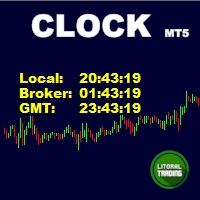
Simple indicator that draws the market hours on chart (broker, local and GMT). Functions: Horizontal distance - from border. Vertical distance - from border. Color - text color. Font - text font. Size - text size. Corner - which chart corner will be drawn. Show seconds - show or hide seconds. Draw as background - candles front or back. Label local - text before local time. Label broker - text before broker time. Label GMT - text before GMT time. Separator - separator between label and time Objec
FREE

ATC Candle Timer 将当前蜡烛的剩余时间和关键品种信息放在一个小面板中。
此工具也是 All In One Trade Management Panel MT5 的一部分,与仓位工具、交易管理和绩效分析一起
演示账户的免费试用版 ——在实时图表上试用,无时间限制。
蜡烛计时器:
• 图表时间周期或您选择的任何时间周期(包括周线和月线)的蜡烛收盘倒计时。
• 显示蜡烛已过去多少的进度条。
• 可选的当前蜡烛旁边的倒计时标签,通过面板上的按钮开启或关闭。
• 可选的蜡烛收盘前设定秒数警报。
品种信息:
• 以点和点表示的价差。
• 今日波幅(以点表示)。
• 所选天数内的平均日波幅(ADR),今日波幅占其百分比:低于75%为绿色,75%起为琥珀色,100%起为红色。
• 多头和空头隔夜利息。
• 经纪商服务器时间,以及可选的您电脑的本地时间。
输入:
• 倒计时时间周期(默认:图表时间周期)
• 在当前蜡烛旁显示倒计时、其颜色和字体大小
• 蜡烛收盘前N秒警报(0 = 关闭)
• 平均日波幅天数(默认14)
• 显示本地时间
• 面板位
FREE
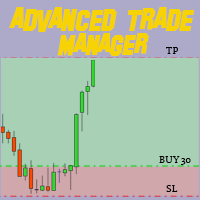
通过我们的MT4和MT5高级交易管理器革新您的交易 Mt4 Version : https://www.mql5.com/en/market/product/107249 利用我们的MT4和MT5高级交易管理器来强化您的交易策略,提升精准度和控制力。与传统交易管理器不同,我们的管理器不仅能动态适应市场条件,还在您进入交易的瞬间设置自动止损和止盈水平。 主要特点: 自动进入策略: 通过自动进入策略即时抓住机会。进入交易时,系统会战略性地设置预设的止损和止盈,确保从一开始就严格的风险管理。 动态止损管理: 实时应对市场变化。当您的交易达到+0.50%的利润时,系统会自动将止损减半,保护您的收益并控制风险。 保本保护: 获得+1%利润时享受安宁。我们的高级交易管理器会将止损移动至保本水平,确保您初始资金安全,让利润得以延续。 优化利润锁定: 轻松最大化收益。当达到+2%利润时,交易管理器将止损调整为+1%,在确保利润的同时允许市场波动。 高效的进入和退出自动化: 通过自动执行止损和止盈,充满信心地交易。无需时刻监控,将更多精力放在优化您的策略上。 多资产兼容性: 轻松多样化您的投资组合。我
FREE
Super simple, convenient, useful tool. Allows displaying the end time of a candle (standard) and expanding the symbol's spread in real time.
The countdown tool is smooth, not jerky or slow like some other tools
Useful tool for professional traders specializing in short-term and long-term trading.
Contact author or user guide: https://www.mql5.com/en/channels/metool_trading
FREE

The Best 1 Star rated Seconds Chart - Check the reviews that don't update the stars MT5 stops at the 1-minute chart. Advanced Seconds Chart MT5 goes below it, building real sub-minute OHLC candlesticks directly inside MT5 with full access to every indicator and drawing tool you already use. No plugins. No external feeds. Attach it to a chart and go. This product is now free. Download it, use it, and message me if anything does not work as described. I respond to every message and fix genuine iss
FREE

TradeInfo is a utility indicator which displays the most important information of the current account and position.
Displayed information: Information about the current account (Balance, Equity, Free Margin). Current spread, current drawdown (DD), planned profit, expected losses, etc. Number of open position(s), volume (LOT), profit. Today’s and yesterday’s range. Remaining time to the next candle. Last day profit information. MagicNumber filter. Comment filter.
Indicator parameters: ShowPro
FREE

Forex Trade Manager MT5 simplifies managing open orders in MetaTrader 5. If you open a new order, the manager automatically sets Stop Loss and Take Profit. When price will move, then the program could move Stop Loss to Break Even (stop loss = open price) or continuously moving Stop Loss (Trailing Stop) to protect your profits. Forex Trading Manager is able to control orders for only current symbols (where EA works) or for all opened orders (regardless symbol) and hide the Stop Loss and Take Prof
FREE

Simple Replay Simple Replay Bar-by-Bar Historical Price Action Replay for MetaTrader 5 Simple Replay is a utility Expert Advisor that lets you replay historical price bars one at a time on your MT5 chart. A curtain hides future bars so you only see what happened up to the current position — perfect for practicing price action and backtesting discretionary strategies. Features Play / Pause — Auto-play bars at adjustable speed (0.5x to 64x) Step Forward / Back — Move one bar at a time in either di
FREE

Trailing Stop Manager Basic — 免费追踪止损 EA (MT5) Trailing Stop Manager Basic 是 Trailing Stop Manager PRO 的免费版本。这款 MetaTrader 5 智能交易系统自动管理账户所有开仓的固定点数追踪止损、保本和 1 级部分平仓。适用于手动订单和任何其他 EA 生成的订单。 工具内置与 PRO 版本相同的专业可视化仪表盘 — 每日统计、实时 P&L、持仓状态和交互式控制。 免费 PDF 用户指南可应要求提供 :下载后通过 MQL5 向我发送私信即可获取。指南涵盖完整配置、按品种的最佳实践和推荐参数。 包含功能(免费) 固定点数追踪止损 ,距离和步长可配置。 自动保本 ,安全边距可配置。 1 级部分平仓 (点数触发器 + 平仓百分比)。 持仓过滤器 :方向 (Buy/Sell)、单一品种、MagicNumber。 交易时段过滤 (服务器时间),支持跨日。 状态保存 :ON/OFF 状态在 MT5 重启后保持。 终端提醒 ,关键事件触发。 集成高级仪表盘 显示当前模式、浮动 P&L、trailed
FREE

Trading Dashboard Pro MT5 Trading Dashboard Pro MT5 是一款专为 MetaTrader 5 开发的交易监控与管理面板。 该面板以清晰直观的方式实时展示账户交易情况、统计数据以及当前持仓信息。用户无需在多个终端窗口之间切换,即可在一个界面中完成账户监控和交易管理。 主要功能 实时账户概览 面板实时显示账户的重要数据,包括: 账户余额(Balance) 净值(Equity) 浮动盈亏 当日盈亏 胜率(Win Rate) 盈利因子(Profit Factor) 平均风险收益比(Risk/Reward Ratio) 最大回撤(Max Drawdown) 所有数据都会随着交易活动自动更新。 交互式绩效图表 Trading Dashboard Pro MT5 提供可视化图表,帮助用户了解账户表现和风险状况。 支持的图表包括: 资金曲线(Equity Curve) 回撤图(Drawdown Chart) 通过图表,用户可以更直观地观察账户资金变化以及风险水平。 持仓监控 所有当前持仓都会显示在统一的表格中。 每笔交易显示以下信息: 交易品种(Symb
FREE

Quick Close 1S 是一款用于快速且有序交易管理的工具。它提供简洁的控制面板,可立即开仓或平仓,应用灵活的 SL/TP 设置,管理订单篮目标,并控制总体盈利或亏损。适合注重精准、高效和清晰执行的交易者日常使用。 主要功能 简化交易控制:通过直观面板管理持仓,可选择开/平特定类型订单或一次性全部执行。 灵活 SL/TP 设置:为单个订单或整个订单篮设置固定或基于K线的止损/止盈。 订单篮目标与移动止损:以点数设定订单篮 TP,并使用可自定义的移动止损维持仓位。 全局风险管理:当达到预设的盈利或亏损水平(金额或百分比)时自动平掉所有仓位。 可自定义界面:设置 Magic Number、滑点限制,并可启用按键点击音效。 感谢您选择此工具。如果您觉得它有帮助,请给予积极评价以肯定开发者的努力。本工具是无盈利分享的,您的反馈与支持对我们非常重要。
FREE

VR Stealth Pro — 專門的免費貿易小組開發了以提高貿易的便利性和效率。該工具的主要目的是隱藏停止損失的水平並獲取利潤,從而使您可以最大程度地降低有關停止損失的交易水平洩漏的風險並獲利。 提供设置文件、产品演示版本、说明和奖金 [博客]
版本为 [MetaTrader 4] VR Stealth Pro - 這是一個免費的交易面板,根據原則提供。 為了獲得更多機會,使用交易面板 VR Trade Panel . 該面板具有簡單便捷的界面,可快速訪問交易員眼前的所有必要工具。為了隱藏實際級別,使用虛擬化技術,用圖形元素(趨勢線)代替它們,這是由於哪個在終端的工作空間中直接進行的控制。 該程序允許您輕鬆,快速執行任何交易操作:僅一鼠單擊即可開放,關閉和更改位置。考慮到該界面以盡可能簡化交易者與終端的相互作用的方式進行考慮,並降低交易運營的時間成本。 除了主要交易面板外,每個開放位置或訂單還配備了一個單獨的迷你控制面板,可完全控制每個特定位置。 VR Stealth Pro支持任何類型的交易帳戶(包括演示版本和真實帳戶)的工作。 因此,該計劃是想要提高工作效率並掩蓋停止損失
FREE

(New and experimental testing phase) M5S Automation EA is a free utility built to work together with the M5 Sniper Indicator. On its own it does nothing, it simply listens to the signals that M5 Sniper produces and opens the trades for you automatically, so you no longer have to sit and watch the chart to catch every entry.
It reads the entry, stop loss and the four take profit levels straight from the indicator and places the trades exactly as they appear. You can choose to run one position th
FREE

MA ChartScroll 是 MetaTrader 5 图表的导航增强工具。开启后,按住鼠标左键并移动指针,即可沿时间方向滚动图表;在主窗口中还可同时沿价格方向滚动。拖动时间轴或价格轴可调整其缩放,滚轮则以指针位置为中心改变缩放级别。 它适合在不使用键盘的情况下回看历史行情。它会记录自己修改过的每一项图表属性,并在关闭时逐项还原;如果你在此期间自行修改了某项属性,则保持你的设置不变。 本工具仅用于图表导航:不会下单,不产生信号或预测,也不对交易结果作任何承诺。不使用外部库,不发起任何网络请求。 主要功能 一次拖动,两个方向。 时间随指针逐根 K 线移动。在主窗口中,价格区间也会跟随,但需要先产生一小段垂直位移,因此以水平方向为主的拖动会保持自动缩放。指标子窗口仅沿水平方向移动。 滚轮缩放,触发方式可选: 直接滚轮、Control 键 + 滚轮,或关闭(此时保留终端自带的滚轮行为)。 拖动坐标轴。 拖动时间轴可分级缩放,并保持右边缘位置不变;拖动价格轴可围绕中心拉伸或压缩可见价格范围。两者各有独立开关和灵敏度设置。 Scroll 与 Auto 按钮。 图表角落的一个按钮即可开启或关闭
FREE

Auto BreakEven Pro is a lightweight, no-nonsense Expert Advisor designed to automatically move your Stop Loss to breakeven once your trade reaches a predefined profit level. This EA is ideal for traders who want to protect profits without constantly monitoring the charts.
Key Features: Automatically sets Stop Loss to break-even after a custom number of pips in profit. Optional break-even offset to lock in small gains (e.g., +0.5 pips). Compatible with any manual or automated strategy – simpl
FREE

Smart Copier Pro – MetaTrader 5 高级交易同步系统 Smart Copier Pro 是一款专为 MetaTrader 5 终端设计的高性能跟单解决方案,专为在不同经纪商之间管理多个账户或复杂策略的交易者打造。 与标准跟单软件不同,Smart Copier Pro 内置高级价格关联引擎,即使在经纪商报价存在差异(不同的点差、流动性变化或不同的数据提供商)的情况下,也能实现精准的订单执行。 核心功能: 高级价格关联: 我们的专有技术实时分析报价,以确定从属账户(Slave)的最佳执行价格,确保交易在与主账户(Master)相同的视觉背景下下单,无论经纪商之间存在何种价格差异。 支持多主多从 (Multi-Master & Multi-Slave): 从一个界面即可同时接收来自多个主账户的交易,或向多个从属实例发送信号。 通用资产映射器 (Asset Mapper): 智能品种识别系统。无论经纪商是否使用后缀(例如:EURUSD.pro,Gold 对比 XAUUSD),该专家系统都能自动映射正确的资产。 专业风险管理: 复制主账户手数(按比例)。 固定手数。
FREE

Trade HotKeys 是一款手动交易工具,可通过键盘快捷键快速执行交易操作。 它专为自主交易者(Discretionary Traders)和剥头皮交易者(Scalpers)设计,帮助用户无需使用 MetaTrader 5 界面按钮即可快速控制订单。 无需点击图表按钮或切换菜单,您可以直接通过键盘完成交易操作。 功能特点 使用快捷键快速开仓 BUY / SELL 分别关闭 BUY 或 SELL 持仓 一键关闭全部持仓 快速反转持仓方向 暂停交易,防止误操作 直接在图表上监控 BUY/SELL 持仓量与浮动盈亏 为什么交易者会使用它 减少决策与执行之间的延迟 帮助建立更快的手动交易肌肉记忆 适用于剥头皮交易与快速行情环境 减少交易过程中对终端界面的操作依赖 支持任何经纪商和账户类型(净额 / 对冲) 轻量稳定,无复杂计算负载 界面 UI 位置可自由调整(4 个角落) 可配置字体大小与布局 文本、标签和颜色可轻松自定义 实时图表状态显示 低 CPU 占用
FREE

Signalator Renko MT5 是一款免费的 MetaTrader 5 工具,可直接在终端中以清晰、可自定义的 Renko 图表显示价格走势。 该工具用专用的 Renko 视图取代传统的时间图表,将价格波动组织为固定大小的砖块。这有助于交易者专注于方向性价格变化,并过滤掉未达到所选砖块阈值的小幅波动。 Signalator Renko MT5 专注于提供免费的 Renko 图表功能。如需高级 Renko 构建、更多图表类型以及集成图表工具,请查看 Signalator Charts MT5: Signalator Charts MT5 (高级 Renko、Kagi、Point & Figure、Heikin Ashi、市场结构分析以及更多功能) Renko 图表以价格变化为核心,而不是固定时间间隔。Signalator Renko MT5 使用用户自定义的固定砖块大小,并根据所选交易品种自动规范化初始值。 构建基于已收盘的 M1、M5、M15 或 M30 K线,并使用固定的 1:2 反转模型。M1 可提供最精细的收盘K线重建。 当一个源K线跨越多个 Renko 水平时,同一
FREE

This indicator copies graphical objects (vertical lines, horizontal lines, text labels, fibo and etc.) from master chart to other charts.
For example, you can copy lines from the chart GBPUSD with period H1 to chart GBPUSD with period M15. It's makes technical analyses more simple. Show label - show label on the Master chart, where you draw graphical objects to copy; Font size - font size of label; Type of synchronisation - type of synchronisation Copy text - on/off copy of text objects
Copy la
FREE
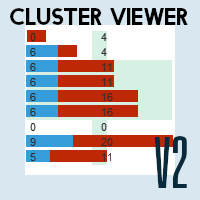
精准洞察,掌控市场:MetaTrader 5 Cluster Viewer V2 现已推出! 您是否想过,最成功的交易者是如何识别最佳交易机会的?
Cluster Viewer V2 为您提供全面的分析工具,旨在为您提供精准深入的金融市场洞察。
我们的 EA 专为 MetaTrader 5 平台开发,将您的交易策略提升到全新水平。
功能: 按价格区间显示买卖量:查看买卖双方争议最大的价格区域。
根据市场动态识别关键支撑位和阻力位。
您可以查看按时间、逐笔成交量、实际成交量(由经纪商提供)以及按价格波动(砖形图)分组的数据。
集成强大的指标: 移动平均线:使用移动平均线指标追踪市场趋势。
布林带:识别市场波动性和潜在反转点。
抛物线转向指标 (SAR):根据短期趋势获取入场和出场信号。
MACD:分析两条移动平均线之间的背离,以识别价格方向的变化。
随机指标:识别超买和超卖条件,以寻找交易机会。
控制点 (POC):控制点。K 线图中成交量较大的价格区间。
不平衡:价格波动过快,导致区间不平衡的区域。
Delta 背离:突出显示 K 线图中方向与买卖量背离的
FREE

GEX Options Radar — Options-Based Market Structure for US Indices (NDX / SPX) GEX Options Radar displays real-time-ish key levels derived from market maker positioning in index options — directly on your USTEC or US500 chart, with no paid data subscription required. What it calculates Zero Gamma (Gamma Flip) — the price level where dealers' net gamma exposure flips from positive to negative. Above it: "long gamma" regime (volatility typically dampened). Below it: "short gamma" regime (moves ofte
FREE

Remodeling the BoletaMiniPanel, the Mini Panel Plus has the same functionalities, but is now in the form of a box that allows it to be minimized and placed anywhere on the chart. Simple Panel with Stop loss (Loss), Stop gain (Gain), Trailing stop (TS) and Breakeven (BE-P). The Lot is the number of contracts to be traded. Gain is the number, in points, at which the stop gain will be positioned. If you don't want to place a stop gain, just put 0 (zero) in its place and when you open the order it w
FREE

SMART RR 是一款专为 MetaTrader 5 设计的风险管理和交易执行工具。它提供可视化功能,用于计算手数、监控风险回报比,并直接在图表上通过面板下单。 该工具专注于基于账户余额和止损距离的透明头寸规模计算,并充分考虑实时市场点差。 主要功能 考虑点差: 风险回报比 (R:R) 计算包含当前的买卖点差,提供切合实际的预测。 动态手数计算: 根据您设定的风险(余额百分比或固定金额)自动计算所需的手数。 可视化交易计划: 入场、止损和止盈水平作为可调节区域显示在图表上。 账户保护: 在交易执行前显示确切的金额风险,有助于控制回撤。 订单执行面板: 支持市价单、限价单和止损单的一键下单。 功能详解 1. 自适应风险控制
面板允许在风险计算模式之间切换。您可以将风险定义为净值的特定百分比或固定货币金额。当您在图表上移动止损线时,工具会自动更新交易量(手数)。 2. 图表交互
所有交易水平都是可视化的。您可以拖放入场线、止损线和目标线。区域的透明度可在设置中调整,以保持图表清晰。 3. 警报系统
可选的警报功能可在价格达到特定入场或止损水平时通知您。如果移动线条,这些警报会自动调
FREE
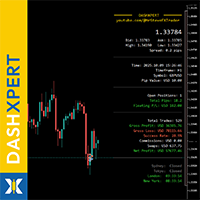
点击此处查看我所有免费产品
DashXpert 是一款完全免费的强大面板,适用于 MetaTrader 5 ,可将所有关键的 市场数据、账户信息和性能统计 直接显示在你的图表上。 无需在窗口和标签之间来回切换, DashXpert 为你提供一个 集中式、智能化的概览 - 经过优化,具有最大清晰度、最少干扰与专业外观。 它为你实时呈现 持仓、盈亏、胜率以及账户余额 的清晰概览。 这使得 DashXpert 不仅是一个实用的日常工具,也是一款 完整的性能监控面板 ,帮助你理解、改进并透明地可视化你的交易。 此外,该面板会自动显示最重要的 交易时段(Sydney、Tokyo、London、New York) 及其状态 - 让你即时看到 市场何时、何处正在波动 。 凭借其 现代、极简的设计 、清晰的配色方案以及在所有图表类型上的完美可读性, DashXpert 将你的 MetaTrader 打造成真正的 交易驾驶舱 - 清晰、专业且 100% 免费。
规格 Bid / Ask / High / Low / Spread 实时动态更新 当前余额、可用保证金和净值 - 始终可见 浮动盈亏(持
FREE

MA Trade Assistant 是适用于 MetaTrader 5 的交易面板。它不会自动开仓,也不提供交易信号。由您决定交易,面板根据您设定的风险计算手数,在下单前检查订单,并在入场后管理持仓。 主要功能 按风险计算手数:8 种风险模式(固定金额;占余额、净值或可用保证金的百分比;占自定义金额的百分比;占前一日 / 前一周 / 前一月余额的百分比)。可计入手续费;手数向下取整到交易量步长,并受可用保证金限制。 下单前检查:点差、即将公布的新闻、风险百分比、止损距离与 ATR 的比较、盈亏比、D1 趋势、保证金以及“算法交易”状态。触发硬性规则时显示 BLOCKED,订单不会发送。 图表交易:点击图表即可挂限价单和止损单;可拖动入场线、SL、TP 以及分批止盈线。标签显示点数、手数、R:R、金额和价格。 真实成交价:市价单成交后,会按实际成交价重新应用预设的 SL 和 TP 距离,滑点不会改变您的风险。 持仓管理:手动和自动保本,9 种移动止损模式,4 个分批止盈位,可在第一档止盈后自动保本。止损绝不会向不利方向移动。 风险保护:每日亏损锁定;由您自行输入的自营交易公司规则(日亏
FREE

Introducing the "Automated Stop Loss Placement" Script for MetaTrader 5 The "Automated Stop Loss Placement" script is a powerful tool designed to streamline your trading experience within the MetaTrader 5 platform. By automating the placement of stop loss orders, this script offers efficiency and convenience for traders of all levels. Key Features: Seamless Automation: Stop loss orders are placed automatically, moments after trade execution, saving you time and effort while ensuring consistent r
FREE

看到市场真实的运动方式 - 而不是被时钟切割后的样子 每一种标准图表 - M1, M5, H1 - 都会把市场切割成相等的时间段,无论这段时间内实际发生了什么。平静的一分钟和混乱的一分钟最终看起来大小相同。TickFlow Zones 采用了不同的方法:它不是按时间对价格行为进行分组,而是按活跃度分组。TickFlow Zones 图表上的每根K线代表固定数量的tick,因此当市场活跃时图表会自动加快,市场平静时则会放慢。结果是一幅更加细致、更加真实的价格行为图景 - 这正是专业order flow工具通常呈现的细节程度,原生构建于MetaTrader 5之中。 重要提示:TickFlow Zones是一款免费工具,不是Expert Advisor(自动交易程序)。 它不会下单、不会管理仓位,也不会以任何方式访问你的账户。它只是创建一个合成图表品种,并在其上绘制分析内容,仅此而已。 开发和测试均基于XAUUSD(黄金)。 该工具是围绕黄金的tick行为和波动特征构建的。它也可能在其他品种上运行,但不同品种之间的tick频率和噪音水平差异很大,因此无法保证在其他品种上同样有效。 Tick
FREE

MetaTrader 5 免费工具。 监视您的EA和经纪商。可与同一账户上的任何EA一起运行。无需 DLL。 Cow Guard:在恶意和破解版EA耗尽您的账户之前阻止它们,同时监视您的经纪商。 Cow Guard 监视您 MT5 账户上的每一笔交易,当某个EA开始爆仓您的账户时,它会在几秒内发出警报,例如一个不停开仓平仓直到余额耗尽的破解版EA。 它从不开仓。默认情况下它只提醒您。如果您选择,它还会平掉所有交易,持续平掉新开的交易,并移除其他EA的图表。 它还会监控您的经纪商。当经纪商更改您的账户类型、杠杆或 stop-out 水平,把您交易的品种设为仅平仓,对余额进行资金操作,或自行在您的账户上开仓或平仓时,您都会收到提醒。终端关闭期间发生的变更会在下次启动时报告。 用户手册: Cow Guard User Manual (免费 PDF,英文)。安装、面板、每项检查和设置说明、提醒以及故障排除。
快速了解 平台: MetaTrader 5 图表: 加载到任意一个图表,任意品种和周期。它监视整个账户。 交易: 从不开仓。只有在您选择平仓动作时才会平仓。 提醒: MT5 弹窗、手机
FREE

Copy trades between MetaTrader 5 terminals on the same computer. Free, and no DLL, no internet connection, no subscription.
A ton of work has gone into this to make it the best I can make it, and it is free - not a trial, not a lite version - and it always will be. I am still developing it, so expect regular updates. Spotted a bug, or want something added? Reach out in the Comments and I will get it done.
One EA does both jobs. Attach it as a TRANSMITTER on the account you trade, and as a REC
FREE
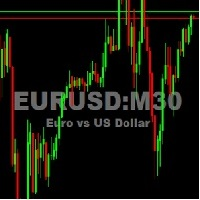
This utility tool shows the ticker symbol, timeframe, and description information as a watermark on the chart. Text resizes automatically according to chart size. It is useful to identify the correct chart when multiple charts are shown on the screen. Want more control over text apperance? Check out our Chart Watermark MT5 Premium utility. See the demonstration video below!
Inputs: Font Size: Initial font size for the ticker symbol and timeframe text (Default; 50). Description text font size
FREE

Maximize Your Trading Potential with Our Trailing Stop Expert Advisor! Are you tired of watching potential profits slip away due to unpredictable market fluctuations? Say goodbye to missed opportunities and hello to consistent gains with our revolutionary Trailing Stop EA, designed to safeguard your profits and minimize losses during your trading journey.
Why Choose Our Trailing Stop EA? 1. Flexible Trailing Stop Methods : Whether you prefer a fixed distance in pips or a percentage-based appro
FREE

The free edition of Tick Candles Seconds Chart Generator: real seconds charts on any DEMO account.
It creates a custom symbol copy of your chart (EURUSD becomes EURUSD.Sec) and streams every tick onto it, so a normal MT5 chart renders true seconds candles. Attach indicators and EAs, draw, apply templates. One generated symbol serves the whole seconds ladder through the chart's own timeframe selector:
M1 = 1 second, M5 = 5 seconds, M15 = 15 seconds, M30 = 30 seconds, H1 = 1 minute, D1 = 24 min
FREE

MetaTrader 5 免费交易管理器(trade manager):按风险计算手数、画线下单、分批平仓、保本和追踪止损——还能把所有持仓作为一个整体统一管理。 在图表上规划交易,点击之前就看清金额,再让一个面板照看所有持仓。免费。没有付费版,没有试用期,没有 DLL,没有网络请求。 类型:工具(交易和持仓管理) 品种:任意 账户:对冲(净额:尚未测试,见第9章) 开仓:仅在您按下按钮时 为什么交易者把它一直留在图表上 点击之前就知道代价。 拖动止损线,手数、风险金额、潜在盈利和 R:R 会在面板上同步更新——以账户货币显示,日元账户也不例外。 用线下单。 拖动 ENTRY、STOP 和 TARGET;入场线会自动变成限价单或止损挂单。在您按下按钮之前,什么都不会发送。可将两张挂单配对为 OCO。 自动运行的持仓管理。 分批止盈、保本、追踪止损,并为没有止损的持仓设置真实的止损——包括从手机开的单。 多个持仓,一个决定。 按合计目标全部平仓、按合计保本平仓,或从平均开仓价追踪整个方向。 给当天划一条底线。 达到每日亏损上限时,平掉持仓,并在次日之前阻止新订单。 不给终端添负担。 按
FREE
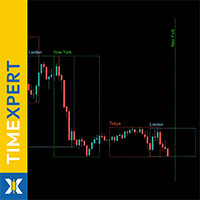
点击此处查看我所有免费产品
TimeXpert 是一款完全免费的 MetaTrader 5 工具,可将全球 交易时段 - Tokyo、Sydney、London、New York - 直接显示在你的图表上。 无需手动计算时间,你将获得一个 自动的、颜色编码的概览 ,可以一眼识别 市场何时开盘、重叠或收盘 。 这使你能够即时判断 波动性在哪里出现 、 流动性何时增强 ,以及哪些时段最适合你的交易策略。 所有元素都 完全可自定义 - 从颜色和线条样式到显示的会话数量,使 TimeXpert 成为每位交易者的灵活辅助工具。 TimeXpert 帮助你 完善交易时机 ,准确显示 市场何时开始移动以及哪些时段带来最强的市场冲击 - 这是任何专业交易系统的重要工具。 凭借其 干净、极简的设计 , TimeXpert 将你的 MetaTrader 5 转变为 全球市场的可视化地图 - 精准、直观且 100% 免费。
规格 显示 全球交易时段 :Tokyo、Sydney、London、New York 自动调整 至经纪商服务器时间和时区 颜色编码方块,明确区分每个交易时段
过去和未来的交
FREE

Risk Calculator Veqrix
Risk Calculator Veqrix is a risk calculation, visual trade planning, and manual order execution tool for MetaTrader 5.
The EA automatically calculates the trade volume using the configured risk, entry price, and distance to the Stop Loss. It also displays the planned trade directly on the chart and distributes the total volume across up to three Take Profit targets.
This tool does not generate trading signals . The user selects the direction, configures the levels, and
FREE

账户净值保护工具是一款必备的实用工具,旨在保护您的账户净值不受到意外的损失。 这款工具专为使用自动交易程序的交易员设计。当您的账户同时运行多个自动交易程序时,尤其是在晚上睡觉时,如果发生黑天鹅事件或交易程序故障,您可能会遭受意想不到的损失。这款工具将有效帮助您避免这些问题。 它的设置非常简单,只需输入您希望保护的金额即可。我们建议根据当前账户净值进行合理的设置。完成设置后,点击确定进入程序界面,并点击运行。您将看到右侧的表情变成笑脸,表示程序已正确运行。 在程序运行的过程中,当账户净值低于设定的保护值时,所有图表将立即关闭,这意味着交易程序也将停止运行。同时,所有订单将被删除,您的账户将不再面临任何风险。
Equity Protect free MT4: https://www.mql5.com/en/market/product/115514 Equity Protect free MT5: https://www.mql5.com/en/market/product/115529
专业版提供了更加丰富实用的功能: 1、一键还原之前关闭的程序,品种、周期、参数完全一致。 2、提醒
FREE

Strifor Chart Sync — MetaTrader 5 图表与技术分析同步工具 Strifor Chart Sync 是一款用于 MetaTrader 5 的专家顾问(Expert Advisor),旨在同步多个图表,简化同一交易品种的多周期技术分析。 您无需再手动修改每个图表中的交易品种。只需在 Master 主图表 上切换交易品种,所有关联的 Slave 从图表 都会自动切换到相同的交易品种,同时保留各自独立的时间周期。 例如,您可以同时使用: D1 — 整体市场环境 H1 — 局部市场结构 M5 — 寻找交易机会 M1 — 寻找入场点 如果将 Master 图表中的交易品种从 US500 切换为 XAUUSD ,所有关联图表都会自动切换至 XAUUSD: D1 仍然保持 D1 H1 仍然保持 H1 M5 仍然保持 M5 M1 仍然保持 M1 这样可以建立结构化的多周期交易工作区,无需在每个打开的图表上重复修改交易品种。 技术分析同步 Strifor Chart Sync 的核心功能之一是同步指定的图表对象。 专家顾问 不会自动复制图表中的所有对象 。这是有意设计的,因
FREE

Free one-click trade panel for MT5: BUY/SELL on the price line and Breakeven, Partial, Reverse and Close buttons on every position. DESCRIPTION: TrendSync Trade Buttons is a free, lightweight trade panel for manual traders on MetaTrader 5. Open, reduce and close positions straight from the chart, without dialog boxes and without hunting for tickets in the Trade tab. It is an execution tool, not a signal robot . It does not open trades by itself. Every action is yours; it just makes it one click.
FREE

RR Box - Visual Risk-Reward Planning Tool Overview RR Box is a professional-grade risk-reward visualization indicator that helps traders plan and visualize trade setups directly on the chart. With fully draggable, resizable boxes for Stop Loss and multiple Take Profit levels, you can instantly see your risk-reward ratios and adjust them with precision.
Key Features
Drag-and-Drop Flexibility Move your entire trade setup anywhere on the chart. Click any box to select it, then drag corners or ed
FREE

Support Resistance Alert — MT5 支撑阻力提醒工具 Support Resistance Alert 是一款辅助型 EA,可自动在图表上绘制支撑位和阻力位,并在 Bid 价格触及或穿越这些价位时发出弹窗提醒。本工具仅用于行情分析与监控,不会开仓、平仓或修改交易。 主要功能 价位验证:过滤掉已被较新的已收盘 K 线触及或突破的候选价位。 触及与穿越提醒:当价格进入价位上下两个品种点值的范围内,或在相邻 Tick 之间穿越价位时触发提醒。支撑与阻力提醒可分别开启或关闭。 避免重复提醒:每个已启用监控的价位仅触发一次提醒。 自定义显示:支持调整线条颜色、粗细、标签字号及位置。 自动更新:每根新 K 线开始时重新计算价位,并在每个 Tick 检查价格。 使用方法 将 EA 加载到所需交易品种及周期的图表上。 设置支撑、阻力提醒及绘图参数。 保持 EA 运行,以监控价位并接收弹窗提醒。
输入参数
参数 默认值 说明 InpAlertResistance true 当 Bid 触及或穿越阻力位时发出提醒。设为 false 可关闭提醒,但不隐藏阻力位。 InpAler
FREE

This tool is designed to visualize the position and trades history and its information, such as the entry and exit points, sizes of the trades, Reward to risk ratio, Risk percent, Profit, Target and stop-loss on the chart. it makes showing trades on the chart more informative and easier to use. it's a strategic tool that enhances your trading experience on MT5 platforms. By providing a clear visual representation of your trades and customizable settings, it empowers traders to make informed deci
FREE

这是一个统计小组,提供MetaTrader 5交易账户的分析。 分析结果实时显示在图表上。 多币种交易非常受欢迎。但是,交易量越大,分析每个交易的盈利能力就越困难。按月分析交易并计算每笔交易的统计数据是更具挑战性的任务。 MT4版本
详细描述 +PDF 如何购买
如何安装
如何获取日志文件 如何测试和优化 Expforex 的所有产品 然而,交易量越大,分析每笔交易的盈利能力就越困难。 按月分析交易和计算每笔交易的统计数据更是具有挑战性的任务。 如果您想全面了解交易系统的表现,有多种工具可以帮助您实现这一目标。 其中一些工具包括报告、统计、myfxbook、交易日志、账户分析、性能统计、分析和创新的仪表盘。 利用这些工具,您可以详细分析自己交易系统的表现,并获得有关优势领域和潜在弱点的宝贵见解。 无论您是希望提高业绩的新交易员,还是希望优化交易策略的经验丰富的交易员,这些工具都能为您提供所需的信息,帮助您做出明智的决策,实现您的财务目标。
该面板提供了一种有效的解决方案,可以分析您的帐户并实时准备详细的统计数据 亲爱的朋友和我们的EA用户 Expfor
FREE

Overview The MT5 Local Trade Copier synchronizes trades from a Master account to one or more Slave accounts. It copies positions and pending orders with duplicate protection, symbol mapping, and adjustable lot sizes. Time and day filters can be applied for flexible operation Features Copy positions and pending orders from Master to Slave accounts. Select which trades to copy: all trades, positions only, orders only, buy-only, or sell-only. Adjust lot sizes using fixed lots, risk percentage of ac
FREE

Trade Manager OS is a risk-based order panel for MetaTrader 5. You decide where the entry, stop loss and take profit go. It works out the lot size so that a stop-out costs the amount you chose, in money or as a percentage of your account, and shows every number before you click. Then it keeps working after the order: breakeven, trailing stop, scale out and a daily loss guard run on the positions it sent, so you do not have to watch every tick. HOW IT WORKS Choose how much to risk: a fixed amount
FREE
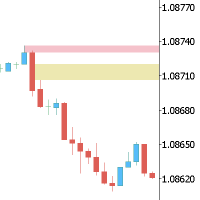
This Expert is the perfect companion for SMC/ICT users.
It allow to draw easily the Supply , Demand , Imbalance(fvg) zones as well set up MetaTrader alerts if price touchs the zone. Imbalance (fair value gap) have options to be displayed in full or based on the filling to the follwing candle, so you will never miss one.
You can also zoom on a clande with a specific period. Very usefull when you look at an 1h candle in the past and you want to see the details in M5.
How does it work ? Simply s
FREE

风险交易面板是为手动交易而设计的. 这是发送订单的另一种方式。
面板的第一个特点是使用控制线方便地下订单。 第二个特征是在存在止损线的情况下计算给定风险的交易量。
使用热键设置控制行:
获利-默认情况下T键;
价格-默认情况下p键;
止损-默认情况下,S键;
您可以在交易面板的设置中自行配置密钥。
运算算法:
1)-我们把水平在所需的地方(这是没有必要把所有的水平);
2)-指定风险(可选);
3)-点击绿色发送订单按钮;
4)-我们正在等待下订单,或者会出现带有错误消息的警报;
5)-如果我们想关闭当前符号的所有订单,通过魔术链接到专家顾问,然后点击关闭订单按钮。
您不应该多次按下发送订单按钮。 一次就够了。 下单后,按钮将呈现"未按下"状态。
要发送带有风险计算的订单,需要设置止损线并在交易面板的"风险"字段中设置风险。 否则,订单将以当前交易工具的最低手数放置。
风险是从账户余额计算出来的. 由于经纪商对保证金交易细节的限制,不可能承担100%的风险。
在"风险"字段中允许小数(例如,您可以以余额的0.5%的风险进行交易)。
如果指定的风险低于允许
FREE

KALIFX POSITION SIZE Calculator – Risk & Lot Size Tool KALIFX PS Calculator is a chart-based utility designed to help traders calculate position size and manage risk directly from a simple on-screen panel. It provides a structured way to define trade parameters and view calculated results before placing an order. Key Features On-Chart Control Panel: Manage all inputs and actions from a compact interface on the chart. Mode Switching: Toggle between Risk % and Fixed Lot modes. Order T
FREE

One Click Close MT5 is an EA which allows you close orders quickly. EA display on chart two buttons. The first button "Close All Positions" is using to close all opened orders. The second button "Close Profit Positions" is using to close only profitable orders. EA is closing orders for all available symbols, not only for chart symbol. In EA params you can set distance from upper chart frame (Y Offset) and from left chart frame (X Offset). For installation EA it is only need to copy One Click Clo
FREE

Eagle Assistant Trade Manager
MetaTrader 5 紧凑型交易管理面板:按风险计算手数、可编辑字段的订单线、带最大点差限制的快速 Buy/Sell、分批平仓、7 种追踪止损、保本、OCO、隐藏止损止盈、虚拟订单和 Time Manager。
Eagle Assistant - Trade Manager 是一款用于 MetaTrader 5 手动交易的紧凑型面板。它根据您的风险计算手数,让您直接在图表上绘制并输入订单,并替您管理持仓:分批平仓、追踪止损、保本、OCO 等。
紧凑面板 - 一个小巧的深色面板:可拖动到任意位置,可最小化为一条横栏,尺寸可在 60% 到 150% 之间调整,也可使用紧凑行。 - 风险可按金额设置,也可按 Balance、Equity、Free Margin、自定义金额或前一日、前一周、前一月余额的百分比设置。手数向下取整,因此绝不会超过您设定的风险。 - 快速市价 Sell 和 Buy,带最大点差字段:点差高于最大值时按钮变灰,禁止入场。留空表示不限制。 - 对该品种的全部持仓执行 Close Sell、Close
FREE

Professional Trading Dashboard 一款专业的 MetaTrader 5 账户监控面板,将实时账户数据、每日交易记录和月度统计整合到图表上的单一显示界面中。 Professional Trading Dashboard 是一款适用于 MetaTrader 5 的实用工具指标,旨在让交易者随时对自己的账户状态一目了然。无需在多个终端窗口之间切换,所有关键信息均以结构清晰的画布面板直接呈现在图表上。该指标涵盖实时账户指标、持仓汇总、每日盈亏历史、月度绩效统计以及近 30 天的滚动余额图表。 功能概述 面板基于 MetaTrader 5 Canvas API 构建,渲染一个 1030x530 像素的覆盖层,无论切换何种交易品种或时间周期,该覆盖层始终固定在图表窗口中。显示区域分为四个主要部分。账户区域显示实时余额、净值、保证金、可用保证金、杠杆倍数、保证金水平、当前浮动盈亏以及当日已实现盈亏变动。每项指标均附有颜色编码的状态标签,随市场条件变化自动更新。 账户区域下方的持仓汇总栏显示多头和空头的持仓数量、合计交易量,以及各方向和总计的浮动盈亏。每日分析表列出最多
FREE

介绍适用于 MT5 的 NAS100 Auto SL 和 TP Maker:
有了我们的 NAS100 Auto SL 和 TP Maker,再也不会错过止损和止盈的设置,这是交易者在 MetaTrader 5 上浏览纳斯达克 100 市场时不可或缺的助手。该工具专为寻求自动管理止损和止盈水平的无缝解决方案的用户而设计。
主要功能
轻松实现自动化:
自动监控无止损和/或止盈的纳斯达克 100 指数交易。
根据用户配置设置动态调整水平。
订单类型的多样性:
兼容纳斯达克 100 指数的市价订单和挂单。
支持 MetaTrader 5 中的各种订单类型。
定制配置:
用户友好的参数设置允许自定义跟踪偏好和止损/止盈水平。
范围灵活:
可选择为其运行的特定 NAS100 工具或所有交易工具设置止损和止盈。
快速执行:
确保快速设置所需的 StopLoss 和/或 TakeProfit 值,无需等待新的 tick 即可迅速响应。
MetaTrader 5 兼容性:
与 MetaTrader 5 中的所有订单类型兼容,实现无缝集成。
使用 NAS100 Auto SL 和 TP Maker
FREE

VEXOR — 适用于 MetaTrader 5 的高级交易面板与风险管理工具 使用 VEXOR 掌控每一笔交易,这是一款专为重视精准、速度和更佳交易体验的交易者设计的现代化 MetaTrader 5(MT5)交易面板。通过直观的图形界面下达市价和挂单、计算仓位大小、管理风险,并设置止损和止盈水平。 MT4 Version 与传统交易面板僵硬的布局和过时的界面不同,VEXOR 将时尚的深色设计、交互式控制、实时价格信息、动态风险计算和直接图表交互整合到一个精简的工作空间中。 VEXOR 在 MetaTrader 5 中是什么? VEXOR 是一款先进的 MT5 交易面板,旨在简化手动交易并使订单配置更加直观。直接从图表上的单一界面管理手数、订单类型、风险设置、入场价、止损和止盈。 通过交互式控制和可视化订单验证,VEXOR 帮助您更高效地准备交易,同时将关键交易信息保持在触手可及的范围内。 VEXOR MT5 交易面板的核心功能 1. 现代深色界面 VEXOR 采用精心设计的深色用户界面,为传统 MetaTrader 交易面板提供现代化替代方案。 现代深色主题图形界面。 带悬停效果的交
FREE

对于那些使用趋势线、矩形和文本等元素进行技术分析的人来说,VR 颜色级别是一个方便的工具。可以直接向图表添加文本并截取屏幕截图。 设置、设置文件、演示版本、说明、问题解决,可以从以下位置获取 [博客]
您可以在以下位置阅读或撰写评论 [关联]
版本为 [MetaTrader 4] 一键点击 即可使用该指标。为此,请单击带有线条的按钮,之后光标下方将出现一条趋势线。然后,通过移动光标,您可以选择 行位置 并通过再次单击来修复它。 该指标的特点 是,样式和颜色的所有更改都会自动保存,并随后应用于所有 新创建的 图形对象。 该指标配备了两个独立的按钮,用于设置不同样式的趋势线,两个独立的不同样式的矩形,一个具有自己风格的文本字段以及一个用于创建屏幕截图的按钮。 屏幕截图在 MetaTrader 终端目录的 Files 文件夹中创建,保存路径和文件名写入专家日志中。 大致路径:C:\Users\用户名\AppData\Roaming\MetaQuotes\Terminal\Character set\MQL5\Files\VR Color Levels 有大量类似于 VR Color Le
FREE

CandleCloseTimer — 全面掌控K线收盘倒计时 CandleCloseTimer 是一款适用于 MetaTrader 5 的紧凑型实用工具,可直接在图表上显示当前K线距离收盘的剩余时间。计时器位于当前价格附近,因此交易者可以在最常关注的位置——价格刻度旁——随时查看所需信息。 该工具不会开仓,不提供交易信号,也不会干预交易平台的运行。它的主要作用是帮助用户准确查看所选时间周期的当前K线距离收盘还剩多少时间。 CandleCloseTimer 的主要功能 1. 当前K线收盘倒计时 以 00:00:00 格式显示当前K线距离收盘的剩余时间。 2. 显示在当前价格附近 计时器可以放置在价格刻度附近或当前价格下方,不会妨碍图表分析。 3. 自动适应时间周期 当用户切换 M1、M5、M15、H1、H4 或其他时间周期时,计时器会自动重新计算剩余时间。 4. 作为 MT5 实用工具运行 CandleCloseTimer 以 Expert Advisor 实用工具的形式安装,而不是普通指标。该工具不会执行任何交易操作。 5. 每秒更新 计时器通过 OnTimer 每秒更新,因此不会仅依
FREE

Trailing Stop Manager with Break Even is a MetaTrader 5 utility that moves your stop loss automatically to protect profit as price advances. Unlike the platform's single-mode trailing stop, it offers four professional methods plus break-even handling, and it manages all matching positions on any symbol. Features Four trailing modes for different conditions: Fixed Pips, ATR-based, Step, and Break-even plus Trail (two-phase). Fixed Pips: classic trail that starts after a set profit and follows at
FREE
MetaTrader市场是 出售自动交易和技术指标的最好地方。
您只需要以一个有吸引力的设计和良好的描述为MetaTrader平台开发应用程序。我们将为您解释如何在市场发布您的产品将它提供给数以百万计的MetaTrader用户。
