 MetaTrader 5
 专家
专家
 指标
指标
 程序库
程序库
 实用工具
实用工具
 窗口小部件
窗口小部件
 规则
规则
免费的MetaTrader 5 交易实用工具 - 9
 以下是可在MetaTrader 5中简化交易的交易程序。将鼠标悬停在一个工具上,阅读它的描述和用途。
This tool for the MetaTrader 5 trading platform allows setting the stop loss of open positions to breakeven (entry price) plus an adjustable distance in points. The stop loss is only adjusted if the position is already in profit.
Main functions:
Button: A button is displayed on the chart with the text "StopLoss to BreakEven". The color of the button can be customized, by default it is red.
User interaction: When you click the button, for all open positions that are in profit, the stop loss i
FREE

Elevate your trading precision with the ultimate Multi-Timeframe (MTF) Candle Countdown Monitor . Built for professional traders, this indicator is not just a standard timer—it is a powerful, fully interactive dashboard featuring a dynamic mini-chart, custom alerts, and a cutting-edge DPI-Aware Scaling Engine. Whether you are trading on a compact laptop or a massive 4K multi-monitor setup, this indicator perfectly adapts to your screen, providing a flawless visual experience. "Simplify your tra
FREE

Chart Sync MT5 Trading Capital P 将您的图表按颜色分组链接,就像交易平台工作区中相互关联的窗口。在一个图表上切换品种,其他图表随之切换;移动鼠标,十字光标会在其他图表上同步跟随;向前滚动历史数据,其他图表会跳转到同一日期;绘制一条水平位,它会出现在该品种的所有已链接图表上。本产品免费且功能完整,没有任何限制。 同步的内容 品种:在组内任意图表上切换品种,其他图表随之切换,并各自保留自己的周期 周期(可选,默认关闭,以保持多周期布局不变) 十字光标:一条虚线时间线在其他图表上跟随您的鼠标,同一品种的图表上还会显示价格线 滚动位置:在一个图表上滚动到任意日期,已链接的图表会移动到同一日期;回到最新一端时它们也会跟随,并恢复自动滚动 绘图对象:在一个图表上绘制的趋势线、水平线和垂直线、矩形、通道、斐波那契工具、文字和箭头,会被复制到同一品种的已链接图表,并同步之后的移动、编辑和删除;复制出的对象是普通绘图对象,可在任意图表上编辑 分组 四个分组(A、B、C、D),各有自己的颜色,另有 OFF:例如,A 组用于 H4、H1 和 M15 上的 EURUSD 分析,
FREE

MQLTeam Auto Select 在鼠标移到图表对象上时自动选中它们。无需先双击,即可拖动、打开属性或按 Delete 删除。 也可使用: 适用于 MetaTrader 4 的 MQLTeam Auto Select Auto Select 是小型图表工具,不绘制信号,不下单。添加一次,保持按钮为绿色,即可照常编辑线条和图形。 用法 按钮: 标记默认在右下角。绿色表示开启,暗色表示关闭。标记不变,只改颜色。可拖动按钮。 移动: 悬停后拖动对象。 属性: 悬停后右键打开菜单。 删除: 悬停后按 Delete。 支持的对象 水平线、垂直线、趋势线、基于两个锚点的斐波那契工具、江恩线工具、矩形、箭头、文字及常见屏幕标签。选中依据对象的前两个时间/价格锚点。 当前限制 需要两个以上锚点的对象(如通道、三角形、干草叉)本版本不会选中。以后可补充。在此之前请用 MetaTrader 的常规方式选择它们。
FREE

Chinese (Simplified) Stochastic Cross Alert EA for MT5 Stochastic Cross Alert EA 是一个简单的 MetaTrader 5 工具,当 随机指标(Stochastic) 达到常见的超买或超卖水平时向交易者发送提醒。它可以帮助交易者在无需一直盯着图表的情况下监控随机指标信号。 将 EA 添加到图表后,它会持续监控随机指标,并在关键水平被突破时发送 弹出提醒 ,方便您快速查看图表并评估潜在交易机会。 功能 检测随机指标上穿超买水平(默认 80)
检测随机指标下穿超卖水平(默认 20)
MetaTrader 5 弹出提醒
适用于任何交易品种和时间周期
轻量且易于使用 工作原理 EA 会监控当前图表上的随机指标。当指标上穿超买水平或下穿超卖水平时,MetaTrader 5 会弹出提醒。 随机指标参数和提醒水平可以在设置中调整。 该 EA 仅提供提醒功能 ,不会自动开仓或管理交易。
FREE

Pointer Sync is a pointer synchronizer between open charts. It makes the MT5 cross (activated by the middle mouse button) to be replicated on all open charts. In addition, it is possible to create horizontal lines (letter H) and vertical lines (letter V), very useful for studying. The appearance of the lines is customizable. Note: Synchronization is through the X and Y scale in pixels , not price and/or date. It is a simple and free utility. Enjoy!
This is a free indicator, but it took hours to
FREE

Nomad Trade Panel is a trade panel for MetaTrader 5 that works out the lot size from your stop loss and the risk you choose, then sends the order from the chart. It is for manual traders who decide the risk first and want to see what will be sent before they click.
It is a manual tool. It never opens, changes or closes anything by itself: every action starts with your click, a level you drag, or the close-all key (Ctrl+Shift+F, pressed twice).
To start: attach it to a chart, check the stop lo
FREE

The utility is a checklist where you can write all the rules of your trading system and keep it on the chart in front of your eyes. As a rule is executed, mark it with a tick. To the right of each rule, you can write the "strength" (percentage) of the rule. And if there is a tick next to the rule, then all "forces" are summed up in the "Total" line.
For the convenience of visual perception, you can set the color for displaying the “Total” value.
Panel options: Title - The title of the panel N
FREE

AI Economic Calendar News Filter reads MetaTrader 5's built-in live economic calendar and automatically protects your account around high-impact news events for the currencies involved in the chart's symbol. Key features: Uses the native MQL5 economic calendar (CalendarValueHistory) - no external news feed or subscription needed Automatically detects high-impact events for the symbol's base and profit currency Configurable blackout window before and after each event Optionally closes your own op
FREE

My Trade System MT5 is a trade management utility for MetaTrader 5 that lets you prepare and place trades directly from the chart. It combines adjustable Entry, Stop Loss and Take Profit levels with a compact dashboard. Orders can be prepared and adjusted directly from the chart without using the standard MetaTrader order window for every change. Trade Setup Stop Loss and Take Profit levels can be moved directly on the chart with the mouse. When using Limit or Stop orders, the Entry level can al
FREE

Adaptive ATR Trailing Stop (MT5)
Overview Adaptive ATR Trailing Stop is a utility Expert Advisor for MetaTrader 5 that manages stop loss levels for existing open positions. It uses the Average True Range (ATR) to calculate a volatility-based trailing distance.
This EA does not open trades. It only modifies the Stop Loss (SL) of existing positions and keeps the current Take Profit (TP) unchanged.
How it works - The EA runs on every tick of the chart where it is attached. - For each open posit
FREE

Bulk Comport Manager is an lightweight yet useful EA utility. It helps you: - Modify TP and SL in bulk according to price levels or pips (points). - Modify TP and SL for all positions or for individual BUY and SELL positions . - Close all BUY or SELL positions, or all positions . - Move to the break-even point when the price moves X points (set in the input). - Start trailing when the price moves X points (set in the input). - Set the trailing price increment (set in the input). - Minimize/Maxi
FREE

一款小巧的只读工具,每次 CC Cent 篮子平仓时都会向你的手机发送一条 Telegram 消息,还可选每日和每周利润汇总。无需打开 MT5,就能看到结果、净利润和今日合计。 CC Cent(Cash Cow Cent)的免费配套工具。 只读。它从不开仓、平仓或修改交易。 需要 CC Cent EA: 在市场获取 CC Cent
Notifier for CC Cent:第一时间知道奶牛挤好了奶。 Notifier 只读取账户历史。它不能下单、平仓或修改订单,因此可以放心地与真实账户一起运行。
消息内容 Result : WIN Net : +8.56 USC Basket : BUY 1 pos, 0.08 lot Close : 4,123.45 Duration : 1m Max DD : -12.40 USC (0.1%) Today : +42.15 USC Result: WIN 或 LOSS。如果篮子在 Notifier 未运行时平仓,会标注 "while offline"。 净结果: 包含隔夜利息和佣金的利润,以粗体显示,可选显示各项明细。 篮子详情: 方向、
FREE

G Spikes Trade Assistant G Spikes Trade Assistant is a MetaTrader 5 utility panel designed to help users manage manual trading actions more efficiently. It provides quick access to order execution, stop-loss settings, target-price settings, and position-management controls from the chart. Main features Buy and Sell market order buttons. Pending order options. Stop-loss and target-price management. Close All and selected close options. Customizable display settings and trade comments. Interface t
FREE
Description: - BidAskLine Indicator is very simple and easy, but each utility can be important in the probability that we will win in our trade. This utility Indicator shows lines and prices of the Bid, Ask and Spread. Input Parameters: - Visual Aspect Options : Select between 2 options with Box or Simple Style. - Parameters Bid Price : Select between show or hide line or box objects, change color, style or width line. - Parameters Ask Price : Select between show
FREE

ATC Currency Strength Meter 在一个面板上测量 USD、EUR、GBP、JPY、AUD、NZD、CAD 和 CHF,并将它们从最强到最弱排名。
此工具也是 All In One Trade Management Panel MT5 的一部分,与仓位工具、交易管理和绩效分析一起
演示账户的免费试用版 ——在实时图表上试用,无时间限制。
计算方法:
• 强度是自所选蜡烛开盘以来的百分比变化,取自7个主要USD货币对。
• USD强度是其他货币对其走势的平均值。
• 经纪商符号后缀(例如 EURUSD.m)会自动检测。
主要功能:
• M15、H1、H4、D1 和 W1 的时间周期按钮。所选时间周期会为每个图表记住。
• 带居中条的排名行:盈利向右为绿色,亏损向左为红色,并显示百分比值。
• 最强对最弱:由顶部和底部货币组成的货币对,当您的经纪商提供该符号时,显示其自身的百分比变化。
• 每秒更新。
输入:
• 从N根蜡烛前的开盘测量(默认1)
• 面板位置和宽度
您的经纪商必须提供7个主要USD货币对。缺少货币对的货币显示为 n/a。
FREE

Practice Prop Firm Challenges Risk-Free
Bneu Prop Firm Simulator FREE is a simulation utility for MetaTrader 5 that allows traders to practice prop firm challenges on demo accounts before risking real money on actual challenges. Track your progress, monitor rule compliance, and understand how prop firm rules work in real-time.
Why Use a Prop Firm Simulator?
- Practice challenge rules on demo accounts before paying for real challenges - Understand how daily loss and drawdown calculations work
FREE

TradePanel Pro v1.0 – Professional Manual Trading Panel for MT5 TradePanel Pro v1.0 is a professional, high-performance manual trading panel built exclusively for the MetaTrader 5 platform. Designed for speed and precision, it allows traders to execute trades instantly with a single click directly from the chart, eliminating the need for manual order calculations and repetitive trading dialogs. Featuring a modern, elegant dark-themed interface with fully adjustable scaling, TradePanel Pro maxim
FREE

Sessions and News Panel
An on-chart dashboard that shows the world's trading sessions and the economic
calendar in real time, plus an optional News Guard that can protect your account
around high-impact news.
This is a utility / information panel. It does NOT open trades on its own and it
is NOT a signal system. Its only trading action is the optional News Guard, which
can cancel pending orders and/or close open positions around scheduled news - and
only when you explicitly enable it.
-------
FREE

Enhance Your Trading with the Support and Resistance Alert! Ready to take your trading to the next level? Introducing the Support and Resistance Alert—the ultimate tool to precisely identify market turning points! Key Features: Dynamic Support and Resistance Lines: The indicator automatically draws support and resistance levels based on local lows and highs, giving you clear guidance on where the market is likely to reverse. Real-Time Alerts: Stay ahead of the market with customizable alerts. G
FREE

Product Description: Effortlessly bridge the gap between Binance and MetaTrader 5 with this sleek integration tool. Designed for traders who demand precision and real-time data, this product fetches live Binance chart information directly into MT5, enabling seamless technical analysis and strategy execution. Whether you're tracking candlestick patterns or refining your forex indicators, this tool ensures your MT5 environment stays synced with the crypto market pulse. Getting Started: Place the
FREE

UTS Zig_Zag Alert — Catch the Swings Before They Happen UTS Zig_Zag Alert is a professional-grade, dual-timeframe swing indicator designed to identify market reversals and continuations with pinpoint accuracy. Unlike standard ZigZag indicators that only show you where the price has been , the UTS Zig_Zag Alert uses a proprietary Fast and Slow period combination to highlight high-probability turning points in real time—and it will alert you the moment they happen. Whether you are trading Fore
FREE

TapTrade is a MetaTrader 5 chart trading assistant (Expert Advisor). It provides an on-chart control panel and draggable lines for Entry, Stop Loss, Take Profit, and Break-Even so you can place market and pending orders with clear risk control. Semi-manual: you decide when to click Place. No trading signals and no guaranteed profit. What it does Attach TapTrade to any chart. Choose order type (Buy/Sell Market, Limit, Stop), set risk mode and value, drag the chart lines to your levels, select TP
FREE

TerminalBridge Trade Copier TerminalBridge Trade Copier 是一款本地 MetaTrader 5 仓位跟单工具,用于在同一台 Windows 电脑或 VPS 上运行的两个 MT5 终端之间同步交易操作。 一个终端设置为 MASTER,负责监控并发布仓位变化;另一个终端设置为 SLAVE,通过 MetaTrader 公共文件夹接收和处理事件。MASTER 和 SLAVE 两种角色包含在同一个 EX5 文件中。 主要功能 本地 MT5 到 MT5 仓位跟单 单一 EX5 文件内可选择 MASTER 或 SLAVE 角色 支持复制手动开立的仓位 支持复制由 EA、脚本和交易面板开立的仓位 监控 MASTER 账户中的仓位,不以 Magic Number 或注释作为排除条件 同步 OPEN 开仓事件 同步止损和止盈修改 同步部分平仓 同步全部平仓 固定 1:1 手数比例 单笔最大交易量保护 最大点差和价格偏差控制 信号有效期检查 可选 MASTER 与 SLAVE 品种后缀映射 自动检测账户持仓模式 心跳连接状态监控 持久化仓位映射 终端重启
FREE

产品名称:Dingji Risk Manager MT5
版本:正式版 V2.00
作者:鼎基 【获取与安装】
请通过本商品的 MQL5 市场页面或 MetaTrader 5 客户端下载并安装当前版本。市场下载暂不可用时,请稍后在终端内重试;不要从非官方链接获取可执行文件。 【产品用途】
MT5以损定仓是一款用于交易规划、风险定仓、订单管理和可视化交易辅助的MetaTrader 5 EA。用户输入风险金额并设置Entry、SL和盈亏比(R),EA根据当前交易品种的合约规格计算理论手数。本产品适用于外汇、黄金、指数、加密货币及其他经纪商提供的品种。EA不预测行情、不提供投资建议,也不承诺盈利。实际成交可能受点差、滑点、手续费、隔夜费、跳空、流动性和经纪商规则影响。 【主要功能】 按账户货币风险金额和Entry至SL距离计算理论手数,并考虑品种合约规格、Tick价值、最小/最大手数及手数步进。 下单前检查手数、止损/冻结/挂单距离和保证金条件;Entry、SL、TP和RR可联动,拖动TP或TP控制点时反算RR。 提供市价/限价模式、做多/做空切换、两种交易方案及不同的计划下单、风险市
FREE

TimeBar TimeBar 是一個簡單的資訊指示器,顯示柱關閉之前的剩餘時間,以及柱打開以來經過的時間和當前時間。 為了便於感知,增加了兩種顯示方式:以圖形左上角註釋的形式,或以圖形物件的形式。
優點 字體選擇 字體大小。 您可以設定任何一項。 評論的時候太小了 您可以移動物體。 雙擊滑鼠可以選擇任何時間並移動到圖表上的任何位置,它將照常繼續更新 視覺警報。 您可以設定指定的秒數,直到目前柱關閉,達到該時間後,時間將變成設定中指定的警告顏色 設定 選擇顯示的時間 每次的顏色(對於圖形物件) 一則警報,通知您酒吧即將關閉 使用 TimeBar 指標作為您交易系統的補充
使用連結嘗試我在市場上的其他產品 https://www.mql5.com/ru/users/capitalplus/seller
FREE

产品概述 这是一款为图表上的所有持仓批量设置止盈(TP)和止损(SL)的工具。 它省去了手动设置每个持仓的麻烦,助力快速风险管理。
请尝试使用 “One Click Pro SL TP Batch Auto Close” 来体验更实用的批量管理与自动平仓功能。 https://www.mql5.com/zh/market/product/186278
操作步骤 1. 数值输入:在“ALL POSITIONS TP/SL”区域内的每个编辑框中输入所需的结算价格。 2. 执行:点击“SET”按钮,将设置一次性应用于所有头寸。 * 如果只想设置其中一项,请将另一项留空。 * 因经纪商止损水平限制等原因导致设置失败的订单将通过警报通知。
按钮功能 SET:将输入的 TP/SL 值批量应用于所有头寸 。 [ < ]:将当前市场价格 (Bid/Ask) 自动输入到编辑框中。 [ X ]:清除当前输入的数值。 [ ][ ]:以 10 点 (pips) 为单位增减输入值 。
【PRO】 请同时考虑专业版(Pro),它包含更多高级功能,如批量平仓、指定时间或蜡烛收盘自动
FREE

BE Line — Real-Time Breakeven Indicator for MT5 (Free, No License Required) Automatically calculates and draws a Breakeven (BE) horizontal line based on all open positions for the current symbol. Net Long (Buy bias) → Line draws at Bid . When Bid crosses above the line, you're in profit. Net Short (Sell bias) → Line draws at Ask . When Ask crosses below the line, you're in profit. Accounts for Swap and Commission automatically. Includes an info panel showing: BE Price, Position
FREE

Order Entry - Probably the easiest way to enter an order If you like this perhaps you might consider buying the pro version https://www.mql5.com/en/market/product/64353?source=Site +Profile+Seller An aid for entering orders. Features: * Drag & drop tool to adjust price, stop loss and take profit levels. * Calculates lot sizes automatically based on risk entered, currency pair and stop loss / price levels.
Description It enables you to visually enter a trade's price, stop loss and take profit
FREE

Trade Panel Manager — Master all trades in one dashboard Stop calculating volume manually, stop worrying about forgetting to set SL/TP. TTrade Panel Manager transforms MetaTrader 5 into a professional trading command center — drag and drop a few lines on the chart, the EA automatically calculates lot sizes according to your desired risk level, displaying SL/TP in pips and currency in real time, right before you press the button.
Why download now?
Accurate lot size calculation based on risk pe
FREE

A fast, chart-based MT5 trade manager with one-click BUY/SELL execution, editable Lot/SL/TP controls, and selective position-closing tools. One Click Trading MT5 is a lightweight trade-management Expert Advisor for MetaTrader 5. It is designed for traders who want to manage manual trades or trades opened by an EA directly from the chart, without repeatedly opening the Terminal window. The panel is draggable and automatically switches between light and dark modes based on the chart background. I
FREE

Bastion Daily Guard 保护您的账户免受糟糕交易日的影响。您设置两个限制,即每日最大交易次数和每日最大回撤,Daily Guard 确保您在整个账户上遵守它们,直到下一次每日重置。 工作原理 设置每日最大交易次数和每日最大回撤 %,然后按 OK 启用防护 每日回撤包括已平仓交易以及持仓的浮动盈亏 入金和出金不计为盈利或亏损 限制适用于账户的所有交易品种和每一笔交易,包括您从手机或其他 EA 开仓的交易 只有今天开仓的交易占用今天的名额:从前一天保留下来的持仓不计入 达到限制时 账户被锁定,直到每日重置 锁定期间开仓的每一笔新交易都会被立即平仓,每一个新挂单都会被删除 恰好达到限制的那笔交易保持持仓,您原有的交易也一样:您可以继续管理它们 平仓不会释放名额:交易在开仓时计数 锁定开始时向手机发送推送通知并发出声音提醒 当天中途不能关闭 防护每天以相同的限制保持启用。您只能在当天第一笔交易之前更改限制或关闭防护,这样决定是在头脑清醒时做出的,而不是在亏损之后立刻做出。第一笔交易之后,它将被锁定到下一次重置。 每日重置 默认情况下,新的一天从您电脑所在时区的午夜开始,时区会自
FREE

即时 Telegram 通知。可直接在图表上设置价格水平,当价格突破该水平时即可收到消息。添加一个水平只需一次点击。你可以用鼠标拖动线条,以精确设置所需的价格水平。 便捷控制面板: 所有活动提醒都会显示在列表中
可以通过拖动线条来编辑价格水平
不需要的提醒可以一键删除
提醒在触发后会自动移除
可选择在图表上隐藏提醒线
支持自定义通知文本(例如:crossed、reached、touched)
支持 Dark/Light 模式 工作原理: 点击 Add Alert
图表上会出现一条价格水平线
将其移动到所需的价格水平
当价格突破该水平时 - 你将会在 Telegram 收到消息 简单设置: 通过 @BotFather 创建 Telegram 机器人并获取 Bot Token。
创建一个 Telegram 频道(公开或私密),获取其 Chat ID,并将机器人添加为具有发送消息权限的管理员。
在 MetaTrader 5 → Tools → Options → Expert Advisor 中启用 https://api.telegram.org 的 WebRequest,将该工具附加到任
FREE

Overview
This Expert Advisor (EA) for MetaTrader 5 is a robust tool designed to optimize money and risk management. It allows users to calculate position sizes based on account balance, desired risk percentage, and trade parameters like stop loss and entry points. Additionally, it offers a clear view of reward-to-risk ratios and allows for the inclusion of broker commission, recalculating data accordingly.
Key Features
1. Risk-Based Position Sizing
The EA calculates position sizes by taking
FREE

The Close In Quick Script is an optimized, high-performance MQL5 script designed to swiftly close all open positions for the current chart's symbol on the MetaTrader 5 platform. Engineered for speed and reliability, it leverages asynchronous trading, minimal system checks, and robust error handling to ensure seamless trade closure. Whether you're a day trader, scalper, or portfolio manager, this script is an essential tool for efficiently managing and exiting trades. Key Features: Asynchronous t
FREE

Pending Stop Order Trailing Et - is a utility for automatic trailing of pending orders (Buy Stop and Sell Stop) in MetaTrader 5.
It dynamically adjusts pending order prices following the market until activation, helping to achieve better entry levels and reduce poor entries.
The tool is designed for both manual and semi-automated trading workflows.
STANDALONE & INTEGRATION
The utility works fully in standalone mode and performs its core trailing function on any symbol without additiona
FREE

Slave Link >> https://www.mql5.com/en/market/product/160092
CopyTrade Server is a lightweight, reliable local trade copier for MetaTrader 5 that mirrors positions from a Master account to one or more Slave accounts using a fast shared-file mechanism. It is designed for signal providers, account managers, and traders who need precise synchronization of trades with flexible delay and lot control.
Main concept Role: Works as the Slave side of a local copy trading setup and receives trades fro
FREE

This indicator builds a live correlation matrix from the symbols currently selected in Market Watch . It calculates Pearson correlation on simple returns over a user-defined lookback and displays the results in a clean, auto-sized grid. Positive correlations appear in green, negative in red, and near-zero values stay neutral. An optional automatic timeframe scanner cycles through only the timeframes you enable (M1, M5, M15, M30, H1, H4, D1, W1, MN1), updating the entire matrix at a set interval.
FREE

EasyTrade Pro - MT5 手动交易面板 使用 EasyTrade Pro,让您的交易更快速、更简单、更高效。 EasyTrade Pro 是一款轻量级且易于使用的手动交易面板,专为希望快速执行交易并实时掌握市场关键信息的交易者而设计。 无需复杂设置。 无需多余指标。 只提供您每天真正需要的交易工具。 功能特点 一键 BUY / SELL 下单 一键平仓所有持仓 可自定义止损(Stop Loss)和止盈(Take Profit) 保本止损(Break Even)功能 移动止损(Trailing Stop)功能 快速手数预设 实时显示浮动盈亏(Open P/L) 每日盈利统计 胜率统计(Win Rate) 盈亏比统计(Profit Factor) 实时点差监控 市场交易时段显示 K线倒计时功能 简洁紧凑的操作界面 适用对象 短线交易者(Scalpers) 日内交易者(Intraday Traders) 手动交易者 XAUUSD(黄金)交易者 外汇交易者 为什么选择 EasyTrade Pro? EasyTrade Pro
FREE
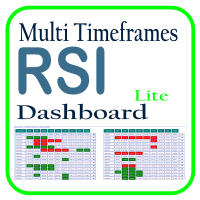
利用 RSI 多时间框架仪表板优化您的交易分析,这是一个强大的工具,可以实时监控市场观察列表中所有时间框架和符号的 RSI。这款仪表板提供即时的洞察和通知,非常适合依赖 RSI 进行潜在市场进出点识别的交易者。主要功能包括: 全面的 RSI 概览 :即时查看市场观察列表中所有符号的每个时间框架的 RSI 值,轻松进行多时间框架分析。 可自定义的超买/超卖警报 :设定您自己的超买和超卖阈值,当达到这些水平时,仪表板将突出显示相关的时间框架。 一键式图表访问 :单击即可打开任何符号的图表,帮助您快速响应并执行交易策略。 实时通知 :当任何符号在任何时间框架的 RSI 进入超买/超卖区域时,即时通知您。 使用 RSI 多时间框架仪表板提升交易效率——这是您进行精准 RSI 分析的必备工具!
FREE

` Account Limit Guard MT5 ` 是一款面向 MetaTrader 5 的免费账户级日内限制保护工具。
它不是交易策略,不会开仓,不提供买卖信号,也不依赖任何特定指标。它的作用是在账户层面监控当日损失限制,并在达到你设定的 Daily Loss 限制后自动执行保护动作。
给资金盘 / prop 挑战交易者 只要日亏损上限还不够? Prop Firm Risk Guardian(MT5) 是完整的 prop 挑战守护:日亏损 + 总回撤 + 交易时段/时间限制 + 亏损投影守卫,触限前自动平掉全部持仓并撤销挂单。为 FTMO 类资金盘挑战而做。 https://www.mql5.com/zh/market/product/190324
Lite 版本的目标很明确:不用复杂规则,不用繁琐参数,只解决一个最核心的问题:
**今天最多亏多少。**
无论订单来自手动交易还是其他 EA,本工具都会从账户角度统一监控风险状态。当达到设定限制后,系统会执行:
- 关闭当前持仓 - 进入 ` BLOCKED ` - 阻止新的交易继续
FREE

Advanced Signals Pro v10.0 is a professional-grade, all-in-one trading dashboard that combines 11 powerful technical indicators into a single, elegant interface. Monitor multiple symbols simultaneously, receive instant buy/sell signals with calculated targets, and make informed trading decisions with confidence. adjust parameters as you wish and if you want to see detailed analysis for any pair double click on it you will get tp , sl and support and resistance and accurate signal Whether you're
FREE

AlsoSell Cockpit 把你完整的交易流程装进图表上一个精致的面板:分析、定量、执行、管理、复盘 —— 全程不用离开图表。
下单与执行 - 一键市价买入 / 卖出,按风险自动计算手数。 - 拖拽式图表下单:在图表上直接拖动入场、止损、止盈三条线。手数根据止损距离和风险百分比实时计算,盈亏比与到价的精确盈亏金额($)在拖动时实时显示。 - 智能执行:执行按钮根据你设定的入场位置,自动选择市价单或挂单(限价 / 突破)。 - 价格验证(止损/止盈方向正确 + 不小于 broker 最小止损距离),在下单前拦截无效订单。 - 反手:一键平掉净持仓并反向开仓。 - 灵活手数:按风险百分比自动算,或用面板上的手数步进器手动调。 - 每个订单都带 magic 编号和注释,方便追踪对账。
持仓管理 - 一键平仓:全部 / 盈利 / 亏损 / 多头 / 空头。 - 批量止损 / 止盈(按 ATR 或固定点数)以及一键保本。 - 持仓明细大表,按单列出,并支持按筛选条件一键平掉一组。
行情看板 - 多周期趋势(M1–D1)、波动率状态、当前交易时段。 - 整数关口、当日枢轴、前一日高低,
FREE

Assistant Trader MT5 Check Pro version with OCO feature and fluid drawings : Assistant Trader Pro MT5 | Buy Trading Utility for MetaTrader 5 Assistant Trader MT5 is a MetaTrader 5 manual trading assistant for fast multi-leg order execution. It is built for traders who need to copy signal levels, split entries into legs, and manage trades with less delay.
Detailed Introduction
Assistant Trader MT5 provides a compact chart dashboard for placing and managing multi-leg trades in MT5. It is intende
FREE

This indicator show the candle remaining time on the chart and/or in the corner of the window. It also display notificaton (popup and push) when a new candle is formed (optional). You configure the timer on candles and at chart corner. I don't need to explain the functions because are very simple. MT4 version: https://www.mql5.com/en/market/product/38677 Any doubt or suggestion please contact us. Enjoy!
This is a free indicator, but it took hours to develop. If you want to pay me a coffee, I a
FREE

Multi currency and multi timeframe scanner. Scans all instruments in "market watch" and gives either pc-alert or push-notification to the phone on a breakout. A breakout is by default defined as when a candle becomes longer than three ATR with a period of 300.
If you have the need for a custom buildt scanner, to scan for your particular setup. Please add a personal jobb under the Freelance section.
Functionality
Has spread filter , to not open stupid mega spread crypto currency charts. Has lo
FREE

EA交易快捷助手 —— 专为 MetaTrader 5 打造的硬件交易利器 本工具专为配合实体快捷键盘设计,将 MT5 的核心交易指令集中映射至硬件实体按键。无需频繁移动鼠标找寻按钮,助你在行情剧烈波动时实现毫秒级订单执行与快速风险规避。 核心功能与优势 毫秒级极速响应 :实体按键物理触发,极大缩短交易决策与订单送达服务器之间的时间差。 一键快捷交易 :支持一键市价买入、卖出、一键平仓、持仓锁仓及手数快速微调。 防误触安全锁 :内置安全锁定机制,有效规避手滑或误触造成的非预期建仓。 完全合规无 DLL :采用纯正 MQL5 原生逻辑编写, 不依赖任何第三方 DLL 文件 ,确保账户资金与平台安全。 快捷键默认映射 (Key Mapping) Key A / F1 :按预设手数一键买入 (Buy) Key B / F2 :按预设手数一键卖出 (Sell) Key C / F3 :一键平仓当前图表品种的所有持仓 (Close Current) Key D / F4 :一键平仓账户内所有品种持仓 (Close All) Key Up / Down :快速增减下一次下单的手数步长 输入参数
FREE

Local Account Monitor MT5 is a read-only local monitoring utility for traders who run multiple MetaTrader terminals on the same PC or the same Windows VPS . It combines Agent mode and Dashboard mode so you can monitor local accounts from one place, spot stale terminals quickly, review account health states, and inspect risk details without switching between many terminals. Public channel: CLICK HERE
What it is for Monitoring multiple local MT5 terminals from one dashboard Quickly identifying
FREE

This Expert Advisor provides an advanced on-chart trading panel designed for discretionary traders. It simplifies position sizing, risk management, and trade execution directly from the chart without manual calculations.
Key Features On-chart trading panel Fixed lot and balance percentage risk mode Risk-based lot calculation using stop loss Market and pending order execution Partial close management Break-even automation Trailing stop control Equity protection system Daily loss lock S
FREE

Kalman Forecast Helper is an advanced MQL5 Expert Advisor component designed to generate adaptive market forecasts, trend predictions, and trading signals for FX and other financial time series. Powered by a proprietary Kalman filtering engine, the helper continuously analyzes incoming market data and delivers actionable forecast information that can be integrated directly into Expert Advisors, indicators, or quantitative trading systems. After each update, the helper provides: Multi-horizon for
FREE

This utility automates Take Profit (TP) and Stop Loss (SL) levels for your trades, calculated in Money (Example : if you type 10, it means 10USD) . It ensures consistent risk management for all your positions. Crucial Note for Manual Traders: If you intend to use this utility on trades opened manually (without an Expert Advisor), you must change the 'Magic Number' setting to 0 (zero) . This allows the utility to correctly identify and manage your manual orders.
FREE

Arixis Backtest Inspector — Go Beyond the Final Profit
Arixis Backtest Inspector is a professional MetaTrader 5 analysis tool designed to help traders understand the real structure behind historical trading results. Instead of focusing only on net profit, win rate or profit factor, it examines how results are distributed over time and how dependent a strategy may be on a small number of exceptional trades or trading days. The tool analyzes trade performance, winning and losing streaks, closed-e
FREE

Indicator Trader EA v1.0 for MetaTrader 5
Universal EA that bridges any custom indicator's signals to automated trading
XAUUSD · Major Forex Pairs · Crypto | All Timeframes M1 ~ D1
Overview Indicator Trader EA is a universal Expert Advisor that automatically executes buy and sell orders based on signal buffers from any custom indicator.
With a single EA, you can connect any commercial indicator (SuperScalp Pro, Trend 7Filter Pro, etc.) directly — no extra coding required. Simply configur
FREE

One Click Trade Manager Panel – fast manual trading utility for MetaTrader 5
One Click Trade Manager is a compact on-chart control panel that lets you open, manage and close trades with a single click. It does not trade automatically: every order is placed only when you press a button, so you stay in full control.
MAIN FEATURES • One-click BUY and SELL with preset Stop Loss and Take Profit • Adjustable lot size directly on the panel (+ / - buttons) • Optional Risk % mode: lot size is calculat
FREE

在图表上显示简洁的美国东部时间(ET)时钟,自动与美股交易时间同步。每秒更新。
Full description: ClockET — 轻量级指标,直接在图表上显示当前的美国东部时间(ET)日期和时间,让您始终准确掌握美股交易时段的进度 — 无需手动计算时区。
图表显示内容
• 实时时钟 — 显示星期、月份、日期和ET时间,每秒更新(例如 "Thu Jul 24 07:36:45 ET") • 居中标签 — 显示在图表底部,图表调整大小时自动重新居中 • 自动夏令时检测 — 根据美国官方夏令时规则(3月第二个星期日至11月第一个星期日)自动在EDT(UTC-4)和EST(UTC-5)之间切换 — 无需每年手动调整两次
设置
• 字体大小、字体颜色、字体名称 — 自定义时钟外观 • Y轴偏移 — 距图表底部的垂直位置 • Auto DST — 启用/禁用自动EDT/EST检测 • 手动ET偏移 — 可选的固定UTC偏移量,仅在禁用Auto DST时使用
支持平台
• MetaTrader 5 (ClockET.mq5) • MetaTrader 4 (ClockET.m
FREE

Broker Clock and New York Session answers a question every MetaTrader user meets sooner or later: what time is it on my broker's server, and what time is it in New York? Broker servers run on many different clocks: UTC all year, GMT+2/+3 following US summer time, or GMT+2/+3 following European summer time. For a few weeks every spring and autumn, when the US and Europe change their clocks on different dates, a fixed offset is wrong by one hour. This indicator finds the right one for you. What it
FREE

Unified Scroll – Effortless Multi-Timeframe Chart Synchronization (MQL5)
Tired of manually scrolling through multiple charts? Unified Scroll is the ultimate MQL5 utility that instantly syncs scrolling and panning across all charts of the same symbol—regardless of timeframe. No more misaligned charts, no more wasted time. Just smooth, synchronized analysis at your fingertips.
Seamless Scrolling & Panning – Move one chart, and all others follow in real time .
Works with Any Sym
FREE

Account Guard Daily Limit is the free version of Account Guard. It watches the whole account and enforces two rules: a daily loss limit and a maximum drawdown. It opens no trades of its own. It works for manual trades and for any EA on the account. The panel shows the state, the day result against the limit, and how much room is left above the drawdown floor. The two rules Daily loss limit in percent of the initial balance. When it is hit, every position and pending order is closed. Any trad
FREE

交易可视化工具 (TVIZ) 简介
提供的代码代表了一个高效的交互式实用程序——我们称之为交易可视化工具 (TVIZ)——旨在将历史交易数据和当前交易数据直接绘制到 MetaTrader 价格图表上。对于专业开发人员和外汇交易员而言,在终端的历史记录标签页中查看原始交易单数据既繁琐又缺乏视觉上的关联性。与其他通过绘制完整交易历史记录来呈现交易数据的市场解决方案类似,该脚本通过将精确的入场点和出场点直接投射到 K 线图上,弥合了这一差距。通过将数值化的交易数据转换为清晰的可视化格式,该工具使算法开发人员和手动交易员能够即时评估其策略入场的准确性、出场的效率以及整体市场时机把握。这使其成为调试智能交易系统 (EA) 或进行周末手动交易日志记录的必备工具。
该指标的核心是利用 MetaTrader 的对象创建功能,以可视化的方式呈现交易的完整生命周期。当检测到订单时,脚本会绘制精确的入场箭头,巧妙地利用 Wingdings 字符代码来区分市场方向——买入订单默认使用道奇蓝,卖出订单默认使用番茄红。对于已平仓的仓位,脚本会绘制相应的出场标记。真正的分析价值在于这些出场点及其虚线连接趋势线的
FREE

帮助你守在注资账户(funded account)或挑战账户的限制之内。Prop Firm Risk Guardian 是一块纪律面板,实时显示你距离违规到底还有多远——以及此刻你自己的规则允许开出的最大手数。
它追踪终结挑战的三个数字:当日亏损与限额的对比(含剩余缓冲和重置倒计时)、最大回撤——按跟踪高水位(trailing high-water mark)或以初始资金为基准静态计算,可在面板上直接切换——以及盈利目标的完成进度。一个统一状态——SAFE、CAUTION 或 LOCKDOWN——为状态条和强调色着色,风险高低一眼便知。
核心是 MAX LOT NOW:此刻你自己的规则允许开出的最大手数。它取两个金额中较小的一个——按余额计算的单笔风险百分比,以及距离生效限额的剩余额度乘以缓冲比例——用平台自身的盈亏计算反推得出,再以硬性手数上限封顶,并向下取整到经纪商的最小手数步长。这是一个上限,而不是建议手数。拖动止损距离滑条,看手数实时重算。它显示的是根据你设定的风险百分比、止损距离和剩余缓冲反推出来的手数上限;本工具不会拦截或限制手动订单以及其他EA的订单。
你将获得
FREE

Crystal Copycat ULTIMATE v4.00 – 专业 MT5 交易复制工具 概述
Crystal Copycat ULTIMATE v4.00 是一款高性能 MetaTrader 5 交易复制器,可 实现不同账户与经纪商之间的超高速、可靠复制。系统通过 MT5 本地公共文件 夹运行,无需 DLL 或 API ,适合 VPS 与多 账户环境。 核心功能 双模式 : MASTER: 广播 订单、修改与关闭。 SLAVE: 即 时执行并带风险控制。 智能 仓位缩放 :固定手数、 资金比例、基于风险百分比。 风险管理 :最大回撤保 护、资金监控、单笔风险控制、基于 SL 的 计算。 订单覆盖 :市价、挂 单、修改、删除、 CLOSE_ALL 。 符号映射 :自 动 / 手 动支持(如 XAUUSD=XAUUSD.r )。 文件通信 :基于本地文件 夹,无需 DLL 和 API 。 可 视化面板 : 实时显示交易状态、风险、错误。 应用场景 多 终端复制交易。 Prop Firm 账户管理。 信号提供。 多 经纪商环境。 亮点 支持跨 经纪商复制。 支持市价与挂 单。 兼容
FREE

You can use this tool to create as many pending orders (limit order) as you want in one button press. All inputs must be in points. You can use this useful tool when such as FED speech times. User Inputs:
MagicNumber = Magic number DeviationPoint = Deviation point number for limit orders Level = You can choise how many level do you want to create pending orders. BuyOrder = true/false SellOrder = true/false StartDistance = Distance between each level. StepDistance = Distance to be added increment
FREE

A. Chart Manager: Designed by an experienced trader and web performance engineer. Developed and built with performance, speed and optimization in mind. Uses unique clean outline of events, even when there are multiple events. Restyles your chart with one of five color themes when you click it. Removes background images and the objects other tools leave on the chart. Never removes the rectangle labels that Expert Advisor panels are built from. Shows or hides the grid, volumes, trade levels, price
FREE

ChartControl 是一款轻量级的实用型指标,用于快速手动切换图表。它允许你通过键盘快捷键在当前图表上切换 交易品种 和 周期 —— 非常适合快速扫盘,无需鼠标点击。 本产品仅以 EX5(已编译) 形式发布。 主要功能 通过 Market Watch(市场报价) 列表快速切换品种 按预设周期集合快速切换周期(M1…MN1) 占用资源极低(无计算、无绘图) 当你用鼠标/菜单手动切换品种或周期时自动同步 快捷键 A — 上一个品种(Market Watch) D — 下一个品种(Market Watch) W — 下一个周期(更大) S — 上一个周期(更小) 周期顺序:
M1 → M5 → M15 → M30 → H1 → H4 → D1 → W1 → MN1 使用方法 将指标加载到任意图表 点击一次图表以确保图表处于焦点 使用 A / D / W / S 切换品种/周期 说明 品种切换仅基于当前 Market Watch 中可见的品种。 若 Market Watch 为空,指标将使用当前图表品种。 兼容性
MetaTrader 5,所有经纪商,任意图表。
FREE

EA Master Version any Follow Copy Account (Acc. Number) need a open MT Terminal, download multiple times Step1: Open Master MT5 Terminal = install master- Version (on any Symbol just one Time) Step2: Open Follower MT5 Terminal = install follower- Version (on any Symbol just one Time) Step3: all Trades from any Symbol or any Robot are copy now to follow- Terminal immediately for simple copy set on Chart and Start no optimization. This Robot is a Trade Copier for MT5 that automa
FREE

## Version 2.50
I created this EA with the intention of making it free for everyone to use. It serves as a tool to assist in trading with money management, entering order lots according to a percentage of the account balance, and automatically setting TP/SL based on high/low prices.
In Version 2.50, The Auto TP/SL feature adjusts from the Line In (entry point), and Auto price in this version only shifts the entry line to the current price. Input settings: Ato update SL/TP Line >>> In version
FREE

Reward Multiplier is a semi-automatic trade manager based on pyramid trading that opens additional orders with the running profit of your trades to maximize return exponentially without increasing the risk.Unlike other similar EAs, this tool shows potential profit/loss and reward to risk ratio before even entering the first trade! Download full version here ( In the mini version. Starting lot is fixed at 0.01 (or minimum allowed lot size ) Guide + tips here MT4 version here You only open the
FREE

Limiter Drawdown EA – Automatic Account Protection for MetaTrader 5
Description
Limiter Drawdown EA is a lightweight risk management tool for MetaTrader 5.
It monitors your account drawdown in real time and will automatically close all open trades once the threshold you define is reached. This provides a reliable safeguard for any trading strategy. Main Functions Monitors equity versus balance continuously Closes all positions when your chosen drawdown percentage is reached Optionally removes
FREE

Floating Profit Dashboard is a real-time on-chart P/L monitor for MetaTrader 5 — built for traders who want instant visibility of their account performance without constantly checking the Toolbox. The panel displays live floating profit and loss directly on the chart, updating on every tick and every second, with intelligent colour coding — green when you're in profit, red when in drawdown. Features: Live Floating P/L — Total profit displayed in your account currency (£, $, €, ¥ and mor
FREE

Max Drawdown Guardian watches your equity against the drawdown rule you trade under and acts before the rule is broken.
What it does - Static or trailing drawdown, measured from initial balance, peak equity or highest closed balance. A trailing limit can stop at the initial balance. - Eight ready-made rule presets (for example 10% static, 5% trailing from peak equity), or your own percentage or money amount. - Two warnings before the limit, at 50% and 75% by default, sent as a pop-up, a push n
FREE
MetaTrader市场提供了一个方便,安全的购买MetaTrader平台应用程序的场所。直接从您的程序端免费下载EA交易和指标的试用版在测试策略中进行测试。
在不同模式下测试应用程序来监视性能和为您想要使用MQL5.community支付系统的产品进行付款。
