 MetaTrader 5
 专家
专家
 指标
指标
 程序库
程序库
 实用工具
实用工具
 窗口小部件
窗口小部件
 规则
规则
免费的MetaTrader 5 交易实用工具 - 5
 以下是可在MetaTrader 5中简化交易的交易程序。将鼠标悬停在一个工具上,阅读它的描述和用途。
Calculating the volume of orders every time you create an order is an extremely important thing in risk management Let this tool simplify your work! ----------------------------------------------------- How to use? Attach the indicator to the chart and set its parameters: Risk size in % or money and Risk Reward Ratio. Click on the ON button and locate the horizontal line to your would-be StopLoss level. Options: Click on the Pending/Instant button to locate the horizontal line to your would-b
FREE

Trade2Telegram — 一个用于将MetaTrader交易自动通知发送到Telegram的插件。 该工具适用于管理资金的交易者、运营信号频道的人员或领导教育社区的人。该插件会将终端中的所有交易操作复制并发布到选定的Telegram聊天、群组或频道中。 当开仓或平仓、止损或止盈水平变动、挂单触发或部分平仓时,消息会自动发送。 您可以自定义消息格式,包括:交易品种、交易方向、交易手数、开仓和平仓价格、止损/止盈水平,以及点数和金额的结果。它还支持添加标签和备注,并可选择服务器时间或本地时间。 该插件直接通过Telegram Bot API工作,无需任何第三方服务。连接方式非常简单,只需提供您的Bot令牌和目标聊天或频道的ID即可。 主要优势: 完全自动化的交易通知; 灵活的消息格式和发送频率; 支持所有订单类型; 可维护公开或私人的交易统计。 该插件非常适合信号频道、私募交易办公室、团队交易日志以及透明的实时交易跟踪。
FREE

This plugin is designed to enhance trading efficiency and risk management in scalping strategies. Key features include:
-One-Click Trade Execution: With a single click, the plugin opens two trades simultaneously, each with its own Take Profit (TP1 and TP2) targets. -Automatic Stop Loss Adjustment: The plugin automatically adjusts the Stop Loss (SL) to Break Even (BE) once the price reaches halfway towards TP1, securing partial profits. -Account Protection Features: It includes built-in protecti
FREE

Mi Easy Order MT5 es un programa diseñado para facilitar y optimizar la ejecución de operaciones de compra y venta en los mercados financieros, proporcionando al trader una herramienta práctica, precisa y confiable para la gestión del riesgo. Su objetivo principal es simplificar el proceso de entrada al mercado, eliminando cálculos manuales y reduciendo errores comunes que suelen producirse al momento de definir el tamaño de la posición. El sistema permite al usuario ingresar como parámetro el n
FREE

Chinese (Simplified) RSI Cross Alert EA for MT5 RSI Cross Alert EA 是一个简单的 MetaTrader 5 工具,当 相对强弱指数(RSI) 达到常见的超买或超卖水平时向交易者发送提醒,帮助您无需一直盯着图表也能监控 RSI 信号。 将 EA 添加到图表后,它会持续监控 RSI 数值,并在关键水平被突破时发送 弹出提醒 ,方便您快速查看图表并评估潜在交易机会。 功能 检测 RSI 上穿超买水平(默认 70)
检测 RSI 下穿超卖水平(默认 30)
MetaTrader 5 弹出提醒
适用于任何交易品种和时间周期
轻量且易于使用 工作原理 EA 会监控当前图表上的 RSI 指标。当 RSI 上穿超买水平或下穿超卖水平时,MetaTrader 5 会弹出提醒。 RSI 周期和提醒水平可以在设置中调整。 该 EA 仅提供提醒功能 ,不会自动开仓或管理交易。
FREE

All In One (AIO) A2 Trade Panel EA made for you that like SCALPING, HEDGING, or LONG TIME TRADING. TRIAL VERSION, FOR DEMO ACCOUNT ONLY Features : TRADING INFORMATION Profit / Loss information (Customizable information - See on Attached Pictures) Margin Level information Equity information Total Lots Information Time information (Customizable information - See on Attached Pictures) Daily Profit / Loss Information TRADE MANAGER Close Buy / Sell Trade Close Buy / Sell Profitable Trade Close Parti
FREE
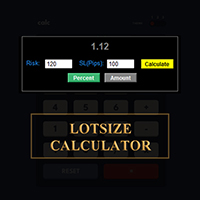
在 MetaTrader 上直接計算您的交易手數!
各位交易員,大家好!您是一位注重風險管理的交易者嗎?如果是,那麼這款工具正是為您量身打造的。我叫 Ibrahim,我開發了一款工具,可以根據您帳戶餘額中的風險百分比來計算您的交易手數。如果您想要承擔一個絕對值的風險,而不是以百分比的形式指定風險,這款工具也能幫您計算出合適的交易手數。例如,您可以指定從您的帳戶餘額中拿出 100 美元進行交易。
MT4 版本: https://www.mql5.com/en/market/product/155026
它是免費的,歡迎體驗!請在評論區留言,告訴我您希望我添加哪些功能,或您希望我為社區開發哪些其他工具。
祝您交易愉快,自動化交易快樂!
FREE

导出当前交易账户的交易历史。 文件保存在data文件夹中,可以通过终端主菜单打开: 文件 -> 打开数据目录 (Ctrl+Shift+D) 并转到文件夹 MQL5/文件 . 文件名自动生成或通过脚本参数手动设置。 历史文件可用于分析 Excel 中的历史(可能需要通过导入向导打开)或使用智能交易系统在另一个交易服务器上模拟相同的交易序列 简单的历史接收器 。
文件格式 标题是第一位的 DATE,TICKET,TYPE,SYMBOL,VOLUME,ENTRY,PRICE,STOPLOSS,TAKEPROFIT,PROFIT,COMMISSION,FEE,SWAP,MAGIC,COMMENT 在它之后直到文件末尾,有一行以逗号分隔的字段值表示一笔交易。
每行字段值: DATE - YYYY.MM.DD HH:MM:SS 格式的日期 TICKET - 交易票据(整数) TYPE - 来自 ENUM_DEAL_TYPE 的交易类型(整数) SYMBOL - 交易工具(字符串) VOLUME - 成交量(实数) ENTRY - 来自 ENUM_DEAL_ENTR
FREE
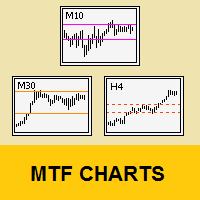
Tool that allows viewing more than one timetime in the same window (up to 3 timeframes). Then, the tool helps the analysis in multiple timesframes.
This is another product developed by Renato Fiche Junior and available to all MetaTrader 5 users!
Input Parameters
- Timeframes 1, 2 and 3: Timeframes of sub-charts
- Show Dates: Shows the dates on the sub-charts on the X-axis (Yes / No)
- Show Prices: Shows on the Y-axis the prices in the sub-charts (Yes / No)
- Show Subwindow: Shows the s
FREE

SyncTrader Risk Manager SyncTrader Risk Manager 是一款适用于 MetaTrader 5 的手动交易与风险管理工具。它可以根据账户货币金额或余额百分比计算仓位手数,并允许交易者直接在图表上准备交易计划。 本工具不会生成交易信号,也不会自行开仓。交易方向、订单类型、Stop Loss 和 Take Profit 水平均由用户决定。面板界面支持英语和俄语。 主要功能 按风险金额或余额百分比计算交易手数 支持 Market、Limit 和 Stop 订单 支持 1 至 4 个 Take Profit 目标 可拖动的 Entry、Stop Loss 和 Take Profit 水平线 以账户货币、points 或 R 显示水平值 在指定 Take Profit 达成后自动移动至 breakeven 9 个可重复使用的交易水平模板 点差、可用保证金、单笔风险和每日亏损检查 一键关闭全部、仅盈利或仅亏损的受管仓位 一键删除受管挂单 快速操作可应用于当前品种或全部品种 可关闭提示音,面板可折叠 支持 hedging 和 netting 账户 终端或 Ex
FREE

Auto SLTP Pro can help you setSL & TP automatically for positions & pending orders * 2 modes: - Points - USD * Symbol Filter: Select All or a specific symbol * For pending orders: Select true to set SLTP for pending orders Note: Only valid for positions (pending orders) without SL&TP! Join my channel here for more useful management tools: * Remote Tools via Telegram: Super Assistant, Master Close, Master Control, Master Notify * Free Tools: Tele Notify, Price Alert, Quick Close
FREE

Drag the stop line on your chart and see the lot size update live. Sizes every trade from your own risk setting, using the broker's real contract size and lot step. It does not trade and it sends no orders. What it does Set the stop where you actually want it - by dragging a line on the chart, not by typing points into a box - and read the lot size straight off the panel. The panel shows direction, entry, stop, stop distance in price and points, your risk in both percent and account currency, th
FREE

保护资金,让盈利单瞬间变成零风险单。Auto Break-Even 是一款 MT5 工具,订单达到设定盈利时,自动把止损移至入场价(加可调偏移)。 让交易管理摆脱情绪:盈利单不再变成亏损单,您可以更有信心地持仓等待更大目标。 主要功能 - 自动保本:盈利 X 点后把止损移至入场价。 - 偏移(Pips Offset):加少量缓冲(如 0.3 点)以覆盖点差和佣金。 - 多品种:单个图表,或在一个窗口管理多个货币对。 - Magic Number 过滤:管理手动订单或其他 EA 的订单。 参数说明 - Auto Break-Even:开/关。 - Pips in Profit:触发保本所需盈利点数。 - Pips Offset:新止损距入场价的距离。 - Symbols:要管理的品种(如 EURUSD, GBPUSD),留空 = 当前图表。 - Magic Number:指定订单或全部订单。 适合:趋势交易者、波段交易者,以及难以克服心理障碍、不敢自己移动止损的人。 需要一键部分平仓 + 保本?试试 Close Partial MT5。 如果觉得有用,请留下简短评价——这对我帮助很大!
FREE

Crystal Cross Sync Advanced MT5 Chart Synchronization & Backtesting Engine Crystal Cross Sync is a high-performance MetaTrader 5 utility designed to transform the way traders analyze, replay, and synchronize market data. Built specifically for serious MT5 traders, this tool delivers ultra-fast chart synchronization, automatic time alignment, precision zoom control, and structured backtesting assistance — all in one optimized engine. This is not an indicator.
This is a professional chart control
FREE

Visual trading tool for MetaTrader 5 with automatic lot calculation, draggable SL/TP lines, risk-reward ratio display, and one-click execution.
Smart Lot OneClick Manager is a fast, intuitive, and clean visual trading assistant designed for MetaTrader 5. It streamlines your risk management and order execution directly on the chart, eliminating manual calculations and saving crucial seconds during high-volatility sessions. Key Features: Automatic Lot Calculation: Automatically calculates the exa
FREE

Manzano Risk Reward Box The PRO version, including direct trade execution and automatic R-based trailing management, is available. For information about the PRO version, please contact us via MQL5 private message. Manzano Risk Reward Box is a visual trade planning and risk management tool for MetaTrader 5, designed to help traders prepare their positions directly on the chart before execution. It allows users to create visual BUY and SELL scenarios, define the percentage of the account they want
FREE

StealthTrade Commander 是一款高级可视化交易面板和风险管理工具,专为手动交易者、剥头皮交易者(Scalpers)和自营交易公司(Prop-Firm)挑战者设计。 该工具可帮助您直接在图表上可视化执行交易,向经纪商隐藏您的止损(SL)和止盈(TP)水平,并严格控制您的每日回撤——这是通过和保留 Prop-Firm 资金账户的关键功能。 主要功能: Risk Guardian(自营交易保护器) 每日最大亏损限制: 如果您的每日回撤达到指定限制,自动平仓所有交易并锁定面板。 每日利润目标: 一旦达到您的每日目标,即平仓所有头寸以锁定利润。 精准手数计算: 根据您的可视化止损和预设风险(%、$ 或账户净值)计算确切的交易手数。 Stealth & Tactical Engine(隐身与战术引擎) 隐身模式: 向经纪商隐藏真实的 SL 和 TP 水平。面板在内部管理它们,并在价格穿过您的虚拟线时精准平仓。 幽灵入场(虚拟挂单): 放置隐形挂单,仅在价格触及您的线条时触发。 OCO 订单(选择性委托单): 突破交易的完美选择。当一个挂单被触发时,相反的挂单将自动删除。 价格磁
FREE

This simple visual expert advisor allows you to trade easily from the chart. It handles risk management for you and can perform several useful tasks with your existing trades, saving time and making risk-management for each individual trade easier. [ Installation Guide | Update Guide | Troubleshooting | FAQ | All Products | Get Help ] Trade easily from the chart Trade with precise risk management, hassle free Trade pending order with drag and drop price selection Set SL and TP levels with d
FREE

Dual Symbol Bars
在独立副窗口中绘制第二个品种的K线,时间周期和时间轴与主图相同。 在单独窗口中显示任意第二个品种的K线,并与主图时间对齐。适合把黄金和美元指数放在一起,也可用于经纪商提供的其他品种。 Dual Symbol Bars 在主图下方增加第二张K线图。两个窗口使用相同周期和相同开盘时间,因此无需再开一张图表即可比较两个品种。 例如:主图为 XAUUSD,副窗口为美元指数。品种不固定。请在“面板中显示的品种”中填写经纪商的准确名称。若该名称不存在,指标还会尝试常见美元指数名称(USDIndex、USDX、DXY 等)。 每根K线按开盘时间对齐。阳线(收盘不低于开盘)使用阳线颜色。阴线使用阴线颜色。影线、实体和边框颜色可分别设置。品种名称会画在面板中。若服务器上没有该名称,标签会显示未找到。 可设置: 面板中显示的品种(经纪商准确名称) 阳线影线、实体和边框颜色 阴线影线、实体和边框颜色 影线宽度 标签颜色和字号 使用方法: 将指标附加到任意图表。 按市场报价中的准确名称输入第二个品种。 若没有绘制,请打开查看 → 品种,找到该品种并显示。在历史数据到达之前,面
FREE

Transform your Metatrader 5 trading experience with the Smart Trade Control for MT5, a sophsiticated yet intuitive trade managtement solution designed for traders of all levels. From precise position sizing to advanced basket management, this tool streamlines your trading workflow while enhancing risk control. Core Features: Smart Position Calculator: Enter risk amount and instantly get optimal lot size based on your stop loss - eliminate manual calculations and trading errors. Advanced Basket
FREE

InvestraAI Forex Heatmap InvestraAI Forex Heatmap 是一款用于 MetaTrader 5 的货币强弱可视化面板。它会比较主要 Forex 货币之间的表现,并在图表上以热力图形式显示结果。 该 EA 可帮助用户快速识别强势和弱势货币,查看潜在 Buy/Sell 信号,并一键打开对应信号图表。 工作原理 EA 分析所选货币:EUR、USD、AUD、GBP、NZD、CAD、CHF、JPY。用户可以在参数中启用或禁用每一种货币。 对于每个启用的货币组合,EA 会根据所选时间周期计算百分比变化。例如,如果 broker 提供 EURUSD,EA 会使用 EURUSD 计算 EUR 对 USD。对于 USD 对 EUR,EA 使用相同的 EURUSD 数据,但方向相反。 热力图颜色含义: 绿色表示基础货币强于报价货币 红色表示基础货币弱于报价货币 颜色越深,变化越强 中性色用于相同货币或无可用数据 EA 会统计每种货币强于或弱于多少其他货币。如果某货币强于足够多的货币,则被视为强势货币。如果弱于足够多的货币,则被视为弱势货币。这个数量由 Signa
FREE

本程序是为交易者和投资者设计的简单图表播放器,旨在帮助您回放历史市场数据,从而更好地理解市场的动态和价格走势。
使用本播放器,您可以逐根推进K线,按顺序确认市场走势, 并可以分析特定交易策略在不同市场情况下的表现。
通过反复观察关键价格点和趋势变化, 您能够有效地提升交易决策的准确性和操作信心。
播放过程中可以暂停, 并在需要时继续播放。
如果您喜欢,也请考虑使用 “Chart Auto Flow Focus Edition”: https://www.mql5.com/zh/market/product/154905
它支持通过快速滚动进行图表检索、通过慢速滚动进行模拟,并在多个图表上进行多周期(MTF)同一时间同步,让多周期分析变得更加轻松。
【功能特点】 从过去向未来方向自动播放 以固定间隔逐根K线推进 支持播放中的暂停 【播放规格】 播放方向:过去 → 未来 播放速度:固定 移动K线数量:1根固定 播放暂停 / 继续 使用END结束播放 【操作方法】 Pause / Restart:暂停或继续播放
FREE

Market Beacon — 一眼掌握市场环境,由 GOLDEXA️ 开发 Market Beacon 是一款完全免费的 MetaTrader 5 市场 Dashboard,旨在帮助交易者更快速地了解当前市场环境,同时减少图表上的杂乱信息。 无需不断切换不同的 timeframe、指标和交易时段时钟,Market Beacon 将最重要的市场信息整合到一个简洁、专业的 HUD 中。 你可以同时查看多个 timeframe 的市场方向,判断市场处于趋势还是震荡状态,监控波动率和 Spread,查看当前活跃的交易时段,并准确知道当前 K 线距离收盘还有多长时间。 无需订阅。无需外部服务。不执行交易。Market Beacon 完全免费。 Market Beacon 显示的内容 Multi-Timeframe Market Map — 同时监控 M5、M15、H1、H4 和 D1,或自定义任意五个 timeframe。 Bull / Bear / Mixed Direction — 通过简洁直观的市场结构视图,快速判断每个 timeframe 的方向偏向。 Trend Strength
FREE

TradingLab Trade Panel - 产品描述 TradingLab Trade Panel - 专业的全合一交易界面 将您的 MetaTrader 5 转变为专业的交易指挥中心 概述 TradingLab Trade Panel 是一个全面的交易叠加界面,用一个直观的界面替换多个手动操作。专为自由裁量和系统性交易者设计,它结合了视觉订单放置、自动化风险管理、高级仓位控制和灵活的追踪策略——所有这些都在一个优雅的、受 TradingView 启发的深色主题中。 主要功能 视觉订单放置 直接在图表上拖放入场、止损和止盈线 实时重新计算手数大小,因为您调整价格水平 自动检测订单类型(市价、买入/卖出止损、买入/卖出限价) 在执行前查看确切的美元风险和回报 自动化风险管理 一键选择风险百分比(0.5%、1%、2%) 可调滑块从 0.1% 到 10% 每笔交易风险 基于账户权益和止损距离的自动手数大小 回报:风险比率锁定在调整止损时保持纪律 点差监测,当条件恶化时有视觉警报 高级仓位管理 部分关闭选项:25%、50% 或 75% 仓位减少 一键保本以锁定受保护利润 即时反转仓位并调
FREE

MyFXRoom EA — Smart Position Size Calculator & Trade Execution Tool
Overview MyFXRoom EA is a professional semi-automated trading tool designed to remove the guesswork and manual calculation from trade execution. Built for serious traders who manage their own entries and exits but want precision, speed, and consistency in every trade — without the complexity of a fully automated system. The EA does one thing exceptionally well: it calculates the correct position size for your exact risk toleran
FREE

Trade Panel by RWBTradeLab
Trade Panel is an on-chart panel for MetaTrader 5 that places market, pending and straddle orders and manages the open trades of the chart symbol.
Overview
The panel sits on the chart and has six tabs: Trade, Manage, Settings, Account, Help and About. Every value you set is saved for each symbol, so a chart keeps its own lot, stop loss, take profit and switches after a restart. The panel can be dragged anywhere on the chart and minimised to its title bar.
The pane
FREE

Move TP & SL (MT5) 是一款交易辅助脚本,可让您通过一次点击,快速调整当前持仓和挂单的止盈(TP)与止损(SL)。 该脚本支持两种工作模式: Pips 模式(Pips Mode) :根据订单开仓价,按固定点数(pips)设置 TP 和 SL。 价格模式(Price Mode) :直接在指定的价格水平设置 TP 和 SL。 您可以选择需要修改的订单类型:所有订单、仅持仓订单,或仅挂单订单。 脚本执行后,会显示一条清晰的单行通知,包含已修改订单的数量、所选模式,以及应用的 TP 和/或 SL 数值。 如果输入参数无效,或没有可修改的订单,脚本将显示 “No action taken” 提示。 使用方法 打开您要管理的交易品种图表。 确保该图表上存在持仓订单和/或挂单订单。 将 Move TP & SL (MT5) 脚本拖拽到图表上,或在导航器中双击运行。 设置输入参数(Target、Mode、TP、SL)。 点击 OK ,脚本将立即执行。 重要说明 本脚本不会开仓或平仓。 仅用于修改止盈(TP)和/或止损(SL)。 脚本只对运行所在图表的交易品种生效。 这是一次性执行脚本,
FREE

ApexTradeManager is a professional manual trade-management Expert Advisor for MetaTrader 5, designed especially for XAUUSD (Gold) traders. Instead of replacing your trading strategy, ApexTradeManager works alongside your manual execution. You decide when and where to enter; the EA helps manage the position according to your predefined trade-management rules. Key Features Automatic Stop Loss & Take Profit — Automatically apply SL and TP levels to new positions. ATR-Based TP System — Dynamic TP1,
FREE

如果您喜欢本产品,请不要忘记留下评论和评分!
Advanced PolyLines 是一款用于在 MetaTrader 5 图表上直接创建和编辑折线的工具。它可以将多个线段连接成一个完整结构,便于创建和维护用于图表分析的线条。 该工具用于简化由多个线段组成的结构操作。连接的点可以同时移动,从而调整整个结构,而无需分别编辑每一条线。 主要功能 工具界面 工具在图表中提供操作界面,可用于启用绘图模式、隐藏控制项以及删除已创建的折线。 Magnetic Snap 当鼠标光标接近蜡烛图的 OHLC 水平时,点可以自动吸附到相应的价格位置。这有助于将线条准确放置在开盘价、最高价、最低价或收盘价位置。 Joint Dragging 多个线段共享的连接点可以直接在图表上移动。移动连接点时,与其连接的线段会同步移动,同时保持原有结构。 折线扩展 可以从现有折线的可用端点添加新的线段,以继续扩展已经创建的结构。 样式同步 通过 MetaTrader 5 属性修改线段的颜色、粗细或线型等视觉属性后,连接的折线可以保持统一的视觉配置。 支持不同图表周期 结构的位置会根据创建时使用的时间和价格点进行保存。因
FREE

This application is now replaced by Ofir Notify Light Edition (Free) or Ofir Notify (paid).
Thank all for your positive feedbacks.
Telegram Alerts is a tool which send alerts on trades to Telegram Alert on any event concerning a position : Opening, Closing, modification (SL, TP) Alert on Equity change Display Risk, Reward and progress of profit/lost for each position Send signals from your indicators or experts Multi-lingual If you are facing any issue using this utility, please contact me to
FREE

Hey Trader!
Boring with the Meta chart? Do you want to move it as you do in Profit?
Your problems are over! Now available Chart Panoramic or ChartPan for closer friends, a utility that allows you to move the chart to better visualize the most relevant points for your trade.
Recommend you to add a keyboard shortcut for quick access (Ctrl + Q - for example), because you will need to run ChartPan after symbol changing to "release" the chart again.
To add a hotkey: after downloading
FREE

The Trading Sessions indicator is a simple tool that helps to highlight a specific trading session. For example, it can be used to differentiate the European, American or Asian sessions.
Main features The indicator shows a user-defined trading session. Alert notifications for the start and end of the session. Custom session time. Works on every timeframe (M1, M5, M15, M30, H1, H4, D1, W1, MN). Customizable parameters (Colors, alerts...). It can be used for creating EA. Available for MT4 an
FREE

ClickDrag可以轻松地在图表上画线和移动对象。
点击,然后拖动,开始绘制趋势线。
水平移动鼠标可以画出价格线。
垂直移动鼠标可画出日期线。
现有的线和对象可以通过点击和拖动来移动。
显示开始点到结束点之间的价格和时间差。
开始后点击&拖动。
左右摇动来改变颜色。
向上和向下摇动可以删除。
- 什么是Click & Drag ?
1. 按下鼠标左键(按)。
2. 松开鼠标左键(释放)
3. 按下鼠标左键(按住)
4.保持按住并移动鼠标(拖动)
这个动作允许你画趋势线,移动对象,改变颜色和擦除。
箭头、价格对象、斐波那契、吉安线、周期线和形状也可以移动。
如果你不小心画了一条线,请移动到图表外,然后释放按钮。这条线就会消失。
比中间点击更容易。比中间点击的可见性更好。
但它不能用于不可选择的对象。
外汇的PIPS和差价合约的货币。
FREE

AntaresX Volume Profile — Indicator for MetaTrader 5 AntaresX Volume Profile is an indicator that displays the price levels where the highest trading activity was concentrated during a selected period, and calculates the historical probability of the price reacting when it reaches each of those levels. What the indicator draws The indicator identifies three levels on the chart: POC (Point of Control): the price where the highest trading activity was recorded during the selected period. Displaye
FREE

Overview FiT Panel Pro is a professional-grade trade management panel designed for MetaTrader 5 traders who demand speed, precision, and full control over their trades. Built with a modern dark-theme UI, it combines one-click execution with advanced risk management, visual SL/TP drag lines, automatic Fibonacci-based levels, and comprehensive order management — all in a single, compact panel. Whether you are a scalper, day trader, or swing trader, FiT Panel Pro gives you the edge you need to exec
FREE

该工具直接在图表上显示经济新闻。它会显示即将发生的事件、事件发生时间、事件的重要性,并发送通知。
适用对象:
关注经济新闻的交易者
根据新闻进行交易的交易者
希望及时接收提醒的交易者
需要在图表上直接使用简洁直观日历的用户
主要功能
新闻面板 - 在图表上显示最近的经济事件
货币筛选器 - 仅显示您交易品种的货币新闻
提醒 - 在新闻发布前指定时间发出通知
推送通知 - 向您的 MetaTrader 移动设备发送通知
声音提醒 - 可自定义声音提醒
颜色指示器 - 以视觉方式指示重要性和紧急程度
设置 提醒时间 - 事件发生前多少分钟发送提醒
最低重要性 - 提醒的最低新闻重要性
按货币筛选 - 按当前交易品种的货币筛选新闻
启用声音提醒 - 启用声音提醒通知
启用推送提醒 - 启用推送通知到您的手机
启用额外 1 分钟提醒 - 在事件发生前 1 分钟发送额外提醒
使用方法使用方法
在图表上安装该实用程序
在属性窗口中配置设置
面板将显示在左上角
事件发生前指定时间将发送警报
FREE

一款简洁的 MetaTrader 5 实时信息面板。不含任何交易逻辑——从不开仓、修改或平仓,也不会干扰您的智能交易系统(EA)。
时间与交易时段 • 服务器时间、本地时间和 GMT 时间 • 悉尼、东京、伦敦和纽约时段实时高亮 • 时段重叠检测及下一时段倒计时
市场数据 • 交易品种和时间周期 • 当前点差、平均点差和最大点差
账户 • 余额、净值、可用保证金、浮动盈亏
活动 • 持仓、挂单、市场总手数
交易历史 • 按交易品种和魔术号分组 • 周期:Today / This week / This month / All time • 可按 Trades、Win%、P&L 和 MaxDD(单笔最大亏损)排序 • 行数不足时自动改为仅按交易品种分组 • 最多可按 2 个魔术号筛选,可选择是否包含手动交易
新闻过滤 • 内置 MQL5 经济日历——无外部数据源,无 DLL • 周期:Today / Tomorrow / This week / Next week • 重要性切换按钮:High / Medium / Low • 显示下一事件及倒计时 • 根据交易品种自动识别
FREE

RSI 隐性背离提醒 EA(MT5) RSI Hidden Divergence Alert EA 是一款 MetaTrader 5 工具,可检测最新收盘 K 线与经过验证的历史价格极值之间的 RSI 隐性背离,并通过弹出警报通知您。它帮助交易者发现潜在的趋势延续机会,无需时刻盯着图表寻找背离形态。 挂到图表后,该 EA 会将最近收盘的 K 线与已确认的历史摆动点进行比较,并在出现隐性背离时发送弹出警报——当 RSI 处于超卖而价格形成更高的低点时为看涨背离;当 RSI 处于超买而价格形成更低的高点时为看跌背离。这样您就可以快速查看图表并评估潜在的趋势延续。 功能特点 检测看涨 RSI 隐性背离(RSI 超卖且价格低点抬高) 检测看跌 RSI 隐性背离(RSI 超买且价格高点降低) 通过局部 K 线窗口验证历史极值,避免未确认的摆动点 在价格图表和 RSI 指标窗口中同时绘制背离趋势线 MetaTrader 5 内直接弹出警报 适用于经纪商支持的任何品种和周期 可自定义 RSI 周期、超买/超卖水平以及目标周期 每个 K 线每个方向仅一次警报——不会重复提醒 轻量、易用 工作原理 该
FREE

AI Economic Calendar News Filter reads MetaTrader 5's built-in live economic calendar and automatically protects your account around high-impact news events for the currencies involved in the chart's symbol. Key features: Uses the native MQL5 economic calendar (CalendarValueHistory) - no external news feed or subscription needed Automatically detects high-impact events for the symbol's base and profit currency Configurable blackout window before and after each event Optionally closes your own op
FREE

ATC Alert Manager 让您直接在图表上设置价格警报,并从一个小的面板管理它们。每个警报都显示为图表上的一条线,您可以将其拖动到新的价格。 警报在价格穿越您水平的时刻触发一次,带有弹出警报、声音和可选的推送到您手机的推送通知。已经超过水平的价格不会触发它,因此您永远不会每个 tick 都收到重复警报。
此工具也是 All In One Trade Management Panel MT5 的一部分,与仓位工具、交易管理和绩效分析一起。
主要功能: 一键添加警报。价格字段从当前价格开始,您选择方向:Above 或 Below。
为任何警报添加备注,例如「伦敦高点」。备注包含在警报消息中。
每个警报都绘制为一条线,图表右侧带有价格标签。拖动标签以更改价格,警报在新水平重新武装。
每个标签旁边的齿轮按钮打开该警报的编辑窗口。
面板列出每个警报及其状态:Armed、Fired(带时间)或 Disabled。
从面板启用、禁用、编辑或删除任何警报。启用已触发的警报会再次武装它。
警报为每个账户保存,并在重启、时间周期更改或品种切换后恢复。每个图表显示自己品种的线条
FREE
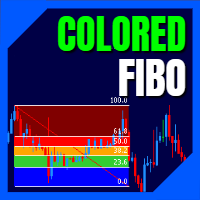
LT Colored Fibo is a simple indicator that paints the price zones between Fibonacci Retracement levels. Its configuration is extremely simple. It is possible to change the colors of each level of the retracement, choose between background or front of the chart and also work only with the current asset or all open. If you found a bug or have any suggestion for improvement, please contact me. Enjoy!
This is a free indicator, but it took hours to develop. If you want to pay me a coffee, I apprecia
FREE

免费获取我所有的 MT4 和 MT5 指标 — 点击这里了解方法
新工具 售价 $30 限于 首周 或 前 3 次购买 ! MQL5 Trading Tools 频道 : 加入我的 MQL5 频道,获取我的最新动态 Custom Indicator Buffer Analyzer 帮助识别 MetaTrader 5 中 Custom Indicator 使用的缓冲区索引和比较值。 当您想把外部指标用作 EA 的信号源,却不了解以下信息时,本工具很有用: 哪个缓冲区包含 Buy 信号。 哪个缓冲区包含 Sell 信号。 应该检查哪个数值来判断是否存在信号。 指标在无信号时使用 EMPTY_VALUE、0 还是其他值。 1. 准备 Custom Indicator 请将待分析的指标安装到: MQL5\Indicators\ 所需数据必须通过指标缓冲区提供。如果指标仅通过箭头、标签、文字、矩形或趋势线等图表对象显示信号,而不通过缓冲区提供相同数据,本工具便无法依据缓冲区索引识别这些信号。 2. 选择 Custom Indicator 输入待分析指标的路径。此路径
FREE

如果您喜欢本产品,请不要忘记留下评论和评分!
Advanced Line Alerts 是一款将水平线转换为智能价格提醒的指标。通过简单直观的界面,您可以直接在图表上创建价格水平,并在市场到达这些位置时收到通知。 该指标会自动保存所有已创建的提醒线。即使关闭 MetaTrader,再次启动平台时也会自动恢复所有提醒线。如果价格在终端关闭期间已经突破了某个水平,重新打开 MetaTrader 后仍会触发提醒,确保不会错过任何重要行情。 主要功能 快速在图表上创建价格提醒线。 线条状态显示(已选择、已激活、已触发)。 当价格突破设定水平时发出提醒。 向 MetaTrader 手机应用发送 Push 通知。 轻量、高性能的界面。 同时支持数百条提醒线。 自动保留或删除已触发的提醒线(可配置)。 快捷键显示或隐藏控制面板(默认 V ,可配置)。 智能记忆功能,重新启动 MetaTrader 后自动恢复所有提醒线。 检测终端关闭期间发生的价格突破,并在重新打开后触发提醒。
FREE

This EA get all the opened postions on the current symbol and add SL and TP And also MoveSl to perfect value. Principle Small SL according to current bid or ask. Ex: If current SL is too big compared to the configured SL, move it. But never move a position SL Higher
The EA also go through all positions and activate trailing stops, so that you never lose any winning position.
FREE

Strifor Auto Lot Calculator — MetaTrader 5 基于风险的手数计算工具 Strifor Auto Lot Calculator 是一款适用于 MetaTrader 5 的交易工具,可根据您设定的风险水平和止损(Stop Loss)计算合适的仓位手数。 该工具帮助交易者在开仓前确定仓位大小,控制交易风险,并在规划后续加仓时考虑已经持有的仓位。 这不是交易机器人,也不是交易信号生成器。 Strifor Auto Lot Calculator 不判断市场方向,也不会决定何时买入或卖出。交易者自行选择入场点和止损水平,而工具负责计算相应的仓位大小并帮助控制风险。 主要功能 根据风险自动计算手数 设置目标风险和止损水平后,Strifor Auto Lot Calculator 将自动计算合适的仓位手数。 计算过程中会根据所选交易品种的具体规格进行计算,包括每跳价值、合约大小以及其他交易品种参数。 开仓前,面板会显示: 计算出的仓位手数; 潜在亏损; 止损距离; 允许的风险; 当前仓位限制。 无需手动计算手数,即可在开仓前了解交易可能承担的风险。 多种止损设置
FREE

介绍 Ea CloseManager MT5,一种专门为 MetaTrader 5 量身定制的 Expert Advisor (EA),旨在简化和自动化交易关闭过程。这个强大的工具为手动和自动交易策略提供了精确的退出标准控制,使其成为各个水平交易者的理想选择。 使用 Ea CloseManager MT5,用户在交易管理中体验到显著的时间节省和改善的风险控制。利用此 EA 的交易者报告通过适应快速市场条件的纪律性退出策略提高了盈利能力,特别是在 forex、指数和加密货币中。 MQL产品安装指南 | 在 MT4/MT5 上更新已购买的MQL产品 | 常见故障排除指南 | 常规设置/输入指南 | 回测和设置文件 主要特点 自动交易关闭:根据可自定义标准无缝关闭交易,确保纪律性退出。 盈亏管理:设置特定的盈亏阈值以进行自动调整,提高整体交易表现。 基于蜡烛的关闭:在定义的蜡烛数量后自动终止交易,允许有效的基于时间的策略。 回撤控制:设定最大回撤限制以保护交易资本,防止过度损失。 交易频率限制:通过限制每日交易数量来管理交易风险。 周期性目标和止损:定义每日、每周和每月目标以实现系统化的交易
FREE

MT5 Account Protector Basic Account Protector Basic is a streamlined risk management tool for MetaTrader 5 (MT5) that helps traders safeguard their accounts with clear, customizable limits.
Designed for simplicity and reliability, it ensures that trading remains disciplined and capital is protected. This EA closes all trades once the maximum loss is reached either in value or account percentage. It is especially useful for those trading prop funds account. Key Features:
Loss Selection You can
FREE

AURA Backtester Forex Simulator is a state-of-the-art manual trading simulator designed to help you master price action, test new strategies, and build trading discipline without risking real money. Unlike traditional automated backtesters, AURA transforms your standard MetaTrader chart into a fully interactive simulation environment. Practice trading historical data exactly as if you were trading the live, breathing market. Whether you are a beginner trying to understand market structure or a p
FREE

Sessions and News Panel
An on-chart dashboard that shows the world's trading sessions and the economic
calendar in real time, plus an optional News Guard that can protect your account
around high-impact news.
This is a utility / information panel. It does NOT open trades on its own and it
is NOT a signal system. Its only trading action is the optional News Guard, which
can cancel pending orders and/or close open positions around scheduled news - and
only when you explicitly enable it.
-------
FREE

水印 MT4 版本: https://www.mql5.com/en/market/product/120783 MT5 版本: https://www.mql5.com/en/market/product/120784
Logo MT4 版本: https://www.mql5.com/en/market/product/121289 MT5 版本: https://www.mql5.com/en/market/product/121290
“水印”脚本旨在通过在图表背景上直接显示关键信息来增强您的交易图表。该脚本提供了一种清晰且不显眼的方式来跟踪关键细节,例如当前交易对、时间范围以及各种时间指标。
功能:
交易对显示:
该脚本会自动检测并在图表上显示当前交易对(例如 EUR/USD、BTC/USD)。这可确保交易者始终了解他们正在分析的资产,从而降低基于错误货币对做出决策的风险。
时间范围显示:
脚本显示当前图表时间范围(例如,1 分钟、1 小时、1 天)。这有助于交易者了解他们正在查看的具体时间范围,无论是用于剥头皮交易、日内交易还是长期分析。
时间指标:
G
FREE

Risk calculator for MetaTrader 5.
Precision Position Calculator is a MetaTrader 5 utility that helps calculate trade volume based on the risk configured by the user. The panel allows the user to work with Entry, Stop Loss and up to three Take Profit levels directly on the chart. Main description Precision Position Calculator is a utility for MetaTrader 5 designed to help calculate the volume of a trade before opening it. The panel allows the user to configure risk, select the order type, set th
FREE

BOLETA ATA is a quick-execution trading panel for MetaTrader 5, built for manual traders who want to buy, sell, and manage positions without leaving the chart. Compact, straightforward, and with built-in protection automations. Main Panel Stop Loss and Take Profit with an on/off checkbox and an editable field — click and type the value directly, no need to open settings Lot size field (Qty) , editable at any time 3 clickable lot presets : a single click applies the value to the Qty field; a doub
FREE

ATC Economic Calendar and News Panel 将 MetaTrader 5 内置的经济日历直接显示在图表上,让您无需打开另一个窗口即可查看即将发布的公告。
此工具也是 All In One Trade Management Panel MT5 的一部分,与仓位工具、交易管理和绩效分析一起。
主要功能:
• 「下一个高影响」卡片,显示您所选货币的下一个高影响事件及实时倒计时。
• 逐日事件列表。使用箭头按钮前后翻动天数,或跳转到今天。
• 每个事件显示其影响颜色、货币、时间、名称以及实际值、预测值和前值。实际值高于预测时为绿色,低于预测时为红色。
• 在发布前的最后5分钟内,事件时间变为红色倒计时。
• 货币过滤器(主要货币加上图表符号的货币)和影响过滤器(高、中、低)。您的选择会为每个图表记住。
• 当日历发布新数据时,值会自动更新。
• 可选的事件前设定分钟数警报,适用于所有事件或仅高影响事件。
输入:
• 显示事件时间:经纪商服务器时间、您的电脑时间或自定义UTC偏移
• 自定义UTC偏移(小时)和24小时制
• 每页事件数
•
FREE

The utility places a grid of pending orders . You can select the number of orders in the grid, the step between orders, multiplier for the order size, SL and TP levels, magic number etc. If you use a profit bucket , please note that it applies to all orders on the current currency pair with the current magic. If you want to use several grids with independent profit buckets at the same time, run several copies of the utility and specify different magics in the settings. MT4 version of the utility
FREE

MORE FREE TOOLS ON THE WAY - LEAVE A REVIEW AND I WILL SEND THEM TO YOU FIRST. I am building a set of these and publishing them free. Session levels, structure tools, risk utilities - all free, all on this profile. Leave a review on this one and message me, and I will send you each new tool the day it is ready, before it goes on the Market. Reviews are the only way a free tool gets found here, so it genuinely helps - and it takes thirty seconds. Elysium Supply and Demand marks the zones price ac
FREE

Burning Teko Trade Panel is a free on-chart trading panel for MetaTrader 5. It lets you trade by hand inside the Strategy Tester (visual mode): click BUY, SELL, HEDGE or CLOSE while the backtest runs, exactly like on a live chart. It also works on live and demo charts.
This is the free edition of Burning Teko Trading Companion. Full version: https://www.mql5.com/en/market/product/197966 User guide: https://www.mql5.com/en/blogs/post/776375
FEATURES - BUY / SELL at market with the lot, SL and T
FREE

Pending Stop Order Trailing Et - is a utility for automatic trailing of pending orders (Buy Stop and Sell Stop) in MetaTrader 5.
It dynamically adjusts pending order prices following the market until activation, helping to achieve better entry levels and reduce poor entries.
The tool is designed for both manual and semi-automated trading workflows.
STANDALONE & INTEGRATION
The utility works fully in standalone mode and performs its core trailing function on any symbol without additiona
FREE
- The Symbol Changer Utility for MetaTrader is a tool that enables traders to switch between various symbols on the MetaTrader trading platform easily and quickly. - It is designed to change the symbol of the current and all open chart windows and the timeframe of the current chart window (by clicking the button). - The tool retrieves symbols from the Market Watch, displaying only the necessary symbols in the market watch.
FREE

Performance Tracker Performance Tracker 是一款适用于 MetaTrader 5 的交易分析和账户表现监控工具。 该产品帮助交易者分析历史交易记录、评估风险,并通过可视化报表和详细统计数据优化交易决策。适合希望以清晰、系统化方式管理和分析交易表现的用户。 主要功能 账户分析面板 通过交互式面板全面查看交易表现。 支持的统计指标: 净利润 总盈利和总亏损 盈亏比(Profit Factor) 单笔预期收益 恢复因子(Recovery Factor) 夏普比率(Sharpe Ratio) 索提诺比率(Sortino Ratio) 胜率 平均风险回报比 余额与回撤可视化 监控账户增长曲线和回撤情况。 图表包括: 余额增长曲线 权益回撤图 回撤持续时间统计 帮助交易者识别稳定期和高风险阶段。 交易统计 详细分析每一笔交易。 包括: 总交易次数 盈利与亏损交易数量 多单与空单表现 平均盈利和平均亏损 最大盈利和最大亏损交易 持仓时间 连续盈利与连续亏损统计 盈利分析 更清楚地了解利润来源。 支持按以下维度分析: 按小时统计盈利 按星期统计盈利 按月份统计盈利
FREE

Plan it on structure. Size it to the cent. Protect it like a funded account. PQ Trade Assistant is a free trade planner and manager with a market-structure engine built in. You decide the trade. The assistant places the stop and target on real structure, sizes the position from your risk, checks it against your account rules, and manages it once it is live. It never trades on its own. No other product is needed. Plan on structure PLAN BUY / PLAN SELL draws entry, stop and target lines with risk
FREE

Trader Command Center MetaTrader 5 全图表实时交易仪表板,将账户监控、自营公司规则追踪、风险门控管理和直接下单执行整合于单一 Canvas 渲染界面中。 Trader Command Center 是一款 MetaTrader 5 工具,将标准图表视图替换为功能全面、响应灵活的仪表板,专为需要统一工作区的交易者设计——用一块屏幕追踪账户状况、监控自营公司合规性、管理持仓并以预先计算好的手数执行市场订单。界面通过 Canvas 引擎渲染,可自动适配任意图表尺寸。 概览 仪表板由固定标题栏、七项绩效指标行以及四列主体构成,涵盖执行面板、挑战进度、权益曲线、风险门控、交易时段表现、品种分析、经济日历、持仓、近期交易和挂单。所有面板持续从实时账户数据和交易历史中刷新。 标题栏显示账号、杠杆、货币、当前时间、余额、净值、可用保证金和保证金水平。状态标记指示交易是否开放或已锁定。七个 KPI 磁贴显示当日盈亏、总盈亏、胜率、盈利因子、R 倍数期望值、平均盈亏比和最大回撤——均基于配置的历史窗口计算。 持仓和保证金水平等快速数据每秒刷新。历史统计每三十秒重新计算
FREE

Strifor Risk-Manager — 实时专业风险控制 Strifor Risk-Manager 是为重视严格风险控制和交易纪律的交易者设计的强大工具。
该工具可自动跟踪日、周、月的交易结果,提醒风险超限,并帮助保持交易系统稳定。 适用范围:
适合短线交易、日内交易、波段交易、中期系统,以及手动和算法交易。 主要功能: 灵活的限额系统 日风险:百分比或美元 周风险:百分比或美元 月风险:百分比或美元 计算优先级:百分比或固定值 限额增长限制(Cap flex by max limit) 交易结果跟踪 显示每个周期的当前盈亏 考虑佣金和隔夜利息 可选择使用利润增加可用限额 可选择将亏损计入净零(Use net loss) 高级设置 基于当前余额或手动输入基准计算 包含或排除未平仓头寸 按交易品种过滤 设置一周第一天:周一/周日 显示模式:完整或紧凑 面板位置设置:边距及角落选择 图表显示
面板实时显示关键数据: 风险状态 日限额及剩余 周限额及剩余 月限额及剩余 每周期当前盈亏 示例显示: 状态: 一切正常 日风险: 5.0 % ($ 1600 ) 当前结果: 0.0 % (
FREE

Simple Candle Timer
Simple Indicator for MetaTrader 5 v1.0 | MQL5 | MT5 MM:SS Countdown Text Colour X/Y Position Font Size Font Name
Simple Candle Timer v1.0 is a lightweight MetaTrader 5 indicator. It displays the remaining time until the current candle closes directly on the
chart, next to the current Bid price. No subwindows, non-intrusive, minimal
resource usage How it works:
• Every second (OnTimer) and each tick (OnCalculate) calculates remaining candle seconds
• Formats result as MM:SS
FREE

Features: fast opening / closing deals the number of deals and the total profit for the Symbol
Fast open deals: set the Lot volume set StopLoss / TakeProfit in points (if you set "0", then it is not used) set slippage set Magic (if necessary) set comment (if necessary)
Fast open features: fast open Buy fast open Sell fast close ALL open orders for the current Symbol
Attention: this utility works only on the current instrument this utility works on a VPS must enable Algo trading in the termi
FREE

BreakEven Trailing 是一款用于 MetaTrader 5 的工具型 EA,用来管理您已持有仓位的止损。它可以把止损移动到保本位置,并让止损跟随价格移动,因此您不必一直盯盘也能保护已有的浮动盈利。
本 EA 不开仓,也不使用市价单平仓。它只修改已有仓位的止损。平仓发生在价格触及 EA 所设置的止损时。
功能说明
- 当仓位达到设定的盈利点数(pips)时,把止损移动到开仓价,或开仓价加上设定的偏移量。 - 当仓位达到设定的盈利点数时,让止损与当前价格保持固定距离并跟随移动。 - 保本移动和移动止损可以分别开启或关闭,也可以同时使用。 - 支持买入(BUY)和卖出(SELL)仓位。 - 绝不会把已有止损移动到更不利的位置。止损只向能保护更多盈利的方向移动。 - 修改止损时保持已有的止盈不变。 - 在图表上显示当前设置、账户类型和运行状态。
管理哪些仓位
EA 管理其所在图表品种上的所有仓位。
- 不检查 Magic 编号。手动开出的仓位、其他 EA 开出的仓位以及跟单产生的仓位都会被管理。 - 从不修改其他品种的仓位。 - 从不修改挂单。 - 只修改止损。手
FREE
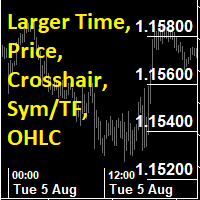
This utility indicator provides accessibility and readability, by displaying a larger price scale, time scale, crosshair, and symbol name/tf/ohlc information. All features are sizeable and can be styled separately, and are optional to show.
All Features optional to use font, size and color options
Price Scale
option to hide the default MT5 price scale option to show horizontal lines at price levels prices drawn can be at round numbers (ie automatic rounding to multiples of 5/10/20/25 points),
FREE
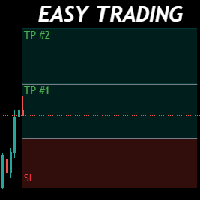
Money Management will help you to Easy Trade with One Click , instance and pending, set SL, and manage the number of your TP . You can use this expert for different currency pairs, CFDs, cryptocurrency, and stocks .
The basic formula for calculating pip value and position size , which has been used in this expert, are:
Pipette Value = Position Size * (Exchange Rate (Base Currency) / Entry Price) * Contract Size * Digits Exp. Account Currency: USD Currency Pair: GBPJPY Position Si
FREE

Spread Candle Clock is a clock that displays the remaining time of the current candle along with the spread in real time directly on the chart.
Features:
Real-time candle countdown. Live spread (SP) display. Adjustable size. Customizable colors. Configurable position in all four corners. Compatible with all symbols and timeframes. Includes a button to minimize to a small panel.
FREE

TrendSync Time Alarm turns your chart into a precise, dependable clock. Set an interval and it alerts you - on screen, by sound, on your phone, or by email - the moment each time block is reached.
Because it runs on a built-in timer instead of waiting for price ticks, it fires on time even in a quiet or illiquid market, when tick-based alerts go silent. It is a lightweight utility with no buffers and no plots, so it adds virtually no load, and it works on any symbol and any timeframe.
KEY FEA
FREE

在图表上显示简洁的美国东部时间(ET)时钟,自动与美股交易时间同步。每秒更新。
Full description: ClockET — 轻量级指标,直接在图表上显示当前的美国东部时间(ET)日期和时间,让您始终准确掌握美股交易时段的进度 — 无需手动计算时区。
图表显示内容
• 实时时钟 — 显示星期、月份、日期和ET时间,每秒更新(例如 "Thu Jul 24 07:36:45 ET") • 居中标签 — 显示在图表底部,图表调整大小时自动重新居中 • 自动夏令时检测 — 根据美国官方夏令时规则(3月第二个星期日至11月第一个星期日)自动在EDT(UTC-4)和EST(UTC-5)之间切换 — 无需每年手动调整两次
设置
• 字体大小、字体颜色、字体名称 — 自定义时钟外观 • Y轴偏移 — 距图表底部的垂直位置 • Auto DST — 启用/禁用自动EDT/EST检测 • 手动ET偏移 — 可选的固定UTC偏移量,仅在禁用Auto DST时使用
支持平台
• MetaTrader 5 (ClockET.mq5) • MetaTrader 4 (ClockET.m
FREE
MetaTrader 市场 - 在您的交易程序端可以直接使用为交易者提供的自动交易和技术指标。
MQL5.community 支付系统 提供给MQL5.com 网站所有已注册用户用于MetaTrade服务方面的事务。您可以使用WebMoney,PayPal 或银行卡进行存取款。
