 MetaTrader 5
 专家
专家
 指标
指标
 程序库
程序库
 实用工具
实用工具
 窗口小部件
窗口小部件
 规则
规则
免费的MetaTrader 5 交易实用工具 - 8
 以下是可在MetaTrader 5中简化交易的交易程序。将鼠标悬停在一个工具上,阅读它的描述和用途。
Price Ray indicator is a utility that will improve the way you trade. Primarily, it shows the Bid, Ask or Last price as a line ray which beams till the current candle, last visible chart candle or extended to all candle bars. The enhanced features in this indicator provide information in an area where you focus most, right next to the current candle. You can select text to be shown above or below the Price ray. The indicator is fully customizable, allowing it to fit any strategy requirements. Th
FREE

Limiter Drawdown EA – Automatic Account Protection for MetaTrader 5
Description
Limiter Drawdown EA is a lightweight risk management tool for MetaTrader 5.
It monitors your account drawdown in real time and will automatically close all open trades once the threshold you define is reached. This provides a reliable safeguard for any trading strategy. Main Functions Monitors equity versus balance continuously Closes all positions when your chosen drawdown percentage is reached Optionally removes
FREE

Painel de Controle – Boleta Inteligente para Forex Descrição Geral do Sistema: Apresentamos o Painel de Controle – Boleta Inteligente para Forex , a ferramenta definitiva para traders que exigem agilidade, precisão e controle total sobre suas operações no mercado Forex. Com uma interface intuitiva e altamente funcional, este painel transforma sua plataforma MetaTrader em um centro de comando profissional, permitindo que você execute ordens, gerencie risco e monitore seus resultados em tempo re
FREE

AI Economic Calendar News Filter reads MetaTrader 5's built-in live economic calendar and automatically protects your account around high-impact news events for the currencies involved in the chart's symbol. Key features: Uses the native MQL5 economic calendar (CalendarValueHistory) - no external news feed or subscription needed Automatically detects high-impact events for the symbol's base and profit currency Configurable blackout window before and after each event Optionally closes your own op
FREE
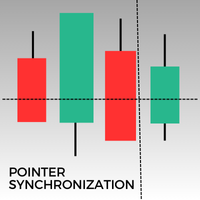
此MetaTrader 5指标可在相同资产的所有打开图表上自动同步指针。无论您是在1分钟图还是日线图上,指针都会自动对齐到所有打开窗口中的相同价格。此功能确保了分析的一致性和快速性,从而增强决策过程。同步多个图表之间的指针,对于希望在不同时间框架内保持价格变动准确概览的交易者来说,这是一个宝贵的工具。
FREE

# Zikiman CopyTrader — MT5 本地跟单复制工具
**Zikiman CopyTrader** 是一款快速、实用的 MT5 到 MT5 交易复制工具,适用于运行在**同一台 Windows 电脑或 VPS** 上的多个 MetaTrader 5 终端。
将一个终端设为 **Sender(主账户)**,再将一个或多个终端设为 **Receiver(接收账户)**。系统会在本机同步支持的交易操作,同时每个 Receiver 都可以保留独立的手数计算方式、过滤条件和安全限制。
所有通信都通过 MetaTrader 共享文件环境完成,无需 DLL、WebRequest、外部程序、网络服务器或远程跟单订阅。
## 一个 EA,同时支持 Sender 和 Receiver
在每个终端安装同一个 EA,首次启动时选择角色:
- **Sender** — 发送源账户中符合条件的交易操作。 - **Receiver** — 在目标账户执行获准复制的操作。
切换时间周期或重启终端后,角色和账户设置仍会保留。之后也可以直接在面板上更换角色。使用不同的频道名称,可以在同一
FREE

选择 1 年租用,即可仅以 $1.67/月获得完整访问权限。如有任何问题或需要帮助,我们提供快速支持。 这是一款专业的多功能工具,将 Remote control、Trading Statistics、Auto Reports、Price Alerts 和 Trade Notifications 集成到一个现代化的 Discord 监控系统中。 该工具支持使用 menu 命令 直接通过您的 Discord 频道进行 Remote control 。您无需返回 MetaTrader 5 终端,即可发送 Trade Reports、查看开放持仓、创建、删除和管理活动的 Price Alerts。 支持按计划自动发送 Discord 报告,同时也支持直接通过 Discord 手动发送 Daily / Weekly / Monthly / Yearly / All Time 周期的 Trade Reports。 该工具配备现代化的交互式控制面板,支持 Dark/Light 主题、灵活的交易通知设置,以及自定义文本标签和消息语言。只要工具未从图表中移除,所有设置都会在 MetaTrader 5
FREE

This custom indicator enhances your MetaTrader 5 trading experience by adding an intuitive crosshair tool that follows your mouse's movement across the chart. Here's what it does:
1. **Real-Time Mouse Tracking**: As you move your mouse over the chart, the indicator dynamically draws a crosshair on the exact point your cursor is hovering over. This crosshair consists of two lines—a horizontal and a vertical line—that intersect at the current mouse position.
2. **Precise Data Reference**: The c
FREE

Risk Calculator and Order Lines calculates position size from your chosen risk and places orders from the chart. Set the entry, stop loss and take profit using draggable lines, then review the volume and estimated outcome before confirming the order. Risk can be entered as a percentage of balance, a percentage of equity or a fixed amount in account currency. The panel displays estimated risk and reward in money and percent, the reward to risk ratio, required margin and spread cost. A separate in
FREE

Pending Stop Order Trailing Et - is a utility for automatic trailing of pending orders (Buy Stop and Sell Stop) in MetaTrader 5.
It dynamically adjusts pending order prices following the market until activation, helping to achieve better entry levels and reduce poor entries.
The tool is designed for both manual and semi-automated trading workflows.
STANDALONE & INTEGRATION
The utility works fully in standalone mode and performs its core trailing function on any symbol without additiona
FREE

Account Performance Report turns the history of your account into one HTML report that you open in any browser: balance and drawdown, the result of each Expert Advisor and each symbol, a daily P&L calendar, monthly returns and the usual statistics. The main figures are also shown on the chart, and the report is kept up to date while the terminal runs. How To Use Attach Account Performance Report to any chart of the account. It does not trade, so any symbol and timeframe will do. The report is wr
FREE

Trade Panel Pro is a powerful and easy-to-use trading utility designed for traders who need fast execution, accurate position sizing, and complete risk management directly from the chart. Whether you scalp on the 1-minute chart or swing trade on the 4H, Trade Panel Pro gives you the tools to manage trades with confidence and precision — all in one clean interface. Price will double after 5 purchases. Grab this offer Key Features Fast Trade Execution Open Buy/Sell positions instantly from the pan
FREE
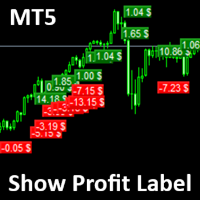
Show Label
Show your profit or loss next to the candle. This is a helpful tool if an EA don't have this feature build in. Support and questions via MQL5 product comments. For questions, updates, and to connect with other traders, join my official MQL5 group ForexEAandMore
Settings: Font color Background color for profits Background color for losses Font size Horizontal shift from candle (pixels) Vertical shift from candle high/low (pixels) Magic number filter (0 = all trades) Comment filter
FREE

Traders Club Clock for MT5 Readme
ローソク足のすぐ横にその時間足での 残り時間とスプレッドを表示します。 ※残り時間はサーバ時間から計算しています。 月足、週足、日足、4時間足、1時間足、30分足、15分足、5分足、1分足
で表示可能となっております。
※スプレッド値ポイント単位での表示になります。
※時間の更新はティック毎ではなく1秒 毎 に更新するようにしています。
一目で残り時間とスプレッドを確認できます。 機能: 使用しているフォント種類を変更できます。 使用しているフォントサイズを変更できます。 表示しているテキストの色を変更できます。 スプレッド表示を非表示にすることができます。 表示する位置を変更することが出来ます。
FREE

Enhance Your Trading with the Support and Resistance Alert! Ready to take your trading to the next level? Introducing the Support and Resistance Alert—the ultimate tool to precisely identify market turning points! Key Features: Dynamic Support and Resistance Lines: The indicator automatically draws support and resistance levels based on local lows and highs, giving you clear guidance on where the market is likely to reverse. Real-Time Alerts: Stay ahead of the market with customizable alerts. G
FREE

MT-Radar — 用手机免费监控 MetaTrader 终端
想知道您的智能交易系统是否在运行、终端是否保持连接,又不想每次都通过 RDP 登录 VPS?
MT-Radar 在一个安全的网页面板中显示您所有 MT4/MT5 终端的状态。在手机、平板或任何电脑上打开它,几秒钟内即可确认一切运行正常。
MT-Radar 显示的内容: 账户和终端 — 账户信息和终端基本信息 日志 — 实时查看终端日志和专家日志 市场报价 — 您市场报价窗口中交易品种的报价 图表和智能交易系统 — 打开图表,查看在其上运行的 EA 的状态 所有终端集中在一个面板 — 不同电脑和 VPS 上的 MT4 和 MT5 隐私与安全
端到端加密 — 数据在本地 MTAgent-Radar 与网页面板之间的整个传输路径上都经过加密。中继服务器只转发加密流量,无法读取其内容。
密钥只属于您 — 加密密钥由您的个人密码生成,绝不会发送到任何服务器或第三方。
无入站端口 — MTAgent-Radar 以普通用户权限运行,不开放任何入站端口。
代码干净 — EA 不使用外部 DLL,不发送网络请求,也不执行任何交易
FREE

Это DEMO версия Renko Maker PRO к сожалению правила маркета не позволили указать это в названии. Почему то проверка маркета запрещает в названии слово DEMO. Демо версия строит ренко бары только на основе EURUSD из 1000 последних минутных баров. Revolution Renko Maker PRO — Инновационный Конструктор Ренко Графиков для MetaTrader 5
Создавайте идеальные ренко-бары с сохранением тиковых данных и реальных объемов — теперь с полной поддержкой индикаторов, советников и тестера стратегий!
FREE

Gold-Trader Companion - Your Gold trading history has more to tell.
Gold-Trader Companion connects your MetaTrader 5 account to the Gold-Trader app (available in the Apple App Store and the Google Play Store), transforming your XAUUSD trading history into an organized journal with detailed performance and risk analysis. Rather than simply recording winning and losing trades, Gold-Trader helps you examine how you trade, under which market conditions your trades perform, and what risks you take
FREE

There are plenty of updates coming, so bear with me as I continue building and refining it. I’ve got big plans for this one! Your whole trading setup on ONE screen. Every terminal. Every broker. Every prop account. Every chart. See it all, name it all, and run it all from one dashboard. Free - no DLL, no internet, no subscription.
If you are like me and trade across multiple terminals, multiple brokers and prop firms, with multiple charts on every terminal - this one is for you.
You know the
FREE
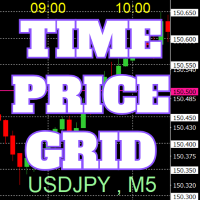
On the chart, draw grids for price and time at round numbers for easy reference.
"Parameter Input" allows for setting price intervals for each period. The grid lines for significant numbers (round numbers) are thicker and more prominent than other lines, making them easily distinguishable. The grid lines for significant numbers (round numbers) can be set to a different color than other lines. Colors at various points can be individually configured. Symbols and timeframes can be displayed, and t
FREE

Description: Protect your live or evaluation accounts by not letting it hit the maximum daily draw down! This utility is best for prop firms such as FTMO and MFF(MyForexFunds) and etc. Guide: Apply to EURUSD 1m Chart.
Default Settings: Maximum Draw Down Balance: 4% Account Balance. Maximum Draw Down Equity: 4% Account Balance Target Profit Balance: 1% Account Balance. Target Profit Equity: 1% Account Balance. Time To Reset: 16:57 to 16:58 GMT
Behavior: Setting starting_balance to 0 will auto
FREE

InnovaDash 手数计算器:一键风险管理终端 停止猜测您的交易手数,避免承担超出预期的风险。InnovaDash 手数计算器是一款精确、紧凑的交易工具,旨在将专业的风险管理和快速执行直接引入您的 MT5 图表。 由 InnovaDash Analytics 团队倾力打造,我们将此工具完全免费提供给像您一样的交易者。 无论您是需要快速执行的剥头皮交易者,还是精心策划入场点的波段交易者,该工具都能根据实时市场数据、买/卖点差和商品跳动点价值,即时处理风险计算。 核心功能 动态风险计算: 准确选择您希望如何衡量资本风险。在账户余额的精确风险百分比 (%) 或固定现金 ($) 金额之间自由切换。 智能点位检测 (SL & TP): 止损 (Stop Loss): 输入点数 (Points) 距离或输入精确价格。终端会自动计算距离并根据您的买入/卖出方向进行调整。 止盈 (Take Profit): 使用固定的盈亏比 (R:R)、点数或精确价格设置您的目标。 实时交易预览: 拒绝盲目执行。动态预览框会在您执行买卖之前,即时显示您的精确手数、资金风险和预期利润。 一键执行: 参数设置完毕后,
FREE

EA Follower Version any Follow Copy Account (Acc. Number) need a open MT Terminal, download multiple times Step1: Open Master MT5 Terminal = install master- Version (on any Symbol just one Time) Step2: Open Follower MT5 Terminal = install follower- Version (on any Symbol just one Time) Step3: all Trades from any Symbol or any Robot are copy now to follow- Terminal immediately for simple copy set on Chart and Start no optimization. This Robot is a Trade Copier for MT5 that auto
FREE

Close All and Orders Close All and Orders by SRBT is a manual trading utility for MetaTrader 5. Its compact chart panel provides three buttons for closing positions and deleting pending orders across the current trading account. Use it to manage exits from one chart, close positions with positive floating profit, or remove pending orders without closing existing positions. Three buttons, three actions CLOSE ALL (pos + orders) — Requests closure of all open positions, then requests deletion of al
FREE
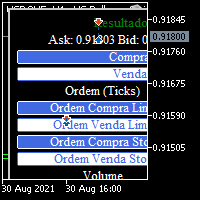
BOLETA TRADING PROFISSIONAL. Painel de negociação usado para facilitar operações manuais no MT5. -Botão para fechamento automático de ordens e posições. -Negociação facilitada usando teclado e mouse. -Sistema de ordens OCO (TP & SL pré configurados) -Normalização de volume para qualquer ativo. -Controle de limite horários para negociação. -Sistema de meta e limite de loss. -Martingale configurável. -Trailing Stop. -BreakEven. -Numero mágico (Expert Magic) para não entrar em conflito com outros r
FREE

Bastion Daily Guard 保护您的账户免受糟糕交易日的影响。您设置两个限制,即每日最大交易次数和每日最大回撤,Daily Guard 确保您在整个账户上遵守它们,直到下一次每日重置。 工作原理 设置每日最大交易次数和每日最大回撤 %,然后按 OK 启用防护 每日回撤包括已平仓交易以及持仓的浮动盈亏 入金和出金不计为盈利或亏损 限制适用于账户的所有交易品种和每一笔交易,包括您从手机或其他 EA 开仓的交易 只有今天开仓的交易占用今天的名额:从前一天保留下来的持仓不计入 达到限制时 账户被锁定,直到每日重置 锁定期间开仓的每一笔新交易都会被立即平仓,每一个新挂单都会被删除 恰好达到限制的那笔交易保持持仓,您原有的交易也一样:您可以继续管理它们 平仓不会释放名额:交易在开仓时计数 锁定开始时向手机发送推送通知并发出声音提醒 当天中途不能关闭 防护每天以相同的限制保持启用。您只能在当天第一笔交易之前更改限制或关闭防护,这样决定是在头脑清醒时做出的,而不是在亏损之后立刻做出。第一笔交易之后,它将被锁定到下一次重置。 每日重置 默认情况下,新的一天从您电脑所在时区的午夜开始,时区会自
FREE

WatchListPro — Watch list and Linker for MetaTrader 5 Developer / website: Tradingvyuga.com
WatchListPro is a MetaTrader 5 Expert Advisor: a ticker watchlist with a chart linker. Build working instrument sheets, switch the symbol on several charts with one click, save templates, and trade from a single hub.
It uses your broker's symbols (forex, crypto, metals, stocks, and more). Instrument selection is manual. Several open charts are recommended. It does not work in the Strategy Tester.
Featu
FREE

Trade Panel Manager — Master all trades in one dashboard Stop calculating volume manually, stop worrying about forgetting to set SL/TP. TTrade Panel Manager transforms MetaTrader 5 into a professional trading command center — drag and drop a few lines on the chart, the EA automatically calculates lot sizes according to your desired risk level, displaying SL/TP in pips and currency in real time, right before you press the button.
Why download now?
Accurate lot size calculation based on risk pe
FREE

TITAN T-Trade – one-click trading panel with Telegram signal sharing. Works on any symbol: gold, forex, indices.
Press T (or click the T-TRADE button) and the panel shows your trade plan: - Stop-loss based on ATR (M5) - 3 take-profit legs: TP1 / TP2 / TP3 as multiples of your risk - Lot size from % risk of your account (or a fixed lot), split into 3 legs - Break-even after TP1 for the remaining legs - Live result of your open trades on the panel
One click on BUY or SELL opens all 3 legs with
FREE

Smart Sl Tp Manager For Mt5 is a lightweight and reliable trading utility designed to help you manage risk automatically.
It instantly sets Stop Loss and Take Profit levels for every manual trade you open, ensuring your positions are always protected. Perfect for traders who want more discipline, less stress, and consistent risk management. Key Advantages Automatic SL & TP for all manual trades Works with both Netting & Hedging accounts Re-applies SL/TP when you add new positions Simpl
FREE

K线终结者 - 精准把握每一秒的倒计时工具 核心摘要: 还在为不确定当前K线何时结束而焦虑吗?‘K线终结者’是您交易工具箱中不可或缺的利器!它通过一个清晰、直观的倒计时器,实时显示当前活跃K线剩余的精确时间,帮助您避免在K线转换的混乱时刻做出仓促决定,从而更从容地入场、离场或管理订单。 1. 产品概述 “K线终结者”是一款轻量级、高效率辅助指标。它的核心功能是 实时计算并显示当前周期下最后一根K线的剩余时间 。无论您是短线交易者、剥头皮高手还是波段操作者,这款工具都能为您提供至关重要的时间维度信息,让您的交易决策更加精准和自信。 它不仅是一个简单的倒计时器,它是一位无声的交易助手,是您提升交易精准度和专业度的秘密武器。在瞬息万变的市场中,每一秒都至关重要。 2. 主要功能与特点 实时精准倒计时: 在主图表上以清晰的大字体动态显示当前K线剩余的分钟和秒数,让您对时间流逝一目了然。 可定制化显示 :您可以随意将倒计时放到图表上任何不碍眼的位置。自定义字体尺寸、颜色,确保其与您的交易界面风格一致。 广泛兼容性: 支持所有时间周期,从1分钟图到月线图,适用于平台上的任何交易品种包括外汇、股票
FREE

Chinese (Simplified) Stochastic Cross Alert EA for MT5 Stochastic Cross Alert EA 是一个简单的 MetaTrader 5 工具,当 随机指标(Stochastic) 达到常见的超买或超卖水平时向交易者发送提醒。它可以帮助交易者在无需一直盯着图表的情况下监控随机指标信号。 将 EA 添加到图表后,它会持续监控随机指标,并在关键水平被突破时发送 弹出提醒 ,方便您快速查看图表并评估潜在交易机会。 功能 检测随机指标上穿超买水平(默认 80)
检测随机指标下穿超卖水平(默认 20)
MetaTrader 5 弹出提醒
适用于任何交易品种和时间周期
轻量且易于使用 工作原理 EA 会监控当前图表上的随机指标。当指标上穿超买水平或下穿超卖水平时,MetaTrader 5 会弹出提醒。 随机指标参数和提醒水平可以在设置中调整。 该 EA 仅提供提醒功能 ,不会自动开仓或管理交易。
FREE

All-in-One Visual Trading Panel, Risk & Partial Close Manager, Smart Charting Toolkit (LBT), R: R Lock, Virtual TP, Multi-Chart Sync, and Telegram Zone Alerts. TradingPanel With Tool Box is a complete trading workstation and smart charting assistant for MetaTrader 5. Designed for precision-focused scalpers, day traders, and Smart Money Concepts (SMC / ICT / Price Action) traders, it combines fast trade execution , multi-mode partial close management , and an advanced object styling & synchroniz
FREE

EasyTrade Pro - MT5 手动交易面板 使用 EasyTrade Pro,让您的交易更快速、更简单、更高效。 EasyTrade Pro 是一款轻量级且易于使用的手动交易面板,专为希望快速执行交易并实时掌握市场关键信息的交易者而设计。 无需复杂设置。 无需多余指标。 只提供您每天真正需要的交易工具。 功能特点 一键 BUY / SELL 下单 一键平仓所有持仓 可自定义止损(Stop Loss)和止盈(Take Profit) 保本止损(Break Even)功能 移动止损(Trailing Stop)功能 快速手数预设 实时显示浮动盈亏(Open P/L) 每日盈利统计 胜率统计(Win Rate) 盈亏比统计(Profit Factor) 实时点差监控 市场交易时段显示 K线倒计时功能 简洁紧凑的操作界面 适用对象 短线交易者(Scalpers) 日内交易者(Intraday Traders) 手动交易者 XAUUSD(黄金)交易者 外汇交易者 为什么选择 EasyTrade Pro? EasyTrade Pro
FREE
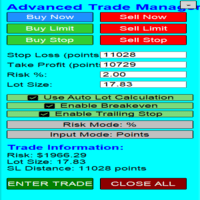
Overview Are you tired of complex manual calculations, emotional execution errors, and the constant fear of risking too much? The Advanced Trade Manager (ATM) is your all-in-one solution, a professional-grade Expert Advisor for MetaTrader 5 designed to give you institutional-level control over every aspect of your trade. From flawless risk calculation to intelligent, one-click execution, the ATM EA streamlines your entire trading process, allowing you to focus on your strategy, not the mechanics
FREE

Trade Manager Pro is a MetaTrader 5 tool designed to assist with trade execution, position management, risk control, and account monitoring from a single on-chart interface. It is built to work alongside manual trading or automated systems and does not interfere with external Expert Advisors. The tool is intended for traders who require direct control over order execution and position management while maintaining consistent risk rules across different market conditions. Core Function The indica
FREE

Name: Trailing Stop EA Version: 1.1 Author: D. Petru Description: This Expert Advisor (EA) for MetaTrader 5 implements a trailing stop functionality. The EA monitors all open positions and, if the price moves in favor of the position by more than the set TrailingStop value, then the EA will move the stop loss to a distance of TrailingStop from the current price. Key Features: Trailing Stop : The user can set the trailing stop distance in points. When the price moves in favor of the
FREE

Candle Countdown Timer - Optimized Edition
Overview
Candle Countdown Timer is a lightweight, high-performance indicator that displays the exact time remaining until the current candle closes. Designed with efficiency as a top priority, this indicator provides traders with essential timing information without consuming unnecessary system resources.
Whether you're a scalper watching every second on M1 charts, a day trader timing entries on H1, or a swing trader monitoring daily candles, this i
FREE

RiskFlow Pro 是一款 专为 MetaTrader 5 设计的专业手动交易面板 , 旨在消除手 动交易中三个最耗时的问题 : 正确 计算手数、入场后管理交易、以及遵守自营公司的风险规则。拖动、点击、交易 — 每个决定只需几秒 钟 , 而不是几分 钟。 仅限前 500 名免 费下载。手慢无。 它解决什么 问题 大多数手 动交易者亏损不是因为策略差 , 而是因 为小的操作失误 : 在非 标准合约 ( 黄金、指数、加密 货币 ) 上手数 计算错误 ; 在价格有利 时忘记将止损移至保本 ; 忙碌或分心 时错过部分获利机会 ; 在交易激烈 时突破自营公司日回撤限制。 RiskFlow Pro 在一个 紧凑的图表面板中解决所有这些问题。 即 时手数计算 输入止损价格 , 或直接在 图表上拖动线条 , 手数将根据您 选择的风险百分比、固定美元金额、净值百分比或可用保证金百分比即时计算。计算直接从经纪商读取每个品种的真实点值和点大小 , 因此 对外汇、黄金、白银、石油、美元指数、股指、加密货币差价合约和任何其他 MT5 品种都能正确工作。告 别 Excel 计算器。告别心算。
FREE

Trade2Telegram — 一个用于将MetaTrader交易自动通知发送到Telegram的插件。 该工具适用于管理资金的交易者、运营信号频道的人员或领导教育社区的人。该插件会将终端中的所有交易操作复制并发布到选定的Telegram聊天、群组或频道中。 当开仓或平仓、止损或止盈水平变动、挂单触发或部分平仓时,消息会自动发送。 您可以自定义消息格式,包括:交易品种、交易方向、交易手数、开仓和平仓价格、止损/止盈水平,以及点数和金额的结果。它还支持添加标签和备注,并可选择服务器时间或本地时间。 该插件直接通过Telegram Bot API工作,无需任何第三方服务。连接方式非常简单,只需提供您的Bot令牌和目标聊天或频道的ID即可。 主要优势: 完全自动化的交易通知; 灵活的消息格式和发送频率; 支持所有订单类型; 可维护公开或私人的交易统计。 该插件非常适合信号频道、私募交易办公室、团队交易日志以及透明的实时交易跟踪。
FREE

Capital SL Defender is a free position manager for MetaTrader 5. It does not open trades. You open them, and Capital SL Defender protects them: it gives every trade a stop loss and take profit, moves the stop to break-even once the trade is in profit, locks in part of the profit as the trade grows, limits how many trades you can open in a day, and shows it all on a black and orange panel on the chart. It runs on its own, with no outside service. For profit locks by % of TP, the TP runner, trail
FREE

Elevate your trading precision with the ultimate Multi-Timeframe (MTF) Candle Countdown Monitor . Built for professional traders, this indicator is not just a standard timer—it is a powerful, fully interactive dashboard featuring a dynamic mini-chart, custom alerts, and a cutting-edge DPI-Aware Scaling Engine. Whether you are trading on a compact laptop or a massive 4K multi-monitor setup, this indicator perfectly adapts to your screen, providing a flawless visual experience. "Simplify your tra
FREE

TradeKeys Pro – Keyboard Trading Assistant for MetaTrader 5 TradeKeys Pro is a lightweight, keyboard‑driven trading assistant for MetaTrader 5 that combines the speed of shortcut keys with a clean configuration panel. It is designed for traders who prefer to keep their chart uncluttered and execute trades with a single keystroke, while still having full control over risk parameters and position management. Core Concept
The expert advisor places a compact graphical user interface (GUI) on the c
FREE

Spread Candle Clock is a clock that displays the remaining time of the current candle along with the spread in real time directly on the chart.
Features:
Real-time candle countdown. Live spread (SP) display. Adjustable size. Customizable colors. Configurable position in all four corners. Compatible with all symbols and timeframes. Includes a button to minimize to a small panel.
FREE

MultiTP Trade Manager EA — Advanced Trade Management Made Effortless (MT5)
Limited Offer – First 100 Downloads FREE!
Be among the first 100 traders to download Trade Anchor Manager (MT4/MT5) completely free of charge. Hurry – once the limit is reached, the offer closes instantly! After trying it out, we’d love if you could leave a review and share your thoughts – your feedback helps us improve and lets other traders know what to expect.
Need this Trade Anchor Manager for MT4? http
FREE

如果您喜欢这款免费工具,请留下五星好评!非常感谢 :) “风险管理助手”专家顾问系列是一套全面的工具,旨在通过有效管理各种市场条件下的风险来增强交易策略。该系列包含三个关键组件:平均交易、切换交易和对冲交易专家顾问,每个组件都针对不同的交易场景提供独特的优势。
此 EA 是基于市场上标准风险管理策略的开发版本。
https://www.mql5.com/en/blogs/post/756961
1. “均线助手”EA: MT4: https://www.mql5.com/en/market/product/115468 MT5: https://www.mql5.com/en/market/product/115469 2. “切换助手”EA: MT4: https://www.mql5.com/en/market/product/115478 MT5: https://www.mql5.com/en/market/product/115428 3. “对冲助手”EA: MT4: https://www.mql5.com/en/market/product/115466 MT5
FREE

MORE FREE TOOLS ON THE WAY - LEAVE A REVIEW AND I WILL SEND THEM TO YOU FIRST. I am building a set of these and publishing them free. Supply and demand zones, session levels, structure tools - all free, all on this profile. Leave a review on this one and message me, and I will send you each new tool the day it is ready, before it goes on the Market. Reviews are the only way a free tool gets found here, so it genuinely helps - and it takes thirty seconds. Elysium HUD puts the four numbers you che
FREE

Automated Utility & Risk Assistant (AURA) is the ultimate trading utility for MetaTrader 5, engineered for traders who demand precision, discipline, and total control. This is not just an order placement tool; it is a comprehensive Risk Infrastructure & Account Guardian (TradeCop) designed to eliminate emotional decision-making, automate complex math, and safeguard your account against prop-firm violations and execution errors. Whether you are a retail trader, a scalper, or a Prop-Firm challen
FREE

TimeBar TimeBar 是一個簡單的資訊指示器,顯示柱關閉之前的剩餘時間,以及柱打開以來經過的時間和當前時間。 為了便於感知,增加了兩種顯示方式:以圖形左上角註釋的形式,或以圖形物件的形式。
優點 字體選擇 字體大小。 您可以設定任何一項。 評論的時候太小了 您可以移動物體。 雙擊滑鼠可以選擇任何時間並移動到圖表上的任何位置,它將照常繼續更新 視覺警報。 您可以設定指定的秒數,直到目前柱關閉,達到該時間後,時間將變成設定中指定的警告顏色 設定 選擇顯示的時間 每次的顏色(對於圖形物件) 一則警報,通知您酒吧即將關閉 使用 TimeBar 指標作為您交易系統的補充
使用連結嘗試我在市場上的其他產品 https://www.mql5.com/ru/users/capitalplus/seller
FREE

CasperIT Manual Trade Manager MT5 FREE
CasperIT Manual Trade Manager is a free trading utility for MetaTrader 5. It helps manual traders open positions, control risk, and protect profitable trades from a compact chart panel.
The utility does not generate automatic entry signals or promise profits. You remain in control of every trade.
Main Features
- One-click **BUY** and **SELL** buttons - Automatic risk-based lot calculation - ATR-based Stop Loss and Take Profit - Break-even protection aft
FREE

Prodesk Panel Pro – Professional Manual Trading Panel for MetaTrader 5
Set stop loss and take profit with the mouse cursor. The same goes for pending orders. Just set where the order will open by moving the mouse to the right position.
Prodesk Panel Pro is the complete and unlimited version of Prodesk Panel, designed for traders who want more speed, control, and precision when executing manual trades on MetaTrader 5. With a modern visual interface directly on the chart, Prodesk Panel Pro allo
FREE

AI Advisor – 让 AI 真正看见你的交易世界 AI Advisor 会根据你的真实账户信息自动生成高质量提示词,可以直接粘贴到任意 AI 聊天中使用。
它帮你快速梳理账户状态,理解当前品种格局,识别风险点,挖掘潜在盈利机会,让 AI 以你的真实交易情况为基础来思考和交流,而不是凭空猜测。 快速链接 Download: AI Advisor v1.02.ex4 AI Advisor v1.02.ex5 Installation guide
AI Advisor Version Overview FAQ & troubleshooting
使用方法 – 三步搞定 在你关心的品种图表上打开 AI Advisor。 在右侧列表中选择一个合适的 “AI Advisor 模式”(AI Advisor Modes),让程序自动把账户信息、仓位、品种和结构整理进提示词。 点击「复制」,然后把生成的文本粘贴到你常用的任意 AI 聊天界面中,开始对话即可。 内置 Prompt 简要说明 AI Advisor 内置了一组常用分析场景,覆盖交易中最典型的几类问题,例如
FREE

帮助你守在注资账户(funded account)或挑战账户的限制之内。Prop Firm Risk Guardian 是一块纪律面板,实时显示你距离违规到底还有多远——以及此刻你自己的规则允许开出的最大手数。
它追踪终结挑战的三个数字:当日亏损与限额的对比(含剩余缓冲和重置倒计时)、最大回撤——按跟踪高水位(trailing high-water mark)或以初始资金为基准静态计算,可在面板上直接切换——以及盈利目标的完成进度。一个统一状态——SAFE、CAUTION 或 LOCKDOWN——为状态条和强调色着色,风险高低一眼便知。
核心是 MAX LOT NOW:此刻你自己的规则允许开出的最大手数。它取两个金额中较小的一个——按余额计算的单笔风险百分比,以及距离生效限额的剩余额度乘以缓冲比例——用平台自身的盈亏计算反推得出,再以硬性手数上限封顶,并向下取整到经纪商的最小手数步长。这是一个上限,而不是建议手数。拖动止损距离滑条,看手数实时重算。它显示的是根据你设定的风险百分比、止损距离和剩余缓冲反推出来的手数上限;本工具不会拦截或限制手动订单以及其他EA的订单。
你将获得
FREE
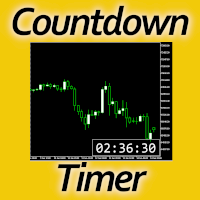
Timing can make the difference between a winning and a losing trade. Therefore, a bar countdown display is a must-have tool for any trader. Knowing exactly how much time is left, before the current bar will close, certainly helps decision-making in real time. Technical detail: This indicator uses the MQL5 function "OnTimer", ensuring the accurate measure of each passing second, rather than relying on the flow of incoming tick information from the server. Most other countdown indicators for MetaT
FREE

使用此辅助工具的优势 1 - 达到预期的美元利润金额时,自动平掉所有仓位。 2 - 以极快的速度为仓位设定预期的止盈价格。 3 - 移动保本止损(Trailing Break-Even)。 4 - 一键清除所有止盈设置。 5 - 一键清除所有止损订单。 6 - 一键将所有仓位设置为保本状态(止损移至开仓价)。 7 - 一键平掉所有仓位。 8 - 该辅助工具占用极少的屏幕空间。 9 – 自动计算并在图表上显示保本价格。 10 – 在辅助工具面板中显示关键且实用的信息。 在面板中显示账户利润 在面板中显示卖出(空头)仓位的总手数 在面板中显示买入(多头)仓位的总手数
各项功能的详细说明
1 - 达到预期的美元利润金额时,自动平掉所有仓位。 (更多详情请参阅截图部分。)
在市场价格剧烈波动时进行交易,您需要一个能快速处理任务的助手。该辅助工具能在不到一秒的时间内为您完成一系列惊人甚至近乎“神奇”的操作——这些任务原本会耗费您大量时间,并分散您对市场的注意力。它能以极快的速度、高质量且高精度地处理您的各项任务。 提示:此功能对于在市场波动和快节奏行情中进行快速交易非常有用。 有了这
FREE

厌倦了 MetaTrader 的默认配色?Chart Themes Studio 一键让您的图表变得简洁现代,交易时还可以实时切换主题和K线样式。 16 套设计主题 每套配色都源自现代设计配色方案,并针对交易进行了调整:阳线和阴线始终清晰可辨,网格低调不抢眼,价格刻度清楚易读。 深色:Deep Sea、Midnight Ocean、Fiery Ocean、Sunny Beach、Soft Lavender、Mystic Evening、Cool Coastal、Candy Neon、Ember、Vibrant Summer、Black & White。 浅色:Paper、Neutral Harmony、Olive Garden、Fresh Greens、White & Black。 10 种图表样式,其中 7 种K线变体 Candles:经典实心K线。 Hollow:阳线空心,深受交易者喜爱。 Outline:所有K线均为空心,仅边框着色。 Soft wicks:彩色实体,配以低调的中性影线和边框。 Contrast:彩色实体配亮色边框,非常清晰。 Heikin Ashi:平滑K线,更
FREE

This tool for the MetaTrader 5 trading platform allows setting the stop loss of open positions to breakeven (entry price) plus an adjustable distance in points. The stop loss is only adjusted if the position is already in profit.
Main functions:
Button: A button is displayed on the chart with the text "StopLoss to BreakEven". The color of the button can be customized, by default it is red.
User interaction: When you click the button, for all open positions that are in profit, the stop loss i
FREE

FREE

Sobre a Boleta Ágil – Descrição Completa Apresentamos a Boleta Ágil , um painel de negociação completo e altamente personalizável para MetaTrader 5 . Desenvolvida para traders que exigem velocidade, precisão e flexibilidade , esta ferramenta coloca o controle total das suas operações na palma da sua mão — diretamente no gráfico. Com uma interface moderna e intuitiva, você executa ordens, gerencia riscos e ajusta estratégias em tempo real, sem perder tempo com menus complicados. Botões
FREE

ApexTradeManager is a professional manual trade-management Expert Advisor for MetaTrader 5, designed especially for XAUUSD (Gold) traders. Instead of replacing your trading strategy, ApexTradeManager works alongside your manual execution. You decide when and where to enter; the EA helps manage the position according to your predefined trade-management rules. Key Features Automatic Stop Loss & Take Profit — Automatically apply SL and TP levels to new positions. ATR-Based TP System — Dynamic TP1,
FREE

See how your account is really doing at a glance, right on the chart. The dashboard reads your account and trade history and never opens, modifies or closes a trade. How it works Every second the dashboard reads balance, equity, margin and open positions. Closed results come from the deal history: for each closing deal the profit, swap, commission and fee are added together. From these deals it calculates closed profit for today, this week and this month, plus statistics for the period you choos
FREE

再也不会错过任何重要价位、利润目标或风险阈值。 想在达到目标后锁定利润并暂停交易吗?Price and Target Alerts 可以自动平掉所有仓位、通知您并停止后续交易——让您轻松、放心地锁定利润。 Price and Target Alerts 是一款先进的 MetaTrader 5 工具型智能交易系统(EA),持续监控市场价格和您的交易账户,并在满足预设条件时自动通知您或执行预定义的保护性操作。 核心功能 多重价格提醒 为任意品种创建多个价格提醒——可在"输入"选项卡中设置,也可直接在图表上添加。 选择每个提醒的触发方式: 单次(默认) – 仅在价格首次到达设定水平时触发一次。 每次穿越 – 每次价格穿越该水平时都会触发。 非常适合用于: 支撑与阻力位 突破行情 时段高点/低点 供需区 重要新闻位 价格提醒触发时始终会发送通知。它们本质上只是信息提示,因此永远不会平仓、停止交易或对您的 EA 和图表进行任何操作——这些保护性操作只保留给真正的账户级风险事件(见下方"自动化操作")。 直接在图表上添加提醒 无需进入设置即可添加提醒。点击图表面板上的 "+ Once alert"
FREE

【MT5】让图表分析更高效!一键切换货币对与时间周期的工具“One Touch Chart Switcher”
大家好!
在交易分析过程中,大家是不是经常需要在多个货币对和不同时间周期之间频繁切换呢?“那个货币对的1小时图怎么样了…?”“这个的4小时图也想看一下…”,像这样不停地点击切换图表,其实是一项相当耗费时间和精力的工作。 为了解决交易者们这些“小麻烦”,并 提升分析效率 ,我们开发了这款便捷的指标工具——“ One Touch Chart Switcher ”。 “One Touch Chart Switcher”是什么? 这款指标是一个简单的辅助工具,它会在图表左上角设置用于 切换货币对和时间周期的按钮 。 只需点击您想分析的货币对或时间周期的按钮,图表就会瞬间切换。您再也无需从市场报价窗口拖拽货币对,或从工具栏中选择时间周期了。 推荐给以下人群! 监控多个货币对的用户 经常进行多时间周期分析的用户 进行剥头皮交易等需要快速判断的交易者 希望减少电脑操作的麻烦,专注于分析的用户 主要功能 这款工具包含了众多功能,旨在让您的交易分析体验更加舒适。 一键切换时间周期
FREE

The panel is a compact interface that can be freely moved across the chart. A horizontal line and visual pointer show the exact price level where the pending order will be placed. The order type is determined automatically based on the panel position relative to the current market price.
If the panel is above the Ask price — the Buy button becomes Buy Stop, below — Buy Limit. Similarly for Sell: above Bid — Sell Limit, below — Sell Stop. This eliminates the need to manually select the order ty
FREE

Risk Manager – Account Protection Tool Risk Manager is an Expert Advisor for MetaTrader 5 designed to protect your trading account by applying automatic risk management rules. This tool does not open trades .
It continuously monitors your account and enforces predefined limits to help prevent excessive losses and maintain disciplined trading. Risk Manager works in the background and can manage positions opened by manual trading or other Expert Advisors. It is particularly useful for: • Manual tr
FREE

JYPF Trade Panel 是一款專為 MT5 設計的高級動態互動式交易面板。一鍵觸發動態連動進場線( Entry)、止損線(SL)與止盈線(TP),首創「 單擊即刻拖拽」技術與防滑鼠遮擋的「趨勢線色彩區塊」視覺渲染, 在圖表上實時預估美金盈虧與風險回報比(R:R Ratio)。內建一鍵保本、50% 分批平倉、移動止損及全倉風控,是黃金(XAUUSD)、 外匯與指數短線極速刷單與波段交易的終極利器! 介紹短片: Part 1 https://youtu.be/xkLMOcrW42Y?si=ezHdoU0_OVeHQLkp Part 2 https://youtu.be/sA_qJ7R4fV0?si=dEMOxTdcMPDvCXNU 革命性的圖表互動掛單體驗 (Revolutionary Order Overlay) 傳統的 MT5 掛單需要頻繁手動輸入價格,或在繁瑣的雙擊解鎖中錯失良機。 JYPF Trade Panel 徹底打破這個僵局: 單擊即刻拖拽 (Instant Drag-and-Drop):按下 Pending BUY/SELL 後,進場線、SL線與TP線即刻以
FREE

Account Guard Daily Limit is the free version of Account Guard. It watches the whole account and enforces two rules: a daily loss limit and a maximum drawdown. It opens no trades of its own. It works for manual trades and for any EA on the account. The panel shows the state, the day result against the limit, and how much room is left above the drawdown floor. The two rules Daily loss limit in percent of the initial balance. When it is hit, every position and pending order is closed. Any trad
FREE

FOREXBOB AUTO CLOSER is a very handsome tool for :- Scalping Correlation Hedging Those who use averaging methods As this utility tool will help you by closing all your running trades when the universal floating P/L reaches a certain value that you will put in inputs. This tool consider all the trades that running on the your account either opened MANUALLY or with help of an EA.
Inputs USD - Put numeric value for required profit Group Mode - False Magic No. - Zero (0) to consider manually opene
FREE

OCT Panel 專為需要快速執行、清楚訂單控制、有效管理風險的交易者打造。 OCT Panel 是一套專為 MetaTrader 5 設計的專業交易輔助工具,主要協助交易者更快速、更清楚地管理交易訂單、停損、停利、掛單與平倉操作。 它的設計目的不是取代交易判斷,而是幫助交易者提升手動交易時的操作效率、訂單管理能力與風險控制能力。 OCT Panel 不是喊單系統,也不是保證獲利的自動交易 EA。
它是一套實用型交易控制面板,適合希望提升交易流程效率與操作紀律的 MT5 使用者。 主要功能 快速 Buy / Sell 下單 快速平倉操作 快速套用 SL / TP 掛單管理 Buy Limit / Sell Limit 操作 刪除掛單 訂單與倉位管理 協助減少重複手動操作 提升交易執行效率 適合黃金、外匯、指數與 CFD 商品 適合短線交易、手動交易與需要快速控單的交易者 適合使用者 OCT Panel 適合以下交易者: 使用 MetaTrader 5 進行手動交易的交易者 需要快速下單與快速平倉的人 經常交易黃金、外匯、指數或 CFD 商品的人 需要同時管理多筆訂單或掛單的人 重視
FREE

GntCountdown — 霓虹蜡烛倒计时 GntCountdown 是由 Genaro Trade 团队开发的免费辅助指标。它在图表上显示倒计时,准确显示当前蜡烛还有多长时间收盘。 主要功能:
• 实时倒计时(时:分:秒)
• 蜡烛进度百分比
• 动态颜色:随着时间流逝从绿色 → 黄色 → 红色
• 最后几秒自动闪烁
• 完全可自定义:位置、颜色、大小、字体
• 可锚定到图表的任何角落
• 轻量且优化——不影响终端性能 使用方法: 下载并在 MetaTrader 5 上安装该指标 将 GntCountdown 拖到图表上 根据需要配置位置、颜色和字体 完成——计数器立即显示 适用于:
• 在短时间周期(M1、M5、M15)上交易的交易者
• 需要知道蜡烛收盘确切时刻的剥头皮交易者
• 使用蜡烛突破策略的人
• 任何想要更高时间精度的交易者 兼容性: MetaTrader 5,任何品种,任何时间周期。
价格: 免费。
开发者: Genaro Trade 团队。
开发者直接用您的母语为您提供帮助。
关于 Genaro Trade 团队
FREE
MetaTrader市场是一个简单方便的网站,在这里开发者可以出售自己的交易应用程序。
我们将帮助您发布您的产品,并向您解释如何为市场准备您的产品描述。市场上所有的应用程序都是加密保护并且只能在买家的电脑上运行。非法拷贝是不可能的。
