 MetaTrader 5
 专家
专家
 指标
指标
 程序库
程序库
 实用工具
实用工具
 窗口小部件
窗口小部件
 规则
规则
免费的MetaTrader 5 交易实用工具 - 4
 以下是可在MetaTrader 5中简化交易的交易程序。将鼠标悬停在一个工具上,阅读它的描述和用途。
Buy Sell Keyboard — 专业的键盘冲动交易专家顾问 闪电般的键盘交易。单次点击即可完全控制市场。分配热键即可瞬间执行交易,无需鼠标和对话框。 主要特性: 用于精准进场的冲动算法
专业交易者的秘密公式。算法可识别价格即将出现强势波动的市场冲动时刻。过滤假突破,判断吸筹点,提供经冲动确认的信号。 即时键盘交易
A/S - 即时买入/卖出开仓(不受键盘大小写影响 (A/a, S/s)),并设置魔术编号
Q/W/Z/X - 智能平仓(不受键盘大小写影响 (Q/q, W/w, Z/z, X/x))
零延迟 - 毫秒级执行
极简模式 - 可隐藏面板,仅使用键盘操作 智能仓位管理
以手术般的精度平仓。4种平仓策略:
Q - 关闭投资组合中所有盈利仓位(所有品种,根据其魔术编号)
W - 关闭投资组合中所有亏损仓位(所有品种,根据其魔术编号)
Z - 关闭当前品种的盈利仓位(根据其魔术编号)
X - 关闭当前品种的亏损仓位(根据其魔术编号) 专业风险管理
按时间自动平仓:可配置的超时设置,用于自动锁定利润和限制亏损
盈利仓位在设定时间后平仓(例如,1分钟)
FREE

SyncTrader Risk Manager SyncTrader Risk Manager 是一款适用于 MetaTrader 5 的手动交易与风险管理工具。它可以根据账户货币金额或余额百分比计算仓位手数,并允许交易者直接在图表上准备交易计划。 本工具不会生成交易信号,也不会自行开仓。交易方向、订单类型、Stop Loss 和 Take Profit 水平均由用户决定。面板界面支持英语和俄语。 主要功能 按风险金额或余额百分比计算交易手数 支持 Market、Limit 和 Stop 订单 支持 1 至 4 个 Take Profit 目标 可拖动的 Entry、Stop Loss 和 Take Profit 水平线 以账户货币、points 或 R 显示水平值 在指定 Take Profit 达成后自动移动至 breakeven 9 个可重复使用的交易水平模板 点差、可用保证金、单笔风险和每日亏损检查 一键关闭全部、仅盈利或仅亏损的受管仓位 一键删除受管挂单 快速操作可应用于当前品种或全部品种 可关闭提示音,面板可折叠 支持 hedging 和 netting 账户 终端或 Ex
FREE

Trade Manager Pro MT5 是一款专业的一体化交易管理面板,旨在通过单一浮动界面为交易者提供对交易执行和仓位管理各个方面的全面控制。它结合了高速执行、精准操作和智能自动化,将 MetaTrader 5 打造成一个功能强大的专业交易工作平台,同时保持轻量化、快速且易于使用。 该交易面板采用 MetaTrader 5 原生交易类开发,具有卓越的稳定性、广泛的经纪商兼容性以及可靠的订单执行能力。它简化了交易流程的每一个环节——从订单执行和风险计算,到高级仓位管理和交易绩效监控。 无论您交易 外汇(Forex)、黄金(Gold)、指数(Indices)、大宗商品(Commodities)、股票(Stocks)还是加密货币(Cryptocurrencies) , Trade Manager Pro MT5 都能为您提供专业级的手动交易工具,让交易更加高效,而无需面对复杂的操作。 产品优势 一键快速执行交易。 通过自动化风险管理减少交易错误。 根据账户风险自动计算交易手数。 使用自动保本(Break-Even)和移动止损(Trailing Stop)保护盈利。 实时监控账户交易表现
FREE

Smart Risk Trade Panel MT5 is a powerful manual trading panel for MetaTrader 5 designed to make execution faster, cleaner, and more disciplined.
It helps you calculate lot size automatically based on your risk, build trades directly on the chart, and manage open positions with less stress and fewer mistakes.
With draggable Entry, Stop Loss, and Take Profit lines, you can prepare the entire setup visually before sending the order. This makes the trading process much faster and much more intuit
FREE

交易面板 版本:1.00 该交易面板是一款基于图表的手动交易界面,旨在为交易者提供快速、精准的交易执行和持仓管理功能。无需使用 MetaTrader 的标准下单窗口,即可实现一键交易和灵活的风险控制。 交易执行 BUY 按钮
使用当前选择的手数在当前交易品种上立即开立买入(多头)订单。
止损和(可选)止盈将根据面板当前设置自动应用。 SELL 按钮
使用当前选择的手数在当前交易品种上立即开立卖出(空头)订单,并应用止损和(可选)止盈。 CLOSE 按钮
立即关闭当前交易品种的所有未平仓订单。 止损管理 SL + / SL −
增加或减少止损点数。 止损显示
当前止损点数实时显示在面板上。 APPLY 功能
将当前止损设置应用到该交易品种的所有未平仓订单。 止盈管理 TP + / TP −
调整止盈点数。 TP ON / TP OFF 开关
启用或禁用止盈功能: 启用时,止盈将应用于新订单及订单修改 禁用时,订单将不设置止盈 止盈显示
当前止盈点数实时显示在面板上。 追踪止损(Trailing Stop) TRAIL ON / TRAIL OFF
启用或关闭追踪止损功
FREE
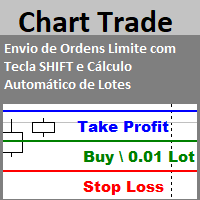
Envio de Ordens Limite com Tecla SHIFT (Cálculo Automático de Lotes) Funcionalidades: Definição de Níveis: Estabeleça os níveis de Stop Loss, Take Profit e o preço da ordem utilizando a tecla SHIFT e cliques do mouse. Cálculo Automático de Lotes: Os lotes são calculados automaticamente com base no risco da conta.(A opção também para usar volume fixo) Gerenciamento de Posições: Botão para fechar todas as posições abertas enviadas pelo EA. Botão para cancelar todas as ordens pendentes enviadas pe
FREE

Add a watermark in the background of your chart, containing the ticker (symbol), followed by the current Timeframe, and the symbol description below it.
Have you ever seen videos or screenshots of other platforms, boasting those great looking watermarks, and wondered why your MetaTrader5 doesn't have one? Well, I did... so I tried a few of the options available in the Market at the time, but I still wanted to tweak everything exactly to my taste. So I developed my own solution, and I am proud t
FREE

Auto Stop Loss and Trailing Step for MT5 Take control of your trades with a smart, easy-to-use trading management panel for MetaTrader 5. Open BUY and SELL positions manually, customize lot size, Stop Loss, Take Profit, and manage profits with an adjustable trailing stop based on points. Featuring a clean interface, flexible settings, and broker stop-level protection, it helps streamline trade execution and position management.
Keywords: MT5 Trade Manager, Auto Stop Loss, Trailing Stop EA, Tr
FREE

CRYSTAL THEMES: The Ultimate MT5 Workspace Upgrade Transform Your Trading Environment in One Click Staring at default, cluttered, neon-green charts for hours causes severe eye strain, mental fatigue, and loss of focus. A clean, aesthetically pleasing workspace is not just a luxury; it is the foundation of professional trading. Crystal Themes instantly transforms your MetaTrader 5 terminal from a basic grid into a premium, high-contrast, distraction-free environment. Clean your charts, protect yo
FREE

Hey Trader!
Boring with the Meta chart? Do you want to move it as you do in Profit?
Your problems are over! Now available Chart Panoramic or ChartPan for closer friends, a utility that allows you to move the chart to better visualize the most relevant points for your trade.
Recommend you to add a keyboard shortcut for quick access (Ctrl + Q - for example), because you will need to run ChartPan after symbol changing to "release" the chart again.
To add a hotkey: after downloading
FREE

RENKO Reversal by StockGamblers Actually working RENKO in MT5. Uses "custom symbols" for drawing. You can apply any indicators with complete peace of mind. The movement of the last price is displayed in real during the formation of the "brick". Put the script in the MQL5/Experts folder. More precisely: C:\Users\user\AppData\Roaming\MetaQuotes\Terminal\terminal_number\MQL5\Experts Settings: ValuePerBar - height of the "brick" in points revCandle - multiplier for the height of the turning "brick".
FREE

MT5 Trade Manager is a MetaTrader 5 trade management panel designed to provide order execution, position monitoring, and risk control tools within a single interface. It operates as an on-chart dashboard with multiple pages for different trading functions. The tool is designed to support manual trading by centralizing trade operations and account monitoring in one place without requiring external applications. Interface Structure The dashboard is organized into six main sections: Dashboard
Provi
FREE

Trade Manager OS is a risk-based order panel for MetaTrader 5. You decide where the entry, stop loss and take profit go. It works out the lot size so that a stop-out costs the amount you chose, in money or as a percentage of your account, and shows every number before you click. Then it keeps working after the order: breakeven, trailing stop, scale out and a daily loss guard run on the positions it sent, so you do not have to watch every tick. HOW IT WORKS Choose how much to risk: a fixed amount
FREE

You can now have a BIG price showing on chart. ========================================== INPUTS: BID or ASK: Choose which price you'd like to show on the chart, bid or ask. Default is Bid. Font size: Set the font size for the price. Default is 200. Font color: Set the font color for the price. Default is White. Base corner: Choose which of the 4 corners you want to price to be in. Default is the upper right hand corner of the chart. X distance from chosen corner: Distance of the price
FREE
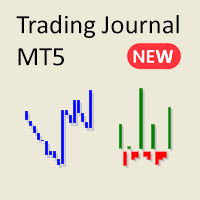
厌倦了 MetaTrader 中繁琐复杂的报告?欢迎使用一种更简洁、更直观的方式来跟踪您的交易。 我的新实用工具/专家顾问旨在为您提供一个简洁、易读的交易表现视图。
此EA目前免费提供,期间我将收集反馈并继续改进其功能。虽然我乐于接受建议,但请理解开发工作是与其他事务同时进行的。
主要功能:
账户余额折线图 通过简单的折线图追踪您的账户余额随时间的变化。轻松查看您的账户表现,一目了然地观察您的交易历史趋势。
盈亏比柱状图 每日交易会话的盈亏可视化。绿色柱状代表盈利交易,红色柱状代表亏损交易,帮助您快速识别交易的好坏天数。交易关闭后,图表立即更新。
详细统计表 EA 包含分析您的交易表现所需的所有关键指标:
净总利润 总交易数 盈亏比 盈利交易 亏损交易 止损/止盈比 投资回报率(账户余额百分比) 成功的空头交易 成功的多头交易 平均盈利交易 平均亏损交易 最大盈利交易 最大亏损交易
为什么选择这个 EA? 简洁且易于理解:没有令人不知所措的数据,只有帮助您掌控交易表现的必要信息。
即时可视化:快速发现趋势并查看交易表现,无需筛选大量报告。
适合: 希望拥有简化、直观交易
FREE
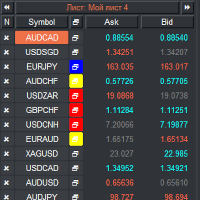
VR 观察列表和链接器 是 MetaTrader 终端的筛选器应用程序。使您更容易找到最有趣和技术性的金融工具。该筛选器供交易者在bybit、莫斯科交易所、美国交易所、外汇和加密货币市场、金属市场等交易所进行交易,并用于自营公司的交易。金融工具的选择是手动进行的。筛选器连接 MetaTrader 终端中打开的图表,并在更改金融工具时单独显示每个图表中的数据。 设置、设置文件、演示版本、说明、问题解决,可以在 [博客] 中找到
您可以在 [链接] 阅读或撰写评论
[MetaTrader 4] 版本 使用筛选器可以帮助交易者找到最具技术性的金融工具,并排除流动性低、风险高的工具的交易。筛选器使您可以轻松快速地创建和更改带有股票行情的工作表,快速添加和删除工作表中的股票行情。在所有图表上保存和加载交易者加价和指标。直接从筛选器交易金融工具。应用预先准备的策略。 VR 监视列表和链接器 - 支持使用热键 - 这使您可以直接从键盘操作工作表,几乎无需使用鼠标。通过这种方法,交易者可以选择多种金融工具在白天进行交易。 筛选器被设计为顾问,需要多个打开的图表才能工作。 在策略测试器中不起作用。 VR
FREE

About CrashBoom Stones is an expert advisor utility that gives you a signal to catch CrashBoom drops or spikes. It shows you a Red Sell arrow on Crash to sell, and a blue arrow on Boom to buy. It also gives you an alert when an arrow is shown. Note:
The utility does not show signals for the historical data in live mode, use the strategy tester to test this utility. The arrows shown are independent to the trends pane. The trends pane is more accurate when H1 and M30 agree.
Recommendations
W
FREE

Trade management panel for MetaTrader 5. It lets you place orders and manage open positions from a panel on the chart, without opening separate order windows. It works on any symbol and timeframe, on hedging and netting accounts.
Layout and display The panel has two layouts. Single shows all controls in one view. Tabs splits the controls into separate tabs for a smaller footprint. You can hide the panel to see the chart behind it and restore it when needed. The panel scales with the screen res
FREE

本程序是为交易者和投资者设计的简单图表播放器,旨在帮助您回放历史市场数据,从而更好地理解市场的动态和价格走势。
使用本播放器,您可以逐根推进K线,按顺序确认市场走势, 并可以分析特定交易策略在不同市场情况下的表现。
通过反复观察关键价格点和趋势变化, 您能够有效地提升交易决策的准确性和操作信心。
播放过程中可以暂停, 并在需要时继续播放。
如果您喜欢,也请考虑使用 “Chart Auto Flow Focus Edition”: https://www.mql5.com/zh/market/product/154905
它支持通过快速滚动进行图表检索、通过慢速滚动进行模拟,并在多个图表上进行多周期(MTF)同一时间同步,让多周期分析变得更加轻松。
【功能特点】 从过去向未来方向自动播放 以固定间隔逐根K线推进 支持播放中的暂停 【播放规格】 播放方向:过去 → 未来 播放速度:固定 移动K线数量:1根固定 播放暂停 / 继续 使用END结束播放 【操作方法】 Pause / Restart:暂停或继续播放
FREE

Trade manually, manage automatically. Break even, trailing stops, partial closes and an equity guard - all from one clean panel. Free - no DLL, no internet, no subscription.
A ton of work has gone into this to make it the best I can make it, and it is free - not a trial, not a lite version - and it always will be. I am still developing it, so expect regular updates. Spotted a bug, or want something added? Reach out in the Comments and I will get it done.
You place the trade. PFX Trade Manager
FREE

SomaNews 是一款免费的 MetaTrader 5 实用工具,可在 Soma 突破 EA 使用的美国重要新闻(非农就业 NFP、美联储利率决议、CPI)发布前,向 MT5 手机应用发送推送通知。 将 SomaNews 附加到任意图表。它从 MT5 内置经济日历加载即将到来的事件(语言无关匹配),若日历不可用则使用嵌入式备用列表。仅在日历加载尝试完成后才发送通知。 功能 通过官方 MetaTrader 5 应用推送(需 MetaQuotes ID) 可配置提前时间(小时和分钟) 可单独启用/禁用 NFP、美联储利率、CPI 图表面板显示各类型的下一事件及倒计时 智能日历搜索 — 找到每种已启用类型的下一个事件即停止(最多 90 天) 事件过后自动刷新以查找下一次发布 支持任何 MT5 终端语言 设置 安装 MT5 手机应用,并在 工具 → 选项 → 通知 中绑定 MetaQuotes ID。 将 SomaNews 附加到图表并启用所需新闻类型。 设置 HoursBefore / MinutesBefore 控制推送提前量。 无授权、无账户绑定 — 对所有 Soma EA 用户免费。
FREE

BKT EdgeScope 适用于 MetaTrader 5 的只读分析面板,可按智能交易系统(EA)、策略、品种和魔术号拆分您的账户结果。 带截图的分步用户指南请见 MQL5 blog 。 BKT EdgeScope 读取终端已保存的交易历史,显示每个机器人对余额的贡献。它为每一行评级,用通俗的语言解释评级,并公开计算过程以便核对。它不会下单、修改或平仓,不包含任何交易策略,也不使用 DLL 和网络请求。 概述 MetaTrader 对您运行的所有内容只报告一个余额。当同一账户上有多个 EA 同时运行时,这一个数字无法说明哪些 EA 赚了钱,哪些把钱还了回去。BKT EdgeScope 根据您的历史记录重建每一笔已平仓头寸,按开仓的机器人对头寸分组,并在同一个屏幕上展示结果。 面板按头寸而不是按单独的成交来计数,因此分几次平仓的交易只计一次。策略由魔术号与开仓成交的注释共同识别,这样使用同一魔术号的机器人也能区分开来。底部的对账行会将重建的结果与账户余额比较,并显示差额,而不是将其隐藏。 面板绘制在专用图表之上,可用于真实账户和模拟账户。该图表的品种和周期无关紧要。 主要功能
FREE

The "Close All Order Tools" tool is designed to solve common problems faced by Forex traders when managing profitable orders—especially in highly volatile market conditions or when dealing with multiple open trades simultaneously. Problems This Tool Solves: Unable to close orders in time : “Just when it was rising nicely, the price suddenly dropped—I couldn’t close it in time, and the profit vanished.” Closing orders one-by-one is time-consuming : “With multiple orders open, closing each one ind
FREE

这个免费指标可以通过清晰实用的绘图功能优化 MetaTrader 5 的技术分析。 主要功能: 绘制矩形以标记关注区域。 轻松绘制趋势线。 标记结构,如 BOS 和市场结构 (MS)。 根据个人偏好自定义颜色和样式。 非常适合使用价格行为或基于市场结构分析的交易者,使图表保持整洁且易于理解。 免费下载并提升您在 MT5 上的分析。 ----------------------------------------------------------------------------------------------------------------------------------------------------
FREE

保护资金,让盈利单瞬间变成零风险单。Auto Break-Even 是一款 MT5 工具,订单达到设定盈利时,自动把止损移至入场价(加可调偏移)。 让交易管理摆脱情绪:盈利单不再变成亏损单,您可以更有信心地持仓等待更大目标。 主要功能 - 自动保本:盈利 X 点后把止损移至入场价。 - 偏移(Pips Offset):加少量缓冲(如 0.3 点)以覆盖点差和佣金。 - 多品种:单个图表,或在一个窗口管理多个货币对。 - Magic Number 过滤:管理手动订单或其他 EA 的订单。 参数说明 - Auto Break-Even:开/关。 - Pips in Profit:触发保本所需盈利点数。 - Pips Offset:新止损距入场价的距离。 - Symbols:要管理的品种(如 EURUSD, GBPUSD),留空 = 当前图表。 - Magic Number:指定订单或全部订单。 适合:趋势交易者、波段交易者,以及难以克服心理障碍、不敢自己移动止损的人。 需要一键部分平仓 + 保本?试试 Close Partial MT5。 如果觉得有用,请留下简短评价——这对我帮助很大!
FREE

ขอบคุณ แรงบันดาลใจ จากโค้ชแพม ที่ทำให้เริ่มทำ Close all ตัวนี้ และขอขอบคุณทุกคนที่ให้ความรู็มาโดยตลอด ไม่ว่าจะทางตรงทางอ้อม ขอบคุณทุกคนที่ให้ความรู้เพื่อนร่วมเทรด ทั้งนี้เพื่อให้นักเทรดทุกคนได้มีเครื่องมือในการควบคุมการปิดการซื้อขาย จึงขอพัฒนาโปรแกรม close all version 5 ได้ใช้ทุกคน Close all and update profit Version 1.00 (MT5) Full version Give you free
For MT4 Click https://www.mql5.com/en/market/product/79252
Fix TPSL calculate
Program function
Tab 1 Close order function and show br
FREE

Chart Only Trading Panel MT5 Chart Only Trading Panel MT5 is a practical manual trading and position-management utility for MetaTrader 5. The panel is attached directly to a chart and manages only the symbol of that chart . This allows traders to control several instruments independently without affecting positions on other symbols. Main Features Open market Buy and Sell positions Place Buy Stop, Buy Limit, Sell Stop and Sell Limit orders Open multiple orders with adjustable lot size, number and
FREE

Title: Smart Position Manager PRO - Advanced Risk & Position Manager Description: Smart Position Manager PRO is an all-in-one visual trade management and risk calculation tool designed for serious traders who prioritize iron discipline and strict risk management. Whether you are executing precise SMC or ICT setups on personal capital or managing large funded accounts on strict prop firms, this tool ensures you focus on counting percentages rather than emotional money swings. With a highly int
FREE

DoIt EA Monitor - Multi EA Performance Dashboard for MT5 Your account can be profitable while one EA quietly drags down the portfolio. MetaTrader history shows the combined result, but it does not clearly show which strategy deserves more capital and which one needs attention. DoIt EA Monitor runs on one chart and separates live and historical performance by magic number, EA and symbol. It is completely read-only. It never opens, closes or modifies a trade. KNOW WHICH EA IS EARNING ITS PLACE Aut
FREE

IBI Gamma Levels draws the main options gamma levels of the Nasdaq-100 on your MNQ / NQ chart: CALL WALL — largest positive gamma exposure (often acts as resistance), PUT WALL — largest negative gamma exposure (often acts as support), GAMMA 0 (gamma flip) — where total exposure changes sign: above it the market tends to be calmer, below it more volatile, GEX bars of the strikes near the price, and a small panel with each level and its distance to price. Data: free CBOE delayed quotes for NDX opt
FREE

Free TrendLine EA opens trades whenever the price on the chart interacts with or crosses your trend line. You simply draw the trend line manually then let the EA do the trading automatically according to the rules you give it. The settings available in the EA are explained below: Lots : The lot size for trading. RiskPercentage : Set a value other than zero to activate lot sizing by use of percentage of margin. TrendLineName: The name of the line to track. You can either * rename the trend li
FREE

Signalator Trade Summary Panel MT5 是一款免费的本地 MetaTrader 5 工具,可直接在图表上清晰显示账户、持仓、交易品种和风险概览。 它属于 Signalator Trading and Analysis Ecosystem —— 一套持续扩展的实用 MetaTrader 工具,用于账户监控、市场分析、品种扫描、提醒以及改善交易工作流程。 该面板将账户和持仓监控与内置 Symbol Inspector 以及交易前 Lot Size / Risk Calculator 结合在一起。您无需在多个终端标签之间切换,即可查看浮动 P/L、敞口、SL/TP 覆盖情况、经纪商品种规格以及计划交易风险。 如需市场扫描、趋势方向查看和多周期提醒,也可以查看以下相关 Signalator 产品: MT4 Summary Panel - Multi TF Symbol Scanner Alerts
MetaTrader 标准 Trade 标签会显示单个持仓,但当多个交易或多个品种同时存在时,快速理解整个账户情况并不容易。Signalator Trade Su
FREE
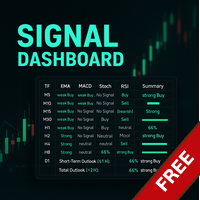
Link to the full version: https://www.mql5.com/de/market/product/138246?source=Site +Profile+Seller#description Feature enhancements or comments are always welcome! Description: This powerful script provides traders with a comprehensive real-time signal overview across multiple timeframes using some of the most reliable technical indicators. It is designed as a clear, compact table on the chart and displays actionable insights for selected timeframes - helping traders make informed decisions ba
FREE

“交易通知”是一个实用工具,旨在通过 移动通知或终端警报 通知您每笔开仓或平仓交易,以及每笔交易的美元盈利/亏损结果。这是我自己使用了很长时间的一个工具,我决定免费分享它!
输入参数: (每个输入都是 true/false 类型, 双击可以更改其值) 平仓盈亏通知 :如果为 true,它将通知您任何已平仓交易的美元结果。这样,您就可以了解交易何时结束及其结果。
这是一个有用的功能,可以让您不必沉迷于图表,观察您的交易盈亏的上下波动。这会减轻交易压力。 通知新开仓交易 :如果为 true,它将在新开仓交易时通知您。 当您设置挂单并想知道何时触发入场水平时,这是非常重要的参数。
如果您是一名算法交易者并使用进入市场的 EA,此功能有助于监控 EA 的活动以确保其正常工作。
通知新的挂单交易 :如果为 true,它会在设置挂单时通知您。这仅对使用 EA 交易进行交易并希望观察 EA 何时设置挂单的用户有用(因为如果挂单是手动下达的,则不需要“通知”它,因为您自己下达了挂单)
通知删除挂单交易 :如果为 true, 它将在删除挂单时通知您 。同样,这主要对算法交易者有用,原
FREE

Lot Assistant MT5 介绍 基于 风险金额(美元) 和 止损 的智能手数计算 快速 一键交易 并自动设置止损 简洁直观的交易面板,灵感来自 MetaTrader One Click Trading Lot Assistant MT5 是一款免费的交易工具,旨在帮助交易者管理风险并快速开仓。该面板的设计灵感来自许多交易者已经熟悉并用于快速执行交易的 MetaTrader One Click Trading 工具。除了快速的 Buy 和 Sell 按钮之外,该工具还提供两个重要的可编辑字段:Profit 和 Stop Loss。只需设置止损点数以及您愿意承担的风险金额,工具就会自动计算正确的交易手数。当交易被打开时,系统会使用计算出的手数立即执行交易,并自动设置止损,从而帮助交易者以更安全、更可控的方式进行交易。 如何使用 使用 Lot Assistant MT5 非常简单。面板显示三个主要的可编辑字段:Profit、Stop Loss 和 Lot Size。Profit 框(绿色)和 Stop Loss 框(红色)都是可编辑的,交易者可以直接在图表上点击并调整所需的数值。当
FREE

Manzano Risk Reward Box You can download the Pro version, featuring a comprehensive control panel, order management, trailing stop, break-even functionality, and funded account protection features, here: https://www.mql5.com/es/market/product/202156 Manzano Risk Reward Box is a visual trade planning and risk management tool for MetaTrader 5, designed to help traders prepare their positions directly on the chart before execution. It allows users to create visual BUY and SELL scenarios, define the
FREE

Move TP & SL (MT5) 是一款交易辅助脚本,可让您通过一次点击,快速调整当前持仓和挂单的止盈(TP)与止损(SL)。 该脚本支持两种工作模式: Pips 模式(Pips Mode) :根据订单开仓价,按固定点数(pips)设置 TP 和 SL。 价格模式(Price Mode) :直接在指定的价格水平设置 TP 和 SL。 您可以选择需要修改的订单类型:所有订单、仅持仓订单,或仅挂单订单。 脚本执行后,会显示一条清晰的单行通知,包含已修改订单的数量、所选模式,以及应用的 TP 和/或 SL 数值。 如果输入参数无效,或没有可修改的订单,脚本将显示 “No action taken” 提示。 使用方法 打开您要管理的交易品种图表。 确保该图表上存在持仓订单和/或挂单订单。 将 Move TP & SL (MT5) 脚本拖拽到图表上,或在导航器中双击运行。 设置输入参数(Target、Mode、TP、SL)。 点击 OK ,脚本将立即执行。 重要说明 本脚本不会开仓或平仓。 仅用于修改止盈(TP)和/或止损(SL)。 脚本只对运行所在图表的交易品种生效。 这是一次性执行脚本,
FREE

ATS Trade Manager 是您交易的“工地主管”。在图表上用可拖动的线条和彩色区域规划交易,按您的风险计算手数后发送,其余交给主管:保本、移动止损、最多三个止盈位且每个位置可部分平仓、每日亏损锁定,以及一个用于成组平仓的面板。只有在您按下 SEND 时才会交易。 在图表上规划交易 按下 PLAN,图表会在您入场前显示这笔交易:蓝线和蓝色区域表示开仓位置,红色区域延伸到止损,绿色区域延伸到目标。拖动任何一条线,数字随之变化。每条线都有标签,以金额说明含义:止损处的亏损、各目标处的盈利、以 R 表示的结果。 按风险计算手数:您选择占余额的百分比,面板根据止损距离算出手数。手数绝不向上取整:如果经纪商的最小手数风险超过您的设定,面板会显示它的实际风险,并允许您一键使用(绝不超过余额的 10%)。 一个、两个或三个止盈位,用面板上的 TP 按钮选择。在前两个位置,管理器按您设定的比例平仓(例如 40% 和 30%),其余由经纪商的止盈平掉。第一个止盈位之后,止损可以移到保本。 市价或挂单:蓝线放在价格上即为市价单;把它拖离价格,订单会自动变为限价单或止损单。市价入场时,整个计划随价格
FREE
- The Symbol Changer Utility for MetaTrader is a tool that enables traders to switch between various symbols on the MetaTrader trading platform easily and quickly. - It is designed to change the symbol of the current and all open chart windows and the timeframe of the current chart window (by clicking the button). - The tool retrieves symbols from the Market Watch, displaying only the necessary symbols in the market watch.
FREE

InvestraAI Forex Heatmap InvestraAI Forex Heatmap 是一款用于 MetaTrader 5 的货币强弱可视化面板。它会比较主要 Forex 货币之间的表现,并在图表上以热力图形式显示结果。 该 EA 可帮助用户快速识别强势和弱势货币,查看潜在 Buy/Sell 信号,并一键打开对应信号图表。 工作原理 EA 分析所选货币:EUR、USD、AUD、GBP、NZD、CAD、CHF、JPY。用户可以在参数中启用或禁用每一种货币。 对于每个启用的货币组合,EA 会根据所选时间周期计算百分比变化。例如,如果 broker 提供 EURUSD,EA 会使用 EURUSD 计算 EUR 对 USD。对于 USD 对 EUR,EA 使用相同的 EURUSD 数据,但方向相反。 热力图颜色含义: 绿色表示基础货币强于报价货币 红色表示基础货币弱于报价货币 颜色越深,变化越强 中性色用于相同货币或无可用数据 EA 会统计每种货币强于或弱于多少其他货币。如果某货币强于足够多的货币,则被视为强势货币。如果弱于足够多的货币,则被视为弱势货币。这个数量由 Signa
FREE

当一个账户同时运行多个EA时,每个EA只控制自己的风险,没有人看到总风险。五个EA可能各自只冒0.5%的风险,却同时都在做空美元。 Currency Exposure Monitor 读取账户上所有持仓和挂单,并显示: 每种货币和资产的净敞口。外汇货币对和贵金属拆分为两种货币(买入EURUSD = 做多EUR + 做空USD)。指数、商品和股票CFD按各自资产计算。 每种货币到止损的净风险,以账户货币和净值百分比显示。 到止损的总风险、杠杆(名义总额/净值)和保证金水平。 没有止损的持仓。工具会标记它们,并按日线ATR的设定倍数假设止损,因此它们不会被显示为"零风险"。 按魔术号统计的风险,让您看到哪个EA占用了您的风险预算。 相关持仓:日收益率同向变动的品种对。显示它们是叠加风险(STACKED)还是相互对冲(hedge)。 当某种货币、总风险、杠杆或保证金水平超出您的限额时发出警报(弹窗、推送通知、电子邮件),并设有冷却时间。 面板 状态标签:OK、WARNING(接近限额)或 BREACH(超限)。 四个指标卡:总风险、杠杆、保证金水平、无止损持仓,每个都带有相对限额的进度条。
FREE

HotkeyTrader — Expert Advisor for MetaTrader 5 HotkeyTrader is a free Expert Advisor that allows opening and closing trades using keyboard shortcuts, without interacting with the terminal menus. Available functions Key B: opens a buy order at the current price. Key S: opens a sell order at the current price. Key C: closes all open positions. Features No cost. No usage restrictions. Compatible with all instruments available in MetaTrader 5.
FREE

RSI 隐性背离提醒 EA(MT5) RSI Hidden Divergence Alert EA 是一款 MetaTrader 5 工具,可检测最新收盘 K 线与经过验证的历史价格极值之间的 RSI 隐性背离,并通过弹出警报通知您。它帮助交易者发现潜在的趋势延续机会,无需时刻盯着图表寻找背离形态。 挂到图表后,该 EA 会将最近收盘的 K 线与已确认的历史摆动点进行比较,并在出现隐性背离时发送弹出警报——当 RSI 处于超卖而价格形成更高的低点时为看涨背离;当 RSI 处于超买而价格形成更低的高点时为看跌背离。这样您就可以快速查看图表并评估潜在的趋势延续。 功能特点 检测看涨 RSI 隐性背离(RSI 超卖且价格低点抬高) 检测看跌 RSI 隐性背离(RSI 超买且价格高点降低) 通过局部 K 线窗口验证历史极值,避免未确认的摆动点 在价格图表和 RSI 指标窗口中同时绘制背离趋势线 MetaTrader 5 内直接弹出警报 适用于经纪商支持的任何品种和周期 可自定义 RSI 周期、超买/超卖水平以及目标周期 每个 K 线每个方向仅一次警报——不会重复提醒 轻量、易用 工作原理 该
FREE
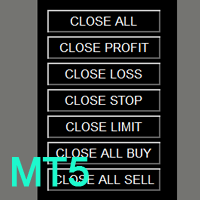
如果产品有任何问题或者您需要在此产品上添加功能,请联系我 Contact/message me if you encounter any issue using the product or need extra feature to add on the base version.
You can get the free Close Button MT4 version at LINK . Close Button provides you an intuitive, effective, and handy way to close your orders and/or positions based on their type and their profit status. The tool provides seven close options: Close All: close all pending orders and positions. Close Profit: close all positions which are in profit. Close L
FREE

非农就业(Non-Farm Payrolls)、CPI 或央行利率决议等高影响新闻,可能在几秒钟内让市场大幅波动:点差扩大,价格跳空,挂单在远离您设定的位置成交。 News Filter 读取 MetaTrader 5 内置的经济日历,并在新闻窗口临近时提醒您。如果您开启相应功能,它还会删除挂单、平仓,并发布一个您自己的 EA 可以读取的暂停标志。 免费、功能完整、无时间限制。 没有烦人的弹窗,程序内也没有升级提示。它从不开仓。 功能 经济日历 :MT5 内置日历,未来 7 天,每 15 分钟以及点击 REFRESH 按钮时重新加载。所有时间均为您经纪商的 服务器时间 。 新闻窗口 覆盖每个计入的事件:事件前后各 X 分钟(默认 15 / 15)。重叠的窗口合并为一个。 整个账户 :一个图表上的一个 News Filter 实例即可监控所有交易品种。同一终端另一个图表上的第二个副本显示 DISPLAY ONLY,如果第一个停止运行,它会在约 10 秒内接管。 面板 :状态框、已开启的操作、 接下来的 8 个事件 (日期和时间、倒计时、货币、影响程度圆点、标题)、当前受影响的交易品种以及
FREE

Market Desk — 多周期市场裁决 (Multi-Timeframe Market Verdict)
Market Desk 是 MetaTrader 5 的一款只读分析工具, 它将多周期分析与 Market Watch(市场报价)的全局上下文相结合, 为当前市场状况提供结构化的视图。 它分析图表品种的 D1、 H4、 H1、 M30 和 M15 周期, 并给予较高周期更大的权重。 它还会检查 Market Watch 中的合资格品种, 以评估总体市场压力, 并在适用的情况下评估货币的相对强弱和方向一致性。
Market Desk 提供什么?
市场裁决 (Market Verdict): 识别看涨、 看跌或盘整(震荡)状况, 并突出显示市场结构之间的过渡和背离情况。
多周期分析: 将五个周期结合成单一的加权读数。
全局市场上下文: 评估其他可用品种的信息, 以识别方向支撑、 背离或中性条件。
可视化解释: 通过颜色显示看涨、 盘整和看跌读数的分布, 并配有上下文标签。
市场状况详情: 识别诸如修正性回调、 裁决之间的窄幅差距、 平衡区间以及不完整的市场数据等情况
FREE

Pare de lutar contra o terminal. Comece a operar com precisão cirúrgica. O Profit Station Pro não é apenas um painel; é uma reformulação completa da experiência de trading no MetaTrader 5. Desenvolvido para traders que exigem agilidade, este utilitário transforma o gráfico em um Cockpit Operacional , eliminando a necessidade de boletas complexas e cálculos manuais lentos. Seja você um Scalper ou Day Trader, o Profit Station oferece as ferramentas que faltavam para sua consistência. Funcion
FREE

PropBlaster Position Sizer calculates the right lot size for every trade. Plan the trade on the chart, drag the stop loss line, and the panel shows lot, risk and R:R before you send the order. It only sends the orders you click. 100 % native MQL5 - no DLLs, no web requests. How it works Click Plan BUY or Plan SELL: entry, stop loss and take profit lines appear on the chart Drag the lines; lot size, risk in money and in percent, and R:R update instantly Risk as % of balance, % of equity or a fixe
FREE
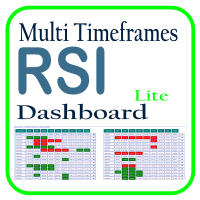
利用 RSI 多时间框架仪表板优化您的交易分析,这是一个强大的工具,可以实时监控市场观察列表中所有时间框架和符号的 RSI。这款仪表板提供即时的洞察和通知,非常适合依赖 RSI 进行潜在市场进出点识别的交易者。主要功能包括: 全面的 RSI 概览 :即时查看市场观察列表中所有符号的每个时间框架的 RSI 值,轻松进行多时间框架分析。 可自定义的超买/超卖警报 :设定您自己的超买和超卖阈值,当达到这些水平时,仪表板将突出显示相关的时间框架。 一键式图表访问 :单击即可打开任何符号的图表,帮助您快速响应并执行交易策略。 实时通知 :当任何符号在任何时间框架的 RSI 进入超买/超卖区域时,即时通知您。 使用 RSI 多时间框架仪表板提升交易效率——这是您进行精准 RSI 分析的必备工具!
FREE

TradeInfo Panel is a lightweight indicator that displays your trading performance directly on the chart as a draggable dark-themed panel. It tracks daily profit and loss, pips, gain percentage, and lot volume for Today, Yesterday, and the previous 3 trading days. It also calculates automatic summaries for the current Week, Month, and Year. All values include commission and swap for accurate net results. Features Daily performance for the last 5 trading days with Pips, Profit, Gain%, and Lots. We
FREE

Indicator Signal Alerts Kb 监视指标,在其发出买入或卖出信号时通过弹出窗口、手机推送通知和电子邮件提醒您。您可以从 MetaTrader 5 内置指标的现成设置开始,也可以连接您正在使用的指标;最多可再用四个指标作为过滤器确认每个信号。无需编程。 用户手册 完整用户手册(英文):设置、现成方案、过滤器、故障排除 从现成设置开始 参数的第一行是 Ready setup。从下方列表中选择一个设置并点击 OK:指标、规则和过滤器随即设定,下一个信号出现时您就会收到提醒。 1. Alligator + EMA 200 trend, H4 (EURUSD, GBPUSD, USDJPY, XAUUSD) 2. Awesome Oscillator + EMA 200 trend, H4 (EURUSD, GBPUSD, USDJPY, XAUUSD) 3. Stochastic cross in the zone + EMA 200 trend, H4 (EURUSD, GBPUSD, USDJPY, XAUUSD) 4. MACD + EMA 200 trend, H
FREE

Risk calculator for MetaTrader 5.
Precision Position Calculator is a MetaTrader 5 utility that helps calculate trade volume based on the risk configured by the user. The panel allows the user to work with Entry, Stop Loss and up to three Take Profit levels directly on the chart. Main description Precision Position Calculator is a utility for MetaTrader 5 designed to help calculate the volume of a trade before opening it. The panel allows the user to configure risk, select the order type, set th
FREE
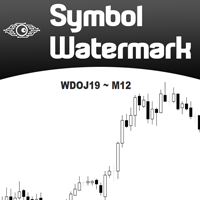
Another request from my brotherhood was putting the name of the Symbol being seen - a little bigger - on the Chart, just to get sure that they are seeing the correct one... Mistakes pay a high price on the market... It is a very effective, and almost resource-null-consuming indicator that displays the current Symbol Name and Timeframe in almost any position of your Chart, with any color, and any Font Size... And also you can change the divisor character that is presented between the Symbol Name
FREE

AURA Backtester Forex Simulator is a state-of-the-art manual trading simulator designed to help you master price action, test new strategies, and build trading discipline without risking real money. Unlike traditional automated backtesters, AURA transforms your standard MetaTrader chart into a fully interactive simulation environment. Practice trading historical data exactly as if you were trading the live, breathing market. Whether you are a beginner trying to understand market structure or a p
FREE

LC Risk Manager - Clean Chart, Precise Execution, and Risk under Control Speed up your execution with the most complete and discreet utility on the market: Exact Lot Calculation for complex assets (JP225, DE40, Nasdaq). Minimalist Interface: Focus on your analysis and activate planning only when necessary. Visual Management: Drag lines, view financial risk, and execute with a single click. LC Risk Manager is the ideal trading assistant for those seeking a clutter-free chart without compromising
FREE

A bot utility designed to streamline trade management. It offers auto lot calculation based on money, account risk, or fixed lot size, with order setup featuring draggable take profit, stop loss, and entry price to fit your plan. It supports Buy/Sell market, Buy/Sell limit, and Buy/Sell stop orders, with or without stop loss and take profit. Additional features include single-click breakeven, deleting positions/orders, and more, making trade management efficient and easy.
FREE

This utility automates Take Profit (TP) and Stop Loss (SL) levels for your trades, calculated in Pips . It ensures consistent risk management for all your positions. Crucial Note for Manual Traders: If you intend to use this utility on trades opened manually (without an Expert Advisor), you must change the 'Magic Number' setting to 0 (zero) . This allows the utility to correctly identify and manage your manual orders.
FREE

Native Depth Viewer renders the order book of the current symbol directly on the chart: ask ladder, bid ladder, spread, and bid/ask volume imbalance. MarketBookAdd, OnBookEvent and MarketBookGet, the functions this indicator is built on, have no equivalent in MQL4. This reading is native to MetaTrader 5 only.
WHAT IT SHOWS
When your broker does publish a real book for the symbol: Ask ladder (sell side), worst price first, reading top-down like a real DOM Bid ladder (buy side), best price firs
FREE

ATC Trading Sessions 在您的图表上将悉尼、东京、伦敦和纽约时段绘制为覆盖每个时段高点和低点的框,并添加一个小面板,显示每个市场的实时状态。 时段交易时间以每个市场自身的当地时间设置,欧洲、美国和澳大利亚的夏令时自动应用。无论您的经纪商使用什么时区,框全年保持正确。
此工具也是 All In One Trade Management Panel MT5 的一部分,与仓位工具、交易管理和绩效分析一起
演示账户的免费试用版 ——在实时图表上试用,无时间限制。 主要功能: 从时段高点到时段低点的时段框,每个框上显示名称和以点表示的范围。
开盘时段的框随着价格创出新高或新低而增长。
一个面板,显示每个时段是开盘还是收盘、距其收盘或开盘的时间以及开盘时段的范围。
每个时段的 ON/OFF 开关。您的选择会为每个图表记住。
每个时段可调整的开盘和收盘时间。时段可以跨越午夜。
经纪商 GMT 偏移自动检测,或可手动设置。 输入: 时段开盘和收盘时间,格式为 HH:MM,每个以市场的当地时间表示(默认悉尼 07:00-16:00,东京 09:00-18:00,伦敦 0
FREE

Strifor Auto Lot Calculator — MetaTrader 5 基于风险的手数计算工具 Strifor Auto Lot Calculator 是一款适用于 MetaTrader 5 的交易工具,可根据您设定的风险水平和止损(Stop Loss)计算合适的仓位手数。 该工具帮助交易者在开仓前确定仓位大小,控制交易风险,并在规划后续加仓时考虑已经持有的仓位。 这不是交易机器人,也不是交易信号生成器。 Strifor Auto Lot Calculator 不判断市场方向,也不会决定何时买入或卖出。交易者自行选择入场点和止损水平,而工具负责计算相应的仓位大小并帮助控制风险。 主要功能 根据风险自动计算手数 设置目标风险和止损水平后,Strifor Auto Lot Calculator 将自动计算合适的仓位手数。 计算过程中会根据所选交易品种的具体规格进行计算,包括每跳价值、合约大小以及其他交易品种参数。 开仓前,面板会显示: 计算出的仓位手数; 潜在亏损; 止损距离; 允许的风险; 当前仓位限制。 无需手动计算手数,即可在开仓前了解交易可能承担的风险。 多种止损设置
FREE

Chart Link allows you to control multiple charts from one chart or multiple charts from multiple charts. Features 1. Synchronised Scrolling : Scrolling the master chart also scrolls all linked sub charts to the same position. Sub charts inherit offset and auto-scroll settings from the master chart. 2. Synchronised Timeframe : Switching the master chart timeframe also switches all linked sub charts. 3. Synchronised Symbol : Switching the master chart symbol also switches all
FREE

OHLC 磁铁增加了水平线、矩形和价格标签的缺失磁点。 如果你喜欢这个实用程序,请评价,评论,并查看我的其他程序。 指示:
只需将上述对象之一拖动到像素接近范围内所需的 "打开"、"高"、"低" 或 "关闭", OHLC 磁铁就会自动将该对象附加到您选择的确切价格点。
参数:
接近度 (像素): 要将实用程序附加到该特定价格点的实用程序的 "打开/高/低/关闭" 的接近程度 (以像素为单位)。默认值为10。 自动调整价格标签: 将自动调整价格标签的左侧 (左价格标签) 或右侧 (对于右侧的价格标签)。默认值为 "已启用"。 (Sorry for the rough translation. The rest is here to meet the minimum character count.)
FREE
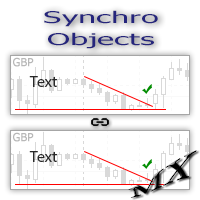
The SynchroObjects utility is designed to facilitate and speed up the work with graphic constructions on different charts of one symbol. The SynchroObjects utility clones the created objects to all charts on which the utility is running and which have the same symbol. And also synchronously changes their properties. The utility is easy to use and requires no configuration. Tip: If you view the history frequently - we also recommend you to also install the free Smart AutoScroll utility. It automa
FREE

See your broker's pending order limit, free margin with margin call and stop out, and your open charts at a glance - read-only, never trades. Limit Monitor shows the limits of your trading account on one clean panel, so you notice a problem before your broker rejects an order. What you see Pending orders – your pending orders right now against the server limit of your account, with the highest value seen, your open positions and the total. If the server reports no limit, the panel says so. Margi
FREE

Chinese (中文) Close-All 是专为 MT5 平台设计的强大配置脚本,旨在帮助交易者快速、安全地批量关闭账户中的持仓平仓和/或挂单。无论您是需要紧急风控平仓、多品种对冲组合清仓,还是日常交易管理,这款脚本都能高效完成任务。 详细工作流程 :用户只需将脚本拖拽至任意图表,即弹出直观的参数设置对话框。支持全账户所有交易品种扫描,或仅针对当前图表品种进行精确操作。内置多重智能过滤器,包括盈利/亏损状态、买卖方向、挂单类型等精细筛选条件。脚本采用 FIFO 合规的票据收集机制,先收集符合条件的交易票据,再统一批量处理,确保美规经纪商兼容性。 核心技术优势 :自动检测交易时段、市场冻结水平,支持最多5次智能重试机制,失败时提供详细错误日志和重试间隔。成功关闭时播放"expert.wav"确认音,失败时播放"timeout.wav"提醒音。异步模式默认开启,大幅提升多单批量处理速度,同时保持终端响应流畅。 实用选项一览 : 范围 :全账户所有品种 / 当前图表品种 类型 :持仓平仓 / 挂单删除 / 两者同时 盈亏过滤 :全部 / 仅盈利 / 仅亏损 方向控制 :全部 /
FREE

Tandem 是一个 MetaTrader 本地跟单工具,用来在同一台电脑或 VPS 上运行的终端之间复制交易:MT4 到 MT4、MT4 到 MT5、MT5 到 MT5,以及 MT5 到 MT4。两个平台各有一个版本,彼此可以互通。 我把主账户和从账户做进了同一个 EA。在每个终端的图表上加载它,发单的账户点 MASTER,跟单的账户保持 SLAVE 就行。只要频道号相同,从账户通常不到一秒就能跟上主账户的交易。数据通过终端公共文件夹里的一个小文件传递,不用 DLL,不用服务器,也不需要在 Windows 里做任何设置。每个终端要允许算法交易,所有终端要在同一个 Windows 用户下运行。 会跟随的内容包括:市价持仓和挂单、它们的止损止盈、之后对止损和挂单价格的修改、部分平仓和全部平仓。如果你自己平掉了某张复制单,或者它碰到了自己的止损、止盈,就不会再被重新打开。 手数可以和主账户一样,也可以按倍数、固定手数、按两边账户余额或净值的比例,或者按风险百分比和止损距离来算,还可以设一个上限。不同券商的品种名称不一样时,可以用品种映射(比如 GOLD=XAUUSD),也可以设置前缀和后缀
FREE

Risk Calculator EA – Utility for Precise Trade Sizing If you find this tool useful consider to Buy me a coffee! The Ultimate Risk Calculator is a lightweight in-chart Expert Advisor (EA) designed to help you easily and quickly calculate position size and set stop-loss / take-profit levels with full control over risk management directly on the chart.
What it does? It turns manual risk decisions into fast, visual, and accurate calculations. You draw or adjust the Entry, Stop-Loss and Take-P
FREE

RelicusRoad CopyTrader 是一款适用于 MetaTrader 5 的免费跟单软件( trade copier )。它可以在同一台电脑上的 MT5 终端之间复制交易,让你只操作一个账户,其余账户按各自的仓位和风险自动跟随。 完整版本,无功能限制,无需试用期。 只交易一个账户,其余自动跟随。 MetaTrader 4: RelicusRoad CopyTrader MT4 运作原理 一个终端作为 主账户 (Leader)运行,负责发布其持有的订单;任意数量的终端可作为 跟随账户 (Follower)运行,镜像复制这些订单。终端通过 频道 名称配对,因此同一台电脑上可以同时运行多组互不干扰的跟单组合。 复制引擎以 200 毫秒为周期运行,因此跟随账户无需等待自己图表上出现新的报价,就能对新订单作出反应。 设置步骤 1. 将所有终端运行在 同一台电脑 或同一台 VPS 上。无法在两台不同的电脑之间复制。 2. 在每个终端中,将 EA 加载到一个图表上。任意品种和周期均可。 3. 在 EA 窗口的 Common 选项卡中勾选 Allow Algo Trading ,并在每个终
FREE

100% 免费 — 完整版,无限制,无需注册。
功能
- 在图表上以重要度配色的竖线标记即将到来的事件。
- 倒计时至下一个事件,并显示币种与重要度。
- 暂停标志:全局变量 FXEA_NEWS_PAUSE,供你的EA读取(一行 GlobalVariableGet)以跳过开仓;时段结束后恢复为 0。
- 在时段内可选平仓(整个账户或当前品种,可按 magic 过滤)。
- 在时段开始前通过推送/邮件/Webhook 预先提醒。
设置
你可选择监控的币种、最低重要度(仅高 / 中以上 / 全部),以及事件前后各多少分钟为暂停时段。工具持续扫描日历并同步标志、标记与面板。
注意:MT5 经济日历在策略测试器中不可用,因此本工具面向实盘/前进测试使用。
如果这个工具对你的交易有帮助,在本页留下一条简短评价会很有帮助,无论好坏,包括你希望改进的地方。它能帮助其他交易者做决定,也能告诉我们下一步该修什么。
FREE

Click Close Manager FREE — Close All Trades Panel
Click Close Manager FREE is a free, one-click close-all trade panel for MetaTrader. If you have ever needed to close all trades fast — during news, a spike, or a sudden reversal — you know a close all button on the chart is the difference between keeping a profit and watching it disappear. This close panel lets you close all positions, or close all Buy or all Sell trades, in a single click, with a live floating P&L right on your chart.
WHY EVER
FREE
MetaTrader市场是一个简单方便的网站,在这里开发者可以出售自己的交易应用程序。
我们将帮助您发布您的产品,并向您解释如何为市场准备您的产品描述。市场上所有的应用程序都是加密保护并且只能在买家的电脑上运行。非法拷贝是不可能的。
