 MetaTrader 5
 专家
专家
 指标
指标
 程序库
程序库
 实用工具
实用工具
 窗口小部件
窗口小部件
 规则
规则
全新的MetaTrader 4 交易实用工具 - 22
 以下是可在MetaTrader 4中简化外汇交易的交易程序。将鼠标悬停在下面列表中的工具上,阅读它的描述和用途。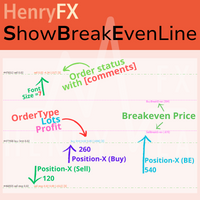
This indicator can help easy to management your order on screen.
FREE Version, included: - " Show Breakeven Price "
Show Breakeven Line Pro : : https://www.mql5.com/en/market/product/58289
Input Parameter: " Label Prefix "
:: [ ] Description; " Position-X-Dis "
:: [ ] Description; " Position-Y-Dis "
:: [ ] Description; " Show Market Price "
:: [ ] Description ; " Price Up Color "
:: [ ] Description; " Price Down Color "
:: [ ] Description ; " Position-Y-D
FREE

Emulate TradingView drawing experience with magnet snap to the nearest price.
Supported drawing tools: Vertical Line Horizontal Line Trend Line Horizontal Ray (Angle Trend Line) Fibonacci Retracement Rectangle
Input:
Threshold (px) : The distance in pixel unit to snap the crosshair to the nearest price. Crosshair color: The color of crosshair.
Feel free to write the review, request more features or report bugs.
FREE

以平台时间执行EA(市场报价处显示的就是平台时间)。 先计算好数据发布时的平台时间是多少,比如电脑时间是20:00,平台时间是14:00,那么平台时间就是比电脑时间慢6个小时,如果非农数据发布的时间是电脑时间21:30,平台时间就是15:30,设置参数的时候就要设置成15点30分,挂单秒数设置成-30秒,就自动在15:29:30执行挂单。 做实盘前最好在模拟盘上先测试, 就会在心里形成什么数据该挂多少的量, 该做多少的止损 ,止盈。是否要移动止损或手工平仓。 这样才会在大数据上利用这款EA做到以小博大! 比较简单易懂的一款EA,但平台最低价格得30刀,感觉不值这个价,随便挂着卖吧,免费是不可能免费的,哈哈!

介绍 Ea CloseManager MT4,一个专门为 MetaTrader 4 量身定制的 Expert Advisor (EA),旨在简化和自动化交易平仓过程。这个强大的工具为手动和自动交易策略提供了精确的退出标准控制,使其成为各个水平交易者的理想选择。 MQL产品安装指南 | 在 MT4/MT5 上更新已购买的MQL产品 | 常见故障排除指南 | 常规设置 / 输入指南 | 回测和设置文件 使用 Ea CloseManager MT4,用户在交易管理中节省了大量时间,并改善了风险控制。利用这个 EA 的交易者报告称,通过适应快速变化市场条件的有纪律的退出策略,盈利能力得到了提升,特别是在 forex、指数和加密货币方面。 MQL产品安装指南 | 在 MT4/MT5 上更新已购买的MQL产品 | 常见故障排除指南 | 常规设置 / 输入指南 | 回测和设置文件 主要特点 自动交易平仓:根据可自定义的标准无缝关闭交易,确保有纪律的退出。 盈亏管理:设定特定的盈亏阈值以进行自动调整,提高整体交易表现。 基于蜡烛的平仓:在定义的蜡烛数量后自动终止交易,允许有效的基于时间的策略。 回撤控
FREE
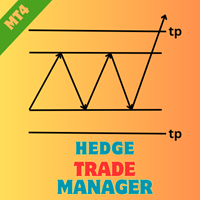
通过 Hedge Trade Manager MT4 增强您的对冲策略,这是一款复杂的高级顾问(EA),专为自动化对冲交易设计,以应对不利价格变动,源于2010年代外汇经纪商推广的对冲技术,允许开立相反头寸以锁定利润或在不确定趋势中限制损失。在 MQL5 和 Forex Factory、Reddit 的 r/Forex 等交易论坛上备受赞誉,因其灵活的配置和强大的风险保护机制而广受欢迎,该 EA 深受在外汇主要货币对、指数和加密货币等波动市场中的剥头皮和波段交易者的青睐。用户称赞其将潜在回撤转化为可管理场景的能力,通常通过动态手数递增和基于净值的退出方式将整体风险降低 25-40%,使其非常适合尝试恢复策略的新手对冲者和将多 EA 设置整合到多元化投资组合中的资深专业人士。 Hedge Trade Manager MT4 在交易达到指定亏损距离(HEDGE_DISTANCE: 10 点)时激活对冲,放置相反订单,具备可定制的手数模式(HEDGE_LOT_INCREASE_MODE: MULTIPLY,HEDGE_INCREASE_FACTOR: 2 或 INCREMENT)和执行类型(
FREE

The Trade Manager Interface is a free utility designed to simplify manual trading in MetaTrader. Please leave a review, if you like the trade manager. It allows traders to visualize trades directly on the chart, calculate position size automatically, and manage orders with advanced features such as partial take profits, automatic breakeven, and trailing stops.
This tool focuses on risk control and execution precision, making trade management faster and more efficient. For the advanced trade
FREE
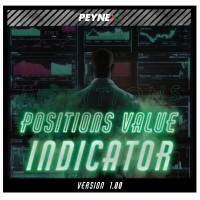
By using this indicator you can easily find out how much your position is in profit right on the volume line on the chart. no need to take your mouse pointer on the lines. --- if you have different positions you can set all your TPs or SLs to a specific price to know the final value if the price reaches there. key features are : --- opened positions TP/SL value right on the chart. --- live value of the open position right on the volume line. --- commissions and swaps are being calculated. --- fo

Script to configure "TweetHelper for MT4" environment settings for "Twitter API v2 OAuth 2.0 with PKCE".
Client ID : ${CLIENT_ID} Auth Basic base64 : β string(Base64) Response Code : auth_code to be obtained in step 2 of "Connection Procedure Using OAuth2.0" Callback URI : the value set in User authentication settings "Callback URI / Redirect URL"
TweetHelper trial for MT4 https://www.mql5.com/ja/market/product/54507
TweetHelper for MT4
https://www.mql5.com/ja/market/product/54
FREE

TradeWise EA is a compact yet powerful tool loaded with robust features. It offers a 30-trades compounding challenge , Risk-Management, Performance Tracking, Break-Even Calculation, Automated SR Zones, Trailing Stop-loss by ATR or PIPS, Automatic Risk-to Reward Ratio based on Stop-loss, Easy Order Adjustments, Calculates Total Stop Loss and Take Profit, Automatic buy and sell orders on manually placed SR Zones, and more. These features are designed to cater to both scalpers and long-term traders

All the buttons and info you need as a trader in just one interface No need to navigate between multiple interfaces and waste time and money This cutting-edge trading tool is designed bu a trader for a trader to meet all your trading needs and more, offering an array of features and functionalities to enhance your trading success.
45 Features: Buy :Open long positions Sell :Open short positions HG : HEDGE :Buy and Sell(same lot) S.Pdg : Sell-Stop and Sell-Limit Red X
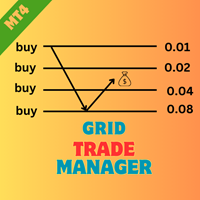
介绍 EA HedgeTradeManager MT4,一款强大的 Expert Advisor,旨在自动化对冲策略,为交易者提供可靠的工具来管理不利的价格波动。这个 EA 非常适合探索对冲技术的新手交易者和希望提升交易设置的经验丰富的专业人士。 MQL产品安装指南 | 在 MT4/MT5 上更新已购买的MQL产品 | 常见故障排除指南 | 常规设置 / 输入指南 | 回测和设置文件 凭借其复杂的风险管理功能,EA HedgeTradeManager MT4 在显著减少潜在回撤和允许灵活的 lot 规模方面表现突出。交易者可以通过利用动态的 lot 进展和基于权益的退出策略,有效地在波动市场中导航,无论是 forex、指数还是加密货币。 MQL产品安装指南 | 在 MT4/MT5 上更新已购买的MQL产品 | 常见故障排除指南 | 常规设置 / 输入指南 | 回测和设置文件 主要特点 对冲激活:在定义的损失距离触发相反交易,使交易者能够适应突发市场变化。 手数增加模式:支持乘法和增量 lot 增加,以增强对冲灵活性。 执行选项:提供即时或挂单执行模式,以适应各种交易策略和市场条件。 S
FREE
介绍 Ea TrailingStop BreakEven MT4,一款强大的 Expert Advisor,旨在通过自动化管理止损水平来提高您的交易效率。非常适合新手和经验丰富的交易者,这款 EA 确保在动态调整盈亏平衡和跟踪止损设置的过程中最大化您的利润,同时最小化风险。 MQL产品安装指南 | 在 MT4/MT5 上更新已购买的MQL产品 | 常见故障排除指南 | 常规设置 / 输入指南 | 回测和设置文件 使用 Ea TrailingStop BreakEven MT4,交易者可以享受优化交易管理的显著优势,在有利的市场波动中更好地保留利润。用户报告称,他们的交易表现有了显著提升,EA 简化了流程,减少了手动交易监督所花费的时间。 MQL产品安装指南 | 在 MT4/MT5 上更新已购买的MQL产品 | 常见故障排除指南 | 常规设置 / 输入指南 | 回测和设置文件 主要特点 自动止损管理:轻松调整现有交易的止损水平,确保利润并增强交易管理。 可自定义的盈亏平衡设置:激活盈亏平衡功能,使用用户定义的 pip 水平以增强风险控制。 灵活的跟踪止损:通过适应市场波动的跟踪止损锁定利
FREE
介绍 EA MartingaleTradeManager MT4,一款创新的专家顾问,旨在利用马丁格尔方法优化您的交易策略。这个 EA 非常适合希望自动化交易过程并通过系统化交易管理来弥补损失的交易者。 MQL产品安装指南 | 在 MT4/MT5 上更新已购买的MQL产品 | 常见故障排除指南 | 常规设置/输入指南 | 回测和设置文件 凭借其先进的功能,EA MartingaleTradeManager MT4 帮助交易者通过在亏损时进行对冲交易来有效管理其头寸,最大化利润潜力,同时最小化风险。这个 EA 非常适合新手和经验丰富的交易者,能够适应各种市场条件并提升您的交易表现。 MQL产品安装指南 | 在 MT4/MT5 上更新已购买的MQL产品 | 常见故障排除指南 | 常规设置/输入指南 | 回测和设置文件 主要特点 核心交易策略:利用马丁格尔策略通过进行对冲交易来弥补损失。 支持的时间框架:兼容多种时间框架,提高交易选择的灵活性。 风险管理:具有可自定义的止损和获利设置,以有效控制风险。 入场过滤器:包括 spread、交易时段和新闻事件的过滤器,以优化入场点。 头寸管理:实施
FREE
介绍 EA AccountTrailingStop MT4,这是一款先进的 Expert Advisor,旨在通过自动管理和保护您在 MetaTrader 4 上的利润来增强您的交易策略。该工具非常适合初学者和专业交易者,为各种交易环境中的动态利润锁定提供了强大的解决方案。 MQL产品安装指南 | 在 MT4/MT5 上更新已购买的MQL产品 | 常见故障排除指南 | 常规设置/输入指南 | 回测和设置文件 使用 EA AccountTrailingStop MT4,用户体验到显著的优势,例如在有利市场条件下提高利润保留率和减少手动监控时间。在 forex、指数和加密货币中,交易者注意到他们的整体盈利能力显著提高,使得这个 EA 成为任何希望优化交易表现的人的重要资产。 MQL产品安装指南 | 在 MT4/MT5 上更新已购买的MQL产品 | 常见故障排除指南 | 常规设置/输入指南 | 回测和设置文件 主要特点 动态利润跟踪:自动跟踪和追踪账户总利润,确保在当前利润低于最后一个峰值时平仓。 可自定义的追踪止损:根据您的利润水平设置追踪止损参数,实现量身定制的风险管理。 魔术号码支持:
FREE

You can use comercial or free AG version.
In comercial version you can trade all 28 pairs in your basket.
For free version for testing you can trade only 7 pairs for free
In version 1.20 change the indicator from CCFp to CSS -CurrencySlopeStrength
In algorithm release the construction of Baskets Differencial - 4 baskets
Signal algoritm AG for 28 pairs you can rent in mql5 shop
https://www.mql5.com/ru/market/product/94278
Signal algoritm AG for 7 pairs FREE version you can upload free
htt
FREE
Perspect EA
This version of the EA focusses on indicating points of interest on the chart, features include : Sessions (Asia/Gap/London/Gap/NewYork/Gap) Previous Daily/Weekly/Monthly highs and lows Previous Daily/Weekly/Monthly open and close price
Round numbers (Ruler) Opening range Initial balance Multi time frame (Yearly view, monthly opening range) Customizable chart templates for low light users The indicator will assist in advanced technical analysis, providing the user with desired
FREE

This simple EA closes old losing trades at the expense of a portion of your profits. This helps to slowly work away drawdown and accelerate the closure of martingale grids
*** New Features *** Added - Option to close oldest or furthest from current price trades Added - Calculation of profits that will be sacrificed.
Anyone who has traded with martingale knows that you can get trapped in grids and be hoping for a quicker recovery. This led me to create this EA with the goal of helping to r
FREE
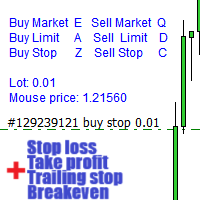
警告,此EA不适用于测试账户, 只适用于模拟或真实账户, 如果您想尝试模拟,请与我联系 https://www.mql5.com/en/users/abudabi MT5 Version
"通过键盘和鼠标在MetaTrader 4中发送(下单)快速订单: 将光标移动到所需的价格上,按键: 市价买入:E 限价买入:A 止损买入:Z 市价卖出:Q 限价卖出:D 止损卖出:C (可自定义键) 当订单被发送(下单)后,Fast Keyboard Orders MT4 可以通过以下方式管理订单: 止损 获利 跟踪止损 保本 如果您想建议某个功能或修复错误,或有任何问题, 请随时通过以下链接与我私信 https://www.mql5.com/ru/users/abudabi/ 我将更新“Fast Keyboard Orders MT4”。 完整参数: bool LotsPer200 = false ; // 手数根据权益的100$来计算,否则为固定手数 double FixedLot = 0.01 ; // 固定手数 int Slippage = 5 ; // 最大滑点(用于买入/卖出止损/市

介绍 虚拟 TPSL Close M4 订单管理实用工具(专家顾问)管理您使用的另一位专家顾问所建立的现有未平仓头寸或您的手动开仓订单,并以虚拟止盈和止损水平将其平仓。 顾问在完全虚拟模式下运行,没有任何视觉水平显示超过一个彩色箭头对象,当监控的头寸被平仓时,无论是盈利还是亏损,都可以在图表上标记其平仓头寸(如果开仓并附带实用程序)。
如何使用这个实用程序?
简单,打开一个图表 - 任何图表和时间范围都可以,因为仅从一个图表进行监控。 将此顾问附加到它,指定您想要监控的交易品种和幻数(0 表示手动订单)以及头寸类型 - 买入、卖出或两者,并设置您希望平仓的虚拟止盈水平 。 还可以监控止损水平(可选),如果您选择使用此功能,请不要忘记设置所需的虚拟止损水平。 此外,如果您的头寸已经存在止盈和/或止损水平,请确保该顾问的虚拟水平低于实际头寸水平。
策略测试员
在策略测试器中运行此实用程序时,您可以选择在演示目的中应使用哪些订单类型。

Stochastic Full View show all 29 major and minor pairs Stochastic indicator live value,traders can view all 29 pairs Stochastic indicator live value with all 9 timeframes just attached it on ANY ONE Chart, traders can see all the 9 timeframe overbought signal and oversell signal just on ONE Chart Stochastic Full View show the overbought value and oversell value with highlight background color and font color,you can attach this utility on any pair and any timeframe, traders can
FREE

Rosy Trade Assistant A very easy to use EA, simple and friendly. Many features available to manage your trade. Compact panel with 4 sizes that can be selected according to your convenience. And trading in your local time has never been easier, using local timescale and clock. User Guide and Demo version Pages Trading Panel - Page to place an order and manage it's SL/TP Tools - Page to manage order: trailing, close on target, close all by categories Settings - Page to use custom time scale with s

CCI Full View can show the all 29 major and minor pairs CCI indicator live value,traders can view all 29 pairs CCI indicator live value with all 9 timeframes just attached it on ONE Chart, traders can see all the timeframes overbought signal and oversell signal on ONE Chart CCI Full View show the overbought signal and oversell value with highlight background color and font color, you can attach this utility on any pair chart and any timeframe, traders can see the overbought and ov

RSI Full View can show all the 29 major and minor pairs RSI indicator live value,traders can view all 29 pairs RSI indicator live value with all 9 timeframes on ONE Chart, traders can see all the 9 timeframes overbought signal and oversell signal RSI Full View show the overbought signal and oversell value with highlight background color and font color
How to start: Open any chart, attach this utility to it, keep this chart opened ,watch signals shows and take trades

The "InfoBox" utility is designed to display the presence of open orders, the number of lots, current profit and much more in one window. The version for the MT5 platform is here .
You've probably encountered a situation where you have an advisor that works on a currency pair, but information about its operation: - orders and their number, the size of the spread for the instrument, the volume of lots on the market, drawdown and much more - are scattered in different places of the terminal and
FREE

WPR Full View can show the all 29 major and minor pairs WPR indicator live value,traders can view all 29 pairs WPR indicator live value with all 9 timeframes just attached it on ONE Chart, traders can see all the timeframes overbought signal and oversell signal on ONE Chart WPR Full View show the overbought signal and oversell value with highlight background color and font color, you can attach this utility on any pair chart and any timeframe, traders can see the overbought and oversel

Smart Lot-Size Calculator And Trade Assistant for Mobile Trading Overview: This is the tool every trader in the market must have no matter if you are scalper, swing traders, day trader, or long term trader. This On-The-Go trading tool will help you stay disciplined and also stay free from daily trade management chores, Most traders face common problems like 1. Calculation of proper lot-size of a position to take controlled risk 2. Managing every trade and trailing stop-loss if trades goes in
FREE

将信号从您所属的任何渠道(包括私人和受限渠道)直接复制到您的 MT4。 该工具在设计时充分考虑了用户的需求,同时提供了管理和监控交易所需的许多功能。 该产品采用易于使用且具有视觉吸引力的图形界面。 自定义您的设置并在几分钟内开始使用该产品!
用户指南 + 演示 | MT5版本 | 不和谐版本 如果您想尝试演示,请参阅用户指南。 Telegram To MT4 接收器在策略测试器中不起作用!
Telegram 至 MT4 功能 一次复制多个通道的信号 从私人和受限频道复制信号 不需要机器人令牌或聊天 ID(如果出于某种原因需要,您仍然可以使用这些) 使用风险百分比或固定手数进行交易 排除特定符号 选择复制所有信号或自定义要复制的信号 配置单词和短语以识别所有信号(默认值应适用于 99% 的信号提供商) 配置时间和日期设置以仅在需要时复制信号 设置一次打开的最大交易量 交易和头寸管理 使用信号或自动设置的管理 通过设置每月、每周、每天、每小时或每分钟的最大交易次数,停止过度交易和报复性交易。 支持市价订单和挂单 每日最大利润目标(以美元为单位)以确保头寸并停止过度

DYJ Follow Me – 智能跟单交易EA 概述 DYJ Follow Me 是一款智能交易EA,它可以跟随任意 DYJ 指标 的虚拟交易记录,并执行真实交易。 它能够 显示 信号来源指标的名称和状态。目前支持 DYJ T3ModeMa ,还支持WPR,鳄鱼,BoS突破等指标,未来将扩展更多指标。 核心功能 实时趋势跟踪 – 直接获取指标的最新趋势方向,精准执行交易。 智能入场管理 – 读取指标最新的 入场时间 和 入场价格,确保交易信号精准执行。 多货币对监控 – 显示 多个货币对 的利润按钮,并展示当前持仓总数。 挂单管理 – 提供按钮查看各货币对的 挂单数量,可随时 删除单个或全部挂单。 一键平仓 – 可按 货币对单独平仓 或 全部平仓,轻松锁定利润。 灵活手数设定 – 可设置固定手数(如 0.01手、1手或更多),或 根据指标动态调整交易手数。 动态利润追踪 – 设定 移动止盈,有效保护盈利。 目标利润管理 – 设定封顶目标,达到后自动止盈。 自动清理挂单 – 当平仓时,所有相关挂单自动删除,保持账户整洁。 实时利润显示 – 同时显示 单个货币对利润 和 总利润,清晰直

将完全可定制的信号从 MT4 发送到 Telegram,并成为信号提供商! 该产品采用易于使用且具有视觉吸引力的图形界面。 自定义您的设置并在几分钟内开始使用该产品!
用户指南 + 演示 | MT4版本 | 不和谐版本 如果您想尝试演示,请参阅用户指南。 MT4 电报发送器在策略测试器中不起作用。
MT4 转 Telegram 功能 通过大量选项根据您的喜好完全定制信号 在信号之前或之后添加您自己的自定义消息。 这可以是标签、链接、频道或其他任何内容 在信号中添加、删除、自定义表情符号。 或者您可以将它们全部删除。 按交易品种或幻数过滤要发送的交易 排除发送特定符号 排除发送特定幻数 自定义与信号一起发送的交易详细信息 发送带有信号的屏幕截图 自定义要发送的信号类型 发送信号性能的每日、每周、每月和自定义时间报告
我总是愿意改进产品,所以如果您有想要看到的功能,请发表评论或给我留言。

将完全可定制的信号从 MT4 发送到 Discord 并成为信号提供商! 该产品采用易于使用且具有视觉吸引力的图形界面。 自定义您的设置并在几分钟内开始使用该产品!
用户指南 + 演示 | MT5版本 | 电报版本 如果您想尝试演示,请参阅用户指南。 MT4 To Discord 发送器在策略测试器中不起作用。
MT4 Discord 功能 通过大量选项根据您的喜好完全定制信号 在信号之前或之后添加您自己的自定义消息。 这可以是标签、链接、频道或其他任何内容 在信号中添加、删除、自定义表情符号。 或者您可以将它们全部删除。 按交易品种或幻数过滤要发送的交易 排除发送特定符号 排除发送特定幻数 自定义与信号一起发送的交易详细信息 发送带有信号的屏幕截图 自定义要发送的信号类型 发送信号性能的每日、每周、每月和自定义时间报告
我总是愿意改进产品,所以如果您有想要看到的功能,请发表评论或给我留言。

该工具可以帮助你一键平仓所有持仓订单,只需要点击“Close all”.如果你只想平仓盈利中的订单时,就点击“Close profitable"按钮,点击之后,所有浮盈中的订单都会被全部平掉;如果你只想平仓浮亏中的订单,就点击“Close losable”按钮,点击之后,所有浮亏中的订单就会被全部平掉。
该工具经过一年的真实测试,一键平仓功能非常完善,平仓及时,延迟范围较小,当然,延迟和你所处的地区以及网络环境也有关系,这一点还请注意。
在历史数据的回测过程中,该工具表现更加完美,100张订单全部平仓完成最多只需要0.495秒。在真实交易过程中,本人最多持仓订单数量只有26笔,全部平仓完成的时间是1.28秒。

Heaven Assistant: Simplify Your MT4 Management Simplify the management of the MetaTrader 4 (MT4) platform with the Heaven Assistant . This Expert Advisor (EA) is a robust tool that allows you to control and customize your trading environment in an efficient and user-friendly manner. Key Features: Multiple Pairs Opening: Quick access to most currency pairs, both major and minor, plus exotic pairs. The ability to open indices, metals, and cryptocurrencies with a single click. Template Change: Easi

交易者所需的所有按钮都集中在一个界面中 无需在多个界面之间导航,浪费时间和金钱
您是外汇或股票交易者,正在寻找全面的工具来简化您的交易体验吗? 别再犹豫了! 我们很自豪地推出我们的最新产品,即 MQL4 平台上提供的高级交易专家顾问。 这款尖端的交易工具旨在满足您的所有交易需求以及更多需求,提供一系列特性和功能来提高您的交易成功率。
主要特征: 1. 订单执行:只需点击按钮即可轻松执行买卖订单,确保快速高效的交易执行。
2. 挂单:管理挂单以根据预定条件(包括止损和止盈水平)开仓、平仓或修改交易。
3. 交易逆转:快速逆转现有交易或头寸,并能够轻松改变其方向。
4. 预先设定的盈亏目标:提前设定具体的盈亏阈值,以便在达到这些水平时自动平仓。
5. 对冲:有效对冲您的头寸,以在各种市场条件下管理风险并最大化利润潜力。
6. 信息仪表板:访问专用信息面板,提供重要的实时数据,包括浮动利润或亏损、手数大小、总利润、净值、保证金水平等。
为什么选择我们的交易专家顾问?
- 功能全面:我们的产品涵盖广泛的交易功能,确保您的所有交易需求都能在一个地方得到满足。
- 用户友好的

Hello everyone, this is another utility that I wrote specifically for users using my profile with a large number of experts and sets ( https://www.mql5.com/en/blogs/post/750723 ) . This utility is useful for working with a profile using grid strategies (averaging and martingale). As we know, such strategies periodically fall into a large drawdown and you need to be careful when opening averaging positions (do not open too many). In my profile, I use a limit of 3 positions for each EA, if this w
FREE

This Dashboard displays signals in grid view for the 28 major fx currency pairs. It is Mainly used for forex scalping in between 10 to 20 pips maximum and can be used on major trend market decisions. It Uses mainly Moving average and does not give false signal. All you need to note is the point in the grid where the signal occurs. A beep sound is heard whenever there is a new signal and it will be displayedat the top of the chart.
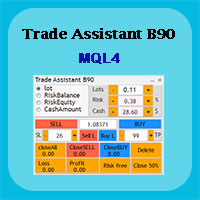
Trade Assistant B90 is designed for manual trading so that it helps us to manage capital and position well.
This expert has the ability to change the default inputs of the expert as desired before use.
You can see the expert entries in the photo below, each of which we explain below.
1. Background Color : With this entry, you can change the assistant's background
Color
2. Font size: You can change the size of the fonts used in the assistant.
3. Button color: Change the color of assis
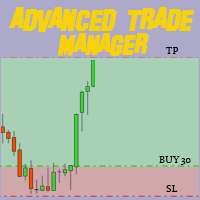
通过我们的MT4和MT5高级交易管理器革新您的交易 MT5版本: https ://www .mql5 .com /en /market /product /107253 利用我们的MT4和MT5高级交易管理器来强化您的交易策略,提升精准度和控制力。与传统交易管理器不同,我们的管理器不仅能动态适应市场条件,还在您进入交易的瞬间设置自动止损和止盈水平。 主要特点: 自动进入策略: 通过自动进入策略即时抓住机会。进入交易时,系统会战略性地设置预设的止损和止盈,确保从一开始就严格的风险管理。 动态止损管理: 实时应对市场变化。当您的交易达到+0.50%的利润时,系统会自动将止损减半,保护您的收益并控制风险。 保本保护: 获得+1%利润时享受安宁。我们的高级交易管理器会将止损移动至保本水平,确保您初始资金安全,让利润得以延续。 优化利润锁定: 轻松最大化收益。当达到+2%利润时,交易管理器将止损调整为+1%,在确保利润的同时允许市场波动。 高效的进入和退出自动化: 通过自动执行止损和止盈,充满信心地交易。无需时刻监控,将更多精力放在优化您的策略上。 多资产兼容性: 轻松多样化您的投资组合。我
FREE

Hi Friends, " FCK Currency Strength Pro " is a auto & semi auto trading expert with direction of pair. Buy-Sell separate or multi currency in one click. The strategy of FCK Currency Strength Pro is a combination of custom indicator, Trendlines, Support & Resistance levels ( Price Action ) and most important secretive trading algorithm mentioned above. Download News Ex4 and csv file You need the following SDSnews.ex4 in MQL4/Libraries and the daylightsavings.csv in MQL4/Files.
Only 4 of 5 copi

介绍适用于 MT4 的 NAS100 Auto SL 和 TP Maker: 有了我们的 NAS100 Auto SL 和 TP Maker,再也不会错过止损和止盈的设置,这是交易者在 MetaTrader 4 上浏览纳斯达克 100 市场时不可或缺的助手。该工具专为寻求自动管理止损和止盈水平的无缝解决方案的用户而设计。 主要功能 轻松实现自动化: 自动监控无止损和/或止盈的纳斯达克 100 指数交易。 根据用户配置设置动态调整水平。 订单类型的多样性: 兼容纳斯达克 100 指数的市价订单和挂单。 支持 MetaTrader 4 中的各种订单类型。 定制配置: 用户友好的参数设置允许自定义跟踪偏好和止损/止盈水平。 范围灵活: 可选择为其运行的特定 NAS100 工具或所有交易工具设置止损和止盈。 快速执行: 确保快速设置所需的 StopLoss 和/或 TakeProfit 值,无需等待新的 tick 即可迅速响应。 MetaTrader 4 兼容性: 与 MetaTrader 4 中的所有订单类型兼容,实现无缝集成。 使用 NAS100 Auto SL 和 TP Maker 增
FREE
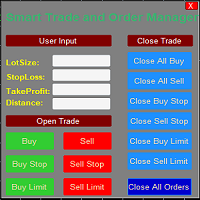
Smart Trade and Order Manager: An Essential Tool for Precision Trading Smart Trade and Order Manager is your trusted trading assistant, meticulously designed to simplify and streamline your trading operations. It empowers traders by enabling swift order execution and effortless order management, allowing you to dedicate your valuable time to in-depth market analysis and decision-making. With just a few clicks, you can initiate various order types, ensuring you are always in control of your tradi
FREE
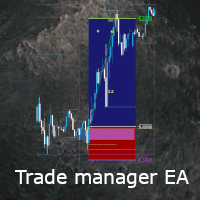
This EA is a free part of Flexible Trade Manager Indicator - Buy it here (It will not work without it) Flexible trade manager is a simple and effective trading tool for setting new order by pressing B as Buy or S as Sell on keyboard. All with ability to see additional characteristics before opening with predefined risk and observation of the risk and potential profit. Set and manipulate order levels straight from the charts or or place them right as pending orders.
Additional buttons helps
FREE

GGP Trade Copier EA is an automatic trading bot that can help traders automatically replicate the trading strategies and operations from one trading terminal to others by experiencing exceptionally fast trade copying system. Its easy-to-use setup allows you to copy trades between multiple MetaTrader terminals on the same Windows computer or Windows VPS with lightning-fast copying speeds of under 0.5 seconds. The software supports multiple trading varieties, including Forex, commodities, stocks,

Zone touch MT Telegram 警报是一种简单但有用的按区域手动交易实用程序,一旦价格达到交易者感兴趣的某个区域,就会在 Telegram 频道中通过屏幕截图和简短描述通知用户。 帮助用户使用特殊交易区轻松方便地制定一天或更长时间的业务计划,并使用时事通讯完全控制图表上的重要变化,而无需在计算机附近浪费大量时间。
适用于模拟账户和真实账户,以及 Windows 8+ 上 MT4 和 MT5 中可用的所有货币对和资产。 激活非常简单且快速。 它不包含外部库和模块,这保证了将交易信号快速传递到TG通道并且几乎不需要技术支持。
安装 在工具 -> 选项 -> Expert Advisors 窗口中,选中允许列出 URL 的 WebRequest 框。 在 URL 列表中,单击添加新 URL 并在空表单中输入 https://api.telegram.org 。 单击窗口底部的“确定”。
在图表上安装该实用程序后,在顾问设置窗口的“输入”选项卡中,填写 TelegramBotTok

japanese gamle stick Changed Forex Order Fun Slot Machines for You. Come on, have fun and win. You can't feel the excitement without playing games with real money. Now the real game begins, are you ready?
The game is quite simple, you click on any of the boxes on the screen. Then, a box is selected based on the number formed according to the rule of randomness. If the selected box is below the price, buying is done automatically, if the price is above the box, selling is done automatically. Tp
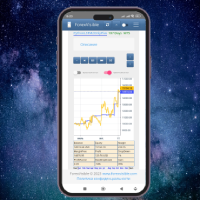
This client utility is intended for sharing and copying signals, as well as for monitoring your Expert Advisor on the site https://forexvisible.com . The Android version of the site can be downloaded here The version for the MT4 terminal can be downloaded here https://www.mql5.com/en/market/product/106509 There are many reasons to use this application in your trading, and these are: 1. If you have many trading advisors and many accounts, it is very difficult to track them and monitor everyt
FREE
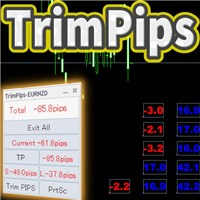
TrimPips solves the following problems at once. I want to know the total of current positions and total pips of current currency at a glance. I want to know the total pips display for plus positions, minus positions, short positions, and long positions at a glance. I want to close the position all at once. I want to close my current currency position all at once. I want to close short and long positions all at once. I want to close both positive and negative positions at once. I want to set TP/
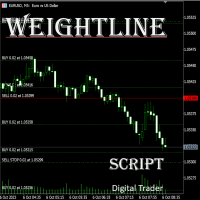
在外汇、股票、黄金等多品种、多仓位并行的交易场景中,交易者常常面临核心痛点:当持有多张同品种持仓单时, 无法快速直观判断当前市价与所有多头 / 空头持仓的相对位置 ,难以精准掌握整体持仓的平均成本,导致止盈止损决策滞后;尤其在多空混合持仓时,缺乏统一的成本参考基准,资金管理效率大打折扣。传统手动计算均价的方式不仅耗时费力,还容易出现计算误差,在高频交易或大额持仓场景下,根本无法满足实时决策的需求。 本 MT5 专属脚本专为解决多仓分析痛点设计,核心价值在于 让持仓与市价的关系实现可视化呈现 ,无需手动核算,即可帮助交易者在报价表中快速掌握关键持仓信息,让决策更高效、精准。脚本会自动计算并绘制三类关键均价线,且与当前市价实时联动,一眼就能判断市价处于盈利区间还是亏损区间,辅助快速调整止盈止损策略、优化仓位结构: 多头平均价线 :自动汇总同品种所有多头持仓的入场价格,精准计算平均值后生成专属线条,直观展示多头整体成本,让你清晰知晓多头持仓的盈利状况; 空头平均价线 :实时统计同品种所有空头持仓的入场价格,以平均价线条形式呈现,清晰反映空头持仓的成本区间,助力空头仓位的风险控制; 加权平均
FREE

Price Action Supply/Demand, Support/Resistance, Swing Low, Swing High Scanner Indicator is a software designed to automatically draw and mark regions on price charts, making it easier for traders to identify potential reaction sites. The software can be used for various currency pairs and commodities such as AUDCAD, gold, and bitcoin. Highlights The software automatically marks regions on price charts, indicating past working areas and potential reaction sites. Traders can easily switch be

Trading Advisor for margin currency pairs and metals. Conservative trading of 100,000 units per 0.01 lot. The standard trade is 10,000 units per 0.01 lot. Aggressive trading with high risks of 1000 units per 0.01 lot. You can always pick up your starting lot. The EA is fully automated, you only have to put up the initial lot depending on your initial deposit. The recommended timeframe is H1. 1. Test on any steam, iron and fuel oil 2. Try starting with convenient depots 3. When going into a dra

Here's a step-by-step guide on how to create and set up a Telegram bot for MetaTrader 4, enabling you to receive trading updates and alerts on your Telegram channel or group. Open Telegram : Launch your Telegram app on your device. Search for "BotFather" : In the Telegram search bar, type "BotFather" and select it from the search results. Create a New Bot : Type /start and send it to BotFather. Then, type /newbot to initiate the bot creation process. Bot Nickname and Username : Give your bot a n

Transform Your Trading with SmartFastTrade AI: Speed and Ease at Your Fingertips! Introduction Are you a trader struggling with slow order execution? Do you want a tool that can assist you in making quick and accurate trading decisions? If yes, then SmartFastTrade AI is the answer to all your trading needs. With its unique combination of speed, user-friendliness, and advanced features, SmartFastTrade AI will help you unlock your full trading potential. Let's delve deeper into why this innovativ

Copier for the MetaTrader4 terminal. Designed to copy trade from one terminal to another. Compatible with the version for the MetaTrader5 terminal; if available, copying can be performed between different terminals (regardless of the type of accounts: hedging or netting). The number of accounts to which copying is possible is not limited (depends only on the computing power of your computer). Directions for copying the version for MetaTrader 4 together with the version for MetaTrader 5: MT5 Net
*** Introductory Offer! *** Ends soon - Price will increase - do not miss it!
This EA Closes ALL open trades ( with the same magic number on that same pair ) at a certain level of profit - either in money or in percentage of balance. So if you have multiple trades open, you can choose to close them all as one "basket" using this EA. For spreads from a tiny 0.1 pips RAW/ECN Accounts, click here . Check out my Waka Esque EA signal here: >> High Risk Settings or Medium Risk Settings .
Se
EA supports traders in order management. The operations to close partial and total orders are quick and convenient. You can move all profits and protect profits in $ or in points, automatically move losses and profits at will, and automatically place orders. take losses and profits. Easy-to-use interface. Streamlined design for professional investors!!!
Trader Assistant MT4帮助每个交易者根据他的余额管理每笔交易的风险,并且它有一些方便的工具。 注意力。 该应用程序在策略测试器中不起作用。 如何下载演示。 交易助理: 它使用特殊的流畅面板 - 元交易平台上没有该面板。您可以在建立交易前查看盈利和亏损金额。它还具有一些方便的工具,如下所述。
风险回报率面板. 该面板类似于交易视图平台。 您可以将 RR Ratio 设置为固定数字,例如 1:2 或 1:3 或...。此外,您还可以将止损设置为固定的点数。 交易量计算. 交易量可以通过三种模式计算。 第一个是您可以批量设置的固定体积。第二种是基于固定现金止损。 第三个是基于您的止损余额/净值的百分比。
工具菜单. 它有每个交易者都需要的四个方便的工具。 规模修复。 只需单击一下,您就可以比平时放大图表。 蜡烛定时器。 它显示蜡烛关闭之前的剩余时间。 整数价格。 它显示了最接近的整数的 12 个价格水平。 世界交易时间会话。 该面板根据“您的当地时间”显示四个主要交易时段 - 纽约、伦敦、东京和悉尼。 重要的. 该 EA 将在未来版本中具有额外的功能特性,从而
Indicator that synchronizes the charts, that is, when the asset is replaced in one of the charts, all those with the synchronized indicator are changed, with the same timeframe (Same_Timeframe = true) or with different timeframes (Same_Timeframe = false). The graphics to be synchronized are identified by color (Label). To synchronize indicators, the indicator must be inserted in all charts to be synchronized, using the same color (Label). A box with the chosen color (Label) and identification A
Modify TP SL Pending Orders Selected chart. Please leave a review about this product to help other users benefit from it. This script avoids modifying existing BUY and SELL ( TP & SL ) orders. + User-friendly utility + Help adjusting Take Profit and Stop Loss points for all your running orders automatically + Compatible with orders Sell Limit , Buy Limit , Sell Stop , Buy Stop + Easily edit all orders with appropriate new P&L values + The indicator works only on the selected window. There's no

Live testing available. Please contact.
ATR Auto Stop Loss & Take Profit Manager Automatically apply volatility-based Stop Loss and Take Profit levels to every new trade using the Average True Range (ATR). Unlike fixed-pip stop losses, ATR-based levels adapt to current market conditions. During high volatility, wider stops help prevent premature exits. During low volatility, tighter stops help improve risk efficiency. The utility automatically calculates and applies Stop Loss and Take Profit le

Account Info EA It is a tool that presents on the graph all the positions of the account, and specific information concerning the positions, but also the account. It enables the user to have an image of his account at a glance. Use like any expert advisor. You can't attach it in the same chart with other expert advisor. It does not have the ability to open or manage positions. You can attach it on any chart and any timeframe.
FREE

Open Popup Notification Please leave a review about this product to help other users benefit from it. " Free " Script to turn on pop-up notifications to view past trading alert messages including displaying account information. This script is compatible with MetaTrader 4 The script is easy to install and use, making it suitable for traders of all experience levels. There's nothing to worry about, including a freezing screen and any kind of effects on other chart windows. Disclaimer: This script
FREE

The "Dagangduit EA Auto_SLTP" is an Expert Advisor (EA) developed by the Dagangduit Core Team for MetaTrader 5. This EA is designed to provide automated management of Stop Loss (SL) and Take Profit (TP) levels for your trades, as well as other advanced features to enhance your trading experience. Key Features: Automated SL and TP Management : The EA automatically manages the Stop Loss (SL) and Take Profit (TP) levels of your open positions, allowing you to protect your profits and limit pote
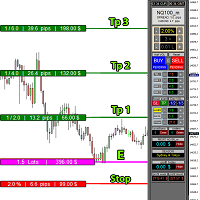
educational video https://www.youtube.com/watch?v=EHK_Z-9FvdM If you want to test the free version, you can download the file from the link below and test it in Alpari broker in demo accounts mt4. Download link free version: https://www.uplooder.net/files/199902052dcb318fb85a20262e8bd6b0/TPS-TradeManager-freeDemoFo-r-a-lpariBroker.ex4.html Download Metatrader 4 for free testing in demo accounts: https://www.uplooder.net/files/0e489a0794f5bf9130e149d0a8eb8f85/alpari4setup.exe.html Performance :

Utilities
This is an EA program to make it easier for traders to place open limit orders on the market. This program is equipped with: Set Lots Set BuyLimit, (this is the first price you must input to set up a BuyLimit order on the chart) Set SellLimit, (this is the first price you must input to set up a SellLimit order on the chart) SL and TP sets, Set Magic Number (I also matched it in the Order Comment) Set STEP By Point, Set Max Order, and Close all by Magic Number (you can close all order

该指标具有三个主要工具:放大镜(缩放图表)、标尺(时间和价格刻度)和十字准线。 您可以用鼠标移动它并自定义不同的显示格式,自定义每个元素的大小和颜色。
放大镜(缩放图表)允许您显示任何时间范围和不同比例的蜡烛。 默认热键:“Q”- 更高的时间范围,“A”- 更低的时间范围,“W”- 减小蜡烛尺寸,“S”- 增加蜡烛尺寸,“Z”- 显示/隐藏缩放图表 您可以在评论页面找到最新的演示。 → 演示版仅适用于 USDJPY 货币对 . 时间刻度根据时间周期标记图表。 您可以设置时移,以便您可以在刻度上看到您的当地时间,而不是经纪商的时间(因此它会在图表上显示您的当地时间,而不是 MT 时间)。 时间格式可以设置为 24 小时制或 12 小时制。 热键“T”- 显示/隐藏时间刻度。
价格刻度垂直标记图表。 您可以设置显示数字和四舍五入价格的格式。 热键“P”- 显示/隐藏价格等级。
十字线可以显示价格、时间、柱数、点数、百分比、根据指定手数计算的利润(按手数计算的利润)、根据指定金额计算的手数(按风险手数)。 热键“C”- 显示/隐藏十字准线。 如果金额计算不正确,请尝试启用“如果符号货

Easy and Smart Trade Manager. It does work on visual strategy tester. Take your trading to the next level with it. Backtest you ideas and indicators. Improve it and run it live. This assistant has everything you need to do that. MT5 version
Basic features: Works with any FX, Crypto, Indices, Futures etc Several volume calculations methods, included risk calculation based on StopLoss level Several BreakEven modes Time close, timeout close and orders expiration Cancel pending orders level (OCO) R
FREE

News Protector Tool for Traders: As a trader, understanding the importance of microeconomic news is crucial. Passive traders face the challenge of managing news and pending orders efficiently. Repeatedly setting pending orders at the same price level after news events can be tedious. Introducing the News Protector Tool: News Protector is designed to simplify your trading experience. It removes pending orders before news events and automatically reopens them afterward. During news releases, if t

Close Pending Active chart. Closing - Deleting, all pending orders For only the window you selected Please leave a review about this product to help other users benefit from it. Key Features: Effortless Order Management: This script streamlines your trading by allowing you to close all pending orders on the active chart with a single click. Comprehensive Order Handling: It's not just about market orders! Our script closes Buy Limit, Sell Limit, Buy Stop, and Sell Stop orders, ensuring a thorough

Close All Selected Chart Overview: This is one of the smart choices to help you make your trading management a lot easier. Especially when you have to manage a large number of orders. This utility will work like a helping hand to close all the unrelated order windows in less than no time, plus without making any kind of unwanted effects. :: 3 simple steps to use :: 1. Select your chart window. 2. Click "Close All" 3. Click "OK" Note: For the better understanding on how this utility works, plea

DEMO VERSION HERE
MagicGuard EA Description: MagicGuard is a sophisticated Expert Advisor designed to maximize your trading gains. This intuitive and powerful tool continually monitors your open positions on a specific asset pair and automatically closes orders when your desired profit is achieved, taking commissions and swaps into account. Let MagicGuard handle the details, allowing you to focus on your trading strategy. Key Features: Automatic Profit Closure: MagicGuard calculates the net pr

Modify TP SL Multi-Order Selected chart. Please leave a review about this product to help other users benefit from it. Looking for an easy-to-use multiple trading helper?
This is the right choice!
Why?
+ User-friendly utility
+ Help adjusting Stop Loss & Take Profit for all your running orders automatically
+ Compatible with orders Sell , Buy , Sell Limit , Buy Limit , Sell Stop , Buy Stop
+ Easily edit all orders with appropriate new P&L values
+ The indicator works only on the select
MetaTrader市场是独有的自动交易和技术指标商店。
阅读MQL5.community用户备忘更多地了解我们提供给交易者的独特的服务:复制交易信号,自由职业者开发的自定义应用程序,通过支付系统完成的自动付款和MQL5云网络。
