 MetaTrader 5
 专家
专家
 指标
指标
 程序库
程序库
 实用工具
实用工具
 窗口小部件
窗口小部件
 规则
规则
全新的MetaTrader 4 交易实用工具 - 26
 以下是可在MetaTrader 4中简化外汇交易的交易程序。将鼠标悬停在下面列表中的工具上,阅读它的描述和用途。
我们中的大多数人使用VPS来运行我们的交易EA,24/7,但如何监控这些终端是否正常运行?
如果他们崩溃了,或者因为更新而关闭了怎么办?我如何得到这方面的通知?
这就是我们的心跳监测发挥作用的地方。
它为您的所有终端和VPS提供24/7的监控。
那么,我们需要什么呢?
1.一个 在Cronitor 的免费用户 账户 ,一个专业的监控服务。
2.2. 这个工具在您的VPS上的图表上运行。 在MT5或连接问题的情况下,您会收到邮件通知(有更多的通知方式)。
我们使用这个技术方案来监控我们关键的后台基础设施,所以它被证明是可靠和有用的。
请 阅读完整的教程 ,在我合作伙伴的博客:Daniel Stein。
如果你愿意,你也可以使用 Nodeping服务 (付费)。
通过我们 在mql5 和 Telegram 上 的 晨间简报,获得每日市场更新的细节和截图!
Trade simplifier is a trade panel that simplifies trade opening. It is simple and easy to understand, with key features to ease trading. Features include:
Order type selection Fixed lot entry from the chart user interface Easy Take profit entry field on the chart user interface Visual take profit selection and adjustment via the line that appears when you click the Take Profit button Easy Stop loss entry field in points on the chart user interface Visual Stop Loss selection and adjustment via
FREE
This is a tool for back testing your strategy manually on the Strategy Tester , it's very easy to use, it may be useful for both professional and beginner traders. Features : • Simple buttons and inputs. • Back-test result will show on the strategy tester graph and results tabs.
How to use : • Select the EA in the strategy tester list. • Configure the settings to your needs. • Start the tester and begin trading , input the stop loss and take profit set the lot size

IMPORTANT: Blocks&Levels Alerts indicador.
Gives you the ability to easy draw Blocks and Levels (support and resistance) using key shortcuts and Alerts when price touch them. Please use it and give me feedback!! It really helps! Thank you very much! DESCRIPTION:
Blocks&Levels Indicator, has useful key shortcuts for draw Levels, Blocks Zones, change chart Time Frames, Select or Deselect all drew objects. SETUP:
Just install the Indicator on the Chart
Open and navigate Indicator properties to

介绍智能资金概念交易管理器——专为寻求市场专业优势的交易者设计的终极工具。无论您是ICT/Smart Money Concepts/手动交易者,我们的软件都专门为您构建,以便在实时中轻松自动化您的交易并管理风险。 使用智能资金概念交易管理器,您可以轻松自信地执行智能资金概念或机构交易设置。我们强大的工具运行在MetaTrader 4平台上(我们目前正在开发MT5版本),并提供一系列功能,以适应您独特的交易风格和目标。 智能资金概念交易管理器通过自动化风险管理和其他关键参数,包括止损、获利和使用我们的专有分形对称策略进行缩量测量,简化了您的交易体验。您可以自定义设置以适应您特定的交易和风险配置文件,算法将自动调整以适应您的账户规模。或者,您可以使用我们优化的默认设置以实现最大效率,确保您“先付给交易者 ;)”。 我们的系统适合初学者使用,易于使用,但足够灵活,以适应有经验的机构交易者的需求。然而,我们强烈建议您在演示账户上熟悉该工具并测试您的策略,然后再在实盘账户上执行。 通过使用智能资金概念交易管理器,您可以节省时间、减轻压力并增加利润。以纪律、自信和一致性交易-立即获取智能资金概念
FREE
Chart Chimes 简介 - 让交易成为交响乐的 MT4/MT5 指标! 厌倦了整天盯着图表看? 交易时需要提神来保持精神振奋吗? 好吧,Chart Chimes 已经为您准备好了!
使用 Chart Chimes,每次按下该按钮时,您都会听到有趣的声音,让您的脸上露出笑容并跳到您的脚步。 想象一下在胜利的喇叭声或轻柔的竖琴声的背景下进行交易——就像拥有自己的私人管弦乐队为您加油一样!
但 Chart Chimes 不仅仅是一个有趣的消遣 - 它是一个强大的工具,可以帮助您在交易时保持专注和参与。 通过自定义声音的能力,您可以创建适合您的交易风格和偏好的独特声音环境。 需要一点提醒来坚持止损吗? 为什么不设置模仿裁判哨子的声音! 或者,也许您想用烟花的声音来庆祝成功的交易 - 可能性是无限的!
那么,当您可以拥有 Chart Chimes 时,为什么还要选择无聊、安静的图表呢? 对于想要为他们的交易程序注入一点乐趣和个性的交易者来说,这是一个完美的补充。 使用 Chart Chimes,每笔交易都可以成为您耳边的音乐!
FREE

Blind Broker System 的唯一目的是隐藏您的交易计划并使它们对您的经纪人不可见。 如果您真的想让他“失明”并确保他事先不知道您的止损水平、获利水平、交易量 - 只需使用此交易机器人。
特别鸣谢先生 Henryk Kardas 感谢这个项目的发起和想法。 请记住,MQL 提供的免费演示无法让您测试此 EA 的功能。 如需真实测试,请下载真实的演示版。
演示版链接 https://www.mql5.com/en/market/product/94190
Blind Broker System 是另一种管理订单的系统。 在某种意义上,它与 Meta Trader Terminal 内的系统相同。
不同之处在于,所有通过 Blind Broker System 提交的订单不是写入经纪人的服务器,而是写入程序的内存。
经纪人仅在市场订单发生时收到市场订单请求 - 仅此而已。
笔记! 正确操作需要不间断电源,建议使用 VPS(虚拟专用服务器)。
您可以将此系统视为您自己坐在屏幕前进行交易的副本。 在那种情况下,没有人能读懂你的想法。 您做出交易决定并执行它

DrawDown Limiter v5.0 — 高级账户保护控制器 DrawDown Limiter v5.0 是一款运行于客户端的交易账户保护控制器,用于监控您的交易账户,并在达到您所设定的风险、盈利、新闻、时间计划、Rollover 或持仓数量限制时自动采取相应措施。 它可以通过一个独立图表监控 手动交易、自动化策略、多个 EA、挂单以及浮动持仓 。它既可以保护整个交易账户,也可以通过 Magic Number 仅监控特定 EA 或一组 EA。 DrawDown Limiter 的目的不仅仅是显示回撤,而是 主动执行您设定的交易规则 ,并在保护条件保持有效期间持续执行这些规则。 DrawDown Limiter v5.0 不仅用于监控您的亏损程度,还用于控制策略何时可以继续运行、哪些风险敞口可以保留、何时必须停止交易,以及自动化交易环境何时可以安全恢复运行。 需要帮助或有任何问题? 请查看 DrawDown Limiter 用户指南 我是 Lio ,欢迎随时联系我! 我们始终愿意为您解答问题、提供帮助并持续改进产品。
统一的保护系统 DrawDown Limiter v

This indicator shows both GMT time and your broker's time on the chart.
Simply attach the indicator to a chart, and you will see the GMT time and your broker's time displayed in the top left corner, as shown in the screenshot. By using this indicator, you can always stay informed about your broker's time, which is especially useful during daylight saving changes.
You won't have to worry about whether your broker follows the US or EU schedule, as the indicator automatically adjusts to reflect an
FREE

MT4 Discord Copier - the perfect tool for those looking to remotely copy trades between multiple MT4 accounts on different computers over the internet! With the added convenience of Discord transactions monitoring, you can now easily share trades with a global group of people on your own terms, all while benefiting from the features of a Discord server . This solution is ideal for both providers and receivers, as providers can effortlessly copy trades to multiple receivers, while re

Calculates correct lot-size by just 4 clicks. It is simple, quick and effective. This tool does everything for you. Set your risk percentage and tool settings to fit your needs. You will have one main button to show simple menu, where you can after clicking on "Calc" button (second click) set your Entry level (third click) and SL level (fourth click). Software will show you info box with all information needed - risk %, risk value, ticks distance and calculated position size. Of course, it draw

MT4 Discord Copier - the perfect tool for those looking to remotely copy trades between multiple MT4 accounts on different computers over the internet! With the added convenience of Discord transactions monitoring, you can now easily share trades with a global group of people on your own terms, all while benefiting from the features of a Discord server . This solution is ideal for both providers and receivers, as providers can effortlessly copy trades to multiple receivers, while receivers can
This EA will set breakeven or breakeven-plus for your trades, whether you have manually or automatically set stop loss or not. If your broker charges commissions per trade, you need to set breakeven plus, not just breakeven, in order to cover up those charges and properly let your trades run at zero risk. Inputs:
In the inputs section , set BEPoffsetPips to 0, to use it as a "breakeven" EA. Or set BEPoffsetPips to any amount of pips you want, to use it as a "breakeven-plus" EA. "OnPr

Features Ordering support tool using Fractals, Alligator, and HeikenAshi technical. Submit a stop order to the latest Fractals value emerging in the direction of Alligator's perfect order. Submit an additional stop order every time the Fractals price is updated. If Alligator's perfect order is canceled, cancel the placed stop loss order (leave only the contracted position). Filter entries by HeikenAshi (large), HeikenAshi (small) positive and negative lines. For filled positions, exit at any tim

The "Lot Size" button toggles between fixed and auto lot size modes. Fixed mode uses a predetermined lot size, while auto mode calculates lot size based on a customizable percentage of the account balance, displayed at the bottom. The "Trailing Stop" button enables the activation or deactivation of the trailing stop feature. Initially set to "No Trailing," clicking the button changes it to "Trailing ON" when the trailing stop is active, and "Trailing OFF" when it is inactive. Below the button,

Customize your charts with this simple utility.
Choose in the 24 pre-built color sets, or use your own colors, save them to re-use them later.
You can also add a text label on your chart.
--- Chart Colors--
Color Set : 24 prebuilt color sets (select "Custom" to use colors below) Background color Foreground color Grid color Chart Up color Chart Down color Candle Bull color Candle Bear color Line color Volumes color --- Label--- Text Label : Type the text you want to appear on the chart Label P
FREE

The Expert Advisor helps manage your account equity. You can set the EA to close all trades at the total account profit or buy/sell line profit or close at a certain predetermined loss percentage…
Parameters: Chart Symbol Selection: For Current Chart Only/ All Opened Orders Profit all to close all order USD (0 - not use): Profit in money Profit buy to close buy order USD (0 - not use): Profit in money Profit sell to close sell order USD (0 - not use): Profit in money Loss all to cl
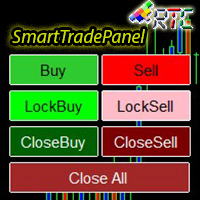
SmartTradePanel 是一种交易工具,可让交易者快速高效地执行订单。 凭借所提供的高级功能,SmartTradePanel 真正帮助交易者管理未结订单并优化其交易的利润潜力。 在本文中,我们将详细讨论 SmartTradePanel 的功能和优势。
SmartTradePanel 的主要功能之一是能够快速执行未结订单。 只需点击几下,交易者就可以快速高效地开立交易头寸。 这在快速变化的市场条件下尤其有用,因为执行速度可能是获利的决定性因素。
除此之外,SmartTradePanel 还允许交易者下达锁定订单。 锁定订单是一种交易策略,其目的是锁定亏损头寸,希望该头寸在未来反转并产生利润。 借助 SmartTradePanel,交易者只需点击几下即可轻松下达锁定订单。
除了订单执行和锁定订单外,SmartTradePanel 还允许交易者关闭任何类型的订单并关闭所有未平仓订单。 这在交易者希望通过快速平仓部分或全部头寸来获利或减少损失的情况下特别有用。
手数设置也可以从输入参数中更改。 在外汇交易中,手数是交易头寸的大小。 通过启用手数设置,SmartTradePan
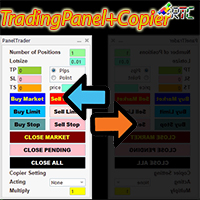
与类似的交易面板相比,该交易面板具有许多优势,包括: 1. 立即(市场)开立订单并以所需价格挂单。 2. TakeProfit (TP), StopLoss(SL), 以及TrailingStop(TS) 设置,可以在pip 或point 模式下设置。 3. 您可以只关闭市价订单,或只关闭挂单,或所有市价订单和挂单。 4. 还配备了 CopyTrade,作为主控打开的订单可以作为客户端复制到面板,其中可以从客户端设置手数比例值。
立即拥有此 TradingPanelPlusCopier 以促进您的交易活动。
TradingPanelPlusCopier的使用方法和demo可以在说明中的视频demo中看到。 问候利润!
与类似的交易面板相比,该交易面板具有许多优势,包括: 1. 立即(市场)开立订单并以所需价格挂单。 2. TakeProfit (TP), StopLoss(SL), 以及TrailingStop(TS) 设置,可以在pip 或point 模式下设置。 3. 您可以只关闭市价订单,或只关闭挂单,或所有市价订单和挂单。 4. 还配备了 CopyTrade,作为主控打

介绍 OrderManager :MT4的革命性工具 使用全新的Order Manager实用程序,像专业人士一样管理您在MetaTrader 4上的交易。Order Manager设计简单,易于使用,可让您轻松定义和可视化每笔交易的风险,从而做出明智的决策并优化您的交易策略。有关OrderManager的更多信息,请参阅手册。 [ 手册 ] [ MT5版本 ] [ Telegram 频道 ] New: [ Telegram To MT5 ]
主要功能: 风险管理:快速轻松地定义您交易的风险,让您做出更好的决策并提高交易性能。 视觉表示:图形化地查看您的交易和相关风险,以清晰简洁地了解您的开放头寸。 订单修改:只需几次点击即可轻松修改或关闭您的订单,简化您的交易过程,为您节省宝贵的时间。 掌握新闻:一键获取最新市场新闻。
不要错过这个MT4交易员的必备工具。用Order Manager提升您的交易体验,将您的交易游戏提升到新的水平。
OrderManager在startegyTester中 不 工作! OrderManager 仅与 Windows 兼容。
请考虑给这个产品一
Blind Broker System 的唯一目的是隐藏您的交易计划并让您的经纪人看不到它们。如果您真的想让他“盲目”并确保他对您的止损水平、交易量、获利水平一无所知提前,只需使用此交易机器人。
Blind Broker System 是另一种管理订单的系统。
不同之处在于,所有通过 Blind Broker System 提交的订单不是写入经纪人的服务器,而是写入程序的内存。
经纪人仅在市场订单发生时收到市场订单请求 - 仅此而已。
注意! 正确操作需要不间断电源,建议使用 VPS(虚拟专用服务器)。
您可能会认为这个系统是您自己坐在屏幕前进行交易的副本。
如果您手动交易,系统将与您的行为完全相同。
演示版允许您测试机器人的几乎所有功能,但没有真正交易的可能性,但是工具上的关闭所有交易按钮将起作用。
交易水平是可见的,您可以看到它们在实际订单执行的那一刻被删除,但是机器人不会在模拟账户或真实账户中采取任何实际行动。
DEMO VERSION就像一辆汽车,但里面没有引擎。你可以上车,触摸方向盘,测试内饰的舒适度——但你不能开车。
如果您喜欢该演示版并且有兴趣
FREE
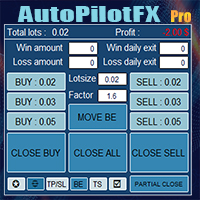
Introducing of AutoPilotFX Pro: Your Ultimate Trading Panel with Advanced Features of order management Take your trading to new heights with our Trade Assistant designed to streamline your trading process and optimize your strategies. Discover the powerful features it offers and learn how it can help you maximize your profits and minimize your risks.
Semi Automated EA for working as your trading assistant with Key Features: Automatic Lot Size Calculation: AutoPilotFX Pro automatically calc
Multi Chart Sync MT5 is a tool that synchronizes the chart symbol it is placed on to other charts, it can also be customized to exclude/skip some pairs from being synchronized to other charts, It also supports prefixes and suffixes that can be set from the input parameters for brokers with none-standard symbol formats, Synchronisation can be done once or continuously where if a synchronized chart symbol changes it will be reverted to the original/master symbol. This tool comes in handy for multi

Beta version of a semi-automatic utility for trading grid strategy. When using, please give feedback on the shortcomings / suggestions.
Good luck to us!
Parameters:
Lot exponent - multiplication of the lot on the next order. Grid pips - grid size. Take profit pip - distance of the take profit line. Magic number - the magic number of the adviser's work. Trading menu - presence/absence of a trading menu. Menu size - the size of the menu (choose the value for your resolution). Menu font size -

This is a trade management EA that will close all your Open Orders (or both Open and Pending Orders) when your drawdown against balance exceeds a set percentage limit. E.g. Balance = $10,000 and “DrawdownPercent” is set at 2.0, if floating P&L is greater than -$200.00, all Orders will be closed.
It will send a notification to you MT4 app on your phone ( ”Drawdown Percent Close triggered!”) A text display is included for some visual feedback.
Basic notes: It only needs to be attached to one char
FREE
Hello, Every one The EA is used to close buy or sell market positions and all pending orders when the RSI reaches a certain value. It is also used to close positions in the market when the profit reaches a certain value. All setting 1. RSI Period : 14 ( or as you want ) 2. RSI Close Buy Value : 70 (The EA will close all long positions and Pending Buy Orders when the RSI is above 70) 3. RSI Close Sell Value : 30 (The EA will close all short positions and Pending Sell Orders when the RSI is
FREE

Copy Trade EA(Expert Advisor)是一种自动交易软件,可以帮助投资者自动复制其他交易者的交易策略和操作,从而获得类似于其它交易者的交易结果。该软件基于MetaTrader平台,具有易于使用、高效、灵活和自适应的特点,为投资者提供了自动化交易的一站式解决方案。
该软件支持多种交易品种,包括外汇、商品、股票和指数。其主要功能包括:
复制交易:该软件可以在实时模式下复制其他交易者的交易操作,自动将交易操作应用到您的账户中。您可以根据其他交易者的历史表现选择要跟随的交易者,并设置复制比例和风险管理策略,以满足您的投资需求。
风险管理:该软件支持多种风险管理策略,如止损、追踪止损和限价订单,可以帮助投资者最大限度地降低风险和保护资金。此外,该软件还提供了实时的交易报告和交易统计信息,以便投资者对其交易行为进行分析和调整。
自定义设置:该软件支持用户自定义设置,包括复制比例、交易量、止损和追踪止损距离、交易时间和其他参数。这些自定义设置可以根据投资者的偏好和风险承受能力进行调整。
高效运行:该软件基于MetaTrader平台,具有高效、灵活和自适应的特点。该软件
- The Symbol Changer Utility for MetaTrader is a tool that enables traders to switch between various symbols on the MetaTrader trading platform easily and quickly. - It is designed to change the symbol of the current and all open chart windows and the timeframe of the current chart window (by clicking the button). - The tool retrieves symbols from the Market Watch, displaying only the necessary symbols in the market watch.
FREE

a Perfect TradingPanel for who wants to have entry in a RANGE .
Join my channel ===> https://t.me/Ash_TheTrader
For example : You have a zone and you don't know where of the zone will be your entry so , you will use this Tool , to separate your risk per position and it will automatically calculate your LOT SIZE . Total risk base on martingale rules or Grid input . You can choose how many positions you want to have and it will calc the Lot size for you .
Features :
Enter in a range of p
FREE
Our EA is designed to monitor the user's account and provide useful information about the balance, net balance, and current drawdown for the day and month. Additionally, it provides detailed information about daily, previous day, weekly, monthly, and yearly performance, which helps the user evaluate the effectiveness of their trading strategy. One of the unique features of our EA is that it draws the profit at the end of each operation on the chart, allowing the user to easily visualize the prof
FREE
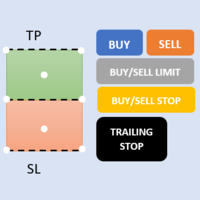
First 5 copies sold for 39$. 2/5 sold. Next price 49$. Not all function work on tester. If you want to test it, write to me a personal message, i send to you a demo version valid for 7 days with full functionality.
The Trade Manager Advace is composed by 4 part: Navigation panel. Execution panel (Here is present the Risk Reward Tool). Management panel. Equity panel.
Input parameters Magic Number : Number (number must be unique, do not use the same number in more one chart). Trailing stop for
This EA Trails your stops for both manually and auto-opened trades. This EA will work whether you have manually or automatically set stop loss or not. Trailing stop is a more flexible variation of a normal exit order. T railing stop is the practice of moving the stop-loss level closer to the current price when the price moves in your favor. Trailing the stop-loss allows traders to limit their losses and safeguard their positive trades. It is a very popular practice. This EA will manage your

Expert Advisor for MT4 Useful utility MUST have for all traders. With 1 click button, you're able to close all your open positions. Its come with a warning pop up notification when you click to close all your trades, to avoid an accident press the button. Just press 'Yes' to confirm or 'No' to cancel it. The expert will close all your open positions no matter what pairs you currently open or directions. Just attach the expert on 1 of your chart, and you're good to go.
什么是SmcDrawTools?
SmcDrawTools 是为金融市场的快速和舒适的交易而开发的,特别是为SMC交易者。它为交易者提供了快捷的画图功能。 都在一个地方!一个非常令人兴奋的补充,使交易者的工作更容易。只需点击一下,你需要的一切都在你的指尖。还有什么比这更简单的呢?
那么,这个SmcDrawTools能为您做什么呢? 绘图工具将使您的分析更容易! 作为一名交易员,你经常需要绘制图表作为分析的一部分,比如市场结构,标记市场的高点和低点,结构断裂(BoS), CHoCH,LQ,IDM等。有了我们的SmcDrawTools,你就不必再输入所有这些了。点击!易于分析和快速绘制。
1. 市场用户箭头和POI矩形区域的高点和低点在所有时间框架中显示。 2. CHoCH,BoS,LQ,IDM线和供应区/需求区矩形显示在当前时间帧。 3.可以批量删除某一个类型的画图对象或者全部删除。 4.快速图表设置。

M ulti Cross Alert! on your smartphone. Use multiple indicators to get a crossover signal on chart as well as on MetaTrader app. You can use all crossovers at the same time but it is not recommended cause your chart will look messy. Instead use combination of two indicators which will be better. IMP NOTE:- More indicators will be added in future updates. Any suggestions regarding indicators are welcome! Indicators List: 1. MA (Cross) 2. RSI (OB/OS) 3. MACD Lines (Main Line & Signal Line Cross)
FREE

PROTECT YOUR FTMO Account in a simplest way Must-Have Account Protector for any Prop-trading Account and Challenge MT4 / MT5 Expert Advisor that protects your Forex Prop Trading account from an unexpected drawdown! FTMO Protector is a Tool that lets you manage trades and control your profit and loss across multiple Robots and currency pairs using a simple parameters and settings. Use as many EAs and Instruments you need, the Protector will: 1. Calculate your midnight (01:00 System time) Bal

The Screen Shooter utility will help you take screenshots of your trading process.
How it works: The program is a small panel with two modes of operation: the first mode "All Open Charts" - allows you to create screenshots of all charts open in the terminal; the second mode "All TF Curr Chart" - creates, accordingly, screenshots of all timeframes of the current chart (to which this tool is attached). In the second mode, the user can disable unnecessary timeframes using the buttons on the panel (

OrderHelper script is super easy and trader friendly to use. It would boost your trading experience. Because it is designed to open one to multiple orders quickly with just one click. Besides using the OrderHelper script, traders can define various parameters for open orders such as the symbol, order type, lot size, stoploss, takeprofit and more. Basically, with this script traders can manage their open orders more efficiently and save their trading time.
OrderHelper manages: • Open the number

Do you over trade??? Do you lose your account by adjusting the stop loss or not putting stop loss?? Do you cross your daily loss limit and closed your account??? Do you breach your funded account??? Do you fail frequently because of emotion?? So you have to control your emotion in trading. And this EA will do the job for you. You can not repeat those mistake even if you try hard. Just set the EA and relax. This will do major role in funded account. This EA will not open orders/positions. It j

创建此面板是为了帮助交易者(初学者和专业人士)进行交易。
主要功能:
关于所有时间范围内潜在市场逆转的信号 新闻发布前 5 分钟通知 在 5 分钟内通知交易时段的交叉点 将通知发送到电子邮件、电话或终端 计算白天每个工具的阻力和支撑线 平均时不允许超过每个工具的风险(实时计算每个工具的最佳平均值并说出下一次平均之前的点数) 通过自动手数计算从每笔交易的存款轻松定制风险管理 内置跟踪系统,使交易达到盈亏平衡并在移动方向上拉动利润 描述每种仪器的百分比量,每天经过了多少。它还显示了您从存款中获得的相对百分比和点数 方便的热键,用于批量关闭订单和放置挂单 自动计算特定工具上所有交易的盈亏平衡点或零点 要使用服务器,您需要将“ http://ec.forexprostools.com/ ”添加到允许的 URL 列表中(主菜单 -> 工具 -> 设置,EA 选项卡)

Informing the user about the size of the current spread.
A simple and convenient informant. You can place it anywhere on the chart (configurable in the input parameters).
Input parameters:
- text color
- text size
- text style
- binding to the corner of the graph
- horizontal offset from the anchor point
- vertical offset from the anchor point
- enabling (disabling) the "Show as background" function
Have a good trade to everyone!
FREE

Простая и полезная утилита для нанесения меток на открытые сделки. При запуске скрипта он ищет все открытые сделки и наносит метки на время и цену открытия сделки. Сделки в лонг обозначаются синим цветом, сделки в шорт обозначаются красным цветом. Есть два варианта нанесения меток: - с учетом текущего спрэда (по Ask) - без учета текущего спрэда (по Bid) Входных параметров нет. Всем профита!
FREE

Информирование пользователя о величине текущего спрэда цветом, в зависимости от тренда. Простой и удобный информатор. Расположить можно в любом месте графика (настраивается во входных параметрах). При активном индикаторе наносим на график горизонтальную линию цветом, указанным во входных параметрах. Эта линия будет (по Вашему мнению) точкой разворота тренда. Если цена будет ниже линии - цвет величины спрэда будет окрашен в цвет "медвежьего" тренда, если цена буде выше линии - цвет величины спрэ
FREE
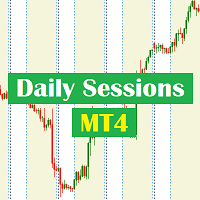
Daily Sessions utility is the best tool to highlight trading sessions , the trader can set any starting hour and ending hour to mark his trading session. Main features :
Customizable session time. Customizable Colors. Customizable vertical lines for the start and end of sessions
Set as many sessions as you want by simply plotting the indicator and changing the Indicator ID.
This is a tool for back testing your strategy manually on the chart , it's very easy to use, it may be useful for both professional and beginner traders. Features : • Simple buttons. • Export : P/L Points , Lots , Order P/L Result , Balance , to CSV file. • Ability to choose Auto or Manual StopLoss & TakeProfit. • Manual lot , or lot by risk can be used.
• Ability to change the chart time frame for live charts without losing the backtest result , you can even clo

The EA is used as an assistant for traders in the Trading Masters group. The EA assists with identifying setups when taking trades using the strategies outline in the Trading Masters Group. The EA has been developed and is intended for use by community members who understand the concepts and would like assistance navigating trade setups. It is recommended to first understand the concepts presented in the Trading Masters group before purchasing this EA so the user can understand and benefit fr
Auto Take Profit MT4 is designed to take profits in automatic way.
As a trader (manual or auto), you define your own expected profits schema. When you open one or several orders, the AutoTP program calculates profits then update into SL or TP automatically. It also re-calculates and updates accordingly for remaining open positions when a new order opened or an existing position closed. ---------------------------------- (Watch live in this DEMO ONLY signal https://www.mql5.com/en/signa

MAMMA 指标是初学者和高级交易者计算止损、交易量或风险水平的理想选择 。 您有一个驾驶舱来控制参数并使工具适应您的交易。 这个驾驶舱可以移动或简单地缩小以在您需要时放大。 有3种计算方法: 您可以根据您计划使用手数和止损大小自动计算风险 您可以根据预期风险和止损大小设置手数 您可以根据预期风险和手数设置理想的止损尺寸。 每次计算都可以让您知道确切的风险量,您还可以直接在图表上看到计划止损的位置。 为了不忘记您的计划,您可以设定一个目标和当天的最大损失。 最后,您可以综合查看当前市场的进度,或仅查看当天、本周和当月的进度。 作为奖励,您将收到每个新未平仓头寸的提醒,并提供理想的止损建议。 最后,驾驶舱可以在法语和英语之间进行编程。 您还有机会根据 3 个时区显示时间:经纪人的服务器、UTC 参考或您 PC 的时间。 MAMMA 仍然隐藏着一些宝藏,但我已将主要功能介绍给您。 当我开始交易时,MAMMA 是我最想念的工具,它可以保证我的结果稳定。 好交易 再见
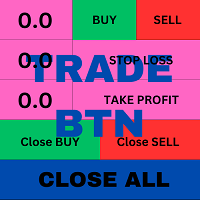
This is an ON CHART trade management panel. In other words, ON CHART Lot Size, Buy, Sell, Stop Loss, Take Profit, Close Buy, Close Sell and Close All buttons! *IMPORTANT NOTE: Input settings are NOT usable. You can change or insert Stop Loss and Take Profit values only on the chart panel. (See the below video!) This one is MT4 version!
BUTTONS List: 1. Lot Size - (0.01) is default click on it and insert the lot size with which you want to open a trade. 2. Stop Loss - (0.0) is default click on i
FREE
New version 1.22. Partagas
The AG algorithm is an element of a comprehensive trading system for trading a basket of currencies across 8 major currencies across all 28 currency pairs. The algorithm serves as a signal block for determining entry/exit from a position. To collect initial values, AG uses data from the CSS Currency Slope Strength cluster indicator. This indicator was not chosen by chance - it performed very well during testing of the algorithm. A. AG determines the width of the e
FREE

This EA is designed to simplify your trading activities and automatically close all open order when the trendline or horizontalline you draw touched by the running price, You can also choose to close only all buy order or close only all sell order or both close all buy and sell order at the same time. This EA include : 1. Close Mode, BUY or SELL mode 2. Time Filter (Broker Time) 3. Advanced Breakeven and Trailing Stops 4. Partial Close 5. Magic Number You can save it as template (for BUY or SELL
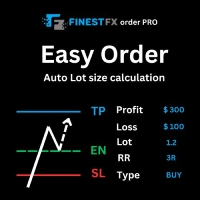
FinestFx order PRO is easy order execution and auto risk management tool developed by FinestFx official Programmer : Mohammed Rafi Just move SL,TP , Entry lines or Type SL,TP on entry columns . Lot are calculated automatically by fill out the loss cut amount. Work with all base currencies Fixed loss amount can be selected. Calculate risk rewards. Market order, limit order, and stop order are selected using buttons Supports FX, CFD, and crypto currency on MT4 Visit the owner website to see its

Let Your Ideas Earn For You.
Convert your Ideas and Strategies in to automated trading bots directly on MT4. Visual Strategy Builder with Instant Results on the chart. This One of a kind strategy builder, allows you to specify rules and visually see the signals based on those rule as you create them. Visit the link for Group, User Manual, Video Examples
Why Use LBM
LBM is an essential tool for traders of all levels. It allows traders to create strategies quickly and easily, and to test them i

Do you think that in markets where the price can change in a split second, placing orders should be as simple as possible? In Metatrader, each time you want to open an order, you have to open a window where you enter the opening price, stop loss and take profit, as well as the trade size. EA Trade Assistant V for MT4 is an advanced tool that allows you to easily plan each transaction and manage them effectively. If you are a scalper and need to quickly open and close trades without setting defe

Martingale grid panel - a semi-automatic Expert Advisor with a built-in trading panel. The Expert Advisor is activated by standard MT4 tools (or via its own panel) and automatically sets Take Profit, Stop Loss, Trailing Stop. Automatically or manually opens averaging orders. Changes the volume of orders in accordance with the Martingale strategy. Works with all orders of the selected symbol or only those opened from the panel, when the ID number is set. The Expert Advisor (and its Free Demo) are

Line Trader Pro is designed to simplify your trading activities and automatically open trade when the trendline or horizontalline you draw touched by the running price, You can choose to set EA to trade buy order or sell order when the trendline or horizontalline touched by running price, you can also set stoploss and takeprofit in pips, when using MM Lot it will automatically calculate your order lot based on the SL distance and set risk per trade from your current equity. This EA include : 1.
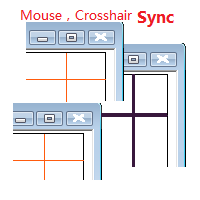
目标: 同品种多周期历史分析时候对齐时间很耗时,鼠标同步使得这一步骤可以自动完成。 使用: 1.下载程序并放在指标目录(MQL5/Indicators 或 MQL4/Indicators)里。
2.在所有需要同步的图表上加载这个指标。它就可以在同品种的图表里起作用了。 3.支持键盘的左右键,左右键在一个图表上移动时,同品种别的图表也会同步移动。
4.按下Ctrl键同时移动鼠标可以暂停或重启当前品种的同步。暂停或重启即使在所有图表关闭的状态下也是起作用的,当看见窗口没有同步时,请按住Ctrl键移动鼠标重启启动同步。 5.在未来时间区域暂停同步,工具会自动把当前品种的所有图表设置为autoscroll。在历史时间区域暂停,当前品种的所有图表会暂停在当时状态。 6.程序最大支持100个图表的鼠标和crosshair同步。

You can send MetaTrader screenshot easily to your identified telegram channel via press the send button that on the chart. TelegramBotToken: Telegram API credentials. You can create API credentials on my.telegram.org web page ChatId: Your telegram chatId. Secreenshots will be sending this channel - Please do not press the button repeatedly. This may cause your bot or ip address to be blocked. - You have to add telegram api address ( https://api.telegram.org ) in Option > Expert Advisors > Allow
FREE

On the other hand, we denounce with righteous indignation and dislike men who are so beguiled and demoralized by the charms of pleasure of the moment, so blinded by desire, that they cannot foresee the pain and trouble that are bound to ensue; and equal blame belongs to those who fail in their duty through weakness of will, which is the same as saying through shrinking from toil and pain. These cases are perfectly simple and easy to distinguish. In a free hour, when our power of choice is untram
FREE

"Statistics by magic pro" is a program that provides statistics after entering a magic number. You can simultaneously track up to 10 statistics for different magic numbers in one chart window. The program is very easy to use. The program should be run on any free chart. In the EDIT field on the chart, you should enter the magic number. Entering "0" will erase the statistics in that window. The operation of the program can be stopped by selecting the statistics off option. After selecting it, the
FREE

Simple Trendline Trader is designed to simplify your trading activities and automatically open trade when the trendline you draw touched by the running price, You can choose to set EA to trade buy order or sell order when the trendline touched by running price, you can also set stoploss and takeprofit in pips, when using MM Lot it will automatically calculate your order lot based on the SL distance and set risk per trade from your current equity. This EA include : 1. Trade Mode, BUY or SELL mode

Simple HorizontalLine Trader is designed to simplify your trading activities and automatically open trade when the horizontalline you draw touched by the running price, You can choose to set EA to trade buy order or sell order when the horizontalline touched by running price, you can also set stoploss and takeprofit in pips, when using MM Lot it will automatically calculate your order lot based on the SL distance and set risk per trade from your current equity. This EA include : 1. Trade Mode,

交易头寸和回测工具:
“交易头寸和回测工具”又称“风险收益比工具”,是一款全面而创新的指标,旨在提升您的技术分析和交易策略。 风险工具是外汇交易中有效风险管理的全面而用户友好的解决方案。它具有预览交易头寸的能力,包括入场价格、止损(SL)和获利水平(TP),为即将进行的交易提供透明的视图。用户友好的面板配备了自动余额和自定义余额选项,以及自动手数和风险计算。它支持各种交易预览,包括市场买入和卖出、买入止损和卖出止损订单。该工具包括高级的风险收益比特性,允许在图表上任意定制移动,包括买入和卖出设置。交易信息的智能显示包括关键细节,如开仓手数、止损、TP和订单类型。它还提供了在移动SL或TP水平时自动调整风险的便利性,一个按钮将当前价格吸引过来的功能,以及一个热键用于轻松隐藏和显示风险工具。此外,该工具提供了进行彻底分析交易策略的回测能力。
特点:
- 预览交易头寸,包括入场价格、止损(SL)和获利(TP)水平的详细信息。 - 用户友好的面板:提供自动余额和自定义余额。 - 自动手数计算和风险计算。 - 各种类型的交易预览:市场买入和卖出、买入止损和卖出止损订单等。 - 高级风险收
FREE
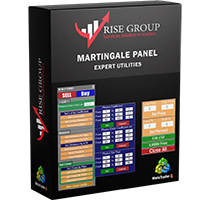
is highly helpful in both performing and assisting a successful trade. This program allows you to work in a real account and take advantage of its most important feature, the Back-Test feature. is made up of two panels that work together to provide you with the best and fastest performance possible. The command panel is on the left, and the confirmation panel is on the right. The command panel is divided into four main categories: Buy/Sell, Lot, Distance, and Set Close. You make all the decisi
If you need an advisor on any arrow indicator signals - this utility will definitely help you. You will be able, with the help of this utility to form an unlimited number of EAs on YOUR signals , with your set of settings, with your copyright and complete source code . You will be able to use the resulting EAs unlimitedly , including adding them to the Market and other resources. Free simple version of the generation script to help you understand how it works - here
What does the utility do?

FXO PRICE ACTION LEVEL NOTIFICATIONS
Notes:
1. .ex4 must be loaded in EA folder (not indicator folder).
2. Activate MT4 application notifications by Tools/options/enable push notification.
3. Drag Overlapped Horizontal lines to desired levels at start.
This is an Indicator file, it will not take trades by itself.
For any query Support: admin@forexmarket.one
Copyright: www.forexmarket.one
FREE

This EA is literally a reverse of Recovery Zone Assistance, as its name says ... It is an assistant, an expert advisor that monitors all the orders for the asset in which it has been placed, no matter if that order was by some other expert advisor or by the trader placed on the Manually, he will start his work after each order that is negative. Find Recovery Zone Assistance on https://www.mql5.com/en/market/product/68909 This Expert Advisor is based on this sistem on video "Recovery Zone" on
FREE
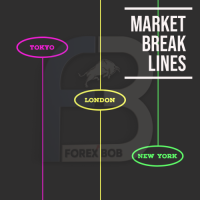
Market Break Lines is an utility tool to create a partition line at market openings/closings of Tokyo/London/NewYork sessions. This will help you to compare the market movements, volatility variations between the different markets.
Inputs: Inputs are simple to feed the time of Tokyo/London/NewYork sessions as per your broker server time Change Color and width of partition lines You can enable or disable any line (Hide/Show).
Please don't forget to support by giving handsome reviews/rating MT5
FREE
Introducing the Revolutionary Trade Closing Assistant ! Are you tired of manually closing hundreds trades? Are you a scalper , day trader , swing trader and you want to maximize your profits and minimize your losses by closing multiple positions at thesame time under different conditions? Are you a Prop Firm Trader who wishes to avoid hitting maximum daily drawdown? Search no further. This kit is the ultimate solution for all you.
GUIDE TO USE THE KIT 1. Shows the total profit/lo

The Saz_Timer indicator belongs to the Saz_Forex suite of professional indicators designed by Traders, for Traders. This indicator will show minutes and seconds of real time on the chart window. The indicator uses the OnTimer() event so it can update even while no ticks received on the chart. The text is shown toward the bottom right of the chart, encircled red in the screenshot. Inputs: Text Colour, allows selection of the colour for the text.
FREE
MetaTrader 市场 - 在您的交易程序端可以直接使用为交易者提供的自动交易和技术指标。
MQL5.community 支付系统 提供给MQL5.com 网站所有已注册用户用于MetaTrade服务方面的事务。您可以使用WebMoney,PayPal 或银行卡进行存取款。
