 MetaTrader 5
 专家
专家
 指标
指标
 程序库
程序库
 实用工具
实用工具
 窗口小部件
窗口小部件
 规则
规则
全新的MetaTrader 4 交易实用工具 - 20
 以下是可在MetaTrader 4中简化外汇交易的交易程序。将鼠标悬停在下面列表中的工具上,阅读它的描述和用途。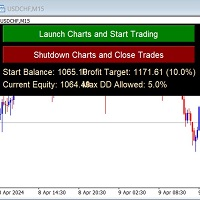
Auto-Close Profits And Protect Your Equity.
Close All Trades At Profit Target By Magic Number And Cut Losses At Max Drawdown Level Set By You.
And/or Run several EA's on several pairs and several timeframes - and monitor them all in one place!
Automatically Opens Your Charts Containing Your Templates (with EAs on if you wish) And Starts Trading Each Day At A Time Set By You.
You Set The Overall Profit Traget And Maximum Allowed Drawdown. This includes Swap Fees and Commissons.
Then This EA

Equity Protect Pro:全方位账户保护专家,让您的交易更安心 如果您正在寻找账户保护、净值保护、投资组合保护、多策略保护、利润保护、利润收割、交易安全、风控程序、自动风控、自动清仓、条件清仓、定时清仓、动态清仓、跟踪止损、一键关闭、一键清仓、一键还原等功能,Equity Protect Pro 就是您要找的程序。 它配置简单,当到达预设条件时,可关闭所有图表,同时支持关闭信号订阅(这意味着所有交易程序也将停止运行)。此时,将不再有新订单产生,最后再关闭所有订单,有效防止意外损失,让您在交易过程中高枕无忧。 Equity Protect Pro (Technical Manual) Equity Protect Pro Demo Version for yo u to test Equity Protect Pro MT4 Demo.ex4 Equity Protect Pro MT5 Demo.ex5 Equity Protect Pro 拥有 14 个核心功能,它们都是独立运行的。您可以根据您的交易策略,选择合适的功能组合使用。这些功能默认为关闭状态

账户净值保护工具是一款必备的实用工具,旨在保护您的账户净值不受到意外的损失。 这款工具专为使用自动交易程序的交易员设计。当您的账户同时运行多个自动交易程序时,尤其是在晚上睡觉时,如果发生黑天鹅事件或交易程序故障,您可能会遭受意想不到的损失。这款工具将有效帮助您避免这些问题。 它的设置非常简单,只需输入您希望保护的金额即可。我们建议根据当前账户净值进行合理的设置。完成设置后,点击确定进入程序界面,并点击运行。您将看到右侧的表情变成笑脸,表示程序已正确运行。 在程序运行的过程中,当账户净值低于设定的保护值时,所有图表将立即关闭,这意味着交易程序也将停止运行。同时,所有订单将被删除,您的账户将不再面临任何风险。
Equity Protect free MT4: https://www.mql5.com/en/market/product/115514 Equity Protect free MT5: https://www.mql5.com/en/market/product/115529
专业版提供了更加丰富实用的功能: 1、一键还原之前关闭的程序,品种、周期、参数完全一致。 2、提醒
FREE

对于专业交易员和新手交易员来说,能够根据给定的止损水平立即计算仓位大小或风险的工具至关重要。
TRADE PRO 交易工具提供快速准确的计算,帮助您在时间紧迫且波动剧烈的市场条件下做出决策。 MT5 版本 / 其他安装材料
主要功能:
原创。简洁。有效。 打开主交易面板的一种独特便捷的方式:将鼠标悬停在图表右侧,然后单击相应的方向即可下单。 快速设置市价单 使用 TRADE PRO,您可以将风险水平设置为账户余额或资金的百分比,或者指定具体的风险金额。在图表上直观地定义止损位,工具将自动计算每个货币对的最佳仓位大小。该工具还可以根据指定的风险回报比自动设置盈利目标(止盈)。 下多个限价单,分担总风险(网格模式)。 无论你是进行多笔买入或卖出交易,还是采用网格策略,交易面板都提供了设置多个限价单的功能,使你可以将主要风险分散到每个部分,这些部分也可以进行调整。 在现有市价单的基础上添加额外的限价单。 为了方便起见,如果您已经有未结订单,我们添加了一项功能,允许您快速添加其他限价订单,并共享止损和止盈。 可设置额外的止盈水平,并能快速更改交易量。 新功能允许您快速设置额外

TendencSell_EURUSD介绍:精通下跌趋势和时间准确性 TendencSell_EURUSD是一款专为外汇市场精心设计的先进交易机器人,专注于最大程度地利用下跌趋势,以最高峰值执行交易,从而在价格下跌时最大化利润。继承并完善了其前身Macd_Sell_EURUSD的策略,TendencSell_EURUSD不仅针对EURUSD货币对优化了预测价格下跌的策略,还针对M15时间框架进行了优化,提供了前所未有的交易时机的精确度和效率。 主要特点: 销售专业化:专注于识别和执行销售交易的策略,适用于利用下跌趋势的策略。 下跌趋势高级策略:设计用于在下跌前在最高点进行交易,优化利润最大化。 M15时间框架:经过优化以适应15分钟的时间框架,确保快速准确地识别交易机会。 灵活的交易时间:可配置两个每日交易时间窗口,将交易活动调整到最有利时段。 可选择的交易日:根据过去绩效和市场条件选择最有效的交易日。 针对EURUSD的优化:虽然可以交易多种货币对,但它特别针对EURUSD进行了优化,展现出卓越的表现。 高级风险管理:提供可定制的止损、止盈和移动止损功能,有效防范市场波动。 优化和绩效

TendencBuy_EURUSD介绍:精通看跌趋势和时间精准度 TendencBuy_EURUSD 成为了交易机器人的 领军者 ,专门捕捉外汇市场 看跌趋势 的最大利润。这款 先进的机器人 在最佳时机识别和执行 买入 操作方面表现突出,特别是在重要下跌前的最高点。继承和完善其前身 Macd_Buy_EURUSD 的策略, TendencBuy_EURUSD 通过针对M15时间框架进行了优化,确保了进出的时间精准度。 主要特点: 重点在买入: 专门设计用于买入操作,捕捉受益于看跌趋势策略的核心。 看跌趋势优化: 在最低点执行买入操作,以便利用上升趋势,最大化潜在利润。 M15时间框架: 完美优化为15分钟时间框架,使其能够快速精确地识别交易机会。 可调整交易时间: 允许设置两个每日交易时间窗口,以适应最佳时机。 交易日选择: 基于绩效分析和市场条件,可以选择最有利的交易日。 在EURUSD上表现优异: 尽管可以交易多个货币对,但特别针对EURUSD进行了优化,表现出色。 高级风险管理: 提供可定制的止损、止盈和跟踪止损选项,有效应对市场波动。 优化和绩效: 值得注意的是, Tenden

呈现MACD SELL EURUSD版本4.0:您在交易多样化中的伙伴 MACD SELL EURUSD版本4.0 是专为外汇市场的卖出操作设计的先进交易机器人。它因能够适应广泛的资产而脱颖而出,为您的交易策略提供了无与伦比的灵活性。此机器人为EURUSD货币对提供了优化的配置,展示了在此市场上的卓越表现。 主要特征: 资产灵活性 :能够操作多种资产,为您的交易组合提供最优化的多样化。 双重策略 :能够在上升趋势和下降趋势中执行操作,最大化交易机会。 MACD指标 :使用MACD确定最佳的进入和退出点,允许进行自定义调整以优化效率。 高级风险管理 :根据您的偏好配置止损和获利点,以及动态跟踪止损以保护您的盈利。 灵活的批量调整 :根据您的资本增长自定义批量大小,以满足您的需求。 针对EURUSD优化 :专为EURUSD货币对提供的特别配置,表现出色。 关键功能: 可定制的交易时间 :选择基于历史数据的最佳早晨和晚上时间,以实现最大性能。 按日性能特定 :确定周内哪些日子的早晨和晚上表现更好,以调整您的交易策略。 配置和定制: MACD SELL EURUSD版本4.0 能够适应每个交

Macd_Sell_EURUSD介绍:您交易多样化的盟友
Macd_Sell_EURUSD是一款先进的交易机器人(仅限销售),旨在在外汇市场上高效运行,涵盖广泛的资产范围,为您的交易策略提供前所未有的多样化选择。该机器人不仅因其适应各种市场条件的能力而著称,还因包含针对EURUSD交易对进行优化的配置而出色表现。
主要特点:
• 资产多样化:设计用于在多种资产上交易,提供广泛的交易机会多样性。 • 双重操作:能够在上涨和下跌趋势中执行交易,最大化交易机会。 • MACD指标:利用MACD确定最佳的买入和卖出点,允许进行个性化调整以最大化效果。 • 先进的风险管理:根据您的需求设置止损和止盈,以及动态跟踪止损以保护您的利润。 • 交易时间选择:定义每天两个交易时间窗口,优化您的策略以利用一天中最有利可图的时刻。 • 可定制的交易日:决定机器人交易的日期,通过避开收益较低的日子来改善结果。 • 灵活的手数调整:允许根据您的资本增长调整手数大小。 • 为EURUSD优化:包含针对EURUSD交易对的特殊设置,已展示出出色的结果。
它在M15时间框架上进行了优化
设置和个性化:

The tool is suitable for traders who trade with prop firms, it tracks your daily decline so you don't lose your account and also specifies the money management set by you... The tool works as an Expert Advisior and therefore must be used in combination with a VPS in order to monitor the current status of your positions.. Prop account settings:
Challenge 50k,100k,200k -Daily Drawdown - From 0:00 or From max.Equity - depending on the type of conditions of your company -Daily Drawdown (8000usd)

Prop Firm Equity Protector safe guard your hard earned prop firm account from balance or equity downdraw. It can be used for live/personal account too. It will close all positions if drawdown hit the preset level or percentage. It can be set to close other EA in the same MT4 terminal too. This utility is not need to use conjuction with HFT Prop Firm EA (Green Man), HFT Prop Firm EA has it build-in equity protector and also it has ultra low drawdown.
Setting: Prop Firm Account Size Drawdown

Prop Firm Toolbox contains the important tools for maximising your funded account prop firm accounts.
It contains function:
- Lot Size Consistency Advisor (This is the number one reason of prop firm not paying if you soft bleach this rule)
- Biggest Profit Size Warning (This is the number two reason of prop firm not paying if you soft bleach this rule)
- Spread Meter

大家好。. 我想告诉你一点关于这个在金融外汇市场交易的面板。 该面板是用MQL4编程语言编写的,旨在帮助打开某些头寸的市场订单。
它适用于常规和挂单。 也就是说,它打开卖和买订单,如买入,卖出,BuyLimit,SellLimit,BuyStop,SellStop。 它还打开了一个挂单网络,包括网格订单,即同时限制挂单和停止挂单。 此面板还关闭挂单。
未来订单的设置位于面板的顶部:
1. 数量是订单的数量(这个参数不影响市场订单,也不会立即打开,假设一个价格有100个订单),并指示点击一个按钮将打开多少挂单。
2. 批次是您的订单将被打开的价格
3. takeprofit是您的订单将以利润关闭的市场价格。
4. 止损是您的订单亏损平仓的市场价格
5. 距离是您的挂单将被打开的当前价格的距离。
6. dist-setka是该面板将要打开的挂单之间的距离。
P.S.takeprofit和stoploss参数以点为单位给出,转换并指示价格与未平仓订单价格的距离,之后订单将被关闭。 另一个特点是,如果打开了几个订单,那么takeprofit和stoploss将为所有订单设

Ego Guard is an advanced Expert Advisor designed to safeguard account equity by implementing robust risk management measures. This EA closely monitors account activity and intervenes when necessary to prevent excessive risk exposure. Specifically, Ego Guard automatically disables any other Expert Advisors that attempt to open trades exceeding the predefined risk threshold. By effectively managing trade volume and ensuring adherence to risk management principles, Ego Guard provides traders with p
FREE
最友好的跟单交互界面,最丰富的易用功能,最优跟单方案. \
远程跟单版本!!!!! 需要找作者索要服务器身份ID
EASY :简单使用,加载选择信号源或者接收端即可简单使用 FAST: 快速复制订单,算法最优跟单机制,优先计算新信号,优先队列处理接收到特殊信号 Multiple: 1.支持多信号同时发送,多账户同时选择多个账户复制 2.多平台支持,MT4 和MT5互通.(需安装MT4和MT5) Powerful :强大的功能,你可以找到市面上没有的功能 . .支持 减仓 ,支持手动 订单绑定信号订单 上....提供各种 过滤以及指定个性化设置( 给每个信号源或者品种分别制定跟单方案 ) ... [支持 中文,英文 ] 增加大手数分单功能 (应用场景,需要跟单较大手数,手数超出平台上限,也可以自己设置的上限,一般应用前者,分单会造成不必要的跟单性能开销,当达到平台单笔手数上限可以分单进行) 增加多种跟单内核, ①传统的强映射强绑定方式 ②可以支持设置MAGIC为0 模拟人工开单 ③可以支

Smart Trade Manager for Layering & BE This trading tool automates trade management by handling entry positions, Break-Even (BE), and Take Profit (TP) dynamically. It allows traders to layer trades and protect their profits without manual intervention. Key Features: Secure profits automatically by setting BE once a trade reaches profit. Distribute trade volume across multiple entries to average the price. Set multiple TP targets to scale out of positions efficiently. Use tick-based calculations
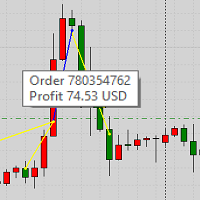
This product displays closed trades from history and current open trades on a chart. The product has many visual settings, as well as filtering settings for displayed transactions, which allows you to analyze the effectiveness of advisors and/or trading strategies. You can filter by comments or by the advisor's magic number. Without using this product, how else will you see your trading and understand its effectiveness?
FREE

Close Positions on Candle Close This tool allows you to automatically close positions based on the last candle's closing price, helping confirm trade exits and avoiding unpredictable price movements. How It Works: The EA waits for a candle to close above or below the Stop Loss level before executing a position close. It eliminates the need to manually monitor trades and helps automate exit strategies. Settings: Order_Type: Select the types of orders or positions to be managed. CandleTimeFrame:
FREE
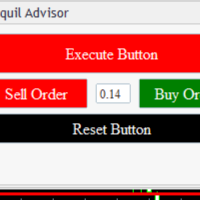
Tranquil Advice is very useful to scalpers as it calculates the volume/lot size you should use per trade, and it does that on real time prices. Meaning, if the bid price changes, the lot size that you should use per trade is recalculated so that you may not risk more than you are willing to lose. The volume/lot size that should be used per trade is calculated from the stoploss and take profit that you predefined prior to Executing a trade. This Expert Advisors comes in handy on fast-paced market

交易复制器 - 投资者密码 - 复制交易 - MT4 x MT5 跨平台
注意:您需要在客户账户所跟随的主账户上安装“Mirror Copier Master”,并在跟随主账户的客户账户上安装“Mirror Copier Client”
博客: https://www.mql5.com/en/blogs/post/756897
工作原理:
https://www.youtube.com/watch?v=V7FNpuzrg5M
MT4 版本
主账户: https://www.mql5.com/en/market/product/114774
客户端: https://www.mql5.com/en/market/product/114843
MT5 版本
主账户: https://www.mql5.com/en/market/product/114775
客户端: https://www.mql5.com/en/market/product/114844
“Mirror Copier”EA 是一款功能强大的工具,旨在实现不同 MetaTrader(MT4 或 MT

交易复制器 - 投资者密码 - 复制交易 - MT4 x MT5 跨平台
注意:您需要在客户账户所跟随的主账户上安装“Mirror Copier Master”,并在跟随主账户的客户账户上安装“Mirror Copier Client”
博客: https://www.mql5.com/en/blogs/post/756897
工作原理:
https://www.youtube.com/watch?v=V7FNpuzrg5M
MT4 版本
主账户: https://www.mql5.com/en/market/product/114774
客户端: https://www.mql5.com/en/market/product/114843
MT5 版本
主账户: https://www.mql5.com/en/market/product/114775
客户端: https://www.mql5.com/en/market/product/114844
“Mirror Copier”EA 是一款功能强大的工具,旨在实现不同 MetaTrader(MT4 或 MT
FREE

BEP (Break Even Point) for MT4 script - closes absolutely all orders, whether pending or market ones.
Orders are closed at the current profit/loss indicators at the time of closing.
The script is suitable for moments when you need to quickly close all orders at the current indicators.
The script is very easy to use, just drag the script onto the chart and it will do its job.
Add me as a friend, I have many other useful products.

Modify Takeprofit and Stoploss for MT4 script - closes absolutely all orders, whether pending or market ones.
Orders are closed at the current profit/loss indicators at the time of closing.
The script is suitable for moments when you need to quickly close all orders at the current indicators.
The script is very easy to use, just drag the script onto the chart and it will do its job.
Add me as a friend, I have many other useful products.

Close All Profit Orders for MT4 script - closes absolutely all orders, whether pending or market ones.
Orders are closed at the current profit/loss indicators at the time of closing.
The script is suitable for moments when you need to quickly close all orders at the current indicators.
The script is very easy to use, just drag the script onto the chart and it will do its job.
Add me as a friend, I have many other useful products.
FREE

An EA to export trading history for FXer - Journaling and Analytics. fxer.net Register Create an API token Put EA on any chart (any TF is fine) Fill in the API token Follow analytics for better trading At FXer, our mission is clear: to empower traders like you with the tools needed to excel in the ever-changing world of trading. We are committed to providing top-tier, data-driven market analysis and trading intelligence, ensuring you can make well-informed decisions, manage risks effectively, an
FREE

This is an expanded version of my Daily Sacrifice EA that closes old losing trades at the expense of a portion of your profits. This helps to slowly work away drawdown and accelerate the closure of martingale grids
*** Pro Features *** Include/Exclude symbols. These fields are empty by default, but if populated allow you to include only specific symbols or alternatively exclude specific symbols Execute on an hourly interval. Allows the EA to be ran every so many hours rather than on a fixed
FREE

KALIFX Trailing Stop Utility for MetaTrader 4 The KALIFX Trailing Stop Utility is a tool for automated stop-loss management on the MetaTrader 4 platform.
It monitors open positions and dynamically adjusts the stop-loss level as the price moves in favor of the trade.
The utility can also place initial stop-loss and take-profit levels and apply breakeven rules once the trade reaches a defined profit distance. Core Functionality 1. Trailing Stop Logic When the market moves in the direction of an o
FREE
Your trading life will be easier with the Forex Control Panel. This control panel, which has many features, is very easy and simple to use.
With this control panel, you will have 3 different ea features. You can learn how to use it from the special video I prepared for you.
You can buy this product, whose normal price is $125, at a much cheaper price than its current discounted price.
You can also try all its features in the strategy test.
A pdf file explaining its detailed features will be
FREE

Welcome! We are delighted to introduce our latest expert, which is a semi-automatic trading system that includes all the features you need for position management. Simply draw a line on a significant trend or supply-demand level, and the expert will take care of the rest for you. It comes with a wide range of risk management and position management tools, such as trailing stop, partial closure, break even, determination of stop loss and take profit levels using ATR, as well as automatic lot sizi

The SHE_Assistant Advisor is an advisor to help with manual trading.
For those who do not trust automatic Expert Advisors and prefer to trade manually. When trading manually, there are two big inconveniences, this is a long chain of actions to open a deal and set stop loss and take profit levels, and the problem with calculating the lot size after a loss. That's what this robot solves.
The main functions.
When the Expert Advisor is turned on, it displays a panel with three buttons, an inform

"Coding and setting up automated processes can be complex and time-consuming. However, with our tool, you can streamline this process effortlessly. Once set up, it seamlessly integrates with MetaTrader 4, enabling automatic transmission of all your positions to your designated Telegram channel. This means you can focus on your trading strategies without the hassle of manually updating your positions on Telegram. Whether you're managing multiple positions or executing trades frequently, our tool

Close All Orders for MT4 script - closes absolutely all orders, whether pending or market ones.
Orders are closed at the current profit/loss indicators at the time of closing.
The script is suitable for moments when you need to quickly close all orders at the current indicators.
The script is very easy to use, just drag the script onto the chart and it will do its job.
Add me as a friend, I have many other useful products.
FREE

AUTO BE Utility – Breakeven Manager for MetaTrader 4 The AUTO BE Utility by KALIFX is a compact and efficient trade-management tool for MetaTrader 4.
It automatically adjusts the stop-loss level to the breakeven point once the market price reaches a defined profit distance.
This ensures that active trades are protected from reversals once they move into profit, without requiring manual intervention. Main Features Automatic Breakeven Control – Moves the stop-loss to breakeven when the price reac
FREE

Close All SELL Orders for MT4 script - closes absolutely all orders, whether pending or market ones.
Orders are closed at the current profit/loss indicators at the time of closing.
The script is suitable for moments when you need to quickly close all orders at the current indicators.
The script is very easy to use, just drag the script onto the chart and it will do its job.
Add me as a friend, I have many other useful products.
FREE

Close All BUY Orders for MT4 script - closes absolutely all orders, whether pending or market ones.
Orders are closed at the current profit/loss indicators at the time of closing.
The script is suitable for moments when you need to quickly close all orders at the current indicators.
The script is very easy to use, just drag the script onto the chart and it will do its job.
Add me as a friend, I have many other useful products.
FREE
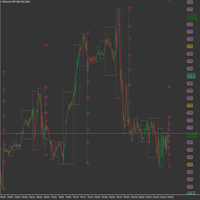
This product has been developed to complement various proven range expansion strategies, with features like the Fibonacci retracement and session/range definition along round numbers indicator. All coming together to provide a clear visual of areas which can potential present the trader with a position or even a quick scalping of price action. Download the full version, and check it out for yourself!!!
FREE

Delete All Pending Orders for MT4 script - closes absolutely all orders, whether pending or market ones.
Orders are closed at the current profit/loss indicators at the time of closing.
The script is suitable for moments when you need to quickly close all orders at the current indicators.
The script is very easy to use, just drag the script onto the chart and it will do its job.
Add me as a friend, I have many other useful products.
FREE

Download your broker's detailed spread data into a simple CSV file When choosing a broker, it is important to choose one that offers the right spreads for you. Ideally, we choose a broker with the lowest spreads. However, a broker will only advertise either the lowest spread they offer, or the average spread. The reality of spread is that it can vary massively and depends on the currency pair, the time of day or the volatility of the market at a given point in time. Some EAs are more sensitive

It's very easy, you only need to enter the amount of profit you want to get, then when your account has grown this EA will close the order, even though you are not monitoring the chart. Now you don't need to worry if the profit you have achieved turns into a loss because you don't use this EA, because this EA will help you whenever, wherever you are. Good luck trying it, hopefully you will become a very profitable trader

With the Bollinger Band Squeeze Scanner in your toolkit, you'll be the first to know when the market's gearing up for a breakout – whether it's a sky-high surge or a dive into the deep end. This bad boy does all the heavy lifting for you, sniffing out those times when volatility takes a snooze. You know, when those Bollinger Bands start hugging the price action real tight? That's when you know something big might be brewing. Y ou've got up to fifteen symbols at your fingertips, and you can twea

回撤保护器用于管理您所需的最大每日回撤。对于交易者来说,这是一个非常有价值的工具,特别是对于自营公司交易者来说,你需要小心回撤限制。 它是一种有效的 EA,易于用于股本回撤管理目的。 当浮动资产(而非余额)超过您设置的每日损失限额时,它会阻止新交易并关闭现有交易。此外,您还可以为单笔交易设置最大损失限额,如果超过该限额,则会阻止交易直到下一个日历日。
用户插入 3 个参数的值: 每日损失限额(以美元为单位): 以名义货币计的最大损失(我使用“$”仅用于示例目的)。这是 账户余额 名义值允许的最大提款额 。如果超过,EA 将阻止交易直到第二天。 每笔交易的损失限额(以美元为单位): 以名义货币计算的最大损失(我使用“$”仅用于示例目的)。这是 单笔交易 名义价值允许的最大回撤 。如果超过,EA 将阻止交易直到第二天。 (如果您将此参数的值保留为零 (0),EA 交易将不会考虑该值) 每日利润限额(以美元为单位): 如果您希望在获胜时避免过度交易,您可以设置每日利润限额,之后 EA 将在当天剩余时间阻止交易。据观察,有些交易者贪婪,为了寻求更多利润,他们也失去了最初的利润!这个参数

This EA creates two buttons in a panel that you can drag to any part of the chart (simply click on the panel and drag with the mouse to the part of the chart you want) with which you can close all the open operations in the account with a simple click, or close only the trades that are currently in profit. Check out my new trade dashboard assistant : Simple and Easy MT4 Trade Panel Tell me if you like the product and how it could be improved, Thanks :)
FREE
This utility will help you avoid losing money on your trades when your terminal loses connection to the broker or your VPS / computer goes into an update and doesn't open your MetaTrader client automatically after the update. How is this product different from the other disconnect alerts? This one will email you and/or an SMS even when your MetaTrader client gets disconnected from the Internet or doesn't respond! Your client is monitored externally and doesn't rely on its own Internet conn
FREE

NEW VERSION! NB: IF YOU ARE USING A VERY HIGH RESOLUTION MACHINE AND THE EA DISPLAY LOOKS TOO SMALL, CONTACT ME SO I CAN HELP YOU. Open Multiple Trades on MT4 in 1 click at one price. Enter the Lot size Specify the number of trades you want to open Choose whether you want TP SL or Trailing Stop Once you are done, click Buy or Sell Open Multiple Pending Orders on MT4 in 1 click at one price. Enter the Lot size Specify the gap from the current price, where you want to place the pending order Spe
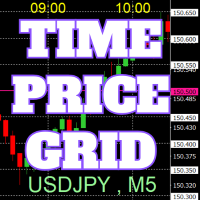
On the chart, draw grids for price and time at round numbers for easy reference.
"Parameter Input" allows for setting price intervals for each period. The grid lines for significant numbers (round numbers) are thicker and more prominent than other lines, making them easily distinguishable. The grid lines for significant numbers (round numbers) can be set to a different color than other lines. Colors at various points can be individually configured. Symbols and timeframes can be displayed, and t
FREE

Description: The forex risk management script is designed to assist traders in effectively managing the risk associated with their trades and maximizing profit potential. This script can be used on a trading platform to automate and simplify the risk management process. Features: Risk Configuration: Allows the user to set the percentage of capital they are willing to risk on a trade. Position Size Calculation: Automatically calculates the position size based on the specified risk percentage and

关闭所有持仓订单,并且删除所有挂单,清仓整个账户的订单,请注意使用! 关闭所有持仓订单,并且删除所有挂单,清仓整个账户的订单,请注意使用! 关闭所有持仓订单,并且删除所有挂单,清仓整个账户的订单,请注意使用! 关闭所有持仓订单,并且删除所有挂单,清仓整个账户的订单,请注意使用! 关闭所有持仓订单,并且删除所有挂单,清仓整个账户的订单,请注意使用! 关闭所有持仓订单,并且删除所有挂单,清仓整个账户的订单,请注意使用! 关闭所有持仓订单,并且删除所有挂单,清仓整个账户的订单,请注意使用! 关闭所有持仓订单,并且删除所有挂单,清仓整个账户的订单,请注意使用! 关闭所有持仓订单,并且删除所有挂单,清仓整个账户的订单,请注意使用!
FREE

Like you when I first started trading, It was overwhelming...learning about indicators, about lotsize, leverage and many more things. Its been almost 3 years. I am more knowledgeable in trading. My trading continues to improve as I work on my strategy, technical analysis, trading psychology and trade management. One thing I am not worried about though is being able to close my trades quicky if a trade goes against me or if the trade has reached my take profit level with the help of my Close Tra

I started of as a complete novice in trading not understanding what a pip was, not understanding leverage or how to factor in risk to manage my trades. Its been almost 3 years. I am more knowledgeable in trading. My trading continues to improve as I work on my strategy, technical analysis, trading psychology and risk management. One thing I am not worried about though is getting the right volume to match the risk for each trade. Not too long after I began trading, I learned how to code to make m

功能介绍
本软件利用键盘快捷键来辅助短线操盘、快速刷单和组合下单,是短线操盘手的利器。 本软件支持快捷下单,批量平仓,批量挂单及平仓与开仓的组合交易,实现一键操作多个交易指令执行。 面对行情剧烈行情波动时,操盘手可从容应对,并快速准确的下单和平仓,让交易变的更简单。 适合人群 热爱交易并希望成为一名操盘手的人。 长时间盯盘,操盘风格为短平快的操盘手。 愿意提高短线操盘胜率并训练强大执行力的操盘手。 希望更加高效把握市场机会,并能快速且准确的执行交易指令的操盘手 安装和配置 先软件需要安装在Experts文件夹中。 在导航中刷新可显示本软件,然后双击在到图表。 输入参数中选择语言及界面主题。 主界面分两个标签栏目: 基本交易和组合交易。基本交易执行的是简单命令,组合交易执行多个命令捆绑。 设置要对应的交易参数之后,要选择启动,那么就按下对应的快捷键执行交易了。 修改快捷键和交易参数必须在非启用状态下,双击对应的表格单元填入参数,或者弹出下拉框选择。 快捷键列表
本软件支持的预设快捷键清单,包括买入、卖出、撤单等常见交易操作的快捷键。 双击快捷键弹出下拉框可以选择自定义快捷键,同时用
全方位交易仪表盘,适用所有交易者水平 隆重推出先进交易仪表盘, 旨在帮助新手和经验丰富的交易者。 该平台具备丰富功能, 简化市场分析和执行过程, 让您在单个直观界面中同时追踪多达 30 个交易对。 主要功能: 通用市场扫描器: 识别并利用您经纪商支持的任何交易对。 多合一指标: 八个内置系统提供深度见解: 市场观察检测: 在不同交易对中发现潜在机会。 价格和动量分析: 识别从 1 分钟到 1 个月时间框架的价格波动和趋势。 趋势信号和RSI: 检测更高层次的方向趋势并测量潜在超买/超卖状况。 交易执行套件: 直接从仪表板执行交易, 设置止损、 手数、 止盈和追踪止损参数。 轻松关闭所有、 部分或单个交易。 无缝切换交易对: 只需单击即可在 25 个交易对和时间框架之间即时切换。 实时新闻集成: 始终掌握即将到来的新闻事件, 并按影响进行分类(红色:高, 黄色:中)。 市场时段显示: 跟踪当前交易时段(例如, 纽约、 东京)。 盈亏面板: 监测所有交易活动的绩效。 设计简洁高效: 该仪表盘优先考虑用户友好性, 使您能够轻松监控大量交易对, 利用先进

本 EA 在持仓出现的第一时间自动为其补上止损和止盈。它不开仓、不平仓,也不做任何行情判断。
很多交易员习惯先开仓、后设保护,也有人会忘记设置。这个 EA 帮你把两道保护一起加上,当前品种的每一笔持仓从出现那一刻起就处于保护之中。
工作原理
EA 只监控它所挂载图表对应品种的持仓。一旦发现新持仓没有止损止盈,或需要替换已有止损止盈,就按输入参数为其设置。
输入参数
- StopLoss:止损,按开仓价加减的点数,0 表示不设置 - TakeProfit:止盈,按开仓价加减的点数,0 表示不设置 - MagicNumber:仅管理该魔术号的持仓,0 表示该品种全部持仓 - OverwriteExisting:是否替换持仓上已有的止损止盈 - ApplyToPendingOrders:是否同时为挂单设置,需 EA 支持 - EnableAlerts:设置成功时发出提醒 - ShowComment:图表面板显示已保护的持仓数量
使用方法
1. 每个要交易的品种各挂一个 EA 实例,开启 Algo Trading。 2. 以点数设置 StopLoss 和 TakeProfit,例

The script opens charts of all trading instruments that are listed in the Market Watch.
Convenient to use for choosing a trading instrument for intraday trading (and not only). MT5-version: https://www.mql5.com/en/market/product/113499 You can attach a pre-created template to each chart you open.
For an example of work, see the video for this post.
There are only two settings: Selection of timeframe; Template name. If you do not need to attach a template, you must leave the Name field empt

Drawdown Partial Closure Expert Advisor Description: The Drawdown Partial Closure Expert Advisor is a tool designed for MetaTrader 4 that assists traders in managing their positions during drawdown periods. It monitors the drawdown of the trading account in real-time and automatically closes a portion of losing positions when the drawdown exceeds a specified threshold. This helps traders to mitigate losses during adverse market conditions while allowing profitable positions to remain open. Featu

The utility is designed to send signals from MT4 to Telegram. It has several unique features, allowing not only the sending of trade signals but also the following functionalities: Send messages directly from the terminal to Telegram Send emojis along with custom text Send text and images from Telegram All of these features enable users to manage a signal channel while focusing on trading and finding quality signals. [DEMO and Instruction for utility]
Customizable Signal Messages You can fully
Patterns Wizard是一个用于创建蜡烛图形态的工具。通过它,您可以创建多种不同的图形形态,并在您的图表上添加任意数量的此指标的实例,每个实例都具有不同的形态。 为了更好地理解创建公式的方式,您可以使用名称为 My Candle的指标的示例,该指标包含70多个蜡烛图形态的示例 。 该指标的主要区别在于它具有 30个规则参数 ,这意味着您可以为前30根蜡烛分别设置不同的规则。 一旦出现图形形态,此工具可以执行以下操作: 播放自定义声音 在MetaTrader中发出警报 向您的手机发送通知 发送电子邮件 该指标不会重绘,只在蜡烛结束时执行,因此非常迅速。此外,它具有一个用于优化您想要分析的蜡烛的最大数量的参数。 在测试器中使用它,并随意使用它创建规则。当您准备迈出一步,拥有一款专业工具来帮助您分析交易时,就购买此工具吧。 蜡烛图形态的创建
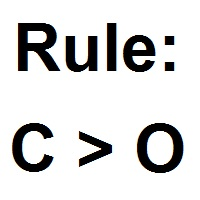
您可以使用此工具创建任何您想要的蜡烛形态,以下是如何获取图表值的方法 数值 描述 O 开盘价 H 最高价 L 最低价 C 收盘价 因此,如果您希望蜡烛是 阳线 ,只需构建以下公式 C > O 负责 阴线 的公式相同 C < O 这里是一个 十字星
FREE

Intro to ProfitKeeper - Equity Basket CloseAll Script, Free edition This is an update from this script ( mql4 forum | forexfactory : There were many people requesting some type of equity monitoring tool that can lock in profits after a pre-determined account equity is reached (e.g. close all open trades when profit target is hit). Profitkeeper was built to fulfill this gap for professional and casual traders looking to focus on the bottom line of their equity. This was designed mainly for cos

Introducing the OrderManager: A Revolutionary Utility for MT4
Manage your trades like a pro with the all-new Order Manager utility for MetaTrader 4. Designed with simplicity and ease-of-use in mind, the Order Manager allows you to effortlessly define and visualize the risk associated with each trade, enabling you to make informed decisions and optimize your trading strategy.
Key Features:
Risk Management: Define the risk of your trades quickly and easily, allowing you to make better decisio

Drawdown Manager MT4 是一个为使用 MetaTrader 4 的交易者设计的重要工具,旨在通过主动管理回撤和保护您的投资来保护您的交易权益。非常适合个人交易者和专有交易公司,这个工具为维护您的交易策略的完整性和资本安全提供了强有力的解决方案。 凭借实时警报和可定制风险参数等高级功能,Drawdown Manager MT4 确保您能够有效监控和控制您的交易活动。无论您是希望平仓亏损交易还是接收即时通知,这个工具都旨在提升您的交易表现并最小化潜在损失。 MQL 产品安装指南 | 在 MT4/MT5 上更新已购买的 MQL 产品 | 常见故障排除指南 | 指标设置 / 指南 主要特点 弹出警报:在信号事件上触发 MetaTrader 警报弹窗,让您不会错过任何交易机会。 推送通知:将实时推送通知发送到您的 MetaTrader 移动应用,方便随时监控。 电子邮件警报:在信号事件上发送电子邮件通知,以便在远离终端时进行远程监控。 图表上的仪表板:直接在图表上显示实时信息面板,以便即时状态概览。 安全交易配置:设置最大开放交易限额、回撤百分比和交易频率,以有效管理风险。 可

Orders Manager is a simple and indispensable assistant for managing all your orders. Inputs: Magic = 999; // Magic TakeProfit = 1000; // Take Profit. If = 0 the level is not setts. StopLoss = 0; // Stop Loss. If = 0 the level is not setts. Slippage = 10; // Slippage GeneralProfit = false; // Closing all orders based on total profit. If false the function is disabled and works according to TakePr
FREE

FIBO Price Calculator 功能简介 1. 自动绘制斐波那契回调线 本指标可自动在MT4图表上绘制斐波那契回调线,助您快速识别潜在支撑和阻力位。 2. 自定义斐波那契数列 用户可自定义斐波那契数列的数值,指标会根据当前市场价格自动换算成相应价格水平。 3. 灵活调整指标窗位置 指标窗可放置在图表的四个角中的任意位置,方便用户根据个人喜好和交易习惯调整布局。 综上所述,本指标不仅能够帮助交易者自动绘制斐波那契回调线,还提供了自定义输入斐波那契黄金数列换算成价格以及自定义指标窗位置的功能,为交易者提供了更便捷、更灵活的技术分析工具。无论是初学者还是经验丰富的交易者,都能够通过本指标更好地把握市场趋势,提高交易成功率。

Ever thought of your broker stop hunting your stop losses? Incognito SL and TP is exactly what you need! As promised, version 1.1 now has the SL and TP lines that can easily be adjusted by the user. ========================================== INPUTS: SL: Exact price you want the orders for the chart symbol to close when this SL price was hit. Set to 0 for no SL. TP: Exact price you want the orders for the chart symbol to close when this TP price was hit. Set to 0 for no TP. ======================
FREE

**SALE ON NOW - 50% off for 1 week only!!** Stop Making the HUGE mistakes that cause you to BLOW UP!!! Prop Defender Trade Assistant is designed to put a barrier between you and the bad behaviors which cause you to keep blowing up accounts and failing your prop! Designed by a 20 year veteran trader who worked to overcome every bad behavior! This is for manual traders (and won't work with other EA's). It Defends against: Revenge Trading. Over Risking. Too much loss in 1 day. Moving your stoplos

Introducing Trade Timer: Your Time-Sensitive Trading Companion Are you tired of being caught off guard by unexpected market movements during critical hours? Say goodbye to missed opportunities and hello to precise trade management with Trade Timer, your indispensable tool for time-sensitive trading strategies on the MT4 platform. Stay in Control Trade Timer empowers you to take full control of your trading schedule by allowing you to set precise closing times for your trades. No more worrying ab

RRBCTC uses real Tick data to create custom Range, Time, Renko and Volume bar charts for MT4. Tick data use is RRBCTC unique feature, which allows highest quality charting of current and historical price movement. Custom inputs provide option to create range bars with sizes from 0.1 pip all the way to 100+ pip and time bars periods from second all the way to a month. Charts are updated with new data in real time, allowing user use of MT4 indicators and advisors (EA). RRBCTC greatly extends MT4 c

Narcis Trader is an expert designed for managing trades and facilitating trading. Attention, the application does not work in the strategy tester. Download Real
Its features include: Determining the trade volume based on the selected trader's risk. Setting specific and fixed stop-loss and take-profit levels. Defining the take-profit level based on the specified risk-to-reward ratio (r/r). Entering trades using static and dynamic lines based on the predetermined risk. Position closure management
FREE

Narcis Trader is an expert designed for managing trades and facilitating trading. Attention, the application does not work in the strategy tester. Download Demo
Its features include: Determining the trade volume based on the selected trader's risk. Setting specific and fixed stop-loss and take-profit levels. Defining the take-profit level based on the specified risk-to-reward ratio (r/r). Entering trades using static and dynamic lines based on the predetermined risk. Position closure management

Equity X è una utility che chiude tutte le posizioni ed eventuali ordini pendenti ad un importo prestabilito, è possibile fissare il bilancio del tuo conto quando il netto e uguale o superiore oppure uguale inferiore all'importo desiderato Ha integrato un sistema per la notifica mobile instantanea che genera il messaggio ad operazione avvenuta Uno strumento che permette di ottimizzare al massimo il rendimento del tuo investimento, è possibile utilizzarlo anche come gestore virtuale di take prof

There is no doubt that money management plays a key role in the success of a forex trader. Many people, despite having a good strategy for trading in the forex market, fail to earn a steady income because they do not observe the stop loss and take profit levels in their trades.
The Digitraderz.com team, due to the request of some of their audience, has designed a trader assistant robot for managing the stop loss and take profit levels in forex trades. This money management robot is offered for
FREE

Now, you have your very own SIMPLE LOT SIZE (POSITION SIZING) CALCULATOR ! There's no need to go to other websites just to compute for the exact lot size. It also opens the trade with a click of a button. All inputs on the calculator can be edited. So if you want to change the SL or TP or the lot size, you can do so before placing an order. ========================================== STOP LOSS . Stop loss in Pips (not points). Click on the SL Price text and it will change from green to red or r

Now, you have your very own PROP FIRM AUTO-CLOSER program! Once your account target or drawdown hits, all open orders will close automatically. “One mistake and your prop account is gone. Prop Firm Close All Orders for MT4 ensures that never happens.” All of your OPEN ORDERS will automatically close when: Your ACCOUNT TARGET is hit, OR Your specified ACCOUNT DRAWDOWN is hit, OR WEEKEND CLOSE is set and current time is already past the specified time, OR CLOSE ALL ORDERS bu
学习如何在MetaTrader AppStore上购买EA交易,MetaTrader平台的应用程序商店。
MQL5.community支付系统支持通过PayPay、银行卡和热门付款系统进行交易。为更好的客户体验我们强烈建议您在购买前测试EA交易。
