 MetaTrader 5
 专家
专家
 指标
指标
 程序库
程序库
 实用工具
实用工具
 窗口小部件
窗口小部件
 规则
规则
全新的MetaTrader 4 交易实用工具 - 16
 以下是可在MetaTrader 4中简化外汇交易的交易程序。将鼠标悬停在下面列表中的工具上,阅读它的描述和用途。
Good morning, The following indicator is very useful when managing multiple trades on the same instrument. It allows you to see the average entry price for BUY and SELL trades. If there is an imbalance (as shown in the example photo), the indicator will display the averages of the SELL/BUY trades and a GOLD line that marks the breakeven price (excluding swap and commissions).
FREE

Stealth Mode TP/SL Manager with AI Protection This AI-powered tool manages Stop Loss and Take Profit dynamically using either price-based or profit-and-loss (PnL) calculations while hiding these levels from the market . Also the this tool is very important to PROP FIRMS accounts , so you can set your stoploss to not hitting the daily stop loss ! Key Features: Supports BUY, SELL, or both position types. Flexible symbol selection: Manage the current chart, all symbols, or specific symbols (se

MT4 Alert Telegram Notifier PRO VERSION is a specialized toolsdesigned for the MetaTrader 4 (MT4) platform. One of its key features is its ability to operate concurrently with Expert Advisors (EAs) on a single MT4 chart, combining the power of automated analysis with communication convenience. Sending Order Notifications to Telegram Groups or Channels: This indicator has the capability to send real-time order notifications directly to the Telegram group or channel of your choice using the B

Discover our all-in-one monitoring and notifications EA for MetaTrader. Designed to ensure traders’ security and peace of mind, this unique EA offers a full range of advanced features that will allow you to stay informed and control your account activity, anytime and anywhere. Key Features : Continuous server monitoring: real-time notification on server availability and performance (Cpu, Ram, disk), connectivity, latency and more Advanced account management: live tracking of margin calls,
FREE

Benefits : Avoid detection by brokers using visible SL/TP levels. Ensure order execution remains smooth and discreet. Enhance profitability through precision-based execution. Flexible design ensures the indicator adapts to your trading style and market conditions. This indicator empowers traders with both discretion and functionality, ensuring strategies remain protected while maximizing execution accuracy. Whether you’re a scalper, swing trader, or someone managing order blocks, the "Hidden TP

此實用程式適用於水平線: Prof1、Prof2、Loss1、Loss2。 這些線具有嚴格固定的名稱,由交易者在其終端的任何圖表上獨立繪製。 可以選擇一次建立所有線路,也可以選擇四條線路中的任一條。 只要看一下這些線條的名稱,其用途就一目了然了。 Prof1 和 Prof2 線指示交易的獲利水平,但以視覺化形式呈現,使交易者更容易感知資訊。 Loss1 和 Loss2 線反映停損水平,清晰直觀地呈現風險。 因此,該工具有助於創建關鍵層級的清晰視覺化,使交易者能夠做出更明智的決策。
此實用程式的獨特之處在於,只需將其安裝在一張圖表上,您就可以使用任何終端圖表上的線條。 專家實用程式可自動偵測終端中的所有 Prof1、Prof2、Loss1、Loss2 線,並產生有關該工具上所有交易的資訊(利潤、損失、數量)。 MT5 版本鏈接 該實用程式的第一個目的是有關盈虧的資訊。 使用停損線和獲利線來關閉交易 = 僅供參考,線下方的 OFF 符號禁止關閉交易。計算並在這些線下方放置一條此類型的線:Prof1 OFF +584$/19 -396$/7 = +187$/26。 說明:線路名稱,線路是

This EA follows the equity protection concept explained on YouTube. It monitors account equity and closes all trades when equity falls below a user-defined threshold. Designed to operate on a per-ticket basis, not portfolio-wide. Always test on a demo account before live trading. Happy trading!
Attention , it is Ticket-Based, not Portfolio based
https://youtu.be/S8ICwu9u-dk?si=opswVNwjjIg7xAAZ

When executing an order, whether through the Metatrader ticket on a computer or the Metatrader app on a mobile device, either manual or pending,
Easy Trade will automatically set the take profit and stop loss levels, as well as a limit order with its respective take profit and stop loss levels. It follows the trading strategy for market open (US30, US100, US500), but it can be applied to any market asset.
FREE

When executing an order, whether through the Metatrader ticket on a computer or the Metatrader app on a mobile device, either manual or pending,
Easy Trade will automatically set the take profit and stop loss levels, as well as a limit order with its respective take profit and stop loss levels. It follows the trading strategy for market open (US30, US100, US500), but it can be applied to any market asset.

Auto TP SL Manul Open Panding Orders Overview:
AUto TP SL Manul Open Panding Orders is an innovative trading platform designed to enhance trading efficiency and effectiveness in managing financial investments. Key Features: Automated Management : Seamlessly manage take-profit (TP) and stop-loss (SL) orders with our advanced automation tools. Manual Adjustments : Maintain control with manual options, allowing traders to adjust orders according to market conditions.
FREE

Equity Aler t can help you send notifications to your personal Telegram when your account equity reaches/ drops below a preset value. Additionally, you can check your MT4/5 account info anytime from your Telegram by simple command: /check . Get more free useful EAs here !
HOW TO SET UP? * Get inputs for EA: - Telegram Bot Token: Create a Telegram bot by @BotFather , and save your Bot Token. Find your bot by username & press "start". - Telegram User ID: Use your User ID by chatti
FREE

The program is use to copy trading from MT4 to MT4 and MT5 on same Windows PC or VPS . Now you can easy copy trades to any MT4 account or MT5 account. Instants copy, speed smaller 0.1 seconds, easy to setup. Need run EA as Signal provider on one MT4 account, other MT4 / MT5 will run EA as Trade copier. You can download and try demo version on demo account Copi Trade MT4 demo version here Copi Trade MT5 demo version here

Initial Stop Loss Setup : Automatically applies an initial stop loss (in points) immediately when a trade is opened. Provides peace of mind by ensuring every trade is protected against unfavorable price movements. Dynamic Trailing Stop : Adjusts the stop loss at the close of each candle based on a fixed point distance. Moves the stop loss incrementally closer to the current price, locking in profits as the market moves in your favor. Works Across All Timeframes : The EA adapts to any chart time

Dashboard.mq4 - 简单交易管理器 为那些喜欢手动交易并希望简化交易管理的交易者设计,这个强大的MQL4工具通过提供实时仪表盘来管理交易,提升了交易效率。它无缝集成到MetaTrader中,轻松计算仓位大小,并跟踪风险指标。 主要特点: 风险和保证金显示 :实时计算仓位大小、保证金要求和胜率,以便做出精确的交易决策。 交易管理按钮 :一键按钮用于下达买入/卖出订单、平仓(所有、盈利或亏损的交易)以及通过取消止盈或止损来修改订单。 可定制的胜率跟踪 :分析不同时间段的交易表现,包括当前月份、最近的交易或所有历史交易。 互动和直观的UI :清晰、易于导航的仪表盘,具有可定制按钮,方便快速操作。 准确的计算 :基于账户余额和风险百分比的内置仓位大小计算器。 这个工具非常适合那些希望在MetaTrader 4平台上直接管理交易并优化风险回报策略的交易者。

In version 4.2 we have combined this tool with our own indicator written by our experts. You can download the indicator (Volume Time Marvel) for free from the Indicators section of MQL5.com and use it alongside this tool to better manage your open positions with a better understanding of market timing and trading volume.
Forex trading is conduct 24 hours a day, but trading volume is not the same at all hours. Identifying the best times to trade can significantly improve your trading strategy. Wi
FREE

Automate your Trendsurfer trailing stop management - day and night With this Expert Advisor for Metatrader 4 you save time, avoid mistakes and trade more relaxed - specially developed for the Trendsurfer trading system.
Always the right stop loss Fully automatic Simple to use Saves you time How it works
1. download the Expert Advisor and install it in Metatrader 4 (I will give you instructions on how to do this)
2. define your stop-loss rule
3. run your computer or VPS - the Expert Advisor

Price Aler t can help you send notifications to your personal Telegram when the price crosses a preset value. Additionally, you can check your MT4/5 account info anytime from your Telegram by simple command: /check . Get more free useful EAs here !
HOW TO SET UP? * Get inputs for EA: - Telegram Bot Token: Create a Telegram bot by @BotFather , and save your Bot Token. Find your bot by username & press "start". - Telegram User ID: Use your User ID by chatting with @ userinfobot *
FREE

Blow Stopper Genesis Prop Firm EA (MT4) Overview
Blow Stopper Genesis is an advanced trading algorithm tailored for MT4 and optimized for the 1-hour timeframe . Designed with precision and adaptability, it identifies the best entry points and manages trades efficiently, ensuring performance across all currency pairs and XAUUSD (Gold). Key Features Precision Entry Logic :
The EA uses the Vidya Moving Average to identify optimal entry points, ensuring high-quality trades only when conditions are

Chart Refresher EA is a simple yet powerful tool for many traders struggling with repainting EAs and indicators. These tools often recalculate and change their visualized graphics upon chart refresh or timeframe switching, leading to misleading trading signals. The Chart Refresher EA is designed to periodically switch between chart timeframes in the blink of an eye, ensuring that all attached indicators and EA graphics remain currently fresh and recalculated. This allows the trading tools to fu

主要功能 自動倉位大小計算 : 根據停損距離和以點數為單位的風險金額自動確定手數。 自動斐波那契回調進場 : 追蹤市場波動,並在指定的回調位階進行交易進場。 多時間框架收盤價停損執行 : 基於您選擇的時間框架的柱線收盤價執行停損。 時間框架代碼和斐波那契回調代碼 : 使用 TF Code和 FB Code精準控制您的交易,它們分別對應於 最後一位小數 的停損價和獲利價(用於收盤價執行)以及斐波那契回調位階進場。 簡介 CosyTrader EA 是一款功能強大的工具,專為 行動交易者 設計。它自動執行 手數計算、斐波那契回調進場和收盤價停損執行 ,並跨越多個時間框架。透過簡化這些關鍵的交易任務,EA 使交易者能夠在最大限度地減少螢幕時間的同時做出明智的決策。 背景資訊 此交易工具非常適合希望在遠離螢幕享受生活之餘,仍能積極參與市場的行動交易者。無論您是在工作間隙進行交易,還是在環遊世界,CosyTrader EA 都能滿足您的需求。您只需使用行動電話,即可在閒暇時間設定進場目標策略,並配置停損和獲利位階。 EA 作為一個「 幕後操盤手 」,自動執行重複且耗時的任務,例如計算基於點數的

Simple and Easy MT4 Trade Panel by Winidecorw I created this EA to make your life easier by making it easier and faster to open your trades. The price will increase progressively, take advantage now! Simplify Your Trading with the Simple and Easy MT4 Trade Panel Are you tired of wasting time setting up each trade in MetaTrader 4? With the simple and easy MT4 trading dashboard, taking your trading to the next level has never been so quick and easy!
This Trade Assistant dashboard is the Simple an
By :ForextraderEanow SnowBall 2028 Ea. 1.0
This EA is Famous Grid Strategy that open positive grid of trades with the larger size first and smaller size after. It makes PROFIT when the Forex price moves i

Скрипт для быстрого закрытия рыночных и отложенных ордеров. Этот зацикленный скрипт гарантированно закроет все выбранные ордера. Он будет работать, пока не закроет все выбранные позиции и удалится когда сделает свою работу. Если у Вас много открытых позиций этот скрипт поможет вам. Интуитивно понятный интерфейс 1) Просто бросьте его на график. 2) Выберите ордера, которые надо закрыть. По умолчанию выбраны все! 3) нажмите кнопку "Close". Версия для MT5 https://www.mql5.com/ru/market/product/1297
FREE

PositiveSwap
Легкий, бесплатный скрипт на языке MQL4, который выводит на график, в виде простой таблицы, все торговые пары с положительным свопом и указывает направление (покупка или продажа).
Скрипт автоматически просматривает все доступные торговые пары из окна "Обзор рынка". Поэтому, чтобы увидеть все возможные пары с положительным свопом, рекомендуется включить показ всех символов.
FREE

Key Features and Functionality Trade Detection: The tool actively monitors the trading account for newly opened trades. Once a trade is detected, it begins its operations automatically without requiring manual intervention. Initial Stop Loss Placement: Immediately after a trade is opened, the tool sets an initial stop loss at a predefined level. The initial stop loss serves as the first line of defense against unfavorable price movements. Dynamic Stop Loss Adjustment (Trailing Mechanism): As the

Telegram 到 MT4: 终极信号复制解决方案 使用 Telegram 转 MT4 简化您的交易流程,这款先进的实用程序旨在将交易信号直接从 Telegram 频道和聊天复制到您的 MetaTrader 4 平台,无需 DLL 文件。这款强大的解决方案确保信号执行的无缝衔接,拥有无与伦比的精度和丰富的自定义选项,从而节省您的时间并提高您的效率。 [ Instructions and DEMO ] 主要特点 直接 Telegram API 集成 通过电话号码和安全码进行身份验证。 使用用户友好的 EXE 桥轻松获取和管理聊天 ID。 添加、删除和刷新多个频道/聊天以同时复制信号。 使用高级过滤器进行信号解析 跳过包含自定义例外词(例如“报告”、“摘要”)的不需要的信号。 支持灵活的 SL 和 TP 格式:价格、点数或点数。 当信号指定点而不是价格时自动计算入场点。 订单定制和灵活性 使用多种模式定制订单规模:固定手数、动态手数(% 风险)或特定符号手数。 使用信号数据或自定义参数调整 SL/TP。 配置滑点、挂单到期和重试设置以实现完美执行。 综合符号管理 排除特定符号或匹配自定义

Auto SLTP Pro can help you setSL & TP automatically for positions & pending orders * 2 modes: - Points - USD * Symbol Filter: Select All or a specific symbol * For pending orders: Select true to set SLTP for pending orders Note: Only valid for positions (pending orders) without SL&TP! Join my channel here for more useful management tools: * Remote Tools via Telegram: Super Assistant, Master Close, Master Control, Master Notify * Free Tools: Tele Notify, Price Alert, Quick Close
FREE

The panel is designed to manage trading positions: to open new trades and close already opened ones. To open new trades, you can set the position LotSize, Stop Loss in points, risk in dollars or in percent, Take Profit in points or Profit in dollars, you can set the Profit/Risk parameter. It is possible to place a panel on the active chart to visually set the parameters of a new trade, select a market order or a pending one. If you fix the RR parameter, then when the Risk changes, the Profit wil

Feel free to contact me for any extra features :) [SEE MT5 VERSION https://www.mql5.com/en/market/product/128846
The Local Reverse Copier is an Expert Advisor designed to synchronize positions between a Master account and a Slave account with a twist: it reverses the trades. When a buy position is opened on the Master account, the EA opens a sell position on the Slave account, and vice versa. This allows for a unique form of trade copying where positions are mirrored in opposite directions bet

Feel free to contact me for any extra features or for support :) [SEE MT5 VERSION https://www.mql5.com/en/market/product/128845 ] The Local Copier EA is an Expert Advisor (EA) designed to synchronize trading positions between a master account and a slave account, operating in either Master or Slave mode. Key Features: Master Mode :
In Master mode , the EA monitors open positions and stores relevant trade details. These details include symbol, volume, stop loss, take profit, and position type, w

Risk Calculatorr Panel MT4
Professional trading assistant for MetaTrader 4.
Open trades faster, calculate precise risk instantly, and manage positions like a professional trader.
WHY TRADERS NEED THIS PANEL
Many traders lose money because they:
• use wrong lot size • risk too much per trade • enter too slowly • manage positions emotionally • open trades without clear RR ratio
This panel helps solve these problems in seconds.

Ruler is important but just a simple tool. Why people make it too complex? Easy Ruler makes it great again. Almost zero setup required, nothing annoying on chart, quick and accurate. Easy Ruler MT4 just help you measure 2 points on chart quickly and accurate. That's all!
To support you better, it has magnet mode to pick points more accurate and works on indicator windows too (30 indicators that provided by MT4 by default). This smart ruler provides these information right on chart in no time t

Automated account protection for prop trading. PropProtector monitors your trading rules in real time, closes trades when a limit is reached, and helps protect your capital on funded and challenge accounts. Important: test on a demo account first Never run PropProtector on a live account with open trades before verifying all settings on a demo account. Adjust min/max balance, loss limit, profit target and trade limits to match your account size and strategy. Incorrect settings can immediately cl

Advanced Trailing Stop Loss Utility Optimize your trading strategy with the Advanced Trailing Stop Loss Utility , a powerful tool designed to dynamically protect your profits and minimize losses. Whether you're a beginner or an experienced trader, this utility ensures that your trades remain secure while maximizing potential gains. Key Features: Dynamic Stop Adjustment : Automatically adjusts the stop loss level as the market moves in your favor, locking in profits while allowing for market fluc

一旦您確定了要進行交易的關鍵區域,就會自動交易支撐和阻力或供需區域。該 EA 允許您只需單擊即可繪製買入和賣出區域,然後將它們準確地放置在您預期價格轉向的位置。然後,EA 會監控這些區域,並根據您為這些區域指定的價格行為自動進行交易。一旦進行初始交易,EA 就會在您放置的相反區域(即目標區域)獲利。然後,您有兩種選擇,要么關閉交易並繪製新的區域進入,要么獲利退出並立即反向反向交易,創建「始終在」的市場風格策略。
包含輸入和策略的完整手冊位於: https://www.mql5.com/en/blogs/post/760256
該 EA 專為在市場上不使用固定或硬止損的頭寸交易者或美元成本平均交易策略而設計。相反,它的目的是透過在下一個可用支撐或阻力區域以相同方向進行新交易來縮小不正確的交易,並調整您在市場中頭寸的平均價格。如果需要的話,還有備用退出標準,形式為每筆交易的最大損失金額或基於時間的退出。
只需按下按鈕即可繪製準備放置在感興趣等級的區域。 關閉按鈕和關閉最舊的按鈕可退出所有交易,或僅退出舊交易(如果它們跌幅過大而無法立即調整您的平均頭寸)。 適用於任何時間範圍內的

DMI Telegram Notifier: Your Trading Notification Assistant on Telegram The DMI Telegram Notifier is a powerful and customizable tool designed to send detailed and instant trade notifications directly to Telegram.
Whether you are a professional trader or a passionate enthusiast, this Expert Advisor helps you track your positions, receive alerts on order modifications, and share your results in real time with your followers or trading group. Key Features: Instant Notifications: Receive detailed a

Download DEMO here: https://www.mql5.com/en/blogs/post/759769 An ultimate panel you've never seen before. Compact and nice Trade panel with large Total P/L and it's percentage display. Groups for trades summary available: Ticket, Symbol, Type, Category, and Magic. Average price field helps you know your trading average price and direction. Set magic and comment of your trading in a very easy way. Group closing by symbol, type, category or magic - only by one click. Close All button for a qu

此工具提供了两个主要优势:它增强了MT5经济指标的使用便利性,并实现了与MT4的无缝数据共享。例如,您可以有效利用超过10年前的经济指标数据进行训练和回测。此外,它兼容MT4的 PracticeSimulator ,使其成为从历史数据交易练习到MT4实时交易的宝贵工具。 重要提示
此工具需要从MT5获取经济指标数据,因此在MT4版本中无法独立运行。请确保已安装MT5版本。 => MT5版本
MT5经济指标的改进 历史数据访问 : 分析包括超过10年前事件的经济指标数据,支持详细的回测和历史回顾。 可自定义显示 : 经济指标以不显眼的方式显示在您的图表上,并可选择与背景融合显示。 自动时间调整 : 自动调整时区和夏令时,确保历史事件的准确显示。 MT4的兼容性和优势 无缝数据共享 : 直接在MT4图表上使用MT5经济指标数据,包括实时交易和练习场景。 与PracticeSimulator的集成 : 兼容 PracticeSimulator ,使您能够将真实的经济事件纳入训练和策略测试中。 多语言支持 : 经济指标可以以您的母语显示,使工具更加易用。 此工具的独特功能是能够将MT5数据与
FREE

* Super Assistant is an useful management tool that helps traders perform management tasks on MT4/MT5 account remotely via Telegram such as: - Get info (account, details of positions, pending orders, floating PL, price, economic news, etc) - Open trade (open instantly with preset parameters) - Manage trade (set SLTP automatically, break-even mode, max risk, close time every day, etc) - Close trade (close all, buy, sell, win positions by one click, set awaiting close by PL, time) - Set up no
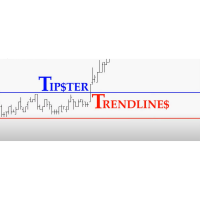
Trade Assistant MT4 Introducing Tipster Trendlines 2: The Future of Manual Trading is Here! This is a Trade Assistant for MT4. Are you ready to elevate your trading game? Tipster Trendlines 2 isn’t just another tool; it’s your ultimate trading companion —designed to empower you, save time, and help you trade smarter. For 9 years, this tool has been a game-changer for traders who value control, precision, and results. Now it’s your turn to experience its magic. What Makes Tipster Trendlines 2 S
FREE

Description of the Expert Advisor (EA) - Stop Loss Reverse Objective: The "Stop Loss Reverse" is an Expert Advisor (EA) designed to automate the management of pending orders by leveraging the Stop Loss (SL) level of open trades. Its main feature is the ability to automatically place pending orders at the Stop Loss level, creating a dynamic strategy that adjusts risk and Take Profit (TP) levels as the market moves. Key Features: Management of Open Orders: The EA monitors open orders on the chart,

I'm a trader in Vietnam, I mainly trade during the London session.
However, the morning in Vietnam is midnight in London, and evening in Vietnam is afternoon in London.
This time difference makes it difficult for me to visualize how other traders, especially Floor Traders and Bank traders, operate in London. I also didn’t want to buy a physical clock, so I created this indicator. Main Features: Displays time in specific time zones like UTC/GMT+0 or GMT+2 Customizable clock settings: adjust font,
FREE

Introduction
Take your forex trading to the next level with our vibrant, color-coded session indicator! Designed for MT4/MT5, this tool visually separates the Asian (Purple) , London (Yellow) , and NYC (Pink) trading sessions for optimal trading strategy. Key Features Color-Coded Precision : Asian (Purple), London (Yellow), NYC (Pink) sessions marked directly on your chart. Perfect for Session Traders : Focus on the overlaps and high-volatility periods. Compatibility : Works seamlessly with MT4
DMI Drawdown Watcher: Track your Drawdowns in Real Time 100% free, functional and without limitations!
The DMI Drawdown Watcher is an essential tool for traders, designed to monitor your drawdowns in real time. Ideal for optimizing your risk management,
this indicator tracks your current and maximum losses, helping you meet the strict criteria of prop firms and protect your capital.
Key Features: Max DrawDown Value Alert: Triggers an alert when the maximum drawdown threshold is reached. (Def

DMI MultiTimeFrame Candle Timer: Track Candle Countdown Across Multiple Timeframes with Clarity The DMI MultiTimeFrame Candle Timer is an advanced indicator designed to provide traders with real-time countdown timers for the remaining time before candle closes on multiple timeframes. This tool allows you to monitor multiple timeframes simultaneously, providing a clear and customizable visual of the candle countdown, helping you make precise and timely trading decisions. Key Parameters: Display O

Easy Toolbar is a user-friendly toolkit that provides fundamental tools and utilities which can helps you analyze market , get notifications and calculate trade factors faster, more accurate and much easier.
Easy Toolbar is born with the mission to make analysis tools of MT4 really work & provide more useful utilities .
If you are not fully depend on EAs and do your own work to analyze market, this tool is for you! Main features New way to use market analysis tools Introduce new important object

Quick Close Pro by one click: * Close Buy positions * Close Sell positions * Close Win positions * Close All positions * Close All pending orders To close all positions by one click from your Telegram, please refer Master Close . Thank you! Join my channel here for more useful EAs: - Tele Notify, Price Alert, Equity Alert, Remote Algo OnOff - Auto SLTP, Close Timer
FREE

Break-Even Pro * 3 BE modes: - RewardRisk_Single for single trade (only valid for positions with SL) - Points_Single for single trade - Points_DCA for multiple DCA trade * Start Value: value of RR or # points to start SL moving * Offset: distance in points between BE level & entry * Symbol Filter: Select All or a specific symbol * Partial Close (%): Close % initial volume when moving SL to BE (0 for no partial close) Join my telegram channel here for more useful free EAs. Thank yo
FREE

This is a free trial version of ScalTradeAssist Pro ( https://www.mql5.com/en/market/product/25920 ) You can use all functions of the tool without any restriction except the lot size. (fixed as 0.01)
I hope you'd like it and decide to purchase the professional version :)
Below is the explanation of the ScalTradeAssist Pro.
*If you see that the orders are not being placed, please check your spread setting, this tool watches it and never place orders if the spread is not matching.
ScalTradeAssis
FREE

Dynamic Trailing Stop Distance Logic Base Trailing Distance : Define a minimum trailing distance for small profits. Profit-Dependent Distance : Scale the trailing stop distance based on the current profit level. Cap Distance (Optional) : Optionally, limit the maximum trailing stop distance to avoid overly large values. Input Parameters MagicNumber : Filters trades by their magic number. BaseTrailingStop : Minimum trailing stop distance (in points). ActivationThreshold : Profit threshold in pips

EA CREATED WITH THE AIM TO HELP SIMPLIFY AND SPEED UP IN TRADING ANALYSIS. This EA is based on SNR Breakout, This EA works Multitimeframe This EA can accurately identify Support & Resistance, accurately identify SnR Breakouts. provides alerts when there is a Breakout on All TimeFrames. The EA has an Information Dashboard that makes it easy for traders to see the current market conditions. The Dashboard displays the status of the last Breakout in each TimeFrame and the history of the setup that

Telecontrol MT4 is a solution for integrating the MetaTrader 4 terminal with a Telegram channel. The server-based operation simplifies the creation of tokens and identifiers, consolidates data from multiple terminals, and generates valuable information in Telegram. The functionality includes: notifications about trades, orders, and balance changes; monitoring of drawdowns and lot limit exceedances; trade reports and expert advisor analysis; notifications about significant events with color highl
FREE

Master Control via Telegram can help you perform some management tasks on MT4/MT5 remotely via your Telegram by one click, easy to set up & use. Demo here (see more Master Close Master Notify ) ************************************************************************************ LIST OF COMMANDS: info_acc - Get account info info_pos - Get positions details price - Get symbol price buy - Open a buy position sell - Open a sell position inst_set - Set parameters for instant trade i

Tele Notify can help you send notifications for opened & closed trades to a Telegram channel or your personal Telegram. (see Master Notify for more options of notifications: price, equity, profit, etc. Get more EAs here ) Update: Now you can check your account info anytime from your Telegram by simple command: /check. This option is only valid when you use your Telegram User ID on EA inputs
******************************************************************************************** HOW TO SET U
FREE

RR Visualizer - Enhance Your MT4 Risk Management RR Visualizer is an essential MT4 utility for traders looking to optimize their risk management effortlessly. This tool calculates the ideal lot size based on your preferred risk percentage and the custom stop-loss distance you set, giving you full control over your money management. Designed with a user-friendly and attractive interface, RR Visualizer keeps the focus on your trading, not on complex calculations. Key Features Customizable Ris
FREE

THIS EA WILL PROTECT YOUR ACCOUNT IN MANY WAYS KEY FEATURES ARE : 1. CLOSE ALL TRADES IN ONE CLICK. 2. CLOSE ALL TRADES WHEN INPUT MENTIONED LOSS LIMIT REACH. 3. CLOSE ALL TRADES WHEN INPUT MENTIONED PROFIT LIMIT REACH. 4. IF REVERSE MODE IS ON THIS EA WILL TAKE OPPOSITE TRADES IF YOUR OTHERS EA MAKES LOSS OR MANUAL TRADING ALSO IF YOU ARE GETTING ALWAYS LOSS THEN YOU CAN SWITCH ON REVERSE MODE SO IT WILL TAKE OPPOSITE TRADES WHENEVER ANY TRADES PLACED IN YOUR ACCOUNTS. 5. FIX LOT SIZE 6. STOP

Coppy Master MT4 是一款适用于 MetaTrader 4 和 MetaTrader 5 终端的交易复制工具。它支持双向复制:
从 MT4 到 MT5,从 MT5 到 MT4,以及同类型账户之间的 MT4 到 MT4。 为了正常工作,所有终端必须在同一台 PC 或 VPS 上运行。
[ Instruction and Demo ] 如需复制到 MetaTrader 4,需另行购买 — Coppy Master MT5 - 是必须的。 主要特点: 复印模式
支持主账户和接收账户角色。灵活设置发送和接收交易。 订单管理
复制市价单和挂单。支持同步平仓、部分平仓、交易逆转以及止损/获利修改。 符号处理
支持前缀和后缀。允许排除或包含特定符号,并为资产分配自定义名称。 风险控制与限额
每日交易限额、最大亏损限制以及停止复制的余额水平阈值。 批量设置
固定手数、风险百分比、手数乘数。可选择拒绝未设置止损或止盈的交易。 信号检查
检测重复交易,限制每个符号的交易数量,并验证订单类型以避免冲突。 时间过滤器
用于定义允许交易复制的时间段

News Filter EA: Advanced Algo Trading Assistant News Filter EA is an advanced algo trading assistant designed to enhance your trading experience. By using the News Filter EA , you can integrate a Forex economic news filter into your existing expert advisor, even if you do not have access to its source code. In addition to the news filter, you can also specify trading days and hours for your expert. The News Filter EA also includes risk management and equity protection features

Position Accelerator is an innovative solution for traders that helps maximize profits by capitalizing on trending market movements. The utility automatically increases the size of your trading positions once they reach a predefined profit level, significantly enhancing your profitability. This product is also available for MetaTrader 5 => https://www.mql5.com/en/market/product/126702 How does Position Accelerator work? 1. Acceleration through additional positions: When your open position reac

LogEverything EA
The LogEverything EA is a comprehensive tool designed for logging and recording various trading metrics, account information, and market data. It is a robust solution for traders who want to track the performance of their trades, analyze historical data, and ensure accurate record-keeping.
Key Features: Logs trade executions, including details such as entry price, lot size, stop loss, take profit, and comments.
Tracks closed trades with detailed information on profit or loss

### Description This Expert Advisor is designed to instantly close active positions and/or pending orders based on user-defined criteria. It supports filtering by trade type, magic number, and symbol scope, and is optimized for fast execution.
### Features - Close buy trades, sell trades, or both. - Filter by symbol: close trades on current chart only or across all symbols. - Filter by magic number or close all trades regardless of magic. - Set maximum allowed slippage for execution control. -
FREE

This Expert Advisor is designed to help traders manage their positions automatically. It can hedge manual trades when a specified (loss or win) threshold is reached, reducing risk. The EA also allows traders to close buy or sell trades individually based on profit or loss, and it can close all trades when a certain total profit or loss is achieved. With customizable settings for trade management, this EA helps traders automate their strategies and improve efficiency. The EA opens trades using th

Master Notify via Telegram can help you perform some management tasks on MT4/MT5 remotely via your Telegram by one click, easy to set up & use. Demo here (see more Master Close Master Control ) ************************************************************************************ LIST OF COMMANDS: info_acc - Get account info info_pos - Get positions details price - Get symbol price noti_price - Set price alert noti_pl - Set floating PL alert noti_equity - Set equity alert noti_margin
Equity Watcher: Your Ultimate Risk Management Tool ---------------------------------------------------------------------------------------------------------------------------------------------
Equity Watcher is a must-have for traders who value precision and control over their accounts. This powerful EA monitors all trades on your account in real time, ensuring that your equity stays within safe limits. When the drawdown exceeds a user-defined threshold, Equity Watcher takes immediate action by

Order Closer Manager Order Closer Manager Order Closer Manager is a powerful and easy-to-use MetaTrader 4 (MT4) Expert Advisor designed to help traders efficiently manage their open orders. This EA is ideal for traders who want precise control over their trades with minimal manual intervention. Key Features: Close Orders by Percentage: Automatically close a specified percentage of your total open lot size with a single click. Breakeven Management: Apply breakeven levels to buy, sell, or all open

Introduction PMR (Prix Moyen de Revient) est un algorithme conçu pour MetaTrader 4 (MT4) . Cet outil innovant vous permet de suivre et d'analyser les prix moyens de vos positions et ordres dans vos comptes de trading. Que vous soyez un trader débutant ou un professionnel, PMR est conçu pour vous aider à mieux comprendre vos coûts de transaction et à optimiser vos stratégies de trading. Fonctionnalités Clés Calcul du Prix Moyen de Revient : Positions Acheteuses et Vendues Ouvertes : Affiche
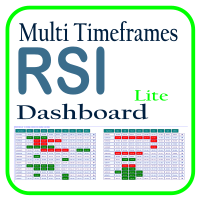
利用 RSI 多时间框架仪表板优化您的交易分析,这是一个强大的工具,可以实时监控市场观察列表中所有时间框架和符号的 RSI。这款仪表板提供即时的洞察和通知,非常适合依赖 RSI 进行潜在市场进出点识别的交易者。主要功能包括: 全面的 RSI 概览 :即时查看市场观察列表中所有符号的每个时间框架的 RSI 值,轻松进行多时间框架分析。 可自定义的超买/超卖警报 :设定您自己的超买和超卖阈值,当达到这些水平时,仪表板将突出显示相关的时间框架。 一键式图表访问 :单击即可打开任何符号的图表,帮助您快速响应并执行交易策略。 实时通知 :当任何符号在任何时间框架的 RSI 进入超买/超卖区域时,即时通知您。 使用 RSI 多时间框架仪表板提升交易效率——这是您进行精准 RSI 分析的必备工具!
FREE

HFT FAST SCALPING EA the High Frequency Trading which use stop orders to enter the trades when market is trending.
best use for
1- Low slippage brokers for us30 and DE40 .
2- LOW OR ZERO COMMISSION BROKERS FOR EUR AND GOLD.
3-Prop firms like ftmo ,tff,.......etc
This EA UNLIKE Other HFT EAs , You can see that in the parameters ,, CHOOSE LOT SIZE , MAX LOT , CHOOSE TIME , COMMENT AND OTHERS .
IT STOPS 3 MINUTES AUTOMATICALLY EVERY 15 MINUTES TO PROTECT THE EQUITY FROM A BIG UNWANTED SLIPPAGE .
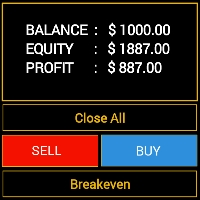
Features - Showing BALANCE
- Showing EQUITY
- Showing PROFIT
- Showing LOTS
- Showing SPREAD
- Showing SELLS & BUYS TOTAL(Current Pair)
- Showing SELLS & BUYS TOTAL(ALL Pairs)
- Showing ORDERS TOTAL
- Showing Lots Value will be used
- Showing Pips Value for SL/TP will be used
- Showing Amount of order will be used
- Showing Clock for Current Candle - Button for RESET(Closing all Orders(Opened,Limit and Stop)
- Button for Clearing Open Orders
- Butto

网格大 师( Grid Maestro )是一款根据指定参数自 动构建订单网格的工具:网格步长、订单数量和交易量倍数。用户手动打开第一笔交易。 功能和特点 : 该工具在用户手动开盘后 , 或在用户手动设置的挂单触发后 , 设置虚拟挂单 ( 红线 ) 和止盈 ( 绿线 ) 。 最初在网格中 设置一个挂单,随着挂单的触发,后续订单被设置,止盈也会被移动。当打开的订单数量等于网格中设定的订单数量 ( Number of Trades in Grid ), 考 虑到用户打开的第一笔订单时 , 达到红线时 , 它将作为止损并关闭所有订单。 可以在下面的 视频中看到该工具的工作示例。为了方便测试 , 视频中的第一个订单是通过按钮打开的 , 在实际操作中 , 用户像往常一样手动打开。 在一个交易工具上只能同 时运行一个网格。允许同时在多个工具上工作 ( 在不同的终端窗口中 ) 。 使用前 请计算对存款可能造成的负担 , 以避免损失。 优势 : • 界面 简单易用 • 适用于所有工具和 时间框架 • 完全自 动化 • 通 过更改交易量计算参数来简单地操控风险机制 • 使用虚 拟
MetaTrader市场是您可以下载免费模拟自动交易,用历史数据进行测试和优化的唯一商店。
阅读应用程序的概述和其他客户的评论,直接下载程序到您的程序端并且在购买之前测试一个自动交易。只有在MetaTrader市场可以完全免费测试应用程序。
