 MetaTrader 5
 Experts
 Indicators
 Libraries
 Utilities
 Widgets
 Rules
Rules
Watch the Market tutorial videos on YouTube
How to buy а trading robot or an indicator
Run your EA on
virtual hosting
virtual hosting
Test аn indicator/trading robot before buying
Want to earn in the Market?
How to present a product for a sell-through
New trading utilities for MetaTrader 4 - 22
 Below are trading programs simplifying Forex trading in MetaTrader 4. Hover over a utility in the list below to read its description and purpose.
Send fully customisable trade signals from MetaTrader 4 to Discord and run your own signal server or channel. Control exactly what is sent, how it looks, and which trades are included using a simple on-chart interface. Made for signal providers : keep your posts consistent and professional without manual messages. User Guide + Demo | MT5 Version | Telegram Version Main features Highly customisable signal format with many configuration options Add your own text before/after each signal (tags, li

This tool can help you close all open orders with one click, just click "Close all". If you only want to close the profitable orders, click the "Close profitable" button. After clicking, all the floating orders will be closed. All orders will be liquidated; if you only want to close the orders with floating losses, click the "Close losable" button. After clicking, all orders with floating losses will be liquidated.

Hello everyone, this is another utility that I wrote specifically for users using my profile with a large number of experts and sets ( https://www.mql5.com/en/blogs/post/750723 ) . This utility is useful for working with a profile using grid strategies (averaging and martingale). As we know, such strategies periodically fall into a large drawdown and you need to be careful when opening averaging positions (do not open too many). In my profile, I use a limit of 3 positions for each EA, if this w
FREE

This Dashboard displays signals in grid view for the 28 major fx currency pairs. It is Mainly used for forex scalping in between 10 to 20 pips maximum and can be used on major trend market decisions. It Uses mainly Moving average and does not give false signal. All you need to note is the point in the grid where the signal occurs. A beep sound is heard whenever there is a new signal and it will be displayedat the top of the chart.

Hi Friends, " FCK Currency Strength Pro " is a auto & semi auto trading expert with direction of pair. Buy-Sell separate or multi currency in one click. The strategy of FCK Currency Strength Pro is a combination of custom indicator, Trendlines, Support & Resistance levels ( Price Action ) and most important secretive trading algorithm mentioned above. Download News Ex4 and csv file You need the following SDSnews.ex4 in MQL4/Libraries and the daylightsavings.csv in MQL4/Files.
Only 4 of 5 copi

Revolutionize Your Trading with Our MT4 and MT5 Advanced Trade Manager Mt5 Version : https://www.mql5.com/en/market/product/107253 Supercharge your trading strategy with the ultimate tool for precision and control – our MT4 and MT5 Advanced Trade Manager. Beyond conventional trade managers, ours not only adapts dynamically to market conditions but also sets automatic stop-loss and take-profit levels the moment you enter a trade. Key Features: Automated Entry Strategy: Seize opportunities instant
FREE

Introducing NAS100 Auto SL and TP Maker for MT4: Never miss setting StopLoss and TakeProfit again with our NAS100 Auto SL and TP Maker, an indispensable assistant for traders navigating the Nasdaq 100 market on MetaTrader 4. This tool is designed for those who seek a seamless solution to automate the management of StopLoss and TakeProfit levels. Key Features: Effortless Automation: Automatically monitors Nasdaq 100 trades without StopLoss and/or TakeProfit. Dynamically adjusts levels based on us
FREE

Smart Trade and Order Manager: An Essential Tool for Precision Trading Smart Trade and Order Manager is your trusted trading assistant, meticulously designed to simplify and streamline your trading operations. It empowers traders by enabling swift order execution and effortless order management, allowing you to dedicate your valuable time to in-depth market analysis and decision-making. With just a few clicks, you can initiate various order types, ensuring you are always in control of your tradi
FREE

This EA is a free part of Flexible Trade Manager Indicator - Buy it here (It will not work without it) Flexible trade manager is a simple and effective trading tool for setting new order by pressing B as Buy or S as Sell on keyboard. All with ability to see additional characteristics before opening with predefined risk and observation of the risk and potential profit. Set and manipulate order levels straight from the charts or or place them right as pending orders.
Additional buttons helps
FREE

GGP Trade Copier EA is an automatic trading bot that can help traders automatically replicate the trading strategies and operations from one trading terminal to others by experiencing exceptionally fast trade copying system. Its easy-to-use setup allows you to copy trades between multiple MetaTrader terminals on the same Windows computer or Windows VPS with lightning-fast copying speeds of under 0.5 seconds. The software supports multiple trading varieties, including Forex, commodities, stocks,

Zone touch MT Telegram alert , a simple but useful utility for manual trading by zones, informs the user with a screenshot and a short description in the Telegram channel as soon as the price reaches a certain zone of interest of the trader. Helps the user to easily and conveniently build their business plan for a day or a longer period of time using special trading zones and fully control important changes on the chart using newsletters, without wasting a lot of time near the compute

japanese gamle stick Changed Forex Order Fun Slot Machines for You. Come on, have fun and win. You can't feel the excitement without playing games with real money. Now the real game begins, are you ready?
The game is quite simple, you click on any of the boxes on the screen. Then, a box is selected based on the number formed according to the rule of randomness. If the selected box is below the price, buying is done automatically, if the price is above the box, selling is done automatically. Tp
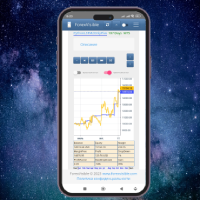
This client utility is intended for sharing and copying signals, as well as for monitoring your Expert Advisor on the site https://forexvisible.com . The Android version of the site can be downloaded here The version for the MT4 terminal can be downloaded here https://www.mql5.com/en/market/product/106509 There are many reasons to use this application in your trading, and these are: 1. If you have many trading advisors and many accounts, it is very difficult to track them and monitor everyt
FREE
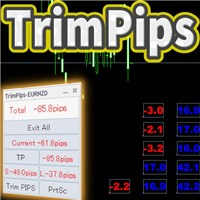
TrimPips solves the following problems at once. I want to know the total of current positions and total pips of current currency at a glance. I want to know the total pips display for plus positions, minus positions, short positions, and long positions at a glance. I want to close the position all at once. I want to close my current currency position all at once. I want to close short and long positions all at once. I want to close both positive and negative positions at once. I want to set TP/
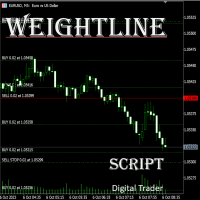
In multi-asset, multi-position trading environments—such as those involving forex, stocks, gold, and other instruments—traders often face a critical pain point: when holding multiple positions in the same instrument, it’s difficult to quickly and intuitively assess the current market price relative to all long and short positions. This makes it challenging to accurately determine the overall average entry cost, leading to delayed stop-loss and take-profit decisions. The problem worsens with mixe
FREE
Price Action Supply/Demand, Support/Resistance, Swing Low, Swing High Scanner Indicator is a software designed to automatically draw and mark regions on price charts, making it easier for traders to identify potential reaction sites. The software can be used for various currency pairs and commodities such as AUDCAD, gold, and bitcoin. Highlights The software automatically marks regions on price charts, indicating past working areas and potential reaction sites. Traders can easily switch be

Trading Advisor for margin currency pairs and metals. Conservative trading of 100,000 units per 0.01 lot. The standard trade is 10,000 units per 0.01 lot. Aggressive trading with high risks of 1000 units per 0.01 lot. You can always pick up your starting lot. The EA is fully automated, you only have to put up the initial lot depending on your initial deposit. The recommended timeframe is H1. 1. Test on any steam, iron and fuel oil 2. Try starting with convenient depots 3. When going into a dra

Here's a step-by-step guide on how to create and set up a Telegram bot for MetaTrader 4, enabling you to receive trading updates and alerts on your Telegram channel or group. Open Telegram : Launch your Telegram app on your device. Search for "BotFather" : In the Telegram search bar, type "BotFather" and select it from the search results. Create a New Bot : Type /start and send it to BotFather. Then, type /newbot to initiate the bot creation process. Bot Nickname and Username : Give your bot a n

Transform Your Trading with SmartFastTrade AI: Speed and Ease at Your Fingertips! Introduction Are you a trader struggling with slow order execution? Do you want a tool that can assist you in making quick and accurate trading decisions? If yes, then SmartFastTrade AI is the answer to all your trading needs. With its unique combination of speed, user-friendliness, and advanced features, SmartFastTrade AI will help you unlock your full trading potential. Let's delve deeper into why this innovativ

Copier for the MetaTrader4 terminal. Designed to copy trade from one terminal to another. Compatible with the version for the MetaTrader5 terminal; if available, copying can be performed between different terminals (regardless of the type of accounts: hedging or netting). The number of accounts to which copying is possible is not limited (depends only on the computing power of your computer). Directions for copying the version for MetaTrader 4 together with the version for MetaTrader 5: MT5 Net

Open Popup Notification Please leave a review about this product to help other users benefit from it. " Free " Script to turn on pop-up notifications to view past trading alert messages including displaying account information. This script is compatible with MetaTrader 4 The script is easy to install and use, making it suitable for traders of all experience levels. There's nothing to worry about, including a freezing screen and any kind of effects on other chart windows. Disclaimer: This script
FREE
*** Introductory Offer! *** Ends soon - Price will increase - do not miss it!
This EA Closes ALL open trades ( with the same magic number on that same pair ) at a certain level of profit - either in money or in percentage of balance. So if you have multiple trades open, you can choose to close them all as one "basket" using this EA. For spreads from a tiny 0.1 pips RAW/ECN Accounts, click here . Check out my Waka Esque EA signal here: >> High Risk Settings or Medium Risk Settings .
Se
EA supports traders in order management. The operations to close partial and total orders are quick and convenient. You can move all profits and protect profits in $ or in points, automatically move losses and profits at will, and automatically place orders. take losses and profits. Easy-to-use interface. Streamlined design for professional investors!!!
"Trader Assistant MT4" helps each trader to manage the risk per trade according to his balance and It has some handy tools. Attention. The application does not work in the strategy tester. How to download the demo . Trader Assistant:
It uses a special fluent panel - which is not in the meta trader platform. You can see the amount of profit and loss before setting up a trade. It also has some handy tools, which are described in the following. Reward to Risk Ratio Panel - This panel is someth
Indicator that synchronizes the charts, that is, when the asset is replaced in one of the charts, all those with the synchronized indicator are changed, with the same timeframe (Same_Timeframe = true) or with different timeframes (Same_Timeframe = false). The graphics to be synchronized are identified by color (Label). To synchronize indicators, the indicator must be inserted in all charts to be synchronized, using the same color (Label). A box with the chosen color (Label) and identification A
Modify TP SL Pending Orders Selected chart. Please leave a review about this product to help other users benefit from it. This script avoids modifying existing BUY and SELL ( TP & SL ) orders. + User-friendly utility + Help adjusting Take Profit and Stop Loss points for all your running orders automatically + Compatible with orders Sell Limit , Buy Limit , Sell Stop , Buy Stop + Easily edit all orders with appropriate new P&L values + The indicator works only on the selected window. There's no

Live testing available. Please contact. This is a simple utility which will put Automatic Stop Loss and Take Profit. It also has Trailing Stop Loss and Break Even features. The input value of the Stop Loss and Take Profit is in Pips. Whenever you open a trade it will put stop loss and take profit in pips automatically.
*If you need a more practical stop loss and take profit for your trades then you may like our ATR based stop loss utility.
Inputs:
1. SL and Trailing SL - This is the Stop Los
Live testing available. Please contact.
ATR Auto Stop Loss & Take Profit Manager Automatically apply volatility-based Stop Loss and Take Profit levels to every new trade using the Average True Range (ATR). Unlike fixed-pip stop losses, ATR-based levels adapt to current market conditions. During high volatility, wider stops help prevent premature exits. During low volatility, tighter stops help improve risk efficiency. The utility automatically calculates and applies Stop Loss and Take Profit le

Account Info EA It is a tool that presents on the graph all the positions of the account, and specific information concerning the positions, but also the account. It enables the user to have an image of his account at a glance. Use like any expert advisor. You can't attach it in the same chart with other expert advisor. It does not have the ability to open or manage positions. You can attach it on any chart and any timeframe.
FREE

This robot uses a strategy with hedge definite calculations, so that when it closes it is definitely profitable. how the robot works: 1. the first time the robot will open a buy position, - if the profit position is according to the target it will be closed automatically and re-open a buy position again - if a loss position the robot will open a buy and sell position simultaneously, if the position is still a loss the robot will open a position buy sell together again and close profit short po

This robot uses a strategy with hedge definite calculations, so that when it closes it is definitely profitable. how the robot works: 1. the first time the robot will open a buy position, - if the profit position is according to the target it will be closed automatically and re-open a buy position again - if a loss position the robot will open a buy and sell position simultaneously, if the position is still a loss the robot will open a position buy sell together again and close profit short po

This robot uses a strategy with hedge definite calculations, so that when it closes it is definitely profitable. how the robot works: 1. the first time the robot will open a buy position, - if the profit position is according to the target it will be closed automatically and re-open a buy position again - if a loss position the robot will open a buy and sell position simultaneously, if the position is still a loss the robot will open a position buy sell together again and close profit short po

Automatic Trade Long term US Natural Gas (xngusd) account swap free This EA can only be used on a free swap account. If it is used on a swap account, it will be very detrimental. Im use expert advisor (automatic trade) Us Natural Gas robot is a metatrader 4 safe investment robot. This robot uses a strategy with hedge definite calculations, so that when it closes it is definitely profitable. how the robot works: 1. the first time the robot will open a buy position, - if the profit position is acc

The "Dagangduit EA Auto_SLTP" is an Expert Advisor (EA) developed by the Dagangduit Core Team for MetaTrader 5. This EA is designed to provide automated management of Stop Loss (SL) and Take Profit (TP) levels for your trades, as well as other advanced features to enhance your trading experience. Key Features: Automated SL and TP Management : The EA automatically manages the Stop Loss (SL) and Take Profit (TP) levels of your open positions, allowing you to protect your profits and limit pote
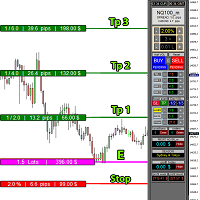
educational video https://www.youtube.com/watch?v=EHK_Z-9FvdM If you want to test the free version, you can download the file from the link below and test it in Alpari broker in demo accounts mt4. Download link free version: https://www.uplooder.net/files/199902052dcb318fb85a20262e8bd6b0/TPS-TradeManager-freeDemoFo-r-a-lpariBroker.ex4.html Download Metatrader 4 for free testing in demo accounts: https://www.uplooder.net/files/0e489a0794f5bf9130e149d0a8eb8f85/alpari4setup.exe.html Performance :

Utilities
This is an EA program to make it easier for traders to place open limit orders on the market. This program is equipped with: Set Lots Set BuyLimit, (this is the first price you must input to set up a BuyLimit order on the chart) Set SellLimit, (this is the first price you must input to set up a SellLimit order on the chart) SL and TP sets, Set Magic Number (I also matched it in the Order Comment) Set STEP By Point, Set Max Order, and Close all by Magic Number (you can close all order

The indicator has three main tools: Magnifier (Zoom chart), Ruler ( Time and Price scales ), and Crosshair. You can move it all around with your mouse and customize different formats for displaying , customize size and color of each element.
The Magnifier (zoom chart) allows you to display candles from any time frame and at different scales.
Hotkeys: 'Q' - higher timeframe, 'A' - lower timeframe, 'W' - decrease candle size, 'S' - increase candle size, 'Z' - show/hide zoom chart You can

Easy and Smart Trade Manager. It does work on visual strategy tester. Take your trading to the next level with it. Backtest you ideas and indicators. Improve it and run it live. This assistant has everything you need to do that. MT5 version
Basic features: Works with any FX, Crypto, Indices, Futures etc Several volume calculations methods, included risk calculation based on StopLoss level Several BreakEven modes Time close, timeout close and orders expiration Cancel pending orders level (OCO) R
FREE

News Protector Tool for Traders: As a trader, understanding the importance of microeconomic news is crucial. Passive traders face the challenge of managing news and pending orders efficiently. Repeatedly setting pending orders at the same price level after news events can be tedious. Introducing the News Protector Tool: News Protector is designed to simplify your trading experience. It removes pending orders before news events and automatically reopens them afterward. During news releases, if t

Export Order History Free ! Meta Trader 4 script Please leave a review about this product to help other users benefit from it. Export trades history into a CSV file ( Excel sheet ) The summary is saved into a file in MQL4\Files folder. Choose / A ccount history / C ustom period from your MT4 Select period Click OK to Export file directory Open MT4 data folder CSV file ( Excel sheet ) Order > Open time > Close time > Type > Symbol > Size > Entry price > Exit price > T/P >
FREE
A tool for logging personal and downloaded MQL5 trade history data between specified date range into a CSV file and capturing open trade and close trade chart pictures
This History Capturer and Writer tool is an Indicator, so it works well in coexistence with other expert advisor on the same chart
$30 for the next 25 downloaders, next price: $30 Try Free Trial Version Here: Download Free Trial
Features: Trade History Chart Screenshot : Capture the opening and closing charts for each hist
Close Pending Active chart. Closing - Deleting, all pending orders For only the window you selected Please leave a review about this product to help other users benefit from it. Key Features: Effortless Order Management: This script streamlines your trading by allowing you to close all pending orders on the active chart with a single click. Comprehensive Order Handling: It's not just about market orders! Our script closes Buy Limit, Sell Limit, Buy Stop, and Sell Stop orders, ensuring a thorough

Close All Selected Chart Overview: This is one of the smart choices to help you make your trading management a lot easier. Especially when you have to manage a large number of orders. This utility will work like a helping hand to close all the unrelated order windows in less than no time, plus without making any kind of unwanted effects. :: 3 simple steps to use :: 1. Select your chart window. 2. Click "Close All" 3. Click "OK" Note: For the better understanding on how this utility works, plea

DEMO VERSION HERE
MagicGuard EA Description: MagicGuard is a sophisticated Expert Advisor designed to maximize your trading gains. This intuitive and powerful tool continually monitors your open positions on a specific asset pair and automatically closes orders when your desired profit is achieved, taking commissions and swaps into account. Let MagicGuard handle the details, allowing you to focus on your trading strategy. Key Features: Automatic Profit Closure: MagicGuard calculates the net pr
Modify TP SL Multi-Order Selected chart. Please leave a review about this product to help other users benefit from it. Looking for an easy-to-use multiple trading helper?
This is the right choice!
Why?
+ User-friendly utility
+ Help adjusting Stop Loss & Take Profit for all your running orders automatically
+ Compatible with orders Sell , Buy , Sell Limit , Buy Limit , Sell Stop , Buy Stop
+ Easily edit all orders with appropriate new P&L values
+ The indicator works only on the select

Simple and unobtrusive utility for displaying weeks, days and hours
Options to control the display of separator lines and labels allow you to customize them to your own taste Display of the separator lines either only in the main chart, or across any indicator windows Automatically reduce intensity of less relevant separator lines and labels for the chart‘s current magnification
FREE

It is MoneyMaker from Morteza Soorakhi Strategy based on price and volume action. Fixed risdk per trade. Using Stoploss and Trailing.
100% automated trading Averaging+MARTINGALE money management (Using Fibonacci Increment) Recommended leverage 1:500 Min deposit $250 This signal trade GBPUSD only Target 0-3 Open position per day, 15%-30% per Month CUT LOSS AT 25% DRAW DOWN

Overview:
Harness the power of automation and precision with our order manager for MetaTrader 4. This expert advisor is meticulously crafted to serve both seasoned traders and beginners. Its primary focus is to simplify, streamline, and supercharge your trading experience, especially when following signals. Key Features: Automatic Order Placement : No longer will you miss trading opportunities while trying to manually set up multiple orders. This EA will handle all of that for you. Just input

Trailing Stop_Steps EA is an expert advisor that can manage your order's stop-loss by moving at fixed steps. In particular, this expert advisor can use two parameters to increment the stop-loss according to your preferences. In many cases, you might want to increment the stop-loss by a specific value when the price is at specific distance from the current stop. This trailing stop-loss EA allow you to do exactly this: to trigger a stop-loss increment when the price reaches a specific threshold.

A fundamental component to have within your trading arsenal is the ability to properly control and manage risk effectively. This tool offers a basic but comprehensive means to manage each and every trade position appropriately.
It can be used across different markets that require percentage-based calculations as opposed to simply measuring the difference in pip or point size i.e. the method for calculating take profit and stop loss in FX currency markets is usually a fixed point/pip size vs. p
Introducing Trade Assistant, your ultimate companion in the world of trading. Designed for traders, by traders, Trade Assistant is a cutting-edge tool that revolutionizes the way you manage your positions. Whether you're a seasoned pro or just starting out, our trade manager will empower you to make informed decisions and enhance your trading strategies.
Key Features:
Trade Manager Extraordinaire: Trade Assistant acts as your trusted trade manager, meticulously tracking all of your positions

PendingOrderActivator manages pending orders in the forex market in a continuous cycle.
The user must configure the duration of the orders, stop loss levels, take profit levels, and the MagicNumber.
The expert advisor automatically places pending orders based on the distance from the current price and deletes them when the opposite order is triggered.
When an order is activated, the bot will take a break until the user reconfigures it or changes the timeframe, at which point the bot will reactiv
FREE

Coral Rescue will help save an account with trades in drawdown. Do you have losing trades that are just too large to deal with? They reduce your available margin and can be accumulating swap costs, but the loss would be too great to just accept closing the trades. Just hoping that price will eventually come back is not an effective strategy, you need a disciplined, consistent and preferably automatic way to dig yourself out of the hole. Coral Rescue is not an EA that places trades on its own.

Telegram Alert for Universal Indicator serves as an automated trading tool. It takes screenshots of the current chart when buy or sell signals are generated by a custom indicator and sends these screenshots to a designated Telegram channel. This feature allows traders to visually monitor their trading signals, enhancing their decision-making process and overall trading experience.
Inputs: Telegram BOT API: Input your BOT API Telegram Telegram Chat ID: Input your CHAT ID (Telegram channel/g
Jarfac Trades Extractor Description: Le "Jarfac Trades Extractor" est un script MQL4 conçu pour les traders qui souhaitent exporter et analyser leurs trades historiques. En un seul clic, le script génère un fichier CSV contenant des informations détaillées sur chaque trade exécuté pendant une période spécifiée. Caractéristiques principales : Filtrage par Période : Définissez une période personnalisée pour l'extraction. Possibilité de désactiver le filtrage par période. Filtrage par Commentaire :
FREE

The robot allows you to copy orders from different MT4 on a computer. It automatically open and close order that from master on clients. There are some options that allow you to customize your requests. Configuring server : Drag the robot on each pair you want then choose server in TypeOfCopy. Configuring Clients : As the same as server just choose client in TypeOfCopy then add the server account number in its field. AppendSymbolName: If a broker add extra letters after the pair name you can a

Trading panel with preset orders and automatic lot calculation for the MT4 terminal. Attention, the Trading Panel does not work in the strategy tester (only trailing stop testing). Manual, Description, Download Light Demo. Successful traders are distinguished by self-discipline and competent money management. If you use a fixed lot, then you are at risk. After all, there are different distances on different timeframes and one unprofitable transaction can cover several profitable ones. If you use

Market Position Manager is Expert Advisor that makes very fast executions of orders. First Tab allows you to: Open buy order Open sell order Open sell stop Open sell limit Open buy stop Open buy limit Second Tab allows you to: Put stop loss and take profit Third Tab Allows you to: Set Lot of position Indicator below shows you: Floating profit of open positions made by robot. Application features: Works with any account type and broker Doesnt require specific skills Easy and intuitive interfa

DOWNLOAD FREE DEMO VERSION FROM HERE
The SmartCloseFX Expert Advisor, is a powerful tool designed for traders seeking efficient trade management in the MetaTrader platform. This EA is specifically built to manage trades by automatically closing all open positions except pending orders under specific conditions. The EA monitors the opening of a 0.01 lot pending order (eg. buy stop, sell stop, buy limit, sell limit) on a selected asset. When such an order is placed, SmartCloseFX takes action by c

DEMO VERSION DOWNLOAD HERE Update
In Version 1.4 it is possible to set the amount of profit or loss in currency for martingale trades, by setting the profit or loss value for 0.01 lots the expert advisor will automatically multiply it if the starting base lot of the martingale increases or decreases
youtube: https://youtu.be/xn6TG8tyEfM
**EquityGuardEA - Equity Management Expert Advisor**
EquityGuardEA is a powerful Expert Advisor (EA) developed for the MetaTrader 4 (MT4) platform, provid

Product Description “Trades Opener EA for MetaTrader 4” Description:
Trades Opener EA is an efficient and straightforward utility for MetaTrader 4, built to allow traders to open new positions or set pending orders quickly and confidently. With its intuitive interface and streamlined operations, this tool is ideal for traders who wish to act on opportunities fast, without navigating complex menus. Key Features: Open market orders and/or pending orders on a selected symbol with one click. Confi
FREE

Product Description Trades Closer EA for MetaTrader 4 — the fastest and simplest way to close all your open or pending trades instantly with a single click. This tool is designed for traders who value speed, precision, and full control over their trading positions. With an intuitive and customizable interface, Trades Closer EA helps you manage orders efficiently, saving time and minimizing human error. Key Features Close open trades , pending orders , or both on any selected symbol instantly.
FREE
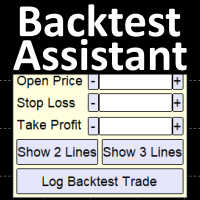
Simplify backtesting by automatically calculate trade outcomes (Profit or Loss) and estimated swap cost based on user-provided open, stop loss, and take profit prices, while also write the data into CSV file and capture before-and-after chart pictures automatically This Backtest Assistant tool is an Indicator, so it works well in coexistence with other expert advisor on the same chart
$30 for the next 25 downloaders, next price: $45 Try Free Trial Version Here: Download Free Trial
Features:

This EA will automatically close all open and pending order when profit or loss is reached according to users setting. Profit or loss can be set by percentage or by amount. When inputting amount for loss make sure to put " - " (minus) sign before the amount. The color of text displayed on the chart can be change in the user input. The text position can also be changed: - left top corner - right top corner - left bottom corner - right bottom corner
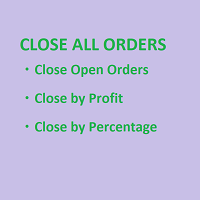
SmartClose(Close All Orders) helps you close all your trades. You can use it on any symbol. You can also set a warm value to manage the risk. With these functions: Close Open Orders : Close all open trades in the trading account. You don't need to set a value for the "value" parameter. Close by Profit : Close trades when profit reaches a specific predefined level. You need to set a value for the "value" parameter. Close by Percentage : Close trades based on a certain percentage of the balance.
FREE
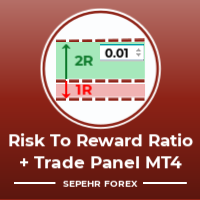
Hello guys "Trader Assistant Mini" is a handy tool to calculate risk per trade with a fluent R:R panel. Risk to Reward Ratio plus Trade Panel: It is handy for every trader to calculate the size of loss concerning the size of profit and also manage the risk per trader so that he can judge whether it's a good trade or not. Also, it shows the loss and Profit in pips and percentages and loss and profit. It has partial exit (TP1) capability too. How to install the demo version + Demo file: Trader Ass

"Time Sessions MT4" is another handy tool for forex traders showing the world's major four trading sessions. Time Sessions:
The time in this tool is set automatically according to your local time. It has a moving time flag which moves second by second to the left and shows you the real-time. The panel contains beautiful graphics which is eye-catching. Moreover, you can move the panel wherever on the chart. More Explanations... Hope to enjoy it. At Last: I strongly encourage you to share your th

Keep your equity safe with the Equity Protector.
A purposefully built EA for those running bots on their Funded Account Challenges. Place this bot on a chart, enter in your target in total equity and take comfort in knowing that your bots will cease trading when this goal is achieved. Giving you peace of mind that your equity is safe, even when sleeping!
Try out Equity Protector today!

Manually backtesting your strategy or trading system on MT4 Strategy Tester like you do on TradingView, but with free offline history data provided by MT4 or your broker, which means more resposive and much more lower timeframe data available. Because MT4 Strategy Tester doesn't detect mouse events, we will use the MT4 Horizontal Line tool and Arrows tool to modify the TP/SL/Entry and etc. on the screen.
Features:
70% TradingView backtesting user experience, due to the Strategy Tester's limi
FREE
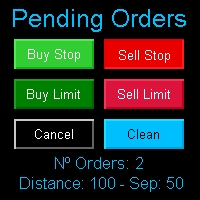
Multi Pending Orders The expert advisor "PendingOrders" is an automated trading program. This advisor manages multiple pending orders, setting entry levels, stop loss (loss limit), and take profit (profit limit) for each order. You can set various separation levels between each order. MagicNumber: It is a unique number used to identify orders related to this expert advisor. DistancePips: It is the distance in pips from the current price at which the pending orders will be placed. DistanceSeparat
FREE
The MetaTrader Market is a simple and convenient site where developers can sell their trading applications.
We will help you post your product and explain you how to prepare your product description for the Market. All applications on the Market are encryption-protected and can only be run on a buyer's computer. Illegal copying is impossible.

You are missing trading opportunities:
- Free trading apps
- Over 8,000 signals for copying
- Economic news for exploring financial markets
Registration
Log in
You agree to website policy and terms of use
If you do not have an account, please register