 MetaTrader 5
 专家
专家
 指标
指标
 程序库
程序库
 实用工具
实用工具
 窗口小部件
窗口小部件
 规则
规则
全新的MetaTrader 4 交易实用工具 - 19
 以下是可在MetaTrader 4中简化外汇交易的交易程序。将鼠标悬停在下面列表中的工具上,阅读它的描述和用途。
Auto risk manager easy demo version of the utility for order control. Regardless of whether orders are opened manually or by advisors, when the specified percentage of profit or loss is reached, the advisor will close all positions, delete (if necessary) pending orders and independently close the chart windows (will not allow advisors to open new transactions). The utility will be especially useful for traders who trade using advisors or manually on several currency pairs at the same time. The
FREE

Программу можно использовать как советник для ручной и полуавтоматической торговли. Или как индикатор для выявления структуры рынка. В торговой части программы отсутствуют ордера Sell, Buy. А также лимитные и стоповые ордера. Вместо этого на график выводится торговая рамка для сделок на продажу - SELL или на покупку - BUY . У торговой рамки имеются три уровня. Уровень открытия будущего ордера. Уровень стопа и уровень профита. Влево от торговой рамки выводятся три линии. Перемещая данные линии
FREE

When you expect an strong price movement you can click on the button which reads 'Ready' and open buy and sell with same stoploss distance; then the trade that survives the price movement you can close manually once the earnings are large enough.
Press the button and wait to open, do not press it more than once before it opens; taking that into account more than one pair of trades can be opened by clicking the button again after it has changed from 'Wait' To 'Ready'.

交易顾问:掌握图表
专业交易者的终极专家顾问 (EA) 助手
版本 MT4 版本 | MT5 版本 | 博客
v.3.0 - Telegram Bot 集成
注意:MT4 版本比 MT5 版本更轻量
交易顾问:掌握图表
交易顾问是一款先进的交易助手,旨在通过集成关键市场分析工具和交易者的无缝功能来增强交易策略。以下是交易顾问成为交易者强大资产的概述:
主要功能和优势
1. 供需区:交易顾问帮助用户识别关键的供需区,确保在市场中更具战略性的进入和退出点。
2. 智能货币概念:此功能使交易者能够更好地了解市场趋势和结构,清晰地识别看涨、看跌和盘整阶段。
3. 公允价值差距检测:交易顾问定位公允价值差距,帮助交易者发现潜在的市场不平衡,以获得最佳的进入和退出机会。
4. 枢轴点计算:自动计算枢轴点,帮助交易者准确预测潜在的市场逆转和延续。
5. 每周高低点跟踪:监控每周高低水平,更容易识别重要的价格水平并了解近期市场行为。
6. 成交量概况分析:Trade Advisor 包括成交量概况分析,帮助用户了解最高交易量发生的位置,并支持更准确的市场评估。
7. 支撑

剩余 10 份,价格为 49.55 美元 下一个价格为 55.77 美元 Big Market Trader 是终极 AI 交易辅助工具,可帮助您领先市场。它采用最佳技术设计,具有高频率响应率,可及时交易。
它配备了动态 AI 自动化,我们将会看到。我们拥有先进的风险管理系统。股票止损期权、追踪止损系统、时间止损和价差技术被世界各地的交易者使用。它适用于自营公司交易者、传统交易者、高资本和低资本交易者等等。
它下达各种交易订单,即:
买单、卖单、买入止损订单、卖出止损订单、买入限价订单和卖出限价订单。这台 AI 机器有许多独特的功能。另外,它旨在适合所有类型的交易者,无论是剥头皮交易者、日内交易者和波段交易者。 Meta Trader 5 Version
主要特点:
动态 AI 自动化 预计价格的移动通知 高频率响应率
挂单执行
市价单执行
风险管理系统
股票止损选项
追踪止损系统
时间止损技术
价差技术
轻松交易分析
友好的 GUI
使交易者能够使用平均真实波动率指标来确定最佳止损和获利点
好消息!您现在可以在 Telegram 上创建自己的社区,
额外时间栏 / Extra Time Bar
MT5 version 是一种旨在增强您的交易的工具,它允许您在图表中添加个性化的时间栏。 使用此工具,您不再仅限于服务器时间 - 您可以设置图表以显示您选择的任何时区, 例如您的当地时间、格林威治标准时间或任何其他时间。
额外时间栏的功能: 1. 时区自定义: 选择适合您交易需求的时区并将其直接显示在图表上以提高精度。
2. 双时间跟踪: 在同一图表上使用两个不同的时间设置轻松监控市场动向,从而实现更详细的分析。
3. 灵活调整: 您可以通过按下并拖动鼠标中键查看带有服务器时间的特定蜡烛时间。
4. 流畅工作并与各种显示器兼容: 此工具旨在在不同的屏幕分辨率和比例级别上流畅工作。
5. 可见性选项: 选择“仅显示鼠标蜡烛时间”选项,隐藏附加时间栏,同时仍显示十字准线蜡烛时间。这样,您就可以实时查看鼠标下特定蜡烛的时间,非常适合喜欢简洁图表的交易者。
6. 个性化: 自定义时间栏的文本和背景颜色,以适合您的视觉偏好。
我们希望您发现此工具对您的交易活动有益。欢迎分享您的想法、评论或建议。
记得给此工具评分,祝您有美好的一

FULL AUTOMATED ROBOT : HEDGE ON TWO INDEX OR SHARERS :
For get optimize SET file , send massage to me on WhatsApp
FTMO 200K challenge live link. NOW. FTMO 10K challenge link. PAST. FTMO 100K challenge link. PAST. Because this robot performs hedging on TWO INDEX OR SHARERS at the Same Time , it is not possible to backtest. A special robot for the forex market whose strategy is to simultaneously open two positions on two indices with a high correlation coeffici

Telegram Informer A simple and reliable utility for monitoring your account. To make it work, you just need to add the following commands to your telegram bot: show_info - Show account information buy_sl_del - Delete Stop Loss for Buy orders buy_tp_del - Delete Take Profit for Buy orders sell_sl_del - Delete Stop Loss for Sell orders sell_tp_del - Delete Take Profit for Sell orders all_sl_del - Delete all Stop Loss all_tp_del - Delete all Take Profit breakeven - Convert to breakeven (eac

Revolutionize Your Trading with Auto SLTPTS + Close All Expert Advisor .
Take your trading to the next level with this powerful, professional-grade Expert Advisor designed for serious traders who demand excellence in risk management and profit optimization.
Key Features :
️ Advanced Risk Management Suite : - Customizable Stop Loss protection - Smart Take Profit targeting - Dynamic Trailing Stop technology - Innovative Break Even system
Professional Trading Tools : - Intell

This utility adds a customizable button to your MetaTrader 4 chart, allowing you to close all open orders with a single click. The button's position automatically adjusts based on the chart size, ensuring it remains visible and accessible. Customize the button's appearance, text, and tooltip to suit your preferences. Simplify your trading workflow and manage your open positions more efficiently with this convenient tool. The UPDATES Would be based on your feedback!
Features: Single-click button
FREE

CHAT WITH AI ON MQL4 AND MT4. THE PROMPT MUST CONTAIN MQL4 OR MT4, OTHERWISE IT WILL NOT RESPOND. IT IS TRAINED ON MT4 AND MQL4 ONLY. NOTE THAT IT WILL ONLY WORK IN REAL TIME CHARTS, NOT IN BACKTEST. In comments Add your API Key in the inputs and add these to web request in Expert Advisor tab: This chatbot is a tool designed to help users to chat with the Meta Trader 4 (MT4) and MQL4 more efficiently. It's based on a powerful AI model called GPT-3.5, which is capable of understanding and gen

购买前的重要信息 提供完整演示版本 – 可在真实市场中测试
Trade Board MT4 提供完整功能的演示版本,交易者可以下载并直接在真实市场环境下使用模拟账户进行测试,且没有任何功能限制。在策略测试器中测试交易辅助工具无法提供真实的执行行为,因此我们强烈建议下载演示版本,并在真实市场条件下测试产品,以体验其真实表现。 只需 联系我 即可获取用于实时测试的演示版本 加入 MQL5 社区中的 Koala Trading Solution 频道 ,了解我所有产品的最新消息。 该产品的 MT5 版本可用 : 下载
Trade Board MT4 是一款先进的交易辅助和交易管理面板,专为 MetaTrader 4 交易者设计,适用于需要更快执行速度、更智能风险控制以及更好交易组织,同时又不遮挡图表视图的用户。 该产品是在详细分析市场上现有交易辅助工具后开发的。我们保留了它们的优势,并移除了常见的易用性问题。最终打造出一个简洁、高度用户友好且高效的交易界面,适合专业交易者和零售交易者使用。 交易管理功能
高级交易开仓控制
使用固定手数开仓 根据风险金额和止损距离自动计算手数

Automate Your Profits with Precision
Please Notice that this tool is just the beginning! I really need to know your opinion about it, just leave a review and we will make it better for sure! The UPDATES Would be based on your feedback!
How It Works: The Auto TP Specified Expert Advisor continuously scans for orders lacking take profit settings. Once identified, it applies the user-defined take profit level, ensuring consistent profit-taking across trades. Existing take profit settings
FREE

An RSI (Relative Strength Index) MT4 (MetaTrader 4) scanner is a tool used in forex trading to identify overbought or oversold conditions across multiple currency pairs and timeframes. The RSI is a momentum oscillator that measures the speed and change of price movements, typically used to identify potential reversal points in the market. Key Features and Functions of an RSI MT4 Scanner: Multiple Timeframe Analysis : The scanner can analyze various timeframes (e.g., 1 minute, 5 minutes, 15 minut

神速EA跟单(TradeMirror)是一款MT4/MT5平台的订单复制软件。 使用教程 请点击 神速EA跟单使用教程 链接以查看更多使用教程 为什么选择神速EA跟单 我们深知对于金融软件而言安全、稳定和隐私的重要性,因此我们在细节处对这三大要素进行了额外的加固: 提供用户友好的图形界面,操作简单易用 注重隐私安全,适合对订单分发有隐私要求各种金融场景 精准复制订单,毫秒级分发 支持全平台,MT4/MT5全面覆盖 智能感知系统状态,邮件通知守护交易安全 核心功能列表 对于跟单软件而言,功能并不是越多越好的,因此经过严谨的需求分析,我们对程序进行了精简,并最终保留了如下核心功能: 多重连接 邮件通知 手数缩放 信号过滤 反向跟单 重置止盈/止损 免费演示 在购买Trademirror之前,你总是可以尝试免费演示。 点击本页面上的免费演示按钮 点击是的,我有Metatrader 4/5 允许浏览器打开Mt4/5 在Mt4/5中,找到专家顾问/市场/TradeMirror,打开它并点击测试 启用复盘显示(否则你将看不到GUI界面)。 点击开始 现在你可以在可视化图表上看到TradeMirro

TimeBar TimeBar 是一個簡單的資訊指示器,顯示柱關閉之前的剩餘時間,以及柱打開以來經過的時間和當前時間。 為了便於感知,增加了兩種顯示方式:以圖形左上角註釋的形式,或以圖形物件的形式。
優點 字體選擇 字體大小。 您可以設定任何一項。 評論的時候太小了 您可以移動物體。 雙擊滑鼠可以選擇任何時間並移動到圖表上的任何位置,它將照常繼續更新 視覺警報。 您可以設定指定的秒數,直到目前柱關閉,達到該時間後,時間將變成設定中指定的警告顏色 設定 選擇顯示的時間 每次的顏色(對於圖形物件) 一則警報,通知您酒吧即將關閉 使用 TimeBar 指標作為您交易系統的補充
使用連結嘗試我在市場上的其他產品 https://www.mql5.com/ru/users/capitalplus/seller
FREE

The Expert does not open transactions, he only controls the profit and loss of the account, closing all open transactions when a profit percentage is greater than the profit value and losses in percentages exceeding the loss value.
To control the entire account, it is enough to open an expert Advisor on one of the charts.
profit - the amount of profit as a percentage, upon reaching which all transactions will begin to close.
loss - the percentage of losses at which all transactions will beg

将 MetaTrader 4 平台的交易信息发送到 Telegram ,可以记录交易者的每一笔详细信息。这些信息包括常规的交易账户、余额、净值等,还包括全部的订单数量、总的交易手数和最大损益。此外,每日的交易信息也会记录在内,包括当天的交易订单数量、交易利润和最大损益。每一笔订单的记录都会记录本地时间和 UTC 时间。 电报机器人配置 1 、获取 Token 打开 Telegram 应用程序,搜索“ BotFather ”。 在 BotFather 聊天中,键入或单击 /newbot 。 根据提示创建机器人。(用户名必须以 “ _bot ”结尾)。 得到 API TOKEN 。 2 、获取 Chat_id 打开 Telegram 应用程序,搜索“ userinfobot ”。 在 userinfobot 聊天中输入 “ hello ” 获取到的 Id 就是 chat_id
EA 运行说明: 1、 将 URL “ https://api.telegram.org ” 添加到 Tools > Options > Expert Advisors > Allow Web Reque

General Description Advanced Statements is an innovative script for MetaTrader 4, designed to significantly enhance your portfolio analysis. This tool allows you to examine the complete MT4 history, generating detailed reports HTML for each MagicNumber. Through in-depth analysis, it identifies the best strategies to optimize your trading.
Main Features Complete Statement Analysis Allows you to examine the entire statement generated by MetaTrader 4, providing a comprehensive view of portfolio pe

MT4 trading tool. Intuitive Dashboard that allows effortless automated trading, saving 99 Strategies , Advanced Money Management , Automatic group orders : Global Take Profit / Stop Loss, Smart TP (Multi-Level, Position Recovery) and Smart SL (Breakeven, trailing Stop, Multi-Level), Exit Manager , Signals, Strength Indicator , ATR Graph, Price Alert, News Warning… # If you have any other requirements or are interested in collaboration, please contact (info@styxia.com)
Get more information
FREE

Nombre del Indicador: Alertas de Entrada Óptima MT4/MT5 SUPER SIGNALSS MR BEAST para MetaTrader 4/5 ha sido diseñado para proporcionar a los operadores señales precisas de las posibles mejores entradas en el mercado. Utilizando avanzados algoritmos de análisis técnico y patrones de comportamiento del precio, este indicador identifica oportunidades de trading con alta probabilidad de éxito y genera alertas en tiempo real. Características principales: Alertas en tiempo real: Recibe notificaciones

MR BEAST ENTRY POINTS SIGNAL INDICADOR El indicador Alertas de Entrada Óptima para MetaTrader 4/5 ha sido diseñado para proporcionar a los operadores señales precisas de las posibles mejores entradas en el mercado. Utilizando avanzados algoritmos de análisis técnico y patrones de comportamiento del precio, este indicador identifica oportunidades de trading con alta probabilidad de éxito y genera alertas en tiempo real. Características principales: Alertas en tiempo real: Recibe notificaciones i

Mr Beast Witcher Zones MT4/MT5 Descripción: El indicador Mr Beast Witcher Zones para MetaTrader 4/5 está diseñado para identificar y trazar líneas de liquidez clave en el mercado, proporcionando posibles puntos de entrada óptimos para operaciones. Basado en un análisis profundo del comportamiento del precio y las zonas de liquidez, este indicador ayuda a los operadores a tomar decisiones más informadas y precisas en sus estrategias de trading. Características principales: Identificación de Zonas

Mr Beast Foxy MT4/MT5 Descripción: El indicador Mr Beast Foxy para MetaTrader 4/5 está diseñado para ayudar a los operadores a gestionar el riesgo distribuyendo automáticamente las órdenes dentro de un rango predefinido. Este indicador avanzado permite una gestión eficiente del riesgo, asegurando que las órdenes se coloquen estratégicamente para maximizar el potencial de beneficio y minimizar las pérdidas. Características principales: Gestión de Riesgo Automatizada: Distribuye órdenes de manera

Mr Beast Cristal Alerts MT4/MT5 Descripción: El indicador Mr Beast Cristal Alerts para MetaTrader 4 está diseñado para proporcionar alertas basadas en la metodología de Parabolic SAR. Este indicador avanzado detecta cambios en la dirección del precio y genera señales precisas para posibles entradas y salidas, ayudando a los operadores a capitalizar las tendencias del mercado de manera efectiva. Características principales: Alertas de Parabolic SAR: Genera notificaciones instantáneas cuando se de

Snake Mr Beast Indicator MT4 Descripción: El Snake Mr Beast Indicator para MetaTrader 4 combina las señales de las Bandas de Bollinger y el Average True Range (ATR) para identificar oportunidades de trading con alta probabilidad de éxito. Este indicador avanzado ayuda a los operadores a detectar condiciones de sobrecompra y sobreventa, así como a medir la volatilidad del mercado, proporcionando señales claras para posibles entradas y salidas. Características principales: Señales de Bandas de Bol

MR bEAST bOLILNGUER bANDS aLERTS!!! Descripción: El indicador Alerta de Bandas de Bollinger para MetaTrader 4 está diseñado para ayudar a los operadores a identificar oportunidades de trading basadas en las Bandas de Bollinger. Este indicador genera alertas cuando el precio toca o cruza las bandas superior o inferior, señalando posibles puntos de entrada y salida. Características principales: Alertas de Contacto con Bandas: Recibe notificaciones instantáneas cuando el precio toca o cruza las ban

CCI Alerts Crosser by Mr. Beast Descripción: El "CCI Alerts Crosser by Mr. Beast" es un avanzado indicador técnico diseñado para MetaTrader 4 (MT4) que utiliza el Commodity Channel Index (CCI) para generar señales de compra y venta. Este indicador es ideal tanto para traders novatos como para traders experimentados que buscan una herramienta confiable para mejorar sus decisiones de trading. Características principales: Señales de Compra/Venta: El indicador genera alertas claras de compra y venta
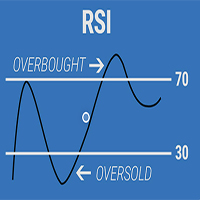
Mrs. Beast RSI Indicator Arrows Alert Descripción: El "Mrs. Beast RSI Indicator Arrows Alert" es un potente indicador técnico diseñado para MetaTrader 4 (MT4) que utiliza el Relative Strength Index (RSI) para generar señales de compra y venta. Este indicador es una herramienta esencial para traders que buscan mejorar su precisión en la identificación de oportunidades de trading en el mercado. Características principales: Señales de Compra/Venta: Genera señales de compra y venta claras mediante f

Mr. Beast King Indicator No Repaint: Un Enfoque Revolucionario para Señales de Compra y Venta ¡Bienvenido al futuro del trading con el indicador Mr. Beast King! Este innovador indicador utiliza algoritmos avanzados para proporcionar señales de compra y venta precisas y sin repintado, permitiéndote tomar decisiones informadas en tus operaciones financieras. Características Principales: Precisión Inigualable : El indicador Mr. Beast King ha sido meticulosamente diseñado para ofrecer señales precis

Fractal Señales No Repaint de Mr. Beast: Captura la Esencia del Mercado con Precisión Sumérgete en el mundo del trading con el indicador Fractal Señales No Repaint de Mr. Beast, una herramienta poderosa diseñada para ayudarte a identificar oportunidades de compra y venta con una precisión sin igual. Características Destacadas: Detección de Patrones Fractales : Este indicador utiliza la teoría de fractales para identificar patrones repetitivos en los mercados financieros. Al aprovechar la estruct

Mr. Beast Indicator Supertrend para MT4: Potencia y Simplicidad en una Herramienta de Trading Experimenta la combinación perfecta de potencia y simplicidad con el indicador Mr. Beast Indicator Supertrend para MT4. Diseñado específicamente para la plataforma MetaTrader 4, este indicador te proporciona una visión clara y concisa de las tendencias del mercado, ayudándote a tomar decisiones informadas en tus operaciones financieras. Características Destacadas: Supertendencia Definida : Basado en el

Эксперт TerminalConnectionChecker - надежный инструмент для мониторинга соединения торгового терминала MetaTrader 4 с сервером. Он обеспечивает своевременное оповещение трейдера о потере связи или ее восстановлении с помощью настраиваемых звуковых сигналов. Этот э ксперт незаменим для трейдеров, которые хотят быть всегда в курсе состояния своего подключения.
Основная функция этого э ксперта - отслеживание состояния подключения. Как только связь пропадает, советник активирует звуковой сигн

功能列表: 界面类型:常规模式和刷单模式; 交易量确定三个模式:绝对手数、风险金额和风险比率; 数字面板快速输入手数或风险金额; 固定盈亏比止损止盈线; 选中订单批量平仓或选中订单批量修改止损止盈; 单笔风险校验与总风险控制; 持仓移损保盈减仓等出场管理; 报警价格列表; 价格观测区; 搭配便捷画线指标3.65及以上版本实现组合配对画线开平; 支持中英文两种界面语言; 其他图表便捷操作。
出场管理模块注意事项: 盈利点数--三个级别要可以只启用一个或两个,但是数值顺序必须严格遵循递增顺序。 保盈点数和移损点数--只能设置其中一种,如果两者都设置会以保盈点数为准。 移损点数--如果要用某周期的N倍ATR替代可以用负数表示,例如-105表示M1周期5倍ATR -205表示M5周期5倍ATR -305表示M15周期5倍ATR 移损点数--如果设置的-888则会以信号指标的指标线作为止损值(并非所有的信号指标都能作为移损指标) 减仓比例--如果设置的负数则会在达到盈利点数条件或者突破价格条件时直接减仓,而如果设置的是正数则会在信号指标出现信号以后才会减仓。 上破价格-- 三个级别要可以只启

世界上许多交易者都像我一样利用移动平均线进行交易。 因此,我决定上传我为自己设计的专家,供那些使用与我相同策略的人使用。 现在我想给大家介绍一下这位专家的特点。
首先,您可以在一个时间范围内同时查看 7 个时间范围内的移动平均线。 (无论你在什么时间范围)
其次,当价格触及任何移动平均线时,您可以在手机上收到提醒。
第三,您可以根据您选择的移动平均线进行交易,因此您无需一直观看图表。
即选择均线并确定止损和TP的数额以及风险的数额就足够了。 当价格触及移动平均线时,专家将执行您的仓位。
您不再需要计算交易量,因为有了这款专家,您只需以您想要的价格建仓,点击图表并在图表上指定您想要的止损限额,根据 您要求的风险金额,由交易量决定。 这将是
100 和 200 移动平均线使用最广泛。 但如果有必要并且您选择的话,您可以添加您的个人移动平均数。
此外,通过这位专家,您可以在价格触及移动平均线时无风险或关闭现有头寸。
说明:实际上,移动平均线是由指标显示在图表上的,使用EA时必须添加使用DLL的权限。
因为使用 DLL 将我的自定义指标(多 MA)添加到图表中,以及为什么它在 MQL5 中

4 buttons for managing your trades.
Close All : will close all open positions on the current chart Delete All : will delete any pending orders on the current chart SL + 1 : will move the stop loss 1 pip closer to the breakeven point on all open trades on the current chart Delete SL : will remove the stop loss for all open positions on the current chart
Useful for everyone who opens multiple positions on the same asset, where fast execution is essential.
FREE

The Pending Order Grid is a multi-symbol multi-timeframe script that enables multi-strategy implementation based on pending order grids. General Description
The Pending Order Grid allows the performing of a user-defined strategy through the creation of pending order grids. The script places pending orders of a given type (Buy Limit, Sell Limit, Buy Stop, or Sell Stop) at equidistant price levels to form each grid. The beginning and finish of every grid are defined by the Start Price and Sto

The Pending Order Grid is a multi-symbol multi-timeframe Expert Advisor that enables multi-strategy implementation based on pending order grids. General Description
The Pending Order Grid allows the performing of a user-defined strategy through the creation of pending order grids. The Expert Advisor places pending orders of a given type (Buy Limit, Sell Limit, Buy Stop, or Sell Stop) at equidistant price levels to form each grid. The user might set up different grids to exist simultaneously

MT4 trading tool. Intuitive Dashboard that allows effortless automated trading, saving 99 Strategies , Advanced Money Management , Automatic group orders : Global Take Profit / Stop Loss, Smart TP (Multi-Level, Position Recovery) and Smart SL (Breakeven, trailing Stop, Multi-Level), Exit Manager , Signals, Strength Indicator , ATR Graph, Price Alert, News Warning… # If you have any other requirements or are interested in collaboration, please contact (info@styxia.com)
Get more information

See my other products here. One Click Order This product helps you to send your order as quickly and easily as possible. Send your order as fast as possible: Just set your position parameter values(Price, TP, SL, Ex Date) with just a few simple mouse drags. On the other hand, the calculation of the losses and profits value before ordering is always a big challenge for traders; This expert is very useful in taking a position and calculating the amount of the stop loss/the take profit(in the curr
FREE

The Order Selective Delete is a multi-symbol multi-timeframe script used to delete simultaneously various pending orders. General Description
The Order Selective Delete possesses three operation modes (Intersection, Union and All) that control the way as three pending order features (symbol, magic number and type) are used. The modes, available through the Selection Mode input parameter, relate to the features, available through the “Select by Feature” and “Feature” input pa
FREE

The Position Selective Close is a multi-symbol multi-timeframe script used to close simultaneously various positions. General Description
The Position Selective Close possesses three operation modes (Intersection, Union and All) that control the way as four position features (symbol, magic number, type and profit) are used. The modes, available through the Selection Mode input parameter, relate to the features, available through the “Select by Feature” and “Feature” input pa
FREE

The Double Trailing Stop is a multi-symbol multi-timeframe Expert Advisor that allows the Stop Loss and Take Profit trailing of positions. General Description
The Double Trailing Stop’s purpose is to secure profit and minimize losses of the opened positions. The Expert Advisor places stop orders (Stop Loss or Take Profit) at the Trailing Stop distance from the market price when the symbol's quote reaches/overcomes the Trailing Start distance from the position’s opening price (a single-time

The Multiple Position Opening is a multi-symbol multi-timeframe script used to open simultaneously various positions. Risk Management
The volume used to open a position is chosen between a fixed and a variable lot size, available through the Volume and Free Margin % input parameters, respectively. If there isn't enough money in the account for the chosen volume, this is reduced to the highest possible value (corresponding to free margin). If this reduction leads to a correct volume (if the

The MT4 DumpTicksCSV EA is a powerful tool designed for traders who need to capture and analyse market tick data. This EA continuously records all incoming tick data and saves it in a CSV file, making it easy to import the data into Excel or any database for detailed analysis. Each tick entry includes the server and candle timestamps, bid price, ask price, and spread, volume, Open, Close, High and Low; ensuring comprehensive data collection. Ideal for quantitative analysts, developers, and trade

想要在实际的 Tick 数据上进行回测您的 EA 吗?那就毫无疑问地选择 Real Tick Data Creator 吧。在策略测试器上的 Tick 数据并非真实,不能反映价格的真实波动,而仅仅是一种模拟。但是通过这款软件,您可以在真实的 Tick 数据上进行策略回测。 "Real Tick Data Creator" 是一款创新型软件,旨在为使用 Metatrader 4 平台的交易者提供准确和真实的 Tick 数据,满足其回测和分析需求。通过这个强大的工具,用户可以生成从实时市场条件记录下来的真实 Tick 数据,从而能够以最高的精度进行对其交易策略的全面测试。 Real Tick Data Creator 为交易者提供了进行彻底回测和分析所需的工具,使他们能够做出更明智的交易决策,在金融市场上取得更大的成功。凭借其对准确性、定制性和用户友好性的承诺,Real Tick Data Creator 在 Metatrader 4 生态系统中树立了 Tick 数据生成软件的新标准。 Tick 数据从 2012 年开始至当前月份,包括以下符号: AUDCHF AUDCAD AUDJPY

hint: my basic indicators are used like that KingLevel combind with KingSequence will provides basic insights of the price action of the markets and KingSequenceSgn is just for the convienent for watching. And plus with Forex Trading mentor subsccription I will assist you to win the market at first later if it's great will be upgraded to King Forex trading mentor.
Forex trading Guide by a 10-year Forex Trading Expert - Junior:forex[usdjpy,eruusd etc], crypto[btc,eth], gold
[*You can check the

The Environment State Info Print is a script to display the constants that describe the current runtime environment of a MQL4 program. General Description
The constants are divided into four groups in the Environment State section of the MQL4 documentation and each group is divided into enumerations/subgroups (with designations “ Market Info”, “Integer”, “Double” or “String”). The script displays constants in two ways: a single constant or all group constants. The constants are obtained by
FREE

Never miss an opportunity with a pending order But if market structure changes or during events it can act against you
It is better to place pending orders with expire time
This tool will be helpful for you with preset expire time
Buy Limit : This order is placed below the current market price. Traders use it when they anticipate a pullback or retracement before the price continues to rise. Sell Limit : This order is placed above the current market price. It’s used when a trader expe
FREE

The Tick Data Record is a multi-symbol multi-timeframe Expert Advisor that records tick data for later graphical representation and analysis. General Description
The Tick Data Record offers a(n) alternative/complement to the online/offline price charts displayed through the MT4/MT5 platform. The Expert Advisor permits to write and save the current/history values of Time, Bid, Ask, Spread, Last and Volume to a text file (“.txt”). The idea is to copy/open the obtained register to/in a spr
FREE

Universal EA for Your Custom Indicator
This EA is to be based on buying /selling via buffers. This is based on the calling of a custom signal indicator. Here are the INPUTS below and I will give a description of how each INPUT works Custom Indicator Name
This is where the custom indicator will go for this EA to call from the folder. TP Mode
BASKET: for ALL trades to close out based on the TP/SL- OR Trail SL OR Break Even. Basically its basket and everything closes based on the INPUTS. These

Trade with Confidence Using the Trendline Trading ATM (Advanced Trade Management)! Master entries, exits, and risk management with the powerful tools of the MetaTrader Trendline Trading ATM. This expert advisor equips you with a comprehensive suite of tools to trade consistently smarter, not harder. Take control of your trading risk and drawdown, capture profitable entries, and let your winners run. This innovative Trade Entry/Exit and Risk Management utility empowers you to: Precision Entry
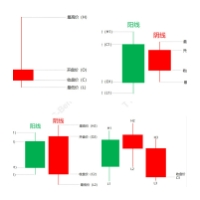
核心功能 :
交易信号识别 :本EA能够自动检测市场中的关键交易信号,包括Pinbar、吞没、孕线和顶分型等。这些信号都是基于市场的历史价格行为,并经过广泛验证,被广大交易者视为重要的交易参考。 自动化交易 :一旦识别到上述交易信号,EA将自动执行交易操作,包括开仓、平仓、设置止损和止盈等。这极大地减少了交易者的手动操作,同时提高了交易的一致性和效率。 风险管理 :EA内置了风险管理机制,可以根据交易者的风险承受能力进行个性化设置。通过合理的仓位管理和止损设置,本EA旨在帮助交易者降低交易风险,实现稳健盈利。 性能优化 :我们不断优化EA的算法和性能,以确保其能够在各种市场条件下稳定运行。同时,我们也为交易者提供了详细的交易记录和报告,帮助他们更好地了解EA的交易表现。 易于使用 :本EA具有直观的用户界面和简单的设置选项,使得交易者可以轻松上手并进行个性化配置。无论您是经验丰富的交易者还是新手,都可以快速掌握本EA的使用方法。 参数说明 : 全局参数: 对所有所有信号需要满足条件才会进行开仓。 风控配置: 当每天盈利或亏损到达配置要求后,EA将不会再进行开仓 开仓配置: 开仓优

PL Graph Visualizer 是一个实用程序,可显示您帐户损益的实时图表。
图表可以按货币对或幻数单独查看,让您对每个仓位的盈亏变化一目了然。 该工具可以与集成结算工具(可在此处找到)结合使用,以进一步增强其功能。
https://www.mql5.com/en/market/product/116884
实时图表不仅显示账户的总盈亏,还显示多个货币对的盈亏状况,让交易者即时掌握详细变化,辅助决策,让交易更加有效。
通过实时损益可视性增强您的交易策略。
该工具实时生成图表,因此如果您关闭图表、更改时间范围或重新启动 MT4,图表将从最新数据重新生成。
更详细的信息:
https://www.mql5.com/en/blogs/post/757410
FREE

Ichimoku signal finder expert Expert Ichimoku Analyzer is a very suitable tool for analyzing and checking standard Ichimoku indicator signals. This expert with the name TFI ICHIMOKU is one of the fast series experts that has the ability to send signals to email and mobile phones and due to its special technical features, it can quickly check the symbols in the watch list and check the signals. by buying Ichimoku Expert, you can find Ichimoku signals in the shortest time. TFI ICHIMOKU TFI ICHIMOK

Are you tired of missing out on profitable opportunities due to cumbersome and slow trade management in MT4? Do complexities in adjusting trades quickly and accurately analyzing market conditions make you hesitant and cost you financially? Understanding and reacting to market dynamics can be challenging, especially without the right tools. Our innovative Trading Panel is specifically engineered to tackle these issues. It provides a streamlined and efficient way to manage your trades and analyze

Expert Slider for MetaTrader 4 Expert Slider is one of the most widely used experts in the Forex financial market and Metatrader 4. Using this expert, you can easily design several slides for yourself and save several currency pairs with different templates, and according to the timer used for Each slide you set, view different currency pairs with the desired template and continue your analysis and reviews. In the technical specifications section of this expert, there are many options that can b

TFM MULTI CROSS expert MT4
TFM MULTI CROSS expert can receive different signals and send them to the user using 3 moving average indicators . This expert can help the trader to recognize different crosses in any time frame. This expert is a new version of forex signal finder experts, which has high speed, high efficiency and accuracy. By purchasing Expert Multi cross, you can easily find the crosses created in your watch list in the stock market and forex.
General features of TFM MULTI CROSS

Expert candle finder for forex in MetaTrader 4 Expert candle finder is one of the practical trader assistant experts that is used in the forex financial market, this expert accurately identifies the candlestick patterns on the price chart as a signal, all the found candles. informs you. This expert is run on your Meta trader platform and in a very precise way, it examines all the currency pairs that are in your watch list and every currency pair that had a professional and good candlestick patt

RF Trailing MT4 trading assistant robot
The Risk Free Trailing Stop expert is one of the experts designed by the active intelligence programming team, which is designed using the experience and skill of many years in financial markets programming of this expert. This expert is designed for the Metatrader 4 platform and has many attractive features that have a very positive effect on your trading process. Profit and loss limit management is one of the most effective factors in the success of a t

The Scientific Calculator is a script designed to compute science, engineering and mathematics expressions.
General Description
The expression to calculate must obey syntax rules and precedence order, being constituted by the following elements: Integer and real numbers. Mathematical operators for addition (+), subtraction (-), multiplication (*), division (/) and exponentiation (^). Mathematical and trigonometric functions . Curved parentheses (()) to define the precedence and co
FREE

Expert or Super Trend signal finder robot for MT4 The super trend indicator is a trend indicator that is very widely used in technical analysis, this indicator has two main tasks, the first task is to identify and recognize the market trend and the task of identifying buy and sell positions, but in order for us to be able to To check all the shares or currency pairs with which we do our transactions, we must compare each currency pair or share with this indicator one by one, so that we can find

Capital management trade assistant expert The function of the capital management expert is for positions, this expert helps the user to take Sell and Buy positions without calculating the amount of the lot, it also automatically observes the SL and TP points for the positions and on the price chart It registers, calculates the trading volume according to the balance, automatically considers the reverse position or hedge for the opened positions, of course, optionally, the selection of the SL an
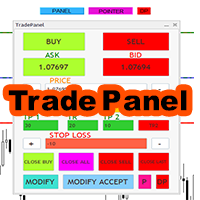
Expert trade panel MT4 The Expert Trade Panel consists of two sections, the panel and indicators, which you can see immediately after running the Expert on Metatrader, the Trade Panel is a tool that makes the trading process easy for the trader so that the trader can quickly and do your transactions easily. One of the features of this panel is that it has two parts. According to his needs, the trader can use both the indicator part of this panel and the panel part. Using this panel, the trader c
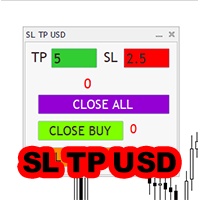
Expert SL TP USD panel MT4 SL TP USD Panel expert is one of the practical experts in the field of Forex financial market, which is designed for the Metatrader 4 platform, this expert helps the trader to determine the dollar profit and loss limit for himself.
The function of the expert is that the trader decides to close the position after, for example, $10 profit, or close the position after, for example, $5 loss. You can use Inexpert easily and control your trading performance.

Candle finder robot MT4
Candle finder robot is one of the trading assistant tools that helps the trader, this tool helps the trader to examine all the currency pairs that are in the Metatrader watch list in detail within a few seconds. Find the desired signals. According to the strategy that is defined for this robot, in your watch list, it carefully looks for trend change candles, there are many trend change candles that traders use in their trading decisions. This robot can simply check all t
UR_TradeManager for MetaTrader 4 通过UR_TradeManager最大化您的交易潜力,这是为MetaTrader 4平台专门设计的终极交易增强工具。考虑到精确性和功能性,这个综合工具对于希望提高市场分析、执行和管理技能的交易者而言,是必不可少的。 主要功能: 视觉交易仪表板 :直接从集成到您的MetaTrader 4工作区的先进仪表板无缝管理您的交易。以前所未有的便捷和准确性执行、修改和关闭交易。 实时新闻集成 :通过实时更新保持领先。我们的工具将重要的财经新闻直接集成到您的交易环境中,使您能够根据最新的市场数据做出明智的决策。 高级警报系统 :配置价格水平、市场事件或指标结果的自定义警报,确保您永不错过交易机会或潜在风险,全天候保持信息更新。 性能分析 :通过内置的报告工具深入性能分析,提供市场动态和您的交易历史的洞见。利用数据驱动的智能优化您的策略。 灵活的交易修改 :通过允许快速调整止损、获利及其他订单参数的工具,迅速适应市场变化。我们直观的界面简化了这些修改,节省您的时间并减少错误。 未来价格预测 :利用该工具的能力,基于当前趋势线预测未来价格

MT4 to Telegram Copier MT4 是一个专门的工具,旨在通过将交易通知和报告无缝发送到您的 Telegram 频道来增强您在 MetaTrader 4 上的交易体验。这个工具非常适合希望实时向其订阅者提供信息的信号提供者、培训师和交易者。 使用 MT4 to Telegram Copier MT4,您可以享受即时交易警报、可自定义设置和全面的绩效跟踪的便利。想象一下,您能够轻松地与您的追随者分享交易活动,确保他们及时收到通知,而无需手动更新的麻烦。 MQL 产品安装指南 | 在 MT4/MT5 上更新已购买的 MQL 产品 | 常见故障排除指南 | 指标设置 / 指南 主要特点 图表仪表板:在图表上直接显示实时信息面板,以便即时状态概览。 交易通知:向您的 Telegram 频道发送新交易、平仓和关键交易更新的即时警报。 可自定义设置:根据您的品牌和沟通风格调整通知格式和内容。 灵活配置:调整魔术数字和交易过滤的设置,以适应您的特定交易策略。 全面报告:生成每日交易绩效摘要,包含重要指标和统计数据。 回撤管理:设置最大回撤阈值的警报,以保持有效的风险控制。 MT4

Tester binary indicators by Veles is a tool that checks the signals of any Meta Trader 4 indicator. Main functions:
Ability to select buffers of the required indicator to receive BUY and SELL signals. Ability to select the required expiration time based on indicator signals. Possibility to select the operating time range of the required indicator. Possibility to choose the trading verification scheme that is optimal for you (without martingale, martingale by candles, martingale by signal). Abil

Use this multifunction button to execute orders instantly! Several buttons will handle:
1. BUY: Open a BUY order with preferred size (configurable in Expert config). 2. SELL: Open a SELL order with preferred size (configurable in Expert config). 3. LOCK PAIR: Open an order with the same lot to LOCK your order position, based on the currently opened chart (current pair). 4. LOCK ALL: Open an order with the same lot to LOCK your order position, based on all your open positions (all pairs). 5. Cl
FREE
MetaTrader市场是 出售自动交易和技术指标的最好地方。
您只需要以一个有吸引力的设计和良好的描述为MetaTrader平台开发应用程序。我们将为您解释如何在市场发布您的产品将它提供给数以百万计的MetaTrader用户。
