 MetaTrader 5
 专家
专家
 指标
指标
 程序库
程序库
 实用工具
实用工具
 窗口小部件
窗口小部件
 规则
规则
全新的MetaTrader 4 交易实用工具 - 21
 以下是可在MetaTrader 4中简化外汇交易的交易程序。将鼠标悬停在下面列表中的工具上,阅读它的描述和用途。
Profit X invia notifiche sul tuo dispositivo mobile mantenendoti aggiornato sul profitto dei tuoi investimenti anche nei momenti in cui non puoi fisicamente controllare i mercati, ad esempio quando sei alla guida, sul posto di lavoro, in una riunione o con amici, con parenti e non puoi distrarti Può essere disattivata e attivata ed è possibile scegliere la frequenza del aggiornamenti in minuti, ore, giorni, settimanale o mensile La configurazione e personalizzazione è molto semplice, di default

Elevate your risk management game with Equity Savior, the go-to Expert Advisor designed to safeguard your equity during prop firm challenges. This powerful yet user-friendly tool lets you choose your preferred trading session, set a maximum lot size, and establish a daily trade limit effortlessly. Key Features: Session Selection: Tailor your trading approach by selecting specific sessions, aligning with your strategy and prop firm challenge requirements. Max Lot Size Control: Take control of ri

The "Open grid of pending orders" script is designed to automate the process of creating buy (Buy) and sell (Sell) orders on the MT4 trading platform. It provides the user with the ability to set the distance between orders and the number of orders in this grid. This script allows traders to quickly build a grid of orders that covers a specific price range. The main functions of the script include: Ability to select the direction of orders: Buy (purchase) or Sell (sale). Setting the distan

A free program for copying orders between terminals on the same computer.
Any orders are copied in any direction, between any accounts.
The principle of operation:
On the terminal from which you want to copy, the "Server" parameter is set. On the terminal or terminals where the copied positions need to be opened, the "Client" parameter is set. It is also necessary to enter the account number of the "Server" terminal on the client.
In the future, it is planned to increase the functionality
FREE

A simple script that closes all current orders.
Terminate once close all positions, so please don't worry about constantly closing your order.
How to use :
Drag the script from the navigator to the chart to activate it. Do remember to enable algo trading to use this script. There are different versions of the script that can choose whether to close all buy/sell posiitons, if you need this, do contact me in MQL5.

This is a Trade Manager that Manages your trade and helps any newbie to trade with ease.
Trade Parameters are as follows One Click Buy and Sell One Click Buy and Sell Limit One Click Buy and Sell Stop Uses Magic Number Uses Order Comment
EA has 3 tabs, First Tab shows the user's current or open trades Second Tab shows for easy trade execution Third Tab hides all information
Manages Risk that will automatically close trade based on user input.
FREE

MT4 Scipts that able to change all Chart's time frames easily by just double clicking the scripts.
How to use:
Simply drag the script into the charts, or double-click the script, and select the timeframe you require.
Remind: The default timeframe is your current chart's timeframe, but surely you can easily modify the input in the dropdown menu based on your need.
Thanks for purchase. Happy trading.

HFT Prop Passer 是一款 EA 交易程序,旨在传递一些自营(专有)公司的 HFT 挑战账户。
交易策略: 该 EA 交易在 1 分钟时间范围内处理道琼斯符号并执行高频交易。 该产品可以在很短的时间内(通常不到30分钟)通过HFT账户的挑战阶段。 回撤也非常低,适合自营公司账户条件。 ***目前该产品的前 5 名购买者价格仅为 150 美元。 购买5次后,价格将上涨最多200美元,所以不要错过这个机会。 EA 测试结果: 您可以在下图中查看回撤水平、利润以及获得利润的持续时间的示例。
根据这些结果,您可以评估我们团队设计的高频交易技术的威力。
如何回测? 点击此处查看如何在 mt4 策略测试器上回测演示版本。 购买产品后,请在“评论”部分留下评论,以便我向您发送设置文件。 拥有高频交易允许账户的道具公司: 您可以在下面查看提供高频交易账户的自营公司列表 < Click Here >. 笔记:
如果您不知道自营公司是什么、它们如何运作或高频交易账户是什么,建议不要购买此产品。 请务必研究上述道具公司并确保其可信度。 为此,您可以使用 Trustpilot 网站并

What Can this indicator do for YOU!: Keeping it simple this year with a straightforward and highly flexible Trade Manager that can reduce your losses and preserve your capital and increase it overtime. Money Management is one of the key aspects of a successful traders career which is why this EA will serve you well.
So, how does this EA function? Below is a PDF attachment with a very in depth explanation into the various functions accompanied with a Demo Video to show you; All functions work
This utility identifies certain candle open times on chart, this can help you to see your favorite candle open and use it as it fits in your strategy. This tool is very useful for intraday charting and indicating your sessions. ___________________________________________________________________________________
Disclaimer: Do NOT trade or invest based upon the analysis presented on this channel. Always do your own research and due diligence before investing or trading. I’ll never tell you what
FREE

Break Even Trailing - A Simple Swing Trade & Scalp Trade Solution Break Even Trailing is an effective and simple program designed to enable a trader achieve break even and basic dynamic trailing stops on all positions. BET represents Break Even Trailing in the instructions below. (*) General Settings Overview: Trailing Mode : There are only two trailing modes. The Default Mode is set to Pip Based Dynamic, Mode One. This mode is the same as the typical Meta Trader Trailing feature that is

This Utility is a test for creating objects on the graph . Drag it on any graph and follow the instructions! Any questions about work program send me mail : info@tradingsolution.it In future I will add more information with new version for now it provides account information: AccountNumber AccountName AccountCurrency AccountCompany Server Account Leverage Stop Out level Balance Equity Margin Free Margin

Every Forex trader knows that exit strategy is the key to success in Forex. But does everyone follows that knowledge? 95% of traders do not follow it due to such emotions as fear and greed involved in trading.
Without a proper exit plan, like where to take profit, when to exit, when to hang on, no one can make proper money and most market entries are loss-making. Considering the importance of money management and trade management, we have 3 options to take care of that: Manage all trades and ris
The "DrawDown For Prop Firm" is designed to manage drawdown levels for prop firm challenges using the MetaTrader 4 (MT4) platform. The EA aims to monitor the drawdown of the trading account and take necessary actions when the drawdown exceeds a specified trigger percentage. Example Scenario: Assume you have a trading account with an opening balance of $5000. You decide to use the "DrawDown For Prop Firm" EA to manage your drawdown, and you set the drawdown trigger percentage to 4%. EA Configurat

LEVELS MANAGER: DESCRIPTION
Level Master:提升您的交易效率 Level Master是一款高级的市场制造商工具,精心设计以增强交易策略并改善交易结果。这款复杂的工具通过积极监控市场并根据明确的规则执行交易而脱颖而出,使交易者能够专注于他们交易旅程的其他重要方面,同时Level Master熟练地管理他们的交易投资组合。它在波动的侧向市场中特别擅长,并在趋势条件下保持强劲的表现。
用户友好且可定制
Level Master 拥有高度可定制的框架,使交易者能够根据具体需求调整其交易策略。凭借其直观的界面,它是经验丰富的交易者和初学者的理想选择。Level Master的独特之处在于,与其他工具不同,它与策略测试器兼容。
LEVELS MANAGER:输入设置
通用设置(适用于实时交易和策略测试器):
Magic Number – 由该专家顾问管理的交易的唯一标识符。 Show Market Stat Table – 启用时在图表上显示市场统计表。 Panel X-size – 确定显示面板的宽度。 Panel Y-size – 确定显示

ATTENTION: the utility cannot work in the Strategy Tester, if you want to try the demo version for free for a week, or have any questions, write me an email! You can find my address on my user profile.
TrendLine Auto Executor is a software capable of identifying the trendlines you have drawn on the chart and opening orders as soon as they are touched or exceeded. The software allows you to manage two orders at a time for each chart by tracking two groups of trendlines, one for each order, and

Lot Partial Close Closes your trades automatically by a specific size and at a specific target defined by you.
Description:
The Lot Partial close is a MetaTrader 4 Expert Advisor designed to automate trading strategies with a focus on managing multiple open orders of different sizes. This EA is versatile, allowing users to customize key parameters to meet their specific trading preferences. Key Features: Partial Close Functionality: The EA incorporates a partial close mechanism for the first t

Dear valued clients,
Have a good day! This application will support you to manage the risk of your account according to your settings such as automated set the stop loss, take profit, automated close the position of total loss or profit greater than the preset input. You also can set your target equity, it will close all positions when it meet the desired target.
The followings are the input parameters:
Equity Target To Close and Delete All Orders ($) Equity Limit To Protect (Close All) Appl

Key Features: Custom Image: The script allows you to set any image of your choice as the chart background. The image file should be in the .bmp format and located in the MQL4/Images folder of your MetaTrader 4 data folder. Automatic Replacement: If an image is already set as the chart background, the script will automatically replace it with the new image. How It Works: The script operates in the following manner: Initialization: Upon execution, the script checks if an object named “ i
FREE

Stay ahead of market movements with precision and efficiency using DG Price Alerts , a MetaTrader 4 indicator designed for traders who demand accuracy and flexibility. This powerful tool is crafted to provide instant notifications when price levels are touched or breached, ensuring that you never miss a crucial market opportunity. Key Features: User-Friendly Interface: Seamlessly navigate through our intuitive graphical user interface. Effortlessly set up alerts by placing horizontal lines, tren
FREE

FX Trade Manager Pro Manual FX Trade ManagerPro‘s settings consists of 5 different distinguished sections: I-Trading Settings II- General Management Settings III- Initial SL/TP Settings IV- Special Types of Modifying & Closing Orders V-Trailing Stop Methods In the following pages every section is explained in detail with examples. I. Trading Settings In this settings you can select indicator through which you want to open trades. Here 2 indicators are given, 1) Moving Ave

MQL5 博客: https://www.mql5.com/en/blogs/post/770814
MT4 版本: https://www.mql5.com/en/market/product/107986
上涨基线上涨 (RBR)、下跌基线上涨 (DBR)、下跌基线下跌 (DBD)、上涨基线下跌 (RBD)、公允价值缺口 (FVG) / 不平衡、隐藏基线
隆重推出“供需助手”(EA) 智能交易系统——助您精准自信地驾驭瞬息万变的金融市场。这款尖端智能交易系统经过精心设计,旨在为交易者提供实时供需动态洞察,助力其做出明智决策,并最大限度地发挥交易潜力。
主要功能:
自动区域识别:该智能交易系统采用先进的算法,自动检测并绘制价格图表上的关键供需区域。这些区域包括#rallybaserally、#rallybasedrop、#dropbaserally 和 #dropbasedrop,为交易者提供重要的参考点,帮助他们了解市场情绪和潜在的价格反转。
风险回报比计算:通过利用已识别的供需区域,该智能交易系统能够动态计算每个交易机会的风险回报比。这一关键指标使交易者能够评估交易
FREE

MT4 版本: https://www.mql5.com/en/market/product/91169
MT5 版本: https://www.mql5.com/en/market/product/110193
实时信号: https://www.mql5.com/en/signals/2345410
隆重推出“智能交易员”(Smart Trader)交易助手——这款终极工具凭借其无与伦比的适应性和前沿的风险管理策略,深受全球专业交易员的信赖。
“智能交易员”的核心在于其革命性的风险管理切换系统,该系统经过精心设计,能够动态适应瞬息万变的市场状况。与依赖静态风险参数的传统交易助手不同,“智能交易员”利用先进的算法实时分析市场数据,智能地调整其风险管理方法,从而在最大限度提高盈利潜力的同时,最大限度地降低市场波动风险。
“智能交易员”的独特之处在于,它能够根据当前的市场状况,在不同的风险等级之间无缝切换。无论市场处于趋势行情、区间震荡还是高波动时期,这款智能交易系统都能识别最佳风险策略,助您把握每一个交易良机。
专业交易员信赖“智能交易系统”,因为它功能全面、性能可靠,能

风险回报率管理器是一款可视化订单管理工具和头寸规模计算器,旨在支持严谨的交易和专业的风险管理。它允许交易者直接在图表上直观地设置入场、止损和止盈水平,并在下单前自动计算交易手数和风险回报率。该工具有助于标准化交易准备,并确保每个仓位都以预先设定且可控的风险水平开仓。 该工具适用于多种交易工具,包括货币对、指数、金属、大宗商品和加密货币。它既适合手动交易者,也适合注重策略、对每个仓位都应用风险管理规则的交易者。通过减少计算时间并避免手动错误,该工具可帮助交易者在执行过程中保持一致性和清晰度。 风险回报率经理 安装和输入指南 如果您想获取有关 EA 的通知,请添加 URL ( http://www.betasoft.dev ) MT4/MT5 终端(见截图)。 MT4版本 https://www.mql5.com/en/market/product/110797 MT5版本 https://www.mql5.com/en/market/product/110798 主要特点
可视化交易规划:该工具在图表上显示入场点、止损点和止盈点。这种可视化方法可帮助交易者在执行前查看

Chart Logic is here! Chart automation for MT4: put your Ideas into Actions!
Chart Logic is an EA for MT4 that lets you automate actions on your charts. You define "conditions" and 'actions"; when all the conditions are true, then all the actions are triggered. Conditions can refer to a wide range of observations, about account information, candle data, technical indicators, key levels, price, time, market data, trades and so on. And actions can send alerts/notifications, open/close/modify tr
This Expert Advisor is used to send messages from the PCT Multi indicator to Telegram.
The EA has 5 settings: - Channel name: The name of the Telegram channel. - Token: Your bot's Token. - Entries: Entry messages will be sent. - Results: Entry results will be sent. - Alerts: Alerts will be sent.
How to set up: In the Tools -> Options menu, in the "Expert Advisors" tab: - Check the "Allow WebRequest for listed URLs:" option. - Click "add new URL" and add " https://api.telegram.org " (without th
FREE
This indicator is to be used in bot connectors for automation of Pct Multi indicator entries.
How to use: Configure the bot connector with the following information: Indicator name: pctmultibot Call buffer: 0 Put buffer: 1
Do not add this indicator to the chart, just configure it in the bot connector!
Pct Multi indicator:
https://www.mql5.com/en/market/product/73054
FREE

SL InfoPanel is an information panel that displays operational trading information on the current instrument.
The panel contains the following information:
The first column:
The fixed profit for the specified period of time and the percentage of this profit to the current deposit (the time period is configured in the "Account History"). The value is colored blue if there is a profit and red if there is a loss. Open Long orders (number of lots/number of orders). Open Short orders (number of l
Free until the end of the year.
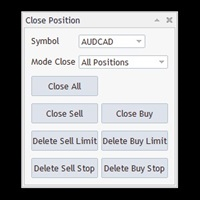
Close All With Just One Click MT5: https://www.mql5.com/en/market/product/110006 Close orders with just one click, quickly and neatly. Supported order types: Market order, limit order, stop order
Note: This software is very fast, there is no warning every time you press the button, please use caution when using, or use it proficiently in a demo account first, I am not responsible for any loss caused by the software being activated. misactivated
Utilities helps you close each part of the trade when reaching a certain profit or loss level division_coefficient_lossMoney : If you trade 1 lot and set division_coefficient_lossMoney = 2, then when you reach a certain loss, the lot will be divided by 2 = 0.5 remaining lots. loss_money_close_1 : Maximum loss amount to trigger lot split for the first time. accept_money_loss_2 : If you want split lot 2 times, turn True loss_money_close_2 : Maximum loss amount to trigger lot split for second tim

「Binary Lab Simulator」是一个用于练习和验证交易策略的工具。 该工具全天候运行,包括周末和非交易时间,并支持多种到期时间,如30秒、1分钟和3分钟,创建类似真实交易的环境。 它兼容外部工具以分析进入结果。 可以轻松保存多个模板,从在线环境无缝测试到模拟器。 「Binary Lab Simulator」可以单独使用,但与「SpeedManager」、「Practice Simulator Sync」和「ArwByIdx」结合使用时功能更强大。 「SpeedManager」在指定的进入点自动停止 「Practice Simulator Sync」允许同步不同时间框架和货币对的图表 「ArwByIdx」与外部指标和信号工具集成,自动关联进入点 与Signal Tool结合使用时,它可以在指定的交易次数后进行进入、关闭或自动停止。 您还可以跟踪连续的赢/输次数或保存交易结果的图像。 该工具提供了一个真实的训练环境。 优点: 周末和节假日的操作 可调节的交易到期时间 高效练习的速度调整 不同时间框架和货币对的同步 与其他指标的兼容性 与信号工具协调的进入 输出结果图像的能力
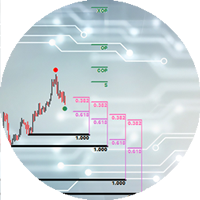
The Expert Advisor cannot be launched in the tester, as it does not work by ticks, but by timer and chart events. An advisor for trading using DiNapoli levels. The Expert Advisor helps to place graphical elements on the chart in a convenient way in full accordance with the rules of calculation according to the DiNapoli method. The Expert Advisor opens orders according to the calculated parameters and accompanies them. At the request of the trader, the adviser can use the "safe" rule and transfer

Trading panel for manual trading. Has a fairly wide functionality. Allows you to automatically calculate the order size, open both market and pending orders. It has a wide range of options for closing orders, it is possible to partially close orders, close orders after reaching a certain profit or loss, separately close profitable and unprofitable, buy and sell, as well as pending orders. The panel also contains a simple implementation of a grid of pending orders, reverse and lock functions, tr
FREE

The program is use to copy trading from MT4 to MT4 and MT5 on local PC or copy over the Internet. Now you can easy copy trades to any where or share to friends. Only run one Flash Server on VPS, also need allow the apps if you turn on Windows Firewall. Can not add more than 20 account copier to server, include both MT4 and MT5 Get free Copier EA for MT4 and MT5 (only receive signal), download here Instants copy, speed smaller 0.1 seconds, easy to setup How to setup and guide Let read a

A very simple script. It quickly places lines along zero lines and local extremes, greatly facilitating routine work at the beginning of the trading day. The lines on the round prices are placed inside the work screen in a given interval. Extremes are placed within a period defined by the trader, based on data from different timeframes from M15 to MN1 Settings: Extreme lines - switch lines at extremes (true - enabled) Zero lines - switch of lines at zero levels (true - enabled) Distance between
Indicador de Spread en Tiempo Real en la Gráfica Este indicador revolucionario te brinda una visión transparente y detallada del spread en tiempo real directamente en tu gráfica de trading. Diseñado para proporcionar información precisa y crucial, este indicador mejora tu capacidad para tomar decisiones informadas y optimizar tu rendimiento comercial. Características Destacadas: Visualización Instantánea: Observa el spread en tiempo real directamente sobre tu gráfica, eliminando la necesidad de
FREE

这是一个播放速度管理工具,能够在策略测试器中实现高效的测试和分析。 它提升了策略测试器的可用性,并可作为简化交易策略开发和评估的手段。
工具特点: 播放速度控制:用户可以在策略测试器中自由更改播放速度,使其快进、加速播放并在任意点暂停。 一条栏、一跳前进:'Next Bar'按钮允许用户一次前进一条栏。也可以一跳一跳地前进,以进行更详细的分析。 时间框架和货币对的同步:" Practice Simulator Sync (免费)" 允许您与不同的时间框架和货币对同步播放。这使您能够同时查看MTF和不同货币条件。 自动暂停:您可以在每天的特定时间(例如市场开放时)停下来,然后从那里分析动态。暂停可以根据每日交易时间表设置。 添加指标:不仅是MT4中的标准指标,您创建的自定义指标也可以共存并一起工作。 即时模板反映:即使在启动后图表运行期间,也可以立即更改模板。立即切换到与市场相匹配的模板。
重要说明:
要使用旧数据进行练习,需要历史数据。请提前下载。 请注意,在低配置的PC上性能可能会降低。
Practice Simulator Sync
https://www.mql5.com/
FREE

多货币前蜡烛或前柱扫描仪可帮助您扫描具有从指标设置中选择的任何自定义时间范围的多品种图表。
基于产品: https://www.mql5.com/en/market/product/110229
它可用于扫描前一天高低、前一周高低、上个月高低或任何自定义时间范围的多个交易品种,例如 前 4 小时图高低
当价格触及高线或低线时,它会过滤噪音并发出方向警报
策略很简单,当触及前一天、一周或一个月的高点和低点时,价格会在较小的时间范围(如 5 分钟)内被拒绝
它具有选择各种警报类型的选项
您可以选择并设置扫描频率(以毫秒为单位)
1000 表示每秒扫描市场观察中的所有交易品种
产品特点
1. 终端警报
2. 电子邮件提醒
3. 推送通知
多货币前蜡烛或前柱扫描仪可帮助您扫描具有从指标设置中选择的任何自定义时间范围的多品种图表。
基于产品: https://www.mql5.com/en/market/product/78657
它可用于扫描前一天高低、前一周高低、上个月高低或任何自定义时间范围的多个交易品种,例如 前 4 小时图高低
当价格触及高线或低线时,它
枢轴点多符号扫描仪扫描市场观察中可用的所有符号,以查找地板、伍迪、卡玛利拉、丹麦或斐波那契枢轴点。
您可以选择任何时间范围来计算枢轴点,并在价格触及这些支撑位和阻力位时收到警报。
对于视觉枢轴点您可能对此产品感兴趣: https://www.mql5.com/en/market/product/110072
它具有选择各种警报类型的选项
您可以选择并设置扫描频率(以毫秒为单位)
1000 表示每秒扫描市场观察中的所有交易品种
产品特点
1. 终端警报
2. 电子邮件提醒
3. 推送通知
枢轴点多符号扫描仪扫描市场观察中可用的所有符号,以查找地板、伍迪、卡玛利拉、丹麦或斐波那契枢轴点。
您可以选择任何时间范围来计算枢轴点,并在价格触及这些支撑位和阻力位时收到警报。
对于视觉枢轴点您可能对此产品感兴趣: https://www.mql5.com/en/market/product/110231
它具有选择各种警报类型的选项
您可以选择并设置扫描频率(以毫秒为单位)
1000 表示每秒扫描市场观察中的所有交易品种
产品特点
1. 终端警报
2. 电子邮

您是否厌倦了在没有您的情况下将收支平衡变成盈利交易? 不可调止损 (USL) 让您继续交易!
您精心计划了自己的交易,保持了耐心,并在“完美”时刻入场。 当交易朝着对您有利的方向发展时,您将止损调整至盈亏平衡,感到安全,没有资金面临风险。 但随后,市场出现意想不到的转变,阻止您出局,并朝着您预期的方向发展(参见屏幕截图 A)。 有没有想过可以采取什么不同的做法? 确定止损移动的时机与确定入场时机一样具有挑战性,如果选错往往会导致过早退出。 如果有更好的方法来应对移动止损的不确定性怎么办? 一种消除过早退出的方法,让您在交易中停留更长时间 隆重推出 Unwickable Stop Loss (USL),它是风险管理领域的变革者,可与您的硬止损无缝配合。 USL 提供的交易不会让您过早退出灯芯(参见屏幕截图 B),为您提供下行保护的安全性,同时保持盈亏平衡或追踪止损的弹性,即使面对恶性市场灯芯。 USL 的工作原理是要求蜡烛收盘价低于 USL(参见屏幕截图 C)。 不可调止损 (USL) 的主要优点: 1 - 尽可能长时间地留在交易中,以获得精神上更轻松的交易体验。 2 - 使用简单
FREE
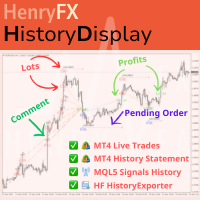
This indicator will display current logined mt4 account's orders information of current symbol chart. It also allow import some formated data: 1) MQL5 Signals History CSV file (*.csv) 2) MT4 Account History Statement file (*.htm -> *.txt)
*[Next Version] Allow Import data form 'HF HistoryExporter (*.csv)'
Sample Data of MQL5 Signals History File Time;Type;Volume;Symbol;Price;S/L;T/P;Time;Price;Commission;Swap;Profit;Comment 2023.12.20 23:00:02;Buy Limit;0.06;EURUSD;1.08994;1.06024;1.09464;202

Revolutionize Your Trading Experience with Our Advanced Management Panel Maximize efficiency and control with our cutting-edge Management Trades Panel, exclusively designed for discerning traders. Our innovative panel is a game-changer in the realm of financial trading, offering unparalleled functionality and user-friendly features. Key Features: Automated Daily Profit/Loss Closure : Set your desired profit or loss thresholds, and let our panel automatically close all current trades when these
FREE

Just a panel for drawing levels. Minimal but very useful thing. This is a further development of the free version. This is the version that I use myself and it has many behavior adjustments. ---- 12 types of customized levels. Support for rectangle and line levels. If you need to prevent a level from extending, add "noext" to the end of the name level object. For any update idea please contact me here. ---- This is not an indicator, don't download the demo, it doesn't work For test see free ver

IndicatorsValueFullView can show Stochastic、CCI and RSI indicators value on just one Chart with fashionable and welcome GUI, IndicatorsValueFullView support 29 major pairs and about 33 exotics pairs. Traders can switch Stochastic、CCI and RSI indicators int left tree, and control indicator update or not by update checkbox, also, traders can switch show indicator value or show buy sell by yourself. The over bought and over sell value will be shown by highlights color Traders can roll up or

With Easy News, you can trade breakouts from a range at specific times.
This is particularly lucrative for news and economic announcements because high risk/reward ratios are often present in these situations. This tool is suitable for all currencies and timeframes. It includes profit pyramiding. This means that when the first order is in profit by xx points (adjustable), another order is opened (depending on the set quantity).
How does it work? At a specific time, the tool creates 2 stop orde
FREE

ADAM EA Special Version for FTMO Our 1st EA created using ChatGPT technology
Trade only GOOD and checked PROP FIRMS Default parameters for Challenge $100,000 Tested on EURUSD and GBPUSD only Use 15MIN Time Frame Close all deals and Auto-trading before Weekend at 12:00 GMT+3 Friday For Prop Firms MUST use special Protector https://www.mql5.com/en/market/product/94887 ----------------------------------------------------------------------------------------------------------------------------

This Expert provides a panel to manage all positions you have on different pairs or any instruments.
not only you can close your positions just by clicking the amount of profit or loss shown on the related cell, but also you can customize whatever you see on the panel from font size to lines and background colors.
Remember , auto trading on MT4 panel must be active, but in our Expert we have provided a key on the panel to activate or deactivate the panel to avoid closing by accident.
Any qu

Just a panel for drawing levels. Minimal but very useful thing. This is a reimagining of Color Levels Pro. ---- 4 types of customized levels. support for rectangle and line levels. The indicator parameters are very simple and are divided into blocks. For any update idea please contact me here. ---- don't suffer don't suffer ---- Enjoy your work!!!!!!!! ----
FREE

AccountGuard will protect your account from unexpected losses by constantly monitoring the equity and follow the rules as your input in the parameters. When the rules are reached, it will close all the trades, you can choose the close mode yourself, and you can set the close percent and close profit by yourself, It can show current profit in percent, and show buy and sell profit separately, it can show profitable trades profit and loss trades profit separately. Additionally, AccountGuard p

清理图表符号的好工具 清理图表符号的好工具 清理图表符号的好工具 清理图表符号的好工具 清理图表符号的好工具 清理图表符号的好工具 清理图表符号的好工具 清理图表符号的好工具 清理图表符号的好工具 清理图表符号的好工具 清理图表符号的好工具 清理图表符号的好工具 清理图表符号的好工具 清理图表符号的好工具 清理图表符号的好工具 清理图表符号的好工具 清理图表符号的好工具 清理图表符号的好工具 清理图表符号的好工具 清理图表符号的好工具 清理图表符号的好工具 清理图表符号的好工具 清理图表符号的好工具 清理图表符号的好工具 清理图表符号的好工具 清理图表符号的好工具 清理图表符号的好工具 清理图表符号的好工具 清理图表符号的好工具 清理图表符号的好工具 清理图表符号的好工具 清理图表符号的好工具 清理图表符号的好工具 清理图表符号的好工具 清理图表符号的好工具 清理图表符号的好工具 清理图表符号的好工具 清理图表符号的好工具 清理图表符号的好工具 清理图表符号的好工具 清理图表符号的好工具 清理图表符号的好工具 清理图表符号的好工具 清理图表符号的好工具 清理图表符号的好工具 清理图表符

MT4版本: https://www.mql5.com/zh/market/product/109262 MT5版本: https://www.mql5.com/zh/market/product/109258 使用说明: https://www.mql5.com/zh/blogs/post/755183
EA概述: 本EA利用A,B 2个平台进行对冲交易。当A平台的ASK小于B平台的ASK,A平台买入同时B平台卖出,然后观察2个帐户的盈亏,当合计利润达到目标,AB两个帐户再同时平仓。
应用场景: 1.汇差套利 :有时不同平台的报价是不同的,有时A平台报价大于B平台,而有时A平台报价又小于B平台。这样就有了套利赚钱的机会。 2.刷单赚返佣: 找一个提供返佣服务的代理商,那么AB两个帐户就算是不赚不亏,还可以赚返佣的利润。 3.利用平台的奖励: 很多平台提供的入金奖励,交易奖励,但是要把奖励提现,会有交易量的要求。可以通过对冲,低风险加大交易量,达到提现奖励的目的。 4.您可以想象到的其它场景...
功能特点: 1.

A utility for automatically detecting the GMT offset of your broker To use the utility, place it in the Scripts folder of the terminal data directory, enable WebRequest in the terminal settings and add the address https://www.worldtimeserver.com/ to the list of allowed ones. Run the Check GMT script on the chart with any currency pair There is only one setting in the script: site = https://www.worldtimeserver.com/ just for your convenience. Copy this address from the script setti
FREE
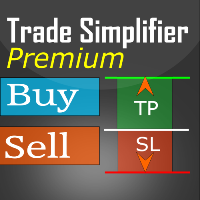
Trade simplifier premium is a trade panel that simplifies trade opening. It is simple and easy to understand, with key features to ease trading. Features include:
Order type selection Fixed lot entry from the chart user interface Easy Take profit entry field on the chart user interface Visual take profit selection and adjustment via the line that appears when you click the Take Profit button Easy Stop loss entry field in points on the chart user interface Visual Stop Loss selection and adjustm

Description:
EquityStop UAP is the solution designed to optimize the management of your forex operations securely and efficiently. Our software provides a superior level of control and protection for every trade.
*Key Features:*
1. **Equity Protection:** Preserve your capital with our advanced Equity Stop feature, applying an automatic safety barrier to limit losses.
2. **Percentage Trailing Stop:** Maximize your profits and minimize losses with the Percentage Trailing Stop feature, dynam
FREE

---NEWS DEFENDER--- Maximize your Forex performance with our script designed to prevent losses during news events! Our solution simplifies the process: Smart Management: Detects news X minutes before and allows you to manage your existing trades. Instant Limitation: Prevents new trades during news events, giving you full control. Perfect for those looking to close all trades and wait until the news passes. Moreover, our Pro version provides protection against unwanted trades by other EAs, includ

Introducing "Prop Risk Manager": Your Trading Discipline Partner
Are you a trader looking to adhere to prop firm rules with unwavering discipline? Look no further. "Prop Risk Manager" is your comprehensive solution for navigating prop firm guidelines and optimizing your trading success.
Key Features:
- Precision Risk Management : "Prop Risk Manager" aligns with prop firm principles to ensure you never trade during news events, hold trades overnight, or risk weekends.
- Tailored Trading Hou
FREE

Breakout System EA works based on HFT (high-frequency trading) algorithm and mini bar height. it open trades when bar height meets some indicators mathematical confirmation. * Forex EA Features – Allow compound interest or Fix lots by Users – Spreads protection, using pending orders (stop order) without any market orders – No grid. No martingale – A small Stoploss for every trade – Combine with RSI, Ichimoku and Awesome Oscillator indicators to balance the price – Primitive Price Action Activ

Multi Take Profit Manager Automatically close portions of your open trades at up to three profit targets. This utility is designed for manual traders who frequently open multiple positions and want to scale out of trades automatically as profit targets are reached. Instead of manually closing positions one by one, the utility can partially close your total open position at predefined Take Profit levels, helping you lock in profits while allowing the remaining positions to continue running. Key F

Smart Manager Dashboard - with auto virtual TP and auto virtual SL for all trades. -this EA is a powerful trade manager that can manage all symbols and all trades at once , all from one chart so it is a must have tool for every trader who keeps more trades at once. -it mainly does 2 things : INFO ABOUT TRADES and CLOSING TRADES (grouped by their symbol, so with this tool it is very easy and fast to manage even hundreds of trades )
-add to any chart, any timeframe and you are all set
-this to

Baby Shark Pro EA works using a series of indicators, mainly the RSI. This is an EA that uses martingale, so use with caution. But Baby Shark Pro EA gives you the ability to change the multiplier parameter, which allows it to decrease the martingale level. Thus, you determine the risk level you want. Unlike most of the other martingale, EA’s This doesn’t place random entries, rather it is riding on market movement RSI > 50. If the market moved the opposite direction after the first entry, the ne
参数说明如下: extern double 第一单挂单价格 =0;// 新加参数 , 第一单开单可以是挂单并输入挂单价格,如果默认 0 表示,第一单采取立即开市价单的方式。 extern int 第一单挂单有效分钟数 =720;// 新加参数,如果第一单是挂单,挂单有效分钟数 buyORsell=false;// 第一单开多单还是空单,设置为 true 表示第一单开多单,设置为 false 表示第一单开空单
lots1=0.01;// 第一单开单的下单手数。
maxlots=10;// 加倍后的最大下单量不能超过 10 手,如果超过就不再开单
beishu=2;// 第一单以后加倍开单的加倍倍数
StopLoss=30;// 所有单的止损设置点数, 4 位平台还是 5 位平台, 30 就代表 30 点。
TakeProfit=30;// 所有单的止赢设置点数, 4 位平台还是 5 位平台, 30 就代表 30 点。
OpenTime=0;// 第一次开单的开单时间必须超过这个时间点,这个时间你输入你本地电脑上的时间就可以了。
OpenVolume=0;/

This program serves as an effective tool for sending messages through a Telegram bot using the MetaTrader platform. It enables you to send your trading recommendations related to the orders you open on the trading platform directly to your Telegram channel or group. These messages may include details about open trades and can be accompanied by illustrative images of the orders. Alternatively, they can be configured to be without images based on your preferences. This means that if you are the ow

Chart Notes = MULTI LINE TEXT INPUT ON CHART FOR MT4 is finally here! # sticky notes This indicator is a powerful text editor for placing notes on chart, similarly like the feature on Tradingview.
There are 2 types of messages: anchored (on screen ) and free (on chart).
1. Anchored = stays on the same place on screen (x point, y point) -this text can be EDITED on click (first line is for dragging the message around- this line is edited via right clicking- >properties) -move the message
The tool for exploring seasonal patterns. It compares the chart with charts of other years and compares with the average for other years. Allows you to shift charts if necessary. Explore any year by specifying the zero point. Up to 10 charts in one tool. Works only on the daily chart ! The best for you! Enjoy your work! (It's not indicator - do not download demo it not work) for mt5 Seasonly

Title: EA Automater 5 Indicators for Averaging - A Diversified Approach to Algorithmic Trading Description: The EA Automater 5 Indicators for Averaging is a revolutionary Expert Advisor for MetaTrader 4, meticulously designed to provide traders with a diversified and balanced approach to automated trading. With its distinct ability to integrate and average signals from up to five different indicators, this EA stands as an unrivaled force in the realm of algorithmic trading. Main Features: Multi-

Программа передвигает уровень стоп-лосс вслед за ценой на расстоянии в пунктах, которое будет указано в настройках, то есть является самостоятельным плавающим стоп-лоссом. При необходимости, программу можно настроить таким образом, чтобы она передвинула стоп-лосс при достижении какого-либо уровня прибыли в пунктах. Также можно установить шаг трейлинга, чтобы программа передвигала стоп-лосс только через определенное количество пунктов. Несколько причин отдать предпочтение "Mobile trailing stop":

Emulate TradingView drawing experience with magnet snap to the nearest price.
Supported drawing tools: Vertical Line Horizontal Line Trend Line Horizontal Ray (Angle Trend Line) Fibonacci Retracement Rectangle
Input:
Threshold (px) : The distance in pixel unit to snap the crosshair to the nearest price. Crosshair color: The color of crosshair.
Feel free to write the review, request more features or report bugs.
FREE

EquitySafe V1.0 is a powerful risk management tool designed for MetaTrader 4 . It enables traders to effectively manage their risk by setting maximum loss limits based on custom time frames. With this tool, you have the flexibility to define your own time intervals and allocate specific risk thresholds accordingly. This helps you maintain control over your trading account and minimize potential losses. By utilizing EquitySafe, you can ensure that your trading strategy

The Trade Manager Interface is a free utility designed to simplify manual trading in MetaTrader. Please leave a review, if you like the trade manager. It allows traders to visualize trades directly on the chart, calculate position size automatically, and manage orders with advanced features such as partial take profits, automatic breakeven, and trailing stops.
This tool focuses on risk control and execution precision, making trade management faster and more efficient. For the advanced trade
FREE

Streamline your trading communication with our Telegram to Discord Trade Forwarder, a powerful Python-based tool designed for traders who want to effortlessly share trade information from Telegram to Discord. No more tedious copy-pasting—our software automates the process, ensuring that every crucial message, image, or video is seamlessly forwarded to your Discord community.
Key Features: Effortless Trade Sharing: Instantly share trade updates, images, and videos from your Telegram channels to
MetaTrader市场是独有的自动交易和技术指标商店。
阅读MQL5.community用户备忘更多地了解我们提供给交易者的独特的服务:复制交易信号,自由职业者开发的自定义应用程序,通过支付系统完成的自动付款和MQL5云网络。
