Assistant AutoClose Mt4
- Yardımcı programlar
- Sürüm: 1.0
- Etkinleştirmeler: 5

🔍 What this tool does
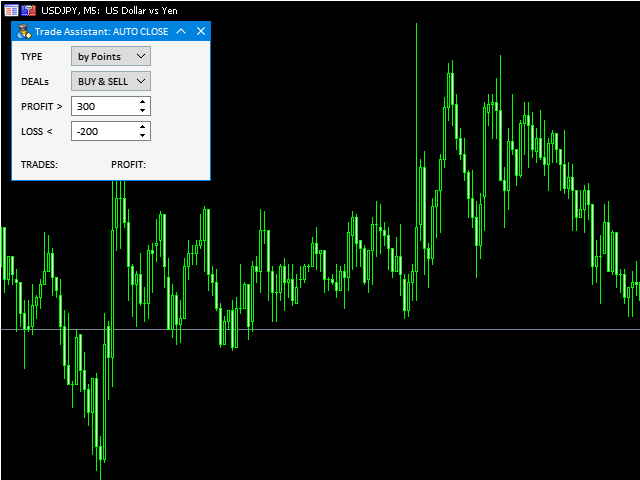
Assistant AutoClose monitors open trades and closes them when selected conditions are met.
You can automatically close trades by:
- Profit in points
- Loss in points
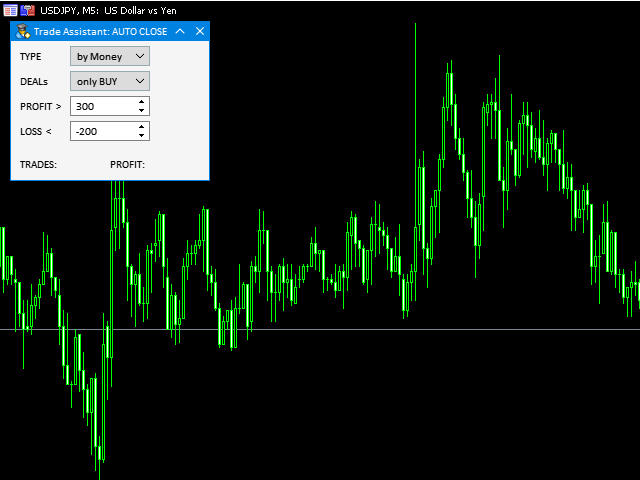
- Profit in deposit currency
- Loss in deposit currency
It can work:
- On Buy and Sell trades
- Only Buy trades
- Only Sell trades
You can also:
- Limit by number of deals
- Control total profit per symbol
- Close trades per-trade or based on overall result
📌 Typical use cases
- Closing trades after fixed profit without using broker TP
- Emergency loss control
- Managing trades opened by other EAs
- Additional risk control layer on VPS
- Closing partial strategies by direction (Buy/Sell)
🚀 Quick Start
-
Attach Assistant AutoClose to a chart
-
Enable AutoTrading in MetaTrader
-
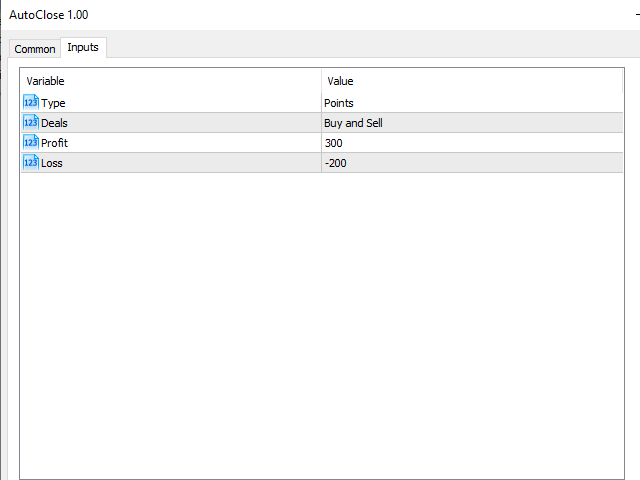
Select closing mode (points or money)
-
Choose trade type (Buy / Sell / both)
-
Set profit/loss thresholds
The utility will monitor trades and close them automatically.
⚠️ Important limitations
- The utility works ONLY on the current symbol chart where it is attached.
- To manage multiple symbols, run it separately on each symbol.
- MetaTrader must remain running (VPS recommended).
- Algo Trading must be enabled in terminal and EA settings.
- All errors and events are written in the Experts / Journal log.
🛡️ Difference from Virtual SL/TP
Assistant AutoClose closes trades based on profit/loss conditions.
Virtual SL/TP simulates Stop Loss and Take Profit levels locally.
If you need trailing stop or hidden SL/TP levels,
check “Virtual StopLoss/TakeProfit/Trailing” in my profile.
🔗 Related utilities
- Fast Open, SL, TP — quick trade execution MetaTrader 4 , MetaTrader 5
- Trade Assistant (Fast Open + SL + TP + AutoClose) MetaTrader 4 , MetaTrader 5
- Virtual StopLoss / TakeProfit / Trailing MetaTrader 4 , MetaTrader 5
- Trade Copier MT4 ↔ MT5 MetaTrader 4 , MetaTrader 5