
Unix Scalper
- Göstergeler
-
Issam Kassas
 I’m Issam Kassas, the developer behind Issam Algo. I build MetaTrader 5 indicators and Expert Advisors for chart analysis and trading automation.
Current OFFER: Buy Smart Trend Trading System MT5 and receive Smart Universal Expert Adviser MT5 as a free bonus.
Smart Trend Trading System MT5: - Sürüm: 3.0
- Güncellendi: 15 Eylül 2026
- Etkinleştirmeler: 20
Unix Scalper — MetaTrader 5
Satın aldıktan sonra Smart Universal Expert Advisor'ı ÜCRETSİZ edinmek ve beraberinde çevrimiçi kurs, PDF kılavuzu ve özel gruba erişim almak için MQL5 üzerinden bana mesaj gönderin.
İşlem fırsatını belirleyin. Planı görün. Nasıl işlem yapacağınıza karar verin.
UNIX Scalper; piyasa analizini, BUY/SELL/WAIT kararlarını ve Entry, Stop Loss, TP1 ve TP2 seviyelerini düzenli bir panelde bir araya getirir.
SİNYALİ VE PLANI GÖRÜN
• Net kararlar: BUY, SELL veya WAIT.
• Belirlenmiş seviyeler: Entry, Stop Loss, TP1 ve TP2.
• Çoklu zaman dilimi görünümü: paneldeki zaman dilimlerinin sinyallerini karşılaştırın.
• Destekleyici analiz: trend, momentum, hacim, volatilite, destek ve direnç ile piyasa kalitesi.
• Esnek görünümler: Minimized, Compact, Standard veya Full.
Sinyali inceleyin, seviyeleri kontrol edin ve işlem fırsatının kendi kurallarınıza uyup uymadığına karar verin.
ALTIN VE BİTCOİN İLE BAŞLAYIN
Başlangıç için önerilen piyasalar: XAUUSD ve BTCUSD.
Kısa vadeli scalping ve daha yüksek zaman dilimlerinde analizi keşfedin. Geçmiş bar aralığını seçin ve performans eğrisiyle seçilen ayarların geçmişte nasıl davrandığını inceleyin. Hem kârlı hem de zararlı dönemleri değerlendirin.
Eğri, geçmiş verilerle yapılan bir simülasyonu gösterir; doğrulanmış gerçek işlem sonuçları değildir. Diğer piyasaları ve ayarları aracı kurumunuzun verileri ve işlem koşullarıyla değerlendirin.
SİNYALLERDEN OTOMASYONA
Smart Universal Expert Advisor, desteklenen sinyalleri otomatik işleme dönüştürmek için UNIX Scalper’a bağlanır. Pozisyon büyüklüğünü, Stop Loss, Take Profit, başa baş stop seviyesini, takip eden stopları ve işlem saatlerini yapılandırın.
Gösterge bağlantısını ve işlem kurallarınızı ayarlayın. Ardından gerçek hesapta otomasyonu etkinleştirmeden önce kurulumu test edin.
KENDİNİZ İNCELEYİN
Paneli, işlem seviyelerini ve geçmiş performans eğrisini görmek için ekran görüntülerine göz atın. Ürün ve destekle ilgili kullanıcı deneyimlerini öğrenmek için müşteri yorumlarını okuyun.
Ürün soruları, kurulum rehberliği veya teknik destek için bana doğrudan MQL5 üzerinden mesaj gönderin.
— Issam Kassas, UNIX Scalper geliştiricisi
Finansal piyasalarda işlem yapmak risk içerir. Sinyaller ve otomasyon kâr garantisi vermez. Geçmiş sonuçlar ve simülasyon sonuçları gelecekteki performansı garanti etmez. Gerçek hesapta işlem yapmadan önce ayarlarınızı demo hesapta test edin.










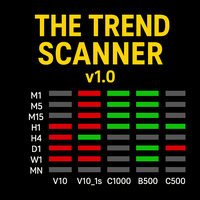



































I love how the dashboard looks, so many details yet compact & for the price with all the effort that has been put into this indicator. Done some test, if you're doing scalping this might help.