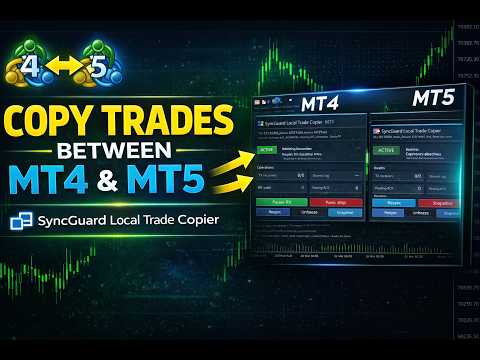
SyncGuard Local Trade Copier MT5
- Yardımcı programlar
- Sürüm: 1.40
- Güncellendi: 28 Mart 2026
- Etkinleştirmeler: 20

SyncGuard Local Trade Copier MT5 is a fast, professional local trade copier for MetaTrader 5, built for traders who want serious copy-trading capability, practical control, and stable day-to-day operation on the same Windows PC or Windows VPS.
It is designed for the workflows that matter most in real trading: MT5 to MT5 copying, MT5 to MT4 / MT4 to MT5 when used together with the MT4 version, one transmitter to one or multiple receivers, investor-password source following, account mirroring, controlled local distribution, and more advanced multi-terminal setups.
One of SyncGuard’s strongest real-world advantages is investor-password transmission. The transmitter terminal can run on a read-only investor-password login, because the TX side only reads account activity and publishes local copy events. Execution happens on the receiver side, so the source terminal does not need trading permission. This is a major advantage for provider-to-client workflows, account mirroring, prop-style setups, and safer local distribution.
SyncGuard is built for more than simple order opening. It is designed to follow the real lifecycle of copied trading activity, including market orders, pending orders, SL/TP changes, pending-order updates, full closes, partial closes, pending-order cancel/delete actions, and CloseBy-aware handling where supported. It also includes stronger receiver-side control, more practical recovery behavior, and clearer on-chart visibility than a basic copier.
Need MT4 compatibility? If you want to copy between MT5 and MT4, also get the MT4 version: SyncGuard Local Trade Copier MT4
Full setup guide and demo trial: https://www.mql5.com/en/blogs/post/767875
Public channel: CLICK HERE
Why SyncGuard stands out
- Fast local copying for same-PC / same-Windows-VPS environments
- MT5 to MT5 with this version, plus MT5 to MT4 / MT4 to MT5 when paired with the MT4 version
- One transmitter to one or multiple receivers
- Read-only investor-password transmitter support
- Market orders, pending orders, order modifications, full closes, partial closes, and pending-order cancel/delete handling
- Reverse copying, no-SL policies, partial-close policies, and basket stop logic
- Symbol mapping for prefixes, suffixes, and broker-specific symbol names
- Flexible receiver-side lot sizing, scaling, and risk control
- Snapshot, resync, retry, and recovery support for cleaner re-alignment after restarts or reconnects
- Clear on-chart panel for monitoring, troubleshooting, and daily operation
- Optional analytics and CSV reporting for users who want more visibility
- Self Copier mode on MT5 hedging accounts
What you can do with it
- Copy trades from one MT5 terminal to another MT5 terminal on the same Windows machine
- Use a read-only investor-password account as transmitter
- Mirror one source account to one or multiple local receivers
- Run local multi-account execution in a more controlled way
- Choose how no-SL trades and partial-close events should be handled
- Use basket-based stop logic for copier-owned trades
- Monitor copier activity directly from the chart instead of relying only on the Journal
- Expand to MT5-to-MT4 and MT4-to-MT5 copying with the MT4 version
Important notes
- This is a local copier for terminals running in the same Windows environment.
- SyncGuard exchanges copy data locally through MetaTrader Common Files using the same Channel ID.
- Actual receiver execution still depends on broker conditions, symbol availability, lot limits, stop/freeze rules, filling rules, and trading permission on the RX account.
- Self Copier on MT5 is intended for hedging accounts. It is not intended for MT5 netting accounts.
- CloseBy-aware handling depends on broker/account support. If native CloseBy is unavailable, SyncGuard safely falls back to normal close handling while keeping exposure aligned.
- For first-time setup, test with one TX, one RX, one symbol, and one small demo trade.