MT5 Trade Copier Copy Trade MT5 EA

  • Утилиты
  • Nurhidaya Tullah
    Nurhidaya Tullah
    Трейдер и разработчик MQL4/MQL5 с более чем 5-летним опытом, специализирующийся на копировщиках сделок, автоматизации торговли и решениях для управления несколькими счетами.
    Пример моего продукта:
    MT5 Trade Copier – Local Trade Replication System
  • Версия: 16.16
  • Обновлено: 30 сентября 2026
  • Активации: 20
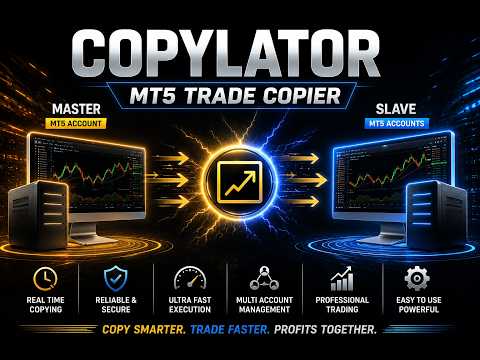
COPYLATOR – MT5 Trade Copier

Key Highlights

  • Multi-Sender / Multi-Receiver Trade Replication – supports one-to-many, many-to-one, and many-to-many configurations, with complete real-time copying of market orders, pending orders, SL, and TP.
  • Advanced drawdown protection – closing, blocking, pending-order deletion, manual and automatic reset mechanisms.
  • Automatic symbol mapping – finds correct symbols, alerts if missing, allows manual override.
  • Hedging & Netting support – auto-detected, no manual setup.
  • Real-time SL/TP sync – updates stops even after trade is open, including trades opened without them.
  • Flexible lot management – fixed lot, multiplier, balance-ratio scaling, max lot cap.
  • Partial Close Support – close part of a copied position while keeping the remaining volume open.
  • No DLL required – single-chart installation.
  • Investor password support – In investor password mode, the Sender EA only reads positions and orders and does not send trades. Therefore, you can run the Sender EA on a VPS using an investor (read-only) password while placing trades from another terminal with the main password. The Sender EA will read those trades and copy them to Receiver accounts on the same VPS. Actual trades are executed only on Receiver accounts.

    Overview

    COPYLATOR is an advanced MT5 Trade Copier and Copy Trade EA for replicating trades between multiple MT5 terminals on the same computer or VPS. It can be used as an MT5 Copier, for one-to-many, many-to-one, and many-to-many trade replication. Set Mode and SenderAccountNumber per chart – no external software needed.

    Use Cases

    Multi-account trading, prop firm management, signal replication, portfolio distribution, and personal use, etc.

    Key Features

    Advanced Drawdown Protection

    COPYLATOR includes a built-in safety mechanism that protects the Receiver account from excessive losses, independent of the Sender’s performance. It monitors two separate drawdown metrics:

    • Daily Drawdown – the maximum loss allowed from the highest Equity or Balance value reached during the current trading day (based on the DrawdownBasedOn setting).
    • Total Drawdown – the maximum loss allowed from the account’s initial balance ( initialBalance ) at the time the EA was started or last manually reset.

    Both values are expressed as percentages. A dedicated dashboard panel displays real-time status, current drawdown percentages, and the time remaining until the next daily reset.

    When a drawdown limit is exceeded:

    1. The EA immediately blocks all new copying (including modifications and pending orders) – this is always applied.
    2. If CloseOrdersOnDrawdown = true , the EA will close all COPYLATOR-opened positions and delete all COPYLATOR-pending orders on the Receiver account.
    3. If CloseOrdersOnDrawdown = false , no positions are closed and no pending orders are deleted; only new copying is blocked.

    The blocking remains active until a reset occurs. After an automatic daily reset, the system re-evaluates the total drawdown and may immediately trigger the block again if the total drawdown limit is still exceeded. A manual reset establishes a new initialBalance baseline.

    CloseOrdersOnDrawdown Positions closed? Pending orders deleted? New copying blocked? Can copying resume automatically?
    true Yes Yes Yes Only after a reset (daily or manual)
    false No No Yes Only after a reset (daily or manual)

    Reset Mechanisms

    There are two independent ways to remove the block and resume copying:

    1. Automatic Daily Reset (based on ResetHour and ResetMinute using broker's server time)
    • Removes the trading block and resets the daily drawdown percentage to zero.
    • Does not change the initialBalance (the baseline for total drawdown).
    • Important: If the current account balance is still below the original initialBalance , the total drawdown percentage will be recalculated immediately after the reset and may trigger the block again.
    2. Manual Reset (using the Reset button in the Drawdown Details panel – Receiver mode only)
    • A full and forced reset that can be performed at any time.
    • Removes the block, resets both daily and total drawdown percentages, and updates initialBalance to the current account balance at that moment.
    • This establishes a new baseline for total drawdown calculation, effectively starting a fresh protection cycle from the current equity/balance.

    Configuration Parameters

    Parameter Description
    EnableDrawdownProtection Master switch to enable/disable the entire system.
    CloseOrdersOnDrawdown If true , closes all COPYLATOR positions and deletes COPYLATOR pending orders when drawdown is triggered. If false , only blocks new copying without closing/deleting.
    MaxDailyDrawdownPercent Maximum allowed daily loss as a percentage from the day’s peak (Equity or Balance).
    MaxTotalDrawdownPercent Maximum allowed total loss as a percentage from the initial balance.
    DrawdownBasedOn Choose between EQUITY or BALANCE for drawdown calculation.
    ResetHour / ResetMinute Daily reset time (using broker's server time).

    Practical Recommendations

    • Set conservative limits (e.g., 3–5% daily, 8–10% total) and test on a demo account first.
    • Use the Manual Reset button only when you are confident that the account has recovered or you wish to reset the total drawdown baseline.
    • Remember that the Automatic Daily Reset does not reset the total drawdown baseline, so if your account is still in loss, the block may re-trigger immediately.

    Multi-Sender and Multi-Receiver Support

    Run multiple EA instances to create any topology. Each Sender needs a unique account number; each Receiver specifies its Sender via SenderAccountNumber . All instances run independently and simultaneously.

    Graphical Dashboard

    Displays account info, sync status, mode, and Drawdown Protection panel (Receiver mode). Visible by default in Receiver mode.

    Reliable Trade Replication

    Copies market orders, pending orders (Limit/Stop), SL, and TP. Automatically detects Hedging or Netting accounts and applies the appropriate synchronization method.

    Real-time SL/TP Sync: Any manual SL/TP changes on the Sender – including adding stops to trades that had none – are instantly replicated to all matching Receiver trades across Hedging and pending orders. On Netting accounts, SL/TP sync is limited.

    Partial Close Support

    COPYLATOR supports partial closing of copied positions, allowing part of a position to be closed while the remaining volume stays open.

    Reverse Trade Mode

    Copies trades in reverse direction (Buy↔Sell) with automatic SL/TP adjustment.

    Symbol Mapping & Risk Management

    Automatic mapping finds the correct symbol; if not found, a clear warning tells you which symbol is missing and how to add it via SymbolMappings . Manual mappings (e.g., XAUUSD:XAUUSDm) also supported.

    Lot management: Use multiplier and balance-ratio scaling (using the Sender/Receiver balance ratio) together, with max lot cap. Fixed lot overrides multiplier and balance-ratio.

    Custom Comment & Notifications

    • CustomCommentPrefix: Adds custom text to the end of copied trade comments (despite the parameter name, the text is appended as a suffix). For example, MyStrategy produces C123456_MyStrategy .
    • EnablePushNotifications / EnableEmailAlerts: Receive alerts for important events such as trade openings/closings, drawdown triggers, and errors.
    • EmailSubject: Custom subject line for email alerts.

    Additional Features

    • Multiple Sender/Receiver terminals concurrently.
    • Custom SL/TP (copy from Sender or fixed distances).
    • Buy-only / Sell-only filters.
    • Day & Time filters with auto-close at window end.
    • Maximum lot size limitation.

    Complete Input Parameters

    Core Settings

    Parameter Description
    Mode SENDER or RECEIVER.
    SenderAccountNumber In Receiver mode: account to copy from. In Sender mode: ignored.
    CopyPending Copy pending orders (limit/stop) along with market orders.
    CopyWithReversal Reverse direction (Buy↔Sell) with auto SL/TP adjustment.
    CopyStopLoss / CopyTakeProfit Enable copying SL/TP from sender.
    CustomStopLoss / CustomTakeProfit Override with fixed distance in pips; 0 = use sender's values.

    Symbol & Filtering

    Parameter Description


    SymbolMappings Pair mappings (e.g., XAUUSD:Gold).
    MaxSpread Maximum spread in pips (not points). For example, 3.0 pips means 30 points on a 5-digit broker. Set to 0 to disable.
    CopyLongOnly Copy only Buy (long) trades.
    CopyShortOnly Copy only Sell (short) trades.

    Lot & Risk Management

    Parameter Description
    UseBalanceRatio Scale lot size using the Sender/Receiver balance ratio.
    EnableLotMultiplier Multiply Sender volume by specified factor.
    LotMultiplierValue Multiplier factor.
    FixedLotSize Override volume with fixed lot; 0 = use multiplier/ratio logic.
    MaxLotSize Absolute lot cap.

    Day & Time Filters

    Parameter Description
    AllowMonday … AllowFriday Enable or disable trading on each specific day (Monday–Friday). Weekends are always blocked by the EA.
    EnableTimeFilter Restrict to daily GMT window.
    StartHourGMT / StartMinuteGMT Window start.
    EndHourGMT / EndMinuteGMT Window end.
    CloseOrdersAtEnd Auto-close all copied positions at window end.

    Notifications & Custom Comment

    Parameter Description
    CustomCommentPrefix Adds custom text to the end of copied trade comments (despite the parameter name, it is appended as a suffix). Example: MyStrategy produces C123456_MyStrategy .
    EnablePushNotifications Send push notifications to mobile.
    EnableEmailAlerts Send email alerts.
    EmailSubject Subject line for email alerts.

    Configuration Examples

    Example 1 – Fixed Lot Size:
    FixedLotSize = 0.01 , EnableLotMultiplier = false , UseBalanceRatio = false .

    Example 2 – Balance-based scaling:
    UseBalanceRatio = true , EnableLotMultiplier = false , FixedLotSize = 0 .

    Example 3 – Copy only Buy trades:
    CopyLongOnly = true , CopyShortOnly = false .

    Example 4 – Full Drawdown Protection (close & block):
    EnableDrawdownProtection = true , CloseOrdersOnDrawdown = true , MaxDailyDrawdownPercent = 5.0 , MaxTotalDrawdownPercent = 10.0 .

    Supported Trade Types

    Market orders (Buy/Sell), pending orders (Buy Limit, Sell Limit, Buy Stop, Sell Stop), direction filtering (Long-only / Short-only), and partial closing of positions.

    Account Type Support

    COPYLATOR supports all standard Forex account types, including ECN, etc. In general, accounts are categorized into two main types, both of which are fully supported:

    • Hedging accounts: Full support for all features including Reverse Mode, pending order replication, and individual ticket-based copying.
    • Netting accounts: Only one position per symbol is allowed. Some features such as Reverse Mode and pending order replication may not be applicable and will be automatically ignored or adjusted by the EA to prevent errors. The system handles this seamlessly without requiring manual intervention.

    SL/TP Modification: Add or modify SL/TP at any time, even after trade open. Works identically across Hedging and pending orders. Netting accounts have limited SL/TP sync.

    Best Practices

    • Set drawdown protection conservatively (e.g., 3–5% daily, 8–10% total) and test on demo.
    • Run terminals continuously – use a VPS for 24/7 operation.
    • Use time filters to avoid low-liquidity hours.

    Installation & Quick Start

    Step 1 – Sender: Attach EA, set Mode = SENDER , enable AutoTrading.

    Step 2 – Receiver(s): Attach EA, set Mode = RECEIVER , enter SenderAccountNumber , enable AutoTrading.

    Step 3 – Verify: Sender dashboard shows connected Receivers. Open a trade – it appears on all Receivers.

    Notes: One chart per terminal. Restart after config changes. Test on demo first.

    Conclusion

    COPYLATOR offers advanced drawdown protection, flexible lot management, real-time SL/TP sync, a  graphical dashboard, custom comment suffixes, and notification alerts. With auto-detection of Hedging/Netting, smart error handling, Partial Close Support, and no external dependencies, it provides reliable trade replication across a wide range of MT5 brokers and account setups.

    Important Notes

    • All terminals must remain running.
    • Each Sender must have a unique account number; each Receiver must specify the correct SenderAccountNumber .
    • If the automatic symbol mapping fails to find a symbol, the EA will display a clear warning message. You can manually add the missing symbol pair in the SymbolMappings field using the format SenderSymbol:ReceiverSymbol (e.g., XAUUSD:XAUUSDm ). This ensures that trades are copied correctly even when broker symbols differ.
    • The MaxSpread parameter is measured in pips, not points. For example, on a 5-digit broker, 3.0 pips equals 30 points. Set to 0 to disable spread filtering.
    • On Netting accounts, some features such as Reverse Mode and pending order replication may not be applicable due to the single-position-per-symbol limitation imposed by the broker. The EA automatically detects this and handles it seamlessly without manual intervention.
    • Drawdown Protection Reset: The automatic daily reset only removes the block and resets daily drawdown, but does not change the initialBalance baseline. To fully reset the total drawdown baseline, use the manual Reset button on the Drawdown Details panel (Receiver mode).
    • Buy/Sell Buttons in the Video: The Buy and Sell buttons shown on the chart are built-in MetaTrader 5 One Click Trading buttons and are not part of COPYLATOR. To enable them, go to Tools → Options → Trade → Enable One Click Trading. You can show or hide the panel by right-clicking the chart and selecting One Click Trading, or by pressing Alt+T. To manually close a position, open Toolbox → Trade, right-click the position, and select Close Position. These are standard MT5 functions and are independent of COPYLATOR.
    Рекомендуем также
    Real-Time Spread Display Tool A   real-time spread display tool   is a specialized software or application designed to provide traders and investors with instant, live data on the   spread —the difference between the bid price (the price at which buyers are willing to purchase an asset) and the ask price (the price at which sellers are willing to sell it)—for various financial instruments. This tool is critical in markets such as forex (FX), stocks, futures, and cryptocurrencies, where price f
    ​Notification Spy Protector is a MetaTrader 5 Expert Advisor (Utility) that monitors your trading activity and sends real-time alerts to your mobile device (via MT5 Push) and/or Telegram. Equipped with a solid and reliable Account Protector, this utility is fully compatible and highly recommended for Prop Firm trading to safeguard your accounts from violating drawdown limits. It also provides advanced transaction filters and a clean on-chart dashboard. Never miss a trade. Protect your account f
    ProbAlgo
    Marius Ovidiu Sunzuiana
    ProbAlgo is an institutional‑grade trading indicator engineered to mirror the analytical discipline used inside major banks and hedge funds. Its core strength is not just detecting when to trade — but knowing when not to trade. By combining probabilistic modeling, volatility diagnostics, liquidity behavior, and structural market filters, ProbAlgo isolates the rare moments when conditions genuinely support a high‑quality entry. Instead of chasing every move, ProbAlgo evaluates the market through
    Signalator Local Trade Copier MT5 — быстрый локальный копировщик сделок для MetaTrader 5/4, предназначенный для работы с терминалами Master и Receiver на одном компьютере или VPS.  Поддерживает кроссплатформенное копирование между терминалами MT4, MT5 и cTrader в любом направлении: MT4 ↔ MT5 ↔ cTrader и все остальные комбинации. Копируйте сделки локально, без внешнего облачного сервера-посредника. Master публикует торговую активность в локальный bridge-канал, а каждый Receiver сам определяет, чт
    Trade Copier Simple Guide Trade Copier is an Expert Advisor (EA) for MetaTrader 5 (MT5) that lets you automatically copy trades from one account (the "Master") to another (the "Receiver"). It's designed for users who want to duplicate trading strategies across multiple accounts on the  same computer . No internet or external servers are needed—it uses a shared file on your machine to transfer trade info securely and quickly. How It Works Master Mode : Attach the EA to a chart on your main tradin
    You have 5 positions open on XAUUSD. Net floating is +$30 - looks fine. But look closer: 3 buys, 2 sells. The buys are carrying 0.60 lots, the sells only 0.20. One of those buys has been sitting underwater for 90 minutes. Margin level is at 390% and drifting down. Stress is building - quietly, invisibly - while the terminal just shows you a list of rows. Current price: $59 - increases by $10 after every 20 purchases until reaching the final price of $119 . Next price: $69 . Complete Buyer Kit: 4
    Представляем индикатор “Информация о Стоимости Символа” – ваш незаменимый инструмент для поддержания лидерства на рынке форекс! Этот инновационный индикатор создан для того, чтобы обеспечить трейдеров информацией о реальной стоимости в режиме реального времени, непосредственно на их графиках. Вот почему каждому трейдеру необходим индикатор “Информация о Стоимости Символа” в его арсенале: Мониторинг Спреда в Реальном Времени: Внимательно следите за спредом любой валютной пары, чтобы входить на р
    FREE
    Advanced Trailing Stop & Break-Even Expert Advisor with Partial Profit Taking Overview Unlock the full potential of your trading strategy with this Expert Advisor that automates trade management to maximize profits and minimize losses. Designed for both novice and experienced traders, this EA offers precise control over your trades with customizable trailing stops, break-even protection, and partial profit taking — all working seamlessly to protect your capital and lock in gains. Key Features Dy
    This tool allows you to export MetaTrader indicator data (buffers) for any financial instrument available in your MetaTrader 5. You can export multiple Symbols and Timeframes into a single CSV file. You can also schedule the export frequency (every 1 minute, 5 minutes, 60 minutes, etc.). There is no need to open multiple charts to retrieve recent data—the tool downloads the data directly. The CSV file will be saved in the folder: \MQL5\Files . How it works Report Tab Select the indicators and o
    FREE
    Trend Alignment Scanner Pro The Ultimate Volatility Direction Score Dashboard for MetaTrader 5 Are you tired of flipping through dozens of charts just to find a single valid setup? Meet Trend Alignment Scanner Pro , an institutional-grade multi-symbol, multi-timeframe dashboard engineered to detect high-probability market imbalances in real-time. Powered by our proprietary Volatility Direction Score (VDS) Engine , this scanner filters out market noise and ranks the most explosive, trend-aligned
    "Quick Copier" is designed to copy trading without any complicated settings. It copies master orders faster than "Just Copier" (https://www.mql5.com/en/market/product/20920). Please also check this product at fxina.hostingerapp.com.  The copy can be done in one PC. One EA can be set as master (provider) or slave (receiver). The receiver lot can be set to multiple providers lots. Any type of copy is available. MT4 -> MT5 MT4 -> MT4 MT5 -> MT5 MT5 -> MT4 If you want to copy MT4 -> MT5 or MT5 -> MT
    Have you ever take a long time to watch a Symbol when the network link is not good ? Have you ever wait for a long time when you switch chart between different Symbols or different TimeFrames ? If you do long-term backtesting , Have you ever to be downloaded datas for a long time ? Yes, If there is no data in the system, those will happen.  1. What is this: Download all the Symbol data in Market Watch to the system. PS: This is not outputting data to Files. This Link go to Demo version: https:/
    Telegram to mt5 signal copier
    Chukwuemeka Kingsley Anyanwu
    5 (2)
    **КОПИРУЕТ СИГНАЛЫ ИЗ ЛЮБОГО TELEGRAM-КАНАЛА И МГНОВЕННО ИСПОЛНЯЕТ СДЕЛКИ НА MT5 БЕЗ ПРАВ АДМИНИСТРАТОРА!** Получаете торговые сигналы в Telegram и мечтаете, чтобы они мгновенно исполнялись на MetaTrader 5? **Telegram to MT5 Signal Copier** — это мощный мост между вашими сигнальными каналами в Telegram и терминалом MetaTrader 5. Он отслеживает сообщения из указанного Telegram-канала, автоматически извлекает из них торговые сигналы (включая символ, направление сделки, цену входа, стоп-лосс и т
    MQL5 Blogs : https://www.mql5.com/en/blogs/post/761446 MT4 Version : https://www.mql5.com/en/market/product/136790 MT5 Version : https://www.mql5.com/en/market/product/136791 Time Wizard is a professional trading assistant built for traders who need speed, timing, and execution control in one clean dashboard. This Expert Advisor is designed for event-based trading, scheduled execution, and fast semi-automatic order management. It allows you to prepare your orders in advance, define the exact
    Just Copier MT5
    Agung Imaduddin
    4.75 (4)
    "Just copier" is designed to copy trading without any complicated settings. The copy can be done in one PC. One EA can be set as master (provider) or slave (receiver). The receiver lot can be set to multiple providers lots. Please also check this product at fxina.hostingerapp.com.  Any type of copy is available. MT4 -> MT5 MT4 -> MT4 MT5 -> MT5 MT5 -> MT4 If you want to copy MT4 -> MT5 or MT5 -> MT4, please purchase "Just copier" for MT4 and "Just copier" for MT5 separately. Just Copier can copy
    Boleta de negociação, adiciona automáticamente as ordens Take Profit e Stop Loss quando excutada uma ordem de compra ou venda. Ao apertar as teclas de atalho (A, D, ou TAB), serão inseridas duas linhas de pre-visualização, representando as futuras ordens de take profit (azul) e stop loss (vermelho), as quais irão manter o distanciamento especificado pelo usuário. Ditas ordens só serão adicionadas ao ser executada a ordem inicial. Ao operar a mercado, as ordens pendentes de take profit, e stop lo
    Chart Date Jump Chart Date Jump is a lightweight MetaTrader 5 utility that helps you open historical chart context in seconds. Enter a target Day / Month / Year / Hour / Minute , press Go to datetime , and the chart scrolls to the matching bar and centers it in the window. A vertical marker is drawn on the located candle so you can instantly see the exact time you jumped to. Key features Jump to an exact date and time on the current symbol/period Center the found bar in the visible chart area Ma
    Buy Sell Multiple Panel - Execute Bulk Orders in a Single Click! Description Save time and seize market opportunities instantly. This powerful panel allows you to place multiple buy or sell orders simultaneously, each with custom lot sizes, take-profit, and stop-loss levels. Perfect for sophisticated entry strategies and managing complex trades efficiently. Key Features Bulk Order Execution: Open multiple market orders at once with just one click. Flexible Lot Sizing: Set individual lot sizes f
    WADDAH ATTAR EXPLOSION PRO: MULTI-FILTER ULTIMATE TREND & BREAKOUT SYSTEM PRODUCT DETAILS Product Type    : Custom Technical Indicator (MT5 / MQL5) Category        : Trend & Momentum / Breakout / Multi-Filter Trading Trading Platform: MetaTrader 5 (MT5) Compatible Assets: Forex, Gold (XA
    TerminatorTrades
    Uriel Alfredo Evia Canche
    «Terminator Trades » EA Robot, построенный на мощном коде MQ5, предназначен для упрощения процесса закрытия ваших позиций и ожидающих заказов. Вы можете настроить, если хотите закрыть все сделки или конкретные символы. Учитывая лишь один нажмите на кнопку, вы можете эффективно управлять своими текущими позициями, гарантируя, что вы никогда не упускаете возможность прекратить торговлю. 
    FREE
    Welcome to Smart Algo Trade Panel Manager MT5 - the ultimate   risk management tool designed to make trading more effective based on user needs.  It is a comprehensive solution for seamless trade planning, position management, and enhanced control over risk. It does not matter weather you a beginner or an advanced trader, or a scalper needing rapid executions, SmartAlgo Trade Panel  adapts to your needs offering flexibility across all markets of your choice. You can put SL, Lot and TP of choice
    MT5 history exporter for accurate trade analysis and CSV export. Export trades to Excel from MetaTrader 5 with full performance metrics. Advanced MT5 trade analyzer with MAE, trade duration, and reconstruction. Usually platforms hide critical information about how your trades actually behave. History Downloader and Trade Analyzer solves this. It rebuilds your trades from raw deal history and exports a clean, structured dataset with accurate metrics MT5 does not provide. What You Get A fully s
    Risk Manager Optimum
    Freedom Uzochukwu Nnadi
    5 (1)
    RiskManagerOptimum for MetaTrader 5 – Your Ultimate Trading Safety Net! RiskManagerOptimum is the most advanced and professional trade and account risk management Expert Advisor for MetaTrader 5. It does not open trades. It monitors and manages existing positions in real time to control risk, drawdown, and exposure across all symbols. The EA is designed for manual traders, algorithmic traders, and portfolio traders who require strict and automated risk control across Forex, metals, crypto, indi
    ИНДИКАТОР ОТОБРАЖЕНИЯ ТЕКУЩЕЙ ЦЕНЫ И ОБЩЕЙ ПРИБЫЛИ ИДЕАЛЬНО ДЛЯ ЖИВОЙ ТОРГОВЛИ И ДЕМОНСТРАЦИИ ЭКРАНА Разработан специально для дейтрейдеров, скальперов и прямых трансляций торговых сессий Этот профессиональный индикатор обеспечивает отображение цены в реальном времени и комплексное отслеживание прибыли непосредственно на вашем графике - необходим для высокочастотной торговли и прямых торговых трансляций. КЛЮЧЕВЫЕ ОСОБЕННОСТИ ОТОБРАЖЕНИЕ ЦЕНЫ В РЕАЛЬНОМ ВРЕМЕНИ Обновление текущей цены бид каждую
    FREE
    Volatility Regime Monitor is a professional MetaTrader 5 dashboard for classifying current volatility with transparent, measurable context. It combines ATR, recent bar-range statistics and historical percentiles to show whether the market is compressed, normal or expanding without generating entry signals. MAIN FEATURES • ATR and recent range context • Historical volatility percentile state • Compression, normal and expansion classification • Historical regime table • Transparent thresholds and
    News System Detector
    Bukola Omolola Adesina
    If you're unable to download the demo or get the demo working due to mql5 complications, you can message me on telegram  https://t.me/Motolani1 and I will send you a one week testing version.  THANK YOU FOR YOUR PATRONAGE. News Detector System . Stay ahead of market volatility with the News Detector System . This indicator automatically fetches and displays high-impact economic data directly on your MetaTrader 5 chart, ensuring you are never caught off guard by major news releases. By pulling d
    Keyboard Scalper Pro
    Mauricio Eduardo Lara Perez
    Keyboard Scalper Pro is a customizable keyboard trading utility for MetaTrader 5. It is designed for traders who want direct manual control of order execution without being limited to a fixed keyboard layout. Every trading hotkey can be configured to match the user's preferred workflow, while the default layout is built around the numeric keypad for fast operation. The utility does not generate signals and does not decide when to trade. The trader chooses the setup, direction and timing. Keyb
    You can see Binance Spot data instantly in Metatrader 5 and it allows you to use all the features that Metatrader has provided to you. You can access the data of all symbols listed on Binance Futures. Don't forget to set the timezone. Binance it's 00:00 UTC. You need to fix it according to your own country You need to install the free Binance Spot Symbol List plugin. https://www.mql5.com/tr/market/product/83507 After loading, it automatically downloads the data of the cryptos in the market obser
    Atlas Trade Desk MT5 Atlas Trade Desk MT5 is a visual trade panel, risk manager and lot calculator for manual MetaTrader 5 traders. Plan market and pending orders directly on the chart, calculate position size from your selected risk, adjust Entry, Stop Loss and Take Profit visually, and manage open positions from one clean dashboard. The tool is built for discretionary traders who want faster order preparation, clearer risk control and safer position management without switching between multipl
    Telegram to mt5 pro
    Janet Abu Khalil
    4 (4)
    Telegram to MT5 Pro — Расширенный копировщик сигналов Telegram с Auto-Fix, Multi-TP, управлением риском и полным управлением сделками Telegram to MT5 Pro — профессиональный копировщик сигналов Telegram Telegram to MT5 Pro автоматически копирует торговые сигналы из Telegram прямо в ваш аккаунт MetaTrader 5 в реальном времени с полным контролем риска, исполнения и управления сделками. Система состоит из двух компонентов: • Expert Advisor (EA), работающий внутри MetaTrader 5 • Desktop bridge прило
    С этим продуктом покупают
    Trade Assistant MT5
    Evgeniy Kravchenko
    4.43 (216)
    Помогает рассчитать риск на сделку, простая установка нового ордера с помощью линий, управление ордерами с функциями частичного закрытия, 7 типов трейлинг-стопа и другие полезные функции. Дополнительные материалы и инструкции Инструкция по установке - Инструкция к приложению - Пробная версия приложения для демо счета Функция Линии   - отображает на графике линию открытия, стоп-лосс, тейк-профит. С помощью этой функции легко установить новый ордер и увидеть его дополнительные характеристики пе
    Добро пожаловать в Trade Manager EA — лучший инструмент для управления рисками, предназначенный для упрощения, точности и эффективности торговли. Это не просто инструмент для размещения ордеров; это комплексное решение для удобного планирования торгов, управления позициями и усиленного контроля над рисками. Независимо от того, начинающий вы трейдер, опытный специалист или скальпер, нуждающийся в быстром исполнении, Trade Manager EA адаптируется к вашим потребностям и работает с любыми активами:
    Local Trade Copier EA MT5
    Juvenille Emperor Limited
    4.94 (149)
    Local Trade Copier EA MT5 — это быстрый и гибкий копировщик сделок для копирования и управления сделками между несколькими счетами MetaTrader 5 на одном компьютере с Windows или Windows VPS. Он сочетает локальную синхронизацию сделок с настройками на стороне Receiver для управления размером лота, рисками, фильтрацией сделок, сопоставлением символов, управлением сделками и защитой счета. Настройте терминалы Transmitter и Receiver примерно за 1 минуту и копируйте ручные сделки или сделки, открыты
    Telegram to MT5 Multi-Channel Copier   автоматически копирует торговые сигналы из ваших Telegram-каналов прямо в MetaTrader 5. Без ботов, без браузерных расширений, без ручного копирования. Сигнал приходит в Telegram — и советник открывает сделку в вашем терминале за считанные секунды. А перед тем как копировать канал, встроенный бэктестер покажет, что этот канал сделал бы на вашем счёте. Продукт состоит из двух компонентов: приложения для Windows, которое слушает ваши Telegram-каналы, и этого с
    Strategy Ledger Pro
    Abdullah Uygar Tuna
    5 (7)
    Теперь доступно на русском языке. Strategy Ledger Pro — панель анализа счёта для MetaTrader 5, работающая только на чтение. Она разделяет результаты счёта по советникам, стратегиям, символам и magic-номерам, чтобы было видно, что на самом деле вносит каждый из них. Панель доступна на 11 языках: English, Français, Deutsch, Español, Italiano, Português, Русский, Türkçe, 中文, 日本語 и 한국어. Перед загрузкой демоверсии. Маркет запускает демоверсию любого платного продукта только в тестере стратегий. Эта
    ================================================================================ POC BREAKOUT - V20.72. Full Professional Grade Toolkit ================================================================================ POC Breakout is a full MetaTrader 5 trading dashboard for discretionary traders who want breakout signals, Point of Control (POC) context, volume profiles, order flow, market structure, news, alerts, and advanced trade planning in one professional workspace. Attached directly to you
    TradePanel MT5
    Alfiya Fazylova
    4.88 (170)
    Trade Panel — это многофункциональный торговый помощник. Приложение содержит более 50 торговых функций для ручной торговли и позволяет автоматизировать большинство торговых операций. Инструкция к приложению: https://www.mql5.com/ru/blogs/post/756476 Пробная версия приложения для демо-счета: https://www.mql5.com/ru/blogs/post/750864 Как установить приложение: https://www.mql5.com/ru/blogs/post/750096 Как тестировать приложение в визуальном режиме: https://www.mql5.com/ru/blogs/post/770274 Как уст
    Копируйте сигналы из Telegram по своим торговым правилам Telegram to MT5 Signal Trader автоматически копирует текстовые торговые сигналы из открытых и закрытых каналов и групп Telegram в MetaTrader 5. Управляйте несколькими поставщиками сигналов и счетами MT5 из одного приложения для компьютера, задавая индивидуальные параметры риска и торговли для каждого поставщика . Для копирования не нужны бот Telegram и настройка API. Просто войдите в свой аккаунт Telegram по номеру телефона или QR-коду и в
    Farmed Hedge Yield Farming | All Markets (Manual - Hybrid - Semi/Automated EA) VERIFIED TRADING RESULTS - Farmed Hedge Yield Axi Copy:  https://www.mql5.com/en/signals/2356376 - Farmed Hedge Yield Exn Copy:   https://www.mql5.com/en/signals/2356404 - Farmed Hedge Yield V Copy:  https://www.mql5.com/en/signals/2357156 IMPORTANT NOTICE: FarmedHedge is a MANUAL-FOCUSED TRADING UTILITY ,not a fully automated EA. Results shown on this Signal include manual trades and overall strategic management.
    Exp COPYLOT CLIENT for MT5
    Vladislav Andruschenko
    3.97 (35)
    Профессиональный копировщик сделок для MetaTrader 5 Быстрый, профессиональный и надежный копировщик сделок для MetaTrader . COPYLOT позволяет копировать сделки Forex между терминалами MT4 и MT5 с поддержкой счетов Hedge и Netting . Версия COPYLOT для MT5 поддерживает: - MT5 Hedge → MT5 Hedge - MT5 Hedge → MT5 Netting - MT5 Netting → MT5 Hedge - MT5 Netting → MT5 Netting - MT4 → MT5 Hedge - MT4 → MT5 Netting Версия MT4 Полное описание + DEMO + PDF Как купить Как установить Как получить файлы жур
    Footprint Chart Pro — Professional OrderFlow EA for MetaTrader 5 Version 6.34 | Professional tool for real traders | Institutional-Grade Visualization DEMO USERS - PLEASE SELECT EVERY TICK / REAL TICK WHEN TESTING AND YOU HAVE DOWNLOADED HISTORICAL DATA. IF YOU SEE A WAITING SCREEN AND IT IS NOT DOWNLOADING, IT MEANS YOU HAVE LOW HISTORICAL DATA. TRY 1 MIN AND 5 MIN FIRST ON 1 DAY DATA. ONE DAY DATA SHOULD BE THE NEWEST AND MOST CURRENT DATE. PLEASE WAIT UNTIL THE MARKET HAS ROLLED OVER PERIOD.
    Trade copier MT5
    Alfiya Fazylova
    4.61 (56)
    Trade Copier — это профессиональная утилита, предназначенная для копирования и синхронизации сделок между торговыми счетами. Копирование происходит от счета/терминала поставщика к счету/терминалу получателя, которые установлены на одном компьютере или vps. Перед покупкой вы можете протестировать демо-версию на демо-счете. Демо-версия здесь . Полная инструкция здесь . Основной функционал и преимущества: Русифицированный интерфейс, поддержка на русском языке. Поддерживает копирование МТ5 > МТ5, МТ
    Power Candles Strategy Scanner — самооптимизирующийся инструмент для поиска настроек по нескольким инструментам Power Candles Strategy Scanner использует тот же самооптимизирующийся движок, что и индикатор Power Candles — для всех символов в вашем Market Watch, одновременно. На одной панели отображается информация о том, какие символы в данный момент являются статистически торгуемыми, какая стратегия выигрывает на каждом из них, оптимальная пара Stop Loss / Take Profit, а также отправляется увед
    Grid Manual MT5
    Alfiya Fazylova
    4.73 (22)
    Grid Manual — это торговая панель для работы с сеточными стратегиями. Утилита универсальная, имеет гибкие настройки и понятный интерфейс. Работает с сеткой ордеров не только в сторону усреднения убытков, но и в сторону наращивания прибыли. Трейдеру не нужно создавать и сопровождать сетку ордеров, это сделает утилита. Достаточно открыть ордер и Grid manual автоматически создаст ему сетку ордеров и будет сопровождать его до самого закрытия. Полная инструкция и демо-версия здесь . Основные особенно
    HINN MAGIC ENTRY - лучший инструмент для входа и менеджмента позиций! ПРОСТО. БЫСТРО. ИНТУИТИВНО. МАКСИМАЛЬНО АВТОМАТИЗИРОВАНО. Выставляет ордера через выбор уровня на графике! полное описание    ::    demo-версия    ::   60-sec-video-description Основные функции: - Рыночные, лимитные и отложенные ордера -  Автоматический подсчет лоттажа  -  Автоматический учет спреда и комиссий -  Неограниченное количество промежуточных тейков для позиций - Перевод в безубыток и трейл стоп-лосса и тейк-проф
    Signal TradingView to MT5 Pro Automator Мгновенное профессиональное исполнение между TradingView и MetaTrader 5 Автоматизируйте свою торговую стратегию с помощью самого надежного моста связи между алертами TradingView и реальным исполнением в MT5. Разработанный для трейдеров, которым требуются скорость, гибкость и безупречное управление рисками, этот советник (Expert Advisor) превращает любое сообщение с алертом в точный рыночный или лимитный ордер. ПРЕИМУЩЕСТВА И СИЛЬНЫЕ СТОРОНЫ Универсальный д
    The News Filter MT5
    Leolouiski Gan
    4.78 (23)
    Этот продукт фильтрует всех экспертных советников и ручные графики во время новостей, так что вам не нужно беспокоиться о внезапных скачках цены, которые могут разрушить ваши ручные торговые настройки или сделки, введенные другими экспертными советниками. Этот продукт также поставляется с полной системой управления ордерами, которая может обрабатывать ваши открытые позиции и ордера на ожидание перед выпуском новостей. После покупки   The News Filter   вам больше не придется полагаться на встроен
    Copy your MT5 trades to Interactive Brokers You keep using MT5. Every order you open or close is sent to your IB account. In real time. No coding. No changes to your strategy or EA. Try it first Rent 1 month: $30. Test on a live or paper account. What it does Real-time copying: same direction, reverse, or one side only. Map any MT5 symbol to any IB symbol. Set a lot ratio for each. Forex, Futures, Stocks, CFDs, Metals and Crypto. Position sync: both accounts checked, any difference fixed. Optio
    Welcome to ENTRY IN THE ZONE AND SMC MULTI TIMEFRAME  SPECIAL BENEFIT FOR OUR MQL5 CUSTOMERS  FREE ACCESS TO THE NEW TOOL —COMING SOON —   Learn More on Our Official Website : https://www.fableedge.net Entry In The Zone and SMC Multi Timeframe is a real-time market analysis tool based on Smart Money Concepts (SMC), designed to analyze market structure, price direction, and key trading zones. It supports both Single-Timeframe Analysis and Multi-Timeframe Analysis, providing a clearer view of the
    Premium Trade Manager - Торговая панель со встроенным коучем Premium Trade Manager помещает торгового коуча прямо в ваш график, а под ним работает полноценный движок исполнения. Настройте сделку так, как вы всегда это делаете, затем позвольте Max, вашему ИИ-наставнику по трейдингу, прочитать именно эту настройку с учётом вашего живого счёта и дать чёткое заключение до того, как вы входите: соответствует ли стоп дисциплинированному подходу, разумен ли риск, не выходит ли высоковолатильный релиз ч
    Anchor Trade Manager
    Kalinskie Gilliam
    5 (9)
    Your EAs cannot see each other, but Anchor can. Anchor gives you one place to coordinate your EAs, manage risk, and decide when trading is allowed. It works alongside the trading bots you already use without any changes to them. The Problem One EA opens a trade. Then another starts trading. The next thing you know, you wake up to multiple grids built across your account. Each EA may be doing exactly what it was designed to do, but together they can place far more risk on your account than you in
    Trade Indicator Assistant   is a powerful MT5 utility designed to turn indicators into automated trading systems. Its main feature is the ability to automatically detect an indicator’s   BUY and SELL signal buffers , without requiring you to know the buffer numbers, search through indicator settings, or modify the indicator source code. Bonus Indicator:   After purchasing Trade Indicator Assistant, contact me to receive   Trade Signal Pro   completely free as a bonus indicator. [Download Demo V
    Telegram To MT5 Ultra
    Mirel Daniel Gheonu
    5 (5)
    Telegram To MT5 — копировщик сигналов Превратите торговые сигналы из ваших Telegram-каналов в реальные ордера MT5 — автоматически, на любом количестве счетов, с полным контролем над риском и правилами. Telegram To MT5 связывает VIP / сигнальные каналы, на которые вы уже подписаны в Telegram, с вашим терминалом MetaTrader 5. Бесплатное приложение-компаньон для ПК читает сообщения (даже из каналов, которые не допускают ботов), а этот советник исполняет их на вашем счёте — применяя ваши настройки р
    Trade Manager Panel Pro MT5
    VividMind Digital Solutions
    5 (6)
    Напишите мне после покупки, чтобы получить полный комплект руководств + 3-дневный пробный доступ к API OpenAI для тестирования функций ИИ + ещё один бонусный подарок Текущая цена — ограниченная скидка в рамках августовского обновления и повторного запуска — успейте приобрести свою версию до повышения цены. Следующая цена: $340 Это совершенно не похоже ни на одну торговую панель, которую вы пробовали или видели на рынке. Это одна из самых инновационных торговых панелей с поддержкой ИИ, доступных
    Quant Panel
    Kevin Craig E Gittins
    Количественная Панель Pro Идеальная Мульти-ЭА Панель Мониторинга для Квантовых Трейдеров Хватит переключаться между графиками и внешними инструментами для отслеживания алгоритмических стратегий! Quant Panel Pro предоставляет профессиональный мониторинг портфеля в одном стильном и удобном интерфейсе. Ключевые Возможности Количественная Аналитика Под Рукой Агрегирование прибыли и убытков (P&L) в реальном времени для всех советников Статистический анализ процента выигрышных сделок и частоты торговл
    MT5 to Telegram Signal Provider — это простой в использовании полностью настраиваемый инструмент, который позволяет отправлять определённые сигналы в чат, канал или группу Telegram, превращая вашу учётную запись в провайдера сигналов . В отличие от большинства конкурирующих продуктов, он не использует импорт DLL. [ Демо ]   [ Руководство ] [ Версия MT4 ] [ Версия для Discord ] [ Канал в Telegram ]  New: [ Telegram To MT5 ] Настройка Доступно пошаговое руководство пользователя . Никаких знаний A
    Telegram to MT5 Coppy
    Sergey Batudayev
    5 (10)
    Telegram to MT5: Идеальное решение для копирования сигналов Упростите свою торговлю с Telegram to MT5 — современным инструментом, который копирует торговые сигналы прямо из каналов и чатов Telegram на вашу платформу MetaTrader 5, без необходимости использования DLL. Это мощное решение обеспечивает точное исполнение сигналов, широкие возможности настройки, экономит время и повышает вашу эффективность. [ Instructions and DEMO ] [ FAQ ] [ How atach logs properly ] [ Settings descrition ] Ключевые
    YuClusters
    Yury Kulikov
    4.93 (43)
    Внимание: Ознакомиться с работой программы можно с помощью бесплатной версии  YuClusters DEMO . YuClusters это профессиональная система анализа рынка. Для трейдера открываются уникальные возможности анализа потока ордеров, объемов торговли, движения цены используя различные графики, профили, индикаторы, графические объекты. YuClusters оперирует данными на основе ленты сделок или тиковой информации, в зависимости от того, что доступно в котировках финансового инструмента.  YuClusters позволяет с
    DrawDown Limiter
    Haidar Lionel Haj Ali
    5 (23)
    DrawDown Limiter v5.0 — Расширенный контроллер защиты торгового счёта DrawDown Limiter v5.0 — это клиентский контроллер защиты торгового счёта, предназначенный для мониторинга вашей торговли и автоматической реакции при достижении настроенных лимитов риска, прибыли, новостей, расписания, ролловера или количества позиций. Он может контролировать ручные сделки, автоматические стратегии, несколько советников, отложенные ордера и открытые позиции с одного отдельного графика. Он может защищать весь т
    Торговая панель для MetaTrader 5 — профессиональная торговля в один клик с графика и клавиатуры Мощная торговая панель для активного ручного трейдинга, которая позволяет открывать, сопровождать и закрывать сделки значительно быстрее и удобнее, чем стандартными средствами MetaTrader. Панель создана для тех, кто хочет получить полный контроль над позициями, ордерами, прибылью и торговыми сценариями в одном рабочем пространстве. Это не просто вспомогательная утилита. Это полноценный торговый интер
    Другие продукты этого автора
    MT4 Copier
    Nurhidaya Tullah
    MT4 to MT4 Trade Copier – Локальная система копирования сделок для MetaTrader 4 Профессиональный локальный копировщик сделок для MetaTrader 4, который синхронизирует сделки между несколькими терминалами MT4, работающими на одном компьютере или VPS. Система предназначена для трейдеров, управляющих несколькими счетами, которым требуется стабильное и точное копирование сделок с гибкой настройкой. Она надежно работает в различных средах, включая персональные компьютеры и VPS, в зависимости от произ
    Фильтр:
    Нет отзывов
    Ответ на отзыв