
MT5 Trade Copier Copy Trade MT5 EA
- Yardımcı programlar
- Sürüm: 16.16
- Güncellendi: 30 Eylül 2026
- Etkinleştirmeler: 20

Key Highlights
- Multi-Sender / Multi-Receiver Trade Replication – supports one-to-many, many-to-one, and many-to-many configurations, with complete real-time copying of market orders, pending orders, SL, and TP.
- Advanced drawdown protection – closing, blocking, pending-order deletion, manual and automatic reset mechanisms.
- Automatic symbol mapping – finds correct symbols, alerts if missing, allows manual override.
- Hedging & Netting support – auto-detected, no manual setup.
- Real-time SL/TP sync – updates stops even after trade is open, including trades opened without them.
- Flexible lot management – fixed lot, multiplier, balance-ratio scaling, max lot cap.
- Partial Close Support – close part of a copied position while keeping the remaining volume open.
- No DLL required – single-chart installation.
- Investor password support – In investor password mode, the Sender EA only reads positions and orders and does not send trades. Therefore, you can run the Sender EA on a VPS using an investor (read-only) password while placing trades from another terminal with the main password. The Sender EA will read those trades and copy them to Receiver accounts on the same VPS. Actual trades are executed only on Receiver accounts.
Overview
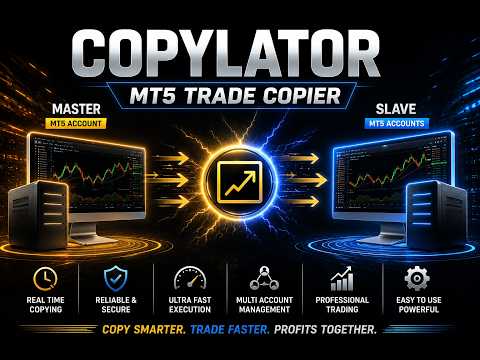
COPYLATOR is an advanced MT5 Trade Copier and Copy Trade EA for replicating trades between multiple MT5 terminals on the same computer or VPS. It can be used as an MT5 Copier, for one-to-many, many-to-one, and many-to-many trade replication. Set Mode and SenderAccountNumber per chart – no external software needed.
Use Cases
Multi-account trading, prop firm management, signal replication, portfolio distribution, and personal use, etc.
Key Features
Advanced Drawdown Protection
COPYLATOR includes a built-in safety mechanism that protects the Receiver account from excessive losses, independent of the Sender’s performance. It monitors two separate drawdown metrics:
- Daily Drawdown – the maximum loss allowed from the highest Equity or Balance value reached during the current trading day (based on the DrawdownBasedOn setting).
- Total Drawdown – the maximum loss allowed from the account’s initial balance ( initialBalance ) at the time the EA was started or last manually reset.
Both values are expressed as percentages. A dedicated dashboard panel displays real-time status, current drawdown percentages, and the time remaining until the next daily reset.
When a drawdown limit is exceeded:
- The EA immediately blocks all new copying (including modifications and pending orders) – this is always applied.
- If CloseOrdersOnDrawdown = true , the EA will close all COPYLATOR-opened positions and delete all COPYLATOR-pending orders on the Receiver account.
- If CloseOrdersOnDrawdown = false , no positions are closed and no pending orders are deleted; only new copying is blocked.
The blocking remains active until a reset occurs. After an automatic daily reset, the system re-evaluates the total drawdown and may immediately trigger the block again if the total drawdown limit is still exceeded. A manual reset establishes a new initialBalance baseline.
| CloseOrdersOnDrawdown | Positions closed? | Pending orders deleted? | New copying blocked? | Can copying resume automatically? |
|---|---|---|---|---|
| true | Yes | Yes | Yes | Only after a reset (daily or manual) |
| false | No | No | Yes | Only after a reset (daily or manual) |
Reset Mechanisms
There are two independent ways to remove the block and resume copying:
1. Automatic Daily Reset (based on ResetHour and ResetMinute using broker's server time)
- Removes the trading block and resets the daily drawdown percentage to zero.
- Does not change the initialBalance (the baseline for total drawdown).
- Important: If the current account balance is still below the original initialBalance , the total drawdown percentage will be recalculated immediately after the reset and may trigger the block again.
2. Manual Reset (using the Reset button in the Drawdown Details panel – Receiver mode only)
- A full and forced reset that can be performed at any time.
- Removes the block, resets both daily and total drawdown percentages, and updates initialBalance to the current account balance at that moment.
- This establishes a new baseline for total drawdown calculation, effectively starting a fresh protection cycle from the current equity/balance.
Configuration Parameters
| Parameter | Description |
|---|---|
| EnableDrawdownProtection | Master switch to enable/disable the entire system. |
| CloseOrdersOnDrawdown | If true , closes all COPYLATOR positions and deletes COPYLATOR pending orders when drawdown is triggered. If false , only blocks new copying without closing/deleting. |
| MaxDailyDrawdownPercent | Maximum allowed daily loss as a percentage from the day’s peak (Equity or Balance). |
| MaxTotalDrawdownPercent | Maximum allowed total loss as a percentage from the initial balance. |
| DrawdownBasedOn | Choose between EQUITY or BALANCE for drawdown calculation. |
| ResetHour / ResetMinute | Daily reset time (using broker's server time). |
Practical Recommendations
- Set conservative limits (e.g., 3–5% daily, 8–10% total) and test on a demo account first.
- Use the Manual Reset button only when you are confident that the account has recovered or you wish to reset the total drawdown baseline.
- Remember that the Automatic Daily Reset does not reset the total drawdown baseline, so if your account is still in loss, the block may re-trigger immediately.
Multi-Sender and Multi-Receiver Support
Run multiple EA instances to create any topology. Each Sender needs a unique account number; each Receiver specifies its Sender via SenderAccountNumber . All instances run independently and simultaneously.
Graphical Dashboard
Reliable Trade Replication
Copies market orders, pending orders (Limit/Stop), SL, and TP. Automatically detects Hedging or Netting accounts and applies the appropriate synchronization method.
Real-time SL/TP Sync: Any manual SL/TP changes on the Sender – including adding stops to trades that had none – are instantly replicated to all matching Receiver trades across Hedging and pending orders. On Netting accounts, SL/TP sync is limited.
Partial Close Support
COPYLATOR supports partial closing of copied positions, allowing part of a position to be closed while the remaining volume stays open.
Reverse Trade Mode
Copies trades in reverse direction (Buy↔Sell) with automatic SL/TP adjustment.
Symbol Mapping & Risk Management
Automatic mapping finds the correct symbol; if not found, a clear warning tells you which symbol is missing and how to add it via SymbolMappings . Manual mappings (e.g., XAUUSD:XAUUSDm) also supported.
Lot management: Use multiplier and balance-ratio scaling (using the Sender/Receiver balance ratio) together, with max lot cap. Fixed lot overrides multiplier and balance-ratio.Custom Comment & Notifications
- CustomCommentPrefix: Adds custom text to the end of copied trade comments (despite the parameter name, the text is appended as a suffix). For example, MyStrategy produces C123456_MyStrategy .
- EnablePushNotifications / EnableEmailAlerts: Receive alerts for important events such as trade openings/closings, drawdown triggers, and errors.
- EmailSubject: Custom subject line for email alerts.
Additional Features
- Multiple Sender/Receiver terminals concurrently.
- Custom SL/TP (copy from Sender or fixed distances).
- Buy-only / Sell-only filters.
- Day & Time filters with auto-close at window end.
- Maximum lot size limitation.
Complete Input Parameters
Core Settings
| Parameter | Description |
|---|---|
| Mode | SENDER or RECEIVER. |
| SenderAccountNumber | In Receiver mode: account to copy from. In Sender mode: ignored. |
| CopyPending | Copy pending orders (limit/stop) along with market orders. |
| CopyWithReversal | Reverse direction (Buy↔Sell) with auto SL/TP adjustment. |
| CopyStopLoss / CopyTakeProfit | Enable copying SL/TP from sender. |
| CustomStopLoss / CustomTakeProfit | Override with fixed distance in pips; 0 = use sender's values. |
Symbol & Filtering
| Parameter | Description |
|---|---|
| SymbolMappings | Pair mappings (e.g., XAUUSD:Gold). |
| MaxSpread | Maximum spread in pips (not points). For example, 3.0 pips means 30 points on a 5-digit broker. Set to 0 to disable. |
| CopyLongOnly | Copy only Buy (long) trades. |
| CopyShortOnly | Copy only Sell (short) trades. |
Lot & Risk Management
| Parameter | Description |
|---|---|
| UseBalanceRatio | Scale lot size using the Sender/Receiver balance ratio. |
| EnableLotMultiplier | Multiply Sender volume by specified factor. |
| LotMultiplierValue | Multiplier factor. |
| FixedLotSize | Override volume with fixed lot; 0 = use multiplier/ratio logic. |
| MaxLotSize | Absolute lot cap. |
Day & Time Filters
| Parameter | Description |
|---|---|
| AllowMonday … AllowFriday | Enable or disable trading on each specific day (Monday–Friday). Weekends are always blocked by the EA. |
| EnableTimeFilter | Restrict to daily GMT window. |
| StartHourGMT / StartMinuteGMT | Window start. |
| EndHourGMT / EndMinuteGMT | Window end. |
| CloseOrdersAtEnd | Auto-close all copied positions at window end. |
Notifications & Custom Comment
| Parameter | Description |
|---|---|
| CustomCommentPrefix | Adds custom text to the end of copied trade comments (despite the parameter name, it is appended as a suffix). Example: MyStrategy produces C123456_MyStrategy . |
| EnablePushNotifications | Send push notifications to mobile. |
| EnableEmailAlerts | Send email alerts. |
| EmailSubject | Subject line for email alerts. |
Configuration Examples
Example 1 – Fixed Lot Size:
FixedLotSize = 0.01 , EnableLotMultiplier = false , UseBalanceRatio = false .
Example 2 – Balance-based scaling:
UseBalanceRatio = true , EnableLotMultiplier = false , FixedLotSize = 0 .
Example 3 – Copy only Buy trades:
CopyLongOnly = true , CopyShortOnly = false .
Example 4 – Full Drawdown Protection (close & block):
EnableDrawdownProtection = true , CloseOrdersOnDrawdown = true , MaxDailyDrawdownPercent = 5.0 , MaxTotalDrawdownPercent = 10.0 .
Supported Trade Types
Market orders (Buy/Sell), pending orders (Buy Limit, Sell Limit, Buy Stop, Sell Stop), direction filtering (Long-only / Short-only), and partial closing of positions.
Account Type Support
COPYLATOR supports all standard Forex account types, including ECN, etc. In general, accounts are categorized into two main types, both of which are fully supported:
- Hedging accounts: Full support for all features including Reverse Mode, pending order replication, and individual ticket-based copying.
- Netting accounts: Only one position per symbol is allowed. Some features such as Reverse Mode and pending order replication may not be applicable and will be automatically ignored or adjusted by the EA to prevent errors. The system handles this seamlessly without requiring manual intervention.
SL/TP Modification: Add or modify SL/TP at any time, even after trade open. Works identically across Hedging and pending orders. Netting accounts have limited SL/TP sync.
Best Practices
- Set drawdown protection conservatively (e.g., 3–5% daily, 8–10% total) and test on demo.
- Run terminals continuously – use a VPS for 24/7 operation.
- Use time filters to avoid low-liquidity hours.
Installation & Quick Start
Step 1 – Sender: Attach EA, set Mode = SENDER , enable AutoTrading.
Step 2 – Receiver(s): Attach EA, set Mode = RECEIVER , enter SenderAccountNumber , enable AutoTrading.
Step 3 – Verify: Sender dashboard shows connected Receivers. Open a trade – it appears on all Receivers.
Notes: One chart per terminal. Restart after config changes. Test on demo first.
Conclusion
COPYLATOR offers advanced drawdown protection, flexible lot management, real-time SL/TP sync, a graphical dashboard, custom comment suffixes, and notification alerts. With auto-detection of Hedging/Netting, smart error handling, Partial Close Support, and no external dependencies, it provides reliable trade replication across a wide range of MT5 brokers and account setups.
Important Notes
- All terminals must remain running.
- Each Sender must have a unique account number; each Receiver must specify the correct SenderAccountNumber .
- If the automatic symbol mapping fails to find a symbol, the EA will display a clear warning message. You can manually add the missing symbol pair in the SymbolMappings field using the format SenderSymbol:ReceiverSymbol (e.g., XAUUSD:XAUUSDm ). This ensures that trades are copied correctly even when broker symbols differ.
- The MaxSpread parameter is measured in pips, not points. For example, on a 5-digit broker, 3.0 pips equals 30 points. Set to 0 to disable spread filtering.
- On Netting accounts, some features such as Reverse Mode and pending order replication may not be applicable due to the single-position-per-symbol limitation imposed by the broker. The EA automatically detects this and handles it seamlessly without manual intervention.
- Drawdown Protection Reset: The automatic daily reset only removes the block and resets daily drawdown, but does not change the initialBalance baseline. To fully reset the total drawdown baseline, use the manual Reset button on the Drawdown Details panel (Receiver mode).
- Buy/Sell Buttons in the Video: The Buy and Sell buttons shown on the chart are built-in MetaTrader 5 One Click Trading buttons and are not part of COPYLATOR. To enable them, go to Tools → Options → Trade → Enable One Click Trading. You can show or hide the panel by right-clicking the chart and selecting One Click Trading, or by pressing Alt+T. To manually close a position, open Toolbox → Trade, right-click the position, and select Close Position. These are standard MT5 functions and are independent of COPYLATOR.















































I buy on MQL market since many years a lot of indicators, some EA of trading, and few copier. This copier is interesting with quite all functionalities needed but keep things clear and the most simple as possible. Even it was Sunday i have 1 question important for me and also i make 1 mistake in one parameter means i ask 2 times information's. Each time i had a quick response precise and accurate. Seller who do the same show clearly that they really care of there users satisfaction after buying and for me it is the most important especially because the fingers of 1 hand are enough to count this nice comportment. Then Thank you a lot for yours responses. Today i will test it in open market and come back to complete my review.