MT5 Trade Copier Copy Trade MT5 EA

COPYLATOR – MT5 Trade Copier

Key Highlights

  • Multi-Sender / Multi-Receiver Trade Replication – supports one-to-many, many-to-one, and many-to-many configurations, with complete real-time copying of market orders, pending orders, SL, and TP.
  • Advanced drawdown protection – closing, blocking, pending-order deletion, manual and automatic reset mechanisms.
  • Automatic symbol mapping – finds correct symbols, alerts if missing, allows manual override.
  • Hedging & Netting support – auto-detected, no manual setup.
  • Real-time SL/TP sync – updates stops even after trade is open, including trades opened without them.
  • Flexible lot management – fixed lot, multiplier, balance-ratio scaling, max lot cap.
  • Partial Close Support – close part of a copied position while keeping the remaining volume open.
  • No DLL required – single-chart installation.
  • Investor password support – In investor password mode, the Sender EA only reads positions and orders and does not send trades. Therefore, you can run the Sender EA on a VPS using an investor (read-only) password while placing trades from another terminal with the main password. The Sender EA will read those trades and copy them to Receiver accounts on the same VPS. Actual trades are executed only on Receiver accounts.

    Overview

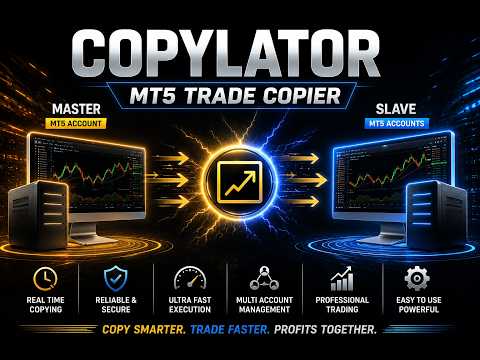
    COPYLATOR is an advanced MT5 Trade Copier and Copy Trade EA for replicating trades between multiple MT5 terminals on the same computer or VPS. It can be used as an MT5 Copier, for one-to-many, many-to-one, and many-to-many trade replication. Set Mode and SenderAccountNumber per chart – no external software needed.

    Use Cases

    Multi-account trading, prop firm management, signal replication, portfolio distribution, and personal use, etc.

    Key Features

    Advanced Drawdown Protection

    COPYLATOR includes a built-in safety mechanism that protects the Receiver account from excessive losses, independent of the Sender’s performance. It monitors two separate drawdown metrics:

    • Daily Drawdown – the maximum loss allowed from the highest Equity or Balance value reached during the current trading day (based on the DrawdownBasedOn setting).
    • Total Drawdown – the maximum loss allowed from the account’s initial balance ( initialBalance ) at the time the EA was started or last manually reset.

    Both values are expressed as percentages. A dedicated dashboard panel displays real-time status, current drawdown percentages, and the time remaining until the next daily reset.

    When a drawdown limit is exceeded:

    1. The EA immediately blocks all new copying (including modifications and pending orders) – this is always applied.
    2. If CloseOrdersOnDrawdown = true , the EA will close all COPYLATOR-opened positions and delete all COPYLATOR-pending orders on the Receiver account.
    3. If CloseOrdersOnDrawdown = false , no positions are closed and no pending orders are deleted; only new copying is blocked.

    The blocking remains active until a reset occurs. After an automatic daily reset, the system re-evaluates the total drawdown and may immediately trigger the block again if the total drawdown limit is still exceeded. A manual reset establishes a new initialBalance baseline.

    CloseOrdersOnDrawdown Positions closed? Pending orders deleted? New copying blocked? Can copying resume automatically?
    true Yes Yes Yes Only after a reset (daily or manual)
    false No No Yes Only after a reset (daily or manual)

    Reset Mechanisms

    There are two independent ways to remove the block and resume copying:

    1. Automatic Daily Reset (based on ResetHour and ResetMinute using broker's server time)
    • Removes the trading block and resets the daily drawdown percentage to zero.
    • Does not change the initialBalance (the baseline for total drawdown).
    • Important: If the current account balance is still below the original initialBalance , the total drawdown percentage will be recalculated immediately after the reset and may trigger the block again.
    2. Manual Reset (using the Reset button in the Drawdown Details panel – Receiver mode only)
    • A full and forced reset that can be performed at any time.
    • Removes the block, resets both daily and total drawdown percentages, and updates initialBalance to the current account balance at that moment.
    • This establishes a new baseline for total drawdown calculation, effectively starting a fresh protection cycle from the current equity/balance.

    Configuration Parameters

    Parameter Description
    EnableDrawdownProtection Master switch to enable/disable the entire system.
    CloseOrdersOnDrawdown If true , closes all COPYLATOR positions and deletes COPYLATOR pending orders when drawdown is triggered. If false , only blocks new copying without closing/deleting.
    MaxDailyDrawdownPercent Maximum allowed daily loss as a percentage from the day’s peak (Equity or Balance).
    MaxTotalDrawdownPercent Maximum allowed total loss as a percentage from the initial balance.
    DrawdownBasedOn Choose between EQUITY or BALANCE for drawdown calculation.
    ResetHour / ResetMinute Daily reset time (using broker's server time).

    Practical Recommendations

    • Set conservative limits (e.g., 3–5% daily, 8–10% total) and test on a demo account first.
    • Use the Manual Reset button only when you are confident that the account has recovered or you wish to reset the total drawdown baseline.
    • Remember that the Automatic Daily Reset does not reset the total drawdown baseline, so if your account is still in loss, the block may re-trigger immediately.

    Multi-Sender and Multi-Receiver Support

    Run multiple EA instances to create any topology. Each Sender needs a unique account number; each Receiver specifies its Sender via SenderAccountNumber . All instances run independently and simultaneously.

    Graphical Dashboard

    Displays account info, sync status, mode, and Drawdown Protection panel (Receiver mode). Visible by default in Receiver mode.

    Reliable Trade Replication

    Copies market orders, pending orders (Limit/Stop), SL, and TP. Automatically detects Hedging or Netting accounts and applies the appropriate synchronization method.

    Real-time SL/TP Sync: Any manual SL/TP changes on the Sender – including adding stops to trades that had none – are instantly replicated to all matching Receiver trades across Hedging and pending orders. On Netting accounts, SL/TP sync is limited.

    Partial Close Support

    COPYLATOR supports partial closing of copied positions, allowing part of a position to be closed while the remaining volume stays open.

    Reverse Trade Mode

    Copies trades in reverse direction (Buy↔Sell) with automatic SL/TP adjustment.

    Symbol Mapping & Risk Management

    Automatic mapping finds the correct symbol; if not found, a clear warning tells you which symbol is missing and how to add it via SymbolMappings . Manual mappings (e.g., XAUUSD:XAUUSDm) also supported.

    Lot management: Use multiplier and balance-ratio scaling (using the Sender/Receiver balance ratio) together, with max lot cap. Fixed lot overrides multiplier and balance-ratio.

    Custom Comment & Notifications

    • CustomCommentPrefix: Adds custom text to the end of copied trade comments (despite the parameter name, the text is appended as a suffix). For example, MyStrategy produces C123456_MyStrategy .
    • EnablePushNotifications / EnableEmailAlerts: Receive alerts for important events such as trade openings/closings, drawdown triggers, and errors.
    • EmailSubject: Custom subject line for email alerts.

    Additional Features

    • Multiple Sender/Receiver terminals concurrently.
    • Custom SL/TP (copy from Sender or fixed distances).
    • Buy-only / Sell-only filters.
    • Day & Time filters with auto-close at window end.
    • Maximum lot size limitation.

    Complete Input Parameters

    Core Settings

    Parameter Description
    Mode SENDER or RECEIVER.
    SenderAccountNumber In Receiver mode: account to copy from. In Sender mode: ignored.
    CopyPending Copy pending orders (limit/stop) along with market orders.
    CopyWithReversal Reverse direction (Buy↔Sell) with auto SL/TP adjustment.
    CopyStopLoss / CopyTakeProfit Enable copying SL/TP from sender.
    CustomStopLoss / CustomTakeProfit Override with fixed distance in pips; 0 = use sender's values.

    Symbol & Filtering

    Parameter Description


    SymbolMappings Pair mappings (e.g., XAUUSD:Gold).
    MaxSpread Maximum spread in pips (not points). For example, 3.0 pips means 30 points on a 5-digit broker. Set to 0 to disable.
    CopyLongOnly Copy only Buy (long) trades.
    CopyShortOnly Copy only Sell (short) trades.

    Lot & Risk Management

    Parameter Description
    UseBalanceRatio Scale lot size using the Sender/Receiver balance ratio.
    EnableLotMultiplier Multiply Sender volume by specified factor.
    LotMultiplierValue Multiplier factor.
    FixedLotSize Override volume with fixed lot; 0 = use multiplier/ratio logic.
    MaxLotSize Absolute lot cap.

    Day & Time Filters

    Parameter Description
    AllowMonday … AllowFriday Enable or disable trading on each specific day (Monday–Friday). Weekends are always blocked by the EA.
    EnableTimeFilter Restrict to daily GMT window.
    StartHourGMT / StartMinuteGMT Window start.
    EndHourGMT / EndMinuteGMT Window end.
    CloseOrdersAtEnd Auto-close all copied positions at window end.

    Notifications & Custom Comment

    Parameter Description
    CustomCommentPrefix Adds custom text to the end of copied trade comments (despite the parameter name, it is appended as a suffix). Example: MyStrategy produces C123456_MyStrategy .
    EnablePushNotifications Send push notifications to mobile.
    EnableEmailAlerts Send email alerts.
    EmailSubject Subject line for email alerts.

    Configuration Examples

    Example 1 – Fixed Lot Size:
    FixedLotSize = 0.01 , EnableLotMultiplier = false , UseBalanceRatio = false .

    Example 2 – Balance-based scaling:
    UseBalanceRatio = true , EnableLotMultiplier = false , FixedLotSize = 0 .

    Example 3 – Copy only Buy trades:
    CopyLongOnly = true , CopyShortOnly = false .

    Example 4 – Full Drawdown Protection (close & block):
    EnableDrawdownProtection = true , CloseOrdersOnDrawdown = true , MaxDailyDrawdownPercent = 5.0 , MaxTotalDrawdownPercent = 10.0 .

    Supported Trade Types

    Market orders (Buy/Sell), pending orders (Buy Limit, Sell Limit, Buy Stop, Sell Stop), direction filtering (Long-only / Short-only), and partial closing of positions.

    Account Type Support

    COPYLATOR supports all standard Forex account types, including ECN, etc. In general, accounts are categorized into two main types, both of which are fully supported:

    • Hedging accounts: Full support for all features including Reverse Mode, pending order replication, and individual ticket-based copying.
    • Netting accounts: Only one position per symbol is allowed. Some features such as Reverse Mode and pending order replication may not be applicable and will be automatically ignored or adjusted by the EA to prevent errors. The system handles this seamlessly without requiring manual intervention.

    SL/TP Modification: Add or modify SL/TP at any time, even after trade open. Works identically across Hedging and pending orders. Netting accounts have limited SL/TP sync.

    Best Practices

    • Set drawdown protection conservatively (e.g., 3–5% daily, 8–10% total) and test on demo.
    • Run terminals continuously – use a VPS for 24/7 operation.
    • Use time filters to avoid low-liquidity hours.

    Installation & Quick Start

    Step 1 – Sender: Attach EA, set Mode = SENDER , enable AutoTrading.

    Step 2 – Receiver(s): Attach EA, set Mode = RECEIVER , enter SenderAccountNumber , enable AutoTrading.

    Step 3 – Verify: Sender dashboard shows connected Receivers. Open a trade – it appears on all Receivers.

    Notes: One chart per terminal. Restart after config changes. Test on demo first.

    Conclusion

    COPYLATOR offers advanced drawdown protection, flexible lot management, real-time SL/TP sync, a  graphical dashboard, custom comment suffixes, and notification alerts. With auto-detection of Hedging/Netting, smart error handling, Partial Close Support, and no external dependencies, it provides reliable trade replication across a wide range of MT5 brokers and account setups.

    Important Notes

    • All terminals must remain running.
    • Each Sender must have a unique account number; each Receiver must specify the correct SenderAccountNumber .
    • If the automatic symbol mapping fails to find a symbol, the EA will display a clear warning message. You can manually add the missing symbol pair in the SymbolMappings field using the format SenderSymbol:ReceiverSymbol (e.g., XAUUSD:XAUUSDm ). This ensures that trades are copied correctly even when broker symbols differ.
    • The MaxSpread parameter is measured in pips, not points. For example, on a 5-digit broker, 3.0 pips equals 30 points. Set to 0 to disable spread filtering.
    • On Netting accounts, some features such as Reverse Mode and pending order replication may not be applicable due to the single-position-per-symbol limitation imposed by the broker. The EA automatically detects this and handles it seamlessly without manual intervention.
    • Drawdown Protection Reset: The automatic daily reset only removes the block and resets daily drawdown, but does not change the initialBalance baseline. To fully reset the total drawdown baseline, use the manual Reset button on the Drawdown Details panel (Receiver mode).
    • Buy/Sell Buttons in the Video: The Buy and Sell buttons shown on the chart are built-in MetaTrader 5 One Click Trading buttons and are not part of COPYLATOR. To enable them, go to Tools → Options → Trade → Enable One Click Trading. You can show or hide the panel by right-clicking the chart and selecting One Click Trading, or by pressing Alt+T. To manually close a position, open Toolbox → Trade, right-click the position, and select Close Position. These are standard MT5 functions and are independent of COPYLATOR.
    Prodotti consigliati
    Real-Time Spread Display Tool A   real-time spread display tool   is a specialized software or application designed to provide traders and investors with instant, live data on the   spread —the difference between the bid price (the price at which buyers are willing to purchase an asset) and the ask price (the price at which sellers are willing to sell it)—for various financial instruments. This tool is critical in markets such as forex (FX), stocks, futures, and cryptocurrencies, where price f
    ​Notification Spy Protector is a MetaTrader 5 Expert Advisor (Utility) that monitors your trading activity and sends real-time alerts to your mobile device (via MT5 Push) and/or Telegram. Equipped with a solid and reliable Account Protector, this utility is fully compatible and highly recommended for Prop Firm trading to safeguard your accounts from violating drawdown limits. It also provides advanced transaction filters and a clean on-chart dashboard. Never miss a trade. Protect your account f
    ProbAlgo
    Marius Ovidiu Sunzuiana
    ProbAlgo is an institutional‑grade trading indicator engineered to mirror the analytical discipline used inside major banks and hedge funds. Its core strength is not just detecting when to trade — but knowing when not to trade. By combining probabilistic modeling, volatility diagnostics, liquidity behavior, and structural market filters, ProbAlgo isolates the rare moments when conditions genuinely support a high‑quality entry. Instead of chasing every move, ProbAlgo evaluates the market through
    Signalator Local Trade Copier MT5 è un copier locale veloce per eseguire terminali Master e Receiver sullo stesso computer o VPS. Supporta la copia cross-platform tra terminali MT4, MT5 e cTrader in qualsiasi direzione: MT4 ↔ MT5 ↔ cTrader e tutte le altre combinazioni. Copia le operazioni localmente senza relay cloud esterni. Il Master pubblica l'attività di trading tramite un bridge locale e ogni Receiver controlla cosa copiare, quali conti Master accettare, come mappare i simboli, come dimens
    Trade Copier Simple Guide Trade Copier is an Expert Advisor (EA) for MetaTrader 5 (MT5) that lets you automatically copy trades from one account (the "Master") to another (the "Receiver"). It's designed for users who want to duplicate trading strategies across multiple accounts on the  same computer . No internet or external servers are needed—it uses a shared file on your machine to transfer trade info securely and quickly. How It Works Master Mode : Attach the EA to a chart on your main tradin
    You have 5 positions open on XAUUSD. Net floating is +$30 - looks fine. But look closer: 3 buys, 2 sells. The buys are carrying 0.60 lots, the sells only 0.20. One of those buys has been sitting underwater for 90 minutes. Margin level is at 390% and drifting down. Stress is building - quietly, invisibly - while the terminal just shows you a list of rows. Current price: $59 - increases by $10 after every 20 purchases until reaching the final price of $119 . Next price: $69 . Complete Buyer Kit: 4
    Symbol Cost Info
    Opeyemi Fuad Anokwu
    Introducing the “Symbol Cost Info MT5” indicator – your ultimate tool for staying ahead in the forex market! This innovative indicator is designed to empower traders with real-time cost information, directly on their charts. Here’s why every trader needs the “Symbol Cost Info MT5” in their arsenal: Real-Time Spread Monitoring : Keep a close eye on the spread for any currency pair, ensuring you enter the market at the most cost-effective times. Pip Value at Your Fingertips : Instantly know the v
    FREE
    Advanced Trailing Stop & Break-Even Expert Advisor with Partial Profit Taking Overview Unlock the full potential of your trading strategy with this Expert Advisor that automates trade management to maximize profits and minimize losses. Designed for both novice and experienced traders, this EA offers precise control over your trades with customizable trailing stops, break-even protection, and partial profit taking — all working seamlessly to protect your capital and lock in gains. Key Features Dy
    This tool allows you to export MetaTrader indicator data (buffers) for any financial instrument available in your MetaTrader 5. You can export multiple Symbols and Timeframes into a single CSV file. You can also schedule the export frequency (every 1 minute, 5 minutes, 60 minutes, etc.). There is no need to open multiple charts to retrieve recent data—the tool downloads the data directly. The CSV file will be saved in the folder: \MQL5\Files . How it works Report Tab Select the indicators and o
    FREE
    Trend Alignment Scanner Pro The Ultimate Volatility Direction Score Dashboard for MetaTrader 5 Are you tired of flipping through dozens of charts just to find a single valid setup? Meet Trend Alignment Scanner Pro , an institutional-grade multi-symbol, multi-timeframe dashboard engineered to detect high-probability market imbalances in real-time. Powered by our proprietary Volatility Direction Score (VDS) Engine , this scanner filters out market noise and ranks the most explosive, trend-aligned
    "Quick Copier" is designed to copy trading without any complicated settings. It copies master orders faster than "Just Copier" (https://www.mql5.com/en/market/product/20920). Please also check this product at fxina.hostingerapp.com.  The copy can be done in one PC. One EA can be set as master (provider) or slave (receiver). The receiver lot can be set to multiple providers lots. Any type of copy is available. MT4 -> MT5 MT4 -> MT4 MT5 -> MT5 MT5 -> MT4 If you want to copy MT4 -> MT5 or MT5 -> MT
    Have you ever take a long time to watch a Symbol when the network link is not good ? Have you ever wait for a long time when you switch chart between different Symbols or different TimeFrames ? If you do long-term backtesting , Have you ever to be downloaded datas for a long time ? Yes, If there is no data in the system, those will happen.  1. What is this: Download all the Symbol data in Market Watch to the system. PS: This is not outputting data to Files. This Link go to Demo version: https:/
    Telegram to mt5 signal copier
    Chukwuemeka Kingsley Anyanwu
    5 (2)
    **COPIA I SEGNALI DA QUALSIASI CANALE TELEGRAM ED ESEGUE IMMEDIATAMENTE L'OPERAZIONE SU MT5 SENZA DIRITTI DI AMMINISTRATORE!** Ricevi segnali di trading su Telegram e desideri che vengano eseguiti istantaneamente su MetaTrader 5? **Telegram to MT5 Signal Copier** è un potente ponte tra i tuoi canali di segnali Telegram e MetaTrader 5. Ascolta i messaggi da un canale Telegram specifico ed estrae automaticamente i segnali di trading — inclusi simbolo, direzione, prezzo di entrata, stop loss e t
    Blog di MQL5: https://www.mql5.com/en/blogs/post/761446 Versione MT4: https://www.mql5.com/en/market/product/136790 Versione MT5: https://www.mql5.com/en/market/product/136791 Time Wizard è un assistente di trading professionale pensato per i trader che necessitano di velocità, tempismo e controllo dell'esecuzione in un'unica dashboard intuitiva. Questo Expert Advisor è progettato per il trading basato su eventi, l'esecuzione programmata e la gestione semiautomatica rapida degli ordini. Conse
    Just Copier MT5
    Agung Imaduddin
    4.75 (4)
    "Just copier" is designed to copy trading without any complicated settings. The copy can be done in one PC. One EA can be set as master (provider) or slave (receiver). The receiver lot can be set to multiple providers lots. Please also check this product at fxina.hostingerapp.com.  Any type of copy is available. MT4 -> MT5 MT4 -> MT4 MT5 -> MT5 MT5 -> MT4 If you want to copy MT4 -> MT5 or MT5 -> MT4, please purchase "Just copier" for MT4 and "Just copier" for MT5 separately. Just Copier can copy
    Boleta de negociação, adiciona automáticamente as ordens Take Profit e Stop Loss quando excutada uma ordem de compra ou venda. Ao apertar as teclas de atalho (A, D, ou TAB), serão inseridas duas linhas de pre-visualização, representando as futuras ordens de take profit (azul) e stop loss (vermelho), as quais irão manter o distanciamento especificado pelo usuário. Ditas ordens só serão adicionadas ao ser executada a ordem inicial. Ao operar a mercado, as ordens pendentes de take profit, e stop lo
    Chart Date Jump Chart Date Jump is a lightweight MetaTrader 5 utility that helps you open historical chart context in seconds. Enter a target Day / Month / Year / Hour / Minute , press Go to datetime , and the chart scrolls to the matching bar and centers it in the window. A vertical marker is drawn on the located candle so you can instantly see the exact time you jumped to. Key features Jump to an exact date and time on the current symbol/period Center the found bar in the visible chart area Ma
    Buy Sell Multiple
    Hoai Phuong Tran
    Buy Sell Multiple Panel - Execute Bulk Orders in a Single Click! Description Save time and seize market opportunities instantly. This powerful panel allows you to place multiple buy or sell orders simultaneously, each with custom lot sizes, take-profit, and stop-loss levels. Perfect for sophisticated entry strategies and managing complex trades efficiently. Key Features Bulk Order Execution: Open multiple market orders at once with just one click. Flexible Lot Sizing: Set individual lot sizes f
    WADDAH ATTAR EXPLOSION PRO: MULTI-FILTER ULTIMATE TREND & BREAKOUT SYSTEM PRODUCT DETAILS Product Type    : Custom Technical Indicator (MT5 / MQL5) Category        : Trend & Momentum / Breakout / Multi-Filter Trading Trading Platform: MetaTrader 5 (MT5) Compatible Assets: Forex, Gold (XA
    TerminatorTrades
    Uriel Alfredo Evia Canche
    "Terminator Trades " EA robot, built on the powerful MQ5 code,  is designed to simplify the process of closing your positions and pending orders. You can adjust if you want close all the trades or by specific symbols. With just a single click on a button, you can efficiently manage your current positions, ensuring that you never miss an opportunity to terminate a trade.  Close Trades , Delete Pending Orders with Terminator Trades. 
    FREE
    Welcome to Smart Algo Trade Panel Manager MT5 - the ultimate   risk management tool designed to make trading more effective based on user needs.  It is a comprehensive solution for seamless trade planning, position management, and enhanced control over risk. It does not matter weather you a beginner or an advanced trader, or a scalper needing rapid executions, SmartAlgo Trade Panel  adapts to your needs offering flexibility across all markets of your choice. You can put SL, Lot and TP of choice
    MT5 history exporter for accurate trade analysis and CSV export. Export trades to Excel from MetaTrader 5 with full performance metrics. Advanced MT5 trade analyzer with MAE, trade duration, and reconstruction. Usually platforms hide critical information about how your trades actually behave. History Downloader and Trade Analyzer solves this. It rebuilds your trades from raw deal history and exports a clean, structured dataset with accurate metrics MT5 does not provide. What You Get A fully s
    Risk Manager Optimum
    Freedom Uzochukwu Nnadi
    5 (1)
    RiskManagerOptimum for MetaTrader 5 – Your Ultimate Trading Safety Net! RiskManagerOptimum is the most advanced and professional trade and account risk management Expert Advisor for MetaTrader 5. It does not open trades. It monitors and manages existing positions in real time to control risk, drawdown, and exposure across all symbols. The EA is designed for manual traders, algorithmic traders, and portfolio traders who require strict and automated risk control across Forex, metals, crypto, indi
    Live Price With PNL
    Muhammad Jawad Shabir
    INDICATORE VISUALIZZAZIONE PREZZO LIVE E PROFITTO TOTALE PERFETTO PER TRADING LIVE E CONDIVISIONE SCHERMO Progettato specificamente per day trader, scalper e sessioni di trading in streaming live Questo indicatore professionale fornisce visualizzazione prezzi in tempo reale e tracciamento completo dei profitti direttamente sul tuo grafico - essenziale per trading ad alta frequenza e trasmissioni di trading live. CARATTERISTICHE PRINCIPALI VISUALIZZAZIONE PREZZO IN TEMPO REALE Aggiornamenti prezz
    FREE
    Volatility Regime Monitor is a professional MetaTrader 5 dashboard for classifying current volatility with transparent, measurable context. It combines ATR, recent bar-range statistics and historical percentiles to show whether the market is compressed, normal or expanding without generating entry signals. MAIN FEATURES • ATR and recent range context • Historical volatility percentile state • Compression, normal and expansion classification • Historical regime table • Transparent thresholds and
    News System Detector
    Bukola Omolola Adesina
    If you're unable to download the demo or get the demo working due to mql5 complications, you can message me on telegram  https://t.me/Motolani1 and I will send you a one week testing version.  THANK YOU FOR YOUR PATRONAGE. News Detector System . Stay ahead of market volatility with the News Detector System . This indicator automatically fetches and displays high-impact economic data directly on your MetaTrader 5 chart, ensuring you are never caught off guard by major news releases. By pulling d
    Keyboard Scalper Pro
    Mauricio Eduardo Lara Perez
    Keyboard Scalper Pro is a customizable keyboard trading utility for MetaTrader 5. It is designed for traders who want direct manual control of order execution without being limited to a fixed keyboard layout. Every trading hotkey can be configured to match the user's preferred workflow, while the default layout is built around the numeric keypad for fast operation. The utility does not generate signals and does not decide when to trade. The trader chooses the setup, direction and timing. Keyb
    You can see Binance Spot data instantly in Metatrader 5 and it allows you to use all the features that Metatrader has provided to you. You can access the data of all symbols listed on Binance Futures. Don't forget to set the timezone. Binance it's 00:00 UTC. You need to fix it according to your own country You need to install the free Binance Spot Symbol List plugin. https://www.mql5.com/tr/market/product/83507 After loading, it automatically downloads the data of the cryptos in the market obser
    Atlas Trade Desk
    Bernhard Wurzlbauer
    Atlas Trade Desk MT5 Atlas Trade Desk MT5 is a visual trade panel, risk manager and lot calculator for manual MetaTrader 5 traders. Plan market and pending orders directly on the chart, calculate position size from your selected risk, adjust Entry, Stop Loss and Take Profit visually, and manage open positions from one clean dashboard. The tool is built for discretionary traders who want faster order preparation, clearer risk control and safer position management without switching between multipl
    Telegram to mt5 pro
    Janet Abu Khalil
    4 (4)
    Telegram to MT5 Pro — Advanced Telegram Signal Copier with Auto-Fix, Multi-TP, Risk Control and Full Trade Management Telegram to MT5 Pro — Copiatore di segnali Telegram professionale Telegram to MT5 Pro è un copiatore di trading ad alte prestazioni che esegue automaticamente i segnali da Telegram direttamente nel tuo account MetaTrader 5, con pieno controllo su rischio, esecuzione e gestione del trading. Il sistema è composto da due componenti: • L’Expert Advisor (EA) che gira all’interno di M
    Gli utenti di questo prodotto hanno anche acquistato
    Trade Assistant MT5
    Evgeniy Kravchenko
    4.43 (216)
    It helps to calculate the risk per trade, the easy installation of a new order, order management with partial closing functions, trailing stop of 7 types and other useful functions. Additional materials and instructions Installation instructions - Application instructions - Trial version of the application for a demo account Line function -   shows on the chart the Opening line, Stop Loss, Take Profit. With this function it is easy to set a new order and see its additional characteristics bef
    Forex Trade Manager MT5
    InvestSoft
    4.98 (685)
    Benvenuto a Trade Manager EA, lo strumento definitivo per la gestione del rischio , progettato per rendere il trading più intuitivo, preciso ed efficiente. Non è solo uno strumento per l'esecuzione degli ordini, ma una soluzione completa per la pianificazione delle operazioni, la gestione delle posizioni e il controllo del rischio. Che tu sia un principiante, un trader avanzato o uno scalper che necessita di esecuzioni rapide, Trade Manager EA si adatta alle tue esigenze, offrendo flessibilità s
    Local Trade Copier EA MT5
    Juvenille Emperor Limited
    4.94 (149)
    Local Trade Copier EA MT5 è un trade copier rapido e flessibile per copiare e gestire operazioni tra più conti MetaTrader 5 sullo stesso computer Windows o Windows VPS. Combina la sincronizzazione locale delle operazioni con controlli lato Receiver per dimensione del lotto, gestione del rischio, filtraggio delle operazioni, mappatura dei simboli, gestione delle operazioni e protezione del conto. Configura i terminali Transmitter e Receiver in circa 1 minuto e copia operazioni manuali o aperte d
    Telegram to MT5 MultiChannel Copier
    Sergio Marquez Uroz
    4.61 (18)
    Telegram to MT5 Multi-Channel Copier   copia automaticamente i segnali di trading dai tuoi canali Telegram direttamente su MetaTrader 5. Niente bot, niente estensioni del browser, niente copia manuale. Il segnale arriva su Telegram e l'EA apre l'operazione nel tuo terminale in pochi secondi. E prima di copiare un canale, il backtester integrato ti mostra cosa avrebbe fatto quel canale sul tuo conto. Il prodotto include due componenti: un'applicazione Windows che ascolta i tuoi canali Telegram, e
    Strategy Ledger Pro
    Abdullah Uygar Tuna
    5 (7)
    Ora disponibile in italiano. Strategy Ledger Pro è un pannello di analisi del conto in sola lettura per MetaTrader 5. Separa i risultati del conto per Expert Advisor, strategia, simbolo e numero magic, così puoi vedere quanto contribuisce davvero ciascuno. Il pannello è disponibile in 11 lingue: English, Français, Deutsch, Español, Italiano, Português, Русский, Türkçe, 中文, 日本語 e 한국어. Prima di scaricare la demo. Il Market esegue la demo di qualsiasi prodotto a pagamento solo nello Strategy Teste
    ================================================================================ POC BREAKOUT - V20.72. Full Professional Grade Toolkit ================================================================================ POC Breakout is a full MetaTrader 5 trading dashboard for discretionary traders who want breakout signals, Point of Control (POC) context, volume profiles, order flow, market structure, news, alerts, and advanced trade planning in one professional workspace. Attached directly to you
    TradePanel MT5
    Alfiya Fazylova
    4.88 (170)
    Trade Panel è un assistente commerciale multifunzionale. L'applicazione contiene più di 50 funzioni di trading per il trading manuale e permette di automatizzare la maggior parte delle attività commerciali. Istruzioni per l'applicazione: https://www.mql5.com/it/blogs/post/762331 Versione di prova dell'applicazione per un conto demo: https://www.mql5.com/it/blogs/post/762419 Come installare l'applicazione: https://www.mql5.com/it/blogs/post/762362 Come testare l'applicazione in modalità visuale:
    Copia i segnali Telegram con le tue regole di trading Telegram to MT5 Signal Trader copia automaticamente i segnali di trading testuali dai canali e gruppi Telegram pubblici e privati in MetaTrader 5. Gestisci più fornitori e conti MT5 da un'unica applicazione desktop, con impostazioni di rischio e di trading specifiche per ogni fornitore . Per copiare i segnali non servono bot Telegram né configurazioni API. Accedi semplicemente con il tuo account Telegram tramite numero di telefono o codice QR
    FarmedHedge Pair Trading Dashboard
    Tanapisit Tepawarapruek
    5 (5)
    Farmed Hedge Yield Farming | All Markets (Manual - Hybrid - Semi/Automated EA) VERIFIED TRADING RESULTS - Farmed Hedge Yield Axi Copy:  https://www.mql5.com/en/signals/2356376 - Farmed Hedge Yield Exn Copy:   https://www.mql5.com/en/signals/2356404 - Farmed Hedge Yield V Copy:  https://www.mql5.com/en/signals/2357156 IMPORTANT NOTICE: FarmedHedge is a MANUAL-FOCUSED TRADING UTILITY ,not a fully automated EA. Results shown on this Signal include manual trades and overall strategic management.
    Exp COPYLOT CLIENT for MT5
    Vladislav Andruschenko
    3.97 (35)
    Copiatore professionale di trade per MetaTrader 5 Un copiatore di trade veloce, professionale e affidabile per MetaTrader . COPYLOT consente di copiare operazioni Forex tra terminali MT4 e MT5 con supporto per conti Hedge e Netting . La versione MT5 di COPYLOT supporta: - MT5 Hedge → MT5 Hedge - MT5 Hedge → MT5 Netting - MT5 Netting → MT5 Hedge - MT5 Netting → MT5 Netting - MT4 → MT5 Hedge - MT4 → MT5 Netting Versione MT4 Descrizione completa + DEMO + PDF Come acquistare Come installare Come ot
    Footprint Chart Pro — Professional OrderFlow EA for MetaTrader 5 Version 6.34 | Professional tool for real traders | Institutional-Grade Visualization DEMO USERS - PLEASE SELECT EVERY TICK / REAL TICK WHEN TESTING AND YOU HAVE DOWNLOADED HISTORICAL DATA. IF YOU SEE A WAITING SCREEN AND IT IS NOT DOWNLOADING, IT MEANS YOU HAVE LOW HISTORICAL DATA. TRY 1 MIN AND 5 MIN FIRST ON 1 DAY DATA. ONE DAY DATA SHOULD BE THE NEWEST AND MOST CURRENT DATE. PLEASE WAIT UNTIL THE MARKET HAS ROLLED OVER PERIOD.
    Trade copier MT5
    Alfiya Fazylova
    4.61 (56)
    Trade Copier è un'utilità professionale progettata per copiare e sincronizzare le transazioni tra conti di trading. La copiatura avviene dal conto/terminale del fornitore al conto/terminale del destinatario, che sono installati sullo stesso computer o vps. Prima di acquistare, puoi testare la versione demo su un account demo. Versione demo qui . Istruzioni complete qui . Funzionalità e vantaggi principali: Supporta la copia degli ordini: MT5> MT5, MT4> MT5, MT5> MT4, inclusi i conti di compensaz
    Power Candles Strategy Scanner - Strumento di ricerca configurazioni multi-simbolo con ottimizzazione automatica Power Candles Strategy Scanner utilizza lo stesso motore di auto-ottimizzazione che alimenta l'indicatore Power Candles, applicandolo a tutti i simboli presenti nel tuo Market Watch, uno accanto all'altro. Un unico pannello ti indica quali simboli sono statisticamente negoziabili in questo momento, quale strategia è vincente su ciascuno di essi, la coppia ottimale di Stop Loss / Take
    Grid Manual MT5
    Alfiya Fazylova
    4.73 (22)
    Grid Manual è un pannello di trading per lavorare con una griglia di ordini. L'utilità è universale, ha impostazioni flessibili e un'interfaccia intuitiva. Funziona con una griglia di ordini non solo nella direzione delle perdite, ma anche nella direzione dell'aumento dei profitti. Il trader non ha bisogno di creare e mantenere una griglia di ordini, lo farà l'utilità. È sufficiente aprire un ordine e il manuale di Grid creerà automaticamente una griglia di ordini per esso e lo accompagnerà fino
    HINN MagicEntry Extra
    ALGOFLOW OÜ
    4.74 (19)
    HINN MAGIC ENTRY – the ultimate tool for entry and position management! SIMPLE. FASTEST. INTUITIVE. MAX AUTOMATED. Place orders by selecting a level directly on the chart! full description   ::  demo-version  :: 60-sec-video-description Key features: - Market, limit, and pending orders - Automatic lot size calculation - Automatic spread and commission accounting - Unlimited partitial take-profits  - Breakeven and trailing stop-loss and take-profit  functions - Invalidation leves - Intuitive, a
    Signal Trading View to MT5 Pro
    Mirel Daniel Gheonu
    4.5 (2)
    Signal TradingView to MT5 Pro Automator Esecuzione professionale istantanea tra TradingView e MetaTrader 5 Automatizza la tua strategia di trading con il ponte di comunicazione più robusto tra gli alert di TradingView e l'esecuzione reale in MT5. Progettato per i trader che richiedono velocità, flessibilità e una gestione del rischio impeccabile, questo Expert Advisor trasforma qualsiasi messaggio di avviso in un preciso ordine a mercato o limite. PUNTI DI FORZA E VANTAGGI Motore di Parsing Univ
    The News Filter MT5
    Leolouiski Gan
    4.78 (23)
    Questo prodotto filtra tutti gli esperti consulenti e i grafici manuali durante il periodo delle notizie, così non dovrai preoccuparti di improvvisi picchi di prezzo che potrebbero distruggere le tue impostazioni di trading manuali o le negoziazioni effettuate da altri esperti consulenti. Questo prodotto viene fornito anche con un sistema completo di gestione degli ordini che può gestire le tue posizioni aperte e gli ordini in sospeso prima della pubblicazione di qualsiasi notizia. Una volta che
    Copy your MT5 trades to Interactive Brokers You keep using MT5. Every order you open or close is sent to your IB account. In real time. No coding. No changes to your strategy or EA. Try it first Rent 1 month: $30. Test on a live or paper account. What it does Real-time copying: same direction, reverse, or one side only. Map any MT5 symbol to any IB symbol. Set a lot ratio for each. Forex, Futures, Stocks, CFDs, Metals and Crypto. Position sync: both accounts checked, any difference fixed. Optio
    Welcome to ENTRY IN THE ZONE AND SMC MULTI TIMEFRAME  SPECIAL BENEFIT FOR OUR MQL5 CUSTOMERS  FREE ACCESS TO THE NEW TOOL —COMING SOON —   Learn More on Our Official Website : https://www.fableedge.net Entry In The Zone and SMC Multi Timeframe is a real-time market analysis tool based on Smart Money Concepts (SMC), designed to analyze market structure, price direction, and key trading zones. It supports both Single-Timeframe Analysis and Multi-Timeframe Analysis, providing a clearer view of the
    Premium Trade Manager - Il pannello di trading con un coach integrato Premium Trade Manager porta un coach di trading direttamente nel tuo grafico, con un motore di esecuzione completo al di sotto. Imposta il trade come fai sempre, poi lascia che Max, il tuo coach di trading IA, legga esattamente quel setup rispetto al tuo conto live e ti dia un verdetto chiaro prima che tu confermi: lo stop rispetta un approccio disciplinato, il rischio è ragionevole, c'è un evento ad alto impatto tra pochi min
    Anchor Trade Manager
    Kalinskie Gilliam
    5 (9)
    Your EAs cannot see each other, but Anchor can. Anchor gives you one place to coordinate your EAs, manage risk, and decide when trading is allowed. It works alongside the trading bots you already use without any changes to them. The Problem One EA opens a trade. Then another starts trading. The next thing you know, you wake up to multiple grids built across your account. Each EA may be doing exactly what it was designed to do, but together they can place far more risk on your account than you in
    Trade Indicator Assistant   is a powerful MT5 utility designed to turn indicators into automated trading systems. Its main feature is the ability to automatically detect an indicator’s   BUY and SELL signal buffers , without requiring you to know the buffer numbers, search through indicator settings, or modify the indicator source code. Bonus Indicator:   After purchasing Trade Indicator Assistant, contact me to receive   Trade Signal Pro   completely free as a bonus indicator. [Download Demo V
    Telegram To MT5 Ultra
    Mirel Daniel Gheonu
    5 (5)
    Telegram To MT5 — Copiatore di segnali Trasforma le indicazioni di trading dei tuoi canali Telegram in veri ordini MT5 — automaticamente, su quanti account vuoi, con rischio e regole totalmente sotto il tuo controllo. Telegram To MT5 collega i canali VIP / di segnali che già segui su Telegram al tuo terminale MetaTrader 5. Un'app desktop companion gratuita legge i messaggi (anche dai canali che bloccano i bot), e questo Expert Advisor li esegue sul tuo conto — applicando le tue impostazioni di r
    Trade Manager Panel Pro MT5
    VividMind Digital Solutions
    5 (6)
    Scrivimi dopo l’acquisto per ricevere il kit completo del manuale + 3 giorni di prova dell’API OpenAI per testare le funzionalità AI + un altro regalo bonus Il prezzo attuale è uno sconto limitato per l’aggiornamento del rilancio di agosto — assicurati subito la tua edizione prima che il prezzo aumenti. Prossimo prezzo: $340 È completamente diverso da qualsiasi pannello di trading tu abbia mai provato o visto sul mercato. È uno dei pannelli di trading basati sull’IA più innovativi attualmente d
    Quant Panel
    Kevin Craig E Gittins
    QUANT PANEL Independent per-algo analytics, protected MT5 history and professional PDF reporting Quant Panel is built for traders who run several Expert Advisors or strategies on one MT5 account and need to know how each algo is actually performing. Instead of treating the terminal as one combined portfolio, Quant Panel groups closed positions by EA comment or magic number and calculates every strategy independently. It gives you one clear dashboard for comparing algos, finding weak systems and
    MT5 to Telegram Signal Provider è un'utilità facile da usare e completamente personalizzabile che consente l'invio di segnali specificati a una chat, canale o gruppo Telegram, rendendo il tuo account un fornitore di segnali. A differenza della maggior parte dei prodotti concorrenti, non utilizza importazioni DLL. [ Dimostrativo ] [ Manuale ] [ Versione MT4 ] [ Versione Discord ] [ Canale Telegram ]  New: [ Telegram To MT5 ] Configurazione Una guida utente passo-passo è disponibile. Nessuna cono
    Telegram to MT5 Coppy
    Sergey Batudayev
    5 (10)
    Da Telegram a MT5:   la soluzione definitiva per la copia del segnale Semplifica il tuo trading con Telegram su MT5, il moderno strumento che copia i segnali di trading direttamente dai canali e dalle chat di Telegram sulla tua piattaforma MetaTrader 5, senza bisogno di DLL. Questa potente soluzione garantisce un'esecuzione precisa dei segnali, ampie opzioni di personalizzazione, fa risparmiare tempo e aumenta la tua efficienza. [ Instructions and DEMO ] Caratteristiche principali Integrazione d
    YuClusters
    Yury Kulikov
    4.93 (43)
    Attention: You can view the program operation in the free version  YuClusters DEMO .  YuClusters is a professional market analysis system. The trader has unique opportunities to analyze the flow of orders, trade volumes, price movements using various charts, profiles, indicators, and graphical objects. YuClusters operates on data based on Time&Sales or ticks information, depending on what is available in the quotes of a financial instrument. YuClusters allows you to build graphs by combining da
    DrawDown Limiter
    Haidar Lionel Haj Ali
    5 (23)
    DrawDown Limiter v5.0 — Controller avanzato per la protezione del conto DrawDown Limiter v5.0 è un controller di protezione del conto lato client, progettato per monitorare il tuo conto di trading e reagire automaticamente quando vengono raggiunti i limiti configurati relativi a rischio, profitto, notizie, pianificazione, rollover o numero di posizioni. Può monitorare operazioni manuali, strategie automatizzate, più Expert Advisor, ordini pendenti e posizioni aperte da un unico grafico dedicato.
    VirtualTradePad One Click Trading Panel
    Vladislav Andruschenko
    4.59 (74)
    Pannello di trading per MetaTrader 5 — controllo professionale del trading in un clic dal grafico e dalla tastiera Un pannello di trading avanzato progettato per trader attivi, pensato per aprire, gestire e chiudere operazioni molto più velocemente rispetto all’interfaccia standard di MetaTrader. Questa soluzione è dedicata a chi desidera controllare posizioni, ordini pendenti, profitto totale ed esecuzione da un unico spazio di lavoro professionale. Non si tratta di un semplice utilitario. È u
    Altri dall’autore
    MT4 Copier
    Nurhidaya Tullah
    MT4 to MT4 Trade Copier – Sistema locale di replica delle operazioni per MetaTrader 4 Un copiatrice di trading professionale per MetaTrader 4 che sincronizza le operazioni tra più terminali MT4 eseguiti sullo stesso computer o in un ambiente VPS. Il sistema è progettato per trader che gestiscono più conti e necessitano di una replica delle operazioni stabile, coerente e con configurazione flessibile. Funziona in modo affidabile in diversi ambienti, inclusi PC personali e VPS, a seconda delle pre
    Filtro:
    Nessuna recensione
    Rispondi alla recensione