MT5 Trade Copier Copy Trade MT5 EA

5
COPYLATOR – MT5 Trade Copier

Key Highlights

  • Multi-Sender / Multi-Receiver Trade Replication – supports one-to-many, many-to-one, and many-to-many configurations, with complete real-time copying of market orders, pending orders, SL, and TP.
  • Advanced drawdown protection – closing, blocking, pending-order deletion, manual and automatic reset mechanisms.
  • Automatic symbol mapping – finds correct symbols, alerts if missing, allows manual override.
  • Hedging & Netting support – auto-detected, no manual setup.
  • Real-time SL/TP sync – updates stops even after trade is open, including trades opened without them.
  • Flexible lot management – fixed lot, multiplier, balance-ratio scaling, max lot cap.
  • Partial Close Support – close part of a copied position while keeping the remaining volume open.
  • No DLL required – single-chart installation.
  • Investor password support – In investor password mode, the Sender EA only reads positions and orders and does not send trades. Therefore, you can run the Sender EA on a VPS using an investor (read-only) password while placing trades from another terminal with the main password. The Sender EA will read those trades and copy them to Receiver accounts on the same VPS. Actual trades are executed only on Receiver accounts.

    Overview

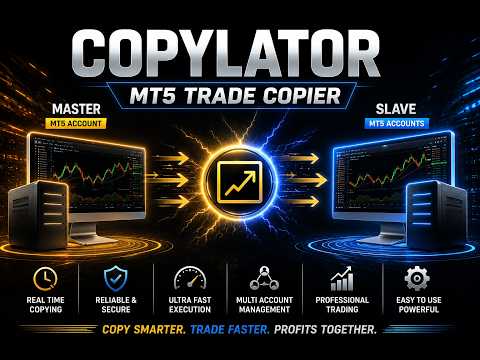
    COPYLATOR is an advanced MT5 Trade Copier and Copy Trade EA for replicating trades between multiple MT5 terminals on the same computer or VPS. It can be used as an MT5 Copier, for one-to-many, many-to-one, and many-to-many trade replication. Set Mode and SenderAccountNumber per chart – no external software needed.

    Use Cases

    Multi-account trading, prop firm management, signal replication, portfolio distribution, and personal use, etc.

    Key Features

    Advanced Drawdown Protection

    COPYLATOR includes a built-in safety mechanism that protects the Receiver account from excessive losses, independent of the Sender’s performance. It monitors two separate drawdown metrics:

    • Daily Drawdown – the maximum loss allowed from the highest Equity or Balance value reached during the current trading day (based on the DrawdownBasedOn setting).
    • Total Drawdown – the maximum loss allowed from the account’s initial balance ( initialBalance ) at the time the EA was started or last manually reset.

    Both values are expressed as percentages. A dedicated dashboard panel displays real-time status, current drawdown percentages, and the time remaining until the next daily reset.

    When a drawdown limit is exceeded:

    1. The EA immediately blocks all new copying (including modifications and pending orders) – this is always applied.
    2. If CloseOrdersOnDrawdown = true , the EA will close all COPYLATOR-opened positions and delete all COPYLATOR-pending orders on the Receiver account.
    3. If CloseOrdersOnDrawdown = false , no positions are closed and no pending orders are deleted; only new copying is blocked.

    The blocking remains active until a reset occurs. After an automatic daily reset, the system re-evaluates the total drawdown and may immediately trigger the block again if the total drawdown limit is still exceeded. A manual reset establishes a new initialBalance baseline.

    CloseOrdersOnDrawdown Positions closed? Pending orders deleted? New copying blocked? Can copying resume automatically?
    true Yes Yes Yes Only after a reset (daily or manual)
    false No No Yes Only after a reset (daily or manual)

    Reset Mechanisms

    There are two independent ways to remove the block and resume copying:

    1. Automatic Daily Reset (based on ResetHour and ResetMinute using broker's server time)
    • Removes the trading block and resets the daily drawdown percentage to zero.
    • Does not change the initialBalance (the baseline for total drawdown).
    • Important: If the current account balance is still below the original initialBalance , the total drawdown percentage will be recalculated immediately after the reset and may trigger the block again.
    2. Manual Reset (using the Reset button in the Drawdown Details panel – Receiver mode only)
    • A full and forced reset that can be performed at any time.
    • Removes the block, resets both daily and total drawdown percentages, and updates initialBalance to the current account balance at that moment.
    • This establishes a new baseline for total drawdown calculation, effectively starting a fresh protection cycle from the current equity/balance.

    Configuration Parameters

    Parameter Description
    EnableDrawdownProtection Master switch to enable/disable the entire system.
    CloseOrdersOnDrawdown If true , closes all COPYLATOR positions and deletes COPYLATOR pending orders when drawdown is triggered. If false , only blocks new copying without closing/deleting.
    MaxDailyDrawdownPercent Maximum allowed daily loss as a percentage from the day’s peak (Equity or Balance).
    MaxTotalDrawdownPercent Maximum allowed total loss as a percentage from the initial balance.
    DrawdownBasedOn Choose between EQUITY or BALANCE for drawdown calculation.
    ResetHour / ResetMinute Daily reset time (using broker's server time).

    Practical Recommendations

    • Set conservative limits (e.g., 3–5% daily, 8–10% total) and test on a demo account first.
    • Use the Manual Reset button only when you are confident that the account has recovered or you wish to reset the total drawdown baseline.
    • Remember that the Automatic Daily Reset does not reset the total drawdown baseline, so if your account is still in loss, the block may re-trigger immediately.

    Multi-Sender and Multi-Receiver Support

    Run multiple EA instances to create any topology. Each Sender needs a unique account number; each Receiver specifies its Sender via SenderAccountNumber . All instances run independently and simultaneously.

    Graphical Dashboard

    Displays account info, sync status, mode, and Drawdown Protection panel (Receiver mode). Visible by default in Receiver mode.

    Reliable Trade Replication

    Copies market orders, pending orders (Limit/Stop), SL, and TP. Automatically detects Hedging or Netting accounts and applies the appropriate synchronization method.

    Real-time SL/TP Sync: Any manual SL/TP changes on the Sender – including adding stops to trades that had none – are instantly replicated to all matching Receiver trades across Hedging and pending orders. On Netting accounts, SL/TP sync is limited.

    Partial Close Support

    COPYLATOR supports partial closing of copied positions, allowing part of a position to be closed while the remaining volume stays open.

    Reverse Trade Mode

    Copies trades in reverse direction (Buy↔Sell) with automatic SL/TP adjustment.

    Symbol Mapping & Risk Management

    Automatic mapping finds the correct symbol; if not found, a clear warning tells you which symbol is missing and how to add it via SymbolMappings . Manual mappings (e.g., XAUUSD:XAUUSDm) also supported.

    Lot management: Use multiplier and balance-ratio scaling (using the Sender/Receiver balance ratio) together, with max lot cap. Fixed lot overrides multiplier and balance-ratio.

    Custom Comment & Notifications

    • CustomCommentPrefix: Adds custom text to the end of copied trade comments (despite the parameter name, the text is appended as a suffix). For example, MyStrategy produces C123456_MyStrategy .
    • EnablePushNotifications / EnableEmailAlerts: Receive alerts for important events such as trade openings/closings, drawdown triggers, and errors.
    • EmailSubject: Custom subject line for email alerts.

    Additional Features

    • Multiple Sender/Receiver terminals concurrently.
    • Custom SL/TP (copy from Sender or fixed distances).
    • Buy-only / Sell-only filters.
    • Day & Time filters with auto-close at window end.
    • Maximum lot size limitation.

    Complete Input Parameters

    Core Settings

    Parameter Description
    Mode SENDER or RECEIVER.
    SenderAccountNumber In Receiver mode: account to copy from. In Sender mode: ignored.
    CopyPending Copy pending orders (limit/stop) along with market orders.
    CopyWithReversal Reverse direction (Buy↔Sell) with auto SL/TP adjustment.
    CopyStopLoss / CopyTakeProfit Enable copying SL/TP from sender.
    CustomStopLoss / CustomTakeProfit Override with fixed distance in pips; 0 = use sender's values.

    Symbol & Filtering

    Parameter Description


    SymbolMappings Pair mappings (e.g., XAUUSD:Gold).
    MaxSpread Maximum spread in pips (not points). For example, 3.0 pips means 30 points on a 5-digit broker. Set to 0 to disable.
    CopyLongOnly Copy only Buy (long) trades.
    CopyShortOnly Copy only Sell (short) trades.

    Lot & Risk Management

    Parameter Description
    UseBalanceRatio Scale lot size using the Sender/Receiver balance ratio.
    EnableLotMultiplier Multiply Sender volume by specified factor.
    LotMultiplierValue Multiplier factor.
    FixedLotSize Override volume with fixed lot; 0 = use multiplier/ratio logic.
    MaxLotSize Absolute lot cap.

    Day & Time Filters

    Parameter Description
    AllowMonday … AllowFriday Enable or disable trading on each specific day (Monday–Friday). Weekends are always blocked by the EA.
    EnableTimeFilter Restrict to daily GMT window.
    StartHourGMT / StartMinuteGMT Window start.
    EndHourGMT / EndMinuteGMT Window end.
    CloseOrdersAtEnd Auto-close all copied positions at window end.

    Notifications & Custom Comment

    Parameter Description
    CustomCommentPrefix Adds custom text to the end of copied trade comments (despite the parameter name, it is appended as a suffix). Example: MyStrategy produces C123456_MyStrategy .
    EnablePushNotifications Send push notifications to mobile.
    EnableEmailAlerts Send email alerts.
    EmailSubject Subject line for email alerts.

    Configuration Examples

    Example 1 – Fixed Lot Size:
    FixedLotSize = 0.01 , EnableLotMultiplier = false , UseBalanceRatio = false .

    Example 2 – Balance-based scaling:
    UseBalanceRatio = true , EnableLotMultiplier = false , FixedLotSize = 0 .

    Example 3 – Copy only Buy trades:
    CopyLongOnly = true , CopyShortOnly = false .

    Example 4 – Full Drawdown Protection (close & block):
    EnableDrawdownProtection = true , CloseOrdersOnDrawdown = true , MaxDailyDrawdownPercent = 5.0 , MaxTotalDrawdownPercent = 10.0 .

    Supported Trade Types

    Market orders (Buy/Sell), pending orders (Buy Limit, Sell Limit, Buy Stop, Sell Stop), direction filtering (Long-only / Short-only), and partial closing of positions.

    Account Type Support

    COPYLATOR supports all standard Forex account types, including ECN, etc. In general, accounts are categorized into two main types, both of which are fully supported:

    • Hedging accounts: Full support for all features including Reverse Mode, pending order replication, and individual ticket-based copying.
    • Netting accounts: Only one position per symbol is allowed. Some features such as Reverse Mode and pending order replication may not be applicable and will be automatically ignored or adjusted by the EA to prevent errors. The system handles this seamlessly without requiring manual intervention.

    SL/TP Modification: Add or modify SL/TP at any time, even after trade open. Works identically across Hedging and pending orders. Netting accounts have limited SL/TP sync.

    Best Practices

    • Set drawdown protection conservatively (e.g., 3–5% daily, 8–10% total) and test on demo.
    • Run terminals continuously – use a VPS for 24/7 operation.
    • Use time filters to avoid low-liquidity hours.

    Installation & Quick Start

    Step 1 – Sender: Attach EA, set Mode = SENDER , enable AutoTrading.

    Step 2 – Receiver(s): Attach EA, set Mode = RECEIVER , enter SenderAccountNumber , enable AutoTrading.

    Step 3 – Verify: Sender dashboard shows connected Receivers. Open a trade – it appears on all Receivers.

    Notes: One chart per terminal. Restart after config changes. Test on demo first.

    Conclusion

    COPYLATOR offers advanced drawdown protection, flexible lot management, real-time SL/TP sync, a  graphical dashboard, custom comment suffixes, and notification alerts. With auto-detection of Hedging/Netting, smart error handling, Partial Close Support, and no external dependencies, it provides reliable trade replication across a wide range of MT5 brokers and account setups.

    Important Notes

    • All terminals must remain running.
    • Each Sender must have a unique account number; each Receiver must specify the correct SenderAccountNumber .
    • If the automatic symbol mapping fails to find a symbol, the EA will display a clear warning message. You can manually add the missing symbol pair in the SymbolMappings field using the format SenderSymbol:ReceiverSymbol (e.g., XAUUSD:XAUUSDm ). This ensures that trades are copied correctly even when broker symbols differ.
    • The MaxSpread parameter is measured in pips, not points. For example, on a 5-digit broker, 3.0 pips equals 30 points. Set to 0 to disable spread filtering.
    • On Netting accounts, some features such as Reverse Mode and pending order replication may not be applicable due to the single-position-per-symbol limitation imposed by the broker. The EA automatically detects this and handles it seamlessly without manual intervention.
    • Drawdown Protection Reset: The automatic daily reset only removes the block and resets daily drawdown, but does not change the initialBalance baseline. To fully reset the total drawdown baseline, use the manual Reset button on the Drawdown Details panel (Receiver mode).
    • Buy/Sell Buttons in the Video: The Buy and Sell buttons shown on the chart are built-in MetaTrader 5 One Click Trading buttons and are not part of COPYLATOR. To enable them, go to Tools → Options → Trade → Enable One Click Trading. You can show or hide the panel by right-clicking the chart and selecting One Click Trading, or by pressing Alt+T. To manually close a position, open Toolbox → Trade, right-click the position, and select Close Position. These are standard MT5 functions and are independent of COPYLATOR.
    리뷰 1
    danmar
    2494
    danmar 2026.10.05 04:13 
     

    I buy on MQL market since many years a lot of indicators, some EA of trading, and few copier. This copier is interesting with quite all functionalities needed but keep things clear and the most simple as possible. Even it was Sunday i have 1 question important for me and also i make 1 mistake in one parameter means i ask 2 times information's. Each time i had a quick response precise and accurate. Seller who do the same show clearly that they really care of there users satisfaction after buying and for me it is the most important especially because the fingers of 1 hand are enough to count this nice comportment. Then Thank you a lot for yours responses. Today i will test it in open market and come back to complete my review.

    추천 제품
    Real-Time Spread Display Tool A   real-time spread display tool   is a specialized software or application designed to provide traders and investors with instant, live data on the   spread —the difference between the bid price (the price at which buyers are willing to purchase an asset) and the ask price (the price at which sellers are willing to sell it)—for various financial instruments. This tool is critical in markets such as forex (FX), stocks, futures, and cryptocurrencies, where price f
    ​Notification Spy Protector is a MetaTrader 5 Expert Advisor (Utility) that monitors your trading activity and sends real-time alerts to your mobile device (via MT5 Push) and/or Telegram. Equipped with a solid and reliable Account Protector, this utility is fully compatible and highly recommended for Prop Firm trading to safeguard your accounts from violating drawdown limits. It also provides advanced transaction filters and a clean on-chart dashboard. Never miss a trade. Protect your account f
    ProbAlgo
    Marius Ovidiu Sunzuiana
    ProbAlgo is an institutional‑grade trading indicator engineered to mirror the analytical discipline used inside major banks and hedge funds. Its core strength is not just detecting when to trade — but knowing when not to trade. By combining probabilistic modeling, volatility diagnostics, liquidity behavior, and structural market filters, ProbAlgo isolates the rare moments when conditions genuinely support a high‑quality entry. Instead of chasing every move, ProbAlgo evaluates the market through
    Signalator Local Trade Copier MT5 는 동일한 컴퓨터 또는 VPS에서 Master와 Receiver 터미널을 운영하기 위한 빠른 로컬 Trade Copier입니다. MT4, MT5 및 cTrader 터미널 간의 크로스 플랫폼 복사를 모든 방향으로 지원합니다: MT4 ↔ MT5 ↔ cTrader 및 기타 모든 조합. 외부 클라우드 relay 없이 로컬에서 거래를 복사할 수 있습니다. Master는 거래 활동을 로컬 bridge에 게시하고, 각 Receiver는 무엇을 복사할지, 어떤 Master 계정을 허용할지, 심볼을 어떻게 매핑할지, 랏을 어떻게 계산할지, SL/TP, 부분 청산, 보류 주문, Telegram 알림, 로그 및 내보내기를 어떻게 처리할지 제어합니다. 로컬 bridge는 빠른 polling으로 작동할 수 있으며 환경에서 지원되는 경우 0.1초 까지 설정할 수 있습니다. 실제 체결 속도는 터미널 부하, VPS 성능, 브로커 체결 및 시장 상황에
    Trade Copier Simple Guide Trade Copier is an Expert Advisor (EA) for MetaTrader 5 (MT5) that lets you automatically copy trades from one account (the "Master") to another (the "Receiver"). It's designed for users who want to duplicate trading strategies across multiple accounts on the  same computer . No internet or external servers are needed—it uses a shared file on your machine to transfer trade info securely and quickly. How It Works Master Mode : Attach the EA to a chart on your main tradin
    You have 5 positions open on XAUUSD. Net floating is +$30 - looks fine. But look closer: 3 buys, 2 sells. The buys are carrying 0.60 lots, the sells only 0.20. One of those buys has been sitting underwater for 90 minutes. Margin level is at 390% and drifting down. Stress is building - quietly, invisibly - while the terminal just shows you a list of rows. Current price: $59 - increases by $10 after every 20 purchases until reaching the final price of $119 . Next price: $69 . Complete Buyer Kit: 4
    Symbol Cost Info
    Opeyemi Fuad Anokwu
    Introducing the “Symbol Cost Info MT5” indicator – your ultimate tool for staying ahead in the forex market! This innovative indicator is designed to empower traders with real-time cost information, directly on their charts. Here’s why every trader needs the “Symbol Cost Info MT5” in their arsenal: Real-Time Spread Monitoring : Keep a close eye on the spread for any currency pair, ensuring you enter the market at the most cost-effective times. Pip Value at Your Fingertips : Instantly know the v
    FREE
    Advanced Trailing Stop & Break-Even Expert Advisor with Partial Profit Taking Overview Unlock the full potential of your trading strategy with this Expert Advisor that automates trade management to maximize profits and minimize losses. Designed for both novice and experienced traders, this EA offers precise control over your trades with customizable trailing stops, break-even protection, and partial profit taking — all working seamlessly to protect your capital and lock in gains. Key Features Dy
    This tool allows you to export MetaTrader indicator data (buffers) for any financial instrument available in your MetaTrader 5. You can export multiple Symbols and Timeframes into a single CSV file. You can also schedule the export frequency (every 1 minute, 5 minutes, 60 minutes, etc.). There is no need to open multiple charts to retrieve recent data—the tool downloads the data directly. The CSV file will be saved in the folder: \MQL5\Files . How it works Report Tab Select the indicators and o
    FREE
    Trend Alignment Scanner Pro The Ultimate Volatility Direction Score Dashboard for MetaTrader 5 Are you tired of flipping through dozens of charts just to find a single valid setup? Meet Trend Alignment Scanner Pro , an institutional-grade multi-symbol, multi-timeframe dashboard engineered to detect high-probability market imbalances in real-time. Powered by our proprietary Volatility Direction Score (VDS) Engine , this scanner filters out market noise and ranks the most explosive, trend-aligned
    "Quick Copier" is designed to copy trading without any complicated settings. It copies master orders faster than "Just Copier" (https://www.mql5.com/en/market/product/20920). Please also check this product at fxina.hostingerapp.com.  The copy can be done in one PC. One EA can be set as master (provider) or slave (receiver). The receiver lot can be set to multiple providers lots. Any type of copy is available. MT4 -> MT5 MT4 -> MT4 MT5 -> MT5 MT5 -> MT4 If you want to copy MT4 -> MT5 or MT5 -> MT
    Have you ever take a long time to watch a Symbol when the network link is not good ? Have you ever wait for a long time when you switch chart between different Symbols or different TimeFrames ? If you do long-term backtesting , Have you ever to be downloaded datas for a long time ? Yes, If there is no data in the system, those will happen.  1. What is this: Download all the Symbol data in Market Watch to the system. PS: This is not outputting data to Files. This Link go to Demo version: https:/
    Telegram to mt5 signal copier
    Chukwuemeka Kingsley Anyanwu
    5 (2)
    Here is the translation into **Korean**: --- **모든 텔레그램 채널에서 신호를 복사하여 관리자 권한 없이 MT5에서 즉시 거래를 실행하세요!** 텔레그램에서 트레이딩 신호를 수신하고 이를 메타트레이더 5에서 즉시 실행되길 원하시나요? **Telegram to MT5 Signal Copier**는 텔레그램 신호 채널과 메타트레이더 5 사이의 강력한 브리지입니다. 특정 텔레그램 채널의 메시지를 모니터링하고 트레이딩 신호(심볼, 매수/매도 방향, 진입가, 손절가, 익절가 포함)를 자동으로 추출하여 즉시 실행합니다. 프리미엄 신호 제공자를 팔로우하든 자체 텔레그램 알림을 자동화하든, 이 도구는 트레이딩 워크플로우를 간소화하고 수동 작업을 줄이며 기회를 놓치는 것을 방지하는 데 도움을 드립니다. ️ **주요 기능:** 텔레그램 채널에 직접 연결 주요 거래 지시사항(매수/매도 또는 예약주문, 심볼, 진입가, SL, TP) 파싱 MQL
    MQL5 블로그: https://www.mql5.com/en/blogs/post/761446 MT4 버전: https://www.mql5.com/en/market/product/136790 MT5 버전: https://www.mql5.com/en/market/product/136791 Time Wizard는 속도, 타이밍, 실행 제어 기능을 하나의 깔끔한 대시보드에서 필요로 하는 트레이더를 위해 설계된 전문 트레이딩 어시스턴트입니다. 이 Expert Advisor는 이벤트 기반 트레이딩, 예약 실행, 빠른 반자동 주문 관리 기능을 제공합니다. 주문을 미리 준비하고, 정확한 실행 시간을 지정하고, 계층형 대기 주문을 설정하고, 손절매 및 이익 실현으로 위험을 관리하고, 차트의 간편한 인터페이스에서 모든 것을 모니터링할 수 있습니다. 경제 이벤트, 개장 시간, 돌파 시점 또는 사용자 지정 일정 등 어떤 시점을 기준으로 거래하든 Time Wizard는 체계적이고 규율 있는 실행을
    Just Copier MT5
    Agung Imaduddin
    4.75 (4)
    "Just copier" is designed to copy trading without any complicated settings. The copy can be done in one PC. One EA can be set as master (provider) or slave (receiver). The receiver lot can be set to multiple providers lots. Please also check this product at fxina.hostingerapp.com.  Any type of copy is available. MT4 -> MT5 MT4 -> MT4 MT5 -> MT5 MT5 -> MT4 If you want to copy MT4 -> MT5 or MT5 -> MT4, please purchase "Just copier" for MT4 and "Just copier" for MT5 separately. Just Copier can copy
    Boleta de negociação, adiciona automáticamente as ordens Take Profit e Stop Loss quando excutada uma ordem de compra ou venda. Ao apertar as teclas de atalho (A, D, ou TAB), serão inseridas duas linhas de pre-visualização, representando as futuras ordens de take profit (azul) e stop loss (vermelho), as quais irão manter o distanciamento especificado pelo usuário. Ditas ordens só serão adicionadas ao ser executada a ordem inicial. Ao operar a mercado, as ordens pendentes de take profit, e stop lo
    Chart Date Jump Chart Date Jump is a lightweight MetaTrader 5 utility that helps you open historical chart context in seconds. Enter a target Day / Month / Year / Hour / Minute , press Go to datetime , and the chart scrolls to the matching bar and centers it in the window. A vertical marker is drawn on the located candle so you can instantly see the exact time you jumped to. Key features Jump to an exact date and time on the current symbol/period Center the found bar in the visible chart area Ma
    Buy Sell Multiple Panel - Execute Bulk Orders in a Single Click! Description Save time and seize market opportunities instantly. This powerful panel allows you to place multiple buy or sell orders simultaneously, each with custom lot sizes, take-profit, and stop-loss levels. Perfect for sophisticated entry strategies and managing complex trades efficiently. Key Features Bulk Order Execution: Open multiple market orders at once with just one click. Flexible Lot Sizing: Set individual lot sizes f
    WADDAH ATTAR EXPLOSION PRO: MULTI-FILTER ULTIMATE TREND & BREAKOUT SYSTEM PRODUCT DETAILS Product Type    : Custom Technical Indicator (MT5 / MQL5) Category        : Trend & Momentum / Breakout / Multi-Filter Trading Trading Platform: MetaTrader 5 (MT5) Compatible Assets: Forex, Gold (XA
    TerminatorTrades
    Uriel Alfredo Evia Canche
    "Terminator Trades " EA robot, built on the powerful MQ5 code,  is designed to simplify the process of closing your positions and pending orders. You can adjust if you want close all the trades or by specific symbols. With just a single click on a button, you can efficiently manage your current positions, ensuring that you never miss an opportunity to terminate a trade.  Close Trades , Delete Pending Orders with Terminator Trades. 
    FREE
    Welcome to Smart Algo Trade Panel Manager MT5 - the ultimate   risk management tool designed to make trading more effective based on user needs.  It is a comprehensive solution for seamless trade planning, position management, and enhanced control over risk. It does not matter weather you a beginner or an advanced trader, or a scalper needing rapid executions, SmartAlgo Trade Panel  adapts to your needs offering flexibility across all markets of your choice. You can put SL, Lot and TP of choice
    MT5 history exporter for accurate trade analysis and CSV export. Export trades to Excel from MetaTrader 5 with full performance metrics. Advanced MT5 trade analyzer with MAE, trade duration, and reconstruction. Usually platforms hide critical information about how your trades actually behave. History Downloader and Trade Analyzer solves this. It rebuilds your trades from raw deal history and exports a clean, structured dataset with accurate metrics MT5 does not provide. What You Get A fully s
    Risk Manager Optimum
    Freedom Uzochukwu Nnadi
    5 (1)
    RiskManagerOptimum for MetaTrader 5 – Your Ultimate Trading Safety Net! RiskManagerOptimum is the most advanced and professional trade and account risk management Expert Advisor for MetaTrader 5. It does not open trades. It monitors and manages existing positions in real time to control risk, drawdown, and exposure across all symbols. The EA is designed for manual traders, algorithmic traders, and portfolio traders who require strict and automated risk control across Forex, metals, crypto, indi
    Live Price With PNL
    Muhammad Jawad Shabir
    실시간 가격 및 총 수익 표시 지표 라이브 트레이딩 및 화면 공유에 완벽 데이 트레이더, 스캘퍼 및 라이브 스트림 트레이딩 세션을 위해 특별히 설계됨 이 전문 지표는 차트에서 직접 실시간 가격 표시와 포괄적인 수익 추적을 제공합니다 - 고빈도 거래 및 라이브 트레이딩 방송에 필수적입니다. 주요 기능 실시간 가격 표시 매초 라이브 매수 가격 업데이트 모든 심볼 유형에 대한 전문적 형식화 귀금속을 위한 특별 골드/XAU 형식화 화면 공유에 완벽한 대형 명확한 표시 데이 트레이딩 결정을 위한 즉시 가격 업데이트 포괄적 수익 추적 트레이딩 히스토리로부터의 계좌 총 수익 거래 종료 시 실시간 수익 업데이트 사용자 정의 추가 수익 금액 수수료 및 스왑 포함 플러스/마이너스 지표가 있는 전문적 수익 형식화 성능 최적화 스마트 캐싱 시스템 - 최소 CPU 사용 1초 업데이트 간격 - 번개처럼 빠름 효율적인 타이머 기반 업데이트 실시간 거래 모니터링 전문적 오류 처리 고급 사용자 정의 조정 가능한
    FREE
    Volatility Regime Monitor is a professional MetaTrader 5 dashboard for classifying current volatility with transparent, measurable context. It combines ATR, recent bar-range statistics and historical percentiles to show whether the market is compressed, normal or expanding without generating entry signals. MAIN FEATURES • ATR and recent range context • Historical volatility percentile state • Compression, normal and expansion classification • Historical regime table • Transparent thresholds and
    News System Detector
    Bukola Omolola Adesina
    If you're unable to download the demo or get the demo working due to mql5 complications, you can message me on telegram  https://t.me/Motolani1 and I will send you a one week testing version.  THANK YOU FOR YOUR PATRONAGE. News Detector System . Stay ahead of market volatility with the News Detector System . This indicator automatically fetches and displays high-impact economic data directly on your MetaTrader 5 chart, ensuring you are never caught off guard by major news releases. By pulling d
    Keyboard Scalper Pro
    Mauricio Eduardo Lara Perez
    Keyboard Scalper Pro is a customizable keyboard trading utility for MetaTrader 5. It is designed for traders who want direct manual control of order execution without being limited to a fixed keyboard layout. Every trading hotkey can be configured to match the user's preferred workflow, while the default layout is built around the numeric keypad for fast operation. The utility does not generate signals and does not decide when to trade. The trader chooses the setup, direction and timing. Keyb
    You can see Binance Spot data instantly in Metatrader 5 and it allows you to use all the features that Metatrader has provided to you. You can access the data of all symbols listed on Binance Futures. Don't forget to set the timezone. Binance it's 00:00 UTC. You need to fix it according to your own country You need to install the free Binance Spot Symbol List plugin. https://www.mql5.com/tr/market/product/83507 After loading, it automatically downloads the data of the cryptos in the market obser
    Atlas Trade Desk
    Bernhard Wurzlbauer
    Atlas Trade Desk MT5 Atlas Trade Desk MT5 is a visual trade panel, risk manager and lot calculator for manual MetaTrader 5 traders. Plan market and pending orders directly on the chart, calculate position size from your selected risk, adjust Entry, Stop Loss and Take Profit visually, and manage open positions from one clean dashboard. The tool is built for discretionary traders who want faster order preparation, clearer risk control and safer position management without switching between multipl
    Telegram to mt5 pro
    Janet Abu Khalil
    4 (4)
    Telegram to MT5 Pro — Advanced Telegram Signal Copier with Auto-Fix, Multi-TP, Risk Control and Full Trade Management Telegram to MT5 Pro — 전문 텔레그램 신호 복사기 Telegram to MT5 Pro는 텔레그램 신호를 MetaTrader 5 계정으로 자동으로 직접 실행하는 고성능 트레이드 복사기로, 리스크, 실행, 트레이드 관리에 대한 완전한 제어를 제공합니다. 이 시스템은 두 가지 구성 요소로 이루어져 있습니다: • MetaTrader 5 내부에서 실행되는 Expert Advisor (EA) • 텔레그램에 연결되어 신호를 로컬로 EA에 전송하는 데스크톱 브리지 애플리케이션 두 구성 요소는 동일한 컴퓨터에서 실행되어야 합니다. MQL5 플랫폼 제한으로 인해 EA는 텔레그램에 직접 연결할 수 없습니다. 브리지는 텔레그램을 처리하고 EA는 거래를 실행합니다. 지원 및 설치
    이 제품의 구매자들이 또한 구매함
    Trade Assistant MT5
    Evgeniy Kravchenko
    4.43 (216)
    거래당 위험 계산, 라인을 사용한 손쉬운 신규 주문, 부분 청산 기능을 통한 주문 관리, 7가지 유형의 트레일링 스탑 및 기타 유용한 기능을 제공합니다. 추가 자료 및 지침 설치 지침   -   애플리케이션 지침   -   데모 계정용 애플리케이션 평가판 라인 기능       - 차트에 개시선, 손절매, 차익실현을 표시합니다. 이 기능을 사용하면 새로운 주문을 쉽게 하고 개봉 전에 추가 특성을 볼 수 있습니다. 위기 관리       -       위험 계산 기능은 설정된 위험과 손절매 주문의 크기를 고려하여 새 주문의 볼륨을 계산합니다. 이를 통해 손절매 크기를 설정하고 동시에 설정된 위험을 존중할 수 있습니다. 로트 계산 버튼 - 위험 계산을 활성화/비활성화합니다. 필요한 위험 값은 위험 필드에 0에서 100 사이의 백분율 또는 예금 통화로 설정됩니다. 설정 탭에서 위험 계산 옵션을 선택합니다. $ 통화, % 잔액, % 지분, % 자유 마진, % 사용자 정의, % AB 이전
    Trade Manager EA에 오신 것을 환영합니다. 이 도구는 거래를 보다 직관적이고 정확하며 효율적으로 만들기 위해 설계된 궁극적인 리스크 관리 도구 입니다. 단순한 주문 실행 도구가 아닌, 원활한 거래 계획, 포지션 관리 및 리스크 제어를 위한 종합 솔루션입니다. 초보자부터 고급 트레이더, 빠른 실행이 필요한 스캘퍼에 이르기까지 Trade Manager EA는 외환, 지수, 상품, 암호화폐 등 다양한 시장에서 유연성을 제공합니다. Trade Manager EA를 사용하면 복잡한 계산은 이제 과거의 일이 됩니다. 시장을 분석하고 진입, 손절 및 익절 수준을 차트의 수평선으로 표시한 후 리스크를 설정하면, Trade Manager가 이상적인 포지션 크기를 즉시 계산하고 SL 및 TP 값을 실시간으로 표시합니다. 모든 거래가 간편하게 관리됩니다. 주요 기능: 포지션 크기 계산기 : 정의된 리스크에 따라 거래 크기를 즉시 결정합니다. 간단한 거래 계획 : 진입, 손절, 익절을 위한
    Local Trade Copier EA MT5
    Juvenille Emperor Limited
    4.94 (149)
    Local Trade Copier EA MT5는 동일한 Windows 컴퓨터 또는 Windows VPS에서 여러 MetaTrader 5 계정 간에 거래를 복사하고 관리할 수 있는 빠르고 유연한 거래 복사기입니다. 로컬 거래 동기화 기능과 함께 Receiver 측에서 로트 크기, 리스크 관리, 거래 필터링, 심볼 매핑, 거래 관리 및 계정 보호를 독립적으로 설정할 수 있습니다. Transmitter와 Receiver 터미널을 약 1분 안에 설정하고, 동일한 브로커 또는 서로 다른 브로커의 계정 간에 수동 거래 또는 EA 거래를 복사할 수 있습니다. 적절한 조건에서는 로컬 MetaTrader 터미널 간의 거래 정보가 0.5초 이내 에 동기화될 수 있습니다. 실제 체결 속도는 브로커 지연 시간, 네트워크 상태, 컴퓨터/VPS 성능 및 터미널 부하에 따라 달라집니다. 구매 전에 무료 데모를 사용해 보세요 MT5 데모 계정에서 Local Trade Copier EA MT5의 모든 기능을
    Strategy Ledger Pro
    Abdullah Uygar Tuna
    5 (7)
    이제 한국어로 이용할 수 있습니다. Strategy Ledger Pro 는 MetaTrader 5용 읽기 전용 계좌 분석 패널입니다. 계좌 성과를 전문가 어드바이저(EA), 전략, 심볼, 매직 넘버별로 나누어 각각이 실제로 얼마나 기여하는지 보여줍니다. 패널은 11개 언어를 지원합니다: English, Français, Deutsch, Español, Italiano, Português, Русский, Türkçe, 中文, 日本語, 한국어. 데모를 다운로드하기 전에. Market은 모든 유료 제품의 데모를 전략 테스터에서만 실행합니다. 이 패널은 사용자 자신의 계좌 거래를 분석하는데, 전략 테스터에는 읽을 계좌 기록이 없으므로 데모는 빈 패널로 열리고 그 사실을 표시합니다. 이는 데모 방식에 따른 것이며 제품의 제약이 아닙니다. 이 설명의 동영상에서 실계좌에서 작동하는 패널을 확인할 수 있습니다. 모든 기능을 설명한 자세한 매뉴얼 (영문)과 토론 및 공지를 위한 AureusAI
    ================================================================================ POC BREAKOUT - V20.72. Full Professional Grade Toolkit ================================================================================ POC Breakout is a full MetaTrader 5 trading dashboard for discretionary traders who want breakout signals, Point of Control (POC) context, volume profiles, order flow, market structure, news, alerts, and advanced trade planning in one professional workspace. Attached directly to you
    Telegram to MT5 Multi-Channel Copier   는 Telegram 채널의 트레이딩 시그널을 MetaTrader 5로 자동 복사합니다. 봇도, 브라우저 확장도, 수동 복사도 필요 없습니다. Telegram에 시그널이 도착하면 EA가 몇 초 안에 터미널에서 주문을 실행합니다. 그리고 채널을 복사하기 전에, 내장 백테스터가 그 채널이 내 계좌에서 어떤 결과를 냈을지 보여줍니다. 제품은 두 가지 구성 요소로 이루어집니다: Telegram 채널을 수신하는 Windows 애플리케이션과, MT5 터미널에서 시그널을 실행하는 본 EA입니다. MT4 버전도 제공됩니다   여기 . 설정 가이드와 앱 다운로드:   https://www.mql5.com/en/blogs/post/768988 텔레그램 시그널 채널을 백테스트하는 방법 을 확인하세요. 현재 가격은 향후 인상될 예정입니다. 작동 방식 앱은 여러분 자신의 Telegram 계정으로 연결되므로, 팔로우하는 모든 채널, 그룹,
    TradePanel MT5
    Alfiya Fazylova
    4.88 (170)
    Trade Panel은 다기능 거래 도우미입니다. 이 애플리케이션에는 50개 이상의 수동 거래 기능이 포함되어 있으며 대부분의 거래 작업을 자동화할 수 있습니다. 앱 사용 설명서: https://www.mql5.com/en/blogs/post/756482 데모 계정용 앱 체험판: https://www.mql5.com/en/blogs/post/750865 앱 설치 방법: https://www.mql5.com/en/blogs/post/756239 시각 모드에서 앱 테스트 방법: https://www.mql5.com/en/blogs/post/770277 VPS MetaTrader에 앱 설치 방법: https://www.mql5.com/en/blogs/post/770190 거래. 한 번의 클릭으로 거래를 수행할 수 있습니다: 리스크 자동 계산과 함께 예약 주문 및 포지션 열기. 한 번의 클릭으로 여러 주문 및 포지션 열기. 주문 그리드 열기. 예약 주문 및 포지션을 그룹별로 닫기. 포지션
    내 거래 규칙에 맞춰 Telegram 신호 복사 Telegram to MT5 Signal Trader 는 공개 및 비공개 Telegram 채널과 그룹의 텍스트 기반 거래 신호를 MetaTrader 5로 자동 복사합니다. 하나의 데스크톱 앱에서 여러 신호 제공자와 MT5 계좌를 관리하고, 제공자마다 위험 관리 및 거래 설정을 개별적으로 지정 할 수 있습니다. 신호 복사에는 Telegram 봇이나 API 설정이 필요하지 않습니다. 전화번호 또는 QR 코드로 본인의 Telegram 계정에 로그인한 후, 이미 가입한 채널이나 그룹을 선택하면 됩니다. 봇을 만들거나 Telegram API 토큰, API ID 또는 API 해시를 입력할 필요가 없습니다. 포지션 크기를 선택하고, 여러 익절 목표에 청산 물량을 배분하며, 손익분기점 이동과 트레일링 스톱을 자동화하세요. 제공자의 신호를 따르면서도 실제 거래 방식은 직접 설정할 수 있습니다. 이 제품은 MT5 Expert Advisor와 필수 Win
    Footprint Chart Pro — Professional OrderFlow EA for MetaTrader 5 Version 6.34 | Professional tool for real traders | Institutional-Grade Visualization DEMO USERS - PLEASE SELECT EVERY TICK / REAL TICK WHEN TESTING AND YOU HAVE DOWNLOADED HISTORICAL DATA. IF YOU SEE A WAITING SCREEN AND IT IS NOT DOWNLOADING, IT MEANS YOU HAVE LOW HISTORICAL DATA. TRY 1 MIN AND 5 MIN FIRST ON 1 DAY DATA. ONE DAY DATA SHOULD BE THE NEWEST AND MOST CURRENT DATE. PLEASE WAIT UNTIL THE MARKET HAS ROLLED OVER PERIOD.
    Exp COPYLOT CLIENT for MT5
    Vladislav Andruschenko
    3.97 (35)
    MetaTrader 5용 전문 트레이드 복사기 MetaTrader 용 빠르고 전문적이며 신뢰할 수 있는 트레이드 복사기 입니다. COPYLOT 은 MT4와 MT5 터미널 간의 Forex 거래 복사를 지원하며, Hedge 및 Netting 계좌를 모두 지원합니다. COPYLOT MT5 버전 지원 구성: - MT5 Hedge → MT5 Hedge - MT5 Hedge → MT5 Netting - MT5 Netting → MT5 Hedge - MT5 Netting → MT5 Netting - MT4 → MT5 Hedge - MT4 → MT5 Netting MT4 버전 전체 설명 + DEMO + PDF 구매 방법 설치 방법 로그 파일 확인 방법 테스트 및 최적화 방법 Expforex의 모든 제품 MT4 터미널로도 거래를 복사할 수 있습니다(MT4 → MT4, MT5 → MT4): COPYLOT CLIENT for MT4 COPYLOT은 2개, 3개, 심지어 10개의 터미널과 동시에 작동할
    Farmed Hedge Yield Farming | All Markets (Manual - Hybrid - Semi/Automated EA) VERIFIED TRADING RESULTS - Farmed Hedge Yield Axi Copy:  https://www.mql5.com/en/signals/2356376 - Farmed Hedge Yield Exn Copy:   https://www.mql5.com/en/signals/2356404 - Farmed Hedge Yield V Copy:  https://www.mql5.com/en/signals/2357156 IMPORTANT NOTICE: FarmedHedge is a MANUAL-FOCUSED TRADING UTILITY ,not a fully automated EA. Results shown on this Signal include manual trades and overall strategic management.
    Grid Manual MT5
    Alfiya Fazylova
    4.73 (22)
    "Grid Manual"은 주문 그리드 작업을 위한 거래 패널입니다. 이 유틸리티는 보편적이며 유연한 설정과 직관적인 인터페이스를 제공합니다. 그것은 손실을 평균화하는 방향뿐만 아니라 이익을 증가시키는 방향으로 주문 그리드와 함께 작동합니다. 거래자는 주문 그리드를 만들고 유지할 필요가 없으며 유틸리티에서 수행합니다. 거래자가 주문을 시작하는 것으로 충분하며 "Grid Manual"는 자동으로 그를 위한 주문 그리드를 생성하고 거래가 마감될 때까지 그와 동행할 것입니다. 전체 설명 및 데모 버전 여기 . 유틸리티의 주요 기능: 모바일 터미널을 포함하여 어떤 방식으로든 열린 주문과 함께 작동합니다. "제한" 및 "중지"의 두 가지 유형의 그리드와 함께 작동합니다. 고정 및 동적(ATR 표시기 기반)의 두 가지 유형의 그리드 간격 계산과 함께 작동합니다. 오픈 오더 그리드의 설정을 변경할 수 있습니다. 차트에서 각 주문 그리드의 손익분기점 수준을 표시합니다. 각 주문 그리드에 대한 이익
    파워 캔들 전략 스캐너 - 자체 최적화 다중 종목 설정 찾기 도구 파워 캔들 전략 스캐너는 마켓 워치에 등록된 모든 종목에 대해 파워 캔들 지표와 동일한 자체 최적화 엔진을 동시에 실행합니다. 하나의 패널에서 현재 통계적으로 거래 가능한 종목, 각 종목별 최적의 전략, 최적의 손절매/익절 조합을 알려주며, 새로운 신호가 발생하면 즉시 알림을 전송합니다. 이 도구는 Stein Investments 에코시스템의 일부입니다. 18개 이상의 도구와 함께 당신의 1대1 AI 트레이딩 멘토 Max.  항상 대기 중, 모든 인디케이터를 깊이 있게 이해, 무언가를 차근차근 생각해보고 싶은 순간에 도움을 줍니다.  https://stein.investments 에서 만나보세요 완벽한 시장 모니터링. 종목당 3,000건 이상의 자동 최적화. 2가지 알림 유형. 한 번의 클릭으로 차트를 전환하고 바로 거래하세요. 이 도구가 필요한 이유 대부분의 다중 종목 스캐너는 가격 변동만 보여줍니다. 티커별
    HINN MagicEntry Extra
    ALGOFLOW OÜ
    4.74 (19)
    HINN MAGIC ENTRY – the ultimate tool for entry and position management! SIMPLE. FASTEST. INTUITIVE. MAX AUTOMATED. Place orders by selecting a level directly on the chart! full description   ::  demo-version  :: 60-sec-video-description Key features: - Market, limit, and pending orders - Automatic lot size calculation - Automatic spread and commission accounting - Unlimited partitial take-profits  - Breakeven and trailing stop-loss and take-profit  functions - Invalidation leves - Intuitive, a
    Trade copier MT5
    Alfiya Fazylova
    4.61 (56)
    Trade Copier는 거래 계정 간의 거래를 복사하고 동기화하도록 설계된 전문 유틸리티입니다. 복사는 공급자의 계정/단말기에서 동일한 컴퓨터 또는 vps에 설치된 수신자의 계정/단말기로 발생합니다. 구매하기 전에 데모 계정에서 데모 버전을 테스트할 수 있습니다. 데모 버전 여기 . 전체 지침 여기 . 주요 기능 및 이점: 복사기는 "МТ5> МТ5", "МТ4> МТ5", "МТ5> МТ4" 복사를 지원합니다. 복사기는 데모 계정 > 실 계정, 실 계정 > 데모 계정, 데모 계정 > 데모 계정 및 실제 계정 > 실 계정 복사를 지원합니다. 복사기는 읽기 전용 암호가 적용된 투자자 계정에서 복사를 지원합니다. 하나의 공급자 터미널은 여러 수신 터미널로 트랜잭션을 보낼 수 있고 하나의 수신 터미널은 여러 공급자 터미널에서 트랜잭션을 수신할 수 있습니다. 복사기는 귀하 또는 귀하의 고문이 거래하는 동일한 터미널에서 작동할 수 있습니다. 높은 복사 속도(0.5초 미만). 복사기에는 간편
    MT5 to Telegram Signal Provider 는 사용하기 쉽고 완전히 커스터마이즈 가능한 유틸리티로, 특정 신호를 Telegram의 채팅, 채널 또는 그룹으로 전송하고, 귀하의 계정을 신호 제공자 로 만듭니다. 경쟁 제품과 달리 DLL 임포트를 사용하지 않습니다. [ 데모 ] [ 매뉴얼 ] [ MT4 버전 ] [ 디스코드 버전 ] [ 텔레그램 채널 ]  New: [ Telegram To MT5 ] 설정 단계별 사용자 가이드 가 제공됩니다. 텔레그램 API에 대한 지식은 필요하지 않습니다; 개발자가 제공하는 모든 것이 필요합니다. 주요 특징 구독자에게 보낸 주문 상세 정보를 커스터마이즈할 수 있습니다. 예를 들어, 브론즈, 실버, 골드와 같은 계층 구독 모델을 만들 수 있습니다. 골드 구독에서는 모든 신호를 받습니다. id, 심볼, 또는 코멘트로 주문을 필터링할 수 있습니다. 주문이 실행된 차트의 스크린샷이 포함됩니다 보낸 스크린샷에 닫힌 주문을 그려 추가 검증을 합니다
    Anchor Trade Manager
    Kalinskie Gilliam
    5 (9)
    Your EAs cannot see each other, but Anchor can. Anchor gives you one place to coordinate your EAs, manage risk, and decide when trading is allowed. It works alongside the trading bots you already use without any changes to them. The Problem One EA opens a trade. Then another starts trading. The next thing you know, you wake up to multiple grids built across your account. Each EA may be doing exactly what it was designed to do, but together they can place far more risk on your account than you in
    Copy your MT5 trades to Interactive Brokers You keep using MT5. Every order you open or close is sent to your IB account. In real time. No coding. No changes to your strategy or EA. Try it first Rent 1 month: $30. Test on a live or paper account. What it does Real-time copying: same direction, reverse, or one side only. Map any MT5 symbol to any IB symbol. Set a lot ratio for each. Forex, Futures, Stocks, CFDs, Metals and Crypto. Position sync: both accounts checked, any difference fixed. Optio
    Signal TradingView to MT5 Pro Automator TradingView와 MetaTrader 5 간의 즉각적인 전문 실행 TradingView 알림과 MT5의 실제 실행을 연결하는 가장 강력한 커뮤니케이션 브리지로 거래 전략을 자동화하세요. 속도, 유연성 및 완벽한 위험 관리를 요구하는 트레이더를 위해 설계된 이 Expert Advisor는 모든 알림 메시지를 정확한 시장가 또는 지정가 주문으로 변환합니다. 강점 및 이점 범용 파싱 엔진(독점 기술): 모든 알림 형식에서 데이터를 자동으로 인식하고 추출할 수 있는 고급 기술입니다. 단일하고 엄격한 형식에 얽매일 필요가 없습니다. 시스템은 심볼, 액션, 가격, SL 및 TP를 자동으로 이해합니다. 실시간 실행: 지연 시간을 최소화하도록 최적화된 1초 미만의 초고속 폴링 기술. 신호 수신 후 몇 밀리초 내에 주문 실행이 이루어집니다. 기관 수준의 위험 관리: 다음 기준에 따른 자동적이고 정확한 로트(Lot) 크기 계
    The News Filter MT5
    Leolouiski Gan
    4.78 (23)
    이 제품은 뉴스 시간 동안 모든 전문가 어드바이저 및 수동 차트를 필터링하여 수동 거래 설정이나 다른 전문가 어드바이저가 입력한 거래가 파괴될 수 있는 급격한 가격 상승으로부터 걱정하지 않아도 됩니다. 이 제품은 또한 뉴스 발표 전에 열린 포지션과 대기 주문을 처리할 수 있는 완전한 주문 관리 시스템이 함께 제공됩니다.   The News Filter  를 구매하면 더 이상 내장 뉴스 필터에 의존할 필요가 없으며 이제부터 모든 전문가 어드바이저를 여기서 필터링할 수 있습니다. 뉴스 선택 뉴스 소스는 Forex Factory의 경제 캘린더에서 얻어집니다. USD, EUR, GBP, JPY, AUD, CAD, CHF, NZD 및 CNY와 같은 어떤 통화 기준으로 선택할 수 있습니다. Non-Farm (NFP), FOMC, CPI 등과 같은 키워드 식별을 기준으로 선택할 수도 있습니다. 저, 중, 고 영향을 가지는 뉴스를 필터링할 수 있도록 선택할 수 있습니다. 차트와 관련된 뉴스만 선
    Trade Copier Ultimate
    Janitha Sandaruwan Amaradasa Wickramasingha Arachchilage
    5 (5)
    Trade Copier Ultimate - Telegram to MT5 Signal Copier Trade Copier Ultimate automatically copies Telegram trading signals into MetaTrader 5. The EA can read signal messages, detect the symbol, order type, entry price, Stop Loss, Take Profit levels and selected update commands, then execute or manage the trade in MT5 using your lot and risk settings. It is more than a basic Telegram to MT5 copier. TCU also supports Bot API and user-account Bridge workflows, Discord signal routing, local MT5 to MT
    Welcome to ENTRY IN THE ZONE AND SMC MULTI TIMEFRAME  SPECIAL BENEFIT / FOR OUR MQL5 CUSTOMERS FREE ACCESS TO THE NEW TOOL  — COMING SOON — Learn more on our official website  : https://www.fableedge.net Entry In The Zone and SMC Multi Timeframe is a real-time market analysis tool based on Smart Money Concepts (SMC), designed to analyze market structure, price direction, and key trading zones. It supports both Single-Timeframe Analysis and Multi-Timeframe Analysis, providing a clearer view of th
    신뢰하는 인디케이터를 그대로 사용하세요. 그 주변의 거래 과정을 자동화하세요. 믿고 사용하는 MT5 인디케이터가 있어도 차트를 지켜보고, 신호를 기다리고, 랏을 계산하고, 주문을 넣고, 모든 포지션을 직접 관리해야 하나요? Stratiora Signal Engine MT5는 이 과정을 연결하기 위해 만들어졌습니다. 호환되는 Buy 및 Sell 버퍼 신호를 진입, 거래량 계산, Stop Loss, Take Profit, 필터, 포지션 관리, 계좌 보호까지 포함한 자동화된 흐름으로 바꿀 수 있습니다. 인디케이터나 거래 아이디어를 바꿀 때마다 새 EA를 의뢰하는 대신, 하나의 유연한 엔진으로 각 신호를 어떻게 거래할지 직접 정할 수 있습니다. 내 신호. 내 규칙. 내 실행 방식. 출시 기념 혜택 현재 가격: USD 199.  Stratiora Signal Engine MT5를 구매하면 인디케이터 10개를 무료로 받습니다. 가격은 구매 10건마다 USD 50씩 인상하여 USD 999에 도
    Premium Trade Manager - 코치가 내장된 트레이딩 패널 Premium Trade Manager 는 차트 안에 트레이딩 코치를 심어놓은 도구입니다. 주문을 확정하기 전에, AI 트레이딩 코치 Max가 설정된 거래를 직접 읽고 명확한 판단을 내려줍니다. 스톱이 규율 있는 접근 방식에 맞는지, 리스크 크기가 합리적인지, 고영향 뉴스 이벤트가 몇 분 후에 있는지, 프롭 펌 한도에 근접했는지. 그 아래에는 완전한 실행 엔진이 있습니다. 원클릭 리스크 기반 진입, 차트에서 드래그로 세우고 거래가 진행되는 동안에도 계속 움직일 수 있는 플랜, 최대 4단계 분할 익절, 7가지 트레일링 방식, 실시간 프롭 펌 컴플라이언스, 뉴스 가드, 그리고 자체 비용을 평가하는 스프레드까지. 결정은 당신이 내립니다. Max가 두 번째 시선으로 확인합니다. 패널이 그 이후의 모든 것을 처리합니다. 구매 전에 직접 체험해 보세요. 브라우저에서 라이브 패널을 직접 클릭해볼 수 있습니다. 구매 전에 실제
    YuClusters
    Yury Kulikov
    4.93 (43)
    Attention: You can view the program operation in the free version  YuClusters DEMO .  YuClusters is a professional market analysis system. The trader has unique opportunities to analyze the flow of orders, trade volumes, price movements using various charts, profiles, indicators, and graphical objects. YuClusters operates on data based on Time&Sales or ticks information, depending on what is available in the quotes of a financial instrument. YuClusters allows you to build graphs by combining da
    EA Overfitter
    Stephen J Martret
    5 (1)
    That backtest looks great. But will it still be making money tomorrow, next week, next month? EA Overfitter re-runs your EA on 100 price histories it has never seen. One score tells you if the edge is real. A backtest tells you what an EA did on one price history — the one that happened to occur. What you cannot tell from it is how much of that result was the strategy and how much was the particular path. EA Overfitter answers that. It builds up to 100 synthetic price histories your EA has n
    Trade Indicator Assistant   is a powerful MT5 utility designed to turn indicators into automated trading systems. Its main feature is the ability to automatically detect an indicator’s   BUY and SELL signal buffers , without requiring you to know the buffer numbers, search through indicator settings, or modify the indicator source code. Bonus Indicator:   After purchasing Trade Indicator Assistant, contact me to receive   Trade Signal Pro   completely free as a bonus indicator. [Download Demo V
    Telegram To MT5 Ultra
    Mirel Daniel Gheonu
    5 (5)
    Telegram To MT5 — 시그널 카피어 텔레그램 채널의 트레이딩 콜을 실제 MT5 주문으로 바꿔 드립니다 — 자동으로, 원하는 만큼의 계좌에서, 리스크와 규칙을 완전히 당신의 통제 아래 둡니다. Telegram To MT5는 이미 텔레그램에서 팔로우하고 있는 VIP / 시그널 채널을 당신의 MetaTrader 5 터미널에 연결합니다. 무료 동반 데스크톱 앱이 메시지를 읽고(봇을 차단하는 채널에서도 가능), 이 EA가 당신의 계좌에서 이를 실행합니다 — 당신만의 리스크 설정, 심볼 매핑, 익절(TP) 처리, 세션 및 뉴스 필터를 적용합니다. 이것은 블랙박스 전략이 아니라 시그널 카피어입니다. 어떤 채널을 신뢰할지, 각 거래의 수량과 관리 방식을 당신이 결정합니다. 단계별 설정 및 동반 앱 설치 가이드 작동 방식 [당신의 텔레그램 채널] -> [동반 데스크톱 앱] -> [MT5 + 이 EA] -> 주문 동반 데스크톱 앱(무료, 포함)은 당신의 텔레그램 계정으로 로그인하여 선택한
    Trade Manager Panel Pro MT5
    VividMind Digital Solutions
    5 (6)
    구매 후 저에게 메시지를 보내주시면 전체 매뉴얼 키트 + AI 기능을 테스트할 수 있는 3일간의 OpenAI API 체험 + 추가 보너스 선물을 제공해 드립니다 현재 가격은 8월 재출시 업데이트를 위한 기간 한정 할인 가격입니다 — 가격이 인상되기 전에 지금 에디션을 확보하세요. 다음 가격: $340 이것은 시장에서 지금까지 사용해 보았거나 본 어떤 트레이딩 패널과도 완전히 다릅니다. 현재 리테일 시장에서 이용할 수 있는 가장 혁신적인 AI 기반 트레이딩 패널 중 하나입니다. AI를 차트에 직접 연결한다고 상상해 보세요   — AI 추천, 계좌 감사, AI 트레이딩 신호 수신 및 클릭 한 번으로 실행. Telegram을 통해 스마트폰에서   전체 트레이딩 계좌를 관리한다고 상상해 보세요   — AI와 채팅하고, 즉각적인 알림을 받고, 거래를 관리하며 어디서든 계좌를 보호할 수 있습니다. 여러   EA를 실행하면서   각 EA의 성과를 개별적으로 모니터링하고, 거래를 관리하거나 특정
    Quant Panel
    Kevin Craig E Gittins
    QUANT PANEL Independent per-algo analytics, protected MT5 history and professional PDF reporting Quant Panel is built for traders who run several Expert Advisors or strategies on one MT5 account and need to know how each algo is actually performing. Instead of treating the terminal as one combined portfolio, Quant Panel groups closed positions by EA comment or magic number and calculates every strategy independently. It gives you one clear dashboard for comparing algos, finding weak systems and
    제작자의 제품 더 보기
    MT4 Copier
    Nurhidaya Tullah
    MT4 → MT4 트레이드 카피어 – MetaTrader 4 로컬 거래 복제 시스템 MetaTrader 4의 여러 터미널 간 거래를 동기화하는 전문 로컬 트레이드 카피 시스템입니다. 동일한 컴퓨터 또는 VPS 환경에서 실행되는 여러 MT4 터미널 간에 거래를 복제합니다. 이 시스템은 여러 계정을 관리하는 트레이더를 위해 설계되었으며, 안정적이고 일관된 거래 복제와 유연한 설정 기능을 제공합니다. 개인 PC 및 VPS 환경 모두에서 안정적으로 작동하며, 성능은 터미널 및 시스템 리소스에 따라 달라질 수 있습니다. 대표 사용 사례 다중 계좌 거래 관리 프로프 펌 계좌 관리 MT4 터미널 간 시그널 복제 여러 계좌로 포트폴리오 분산 안정적인 복사가 필요한 VPS/로컬 환경 구조화된 전문 트레이딩 실행 시스템 주요 기능 MT4 터미널 간 로컬 거래 복제 역방향 거래 모드 (Reverse mode) 여러 Master / Slave 터미널 지원 시장가 주문 복제 지정가/스탑 주문 복제
    필터:
    danmar
    2494
    danmar 2026.10.05 04:13 
     

    I buy on MQL market since many years a lot of indicators, some EA of trading, and few copier. This copier is interesting with quite all functionalities needed but keep things clear and the most simple as possible. Even it was Sunday i have 1 question important for me and also i make 1 mistake in one parameter means i ask 2 times information's. Each time i had a quick response precise and accurate. Seller who do the same show clearly that they really care of there users satisfaction after buying and for me it is the most important especially because the fingers of 1 hand are enough to count this nice comportment. Then Thank you a lot for yours responses. Today i will test it in open market and come back to complete my review.

    Nurhidaya Tullah
    1110
    개발자의 답변 Nurhidaya Tullah 2026.10.05 06:36
    Thank you for the 5-star review and for taking the time to share your feedback. Your suggestions and positive rating are greatly appreciated. Your support is valuable and helps us continue improving COPYLATOR with better updates, features, and support. We truly appreciate your trust and encouragement. Best regards,
    리뷰 답변