MT5 Trade Copier Copy Trade MT5 EA

5
COPYLATOR – MT5 Trade Copier

Key Highlights

  • Multi-Sender / Multi-Receiver Trade Replication – supports one-to-many, many-to-one, and many-to-many configurations, with complete real-time copying of market orders, pending orders, SL, and TP.
  • Advanced drawdown protection – closing, blocking, pending-order deletion, manual and automatic reset mechanisms.
  • Automatic symbol mapping – finds correct symbols, alerts if missing, allows manual override.
  • Hedging & Netting support – auto-detected, no manual setup.
  • Real-time SL/TP sync – updates stops even after trade is open, including trades opened without them.
  • Flexible lot management – fixed lot, multiplier, balance-ratio scaling, max lot cap.
  • Partial Close Support – close part of a copied position while keeping the remaining volume open.
  • No DLL required – single-chart installation.
  • Investor password support – In investor password mode, the Sender EA only reads positions and orders and does not send trades. Therefore, you can run the Sender EA on a VPS using an investor (read-only) password while placing trades from another terminal with the main password. The Sender EA will read those trades and copy them to Receiver accounts on the same VPS. Actual trades are executed only on Receiver accounts.

    Overview

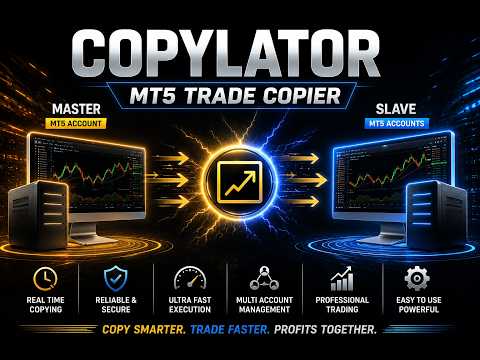
    COPYLATOR is an advanced MT5 Trade Copier and Copy Trade EA for replicating trades between multiple MT5 terminals on the same computer or VPS. It can be used as an MT5 Copier, for one-to-many, many-to-one, and many-to-many trade replication. Set Mode and SenderAccountNumber per chart – no external software needed.

    Use Cases

    Multi-account trading, prop firm management, signal replication, portfolio distribution, and personal use, etc.

    Key Features

    Advanced Drawdown Protection

    COPYLATOR includes a built-in safety mechanism that protects the Receiver account from excessive losses, independent of the Sender’s performance. It monitors two separate drawdown metrics:

    • Daily Drawdown – the maximum loss allowed from the highest Equity or Balance value reached during the current trading day (based on the DrawdownBasedOn setting).
    • Total Drawdown – the maximum loss allowed from the account’s initial balance ( initialBalance ) at the time the EA was started or last manually reset.

    Both values are expressed as percentages. A dedicated dashboard panel displays real-time status, current drawdown percentages, and the time remaining until the next daily reset.

    When a drawdown limit is exceeded:

    1. The EA immediately blocks all new copying (including modifications and pending orders) – this is always applied.
    2. If CloseOrdersOnDrawdown = true , the EA will close all COPYLATOR-opened positions and delete all COPYLATOR-pending orders on the Receiver account.
    3. If CloseOrdersOnDrawdown = false , no positions are closed and no pending orders are deleted; only new copying is blocked.

    The blocking remains active until a reset occurs. After an automatic daily reset, the system re-evaluates the total drawdown and may immediately trigger the block again if the total drawdown limit is still exceeded. A manual reset establishes a new initialBalance baseline.

    CloseOrdersOnDrawdown Positions closed? Pending orders deleted? New copying blocked? Can copying resume automatically?
    true Yes Yes Yes Only after a reset (daily or manual)
    false No No Yes Only after a reset (daily or manual)

    Reset Mechanisms

    There are two independent ways to remove the block and resume copying:

    1. Automatic Daily Reset (based on ResetHour and ResetMinute using broker's server time)
    • Removes the trading block and resets the daily drawdown percentage to zero.
    • Does not change the initialBalance (the baseline for total drawdown).
    • Important: If the current account balance is still below the original initialBalance , the total drawdown percentage will be recalculated immediately after the reset and may trigger the block again.
    2. Manual Reset (using the Reset button in the Drawdown Details panel – Receiver mode only)
    • A full and forced reset that can be performed at any time.
    • Removes the block, resets both daily and total drawdown percentages, and updates initialBalance to the current account balance at that moment.
    • This establishes a new baseline for total drawdown calculation, effectively starting a fresh protection cycle from the current equity/balance.

    Configuration Parameters

    Parameter Description
    EnableDrawdownProtection Master switch to enable/disable the entire system.
    CloseOrdersOnDrawdown If true , closes all COPYLATOR positions and deletes COPYLATOR pending orders when drawdown is triggered. If false , only blocks new copying without closing/deleting.
    MaxDailyDrawdownPercent Maximum allowed daily loss as a percentage from the day’s peak (Equity or Balance).
    MaxTotalDrawdownPercent Maximum allowed total loss as a percentage from the initial balance.
    DrawdownBasedOn Choose between EQUITY or BALANCE for drawdown calculation.
    ResetHour / ResetMinute Daily reset time (using broker's server time).

    Practical Recommendations

    • Set conservative limits (e.g., 3–5% daily, 8–10% total) and test on a demo account first.
    • Use the Manual Reset button only when you are confident that the account has recovered or you wish to reset the total drawdown baseline.
    • Remember that the Automatic Daily Reset does not reset the total drawdown baseline, so if your account is still in loss, the block may re-trigger immediately.

    Multi-Sender and Multi-Receiver Support

    Run multiple EA instances to create any topology. Each Sender needs a unique account number; each Receiver specifies its Sender via SenderAccountNumber . All instances run independently and simultaneously.

    Graphical Dashboard

    Displays account info, sync status, mode, and Drawdown Protection panel (Receiver mode). Visible by default in Receiver mode.

    Reliable Trade Replication

    Copies market orders, pending orders (Limit/Stop), SL, and TP. Automatically detects Hedging or Netting accounts and applies the appropriate synchronization method.

    Real-time SL/TP Sync: Any manual SL/TP changes on the Sender – including adding stops to trades that had none – are instantly replicated to all matching Receiver trades across Hedging and pending orders. On Netting accounts, SL/TP sync is limited.

    Partial Close Support

    COPYLATOR supports partial closing of copied positions, allowing part of a position to be closed while the remaining volume stays open.

    Reverse Trade Mode

    Copies trades in reverse direction (Buy↔Sell) with automatic SL/TP adjustment.

    Symbol Mapping & Risk Management

    Automatic mapping finds the correct symbol; if not found, a clear warning tells you which symbol is missing and how to add it via SymbolMappings . Manual mappings (e.g., XAUUSD:XAUUSDm) also supported.

    Lot management: Use multiplier and balance-ratio scaling (using the Sender/Receiver balance ratio) together, with max lot cap. Fixed lot overrides multiplier and balance-ratio.

    Custom Comment & Notifications

    • CustomCommentPrefix: Adds custom text to the end of copied trade comments (despite the parameter name, the text is appended as a suffix). For example, MyStrategy produces C123456_MyStrategy .
    • EnablePushNotifications / EnableEmailAlerts: Receive alerts for important events such as trade openings/closings, drawdown triggers, and errors.
    • EmailSubject: Custom subject line for email alerts.

    Additional Features

    • Multiple Sender/Receiver terminals concurrently.
    • Custom SL/TP (copy from Sender or fixed distances).
    • Buy-only / Sell-only filters.
    • Day & Time filters with auto-close at window end.
    • Maximum lot size limitation.

    Complete Input Parameters

    Core Settings

    Parameter Description
    Mode SENDER or RECEIVER.
    SenderAccountNumber In Receiver mode: account to copy from. In Sender mode: ignored.
    CopyPending Copy pending orders (limit/stop) along with market orders.
    CopyWithReversal Reverse direction (Buy↔Sell) with auto SL/TP adjustment.
    CopyStopLoss / CopyTakeProfit Enable copying SL/TP from sender.
    CustomStopLoss / CustomTakeProfit Override with fixed distance in pips; 0 = use sender's values.

    Symbol & Filtering

    Parameter Description


    SymbolMappings Pair mappings (e.g., XAUUSD:Gold).
    MaxSpread Maximum spread in pips (not points). For example, 3.0 pips means 30 points on a 5-digit broker. Set to 0 to disable.
    CopyLongOnly Copy only Buy (long) trades.
    CopyShortOnly Copy only Sell (short) trades.

    Lot & Risk Management

    Parameter Description
    UseBalanceRatio Scale lot size using the Sender/Receiver balance ratio.
    EnableLotMultiplier Multiply Sender volume by specified factor.
    LotMultiplierValue Multiplier factor.
    FixedLotSize Override volume with fixed lot; 0 = use multiplier/ratio logic.
    MaxLotSize Absolute lot cap.

    Day & Time Filters

    Parameter Description
    AllowMonday … AllowFriday Enable or disable trading on each specific day (Monday–Friday). Weekends are always blocked by the EA.
    EnableTimeFilter Restrict to daily GMT window.
    StartHourGMT / StartMinuteGMT Window start.
    EndHourGMT / EndMinuteGMT Window end.
    CloseOrdersAtEnd Auto-close all copied positions at window end.

    Notifications & Custom Comment

    Parameter Description
    CustomCommentPrefix Adds custom text to the end of copied trade comments (despite the parameter name, it is appended as a suffix). Example: MyStrategy produces C123456_MyStrategy .
    EnablePushNotifications Send push notifications to mobile.
    EnableEmailAlerts Send email alerts.
    EmailSubject Subject line for email alerts.

    Configuration Examples

    Example 1 – Fixed Lot Size:
    FixedLotSize = 0.01 , EnableLotMultiplier = false , UseBalanceRatio = false .

    Example 2 – Balance-based scaling:
    UseBalanceRatio = true , EnableLotMultiplier = false , FixedLotSize = 0 .

    Example 3 – Copy only Buy trades:
    CopyLongOnly = true , CopyShortOnly = false .

    Example 4 – Full Drawdown Protection (close & block):
    EnableDrawdownProtection = true , CloseOrdersOnDrawdown = true , MaxDailyDrawdownPercent = 5.0 , MaxTotalDrawdownPercent = 10.0 .

    Supported Trade Types

    Market orders (Buy/Sell), pending orders (Buy Limit, Sell Limit, Buy Stop, Sell Stop), direction filtering (Long-only / Short-only), and partial closing of positions.

    Account Type Support

    COPYLATOR supports all standard Forex account types, including ECN, etc. In general, accounts are categorized into two main types, both of which are fully supported:

    • Hedging accounts: Full support for all features including Reverse Mode, pending order replication, and individual ticket-based copying.
    • Netting accounts: Only one position per symbol is allowed. Some features such as Reverse Mode and pending order replication may not be applicable and will be automatically ignored or adjusted by the EA to prevent errors. The system handles this seamlessly without requiring manual intervention.

    SL/TP Modification: Add or modify SL/TP at any time, even after trade open. Works identically across Hedging and pending orders. Netting accounts have limited SL/TP sync.

    Best Practices

    • Set drawdown protection conservatively (e.g., 3–5% daily, 8–10% total) and test on demo.
    • Run terminals continuously – use a VPS for 24/7 operation.
    • Use time filters to avoid low-liquidity hours.

    Installation & Quick Start

    Step 1 – Sender: Attach EA, set Mode = SENDER , enable AutoTrading.

    Step 2 – Receiver(s): Attach EA, set Mode = RECEIVER , enter SenderAccountNumber , enable AutoTrading.

    Step 3 – Verify: Sender dashboard shows connected Receivers. Open a trade – it appears on all Receivers.

    Notes: One chart per terminal. Restart after config changes. Test on demo first.

    Conclusion

    COPYLATOR offers advanced drawdown protection, flexible lot management, real-time SL/TP sync, a  graphical dashboard, custom comment suffixes, and notification alerts. With auto-detection of Hedging/Netting, smart error handling, Partial Close Support, and no external dependencies, it provides reliable trade replication across a wide range of MT5 brokers and account setups.

    Important Notes

    • All terminals must remain running.
    • Each Sender must have a unique account number; each Receiver must specify the correct SenderAccountNumber .
    • If the automatic symbol mapping fails to find a symbol, the EA will display a clear warning message. You can manually add the missing symbol pair in the SymbolMappings field using the format SenderSymbol:ReceiverSymbol (e.g., XAUUSD:XAUUSDm ). This ensures that trades are copied correctly even when broker symbols differ.
    • The MaxSpread parameter is measured in pips, not points. For example, on a 5-digit broker, 3.0 pips equals 30 points. Set to 0 to disable spread filtering.
    • On Netting accounts, some features such as Reverse Mode and pending order replication may not be applicable due to the single-position-per-symbol limitation imposed by the broker. The EA automatically detects this and handles it seamlessly without manual intervention.
    • Drawdown Protection Reset: The automatic daily reset only removes the block and resets daily drawdown, but does not change the initialBalance baseline. To fully reset the total drawdown baseline, use the manual Reset button on the Drawdown Details panel (Receiver mode).
    • Buy/Sell Buttons in the Video: The Buy and Sell buttons shown on the chart are built-in MetaTrader 5 One Click Trading buttons and are not part of COPYLATOR. To enable them, go to Tools → Options → Trade → Enable One Click Trading. You can show or hide the panel by right-clicking the chart and selecting One Click Trading, or by pressing Alt+T. To manually close a position, open Toolbox → Trade, right-click the position, and select Close Position. These are standard MT5 functions and are independent of COPYLATOR.
    Comentários 1
    danmar
    2494
    danmar 2026.10.05 04:13 
     

    I buy on MQL market since many years a lot of indicators, some EA of trading, and few copier. This copier is interesting with quite all functionalities needed but keep things clear and the most simple as possible. Even it was Sunday i have 1 question important for me and also i make 1 mistake in one parameter means i ask 2 times information's. Each time i had a quick response precise and accurate. Seller who do the same show clearly that they really care of there users satisfaction after buying and for me it is the most important especially because the fingers of 1 hand are enough to count this nice comportment. Then Thank you a lot for yours responses. Today i will test it in open market and come back to complete my review.

    Produtos recomendados
    Real-Time Spread Display Tool A   real-time spread display tool   is a specialized software or application designed to provide traders and investors with instant, live data on the   spread —the difference between the bid price (the price at which buyers are willing to purchase an asset) and the ask price (the price at which sellers are willing to sell it)—for various financial instruments. This tool is critical in markets such as forex (FX), stocks, futures, and cryptocurrencies, where price f
    ​Notification Spy Protector is a MetaTrader 5 Expert Advisor (Utility) that monitors your trading activity and sends real-time alerts to your mobile device (via MT5 Push) and/or Telegram. Equipped with a solid and reliable Account Protector, this utility is fully compatible and highly recommended for Prop Firm trading to safeguard your accounts from violating drawdown limits. It also provides advanced transaction filters and a clean on-chart dashboard. Never miss a trade. Protect your account f
    ProbAlgo
    Marius Ovidiu Sunzuiana
    ProbAlgo is an institutional‑grade trading indicator engineered to mirror the analytical discipline used inside major banks and hedge funds. Its core strength is not just detecting when to trade — but knowing when not to trade. By combining probabilistic modeling, volatility diagnostics, liquidity behavior, and structural market filters, ProbAlgo isolates the rare moments when conditions genuinely support a high‑quality entry. Instead of chasing every move, ProbAlgo evaluates the market through
    Signalator Local Trade Copier MT5 é um copiador local de trades rápido para executar terminais Master e Receiver no mesmo computador ou VPS. Ele suporta cópia entre plataformas MT4, MT5 e cTrader em qualquer direção: MT4 ↔ MT5 ↔ cTrader e todas as outras combinações. Copie trades localmente sem relay externo em nuvem. O Master publica a atividade de trading em uma bridge local, e cada Receiver controla o que copiar, quais contas Master aceitar, como mapear símbolos, como dimensionar lotes e como
    Trade Copier Simple Guide Trade Copier is an Expert Advisor (EA) for MetaTrader 5 (MT5) that lets you automatically copy trades from one account (the "Master") to another (the "Receiver"). It's designed for users who want to duplicate trading strategies across multiple accounts on the  same computer . No internet or external servers are needed—it uses a shared file on your machine to transfer trade info securely and quickly. How It Works Master Mode : Attach the EA to a chart on your main tradin
    You have 5 positions open on XAUUSD. Net floating is +$30 - looks fine. But look closer: 3 buys, 2 sells. The buys are carrying 0.60 lots, the sells only 0.20. One of those buys has been sitting underwater for 90 minutes. Margin level is at 390% and drifting down. Stress is building - quietly, invisibly - while the terminal just shows you a list of rows. Current price: $59 - increases by $10 after every 20 purchases until reaching the final price of $119 . Next price: $69 . Complete Buyer Kit: 4
    Symbol Cost Info
    Opeyemi Fuad Anokwu
    Introducing the “Symbol Cost Info MT5” indicator – your ultimate tool for staying ahead in the forex market! This innovative indicator is designed to empower traders with real-time cost information, directly on their charts. Here’s why every trader needs the “Symbol Cost Info MT5” in their arsenal: Real-Time Spread Monitoring : Keep a close eye on the spread for any currency pair, ensuring you enter the market at the most cost-effective times. Pip Value at Your Fingertips : Instantly know the v
    FREE
    Advanced Trailing Stop & Break-Even Expert Advisor with Partial Profit Taking Overview Unlock the full potential of your trading strategy with this Expert Advisor that automates trade management to maximize profits and minimize losses. Designed for both novice and experienced traders, this EA offers precise control over your trades with customizable trailing stops, break-even protection, and partial profit taking — all working seamlessly to protect your capital and lock in gains. Key Features Dy
    This tool allows you to export MetaTrader indicator data (buffers) for any financial instrument available in your MetaTrader 5. You can export multiple Symbols and Timeframes into a single CSV file. You can also schedule the export frequency (every 1 minute, 5 minutes, 60 minutes, etc.). There is no need to open multiple charts to retrieve recent data—the tool downloads the data directly. The CSV file will be saved in the folder: \MQL5\Files . How it works Report Tab Select the indicators and o
    FREE
    Trend Alignment Scanner Pro The Ultimate Volatility Direction Score Dashboard for MetaTrader 5 Are you tired of flipping through dozens of charts just to find a single valid setup? Meet Trend Alignment Scanner Pro , an institutional-grade multi-symbol, multi-timeframe dashboard engineered to detect high-probability market imbalances in real-time. Powered by our proprietary Volatility Direction Score (VDS) Engine , this scanner filters out market noise and ranks the most explosive, trend-aligned
    "Quick Copier" is designed to copy trading without any complicated settings. It copies master orders faster than "Just Copier" (https://www.mql5.com/en/market/product/20920). Please also check this product at fxina.hostingerapp.com.  The copy can be done in one PC. One EA can be set as master (provider) or slave (receiver). The receiver lot can be set to multiple providers lots. Any type of copy is available. MT4 -> MT5 MT4 -> MT4 MT5 -> MT5 MT5 -> MT4 If you want to copy MT4 -> MT5 or MT5 -> MT
    Have you ever take a long time to watch a Symbol when the network link is not good ? Have you ever wait for a long time when you switch chart between different Symbols or different TimeFrames ? If you do long-term backtesting , Have you ever to be downloaded datas for a long time ? Yes, If there is no data in the system, those will happen.  1. What is this: Download all the Symbol data in Market Watch to the system. PS: This is not outputting data to Files. This Link go to Demo version: https:/
    Telegram to mt5 signal copier
    Chukwuemeka Kingsley Anyanwu
    5 (2)
    **COPIA SINAIS DE QUALQUER CANAL DO TELEGRAM E EXECUTA INSTANTANEAMENTE A OPERAÇÃO NO MT5 SEM PRIVILÉGIOS DE ADMINISTRADOR!** Você recebe sinais de trading no Telegram e gostaria que eles fossem executados instantaneamente no MetaTrader 5? **Telegram to MT5 Signal Copier** é uma ponte poderosa entre seus canais de sinais no Telegram e o MetaTrader 5. Ele escuta as mensagens de um canal específico do Telegram e extrai automaticamente os sinais de trading — incluindo símbolo, ação, preço de ent
    Blogs do MQL5: https://www.mql5.com/en/blogs/post/761446 Versão MT4: https://www.mql5.com/en/market/product/136790 Versão MT5: https://www.mql5.com/en/market/product/136791 O Time Wizard é um assistente de trading profissional desenvolvido para traders que necessitam de velocidade, precisão e controlo de execução num painel de controlo intuitivo. Este Expert Advisor foi concebido para negociação baseada em eventos, execução programada e gestão rápida de ordens semiautomáticas. Permite-lhe pre
    Just Copier MT5
    Agung Imaduddin
    4.75 (4)
    "Just copier" is designed to copy trading without any complicated settings. The copy can be done in one PC. One EA can be set as master (provider) or slave (receiver). The receiver lot can be set to multiple providers lots. Please also check this product at fxina.hostingerapp.com.  Any type of copy is available. MT4 -> MT5 MT4 -> MT4 MT5 -> MT5 MT5 -> MT4 If you want to copy MT4 -> MT5 or MT5 -> MT4, please purchase "Just copier" for MT4 and "Just copier" for MT5 separately. Just Copier can copy
    Boleta de negociação, adiciona automáticamente as ordens Take Profit e Stop Loss quando excutada uma ordem de compra ou venda. Ao apertar as teclas de atalho (A, D, ou TAB), serão inseridas duas linhas de pre-visualização, representando as futuras ordens de take profit (azul) e stop loss (vermelho), as quais irão manter o distanciamento especificado pelo usuário. Ditas ordens só serão adicionadas ao ser executada a ordem inicial. Ao operar a mercado, as ordens pendentes de take profit, e stop lo
    Chart Date Jump Chart Date Jump is a lightweight MetaTrader 5 utility that helps you open historical chart context in seconds. Enter a target Day / Month / Year / Hour / Minute , press Go to datetime , and the chart scrolls to the matching bar and centers it in the window. A vertical marker is drawn on the located candle so you can instantly see the exact time you jumped to. Key features Jump to an exact date and time on the current symbol/period Center the found bar in the visible chart area Ma
    Buy Sell Multiple Panel - Execute Bulk Orders in a Single Click! Description Save time and seize market opportunities instantly. This powerful panel allows you to place multiple buy or sell orders simultaneously, each with custom lot sizes, take-profit, and stop-loss levels. Perfect for sophisticated entry strategies and managing complex trades efficiently. Key Features Bulk Order Execution: Open multiple market orders at once with just one click. Flexible Lot Sizing: Set individual lot sizes f
    WADDAH ATTAR EXPLOSION PRO: MULTI-FILTER ULTIMATE TREND & BREAKOUT SYSTEM PRODUCT DETAILS Product Type    : Custom Technical Indicator (MT5 / MQL5) Category        : Trend & Momentum / Breakout / Multi-Filter Trading Trading Platform: MetaTrader 5 (MT5) Compatible Assets: Forex, Gold (XA
    TerminatorTrades
    Uriel Alfredo Evia Canche
    "O Terminator Trades " EA Robot, construído no poderoso código MQ5, foi projetado para simplificar o processo de fechar suas posições e pedidos pendentes. Você pode ajustar se quiser fechar todas as negociações ou por símbolos específicos. Com apenas um único clique em um botão, você pode gerenciar com eficiência suas posições atuais, garantindo que nunca perca a oportunidade de encerrar uma negociação. 
    FREE
    Welcome to Smart Algo Trade Panel Manager MT5 - the ultimate   risk management tool designed to make trading more effective based on user needs.  It is a comprehensive solution for seamless trade planning, position management, and enhanced control over risk. It does not matter weather you a beginner or an advanced trader, or a scalper needing rapid executions, SmartAlgo Trade Panel  adapts to your needs offering flexibility across all markets of your choice. You can put SL, Lot and TP of choice
    MT5 history exporter for accurate trade analysis and CSV export. Export trades to Excel from MetaTrader 5 with full performance metrics. Advanced MT5 trade analyzer with MAE, trade duration, and reconstruction. Usually platforms hide critical information about how your trades actually behave. History Downloader and Trade Analyzer solves this. It rebuilds your trades from raw deal history and exports a clean, structured dataset with accurate metrics MT5 does not provide. What You Get A fully s
    Risk Manager Optimum
    Freedom Uzochukwu Nnadi
    5 (1)
    RiskManagerOptimum for MetaTrader 5 – Your Ultimate Trading Safety Net! RiskManagerOptimum is the most advanced and professional trade and account risk management Expert Advisor for MetaTrader 5. It does not open trades. It monitors and manages existing positions in real time to control risk, drawdown, and exposure across all symbols. The EA is designed for manual traders, algorithmic traders, and portfolio traders who require strict and automated risk control across Forex, metals, crypto, indi
    Live Price With PNL
    Muhammad Jawad Shabir
    INDICADOR DE PREÇO AO VIVO E LUCRO TOTAL PERFEITO PARA TRADING AO VIVO E COMPARTILHAMENTO DE TELA Projetado especificamente para day traders, scalpers e sessões de trading em transmissão ao vivo Este indicador profissional fornece exibição de preços em tempo real e rastreamento abrangente de lucros diretamente no seu gráfico - essencial para trading de alta frequência e transmissões de trading ao vivo. RECURSOS PRINCIPAIS EXIBIÇÃO DE PREÇO EM TEMPO REAL Atualizações de preço bid ao vivo a cada
    FREE
    Volatility Regime Monitor is a professional MetaTrader 5 dashboard for classifying current volatility with transparent, measurable context. It combines ATR, recent bar-range statistics and historical percentiles to show whether the market is compressed, normal or expanding without generating entry signals. MAIN FEATURES • ATR and recent range context • Historical volatility percentile state • Compression, normal and expansion classification • Historical regime table • Transparent thresholds and
    News System Detector
    Bukola Omolola Adesina
    If you're unable to download the demo or get the demo working due to mql5 complications, you can message me on telegram  https://t.me/Motolani1 and I will send you a one week testing version.  THANK YOU FOR YOUR PATRONAGE. News Detector System . Stay ahead of market volatility with the News Detector System . This indicator automatically fetches and displays high-impact economic data directly on your MetaTrader 5 chart, ensuring you are never caught off guard by major news releases. By pulling d
    Keyboard Scalper Pro
    Mauricio Eduardo Lara Perez
    Keyboard Scalper Pro is a customizable keyboard trading utility for MetaTrader 5. It is designed for traders who want direct manual control of order execution without being limited to a fixed keyboard layout. Every trading hotkey can be configured to match the user's preferred workflow, while the default layout is built around the numeric keypad for fast operation. The utility does not generate signals and does not decide when to trade. The trader chooses the setup, direction and timing. Keyb
    You can see Binance Spot data instantly in Metatrader 5 and it allows you to use all the features that Metatrader has provided to you. You can access the data of all symbols listed on Binance Futures. Don't forget to set the timezone. Binance it's 00:00 UTC. You need to fix it according to your own country You need to install the free Binance Spot Symbol List plugin. https://www.mql5.com/tr/market/product/83507 After loading, it automatically downloads the data of the cryptos in the market obser
    Atlas Trade Desk
    Bernhard Wurzlbauer
    Atlas Trade Desk MT5 Atlas Trade Desk MT5 is a visual trade panel, risk manager and lot calculator for manual MetaTrader 5 traders. Plan market and pending orders directly on the chart, calculate position size from your selected risk, adjust Entry, Stop Loss and Take Profit visually, and manage open positions from one clean dashboard. The tool is built for discretionary traders who want faster order preparation, clearer risk control and safer position management without switching between multipl
    Telegram to mt5 pro
    Janet Abu Khalil
    4 (4)
    Telegram to MT5 Pro — Copiador avançado de sinais do Telegram com Auto-Fix, Multi-TP, controlo de risco e gestão completa de operações Telegram to MT5 Pro — Copiador profissional de sinais do Telegram Telegram to MT5 Pro copia automaticamente sinais de trading do Telegram diretamente para a sua conta MetaTrader 5 em tempo real, com controlo total de risco, execução e gestão de operações. O sistema é composto por dois componentes: • Expert Advisor (EA) dentro do MetaTrader 5 • Aplicação bridge q
    Os compradores deste produto também adquirem
    Trade Assistant MT5
    Evgeniy Kravchenko
    4.43 (216)
    Ajuda a calcular o risco por comércio, a fácil instalação de uma nova encomenda, gestão de encomendas com funções de fecho parcial, trailing stop de 7 tipos e outras funções úteis. Materiais e instruções adicionais Instruções de instalação   -   Instruções para a aplicação   -   Versão de teste da aplicação para uma conta de demonstração Função de linha Mostra no gráfico a linha de Abertura, Stop Loss, Take Profit. Com esta função é fácil definir uma nova ordem e ver as suas características ad
    Bem-vindo ao Trade Manager EA—uma ferramenta de gestão de risco criada para tornar o trading mais intuitivo, preciso e eficiente. Não é apenas uma ferramenta para executar ordens, mas uma solução abrangente para planejamento de operações, gerenciamento de posições e controle de risco. Seja você um iniciante, trader avançado ou scalper que precisa de execução rápida, o Trade Manager EA adapta-se às suas necessidades, oferecendo flexibilidade em todos os mercados, desde forex e índices até commodi
    Local Trade Copier EA MT5
    Juvenille Emperor Limited
    4.94 (149)
    Local Trade Copier EA MT5 é um copiador de operações rápido e flexível para copiar e gerenciar operações entre várias contas MetaTrader 5 no mesmo computador Windows ou Windows VPS. Ele combina a sincronização local de operações com controles no lado do Receiver para tamanho de lote, gerenciamento de risco, filtragem de operações, mapeamento de símbolos, gerenciamento de operações e proteção da conta. Configure seus terminais Transmitter e Receiver em aproximadamente 1 minuto e copie operações
    Strategy Ledger Pro
    Abdullah Uygar Tuna
    5 (7)
    Agora disponível em português. Strategy Ledger Pro é um painel de análise de conta somente leitura para o MetaTrader 5. Ele separa os resultados da conta por Expert Advisor, estratégia, símbolo e número mágico, para que você veja o que cada um realmente contribui. O painel está disponível em 11 idiomas: English, Français, Deutsch, Español, Italiano, Português, Русский, Türkçe, 中文, 日本語 e 한국어. Antes de baixar a demo. O Market executa a demo de qualquer produto pago somente no Testador de Estratég
    ================================================================================ POC BREAKOUT - V20.72. Full Professional Grade Toolkit ================================================================================ POC Breakout is a full MetaTrader 5 trading dashboard for discretionary traders who want breakout signals, Point of Control (POC) context, volume profiles, order flow, market structure, news, alerts, and advanced trade planning in one professional workspace. Attached directly to you
    O Telegram to MT5 Multi-Channel Copier copia automaticamente os sinais de trading dos seus canais de Telegram diretamente para o MetaTrader 5. Sem bots, sem extensões de navegador, sem copiar à mão. O sinal chega ao Telegram e o EA abre a operação no seu terminal em poucos segundos. E antes de copiar um canal, o backtester integrado mostra o que esse canal teria feito na sua conta. O produto inclui dois componentes: um aplicativo de Windows que escuta os seus canais de Telegram, e este Expert Ad
    TradePanel MT5
    Alfiya Fazylova
    4.88 (170)
    Trade Panel é um assistente de negociação multifuncional. O aplicativo contém mais de 50 funções de negociação para trading manual e permite automatizar a maioria das tarefas de negociação. Instruções para o aplicativo: https://www.mql5.com/pt/blogs/post/762435 Versão de teste do aplicativo para conta demo: https://www.mql5.com/pt/blogs/post/762547 Como instalar o aplicativo: https://www.mql5.com/pt/blogs/post/762548 Como testar o aplicativo no modo visual: https://www.mql5.com/pt/blogs/post/770
    Copie sinais do Telegram com suas próprias regras de negociação Telegram to MT5 Signal Trader copia automaticamente sinais de negociação em texto de canais e grupos públicos e privados do Telegram para o MetaTrader 5. Gerencie vários provedores e contas MT5 em um único aplicativo para desktop, com configurações individuais de risco e de negociação para cada provedor . Você não precisa de um bot do Telegram nem configurar uma API para copiar sinais. Basta entrar com sua própria conta do Telegram
    Footprint Chart Pro — Professional OrderFlow EA for MetaTrader 5 Version 6.34 | Professional tool for real traders | Institutional-Grade Visualization DEMO USERS - PLEASE SELECT EVERY TICK / REAL TICK WHEN TESTING AND YOU HAVE DOWNLOADED HISTORICAL DATA. IF YOU SEE A WAITING SCREEN AND IT IS NOT DOWNLOADING, IT MEANS YOU HAVE LOW HISTORICAL DATA. TRY 1 MIN AND 5 MIN FIRST ON 1 DAY DATA. ONE DAY DATA SHOULD BE THE NEWEST AND MOST CURRENT DATE. PLEASE WAIT UNTIL THE MARKET HAS ROLLED OVER PERIOD.
    Exp COPYLOT CLIENT for MT5
    Vladislav Andruschenko
    3.97 (35)
    Copiador profissional de operações para MetaTrader 5 Um copiador de operações rápido, profissional e confiável para MetaTrader . COPYLOT permite copiar operações de Forex entre terminais MT4 e MT5 com suporte para contas Hedge e Netting . A versão MT5 do COPYLOT oferece suporte a: - MT5 Hedge → MT5 Hedge - MT5 Hedge → MT5 Netting - MT5 Netting → MT5 Hedge - MT5 Netting → MT5 Netting - MT4 → MT5 Hedge - MT4 → MT5 Netting Versão MT4 Descrição completa + DEMO + PDF Como comprar Como instalar Como
    Farmed Hedge Yield Farming | All Markets (Manual - Hybrid - Semi/Automated EA) VERIFIED TRADING RESULTS - Farmed Hedge Yield Axi Copy:  https://www.mql5.com/en/signals/2356376 - Farmed Hedge Yield Exn Copy:   https://www.mql5.com/en/signals/2356404 - Farmed Hedge Yield V Copy:  https://www.mql5.com/en/signals/2357156 IMPORTANT NOTICE: FarmedHedge is a MANUAL-FOCUSED TRADING UTILITY ,not a fully automated EA. Results shown on this Signal include manual trades and overall strategic management.
    Grid Manual MT5
    Alfiya Fazylova
    4.73 (22)
    "Grid Manual" é um painel comercial para trabalhar com uma grade de ordens. O utilitário é universal, possui configurações flexíveis e uma interface intuitiva. Ele trabalha com uma grade de ordens não apenas na direção da média das perdas, mas também na direção do aumento dos lucros. O trader não precisa criar e manter uma grade de ordens, tudo será feito pelo ""Grid Manual". Basta abrir um orden e o "Grid manual" criará automaticamente uma grade de ordens para ele e trabalhará com ele até que s
    Power Candles Strategy Scanner - Localizador de configurações multissímbolo com auto-otimização O Power Candles Strategy Scanner utiliza o mesmo motor de auto-otimização que alimenta o indicador Power Candles — em todos os símbolos da sua lista de observação, lado a lado. Um painel indica-lhe quais os símbolos que são estatisticamente negociáveis neste momento, qual a estratégia vencedora para cada um, o par ideal de Stop Loss / Take Profit, e avisa-o assim que um novo sinal é emitido. Esta ferr
    HINN MagicEntry Extra
    ALGOFLOW OÜ
    4.74 (19)
    HINN MAGIC ENTRY – the ultimate tool for entry and position management! SIMPLE. FASTEST. INTUITIVE. MAX AUTOMATED. Place orders by selecting a level directly on the chart! full description   ::  demo-version  :: 60-sec-video-description Key features: - Market, limit, and pending orders - Automatic lot size calculation - Automatic spread and commission accounting - Unlimited partitial take-profits  - Breakeven and trailing stop-loss and take-profit  functions - Invalidation leves - Intuitive, a
    Trade copier MT5
    Alfiya Fazylova
    4.61 (56)
    Trade Copier é um utilitário profissional projetado para copiar e sincronizar negociações entre contas de negociação. A cópia ocorre da conta / terminal do fornecedor para a conta / terminal do destinatário, instalada no mesmo computador ou vps. Antes de comprar, você pode testar a versão demo em uma conta demo. Versão de demonstração aqui . Instruções completas aqui . Principais funcionalidades e benefícios: Suporta a cópia de MT5> MT5, MT4> MT5, MT5> MT4, incluindo contas "MT5 netting". Os mod
    MT5 to Telegram Signal Provider é uma utilidade fácil de usar e totalmente personalizável que permite o envio de sinais especificados para o chat, canal ou grupo do Telegram, tornando sua conta um fornecedor de sinais . Ao contrário da maioria dos produtos concorrentes, ele não usa importações de DLL. [ Demonstração ] [ Manual ] [ Versão MT4 ] [ Versão Discord ] [ Canal do Telegram ]  New: [ Telegram To MT5 ] Configuração Um guia do usuário passo a passo está disponível. Não é necessário conhec
    Anchor Trade Manager
    Kalinskie Gilliam
    5 (9)
    Your EAs cannot see each other, but Anchor can. Anchor gives you one place to coordinate your EAs, manage risk, and decide when trading is allowed. It works alongside the trading bots you already use without any changes to them. The Problem One EA opens a trade. Then another starts trading. The next thing you know, you wake up to multiple grids built across your account. Each EA may be doing exactly what it was designed to do, but together they can place far more risk on your account than you in
    Copy your MT5 trades to Interactive Brokers You keep using MT5. Every order you open or close is sent to your IB account. In real time. No coding. No changes to your strategy or EA. Try it first Rent 1 month: $30. Test on a live or paper account. What it does Real-time copying: same direction, reverse, or one side only. Map any MT5 symbol to any IB symbol. Set a lot ratio for each. Forex, Futures, Stocks, CFDs, Metals and Crypto. Position sync: both accounts checked, any difference fixed. Optio
    Signal TradingView to MT5 Pro Automator Execução profissional instantânea entre TradingView e MetaTrader 5 Automatize a sua estratégia de trading com a ponte de comunicação mais robusta entre os alertas do TradingView e a execução real no MT5. Concebido para traders que exigem velocidade, flexibilidade e uma gestão de risco impecável, este Expert Advisor transforma qualquer mensagem de alerta numa ordem de mercado ou de limite precisa. PONTOS FORTES E VANTAGENS Motor de Parsing Universal (Propri
    The News Filter MT5
    Leolouiski Gan
    4.78 (23)
    Este produto filtra todos os consultores especializados e gráficos manuais durante o horário das notícias, para que você não precise se preocupar com picos de preços repentinos que possam destruir suas configurações de negociação manuais ou negociações realizadas por outros consultores especializados. Este produto também vem com um sistema de gerenciamento de pedidos completo que pode lidar com suas posições abertas e ordens pendentes antes do lançamento de qualquer notícia. Depois de comprar o
    Trade Copier Ultimate
    Janitha Sandaruwan Amaradasa Wickramasingha Arachchilage
    5 (5)
    Trade Copier Ultimate - Telegram to MT5 Signal Copier Trade Copier Ultimate automatically copies Telegram trading signals into MetaTrader 5. The EA can read signal messages, detect the symbol, order type, entry price, Stop Loss, Take Profit levels and selected update commands, then execute or manage the trade in MT5 using your lot and risk settings. It is more than a basic Telegram to MT5 copier. TCU also supports Bot API and user-account Bridge workflows, Discord signal routing, local MT5 to MT
    Welcome to ENTRY IN THE ZONE AND SMC MULTI TIMEFRAME  SPECIAL BENEFIT FOR OUR MQL5 CUSTOMERS  FREE ACCESS TO THE NEW TOOL —COMING SOON —   Learn More on Our Official Website : https://www.fableedge.net Entry In The Zone and SMC Multi Timeframe is a real-time market analysis tool based on Smart Money Concepts (SMC), designed to analyze market structure, price direction, and key trading zones. It supports both Single-Timeframe Analysis and Multi-Timeframe Analysis, providing a clearer view of the
    Mantenha o indicador em que você confia. Automatize o trabalho ao redor dele. Você já tem um indicador MT5 em que confia, mas ainda precisa acompanhar o gráfico, esperar um sinal, calcular o lote, enviar a ordem e gerenciar cada posição manualmente? O Stratiora Signal Engine MT5 foi criado para conectar essas etapas. Ele pode transformar sinais Buy e Sell de buffers compatíveis em um fluxo automatizado completo: entrada, cálculo de volume, Stop Loss, Take Profit, filtros, gestão de posições e p
    Premium Trade Manager - O Painel de Operações com um Coach Integrado Premium Trade Manager coloca um coach de trading dentro do seu gráfico, com um motor de execução completo por baixo. Configure a operação da forma que sempre faz e deixe o Max, seu coach de trading com IA, ler exatamente esse setup em relação à sua conta ao vivo e dar um veredicto direto antes de confirmar: se o stop é disciplinado, se o risco faz sentido, se há um evento de alto impacto a minutos de distância, se você está pró
    YuClusters
    Yury Kulikov
    4.93 (43)
    Atenção: A versão demo para revisão e teste está aqui . YuClusters é um sistema profissional de análise de mercado. O trader tem oportunidades únicas para analisar o fluxo de pedidos, volumes de negociação, movimentos de preços usando vários gráficos, perfis, indicadores e objetos gráficos. O YuClusters opera com base em dados de Tempos e Negócios ou informações de ticks, dependendo do que está disponível nas cotações de um instrumento financeiro. O YuClusters permite que você crie gráficos com
    EA Overfitter
    Stephen J Martret
    5 (1)
    That backtest looks great. But will it still be making money tomorrow, next week, next month? EA Overfitter re-runs your EA on 100 price histories it has never seen. One score tells you if the edge is real. A backtest tells you what an EA did on one price history — the one that happened to occur. What you cannot tell from it is how much of that result was the strategy and how much was the particular path. EA Overfitter answers that. It builds up to 100 synthetic price histories your EA has n
    Trade Indicator Assistant   is a powerful MT5 utility designed to turn indicators into automated trading systems. Its main feature is the ability to automatically detect an indicator’s   BUY and SELL signal buffers , without requiring you to know the buffer numbers, search through indicator settings, or modify the indicator source code. Bonus Indicator:   After purchasing Trade Indicator Assistant, contact me to receive   Trade Signal Pro   completely free as a bonus indicator. [Download Demo V
    Telegram To MT5 Ultra
    Mirel Daniel Gheonu
    5 (5)
    Telegram To MT5 — Copiador de sinais Transforme as chamadas de trading dos seus canais do Telegram em ordens reais no MT5 — automaticamente, em quantas contas quiser, com o risco e as regras totalmente sob o seu controlo. O Telegram To MT5 liga os canais VIP / de sinais que já segue no Telegram ao seu terminal MetaTrader 5. Um aplicativo de desktop complementar gratuito lê as mensagens (mesmo de canais que bloqueiam bots), e este Expert Advisor executa-as na sua conta — aplicando as suas própria
    Trade Manager Panel Pro MT5
    VividMind Digital Solutions
    5 (6)
    Envie-me uma mensagem após a compra para receber o kit completo do manual + teste de 3 dias da API da OpenAI para testar os recursos de IA + Outro presente bônus O preço atual é um desconto limitado para a atualização de relançamento de agosto — garanta sua edição agora antes que o preço aumente. Próximo preço: $340 Isso é completamente diferente de qualquer painel de trading que você já experimentou ou viu no mercado. É um dos painéis de trading com tecnologia de IA mais inovadores disponíveis
    Quant Panel
    Kevin Craig E Gittins
    Quant Panel Pro O Painel Definitivo de Desempenho Multi-EA para Traders Quantitativos Pare de alternar entre múltiplos gráficos ou ferramentas externas para monitorar suas estratégias algorítmicas! O Quant Panel Pro oferece monitoramento de portfólio em nível institucional em uma interface profissional e elegante. Principais Recursos Análise Quantitativa ao Seu Alcance Agregação de lucros/perdas (P&L) em tempo real para todos seus Expert Advisors Análise estatística de taxa de acerto com métric
    Mais do autor
    MT4 Copier
    Nurhidaya Tullah
    MT4 para MT4 Trade Copier – Sistema local de replicação de operações para MetaTrader 4 Um copiador de trades profissional para MetaTrader 4 que sincroniza operações entre vários terminais MT4 executados no mesmo computador ou ambiente VPS. O sistema foi desenvolvido para traders que gerenciam múltiplas contas e precisam de uma replicação de operações estável, consistente e com configuração flexível. Ele funciona de forma confiável em diferentes ambientes, incluindo computadores pessoais e VPS, d
    Filtro:
    danmar
    2494
    danmar 2026.10.05 04:13 
     

    I buy on MQL market since many years a lot of indicators, some EA of trading, and few copier. This copier is interesting with quite all functionalities needed but keep things clear and the most simple as possible. Even it was Sunday i have 1 question important for me and also i make 1 mistake in one parameter means i ask 2 times information's. Each time i had a quick response precise and accurate. Seller who do the same show clearly that they really care of there users satisfaction after buying and for me it is the most important especially because the fingers of 1 hand are enough to count this nice comportment. Then Thank you a lot for yours responses. Today i will test it in open market and come back to complete my review.

    Responder ao comentário