Candle Clock All Timeframes
- Индикаторы
- Версия: 1.0
- Активации: 20

Candle Clock All Timeframes — Real-Time Countdown
MT5 Indicator | M1 to Monthly | Updates every second
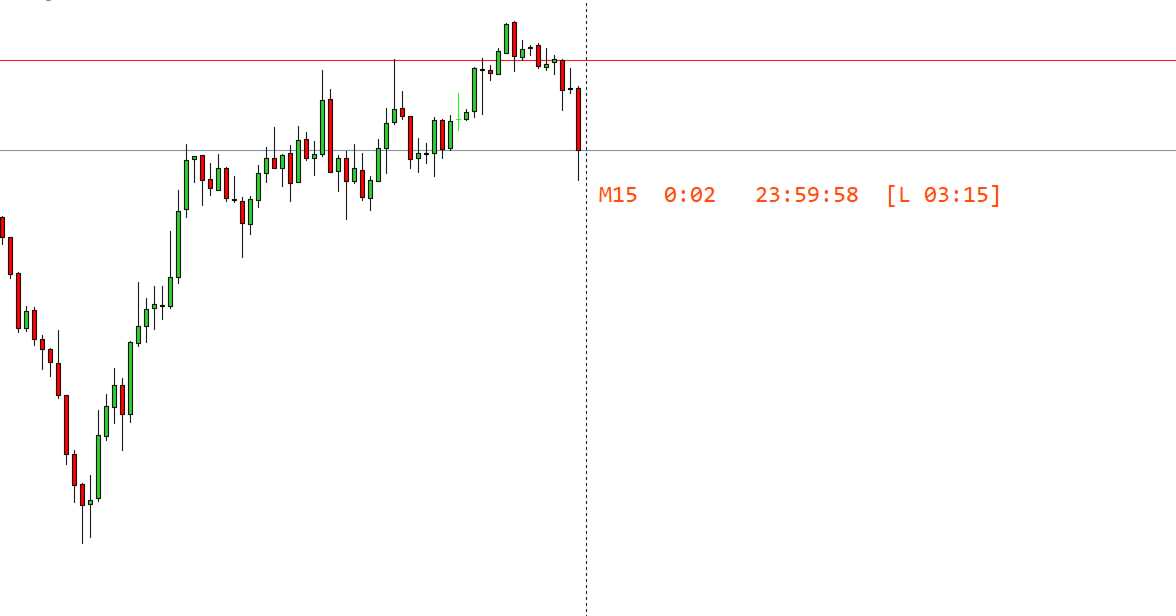
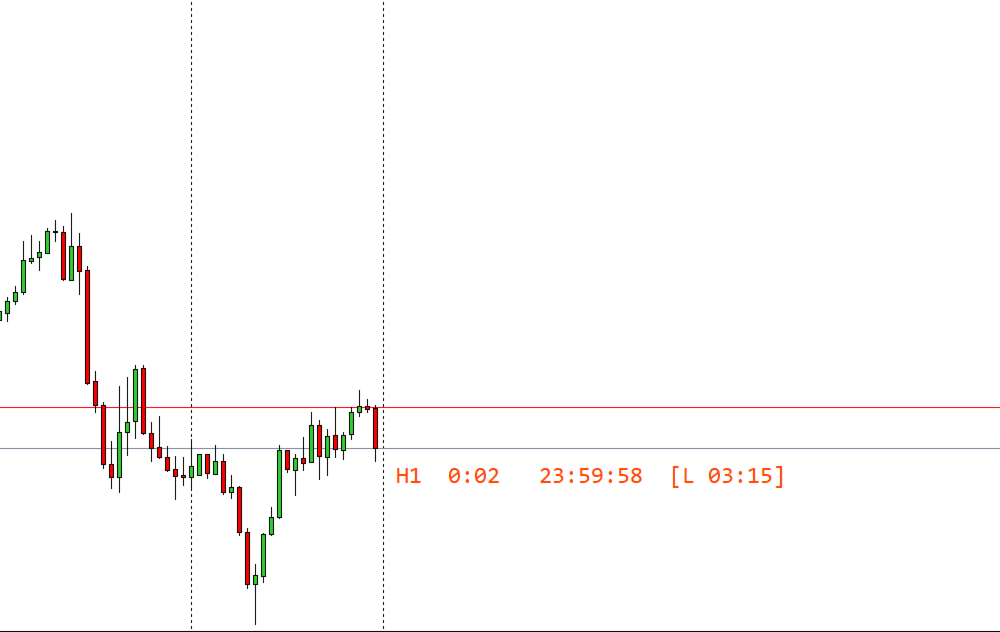
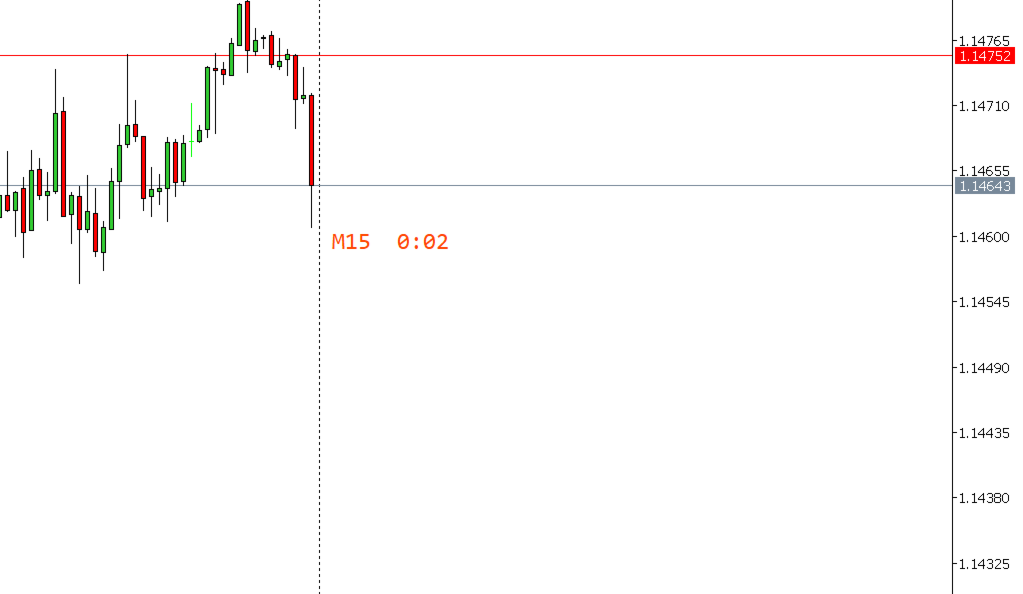
Displays a real-time countdown timer next to the current candle showing exactly how many minutes and seconds remain before the candle closes. The timer updates every second automatically and works on all timeframes from M1 to Monthly without any manual intervention.
Position: the timer always appears next to the active candle on the right side of the chart.
Updates: every second via an internal timer, keeping the countdown accurate at all times.
Reset: automatically resets to the full candle duration when a new candle opens.
Works on all timeframes from M1 to Monthly. The countdown format adjusts automatically depending on the timeframe: MM:SS for short timeframes and hours for longer ones. The timeframe label can optionally be shown next to the timer so the active period is always visible at a glance.
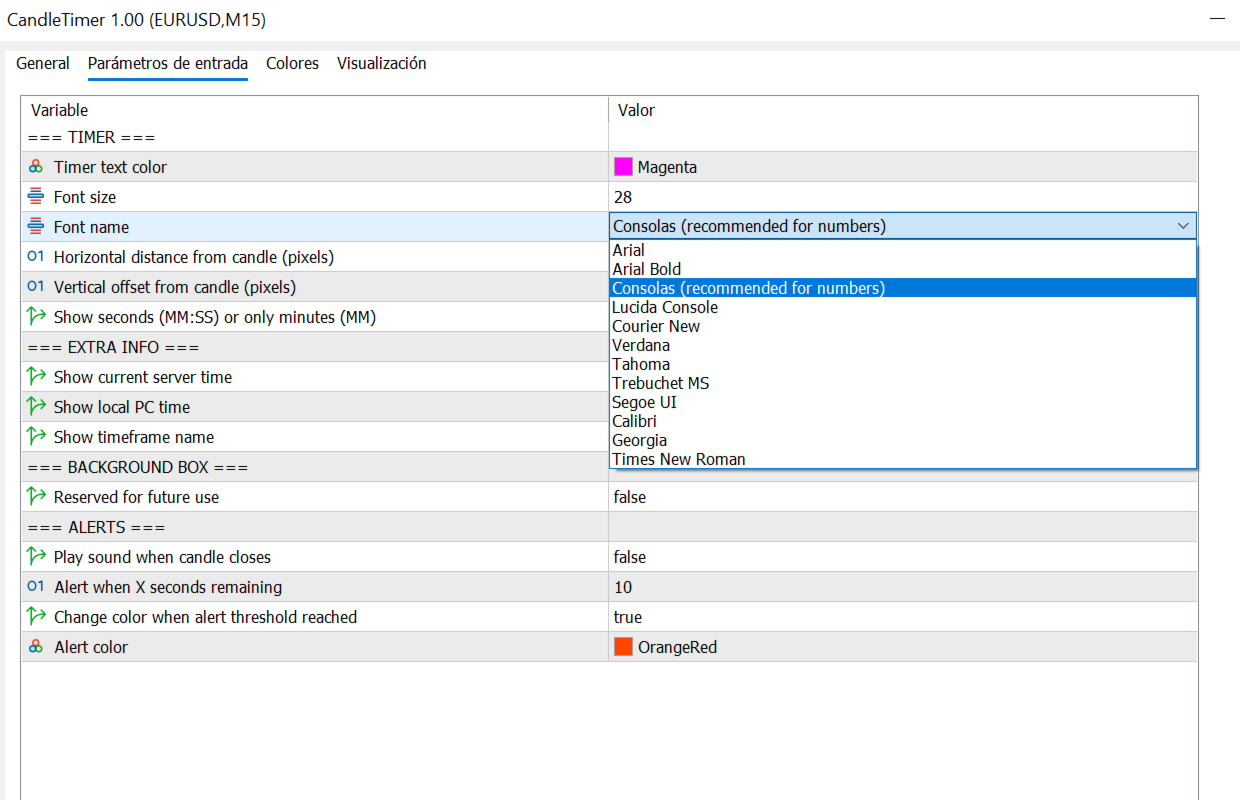
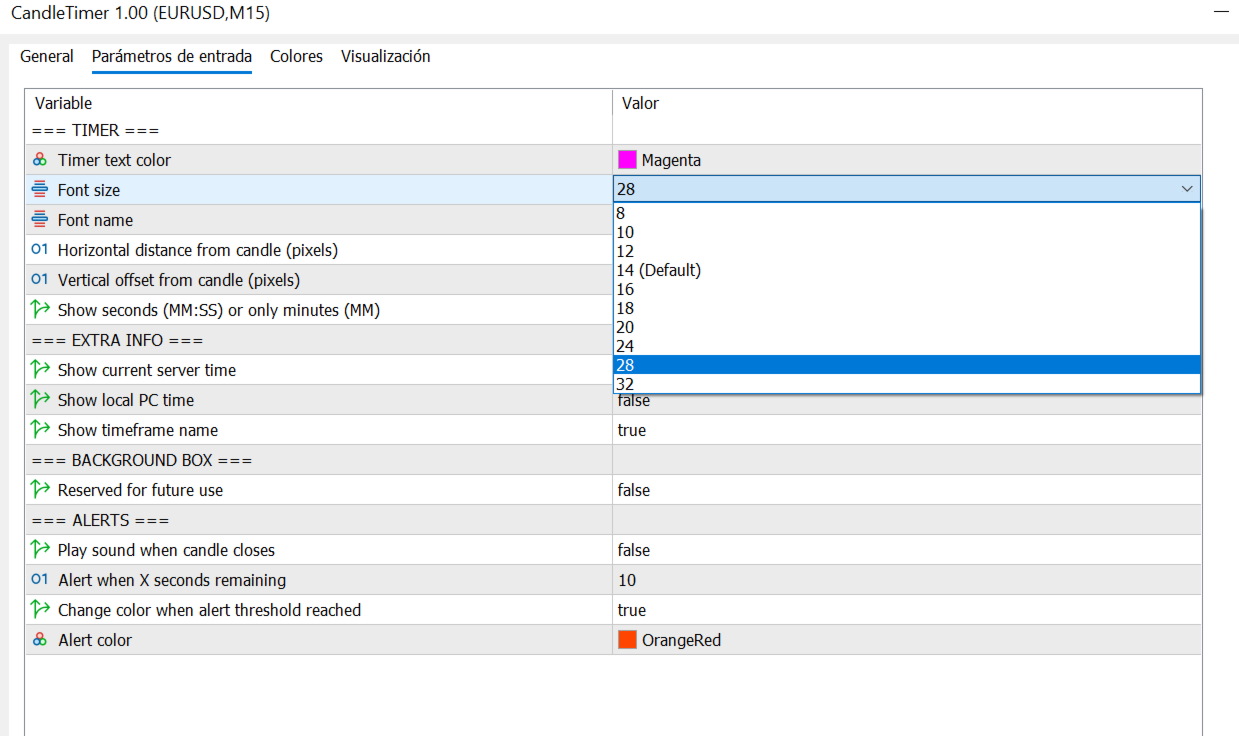
The font, font size, and text color are fully configurable. Twelve font choices are available including Consolas, Arial, Verdana, Segoe UI and Tahoma. Ten font sizes are available from 8 to 32, selectable from a dropdown menu in the indicator parameters.
The horizontal and vertical distance of the timer from the current candle is adjustable via the OffsetX and OffsetY parameters. The timer can be positioned above or below the candle depending on its direction.
An optional alert sound can be triggered a configurable number of seconds before the candle closes. When the alert threshold is reached, the timer text can also change color to provide an additional visual warning. Server time and local PC time can optionally be displayed alongside the countdown.
Timer Display
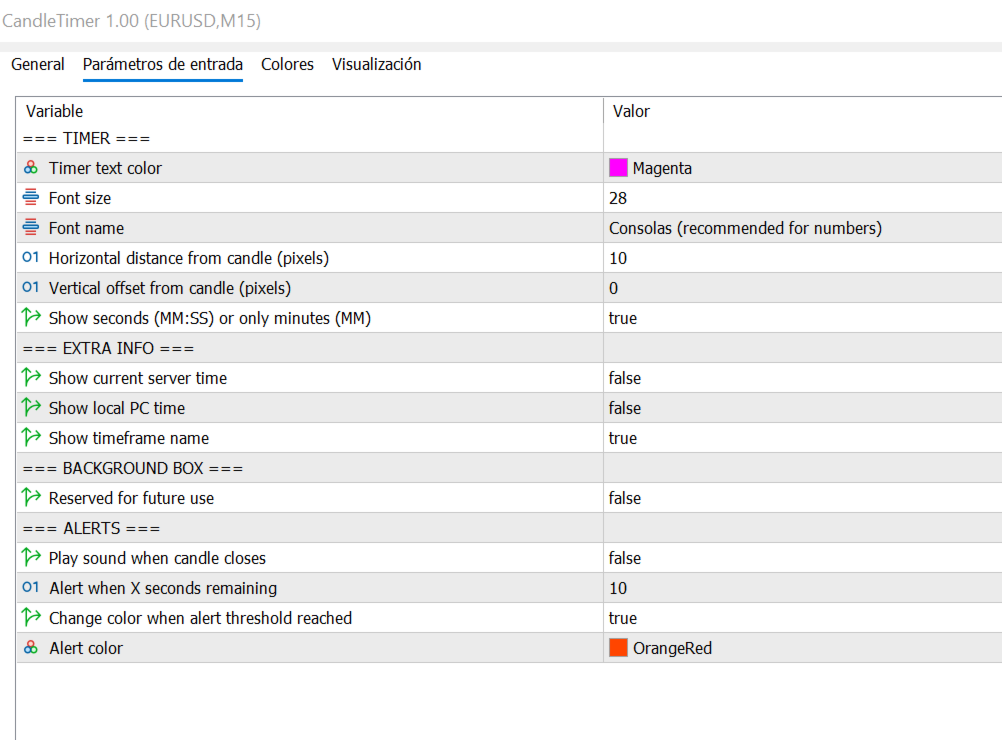
TimerColor: color of the countdown text.
FontSize: 10 sizes available: 8, 10, 12, 14, 16, 18, 20, 24, 28 and 32. Selectable from a dropdown.
FontName: 12 fonts available: Consolas, Arial, Arial Bold, Lucida Console, Courier New, Verdana, Tahoma, Trebuchet MS, Segoe UI, Calibri, Georgia and Times New Roman.
OffsetX: horizontal distance in pixels from the current candle.
OffsetY: vertical offset in pixels from the candle high or low.
ShowSeconds: display countdown in MM:SS format, or minutes only.
ShowTFName: show the timeframe label next to the timer, for example M5 or H1.
Additional Time Display
ShowServerTime: display the current broker server time alongside the countdown.
ShowLocalTime: display the local PC time alongside the countdown.
Alert Settings
AlertOnClose: play an alert sound when the candle closes.
AlertSeconds: number of seconds before candle close to trigger the alert sound.
AlertColor: enable color change when the alert threshold is reached.
AlertClr: color of the timer text during the alert countdown phase.
Platform: MetaTrader 5.
Timeframe: all timeframes from M1 to Monthly.
Instruments: any Forex pair, index, metal, cryptocurrency or stock available in MetaTrader 5.
Account type: compatible with demo and live accounts.
1. Apply the indicator to any chart on any timeframe.
2. Adjust FontSize, FontName and TimerColor to match your chart style.
3. The timer appears next to the current candle and updates every second automatically.
This indicator is a visual utility tool. It does not generate trading signals and does not place orders. Always apply your own analysis and risk management before making any trading decision.