Scorpion 74 MT5

  • Утилиты
  • Eslam Salman
    Eslam Salman
    HELLO,
    PLEASE USE 0.02 PER 1000 USD Leverage 1:400 Or Higher, Allow US 15 trades. SET UP YOUR Protection to 15%.
    We have a very strict risk management of 10%, However, set up 15 % in Your settings to be higher than our max so you never get closed out.
    ALL TRADES ARE EXECUTED MANUALLY.
  • Версия: 1.0
  • Активации: 20
# Higher-Lower Pending Bot - Advanced Multi-Pending Orders System

## 🚀 Revolutionize Your Trading with Smart Pending Order Automation

Welcome to the **Higher-Lower Pending Bot** - the most sophisticated pending order management system available on MQL5. Designed for traders who want to maximize opportunities while minimizing manual effort, this EA combines intelligent order placement with comprehensive profit tracking in one powerful package.

## 💡 What Makes Our Bot Unique?

### 🎯 Smart Dual-Price Level System
- **Two Independent Price Levels**: Set separate activation points for different market scenarios
- **Flexible Direction Control**: Choose Buy-only, Sell-only, or both directions for each level
- **Visual Price Lines**: Clear graphical representation of your pending levels on the chart
- **Drag & Drop Adjustment**: Easily modify price levels by dragging lines directly on the chart

### ⚡ Automated Order Cascade
- **Multi-Layer Pending Orders**: Automatically places multiple pending orders above and below each price level
- **Configurable Step Distance**: Customize the distance between orders (in points) to match your strategy
- **Intelligent Activation**: Only executes the enabled trade type when price triggers your level
- **Risk Management**: Built-in Max Net Lot control prevents over-exposure

### 📊 Comprehensive Profit Analytics
- **Real-time Profit Tracking**: Monitor floating and closed profits for all pairs
- **Weekly Performance Summary**: 7-day profit breakdown with daily totals
- **Multi-Symbol Monitoring**: Automatically tracks all active trading pairs
- **Net Position Analysis**: Real-time buy/sell lot balance and profit calculations

---

## 🛠 How to Set Up & Use - Complete Guide

### 🎮 Quick Start (5-Minute Setup)

1. **Attach to Chart**
   - Drag and drop the EA onto your preferred trading chart
   - Set your desired symbol and timeframe (works on all timeframes)

2. **Basic Configuration**
   ```
   Lot Size: 0.1 (adjust according to your risk tolerance)
   Pending Order Count: 10 (number of orders per side)
   Step2: 500 (distance between orders in points)
   Move Step: 500 (price adjustment increment)
   ```

3. **Set Your Price Levels**
   - **Price Level 1**: Your primary trading level
   - **Price Level 2**: Secondary or contingency level
   - Use arrows or type directly into price boxes
   - Enable Buy/Sell for each level as needed

### 🎯 Trading Scenarios & Strategies

#### 📈 Bullish Breakout Strategy
1. Set Price Level 1 above current price
2. Enable BUY only
3. When price hits level: Market buy + pending buy limits below + buy stops above
4. Perfect for breakout confirmation trades

#### 📉 Bearish Rejection Strategy  
1. Set Price Level 1 below current price
2. Enable SELL only
3. When price hits level: Market sell + pending sell limits above + sell stops below
4. Ideal for support/resistance rejection trades

#### ⚖️ Range Trading Strategy
1. Set Price Level 1 (upper range) with SELL enabled
2. Set Price Level 2 (lower range) with BUY enabled  
3. Capture both range boundaries automatically
4. Excellent for sideways markets

### 🔧 Advanced Features Deep Dive

#### 🎛 Control Panel Mastery
- **Lot Size Management**: Dynamic lot adjustment with up/down buttons
- **Price Precision**: Adjust levels with 5-decimal precision
- **One-Click Enable**: Quickly activate Buy/Sell for any level
- **Instant Cancellation**: Cancel all orders for any level with single click

#### 📈 Profit History Panel
- **Weekly Overview**: Monday-to-Sunday profit tracking
- **Symbol Performance**: Individual pair performance analysis
- **Floating vs Closed**: Separate tracking of open and closed positions
- **Color-Coded Display**: Green for profits, red for losses, gray for zero

#### 💰 Account Information Hub
- **Real-time Equity Monitoring**: Balance, equity, margin, free margin
- **Risk Metrics**: Margin level and spread monitoring
- **Profit Summary**: 
  - FP (Floating Profit current pair)
  - TFP (Total Floating Profit all pairs)
  - PCPT (Pair Closed Profit Today)
  - TCPT (Total Closed Profit Today)

### ⚙️ Risk Management Features

#### 🛡 Max Net Lot Protection
- Set maximum net exposure limit
- Prevents over-trading and over-leverage
- Automatic trade rejection if limit exceeded
- Configurable via input parameter or panel

#### 🎯 Order Management
- **Close All & Reset**: Emergency exit all positions
- **Selective Cancellation**: Cancel only Buy or Sell orders per level
- **Visual Status**: Color-coded order status (pending/active/triggered)

---

## 🏆 Why Professional Traders Choose Our Bot

### ✅ Proven Benefits
- **Time Efficiency**: Automate complex order setups that would take hours manually
- **Emotion-Free Trading**: Execute predefined strategies without hesitation
- **Multi-Timeframe Compatibility**: Works consistently across all timeframes
- **Comprehensive Tracking**: Never lose sight of your overall portfolio performance

### 🎓 Perfect For
- **Swing Traders**: Set weekly levels and let the bot manage entries
- **Day Traders**: React quickly to key levels during active sessions  
- **Portfolio Managers**: Monitor multiple pairs simultaneously
- **Strategy Developers**: Test and implement complex order placement strategies

---

## 🔧 Technical Specifications

### 📋 System Requirements
- **Platform**: MetaTrader 5
- **Account**: Any (Hedging/Netting)
- **Minimum Deposit**: $100 (recommended)
- **Pairs**: All symbols (Forex, Metals, Indices, Crypto)
- **Timeframes**: All (M1 to MN1)

### ⚙️ Input Parameters Overview

#### Trading Parameters
- `DefaultLotSize`: Starting lot size for orders
- `PendingOrderCount`: Number of orders per direction per level
- `Step2`: Distance between pending orders (points)
- `MoveStep`: Price adjustment increment (points)

#### Price Level Controls
- `PriceLevel1/2`: Initial price levels
- `Buy/Sell Enabled`: Direction control for each level
- Panel controls override initial inputs

#### Display Settings  
- Panel positioning (X/Y coordinates)
- Color schemes for all panels
- Refresh intervals

---

## 🚀 Getting Started Checklist

### ✅ Immediate Setup
- [ ] Download and install EA
- [ ] Attach to preferred chart
- [ ] Set basic lot size and risk parameters
- [ ] Configure at least one price level
- [ ] Enable desired trade directions
- [ ] Test with small lot size

### ✅ Advanced Configuration  
- [ ] Set Max Net Lot limit
- [ ] Configure profit tracking preferences
- [ ] Adjust panel positions for your screen
- [ ] Set up multiple timeframes if needed
- [ ] Establish risk management rules

---

## 📞 Support & Community

### 🆘 Need Help?
- **Telegram Support**: [t.me/DrEslamSalman](https://t.me/DrEslamSalman)
- **Website Resources**: [www.Signalsview.com](https://www.Signalsview.com)
- **Setup Assistance**: Contact for personalized configuration help

- **Strategy Consultation**: Get professional trading strategy advice

Note: All purchase must be done through MQL5 , the Contact is for support only. 


### 🔄 Updates & Improvements
- Regular feature updates based on user feedback
- Bug fixes and performance enhancements
- New strategy implementations
- Custom version requests available

---

## 💬 Testimonials

*"This bot transformed how I trade. Setting multiple pending orders manually was exhausting - now it's automated and I can focus on analysis."* - **Professional Trader**

*"The profit tracking across all pairs gives me complete portfolio visibility. Game changer for my multi-currency strategy."* - **Fund Manager**

*"Excellent support team helped me configure complex bracket orders. The visual interface makes everything intuitive."* - **Swing Trader**

## 🎯 Start Trading Smarter Today!

**Don't waste another minute on manual order placement.** Join thousands of successful traders who have automated their trading execution with the Higher-Lower Pending Bot.


*Professional trading automation - now accessible to every trader.* 🚀

---

*Risk Warning: Trading financial instruments involves risk. Past performance is not indicative of future results. Use appropriate risk management and trade responsibly.*
Рекомендуем также
Данный продукт — советник поддержки автоматического закрытия, который помогает трейдерам, торгующим по собственному усмотрению, выполнять уже принятые правила закрытия. Вы можете задавать условия закрытия по заданному времени, подтверждению свечи или пересечению/приближению MA, и использовать TIME, CANDLE и MA CROSS по отдельности или одновременно. Также можно отображать MA таймфреймов 1H, 4H, дневного, недельного и месячного на текущем графике. Это не продукт, автоматизирующий торговые решения
Hybrid Assisted Trading Engine Manual Trading. Machine Discipline. The Hybrid Assisted Trading Engine is an institutional-grade manual trade management system designed to protect traders from emotional mistakes — without taking control away from them. You decide when to enter . The engine decides how the trade is managed . What It Does This system continuously monitors your manual trades and enforces professional-level trade management rules in real time: Smart Breakeven logic R-based trai
EAs Manager
Abdeljalil El Kedmiri
5 (2)
Are you running multiple EAs on the same MT5 account and losing sleep over stacked risk? EAs Manager Pro is the central risk-control layer for your entire MT5 account. Attach it to one chart, and it automatically detects every EA you're running by  Magic Number — no source code changes, no per-EA setup. It then monitors every  position, automated or manual, and enforces the risk rules you set across your whole account, not just one strategy at a time. Built for traders running scalpers, breakout
Atlas Trade Desk MT5 Atlas Trade Desk MT5 is a visual trade panel, risk manager and lot calculator for manual MetaTrader 5 traders. Plan market and pending orders directly on the chart, calculate position size from your selected risk, adjust Entry, Stop Loss and Take Profit visually, and manage open positions from one clean dashboard. The tool is built for discretionary traders who want faster order preparation, clearer risk control and safer position management without switching between multipl
MasterEA MT5 Premium – Professional Copy Trade Sender One Purchase. Unlimited Possibilities. MasterEA MT5 Premium is a professional MT5 trade broadcasting solution that instantly sends your trading activity to one or multiple receiving accounts. Buy only the Master EA. SlaveEA MT5 Premium (Trade Receiver) is included FREE with your purchase. No additional payment is required for the Receiver EA. What Can Be Copied? MasterEA automatically broadcasts: Market Buy Orders Market Sell Orders
С легкостью возьмите под контроль свою торговую рутину с революционным менеджером времени сделок. Этот мощный инструмент автоматизирует выполнение ордеров в назначенное время, изменяя ваш подход к торговле. Создавайте персонализированные списки задач для различных торговых действий, от покупки до выставления ордеров, без ручного вмешательства. Руководство по установке и вводу данных Trades Time Manager Если вы хотите получать уведомления о работе советника, добавьте наш URL в терминал MT4/MT5 (с
Pro LTS TradeDashboard MT5
Mohammed Rafi Abdul Lathif
Pro LTS Trade Dashboard & Market Manager Stop calculating. Start trading. The Pro LTS Trade Dashboard is not just a risk calculator—it is a complete trading command center designed to replace the default MT5 terminal. It combines professional Risk Management, Trade Execution, and a unique Draggable Symbol Switcher into one clean, collapsible interface. Developed by Logic Trade Solution (LTS) , this tool is built for traders who need speed, precision, and screen space. Why Go Pro? While our fr
MT5 to Telegram bot
Maksim Plotnikov
5 (1)
MT5 к сигналам Telegram Эта утилита проста в использовании и поддерживает широкий спектр настроек: Выберите желаемую группу Telegram и введите токен бота и идентификатор чата. Получайте уведомления, когда заказы размещаются, изменяются, выполняются, закрываются... или любые комбинации состояний. Соедините свой брокерский аккаунт с Telegram и перестаньте пропускать важные уведомления. Хотите получать уведомления в Telegram? Ищете простой способ делиться торговыми сигналами с вашими подписчиками?
FREE
TradingX Hotkeys
Johannes Stephanus Lombard
Inputs Available Lotsizes Partial Close % You can change lotsizes as you require On an open chart click once to select chart to be able to use hotkeys on specific chart. All Pairs can be used with this expert We created this expert to be able to still trade C300 with a 0.06 Lotsize If you enter a 0.6 lot and close 0.90% you can trade with 0.06 Lot Keys to be used: B -Buy S -Sell C -Close Profitable D -Breakeven (Note if stoploss is set it won't break even) P -Partial close X -Close all
Telegram Notify MT5 Telegram Notify MT5 is an utility tool to bridge your MetaTrader 5 activities to your Telegram chat/channel. It is useful for monitoring your MetaTrader 5 account by sending a notification to your particular Telegram chat/channel when someone/EA is placing trades, modifying order's TP/SL, closing trades and etc. This EA does not place any trade for your account. This EA also could be a convenient tool for monitoring other's EA trading activities or a tool for publishing your
QuickTrade Panel – Fast Execution & Smart Risk Management The QuickTrade Panel is a professional trading utility for MetaTrader 5 that makes order execution faster, safer, and easier. It allows traders to place market and pending orders directly from the chart while automatically managing position size based on their risk settings. Key Features Interactive On-Chart Panel: Easily adjust Lot Size, Risk %, Stop Loss (SL), Take Profit (TP), and Pending Order Distance without opening EA settings. Sma
Binance Grid Pro offers an alternative to the built in Grid systems Binance Platform offers. This utility let you define a grid parameters for interact with your Binance account using an Isolated Margin account. This is, similar to Spot Grid in Binance. This is not for handle with derivatives contracts, is for handle with Spot through Isolated Margin Account. But obviosly this utility offers a different approach than built in Binance Grid to handle the Grid, which I have found useful based on
Telegram to MT5 Coppy
Sergey Batudayev
5 (10)
Telegram to MT5: Идеальное решение для копирования сигналов Упростите свою торговлю с Telegram to MT5 — современным инструментом, который копирует торговые сигналы прямо из каналов и чатов Telegram на вашу платформу MetaTrader 5, без необходимости использования DLL. Это мощное решение обеспечивает точное исполнение сигналов, широкие возможности настройки, экономит время и повышает вашу эффективность. [ Instructions and DEMO ] [ FAQ ] [ How atach logs properly ] [ Settings descrition ] Ключевые
XBOOT BOLETA PRO Professional Manual Trading Panel for MetaTrader 5 XBOOT Boleta Pro is a complete trading panel designed for traders who execute manual trades and want greater speed, organization, and control during every trading session. More than a standard Buy and Sell panel, XBOOT Boleta Pro combines powerful trading tools into a single interface, helping traders analyze the market, manage risk, execute orders, and monitor trading performance without leaving the chart. Its purpose is to sim
Quant Panel
Kevin Craig E Gittins
Количественная Панель Pro Идеальная Мульти-ЭА Панель Мониторинга для Квантовых Трейдеров Хватит переключаться между графиками и внешними инструментами для отслеживания алгоритмических стратегий! Quant Panel Pro предоставляет профессиональный мониторинг портфеля в одном стильном и удобном интерфейсе. Ключевые Возможности Количественная Аналитика Под Рукой Агрегирование прибыли и убытков (P&L) в реальном времени для всех советников Статистический анализ процента выигрышных сделок и частоты торговл
ProTrading Panel — идеальный помощник для ручной торговли Выведите свою ручную торговлю на новый уровень с помощью ProTrading Panel . Этот советник (EA) разработан для мгновенного исполнения ордеров и имеет элегантный, приятный для глаз вертикальный интерфейс, который идеально вписывается в график, не загромождая рабочее пространство. Предпочитаете ли вы кликать мышкой по экрану или совершать сделки с молниеносной скоростью с помощью горячих клавиш на клавиатуре — этот инструмент создан специаль
KopirMT5 Full
Alexandr Gavrilin
4.2 (10)
KopirMT5(CopierMT5) - копировщик сделок для терминала MetaTrader 5, копирует (синхронизирует, дублирует) сделки с  хедж счетов (copier, copy dealers).  Поддерживает копирование: МТ5 <-> МТ5, МТ4 -> МТ5 Hedge, MT5 Hedge -> МТ4 Не поддерживает копирование MT5 Hedging <-> MT5 Netting, MT4 <-> MT5 Netting Чат поддержки:  https://www.mql5.com/ru/messages/01c3f341a058d901 Почему именно наш продукт? Копировщик обладает высокой скоростью работы и не зависит от тиков. Скорость копирования - менее 0.5 сек
Simple Risk Tool — trade with a FIXED money risk, always. Stop calculating lot sizes by hand. Type the amount you accept to lose, place your BUY or SELL lines, drag your Stop Loss anywhere on the chart — the lot size recalculates instantly while your money risk never changes. HOW IT WORKS — 3 STEPS 1. Set the amount you want to risk (in your account currency). 2. Select your direction: BUY LINES or SELL LINES instantly draws draggable Stop Loss / Entry / Take Profit lines at the current char
Trade Control Panel
Jerry Jilun Anak Liban
Trade Control Panel Function Normal One Click Function Close All Close All Profit Close All Loss Close All Pending Order Close All Sell Close All Buy Advance One Click Function 1.  Close Partial Lot Sell by Percent It will help you partial close for all open position by desire percent you wanted. No longer partial close one by one for every open position Manual input for desire percent 2. Close Partial Lot Buy by Percent It will help you partial close for all open position by desire percent
Strategy Manager is a  Multi-Time-Frame & Multi-Currency  Dashboard for  Metatrader 4 and 5. Thanks to a free, external graphical user interface, build your own strategy by combining any indicators and loading them into the dashboard to see the result ! In addition, you can precisely  set-up your Auto-trading & Notifications and use indicators for Stop-Loss, partial profit or limit. Filter your automatic trading & notifications with forex calendar and more. Open and Manage your orders directly w
MT5 To Telegram Signal EA
Olaoluwa Oluwaseun Bamitale
MT5 Trade To Telegram MT5 Trade To Telegram is a professional trade signal bridge for MetaTrader 5. It monitors trades, positions, and pending orders placed on your MT5 account and sends clean, structured signal updates to your Telegram bot, group, channel, or private chat. It is designed for traders, signal providers, educators, account managers, and trading communities who need fast trade communication with flexible TP/SL handling, inverse signal mode, live target monitoring, and a modern on-
Hard Scalping Assistant
Jorge Javier Catalan Garcia
Hard Scalping Assistant is a semi-automatic Expert Advisor for MetaTrader 5 created for traders who want to keep making their own decisions, but with a much more advanced, organized and professional execution. It does not enter the market on its own: you choose the direction, define the trade idea and adjust the zone directly on the chart, while the assistant automatically calculates the risk, lot size and the full execution structure. With just a few clicks, you can prepare BUY or SELL trades
FREE
Broker Environment Inspector is a professional MetaTrader 5 compatibility and diagnostics utility for examining the current terminal, account and symbol environment. It presents trading permissions, quote conditions, contract settings and supported execution capabilities in a clear technical dashboard. MAIN FEATURES • Terminal connection and trading-permission flags • Quote freshness and current spread inspection • Trading-session availability • Contract size, tick size and tick value details •
Этот скрипт предназначен для загрузки глубокой истории котировок криптовалют с биржи Binance. Он подойдет Вам идеально, если Вы хотите однократно загрузить историю котировок для анализа графиков, сбора статистики или тестирования торговых роботов в тестере MetaTrader 5, или если вам необходимо обновлять архив котировок не слишком часто (например, раз в день или раз в неделю). После запуска скрипта Вы получите полноценные (но не обновляемые автоматически) графики криптовалют в вашем MetaTrader 5.
Smart Risk Manager
Abderrahmane Benali
5 (1)
Smart Risk Manager – Master Your Trades with Precision and Confidence Take complete control of your manual trading with Smart Risk Manager , a professional all-in-one trade and risk management Expert Advisor for MetaTrader 5 . Designed for traders who value speed, precision, and capital protection, it simplifies every step of trade execution while ensuring your risk remains under control. Whether you trade Forex, Gold, Indices, or Cryptocurrencies , Smart Risk Manager helps you execute trades w
Welcome to Smart Algo Trade Panel Manager MT5 - the ultimate   risk management tool designed to make trading more effective based on user needs.  It is a comprehensive solution for seamless trade planning, position management, and enhanced control over risk. It does not matter weather you a beginner or an advanced trader, or a scalper needing rapid executions, SmartAlgo Trade Panel  adapts to your needs offering flexibility across all markets of your choice. You can put SL, Lot and TP of choice
Telegram Control Center (TCC) — утилита-советник для MetaTrader 5, которая связывает ваш торговый счёт с Telegram. Не открывает и не управляет сделками. Мониторит счёт, отправляет уведомления в реальном времени и позволяет управлять позициями удалённо через команды Telegram. Основные возможности - Мониторинг баланса, эквити, маржи и всех открытых позиций в реальном времени - Мгновенные уведомления при открытии, закрытии или изменении позиций - Уведомления о просадке эквити с настраиваемым поро
FREE
The only drawdown guardian that stops your other EAs from digging you deeper. PropMarshal monitors your account equity in real time and instantly closes all positions the moment a drawdown or profit target threshold is breached. But it doesn't stop there — it closes every chart on your platform too, cutting off any other Expert Advisors before they can open new trades and compound the damage. The Problem PropMarshal Solves Most prop firm traders run multiple EAs across multiple charts. When a dr
FREE
Order Selective Delete MT5
Francisco Manuel Vicente Berardo
The Order Selective Delete is a multi-symbol multi-timeframe script used to delete simultaneously various pending orders.  General Description   The Order Selective Delete   possesses   three operation modes (Intersection,   Union   and All) that control the way   as   three pending order features (symbol, magic   number   and type) are used. The modes, available through the Selection Mode input parameter, relate to the features, available through the “Select by Feature” and “Feature” input pa
FREE
Telecontrol MT5
MIKHAIL VINOGRADOV
3 (1)
Telegram Controls (Telecontrol)  — выполняет связь бота   Телеграм   и терминала  MetaTrader 5 . Помогает агрегировать данные с нескольких терминалов и управлять ими с помощью бота в   Телеграм . Сервис удобен для работы на нескольких терминалах MT5, позволяя индивидуально настраивать каждый терминал для оптимального отображения и восприятия информации. Все данные с терминалов собираются в одном Telegram-канале, а панель настроек позволяет быстро вносить и сохранять изменения в работе и интерфей
FREE
С этим продуктом покупают
================================================================================ POC BREAKOUT - V20.72. Full Professional Grade Toolkit ================================================================================ POC Breakout is a full MetaTrader 5 trading dashboard for discretionary traders who want breakout signals, Point of Control (POC) context, volume profiles, order flow, market structure, news, alerts, and advanced trade planning in one professional workspace. Attached directly to you
Farmed Hedge Yield Farming | All Markets (Manual - Hybrid - Semi/Automated EA) VERIFIED TRADING RESULTS - Farmed Hedge Yield Axi Copy:  https://www.mql5.com/en/signals/2356376 - Farmed Hedge Yield Exn Copy:   https://www.mql5.com/en/signals/2356404 - Farmed Hedge Yield V Copy:  https://www.mql5.com/en/signals/2357156 IMPORTANT NOTICE: FarmedHedge is a MANUAL-FOCUSED TRADING UTILITY ,not a fully automated EA. Results shown on this Signal include manual trades and overall strategic management.
Premium Trade Manager - Торговая панель со встроенным коучем Premium Trade Manager помещает торгового коуча прямо в ваш график, а под ним работает полноценный движок исполнения. Настройте сделку так, как вы всегда это делаете, затем позвольте Max, вашему ИИ-наставнику по трейдингу, прочитать именно эту настройку с учётом вашего живого счёта и дать чёткое заключение до того, как вы входите: соответствует ли стоп дисциплинированному подходу, разумен ли риск, не выходит ли высоковолатильный релиз ч
EA Overfitter
Stephen J Martret
5 (1)
Бэктест выглядит отлично. Но будет ли советник зарабатывать завтра, через неделю, через месяц? EA Overfitter прогоняет вашего советника по 100 историям цены, которых он никогда не видел. Одна оценка показывает, реально ли преимущество. Бэктест показывает, что советник сделал на одной истории цены — на той, которая случайно произошла. Из него невозможно понять, какая часть результата была заслугой стратегии, а какая — конкретного пути цены. EA Overfitter отвечает на этот вопрос. Он строит до 10
Welcome to ENTRY IN THE ZONE WITH SMC MULTI TIMEFRAME Entry In The Zone and SMC Multi Timeframe is a real-time market analysis tool based on Smart Money Concepts (SMC), designed to analyze market structure, price direction, and key trading zones. It supports both Single-Timeframe Analysis and Multi-Timeframe Analysis, providing a clearer view of the overall market structure across multiple timeframes, with real-time BUY / SELL signals that do not repaint. It is designed to help filter trading op
The product will copy all telegram signal to MT5 ( which you are member) , also it can work as remote copier.  Easy to set up, copy order instant, can work with almost signal formats, image signal,  s upport to translate other language to English Work with all type of channel or group, even channel have "Restrict Saving Content", work with  multi channel, multi MT5 Work as remote copier: with signal have ticket number, it will copy exactly via ticket number. Support to backtest signal. How to s
FUTURES ORDERFLOW FOOTPRINT CHART Professional OrderFlow EA for MetaTrader 5 Version 1.01| Professional tool for real traders | Institutional-Grade Visualization STRATEGY TESTER USERS - PLEASE SELECT EVERY REAL TICK WHEN TESTING AND YOU HAVE DOWNLOADED HISTORICAL DATA. IF YOU SEE A WAITING SCREEN AND IT IS NOT DOWNLOADING, IT MEANS YOU HAVE LOW HISTORICAL DATA. TRY 1 MIN AND 5 MIN FIRST ON 1 DAY DATA. ONE DAY DATA SHOULD BE THE NEWEST AND MOST CURRENT DATE. PLEASE WAIT UNTIL THE MARKET HAS ROL
Footprint Chart Pro — Professional OrderFlow EA for MetaTrader 5 Version 6.34 | Professional tool for real traders | Institutional-Grade Visualization DEMO USERS - PLEASE SELECT EVERY TICK / REAL TICK WHEN TESTING AND YOU HAVE DOWNLOADED HISTORICAL DATA. IF YOU SEE A WAITING SCREEN AND IT IS NOT DOWNLOADING, IT MEANS YOU HAVE LOW HISTORICAL DATA. TRY 1 MIN AND 5 MIN FIRST ON 1 DAY DATA. ONE DAY DATA SHOULD BE THE NEWEST AND MOST CURRENT DATE. PLEASE WAIT UNTIL THE MARKET HAS ROLLED OVER PERIOD.
Timeless Charts
Samuel Manoel De Souza
5 (8)
Timeless Charts is an all-in-one trading utility for professional traders. It combines custom chart types such as Seconds Charts and Renko with advanced order flow analysis using Footprints , Clusters , Volume Profiles , VWAP studies, and anchored analysis tools for deeper market insight. Trading and position management are handled directly from the chart through an integrated trade management panel , while Market Replay and Virtual Accounts provide environments for practicing trading skills and
Power Candles Strategy Scanner — самооптимизирующийся инструмент для поиска настроек по нескольким инструментам Power Candles Strategy Scanner использует тот же самооптимизирующийся движок, что и индикатор Power Candles — для всех символов в вашем Market Watch, одновременно. На одной панели отображается информация о том, какие символы в данный момент являются статистически торгуемыми, какая стратегия выигрывает на каждом из них, оптимальная пара Stop Loss / Take Profit, а также отправляется увед
This Expert Advisor waits a position to be opened, no matter if you open manually or with the EA buttons or eventually via mobile: it creates a Grid in Anti Martingale with pending stop orders in the same direction of the first position. You can specify the number of orders, the size and the distance between the orders. You can also adjust the Monetary Target of the Grid, the monetary Stop Loss, the Intermediate Target (when reached the EA insert an order with opposite direction of the total pos
YuClusters
Yury Kulikov
4.93 (43)
Внимание: Ознакомиться с работой программы можно с помощью бесплатной версии  YuClusters DEMO . YuClusters это профессиональная система анализа рынка. Для трейдера открываются уникальные возможности анализа потока ордеров, объемов торговли, движения цены используя различные графики, профили, индикаторы, графические объекты. YuClusters оперирует данными на основе ленты сделок или тиковой информации, в зависимости от того, что доступно в котировках финансового инструмента.  YuClusters позволяет с
Copy your MT5 trades to Interactive Brokers You keep using MT5. Every order you open or close is sent to your IB account. In real time. No coding. No changes to your strategy or EA. Try it first Rent 1 month: $30. Test on a live or paper account. What it does Real-time copying: same direction, reverse, or one side only. Map any MT5 symbol to any IB symbol. Set a lot ratio for each. Forex, Futures, Stocks, CFDs, Metals and Crypto. Position sync: both accounts checked, any difference fixed. Optio
Ultimate Extractor - Professional Trading Analytics for MT5 *****this is the local HTML version of Ultimate Extractor. !!!!!it is not compatible with Cloud!!!! For the online version please reach out to me directly****** Ultimate EA manager also now available when you use cloud pro and above for free!! Ultimate Extractor transforms your MetaTrader 5 trading history into actionable insights with comprehensive analytics, interactive charts, and real-time performance tracking. What It Does Automa

AI Agent Supervisor is NOT an Expert Advisor. AI Agent Supervisor   is a   multi-agent AI risk & portfolio supervisor   that watches every EA on your account and intervenes in real time.  WANT AN AI PORTFOLIO MANAGER WATCHING YOUR FLEET 24/7?   Run your fleet on the same brokers I do:   IC MARKETS , IC TRADING   .  Unlike the centralized stock market, Forex has no single, unified price feed.  Every broker sources liquidity from different providers, creating unique data streams. The Supervisor r
Quant AI Agents
Ho Tuan Thang
5 (1)
Quant AI Agents are independent trading Expert Advisors. Instead of trading using a fixed strategy like other conventional EAs, Quant AI Agents   is a   multi-agent AI trading framework   that turns natural-language strategy prompts into live.  WANT THE SAME RESULTS AS MY LIVE SIGNAL?   Use the exact same brokers I do:   IC MARKETS , IC TRADING   .  Unlike the centralized stock market, Forex has no single, unified price feed.  Every broker sources liquidity from different providers, creating un
EA Auditor
Stephen J Martret
5 (5)
EA Auditor is an independent analysis tool for traders evaluating Expert Advisors and trading signals on MetaTrader 5. It audits backtest reports, reviews posted developer signals, and cross-verifies the two against each other to help traders assess strategies before committing capital. The MQL5 market offers a wide range of Expert Advisors from many developers, with varying approaches, quality, and transparency. EA Auditor provides a consistent, data-driven framework for reviewing them, answer
Global Investing FX Terminal
Santiago Nicolas Pla Casuriaga
5 (1)
Global Investing FX Terminal — это комплексный FX-дашборд для MetaTrader 5 — процентные ставки центральных банков, позиции COT CFTC, рэнкинг carry, индексы экономических сюрпризов, перекос опционов, настроения ритейла и корреляции, тринадцать панелей в общей сложности — отображается на едином канвасе без мерцания и обновляется каждые 10 секунд через один прикреплённый EA. Никаких внешних программ не требуется. Профессиональный анализ валютного рынка требует одновременного доступа к данным, котор
Telegram To MT5 Receiver
Levi Dane Benjamin
4.53 (15)
Копируйте сигналы из любого канала, участником которого вы являетесь (в том числе частного и ограниченного), прямо на свой MT5. Этот инструмент был разработан с учетом потребностей пользователей и предлагает множество функций, необходимых для управления и мониторинга сделок. Этот продукт представлен в простом в использовании и визуально привлекательном графическом интерфейсе. Настройте свои параметры и начните использовать продукт в течение нескольких минут! Руководство пользователя + Демо  |
Prop Firm Os
Gayathiri Gopalakrishnan
5 (1)
PROP FIRM OS Structured Trading Assistant for MetaTrader 5 PROP FIRM OS is a structured trading assistant designed for MetaTrader 5 users who prefer rule-based market analysis and organized trading workflows. The Expert Advisor combines market analysis tools, scanner functions, dashboard monitoring, alerts, risk-control settings, and trade management features inside one system. PROP FIRM OS is designed to help traders follow selected rules, filters, and monitoring conditions during trading activ
Trading Chaos Expert
Gennadiy Stanilevych
5 (11)
Этот программный продукт не имеет аналогов в мире, поскольку он является универсальным "пультом управления" торговых операций, начиная от получения торговых сигналов, автоматизации входа в позиции, установки стоп-лоссов и тейк-профитов, а также трейлинга прибыли одновременно по множеству сделок в одном открытом окне. Интуитивно понятное управление экспертом в "три клика" на экране монитора позволяет полноценно использовать все его функции на разного рода компьютерах, включая планшетные. Взаимоде
TradePad
Ruslan Khasanov
5 (1)
TradePad - это инструмент как для ручной, так и алгоритмической торговли.  Представляем вам простое решение для быстрых торговых операций и контроля позиций на нескольких торговых инструментах. Внимание, приложение не работает в тестере стратегий! Пробная версия приложения для демо-счета и описание всех инструментов Интерфейс приложения адаптирован для мониторов с высоким разрешением, прост и интуитивно понятен. Для комфортной работы, трейдеру предлагается следующий набор инструментов: менеджер
MT5 Trading Deck
Manuel Michiels
5 (2)
One button. One trade. MT5 Trading Deck is a hotkey trading panel for MetaTrader 5 that turns the platform into a keyboard-driven execution cockpit. Stop loss, take profit and lot size are pre-calculated for every key; the moment you press, a market order is live on the broker. A complete technical user manual is attached in the product Comments section. It documents every input parameter, the full hotkey map, the recommended Stream Deck XL layout, and the advanced workflows for Pre-Limit orders
EasyInsight AIO MT5
Alain Verleyen
4.92 (12)
EASY Insight AIO – Всё-в-одном для умного и простого трейдинга Обзор Представьте, что вы можете просканировать весь рынок — Форекс, золото, криптовалюты, индексы и даже акции — всего за несколько секунд, без ручного просмотра графиков, сложной установки или настройки индикаторов. EASY Insight AIO — это ваш идеальный инструмент экспорта для трейдинга с поддержкой искусственного интеллекта. Он предоставляет полный снимок рынка в одном аккуратном CSV-файле — готовом к мгновенному анализу в ChatGP
VirtualTradePad PRO SE MT5 — профессиональный торговый центр управления для MetaTrader 5 VirtualTradePad PRO SE — это премиальная торговая панель и рабочая среда управления сделками на графике для MetaTrader 5 . Она создана для трейдеров, которым нужны более быстрое исполнение, более понятный контроль позиций, структурированное управление сделками, визуальное планирование уровней и профессиональный рабочий процесс прямо с графика. Это не просто панель BUY / SELL. PRO SE объединяет ручную торговл
Bots Builder Pro MT5
Andrey Barinov
4.17 (6)
Это визуальный конструктор стратегий. Единственный в своем роде. Превратите свои торговые стратегии и идеи в советники, не написав ни одной строчки кода. Создавайте файлы исходного кода mql в несколько кликов и получайте полнофункциональных советников, готовых к реальной работе, тестеру стратегий и облачной оптимизации. Вариантов для тех, кто не имеет навыков программирования и не может создавать свои торговые решения на языке MQL, очень мало. Теперь с помощью Bots Builder Pro каждый может созд
The real‑time view of what is happening inside the market. Footprint Secrets brings detailed analysis directly into MetaTrader 5. It shows where volume is trading, how buyers and sellers are interacting, and how liquidity shifts as the market evolves. Designed for traders who want a precise, real‑time understanding of market behavior. Check out the free preview version here:  https://www.mql5.com/en/market/product/172398 Benefits for the Trader See the real activity behind price . Footprint ch
Суть: используя юзер-интерфейс вы настраиваете параметры, которым должен соответствовать график до входа в позицию(позиции), настраиваете какие входные модели использовать, настраиваете правила по которым надо завершать торговлю и планирование. А всю рутину по наблюдению за графиком и исполнению Lazy Trader берет на себя. полное описание  :: 3 ключевых видео [1] -> [2] -> [3]  :: [ ДЕМО-ВЕРСИЯ ] Что он умеет? - Понимает структуру рынка по Ларри Вильямсу - Понимает Swing-структуру рынка по Майк
Custom Alerts AIO: Универсальный сканер рынка — Без настройки Обзор Custom Alerts AIO — это самый быстрый и простой способ отслеживать рыночные сигналы в реальном времени на множестве инструментов без дополнительной настройки и без необходимости покупать другие продукты. В состав входят все необходимые индикаторы от Stein Investments, что делает этот инструмент идеальным решением «всё в одном» для трейдеров, ценящих простоту и эффективность. Просто установите на график и сразу получайте сигнал
Features   With MT5 to Interactive Brokers(IB) Trader, you can: 1. Load chart data from IB to MT5, and Analyze with all standard or customer Indicators. 2. Place Orders to IB Account Directly in MT5. 3. Make your Own EAs upon IB Securities by only making minus changes of the trading function. Usage 1) Installation Copy the "Mt5ToIBTraderEn.ex4" and sample files to [MT5 Data Folder]->MQL5->Experts.  2)  MT5 Settings Add the IP Address to the MT5 Allowed URLs in 'Tools->Options->Expert Adviso
Другие продукты этого автора
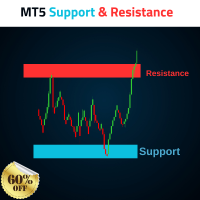
MT5 Support and Resistance Indicator Automatic Drawing of Multiple Supports and Resistances with levels.  Supports As follow 1.       Weak Support 2.       Untested Support 3.       Verified Support 4.       Proven Support 5.       Turncoat Support Resistances As follow 1.       Weak Resistance 2.       Untested Resistance 3.       Verified Resistance 4.       Proven Resistance 5.       Turncoat Resistance Best Strategy to use 1.       Identify Trend Direction on Daily Time Frame, Example Gold =
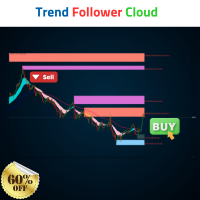
Trend Follower Cloud Trend is your freind.  Advanced Indicator follow the trend, and gives a clear levels to buy and sell, and have Stop loss and Targets.  Watch the Video to know how to use it combined with our Support and Resistance Indicator.  Blue Trend Line Take a buy when we get a cloud intersection above the Bule line. Red Trend line Take a Sell when the Cloud drops below the Red line. 
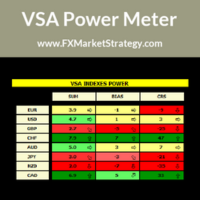
VSA Power Meter very powerful analysis method uses volume spread analysis to determine strongest currency and weakest currency and then gives signals based on it. VSA Power Meter System Features Analyze all available instruments. Clear panel that determines stronges and weakest currencies. Clear buy and sell signals. You can use it as independent trading system or as filter. VSA Power Meter   Trading Rules You can use VSA in two ways: Enter VSA signals. Use it as filter to determine strongest
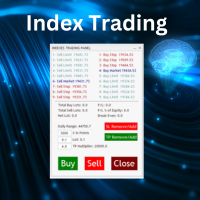
Nasdaq Future is a Semi Automated Trading Expert.  How does it work ? Simply Identify a strong trend, Up trend on Nasdaq for Example.  Click Buy, the Expert will open 9 trades 1. Market Execution  3. Buy Stop at Higher prices distanced space 0.5X from eachother 5. Buy limits orders below the Market price distanced 1X What is X ? X is the distance between two orders, for example in nasdaq, recomended to use between 50-70 points.  Can I control X ? Yes, in the control panel there is
Scorpion 73 Bot – User Manual MT5 Version: 1.0 | Author: Salman (Signalsview.com) | Sep 1, 2025 Contents 1️⃣ Overview 2️⃣ Installation & Setup 3️⃣ Main Control Panel ️ 4️⃣ Multi-Pair Monitor 5️⃣ Trades Panel ️ 6️⃣ Stop Loss & Profit Lock ️ 7️⃣ Account Info 8️⃣ Best Practices 9️⃣ FAQs 1. Overview Scorpion 73 is a MetaTrader 5 Expert Advisor (EA) acting as a trader’s command center : Fast execution & automation ️ Full trade/order control ️ Advanced risk
# Scorpion 75 - Advanced Adaptive Grid Trading Robot.  ## Product Overview Scorpion 75 is a sophisticated fully automated grid trading Expert Advisor that employs adaptive algorithms to dynamically adjust trading positions based on market conditions. Unlike traditional grid systems, Scorpion 75 features intelligent repositioning, comprehensive risk management, and multiple operational modes to optimize performance across various market environments. ## Key Features ### **Adaptive Grid
Фильтр:
Нет отзывов
Ответ на отзыв