Scorpion 74 MT5

# Higher-Lower Pending Bot - Advanced Multi-Pending Orders System

## 🚀 Revolutionize Your Trading with Smart Pending Order Automation

Welcome to the **Higher-Lower Pending Bot** - the most sophisticated pending order management system available on MQL5. Designed for traders who want to maximize opportunities while minimizing manual effort, this EA combines intelligent order placement with comprehensive profit tracking in one powerful package.

## 💡 What Makes Our Bot Unique?

### 🎯 Smart Dual-Price Level System
- **Two Independent Price Levels**: Set separate activation points for different market scenarios
- **Flexible Direction Control**: Choose Buy-only, Sell-only, or both directions for each level
- **Visual Price Lines**: Clear graphical representation of your pending levels on the chart
- **Drag & Drop Adjustment**: Easily modify price levels by dragging lines directly on the chart

### ⚡ Automated Order Cascade
- **Multi-Layer Pending Orders**: Automatically places multiple pending orders above and below each price level
- **Configurable Step Distance**: Customize the distance between orders (in points) to match your strategy
- **Intelligent Activation**: Only executes the enabled trade type when price triggers your level
- **Risk Management**: Built-in Max Net Lot control prevents over-exposure

### 📊 Comprehensive Profit Analytics
- **Real-time Profit Tracking**: Monitor floating and closed profits for all pairs
- **Weekly Performance Summary**: 7-day profit breakdown with daily totals
- **Multi-Symbol Monitoring**: Automatically tracks all active trading pairs
- **Net Position Analysis**: Real-time buy/sell lot balance and profit calculations

---

## 🛠 How to Set Up & Use - Complete Guide

### 🎮 Quick Start (5-Minute Setup)

1. **Attach to Chart**
   - Drag and drop the EA onto your preferred trading chart
   - Set your desired symbol and timeframe (works on all timeframes)

2. **Basic Configuration**
   ```
   Lot Size: 0.1 (adjust according to your risk tolerance)
   Pending Order Count: 10 (number of orders per side)
   Step2: 500 (distance between orders in points)
   Move Step: 500 (price adjustment increment)
   ```

3. **Set Your Price Levels**
   - **Price Level 1**: Your primary trading level
   - **Price Level 2**: Secondary or contingency level
   - Use arrows or type directly into price boxes
   - Enable Buy/Sell for each level as needed

### 🎯 Trading Scenarios & Strategies

#### 📈 Bullish Breakout Strategy
1. Set Price Level 1 above current price
2. Enable BUY only
3. When price hits level: Market buy + pending buy limits below + buy stops above
4. Perfect for breakout confirmation trades

#### 📉 Bearish Rejection Strategy  
1. Set Price Level 1 below current price
2. Enable SELL only
3. When price hits level: Market sell + pending sell limits above + sell stops below
4. Ideal for support/resistance rejection trades

#### ⚖️ Range Trading Strategy
1. Set Price Level 1 (upper range) with SELL enabled
2. Set Price Level 2 (lower range) with BUY enabled  
3. Capture both range boundaries automatically
4. Excellent for sideways markets

### 🔧 Advanced Features Deep Dive

#### 🎛 Control Panel Mastery
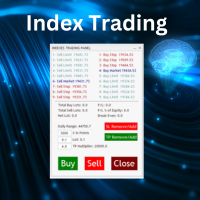
- **Lot Size Management**: Dynamic lot adjustment with up/down buttons
- **Price Precision**: Adjust levels with 5-decimal precision
- **One-Click Enable**: Quickly activate Buy/Sell for any level
- **Instant Cancellation**: Cancel all orders for any level with single click

#### 📈 Profit History Panel
- **Weekly Overview**: Monday-to-Sunday profit tracking
- **Symbol Performance**: Individual pair performance analysis
- **Floating vs Closed**: Separate tracking of open and closed positions
- **Color-Coded Display**: Green for profits, red for losses, gray for zero

#### 💰 Account Information Hub
- **Real-time Equity Monitoring**: Balance, equity, margin, free margin
- **Risk Metrics**: Margin level and spread monitoring
- **Profit Summary**: 
  - FP (Floating Profit current pair)
  - TFP (Total Floating Profit all pairs)
  - PCPT (Pair Closed Profit Today)
  - TCPT (Total Closed Profit Today)

### ⚙️ Risk Management Features

#### 🛡 Max Net Lot Protection
- Set maximum net exposure limit
- Prevents over-trading and over-leverage
- Automatic trade rejection if limit exceeded
- Configurable via input parameter or panel

#### 🎯 Order Management
- **Close All & Reset**: Emergency exit all positions
- **Selective Cancellation**: Cancel only Buy or Sell orders per level
- **Visual Status**: Color-coded order status (pending/active/triggered)

---

## 🏆 Why Professional Traders Choose Our Bot

### ✅ Proven Benefits
- **Time Efficiency**: Automate complex order setups that would take hours manually
- **Emotion-Free Trading**: Execute predefined strategies without hesitation
- **Multi-Timeframe Compatibility**: Works consistently across all timeframes
- **Comprehensive Tracking**: Never lose sight of your overall portfolio performance

### 🎓 Perfect For
- **Swing Traders**: Set weekly levels and let the bot manage entries
- **Day Traders**: React quickly to key levels during active sessions  
- **Portfolio Managers**: Monitor multiple pairs simultaneously
- **Strategy Developers**: Test and implement complex order placement strategies

---

## 🔧 Technical Specifications

### 📋 System Requirements
- **Platform**: MetaTrader 5
- **Account**: Any (Hedging/Netting)
- **Minimum Deposit**: $100 (recommended)
- **Pairs**: All symbols (Forex, Metals, Indices, Crypto)
- **Timeframes**: All (M1 to MN1)

### ⚙️ Input Parameters Overview

#### Trading Parameters
- `DefaultLotSize`: Starting lot size for orders
- `PendingOrderCount`: Number of orders per direction per level
- `Step2`: Distance between pending orders (points)
- `MoveStep`: Price adjustment increment (points)

#### Price Level Controls
- `PriceLevel1/2`: Initial price levels
- `Buy/Sell Enabled`: Direction control for each level
- Panel controls override initial inputs

#### Display Settings  
- Panel positioning (X/Y coordinates)
- Color schemes for all panels
- Refresh intervals

---

## 🚀 Getting Started Checklist

### ✅ Immediate Setup
- [ ] Download and install EA
- [ ] Attach to preferred chart
- [ ] Set basic lot size and risk parameters
- [ ] Configure at least one price level
- [ ] Enable desired trade directions
- [ ] Test with small lot size

### ✅ Advanced Configuration  
- [ ] Set Max Net Lot limit
- [ ] Configure profit tracking preferences
- [ ] Adjust panel positions for your screen
- [ ] Set up multiple timeframes if needed
- [ ] Establish risk management rules

---

## 📞 Support & Community

### 🆘 Need Help?
- **Telegram Support**: [t.me/DrEslamSalman](https://t.me/DrEslamSalman)
- **Website Resources**: [www.Signalsview.com](https://www.Signalsview.com)
- **Setup Assistance**: Contact for personalized configuration help

- **Strategy Consultation**: Get professional trading strategy advice

Note: All purchase must be done through MQL5 , the Contact is for support only. 


### 🔄 Updates & Improvements
- Regular feature updates based on user feedback
- Bug fixes and performance enhancements
- New strategy implementations
- Custom version requests available

---

## 💬 Testimonials

*"This bot transformed how I trade. Setting multiple pending orders manually was exhausting - now it's automated and I can focus on analysis."* - **Professional Trader**

*"The profit tracking across all pairs gives me complete portfolio visibility. Game changer for my multi-currency strategy."* - **Fund Manager**

*"Excellent support team helped me configure complex bracket orders. The visual interface makes everything intuitive."* - **Swing Trader**

## 🎯 Start Trading Smarter Today!

**Don't waste another minute on manual order placement.** Join thousands of successful traders who have automated their trading execution with the Higher-Lower Pending Bot.


*Professional trading automation - now accessible to every trader.* 🚀

---

*Risk Warning: Trading financial instruments involves risk. Past performance is not indicative of future results. Use appropriate risk management and trade responsibly.*
おすすめのプロダクト
Dhokiyas Market Screener
Dhokiyas Money Map Investment Consultants - FZCO
Dhokiyas Market Screener 15日間の無料トライアルをご利用いただけます Telegramでこのソフトウェアのシグナルを15日間無料で受け取ることができます。 今すぐ無料トライアルに参加 https://t.me/dhokiyasbot 無料トライアルに参加する理由 購入前に、シグナルの品質、シグナルのタイミング、取引レベル、そしてこのソフトウェアが実際の市場環境でどのように機能するかを確認できます。 Dhokiyas Market Screener は、MetaTrader 5 向けのスマートなマルチシンボル市場スキャニングソフトウェアです。多くのチャートを一つずつ手動で確認することなく、より速く買いと売りの機会を見つけたいトレーダーのために設計されています。 このソフトウェアは一つのパネルから複数の銘柄をスキャンし、シグナル方向、シグナルの強さ、確認数、トレンド整合性、そしてエントリー、ストップロス、複数のテイクプロフィット目標を含む取引レベルを表示します。 この製品の仕組み このスクリーナーは選択された銘柄を継続的にチェックし、内蔵シグナルエンジ
Hybrid Assisted Trading Engine Manual Trading. Machine Discipline. The Hybrid Assisted Trading Engine is an institutional-grade manual trade management system designed to protect traders from emotional mistakes — without taking control away from them. You decide when to enter . The engine decides how the trade is managed . What It Does This system continuously monitors your manual trades and enforces professional-level trade management rules in real time: Smart Breakeven logic R-based trai
TradesManger
Ali Abdalrasool Ai-sayyd Sobai
Ultimate Manager is the ultimate Expert Advisor (EA) for MetaTrader5, empowering traders with seamless control over every aspect of their trades. This powerful tool manages lot sizes, stop losses, trailing stops, trade durations, and trailing activation thresholds with precision. Featuring intuitive buttons, you can execute two trades simultaneously, close all positions, close buys only, close sells only, or close profitable trades in an instant. Designed for efficiency and risk management, Ulti
Binanceは世界的に有名な暗号通貨取引所です! MT5ユーザーがBinanceFuturesを直接取引できるようにするために、このプログラムは次の取引機能を提供します。 1. Binance Futuresの取引スタイルを模倣し、フレンドリーな操作パネルを提供します。 2.レバレッジ、バランス、その他の情報を取得するには、自分でapiとsecretを入力します(Binance apiで先物取引の許可を開く必要があります)。 3. limitOrder(指値注文)、marketOrder(成行注文)、stopLimit(ストップ利益の制限とストップロス注文)、stopMarket(マーケットストップ利益とストップロス注文)をサポートします。 4.成行注文の場合、最大オープンポジションとコスト情報は最新の価格に基づいて計算できます。 5.すべての注文のリストを表示したり、注文をキャンセルしたりできます。 6.すべてのポジションのリストを表示でき、成行注文に従ってポジションを空にすることができます。 7. Deepin情報の自動表示のサポート(Deepin Websock
Bneu Smart Money Concepts Pro — All-in-One ICT/SMC Analysis An automated Smart Money Concepts indicator that marks BOS, CHoCH, Order Blocks, Fair Value Gaps, Liquidity Sweeps, OTE Zone, Kill Zones, Asian Range, and Premium/Discount zones in real time. All signals use closed-bar data only. Non-repainting. WHAT IT DRAWS - BOS (Break of Structure) and CHoCH (Change of Character) labels - HH / HL / LH / LL swing point labels - Order Block zones (supply and demand) with midpoint lines - Fair Val
革新的な Trades Time Manager を使用して、取引ルーチンを簡単に管理できます。この強力なツールは、指定された時間に注文執行を自動化し、取引アプローチを変革します。 購入から注文の設定まで、すべて手動介入なしで、さまざまな取引アクションのためのパーソナライズされたタスク リストを作成します。 Trades Time Manager のインストールと入力ガイド EA に関する通知を受け取りたい場合は、MT4/MT5 ターミナルに URL を追加してください (スクリーンショットを参照)。 MT4のバージョン     https://www.mql5.com/en/market/product/103716 MT5のバージョン     https://www.mql5.com/en/market/product/103715 手動監視に別れを告げ、合理化された効率を採用します。直感的なインターフェイスにより、シンボル、約定時間、価格、ストップロス (SL)、テイクプロフィット (TP) ポイント、ロットサイズなどの正確なパラメーターを設定できます。 このツールの柔軟性は、市
Quantum Flow Scalper - 高頻度スキャルピングシステム 説明 これはMetaTrader 5用の高頻度スキャルピングエキスパートアドバイザーで、取引セッション全体を通じて小さく頻繁な利益を目指します。EAは買いと売りの両方向に対応するデュアルスキャルピングエンジンを搭載し、両方向の価格変動を同時に捕捉できます。このシステムはスキャルピング操作向けに設計されており、取引日を通じて複数のポジションを開き、小さな価格変動を捕捉します。 コア機能 高頻度取引 EAはスキャルピング操作向けに設計されており、取引日を通じて複数のポジションを開き、小さな価格変動を捕捉します。システムは長期間ポジションを保持するのではなく、迅速な利益を目指します。EAがスキャルピング機会を継続的に監視するため、短い時間枠内で複数の取引を実行できます。スキャルピングアプローチは、大きな個別利益を狙うのではなく、小さな勝ちを繰り返し蓄積することに焦点を当てています。 双方向スキャルピング 2つの独立したスキャルピングエンジンが買いと売りの方向で動作します。各エンジンは独自のスキャルピングポジションシリ
Hard Scalping Assistant is a semi-automatic Expert Advisor for MetaTrader 5 created for traders who want to keep making their own decisions, but with a much more advanced, organized and professional execution. It does not enter the market on its own: you choose the direction, define the trade idea and adjust the zone directly on the chart, while the assistant automatically calculates the risk, lot size and the full execution structure. With just a few clicks, you can prepare BUY or SELL trades
Pro LTS Trade Dashboard & Market Manager Stop calculating. Start trading. The Pro LTS Trade Dashboard is not just a risk calculator—it is a complete trading command center designed to replace the default MT5 terminal. It combines professional Risk Management, Trade Execution, and a unique Draggable Symbol Switcher into one clean, collapsible interface. Developed by Logic Trade Solution (LTS) , this tool is built for traders who need speed, precision, and screen space. Why Go Pro? While our fr
MT5 to Telegram Signals This utility is simple to use and supports a wide variety of settings: Pick your desired Telegram group and enter the bot token and the chat id Get notified when orders are placed, modified, executed, closed… or any combination of states Connect your broker account with Telegram and stop missing important notifications. Would you like to receive Telegram notifications? Are you looking for a simple way to share trade signals with your followers? Do you need to start docume
FREE
TradingX Hotkeys
Johannes Stephanus Lombard
Inputs Available Lotsizes Partial Close % You can change lotsizes as you require On an open chart click once to select chart to be able to use hotkeys on specific chart. All Pairs can be used with this expert We created this expert to be able to still trade C300 with a 0.06 Lotsize If you enter a 0.6 lot and close 0.90% you can trade with 0.06 Lot Keys to be used: B -Buy S -Sell C -Close Profitable D -Breakeven (Note if stoploss is set it won't break even) P -Partial close X -Close all
Telegram Notify MT5 Telegram Notify MT5 is an utility tool to bridge your MetaTrader 5 activities to your Telegram chat/channel. It is useful for monitoring your MetaTrader 5 account by sending a notification to your particular Telegram chat/channel when someone/EA is placing trades, modifying order's TP/SL, closing trades and etc. This EA does not place any trade for your account. This EA also could be a convenient tool for monitoring other's EA trading activities or a tool for publishing your
The TELEGRAM BROADCAST utility helps to instantly publish your trading in the Telegram channel. If you have long wanted to create your Telegram channel with FOREX signals, then this is what you need. ATTENTION. This is a DEMO version, it has limitations - sending messages no more than 1 time in 300 seconds PAID version:  https://www.mql5.com/en/market/product/46865 https://t.me/moneystrategy_mql TELEGRAM BROADCAST can send messages: Opening and closing deals; Placing and deleting pending o
FREE
TelegramからMT5へ: 究極のシグナルコピーソリューション Telegram to MT5 を使えば、取引がシンプルになります。DLL を必要とせず、Telegram のチャンネルやチャットから MetaTrader 5 プラットフォームに取引シグナルを直接コピーできる最新ツールです。この強力なソリューションは、正確なシグナル実行、豊富なカスタマイズオプション、時間の節約、そして効率性の向上を実現します。 [ Instructions and DEMO ] 主な特徴 直接的なTelegram API統合 電話番号とセキュアコードで認証します。 ユーザーフレンドリーな EXE ブリッジを通じてチャット ID を簡単に管理できます。 複数のチャネル/チャットを追加、削除、更新して、同時に信号をコピーします。 高度なフィルターによる信号解析 例外的な単語 (例: 「レポート」、「結果」) を含む不要な信号をスキップします。 柔軟な SL および TP 形式 (価格、ピップ、ポイント) をサポートします。 価格ではなくポイントを指定するシグナルのエントリ ポイントを自動的に計算します。
Binance Grid Pro offers an alternative to the built in Grid systems Binance Platform offers. This utility let you define a grid parameters for interact with your Binance account using an Isolated Margin account. This is, similar to Spot Grid in Binance. This is not for handle with derivatives contracts, is for handle with Spot through Isolated Margin Account. But obviosly this utility offers a different approach than built in Binance Grid to handle the Grid, which I have found useful based on
HELIOS Trade Panel — MetaTrader 5 用のオールインワン取引管理センター。高速取引、資金保護、ポジション管理、強力なマルチ時間枠アラートスキャナーを1つのパネルに統合。   ワンクリック取引 • リスク%による自動ストップロス計算付き BUY / SELL 成行注文 • マウスでの予約注文設定:Entry / SL / TP ラインを直接チャートでドラッグ • ポジション開設後の自動可視化(線 + 損益ゾーン) • チャート上の入場ラベル横に「編集」()と「確認」()ボタン ️ 資金保護 • Margin Guard:有効証拠金不足時、ロットが自動的に利用可能数量に減少(5% 安全バッファ付き)— 「資金不足」エラーがなくなる • Daily Drawdown Lock:日次損失閾値到達時、リセットまで新規エントリーをブロック • Tick-Value ロット計算:ポジションは常に設定したリスク% に一致 ポジション管理 • 損益分岐点(BE)、オフセットpipsを設定可能 • トレーリングストップ、起動距離設定 • 部分利確 TP1 /
**Forex Trade Manager Pro MT5** **Trade Manager MT5** は、MetaTrader 5向けの包括的なトレード管理ユーティリティです。トレードを計画する瞬間から決済する瞬間まで、ポジションのあらゆる側面を完全にコントロールできます。リスクを真剣に考えるトレーダー、つまり規律を築き始めた初心者から、複数のポジションにわたって瞬時の実行を必要とするプロのスキャルパーまで、幅広く対応できるように設計されています。 このツールは任意のチャートに装着でき、クリーンでコンパクトなパネルを表示します。チャート上に直接、ドラッグ可能な水平線を使用して、意図するエントリー、ストップロス、テイクプロフィットの各レベルをマークします。Trade Managerは、定義されたリスクに基づいて正しいポジションサイズを即座に計算し、ストップロスとテイクプロフィットの値をpipsと口座通貨でリアルタイムに表示し、計画中のトレードのリスク・リワード比率を表示します。手動計算は一切必要ありません。リスクを一度定義すれば、ツールが残りのすべてを処理します。 **ポジ
FREE
KopirMT5 Full
Alexandr Gavrilin
4.2 (10)
KopirMT5 (CopierMT5) - transaction copier for the MetaTrader 5 terminal, copies (synchronizes, duplicates) transactions from  hedge accounts  (copier, copy dealers).  Supports copying: MT5 <-> MT5, MT4 -> MT5 Hedge, MT5 Hedge -> MT4 Does not support copying MT5 Hedging < - > MT5 Netting, MT4 < - > MT5 Netting Support:  https://www.mql5.com/ru/messages/01c3f341a058d901 Why exactly our product? The copier has a high speed and is not dependent on ticks. Copy speed - less than 0.5 sec. Transactions
Trade Copier Ultimate
Janitha Sandaruwan Amaradasa Wickramasingha Arachchilage
5 (2)
Trade Copier Ultimate — The Complete MT5 Signal Copier Trade Copier Ultimate is a comprehensive forex signal copier and execution framework designed for today’s trading challenges. Whether you need a blazing fast telegram to mt5 copier, a secure local trade copier, or a strict prop firm risk manager, this EA adapts to your workflow with robust execution, capital protection, and advanced trade handling. It goes far beyond a standard telegram copier by combining direct Telegram Bot API integration
Trade Control Panel Function Normal One Click Function Close All Close All Profit Close All Loss Close All Pending Order Close All Sell Close All Buy Advance One Click Function 1.  Close Partial Lot Sell by Percent It will help you partial close for all open position by desire percent you wanted. No longer partial close one by one for every open position Manual input for desire percent 2. Close Partial Lot Buy by Percent It will help you partial close for all open position by desire percent
Strategy Manager is a  Multi-Time-Frame & Multi-Currency  Dashboard for  Metatrader 4 and 5. Thanks to a free, external graphical user interface, build your own strategy by combining any indicators and loading them into the dashboard to see the result ! In addition, you can precisely  set-up your Auto-trading & Notifications and use indicators for Stop-Loss, partial profit or limit. Filter your automatic trading & notifications with forex calendar and more. Open and Manage your orders directly w
Ai Breakout X
Aleksandr Makarov
5 (1)
リアルトレーディングアカウントからのライブシグナル: 完全な透明性を確保するため、ライブ投資家アカウントへのアクセスを提供します。これにより、操作なしでリアルタイムでパフォーマンスを監 注文は1つだけ 損切り:200ピップ 利益確定:2500ピップ トレーリングスタート:200ピップ LIVE SIGNAL: XAUUSD   Ai Breakout X M5 Broker : Exness Server : Exness-MT5Real25 Account Number : 183814864 Investor Password:   GBp(N/5y5T51 購入後、必ず私に連絡して、エキスパートアドバイザーのインストール手順を受け取ってください! エキスパートアドバイザーのインストールは、当方での実施を推奨します。お客様のVPS(仮想サーバー)のログイン情報をお送りいただければ、正しくインストールを行います。 Ai Breakout X — あなたのゴールドトレーディングの最高のアシスタント 完全自動化されたエキスパートアドバイザーで、追加設定は不要です。ゴールド(XAUU
This script is designed to download a long history of cryptocurrency quotes from the Binance exchange. You will find it perfectly suitable if you want once to download the history of cryptocurrencies for charts analyzing, collecting statistics or testing trading robots in the MetaTrader 5 strategy tester, or if you need to update the history not very frequently (for example, once a day or once a week). After running the script, you will have fully featured (but not automatically updated) cryptoc
Welcome to Smart Algo Trade Panel Manager MT5 - the ultimate   risk management tool designed to make trading more effective based on user needs.  It is a comprehensive solution for seamless trade planning, position management, and enhanced control over risk. It does not matter weather you a beginner or an advanced trader, or a scalper needing rapid executions, SmartAlgo Trade Panel  adapts to your needs offering flexibility across all markets of your choice. You can put SL, Lot and TP of choice
Key Features (Visual Block/Badges): Instant Telegram-to-MT5 Trade Execution Copy signals to MT5 in real time—no missed trades, no lag. Session-Aware: Only Trade When You Want Fully customizable trading hours and session filters (trade 24/7, or only during your best hours). Smart Multi-TP & SL Management Supports up to 5 Take Profits, advanced SL logic, and dynamic SL moves after each TP hit. Break-Even & Trailing Stop Engine Protect profits with automatic break-even and trailing stops
Telegram Control Center(TCC)は、MetaTrader 5のユーティリティ型エキスパートアドバイザーで、取引口座をTelegramに接続します。売買の開始や管理は行いません。口座を監視し、リアルタイムアラートを送信し、Telegramコマンドでポジションをリモート制御できます。 主な機能 - 残高、純資産、証拠金、全オープンポジションのリアルタイム監視 - ポジションの開設・決済・変更時のTelegram即時通知 - 設定可能なしきい値によるエクイティドローダウンアラート - MT5経済カレンダーを利用したニュースフィルターと重要イベントの事前警告 - パスワード保護付きTelegramコマンドによるリモートポジション管理 - 任意シンボルのチャートスクリーンショットをTelegramへ直接送信 - 接続状況とニュースフィルター状態を表示するチャート上ステータスバー - グローバル変数TCC_NEWS_WINDOW_ACTIVEを通じた他のEAとの連携 - 1チャートへのアタッチで全口座(全シンボル・全マジックナンバー)を監視 - 特定EA専用のマジックナ
FREE
Quant Panel
Kevin Craig E Gittins
Quant Panel Pro The Ultimate Multi-EA Performance Dashboard for Quantitative Traders Stop juggling multiple charts or external tools to monitor your algorithmic strategies! Quant Panel Pro delivers institutional-grade portfolio monitoring in one sleek, professional interface. Key Features Quantitative Analytics at Your Fingertips Real-time P&L aggregation   across all Expert Advisors Statistical win rate analysis   with trade frequency metrics Advanced drawdown tracking   (realized & unrealized
The only drawdown guardian that stops your other EAs from digging you deeper. PropMarshal monitors your account equity in real time and instantly closes all positions the moment a drawdown or profit target threshold is breached. But it doesn't stop there — it closes every chart on your platform too, cutting off any other Expert Advisors before they can open new trades and compound the damage. The Problem PropMarshal Solves Most prop firm traders run multiple EAs across multiple charts. When a dr
FREE
Order Selective Delete MT5
Francisco Manuel Vicente Berardo
The Order Selective Delete is a multi-symbol multi-timeframe script used to delete simultaneously various pending orders.  General Description   The Order Selective Delete   possesses   three operation modes (Intersection,   Union   and All) that control the way   as   three pending order features (symbol, magic   number   and type) are used. The modes, available through the Selection Mode input parameter, relate to the features, available through the “Select by Feature” and “Feature” input pa
FREE
Telecontrol MT5
MIKHAIL VINOGRADOV
3 (1)
Telegram Controls (Telecontrol) — performs communication between the bot Telegram and the terminal MetaTrader 5 . It helps aggregate data from multiple terminals and manage them using a bot in Telegram . The service is convenient for working on multiple MT5 terminals, allowing each terminal to be individually configured for optimal display and perception of information. All terminal data is collected in one Telegram channel, and the settings panel allows quick adjustments and saving of changes i
FREE
このプロダクトを購入した人は以下も購入しています
Farmed Hedge Yield Farming | All Markets (Manual - Hybrid - Semi/Automated EA) MULTI-ASSET SUPPORT Trade any asset available on your broker - Forex: Major, Minor, Exotic pairs - Crypto: BTC, ETH, XRP, SOL, BNB - Stocks: Apple, Tesla, Amazon, Google, etc. - Commodities: Gold, Silver, Oil, Gas - Indices: US30, NAS100, SPX500, DAX40 - Any CFD your broker offers VERIFIED TRADING RESULTS - Farmed Hedge Yield Axi Copy:  https://www.mql5.com/en/signals/2356376 - Farmed Hedge Yield Exn Copy:   https:/
Power Candles Strategy Scanner - 自動最適化型マルチシンボル設定ファインダー パワーキャンドル・ストラテジー・スキャナーは 、パワーキャンドル・インジケーターを駆動するのと全く同じ自己最適化エンジンを、マーケットウォッチに登録されているすべての銘柄に対して並行して実行します。1つのパネルで、現在統計的に取引可能な銘柄、各銘柄で勝率の高い戦略、最適なストップロス/テイクプロフィットの組み合わせが表示され、新たなシグナルが発生した瞬間に通知が届きます。 このツールは、Stein Investmentsのエコシステムの一部です。  18種類以上のツールをすべて閲覧し、AIを活用したセットアップの推奨を受け取り、  https://stein.investments でコミュニティに参加しましょう 市場動向を網羅。銘柄ごとに3,000件以上の自動最適化。2種類のアラート。ワンクリックでチャートを切り替えて即座にアクション。 なぜこれが必要なのか 多くのマルチ銘柄スキャナーは、 価格の動き (ボラティリティ、変動率、銘柄ごとのRSI)を表示するだけです。それ
ABQ Visual Risk Sizer
Cristian David Castillo Arrieta
ABQ Visual Risk Sizer - Institutional Risk & Trade Execution カテゴリ:ユーティリティ / リスク管理 手動によるロット計算は、時間とコストの浪費につながります。 現代のトレーディング、特にプロップファーム(Prop Firms)の口座を運用する場合、ロット計算の誤りや注文入力のわずか5秒の遅れが、デイリードローダウンルールの違反や絶好のエントリーポイントを逃す原因となります。 ABQ Visual Risk Sizer は、この問題を根本的に解決するために設計された機関投資家レベルのツールです。複雑なリスクの数学的計算を、MetaTrader 5のチャート上で直接、直感的かつ迅速、そして100%正確な視覚的体験へと変貌させます。 外部のカレンダ計算機やExcelシートはもう必要ありません。チャート上のラインをドラッグするだけで、ワンクリックで取引を実行できます。 ABQ Visual Risk Sizer が必要な理由 プロップファームのための完全保護: 各取引で、設定した正確なリスク比率(または金額)を維持します。ゴールド
EA を買う前に、本当に耐えられるのか、それともバックテストでたまたま良く見えただけなのかを確認してください。 ほとんどのロボットは、見栄えのするバックテストと一緒に売られています。 右肩上がりのカーブ。 良い Profit Factor。 ほとんど疑いのない見た目。 それでも、その多くの EA は、市場がその履歴どおりに動かなくなった瞬間に崩れ始めます。 なぜでしょうか。 それは、バックテストが証明するのは一つだけだからです。 その戦略が、ある特定の価格の流れでは機能したということです。 別の流れでも通用することは証明しません。 頑健であることも証明しません。 もちろん、その EA があなたのお金に値することも証明しません。 なぜなら、あなたが EA を買うのは過去のきれいなカーブを眺めるためではないからです。 変化する市場で使うために買うのです。 AntiOverfit PRO がすること AntiOverfit PRO は、MetaTrader 5 の Expert Advisor が本当にしっかりしているのか、それとも特定の過去データにたまたまうまくはまっているだけなのかを確
Footprint Chart Pro — Professional OrderFlow EA for MetaTrader 5 Version 6.34 | Professional tool for real traders | Institutional-Grade Visualization DEMO USERS - PLEASE SELECT EVERY TICK / REAL TICK WHEN TESTING AND YOU HAVE DOWNLOADED HISTORICAL DATA. IF YOU SEE A WAITING SCREEN AND IT IS NOT DOWNLOADING, IT MEANS YOU HAVE LOW HISTORICAL DATA. TRY 1 MIN AND 5 MIN FIRST ON 1 DAY DATA. ONE DAY DATA SHOULD BE THE NEWEST AND MOST CURRENT DATE. PLEASE WAIT UNTIL THE MARKET HAS ROLLED OVER PERIOD.
Custom Alerts AIO:マルチマーケット監視を一括で実現 — 設定不要ですぐに使えるインテリジェントツール 概要 Custom Alerts AIO は、追加のインジケーター設定が不要で、インストール後すぐに利用できる高機能マーケットスキャナーです。FX Power、FX Volume、FX Dynamic、FX Levels、IX Power を内部にすべて統合し、主要なすべての資産クラス(為替、金属、指数、暗号資産)を一括監視できます。MetaTrader の仕様により、株式は個別のシンボルとして追加可能ですが、一般的には利用頻度は低めです。 1. なぜ Custom Alerts AIO を選ぶべきか 追加ライセンス不要 • 必要なすべての Stein Investments インジケーターが内蔵されており、すぐに使用可能です。 • チャートに表示されるグラフィックは省略されており、アラート生成に特化した構成です。 市場を広範囲にカバー • 為替、金属、暗号資産、株価指数に対応(株式は手動追加可能)。 • シンボル名を入力する必要はなく、プロパティで資産クラス
あなたがメンバーである任意のチャネルから(プライベートおよび制限されたものを含む)シグナルを直接あなたのMT5にコピーします。  このツールは、トレードを管理し監視するために必要な多くの機能を提供しながら、ユーザーを考慮して設計されています。 この製品は使いやすく、視覚的に魅力的なグラフィカルインターフェースで提供されています。設定をカスタマイズして、数分で製品を使用を開始できます! ユーザーガイド + デモ  | MT4版 | Discord版 デモを試してみたい場合は、ユーザーガイドにアクセスしてください。 Telegram To MT5 受信機は、ストラテジーテスターで動作しません! Telegram To MT5の特徴 複数のチャネルから一度にシグナルをコピー プライベートおよび制限されたチャネルからシグナルをコピー BotトークンまたはChat IDは必要ありません   (必要に応じて使用することができます) リスク%または固定ロットを使用して取引 特定のシンボルを除外 すべてのシグナルをコピーするか、コピーするシグナルをカスタマイズするかを選択 すべてのシグナルを認
Ultimate Extractor - Professional Trading Analytics for MT5 *****this is the local HTML version of Ultimate Extractor. !!!!!it is not compatible with Cloud!!!! For the online version please reach out to me directly****** Ultimate Extractor transforms your MetaTrader 5 trading history into actionable insights with comprehensive analytics, interactive charts, and real-time performance tracking. What It Does Automatically analyzes your MT5 trading history across all Expert Advisors and generates
The core idea: using the user interface, you configure the parameters the chart must meet before entering a position (or positions), choose which entry models to use, and set the rules for when trading and planning should end. Lazy Trader  handles the rest: it  takes over all the routine chart watching and execution! full description  :: 3 key videos [1] ->  [2]   ->  [3] What can it do? - Understands Larry Williams market structure - Understands swing market structure by Michael Huddleston
The product will copy all telegram signal to MT5 ( which you are member) , also it can work as remote copier.  Easy to set up, copy order instant, can work with almost signal formats, image signal,  s upport to translate other language to English Work with all type of channel or group, even channel have "Restrict Saving Content", work with  multi channel, multi MT5 Work as remote copier: with signal have ticket number, it will copy exactly via ticket number. Support to backtest signal. How to s
This is exactly what the name says. Visual strategy builder . One of a kind. Turn your trading strategies and ideas into Expert Advisors without writing single line of code. Generate mql source code files with a few clicks and get your fully functional Expert Advisors, which are ready for live execution, strategy tester and cloud optimization. There are very few options for those who have no programming skills and can not create their trading solutions in the MQL language. Now, with Bots Builde
FUTURES ORDERFLOW FOOTPRINT CHART Professional OrderFlow EA for MetaTrader 5 Version 1.01| Professional tool for real traders | Institutional-Grade Visualization STRATEGY TESTER USERS - PLEASE SELECT EVERY REAL TICK WHEN TESTING AND YOU HAVE DOWNLOADED HISTORICAL DATA. IF YOU SEE A WAITING SCREEN AND IT IS NOT DOWNLOADING, IT MEANS YOU HAVE LOW HISTORICAL DATA. TRY 1 MIN AND 5 MIN FIRST ON 1 DAY DATA. ONE DAY DATA SHOULD BE THE NEWEST AND MOST CURRENT DATE. PLEASE WAIT UNTIL THE MARKET HAS ROL
What Exactly Is A Smart Trading Tool? Smart Trading Tool   was developed for fast and comfortable trading of the financial markets especially for   ORDER BLOCKS TRADERS .   It provides traders functionalities, such as: A Drawing Tool One-Click Trading Panel Automated Lot Sizes Calculation   based on your risk appetite & Money Management ( Watch this video , how this tool can help manage your risk per trade better!) Built in PRICE LEVELS (Fibonacci, Round Numbers, Daily hi-low, etc) Shows Trading
YuClusters
Yury Kulikov
4.93 (43)
Attention: You can view the program operation in the free version  YuClusters DEMO .  YuClusters is a professional market analysis system. The trader has unique opportunities to analyze the flow of orders, trade volumes, price movements using various charts, profiles, indicators, and graphical objects. YuClusters operates on data based on Time&Sales or ticks information, depending on what is available in the quotes of a financial instrument. YuClusters allows you to build graphs by combining da
Mt5 To InterativeBrokers Copier allows you to copy deals from MT5 account to Interactive Brokers. With this, you can run your EA strategy on a MT5 Demo/Real Account, then copy all the deals to Interactive Brokers account real time. Features: 1. Copy or Invert-Copy deals Realtime from MT5 to IB Account. 2. Synchronizing positions of both accounts periodicaly, in case any missing copying. 3. You can choose only Buy position or Sell position. Symbols Setup: General Format:  {MT Symbol} -> {IB S
ManHedger MT5
Peter Mueller
4.83 (6)
THIS EA IS A SEMI-AUTO EA, IT NEEDS USER INPUT. Manual & Test Version Please TEST this product before BUYING  and watch my video about it. The price of the ManHedger will increase to 250$ after 20 copies sold. Contact me for user support or bug reports or if you want the MT4 version! MT4 Version  I do not guarantee any profits or financial success using this EA. With this Expert Advisor, you can: Implement your own Zone Recovery strategy to capitalize on trending markets. Create Grid trading s
Trend Cue Basket Manager
Mohammadreza Faghanimakrani
5 (1)
Trend Cue is a basket-management utility for MetaTrader 5 hedging accounts. You open the first trade. You choose the direction, the timing, and the lot size. Trend Cue then manages the basket that forms around that decision — setting take-profit levels based on real market volatility, optionally building a grid of additional entries, tracking your average price, and protecting your account with drawdown limits that act on the entire basket rather than on individual positions. It works on any ins
The product will copy all  Discord  signal   to MT5   ( which you are member  ) , also it can work as remote copier.  Easy to set up. Work with almost signal formats, support to translate other language to English Work with multi channel, multi MT5. Work with Image signal. Copy order instant, auto detect symbol. Work as remote copier: with signal have ticket number, it will copy exactly via ticket number. How to setup and guide: Let read all details about setup and download Discord To MetaTrader
VOLUME BUBBLES ORDERFLOW FOOTPRINT PROFESSIONAL Expert Advisor for MetaTrader 5 Complete Feature Documentation Introduction: Volume Bubbles OrderFlow Footprint Professional is an advanced order flow visualization tool designed for the MetaTrader 5 platform. It provides institutional-grade market analysis through real-time volume bubbles visualization, volume profiling, and sophisticated order flow analysis. This Expert Advisor transforms raw market data into actionable trading intelligence, hel
Crypto Charting for MT5 – MetaTrader 5 向け暗号資産チャートツール 概要 Crypto Charting for MT5 は、WebSocket を介して暗号資産の OHLC チャートデータをリアルタイムで提供します。複数の取引所に対応し、MT5 上で履歴データの自動更新が可能です。 機能 WebSocket によるリアルタイムデータ 自動履歴データ更新 接続障害時のスケジュール更新 全ての MT5 時間足に対応 OHLCV データ構成 ストラテジーテスターに対応 自動再接続機能付き 対応取引所 Binance、Bybit、OKX、KuCoin、MEXC、Gate.io、Bitget、XT.com 補足情報 ティックデータおよび板情報には、別製品の Crypto Ticks をご覧ください。 注意事項 DLL を使用していません。VPS に適しています。 Strategy Tester では WebRequest 機能は動作しません。 デモをご希望の場合は、MQL5 のプライベートメッセージでご連絡ください。 Full Documentati
FuturesGate
Laurent Xavier Richer
MT5 → Futures API Bridge Mirror your MT5 trades into an external futures platform in real time—perfect for running your favorite Expert Advisor (EA) on MT5 while executing on supported external futures accounts. NEW in v2.0: Multi-Symbol Support (Trade Nasdaq, S&P, and Dow from one chart), List-Based Filtering. Click here to read the Full Manual & Setup Guide Key Features Multi-Symbol Control: Manage trades for multiple instruments simultaneously from a single chart instance using the new "
Introduction Our system is more than just a tool—it’s your personal guide in the dynamic trading landscape. Expertly developed and optimized using advanced strategies, this groundbreaking predictor gives traders a powerful edge. It’s not just about the features; it’s about a trading journey that stands out from the crowd. Get ready for an enhanced trading experience like never before! What It Does Next Candle Prediction: Imagine gaining insights into the market’s next move before it happens. Our
ENGLISH VERSION TICK CHART SERVICE - Professional Tick Chart Service
PropFolio Command Manager Pro PropFolio Command Manager Pro is an advanced, multi-symbol execution terminal designed to automate your custom arrow indicators. Simply enter the name of your arrow indicator into the settings, and the Command Manager will monitor up to 30 currency pairs, indices, or metals simultaneously from a single chart. When your indicator generates a signal, the EA verifies the trend using the built-in Higher Timeframe (HTF) algorithm, checks the live spread, and manages the
EA price is reduced to 50% discount for limited time period. Spot vs Future Arbitrage EA for MT5 Spot vs Future Arbitrage EA is an automated Expert Advisor designed for MetaTrader 5 that operates using price differences between Gold spot and Gold futures instruments. The strategy opens positions on both instruments simultaneously to take advantage of temporary differences between spot and futures prices. Requirements The trading account must provide both Gold spot and Gold futures instruments
EASY Insight AIO – スマートで手間いらずな取引のオールインワンソリューション 概要 数秒で市場全体——FX、ゴールド、暗号資産、指数、さらには株式まで——を、手作業のチャート確認や複雑なセットアップ・インジケーター導入なしにスキャンできたらどうでしょうか? EASY Insight AIO はAIトレードのための究極のプラグ&プレイ型エクスポートツールです。市場全体のスナップショットを、クリーンなCSVファイルで一括出力。ChatGPT、Claude、Gemini、Perplexityなど、さまざまなAIプラットフォームで即座に解析できます。 ウィンドウの切り替えやグラフのごちゃごちゃしたオーバーレイはもう不要。自動エクスポートされる純粋で構造化されたインサイトだけで、無駄なチャート監視に悩まされず、スマートなデータ主導の判断に集中できます。 なぜEASY Insight AIOなのか? 本当のオールインワン • セットアップ不要、インジケーターのインストール不要、チャートへのオーバーレイ不要。インストールして起動し、エクスポートするだけです。 マルチアセット対
Reward Multiplier is a semi-automatic trade manager based on pyramid trading that opens additional orders with the running profit of your trades to maximize return exponentially without increasing the risk. Unlike other similar EAs, this tool shows potential profit/loss and reward to risk ratio before even entering the first trade! Download Demo here  (starting lot is fixed at 0.01) Guide + tips here MT4 version   here You only open the first order. When your trade goes into profit RM opens a ne
MT5 用 Dynamic Fibonacci Grid Dashboard の最新バージョンを紹介します。 数多くの新機能を搭載したこの新しいダッシュボードは、トレード体験を一新し、市場や価格アクションをまったく新しい視点から見ることができます。複数のタイムフレームと複数のシンボルを同時に分析することで、新たな可能性を発見できます。手動トレードやポジション管理のための使いやすいインターフェース、そしてあらかじめ設定された自動売買戦略を適用するための拡張機能を備えています。さらに、DFGはストラテジーテスター内でトレーディングシミュレーターとして完全に機能し、過去データを使用してさまざまな市場環境を再現できます。ビジュアルモードで手動トレードを練習したり、高速モードで自動売買戦略をテストしたりすることが可能です。 主な特徴 • Dynamic Fibonacci Bands の概念に基づく、複数タイムフレームおよび複数シンボルの高度なテクニカル分析。 リアルタイム市場監視ダッシュボードにより、これまでにない効率性を体験できます。M1、M5、M15、H1 のチャートから得られる複雑な
Mentfx Mmanage mt5
Anton Jere Calmes
4.25 (8)
The added video will showcase all functionality, effectiveness, and uses of the trade manager. Drag and Drop Trade Manager. Draw your entry and have the tool calculate the rest. Advanced targeting and close portions of a trade directly available in tool (manage trades while you sleep). Market order or limit order on either side with factored spread. Just draw the entry, the tool does the rest. Hotkey setup to make it simple. Draw where you want to enter, and the stop loss, the tool calculates al
Crystal Trade Manager – Advanced MT5 Risk and Trade Control Utility Overview Crystal Trade Manager (CTM) is a professional MetaTrader 5 utility designed for risk management, trade automation, and instant execution control. It provides traders with an integrated system for protecting equity, managing daily drawdowns, controlling lot sizes, and applying automation features such as automatic SL/TP, break-even, and trailing stop. The tool is suitable for manual traders, prop-firm challenge particip
作者のその他のプロダクト
MT5 Support and Resistance Indicator Automatic Drawing of Multiple Supports and Resistances with levels.  Supports As follow 1.       Weak Support 2.       Untested Support 3.       Verified Support 4.       Proven Support 5.       Turncoat Support Resistances As follow 1.       Weak Resistance 2.       Untested Resistance 3.       Verified Resistance 4.       Proven Resistance 5.       Turncoat Resistance Best Strategy to use 1.       Identify Trend Direction on Daily Time Frame, Example Gold =
Trend Follower Cloud Trend is your freind.  Advanced Indicator follow the trend, and gives a clear levels to buy and sell, and have Stop loss and Targets.  Watch the Video to know how to use it combined with our Support and Resistance Indicator.  Blue Trend Line Take a buy when we get a cloud intersection above the Bule line. Red Trend line Take a Sell when the Cloud drops below the Red line. 
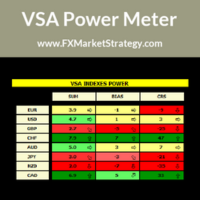
VSA Power Meter very powerful analysis method uses volume spread analysis to determine strongest currency and weakest currency and then gives signals based on it. VSA Power Meter System Features Analyze all available instruments. Clear panel that determines stronges and weakest currencies. Clear buy and sell signals. You can use it as independent trading system or as filter. VSA Power Meter   Trading Rules You can use VSA in two ways: Enter VSA signals. Use it as filter to determine strongest
Nasdaq Future is a Semi Automated Trading Expert.  How does it work ? Simply Identify a strong trend, Up trend on Nasdaq for Example.  Click Buy, the Expert will open 9 trades 1. Market Execution  3. Buy Stop at Higher prices distanced space 0.5X from eachother 5. Buy limits orders below the Market price distanced 1X What is X ? X is the distance between two orders, for example in nasdaq, recomended to use between 50-70 points.  Can I control X ? Yes, in the control panel there is
Scorpion 73 Bot – User Manual MT5 Version: 1.0 | Author: Salman (Signalsview.com) | Sep 1, 2025 Contents 1️⃣ Overview 2️⃣ Installation & Setup 3️⃣ Main Control Panel ️ 4️⃣ Multi-Pair Monitor 5️⃣ Trades Panel ️ 6️⃣ Stop Loss & Profit Lock ️ 7️⃣ Account Info 8️⃣ Best Practices 9️⃣ FAQs 1. Overview Scorpion 73 is a MetaTrader 5 Expert Advisor (EA) acting as a trader’s command center : Fast execution & automation ️ Full trade/order control ️ Advanced risk
# Scorpion 75 - Advanced Adaptive Grid Trading Robot.  ## Product Overview Scorpion 75 is a sophisticated fully automated grid trading Expert Advisor that employs adaptive algorithms to dynamically adjust trading positions based on market conditions. Unlike traditional grid systems, Scorpion 75 features intelligent repositioning, comprehensive risk management, and multiple operational modes to optimize performance across various market environments. ## Key Features ### **Adaptive Grid
フィルタ:
レビューなし
レビューに返信