 MetaTrader 5
 Experts
 지표
지표 라이브러리
라이브러리 유틸리티
유틸리티 위젯
위젯 규칙
규칙
불행히도 "Multitool pro DEMO"은 더 이상 구매할 수 없습니다.
이전에 이 제품을 구입 한 경우 제한 사항없이 계속 사용할 수 있습니다. 그리고 새로운 사본의 설치는 활성화 회수가 남아있을 때까지 가능합니다.
- Metatrader 4 터미널을 엽니다.
- 설정에서 MQL5.Community 계정 자격 증명을 지정하십시오. 메뉴 도구 \ 옵션 \ 커뮤니티.
- "시장" 탭으로 이동 한 다음 "구매" 탭으로 이동합니다.
- 제품 이름의 오른쪽에있는 "설치"버튼을 클릭하십시오.
자세한 내용은 문서를 참조하십시오.
다른 metatrader 4 앱을 확인하십시오

소개 Quantum Emperor EA는 유명한 GBPUSD 쌍을 거래하는 방식을 변화시키는 획기적인 MQL5 전문 고문입니다! 13년 이상의 거래 경험을 가진 숙련된 트레이더 팀이 개발했습니다.
IMPORTANT! After the purchase please send me a private message to receive the installation manual and the setup instructions. ***Quantum Emperor EA를 구매하시면 Quantum StarMan 를 무료로 받으실 수 있습니다!*** 자세한 내용은 비공개로 문의하세요.
확인된 신호: 여기를 클릭하세요
MT5 버전 : 여기를 클릭하세요
Quantum EA 채널: 여기를 클릭하세요
10개 구매 시마다 가격이 $50씩 인상됩니다. 최종 가격 $1999
퀀텀 황제 EA EA는 단일 거래를 다섯 개의 작은 거래로 지속적으로 분할하는

볼텍스 - 미래를 위한 투자
메타트레이더 플랫폼에서 금(XAU/USD) 거래를 위해 특별히 제작된 볼텍스 골드 EA 전문 어드바이저입니다. 독점 지표와 개발자의 비밀 알고리즘을 사용하여 구축된 이 EA는 금 시장에서 수익성 있는 움직임을 포착하도록 설계된 종합 트레이딩 전략을 사용합니다. 전략의 주요 구성 요소에는 이상적인 진입 및 청산 지점을 정확하게 알려주는 CCI 및 파라볼릭 인디케이터와 같은 클래식 인디케이터가 포함됩니다. Vortex Gold EA의 핵심은 고급 신경망 및 머신러닝 기술입니다. 이러한 알고리즘은 과거 데이터와 실시간 데이터를 지속적으로 분석하여 EA가 진화하는 시장 추세에 더 정확하게 적응하고 대응할 수 있도록 합니다. 딥러닝을 활용하여 Vortex Gold EA는 패턴을 인식하고 지표 매개변수를 자동으로 조정하며 시간이 지남에 따라 성능을 개선합니다. 독점 지표, 머신 러닝, 적응형 트레이딩 알고리즘이 결합된 Vortex Gold EA의 강력한 조합입니다

Aura Black Edition은 GOLD만 거래하도록 설계된 완전 자동화된 EA입니다. Expert는 2011-2020년 기간 동안 XAUUSD에서 안정적인 결과를 보였습니다. 위험한 자금 관리 방법, 마팅게일, 그리드 또는 스캘핑이 사용되지 않았습니다. 모든 브로커 조건에 적합합니다. 다층 퍼셉트론으로 학습된 EA 신경망(MLP)은 피드포워드 인공 신경망(ANN)의 한 종류입니다. MLP라는 용어는 모호하게 사용되며, 때로는 피드포워드 ANN에 느슨하게 사용되기도 하고, 때로는 임계값 활성화가 있는 여러 층의 퍼셉트론으로 구성된 네트워크를 엄격하게 지칭하기도 합니다. 다층 퍼셉트론은 특히 단일 은닉층이 있을 때 "바닐라" 신경망이라고도 합니다. MLP는 입력층, 은닉층, 출력층의 최소 3개 층의 노드로 구성됩니다. 입력 노드를 제외하고 각 노드는 비선형 활성화 함수를 사용하는 뉴런입니다. MLP는 역전파라는 지도 학습 기술을 사용하여 학습합니다. 다중 레이어와 비선형 활성화는

Limited stock at the current price!
Final price: $1999 --> PROMO: From $299 --> The price will go up every 5 purchases, next price : $399 Golden Mirage is a robust gold trading robot designed for traders who value reliability, simplicity, and professional-grade performance. Powered by a proven combination of RSI, Moving Average, ADX, and High/Low Level indicators, Golden Mirage delivers high-quality signals and fully automated trading on the M5 timeframe for XAUUSD (GOLD) . It features a robu

We proudly present our cutting-edge robot, the Big Forex Players EA designed to maximize your trading potential, minimize emotional trading, and make smarter decisions powered by cutting-edge technology. The whole system in this EA took us many months to build, and then we spent a lot of time testing it. This unique EA includes three distinct strategies that can be used independently or in together. The robot receives the positions of the biggest Banks (positions are sent from our database t

Gann Made Easy 는 mr.의 이론을 사용하여 최고의 거래 원칙을 기반으로 하는 전문적이고 사용하기 쉬운 Forex 거래 시스템입니다. W.D. 간. 이 표시기는 Stop Loss 및 Take Profit Levels를 포함하여 정확한 BUY 및 SELL 신호를 제공합니다. PUSH 알림을 사용하여 이동 중에도 거래할 수 있습니다. 거래 팁, 보너스, GANN MADE EA를 무료로 받으시려면 구매 후 저에게 연락주세요! 아마도 Gann 거래 방법에 대해 이미 여러 번 들었을 것입니다. 일반적으로 Gann의 이론은 초보자 거래자뿐만 아니라 이미 거래 경험이 있는 사람들에게도 매우 복잡한 것입니다. Gann의 거래 방식은 이론적으로 적용하기 쉽지 않기 때문입니다. 나는 그 지식을 연마하고 Forex 지표에 최고의 원칙을 적용하기 위해 몇 년을 보냈습니다. 표시기는 적용하기가 매우 쉽습니다. 차트에 첨부하고 간단한 거래 권장 사항을 따르기만 하면 됩니다. 지표는 지속적으로 시장

Aura Neuron은 Aura 시리즈 거래 시스템을 이어가는 독특한 전문가 자문입니다. 고급 신경망과 최첨단 클래식 거래 전략을 활용하여 Aura Neuron은 뛰어난 잠재적 성과를 가진 혁신적인 접근 방식을 제공합니다. 완전 자동화된 이 전문가 자문은 및 XAUUSD(GOLD)와 같은 통화 쌍을 거래하도록 설계되었습니다. 1999년부터 2023년까지 이러한 쌍에서 일관된 안정성을 입증했습니다. 이 시스템은 마팅게일, 그리드 또는 스캘핑과 같은 위험한 자금 관리 기술을 피하므로 모든 브로커 조건에 적합합니다. Aura Neuron은 다층 퍼셉트론(MLP) 신경망으로 구동되어 시장 추세와 움직임을 예측하는 데 활용합니다. MLP는 피드포워드 인공 신경망(ANN)의 한 유형으로, 특히 단일 숨겨진 계층으로 구성될 때 "바닐라" 신경망이라고도 합니다. MLP에는 입력 계층, 숨겨진 계층 및 출력 계층이라는 세 가지 필수 계층이 포함됩니다. 입력 노드를 제외한 각 뉴런은 비선형 활성화

프로모션 시작! 449$에 얼마 남지 않았습니다! 다음 가격: 599$ 최종 가격: 999$ 1EA를 무료로 받으세요(2개의 거래 계정에 대해) -> 구매 후 저에게 연락하세요
Ultimate Combo Deal -> click here
New live signal: https://www.mql5.com/en/signals/2084890 Live Signal high risk : https://www.mql5.com/en/signals/2242498
Live Signal Set Prop Firm Set JOIN PUBLIC GROUP: Click here Parameter overview
Gold Trade Pro는 금 거래 EA의 클럽에 합류하지만 한 가지 큰 차이점이 있습니다. 이것은 진정한 거래 전략입니다. "실제 거래 전략"이란 무엇을 의미합니까? 아시다시피 시장에 있는 거의 모든 Gold EA는 단순한 그리드/마팅게일 시스템으로 시장이 초기

EA Gold Algo is a professional Expert Advisor specifically designed for Gold (XAUUSD) trading. It is engineered to capture extremely fast price movements that occur when price escapes key structural zones with momentum. Gold is known for sharp expansions and aggressive volatility. EA Gold Algo is built to operate in these conditions with high-precision execution, strict risk control, and fast reaction speed .
The EA does not use grid or martingale techniques . Each trade is executed independe

AI Forex Robot - The Future of Automated Trading. AI Forex Robot is powered by a next-generation Artificial Intelligence system based on a hybrid LSTM Transformer neural network, specifically designed for analyzing XAUUSD, EURUSD and BTCUSD price movements on the Forex market. The system analyzes complex market structures, adapts its strategy in real time and makes data-driven decisions with a high level of precision. AI Forex Robot is a modern, fully automated system powered by ar

Local Trade Copier EA MT4 를 사용하여 매우 빠른 거래 복사 경험을 해보세요. 1분 안에 간편하게 설정할 수 있으며, 이 거래 복사기를 사용하면 Windows 컴퓨터 또는 Windows VPS에서 여러 개의 MetaTrader 터미널 간에 거래를 0.5초 미만의 초고속 복사 속도로 복사할 수 있습니다.
초보자든 전문가든 Local Trade Copier EA MT4 는 다양한 옵션을 제공하여 사용자의 특정 요구에 맞게 맞춤 설정할 수 있습니다. 이는 수익 잠재력을 높이려는 모든 사람을 위한 최고의 솔루션입니다. 지금 사용해보시고 이것이 왜 시장에서 가장 빠르고 쉬운 무역용 복사기인지 알아보세요! 팁: 여기 에서 데모 계정에서 Local Trade Copier EA MT4 데모 버전을 다운로드하여 사용해 볼 수 있습니다. 다운로드한 무료 데모 파일을 MT4 >> File >> Open Data Folder >> MQL4 >> Experts 폴더에 붙여넣고 터미널

Game Change EA는 Game Changer 지표를 기반으로 하는 추세 추종 트레이딩 시스템입니다. 빨간색 점이 형성될 때마다 자동으로 매도하고, 노란색 X가 나타날 때까지 매도 방향으로 진행합니다. 이는 추세의 잠재적 종료를 나타냅니다. 매수 거래에도 동일한 논리가 적용됩니다. 파란색 점이 나타나면 EA는 매수를 시작하고 노란색 X가 감지되는 즉시 매수 주기를 종료합니다.
이 EA는 모든 통화쌍과 모든 시간대에 적합하지만, M15 시간대의 xauusd와 같이 추세가 강한 상품에서 특히 우수한 성과를 보입니다. 실시간 결과는 여기에서 볼 수 있습니다. 개인 보너스를 받으려면 구매 후 즉시 저에게 연락하십시오! 설정 및 매뉴얼은 여기 설정 Open new series – true/false - 새로운 주문 시리즈의 시작
Trade Buy - EA가 구매하도록 허용
Trade Sell - EA가 판매하도록 허용
Support manual orders – true/false –

Quantum King EA - 모든 트레이더를 위해 개선된 지능형 파워
IMPORTANT! After the purchase please send me a private message to receive the installation manual and the setup instructions.
특별 출시 가격 라이브 신호: 여기를 클릭하세요
MT5 버전 : 여기를 클릭하세요
퀀텀 킹 채널: 여기를 클릭하세요
***Quantum King MT4를 구매하시면 Quantum StarMan을 무료로 받으실 수 있습니다!*** 자세한 내용은 비공개로 문의하세요!
규칙 정확하고 규율 있게 거래하세요.
퀀텀 킹 EA 구조화된 그리드의 강점과 적응형 마팅게일의 지능을 하나의 완벽한 시스템으로 통합했습니다. M5에서 AUDCAD를 위해 설계되었으며, 꾸준하고 통제된 성장을 원하는 초보자와 전문가 모두를 위해 구축되었습니다.
퀀

XIRO Robot is a professional trading system created to operate on two of the most popular and liquid instruments on the market: XAUUSD and GBPUSD . We combined two proven and well tested systems, enhanced them with multiple new improvements, optimizations and additional protective mechanisms, and integrated everything into one advanced and unified solution. As a result of this development process, XIRO Robot was created. Robot was designed for traders who are looking for a reliable and str

프로모션 시작: 현재 가격으로 제공되는 제한된 수의 사본 최종 가격: 990$ 신규: 1개를 무료로 받으세요! (거래 계좌 2개용) Ultimate Combo Deal -> click here
LIVE RESULTS: https://www.mql5.com/en/signals/1949810 JOIN PUBLIC GROUP: Click here Set Files
DayTrade Pro Algo에 오신 것을 환영합니다! 수년 동안 시장을 연구하고 다양한 전략을 프로그래밍한 후 좋은 거래 시스템에 필요한 모든 것을 갖춘 알고리즘을 찾았습니다. 브로커 독립적입니다. 독립적으로 확산됩니다. MT4, MT5, TDS2 및 여러 브로커에서 쉽게 실제 변수 확산 테스트를 사용하여 매우 안정적인 백 테스트를 보여줍니다. 수백 가지의 다양한 설정이 모두 테스트에서 수익성 있는 결과를 제공합니다(물론 저는 최고의 설정을 선택했습니다!). 매우 강력한 시스템 -> 설정은 상호 교

거래당 위험 계산, 라인을 사용한 손쉬운 신규 주문, 부분 청산 기능을 통한 주문 관리, 7가지 유형의 트레일링 스탑 및 기타 유용한 기능을 제공합니다.
추가 자료 및 지침
설치 지침 - 애플리케이션 지침 - 데모 계정용 애플리케이션 평가판
라인 기능 - 차트에 개시선, 손절매, 차익실현을 표시합니다. 이 기능을 사용하면 새로운 주문을 쉽게 하고 개봉 전에 추가 특성을 볼 수 있습니다.
위기 관리 - 위험 계산 기능은 설정된 위험과 손절매 주문의 크기를 고려하여 새 주문의 볼륨을 계산합니다. 이를 통해 손절매 크기를 설정하고 동시에 설정된 위험을 존중할 수 있습니다. 로트 계산 버튼 - 위험 계산을 활성화/비활성화합니다. 필요한 위험 값은 위험 필드에 0에서 100 사이의 백분율 또는 예금 통화로 설정됩니다. 설정 탭에서 위험 계산 옵션을 선택합니다. $ 통화, % 잔액, % 지분, % 자유 마진, % 사용자 정의, % AB 이전 일, % AB
이 지표는 Advanced Currency IMPULSE with ALERT + Currency Strength Exotics 의 2가지 제품의 슈퍼 조합입니다.
그것은 모든 시간 프레임에 대해 작동하며 8개의 주요 통화와 하나의 기호에 대한 강약의 충동을 그래픽으로 보여줍니다!
이 표시기는 금, 이국적인 쌍, 상품, 지수 또는 선물과 같은 기호에 대한 통화 강도 가속을 표시하는 데 특화되어 있습니다. 금, 은, 오일, DAX, US30, MXN, TRY, CNH 등의 진정한 통화 강도 가속(충동 또는 속도)을 표시하기 위해 9번째 줄에 모든 기호를 추가할 수 있습니다.
새로운 기본 알고리즘을 기반으로 구축되어 잠재적인 거래를 훨씬 더 쉽게 식별하고 확인할 수 있습니다. 이는 통화의 강세 또는 약세가 가속되는지 여부를 그래픽으로 표시하고 가속 속도를 측정하기 때문입니다. 자동차의 속도계처럼 생각하면 됩니다. 가속화할 때 Forex 시장에서 동일한 일이 분명히 더 빠르

An exclusive indicator that utilizes an innovative algorithm to swiftly and accurately determine the market trend. The indicator automatically calculates opening, closing, and profit levels, providing detailed trading statistics. With these features, you can choose the most appropriate trading instrument for the current market conditions. Additionally, you can easily integrate your own arrow indicators into Scalper Inside Pro to quickly evaluate their statistics and profitability. Scalper Inside

WINTER SALE — FINAL DAYS!
Get GOLD Scalper PRO with a huge –60% discount AND receive News Scope EA PRO as a FREE BONUS ! Special Winter Sale Price: $177
(Regular Price: $447 — You Save $270!) FREE BONUS: News Scope EA PRO
A powerful multi-symbol strategy packed with advanced features, supporting 5 trading pairs — real value: $397! After completing your purchase, simply contact me and I will send you your BONUS EA immediately. Don’t miss this once-a-year opportunity! Live Results: https://w

업데이트 — 2025년 12월
2024년 11월 말, Aurum이 공식적으로 판매를 시작했습니다.
그 이후 뉴스 필터, 추가 보호 조건, 복잡한 제한 없이도 실제 시장 환경에서 꾸준히 운용되며 안정적인 성과를 유지해 왔습니다. Live Signal
1년간의 실전 운용은 이 트레이딩 시스템의 신뢰성을 명확하게 증명했습니다.
그리고 실제 데이터와 통계를 기반으로, 2025년 12월 대규모 업데이트가 진행되었습니다:
프리미엄 패널 전면 개편 및 모든 해상도에 최적화 확장된 거래 보호 시스템 추가 Forex Factory 기반의 강력한 뉴스 필터 추가 신호 정확도를 높이는 추가 필터 2종 추가 최적화, 실행 속도 및 전반적인 안정성 향상 손실 후 안전한 복구를 위한 Recovery 기능 추가 프리미엄 스타일의 새로운 차트 테마 적용
EA 소개
Aurum — 골드(XAU/USD) 전용 프리미엄 자동매매 EA
Aurum은 금 시장에서 안정적이고 안전한 트레이딩을 위해 설계된 전문 자

Trade Manager EA에 오신 것을 환영합니다. 이 도구는 거래를 보다 직관적이고 정확하며 효율적으로 만들기 위해 설계된 궁극적인 리스크 관리 도구 입니다. 단순한 주문 실행 도구가 아닌, 원활한 거래 계획, 포지션 관리 및 리스크 제어를 위한 종합 솔루션입니다. 초보자부터 고급 트레이더, 빠른 실행이 필요한 스캘퍼에 이르기까지 Trade Manager EA는 외환, 지수, 상품, 암호화폐 등 다양한 시장에서 유연성을 제공합니다. Trade Manager EA를 사용하면 복잡한 계산은 이제 과거의 일이 됩니다. 시장을 분석하고 진입, 손절 및 익절 수준을 차트의 수평선으로 표시한 후 리스크를 설정하면, Trade Manager가 이상적인 포지션 크기를 즉시 계산하고 SL 및 TP 값을 실시간으로 표시합니다. 모든 거래가 간편하게 관리됩니다. 주요 기능: 포지션 크기 계산기 : 정의된 리스크에 따라 거래 크기를 즉시 결정합니다. 간단한 거래 계획 : 진입, 손절, 익절을 위한
Introducing the AI Neural Nexus EA
A state-of-the-art Expert Advisor tailored for trading Gold (XAUUSD) and GBPUSD. This advanced system leverages the power of artificial intelligence and neural networks to identify profitable trading opportunities with a focus on safety and consistency. Unlike traditional high-risk methods, AI Neural Nexus prioritizes low-risk strategies that adapt to market fluctuations in real time, ensuring a smart trading experience. Important Information
Contact us immedia

Game Changer는 모든 금융 상품에 적용 가능한 혁신적인 추세 지표로, MetaTrader를 강력한 추세 분석 도구로 탈바꿈시켜 줍니다. 모든 시간대에서 작동하며 추세 식별, 잠재적 반전 신호 제공, 트레일링 스톱 기능, 그리고 신속한 시장 대응을 위한 실시간 알림 기능을 제공합니다. 숙련된 전문가든 이제 막 시작하는 초보자든, Game Changer는 추세의 역학을 명확하게 이해하고 자신감 있고 규율 있는 거래를 할 수 있도록 도와줍니다. 이 지표는 차트 재구성 기능을 지원합니다.
구매 후 즉시 연락 주시면 특별 보너스를 드립니다. Strong Support 및 Trend Scanner 지표를 무료로 제공해 드립니다. [email protected]으로 메시지를 보내주세요.
참고로, 저는 텔레그램에서 EA나 특별 세트를 판매하지 않습니다. 모든 EA는 MQL5에서만 사용 가능하며, 세트 파일은 제 블로그(여기)에서만 다운로드하실 수 있습니다. 사기꾼을 조심하시고 다른 사

Expert Advisor는 수익성이 없는 포지션을 회수하도록 설계된 시스템입니다. 작성자의 알고리즘은 손실 위치를 잠그고 여러 부분으로 분할하고 각 부분을 별도로 닫습니다. 손쉬운 설정, 하락 시 지연된 시작, 다른 Expert Advisors 잠금, 비활성화, 추세 필터링을 통한 평균화 및 손실 위치의 부분 마감이 하나의 도구에 내장되어 있습니다. 전체 그룹에서만 주문을 마감하는 그리드 전략과 달리 더 낮은 예금 부하로 손실을 줄일 수 있는 부분에서 마감 손실을 사용하여 손실과 함께 더 안전한 작업을 보장합니다. 주문이 복원되는 방법: 1 EA는 선택한 상품의 다른 창을 닫아 수익성이 없는 EA를 끕니다(선택 사항). 2 EA는 처리된 모든 주문에 대해 TakeProfit 및 StopLoss 수준을 재설정하고 해당 식별자가 있는 보류 주문을 삭제합니다. 3 EA는 수익성이 없는 주문의 일부를 충당하고 총 포지션 볼륨을 줄이기 위해 이익을 사용하기 위해 처리된 모든 수익성 있

WINTER SALE — FINAL DAYS!
Get Forex GOLD Investor with a huge –60% discount AND receive News Scope EA PRO as a FREE BONUS ! Special Winter Price: $217
(Regular Price: $547 — You Save $330!) FREE BONUS: News Scope EA PRO
A powerful multi-symbol strategy packed with advanced features, supporting 5 trading pairs — real value: $397! After completing your purchase, simply contact me and I will send you your BONUS EA immediately. Don’t miss this once-a-year opportunity! Live Results: https://www.m

The XG Gold Robot MT4 is specially designed for Gold. We decided to include this EA in our offering after extensive testing . XG Gold Robot and works perfectly with the XAUUSD, GOLD, XAUEUR pairs. XG Gold Robot has been created for all traders who like to Trade in Gold and includes additional a function that displays weekly Gold levels with the minimum and maximum displayed in the panel as well as on the chart, which will help you in manual trading. It’s a strategy based on Price

EA Gold Stuff 는 금 거래를 위해 특별히 고안된 전문가 고문입니다. 작업에 기반의 개방의 주문 금을 사용하여 물건의 표시는,그래서 고문 작품에 따라"트렌드를 따라"전략을 의미,다음과 같은 추세이다.
중요! 구매 후 즉시 저에게 연락하여 지침과 보너스를 받으십시오! 강력한 지원 및 트렌드 스캐너 표시기의 무료 사본을 받으실 수 있습니다. 메시지를 보내주세요. 나! 실시간 결과는 여기에서 볼 수 있습니다
매개 변수
새로운 시리즈 열기-주문의 새로운 시리즈의 온/오프 시작. 시작 로트-시작 로트. 무역 구매-전문가 고문이 구매할 수 있도록하십시오. 무역 판매-전문가 고문이 판매 할 수있게하십시오. 사용하지면서 기능을 사용한 고문이 무역은 모두 구매 및 판매하는 방향,기능 장애인,고문관이 무역에 단 하나의 방향이다. 돈 Manadgement 를 사용-온/오프 자동 로트 계산의 사용. 오토롯. 각 0.01 로트에 대한 자유 마진-각 0.01 로트 단위의 개방을위한

Bazooka EA – MT4용 트렌드 및 모멘텀 기반 전문가 자문 MT5: https://www.mql5.com/en/market/product/163078 중요: 댓글 섹션에 업데이트된 .set 파일을 정기적으로 게시하고 있습니다. 현재의 시장 변동성에서 최적의 성능을 발휘할 수 있도록 백테스트 및 실거래 시 반드시 최신 버전을 사용해 주시기 바랍니다. Bazooka EA 는 MetaTrader 4 용 완전 자동 매매 전문가 자문(Expert Advisor)으로, **추세 확인(Trend Confirmation)**과 **모멘텀 필터링(Momentum Filtering)**을 결합하여 방향성 있는 시장 움직임을 거래하도록 설계되었습니다. 이 EA는 통제된 진입과 규칙적인 청산에 중점을 두며, 과도한 매매나 고위험 포지션 관리 기법을 사용하지 않습니다. Bazooka EA는 명확한 규칙 기반 전략과 조정 가능한 리스크 관리를 선호하는 트레이더에게 적합합니다. 전략 설명 Baz

Ask in private for more details after purchase
FlipDemonHFT
Flipdemon vX: The Next-Level Forex Trading Robot Flip your capital fast with Flipdemon vX — a powerful trading robot designed for rapid growth, sniper entries, and consistent profits. Built for serious traders who want results in days, not months.. Flipping service available here
Actually you can see it by yourself xylo markets Ltd, mt5 login: 669030 pass: 2026Noel$ Discounted price . The price will increase by $500 with ever

추세 반전을 기반으로 작동하는 완전 자동 고급 거래 로봇입니다. 필요한 경우 그리드 전략을 사용할 수도 있습니다. 최대 카트 적재량에 도달하면 3가지 유형의 알림 및 위치 잠금 기능이 내장되어 있습니다. 기본 설정은 M15 시간대의 EURUSD에 권장됩니다. 기능 및 이점: 동시에 두 방향으로 작업할 수 있는 능력 여러 단계에서 정시에 작업하는 내장 기능 브로커가 볼 수 없는 가상 StopLoss를 사용합니다. 현재 추세의 활동을 기반으로 한 작업 알고리즘 자동 로트 계산 내장 모든 유형의 알림 사용 위치를 자동으로 잠그고 어드바이저를 비활성화하는 기능 장바구니의 후속 주문에 대한 TakeProfit 감소 현재 추세 또는 단계별로 개시 주문 조정 MT5 version -> HERE / Problem solving -> HERE 입력 변수에 대한 자세한 설명 및 설명 -> 여기 고문이 거래하는 방법: - 우선 거래 시 현재 추세 활동을 고려합니다("주요 추세

통화 강도 마법사는 성공적인 거래를 위한 올인원 솔루션을 제공하는 매우 강력한 지표입니다. 표시기는 여러 시간 프레임의 모든 통화 데이터를 사용하여 이 또는 해당 외환 쌍의 힘을 계산합니다. 이 데이터는 특정 통화의 힘을 확인하는 데 사용할 수 있는 사용하기 쉬운 통화 지수 및 통화 전력선의 형태로 표시됩니다. 필요한 것은 거래하려는 차트에 표시기를 부착하는 것뿐입니다. 표시기는 거래하는 통화의 실제 강세를 보여줍니다. 지표는 또한 추세와 거래할 때 유리하게 사용할 수 있는 구매 및 판매 거래량 압력의 극한값을 보여줍니다. 지표는 또한 피보나치에 기반한 가능한 대상을 보여줍니다. 표시기는 PUSH 알림을 포함한 모든 유형의 알림을 제공합니다. 구매 후 연락주세요. 나는 당신과 거래 팁을 공유하고 당신에게 무료로 훌륭한 보너스 지표를 줄 것입니다! 나는 당신에게 행복하고 유익한 거래를 기원합니다!

Last copy at 399$ -> next price 499$ Dark Algo is a fully automatic Expert Advisor for Scalping Trading on Eurusd and Gbpusd . This Expert Advisor is based on the latest generation of algorithm and is highly customizable to suit your trading needs. If you Buy this Expert Advisor you can write a feedback at market and get a second EA for Free , for More info contact me The basic strategy of this EA is built on a sophisticated algorithm that allows it to identify and follow market

이 지표는 추세 반전 지점과 가격 반등 영역을 정확하게 보여줍니다. 주요 투자자들 . 새로운 트렌드가 형성되는 곳을 파악하고 최대한 정확하게 의사결정을 내리며 모든 거래를 완벽하게 통제합니다. TREND LINES PRO 지표와 함께 사용할 때 최대의 잠재력을 발휘합니다. VERSION MT5 지표가 보여주는 내용:
새로운 추세의 시작 시 활성화되는 반전 구조 및 반전 수준. 최소한의 위험 대비 수익률을 갖는 이익 실현 (TAKE PROFIT) 및 손절매(STOP LOSS) 레벨 표시 RR 1:2 . 지능형 손실 감소 로직이 적용된 손절매 기능. 지정된 지표에서 두 가지 추세 유형에 대한 반전 패턴을 표시합니다. 지표: 트렌드를 따라 트렌드 라인 프로 (글로벌 트렌드 변화) 트렌드 프로 (빠른 트렌드 변화) 간단하고 효과적입니다 스캐너 실시간 추세 (신규). 다중 시간 프레임 도구 필터링. 표시하다

Miraculous Indicator – Gann Square of Nine 기반 100% 비리페인트 Forex 및 바이너리 도구 이 영상은 Miraculous Indicator 를 소개합니다. 이 지표는 Forex 및 바이너리 옵션 트레이더를 위해 특별히 개발된 매우 정확하고 강력한 트레이딩 도구입니다. 이 지표가 독특한 이유는 전설적인 **Gann Square of Nine(Gann 9의 사각형)**과 **Gann's Law of Vibration(Gann 진동의 법칙)**에 기반을 두고 있기 때문입니다. 이는 현대 트레이딩에서 가장 정밀한 예측 도구 중 하나로 손꼽힙니다. Miraculous Indicator는 완전히 비리페인트(non-repaint) 됩니다. 즉, 캔들이 마감된 후에도 신호가 변경되거나 사라지지 않습니다. 보이는 것이 곧 결과입니다. 이는 트레이더가 자신감을 가지고 거래에 진입하고 청산할 수 있는 신뢰할 수 있고 일관된 기반을 제공합니다. 주요 특징: Gann

M1 SNIPER 는 사용하기 쉬운 거래 지표 시스템입니다. M1 시간대에 맞춰 설계된 화살표 지표입니다. 이 지표는 M1 시간대 스캘핑을 위한 단독 시스템으로 사용할 수 있으며, 기존 거래 시스템의 일부로도 사용할 수 있습니다. 이 거래 시스템은 M1 시간대 거래용으로 특별히 설계되었지만, 다른 시간대에도 사용할 수 있습니다. 원래는 XAUUSD와 BTCUSD 거래를 위해 이 방법을 설계했지만, 다른 시장 거래에도 유용하다는 것을 알게 되었습니다. 이 지표의 신호는 추세 방향과 반대로 거래될 수 있습니다. 저는 지표의 신호를 활용하여 양방향으로 거래할 수 있도록 돕는 특별한 거래 기법을 알려드립니다. 이 방법은 특별한 동적 지지선과 저항선 가격 영역을 활용하는 것을 기반으로 합니다. 구매하시면 M1 SNIPER 화살표 지표를 바로 다운로드하실 수 있습니다. 또한, 아래 스크린샷에 표시된 Apollo Dynamic SR 지표는 M1 SNIPER 도구를 사용하는 모든 사용자에게 무료로
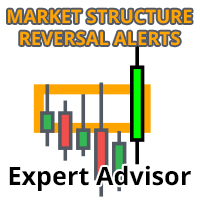
시장 반전 경고 EA는 동일한 이름(여기에서 사용 가능)의 지표에 의해 구동되며 시장 구조 변화를 기반으로 거래됩니다.
EA는 기본적으로 지표에서 시장 반전 경고를 보낼 때마다 거래를 수행하고 EA 설정에서 설정한 조건 및 필터를 기반으로 해당 경고를 거래합니다.
가격이 현재 추세 방향으로 움직일 때 지지 직사각형을 그리고 가격이 급격하게 반전할 때 거래되고 시장 구조의 변화 또는 반전의 재시험을 알립니다. 표시기 페이지에서 자세히 알아보십시오.
이 설명에서 다루기에는 너무 많은 설정과 가능성이 있으므로 모든 설정이 포함된 블로그 게시물과 이 블로그 게시물에서 자세히 설명하는 비디오가 있습니다. https://www.mql5.com/en/blogs/post/745502
위의 해당 게시물을 읽고 비디오를 시청하면 EA가 얼마나 강력한지 알게 될 것입니다.
이 블로그 게시물에서 시작하는 데 도움이 되는 몇 가지 좋은 설정 파일과 전략을 볼 수 있습니다. https://w
Trend Ai EA는 Trend Ai 지표와 연동되도록 설계되었습니다. Trend Ai 지표는 추세 식별, 실행 가능한 진입 시점 및 반전 알림을 결합하여 자체적으로 시장 분석을 수행하고 지표의 모든 신호를 완전 자동으로 처리합니다! EA에는 완벽하게 조정 가능한 여러 외부 매개변수가 포함되어 있어 트레이더가 원하는 대로 전문가를 맞춤 설정할 수 있습니다.
녹색 점이 나타나면 EA는 매수 거래를 준비합니다. 파란색 화살표로 상승 추세가 확인되면 EA는 다음 캔들에서 매수 주문을 입력합니다. 시장이 반전되면 EA는 그리드 및 마틴게일 전략으로 일련의 거래를 관리합니다. 반대 신호가 나타나고 차트에 빨간색 점이 나타나면 EA는 매도 준비를 하고, 빨간색 화살표가 나타나면 EA는 다음 캔들에서 매도 거래를 입력하고 그리드 및 마틴게일 전략으로 일련의 거래를 관리합니다.
통화쌍 및 시간대: 이 EA는 모든 상장 자산, 선물, 주식, 외환, 상품, 암호화폐 또는 지수에 사용할 수 있습

보텍스 터보 — “폭풍을 거래하고, 보텍스를 제어하세요”
Vortex Turbo는 지능형 트레이딩의 다음 진화 단계를 제시하는 독보적인 플랫폼으로, 최첨단 AI 아키텍처, 적응형 시장 로직, 그리고 정밀한 리스크 관리 기능을 결합했습니다. 검증된 알고리즘 원칙을 기반으로 구축된 Vortex Turbo는 새로운 차원의 예측 인텔리전스를 통해 다양한 전략을 하나의 고속 생태계로 통합합니다. 금(XAUUSD(GOLD)) 스캘핑 전문가로 설계된 Vortex Turbo는 제어된 마틴게일 및 평균화 그리드 전략을 사용하며, 각 포지션은 내장된 손절매 기능으로 완벽하게 보호되어 강력함, 정확성, 그리고 안전성 사이의 완벽한 균형을 보장합니다. 정말 중요합니다! 전문가 서비스를 구매하신 후 개인 메시지를 보내주세요. 필요한 모든 권장 사항이 담긴 안내를 보내드리겠습니다. 399달러의 가격은 2월 15일까지 유효하며, 이후 가격은 499달러로 인상됩니다. (최종 가격: 999달러)

현재 20% 할인!
초보자 또는 전문가 트레이더를 위한 최고의 솔루션!
이 표시기는 Exotic Pairs Commodities, Indexes 또는 Futures와 같은 기호에 대한 통화 강도를 표시하는 데 특화되어 있습니다. 금, 은, 석유, DAX, US30, MXN, TRY, CNH 등의 진정한 통화 강도를 보여주기 위해 9번째 줄에 모든 기호를 추가할 수 있습니다. 이것은 독특하고 고품질이며 저렴한 거래 도구입니다. 우리는 많은 독점 기능과 새로운 공식을 통합했습니다. 새로운 추세 또는 스캘핑 기회의 정확한 트리거 포인트를 정확히 찾아낼 수 있기 때문에 거래가 어떻게 개선될지 상상해 보십시오.
사용 설명서: 여기를 클릭 https://www.mql5.com/en/blogs/post/708876
모든 시간대에 작동합니다. TREND를 빠르게 확인할 수 있습니다! 새로운 기본 알고리즘을 기반으로 설계되어 잠재적인 거래를 더욱 쉽게 식별하고 확인할 수 있습니다. 8개의
Precautions for subscribing to indicator This indicator only supports the computer version of MT4 Does not support MT5, mobile phones, tablets The indicator only shows the day's entry arrow The previous history arrow will not be displayed (Live broadcast is for demonstration) The indicator is a trading aid Is not a EA automatic trading No copy trading function
The indicator only indicates the entry position No exit (target profit)
The entry stop loss point is set at 30-50 PIPS Or the front hi

The product will copy all telegram signal to MT4 ( which you are member ) , also it can work as remote copier. Easy to set up, copy order instant, can work with almost signal formats, image signal, s upport to translate other language to English Work with all type of channel or group, even channel have "Restrict Saving Content", work with multi channel, multi MT5 Work as remote copier: with signal have ticket number, it will copy exactly via ticket number. Support to backtest signal. How to

트렌드 라인즈 프로 이 지표는 시장이 실제로 어떤 방향으로 전환되는지 파악하는 데 도움이 됩니다. 실제 추세 반전 지점과 주요 시장 참여자들이 다시 진입하는 지점을 보여줍니다.
보시다시피 BOS 라인 복잡한 설정이나 불필요한 노이즈 없이 더 높은 시간대의 추세 변화와 주요 레벨을 확인할 수 있습니다. 신호는 차트에 다시 그려지지 않고 캔들이 마감된 후에도 계속 표시됩니다. VERSION MT 5 - RFI LEVELS PRO 표시기 와 결합할 때 최대 잠재력을 발휘합니다. 지표가 보여주는 내용:
실제 변화 추세(BOS 라인) 한 번 신호가 나타나면 그 신호는 계속 유효합니다! 이는 신호를 발생시킨 후 변경될 수 있는 리페인팅 방식의 지표와 중요한 차이점입니다. 리페인팅 방식의 지표는 잠재적으로 자금 손실로 이어질 수 있습니다. 이제 더욱 높은 확률과 정확도로 시장에 진입할 수 있습니다. 또한 화살표가 나타난 후 목표가(익절)

EA Black Dragon은 Black Dragon 표시기에서 작동합니다. Expert Advisor는 지표의 색상으로 거래를 연 다음 주문 네트워크를 구축하거나 손절매로 작업할 수 있습니다.
실제 작업 및 기타 개발 모니터링은 여기에서 찾을 수 있습니다. https://www.mql5.com/en/users/mechanic/seller
여기에서 모든 설정을 찾을 수 있습니다! 권장 사항
통화 쌍 EURUSD GBPUSD 타임 프레임 M15 권장 보증금 1000달러 또는 센트 권장 설정 기본 설정 입력 매개변수 초기 로트 - 초기 로트 로트 승수 - 후속 주문에 대한 로트 승수. Autolot - 자동 로트 계산을 활성화/비활성화합니다. 자동 로트 크기 - 자동 로트가 활성화된 경우 어드바이저가 로트를 사용할 예치금. 거리 - 주문 사이의 거리. 최대 로트 - 어드바이저가 열 수 있는 최대 로트. 이익을 취하십시오 - 이익을 취하십시오. 손절매 - 손절매 포인트;

Javier Gold Scalper: 당신 곁의 첨단 기술!
매뉴얼 및 설정 파일: 구매 후 저에게 연락하시면 매뉴얼과 설정 파일을 보내드립니다 가격: 판매된 라이선스 수에 따라 가격이 인상됩니다 남은 복사본: 5개 금 거래는 금융 시장에서 가장 변동성이 큰 자산 중 하나로, 고도의 정밀도, 철저한 분석, 매우 효과적인 리스크 관리가 요구됩니다. Javier Gold Scalper 는 이러한 핵심 요소들을 통합하여 금 시장에서의 거래를 최적화하기 위해 설계된 강력하고 정교한 시스템입니다. 최첨단 기술과 고급 전략을 기반으로 Golden Scalper는 초보자와 전문가 모두를 지원하여 이 역동적인 시장의 도전과 기회를 안전하게 대응할 수 있도록 합니다. Golden Scalper와 함께라면 금 거래의 특수성에 적합한 신뢰할 수 있는 도구를 사용할 수 있습니다.
심볼 XAUUSD (금) 시간 프레임 M30 PropFirm 사용 가능 자본 최소 $1000 브로커 모든 브로커 가능 계정

MetaTrader 4용 트레이드 복사기. 모든 계정의 외환 거래, 포지션, 주문을 복사합니다. 그것은 최고의 무역 복사기 중 하나입니다 MT4 - MT4, MT5 - MT4 위해 카피롯 MT4 버전(또는 MT4 - MT5 MT5 - MT5 위해 카피롯 MT5 버전). MT5 버전
전체 설명 +DEMO +PDF 구입 방법
설치하는 방법
로그 파일을 얻는 방법 테스트 및 최적화 방법 Expforex의 모든 제품 복사기 버전 MetaTrader 5 터미널 ( МТ5 - МТ5, МТ4 - МТ5 ) - Copylot Client MT5 고유한 복사 알고리즘은 마스터 계정에서 고객 계정으로 모든 거래를 정확하게 복사합니다.
이 제품은 또한 높은 작동 속도에서 높은 오류 처리로 유명합니다.
강력한 기능 세트.
프로그램은 여러 터

The Bitcoin Robot MT4 is engineered to execute Bitcoin trades with unparalleled efficiency and precision . Developed by a team of experienced traders and developers, our Bitcoin Robot employs a sophisticated algorithmic approach (price action, trend as well as two personalized indicators) to analyze market and execute trades swiftly with M5 timeframe , ensuring that you never miss out on lucrative opportunities. No grid, no martingale, no hedging, EA only open one position at the sa

Are you looking for a simple and reliable indicator that can help you spot market swing points easily? Do you want clear buy and sell signals that work on any timeframe and any trading instrument? Buy Sell Signal Pro is designed to do exactly that. It helps traders identify important market turning points and understand the current market structure in a clear and easy way. This indicator detects Higher Highs (HH), Higher Lows (HL), Lower Highs (LH), and Lower Lows (LL) so you can quickly see wh

현재 40% 할인 !
초보자 또는 전문가 트레이더를 위한 최고의 솔루션!
이 대시보드 소프트웨어는 28개의 통화 쌍에서 작동합니다. 2가지 주요 지표(Advanced Currency Strength 28 및 Advanced Currency Impulse)를 기반으로 합니다. 전체 Forex 시장에 대한 훌륭한 개요를 제공합니다. 고급 통화 강도 값, 통화 이동 속도 및 모든(9) 시간대의 28 Forex 쌍에 대한 신호를 보여줍니다. 추세 및/또는 스캘핑 기회를 정확히 파악하기 위해 차트의 단일 지표를 사용하여 전체 시장을 볼 수 있을 때 거래가 어떻게 개선될지 상상해 보십시오!
잠재적인 거래를 식별하고 확인하면서 강력한 통화와 약한 통화를 더욱 쉽게 식별할 수 있도록 이 지표에 기능을 내장했습니다. 이 표시기는 통화의 강세 또는 약세가 증가 또는 감소하는지 여부와 모든 시간대에서 수행되는 방식을 그래픽으로 보여줍니다.
추가된 새로운 기능은 현재 시장 조건 변화에 적응하는

Quantum strategy is a combination of quantum superposition and trading signal model. EA Quantum Dark Gold determines Buy and Sell positions simultaneously for each signal and simultaneously places 2 orders Buy Stop and Sell Stop. Then the momentum determines which order position is executed and cancels the remaining pending order. This interesting idea forms the Quantum Dark Gold with a unique entry method. Open positions are then managed by Trailing, Stop Loss and position balancing strategies
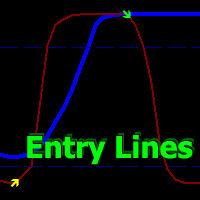
Volatility Trend System - a trading system that gives signals for entries. The volatility system gives linear and point signals in the direction of the trend, as well as signals to exit it, without redrawing and delays.
The trend indicator monitors the direction of the medium-term trend, shows the direction and its change. The signal indicator is based on changes in volatility and shows market entries.
The indicator is equipped with several types of alerts. Can be applied to various trading ins

SmartChoise MT4 EA – Neural Network 기반 XAU/USD (Gold) M15 거래 시스템 사용자 매뉴얼: 내 프로필 페이지의 링크에서 확인 가능 현재는 MT5 버전과 동일하며, 일부 옵션은 MT4에서 제거되었지만 모든 현재 설정은 해당 매뉴얼에 설명되어 있음 전용 MT4 매뉴얼은 추후 제공 예정 SmartChoise MT4는 시장 상황 변화에 적응하는 신경망 엔진으로 구동되며, 장기적이고 안정적인 성장에 중점을 둠.
지능적인 진입, 통제된 노출, 안정적인 DD(드로우다운) 회복을 목표로 하며, 마틴게일 전략은 사용하지 않음. 이 EA는 일관성, 투명성, 위험 관리의 유연성을 중요시하는 사용자를 위한 것임. 핵심 기술 신경망 기반 결정: 실시간 데이터를 지속적으로 분석해 거래 행동 조정 마틴게일 없음: 리스크를 복리로 늘리지 않음 동적 로트 크기: 자본, 변동성, 추세 강도 및 시장 상황에 따라 자동 조절 주요 기능 다양한 위험 수준: Low, Medium,

WINTER SALE — FINAL DAYS!
Get Forex Diamond EA with a huge –60% discount AND receive News Scope EA PRO as a FREE BONUS ! Special Winter Sale Price: $217
(Regular Price: $547 — You Save $330!) FREE BONUS: News Scope EA PRO
A powerful multi-symbol strategy packed with advanced features, supporting 5 trading pairs — real value: $397! After completing your purchase, simply contact me and I will send you your BONUS EA immediately. Don’t miss this once-a-year opportunity! Forex Diamond EA – Relia

XAU FLUX - 전문 금 스캘핑 전문가 자문가
XAU FLUX는 금 시장에서 빠르고 체계적인 거래를 위해 설계된 전문 트레이딩 로봇입니다. 일일 소폭 가격 변동에서 꾸준한 수익을 추구하는 트레이더를 위해 개발되었습니다.
주요 기능:
XAU FLUX는 M1 및 M5 시간대에서 작동하는 고급 스캘핑 시스템을 사용하여 시장의 미세 기회를 평가합니다. EA는 시장 상황을 지속적으로 분석하여 적절한 진입점을 식별하고 자동으로 거래를 개시합니다.
리스크 관리 및 자본 보호:
EA는 모든 오픈 포지션을 동적 추적 스탑 메커니즘으로 보호합니다. 이는 불리한 움직임 시 손실을 최소화하면서 이익을 확보합니다. 스프레드 제어 및 변동성 필터 덕분에 거래는 적합한 시장 조건에서만 실행됩니다.
계좌 성장 잠재력:
XAU FLUX는 소규모 로트 사이즈로 시작하여 계좌를 꾸준히 성장시키는 데 이상적입니다. 매일 작은 수익을 누적하여 지속 가능한 장기 수익을 목표로 합니다. 공격적인 마틴게일이나 그리드

Copy Cat More Trade Copier MT4 (복사 고양이 MT4) 는 단순한 로컬 트레이드 카피어가 아니라, 오늘날의 거래 환경을 위해 설계된 완전한 리스크 관리 및 실행 프레임워크입니다. Prop Firm 챌린지부터 개인 계좌 관리까지, 강력한 실행력, 자본 보호, 유연한 설정, 고급 거래 처리 기능을 통해 모든 상황에 적응합니다. 이 카피어는 Master(송신자) 와 Slave(수신자) 모드 모두에서 작동하며, 실시간으로 시장가/지정가 주문, 거래 수정, 부분 청산, Close By 작업을 동기화합니다. 데모 및 실계좌 모두 호환되며, 거래용 비밀번호 또는 투자자 비밀번호로도 사용할 수 있습니다. Persistent Trade Memory 기술을 통해 EA, 터미널, VPS가 재시작되더라도 거래가 복원됩니다. 여러 Master와 Slave를 동시에 관리할 수 있으며, 브로커 간 차이는 접두사/접미사 자동 감지 또는 심볼 매핑으로 처리됩니다. 매뉴얼/설정: Copy C

Dynamic Forex28 Navigator - 차세대 외환 거래 도구. 현재 49% 할인.
Dynamic Forex28 Navigator는 오랫동안 인기 있는 지표의 진화형으로, 세 가지의 힘을 하나로 결합했습니다. 고급 통화 Strength28 지표(695개 리뷰) + 고급 통화 IMPULSE with ALERT(520개 리뷰) + CS28 콤보 신호(보너스).
지표에 대한 자세한 정보 https://www.mql5.com/en/blogs/post/758844
차세대 Strength 지표는 무엇을 제공합니까? 원래 지표에서 좋아했던 모든 것이 새로운 기능과 더 높은 정확도로 강화되었습니다.
주요 기능: 독점적인 통화 Strength 공식. 모든 시간대에 걸쳐 부드럽고 정확한 강도선. 추세와 정확한 진입을 식별하는 데 이상적입니다.
역동적인 시장 피보나치 수준(시장 피보나치). 이 지표에만 있는 고유한 기능. 가격 차트가 아닌 통화 강도에 피보나치가 적용됩니다.

ChatGPT Turbo를 통한 AI 기반 기술 Infinity EA는 GBPUSD 및 XAUUSD를 위해 설계된 고급 거래 전문가 자문가입니다. 안전성, 일관된 수익률 및 무한한 수익성에 중점을 둡니다. 마팅게일 또는 그리드 거래와 같은 고위험 전략에 의존하는 다른 많은 EA와 달리 Infinity EA는 최신 ChatGPT 버전에서 제공하는 기계 학습, 데이터 분석 AI 기반 기술에 내장된 신경망을 기반으로 하는 규율 있고 수익성 있는 스캘핑 전략을 사용하여 전반적인 거래 경험을 탁월하게 만듭니다. 6,000명 이상의 멤버로 구성된 MQL5 커뮤니티에 가입하여 다른 트레이더와 소통하세요. 최신 제품 업데이트, 팁, 독점 콘텐츠로 최신 정보를 받아보세요. MT5 버전 Infinity EA 설정 방법 특징
Infinity EA는 AI 기반 스캘핑 전략을 활용합니다. EA는 실시간 데이터 분석을 위해 ChatGPT-4 Turbo와 통합되어 있습니다. Infinity EA는 머

24시간 플래시 세일 - 단돈 $399.99 "HFT Pass Prop Firms"은 HFT 도전을 위해 특별히 디자인된 US30 페어와 거래하는 전문가 어드바이저 (EA)입니다.
다른 우수한 전문가 어드바이저 및 지표를 확인하려면 다음을 방문하십시오: https://www.mql5.com/en/users/lothimailoan/seller 저는 로스입니다. 더 많은 업데이트를 받으려면 여기에서 구독하세요: https://www.mql5.com/en/users/lothimailoan/news
1/ HFT란?
고빈도 거래 (HFT)는 강력한 컴퓨터 프로그램을 사용하여 몇 초 동안 많은 주문을 실행하는 거래 방법입니다. HFT는 복잡한 알고리즘을 사용하여 여러 시장을 분석하고 현재의 시장 조건을 기반으로 주문을 실행합니다. 가장 빠른 실행 속도를 가진 트레이더들이 더 수익성이 높은 경향이 있으며, HFT는 고회전율 및 주문 대 거래 비율로 특징 지어집니다.
따라서이 EA는

Recovery Manager Pro는 다른 조언자 또는 수동으로 개설된 주문에서 손실된 금액을 복구하기 위한 시스템입니다. RM Pro에는 자동으로 동적으로 조정하는 기능이 있습니다. 거래자는 위험 수준을 선택해야 하며 고문은 완전 자동 모드에서 작동합니다. 감소 복구 모드 및 대기 모드에서 작동 가능! 다른 자문가가 하락을 생성하는 경우 RM Pro는 이를 비활성화하고 포지션을 잠근 후 부분 청산을 사용하여 예치금을 복원하는 프로세스를 시작합니다. 거래에서 고문은 스마트 평균화, 잠금 및 부분 청산을 사용합니다. 고문은 모든 구매자가 선물로 받게 될 맞춤형 추세 지표를 연구합니다. Advisor의 주요 기능은 대기 모드에서 작동하는 기능입니다. 다른 자문가가 하락을 생성하는 즉시 RM Pro가 주문 관리를 인계받고 평균 주문을 공개한 후 부분적으로 마감합니다. 설정 지침: 링크 MT5 버전: 링크
조언자 기능: 수익성이 없는 포지션에서 손실

PRO Renko System 은 RENKO 차트 거래를 위해 특별히 고안된 매우 정확한 거래 시스템입니다.
이것은 다양한 거래 상품에 적용될 수있는 보편적 인 시스템입니다. 체계는 효과적으로 당신에게 정확한 반전 신호에 접근을 주는 소위 시장 소음을 중화합니다.
이 표시기는 사용하기가 매우 쉽고 신호 생성을 담당하는 매개 변수가 하나만 있습니다. 당신은 쉽게 당신의 선택의 어떤 무역 계기에 공구를 적응시킬 수 있고 renko 막대기의 크기.
나는 항상 당신이 내 소프트웨어로 수익성있게 거래 할 수 있도록 추가 지원을 제공 할 준비가되어 있습니다!
나는 당신에게 행복하고 수익성있는 거래를 기원합니다!
구매 후 저에게 연락하십시오! 내 렌코 차트 생성기를 보내드립니다. 또한 내 개인 권장 사항 및 시스템의 다른 모듈을 무료로 공유 할 것입니다!

Titan AI — 차세대 자동 매매 시스템 Titan AI 는 MX Robots 전문 팀이 개발한 차세대 자동 매매 시스템으로, 최첨단 인공지능 기술과 깊이 있는 금융 전문 지식을 결합해 만들어졌습니다.
이 EA는 Real Tick , MBP (Market by Price) , MBO (Market by Order) 와 같은 기관급 고품질 시장 데이터로 학습되었으며, 다양한 시장에서 안정적이고 지능적인 의사결정을 수행합니다. Titan AI는 여러 개의 AI 기반 전략을 동시에 운용하는 포트폴리오 트레이딩 시스템 으로 설계되었습니다.
각 전략은 서로 다른 시장 환경에 최적화되어 있어, 최소한의 드로우다운으로 최대의 수익을 유지하며 마진콜이 발생할 가능성을 거의 없게 만듭니다. Titan AI 4All 실행 및 설정 방법 Titan AI 4All은 지능형 자동화 , 기관급 정밀도 , 간편한 설정 을 원하는 트레이더를 위해 제작되었습니다.
딥러닝 기술을 기반으로 하고 세계 최고 수준의

FX Power: 통화 강세 분석으로 더 스마트한 거래 결정을 개요
FX Power 는 어떤 시장 상황에서도 주요 통화와 금의 실제 강세를 이해하기 위한 필수 도구입니다. 강한 통화를 매수하고 약한 통화를 매도함으로써 FX Power 는 거래 결정을 단순화하고 높은 확률의 기회를 발견합니다. 트렌드를 따르거나 극단적인 델타 값을 사용해 반전을 예측하고자 한다면, 이 도구는 귀하의 거래 스타일에 완벽히 적응합니다. 단순히 거래하지 말고, FX Power 로 더 스마트하게 거래하세요.
1. FX Power가 거래자에게 매우 유용한 이유 통화와 금의 실시간 강세 분석
• FX Power 는 주요 통화와 금의 상대적 강세를 계산하고 표시하여 시장 역학에 대한 명확한 통찰력을 제공합니다.
• 어떤 자산이 앞서고 있고 어떤 자산이 뒤처지는지 모니터링하여 보다 현명한 거래 결정을 내릴 수 있습니다. 포괄적인 멀티 타임프레임 뷰
• 단기, 중기 및 장기 타임프레임에서 통화와 금의 강세를

이 가격으로 남은 재고는 1/5 개뿐입니다 ---> 다음 가격 250$ // MT5 버전 Gold King AI는 강화 학습을 활용해 강력한 거래 알고리즘을 구축, 훈련, 평가, 배포하기 위해 특별히 설계된 오픈소스 Python 프레임워크인 TensorTrade를 사용하여 개발되었습니다. 이 알고리즘은 뉴욕 거래 세션 동안 작동합니다. 시장 분석을 통해 관심 영역을 식별한 후, 가격이 해당 수준에 도달하면 실행되는 대기 주문을 배치합니다. 이것은 이익을 확보하기 위해 추적 이익을 빠르게 활성화합니다. 또한 손실 거래 후 활성화되는 '스마트 리커버리'라는 두 번째 전략을 갖추고 있습니다. 이 전략은 손실을 일부 보상하기 위해 약간 더 큰 주문을 실행합니다. 참고로 신경망은 AI를 최신 상태로 유지하기 위해 4~5개월마다 최신 역사적 데이터를 사용하여 훈련됩니다. 이 로봇은 마틴게일이나 헤징과 같은 유해한 리스크 관리 방법을 사용하지 않습니다. 대신 모든 거래는 트레일링 이익 실현과

The Gold market with a lot of volatility always brings many trading opportunities. We continuously research and develop unique trading strategies for Gold and synthesize them into EA Auto Gold Strategy. This is an automatic trading robot exclusively for the Gold market, it is programmed to integrate 3 trading strategies, each strategy is a different set of signal logic rules. You can experiment with strategies and choose your favorite in the settings panel. The EA has a simple and easy to use se

AI Prop Firms - Intelligent Automation Built for Prop Trading Firms . AI Prop Firms is an advanced fully automated Forex trading system powered by Artificial Intelligence , developed specifically to operate within the strict rules and evaluation models of prop trading firms. The system is designed to trade under controlled risk conditions while maintaining consistency , stability, and compliance with prop firm requirements. AI Prop Firms uses intelligent market analysis logic that continu