Trade Assistant 38 in 1

4.91

다기능 도구: 로트 계산기, 그리드 주문, R/R 비율, 트레이드 관리자, 수급 구역, 가격 행동 등

데모 버전  |  사용자 설명서

트레이드 어시스턴트 는 전략 테스터에서 작동하지 않습니다:  여기에서 데모 버전을 다운로드 하여 유틸리티를 테스트하세요.

질문/개선 아이디어/버그 발견 시 연락주세요

MT4 버전이 필요하시면 여기에서 이용 가능합니다

거래  프로세스를 간소화, 가속화, 자동화하세요. 이  대시보드로 표준 터미널 기능을 확장합니다.

트레이딩 패널은 모든 거래 상품에서 작동: 외환, 주식, 지수, 암호화폐 등.

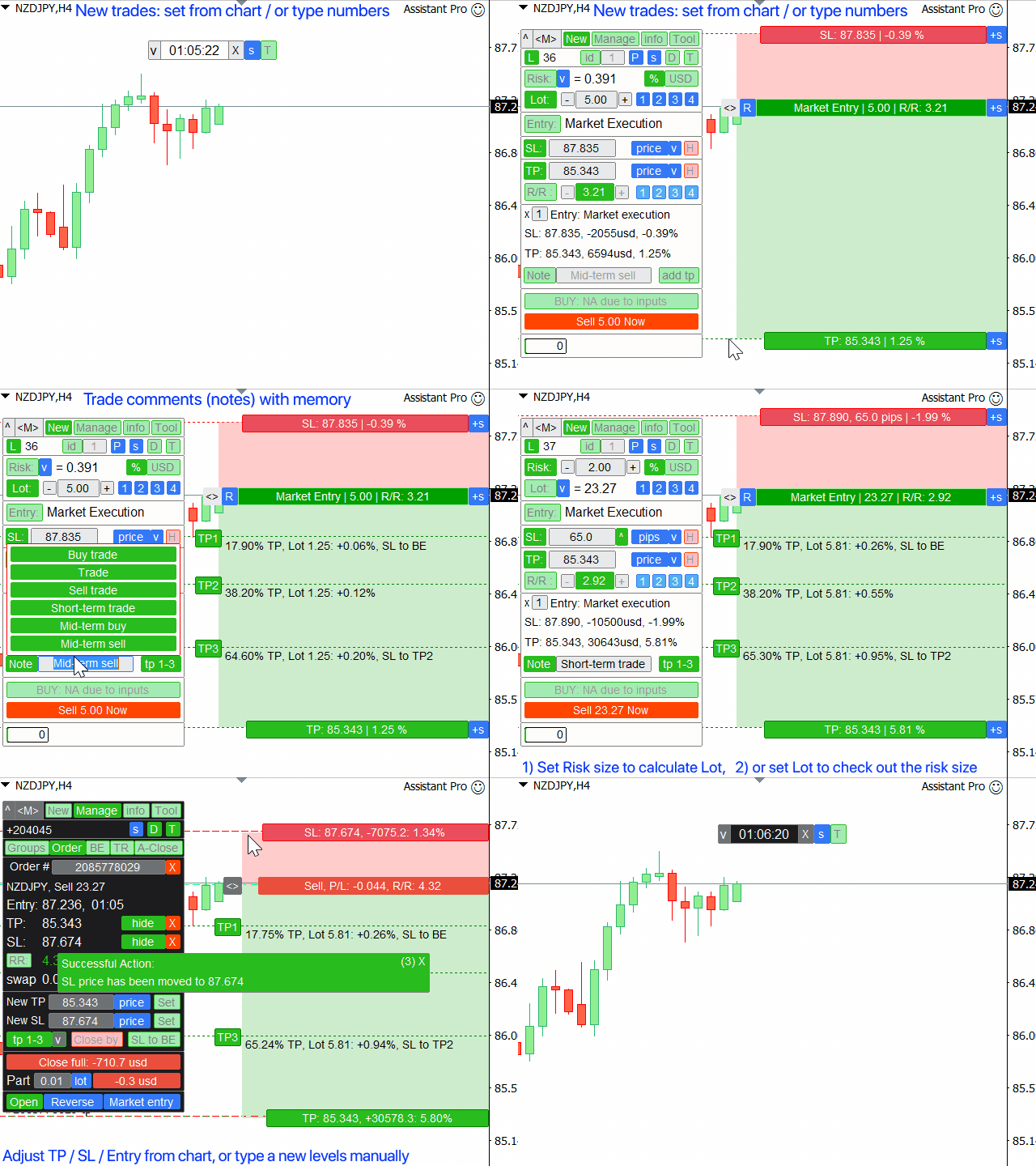
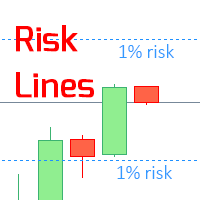
1. 새 거래 개시: 로트 / 위험 / RR 계산: 수동 거래를 위한 위험 관리

  • 로트 계산기 (위험 크기 기반 거래량 계산)
  • 위험 계산기 (로트 크기 기반 위험 금액)
  • 위험 대비 보상 비율
  • 그리드 주문: + 동적 간격 옵션, 로트 분할 옵션
  • 주문 활성화 트리거, + 매수 스톱리밋 / 매도 스톱리밋
  • 가상 SL, 가상 TP (숨김 SL, 숨김 TP: 브로커에게 보이지 않음)
  • 스마트 SL / 진입 가격: 봉이 이를 넘어 종가 시 (오작동 방지)
  • 숨김 주문 (가상 보류 중 주문)
  • 예약 주문: 시장이 닫혀도 주문 가능 (주말 플래너)
  • 추가 멀티 TP 레벨
  • 서로 다른 ID의 OCO (One-cancel-others) 주문
  • 차트에서의 거래 시각화 + 조정
  • SL / 진입 가격을 매도가 아닌 매수가에: 스프레드로 인한 오작동 (스톱 헌팅) 방지
  • 5가지 다른 계좌 크기에 대한 동시 로트/위험 계산: 계좌 관리에 편리
  • 한 번에 여러 거래 개시 옵션
  • 만료 시간: 분 / 시간 / 일 / 봉 수 기준
  • 편리한 관리를 위한 가상 거래 ID

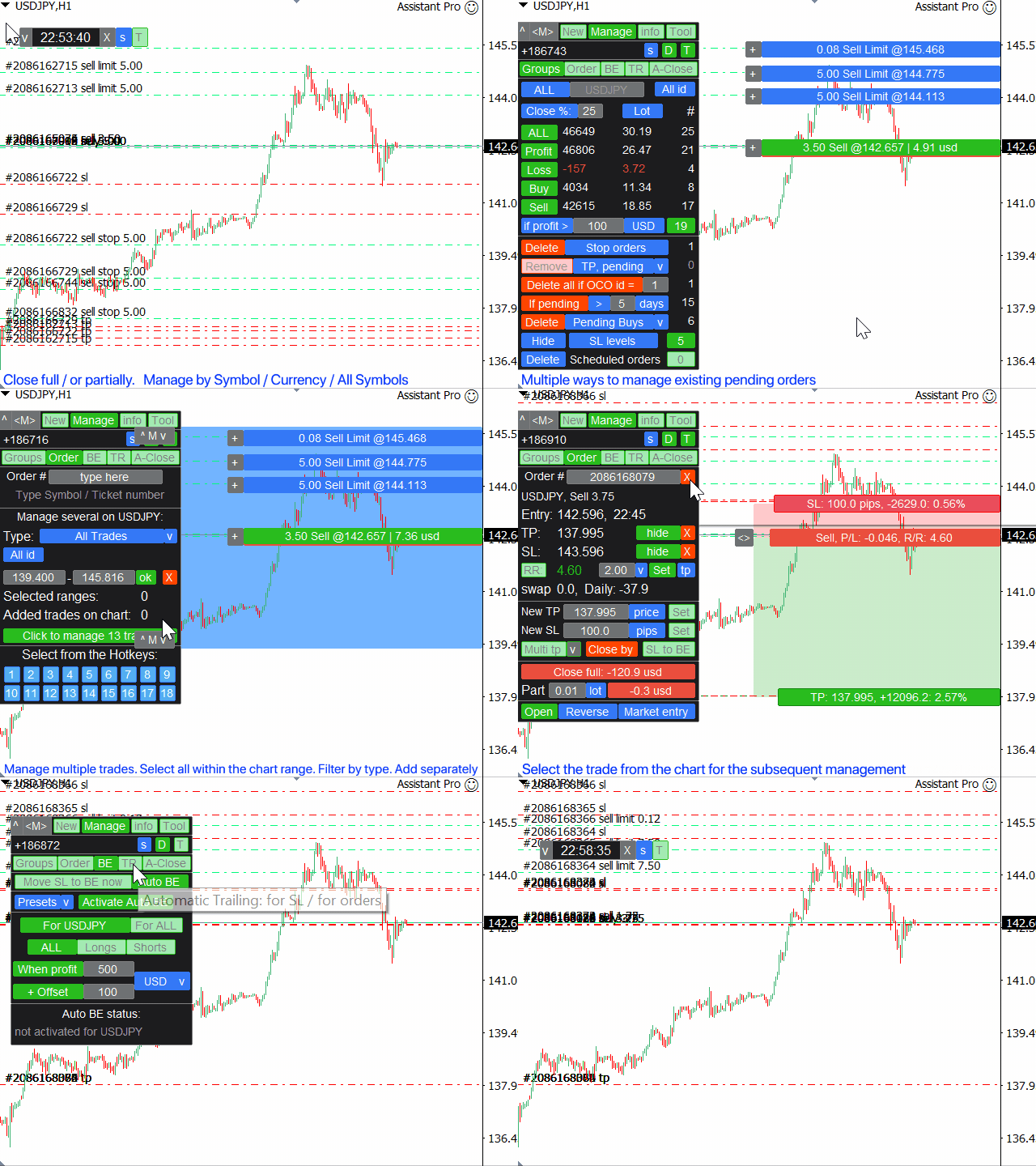
2. 트레이드 매니저: 청산 / 수정 / 트레일링 스톱 / 주문 트레일링 / 손익분기점 / 자동 청산

  • 범주별 거래 청산 (일괄 주문):
    • 모두 / 이익 / 손실 / 매수 / 매도 / 손익 >
    • 보류 중 주문이 이상 / 이하
    • 보류 중 주문 삭제: 리밋 / 스톱 / 매수 / 매도 / 스톱리밋
  • 거래 부분 청산 (스케일 아웃)
  • 다른 심볼 그룹화 옵션: 예:  GBP를 포함하는 모든 심볼: (GBP/USD, EUR/GBP 등 동시 관리 가능)
  • 모든 거래의 SL/TP 레벨을 1클릭으로 제거 (일괄 SL, 일괄 TP)
  • 자동 손익분기점 / 수동 손익분기점, + 오프셋 옵션
  • 트레일링 스톱: 11가지 SL 유형 + 8가지 이동 규칙. + ATR 트레일링, 트렌드 라인 트레일링
  • 자동 주문 트레일링
  • 여러 거래를 한 번에 관리하는 옵션: 특히 빠른 거래가 필요한 스캘핑에 유용.
  • 자동 청산 기능: 이익 / 손실 시, 또는 특정 시간에

선택한 거래 관리: 주문 관리 / 포지션 관리:

  • 시장이 닫혀도(주말) 거래 관리 가능: 변경 사항은 시장 오픈 시 적용
  • 1클릭으로 거래 복사 / 반전
  • 시각화 + 차트에서 조정 옵션
  • 기존 보류 중 주문의 로트 사이즈 수정
  • 모든 주문의 진입 가격을 한 번에 이동
  • 부분 청산: 로트 사이즈 / 현재 로트의 %
  • "대항 포지션으로 청산": 반대 포지션으로 청산
  • TP/SL 조정: 가격 / 핍 / 포인트 / %
  • 빠른 만료 시간 변경
  • R/R 비율 기반 TP / SL 조정
  • 기존 주문의 SL 수정 및 초기 위험 % 유지

3. 거래 통계 + 시장 분석:

  • 통화 강도지수
  • 거래 통계 (내역): 사용자 지정 기간 / 심볼
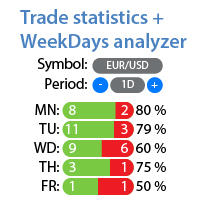
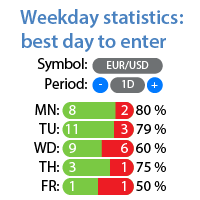
  • 요일 분석: 최고 / 최악 거래일 (통계)
  • 시장 정보, 변동성 분석
  • 고가 및 저가 시각화, 현재 가격과 비교
  • 봉 진행 표시기
  • 심볼별 사용자 지정 메모 (차트 상 리마인더)

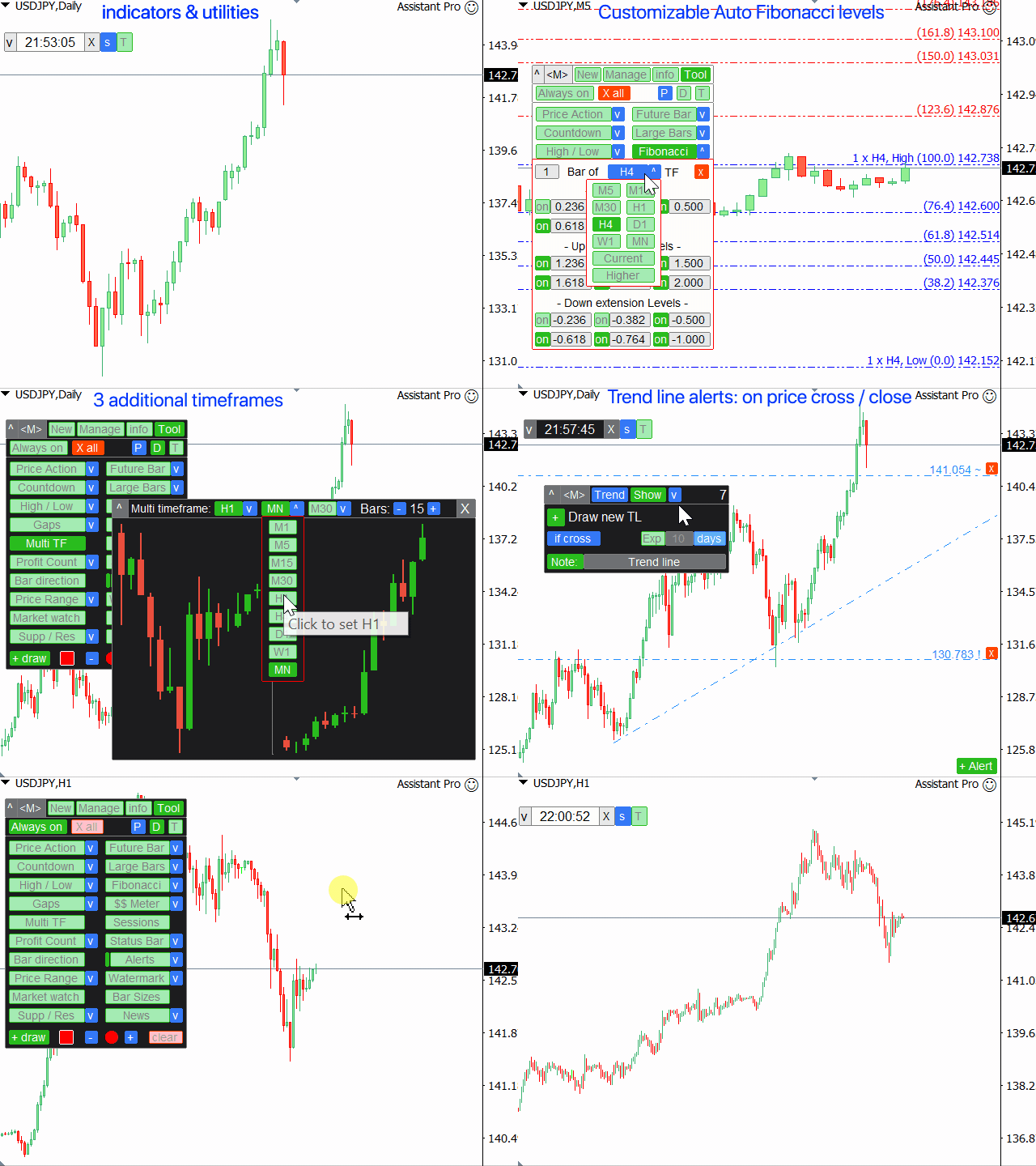
4. 지표 및 보조 유틸리티:

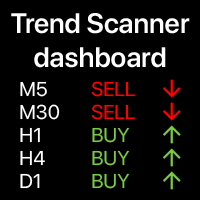
  • 가격 행동 지표 + 3가지 트렌드 필터
  • 수급 구역 (지지와 저항)
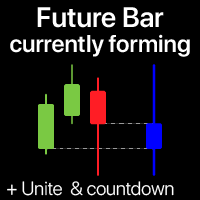
  • 미래 가격 봉
  • 차트 상 경제 캘린더 (기본적 뉴스)
  • 카운트다운 타이머
  • 큰 봉 지표
  • 9개 타임프레임의 고가/저가
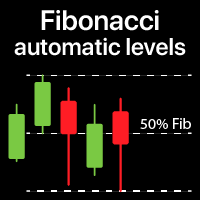
  • 자동 피보나치 레벨
  • 갭 지표 (시장 갭)
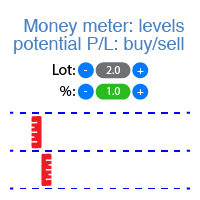
  • 잠재적 이익 / 손실 레벨
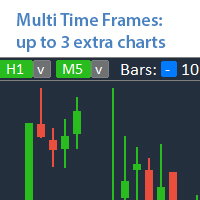
  • 동일 차트에 최대 5개 추가 타임프레임 표시
  • 거래 세션 (활성 시장 시간)
  • 부유손익 카운터
  • 상태 표시줄: 실시간 시장 정보 (스왑, 스프레드, 가격 변화 값, 시간, P/L)
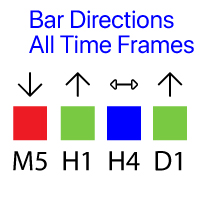
  • 봉 방향: 모든 타임프레임의 캔들
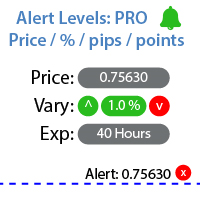
  • 가격알림 / 트렌드 라인알림, + 메모 (레벨 도달 시 알림)
  • 차트 워터마크: 심볼 + 타임프레임 / 또는 사용자 지정 텍스트
  • 가격 범위 유틸리티: 거래 경계선
  • 마켓 워치 도구 (관심 종목 목록)
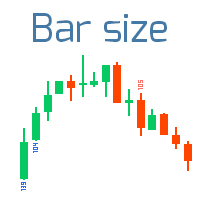
  • 9개 타임프레임의 봉 크기
  • 차트 상 사용자 지정 그리기 (스케치)
  • 빠른 스크린샷 + 자동 스크린샷
  • 텔레그램 알림
  • 키보드 단축키
  • 선택 기간의 고가/저가

더 많은 기능:

  • 과도 거래 제어: 최대 로트, 최대 주문 수 설정 옵션
  • 기존 거래에 숨김 손절매 / 숨김 익절매 설정, 또는 실제 레벨로 되돌리는 옵션
  • 여러 보류 중 주문 관리 시: 모든 주문의 진입 가격을 동시 변경
  • 텔레그램 알림
  • 당신의 거래 심리 지표
  • 체결 시 자동스크린샷
  • 핫키 (+ 사용자 지정 핫키)

거래 기능은 자동 거래 허용이 필요합니다 (브로커 측 포함).

트레이드 어시스턴트는 모든 거래 상품에서 작동합니다: 
외환, 주식, 선물, 지수, CFD, 채권, 암호화폐, 금속, 합성 지수 및 기타 모든 상품.


____________________________
____________________________

Assistant_38 in 1
Tradingvew, ChatGPT, AI, GPT, 인공 지능

리뷰 25
F0071050
29
F0071050 2026.02.04 17:58 
 

Very good product, you need nothing else

Vnicolas1416
78
Vnicolas1416 2025.11.13 16:00 
 

I would recommend this tool to anyone who is looking to level up their trading. It's an all in one, one stop shop all in one tool. They are very helpful and open minded to suggestions I have no regrets.

Aidan Wood
28
Aidan Wood 2025.03.03 09:41 
 

By far the best trade manager I have used, very high quality and has all the features you would need. Makarii offers great support and even added a feature for me.

추천 제품
King Trade Copier
Mohammed Maher Al-sayed Mohammed Ahmed Saleh
KingCopier – Lightning-Fast Local Trade Copier for MetaTrader (Master + Slave) KingCopier is a professional local trade copier that mirrors every trading action from one Master account to unlimited Slave accounts on the same PC or VPS — with an internal copy latency of just a few milliseconds. It was built by a real trader for daily real-money use, with one goal: whatever happens on the Master must happen on the Slave, instantly and without exceptions. Watch the demo video to see the real cop
Ultimate Pro Trading Panel — All-In-One Manual & Grid Trading Dashboard Pro Trading Panel   is an all-in-one on-chart control panel that gives discretionary and semi-automated traders a complete toolkit for entries, exits, risk management, and grid trading — without leaving the chart. Every function is visual, draggable, and updates in real time. If you want to test this utility feel free to download the basic preview version of this tool here:  https://www.mql5.com/en/market/product/181435 Who
RRtoolBox
David Ruiz Moreno
RRtoolbox - Professional Tools: Risk:Reward Trading Tool (SL/TP Horizontals + Pending orders + Diagonals), Alerts set on trend lines (for alerts on diagonal levels), SelfManagement (BE, partials...), close/cancelling by time, Statistics, Info and trading on chart. One-Click Trading with Visual Risk:Reward Management RRtoolbox is a comprehensive trading panel that combines one-click order execution,  statistics and  powerful visual Risk:Reward tools, alerts set with trendlines, on chart butt
Overview Mirror Signals Service EA (Text only)   is a powerful monitoring Expert Advisor that automatically sends   real-time Telegram notifications   for all important trade events on your MetaTrader 5 account. It is engineered specifically for   signal providers ,   trade-copier operators ,   auditors ,   educators , and   professional trading services   that require immediate, detailed, and reliable reporting. Everything from   entries, exits, SL/TP changes, comment changes, trailing sto
This tool will perform Trailing stop loss and Break even management for orders. Helps you limit or reduce the time spend watching orders on the screen, especially when you need to go to sleep. Just add this EA to 1 chart, you can manage all pairs. You can filter orders by comment, magic number, symbol and order ticket number. When Breakeven it can add shift/offset pips (to cover the commission...). You can try in strategy tester before purchase. The EA will add Buy and Sell alternately, so you
Bastion is a monitor-and-close-only risk manager for prop-firm traders. It watches your account against your firm's daily-loss and maximum-drawdown limits in real time and force-closes your open positions BEFORE you cross a line. It never opens a trade of its own, so it stays fully within the tools allowed by FTMO, FundedNext, The5ers, FTUK and FXIFY. Why traders fail challenges A large share of failed evaluations end on a single daily-loss breach: a moment of inattention, a news spike, one tra
GOM Trade Manager
Wannapach Chinnaprapa
GOM Trade Manager helps you execute trades the way you want it. Works on all instruments Forex, Commodities, & Crypto. It helps you with lot calculations, spread addition and balance calculations so you can just focus on actual trading. For full automatic planned management, stackable triggers and spread widening protection >> check out GOM Trade Manager Pro . ------------------------------------------NOTABLE FEATURES------------------------------------------ You set everything based on bid
FREE
Product Name: Smart Switch Dashboard STOP WASTING SECONDS. SECONDS COST MONEY. Are you losing trades because you're fumbling through the Market Watch? Is your workspace messy and slowing you down? In trading, Speed is everything. If you aren't organized, you are losing money to traders who are. Smart Switch Dashboard is not just a tool—it is your COMMAND CENTER . Designed for serious Scalpers and Day Traders who demand Speed, Precision, and Zero Lag. DOMINATE YOUR WORKFLOW 1. ULTRA-FAST SY
DDKiller Pro
Njaratahiry Michael Randrianiaina
Stop Blowing Your Account. Once and For All. DDKiller Pro is the MT5 risk guardian that runs silently on your chart and shuts down trading the moment you hit a limit — whether you're grinding a prop firm challenge or managing your own CFD account. The problem every trader knows: You set your rules. You break them anyway. One revenge trade. One overleveraged position. One session that erases a month of gains. DDKiller Pro removes that decision from your hands entirely. What it does: The second yo
CYGNIX RISK GLADIATOR — Professional Trade Manager & Risk Guardian for MT5 Guard every position. Manage every trade. Sleep at night. Cygnix Risk Gladiator is a professional-grade position management Expert Advisor that watches every open trade on your account and automatically applies institutional-level risk controls in real time. It does not generate signals — it protects, manages, and exits trades opened by you, your strategies, or any other EA. Built for IC Markets and fully compatible w
Trading Utility for Forex Currency Pairs Only not for Gold  Functions Auto Lot Calculation based on Risk Auto stoploss  Auto TakeProfit Breakeven Auto Close Half % Close in percentage with respect to the PIPs Pending Orders BuyLimit Sell Limit with distances BuyStop Sell Stop    with distances Trading Informations Risk in percentage For Multiple trades Combine Takeprofit and Combine Stoplosses
Copier Master RAlabs (receiver) and Copier Provider RAlabs (signal source) — a system for local copying of trades between MetaTrader terminals on a single PC/VPS. It consists of two products: Provider (signal source) and Master (receiver/copier with a control panel). Provider is installed on the donor account (the account whose trades are being copied) — it publishes the trades. Master is installed on the recipient account — it reads the donors and opens copies; it hosts the entire copy setting
Reverse Trader
ELITE FOREX TRADERS LLC
ELITE REVERSE TRADER (MT5) Instantly hedge or invert any trade opened on your account—manual or EA. Reverse Mirror EA monitors your live positions and opens an opposite trade using your chosen lot mode (Fixed or Multiplier). When the original position is closed (manual close, SL/TP hit, EA exit—any method), the mirrored position closes automatically. Because it runs in the same terminal, it reacts faster than third-party copy tools. WHY THIS MATTERS It is widely cited that a large majority of
Overtrading Stopper MT5 1. Overview Overtrading Stopper MT5 is a MetaTrader 5 utility EA that helps discretionary traders follow their own trading rules. You can set rules in advance, such as: how many times you may trade today, how many consecutive losses should make you stop, how many minutes to pause after a loss, and how to avoid entering several trades in rapid succession. When a configured limit or condition is reached, the EA displays the reason for the protection state on the chart. Depe
King ElChart Manual Trade Panel
Mohammed Maher Al-sayed Mohammed Ahmed Saleh
King Chart – Manual Trading Panel for MetaTrader 5 Overview King Chart is a simple yet powerful manual trading panel built for traders who want speed, precision, and clarity. It enables quick order execution, clear lot control, and real-time account monitoring  all directly on your MT5 chart. Main Features Multi-Lot Trade Execution 3 Buy and 3 Sell buttons for instant execution Each button is tied to a custom lot size field Designed for flexible scaling in or out of trades Position Management D
Manus Pro
Itumeleng Mohlouwa Kgotso Tladi
MANUS PRO EA The Trading Revolution You've Been Waiting For Are you TIRED of watching other traders make consistent profits while your account bleeds red?   The financial markets don't wait for anyone – and neither should you. MANUS PRO isn't just another Expert Advisor... it's your   TICKET TO FINANCIAL FREEDOM . Why MANUS PRO is Different (And Why Everyone's Talking About It) FOR BEGINNERS: Your Trading Mentor That Never Sleeps Zero Learning Curve   – Install, activate, and watch it wo
Overview Mirror Signals EA is a powerful monitoring Expert Advisor that automatically sends real-time Telegram notifications for all important trade events on your MetaTrader 5 account. It is engineered specifically for signal providers , trade-copier operators , auditors , educators , and professional trading services that require immediate, detailed, and reliable reporting. Everything from entries, exits, SL/TP changes, comment changes, trailing stop activations, pending order modifications
Golden Gestion TP SL No Limit MT5
Matthias Hubert Patrick Snidaro
Auto SL/TP Manager EA – Gestion Automatique Intelligente Auto SL/TP Manager EA est un Expert Advisor conçu pour automatiser la gestion des commandes avec une efficacité maximale et une grande discrétion. Il gère automatiquement : Le Stop Loss (SL) et le Take Profit (TP) Le Profit Lock (verrouillage progressif des bénéfices) Le Trailing Stop avec plusieurs méthodes avancées L' affichage masqué du SL et du TP pour plus de discrétion (non visible par le courtisan) C'est l'outil idéal pour les
BTC Trading Assistant EA (MT5) Manual trading assistant that helps place and manage trades with automated risk and stop management. Overview BTC Trading Assistant EA is a utility Expert Advisor for MetaTrader 5 intended for manual traders. It provides a chart interface to execute BUY/SELL/CLOSE actions and automates selected trade management functions such as position sizing, initial SL/TP placement, break-even, trailing stop and optional partial profit taking. This EA does not generate trade si
VTB High Watermark Drawdown Lock EA for MT5 Advanced Equity Protection & Drawdown Management System VTB High Watermark Drawdown Lock is a professional risk management Expert Advisor designed to protect trading accounts, funded accounts, and proprietary trading challenges from excessive drawdown. Unlike traditional drawdown protection systems that calculate risk from the initial account balance, this EA uses a dynamic High Watermark (HWM) model that continuously protects both your original capita
Bohemia Gold MT5
Vladislav Taska
4.75 (4)
Bohemia Gold MT5 is  Trend & Volatility EA trading system designed specifically for Gold (XAUUSD) . It combines higher-timeframe trend filtering , trend detection , volatility-based SL management , and advanced trade management to adapt market conditions. It uses style logic focused on trend strength, volatility, and capital protection. NOTE:   Based on backtests, I found better trading results with the following setup: D1/H4/H2 (Trend/ADX/ATR & trade). The SET file can be downloaded here … bohe
FREE
Truvana Trend Campaign Manager EA (TCM) Advanced Basket Management & Profit Locking Tool for Trend Traders Short Description Turn strong trends into managed campaigns. Truvana TCM is a professional trade management EA designed for traders who already know how to identify trends and execute entries. The EA automatically manages basket expansion, validates risk before adding positions, and locks profits using a broker-side Basket Stop Price (BSP). No martingale. No grid recovery. No signal genera
Currency Exposure Matrix is a currency-level exposure dashboard derived from current open positions. Key functions: - Gross and net currency exposure - Long and short decomposition - Deposit-currency conversion - Concentration warnings - Transparent handling when conversion symbols are unavailable The utility helps users understand aggregated currency exposure across their portfolio. It does not generate entry signals, predict market direction or guarantee trading results. Review broker symbol
CosmiCLab FIBO
Kirils Subins
CosmiCLab SMC FIBO CosmiCLab SMC FIBO is a professional trading indicator designed for traders who use Smart Money Concepts (SMC), market structure analysis and Fibonacci retracement levels. The indicator automatically detects market swings and builds Fibonacci levels based on the latest impulse movement. It also identifies market structure changes such as BOS (Break of Structure) and CHOCH (Change of Character), helping traders understand the current market direction. CosmiCLab SMC FIBO also pr
Delta Profile Volume
Teresinha Moraes Correia
기술 설명 – MetaTrader 5용 Delta Profile Delta Profile 은 MetaTrader 5에서 정의된 캔들 범위 내의 거래량 흐름을 세부적으로 분석하기 위해 설계된 지표입니다. 이 도구는 각 가격 수준에서 양의 거래량(상승과 관련) 과 음의 거래량(하락과 관련) 간의 불균형을 구조화하고 시각화합니다. 이를 통해 사용자는 실제로 거래가 집중되는 가격 영역과 시장 불균형이 형성되는 구간을 명확하게 파악할 수 있습니다. 핵심 개념 지표는 가격 레벨 을 인식하고 이를 양의 거래량, 음의 거래량 및 순 델타(양-음 차이)로 분류합니다. 각 가격 레벨은 수평 막대 로 차트에 표시되며, 거래가 집중되는 구간을 직관적으로 보여줍니다. 사용자는 분석할 캔들의 개수 , 가격 반올림 정밀도 , 최대 표시 레벨 수 , 표시 옵션 등을 직접 설정할 수 있습니다. 주요 기능 가격 레벨 매핑 : 사용자가 지정한 자릿수에 맞게 가격을 반올림하여 거래량을 집계합니다. 순 델타 계산 : 양
마일스톤 달성: PFTA Honey Harvester v14 MT5 마켓 공식 출시! 끊임없는 엔지니어링, 심층적인 시스템 개선, 그리고 실제 환경에서의 스트레스 검증을 거쳐, PFTA Honey Harvester v14가 업계에서 가장 가혹한 자동 테스트 환경 중 하나인 **MetaTrader 5 마켓 검증기(Market Validator)**를 성공적으로 정복했습니다. 이것은 단순한 승인이 아닙니다. ️ MT5 검증기가 시뮬레이션한 가혹 조건: 극단적인 스프레드 스파이크(Spread spikes) 다중 심볼 혼란 상태 다중 시간대(Multi-timeframe) 스트레스 테스트 최악의 브로커 조건 이 검증을 통과했다는 것은 = 극한의 압박 속에서도 시스템의 구조적 무결성이 입증되었음을 의미합니다. 10/10 — 퀀트 애널리스트 최고 평점 출시 전, v14는 4명의 매우 엄격한 퀀트 애널리스트(계량 분석가)들에게 감사를 받았습니다. 최종 판정: 만점 — 1
GGP Trade Copier MT5
Mohammadmahmood Pirayeh
GGP Trade Copier  EA is an automatic trading bot that can help traders automatically replicate the trading strategies and operations from one trading terminal to others by experiencing exceptionally fast trade copying system. Its easy-to-use setup allows you to copy trades between multiple MetaTrader terminals on the same Windows computer or Windows VPS with lightning-fast copying speeds of under 0.5 seconds. The software supports multiple trading varieties, including Forex, commodities, stocks
Noize Absorption Index
Ekaterina Saltykova
Noize Absorption Index - is the manual trading system that measures the difference of pressure between bears forces and bulls forces. Green line - is a noize free index that showing curent situation. Zero value of index shows totally choppy/flat market.Values above zero level shows how powerfull bullish wave is and values below zero measures bearish forces.Up arrow appears on bearish market when it's ready to reverse, dn arrow appears on weak bullish market, as a result of reverse expectation.
The Ultimate All-In-One Trade Manager & Prop Firm Guardian for MT5. Nexus Pro Trade Manager is the most advanced, all-in-one trading assistant designed for both manual traders and Prop Firm challengers. Featuring a stunning, lag-free UI (Dark/Light mode), it completely transforms your MT5 into a professional trading terminal. Whether you are trading a personal account or trying to pass evaluations for FTMO, FundedNext, or other prop firms, Nexus Pro protects your capital, automates your risk cal
Expert TP SL v04 - Professional Trading Assistant with AI Motivation System Advanced manual trading tool with automatic risk management, overtrading protection, and intelligent psychological support for disciplined trading. PRODUCT OVERVIEW Expert TP SL v04 is a comprehensive trading assistant designed for manual traders who want to maintain emotional discipline while automating risk calculations. This isn't just another order placement tool - it's a complete trading psychology system that pr
이 제품의 구매자들이 또한 구매함
Trade Assistant MT5
Evgeniy Kravchenko
4.41 (215)
거래당 위험 계산, 라인을 사용한 손쉬운 신규 주문, 부분 청산 기능을 통한 주문 관리, 7가지 유형의 트레일링 스탑 및 기타 유용한 기능을 제공합니다. 추가 자료 및 지침 설치 지침   -   애플리케이션 지침   -   데모 계정용 애플리케이션 평가판 라인 기능       - 차트에 개시선, 손절매, 차익실현을 표시합니다. 이 기능을 사용하면 새로운 주문을 쉽게 하고 개봉 전에 추가 특성을 볼 수 있습니다. 위기 관리       -       위험 계산 기능은 설정된 위험과 손절매 주문의 크기를 고려하여 새 주문의 볼륨을 계산합니다. 이를 통해 손절매 크기를 설정하고 동시에 설정된 위험을 존중할 수 있습니다. 로트 계산 버튼 - 위험 계산을 활성화/비활성화합니다. 필요한 위험 값은 위험 필드에 0에서 100 사이의 백분율 또는 예금 통화로 설정됩니다. 설정 탭에서 위험 계산 옵션을 선택합니다. $ 통화, % 잔액, % 지분, % 자유 마진, % 사용자 정의, % AB 이전
Trade Manager EA에 오신 것을 환영합니다. 이 도구는 거래를 보다 직관적이고 정확하며 효율적으로 만들기 위해 설계된 궁극적인 리스크 관리 도구 입니다. 단순한 주문 실행 도구가 아닌, 원활한 거래 계획, 포지션 관리 및 리스크 제어를 위한 종합 솔루션입니다. 초보자부터 고급 트레이더, 빠른 실행이 필요한 스캘퍼에 이르기까지 Trade Manager EA는 외환, 지수, 상품, 암호화폐 등 다양한 시장에서 유연성을 제공합니다. Trade Manager EA를 사용하면 복잡한 계산은 이제 과거의 일이 됩니다. 시장을 분석하고 진입, 손절 및 익절 수준을 차트의 수평선으로 표시한 후 리스크를 설정하면, Trade Manager가 이상적인 포지션 크기를 즉시 계산하고 SL 및 TP 값을 실시간으로 표시합니다. 모든 거래가 간편하게 관리됩니다. 주요 기능: 포지션 크기 계산기 : 정의된 리스크에 따라 거래 크기를 즉시 결정합니다. 간단한 거래 계획 : 진입, 손절, 익절을 위한
TradePanel MT5
Alfiya Fazylova
4.88 (166)
Trade Panel은 다기능 거래 도우미입니다. 이 애플리케이션에는 50개 이상의 수동 거래 기능이 포함되어 있으며 대부분의 거래 작업을 자동화할 수 있습니다. 구매하기 전에 데모 계정에서 데모 버전을 테스트할 수 있습니다. 데모 계정용 애플리케이션 체험판 다운로드: https://www.mql5.com/en/blogs/post/750865 . 전체 지침 여기 . 거래. 한 번의 클릭으로 거래를 수행할 수 있습니다: 리스크 자동 계산과 함께 예약 주문 및 포지션 열기. 한 번의 클릭으로 여러 주문 및 포지션 열기. 주문 그리드 열기. 예약 주문 및 포지션을 그룹별로 닫기. 포지션 방향 전환 (Buy 닫기 > Sell 열기, Sell 닫기 > Buy 열기). 포지션 잠금 (부족한 포지션을 열어 Buy와 Sell 포지션의 수량을 동일하게 만들기). 모든 포지션 한 번의 클릭으로 부분적으로 닫기. 모든 포지션의 테이크 프로핏과 스톱로스를 같은 가격 수준에 설정. 모든 포지션의 스톱로스를
베타 출시 Telegram to MT5 Signal Trader 는 곧 공식 알파 버전을 출시할 예정입니다. 일부 기능은 아직 개발 중이며, 작은 버그가 발생할 수 있습니다. 문제가 있으면 꼭 보고해 주세요. 여러분의 피드백은 소프트웨어 개선에 도움이 됩니다. Telegram to MT5 Signal Trader 는 Telegram 채널 또는 그룹의 거래 신호를 자동으로 MetaTrader 5 계정으로 복사하는 강력한 도구입니다. 공개 및 비공개 채널을 모두 지원하며, 여러 신호 제공자를 여러 MT5 계정에 연결할 수 있습니다. 소프트웨어는 빠르고 안정적으로 동작하며, 복사된 거래를 완벽히 제어할 수 있습니다. 인터페이스는 깔끔하며 대시보드와 차트가 시각적으로 구성되어 있고, 직관적인 네비게이션이 가능합니다. 여러 Signal Account를 관리하고, 공급자별 설정을 세밀하게 조정하며, 모든 동작을 실시간으로 모니터링할 수 있습니다. 필수 조건 MQL의 제한으로 인해 EA는 Te
================================================================================ POC BREAKOUT - V20.72. Full Professional Grade Toolkit ================================================================================ POC Breakout is a full MetaTrader 5 trading dashboard for discretionary traders who want breakout signals, Point of Control (POC) context, volume profiles, order flow, market structure, news, alerts, and advanced trade planning in one professional workspace. Attached directly to you
Anchor Trade Manager
Kalinskie Gilliam
5 (6)
Anchor: The EA Manager Run your full EA portfolio without conflicts, without stacked risk, and without watching every chart yourself. Anchor coordinates up to 64 Expert Advisors on a single account, including daily loss protection built for prop firm rules. Attach Anchor to any chart. Type your EA names and magic numbers in one line. Click OK. Anchor begins coordinating immediately. Built for portfolios. Built for prop firms. Built for discipline. The Problem Running multiple EAs on the same acc
Telegram to MT5 Multi-Channel Copier 는 Telegram 채널의 트레이딩 신호를 자동으로 MetaTrader 5로 직접 복사합니다. 봇도, 브라우저 확장 프로그램도, 수동 복사도 필요 없습니다. Telegram에서 신호를 받으면 EA가 몇 초 안에 터미널에서 거래를 엽니다. 본 제품은 두 가지 구성 요소로 구성되어 있습니다: Telegram 채널을 감시하는 Windows 애플리케이션과 MT5 터미널에서 신호를 실행하는 이 Expert Advisor입니다. MT4 버전도 제공됩니다. 설정 가이드 및 애플리케이션 다운로드: https://www.mql5.com/en/blogs/post/768988 작동 방식 Windows 애플리케이션은 봇이 아닌 사용자 자신의 API 자격 증명을 사용하여 Telegram에 연결됩니다. 이는 프라이빗 및 VIP 채널을 포함하여 구독 중인 모든 채널, 그룹 또는 주제를 읽을 수 있음을 의미합니다. 신호를 감지하면 이를 파싱하여
Premium Trade Manager - 코치가 내장된 트레이딩 패널 Premium Trade Manager 는 차트 안에 트레이딩 코치를 심어놓은 도구입니다. 주문을 확정하기 전에, AI 트레이딩 코치 Max가 설정된 거래를 직접 읽고 명확한 판단을 내려줍니다. 스톱이 규율 있는 접근 방식에 맞는지, 리스크 크기가 합리적인지, 고영향 뉴스 이벤트가 몇 분 후에 있는지, 프롭 펌 한도에 근접했는지. 그 아래에는 완전한 실행 엔진이 있습니다. 원클릭 리스크 기반 진입, 차트에서 드래그로 세우고 거래가 진행되는 동안에도 계속 움직일 수 있는 플랜, 최대 4단계 분할 익절, 7가지 트레일링 방식, 실시간 프롭 펌 컴플라이언스, 뉴스 가드, 그리고 자체 비용을 평가하는 스프레드까지. 결정은 당신이 내립니다. Max가 두 번째 시선으로 확인합니다. 패널이 그 이후의 모든 것을 처리합니다. 구매 전에 직접 체험해 보세요. 브라우저에서 라이브 패널을 직접 클릭해볼 수 있습니다. 구매 전에 실제
파워 캔들 전략 스캐너 - 자체 최적화 다중 종목 설정 찾기 도구 파워 캔들 전략 스캐너는 마켓 워치에 등록된 모든 종목에 대해 파워 캔들 지표와 동일한 자체 최적화 엔진을 동시에 실행합니다. 하나의 패널에서 현재 통계적으로 거래 가능한 종목, 각 종목별 최적의 전략, 최적의 손절매/익절 조합을 알려주며, 새로운 신호가 발생하면 즉시 알림을 전송합니다. 이 도구는 Stein Investments 에코시스템의 일부입니다. 18개 이상의 도구와 함께 당신의 1대1 AI 트레이딩 멘토 Max.  항상 대기 중, 모든 인디케이터를 깊이 있게 이해, 무언가를 차근차근 생각해보고 싶은 순간에 도움을 줍니다.  https://stein.investments 에서 만나보세요 완벽한 시장 모니터링. 종목당 3,000건 이상의 자동 최적화. 2가지 알림 유형. 한 번의 클릭으로 차트를 전환하고 바로 거래하세요. 이 도구가 필요한 이유 대부분의 다중 종목 스캐너는 가격 변동만 보여줍니다. 티커별
Farmed Hedge Yield Farming | All Markets (Manual - Hybrid - Semi/Automated EA) MULTI-ASSET SUPPORT Trade any asset available on your broker - Forex: Major, Minor, Exotic pairs - Crypto: BTC, ETH, XRP, SOL, BNB - Stocks: Apple, Tesla, Amazon, Google, etc. - Commodities: Gold, Silver, Oil, Gas - Indices: US30, NAS100, SPX500, DAX40 - Any CFD your broker offers VERIFIED TRADING RESULTS - Farmed Hedge Yield Axi Copy:  https://www.mql5.com/en/signals/2356376 - Farmed Hedge Yield Exn Copy:   https:/
MT5 to Telegram Signal Provider 는 사용하기 쉽고 완전히 커스터마이즈 가능한 유틸리티로, 특정 신호를 Telegram의 채팅, 채널 또는 그룹으로 전송하고, 귀하의 계정을 신호 제공자 로 만듭니다. 경쟁 제품과 달리 DLL 임포트를 사용하지 않습니다. [ 데모 ] [ 매뉴얼 ] [ MT4 버전 ] [ 디스코드 버전 ] [ 텔레그램 채널 ]  New: [ Telegram To MT5 ] 설정 단계별 사용자 가이드 가 제공됩니다. 텔레그램 API에 대한 지식은 필요하지 않습니다; 개발자가 제공하는 모든 것이 필요합니다. 주요 특징 구독자에게 보낸 주문 상세 정보를 커스터마이즈할 수 있습니다. 예를 들어, 브론즈, 실버, 골드와 같은 계층 구독 모델을 만들 수 있습니다. 골드 구독에서는 모든 신호를 받습니다. id, 심볼, 또는 코멘트로 주문을 필터링할 수 있습니다. 주문이 실행된 차트의 스크린샷이 포함됩니다 보낸 스크린샷에 닫힌 주문을 그려 추가 검증을 합니다
Adam FTMO MT5
Vyacheslav Izvarin
5 (2)
ADAM EA Special Version for FTMO Please use ShowInfo= false for backtesting ! Our 1st EA created using ChatGPT technology Trade only GOOD and checked PROP FIRMS  Default parameters for Challenge $100,000 Tested on EURUSD and GBPUSD only  Use 15MIN Time Frame Close all deals and Auto-trading  before Weekend at 12:00 GMT+3  Friday For Prop Firms MUST use special Protector  https://www.mql5.com/en/market/product/94362 --------------------------------------------------------------------------------
YuClusters
Yury Kulikov
4.93 (43)
Attention: You can view the program operation in the free version  YuClusters DEMO .  YuClusters is a professional market analysis system. The trader has unique opportunities to analyze the flow of orders, trade volumes, price movements using various charts, profiles, indicators, and graphical objects. YuClusters operates on data based on Time&Sales or ticks information, depending on what is available in the quotes of a financial instrument. YuClusters allows you to build graphs by combining da
EA Auditor
Stephen J Martret
5 (4)
EA Auditor is an independent analysis tool for traders evaluating Expert Advisors and trading signals on MetaTrader 5. It audits backtest reports, reviews posted developer signals, and cross-verifies the two against each other to help traders assess strategies before committing capital. The MQL5 market offers a wide range of Expert Advisors from many developers, with varying approaches, quality, and transparency. EA Auditor provides a consistent, data-driven framework for reviewing them, answer
The product will copy all telegram signal to MT5 ( which you are member) , also it can work as remote copier.  Easy to set up, copy order instant, can work with almost signal formats, image signal,  s upport to translate other language to English Work with all type of channel or group, even channel have "Restrict Saving Content", work with  multi channel, multi MT5 Work as remote copier: with signal have ticket number, it will copy exactly via ticket number. Support to backtest signal. How to s
Footprint Chart Pro — Professional OrderFlow EA for MetaTrader 5 Version 6.34 | Professional tool for real traders | Institutional-Grade Visualization DEMO USERS - PLEASE SELECT EVERY TICK / REAL TICK WHEN TESTING AND YOU HAVE DOWNLOADED HISTORICAL DATA. IF YOU SEE A WAITING SCREEN AND IT IS NOT DOWNLOADING, IT MEANS YOU HAVE LOW HISTORICAL DATA. TRY 1 MIN AND 5 MIN FIRST ON 1 DAY DATA. ONE DAY DATA SHOULD BE THE NEWEST AND MOST CURRENT DATE. PLEASE WAIT UNTIL THE MARKET HAS ROLLED OVER PERIOD.
Trade Manager DaneTrades
Levi Dane Benjamin
4.23 (30)
거래 관리자는 위험을 자동으로 계산하는 동시에 거래를 빠르게 시작하고 종료하는 데 도움을 줍니다. 과잉 거래, 복수 거래 및 감정 거래를 방지하는 데 도움이 되는 기능이 포함되어 있습니다. 거래를 자동으로 관리할 수 있으며 계정 성과 지표를 그래프로 시각화할 수 있습니다. 이러한 기능은 이 패널을 모든 수동 거래자에게 이상적으로 만들고 MetaTrader 5 플랫폼을 향상시키는 데 도움이 됩니다. 다중 언어 지원. MT4 버전  |  사용자 가이드 + 데모 트레이드 매니저는 전략 테스터에서 작동하지 않습니다. 데모를 보려면 사용자 가이드로 이동하세요. 위기 관리 % 또는 $를 기준으로 위험 자동 조정 고정 로트 크기 또는 거래량과 핍을 기반으로 한 자동 로트 크기 계산을 사용하는 옵션 RR, Pips 또는 Price를 사용한 손익분기점 손실 설정 추적 중지 손실 설정 목표 달성 시 모든 거래를 자동으로 마감하는 최대 일일 손실률(%)입니다. 과도한 손실로부터 계정을 보호하고 과도한
The News Filter MT5
Leolouiski Gan
4.78 (23)
이 제품은 뉴스 시간 동안 모든 전문가 어드바이저 및 수동 차트를 필터링하여 수동 거래 설정이나 다른 전문가 어드바이저가 입력한 거래가 파괴될 수 있는 급격한 가격 상승으로부터 걱정하지 않아도 됩니다. 이 제품은 또한 뉴스 발표 전에 열린 포지션과 대기 주문을 처리할 수 있는 완전한 주문 관리 시스템이 함께 제공됩니다.   The News Filter  를 구매하면 더 이상 내장 뉴스 필터에 의존할 필요가 없으며 이제부터 모든 전문가 어드바이저를 여기서 필터링할 수 있습니다. 뉴스 선택 뉴스 소스는 Forex Factory의 경제 캘린더에서 얻어집니다. USD, EUR, GBP, JPY, AUD, CAD, CHF, NZD 및 CNY와 같은 어떤 통화 기준으로 선택할 수 있습니다. Non-Farm (NFP), FOMC, CPI 등과 같은 키워드 식별을 기준으로 선택할 수도 있습니다. 저, 중, 고 영향을 가지는 뉴스를 필터링할 수 있도록 선택할 수 있습니다. 차트와 관련된 뉴스만 선
Quant AI Agents
Ho Tuan Thang
5 (1)
Quant AI Agents are independent trading Expert Advisors. Instead of trading using a fixed strategy like other conventional EAs, Quant AI Agents   is a   multi-agent AI trading framework   that turns natural-language strategy prompts into live.  WANT THE SAME RESULTS AS MY LIVE SIGNAL?   Use the exact same brokers I do:   IC MARKETS , IC TRADING   .  Unlike the centralized stock market, Forex has no single, unified price feed.  Every broker sources liquidity from different providers, creating un
EasyInsight AIO MT5
Alain Verleyen
4.92 (12)
EASY Insight AIO – 스마트하고 손쉬운 트레이딩을 위한 올인원 솔루션 개요 외환, 금, 암호화폐, 지수, 심지어 주식까지 — 전 시장을 몇 초 만에, 수동 차트 확인이나 복잡한 설치, 인디케이터 설정 없이 스캔할 수 있다고 상상해 보세요. EASY Insight AIO 는 AI 기반 트레이딩을 위한 궁극의 플러그 앤 플레이(Plug & Play) 데이터 내보내기 도구입니다. 단 하나의 깔끔한 CSV 파일로 전체 시장 스냅샷을 제공하며, ChatGPT, Claude, Gemini, Perplexity 등 다양한 AI 플랫폼에서 즉시 분석할 수 있습니다. 창 전환, 복잡함, 차트 오버레이는 더 이상 필요 없습니다. 자동으로 내보내지는 순수하고 구조화된 데이터 인사이트만으로, 반복적인 차트 감시 대신 데이터 기반의 스마트한 의사결정에 집중할 수 있습니다. 왜 EASY Insight AIO인가요? 진정한 올인원 • 별도의 설정, 인디케이터 설치, 차트 오버레이가 필요 없습
Active Lines
Yury Kulikov
5 (2)
Attention: Demo version for review and testing can be downloaded here . It does not allow trading and can only be run on one chart. Active Lines - a powerful professional tool for operations with lines on charts. Active Lines provides a wide range of actions for events when the price crosses lines. For example: notify, open/modify/close a position, place/remove pending orders. With Active Lines you can assign several tasks to one line, for each of which you can set individual trigger conditions
Trader Evolution
Siarhei Vashchylka
5 (7)
" Trader Evolution " - A utility designed for traders who use wave and technical analysis in their work. One tab of the utility is capable of money management and opening orders, and the other can help in making Elliott wave and technical analysis. Manual (Be sure to read before purchasing) | Version for MT4 Advantages 1. Trading in a few clicks. Immediate and pending orders are available in the panel 2. Money management. The program automatically selects the appropriate lot size 3. Simplifies
Patrex pro
Chioma Obunadike
5 (2)
Patrex Pro: Maximize Your Trading Potential Patrex Pro is an advanced trading bot designed to help traders optimize their trading strategies and maximize their potential returns. With its cutting-edge technology and user-friendly interface, Patrex Pro is the ultimate tool for traders seeking to elevate their trading game. Get MT4 Version Key Features: 1. Position Hedging: Patrex Pro allows users to hedge their positions based on their individual risk tolerance and market analysis. 2. Advanced R
Custom Alerts: 여러 시장을 동시에 모니터링하고 중요한 기회를 놓치지 마세요 개요 Custom Alerts 는 여러 종목에 걸쳐 잠재적 트레이딩 기회를 한눈에 파악하고자 하는 트레이더를 위한 동적인 솔루션입니다. FX Power, FX Volume, FX Dynamic, FX Levels, IX Power와 같은 Stein Investments의 주요 도구들과 통합되어, 여러 차트를 오가거나 기회를 놓치는 일 없이 중요한 시장 변화를 자동으로 알림으로 제공합니다. 이제 브로커가 제공하는 모든 자산군을 지원하며, 기호를 입력할 필요 없이 자산 유형만 선택하면 설정이 완료됩니다. 1. Custom Alerts가 트레이더에게 매우 유용한 이유 올인원 시장 모니터링 • Custom Alerts 는 외환, 금속, 암호화폐, 지수, 주식(브로커가 지원하는 경우)까지 다양한 자산군의 신호를 수집하고 통합합니다. • 여러 차트를 전환할 필요 없이 하나의 창에서 명확한 알림을 받아보
Welcome to ENTRY IN THE ZONE WITH SMC MULTI TIMEFRAME Entry In The Zone with SMC Multi Timeframe  is a professional trading indicator built on Smart Money Concepts (SMC), combining market structure analysis with a No Repaint BUY / SELL signal system in a single indicator. It helps traders understand market structure more clearly, identify key price zones, and focus on higher-quality trading opportunities. By combining Multi-Timeframe Analysis, Points of Interest (POIs), and real-time signals, th
Astro Trade MT5
Indra Maulana
5 (1)
AstroTrade Trading Assistant AstroTrade is a comprehensive multi-functional trading utility developed for the MetaTrader 5 platform. It integrates essential tools for trade execution, risk management, and technical monitoring into a single unified interface. The application is designed to assist traders in managing their daily operations through a visual and structured environment. Visual Trade Execution and Risk Management The application includes a specialized trading panel that assists in c
The AZT Profit Locker is an advanced automated risk-management utility designed specifically for MetaTrader 5 (MT5) traders who want to remove emotional interference and protect their hard-earned profits. Traders aren't just fighting the Forex market, they're fighting their own biology. Fear, Greed and Anxiety lead to holding losers too long and cutting winners too early. The utility flips the script by removing emotion from risk management. Operating as a dedicated automated risk manager, this
Becktester Telegram Signals — Turn Telegram Signals into Real Backtests Automatically read signals from real Telegram channels , parse them (Buy/Sell/Entry/SL/TP), and backtest in MetaTrader 5 Strategy Tester . Verify parsing first with Live Parsing Test Mode . Multi currency testing mode in MT5. Important Information After purchasing the product, please leave a comment on the product page, and I will send you the Telegram Signal History Parser file. This file is not publicly available at the m
Take a Break MT5
Eric Emmrich
4.76 (25)
News filter, equity guard & session control for all your EAs — one tool, full protection — Free Demo | Latest Updates v26 (August 2026) is the biggest update ever: the EA now protects your entire account — every chart, no helper needed — and the indicator gives any chart its own protection rules (news, loss limits, trading times and more). Existing setups keep working unchanged until you switch; the legacy Chart-Group mode is removed with v27. Versions are now year.month (26.08 = August 2026). U
AI Agent Supervisor is NOT an Expert Advisor. AI Agent Supervisor   is a   multi-agent AI risk & portfolio supervisor   that watches every EA on your account and intervenes in real time.  WANT AN AI PORTFOLIO MANAGER WATCHING YOUR FLEET 24/7?   Run your fleet on the same brokers I do:   IC MARKETS , IC TRADING   .  Unlike the centralized stock market, Forex has no single, unified price feed.  Every broker sources liquidity from different providers, creating unique data streams. The Supervisor r
제작자의 제품 더 보기
자동 손익분기 레벨 이 유틸리티를 사용하면 거래가 원하는 수익에 도달할 때 자동 SL 이동을 활성화할 수 있습니다. 단기 트레이더에게 특히 중요합니다. 오프셋 옵션도 사용 가능: 일부 수익을 보호할 수 있습니다. 다기능 유틸리티 : 66+ 기능, 이 도구 포함 | 문의하기 | MT4 버전 자동 손익분기 기능 활성화 과정: 1. 심볼 또는 거래 선택 자동 BE 기능이 활성화될 대상: 현재 [Symbol] / 모든 [ALL] 거래 / 또는 특정 거래 [Ticket] . [Symbol] 또는 [ALL] 규칙 외에 - 티켓 번호로 특정 거래에 대한 별도 규칙을 설정할 수 있습니다: 별도의 [Ticket] 규칙이 우선합니다. 2. 자동 BE를 활성화할 거래 유형 선택: [ALL]: 모든 활성 거래; [Longs]: Buy 거래만; [Shorts]: Sell 거래만; 3. [When profit] : 거래가 지정된 수익 금액에 도달할 때만 SL이 이동됩니다. 4. [+ Offset] : TP
Fibonacci Auto Drawing
Makarii Gubaydullin
지정된 시간 프레임의 고가 및 저가를 기반으로 피보나치 레벨을 자동으로 플로팅합니다 여러 바   를 결합할 수 있습니다: 예를 들어, 10일 간의 고가 및 저가를 기반으로 피보나치를 얻을 수 있습니다 나의   #1   도구 : 66+ 기능, 이 지표 포함  |   문의하기  |    MT5 버전 잠재적 반전 레벨을 확인하는 데 도움; 피보나치 레벨에서 형성된 패턴은 더 강한 경향이 있음; 수동   플로팅에   드는   시간   대폭  절약 ; 설정: 기준 고가 및 저가를 계산할 시간 프레임 기준 가격 계산을 위한 기간 수 현재(변동) 바 포함/제외 가능 각 레벨 사용자 정의 또는 비활성화 가능 (0으로 설정하여 끔) 전체 레벨 그룹 비활성화 가능: 메인, 상승 및 하락 확장 별도 선 색상, 스타일 및 두께  레벨 가격 표시 활성화/비활성화 가능 나의   #1   도구 : 66+ 기능, 이 지표 포함  |   문의하기  |    MT4 버전
Timer Countdown
Makarii Gubaydullin
5 (3)
바 닫을 때까지의 카운트다운 타이머, + 진행 상태 %:  #1 다기능 유틸리티 :   66+ 기능, 이 도구 포함  |   문의 사항이 있으면 저에게 연락    |    MT4 버전 인디케이터 설정에서 다음을 구성할 수 있습니다: 계산용 타임프레임; true / false:   상위 타임프레임 옵션 (현재 사용 중인 다음: M15->M30, H4->D1...) 위치: 1 = 왼쪽 아래 모서리; 2 = 오른쪽 아래 모서리; 3 = 왼쪽 위 모서리; 4 = 오른쪽 위 모서리; 폰트 크기; 색상; 폰트 스타일; #1 다기능 유틸리티 :   66+ 기능, 이 도구 포함  |   문의 사항이 있으면 저에게 연락    |    MT4 버전 #1 다기능 유틸리티 :   66+ 기능, 이 도구 포함  |   문의 사항이 있으면 저에게 연락    |    MT4 버전 //----------------
FREE
바 닫을 때까지의 카운트다운 타이머, + 진행 상태 %:  #1 다기능 유틸리티 :   66+ 기능, 이 도구 포함  |   질문이 있으면 저에게 연락  하세요   |    MT5 버전 인디케이터 설정에서 다음을 구성할 수 있습니다: 계산용 시간 프레임; true / false: 더 높은 시간 프레임 옵션 (현재 사용 중인 다음: M15->M30, H4->D1...) 위치: 1 = 왼쪽 하단 모서리; 2 = 오른쪽 하단 모서리; 3 = 왼쪽 상단 모서리; 4 = 오른쪽 상단 모서리; 폰트 크기; 색상; 폰트 스타일; #1 다기능 유틸리티 :   66+ 기능, 이 도구 포함  |   질문이 있으면 저에게 연락  하세요   |    MT5 버전 #1 다기능 유틸리티 :   66+ 기능, 이 도구 포함  |   질문이 있으면 저에게 연락  하세요   |    MT5 버전 //----------
FREE
Spread and Swap
Makarii Gubaydullin
5 (1)
초 단위 업데이트로 현재 시장 정보를 표시합니다. 스프레드 크기; 스왑 크기: 숏 및 롱 포지션용; 선택적으로 현재 시간 표시를 활성화할 수 있습니다; 다기능 유틸리티 : 66+ 기능, 이 도구 포함  |   질문이 있으면 연락주세요    |  MT5 버전 지표 설정에서 다음을 구성할 수 있습니다: 글꼴 크기; 텍스트 색상; 위치 선택: 차트의 왼쪽/오른쪽 모서리; 현재 시간 표시 켜기/끄기 (컴퓨터의 현지 시간); 프로그램 파일은 " Indicators " 디렉토리에 위치해야 합니다. 다기능 유틸리티 : 66+ 기능, 이 도구 포함  |   질문이 있으면 연락주세요    |    MT5 버전 다기능 유틸리티 : 66+ 기능, 이 도구 포함  |   질문이 있으면 연락주세요    |    MT5 버전 다기능 유틸리티 : 66+ 기능, 이 도구 포함  |   질문이 있으면 연락주세요    |    MT5 버전
FREE
Swap and Spread
Makarii Gubaydullin
초당 업데이트되는 현재 시장 정보를 표시합니다. 스프레드 크기; 스왑 크기: 숏 및 롱 포지션; 현지 시간 (선택 사항); 다기능 유틸리티 : 66+ 기능, 이 도구 포함  |   문의하기  질문이 있는 경우   |    MT4 버전 지표 설정에서 다음을 구성할 수 있습니다: 글꼴 크기; 텍스트 색상; 위치 선택: 차트의 왼쪽 / 오른쪽 모서리; 현지 시간: 켜기/끄기; 프로그램 파일은 " Indicators " 디렉토리에 배치해야 합니다. 다기능 유틸리티 : 66+ 기능, 이 도구 포함  |   문의하기  질문이 있는 경우   |    MT4   버전 다기능 유틸리티 : 66+ 기능, 이 도구 포함  |   문의하기  질문이 있는 경우   |    MT4   버전 다기능 유틸리티 : 66+ 기능, 이 도구 포함  |   문의하기  질문이 있는 경우   |    MT4   버전 //---------
FREE
Lot Size Calc
Makarii Gubaydullin
위험 관리를 준수하기 위해 로트 크기를  터미널에서 직접 빠르게 찾으십시오. 나의  #1 트레이드 매니저 를 확인하세요: 66+ 기능, PRO 위험 관리 포함  |   질문이 있으면 연락주세요   모든 거래 도구에서 작동합니다: 외환, 주식, 선물, 지수, CFD, 채권, 암호화폐; 인터페이스 최소화 기능; 사용 유연성; 자금 관리; 특히 단기 트레이더에게 유용하며, 빠르게 행동해야 할 때 필요합니다. 계산을 위해 2가지 매개변수를 지정해야 합니다: 위험 크기 (2가지 옵션 중 1가지): 위험 백분율 : 수동으로 설정하거나 +/- 버튼 사용; 위험 금액   (계좌 통화는 자동으로 결정됨); 스톱로스 레벨 (3가지 옵션 중 1가지): SL 크기:  핍 또는   포인트  ( 포인트   토글); SL 가격:  현재 가격에서 시장 실행 계산; SL 가격 + 진입 가격:  보류 중인 주문 계산; "CALCULATE" 버튼을 클릭하면 로트 크기가 계산됩니다. 또한 위험 크기와 스톱로스 매개변
Price Action Pro
Makarii Gubaydullin
이 인디케이터는 잠재적인 추세 반전/지속을 나타내는 가장 중요한 가격 행동 패턴을 표시합니다. 내  #1 Pro Manager 확인: 66+ 기능, 이 인디케이터 포함 |   문의  언제든지 사용 가능한 패턴: 핀 바; 엔굴핑; 인사이드 바 (하라미); 모닝 스타; 이브닝 스타; 다크 클라우드 커버; 피어싱 라인; 기능: 표시할 패턴을 선택 하고 불필요한 패턴을 비활성화할 수 있습니다; 알림 : 터미널 경고, 이메일 및 푸시 알림(모바일 기기로); 각 패턴을 사용자 정의 할 수 있습니다: 기본적으로 인디케이터는 권장 매개변수를 사용하지만 직접 설정할 수 있습니다; 사용 가능한 필터: 추세 필터 (이동 평균 사용); 상위 시간대 필터 : 활성화하면 인디케이터는 상위 시간대 캔들 방향을 사용합니다(M5→M15, M30→M30); 이전 캔들 필터 : 신호 캔들 전에 닫힌 캔들 방향에 따라 패턴을 표시합니다. 입력 설정: 핀 바, 엔굴핑, 인사이드 바, 모닝/이브닝 스타, 다크 클라우드
이 지표는 지정된 시간 프레임에 대한 극한 수준을 표시합니다. 저항 수준은 마지막으로 닫힌 바의 최고 가격입니다; 지지 수준은 마지막으로 닫힌 바의 최저 가격입니다; 내 #1 Trade Assistant 확인: 66+ 기능, 이 지표 포함 | 문의하기 질문이 있으면 2가지 작동 모드: 실제 바디: 시가와 종가가 사용됩니다; 극한값: 고가와 저가가 사용됩니다; 이 지표: 잠재적 반전 수준을 확인하는 데 도움이 됩니다; 수준 근처에서 형성된 패턴은 더 많은 잠재력을 가집니다; 더 낮은 시간 프레임에서 작업할 때 전체 그림을 보는 데 도움이 됩니다; 입력 설정: TimeFrames : M5, M15, M30, H1, H4, D1, W1, MN; 지표는 TRUE 로 표시된 시간 프레임의 수준을 표시합니다; Use Real Bodies : 1) true 인 경우: 실제 바디 사용 ( Open , Close ); 2) false 인 경우: 극한값 사용 ( High , Low ); Line
이 인디케이터는 세계 거래소의 운영 시간을 표시합니다. 현재 어떤 시장이 가장 활발한지 확인하는 데 도움이 됩니다 내  #1 Pro  Utility : 66+ 기능, 이 도구 포함  |   문의하기  궁금한 점이 있으면 현재 가장 변동성이 큰 종목을 선택하는 데 도움이 됩니다; 단기 트레이더에게 특히 유용합니다; 1) 1H 이하의 시간 프레임 에서 사용할 때: 선은 차트의 실제 바 위치에 해당하며 차트를 이동할 때 거래 세션의 선 이 차트와 함께 이동합니다 . 2) 4H 이상의 시간 프레임 에서 사용할 때: 거래 세션의 정적 차트 가 표시되며 수직선 은 하루 종일 이동하며 현재 어떤 시장이 활성화되어 있는지 나타냅니다. (스케일 때문에). 인디케이터를 설치한 후에는 그리드를 비활성화(CTRL+G)하고 객체 설명을 비활성화(F8>일반>객체 설명 표시)하는 것이 좋습니다. 입력 설정: 중요:   인디케이터가 올바르게 작동하려면 초기 설정에서   브로커 시간과 그리니치 표준시의 차이를
Lines of risk
Makarii Gubaydullin
이 지표는 차트에   지정된 위험 수준   을 롱 및 숏 포지션에 대해 표시합니다. 나의  #1 트레이드 매니저 를 확인하세요: 66+ 기능, 이 도구 포함  |   질문이 있으면 연락주세요   스톱 로스 레벨을 설정할 때 유용할 수 있으며, 그 값은 오른쪽 가격 축에 표시됩니다. 위험 수준 계산에는   고정  / 또는   마지막으로 사용된   로트 크기가 사용됩니다. 입력 설정: 마지막 거래 로트:  " true "로 설정하면 마지막으로 사용된   거래 로트에 따라 계산됩니다; 로트 크기: 거래 로트 값을 설정: 첫 번째 매개변수가 ' false" 인 경우 사용됩니다; 현재 계정   잔액   / 사용 가능한   마진 에 대한 위험; 위험 수준   (0.1% ~ 100%): 소수 값의 경우 점 (.)을 구분 기호로 사용; 선 및 레이블 색상   조정 가능; 배경 선:  만약 ( true ): 배경에 선을 그림; 글꼴 크기: 레이블용; 전문 어시스턴트:   이 유틸리티를 포함한 편리
Candle Size
Makarii Gubaydullin
지정된 크기를 초과하는 바 찾기 나의  #1 트레이딩 어시스턴트 확인: 66+ 기능, 이 지표 포함 |   문의  사항 있으면 연락주세요 2가지 운영 모드: 실제 바디:   시가와 종가   의 차이가 사용됩니다; 극값:   고가와 저가   의 차이가 사용됩니다; 이 지표: 저변동성 기간에 패턴 필터링 에 유용; 추세 시작 을 표시; 가장 중요한 바 를 시각화; 바이너리 옵션 거래에 사용 가능; 입력 설정: 바 크기:  포인트로 크기 설정: 이 값을 초과하거나 같은 바가 표시됩니다. 실제 바디 : 1)   true :  (시가-종가)   차이 사용;2)   false :   (고가-저가)   차이 사용; 알림: 원하는 크기의 새 바 형성에 대한 알림 활성화/비활성화; 글꼴 크기:  크기 표시 글꼴 크기; 상승색:    강세 바의 글꼴 색상; 하락색:   약세 바의 글꼴 색상;/
모든 주요 시간대에서 바의 방향을 표시합니다. 다기능 유틸리티 : 65+ 기능, 이 지표 포함      |     MT5 버전 시각적 신호의 의미 ( 사각형): 빨강 : 종가가 시가보다 낮음 : Close < Open;  초록 : 종가가 시가보다 높음 : Close > Open; 파랑 : 종가가 시가와 같음 : Close = Open; 현재 바를 기준으로 계산된 바의 시프트 를 설정할 수 있습니다: Shift = 0: 현재 열려있는(변동 중인) 바의 방향, Shift = 1: 마지막으로 닫힌 바(이전)의 방향,  Shift = 2: 현재에서 2바 떨어진 바, 등... 이 지표: 전체 시장 추세를 보는 데 도움이 됩니다; 바이너리 옵션 거래에 유용합니다; 조정 움직임을 찾는 데 유용합니다; 지표는   별도의 창 에서 열립니다: 창   을 차트의 아무 곳으로나 이동할 수 있습니다   :  아무 곳이나 드래그; 공간을 절약하기 위해 창을 최소화할 수도 있습니다: [^]  버튼; 지표
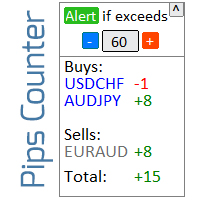
미결제 거래 결과 계산을 위한 인포머 내  #1 Trade Manager : 66+ 기능, 이 도구 포함  |   문의하기  궁금한 점이 있으면 정보 패널은 미결제 주문을 2가지 범주로 그룹화합니다: 매수 매도 각 범주에 대해 심볼과 현재 피프 수가 표시됩니다. 모든 미결제 거래에 대한 총 결과가 아래에 표시됩니다. 알림은 버튼을 클릭하기만 하면 활성화 또는 비활성화할 수 있습니다: 알림이 활성화되면 어떤 심볼에서든 수익이 지정된 값을 초과할 때 알 수 있습니다. 알림을 받을 피프 수는 수동으로 설정하거나 + 및 - 버튼을 사용하여 설정합니다(단계는 설정에서 조정). 알림은 터미널, 이메일 및 모바일 앱에서 사용할 수 있습니다. 알림 옵션은 손실 포지션에도 사용 가능: 손실이 지정된 값을 초과할 때. 인터페이스 접기 기능이 있습니다(오른쪽 상단 모서리): 접힌 패널은 필요하지 않을 때 작업 공간을 차지하지 않습니다. 표시 색상은 필요한 경우 설정에서 변경할 수 있습니다. 구성 가능
Indicators 14 in 1
Makarii Gubaydullin
5 (1)
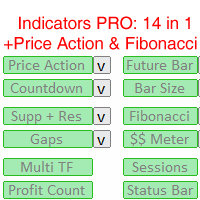
편리한 트레이딩을 위한 14가지 지표 및 보조 도구 이 유틸리티에는 트레이더의 특정 행동에 유용할 수 있는 14가지 추가 도구가 포함되어 있으며,   따라서 트레이딩 프로세스를 단순화하고 가속화합니다. 내  #1 Trade Manager 를 확인하세요: 66개 이상의 기능 및 지표 포함  |   문의하기  질문이 있으면 모니터 해상도가 다르기 때문에 일부 사용자는 레이블이 겹쳐 표시되거나 너무 작게 표시될 수 있습니다. 이러한 문제가 발생하면 글꼴 크기를 조정할 수 있습니다: 입력 변수의 첫 번째 매개변수입니다. 패턴의 시각적 구성이 가능한 전문가용 가격 행동 지표. 미래 바 지표. 모든 시간 프레임의 캔들 종료까지의 카운트다운. 바 크기 지표. 자동 지지 및 저항 수준. 자동 피보나치 수준. 갭 지표. 잠재적 이익/손실 수준. 단일 창에서 여러 시간 프레임을 표시하는 유틸리티. 글로벌 트레이딩 세션 지표. 오픈 트레이드 결과 계산 유틸리티. 시장 정보가 포함된 상태 표시줄. 모든
Daily Pips Target
Makarii Gubaydullin
일일 거래 결과를 추적하기 위한 인포머 나의  #1 트레이딩 어시스턴트 확인: 66+ 기능, 이 도구 포함  |   문의 사항  있으면 연락주세요 패널 상단에서 일일 목표 수익(핍 단위)을 설정합니다: 수동으로 값 입력; [+] 및 [-] 버튼 사용(변경 단계는 설정에서 구성 가능); 대시보드는 거래를 2가지 범주로 분류합니다: 현재 부동 결과; 종료된 거래 합계; 최종 결과는 하단에 표시됩니다: 일일 목표 달성 여부 및 초과 또는 부족 핍 수. 인터페이스 축소 기능(왼쪽 상단 모서리): 축소된 패널은 필요하지 않을 때 작업 공간을 차지하지 않습니다. 구성 가능(3 스크린샷): 1) 기본 일일 목표  (인터페이스를 통해 빠르게 변경 가능); 2) 알림 설정: 일일 목표 달성 시 알림 활성화/비활성화; 일일 목표 미달성 시 알림 활성화/비활성화; 목표 확인 시간(기본값: 23:50); 터미널 알림 활성화/비활성화; 이메일 알림 활성화/비활성화; 모바일 기기 알림 활성화/비활성
Gap indicator
Makarii Gubaydullin
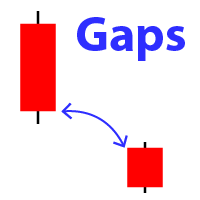
차트에서 갭의 모양을 표시합니다 (이전 바의 종가가 새 바의 시가와 다른 경우). #1 다기능 유틸리티:  66+ 기능, 이 지표 포함  |   문의하기  질문이 있는 경우  |   MT5 버전 초기 설정에서 다음을 구성할 수 있습니다: 갭 크기 (포인트 단위): 이 값을 초과하는 갭만 표시됩니다. 화살표 색상 : 상승 갭과 하락 갭에 대해 별도로 설정. 차트에서 갭 화살표 위로 마우스를 가져가면 크기가 표시됩니다 ; 다른 시간대와 통화 쌍에 적합한 갭 크기를 선택하는 것을 권장합니다. #1 다기능 유틸리티:  66+ 기능, 이 지표 포함  |   문의하기  질문이 있는 경우  |   MT5   버전 #1 다기능 유틸리티:  66+ 기능, 이 지표 포함  |   문의하기  질문이 있는 경우  |   MT5   버전 #1 다기능 유틸리티:  66+ 기능, 이 지표 포함  |   문의하기  질문이 있는 경우  |   MT5   버전
시장 정보 및 상세 통계: 변동성 및 가격 바 분석. 나의  # 1 Trade Assistant : 66+ 기능, 이 도구 포함  |   문의하기  질문이 있으시면 정보를 얻기 위해 통화 쌍/거래 상품을 지정하십시오: 시장 정보: 현재 스프레드; 롱 포지션(매수)에 대한 스왑; 숏 포지션(매도)에 대한 스왑; 가격 변동을 분석하기 위해 시간 프레임과 기간 수를 선택하십시오: 평균 변동성; 최대 변동성; 최소 변동성; 최고 가격; 최저 가격; 상승 바 수(종가 > 시가); 하락 바 수(종가 < 시가); 중립 바 수(시가 = 종가); 인터페이스의 장점: 패널을   접어 차트 공간을 확보할 수 있습니다: ((^)   버튼 ); 패널을  이동  하여 차트의 아무 곳에나 배치할 수 있습니다: (< MOVE >   버튼 ); 어두운 또는 밝은 인터페이스 테마 : (" Dark "   스위치 ); TP / RR 계산 활성화/비활성화: (" TP "   스위치 ); 고점 및 저점 시각화 : (
Market watch list
Makarii Gubaydullin
좋아하는 심볼을 모니터링하세요 다기능 유틸리티:  66+ 기능, 이 도구 포함  |   질문이 있으면 저에게 연락하세요   |   MT5 버전 이 도구는 별도 창에서 열립니다: 이동 가능(원하는 곳으로 드래그)하며 최소화 [v] 가능합니다. 패널에서 감시 목록을 조정할 수 있습니다: [edit list]를 클릭하여 감시 목록에서 심볼을 추가 / 제거합니다. 계산된 값: 마지막 [닫힌 바] 또는 현재 [부동 바]일 수 있습니다. [시간 프레임]을 선택하여 계산합니다. 값 정렬에는 2가지 유형이 있습니다: [Symbol] 이름 또는 가격 [change] 기준 정렬. 값은 오름차순 [^] 또는 내림차순 [v]으로 정렬할 수 있습니다. 계산 방법은 4가지이며, [v]를 클릭하여 변경합니다: [bar size, pips]: 바 크기, 핍 단위; [bar size, points]: 바 크기, 시장 포인트 단위; [bar size, % price]: 바 크기, 가격 변화의 백분율; [bar,
Multi Timeframe
Makarii Gubaydullin
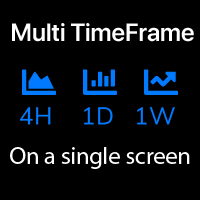
이 지표는 단일 화면에서 3가지 다른 시간대를 분석하는 데 도움을 줍니다: 전체 가격 동향을 볼 수 있습니다. 내  #1 트레이드 매니저 확인: 66+ 기능, 이 도구 포함  |   문의하기 질문이 있으면 초기 설정에서 다음을 구성할 수 있습니다: 시간대1; 시간대2; 시간대3; 표시할 바의 수; 강세 및 약세 바의 색상; 제품 파일은 'Indicators' 디렉토리에 위치해야 합니다. 내  #1 트레이드 매니저   확인: 66+ 기능, 이 도구 포함  |   문의하기   질문이 있으면 내  #1 트레이드 매니저   확인: 66+ 기능, 이 도구 포함  |   문의하기   질문이 있으면 내  #1 트레이드 매니저   확인: 66+ 기능, 이 도구 포함  |   문의하기   질문이 있으면 내  #1 트레이드 매니저   확인: 66+ 기능, 이 도구 포함  |   문의하기   질문이 있으면
Trade statistics
Makarii Gubaydullin
선택한 기간 동안의 상세한 트레이딩 통계 내  #1 트레이드 매니저 를 확인하세요: 66+ 기능, 확장 통계 포함  |   문의하기 궁금한 점이 있으면 통계 표시 모드: 선택한 통화 쌍/트레이딩 도구 모든 거래   에 대한 통계 (" ALL ") 통계를 얻고 싶은 기간을 선택할 수 있습니다: 1 일 1 주 1 개월 2  개월 3  개월 6  개월 1 년 2 년 전체 트레이딩 기록 표시되는 정보:  총 이익 총 손실 총 이익/손실 거래 수 구매 거래의 수익 비율 판매 거래의 수익 비율 전체 수익 거래 비율 평균 보유 시간 수익 거래의 평균 보유 시간 손실 거래의 평균  보유 시간 인터페이스의 장점: 패널을  접어 차트 공간을 확보할 수 있습니다: (버튼 (^)); 패널을  이동  하여 차트의 어느 곳에나 배치할 수 있습니다: (버튼 < MOVE >); 다크 / 라이트 인터페이스 테마 : (스위치 " Dark ");
Alert Levels PRO
Makarii Gubaydullin
특정 가격 수준에 도달했을 때 알림을 설정하는 유틸리티 내  #1 트레이드 매니저 를 확인하세요: 66+ 기능, 알림 및 추세선 알림 포함  |   질문이 있으면 연락주세요   알림은 세 가지 방법으로 설정할 수 있습니다: 가격 수준을 수동으로 입력; 가격 변동 설정: 퍼센트 / 핍 / 시장 포인트; 마우스로 레벨 이동: 자석 기능도 있어 활성화하면 레벨이 가장 가까운 OHLC 값에 달라붙습니다; 선택적으로 각 알림 유형을 활성화 / 비활성화할 수 있습니다: 터미널 내 알림; 이메일 알림; 모바일 기기로의 푸시 알림; 유틸리티의 추가 기능: 알림 수명 설정 옵션: 활성화되면 지정된 시간 후에 알림이 자동으로 취소됩니다 (분 / 시간 / 일); 차트에 알림 수준을 표시하는 옵션; 기존의 모든 알림을 빠르게 삭제하거나 각각 개별적으로 삭제; 인터페이스의 장점: 패널을  접어 차트 공간을 확보할 수 있습니다: ([^]  버튼 ); 패널을   이동  하여 차트의 아무 곳에나 배치할 수 있
Manage trades
Makarii Gubaydullin
활성 및 보류 중인 주문 관리: 자동 무손실, TP/SL 변경, 부분/전체 청산, 차트 상의 레벨 시각적 표시 내 #1  Utility 확인: 66+ 기능, PRO 거래 관리 포함   |    문의하기  질문이 있으면 1) 메인 창: 주문 관리를 위해 특정 심볼 [Symbol]을 설정하거나 모든 심볼 [ALL]을 선택할 수 있습니다 모든 활성 포지션 닫기 [ALL] 모든 수익성 있는 거래 닫기 [profits] 모든 손실 거래 닫기 [losses] 모든 롱 거래(매수) 닫기 [longs] 모든 숏 거래(매도) 닫기 [shorts] 모든 지정가 주문 삭제 [Delete limit orders] 모든 스탑 주문 삭제 [Delete stop order] 오른쪽에는 각 주문 카테고리의 현재 부동 손익(계좌 통화 및 현재 잔고 대비 백분율)이 표시되며, 각 카테고리의 주문 수가 계산됩니다. 2) 수동으로 거래를 무손실로 변경 [- Move SL to BE now -]: SL 레벨이 진입 가격
선택한 기간에 대한 상세한 트레이딩 통계 나의 #1 트레이딩 어시스턴트 를 확인하세요: 66+ 기능, 이 도구 포함 | 질문이 있으면 연락주세요 이 유틸리티는 2개의 독립적인 도구를 포함합니다: 트레이딩 통계 요일 분석기 통계 표시 모드: 선택한 통화 쌍/트레이딩 상품 모든 트레이드 에 대한 통계 (" ALL ") 통계를 얻고자 하는 기간을 선택할 수 있습니다: 1일 1주 1개월 2 개월 3 개월 6 개월 1년 2년 전체 트레이딩 기록 1. 트레이딩 통계: 총 이익 총 손실 총 순이익/손실 트레이드 수 매수 수익 트레이드 비율 매도 수익 트레이드 비율 전체 수익 트레이드 비율 평균 보유 시간 수익 트레이드의 평균 보유 시간 손실 트레이드의 평균 보유 시간 2. 요일 분석기:  시장 진입에 가장 좋은 날을 찾으세요 요일별 통계를 확인할 수 있습니다: 각 요일의 이익/손실 횟수와 승률. 빨간색과 녹색 섹터는 트레이딩에 가장 성공적인 날과 트레이딩을 하지 않는 것이 좋은 날을 시각적으로
Future bar
Makarii Gubaydullin
이 지표는 선택한 시간 프레임에서 현재 형성 중인 캔들을 표시합니다 여러 바   를   선택적으로   하나의 캔들로 결합   할 수 있습니다: 전체적인 그림을 보는 데 도움이 됩니다. 다기능 유틸리티 #1 : 66+ 기능, 이 지표 포함  |   문의하기  궁금한 점이 있으면  |   MT5 버전 입력 설정에서 향후 바에 사용할 시간 프레임 을 선택하세요: 현재 가격 오른쪽에 지정된 간격으로 형성 중인 바가 표시됩니다. 설정에서 활성화하면 선택한 바의 종료까지 카운트다운 이 오른쪽 하단에 표시됩니다. 유용할 수 있는 경우: 여러 시간 프레임을 사용할 때; 다른 기간의 전체적인 그림을 보기 위해; 트레이딩 설정의 추가 확인으로; 색상은 수동으로 설정하거나 자동 감지(현재 테마와 동일)할 수 있습니다. 다기능 유틸리티 #1 : 65+ 기능, 이 지표 포함  |   문의하기  궁금한 점이 있으면  |   MT5 버전
요일별 수익/손실 통계 내  #1 유틸리티 확인: 66+ 기능, 확장 통계 포함  |   문의하기  궁금한 점이 있으면 통계 표시 모드: 선택된  통화 쌍/거래 도구 모든 거래  통계 (" ALL ") 통계를 얻을 기간을 선택할 수 있습니다: 1 일 1 주 1 개월 2 개월 3 개월 6 개월 1 년 2 년 전체 거래 내역 표시 정보:  요일별 통계를 볼 수 있습니다: 각 날짜의 수익/손실 횟수와 승률.  빨간색과 녹색 섹터는 거래에 가장 성공적인 날과 거래를 피하는 것이 좋은 날을 시각적으로 보여줍니다. 인터페이스 장점: 패널을  접어 차트 공간을 확보할 수 있습니다: (버튼 [^]); 패널을 차트의 아무 곳으로  이동 할 수 있습니다: (버튼 [MOVE]); 어두운 / 밝은 인터페이스 테마 : (스위치 [Dark]); 내  #1 유틸리티   확인: 66+ 기능, 확장 통계 포함  |   문의하기  궁금한 점이 있으면
Trend on market
Makarii Gubaydullin
트렌드 대시보드: 멀티 타임프레임 지표, 현재 트렌드 요약 표시 이 도구는  3가지 주요 지표를 기반으로 합니다: RSI,  스토캐스틱 및 CCI.   알림   옵션은   트렌드의   시작을   놓치지   않도록   도와줍니다. 다기능 유틸리티 : 66개 이상의 기능 포함  |   문의하기  질문이 있는 경우  |   MT5 버전 다양한 옵션을 통해 필요에 따라 지표를 사용자 지정할 수 있습니다. 설정: 계산 바: 현재(변동) 또는 이전(종료). 9가지 주요 시간 프레임   사용 가능:  각   시간   프레임은   선택적으로   켜거나   끌   수   있습니다. 스토캐스틱 지표 :  %K 라인 기간; %D 라인 기간; 슬로우 값; RSI 지표: 빠른 기간; 느린 기간; 시각화   설정 : 색상: 매수, 매도 및 중립 신호용; 글꼴 크기, 거리 승수; 알림   설정 :   이메일 / 터미널 / 푸시(모바일); 프로그램 파일은 " Indicators " 디렉토리에 위치해야 합니다.
Multi TF Charts
Makarii Gubaydullin
다른 시간 프레임의 최대 3개 추가 차트를 분석 , 기본 차트를 전환하지 않고. 다기능 유틸리티 : 66개 이상의 기능, 이 도구 포함  |   질문이 있으면 저에게 연락하세요   |    MT5 버전 인디케이터는  별도 창 에서 열립니다: 창은   이동 가능   하며, 차트의 원하는 위치로 이동할 수 있습니다 ( [<M>]   버튼 사용). 창은 공간 절약을 위해 최소화할 수도 있습니다 ( [ <^>]  버튼) 나타나는 창에서 다음을 설정할 수 있습니다: 첫 번째 차트   의 기간 (왼쪽); 두 번째 차트   의 기간 (중앙); 세 번째 차트   의 기간 (오른쪽); (각 시간 프레임은 비활성화 가능); 각 시간 프레임의  바 수   。 최대 바 수: a) 3개의 활성 차트: 30; b) 2개의 활성 차트: 45; c) 1개의 활성 차트: 90; //------------
Money Meter
Makarii Gubaydullin
이 인디케이터는 각 방향(매수 및 매도)에 대한 잠재적 이익/손실 수준을 표시합니다. #1 Trade Assistant 확인: 이 도구를 포함한 66+ 기능  |   질문이 있으면 연락하세요 설정 가능:  로트 크기 (마지막으로 사용한 로트 자동 설정 옵션 있음); 그리드 단계 : 백분율 / 금액 (녹색 스위치); 각 방향의 레벨 수 ; 현재 계좌 잔액 또는 사용 가능 마진 에 대한 위험 계산; 인디케이터 초기 설정에서 선택 가능: 차트에서 선 및 텍스트 색상; 인터페이스 테마: 어두운 또는 밝은; 인터페이스 장점: 패널을 접어 차트 공간 확보: ((^)   버튼 ); 패널을 차트의 아무 곳으로 이동 가능: (< move >   버튼 ); 레벨 표시 빠른 활성화/비활성화: ( "On" 버튼 ); #1 Trade Assistant   확인: 이 도구를 포함한 66+ 기능  |   질문이 있으면 연락하세요
EurUsd Scalper PRO
Makarii Gubaydullin
Short-term scalper Currency pair: EURUSD; Timeframe: 5 minutes. My   #1 Utility : includes 65+ functions  |   Contact me  if you have any questions Since the EA works on a low timeframe, it is important to use a broker where the typical spread on EURUSD does not exceed 2 . A higher spread can significantly affect the results. The strategy is based on the idea of long-term stability. The results attached in the screenshots are a backtest from 1999.
필터:
F0071050
29
F0071050 2026.02.04 17:58 
 

Very good product, you need nothing else

Makarii Gubaydullin
19308
개발자의 답변 Makarii Gubaydullin 2026.02.04 19:02
I appreciate your feedback!
Vnicolas1416
78
Vnicolas1416 2025.11.13 16:00 
 

I would recommend this tool to anyone who is looking to level up their trading. It's an all in one, one stop shop all in one tool. They are very helpful and open minded to suggestions I have no regrets.

Makarii Gubaydullin
19308
개발자의 답변 Makarii Gubaydullin 2025.11.13 16:05
Thank you so much for your review, I appreciate it!
Aidan Wood
28
Aidan Wood 2025.03.03 09:41 
 

By far the best trade manager I have used, very high quality and has all the features you would need. Makarii offers great support and even added a feature for me.

Makarii Gubaydullin
19308
개발자의 답변 Makarii Gubaydullin 2025.03.03 10:33
Thank you for your review, I appreciate it!
Dedicatedcore
29
Dedicatedcore 2025.01.21 07:14 
 

Simple, smooth and elegant... does exactly what it is supposed to do, this is all you need...

Makarii Gubaydullin
19308
개발자의 답변 Makarii Gubaydullin 2025.01.21 07:32
Thank you for your feedback!
shunsuke hayashi
108
shunsuke hayashi 2025.01.16 09:11 
 

This tool can be optimized for different cases. It is helpful because it can be used for managing your own funds and prop trading. You can also trust the developers because they provide proactive communication and support.

Makarii Gubaydullin
19308
개발자의 답변 Makarii Gubaydullin 2025.01.16 10:25
Thank you so much for your review, I appreciate it!
59832448
45
59832448 2024.09.18 10:40 
 

Excellent tool to manage risk with various options , Quick support........ very responsive . Thank you for systematising my trading journey.

Makarii Gubaydullin
19308
개발자의 답변 Makarii Gubaydullin 2024.09.18 10:49
I appreciate your feedback!
mwforex2023
26
mwforex2023 2024.08.07 10:16 
 

Brilliant piece of kit. I scalp gold on the 5min and this tool makes layering in a breeze as I can control the SL & TP of as many low lottage trades as i need to. The developer is very responsive to suggestions, i asked if the TP & SL data fields could be located in the same positions on the new order and order manage screens as this had caught me out on a few occasions in the heat of a trade and Makarii was all obliging and had it changed in a few days. Top tool and a top developer.

Nguyen David
211
Nguyen David 2024.06.13 19:19 
 

I love this Utility due to it's features and strong commitment of developer for fast action on reply any inquiries and suggestion

Abbeyfx Abbeyfx
23
Abbeyfx Abbeyfx 2024.02.07 09:58 
 

Good day Makarii, I just rented the tool to test it. Please how do i get the manual guide that will show me the way out?

Makarii Gubaydullin
19308
개발자의 답변 Makarii Gubaydullin 2024.02.08 06:57
Hello! Please follow the link to read the user's manual: https://www.mql5.com/en/blogs/post/750966
Michael Williams
136
Michael Williams 2023.12.19 19:48 
 

I wouldn’t be able to effectively trade my Trade Plan without this tool. The tool seems intimidating at first with all its many options, but after you take the time to learn it, it’s simple and very intuitive to use. It has everything you need to efficiently execute your risk and trade management plan. There are other features like trend line alerts that are awesome too! The dev is very responsive, and regularly makes updates to the tool.

Makarii Gubaydullin
19308
개발자의 답변 Makarii Gubaydullin 2023.12.19 21:00
Thank you so much for your review, I appreciate it!
HuB GHoST
23
HuB GHoST 2023.10.10 23:18 
 

lldeDS

charley cabrera
24
charley cabrera 2023.08.31 22:57 
 

I started with a virgin MT5 and could not use it. It was missing all sorts of utilities and tools. Pro utility / TA38 makes analyzing, trading and risk management in MT5 easier. Some might consider the price tag a bit high but what you get for the price, it's a steal. If you add up all the Tools built in, times $30 it should be worth more then $1000. It will take you a bit to learn all the options and tools of TA38 but its well worth it. And the designer, Makarii is always available for help. Ive been using it for several months and I’m still discovering new ways to use it. There is no way I can use MT5 with out it. Makarii thanks for creating TA38!

Makarii Gubaydullin
19308
개발자의 답변 Makarii Gubaydullin 2023.08.31 23:01
Thank you for your review, I appreciate it!
Sankar Perumalsamy
175
Sankar Perumalsamy 2023.07.06 19:51 
 

Great.

Makarii Gubaydullin
19308
개발자의 답변 Makarii Gubaydullin 2023.07.06 20:54
Thanks for your feedback!
VJRas
319
VJRas 2023.07.01 18:05 
 

Been using this EA, for a couple of weeks now. I really love it!

Makarii Gubaydullin
19308
개발자의 답변 Makarii Gubaydullin 2023.07.01 18:43
I appreciate your review!
JamesWoods
448
JamesWoods 2023.05.08 12:40 
 

Fantastic tool , lots of very incredibly useful options for managing trade entry and exit and this aspect is impressive, and very detailed manual. The awesome number of trade options is not overwhelming cause of tool tips pretty much on every button you mouse over. There are finishing touches required around the edges of use cases , and would be nice if this limitations are better highlighted to avoid users loosing money. And as i found this issues, the developer solved them very quickly to the point where i now trade with the tool confidently. Excellent product, could have done with better testing before release, but i tested it for them anyway cause i was desperate for the Unrivalled solutions it provided.

Makarii Gubaydullin
19308
개발자의 답변 Makarii Gubaydullin 2023.05.08 12:49
Thank you for your review!
ArnoKosten1975
39
ArnoKosten1975 2023.05.04 07:30 
 

I purchased this EA to help me with 2 things where I can improve: risk management and extit strategy. For both this EA is just amazing! So many tools, a goor understandable users manual, and a very helpfull developer, which revert instantly on questions... Very happy!

Makarii Gubaydullin
19308
개발자의 답변 Makarii Gubaydullin 2023.05.04 07:51
Thank you for your feedback!
v9137397540
122
v9137397540 2023.04.16 19:02 
 

Отличный помощник. Очень много функций. И автор отзывчивый.

Makarii Gubaydullin
19308
개발자의 답변 Makarii Gubaydullin 2023.04.16 19:30
Спасибо за отзыв!
Robert Torres Jr
1920
Robert Torres Jr 2023.04.07 09:26 
 

Makarii stands behind his product and is a reliable help. After using the Trade Assistant Pro, I have to conclude that this man is a genius. The EA is full of features but it is not slow. I am nothing short of amazed. Any serious trader MUST get this to save time, reduce complicated calculations and most importantly plenty of options to protect your capital and manage your trade. Wow!

Makarii Gubaydullin
19308
개발자의 답변 Makarii Gubaydullin 2023.04.07 09:29
I appreciate your review!
JeremyMatho
29
JeremyMatho 2023.03.08 04:00 
 

Trade manager works perfectly for scalping. The owner of the ea showed me how to use it which was extremely helpful. Perfect for risk management and for calculating tp partials.

Makarii Gubaydullin
19308
개발자의 답변 Makarii Gubaydullin 2023.03.08 06:20
Thank you for your review, I appreciate it!
pro.trading
90
pro.trading 2022.10.04 22:02 
 

사용자가 평가에 대한 코멘트를 남기지 않았습니다

Makarii Gubaydullin
19308
개발자의 답변 Makarii Gubaydullin 2022.10.04 22:17
I appreciate your feedback!
12
리뷰 답변