 MetaTrader 5
 エキスパート
 インディケータ
 ライブラリ
ライブラリ ユーティリティ
 ウィジェット
 ルール
ルール
YouTubeにあるマーケットチュートリアルビデオをご覧ください
ロボットや指標を購入する
仮想ホスティングで
EAを実行
EAを実行
ロボットや指標を購入前にテストする
マーケットで収入を得る
販売のためにプロダクトをプレゼンテーションする方法

「Safe Leverage Basic」は購入できなくなりました。
以前にこの製品を購入された方は、残りのアクティベーションがある限り、引き続きこの製品を制限なく使用し、新しいコピーをインストールできます。
- MetaTrader 4ターミナルを開きます。
- 設定でMQL5.communityのアカウント情報を入力します([ツール]>[オプション]>[コミュニティ])。
- [マーケット]タブを開き、[購入済み]タブに移動します。
- 製品名の右側にある[インストール]ボタンをクリックします。
詳しくは、ドキュメントをご覧ください。
他のMetaTrader 4アプリをご確認ください

プロップしっかり準備完了! ( SETFILEをダウンロード ) ローンチプロモーション: 現在の価格で残りわずかです! 最終価格: 990ドル EA を 1 つ無料で入手 (2 取引アカウント用) -> 購入後に連絡してください Ultimate Combo Deal -> click here JOIN PUBLIC GROUP: Click here Live Signal LATEST MANUAL
ゴールドリーパーへようこそ! 非常に成功した Goldtrade Pro を基にして構築されたこの EA は、複数の時間枠で同時に実行できるように設計されており、取引頻度を非常に保守的なものから非常に不安定なものまで設定するオプションがあります。 EA は複数の確認アルゴリズムを使用して最適なエントリー価格を見つけ、内部で複数の戦略を実行して取引のリスクを分散します。 すべての取引にはストップロスとテイクプロフィットがありますが、リスクを最小限に抑え、各取引の可能性を最大化するために、トレーリングストップロスとトレーリングテイプロフィットも使用します。 こ

Scalping Robot Pro is a professional trading system designed specifically for fast and precise scalping on XAUUSD using the M1 timeframe. The system is built to capture short term market movements with accurate execution and controlled risk management. It focuses on real time price behavior, momentum shifts, short term volatility, and selective grid based trade management techniques to identify high probability trading opportunities in the gold market. Scalping Robot Pro is optimized for tra

ローンチプロモーション: 現在の価格で入手可能な限定数のコピー 最終価格: 990$ NEW: 無料で EA を 1 つゲット! (2取引口座の場合) Ultimate Combo Deal -> click here
LIVE RESULTS: https://www.mql5.com/en/signals/1949810 JOIN PUBLIC GROUP: Click here Set Files
DayTrade Pro アルゴリズムへようこそ! 何年にもわたって市場を研究し、さまざまな戦略をプログラミングしてきた結果、優れた取引システムに必要なすべてを備えたアルゴリズムを見つけました。 ブローカーに依存しない スプレッド インディペンデント MT4、MT5、TDS2、および複数のブローカーで、実際の変数スプレッドテストを使用して非常に安定したバックテストを簡単に示します 何百もの異なる設定はすべて、テストで有益な結果をもたらします (もちろん、私は最高のものを選択しました!) 非常に堅牢なシステム -> 設定は交換可能であるため、USDJPY か

BEWARE of SCAM! SCIPIO GOLD BOT is only distributed by MQL5.com. Please note: this is not a commercial BOT, but a professional one. Distribution is limited to 100 copies in total, and the price may increase without notice. Thisi is MT4 versione, Mt5 version is here: https://www.mql5.com/it/market/product/148820
The differences that make SCIPIO EA unique are: + no variable settings or settings that the TRADER must enter + only opens one trade at a time + always uses close and fixed STOP LOSSES

Real Trading Account LIVE SIGNAL 100K: https://www.mql5.com/en/signals/2388151
Real Trading Account LIVE SIGNAL 3K: https://www.mql5.com/en/signals/2363526 Check Out All Our Products : Click Here
Fortune is an automated breakout Expert Advisor for MetaTrader 4 & 5, developed primarily for XAUUSD. The EA identifies potential breakout and breakdown zones based on recent market structure, then manages each trade according to the risk percentage set by the user. Every position is opened wit

M1 SNIPER は使いやすいトレーディングインジケーターシステムです。M1時間足向けに設計された矢印インジケーターです。M1時間足でのスキャルピングのためのスタンドアロンシステムとして、また既存のトレーディングシステムの一部としても使用できます。このトレーディングシステムはM1時間足での取引に特化して設計されていますが、他の時間足でも使用できます。元々、この手法はXAUUSDとBTCUSDの取引用に設計しましたが、他の市場においても役立つと考えています。 インジケーターのシグナルは、トレンドの方向と逆方向に取引できます。インジケーターのシグナルを利用して両方向に取引するのに役立つ特別な取引テクニックをご紹介します。この手法は、特別な動的なサポートとレジスタンスの価格帯を利用することに基づいています。 ご購入後、M1 SNIPER矢印インジケーターをすぐにダウンロードできます。さらに、M1 SNIPERツールのすべてのユーザーに、以下のスクリーンショットに表示されているApollo Dynamic SRインジケーターを無料で提供しています。この2つのインジケーターを組み合わせることで

SR Liquidity は、市場の流動性が集中し、価格が最も強く反応する「隠れたゾーン」を可視化するために設計されたトレーディング指標です。こうした流動性の高いエリアは強力なサポート(支持)およびレジスタンス(抵抗)レベルとして機能し、市場が反転する可能性が最も高いポイントを明確に示してくれます。 単なる一般的なサポートラインやレジスタンスラインを描画するのではなく、「SR Liquidity」は実際の価格変動を分析し、売りと買いの圧力が集中するゾーンを特定します。これらは、市場の真の動きを牽引する「流動性のプール(溜まり場)」そのものです。それらをチャート上に直接可視化することで、価格が実際に反応する前に、その動きを予測することが可能になります。つまり、このインジケーターは価格の方向性が変わる可能性を予測するのです。生のプライスアクションを、市場の重要な水準(転換点となり得るポイント)を示す、明確で実用的なロードマップへと変換してくれます。 このインジケーターは、FX、株価指数、貴金属、仮想通貨など、あらゆる銘柄や時間足で使用可能です。 ご購入後、取引手順や無料の優れた追加インジケ

Expert Advisor Sailing Gold is a fully automated Expert Advisor designed exclusively for trading Gold (XAUUSD) on MetaTrader 4. The EA combines momentum analysis, volatility-based market modeling, and an advanced scalping algorithm to identify high-probability trading opportunities while applying intelligent position management for consistent execution and disciplined risk control. To improve trade quality, Sailing Gold includes an optional Moving Average (MA) trend filter, enabling the EA to tr

Expert Advisor は、不採算ポジションを回復するために設計されたシステムです。 著者のアルゴリズムは、負けポジションをロックし、それを多くの別々の部分に分割し、それぞれを別々に決済します。簡単なセットアップ、ドローダウンの場合のローンチ遅延、ロック、他の Expert Advisor の無効化、トレンド フィルタリングによる平均化、負けポジションの部分決済が 1 つのツールに組み込まれています。 グループ全体でのみ注文をクローズするグリッド戦略とは対照的に、より低い預金負荷で損失を減らすことができ、損失をより安全に処理できるようにするのは、部分的に損失をクローズすることです。 注文が復元される方法: 1 EA は、選択した商品の他のウィンドウを閉じて、不採算の EA をオフにします (オプション)。 2 EA は、処理されたすべての注文のテイクプロフィットとストップロスのレベルをリセットし、対応する識別子を持つ保留中の注文を削除します。 3 EA は、利益を利用して不採算注文の一部をカバーし、総ポジション量を減らすために、すべての処理された採算性のある注文をクローズします

Real Trading Account LIVE SIGNAL 100K REAL: https://www.mql5.com/en/signals/2388151 Real Trading Account LIVE SIGNAL VT MARKETS: https://www.mql5.com/en/signals/2388143 Check Out All Our Products : Click Here
Frontier is an automated Swing Pivot Breakout Expert Advisor for MetaTrader 4 & 5, developed primarily for XAUUSD. The EA identifies confirmed swing highs and swing lows from recent price structure and uses these levels to prepare pending Buy Stop and Sell Stop orders. When price br

この製品は 2026 年の市場向けに更新され、最新の MT5 ビルドに最適化されています。 価格更新のお知らせ:
Smart Trend Trading System は現在 $99 で提供されています。
次の 30 件の購入 後、価格は $199 に上がります。 特別オファー: Smart Trend Trading System を購入後、私にプライベートメッセージを送ることで、 Smart Universal EA を無料 で受け取り、Smart Trend のシグナルを自動売買に変えることができます。 Smart Trend Trading System は、リペイントなし、再描画なし、遅延なしの完全なトレーディングシステムです。よりクリーンなシグナル、より明確なトレンド方向、そしてより整理された取引方法を求めるトレーダー向けに作られています。 Online course , manual and [download presets] . このシステムは、トレンド検出、反転ゾーン、Smart Cloud、トレーリングストップロジック、サポートとレジスタンス、ローソク足の色分け

Local Trade Copier EA MT4 による、驚くほど高速な取引コピーを体験してください。1分で簡単にセットアップできるこの取引コピー機は、同じWindowsコンピュータまたはWindows VPS上の複数のMetaTrader端末間で取引をコピーすることができ、0.5秒未満の高速コピースピードを実現します。
初心者であろうとプロのトレーダーであろうと、 Local Trade Copier EA MT4 には、あなたの特定のニーズに合わせてカスタマイズするための幅広いオプションが用意されています。これは、利益の可能性を高めたい人にとって究極のソリューションです。 今すぐ試してみて、これが市場で最も速くて簡単なトレードコピー機である理由を理解してください。 ヒント: デモアカウントで Local Trade Copier EA MT4 デモバージョンをダウンロードして試すことができます: ここ ダウンロードした無料のデモ ファイルを MT4 >> ファイル >> データ フォルダを開く >> MQL4 >> Experts フォルダに貼り付けて、ターミナルを再起動しま

Trend Sniper X は、トレーダーがトレンドの方向性と潜在的な反転ポイントを明確かつ正確に特定できるように設計された、MetaTrader 5 用のマルチタイムフレーム・トレンドフォロー指標です。 MT5版はこちら: https://www.mql5.com/en/market/product/181101 価格情報: 現在の価格はプロモーション価格であり、今後のアップデートや新機能の追加に伴い変更される場合があります。 Code2Profit チャンネル マルチタイムフレーム分析で市場をマスターしよう! Trend Sniper Xで勝率を最大化する方法:ルールとセッションのコツ 技術仕様 プラットフォーム MetaTrader 5 インジケータータイプ マルチタイムフレーム・トレンドインジケーター 動作タイムフレーム すべてのチャート時間足(上位足M1~MN1を独立して選択可能) 主要対象銘柄 為替(Forex)、ゴールド(XAUUSD)、その他のCFD 推奨口座 すべての口座タイプ ビジュアル表示 トレンドカラーローソク足(買い/売り/弱い/変化)+ 買い/売りシグナル

Neuro Poseidon is a new indicator by Daria Rezueva. It combines precise trading signals with adaptive TP/SL levels - creating best possible trades as a result! Message me and get Neuro Poseidon Assistant as a gift to automize your trading process!
What makes it stand out?
1. Proven profitability on all assets and timeframes
2. Only confirmed BUY and SELL signals present on the chart
3. Adaptive TP & SL levels generated by the software for each trade
4. Easy to understand - suitable for all

Quantum King EA — あらゆるトレーダーのために洗練されたインテリジェントパワー
IMPORTANT! After the purchase please send me a private message to receive the installation manual and the setup instructions.
発売記念特別価格 ライブ信号: ここをクリック
MT5バージョン: こちらをクリック
クォンタムキングチャンネル: ここをクリック
***Quantum King MT4 を購入すると、Quantum StarMan を無料で入手できます!*** 詳細についてはプライベートでお問い合わせください!
ルール 正確さと規律をもって取引を行ってください。
クォンタムキング EA 構造化グリッドの強さと適応型マーチンゲールのインテリジェンスを 1 つのシームレスなシステムに統合しました。M5 上の AUDCAD 用に設計されており、安定した制御された成長を望む初心者とプロフェッショナルの両

Trade Manager EAへようこそ。これは、取引をより直感的、正確、そして効率的にするために設計された究極の リスク管理ツール です。これは単なるオーダー実行ツールではなく、包括的な取引計画、ポジション管理、リスク管理のためのソリューションです。初心者から上級者、迅速な実行を必要とするスキャルパーまで、Trade Manager EAはあらゆるニーズに対応し、為替、指数、商品、暗号通貨などさまざまな市場で柔軟に対応します。 Trade Manager EAを使用すると、複雑な計算が過去のものになります。市場を分析し、エントリーポイント、ストップロス、テイクプロフィットのレベルをチャート上のラインでマークし、リスクを設定するだけで、Trade Managerが最適なポジションサイズを即座に計算し、SLとTPをピップ、ポイント、口座通貨でリアルタイムに表示します。すべての取引が簡単かつ効果的に管理されます。 主な機能: ポジションサイズ計算機 :定義されたリスクに基づいて取引サイズを瞬時に決定します。 簡単な取引計画 :エントリー、ストップロス、テイクプロフィットを設定するためのド

トレーディングアドバイザーアイスキューブスカルパー- それはデイスカルパー であり、毎日多数の取引を行い、各取引でいくつかのポイントを取ります。 EAの戦略は、RSI指標を使用したトレンドとの取引に基づいています。 EAは乗数ロットによる平均化を使用します。EAを使用する前にこれを理解する必要がありますが、戦略はバックテストとライブ取引の両方でうまく機能しました。 購入する前に、必ずストラテジーテスターでアドバイザーの仕事をテストしてください。 Expert Advisorでリスクを管理するために、平均化する注文の最大数と株式リスクを制限できます。 アドバイザーがどのように機能するかを理解するために、無料のシグナルをサブスクライブして、アドバイザーがどのように機能し、その可能性を理解できるようにすることができます。 ご購入後、必ずご連絡ください。 私はいつも設定を手伝います。また、すべてのバイヤーにとって、
入力パラメータ
ロット _ 乗数 - でのロット乗数 出品時 注文の平均 Start_Lot - 開始ロット 注

Real Trading Account LIVE SIGNAL 100K: https://www.mql5.com/en/signals/2388151 Real Trading Account LIVE SIGNAL 1K: https://www.mql5.com/en/signals/2378166
Check Out All Our Products : Click Here
Fortress is an automated breakout Expert Advisor for MetaTrader 4 & 5, developed primarily for XAUUSD. The EA utilizes multiple confirmation algorithms and internal strategies to identify optimal breakout points at key support and resistance levels. Position sizing and trade frequency automatic

MetaTrader 4向け 高機能トレードコピーソフト MetaTrader 4 用の、高速・安定・高機能なトレードコピーソフトです。 COPYLOT は、 MetaTrader 4 と MetaTrader 5 間でFX取引をコピーでき、さまざまな口座タイプや運用スタイルに合わせて柔軟に同期できます。 COPYLOT MT4版の対応コピー方式: MetaTrader 4 → MetaTrader 4 MetaTrader 5 Hedge → MetaTrader 4 MetaTrader 5 Netting → MetaTrader 4 MT5版 詳細説明 + DEMO + PDF 購入方法 インストール方法 ログファイルの取得方法 テストと最適化の方法 Expforexの全製品 MetaTrader 5版 を使えば、 MetaTrader 5 → MetaTrader 5 および MetaTrader 4 → MetaTrader 5 のコピーにも対応します: COPYLOT CLIENT for MT5 COPYLOT は、2台、3台、さらには10台規模のターミナル環境でも

The xCustomEA for MetaTrader 4 — カスタムインディケータ対応のユニバーサル Expert Advisor ほぼあらゆるカスタムインディケータを、自動売買戦略へ変換できます。 The xCustomEA for MetaTrader 4 は、独自インディケータのシグナルを受け取り、設定したロジックに基づいて自動で売買を実行するためのユニバーサル Expert Advisor です。 インディケータ名、シグナルバッファ、主要パラメータを指定するだけで、EA がその情報を使って自動売買を行います。アイデアごとに毎回新しいロボットを一から作ることなく、柔軟な実行エンジンとして活用できるのが大きな特長です。 The xCustomEA は単なるシグナル受け渡しツールではありません。The X シリーズの強力なトレード基盤と、カスタムインディケータ連携機能を組み合わせることで、エントリー、エグジット、フィルター、保護、ポジション管理までを一つの環境で構築できます。 The xCustomEA for MetaTrader 5 | 完全ガイド + DEMO + PDF

Recovery Manager Pro は、他のアドバイザーまたは手動でオープンされた注文からのドローダウンを回復するためのシステムです。 RM Pro には、自動的に動的に調整する機能があります。トレーダーはリスクレベルを選択する必要があり、アドバイザーは完全自動モードで動作します。 ドローダウンリカバリモードとスタンバイモードで動作可能!別のアドバイザーがドローダウンを生成した場合、RM Proはそれを無効にし、ポジションをロックし、部分クロージャを使用してデポジットを復元するプロセスを開始します。取引では、アドバイザーはスマートな平均化、ロック、部分クロージングを使用します。アドバイザーはカスタム トレンド インジケーターに取り組んでおり、アドバイザーのすべての購入者がギフトとして受け取ります。 Advisor の主な機能は、スタンバイ モードで動作できることです。別のアドバイザーがドローダウンを生成するとすぐに、RM Pro が注文管理を引き継ぎ、平均注文をオープンし、その後部分的にクローズします。 セットアップ手順: リンク MT5のバージョン:

ほとんどのエキスパートアドバイザーがバックテストのパフォーマンスは完璧でも、実際の取引では効果的でない理由について考えたことはありますか?
最もありそうな答えは過学習です。多くのEAは利用可能な過去のデータに完璧に適応するように作成されていますが、構築されたモデルに一般化能力がないため、将来を予測することができません。 一部の開発者は、過学習の存在を知らないか、知っていても防止する方法を持っていません。他の人はそれをバックテスト結果を美化するためのツールとして利用し、統計的な有意性を考慮せずに数十の入力パラメータを追加し、取引戦略を過去のデータに過度に合わせ、自分の EA が将来において同様のパフォーマンスを達成できると他の人に納得させようとします。 もし興味があって、過学習についてより深く理解したい場合は、こちらの私の記事を参照してください。 Avoiding Over-fitting in Trading Strategy (Part 1): Identifying the Signs and Causes Avoiding Over-fitting in Trading St

現在30%オフ 初心者にもエキスパートトレーダーにも最適なソリューション このインジケーターは独自の機能と新しい公式を多数内蔵しており、ユニークで高品質かつ手頃な取引ツールです。このアップデートでは、2つの時間枠ゾーンを表示できるようになります。より長いTFだけでなく、チャートTFとより長いTF(ネストゾーンを表示)の両方を表示できます。すべてのSupply Demandトレーダーの皆さんのお気に召すはずです。:)
重要情報の公開 Advanced Supply Demandの可能性を最大化するには、 https://www.mql5.com/ja/blogs/post/720245 にアクセスしてください。 エントリーまたはターゲットの正確なトリガーポイントを正確に特定できれば取引がどのように改善されるか想像してみてください。新しい基盤となるアルゴリズムに基づいて構築されているため、買い手と売り手の間の潜在的な不均衡をさらに簡単に特定できます。これは、最も強い需要と供給のゾーンと、過去のパフォーマンス(古いゾーンを表示)がグラフィカルに表現されるためです。これらの機能は、最適な

Cross Sided Scalp は、内蔵された相関マトリックスのサポートによる高精度なエントリーを活用することを目指した、日中のトレンドフォローシステムです。 Live Signal が利用可能です!現在の価格は値上げされます。期間限定価格 75 USD。
グリッドなし、マーチンゲールなし。すべての取引は独立してエントリーされます
固定ストップロスに対応し、仮想ダイナミックトレーリングストップシステムを搭載
カスタマイズ可能なマトリックスパネルと正確なロットサイズ設定
推奨設定 チャート: EURUSD, GBPUSD
時間足: H1
パラメータ 通貨相関ペア - マトリックスにペアを追加 サフィックス自動検出 - 有効または無効
固定ロットサイズ - 固定ロットサイズ 自動ロット - この口座通貨の金額ごとに0.01ロット 最大スプレッド - ポジションを開く際に許可する最大スプレッドを設定 固定ストップロス - ストップロス設定
Magic Number - 各注文のMagic Number ポジションコメント
取引パネルの外観

Vortex - 未来への投資
Vortex Gold EAはメタトレーダープラットフォーム上で金(XAU/USD)を取引するために特別に作られたエキスパートアドバイザーです。独自の指標と作者の秘密のアルゴリズムを用いて構築されたこのEAは、金市場の有益な動きを捉えるように設計された包括的な取引戦略を採用しています。その戦略の主要な構成要素には、CCIやパラボリックインジケーターなどの古典的なインジケーターが含まれており、これらは理想的なエントリーポイントとエグジットポイントを正確に知らせるために連動します。Vortex Gold EAの核心は、高度なニューラルネットワークと機械学習テクノロジーです。これらのアルゴリズムは、過去のデータとリアルタイムのデータの両方を継続的に分析し、EAがより高い精度で進化する市場トレンドに適応し対応することを可能にします。ディープラーニングを活用することで、Vortex Gold EAはパターンを認識し、指標パラメーターを自動的に調整し、時間の経過とともにパフォーマンスを向上させます。Vortex Gold EAは、独自の指標、機械学習、適応可能な取

EA Gold Stuffは、金取引のために特別に設計されたExpert Advisorです。 この作業は、ゴールドスタッフインジケーターを使用した注文の開始に基づいているため、アドバイザーはトレンドに従うことを意味する"トレンドフォロー"戦略に従って動作します。
重要! 指示とボーナスを得るために購入後すぐに私に連絡してください! トレンド スキャナーの強力なサポートを利用して、無料のインジケーターを入手し、プライバシーを守ります。あーみー! リアルタイムの結果はここで見ることができます
パラメータ
新しいシリーズを開く-新しいシリーズの注文の開始をオン/オフします。 開始ロット-開始ロット。 トレードバイ-Expert Advisorが購入できるようにします。 トレード売り-Expert Advisorが売ることを許可します。 ヘッジを使用する-機能が有効になっている場合、アドバイザーは買いと売りの両方の方向を取引し、機能が無効になっている場合、アドバイザーは一方向 マネー Manadgementを使用-オン/自動ロット計算の使用をオフにします。 オートロットオー

プロモーションを開始します! 449ドルで残りわずかです! 次の価格: 599ドル 最終価格: 999ドル EA を 1 つ無料で入手 (2 取引アカウント用) -> 購入後に連絡してください Ultimate Combo Deal -> click here
New live signal: https://www.mql5.com/en/signals/2084890 Live Signal high risk : https://www.mql5.com/en/signals/2242498
Live Signal Set Prop Firm Set JOIN PUBLIC GROUP: Click here Parameter overview
Gold Trade Pro はゴールド取引 EA の仲間入りですが、大きな違いが 1 つあります。それは、これが本物の取引戦略であるということです。 「実際の取引戦略」とは何を意味しますか? おそらくお気づきかと思いますが、市場に出回っているほぼすべてのゴールド EA は単純なグリッド/マーチンゲール

現在30%OFF!
初心者やエキスパートトレーダーのためのベストソリューション!
このダッシュボードソフトウェアは、28の通貨ペアで動作しています。それは私達の主要な指標(高度な通貨の強さ28と高度な通貨インパルス)の2に基づいています。それは全体の外国為替市場の大きい概観を与えます。それは、すべての(9)時間枠で28の外国為替ペアのための高度な通貨の強さの値、通貨の動きの速度と信号を示しています。チャート上で1つのインディケータを使用して市場全体を観察し、トレンドやスキャルピングの機会をピンポイントで見つけることができたら、あなたのトレードがどのように改善されるか想像してみてください。
このインディケータには、強い通貨と弱い通貨の識別、潜在的な取引の識別と確認がより簡単になるような機能が搭載されています。このインディケータは、通貨の強さや弱さが増加しているか減少しているか、また、すべての時間枠でどのように機能しているかをグラフィカルに表示します。
新機能として、現在の市場環境の変化に適応するダイナミックなマーケットフィボナッチレベルが追加され、すでに当社のAdvanced

Gann Made Easy は、ミスター・ギャンの理論を使用した取引の最良の原則に基づいた、プロフェッショナルで使いやすい外国為替取引システムです。 W・D・ガン。このインジケーターは、ストップロスとテイクプロフィットレベルを含む正確な買いと売りのシグナルを提供します。 PUSH通知を利用して外出先でも取引可能です。 ご購入後、取引方法の説明と優れた追加インジケーターを無料で入手するには、私にご連絡ください! おそらく、ギャンの取引手法についてはすでに何度も聞いたことがあるでしょう。通常、ギャンの理論は初心者のトレーダーだけでなく、すでにある程度の取引経験がある人にとっても非常に複雑なものです。なぜなら、ギャンの取引手法は理論的にはそれほど簡単に適用できるものではないからです。私はその知識を磨き、最良の原則を私の外国為替インジケーターに組み込むために数年を費やしました。 このインジケーターは非常に簡単に適用できます。必要なのは、それをチャートに添付し、簡単な取引推奨事項に従うだけです。このインジケーターは常に市場分析の仕事を行い、取引の機会を探します。適切なエントリーポイントを検出す

ONE OF THE FEW ROBOTS WITH A SIGNAL HISTORY OF MORE THAN 3 YEARS AND AMONG THE TOP 10. LINK TO MY ROBOTS AND SIGNAL PRESETS: In my profile there is a link to download the PRESETS that I use in my SIGNALS, you can download and Backtest for free, there are explanations in the my WebSite. https://www.mql5.com/en/users/tec_daniel LINK TO OTHER ROBOT VERSIONS: MT4: https://www.mql5.com/en/market/product/97963 MT5: https://www.mql5.com/en/market/product/97962 SOME EXAMPLES OF SIGNALS ON “mql5.

DayTrader PRO MT5: https://www.mql5.com/en/market/product/186222 DayTrader PROは、ジョン・エリュース(John Ehlers)のラグuerreフィルターと強力な自動最適化エンジンを組み合わせた、高度なトレーディング・インジケーターです。固定されたパラメーターを使用するのではなく、直近の市場状況に基づいて最適な設定を自動的に検索するため、手動による絶え間ない調整をすることなく、変化する市場のボラティリティに適応できます。 本インジケーターは、明確な「買い(BUY)」および「売り(SELL)」シグナルを生成し、現在の市場ボラティリティから算出された適応型のストップロス(Stop Loss)およびテイクプロフィット(Take Profit)レベルを表示します。トレンド、効率レシオ(Efficiency Ratio)、ボラティリティ、およびローソク足フィルターが内蔵されており、精度の低いセットアップを排除し、シグナルの精度を向上させます。 リアルタイム・パフォーマンスパネルには、現在最適化されている設定、プロフィッ

KURAMA GOLD SIGNAL PRO MT4版 ゴールドのサインに、目で見えるトレード計画を。 ゴールドのサインが出た。利確はどこか。損切りはどこか。エントリー前に何を確認すべきか。 KURAMA GOLD SIGNAL PROは、その判断材料をチャートに集約します。XAUUSDのM5、M15向けに、売買サイン、自動計算TP/SL、3段階のサイン評価、注意すべき相場条件を知らせるMARKETパネルを搭載。 セットアップ、決済目安、相場の注意点を一か所で確認。情報を集める手間を減らし、トレードの判断に集中できます。 買い切り購入者限定特典 AI Zone Radar MT5版と完全PDFマニュアルを無料プレゼント。 ご購入後にMQL5でメッセージをお送りください。買い切り購入が対象です。レンタルは対象外です。 AI Zone Radarを見る サインから、具体的なトレード計画へ SMA 13、21、75、100へのタッチを使ったセットアップを検出。各サインに売買方向と対象MAを表示するため、浅い押し目、戻りと深い調整を区別して確認できます。 チャートとパネルには、次の情報を表示し

Presenting one-of-a-kind Gann Indicator for XAUUSD
IQ Gold Gann Levels is a non-repainting, precision tool designed exclusively for XAUUSD intraday trading. It uses W.D. Gann’s square root method to plot real-time support and resistance levels, helping traders spot high-probability entries with confidence and clarity. William Delbert Gann (W.D. Gann) was an exceptional market analyst whose trading technique was based on a complex blend of mathematics, geometry, astrology, and ancient calculation

BUY 1 and GET 1 FREE - Promotion!
Buy GOLD Scalper PRO with a huge –60% discount and GET 1 FREE EA by your choice! Promo Price: $177
(Regular Price: $447 — You Save $270!) After purchase contact me to get your GIFT EA! You can also contact me to get the list of available GIFT EAs! Live Results: https://www.mql5.com/en/signals/2353871 GOLD Scalper PRO is a fully automated trading system which takes much of the work out of trading, leaving you free to do other things! You should not be fooled

現在20%OFF!
初心者やエキスパートトレーダーに最適なソリューションです。
このインディケータは、エキゾチックペア・コモディティ・インデックス・先物など、あらゆるシンボルの通貨の強さを表示することに特化したインディケータです。金、銀、原油、DAX、US30、MXN、TRY、CNHなどの通貨の強さを表示するために、9行目にどのシンボルでも追加することができます。独自の機能を多数搭載し、新しい計算式を採用したため、ユニークで高品質、かつ手頃な価格のトレーディングツールとなっています。新しいトレンドやスキャルピングチャンスのトリガーポイントを正確に把握することができるため、あなたのトレードがどのように改善されるか想像してみてください。
ユーザーマニュアル:ここをクリック https://www.mql5.com/en/blogs/post/708876
すべての時間枠に対応します。あなたはすぐにトレンドを見ることができるようになります! 新しいアルゴリズムに基づいて設計されているため、潜在的な取引の特定と確認がより簡単になります。これは、8つの主要通貨と1つのシンボルの強弱

Mirror EAは、単純移動平均線(SMA)と相対力指数(RSI)を組み合わせたSmaSRS196インジケーターに基づき、96期間の最適化フレームワークを用いて取引を実行する自動取引システムです。このEAは、SMAでトレンドの方向を確認し、RSIでモメンタムの強さや買われすぎ・売られすぎの状態を検出することで、市場状況を継続的に分析し、高確率の取引機会を特定します。インジケーターが赤色の場合はMAの下で売り、緑色の場合はMAの上で買います。
この戦略は、ポジションを開始する前にトレンドとモメンタムの整合性を要求することで、誤ったシグナルを減らすように設計されています。設定可能なパラメーターにより、さまざまな金融商品と時間枠に合わせて最適化しながら、実行の一貫性を維持できます。このEAはあらゆる通貨ペアと時間枠に適していますが、M15時間枠のxauusdのような強いトレンドのある銘柄で特に優れたパフォーマンスを発揮します。これはマーチンゲール/グリッドEAです。 リアルタイムの結果はここで確認できます。 個人ボーナスを獲得するには、購入後すぐにご連絡ください。 設定・マニュアルはこ
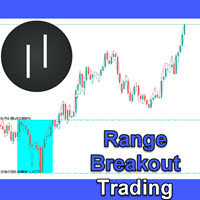
Unlike many other programs in the mql5 market this is a REAL day trading strategy. It does not use any martingale or grid functionalities and follows a logical concept. The Range Breakout Expert Advisor can be used to trade time ranges. The market often finds its direction in the morning hours and then follows this trend for the day. This expert advisor is designed to trade these trends after the morning breakout. Still you can trade all sorts of time breakouts with this program. I use the stra
I have been trading for some time now and always find it a difficulty remembering the timing of the various market opening hours at the other part of the world (especially, when it comes to daylight saving), but could not find any decent indicator online that could help. And it is for this reason that gives birth to this indicator, which I have spent much time, effort and thinking. As many already know that opening of a certain marketplace, depending on which currency pair, has an impact on the

MULTI SNIPER EA は、MT4プラットフォームで約90%の精度を誇る高精度自動取引システムです。
この収益性の高いスキャルピングEAは、現在市場で最も安定したシステムの一つです。 No grid! No martingale!
このMQL5ウェブサイトでのみ提供されるオリジナル製品です。 テストと取引用の EA Set_files をダウンロードします 。 GBPAUD Set_file GBPCAD Set_file - 複利法とスキャルピングテクニックを実装しています。 - システムは市場のボラティリティに応じて動的SLを自動的に設定します。 - EAはデフォルトで自動(ロット計算)リスク管理機能を備えており、固定ロットオプションも利用可能です。 - 取引エントリー感度パラメータを調整可能。 - 週末の取引ギャップを回避。 - 1分単位の高精度な動作時間フィルター。 - スプレッド表示機能搭載。 - ロボットには損益分岐点機能があります。 - 口座レバレッジ:1:30~1:2000の範囲で設定可能。 - 最も推奨される通貨ペアはGBPCADとGBPAUD

EA Sweet Dreamsは、独自のインジケーターをベースにしたトレンドフォロー型の取引システムです。マーチンゲールグリッド戦略を採用しています。このEAはあらゆる通貨ペアとあらゆる時間枠に適していますが、M15時間枠のxauusdなどの強いトレンドの銘柄では特に優れたパフォーマンスを発揮します。 リアルタイムの結果はここで確認できます。 個人ボーナスを獲得するには、購入後すぐにご連絡ください。 設定・マニュアルはこちら 設定 Open new series – true/false - 新たな一連の注文の始まり。 Trade Buy - EAが購入できるようにする Trade Sell - EAの販売を許可する Support manual orders – true/false – EAが手動注文を制御できるようにする Use hedge - EAが買いと売りの両方向で取引できるようにします。Falseの場合は、片方の取引方向のみ Max Orders – 許可される注文の最大量 Order Comment – システム名の説明 Start lots – 最小開始ロット

LAUNCH PROMO Limited stock at the current price!
Final price: $1999 --> PROMO: From $299 --> Tomorrow’s price: $399 Stratos Mistral is a robust forex trading robot designed for traders who value reliability, simplicity, and professional-grade performance. Powered by a proven combination of ADX, Moving Average, and High/Low Level indicators, Stratos Mistral delivers high-quality signals and fully automated trading on the M15 timeframe. It features a robust, pre-optimized configuration, ensuri

現在のプロモーション: 残り 1 個 549$ 最終価格: 999$ NEW: Choose 1 EA for free! (for 2 trade account numbers) プロモーション ブログ で「 究極の EA コンボ パッケージ」 をチェックしてください 。
LIVE SIGNAL
Bitcoin Scalp Pro は市場で唯一の取引システムです。 サポートとレジスタンスレベルのブレイクアウトを取引することにより、ビットコイン市場のボラティリティを悪用することに完全に焦点を当てています. EA の焦点は安全性にあります。これは、極端に低いドローダウンと取引の非常に優れたリスク/報酬比につながります。 EA は、ビットコインの実際の価格に基づいて、ストップロス、テイクプロフィット、トレーリングSL だけでなく、エントリーとロットサイズも計算する「スマート適応パラメーター システム」を内部で使用します。 つまり、ビットコインが 6000 または 30000 で取引されている場合、すべてのパラメーターの値が異なります。
EA は 2022 年 6 月以降、実

CRT Candle Range Theory HTF MT4. Ultimate CRT Indicator: Advanced ICT Concepts and Malaysian SnR Trading System Master the Market Maker's Footprints with the Most Advanced Candle Range Theory Indicator Unlock the true power of Smart Money Concepts (SMC) and trade precisely like the institutions with the Ultimate CRT Indicator . Built exclusively for serious traders, this indicator automates the highly effective Candle Range Theory (CRT) , a core pillar of ICT Concepts (Inner Circle Trader

Long Beach EAは、ケルトナーチャネル指標を用いてエントリーを行うトレンドフォロー型EAです。このEAは、ケルトナーチャネルの上限、中間、下限を監視します。価格が上限チャネルの境界に到達または突破すると買い、下限チャネルの境界に到達または突破すると売りを行います。上昇トレンドと下降トレンドの開始を正確に検知し、テイクプロフィット(TP)に到達するまでマーチンゲール/グリッド方式でポジションを管理します。
推奨通貨ペア:金で好成績を上げていますが、EUR/USD、AUD/USD、GBP/USD、NZ/USDなどの主要通貨ペアでも取引可能です。推奨時間足は15分足です。 設定: 開始時間 – EA の開始時間 開始分 – EA の開始分 終了時間 – EA の終了時間 終了分 – EA の終了分 ロット – 取引を開始する最初のロット 可変ロットの使用 – True/False – 資金管理を使用する True/False 0.01 ロットごとのフリー マージン – 0.01 ロットごとのフリー マージン 乗算 – 1.5 などの乗数 最大ロット – 許可される最大ロット 利

アップデート — 2025年12月 2024年11月末、Aurumは正式に販売開始されました。
それ以来、ニュースフィルターや追加の防御条件、複雑な制限なしで、実際の相場環境にて継続的に稼働してきましたが、安定して利益を維持してきました。 Live Signal (launch April 14, 2026)
この1年間のリアル運用により、トレーディングシステムとしての信頼性が明確に証明されました。
そしてその実績と統計データを基に、2025年12月に大規模アップデートを実施しました:
プレミアムパネルを全面刷新、すべての画面解像度に最適化 取引保護システムを大幅に強化 Forex Factoryを基にした高性能ニュースフィルターを追加 シグナル精度を向上させる2つの追加フィルター 最適化の強化、動作速度と安定性の向上 損失後に安全に回復するRecovery機能を搭載 プレミアムスタイルの新しいチャートテーマを採用
AURUMについて
Aurum — ゴールド(XAU/USD)専用プレミアム自動売買EA
Aurumはゴールド市場において、安定性と安全性を重視して開発されたプロ

Scalping Index Pro is a professional trading system designed specifically for fast and precise scalping on US30 and DE40 using the M1 timeframe . The system has been developed specifically for the unique behavior of major stock indices, focusing on short term price movements, rapid momentum changes, market volatility, and selective grid based trade management techniques to identify high probability trading opportunities . Scalping Index Pro is optimized for traders who prefer dynamic tra

BUY 1 and GET 1 FREE - Promotion!
Buy Pips Master PRO with a huge –60% discount and GET 1 FREE EA by your choice! Price Price: $157
(Regular Price: $397 — You Save $240!) After purchase contact me to get your GIFT EA! You can also contact me to get the list of available GIFT EAs! Empowering your forex journey with Pips Master Pro. Unleash the power of precision and profit in the dynamic world of forex trading with the revolutionary Pips Master PRO . Crafted by seasoned traders and innovative
The elite (V3) multi-indicator suite from JoaquinTrading specifically geared towards Forex & binary options, including regulated exchanges such Nadex, Cantor Exchange, and other binary option brokers.
The Probability Tool Suite Elite will provide the given win/loss outcome probabilities of up to 10 strike levels, a specific expiration duration, based on a combination of up to 16 indicators, rules, or conditions and derivative behavior (i.e. expiry, touch, touch & retrace). Using this indicato

割引は 24 時間後に終了します — 次の価格は$ 69 ZORYK — MetaTrader 4専用 XAUUSDシグナル・トレードプランニングシステム
このような経験はありませんか。
ゴールドを分析し、エントリーを待ち、ようやくポジションを持った直後に価格が逆方向へ動く。
早すぎる決済をしてしまったり、Stop Lossを動かしたり、数秒迷っている間にチャンスを逃したりする。
その後、相場は自分が最初に予想していた方向へ進み、目標へ到達する。
問題は常に方向判断ではありません。
本当の問題は、明確な計画がなかったことです。
どこでエントリーすべきか。
どこでトレードの前提が無効になるのか。
近い利益を確保すべきか、より大きな値動きを待つべきか。
現在のsetupが本当に強いのか、それとも無理にトレードを探しているだけなのか。
ゴールドは非常に速く動きます。
正しい分析でも、明確なプランがなければ数秒で悪い判断に変わることがあります。
ZORYKは、その問題を解決するために開発されました。
ZORYKとは
ZORYKは、MetaTrader 4とXAU

取引 ごとのリスクの 計算、新規注文 の 簡単 な 設置、部分的 な 決済機能 を 持 つ 注文管理、 7 種類 のトレーリングストップなど 、便利 な 機能 を 備 えています 。
追加の資料と説明書
インストール手順 - アプリケーションの手順 - デモアカウント用アプリケーションの試用版
ライン機能 チャート上にオープニングライン、ストップロス、テイクプロフィットを表示します。この機能により、新規注文を簡単に設定することができ、注文を出す前にその特徴を確認することができます。 リスク計算 リスク計算機能は、設定されたリスクとストップロス注文のサイズを考慮して、新規注文のボリュームを計算します。ストップロスの大きさを自由に設定できると同時に、設定したリスクを守ることができます。 Lot calc ボタン - リスク 計算 を 有効 / 無効 にします 。 Risk フィールドでは 、必要 なリスクの 値 を 0 から 100 までのパーセンテージまたは 預金通貨 で 設定 します 。 設定」 タブで 、 リスク 計算 の 種類 を 選択 します :「 $ 通貨」、「 % 残

プロモーションを開始: 399ドルで1部のみ入手可能 最終価格: 2000ドル この EA の販売数は限られています
市場で最も先進的な「ミーンリバース」取引ロボットである Luna AI Pro EA を使用して 、人工知能の力を解き放ち、取引を前例のない高みに引き上げましょう。 経験豊富なトレーダーと初心者の両方に対応するように設計されたこの最先端の AI 駆動システムには、取引戦略を最適化し、利益を最大化するための幅広い機能が装備されています。 Luna AI Pro を使用して、取引戦略の可能性を最大限に引き出します。 トレーディングの未来を受け入れ、高度な人工知能があなたの投資の旅に革命を起こしましょう。 今すぐ AI のパワーを体験し、世界中で成功したトレーダーの仲間入りをしましょう。
この EA が他と異なる理由: OneChartSetup -> 1 つの単一チャートからすべてのペアを実行 個別のパフォーマンス モニター: 各ペアのパフォーマンスが良くない場合はリスクが自動的に削減され、再び収益が上がる場合はリスクが再び増加します。 マーチンゲール法、グリッド法、

概要
“Akatsuki”は、1トレード平均約3時間、リカバリー重視のXAUUSDスキャルピングシステム(MT4)です。
サーバー時間の0時台(GMT+2)前後は、FX通貨ペアではスプレッドが拡大します。一方XAUUSDでは、その拡大の影響が少なく済みます。
その背景を活かし、市場参加者の薄いレンジを狙った逆張りトレードを行います。 再現性を高めるために、ロジックをシンプルにし、過剰最適化を抑えています。 XAUUSDでは、ボラティリティが大きく変化する場合があります。 独自のロジックにより、そのボラティリティに合わせて、内部パラメータが変化し適応します。 グリッド・マーチンゲール・ヘッジング全てなし、1ポジション。
リスクが限定され、パラメータもシンプルですので、システムトレード初心者にも扱いやすく配慮されています。
値動きの激しい通貨ペアでありながら、ストップロスは120pipsまで。
まずはデモで存分にお確かめください。
設置
通貨ペア | XAUUSD 時間軸 | 5分足 GMT | +2/+3(日足5本専用) MT4設定表示バー数 | 1000以上 ※任

Dynamic Forex28 Navigator - 次世代の Forex 取引ツール。 現在 49% オフ。
Dynamic Forex28 Navigator は、長年人気のインジケーターを進化させたもので、3 つの機能を 1 つにまとめています。 Advanced Currency Strength28 インジケーター (レビュー 695 件) + Advanced Currency IMPULSE with ALERT (レビュー 520 件) + CS28 コンボ シグナル (ボーナス)。
インジケーターの詳細 https://www.mql5.com/en/blogs/post/758844
次世代の Strength インジケーターが提供するもの オリジナルで気に入っていたすべての機能が、新機能と精度の向上によって強化されました。
主な機能: 独自の通貨強度計算式。 すべての時間枠でスムーズかつ正確な強度ライン。 トレンドの特定と正確なエントリーに最適です。
ダイナミックマーケットフィボナッチレベル (マーケットフィボナッチ)。 このインジケーターに固有

Expert Advisor Hamster Gold Trading is an automatic trading robot programmed with exclusive and unique algorithms. The EA is optimized for the Gold market. EA's strategy applies movement patterns along with price momentum for reliable and accurate signals. Signals are also entered using the smart momentum trap method, where Stop orders are often canceled when momentum is not reached. Trades are closed quickly by Trailing and there is always a Stop Loss to control risk. Bonus: get free 1 EA wh

One Gold EA をご紹介します。これは、Meta Trader プラットフォーム上の洗練された金取引ロボットで、高度な市場分析でトレーダーを支援するために開発されました。当社の独自のテクノロジーは、ニューラル ネットワークとデータ駆動型アルゴリズムを活用して、過去およびリアルタイムの金市場データを分析し、意思決定に役立つ洞察を提供します。従来の手動戦略とは異なり、One Gold EA は最小限の介入で動作し、取引プロセスを合理化し、関連するリスクの削減を目指しています。高度なニューラル プラグインの使用によりロボットの分析機能が強化されますが、他の取引ツールと同様に、One Gold EA は利益を保証するものではないことに留意することが重要です。ただし、より情報に基づいたデータに裏打ちされた洞察を提供することで、取引パフォーマンスを向上させる可能性を考慮して設計されています。One Gold EA は、金市場を継続的に監視して、人間のトレーダーが見つけるのが難しいパターンや傾向を検出します。このシステムはさまざまな市場状況に適応できるため、特に金取引のような非常に不安定な環

Exorcist Bot is a multi-currency, multi-functional advisor that works on any time frame and in any market conditions. - The robot’s operation is based on an averaging system with a non-geometric progression of constructing a trading grid. - Built-in protection systems: special filters, spread control, internal trading time limitation. - Construction of a trading network taking into account important internal levels. - Ability to customize the aggressiveness of trading. - Working with pending

現在40%オフ
初心者やエキスパートトレーダーに最適なソリューション!
このインジケーターは、独自の機能と新しい計算式を取り入れた、ユニークで高品質、かつ手頃な価格のトレーディングツールです。たった1枚のチャートで28の為替ペアの通貨強度を読み取ることができます。新しいトレンドやスキャルピングチャンスの引き金となるポイントを正確に特定することができるので、あなたのトレードがどのように改善されるか想像してみてください。
ユーザーマニュアルはこちら https://www.mql5.com/en/blogs/post/697384
これが最初の1本、オリジナルだ! 価値のないクローンを買わないでください。
特別な サブウィンドウの矢印で強い通貨の勢いを表示 GAPがあなたのトレードを導く! 基準通貨や気配値が売られすぎ・買われすぎのゾーン(外相フィボナッチレベル)にあるとき、個別チャートのメインウィンドウに警告表示。 通貨がレンジの外側から反落した場合、プルバック/リバーサルのアラート。 クロスパターンの特別なアラート
複数の時間枠を選択可能で、トレンドを素早く確認できます

この製品は 2026 年の市場向けに更新され、最新の MT5 ビルドに最適化されています。 価格更新のお知らせ:
Atomic Analyst は現在 $99 で提供されています。
次の 30 件の購入 後、価格は $199 に上がります。 特別オファー: Atomic Analyst を購入後、私にプライベートメッセージを送ることで、 Smart Universal EA を無料 で受け取り、Atomic Analyst のシグナルを自動売買に変えることができます。 Atomic Analyst は、リペイントなし、再描画なし、遅延なしの Price Action トレーディングインジケーターで、手動取引、シグナルの明確化、EA 自動化のために設計されています。 User manual: settings, inputs and strategy. & User Manual PDF . 価格行動、強さ、モメンタム、マルチタイムフレーム方向、高度なフィルターを分析し、トレーダーがノイズを減らし、弱いセットアップを避け、より構造化された取引判断を行えるようにします。 こ

BUY 1 and GET 1 FREE - Promotion!
Buy Infinity Trader EA with a huge –60% discount and GET 1 FREE EA by your choice! Promo Price: $217
(Regular Price: $547 — You Save $330!) After purchase contact me to get your GIFT EA! You can also contact me to get the list of available GIFT EAs! Infinity Trader EA Live Results: https://www.mql5.com/en/signals/2290275 Infinity Trader EA seamlessly integrates the strengths of Chat GPT and Gemini AI, providing unparalleled market insights and in-depth funda
Ace Supply Demand Zone Indicator The concept of supply demand relies on the quantity mismatching between buying and selling volumes in the financial market. Supply and demand zone can provide the good entry and exit. A zone is easier to trade than a line. The supply demand zone can provide the detailed trading plan and the risk management. Its ability to predict market direction is high. There are two distinctive points about Ace Supply Demand Zone Indicator. Ace Supply Demand Zone indicator was

TelegramからMT4へ: 究極のシグナルコピーソリューション Telegram to MT4 は、DLLを必要とせず、TelegramのチャンネルやチャットからMetaTrader 4プラットフォームに取引シグナルを直接コピーできる最先端のユーティリティです。この堅牢なソリューションは、比類のない精度とカスタマイズオプションにより、シグナルのシームレスな実行を保証し、時間を節約し、効率性を向上させます。 [ Instructions and DEMO ] 主な特徴 直接的なTelegram API統合 電話番号とセキュアコードで認証します。 ユーザーフレンドリーな EXE ブリッジを使用して、チャット ID を簡単に取得および管理します。 複数のチャネル/チャットを追加、削除、更新して、同時に信号をコピーします。 高度なフィルターによる信号解析 カスタム例外語 (例: 「レポート」、「概要」) を含む不要な信号をスキップします。 柔軟な SL および TP 形式 (価格、ピップ、ポイント) をサポートします。 シグナルが価格ではなくポイントを指定する場合、エントリ ポイントを自動

**推測ではなく、書籍が教えるとおりに波でトレードする。**
本インジケーターは価格構造を読み取り、エリオットの推進波(1-2-3-4-5)と修正波 (A-B-C)を自動でラベル付けし、次の波が向かう可能性の高い方向と、書籍が示すトレード 地点を表示します。A.J. フロストとロバート・プレクター著『エリオット波動原理 — 市場行動 の鍵』に直接基づき、原典に忠実です。4つの不可侵ルールを100%適用するため、有効な エリオットでないカウントは決して描画されません。
**チャート上で見えるもの** - **完成した波** — 完成した推進波 1-2-3-4-5(および A-B-C 修正波)を、ラベル付きの すっきりした線分で描画。 - **次に予想される動き** — 次の波の投影線を、陰影付きの **フィボナッチ目標ゾーン** へ。 価格が「向かうべき」方向が常に分かります。 - **書籍に基づくトレード設定** — 買い/売りの **エントリー** 、 **ストップロス** 、2つの **テイクプロフィット** の価格レベルを、リアルタイ

XGen Scalper MT4 - プロフェッショナル自動取引システム
XGen Scalperは、高度なアルゴリズム構造と実証済みのテクニカル分析を組み合わせ、あらゆる市場で一貫した結果を提供する最先端のエキスパートアドバイザーです。この強力な取引システムは、外国為替ペア、金や銀などの貴金属、暗号通貨、商品指数で問題なく動作します。
高度なアルゴリズム技術
独自の波動スキャンアルゴリズムは、市場データをリアルタイムで処理し、手動の投資家が見逃しがちな、可能性の高い取引機会を特定します。このシステムは、変化する市場の状況に絶えず適応し、トレンド、レンジ、ボラティリティの高い環境でも効果的に機能します。
ユニバーサルな互換性
特定のペア向けに設計された従来の EA とは異なり、XGen はすべての商品で優れたパフォーマンスを発揮します。
プロフェッショナルなコントロールパネル
リアルタイムの口座指標、詳細な取引統計、システムステータスを表示する洗練されたインターフェースで、取引パフォーマンスを監視します。統合された波形視覚化により、システムが市場の状況をどのように解釈し

PRO ADVANCED MULTI SCALPING EA は、完全自動のマルチペア取引システムで、非常に安全で着実な成長を遂げています。
この収益性の高いスキャルピングEAは、現在市場で最も安定したシステムの一つです。月間約60~90回の取引で運用可能です。
テストと取引用のEA設定ファイルをダウンロードしてください: USDCHF Set_file GBPCHF Set_file GBPCAD Set_file GBPAUD Set_file EURCHF Set_file EURCAD Set_file EURAUD Set_file AUDCAD Set_file
EAの特徴: - 調整可能なボラティリティ - 適応型ストップロス - 固定ストップロスオプション - システムは安全で、グリッドやマーチンゲール法などの危険な手法は使用していません。各注文には、アカウント保護のための独自のストップロスが設定されています。 - このEAは非常に使いやすく、FXのプロと初心者の両方が使用できます。 - ロボットがすべてを自動的に実行します。必要なのは、適切なリスク(デフォルト