Point of Control Breakout Buy Sell Signal

5

================================================================================

POC BREAKOUT - V20.72. Full Professional Grade Toolkit

================================================================================

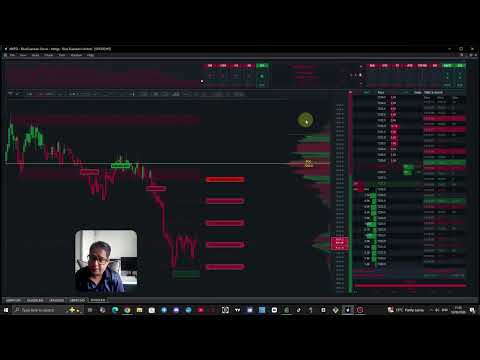
POC Breakout is a full MetaTrader 5 trading dashboard for discretionary traders who want breakout signals,

Point of Control (POC) context, volume profiles, order flow, market structure, news, alerts, and advanced trade planning in one professional workspace.

Attached directly to your chart, it replaces a stack of messy indicators with a unified, visual custom trading screen.


IMPORTANT- PLEASE READ THE USER GUIDE FULLY TO UNDERSTAND THE EA AND ITS FEATURES

https://www.mql5.com/en/blogs/post/771376


--------------------------------------------------------------------------------

PAIRS AND TIMEFRAME

--------------------------------------------------------------------------------

TIME FRAME - 5 MINUTES 

INSTRUMENTS- XAUUSD, GBPJPY, DE40, NAS100, SP500, WTI

Recommended Take Profit Level 1.

User Manaul:  Attached in the comments section - IMPORTANT


DEMO USERS - PLEASE SELECT EVERY TICK / REAL TICK WHEN TESTING AND YOU HAVE DOWNLOADED HISTORICAL DATA. IF YOU SEE A WAITING SCREEN AND IT IS NOT DOWNLOADING, IT MEANS YOU HAVE LOW HISTORICAL DATA. TRY 1 MIN AND 5 MIN FIRST ON 1 DAY DATA. ONE DAY DATA SHOULD BE THE NEWEST AND MOST CURRENT DATE. PLEASE WAIT UNTIL THE MARKET HAS ROLLED OVER PERIOD.


--------------------------------------------------------------------------------

1. TOP HEADER & MARKET SNAPSHOT AREA

--------------------------------------------------------------------------------

The top header provides an immediate, compact read of the market context before you analyze individual candles:

• Symbol, current price display, and daily change with directional theme coloring.

• Bullish / Bearish / Neutral session bias labels alongside separate MA100 and MA200 status reads.

• Cumulative delta read and session flow/pressure context.

• Master UI Layer Toggle: Top-left master switch to quickly hide or restore all main UI panels.

• Mini Session Chart: Built-in visual tracker showing if price is pushing, ranging, or pulling back.

• Higher Timeframe (HTF) Analysis: 5 trend boxes showing larger trend alignment to prevent trading directly into HTF resistance.

• Indicator Status Boxes: 8 sci-fi equalizer-style boxes detailing technical context (MA, VWAP, RSI, MACD, CCI, ATR, SuperTrend, ADX) for fast confirmation scanning without cluttering the screen.


--------------------------------------------------------------------------------

2. TOP TOOL STRIP & FLOATING PANELS

--------------------------------------------------------------------------------

A compact tool strip allows you to instantly open or minimize specialized floating analysis modules:

• Profile Tools: Quick access buttons for Volume Bars, Session Volume Profile, and Session TPO.

• Analyst Panels: Toggle buttons for Volume Profile Analyst, Intraday Analyst, Market Context, Market Structure, and Indicator Suite.

• Order Flow Suite: Dedicated buttons for Big-Order Flow, Pressure Gauge, Orderflow Pulse, and Trade Stats[cite: 10].

• Chart Overlays: Toggle controls for London ORB, Divergence tool, Trendlines, Price Alerts, and MA/VWAP overlays[cite: 10].


--------------------------------------------------------------------------------

3. MAIN CHART, CUSTOM CANDLES & BREAKOUT SIGNALS

--------------------------------------------------------------------------------

The main workspace replaces native MT5 clutter with a highly responsive, custom visual design:

• Custom Charting: Theme-aware candle colors, price badge (with optional pips display), and an integrated right-side price ladder with bid/ask line controls.

• Advanced Chart Controls: Candle count adjustments, range padding, right-side gaps, auto-range behaviors, and manual compression tools.

• Direct Breakout Signals: Prints clear BUY/SELL breakout labels on the chart alongside exact Entry, SL, and TP1/TP2/TP3 target ladders.

• Signal Engine Features: Features an adjustable Confluence Score requirement for strict filtering, optional repeat same-direction signals, and live candle delta. Signals persist across timeframe changes.

• Supply & Demand Zones: Displays dynamic supply/demand zones with configurable opacity, volume filtering, and ATR-based widths.

• Market Structure Overlays: Highlights swing structure, break-of-structure (BOS) reads, structural gaps, liquidity sweeps, and active market regimes (trending/ranging).


--------------------------------------------------------------------------------

4. VOLUME PROFILE & TPO AUCTION ANALYSIS - KEY FEATURE

--------------------------------------------------------------------------------

• Session Volume Profile: Tracks value distribution with stable levels for Point of Control (POC), Value Area High (VAH), and Value Area Low (VAL)[cite: 17]. Offers Total Volume, Delta, and Buy/Sell split view modes.

• Volume Profile Analyst Panel: Features a manual scanner that classifies profile shapes (P-shape, b-shape, B-shape/Double Distribution, D-shape/Balanced Auction). Includes a built-in Pattern Field Manual card, auction story text, trade guides, and metrics for aggression, absorption, or exhaustion.

• Session TPO Panel: Displays time-at-price distribution using customizable slot minutes to identify where time is being accepted.


--------------------------------------------------------------------------------

5. ORDER FLOW, DOM & TIME & SALES TAPE - KEY FEATURE

--------------------------------------------------------------------------------

• Depth of Market (DOM) Panel: Provides a live order-book view showing resting Bid/Ask sizes with flash states for recent activity, depletion, and refills.

• DOM Traded-Volume Columns: Features VPS (sell-side volume profile) and VPB (buy-side volume profile) columns, a separate Delta column, and Total Volume tracking to distinguish executed transactions from resting liquidity.

• Time & Sales: Real-time scrolling tape classifying aggressive Buy, Sell, and Neutral prints, fully compatible with the Strategy Tester.

• Large Flow Trackers: Prints big order text markers, whale order vertical beams, and heavy buying/selling cluster labels directly on the chart.

• Order Flow & Orderflow Pulse: Includes a bottom visual flow histogram (by age), DOM heatmaps, imbalances, and a floating single footprint candle panel highlighting short-term buyer/seller pressure build-ups.

• Cumulative Delta & Gauges: Tracks session-wide cumulative delta alongside a togglable bottom Bulls/Bears pressure gauge.


--------------------------------------------------------------------------------

6. SPECIALIZED ANALYST PANELS & TRADING TOOLS - KEY FEATURE

--------------------------------------------------------------------------------

• Signal Analyst Panel: Grades setups using an A-F rating system. Monitors print-time snapshots vs. live updates, retest quality, signal freshness, entry stretch, and alignment with VAH/VAL/VWAP.

• Intraday Analyst & HTF Levels: Displays path summaries, Multi-Stage intraday targets, invalidation lines, reversal potentials, and key higher-timeframe price references.

• London ORB Visual Tool: Displays an editable Opening Range Breakout box with a three-tier target layout, profit zones, customizable box size safety filters, and adjustable risk factors.

• Fundamentals / News Panel: An economic calendar directly on your chart. Lists upcoming events for broker-day, dims events past 3 hours, and automatically filters out old news.

• Trade Stats Panel: Backtests signal history on your current chart to reveal actual hit rates for TP1, TP2, and TP3 targets.

• Multi-Channel Alert System: Instant terminal alerts, optional audio WAV files, and mobile push notifications for new signals, SL hits, and individual TP targets with built-in retrace protection. Includes a draggable manual price alert line.

• Advanced Chart Tools: Interactive Trendline tools with angle adjustments and a Divergence tool for identifying regular bullish/bearish RSI deviations.

• MA / VWAP Tool: Interactive floating panel allowing users to overlay up to three customized Moving Averages and a session VWAP curve.


--------------------------------------------------------------------------------

7. RISK MANAGEMENT, TRADE PANELS & PROP FIRM FEATURE 

--------------------------------------------------------------------------------

• Trade Manager 2: Comprehensive risk management panel. Supports manual lot entries or exact account risk percentage calculation. Tracks R-multiples, profit/loss visual gauges, trade duration age, partial close actions, and features automated break-even buttons alongside a startup spread guard[cite: 32].

• Custom Order Tool: Visually plan structured manual multi-target trades before execution. Features drag-to-place lines for entry, SL, and split-volume targets (TP1) with active risk/reward ratio previews.

• Prop Firm Guard Features: Protects challenge accounts via strict risk-limiting controls. Input starting balance, target targets, and maximum total/daily loss or profit thresholds. Includes an account-wide close helper that acts as an emergency buffer safeguard.


--------------------------------------------------------------------------------

8. VISUAL CUSTOMIZATION & STRATEGY TESTER

--------------------------------------------------------------------------------

• Tailored Aesthetics: Choose from 29 built-in color themes, 26 floating panel skins, dark/light modes, customizable typography (mono/standard), custom text sizes, grid layout densities, and precise UI positioning (X/Y coordinates).

• Strategy Tester Visual Mode: Fully functional inside the MT5 Strategy Tester. Generates DOM order book sequences and Time & Sales behavior when live broker data is absent, making it an excellent environment for paper trading and offline practice.


--------------------------------------------------------------------------------

BUYER NOTES & DISCLAIMER

--------------------------------------------------------------------------------

• This software functions strictly as an interactive dashboard and analytical assistant; all order execution parameters remain under direct user control.

• Order book quality and news availability depend directly on your specific MT5 broker's feed support. Always thoroughly test settings inside a demo account or the Strategy Tester prior to live capitalization.


RISK DISCLAIMER: POC Breakout Analyst is an analysis and dashboard tool first. Its BUY / SELL / WAIT outputs are signals, 

not financial advice, and no signal, grade or confidence read is a guarantee of any particular outcome.

Trading leveraged instruments such as forex, indices, metals, energies and crypto carries a substantial risk of loss 

and is not suitable for every investor. You can lose more than your initial deposit.

Past performance — whether live, demo or from the Strategy Tester — does not guarantee future results, and backtest behaviour 

can differ materially from live trading due to spread, slippage, liquidity, latency and broker conditions.

You are solely responsible for your own trading decisions, risk and money management, 

and for complying with the rules of your broker or prop firm. 

Always test thoroughly in the Strategy Tester and on a demo account before committing real capital, 

never risk money you cannot afford to lose, 

and do not enable order entry until you fully understand the trade-management settings in Chapter 10. 

If in doubt, seek advice from an independent, licensed financial professional. 

By using this software you accept that the author and AJ Trading Tools accept 

no liability for any loss or damage arising from its use.


================================================================================

SETTINGS, UPDATES AND CUSTOMER SERVICE

================================================================================

Please read the full Poc Breakout Manual for a thorough guide to setting it up and familiar yourself with the ui and what each component does.

Screen resolution is ideal for 1920 x 1080 but have presets for higher resolution and custom resolutions.

Hardware must be decent and a recent cpu and gpu for rendering and calculations.

Updates are frequent 

For customer service, please reach out with any issue providing the order number, a screenshot and a summary of the issue.


IMPORTANT- IF YOU LOSE INTERNET/SHUT YOUR PC/LAPTOP, YOU MUST REATTACH THE EA FOR CALCULATIONS AGAIN.


レビュー 8
tinus.schoeman
281
tinus.schoeman 2026.08.27 20:48 
 

Very informative and accurate. Well done, Abdul.

Celal Yazici
797
Celal Yazici 2026.08.27 13:01 
 

It’s an amazing panel; I’m using the 3-minute version and find it very useful—I definitely recommend it. The only thing is that the FVG bars need to be extended; I’d appreciate it if you could widen them.

Shine Scariah Thaiparampil Varkey Scariah
1578
Shine Scariah Thaiparampil Varkey Scariah 2026.08.27 10:01 
 

Professional and valuable tool. You should consider increase the activations to at least 12. With every windows upgrade the license no more is valid.

おすすめのプロダクト
Hybrid Assisted Trading Engine Manual Trading. Machine Discipline. The Hybrid Assisted Trading Engine is an institutional-grade manual trade management system designed to protect traders from emotional mistakes — without taking control away from them. You decide when to enter . The engine decides how the trade is managed . What It Does This system continuously monitors your manual trades and enforces professional-level trade management rules in real time: Smart Breakeven logic R-based trai
Atlas Trade Desk MT5 Atlas Trade Desk MT5 is a visual trade panel, risk manager and lot calculator for manual MetaTrader 5 traders. Plan market and pending orders directly on the chart, calculate position size from your selected risk, adjust Entry, Stop Loss and Take Profit visually, and manage open positions from one clean dashboard. The tool is built for discretionary traders who want faster order preparation, clearer risk control and safer position management without switching between multipl
Profit return — an Expert Advisor for funds trading ( SFP ). I previously used this trading idea in manual trading. The core of the strategy is a return of price to the Bollinger Bands range, but not blindly and not on every touch. For the fund market, bands alone are not enough, so the EA uses additional filters that eliminate weak and non-working market situations. Trades are opened only when the return logic is truly justified.
AURUM AEGIS — Multi-Strategy XAUUSD Breakout System A disciplined, long-term breakout system for Gold (XAUUSD), built around five independent breakout modules and a layered risk-management suite. Overview AURUM AEGIS trades XAUUSD using five independent breakout strategies, each executed through pending Buy Stop / Sell Stop orders placed at real market levels — never through martingale lot progression, and never as a fixed-interval grid. Each module operates on its own timeframe and its own logi
SuperAgent v7.0 Diamond Pro - 定量的スコアリングとダイナミックリスク 説明: SuperAgent v7.0 Diamond Proは、高度なPython金融アルゴリズムをMT5用に忠実に移植したプロフェッショナルなエキスパートアドバイザー(EA)です。 定量的スコアリングエンジン と ダイナミックリスク管理 を組み合わせ、機関投資家レベルのポートフォリオ管理を実現します。 主な特徴: 多層決定エンジン:   「低遅延シグナル処理」「トレンドバイアス確認」「モメンタムスコアリング」の3つの次元で市場を評価します。 Auto-Lot(ダイナミックリスク):   余剰証拠金に対するリスクの割合に基づいてロット数を自動計算し、「資金不足」エラーを防止します。 StopLevel Guard:   ブローカーの「ストップレベル」と「フリーズレベル」をリアルタイムで監視。SLおよびTPを自動的に正規化し、ブローカーの制限を遵守します。 プロアクティブ・マージンチェック:   注文実行前に必要証拠金を計算し、残高不足の場合はログを汚さずにトレードをスキップします。
KILL ZONE HUNTER Institutional Kill Zone, Market Structure & Fair Value Gap Trading EA for MT5 Overview KILL ZONE HUNTER is a professional-grade MetaTrader 5 Expert Advisor engineered around Institutional Smart Money Concepts (ICT / SMC) , with a primary focus on Kill Zone trading , Market Structure , and Fair Value Gap (FVG) execution . This EA is designed to systematically hunt high-probability trades during institutional trading windows (Kill Zones) , where liquidity, volatility, and directio
Stop guessing and start executing with precision. Learning complex trading methodologies takes years of screen time—until now. The Propfolio Strategy Mentor OS is an elite, on-chart analytical dashboard that acts as your live digital trading mentor. It doesn't just draw lines on your chart; it actively scans the market, identifies high-probability setups across 8 different institutional strategies, and tells you exactly what to look for in real-time via the Live Mentorship Terminal. Whether you
Automatice sus estrategias comerciales con nuestra sencilla herramienta de creación de estrategias "similar a un rompecabezas".   Cree fácilmente estrategias que operen por usted en modo de piloto automático.   También puede cargar estrategias creadas por otras personas, como la clásica   Estrategia Martingala,   para usarla como muestra para su propia estrategia. Características clave Cree su estrategia a través de funciones simples de arrastrar y soltar, sin necesidad de conocimientos de pro
MasterEA MT5 Premium – Professional Copy Trade Sender One Purchase. Unlimited Possibilities. MasterEA MT5 Premium is a professional MT5 trade broadcasting solution that instantly sends your trading activity to one or multiple receiving accounts. Buy only the Master EA. SlaveEA MT5 Premium (Trade Receiver) is included FREE with your purchase. No additional payment is required for the Receiver EA. What Can Be Copied? MasterEA automatically broadcasts: Market Buy Orders Market Sell Orders
KS PropFirm and Broker Dashboard Pro:プロップファームの課題をクリアするための究極のコンプライアンス・ガーディアン 高精度モニタリングでプロップファームでの取引をレベルアップ!高額なプロップファームの課題に直面する中、コンプライアンス遵守のためにスプレッドシート、電卓、手動チェックに追われる日々はもう終わりにしませんか?KS PropFirm and Broker Dashboard Proは、FTMO、MyForexFunds、The5%ersなどのプロップファームで取引を行う真剣なトレーダーのために設計された、オールインワンのMT5ユーティリティです。この軽量ダッシュボードは、アカウントの状態をリアルタイムで把握し、高額な違反を防ぐためのルールを自動的に適用します。EAやターミナルの動作速度を低下させることなく、課題をより迅速にクリアし、よりスマートに取引を行い、資金提供を受けたアカウントを自信を持って活用できます。 KS PropFirm Dashboardを選ぶ理由:プロ仕様の機能 シームレスなマルチファーム対応:14社以上の主要プロッ
️ Trade Manager oneclick  ( Reverse Trade,  Partial Close,  Breakeven, Close All Running Trade )   control – Smart Manual Trade Control for MT5 Trade Manager oneclick control is a powerful yet lightweight trade management utility built for manual traders who want precise control over their open positions — directly from the MT5 chart. This EA does not open or close trades automatically based on any strategy. It simply provides one-click management tools to handle your running trades efficient
FREE
️ Discover the powerful Trade Manager for MetaTrader, a tool that will revolutionize your trading experience in the financial market. This innovative software provides you with efficiency and speed, allowing you to execute all your trades quickly and visually. ️ With just a click of a button, the Trade Manager creates three strategic lines: a blue line for order placement, a green line for take profit, and a red line for stop loss. These lines offer you a clear focus and enable you to manage
Master Editionは、ボリュームとマネーフローの視点を通じて市場構造を可視化するために設計されたプロフェッショナルグレードの分析ツールです。標準のボリュームインジケーターとは異なり、このツールはチャート上に日足ボリュームプロファイルを直接表示し、価格発見がどこで行われたか、そして「スマートマネー」がどこに位置しているかを正確に確認できます。 このMaster Editionは、明確さとスピードを考慮して設計されており、ロード時にチャートレイアウトを即座に美化するユニークな自動テーマ同期システムを備えています。 主な機能: 真のマネーフロー計算: 標準のティックボリュームを超えます。「Use Money Flow」を有効にすると、ボリュームは価格によって重み付けされ、特定の価格レベルでの実際の資本コミットメントが明らかになります。 バリューエリア (VA) の可視化: バリューエリア(デフォルトではボリュームの70%)を自動的に計算します。 VA Fill: コントロールゾーンを即座に識別するために、バリューエリアの背景をシェーディングします。 主要レベル: コントロールポイン
If you would like a free 7-day trial with full access to all features, send me a private message on MQL5 and I will walk you through how to get the complete evaluation version. Manzano Market Intelligence Matrix Every trade is shaped by far more than the chart in front of you. Currency strength, asset correlations, market session, and overall portfolio exposure all influence any decision you make. Manzano Market Intelligence Matrix was built to deliver exactly that kind of context — all from a s
Introducing the  Precision Data Extractor: ATR , an MQL5 utility crafted for traders, analysts and quants who need accurate historical data to build robust datasets. This tool lets you selectively pull historical price and indicator data—  Average True Range  ( ATR )—from  multiple timeframes  and  periods , then stores it in a  CSV  format, making it easy to feed into  machine learning models ,  trading algorithms , or  in-depth market analyses . Compatible with  Forex ,  Stocks , and  Commodit
80% from database analysis, 20% use brokers' data, always do not rely on brokers' data all the time. This is one of the concepts to create our database products. Concept of PenataQ EA: PenataQ EA is a fully automated trading system that operates without the need for any user input. The system employs a simple yet effective trading strategy that does not involve the use of a martingale approach. However, the most critical aspect of the system's development was determining when, why, and how it
Spread Costs refers to the amount of the loss caused by the spread, and Swap Benefits refers to the amount of the income gained by overnight positions. Spread Costs is an important indicator for short-term traders, especially for scalping traders, and Swap Benefits is an important indicator for long-term traders. Since the spreads and swaps on the MetaTrader 5 platform are all expressed in points, we need to convert it into the amount expressed in the account currency. This tool can display the
Demarker pullback system - is the manual trading system for choppy markets. It show 2 colored histogram.  When histogram is blue - market is quite bullish, when histogram ir orange - market is more bearish. Up arrow is plotted when histogram is in oversold zone but blue color. Down arrow is plotted when histogram is in overbought zone but orange color. These patterns shows false breakout and possible soon reverse(price is overbought but shows bearish signs and price is oversold but shows bullis
Rosy Pro Panel MT5
Theresia Yovitha Herwanda
5 (1)
Download DEMO here  https://www.mql5.com/en/blogs/post/759772 An ultimate panel you've never seen before.  Compact and nice Trade panel with large Total P/L and it's percentage display. Groups for trades summary available: Ticket, Symbol, Type, Category, and Magic. Average price field helps you know your trading average price and direction. Set magic and comment of your trading in a very easy way. Group closing by symbol, type, category or magic - only by one click. Close All button for a quick
Seconds Scalper Pro
Cristhian Alexander Gaibor Cuasquer
Seconds Scalper Pro 在 MetaTrader 5 中生成 1 到 60 秒的实时图表,并将完整的交易面板集成在同一个工具内。一个产品。您分析的图表就是您交易的图表。 大多数秒图工具只给您图表。要下单,您还得安装第二个独立工具并在窗口之间切换。Seconds Scalper Pro 不是这样。秒图和完整交易面板是同一个产品——无需添加,无需额外购买。 为什么需要这个工具 在 MetaTrader 5 上进行一分钟以下的交易从来都不简单。平台只显示分钟和小时图,而大多数秒级工具不允许直接从该图表交易。Seconds Scalper Pro 将真实 tick 秒图与可移动交易面板合二为一,让您在同一位置观察行情并执行下单,精准且零延迟。 这不是预测价格的指标,也不是承诺盈利的信号系统。它是一款可视化与执行工具,专为需要在一分钟以下观察并交易市场的交易者设计。 一个工具搞定一切——无需单独购买 直接从经纪商 tick 流构建的实时 K 线,无延迟、无卡顿。 完整交易面板集成在同一图表,无需安装第二个工具。 可移动面板:抓住标题栏即可放到任意位置。 图表带历史诞生:K 线从
Initial Balance Session  The Initial Balance Indicator is a professional-grade tool for MetaTrader 5 traders, designed to enhance your trading by visualizing key price levels during the Australia, Tokyo, London, and US market sessions. This indicator plots the Initial Balance (IB) range—the high, low, and midpoint prices—formed during the first hour of each session, with a customizable box to highlight the range and optional extension levels for advanced analysis. Optimized for smooth, flicker-f
Quant Panel
Kevin Craig E Gittins
QUANT PANEL Independent per-algo analytics, protected MT5 history and professional PDF reporting Quant Panel is built for traders who run several Expert Advisors or strategies on one MT5 account and need to know how each algo is actually performing. Instead of treating the terminal as one combined portfolio, Quant Panel groups closed positions by EA comment or magic number and calculates every strategy independently. It gives you one clear dashboard for comparing algos, finding weak systems and
Smart Money Guardian The Ultimate Trade Manager & Equity Protection Expert Transform your manual trading with professional-grade discipline. Smart Money Guardian is not just a tool; it is your "Digital CEO" that manages every trade with mathematical precision, protecting your capital from emotional decisions and unexpected market volatility. ️ Why Choose Smart Money Guardian? Most manual traders fail due to a lack of exit discipline and poor risk management. This EA solves that by automating
RADAH Dashboard is an advanced performance analytics utility for MetaTrader 5, designed to transform your account history into a clear, organized and interactive trading performance overview. It does not open, modify or close trades. Its purpose is exclusively analytical, allowing you to review the performance of the entire account, a specific symbol, or a strategy identified by its Magic Number. Chart View Visualize your trading performance through an integrated balance/equity performance c
FREE
Footprint Visual Order flow footprint chart, drawn directly in the main window, sharing the real price scale of your candles. Short description (for the Market listing) Footprint Visual draws a real bid/ask footprint — buy and sell volume per price level, POC, Value Area and net delta — for each of the most recent bars, right next to your candles. Built on genuine volume_real tick data (not tick-count approximations), it works on any symbol whose broker feed reports real trade volume, and is tun
Visual Heatmap Book Analyser This indicator monitors the market liquidity and generates colors based on order patterns, quantities, and renewal activities in the book. This allows you to visualize the order flow and identify areas of high and low liquidity and activity. The indicator uses machine learning techniques to analyze the order behavior in the book, enabling it to detect patterns and trends in orders, allowing you to make informed decisions about your trading operations. The color pale
Aegis XAU Extreme Edition Overview Aegis XAU Extreme Edition is a trend-following Expert Advisor designed exclusively for XAUUSD M1 . Rather than trading throughout the entire day, it focuses only on carefully selected trading sessions identified through extensive historical testing. By avoiding statistically unfavorable hours, the EA aims to improve overall trading efficiency while maintaining consistent long-term performance. The strategy combines: EMA Trend Filter EMA Pullback Entry ADX Tr
Golden Full Moon
Taweesup Buengkitcharoen
NO GRID | NO MARTINGALE | NO AVERAGING | HARD STOP LOSS ON EVERY TRADE Golden Full Moon EA — Pure Structure Breakout System for XAUUSD Most Gold EAs rely on fixed session windows — waiting for a specific clock time to place orders. Golden Full Moon is different. This EA reads Gold's own price structure to find breakout levels. No fixed session windows. No clock dependency. When the market forms a confirmed pivot structure, the EA acts — whether that happens at 2 AM or 2 PM. The result: an EA tha
Iron Duke EA – Precision Mean-Reversion for Correlated Currency Pairs Unlock intelligent automation and consistent performance in one streamlined solution. Iron Duke is a sophisticated, fully automated trading system built around a proven mean-reversion strategy. Expertly designed for correlated currency pairs like AUDCAD, AUDNZD, EURUSD, and EURGBP , it detects exaggerated market movements and strategically positions trades to profit from the natural return to equilibrium. Get 4 trading strate
XAUUSD/M5/EA Launch Price: $149 Price will increase after the first 10 customers. No Grid / No Martingale    Adaptive Session Trading for MetaTrader 5 Important Before Testing This Expert works only during specific market sessions and conditions. Give it enough time to show its real performance. VPS is mandatory. Keep the Expert running and let the strategy work. The built-in panel shows progress, conditions, trades and risk management. Designed to help traders approach strict prop-firm challen
このプロダクトを購入した人は以下も購入しています
Farmed Hedge Yield Farming | All Markets (Manual - Hybrid - Semi/Automated EA) VERIFIED TRADING RESULTS - Farmed Hedge Yield Axi Copy:  https://www.mql5.com/en/signals/2356376 - Farmed Hedge Yield Exn Copy:   https://www.mql5.com/en/signals/2356404 - Farmed Hedge Yield V Copy:  https://www.mql5.com/en/signals/2357156 IMPORTANT NOTICE: FarmedHedge is a MANUAL-FOCUSED TRADING UTILITY ,not a fully automated EA. Results shown on this Signal include manual trades and overall strategic management.
EA Overfitter
Stephen J Martret
5 (1)
That backtest looks great. But will it still be making money tomorrow, next week, next month? EA Overfitter re-runs your EA on 100 price histories it has never seen. One score tells you if the edge is real. A backtest tells you what an EA did on one price history — the one that happened to occur. What you cannot tell from it is how much of that result was the strategy and how much was the particular path. EA Overfitter answers that. It builds up to 100 synthetic price histories your EA has n
Footprint Chart Pro — Professional OrderFlow EA for MetaTrader 5 Version 6.34 | Professional tool for real traders | Institutional-Grade Visualization DEMO USERS - PLEASE SELECT EVERY TICK / REAL TICK WHEN TESTING AND YOU HAVE DOWNLOADED HISTORICAL DATA. IF YOU SEE A WAITING SCREEN AND IT IS NOT DOWNLOADING, IT MEANS YOU HAVE LOW HISTORICAL DATA. TRY 1 MIN AND 5 MIN FIRST ON 1 DAY DATA. ONE DAY DATA SHOULD BE THE NEWEST AND MOST CURRENT DATE. PLEASE WAIT UNTIL THE MARKET HAS ROLLED OVER PERIOD.
Prop Firm Os
Gayathiri Gopalakrishnan
5 (1)
PROP FIRM OS Structured Trading Assistant for MetaTrader 5 PROP FIRM OS is a structured trading assistant designed for MetaTrader 5 users who prefer rule-based market analysis and organized trading workflows. The Expert Advisor combines market analysis tools, scanner functions, dashboard monitoring, alerts, risk-control settings, and trade management features inside one system. PROP FIRM OS is designed to help traders follow selected rules, filters, and monitoring conditions during trading activ
The product will copy all telegram signal to MT5 ( which you are member) , also it can work as remote copier.  Easy to set up, copy order instant, can work with almost signal formats, image signal,  s upport to translate other language to English Work with all type of channel or group, even channel have "Restrict Saving Content", work with  multi channel, multi MT5 Work as remote copier: with signal have ticket number, it will copy exactly via ticket number. Support to backtest signal. How to s
AI Agent Supervisor is NOT an Expert Advisor. AI Agent Supervisor   is a   multi-agent AI risk & portfolio supervisor   that watches every EA on your account and intervenes in real time.  WANT AN AI PORTFOLIO MANAGER WATCHING YOUR FLEET 24/7?   Run your fleet on the same brokers I do:   IC MARKETS , IC TRADING   .  Unlike the centralized stock market, Forex has no single, unified price feed.  Every broker sources liquidity from different providers, creating unique data streams. The Supervisor r
YuClusters
Yury Kulikov
4.93 (43)
Attention: You can view the program operation in the free version  YuClusters DEMO .  YuClusters is a professional market analysis system. The trader has unique opportunities to analyze the flow of orders, trade volumes, price movements using various charts, profiles, indicators, and graphical objects. YuClusters operates on data based on Time&Sales or ticks information, depending on what is available in the quotes of a financial instrument. YuClusters allows you to build graphs by combining da
Copy your MT5 trades to Interactive Brokers You keep using MT5. Every order you open or close is sent to your IB account. In real time. No coding. No changes to your strategy or EA. Try it first Rent 1 month: $30. Test on a live or paper account. What it does Real-time copying: same direction, reverse, or one side only. Map any MT5 symbol to any IB symbol. Set a lot ratio for each. Forex, Futures, Stocks, CFDs, Metals and Crypto. Position sync: both accounts checked, any difference fixed. Optio
FUTURES ORDERFLOW FOOTPRINT CHART Professional OrderFlow EA for MetaTrader 5 Version 1.01| Professional tool for real traders | Institutional-Grade Visualization STRATEGY TESTER USERS - PLEASE SELECT EVERY REAL TICK WHEN TESTING AND YOU HAVE DOWNLOADED HISTORICAL DATA. IF YOU SEE A WAITING SCREEN AND IT IS NOT DOWNLOADING, IT MEANS YOU HAVE LOW HISTORICAL DATA. TRY 1 MIN AND 5 MIN FIRST ON 1 DAY DATA. ONE DAY DATA SHOULD BE THE NEWEST AND MOST CURRENT DATE. PLEASE WAIT UNTIL THE MARKET HAS ROL
Quant AI Agents are independent trading Expert Advisors. Instead of trading using a fixed strategy like other conventional EAs, Quant AI Agents   is a   multi-agent AI trading framework   that turns natural-language strategy prompts into live.  WANT THE SAME RESULTS AS MY LIVE SIGNAL?   Use the exact same brokers I do:   IC MARKETS , IC TRADING   .  Unlike the centralized stock market, Forex has no single, unified price feed.  Every broker sources liquidity from different providers, creating un
Custom Alerts AIO:マルチマーケット監視を一括で実現 — 設定不要ですぐに使えるインテリジェントツール 概要 Custom Alerts AIO は、追加のインジケーター設定が不要で、インストール後すぐに利用できる高機能マーケットスキャナーです。FX Power、FX Volume、FX Dynamic、FX Levels、IX Power を内部にすべて統合し、主要なすべての資産クラス(為替、金属、指数、暗号資産)を一括監視できます。MetaTrader の仕様により、株式は個別のシンボルとして追加可能ですが、一般的には利用頻度は低めです。 1. なぜ Custom Alerts AIO を選ぶべきか 追加ライセンス不要 • 必要なすべての Stein Investments インジケーターが内蔵されており、すぐに使用可能です。 • チャートに表示されるグラフィックは省略されており、アラート生成に特化した構成です。 市場を広範囲にカバー • 為替、金属、暗号資産、株価指数に対応(株式は手動追加可能)。 • シンボル名を入力する必要はなく、プロパティで資産クラス
Global Investing FX Terminal
Santiago Nicolas Pla Casuriaga
5 (1)
Global Investing FX Terminal は、MetaTrader 5 向けのオールインワン FX ダッシュボードです——中央銀行政策金利、CFTC COT ポジション、キャリーランキング、経済サプライズ、オプションスキュー、リテールセンチメント、相関まで、合計 13 のアナリティクスパネルを、ちらつきのない単一キャンバス上に表示し、単一の EA から 10 秒ごとに更新します。外部ソフトウェア不要です。 プロの FX 分析には、通常は別々のプラットフォームに分散しているデータへの同時アクセスが欠かせません。レートデリバティブ、政府統計ポータル、ブローカーのスワップ仕様、オプションデスク——このEAはそれらすべてを、実際に売買判断を下すトレーディングターミナルの単一画面に集約します。 ダッシュボードの表示内容 マーケットオーバービュー FX ペアテーブル — G10 全 28 ペアに加え、ブローカーの Market Watch に NOK/SEK クロスが存在する場合はそれも含めた最大 36 ペアのリアルタイム Bid/Ask。各行にはスプレッド、日次・週次変化、pip
Trading Chaos Expert
Gennadiy Stanilevych
5 (11)
This software has no equals in the world and represents a universal trade "console" covering trading signals, automated market entry, setting of Stop Loss and Take Profit, as well as Trailing Profit for multiple trades at the same time in a single open window. Intuitive control of the Expert Advisor in "three clicks" ensures a comprehensive use of all its functions on different computers, including tablets PCs. Interacting with additional signal indicators that mark the chart to give a real mark
EASY Insight AIO – スマートで手間いらずな取引のオールインワンソリューション 概要 数秒で市場全体——FX、ゴールド、暗号資産、指数、さらには株式まで——を、手作業のチャート確認や複雑なセットアップ・インジケーター導入なしにスキャンできたらどうでしょうか? EASY Insight AIO はAIトレードのための究極のプラグ&プレイ型エクスポートツールです。市場全体のスナップショットを、クリーンなCSVファイルで一括出力。ChatGPT、Claude、Gemini、Perplexityなど、さまざまなAIプラットフォームで即座に解析できます。 ウィンドウの切り替えやグラフのごちゃごちゃしたオーバーレイはもう不要。自動エクスポートされる純粋で構造化されたインサイトだけで、無駄なチャート監視に悩まされず、スマートなデータ主導の判断に集中できます。 なぜEASY Insight AIOなのか? 本当のオールインワン • セットアップ不要、インジケーターのインストール不要、チャートへのオーバーレイ不要。インストールして起動し、エクスポートするだけです。 マルチアセット対
TradePad
Ruslan Khasanov
5 (1)
TradePad は、手動取引とアルゴリズム取引の両方に使用できるツールです。複数の取引商品での迅速な取引操作とポジション管理のためのシンプルなソリューションを提供します。 注意: アプリケーションは戦略テスターでは動作しません。 デモアカウント用のアプリケーションの試用版とすべてのツールの説明 アプリケーション インターフェイスは高解像度のモニターに適応しており、シンプルで直感的です。快適な作業のために、トレーダーには次のツール セットが提供されます: 取引操作の管理、メイン チャートの期間の切り替え、TradePad 商品の切り替えを行うホット キー マネージャー。 ポジションを開くときや保留中の注文を設定するときに、ドローダウンのリスクを評価し、潜在的な利益を計算するために取引レベルをマークするツール。 複数の取引シンボルを視覚的に監視し、アルゴリズム取引の取引シグナルを受信するための MultiCharts ツール。利便性のために、取引ペアのセットを整理できます。これにより、複数の時間枠で価格を監視し、複数の通貨取引を行うことができます。 履歴の任意の期間の取引統計を表示するた
This is exactly what the name says. Visual strategy builder . One of a kind. Turn your trading strategies and ideas into Expert Advisors without writing single line of code. Generate mql source code files with a few clicks and get your fully functional Expert Advisors, which are ready for live execution, strategy tester and cloud optimization. There are very few options for those who have no programming skills and can not create their trading solutions in the MQL language. Now, with Bots Builde
The real‑time view of what is happening inside the market. Footprint Secrets brings detailed analysis directly into MetaTrader 5. It shows where volume is trading, how buyers and sellers are interacting, and how liquidity shifts as the market evolves. Designed for traders who want a precise, real‑time understanding of market behavior. Check out the free preview version here:  https://www.mql5.com/en/market/product/172398 Benefits for the Trader See the real activity behind price . Footprint ch
The core idea: using the user interface, you configure the parameters the chart must meet before entering a position (or positions), choose which entry models to use, and set the rules for when trading and planning should end. Lazy Trader  handles the rest: it  takes over all the routine chart watching and execution! full description  :: 3 key videos [1] ->  [2]   ->  [3] What can it do? - Understands Larry Williams market structure - Understands swing market structure by Michael Huddleston
Check EA performance  https://www.mql5.com/en/signals/2376164?source=Site +Profile+Seller Spot vs Future Arbitrage EA for MT5 Spot vs Future Arbitrage EA is an automated Expert Advisor designed for MetaTrader 5 that operates using price differences between Gold spot and Gold futures instruments. The strategy opens positions on both instruments simultaneously to take advantage of temporary differences between spot and futures prices. Requirements The trading account must provide both Gold spot
The product will copy all  Discord  signal   to MT5   ( which you are member  ) , also it can work as remote copier.  Easy to set up. Work with almost signal formats, support to translate other language to English Work with multi channel, multi MT5. Work with Image signal. Copy order instant, auto detect symbol. Work as remote copier: with signal have ticket number, it will copy exactly via ticket number. How to setup and guide: Let read all details about setup and download Discord To MetaTrader
Trade Copier Pro MT5 is a tool to copy trade remotely to multiple MT4, MT5 and cTradfer accounts at different computers/locations over internet. This is an ideal solution for you if you are a signal provider and want to copy your trades to other receivers globally on your own rules. One provider can copy trades to multiple receivers and one receiver can get trade from multiple providers as well. The provider can even set the subscription expiry for each receiver, so that receiver will not be abl
Telegram to MT5 Pro — 高度なTelegramシグナルコピー機(自動修正・マルチTP・リスク管理・完全トレード管理) Telegram to MT5 Pro — プロフェッショナル Telegram シグナルコピーツール Telegram to MT5 Pro は、TelegramのシグナルをMetaTrader 5アカウントへ自動で直接実行する高性能トレードコピーシステムです。リスク管理、執行、トレード管理を完全に制御できます。 本システムは2つのコンポーネントで構成されています: • MetaTrader 5内で動作するExpert Advisor(EA) • Telegramと接続しシグナルをローカルでEAへ送信するコンパニオンデスクトップアプリ 両方は同じPC上で動作する必要があります。MQL5の制限によりEAはTelegramへ直接接続できません。ブリッジがTelegram処理を担当し、EAが取引を実行します。 サポートとインストール支援 完全なPDFインストール&ユーザーガイドが提供されます。 サポート内容: • 完全PDFユーザーガイド(全設定説明)
ManHedger MT5
Peter Mueller
4.83 (6)
THIS EA IS A SEMI-AUTO EA, IT NEEDS USER INPUT. Manual & Test Version Please TEST this product before BUYING  and watch my video about it. The price of the ManHedger will increase to 250$ after 20 copies sold. Contact me for user support or bug reports or if you want the MT4 version! MT4 Version  I do not guarantee any profits or financial success using this EA. With this Expert Advisor, you can: Implement your own Zone Recovery strategy to capitalize on trending markets. Create Grid trading s
Unlimited Trade Copier Pro MT5 is a tool to copy trade remotely to multiple MT4, MT5 and cTrader accounts at different computers/locations over internet. This is an ideal solution for you if you are a signal provider and want to copy your trades to other receivers globally on your own rules. One provider can copy trades to multiple receivers and one receiver can get trade from multiple providers as well. The provider can even set the subscription expiry for each receiver, so that receiver will n
# If you have any other requirements or are interested in collaboration, please contact  dev.quantech.london@gmail.com . Flash Trade (FT) Most friendly manual trading tool. Easy operation to secure your funds. Features of FT Click the chart to trade fast FT supports market orders and pending orders Click twice to complete the order and set SL and TP Click trice to complete the pending order and set SL and TP Automatically set the stop-loss amount of each order to a fixed percentage of the bala
ATTENTION For a free trial version, visit my website. Manual QUANTUM RiskGuard Management — Your ultimate ally for uncompromising trading. Lot Calculator — Automatic lot size calculation. Quantum — Automatic risk to maximize profits and reduce drawdowns. Automatic Journal — Included and freely downloadable from my website. Automatic Screenshot — Two screenshots: one at entry and one at exit. Partial Profit — Smartly managed partial exits. Smartphone Trading — Place orders from your mobile, mana
Adam FTMO MT5
Vyacheslav Izvarin
5 (2)
ADAM EA Special Version for FTMO Please use ShowInfo= false for backtesting ! Our 1st EA created using ChatGPT technology Trade only GOOD and checked PROP FIRMS  Default parameters for Challenge $100,000 Tested on EURUSD and GBPUSD only  Use 15MIN Time Frame Close all deals and Auto-trading  before Weekend at 12:00 GMT+3  Friday For Prop Firms MUST use special Protector  https://www.mql5.com/en/market/product/94362 --------------------------------------------------------------------------------
Crystal Trade Manager – Advanced MT5 Risk and Trade Control Utility Overview Crystal Trade Manager (CTM) is a professional MetaTrader 5 utility designed for risk management, trade automation, and instant execution control. It provides traders with an integrated system for protecting equity, managing daily drawdowns, controlling lot sizes, and applying automation features such as automatic SL/TP, break-even, and trailing stop. The tool is suitable for manual traders, prop-firm challenge particip
Royal Copier
Janet Abu Khalil
5 (1)
Royal Copier — プロフェッショナル MT5 トレードコピー EA Royal Copier は、MetaTrader 5 用のプロフェッショナルなローカルリアルタイムトレードコピー EA です。 現在は 1 つの MT5 Expert Advisor の中に両方の機能が統合されています。 入力設定から、EA を Master モード または Client モード のどちらで動作させるかを選ぶだけです。 つまり、同じ EA を送信元口座でも受信先口座でも使用でき、元のコピー動作をそのまま維持します。 Royal Copier は以下の一般的な組み合わせで口座間コピーをサポートします。 MT5 から MT5 MT5 から MT4 MT4 から MT4 MT4 から MT5 MT4 とコピーする場合は、 MT4_Copier を使用してください。 仕組み Royal Copier は、同じ Windows PC 上の共有ファイルを使用して動作するローカルコピー EA です。 EA が Master モード に設定されている場合、送信元口座を監視し、すべての取引アクティビティを共
Features   With MT5 to Interactive Brokers(IB) Trader, you can: 1. Load chart data from IB to MT5, and Analyze with all standard or customer Indicators. 2. Place Orders to IB Account Directly in MT5. 3. Make your Own EAs upon IB Securities by only making minus changes of the trading function. Usage 1) Installation Copy the "Mt5ToIBTraderEn.ex4" and sample files to [MT5 Data Folder]->MQL5->Experts.  2)  MT5 Settings Add the IP Address to the MT5 Allowed URLs in 'Tools->Options->Expert Adviso
作者のその他のプロダクト
Footprint Chart Pro — Professional OrderFlow EA for MetaTrader 5 Version 6.34 | Professional tool for real traders | Institutional-Grade Visualization DEMO USERS - PLEASE SELECT EVERY TICK / REAL TICK WHEN TESTING AND YOU HAVE DOWNLOADED HISTORICAL DATA. IF YOU SEE A WAITING SCREEN AND IT IS NOT DOWNLOADING, IT MEANS YOU HAVE LOW HISTORICAL DATA. TRY 1 MIN AND 5 MIN FIRST ON 1 DAY DATA. ONE DAY DATA SHOULD BE THE NEWEST AND MOST CURRENT DATE. PLEASE WAIT UNTIL THE MARKET HAS ROLLED OVER PERIOD.
FUTURES ORDERFLOW FOOTPRINT CHART Professional OrderFlow EA for MetaTrader 5 Version 1.01| Professional tool for real traders | Institutional-Grade Visualization STRATEGY TESTER USERS - PLEASE SELECT EVERY REAL TICK WHEN TESTING AND YOU HAVE DOWNLOADED HISTORICAL DATA. IF YOU SEE A WAITING SCREEN AND IT IS NOT DOWNLOADING, IT MEANS YOU HAVE LOW HISTORICAL DATA. TRY 1 MIN AND 5 MIN FIRST ON 1 DAY DATA. ONE DAY DATA SHOULD BE THE NEWEST AND MOST CURRENT DATE. PLEASE WAIT UNTIL THE MARKET HAS ROL
VOLUME BUBBLES ORDERFLOW FOOTPRINT PROFESSIONAL Expert Advisor for MetaTrader 5 Complete Feature Documentation Introduction: Volume Bubbles OrderFlow Footprint Professional is an advanced order flow visualization tool designed for the MetaTrader 5 platform. It provides institutional-grade market analysis through real-time volume bubbles visualization, volume profiling, and sophisticated order flow analysis. This Expert Advisor transforms raw market data into actionable trading intelligence, hel
DELTA ATLAS Orderbook Order-Flow Visualization Dashboard for MetaTrader 5 Futures A unified, full-screen dashboard for discretionary futures traders that turns the raw order flow into one clear picture. Every executed trade is rendered as volume bubble scrolling across a live liquidity heatmap, read against a real depth-of- market ladder, a live footprint, the session volume profile and cumulative delta — the whole auction, drawn in real time. On top of the tape sits a graded Analyst and a fam
フィルタ:
tinus.schoeman
281
tinus.schoeman 2026.08.27 20:48 
 

Very informative and accurate. Well done, Abdul.

Abdul Jalil
1622
開発者からの返信 Abdul Jalil 2026.08.31 17:24
Thank you so much, greatly appreciated Kind regards AJ
Celal Yazici
797
Celal Yazici 2026.08.27 13:01 
 

It’s an amazing panel; I’m using the 3-minute version and find it very useful—I definitely recommend it. The only thing is that the FVG bars need to be extended; I’d appreciate it if you could widen them.

Abdul Jalil
1622
開発者からの返信 Abdul Jalil 2026.08.31 17:24
Thank you so much, greatly appreciated Kind regards AJ
Shine Scariah Thaiparampil Varkey Scariah
1578
Shine Scariah Thaiparampil Varkey Scariah 2026.08.27 10:01 
 

Professional and valuable tool. You should consider increase the activations to at least 12. With every windows upgrade the license no more is valid.

Abdul Jalil
1622
開発者からの返信 Abdul Jalil 2026.08.31 17:25
Thank you so much, greatly appreciated Kind regards AJ
Hakan Akgul
1233
Hakan Akgul 2026.08.16 17:20 
 

I came across this system while watching videos on how to build a trading system based on volume and trend breakout strategies. Abdul Jalil has built a highly professional system. I am truly impressed and want to congratulate him. I hope to achieve profitable trading results using this advanced system. It would be incredibly helpful if the author could share his live experiences and high-probability entry points in future videos.

Abdul Jalil
1622
開発者からの返信 Abdul Jalil 2026.08.27 06:01
Hi Hakan Thank you so much. Greatly appreciated. Kind regards AJ
Rene Weber
273
Rene Weber 2026.08.05 21:55 
 

Sehr guter und umfangreicher Indikator – Magic Number fehlt jedoch dringend Ich nutze den Indikator jetzt seit drei Tagen und bin bisher sehr zufrieden. Die Darstellung ist übersichtlich, der Analyst Report ist ausführlich und die Signale sowie die eingezeichneten Einstiegs-, Stop-Loss- und Take-Profit-Bereiche sind sehr hilfreich. Man erkennt schnell, ob aktuell eher BUY- oder SELL-Setups bevorzugt werden sollten. Ein wichtiger Punkt fehlt jedoch: Es gibt keine frei einstellbare Magic Number. Da der Indikator einen integrierten Trade Manager besitzt und Trades eröffnen beziehungsweise verwalten kann, ist eine Magic Number aus meiner Sicht extrem wichtig. Viele Trader verwenden gleichzeitig weitere EAs, Telegram-Receiver, Auto-Breakeven-Systeme oder manuelle Trades auf demselben Symbol. Ohne eine eigene Magic Number besteht das Risiko, dass Positionen nicht eindeutig voneinander getrennt werden und ein Trade Manager möglicherweise fremde Trades verändert, nachzieht, teilweise schließt oder vollständig schließt. Ich möchte den Entwickler deshalb dringend bitten, eine Einstellung wie „Magic Number“ oder „Expert ID“ einzubauen. Zusätzlich wäre eine Option sinnvoll, mit der der Trade Manager ausschließlich Positionen mit dieser Magic Number verwaltet. Der Indikator macht nach meinen ersten drei Tagen einen sehr guten Eindruck. Mit einer frei einstellbaren Magic Number wäre er für den sicheren Einsatz mit mehreren EAs und Strategien deutlich besser und professioneller nutzbar. Very good and comprehensive indicator – but a Magic Number is urgently needed I have been using the indicator for three days now, and so far I am very satisfied with it. The layout is clear, the Analyst Report is detailed, and the signals as well as the displayed entry, stop-loss and take-profit levels are very helpful. It is easy to see whether BUY or SELL setups should currently be preferred. However, one important feature is missing: there is no user-defined Magic Number. Since the indicator includes an integrated trade manager and can open or manage trades, a Magic Number is extremely important in my opinion. Many traders use additional EAs, Telegram receivers, auto break-even systems or manual trades on the same symbol. Without a separate Magic Number, there is a risk that positions cannot be clearly separated and that the trade manager may modify, trail, partially close or completely close trades opened by another system. I would therefore strongly ask the developer to add a setting such as “Magic Number” or “Expert ID.” It would also be very useful to include an option that allows the trade manager to manage only positions opened with this specific Magic Number. After my first three days of use, the indicator has made a very good impression. Adding a user-defined Magic Number would make it much safer and more professional for traders who use multiple EAs or strategies at the same time.

Abdul Jalil
1622
開発者からの返信 Abdul Jalil 2026.08.31 17:24
Thank you so much, greatly appreciated Kind regards AJ
Ian bell
185
Ian bell 2026.08.05 00:25 
 

AWESOME

Abdul Jalil
1622
開発者からの返信 Abdul Jalil 2026.08.31 17:25
Thank you so much, greatly appreciated Kind regards AJ
zeke21t2
743
zeke21t2 2026.06.11 07:21 
 

An extremely important and excellent update has been made. I am very pleased that this has been implemented in the way I have been waiting for since purchasing this chart set. The order panel takes a little getting used to, but it is very useful and has made managing trades with this signal much easier. I would like to express my sincere gratitude to the author, Mr. Abdul Jalil, for his hard work. I highly recommend it. The signals are excellent and boast a high win rate, but I think they will be even more useful if you select them according to your own trading assets. For example, when it comes to gold, I think it is good to keep in mind two important times: SGE AM fix and LBMA AM fix. Both often determine the direction of Asia and Europe/North America, and the confidence of the signals increases. It is a good idea to handle the signal immediately after the opening of the Oceania market with caution. This is because it reflects profit-taking by Oceania traders, and it is often observed that the follow-through does not continue afterward.

Abdul Jalil
1622
開発者からの返信 Abdul Jalil 2026.06.11 09:25
Hi Zeke Thank you very much. Your feedback is greatly appreciated. Kind regards AJ
Khoerul Anam
91
Khoerul Anam 2026.06.03 14:53 
 

I've used a lot of indicators over the month, but this one genuinely changed how I read price. Most tools give you signals, this one gives you context. The DOM panel, Time & Sales feed, and Orderflow Pulse together show why price is moving, not just that it moved. Combined with automatic POC plotting, you're getting institutional-grade analysis in a single overlay. What I appreciate most is the "WAIT" logic, it stopped me from jumping into several setups that would have been bad entries. Full confluence across 7 variables required before a signal confirms. Non-repainting, bar-close confirmed. TP hit ratios are published openly in the stats panel, which tells me the developer actually stands behind the numbers. Genuinely impressed so far.

Update!!!

Following the major V20.72 update, many panels have become extremely helpful in making trading decisions. These panels help us evaluate the dominant trading volume, whether from buyers or sellers and the strength of the signals provided by the POC breakout. They help us determine when to enter and when to exit a trade, rather than simply accepting signals at face value.

Good job, AJ. Keep up the great work.

Abdul Jalil
1622
開発者からの返信 Abdul Jalil 2026.06.09 16:51
Hi Thank you so much. Kind regards AJ
レビューに返信