RADAH Dashboard
- ユーティリティ
- バージョン: 1.0

RADAH Dashboard is an advanced performance analytics utility for MetaTrader 5, designed to transform your account history into a clear, organized and interactive trading performance overview.
It does not open, modify or close trades. Its purpose is exclusively analytical, allowing you to review the performance of the entire account, a specific symbol, or a strategy identified by its Magic Number.
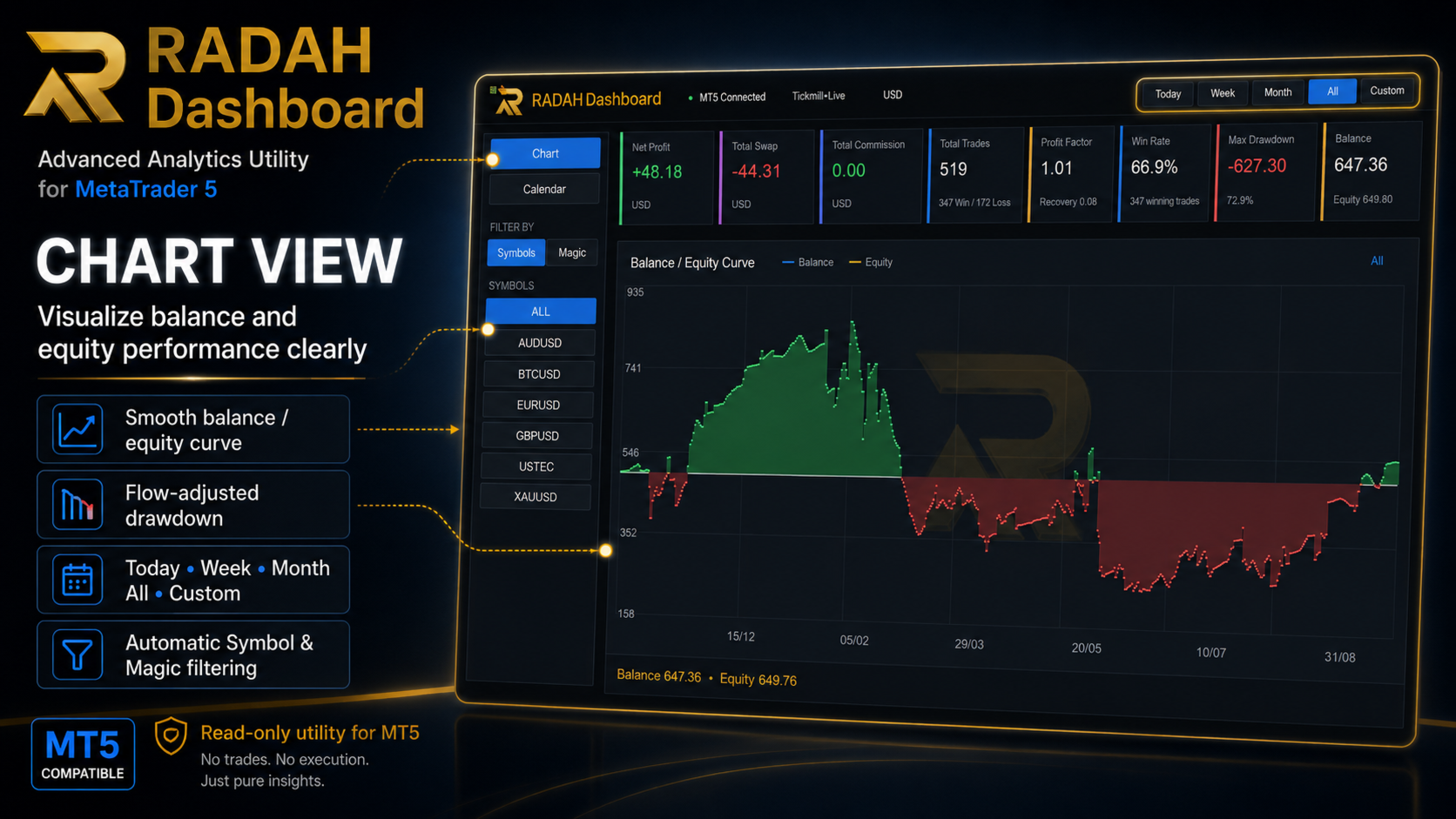
Chart View
Visualize your trading performance through an integrated balance/equity performance curve directly inside MetaTrader 5.
Available period filters:
Today
Week
Month
All
Custom
The Dashboard displays key metrics such as:
Net Profit
Total Swap
Total Commission
Total Trades
Profit Factor
Win Rate
Max Drawdown
Balance
Equity
Net results are calculated using:
Profit + Swap + Commission + Fee
The drawdown calculation is flow-adjusted to prevent deposits or withdrawals made later from artificially distorting the drawdown percentage.
Calendar View
Analyze your performance through an interactive monthly calendar.
Each day displays its corresponding net result, making it easy to identify:
profitable days;
losing days;
days without trading activity;
weekly performance;
monthly performance.
The calendar summary also includes:
Trades
Wins
Losses
Profit
Win Rate
You can navigate between months and quickly review how consistent your trading performance has been over time.
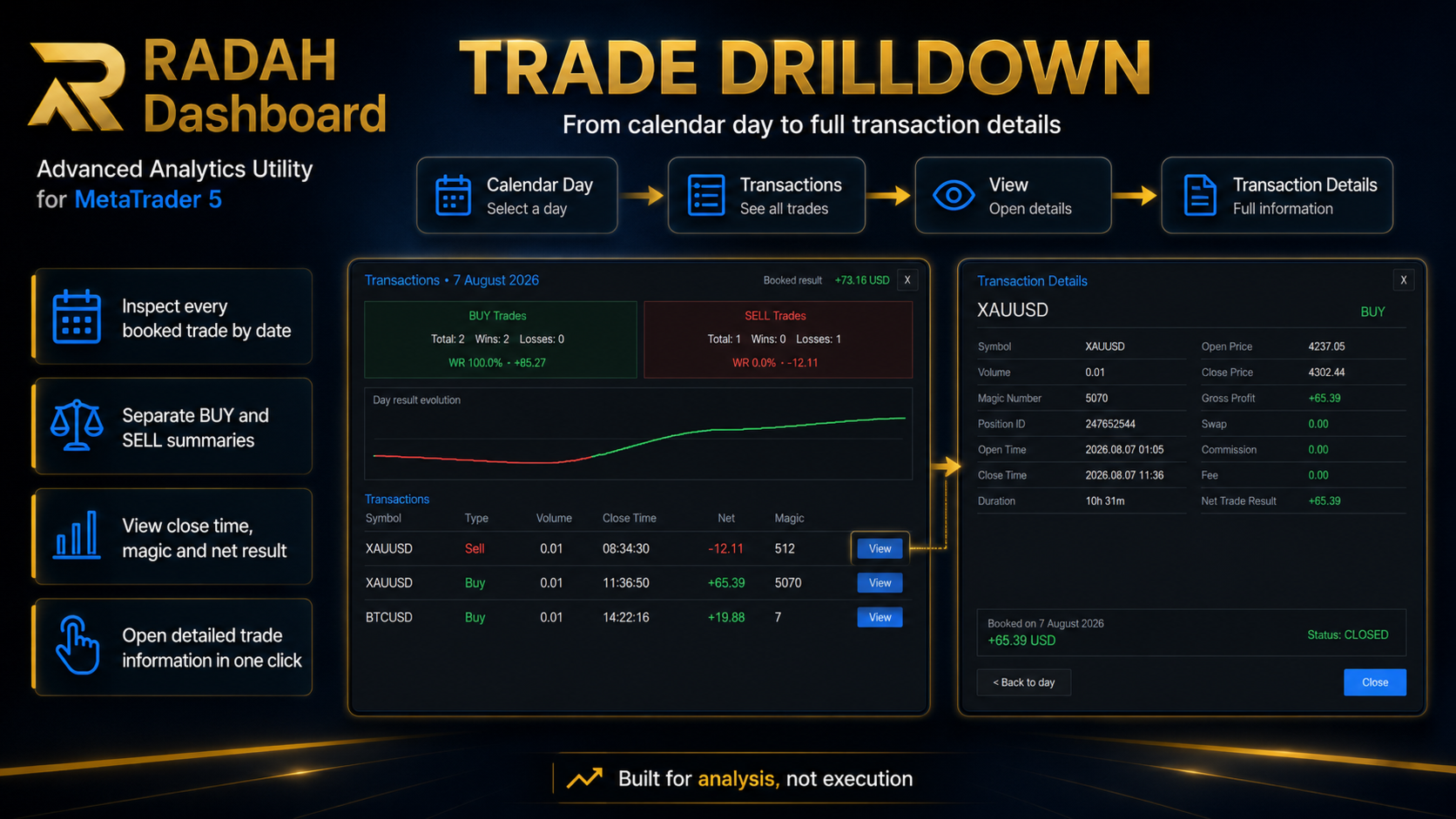
Trade Drilldown
Click any day in the calendar to open the transactions recorded on that date.
The transaction window displays information such as:
Symbol
Buy / Sell
Volume
Close Time
Net Result
Magic Number
The Dashboard also separates BUY and SELL statistics and displays the result evolution for the selected day.
Transaction Details
Each transaction includes a View button that opens a dedicated transaction details window.
Available information includes:
Symbol
Direction
Volume
Magic Number
Position ID
Open Time
Close Time
Duration
Open Price
Close Price
Gross Profit
Swap
Commission
Fee
Net Trade Result
This allows you to inspect individual trades without manually searching through the standard MetaTrader 5 history.
Automatic Filters
RADAH Dashboard automatically detects the trading data available in your account.
You can filter the analysis by:
Symbol
or
Magic Number
Symbols are detected exactly as provided by the broker, including prefixes and suffixes when applicable.
Magic Numbers found in the account history are also detected automatically.
This is especially useful for accounts running multiple Expert Advisors or several independent trading strategies.
Responsive Interface
The Dashboard automatically adapts to the available chart size.
Read-Only Utility
RADAH Dashboard is a read-only analytics utility.
It does not:
open trades;
close trades;
modify Stop Loss;
modify Take Profit;
modify existing positions;
interfere with other Expert Advisors.
It only reads and organizes information already available in the MetaTrader 5 account and trading history.
Ideal For
Traders who want to analyze:
multiple Expert Advisors;
different Magic Numbers;
different symbols;
monthly performance;
daily consistency;
drawdown;
Win Rate;
Profit Factor;
Swap and Commission costs;
individual transactions;
BUY versus SELL performance.
RADAH Dashboard
Analyze your trading. Understand your performance. Keep execution separate from analysis.