Trade Assistant and Trade Manager for Prop Firms

Trade Assistant MT5 — Trade Manager for Prop Firms


Trade Manager for MT5 that calculates position size, manages risk, visualises your trade setup in real time and protects your account with built-in daily loss and trade limits — everything you need to trade with consistency and pass your prop firm challenge.


> Trade Tab — Position Sizing & Execution


**Automatic lot calculation**

Enter your risk as a percentage of account balance or as a fixed dollar amount and the panel instantly calculates the correct lot size based on your stop loss distance. No more manual calculations or spreadsheets.

**Fixed Lots mode**

Prefer to trade a fixed position size? Enable Fixed Lots and type your lot size directly. The panel will still display the real dollar risk and percentage exposure for that lot size, keeping you fully informed.

**Quick risk presets**

One-click buttons for 0.5%, 1% and 2% risk let you switch your risk level instantly. The active preset is highlighted so you always know where you stand.

**Entry Level control — Market Price or Limit Price**

Toggle between Market Price mode, where the entry field tracks the live Ask price in real time, and Limit Price mode, where you manually set a specific entry level for pending orders. Both modes feed directly into the lot size calculation.

**Stop Loss and Take Profit fields**

Set your SL and TP by exact price level or by points distance. Both update each other automatically so you can work in whichever unit feels natural for the instrument you are trading.

**Risk to Reward display**

The panel calculates and shows your Risk:Reward ratio live as you adjust your levels, so you always know the quality of the setup before you place it.

**Order Expiry**

Set an expiration time in hours and minutes for pending limit orders. The panel sends the expiry timestamp automatically with the order.

**Buy Order / Sell Order execution**

The active direction button is highlighted in blue for buys or red for sells. One click places the order with all calculated parameters attached — lot size, SL, TP and expiry — with zero manual input at the moment of execution.

**Cancel All Orders / Cancel Last Order**

Instantly cancel all pending orders or just the most recently placed one, directly from the Trade tab.


> Position Tool — Visual Trade Planning on the Chart

The built-in Position Tool on the price chart, letting you plan your trade visually before committing.


**Drag-to-place Entry, SL and TP bars**

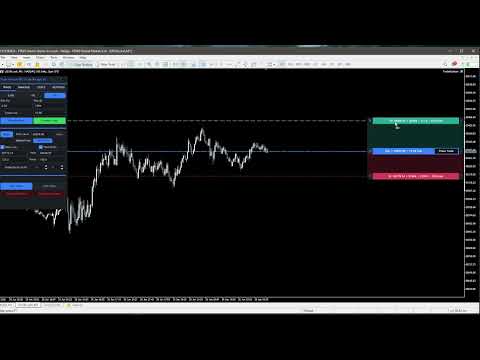
Three horizontal bars — Entry (blue for buy, red for sell), Stop Loss (red) and Take Profit (green) — are displayed as draggable bars on the chart. Drag any bar to the exact price level you want and the panel fields update in real time.

**Live P&L and risk information on each bar**

Each bar shows the relevant data at a glance: the TP bar displays the target price, the expected profit in dollars and the Risk:Reward ratio; the Entry bar shows direction, entry price and lot size; the SL bar shows the stop price, dollar risk and risk percentage.

**Buy/Sell direction toggle**

The left side button on the Entry bar displays B for Buy or S for Sell. Clicking it flips the trade direction and automatically mirrors the SL and TP distances around the entry price, so your risk layout stays correct without any manual adjustment.

**Place Trade button**

A dedicated Place Trade button sits directly on the Entry bar. Clicking it opens a confirmation dialog showing all order details — direction, entry price, lots, dollar risk, risk percentage, SL and TP — before the order is sent. This prevents accidental execution.

**Guidance lines**

Optional dashed horizontal lines are drawn on the chart at the Entry, SL and TP price levels for a clear visual reference. Can be toggled on or off in Settings.

**Fully customisable colours**

TP bar, TP zone, SL bar, SL zone, Buy entry and Sell entry colours can all be changed independently via the Settings tab using preset cycles.


> Manage Tab — Trade Management & Risk Control


**Manual Breakeven**

One button moves your stop loss to breakeven with a 2-point buffer on all open positions instantly.

**Auto Breakeven**

Enable automatic breakeven and the panel monitors your open positions on every timer tick. When the configured trigger condition is met, the stop loss is moved to breakeven automatically without any action required from you.


Two trigger modes are available:

- **Default (1:1 R:R)** — breakeven triggers when the position has moved a distance equal to the initial risk.

- **Points** — breakeven triggers after a specific number of points in profit that you define.


A sound alert can optionally be played when Auto Breakeven fires, configurable in the Settings tab.


> Risk Management — Built for Prop Firms

This section is specifically designed to keep you within the strict daily risk rules enforced by prop firm evaluations and funded accounts.


**Max Loss per Day**

Set a maximum daily loss percentage. The moment your account equity drops by that percentage from the day's opening balance, the panel blocks all further trade execution and displays a prominent warning banner. Trading is automatically re-enabled at midnight when the new trading day begins.

**Max Trades per Day**

Set a maximum number of trades allowed per day. Once that limit is reached, the panel blocks further execution for the remainder of the day. This helps you stick to your strategy rules and avoid overtrading — one of the most common reasons traders fail prop evaluations.

**Today's performance display**

The Risk Management section shows your current day's P&L percentage and trade count in real time, so you always know exactly where you stand relative to your limits before placing the next trade.

**Trading Blocked warning**

When either daily limit is triggered, a red warning banner reading "TRADING BLOCKED UNTIL MIDNIGHT" is displayed prominently in the panel so there is no ambiguity about your trading status.

Both limits are saved to global variables and persist across MT5 restarts, ensuring your protection is never lost even if the platform is restarted mid-session.


> Stats Tab — Performance Analytics

A built-in statistics panel pulls from your full account trading history and presents key performance metrics at a glance, updated live.


**Account** — Current balance and equity.

**Performance** — Total trades, net profit, number of winning and losing trades with win rate percentage, best win streak and worst loss streak.

**Period** — Today's trade count and profit, this week's profit and this month's profit.

**Risk** — Average risk per trade over the last 7 days, maximum overall drawdown in dollars and percentage, and maximum daily drawdown in dollars and percentage. The daily drawdown figure is particularly relevant for prop firm traders who need to monitor their worst single-day loss against evaluation rules.


> Settings Tab


**Sound Alerts**

Toggle alert sounds independently for Auto Breakeven triggers and for risk limit events.

**Position Tool & Colors**

Toggle the guidance chart lines on or off. Independently change the colour of the TP bar, TP zone fill, SL bar, SL zone fill, Buy entry bar and Sell entry bar by cycling through preset colour options with a single click.


> General Features


- **Draggable panel** — Click and drag the title bar to reposition the panel anywhere on the chart.

- **Minimise button** — Collapse the panel to a compact title bar with one click to free up chart space, and restore it just as quickly.

- **Persistent settings** — Risk management limits and other settings are saved to global variables and survive platform restarts.

- **Live price updates** — In Market Price mode, the entry field updates on every timer tick to reflect the current Ask price.

- **Works on any instrument** — Indices, forex pairs, commodities, metals. Lot size and risk calculations use the instrument's actual tick size and tick value for accurate results across all asset classes.


### Why Trade Assistant MT5 is the Ideal Tool for Prop Firm Traders!


Prop firm evaluations impose strict rules that punish undisciplined trading. A single day of overtrading or a loss that exceeds the daily drawdown limit can end your challenge immediately. Trade Assistant MT5 addresses the two most common reasons traders fail:


**1. Incorrect position sizing.** The panel calculates your exact lot size automatically based on your defined risk percentage and stop loss distance. There is no room for manual calculation errors that can result in taking far more risk than intended.

**2. Breaching daily limits.** The Max Loss per Day and Max Trades per Day limits work as a hard stop enforced by the panel itself. When a limit is reached, the Buy and Sell buttons become inactive and the warning is displayed. You cannot place another trade by accident, even in a moment of frustration or revenge trading.


Together, these features act as a second layer of discipline on top of your own strategy, keeping you firmly within the rules of any prop firm evaluation from the first day to the last.

おすすめのプロダクト
Smart Trade Manager Pro is the ultimate all-in-one trading panel designed to give you complete control over your manual trading. Built for both professional traders and prop-firm challenges (like FTMO), it brings TradingView-style visual planning directly into your MetaTrader 5 charts. KEY FEATURES: 1. Visual Chart Planning (TradingView Style) Plan your trades visually before execution! The EA draws interactive Profit/Loss boxes directly on the chart. Drag the edges of the boxes to seamlessly
Operam demais (overtrading) Violam regras de risco Tomam decisões emocionais Este EA resolve isso. Entradas Explicadas MaxDailyLossPercent → Límite máximo de perda diária MaxTotalLossPercent → Proteção total da conta (limite global) MaxConsecutiveLosses → Sistema anti‑contra‑reação (perdas consecutivas) LockMinutesAfterLoss → Tempo de cooldown após perdas MaxLotPerTrade → Controle do tamanho do lote Session Filter → Horários permitidos para operar Observações Importantes Este EA não abre trade
"Manage multiple positions as a single unit with hidden targets." The Virtual Basket TP SL Manager is a professional MetaTrader 5 utility designed to automate the closing of positions based on the total profit or loss of a group of orders (a "basket"). By utilizing Virtual Levels , all Take Profit (TP) and Stop Loss (SL) targets are stored locally within the EA's memory and are not sent to the broker's server, keeping your strategy safe from stop-hunting and price manipulation. Key Features Virt
FREE
**Forex Trade Manager Pro MT5** **Trade Manager MT5** は、MetaTrader 5向けの包括的なトレード管理ユーティリティです。トレードを計画する瞬間から決済する瞬間まで、ポジションのあらゆる側面を完全にコントロールできます。リスクを真剣に考えるトレーダー、つまり規律を築き始めた初心者から、複数のポジションにわたって瞬時の実行を必要とするプロのスキャルパーまで、幅広く対応できるように設計されています。 このツールは任意のチャートに装着でき、クリーンでコンパクトなパネルを表示します。チャート上に直接、ドラッグ可能な水平線を使用して、意図するエントリー、ストップロス、テイクプロフィットの各レベルをマークします。Trade Managerは、定義されたリスクに基づいて正しいポジションサイズを即座に計算し、ストップロスとテイクプロフィットの値をpipsと口座通貨でリアルタイムに表示し、計画中のトレードのリスク・リワード比率を表示します。手動計算は一切必要ありません。リスクを一度定義すれば、ツールが残りのすべてを処理します。 **ポジ
Overview : The Advanced News Trading Panel is a versatile tool designed for traders who rely on news-based trading strategies. This Expert Advisor (EA) provides an intuitive graphical interface that allows users to quickly set up pending orders and manage risk with ease. With the ability to automatically place Buy/Sell Stop orders based on your pre-set stop order distance from the bid/ask price, stop-loss and take-profit levels, the EA allows for precision trading during high-volatility news eve
Equity Risk Manager EA is a smart, compliance-focused tool designed to protect your trading capital by monitoring equity performance in real time. It automatically blocks new trades when your profit or loss thresholds are reached, based on your selected period — daily, weekly, or monthly. No more accidental overtrading or commission losses: once your target is hit, the EA alerts you and halts further entries. Ideal for disciplined traders who value risk control, clarity, and automation.
DESCRIPTION: Position Size Calculator — On-Chart Risk Management Tool Never risk too much on a single trade again. This calculator displays real-time position sizing for 3 risk levels simultaneously, calculated from your live account balance and current ATR-based stop loss distance. DISPLAYS 3 RISK SCENARIOS AT ONCE: Risk Level 1 (1%): Risk amount in dollars + Lot size Risk Level 2 (2%): Risk amount in dollars + Lot size Risk Level 3 (3%): Risk amount in dollars + Lot size All lot sizes are dyna
FREE
Premium Trade Manager - コーチ内蔵型トレードパネル Premium Trade Manager は、AIトレーディングコーチをあなたのチャートの中に置き、その下に完全な執行エンジンを備えたツールです。いつも通りにトレードをセットアップし、あなた専任のAIトレーディングコーチ Max にそのセットアップをそのまま読み取らせて、発注前に率直な見解を伝えてもらいましょう。ストップの幅が規律あるアプローチに合っているか、リスクサイズは適切か、高影響のニュースイベントが数分後に迫っていないか、プロップファームの制限に近づいていないか。その下には、クリックの後をすべて処理するエンジンが備わっています。ワンクリックのリスクサイズ計算による発注、ドラッグ可能なストップ・ターゲットライン、最大4段階の分割利確、7種類のトレール方式、リアルタイムのプロップファームコンプライアンス、ニュースガード、そしてコストを自ら採点するスプレッド機能。判断はあなたが下す。Max がもう一度確認する。後のことはすべてパネルが担う。 購入前に実際に触れて試せます。 ブラウザ上でライブパネルをそのまま
Grid Trading EA is a semi-automated one-click trading EA for both Normal Trading and Grid/Martingale Trading . Normal Trading Simply click Buy or Sell directly from the chart. The EA will automatically manage trades by: Setting Stop Loss and Take Profit Managing Trailing Stop Grid / Martingale Trading (For Hedging Account Type Only) When Grid Trading mode is enabled, the EA will automatically open additional grid orders at specified distances while increasing the lot size based on your settings.
TradeConditions Pro – Know When NOT to Trade Most traders lose money not because of strategy…   but because of bad trading conditions. This tool shows you what your broker is really doing — in real time. --- ### WHAT IT DOES TradeConditions Pro analyzes your trading environment and gives you a clear decision: SAFE – Good conditions   ️ CAUTION – Be careful   BAD – Avoid trading   --- ### FEATURES Real-time spread monitoring   Average / min / max spread tracking   Sprea
TradeByTime Manager is a tool to trade based on time. It is semi auto trading. Trader define entry and exit time and EA will manage the rest. Helpful for trader who is usually trading with time range such as trading signal with entry and exit based on time or trading with news event time. Or trader who is familiar with trading binary option, this is another 'sense' of it. Only this is for trading on regular chart. 1. TakeProfit and Stoploss 2. Double time based :  Local and Server 3. Time counte
ProBridger
Marius Ovidiu Sunzuiana
How Traders and Analysts Can Use the Data Export Bridge to Improve Their Analytics The MQL Data Export Bridge unlocks a new level of analytical power by transforming MetaTrader into a real‑time data provider for any external research environment. Here are the most impactful ways different users can apply the bridge to enhance their trading performance. Build Predictive Models with Machine Learning Who benefits: Quantitative traders, data scientists, algorithm developers How it helps: Export t
The Expert Advisor is a comprehensive risk manager helping users to control their trading activities. With this tool being a safeguard you can easily configure various risk parameters. When any limit is exceeded, the risk manager can force close opened positions, close other EAs, and even close the terminal to prevent emotional trading that doesn't correspond to your trading strategy. Risk Manager Settings Account Protection Check min equity limit to close all (account currency) - check the min
Tiger Lite recreate the history of entry and exit orders. The goal is that you can grasp their strategy how to play. CSV format support for WEB, MT4 and MT5 platforms. The sequence of steps is described in the photo. Note: Please choose the existing date and symbol on the CSV file. For MT4/5, export historical data and copy the records to excel, save it with the extension CSV. For MT4/MT5/WEB, save the name with format mt4.csv/mt5.csv/web.csv If you get the history from another source and your
FREE
AdaptiveStats  is a comprehensive and visually stunning performance analysis tool for the MetaTrader 5 (MQL5) platform, featuring a professional "Fintech Dark" (JARVIS-inspired) aesthetic. It is engineered to provide traders with real-time, actionable insights into their trading performance directly on the chart interface. Key features and capabilities include: Multi-Timeframe Performance Tracking : Automatically calculates and aggregates Net Profit, Win Rate, and Total Trades for three critical
FREE
「セットして忘れるだけ」の多通貨対応リスク管理マネージャー ️ トレードを無防備なままにしないでください。 Auto Stop Loss (MT5 Manager) は、安全性を最優先するトレーダーのための究極のバックグラウンド・ユーティリティです。通常のパネルとは異なり、このツールは舞台裏で絶え間なく動作し、エントリーしたすべてのトレードを即座に保護します。裁量トレードでも、他のEAによるトレードでも、このマネージャーはすべてのポジションに即座にハードストップロス (Stop Loss)、テイクプロフィット (Take Profit)、および動的トレーリングストップ (Trailing Stop) を適用します。 ゲームチェンジャー: たった 1つのチャート からポートフォリオ全体を管理します。10個ものウィンドウを開いてPCを重くする必要はありません。お気に入りの通貨ペアをリストアップするだけで、このマネージャーがそれらすべてを同時に監視します。 [   Get the MT4 Version Here   ] 主な機能 マルチシンボル管理 (CPU節約) : EURU
Trading panel for manual trading. Has a fairly wide functionality. Allows you to automatically calculate the order size, open both market and pending orders. It has a wide range of options for closing orders, it is possible to partially close orders, close orders after reaching a certain profit or loss, separately close profitable and unprofitable, buy and sell, as well as pending orders. The panel also contains a simple implementation of a grid of pending orders, reverse and lock functions, tr
Pro Trader Assistant 1.1 - The Ultimate Trading Companion NB: DOES NOT WORK ON STRATEGY TESTER. FOR TESTING, DM ME   Trade Simple, Smarter, Safer, and More Efficiently Are you ready to transform your trading with institutional-grade risk management? Pro Trader Assistant 1.1  is your complete solution for mastering trading psychology, risk control, and execution efficiency. Built for both prop firm challenges and retail trading. Why Choose Pro Trader Assistant 1.1 Perfect for retail trading
This MQL5 script calculates and displays a recommended trading lot size, offering both automatic and manual modes. In automatic mode, it calculates lot size based on account balance, market volatility (ATR), or a hybrid of both. The script defines lot size types (Micro, Mini, Standard) with switching thresholds, volatility settings, and safety limits. It aims to automate lot size calculations for systematic risk management, adapting to market dynamics and account parameters. Core Features Out
FREE
DYJ Game Device   is an EA , It has a graphical interface operation,It includes manual opening and quick closing buttons or mobile opening buttons. that follows the virtual transaction record of any dyj indicator to actually open and close positions. You can follow orders according to 5 major strategies Trend mode: Accept the profit and loss ratio assigned to each trader by the market at the close of each day. The actual operation is 1 order each time, with a fixed number of lots each time, such
Crystal Trade Manager
Muhammad Jawad Shabir
4.33 (3)
Crystal Trade Manager – トレードコントロールハブ 概要 Crystal Trade Manager (CTM) は MetaTrader 5 向けのオールインワントレード管理ツールです。リスク管理、自動化、ワンクリック操作を統合し、 FTMO 等の prop firm 取引やスキャルピング、裁量トレードに最適です。 主な機能 リスク保護 : 日次ドローダウン制限 (1–70%) 、自動クローズ、オーダー削除、ロックアウトモード。 損益ターゲット : 到達時に全ポジション自動決済。 自動 SL/TP : 新規注文に自動適用。 Break-Even : SL を BE+ バッファへ移動。 トレーリングストップ : 利益後に動的追従。 ロット制御 : シンボルごとに上限設定。 Magic Keys パネル : 6 ボタン ( 半分決済、 BE 移動、全決済、注文削除、ダブル、 Profit Shield) 。 情報表示 : バランス、エクイティ、損益、 DD 。 通知 : バナー、 Push 、サウンド。 安全性 : ロックアウト処理、 pip 精度、自動復元。
FREE
TP SL Bot MT5
Ruslan Brezovskiy
5 (1)
TP SL Bot is a utility that automatically sets Stop Loss and Take Profit for newly opened orders in several ways. There is also a function for calculating the volume that you need to open the trade to get the desired amount with the specified Stop Loss / Take Profit size. There are several options for calculating the size and setting parameters: 1. Setting based on the amount specified by the user as a percentage of the current deposit balance. 2. Setting as the amount entered by the user. 3. Se
Title:   Smart Position Manager PRO - Advanced Risk & Position Manager Description: Smart Position Manager PRO is an all-in-one visual trade management and risk calculation tool designed for serious traders who prioritize iron discipline and strict risk management. Whether you are executing precise SMC or ICT setups on personal capital or managing large funded accounts on strict prop firms, this tool ensures you focus on counting percentages rather than emotional money swings. With a highly int
FREE
Risk Properly with FXPosition Size Calculator which calculated the optimal Lot sSize based on your desired Risk Percentage and Stop-Loss, ensuring precise Risk Management. Enter your account balance, risk percentage, and Stop-Loss(either in points or price levels), and the calculator instantly determines the required lot size so that you don't risk too much. Protect your capital and trade with confidence with Accurate Position Sizing and Simplicity.
Quantum Queen MT5
Bogdan Ion Puscasu
4.98 (693)
トレーダーの皆さん、こんにちは!私は Quantum Queen です。Quantumエコシステム全体の至宝であり、MQL5史上最高評価とベストセラーを誇るエキスパートアドバイザーです。20ヶ月以上のライブトレード実績により、XAUUSDの揺るぎない女王としての地位を確立しました。 私の専門は?ゴールドです。 私の使命は?一貫性があり、正確で、インテリジェントな取引結果を繰り返し提供することです。 IMPORTANT! After the purchase please send me a private message to receive the installation manual and the setup instructions. 割引 価格。10 点購入ごとに50ドルずつ値上がりします。最終価格1999ドル ライブシグナルICマーケット:   こちらをクリック ライブシグナルVTマーケット:   こちらをクリック Quantum Queen mql5 パブリックチャンネル:   こちらをクリック クォンタムクイーンの軽量版で、より手頃な価格の クォンタム
Master Manager
Medina Cortez Edison Armando
MASTER MANAGER Risk management of open operations (Does not perform automatic operations) and structural analysis. "Stop chasing prices; let the Master Manager identify institutional zones for you and surgically manage the risk of the trades you enter." ️ System Features 1. Structural Analysis: Identification of Swings and Balance of Sights with confluence. 2. Liquidity (FVG): Imbalance zones with 50% mitigation and dynamic extension. 3. Visual Management: Draggable and fixed partial
It is a utility that posts customized messages on Telegram based on account trading activity. Once the utility is on the chart, with each new position opened from the same chart symbol the utility is added, a customized message will be sent to the Telegram group defined in the input parameters. The utility will post to the Telegram group if a new position is opened and if it is the same symbol as the chart the utility is running on. If you are using an Expert Advisor for Buy and Sell and want to
Capital Management EA – Smart Risk Management & Profit Optimization for MT5 Take control of your trading capital with smart, automated strategies — fully optimized for MetaTrader 5 (MT5). Looking to protect your capital and maximize profits through automated money management strategies ? Capital Management EA is the all-in-one Expert Advisor for MetaTrader 5 (MT5) that helps you trade smarter, not harder. Core Features: 5-in-1 Capital Management Strategies – Built-in versatility Gr
This EA helps to Close all Positions opened. It saves you the time of closing multiple positions manually. Parameters: Buy:  Close Buy Positions Only Sell:  Close Sell Positions Only Buy & Sell: Close Buy & Sell Positions Pending: Close Pending Orders More Advanced MT5 version available at:  https://www.mql5.com/en/market/product/93301?source=Unknown%3Ahttps%3A%2F%2Fwww.mql5.com%2Fen%2Fmarket%2Fmy More Advanced MT4 version available at:   https://www.mql5.com/en/market/product/93468?source=Unk
このプロダクトを購入した人は以下も購入しています
Trade Assistant MT5
Evgeniy Kravchenko
4.43 (213)
取引 ごとのリスクの 計算、新規注文 の 簡単 な 設置、部分的 な 決済機能 を 持 つ 注文管理、 7 種類 のトレーリングストップなど 、便利 な 機能 を 備 えています 。 追加の資料と説明書 インストール手順   -   アプリケーションの手順   -   デモアカウント用アプリケーションの試用版 ライン機能 チャート上にオープニングライン、ストップロス、テイクプロフィットを表示します。この機能により、新規注文を簡単に設定することができ、注文を出す前にその特徴を確認することができます。   リスク計算 リスク計算機能は、設定されたリスクとストップロス注文のサイズを考慮して、新規注文のボリュームを計算します。ストップロスの大きさを自由に設定できると同時に、設定したリスクを守ることができます。 Lot calc ボタン - リスク 計算 を 有効 / 無効 にします 。 Risk フィールドでは 、必要 なリスクの 値 を 0 から 100 までのパーセンテージまたは 預金通貨 で 設定 します 。 設定」 タブで 、 リスク 計算 の 種類 を 選択 します :「 $ 通
TradePanel MT5
Alfiya Fazylova
4.87 (159)
Trade Panelは多機能なトレーディングアシスタントです。アプリには手動取引用の50以上のトレーディング機能が搭載されており、ほとんどの取引作業を自動化することができます。 購入前に、デモアカウントでアプリのデモ版をテストすることができます。デモアカウント用のアプリの試用版をダウンロードするには、次のリンクをご利用ください: https://www.mql5.com/en/blogs/post/750865 。 完全な手順 こちら 。 取引。 ワンクリックで取引操作を行うことができます: リスクを自動計算して指値注文やポジションを開く。 複数の注文やポジションをワンクリックで開く。 注文のグリッドを開く。 保留中の注文やポジションをグループごとに閉じる。 ポジションの方向を反転(Buyを閉じてSellを開く、またはSellを閉じてBuyを開く)。 ポジションをブロックする(不足している量のポジションを開くことでBuyとSellのポジション量を等しくする)。 すべてのポジションを部分的にワンクリックで閉じる。 すべてのポジションの利食い(Take Profit)および損切り(Sto
Quant AI Agents are independent trading Expert Advisors. Instead of trading using a fixed strategy like other conventional EAs, Quant AI Agents   is a   multi-agent AI trading framework   that turns natural-language strategy prompts into live.  WANT THE SAME RESULTS AS MY LIVE SIGNAL?   Use the exact same brokers I do:   IC MARKETS , IC TRADING   .  Unlike the centralized stock market, Forex has no single, unified price feed.  Every broker sources liquidity from different providers, creating un
Power Candles Strategy Scanner - 自動最適化型マルチシンボル設定ファインダー パワーキャンドル・ストラテジー・スキャナーは 、パワーキャンドル・インジケーターを駆動するのと全く同じ自己最適化エンジンを、マーケットウォッチに登録されているすべての銘柄に対して並行して実行します。1つのパネルで、現在統計的に取引可能な銘柄、各銘柄で勝率の高い戦略、最適なストップロス/テイクプロフィットの組み合わせが表示され、新たなシグナルが発生した瞬間に通知が届きます。 このツールは、Stein Investmentsのエコシステムの一部です。  18種類以上のツールをすべて閲覧し、AIを活用したセットアップの推奨を受け取り、  https://stein.investments でコミュニティに参加しましょう 市場動向を網羅。銘柄ごとに3,000件以上の自動最適化。2種類のアラート。ワンクリックでチャートを切り替えて即座にアクション。 なぜこれが必要なのか 多くのマルチ銘柄スキャナーは、 価格の動き (ボラティリティ、変動率、銘柄ごとのRSI)を表示するだけです。それ
Farmed Hedge Yield Farming | All Markets (Manual - Hybrid - Semi/Automated EA) MULTI-ASSET SUPPORT Trade any asset available on your broker - Forex: Major, Minor, Exotic pairs - Crypto: BTC, ETH, XRP, SOL, BNB - Stocks: Apple, Tesla, Amazon, Google, etc. - Commodities: Gold, Silver, Oil, Gas - Indices: US30, NAS100, SPX500, DAX40 - Any CFD your broker offers VERIFIED TRADING RESULTS - Farmed Hedge Yield Axi Copy:  https://www.mql5.com/en/signals/2356376 - Farmed Hedge Yield Exn Copy:   https:/
AI Agent Supervisor is NOT an Expert Advisor. AI Agent Supervisor   is a   multi-agent AI risk & portfolio supervisor   that watches every EA on your account and intervenes in real time.  WANT AN AI PORTFOLIO MANAGER WATCHING YOUR FLEET 24/7?   Run your fleet on the same brokers I do:   IC MARKETS , IC TRADING   .  Unlike the centralized stock market, Forex has no single, unified price feed.  Every broker sources liquidity from different providers, creating unique data streams. The Supervisor r
================================================================================ POC BREAKOUT - V20.72. Full Professional Grade Toolkit ================================================================================ POC Breakout is a full MetaTrader 5 trading dashboard for discretionary traders who want breakout signals, Point of Control (POC) context, volume profiles, order flow, market structure, news, alerts, and advanced trade planning in one professional workspace. Attached directly to you
# If you have any other requirements or are interested in collaboration, please contact  dev.quantech.london@gmail.com . Flash Trade (FT) Most friendly manual trading tool. Easy operation to secure your funds. Features of FT Click the chart to trade fast FT supports market orders and pending orders Click twice to complete the order and set SL and TP Click trice to complete the pending order and set SL and TP Automatically set the stop-loss amount of each order to a fixed percentage of the bala
FUTURES ORDERFLOW FOOTPRINT CHART Professional OrderFlow EA for MetaTrader 5 Version 1.01| Professional tool for real traders | Institutional-Grade Visualization STRATEGY TESTER USERS - PLEASE SELECT EVERY REAL TICK WHEN TESTING AND YOU HAVE DOWNLOADED HISTORICAL DATA. IF YOU SEE A WAITING SCREEN AND IT IS NOT DOWNLOADING, IT MEANS YOU HAVE LOW HISTORICAL DATA. TRY 1 MIN AND 5 MIN FIRST ON 1 DAY DATA. ONE DAY DATA SHOULD BE THE NEWEST AND MOST CURRENT DATE. PLEASE WAIT UNTIL THE MARKET HAS ROL
Double X Trade
Gayathiri Gopalakrishnan
5 (2)
DOUBLE X TRADE  SIGNAL MULTIPLIER DOUBLE X TRADE is a MetaTrader 5 Expert Advisor designed to operate alongside existing Expert Advisors and provide additional trade-management functionality. The EA can monitor trading activity on the account and perform actions according to user-defined settings, risk parameters, and operating mode configuration. DOUBLE X TRADE is intended for traders who want an additional management layer while continuing to use their existing Expert Advisors. The product doe
Footprint Chart Pro — Professional OrderFlow EA for MetaTrader 5 Version 6.34 | Professional tool for real traders | Institutional-Grade Visualization DEMO USERS - PLEASE SELECT EVERY TICK / REAL TICK WHEN TESTING AND YOU HAVE DOWNLOADED HISTORICAL DATA. IF YOU SEE A WAITING SCREEN AND IT IS NOT DOWNLOADING, IT MEANS YOU HAVE LOW HISTORICAL DATA. TRY 1 MIN AND 5 MIN FIRST ON 1 DAY DATA. ONE DAY DATA SHOULD BE THE NEWEST AND MOST CURRENT DATE. PLEASE WAIT UNTIL THE MARKET HAS ROLLED OVER PERIOD.
The product will copy all telegram signal to MT5 ( which you are member) , also it can work as remote copier.  Easy to set up, copy order instant, can work with almost signal formats, image signal,  s upport to translate other language to English Work with all type of channel or group, even channel have "Restrict Saving Content", work with  multi channel, multi MT5 Work as remote copier: with signal have ticket number, it will copy exactly via ticket number. Support to backtest signal. How to s
Prop Firm Os
Gayathiri Gopalakrishnan
5 (1)
PROP FIRM OS Structured Trading Assistant for MetaTrader 5 PROP FIRM OS is a structured trading assistant designed for MetaTrader 5 users who prefer rule-based market analysis and organized trading workflows. The Expert Advisor combines market analysis tools, scanner functions, dashboard monitoring, alerts, risk-control settings, and trade management features inside one system. PROP FIRM OS is designed to help traders follow selected rules, filters, and monitoring conditions during trading activ
あなたがメンバーである任意のチャネルから(プライベートおよび制限されたものを含む)シグナルを直接あなたのMT5にコピーします。  このツールは、トレードを管理し監視するために必要な多くの機能を提供しながら、ユーザーを考慮して設計されています。 この製品は使いやすく、視覚的に魅力的なグラフィカルインターフェースで提供されています。設定をカスタマイズして、数分で製品を使用を開始できます! ユーザーガイド + デモ  | MT4版 | Discord版 デモを試してみたい場合は、ユーザーガイドにアクセスしてください。 Telegram To MT5 受信機は、ストラテジーテスターで動作しません! Telegram To MT5の特徴 複数のチャネルから一度にシグナルをコピー プライベートおよび制限されたチャネルからシグナルをコピー BotトークンまたはChat IDは必要ありません   (必要に応じて使用することができます) リスク%または固定ロットを使用して取引 特定のシンボルを除外 すべてのシグナルをコピーするか、コピーするシグナルをカスタマイズするかを選択 すべてのシグナルを認
Discord Signal Notifications — это мощный инструмент для трейдеров, проповодов и управляющих счетами, который автоматически отправляет все ваши торговые события в канал или чат Discord. Главное преимущество — Глобальный мониторинг. Вам не нужно устанавливать советник на каждый график. Достаточно запустить одну копию утилиты на одном любом окне, и она будет отслеживать действия по всем инструментам и всем счетам в вашем терминале одновременно. Основные возможности Глобальный мониторинг счёта Ути
Custom Alerts AIO:マルチマーケット監視を一括で実現 — 設定不要ですぐに使えるインテリジェントツール 概要 Custom Alerts AIO は、追加のインジケーター設定が不要で、インストール後すぐに利用できる高機能マーケットスキャナーです。FX Power、FX Volume、FX Dynamic、FX Levels、IX Power を内部にすべて統合し、主要なすべての資産クラス(為替、金属、指数、暗号資産)を一括監視できます。MetaTrader の仕様により、株式は個別のシンボルとして追加可能ですが、一般的には利用頻度は低めです。 1. なぜ Custom Alerts AIO を選ぶべきか 追加ライセンス不要 • 必要なすべての Stein Investments インジケーターが内蔵されており、すぐに使用可能です。 • チャートに表示されるグラフィックは省略されており、アラート生成に特化した構成です。 市場を広範囲にカバー • 為替、金属、暗号資産、株価指数に対応(株式は手動追加可能)。 • シンボル名を入力する必要はなく、プロパティで資産クラス
Telegram to MT5 Pro — 高度なTelegramシグナルコピー機(自動修正・マルチTP・リスク管理・完全トレード管理) Telegram to MT5 Pro — プロフェッショナル Telegram シグナルコピーツール Telegram to MT5 Pro は、TelegramのシグナルをMetaTrader 5アカウントへ自動で直接実行する高性能トレードコピーシステムです。リスク管理、執行、トレード管理を完全に制御できます。 本システムは2つのコンポーネントで構成されています: • MetaTrader 5内で動作するExpert Advisor(EA) • Telegramと接続しシグナルをローカルでEAへ送信するコンパニオンデスクトップアプリ 両方は同じPC上で動作する必要があります。MQL5の制限によりEAはTelegramへ直接接続できません。ブリッジがTelegram処理を担当し、EAが取引を実行します。 サポートとインストール支援 完全なPDFインストール&ユーザーガイドが提供されます。 サポート内容: • 完全PDFユーザーガイド(全設定説明)
YuClusters
Yury Kulikov
4.93 (43)
Attention: You can view the program operation in the free version  YuClusters DEMO .  YuClusters is a professional market analysis system. The trader has unique opportunities to analyze the flow of orders, trade volumes, price movements using various charts, profiles, indicators, and graphical objects. YuClusters operates on data based on Time&Sales or ticks information, depending on what is available in the quotes of a financial instrument. YuClusters allows you to build graphs by combining da
ATTENTION For a free trial version, visit my website. Manual QUANTUM RiskGuard Management — Your ultimate ally for uncompromising trading. Lot Calculator — Automatic lot size calculation. Quantum — Automatic risk to maximize profits and reduce drawdowns. Automatic Journal — Included and freely downloadable from my website. Automatic Screenshot — Two screenshots: one at entry and one at exit. Partial Profit — Smartly managed partial exits. Smartphone Trading — Place orders from your mobile, mana
The core idea: using the user interface, you configure the parameters the chart must meet before entering a position (or positions), choose which entry models to use, and set the rules for when trading and planning should end. Lazy Trader  handles the rest: it  takes over all the routine chart watching and execution! full description  :: 3 key videos [1] ->  [2]   ->  [3] What can it do? - Understands Larry Williams market structure - Understands swing market structure by Michael Huddleston
VirtualTradePad PRO SE MT5 — MetaTrader 5向けプロフェッショナル取引コントロールセンター VirtualTradePad PRO SE は、 MetaTrader 5 向けのプレミアムなチャートベースの取引パネルであり、トレード管理ワークスペースです。より速い執行、明確なポジション管理、構造化されたトレード管理、視覚的なレベル計画、そしてチャート上で完結するプロフェッショナルなワークフローを求めるトレーダー向けに設計されています。 これは単なる BUY / SELL パネルではありません。PRO SE は、手動取引、予約注文、ポジション管理、部分決済、バスケット損益管理、平均化レベル、ATMルール、シグナル監視、リアルタイム市場情報、ストラテジーテスター (Strategy Tester) ワークフロー、VPS向け運用を、1つの連携されたインターフェースに統合します。 MT4版 | 完全な説明とスクリーンショット | 購入方法 | インストール方法 | ログファイルの取得方法 | テストと最適化の方法 | Expforex のすべての製品 PRO
The Expert Advisor will help you forward all alert from  MetaTrader 5 to Telegram channel/ group.  All alert must save to folder <Data folder>MQL5\Files\Alerts\ , text file with format *.txt and screenshot with format *.gif or *.png. Parameters: - Telegram Bot Token: - create bot on Telegram and get token. - Telegram Chat ID:  - input your Telegram user ID,  group / channel ID - Forward Alert: - default true, to forward alert. - Send message as caption of Screenshot: - default false, set true t
Trade Copier Pro MT5 is a tool to copy trade remotely to multiple MT4, MT5 and cTradfer accounts at different computers/locations over internet. This is an ideal solution for you if you are a signal provider and want to copy your trades to other receivers globally on your own rules. One provider can copy trades to multiple receivers and one receiver can get trade from multiple providers as well. The provider can even set the subscription expiry for each receiver, so that receiver will not be abl
Crystal Trade Manager – Advanced MT5 Risk and Trade Control Utility Overview Crystal Trade Manager (CTM) is a professional MetaTrader 5 utility designed for risk management, trade automation, and instant execution control. It provides traders with an integrated system for protecting equity, managing daily drawdowns, controlling lot sizes, and applying automation features such as automatic SL/TP, break-even, and trailing stop. The tool is suitable for manual traders, prop-firm challenge particip
Ultimate Extractor - Professional Trading Analytics for MT5 *****this is the local HTML version of Ultimate Extractor. !!!!!it is not compatible with Cloud!!!! For the online version please reach out to me directly****** Ultimate Extractor transforms your MetaTrader 5 trading history into actionable insights with comprehensive analytics, interactive charts, and real-time performance tracking. What It Does Automatically analyzes your MT5 trading history across all Expert Advisors and generates
The real‑time view of what is happening inside the market. Footprint Secrets brings detailed analysis directly into MetaTrader 5. It shows where volume is trading, how buyers and sellers are interacting, and how liquidity shifts as the market evolves. Designed for traders who want a precise, real‑time understanding of market behavior. Check out the free preview version here:  https://www.mql5.com/en/market/product/172398 Benefits for the Trader See the real activity behind price . Footprint ch
ManHedger MT5
Peter Mueller
4.83 (6)
THIS EA IS A SEMI-AUTO EA, IT NEEDS USER INPUT. Manual & Test Version Please TEST this product before BUYING  and watch my video about it. The price of the ManHedger will increase to 250$ after 20 copies sold. Contact me for user support or bug reports or if you want the MT4 version! MT4 Version  I do not guarantee any profits or financial success using this EA. With this Expert Advisor, you can: Implement your own Zone Recovery strategy to capitalize on trending markets. Create Grid trading s
The product is used to trade base on any Alert signal in MT5 Easy to setup, simple format with custom keyword All option to management orders as trailing stop, breakeen, partial close, time filter, news filter ... Option to auto open grid orders How to setup and guide: Let read all details about setup and download indicator for auto get   Alert Signal   here Do not buy if you even can not install demo EA to your VPS ( some VPS block download EA from mql5 market) We always bring customers high q
EASY Insight AIO – スマートで手間いらずな取引のオールインワンソリューション 概要 数秒で市場全体——FX、ゴールド、暗号資産、指数、さらには株式まで——を、手作業のチャート確認や複雑なセットアップ・インジケーター導入なしにスキャンできたらどうでしょうか? EASY Insight AIO はAIトレードのための究極のプラグ&プレイ型エクスポートツールです。市場全体のスナップショットを、クリーンなCSVファイルで一括出力。ChatGPT、Claude、Gemini、Perplexityなど、さまざまなAIプラットフォームで即座に解析できます。 ウィンドウの切り替えやグラフのごちゃごちゃしたオーバーレイはもう不要。自動エクスポートされる純粋で構造化されたインサイトだけで、無駄なチャート監視に悩まされず、スマートなデータ主導の判断に集中できます。 なぜEASY Insight AIOなのか? 本当のオールインワン • セットアップ不要、インジケーターのインストール不要、チャートへのオーバーレイ不要。インストールして起動し、エクスポートするだけです。 マルチアセット対
This is exactly what the name says. Visual strategy builder . One of a kind. Turn your trading strategies and ideas into Expert Advisors without writing single line of code. Generate mql source code files with a few clicks and get your fully functional Expert Advisors, which are ready for live execution, strategy tester and cloud optimization. There are very few options for those who have no programming skills and can not create their trading solutions in the MQL language. Now, with Bots Builde
フィルタ:
レビューなし
レビューに返信