Crystal Timeless Pro
- Indicatori
-
Muhammad Jawad Shabir
 🔧 Expert Developer of Advanced Algorithmic Trading | AI, Neural Logic & Custom Systems
Welcome to my profile! - Versione: 1.0
- Attivazioni: 20
Crystal Timeless Pro - Renko Market Structure, Signals and Risk Tool
Pure price. Pure structure. No time, no noise.
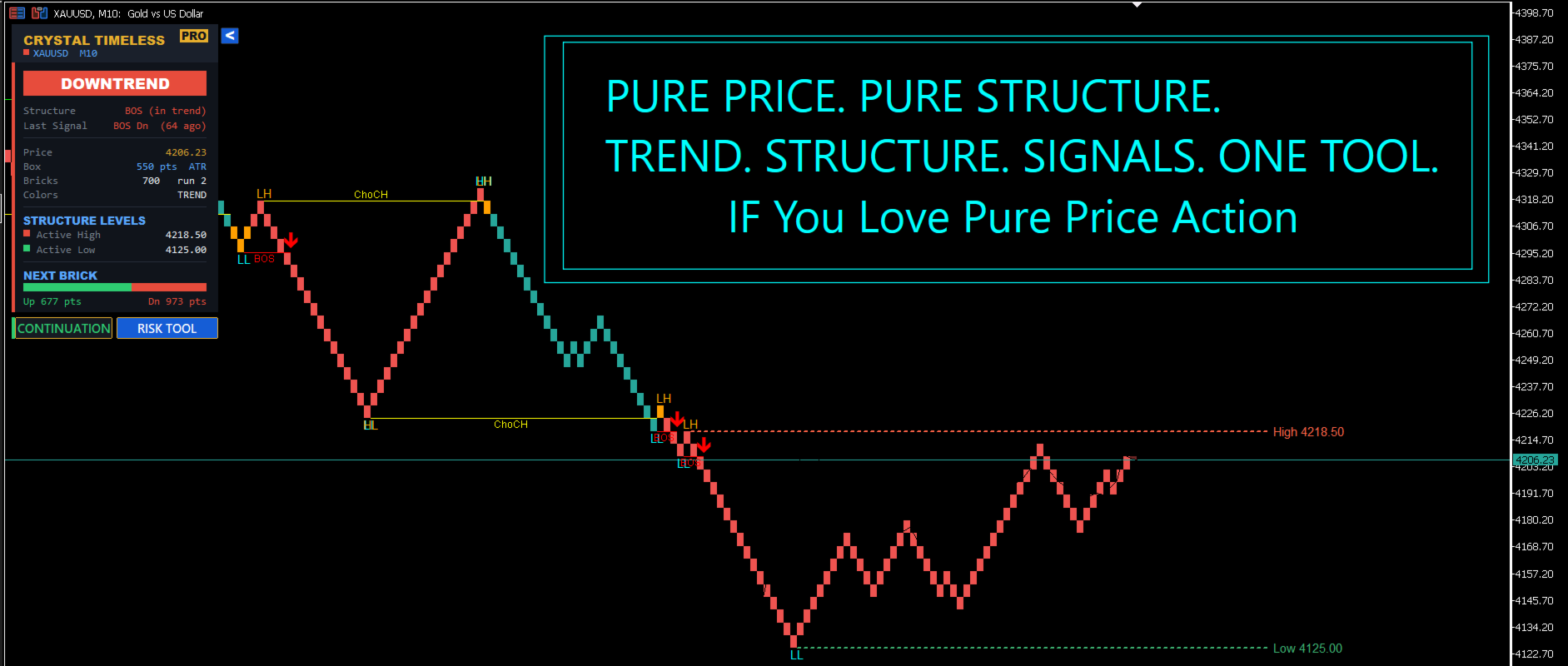
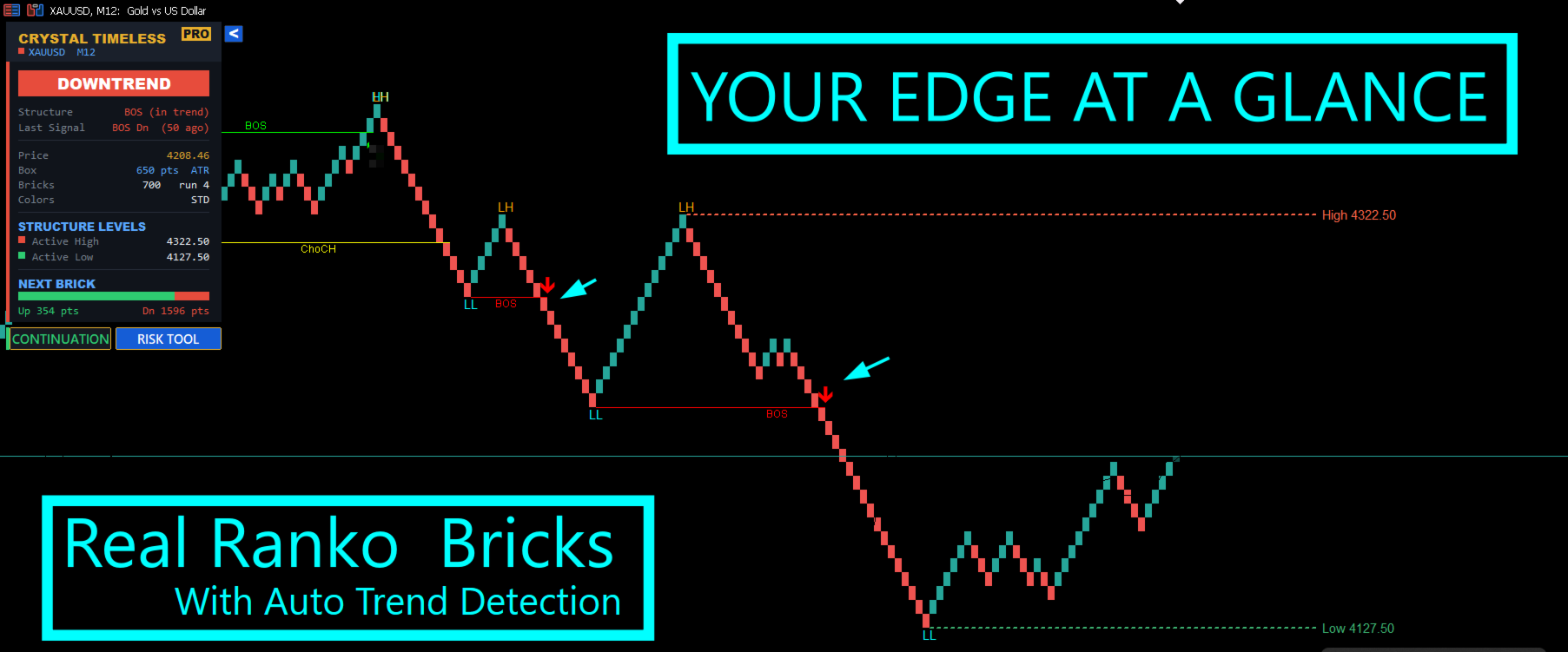
Crystal Timeless Pro draws clean, TradingView-style Renko bricks and maps the full market structure directly on those bricks. Because the bricks are built from price (not time), the market noise is filtered out before the structure is calculated. The result is a clear read on trend, structure shifts and high quality signals - plus a built-in manual risk calculator to plan every trade.
What it does
- Clean Renko engine - bricks are built from the bar close, exactly like TradingView. No double or stacked bricks, just a clean staircase.
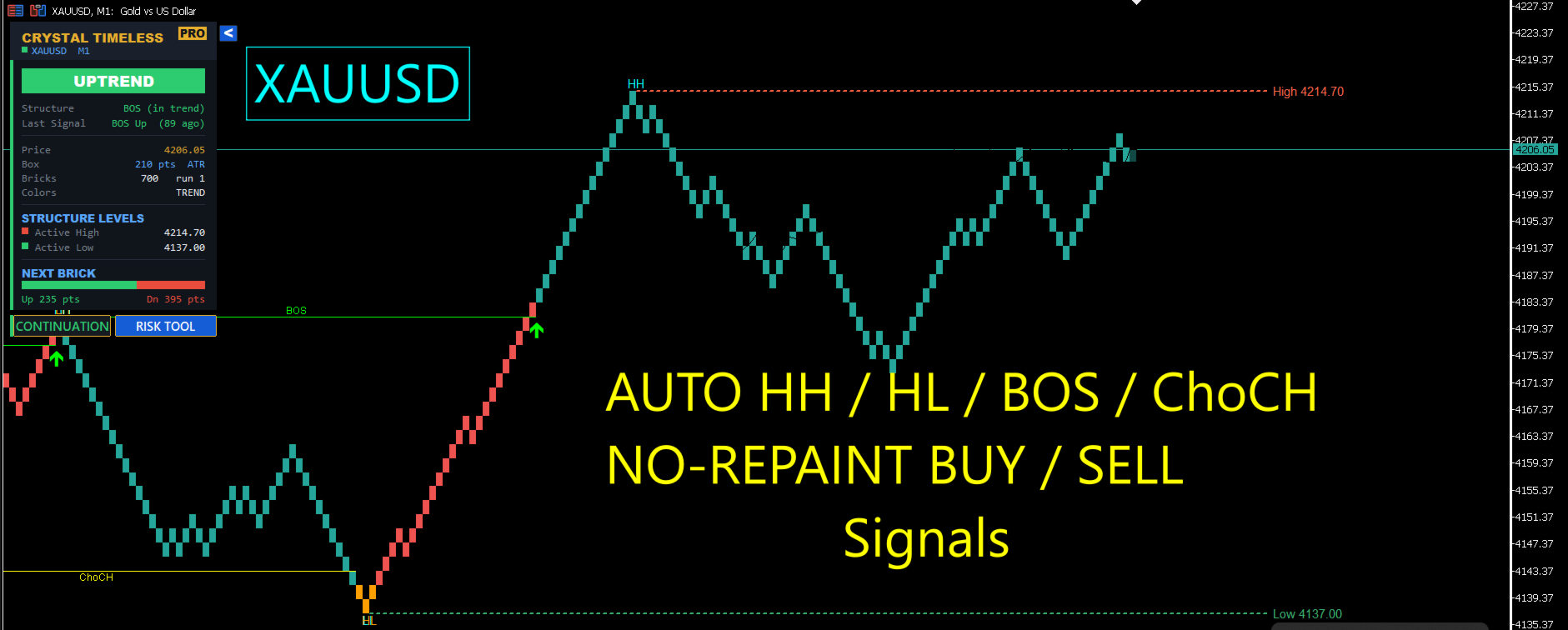
- Automatic market structure - HH, HL, LH and LL swing labels are printed automatically on the bricks.
- BOS and ChoCH - Break of Structure (continuation) and Change of Character (reversal) levels are drawn and labelled in real time.
- Active structure levels - the current key high and low are extended forward so you always see the live structure boundaries.
- Trend coloring - color the bricks by structure trend, or keep the classic two-color look.
- No-repaint signals - Buy and Sell arrows that fire only on a closed brick.
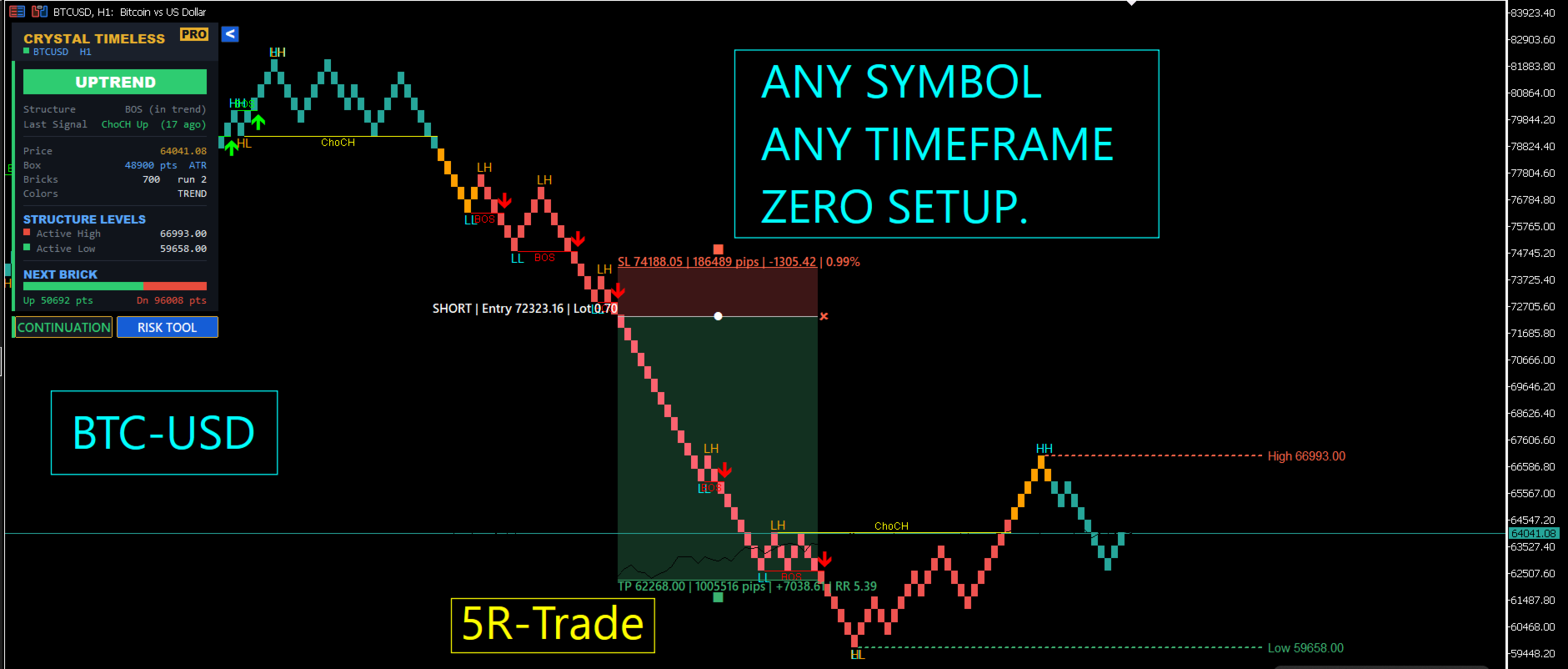
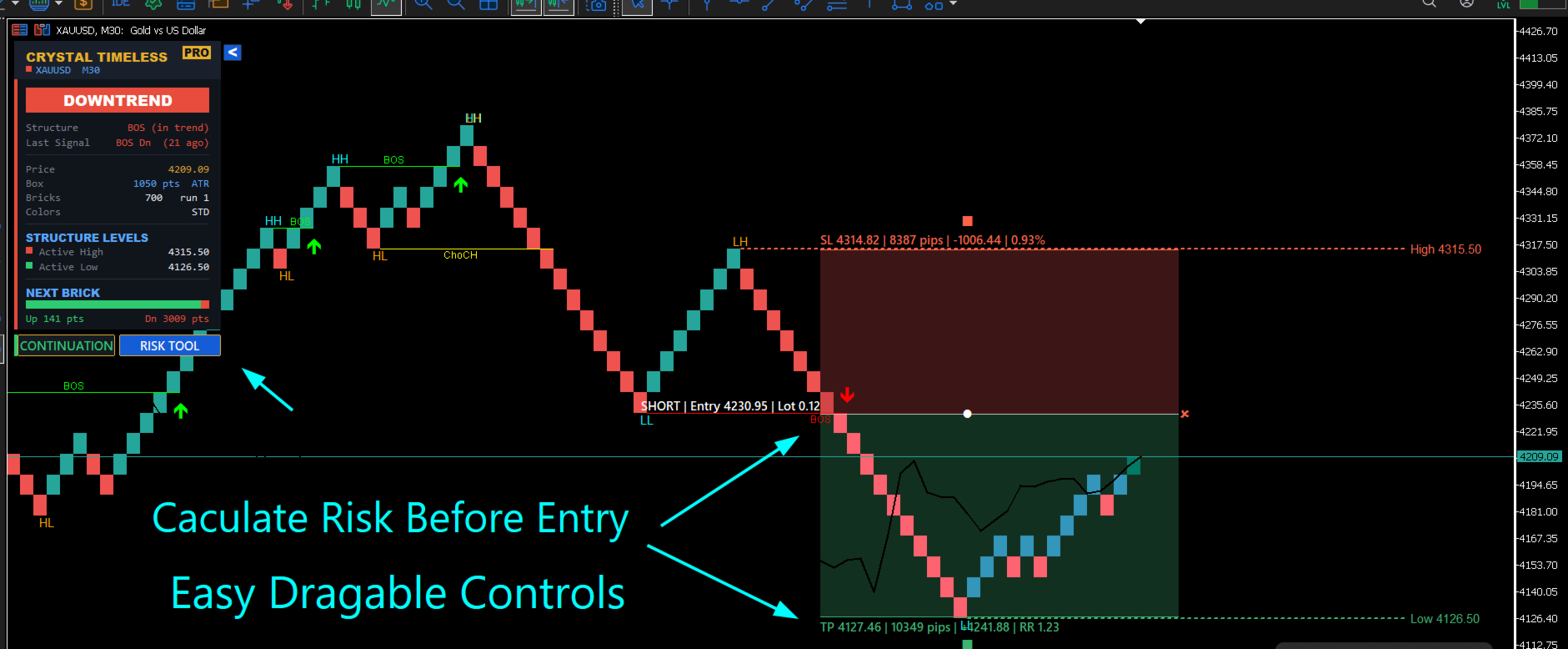
- Manual Risk Tool - a draggable Long / Short position box that calculates lot size, risk, reward and R:R live.
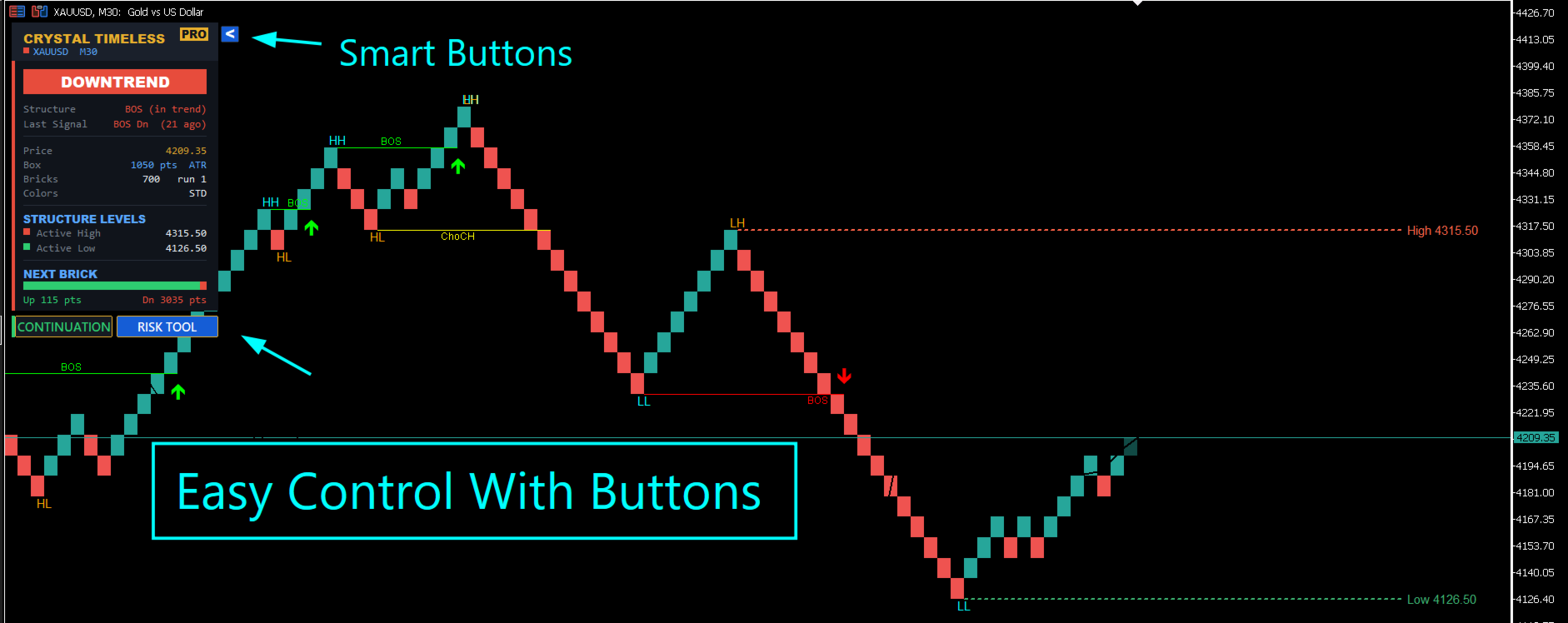
- Premium dashboard - trend, structure phase, last signal, levels and next-brick distance at a glance.
The Renko engine
Most Renko indicators feed every intrabar tick into the engine, which produces messy "double" bricks that do not match what you see on TradingView. Crystal Timeless Pro builds each brick from the completed bar close, so the staircase stays clean and the structure stays accurate.
| Box sizing | Auto (ATR), fixed Points, or Pips - adapts to any symbol and timeframe |
| Reversal | Adjustable reversal size (default 2 boxes, traditional Renko) |
| Price source | Close (clean, TradingView style) or High/Low (more reactive) |
| Source timeframe | Use the chart resolution or lock to a fixed timeframe |
| Live brick | Optional forming brick that updates in real time and locks on close |
Market structure on Renko
The structure engine treats every brick as a clean price unit and maps the swing structure on top of it:
- HH / HL / LH / LL swing labels.
- BOS lines when price continues the trend by breaking prior structure.
- ChoCH lines when price breaks structure in the opposite direction (first sign of a possible reversal).
- Active high and active low extension lines that mark the live structure range.
- Two color modes: Standard (classic up/down colors) or Trend (bricks colored by structure direction).
Signals (no repaint)
Signals are optional and fully controllable. A toggle button under the dashboard lets you switch direction live, and the choice is remembered when you change timeframe.
| Continuation mode | Buy / Sell arrows on a Break of Structure in the trend direction |
| Reversal mode | Buy / Sell arrows on a Change of Character |
| No repaint | Arrows fire only on a closed brick and never move afterwards |
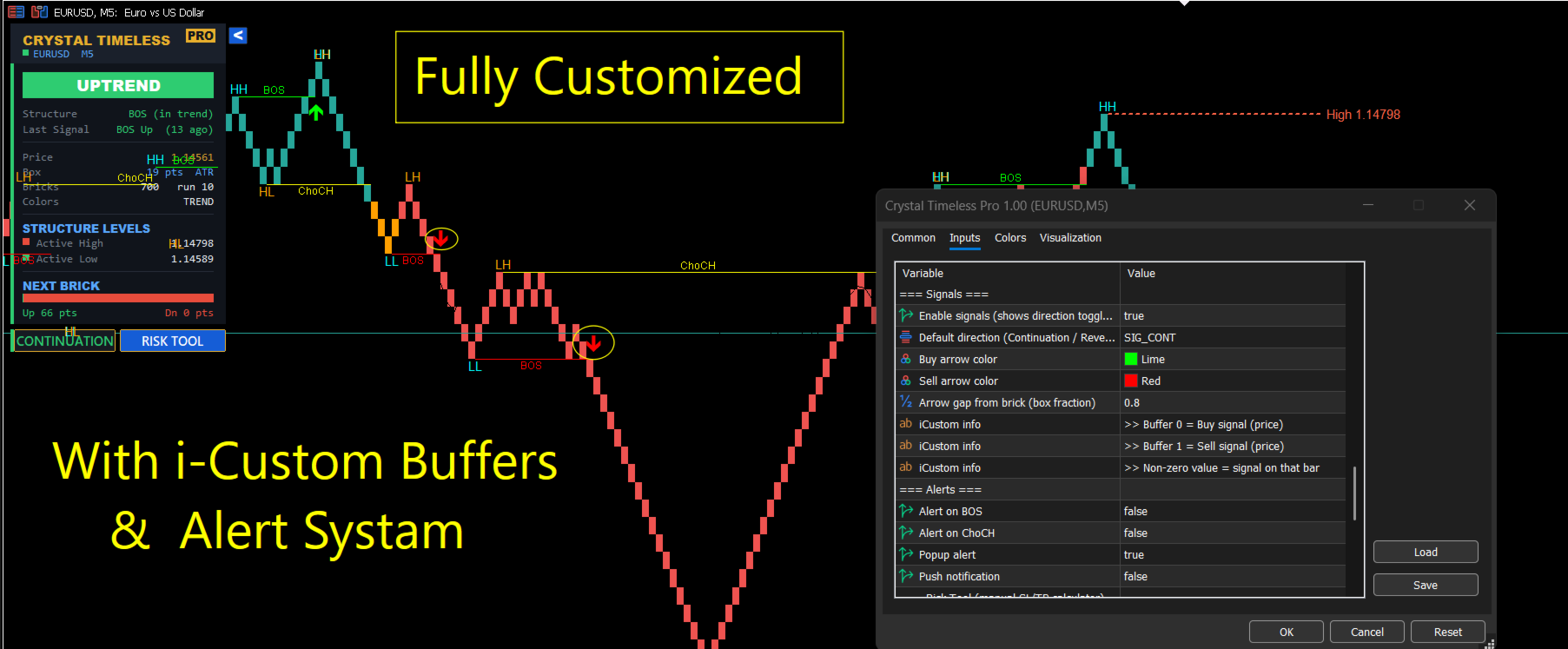
| Alerts | Single-line log to the Experts tab plus optional push notification |
Each signal alert is a clean one-line message, for example:
Crystal Timeless Pro | XAUUSD | M5 | BUY SIGNAL | BOS | Entry 4194.86 | SL ref 4182.56 | 2026.06.20 14:30
For developers (iCustom)
- Buffer 0 = Buy signal price (0 = no signal on that bar)
- Buffer 1 = Sell signal price (0 = no signal on that bar)
A non-zero value on a bar means a signal is present, so the indicator can drive your own Expert Advisor.
Manual Risk Tool (SL / TP calculator)
Plan every trade visually, the way a TradingView position tool works, directly on the chart.
- Click RISK TOOL, then LONG or SHORT to drop a position box.
- Drag the white circle to move the whole box (up, down, left and right).
- Drag the SL handle to move the stop, or the TP handle to move the target.
- Live readout of entry, stop and target with pips, money risk, money reward, R:R, lot size and risk percent.
- A small remove cross clears the box with one click.
| Fixed Lot mode | Lot is fixed - moving the SL updates the money risk, the risk percent and the reward |
| Percent Equity mode | Risk percent is fixed - moving the SL recalculates the lot size automatically |
Note: this is a planning and calculation tool. An indicator cannot place orders in MetaTrader. Use the displayed lot size to place your order, or drive your own EA using the signal buffers.
Premium dashboard
- Big trend status: UPTREND / DOWNTREND / RANGING.
- Structure phase and the last signal (with how many bricks ago it fired).
- Price, box size and mode, brick count and run, color mode.
- Active high and active low with exact prices.
- Next brick: distance to continuation and to reversal.
- One-click show / hide toggle that is remembered across timeframe changes.
Clean chart options
- Hide real candles for a pure Renko view.
- Optional clean look (hide grid, volumes and separators).
- Auto-fit vertical scale and adjustable chart shift for room on the right.
- Works in live trading and in the Strategy Tester.
Quick start
- Attach Crystal Timeless Pro to any symbol and timeframe.
- Leave the box size on Auto (ATR) for instant adaptation, or set Points / Pips manually.
- Read the structure (HH / HL / LH / LL, BOS, ChoCH) and the dashboard trend.
- Use the signal arrows (Continuation or Reversal) as confluence.
- Open the Risk Tool to size your trade with a clear stop and target.
Compatibility
| Platform | MetaTrader 5 |
| Markets | Forex, metals, indices, crypto, commodities, stocks |
| Timeframes | All - the engine auto-adapts the box size |
| Type | Custom indicator (no repaint signals) |
FAQ
Do the signals repaint?
No. Arrows are evaluated on a closed brick and stay fixed.
Why do the bricks look cleaner than other Renko tools?
The engine builds bricks from the bar close, like TradingView, so there are no intrabar "double" bricks.
Can it place trades?
No. It is an indicator. The Risk Tool shows you the exact lot size, and the signal buffers let your own EA trade.
Does it work on any symbol?
Yes. With Auto (ATR) box sizing it adapts to any symbol and timeframe with no setup.
Risk warning: Trading foreign exchange, CFDs and other leveraged instruments carries a high level of risk and may not be suitable for all investors. Past performance is not indicative of future results. This indicator is an analysis and planning tool only and does not guarantee any profit. You are solely responsible for your own trading decisions. Always test on a demo account first and never risk money you cannot afford to lose.