Auto Trend Line MTF
- Indicatori
-
Ricky Andreas
 🚀 ARFX TOOLS – The Smart Solution for Modern Traders!
A powerful 3-in-1 toolset to optimize your trading strategy:
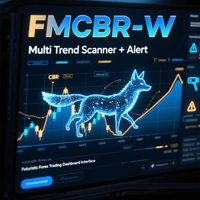
🔍 1. MULTI TREND SCANNER
Automatically monitor trend directions across multiple time frames. Instantly detect trend strength and potential reversals at a glance! - Versione: 1.0
🔥 TRADING FLOW WITH AUTO TREND LINE FREE
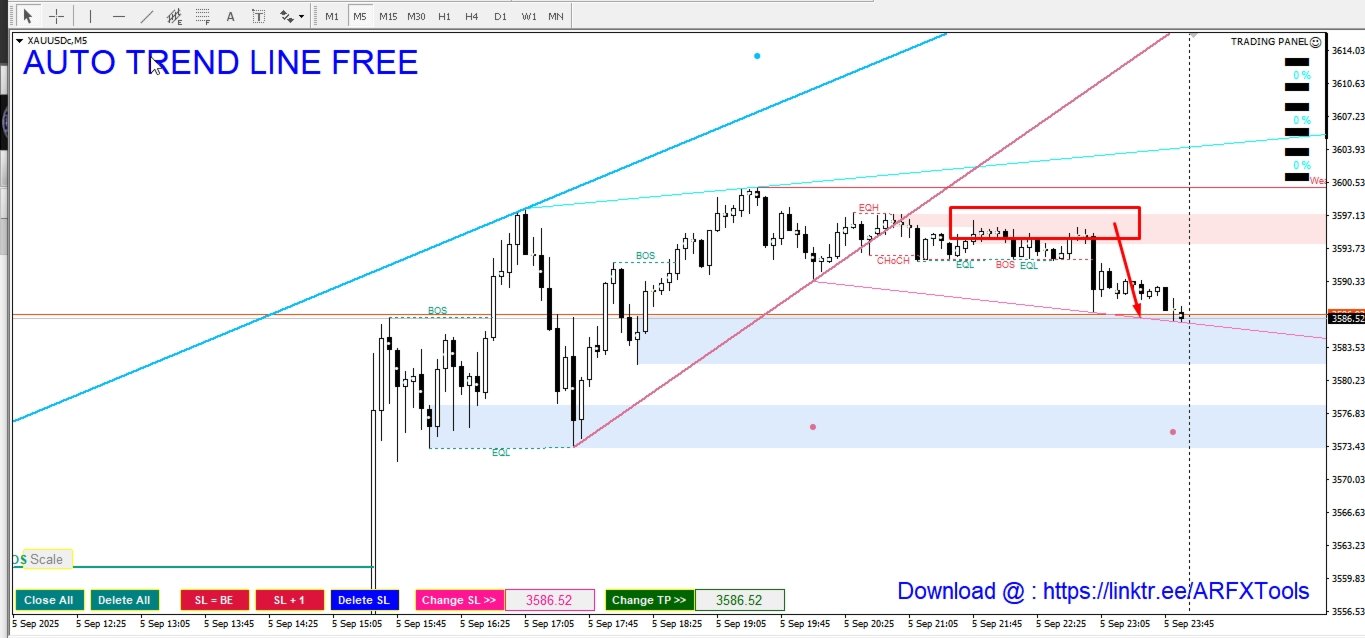
✅ 1. Identify Market Structure Automatically
Watch for key price action structures:
-
BOS (Break of Structure)
-
CHoCH (Change of Character)
-
EQH / EQL (Equal High / Low)
📊 These help you understand the current market phase (reversal or continuation) based on Smart Money Concept.
✅ 2. Use Auto Trend Line
📐 Trendlines are automatically drawn based on valid structure.
-
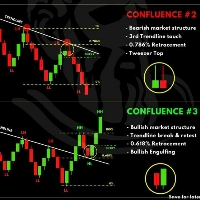
🔺 Breakout of a trendline → potential trend change
-
🔻 Rejection from a trendline → possible trend continuation
💡 No manual drawing needed — let the system guide your view.
✅ 3. Watch for Price Reaction in Supply & Demand Zones
🟦 Demand Zones (Buy areas) and 🔴 Supply Zones (Sell areas) are plotted automatically.
Wait for price to enter the zone and observe how it reacts.
⚠️ Avoid early entries — let price show confirmation!
✅ 4. Wait for Confirmation Before Entry
Combine multiple confirmations:
-
Trendline breakout or rejection
-
Candlestick signals like Engulfing, Pinbar, etc.
-
Recent BOS / CHoCH breakout
🎯 Only enter when price reacts within the zone and aligns with trend confirmation.
✅ 5. Apply Solid Risk:Reward Management
-
Stop Loss = Outside the zone (avoid fakeouts)
-
Take Profit = Based on previous structure or trailing
📏 Minimum recommended Risk:Reward is 1:2 for long-term profitability.
🎁 Download FREE SMC Indicator & More Tools
Enhance your trading setup by adding Smart Money Concept (SMC) indicators for better confluence and structure validation.
👉 Get the indicators here:
https://linktr.ee/ARFXTools
🔥 ALUR TRADING DENGAN AUTO TREND LINE FREE
✅ 1. Identifikasi Struktur Market Otomatis
Perhatikan pola penting seperti:
-
BOS (Break of Structure)
-
CHoCH (Change of Character)
-
EQH / EQL (Equal High / Low)
📊 Struktur ini membentuk dasar analisis supply & demand, dan menunjukkan potensi reversal/continuation.
✅ 2. Gunakan Auto Trend Line
📐 Trendline otomatis akan terbentuk berdasarkan struktur valid:
-
🔺 Breakout dari trendline → sinyal potensi perubahan arah
-
🔻 Rejection dari trendline → validasi arah trend sebelumnya
Tidak perlu gambar manual, sistem sudah bantu visualisasikan.
✅ 3. Pantau Zona Supply & Demand
🟦 Demand Zone (Buy) dan 🔴 Supply Zone (Sell) terplot otomatis.
Tunggu harga masuk ke zona dan amati reaksi candle di area tersebut.
⚠️ Jangan entry asal — tunggu konfirmasi!
✅ 4. Konfirmasi Entry Setelah Reaksi Price
Gunakan kombinasi:
-
Breakout atau rejection dari trendline
-
Price action seperti Engulfing, Pinbar
-
Break BOS / CHoCH terbaru
🎯 Entry dilakukan setelah ada reaksi valid di zona + konfirmasi arah trend.
✅ 5. Gunakan Risk:Reward yang Disiplin
-
SL = di luar zona (aman dari false breakout)
-
TP = gunakan struktur sebelumnya / trailing
📏 Minimal R:R = 1:2 agar strategi tetap profit jangka panjang.
🎁 Download GRATIS Indikator SMC & Tools Lainnya
Gunakan indikator Smart Money Concept (SMC) untuk menambah confluence dan validasi struktur:
👉 Download sekarang di:
https://linktr.ee/ARFXTools