MultiArbitrageSoft Technology EA
- Experts
- Anton Zverev
- Versione: 2.1
- Attivazioni: 5
Symbol: GBPUSD, EURGBP
Timeframe: M1
Capital: minimum deposit $100
Broker: Recommended broker and account, low spread and commission, fast order execution
Leverage: 1:500
| Price | Copies |
|---|---|
| 99$ | 2 |
| 199$ | 2 |
| 299$ | 2 |
| In discussion.. | In discussion.. |
MultiArbitrageSoft Technology EA is a professional product from the Varko Technologies team. Multicurrency Expert Advisor using multiple strategies for trading on the currency market. Each of the individual strategies has undergone years of development and testing on quotes with 100% modeling. Each transaction is protected by multi-level closing algorithms. Due to the use of multiple strategies for each currency pair, the Expert Advisor undergoes successful testing with 100% modeling of quotes over a long period of time.
Trading Strategy:
- The algorithm finds abnormal points of volatility spikes during calm periods of the market.
- Rebound from support and resistance levels.
- Trading in a narrow channel.
- Opening trades in the direction of the trend, in case of deviation volatility in the opposite direction.
- The algorithm does not use high-risk strategies. Each transaction is protected by several levels of control. An adaptive transaction support algorithm is used.
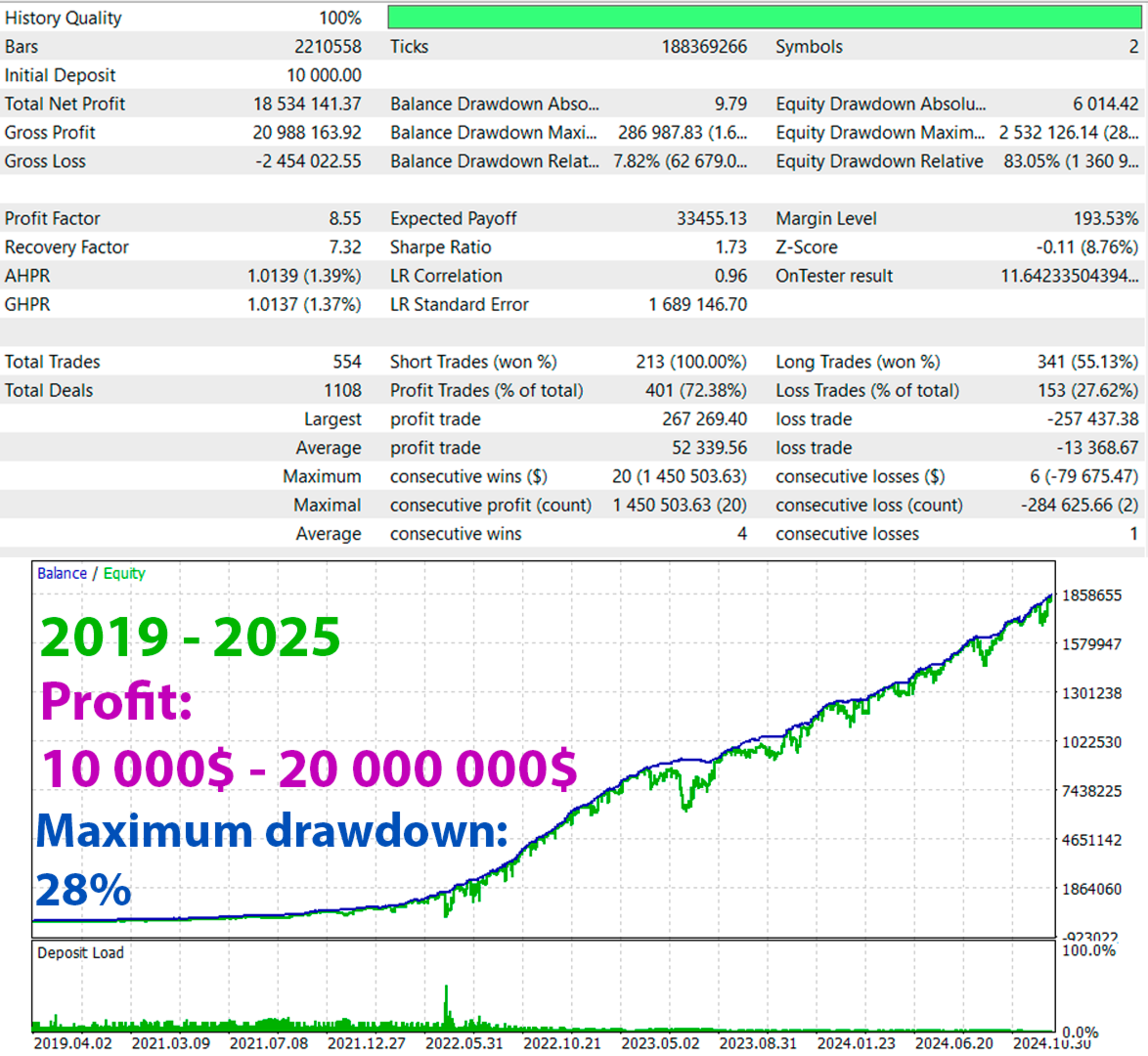
- The strategy has been successfully tested throughout the entire available history, with 100% modeling quality. With slippage and commission close to real market conditions.
How to install an Expert Advisor for trading:
You need to transfer the file with the Expert Advisor to one chart with the GBPUSD M1 currency pair. And in the "Market Watch" window, add the currency pairs you would like to trade. After that, in the Expert Advisor settings, you can enable and disable the currency pair for trading. The Expert Advisor itself will automatically trade on all selected currency pairs, you will only need to install it on one chart.