Ninja Forex EA
- Experts
- Version: 5.0
- Mise à jour: 3 avril 2024
- Activations: 5

Reverse Trading Strategy | Trend-Based Signals | Pending Orders | Advanced Trade Management
Ninja Forex EA is an automated trading system for MetaTrader 4 that combines technical indicators, price-level analysis, and automated trade management.
The EA offers two different trading modes, allowing traders to choose between reverse-direction signals and a trend-following approach through the Reverse_Direction setting.
It also includes pending-order management, adjustable trading parameters, spread protection, and basket-level profit management.
1. Trading Strategy
Ninja Forex EA provides two operating modes:
Mode 1 – Reverse Direction
Reverse_Direction = true
In this mode, the EA uses a reverse trading approach.
-
Identifies potential trading opportunities using RSI and recent price highs and lows.
-
Looks for potential SELL opportunities when price moves above recent highs under specific RSI conditions.
-
Looks for potential BUY opportunities when price moves below recent lows under specific RSI conditions.
-
Uses technical conditions to identify possible market reversals.
Mode 2 – Trend Direction
Reverse_Direction = false
In this mode, the EA uses a combination of technical indicators and price-action conditions to identify trading opportunities.
The strategy includes:
-
Ichimoku components.
-
ADX directional indicators.
-
RSI.
-
Recent price highs and lows.
-
Tenkan and Kijun levels.
The EA evaluates these conditions to identify potential BUY and SELL entries.
2. Trade Management
Ninja Forex EA includes automated trade-management functions:
-
Pending Orders: Can place pending orders as part of its trade-management logic.
-
Step Distance: Controls the distance used when placing consecutive orders.
-
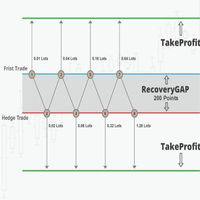
Basket Management: Monitors the combined results of open trades and includes conditions for closing a group of positions.
-
Opposite Positions: Uses opposite-side pending orders in certain market conditions to manage the trading basket.
-
Trailing Stop: Includes trailing-stop functionality under specific trade-management conditions.
-
Maximum Orders: Allows you to define the maximum number of orders.
-
Spread Protection: Prevents new orders when the spread exceeds the configured limit.
Please note that the EA's trade-management logic can result in multiple simultaneous positions and floating losses.
3. Input Parameters
| Parameter | Description |
|---|---|
| Lot1 | Initial manual lot size. Default: 0.01 |
| Auto_Lots | Enables automatic lot-size calculation when set to true. |
| MaxRisk | Calculation factor used by the EA when automatic lot sizing is enabled. It should not be interpreted as a guaranteed maximum account-risk percentage. |
| TakeProfit | Individual trade take-profit distance. Set to 0 to disable this setting. |
| StopLoss | Individual trade stop-loss distance. Set to 0 to disable this setting. |
| TrailingStop | Trailing-stop distance. |
| TrailingStep | Minimum trailing adjustment step. |
| Max_Open | Maximum permitted number of orders. |
| Max_SPREAD | Maximum spread allowed for opening new orders. |
| Step | Controls the distance used for consecutive pending orders. |
| Reverse_Direction | Selects reverse-direction or trend-direction trading mode. |
| MagicNumber | Unique identifier for the EA's trades. |
4. Recommended Configuration
-
Platform: MetaTrader 4
-
Trading Instruments: Forex currency pairs and Gold can be configured for testing.
-
Timeframes: M5, M15, M30, H1 and H4 can be tested.
-
Initial Manual Lot: 0.01
-
Auto Lots: Disabled by default.
The EA operates using the chart symbol and timeframe where it is attached. Trading results and execution conditions may vary depending on the instrument, broker, spread, and market volatility.
For more conservative initial testing, use manual lot sizing and begin with 0.01 lots. A larger account balance does not eliminate the possibility of substantial floating losses.
5. Important Risk Warning
Ninja Forex EA is an automated trading tool, not a guarantee of profits.
Its use of pending orders and multiple-position management can expose an account to significant floating losses, particularly during strong market movements or unfavorable market conditions.
-
Always test the EA on a demo account before using real funds.
-
Use conservative lot sizes.
-
Monitor account equity and margin levels.
-
Avoid using money you cannot afford to lose.
-
Past performance does not guarantee future results.
Please test both trading modes and adjust the settings according to your broker and account conditions before live trading.