
Hedging Forex EA1
- Experts
- Version: 8.0
- Mise à jour: 18 mars 2026
- Activations: 5

Automated Hedging, Grid and Basket Management for MetaTrader 4
Overview
Hedging Forex EA1 is an automated trading system developed for MetaTrader 4 (MT4). It combines hedging, grid-based position management, and configurable recovery logic to manage trading positions according to predefined conditions.
The Expert Advisor is designed for traders who understand automated trading strategies and the risks associated with hedging, grid trading, and variable position sizing.
The EA can be used on demo or real trading accounts, subject to broker conditions and account compatibility.
Demo testing is strongly recommended before using the EA with real money.
How Does the Strategy Work?
1. Initial Entry
The EA opens an initial Buy or Sell position according to its programmed trading logic and configured trading conditions.
2. Smart Hedging and Grid Management
If the market moves against an open position, the EA can open additional positions at configured price intervals. The direction, lot size, and timing of these positions depend on the strategy settings.
3. Basket Profit Management
The EA monitors the combined results of open positions. When the configured basket profit target is reached, it can close the positions according to its programmed exit conditions.
This approach is designed to manage multiple trades as a group rather than evaluating each position independently. Closing a basket in profit is not guaranteed under all market conditions.
4. Optional ATR-Based Take Profit
When Open_ATR is enabled, the EA can use the Average True Range (ATR) indicator to adjust profit targets according to market volatility.
When this option is disabled, the configured fixed TakeProfit setting is used instead.
Main Features
- Automated hedging and grid-based position management.
- Buy and sell position management.
- Configurable recovery position sizing.
- Basket-based profit management.
- Optional ATR-based dynamic profit targets.
- Automatic or fixed initial lot sizing.
- Maximum spread filter.
- Trading session controls.
- Maximum open-position limits.
- Maximum recovery trade lot size.
- Optional daily profit target.
- Configurable floating-loss protection.
- Magic Number identification for trade management.
- Optional continuous trading after a basket is closed.
Recommended Trading Setup
Platform: MetaTrader 4 (MT4)
Recommended timeframe: M5 (5-minute chart)
Suggested initial lot size: 0.02
Suggested starting capital: $5,000 for the 0.02 initial-lot configuration.
Suggested currency pairs for testing:
- GBPJPY
- EURJPY
- GBPUSD
- EURUSD
- AUDCAD
- USDCAD
These are suggested starting parameters, not guarantees of safety or profitability. Actual risk depends on the instrument, broker conditions, account specifications, position accumulation, and the selected settings.
Start by testing one currency pair at a time. Avoid running multiple instances with the same capital until the combined exposure has been carefully assessed.
Capital and Money Management
The suggested $5,000 capital and 0.02 initial lot size are reference values for testing, not a guarantee that the account will be protected from losses.
The appropriate capital and lot size depend on the selected currency pair, leverage, margin requirements, market volatility, and your risk tolerance.
Automatic lot sizing should be tested carefully to confirm that the calculated position sizes are appropriate for your account.
Parameters and Settings Explanation
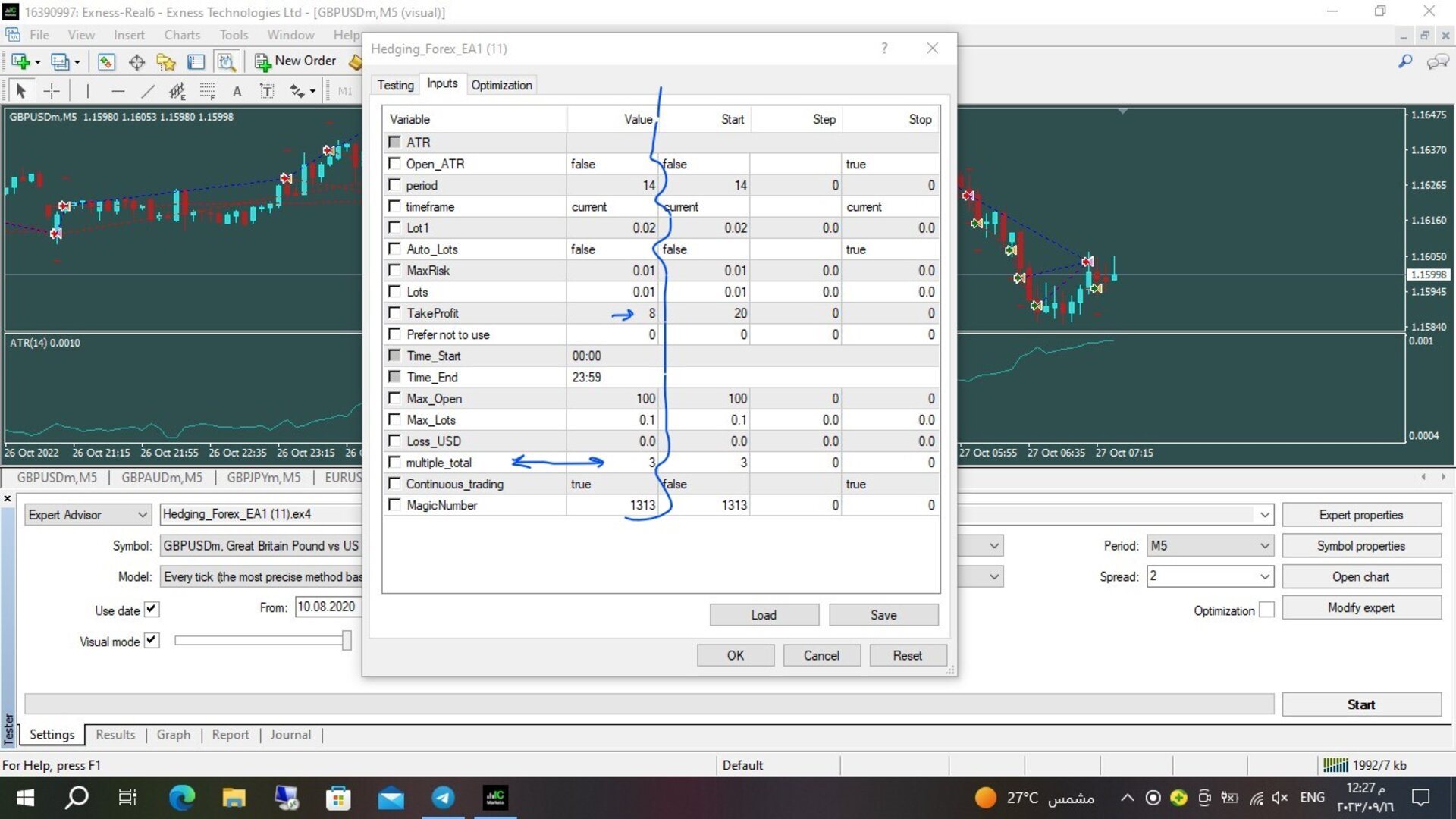
Open_ATR (true/false)
Enables or disables ATR-based dynamic Take Profit management.
period / timeframe
Defines the ATR indicator period and timeframe, according to the available input parameters.
Auto_Lots (true/false)
When enabled, the EA calculates the lot size automatically using its programmed balance and risk calculation. When disabled, it uses the fixed Lot1 setting.
Lot1
The starting fixed lot size when automatic lot calculation is disabled. A suggested testing value is 0.02.
MaxRisk
The risk parameter used by the EA when Auto_Lots is enabled. The actual lot calculation depends on the program's implementation. This parameter should not be interpreted as a guaranteed maximum account loss.
win_USD
The daily profit target in the account's deposit currency. When the configured target is reached, the EA is designed to close its trades and stop trading for the remainder of the day. Set to 0 to disable this feature.
TakeProfit
The fixed Take Profit setting in points, used when Open_ATR is disabled.
StopLoss
The fixed Stop Loss setting in points. The default value is 0, meaning that a fixed Stop Loss may not be applied to individual positions. Hedging and basket management do not eliminate the possibility of substantial losses.
Max_SPREAD
Defines the maximum spread allowed for opening new trades. This filter can help avoid entries when the spread exceeds the selected threshold. It does not guarantee protection from news-related volatility or slippage.
Time_Start / Time_End
Defines the trading hours during which new initial trading cycles may be opened.
Max_Open
Sets the maximum number of trades permitted in a grid basket.
Max_Lots
Sets the maximum lot size allowed for an individual recovery trade, according to the EA's programmed rules. It does not necessarily limit the total exposure of all open positions.
Loss_USD
Defines the floating-loss threshold used by the EA's equity-protection logic. When the configured threshold is reached, the EA is designed to close its trades. Set to 0 to disable this feature.
Execution conditions, slippage, market gaps, and insufficient margin may affect the final result.
Multiplication_Mode
Selects the recovery lot-sizing method, such as adding lots or multiplying the lot size, according to the available options.
Continuous_trading (true/false)
When enabled, the EA can search for new trading opportunities after a basket has been closed.
MagicNumber
A unique identifier used to distinguish the EA's trades from other trades. Use an appropriate value when operating multiple trading systems.
Installation and Setup
- Purchase and install Hedging Forex EA1 through the MQL5 Market.
- Open MetaTrader 4 and attach the EA to the appropriate chart.
- Select the M5 timeframe.
- Review all input parameters and broker trading conditions.
- Enable automated trading and test the configuration on a demo account before live use.
VPS and Continuous Operation
A suitable VPS can help keep MetaTrader 4 running when your personal computer is switched off.
Choose a reliable hosting service with a stable connection to your broker's trading server. A VPS can improve operational continuity but does not guarantee better trading results or eliminate execution risks.
Risk Warning and Disclaimer
Forex trading involves substantial financial risk and may result in the loss of some or all of your trading capital.
Hedging and grid strategies can accumulate multiple positions when the market moves strongly in one direction. Recovery and martingale-style position sizing can increase exposure and margin requirements.
A basket profit target does not guarantee that a basket will close in profit. Similarly, an equity-protection setting cannot guarantee a specific maximum loss under all market conditions.
Always test the EA on a demo account, review the settings, and monitor account equity, margin usage, and total exposure.
Past performance does not guarantee future results. No trading system can guarantee profits or eliminate trading risk.
The trader is responsible for selecting appropriate settings, monitoring the account, and understanding the risks involved.
Support
For installation questions, configuration assistance, or technical issues, please use the product comments section or the MQL5 messaging system.

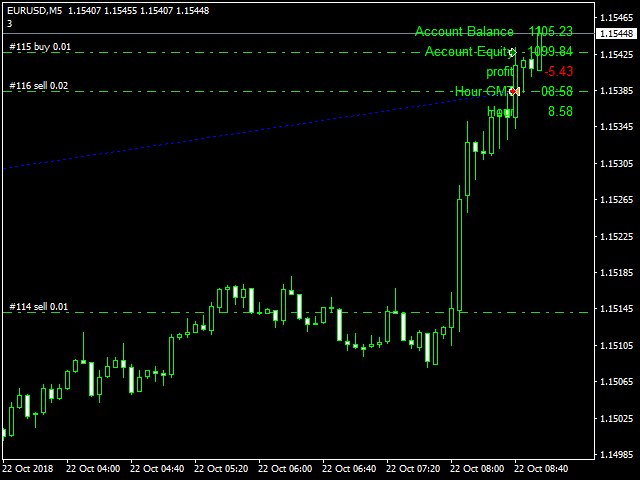
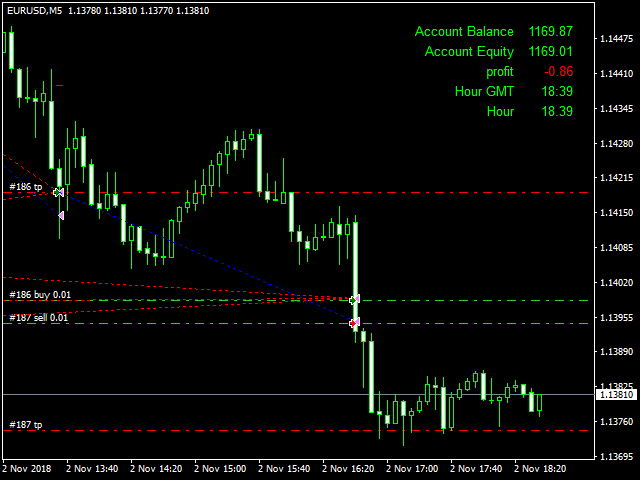



































































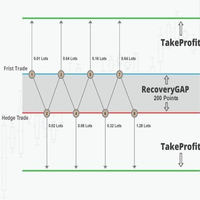














Hi All I bought this amazing EA because I don't want to stick to the charts all day long as my life is really busy. I believe that math is doing an amazing job since we are dealing with only numbers here in view of price, profit and loss. Long time ago I believe that gaining adequate amount of money from the forex market depends basically on an automated math-dependent method. - Utilizing the idea that prices move in waves ups and down, trends and retracements, Samir Arman came up with this amazing idea in this Grid trading expert Advisor that open hedge tickets at every level and tp at the next level, when the market starts retracing, it starts closing the new winning tickets against the far loosing ones in EVEN. Though it's not new but the method of close open tickets with retracement is really amazing, I started to gain money immediately as I started live trading using this EA. - The drawback of this EA is longterm trends that can blow your account, however I got a nice idea to deal with things like that, I will summarize them here; 1. Use on pairs that are known with oscillations like AUDJPY, NZDJPY, AUDCHF, EURCHF, etc.. 2. USE Cent accounts instead of standard account in cases of small capitals less than 5000 USD. 3. USE the ATR indicator to determine the gap; (I Use GRID level of ATR(50)/3), that I take the ATR for 50 days and divide it by 3, then when all the deals are closed I recalculate this again, so it will open tickets at safe distances and deceases the drawdowns. I am Sure that Samir Arman can add this method as an option in next updates.. many thanks Samir and all the best. I definitely recommend this EA and give it 5 stars.