Custom Telegram Copier MT5 Range Grid

Telegram Copier MT5 Range Grid

Telegram Signal Copier with Russian Language Support, Range Grid Execution and Custom SL/TP Management

Telegram Copier MT5 Range Grid is an Expert Advisor designed to execute supported Telegram trading signals in MetaTrader 5 through a companion Windows application.

The system supports English trading signals and configurable Russian-language signal recognition. It also provides range-based order execution, adjustable grid spacing, flexible lot distribution and independent Stop Loss and Take Profit adjustments.

Main Features

1. Russian and English Signal Support

  • Recognition of BUY and SELL signals in supported formats.

  • Customizable Russian keywords for entry, Stop Loss and Take Profit.

  • Individual Russian keyword settings for selected Telegram channels.

  • Support for entry ranges such as <4037-4043>, with or without angle brackets.

  • Broker symbol mapping, including symbol prefixes and suffixes.

  • Signal preview and keyword matching through the companion application.

Existing English keyword settings in the Expert Advisor remain available.

2. Market Entry with Pending Order Grid

When a valid trading signal contains an entry range, the Expert Advisor can:

  • Open the initial trade at market price.

  • Place additional pending orders throughout the specified range.

  • Use an adjustable grid step in broker points.

  • Limit the maximum number of entry levels.

  • Automatically select appropriate Limit or Stop orders.

  • Reject the entire signal when the current market price is outside the specified range.

The grid is activated only when a new valid Telegram signal is received.

3. Automatic Lot Distribution

The configured total trading volume is distributed across the available grid levels and selected Take Profit targets.

If the total volume is insufficient, the Expert Advisor automatically reduces the number of grid levels, prioritizing the market entry and nearby levels.

The configured total lot size is not automatically increased. If the volume is insufficient even for the initial market entry, the signal is skipped.

All calculations respect the broker's minimum lot size and volume step.

4. Flexible Stop Loss and Take Profit Settings

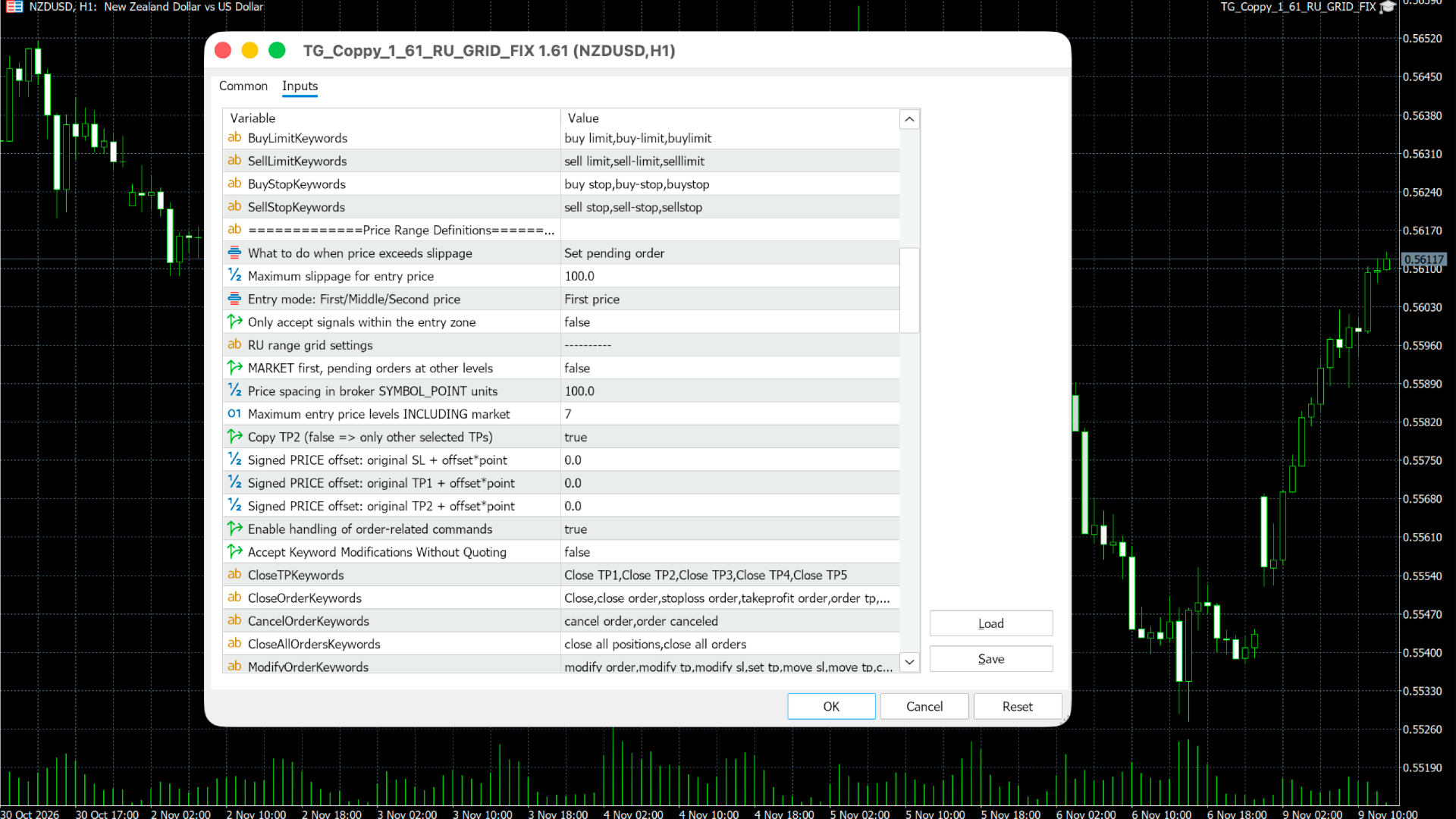
  • Individual positive or negative offsets for SL, TP1 and TP2.

  • Offsets calculated using the broker's point size.

  • Option to disable TP2.

  • Automatic volume allocation between TP1 and TP2 when both are enabled.

  • Support for original SL and TP prices received from Telegram.

Trading Example

Telegram message:

SELL GOLD Entry Range: <4037-4043> Stop Loss: 4046 Take Profit 1: 4035 Take Profit 2: 4033

If the current SELL price is 4040 and grid spacing is 1.00:

  • Initial market entry: 4040

  • Sell Limit levels: 4041, 4042, 4043

  • Sell Stop levels: 4039, 4038, 4037

The actual number of orders depends on the configured limits, available volume and broker trading conditions.

If the price is outside 4037–4043 when the signal is processed, no orders are placed.

Requirements and Important Information

  • MetaTrader 5 is required.

  • Grid trading requires an MT5 Hedging account.

  • A separate Telegram Bridge application for Windows is required to receive and parse Telegram messages. The EX5 file alone does not connect to Telegram.

  • Users must have access to their selected Telegram channels.

  • The companion application must be installed and configured separately.

  • Order execution depends on market conditions, available margin and broker restrictions.

This product is a trade execution and signal management tool. It does not generate trading signals or guarantee trading results.

Testing on a demo account is recommended before live trading.
More from author
GoldPro MT5
Sergey Batudayev
5 (6)
GoldPro (MT5) — XAUUSD Expert Advisor with 2 selectable modes: Classic & Scalping GoldPro is an automated trading system for XAUUSD (Gold) built for traders who want structure, clear risk controls and an EA that can work in different market tempos. Inside one EA you can choose how it trades : 1) Classic Mode — calm logic for swings & pullbacks A classic approach focused on reversal / mean-reversion behavior (entries from market “exhaustion” zones) and structured position management. Basket-style
Telegram to MT5 Coppy
Sergey Batudayev
5 (10)
Telegram to MT5: The Ultimate Signal Copying Solution Simplify your trading with Telegram to MT5, the modern tool that copies trading signals directly from Telegram channels and chats to your MetaTrader 5 platform, without the need for DLLs. This powerful solution ensures precise signal execution, extensive customization options, saves time, and boosts your efficiency. [ Instructions and DEMO ] [ FAQ ] [ How atach logs properly ] [ Settings descrition ] Key Features Direct Telegram API Integrati
EasyTradePad for MT5
Sergey Batudayev
5 (5)
EasyTradePad – Trading Panel for MetaTrader 5 EasyTradePad is a tool for manual and semi-automated trading. The panel allows quick management of orders and positions, as well as risk management calculations in one click. [ DEMO and Instruction ] Panel Features: Open and close trades with predefined risk (% or deposit currency) Set SL and TP in points, percentages, or monetary values Calculate risk-to-reward ratio automatically Move stop loss to breakeven Partial position closing Trailing stop
Telegram to MT4 Coppy
Sergey Batudayev
4.09 (11)
Telegram to MT4: The Ultimate Signal Copying Solution Streamline your trading with Telegram to MT4 , the cutting-edge utility designed to copy trading signals directly from Telegram channels and chats to your MetaTrader 4 platform—without the need for DLLs. This robust solution ensures seamless execution of signals with unparalleled precision and customization options, saving you time and boosting your efficiency. [ Instructions and DEMO ] [ FAQ ] [ How atach logs properly ] [Settings descrition
EA Ice Cube Scalper
Sergey Batudayev
4.71 (21)
Trading Advisor Ice Cube Scalper -       it is a day scalper , making a large number of trades daily, taking several points with each transaction. The EA's strategy is based trade with the trend using the RSI indicator. The EA uses averaging with a multiplier lot, you need to understand this before using the EA, however the strategy performed well in both backtesting and live trading. Before use test the work of the adviser in the strategy tester for more understanding his work. To control risks
GoldPro
Sergey Batudayev
5 (2)
GoldPro (MT4) — XAUUSD Expert Advisor with 2 selectable modes: Classic & Scalping GoldPro is an automated trading system for   XAUUSD (Gold)   built for traders who want structure, clear risk controls and an EA that can work in different market tempos. Inside one EA you can choose   how it trades : 1) Classic Mode — calm logic for swings & pullbacks A classic approach focused on reversal / mean-reversion behavior (entries from market “exhaustion” zones) and structured position management. Basket
Coppy Master MT5
Sergey Batudayev
5 (2)
Coppy Master MT5 is a trade copier tool for MetaTrader 4 and MetaTrader 5 terminals. It supports copying in both directions: from MT5 to MT4, from MT4 to MT5, as well as between accounts of the same type. To work correctly, all terminals must be running on the same PC or VPS. [ Instruction  and Demo ]  For copying to MetaTrader 4, a separate version — Coppy Master MT4 — is required. Main Features: Copying Modes Supports both Master and Receiver roles. Flexible setup for sending and receiving tr
True Supply and Demand indicator       - will allow you to quickly determine the location of resistance and support levels on all timeframes. The indicator will be useful for those who use technical analysis in their trading. The indicator is easy to use, just drag and drop on the chart and the indicator will show you the most likely support and resistance levels. When switching timeframes, you will see the levels for the newly selected timeframe. Recommended Robot Scalper       -       test  

Stop Out Line MT5
Sergey Batudayev
4 (1)
Work logic Stop Out utility is a simple but very convenient indicator showing how many points are left to the Stop Out level / Its benefit lies in the fact that many traders deliberately overestimate the risk in trading in pursuit of profit, use the available margin at the maximum, and for this case it is very important to know where the broker can forcibly close your positions. Just place the indicator on the chart and depending on the open position in Buy or Sell, you will see the border m
FREE
Smart Grid set EA
Sergey Batudayev
5 (1)
Smart Grid Set EA is a flexible and user-friendly expert advisor for placing pending orders in a grid. It supports breakeven logic, multiple trailing-stop modes, manual grid placement, customisable lot sizes, and an intuitive on-chart interface. It is ideal for traders who employ grid or averaging strategies. Key Features Places Buy Stop and Sell Stop orders in a customisable grid Supports individual lot sizes for each grid level Built-in trailing stop: classic, by candle highs/lows, or by movin
FREE
Automated trading should help you grow your capital — not confuse you with endless settings and theories. SPARK is a lightweight yet effective Expert Advisor designed to give beginners a confident start with a focus on precision and simplicity. Why is SPARK different? Focused on EUR/USD: The EA is specifically optimized for EUR/USD, one of the most liquid and stable currency pairs. Built on liquidity breakout logic: SPARK identifies and reacts to unique liquidity zones where price is likely to b
FREE
Main Trading Info for MT5
Sergey Batudayev
5 (1)
MetaTrader utility MTI (Main Trading Info) – shows the basic trading information for a trader, namely: average and current spread size Swap size for short and long positions Cost of 1 pip for 1 trading lot Stop Level size (minimum distance for placing pending orders) Time until the end of the current (red) and time until the start of the next (gray) trading session Recommended Robot Scalper -   https://www.mql5.com/en/market/product/77108 The time until the end of the current trading session is
FREE
Percent RiskTradePad MT5
Sergey Batudayev
5 (1)
The panel has the most intuitive interface that every beginner can handle. In the SLp column   – you need to specify the SL size in pips. If the value turns gray and at the same time the Bay / Sell buttons are also inactive, then you have specified a SL value that is less than that allowed before it was set by your broker. In the TP% column   – you indicate TP in% of the account balance. In the settings, you can choose on the basis of what this indicator will be calculated, by equity, balance or
FREE
Work logic Stop Out utility is a simple but very convenient indicator showing how many points are left to the Stop Out level / Its benefit lies in the fact that many traders deliberately overestimate the risk in trading in pursuit of profit, use the available margin at the maximum, and for this case it is very important to know where the broker can forcibly close your positions. Just place the indicator on the chart and depending on the open position in Buy or Sell, you will see the border m
FREE
Description of the advisor Smart Expert Advisor is an automatic grid trading advisor with auto-selection of settings for each trading pair. The Expert Advisor automatically selects the settings for each currency pair, thus you do not need to define the parameters for each pair, calculations are based on the volatility of the instrument being traded. At the time of trading, you can set the direction of entry points. Enable filter by trend. About strategy The EA is based on the logic of catching
PercentTradePad
Sergey Batudayev
The panel has the most intuitive interface that every beginner can handle. In the SLp column  – you need to specify the SL size in pips. If the value turns gray and at the same time the Bay / Sell buttons are also inactive, then you have specified a SL value that is less than that allowed before it was set by your broker. In the TP% column   – you indicate TP in% of the account balance. In the settings, you can choose on the basis of what this indicator will be calculated, by equity, balance or
Risk Manager for MT4
Sergey Batudayev
4.6 (10)
Expert Advisor Risk Manager for MT4 is a very important and in my opinion necessary program for every trader. With this Expert Advisor, you will be able to control the risk in your trading account. Risk and profit control can be carried out both in monetary terms and in percentage terms. For the Expert Advisor to work, simply attach it to the currency pair chart and set the acceptable risk values ​​in the deposit currency or in % of the current balance. Version for MT5 -  https://www.mql5.com
EasyTradePad
Sergey Batudayev
5 (5)
EasyTradePad – Trading Panel for MetaTrader 4 EasyTradePad is a tool for manual and semi-automated trading. The panel allows quick management of orders and positions, as well as risk management calculations in one click. [ DEMO and Instruction ] Panel Features: Open and close trades with predefined risk (% or deposit currency) Set SL and TP in points, percentages, or monetary values Calculate risk-to-reward ratio automatically Move stop loss to breakeven Partial position closing Trailing stop
Indicator iPump for MT4
Sergey Batudayev
3 (2)
The iPump indicator is a versatile indicator   that combines the advantages of three categories of indicators. simultaneous trend detection on several Timeframes defining zones of resistance and support determination of overbought and oversold zones Indicator functions: Defining a trend This function will be necessary for all traders who want to objectively assess the current market direction and avoid subjectivity. It will be clear and intuitive. Determination of support and resistance levels
Market Screener for MT4
Sergey Batudayev
5 (1)
This is a screener that allows to identify assets that are more than usually overbought (% growth) or oversold (% fall)  within a selected period of time (time frame). The market is ruled by the law, buy cheaper, sell more expensive,  but without an automatic scanner it is very difficult to identify assets overbought or oversold, say, within the current week, or the current hour, or month. There can be dozens or hundreds of instruments, sometimes it is simply not possible to physically analyze e
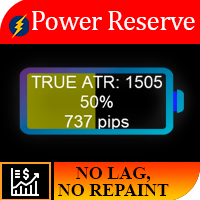
Work logic The importance of this indicator lies in the fact that it allows you to understand how much “fuel is still left at the instrument.” Imagine the situation, you left in a car with a half-discharged battery, on average, this amount of energy is usually enough for a car for 250 km, so if you want to, you cannot overcome a distance of 700 km. So for each instrument, there is a certain daily price movement, and as a result of statistical observations, it was revealed that 95% of the time t
MetaTrader utility MTI (Main Trading Info) – shows the basic trading information for a trader, namely: average and current spread size Swap size for short and long positions Cost of 1 pip for 1 trading lot Stop Level size (minimum distance for placing pending orders) Time until the end of the current (red) and time until the start of the next (gray) trading session The time until the end of the current trading session is displayed in red, the time until the opening of the next session is display
Impuls Pro MT4
Sergey Batudayev
5 (2)
The EA’s strategy is based on  Swing trading , with entries after sharp impulses calculated by the iPump indicator. The advisor has the ability to open manual trades with automatic support – for a downtrend ↓ we enter a trade after a corrective rise in the price, the asset falls into the overbought zone, we sell along the trend. – for an uptrend ↑, we enter a trade after a corrective fall in the price, the asset falls into the oversold zone, we buy along the trend. When trading on the selected
EA Pump and Dump for MT4
Sergey Batudayev
5 (1)
Strategy logic Pump and Dump Expert Advisor is a fully automated trading advisor created by a trader for traders. The strategy is “buy cheaper, sell more expensive”. Orders are opened after a significant rise / fall in price. The basic meaning of the Pump and Dump strategy is to buy an asset cheaper when the price falls, and sell it higher when the price rises. You have probably noticed that after sharp price movements in the market, a significant price rollback occurs in the opposite direction
Close All Orders for MT4 script - closes absolutely all orders, whether pending or market ones. Orders are closed at the current profit/loss indicators at the time of closing. The script is suitable for moments when you need to quickly close all orders at the current indicators. The script is very easy to use, just drag the script onto the chart and it will do its job. Add me as a friend , I have many other useful products.
Script Close All Positive Orders for MT4       - will allow you to quickly close all profitable orders on your account. The script is   suitable   for moments   when you need to quickly close all profitable orders   . The script has the only parameter for setting Profit_in_pips - in it you specify how many points of profit should be on the order so that it falls under the conditions for closing the position. The script is very easy to use   , just drag and drop the script onto the chart and it w
Risk Controller Expert Advisor, a program that allows you to control the total risk of your trading advisors on your account. With this program, you can control the maximum risk that will be allowed on the account for all advisors. For example, you set the risk of 30% of the maximum drawdown, which means that if your equity trading robots exceed the risk of 30%, the Risk Controller will close all positions of advisers, and can also close all open charts, thereby preventing advisers from working
EA Long Term
Sergey Batudayev
Trading Advisor       Long Term is a Forex Expert Advisor that trades using a fixed stop loss and does not use grids/averaging. The adviser's strategy is based on identifying overbought and oversold areas of an asset using several technical indicators. The Expert Advisor determines the exact zones for entering the market and controls transactions taking into account the current trend and market conditions. The EA has carry-over to no-loss functions, so if the signal changes, some trades may be c
Univers
Sergey Batudayev
5 (2)
Universe   trading advisor       is a trading robot for MT4, which has in its arsenal the ability to trade on the following indicators: MACD CCI WPR AO STOCHASTIC MOMENTUM DEMARKER The choice of a traded indicator can be made in the internal settings of the adviser. The working time frame of the H1 adviser, but it can also be used on a younger TF, this will increase the number of transactions, respectively profitability and risk. Recommended trading pairs EURUSD, GBPCAD, EURCAD and other flat pa
Averaging Helper
Sergey Batudayev
5 (2)
Averaging Helper - This sort of trading helper instrument will help you average out your previously unprofitable positions using two techniques: standard averaging hedging with the subsequent opening of positions according to the trend The utility has the ability to sort out several open positions in different directions at once, both for buy and for sell. For example, you opened 1 position for a sell and the second for a buy, and they are both unprofit, or one is in the unprofit and one is in
Filter:
No reviews
Reply to review