PilotAi Scanner
- Experts
- Version: 1.532
- Updated: 25 October 2026
- Activations: 5

PilotAi Scanner — AI-Assisted Analysis and Trader-Controlled Execution for MetaTrader 5
LAUNCH PRICE: $99 — Early adopter pricing. Regular price: $149.
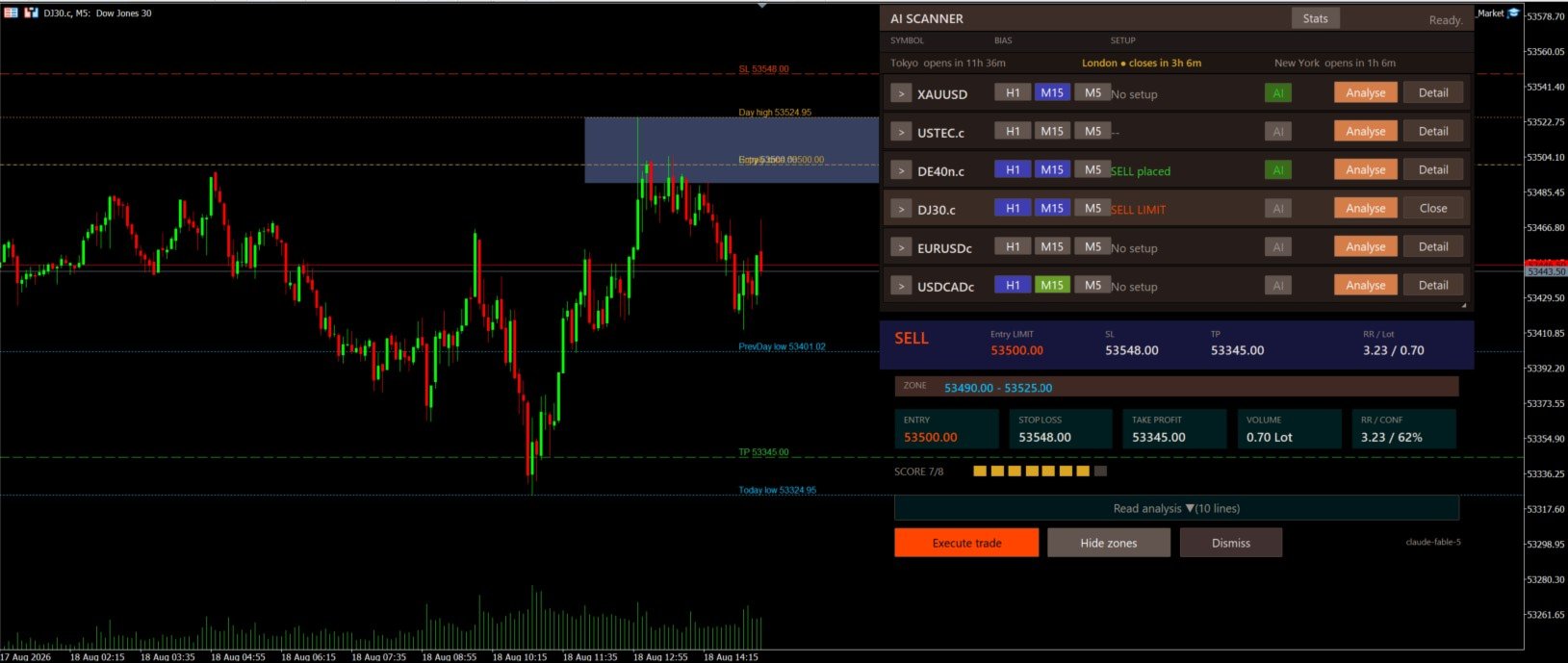
PilotAi Scanner is an AI-assisted market analysis and execution system for MetaTrader 5. Manual Analysis is the primary workflow: the trader requests analysis, reviews the proposed Entry, Stop Loss, Take Profit, Risk/Reward ratio, score, confidence and warnings, and can edit Entry, SL or TP before execution. PilotAi recalculates risk, lot size and RR from the reviewed levels. Execution occurs only after the trader gives explicit approval.
What PilotAi Scanner is
PilotAi combines external AI-assisted market assessment with local, deterministic validation and execution controls. It is designed primarily for interactive analysis and trader-controlled execution, with a separate Selective AUTO Mode for users who intentionally enable automation.
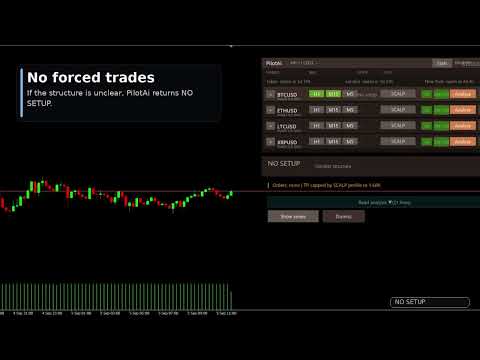
The external AI provider does not receive direct broker authority. PilotAi validates proposals locally against configured risk rules, account conditions, symbol specifications and broker constraints before execution can become available. A valid outcome can also be NO SETUP; the software does not need to force a trade.
Manual Analysis — primary workflow
Select a broker-supported symbol in the dashboard and request analysis. PilotAi prepares structured multi-timeframe context for the selected provider and returns an AI-assisted proposed plan with direction, order type, Entry, SL, TP, RR, score, confidence, market context and warnings where available.
Workflow: Analysis → AI-assisted proposed plan → local validation → trader review → optional Entry/SL/TP edit → recalculated risk/lot/RR → Execute Trade → MANUAL APPROVED → optional later SL/TP edit → deterministic management continues from the newly approved state.
Review and edit before execution
Manual Analysis is a review workflow, not blind execution. Before approval, the trader can edit Entry, Stop Loss and Take Profit. PilotAi then recalculates RR, monetary risk, risk percentage, lot size and margin preview.
Invalid price geometry, insufficient margin, stop-distance rules, excessive risk or other hard safety conditions can block execution. Warnings remain visible. When the trader accepts a valid plan and selects Execute Trade, PilotAi records the trade as MANUAL APPROVED.
New in 1.532 — edit SL/TP after MANUAL APPROVED execution
Trader authority continues after execution for PilotAi trades with MANUAL APPROVED provenance. The trader may later edit Stop Loss and Take Profit for an already open MANUAL APPROVED market position or an open MANUAL APPROVED pending order.
The change is deliberate: the trader enters the new levels, PilotAi validates precision, price geometry, broker stop/freeze constraints and applicable risk limits, and a broker modification is sent only after explicit confirmation. After a successful modification, PilotAi reads the broker state back and adopts the newly confirmed levels as the current management base. Deterministic management then continues from that approved state.
This post-execution SL/TP editing applies only to MANUAL APPROVED positions and pending orders. It does not apply to AUTO trades, external manual trades or positions from other EAs. AUTO retains its automatic protection and management rules.
AI-assisted analysis and deterministic validation
The AI contributes structured analysis or candidate review. PilotAi retains local control over validation, sizing and execution. Checks can include level geometry, stop distance, margin, spread, price drift, duplicate and exposure limits, current quotes, symbol trade mode and broker trading sessions.
Market availability depends on the broker's symbol sessions, trade mode and live quote state. Technical use on a broker-supported symbol does not imply that every symbol has identical conditions or outcomes.
Selective AUTO Mode
Selective AUTO Mode is secondary and separately enabled. The local MQL5 engine builds an exact candidate from closed-bar market structure; the selected AI provider reviews the candidate; PilotAi evaluates score and confidence; deterministic market, risk, news, session and execution guards then decide whether the candidate is fully qualified.
If any required qualification is missing, AUTO waits. It is intentionally selective and is not positioned as a high-frequency or set-and-forget system. AUTO does not inherit the manual post-execution editing authority described above.
Deterministic risk and position management
PilotAi calculates volume from the monetary risk between execution price and Stop Loss and normalizes it to broker rules. Source-supported controls and management functions include:
- Adaptive Profit Protection (APP)
- Hard Risk Lock and original-risk tracking
- Configurable Break-Even
- Configurable ATR trailing
- Optional Partial Close
- Optional terminal-side Cash TP
- Pending-order lifecycle and arrival guards
- Structure Reset after a same-direction Stop Loss
- Post-SL Priority processing
- Symbol and aggregate exposure/risk controls
- Margin, spread, stop-distance, price-drift and duplicate checks
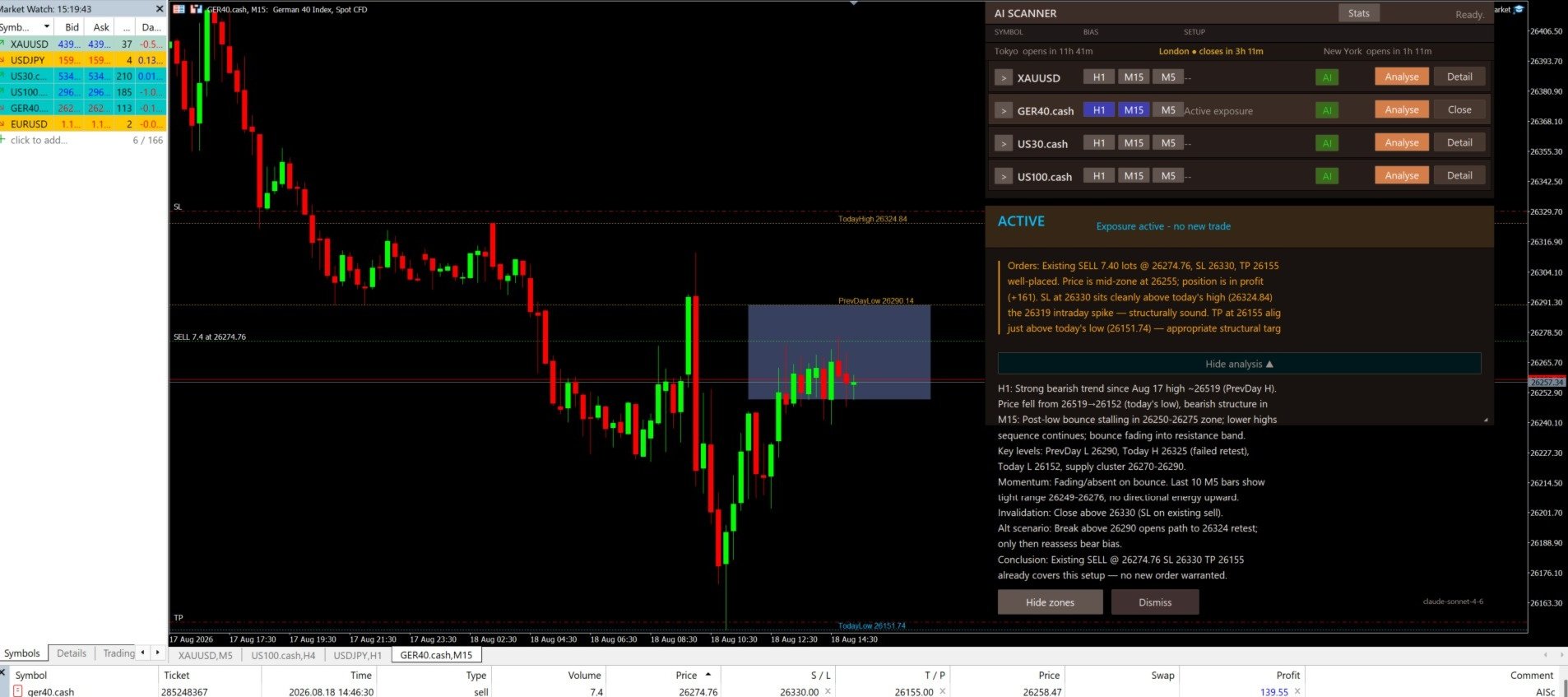
PilotAi manages its own AUTO and MANUAL APPROVED trades. Genuine external MT5 manual trades are not taken over.
Optional AI position management
AI Position Management is OFF by default. AI Entry Review and Manual AI Analysis can remain active while AI Position Management is OFF; deterministic position management remains available independently.
If the optional feature is enabled, provider suggestions are still constrained by local protection rules. Separate controls govern SL widening and additional entries, and both are disabled by default. Adaptive Profit Protection and Hard Risk Lock can constrain or reject a suggestion.
News, session and funded-style controls
PilotAi can use the native MetaTrader 5 Economic Calendar. AUTO can block new entries around relevant events and can fail closed if required calendar data is unavailable or stale. In Manual Analysis, an active news condition can require an explicit one-time confirmation for the current candidate without removing the warning or unblocking AUTO.
Optional Prop Firm Mode provides configurable internal guardrails such as projected daily-loss checks, daily loss or profit limits, and trade or loss counts. These user-defined controls do not certify compliance with any broker, funding company or evaluation program; users must compare settings with their own current rules.
Symbols, styles and dashboard
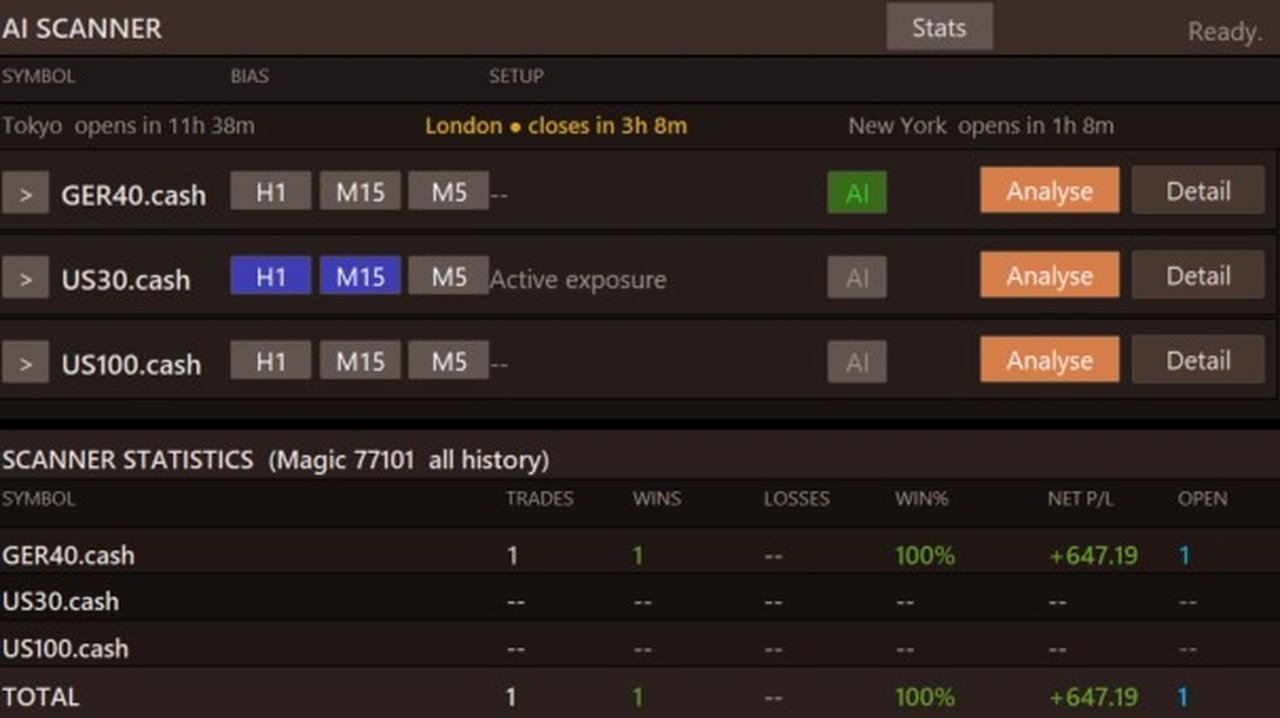
One PilotAi instance can monitor up to eight exact broker symbols. Symbol names and suffixes must match Market Watch. Scalp, Daytrade and Swing styles provide different default timeframe contexts, while the dashboard presents symbol state, proposed levels, RR, score, confidence, warnings and relevant controls.
Broker specifications, spreads, sessions, liquidity and execution differ. Availability on a symbol is a technical capability, not a statement about expected results.
Supported AI providers and API requirement
PilotAi supports:
- OpenAI
- Anthropic
- xAI
- DeepSeek
- Alibaba Qwen
- Custom OpenAI-compatible endpoints
The user chooses the provider and model and supplies their own API key (BYOK). MetaTrader 5 WebRequest access must be configured for the selected provider endpoint.
Manual AI analyses, AUTO reviews and optional AI position-management reviews may create separate third-party API costs. Pricing, model availability and service behavior are controlled by the provider and can change; there is no fixed cost promise. Keep API credentials private and never expose them in screenshots, presets or support logs.
Recommended first-run workflow
- Install PilotAi Scanner from your MQL5 purchases and attach it to one chart.
- Enter exact broker symbol names and choose the desired style.
- Select a supported provider and model, enter your API key, and allow the required WebRequest endpoint.
- Keep AUTO OFF for the first session.
- Request Manual Analysis for one symbol.
- Review context, warnings, Entry, SL, TP, RR, risk and calculated volume.
- Edit levels if required and execute only after independently accepting the plan.
- Review deterministic management settings before enabling Selective AUTO or optional AI Position Management.
Important notes
- PilotAi is decision-support and execution software, not financial advice.
- Every proposal can be wrong, and NO SETUP is a valid result.
- Manual approval does not bypass hard safety, margin, broker or level checks.
- AUTO is selective and should be enabled only after the configuration is understood.
- Broker data, symbol specifications, sessions, spreads and execution quality vary.
- Economic-calendar data and third-party AI services can be delayed, unavailable or changed.
- The Strategy Tester demonstration uses local showcase logic and is not an external AI result or an expected trading outcome.
Risk disclaimer
Trading leveraged products involves substantial risk and can produce significant losses. Stop Loss orders, software checks and configured limits cannot eliminate slippage, gaps, execution failures, connectivity problems or market risk. Past tests, demonstrations and previous results do not predict future performance. Start on a demo account, verify every setting for your broker and account rules, and trade only with capital you can afford to lose.