Adaptive Regime Trader
- Experts
- Version: 1.10

Adaptive Regime Trader
Adaptive Regime Trader is a MetaTrader 5 Expert Advisor designed around market-regime detection, structured signal scoring, calendar-aware risk filtering, and adaptive trade management. It evaluates trend, range, momentum, structure, volatility, spread conditions and trade location before deciding whether to trade, wait, or protect an open position.
Adaptive Regime Trader is designed for traders who prefer structured decision-making instead of high-frequency grid or martingale behaviour. It can be used on different symbols with suitable presets, while each setup should be tested and adjusted according to the broker, spread, account size and trading conditions.
Main idea
Adaptive Regime Trader does not rely on a single indicator signal. Before a trade is allowed, the EA checks whether the current market condition supports the trading idea.
The system evaluates:
- Market regime: trend, range, volatility expansion, chop or uncertain conditions
- Multi-timeframe context
- Trend and momentum quality
- Support, resistance and trade location
- Candle and structure quality
- Spread and volatility conditions
- Calendar/news-risk environment
- Signal freshness and late-entry risk
- Recent setup behaviour and trade-management conditions
If conditions are not suitable, the EA can wait instead of forcing a trade.
Signal engine
The signal engine uses a scoring model that compares buy, sell and wait conditions. It is designed to reduce low-quality entries during unclear or conflicting market states.
The EA can classify signals by setup type, including trend continuation, momentum, breakout, pullback, rejection and range-related conditions. It also checks whether a signal appears too late, too close to structure, or during a poor-quality market phase.
Calendar and news-risk awareness
The standalone version includes internal calendar/news-risk logic using MetaTrader 5 calendar functions where available. This allows the EA to reduce or block activity around important scheduled events, depending on the selected settings.
The EA does not require an external service to operate. Optional external context inputs are available for advanced users, but they are disabled by default and are not required for trading.
Users who want to use the optional local market-context bridge can find setup instructions in this MQL5 blog post:
https://www.mql5.com/en/blogs/post/770265
If external context is unavailable, the EA continues operating with its internal technical and calendar-based logic.
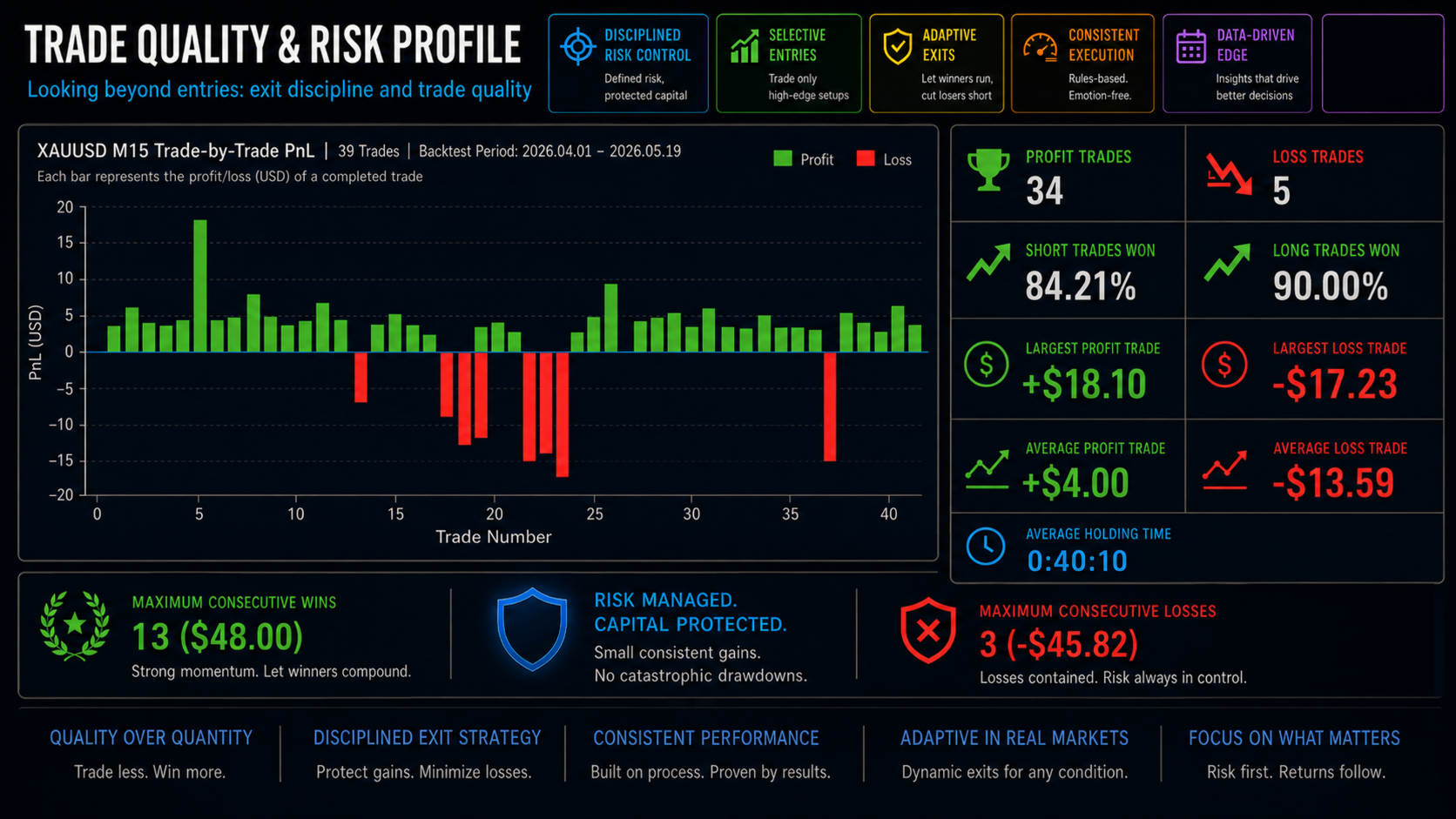
Adaptive trade management
Adaptive Regime Trader includes several trade-management tools designed to react to changing trade conditions.
Management features include:
- Adaptive stop loss
- Adaptive take profit
- Breakeven logic
- Trailing stop
- Profit giveback control
- Soft breakeven behaviour
- Scratch-exit logic
- Stagnation detection
- Time-in-trade control
- Dynamic profit protection
- Defensive exit logic
The EA tracks whether a trade has moved into profit and then failed to continue. This helps reduce situations where a position repeatedly moves between profit and loss without making progress.
Risk and protection features
The EA includes account and position protection controls, including:
- Fixed or risk-based lot sizing
- Maximum spread filter
- Maximum trades per day
- Maximum open positions
- Daily risk lock
- Position management by magic number and comment
- Broker stop-level and freeze-level checks
- Closed-bar signal mode
- Strict multi-timeframe data readiness checks
- Optional trading-session controls
The EA does not use martingale, grid recovery or averaging-down recovery logic.
Dashboard
Adaptive Regime Trader includes an on-chart dashboard that displays the current operating state, symbol condition, signal scores, market regime, news/calendar status, risk state, open-position status and reason for waiting or trading.
The dashboard is designed to show not only what the EA is doing, but also why it is waiting, blocking or managing a trade.
Suggested use
Recommended starting approach:
- Use one symbol per chart for simple operation
- Start with the provided preset for the broker and symbol
- Test on demo before live use
- Use conservative or balanced risk settings first
- Review spread, session and calendar settings for your broker
- Allow enough forward-testing time for the EA’s adaptive logic to observe market behaviour
Suitable starting timeframes depend on the symbol and preset. M15 is generally a balanced starting point for many liquid instruments, while higher timeframes can be tested for slower trading conditions.
Important notes
Trading involves risk. No Expert Advisor can guarantee positive results or avoid losses. Market conditions, spreads, execution quality, slippage and broker specifications can affect performance. Always test the EA in the Strategy Tester and on a demo account before using it on a live account.
Adaptive Regime Trader is a decision-support trading system with structured risk controls and adaptive management logic. It is not a guarantee of future results.