What Should You Adjust First? How to Approach Parameter Tuning in Prime ACE to Find Your Tradable Battlefield

Start Here
[Setup Guide]
Prime ACE Strategy Setup Guide - Trading Systems - 11 April 2026 - Traders' Blogs
[Introduction video]
https://www.youtube.com/watch?v=TMv4Zv7w5Zs
[Introduction video]
https://www.youtube.com/watch?v=TMv4Zv7w5Zs
Hello, and thank you for reading.
In the previous post, I explained that Prime ACE is not a tool for jumping into arrows immediately.
It is a tool that first helps you find where to fight — in other words, your tradable battlefield — by looking at the panel.
The next natural question is:
what should you actually adjust first?
In this post, I would like to summarize the basic idea behind parameter tuning in Prime ACE in a simple and practical way.
Do Not Change Everything at Once
The first important point is this:
do not start by changing all parameters at once.
Prime ACE has many settings.
If you begin adjusting everything from the start, it quickly becomes difficult to understand which change caused which result.
That is why I prefer to begin with the parameters that tend to have a larger impact on the panel values.
Start with the Parameters That Affect Arrow Selectivity
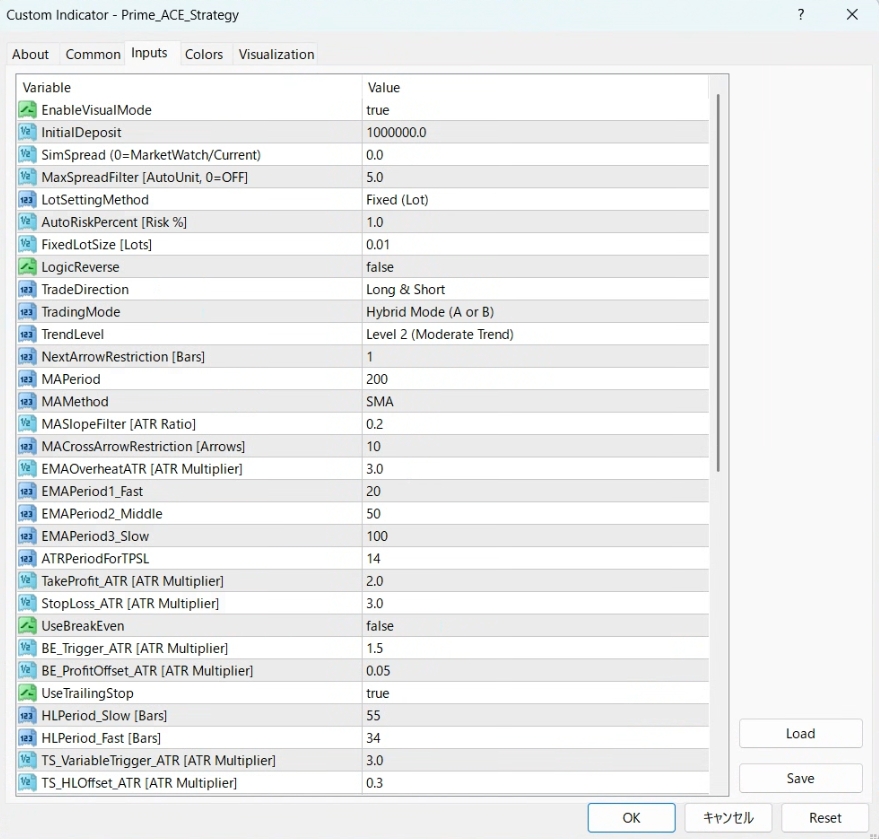
The first area I want to check is the part that changes how selective the arrows become.
For example:
-
TrendLevel
-
NextArrowRestriction
-
MACrossArrowRestriction
These parameters are closely related to how strict the tool becomes in displaying trade candidates, so they often produce visible changes in the panel.
Next, Check Range, Time Windows, and TP/SL
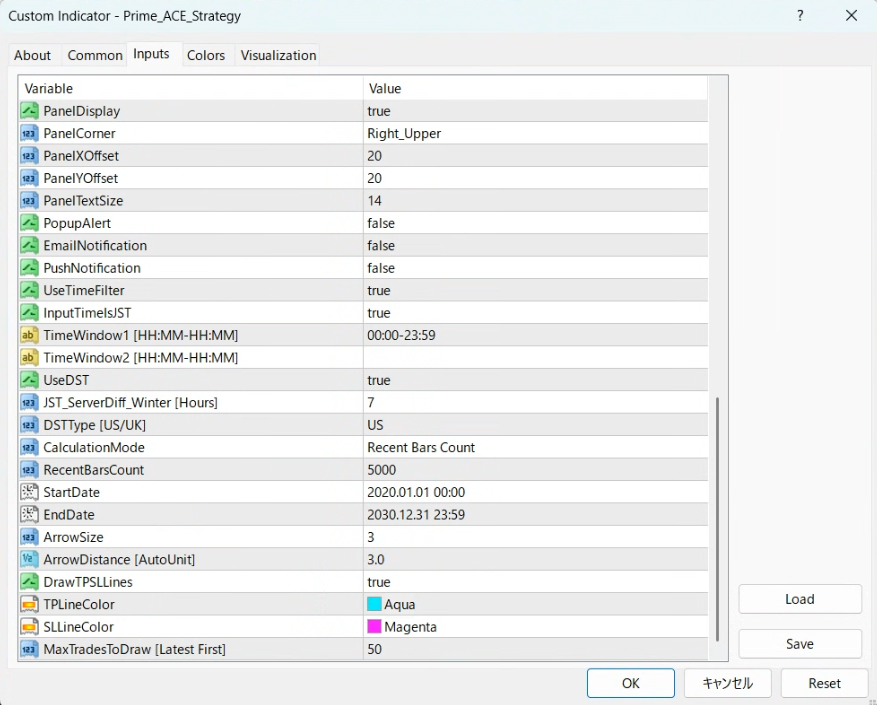
After that, I also pay attention to:
-
the panel aggregation range
-
trading time restrictions
-
TP/SL settings such as:
-
TakeProfit_ATR
-
StopLoss_ATR
-
These settings can also change the balance of the results in a meaningful way.
Change Only One Thing at a Time
Another important point is this:
do not change several things at once.
If you change one parameter, then check how the following values respond:
-
Win Rate
-
PF
-
Net Profit
-
Max Drawdown
Then, based on that change, decide what to adjust next.
By repeating that process, it becomes much easier to see where your own tradable battlefield may be.
Why This Matters in Prime ACE
One of the major strengths of Prime ACE is that you do not need to run a full backtest every single time.
Instead, you can compare changes directly on the panel and quickly judge whether the current direction looks more promising.
That is what makes parameter tuning practical.
How I Treat the EA Side
Once the tradable battlefield starts to become clearer, the EA side is much simpler.
I align the EA settings with the indicator, usually based on the preset.
That part is not where I begin.
The Correct Order
To me, Prime ACE is not a tool for jumping into arrows right away.
It works in this order:
first, use the parameters and the panel to find your tradable battlefield
then, filter the arrows through discretion
finally, use the EA to support more consistent post-entry handling
That is the structure.
Final Note
In this post, I wanted to summarize four basic ideas:
-
do not start by changing everything
-
begin with the parameters that have a larger impact
-
compare edge through the panel without running a full backtest every time
-
once the battlefield becomes clearer, align the EA side with the indicator
If this way of thinking makes sense to you, please take a look at the Market page below.




