

Installation Steps
- Download the configuration archive (*.zip) below and extract it
- Open the XAUUSD H1 chart and drag the EA executable file onto the chart
- Select and load your preferred set file (*.set), and enter your own OpenRouter API Key in the first parameter
- Start running
AI API Service Provider: OpenRouter
Please register an OpenRouter account and create an API Key. If you plan to use free models, no deposit is required.
Add URL Source
Tools -> Options -> Expert Advisors -> Allow WebRequest for listed URL
Configuration List
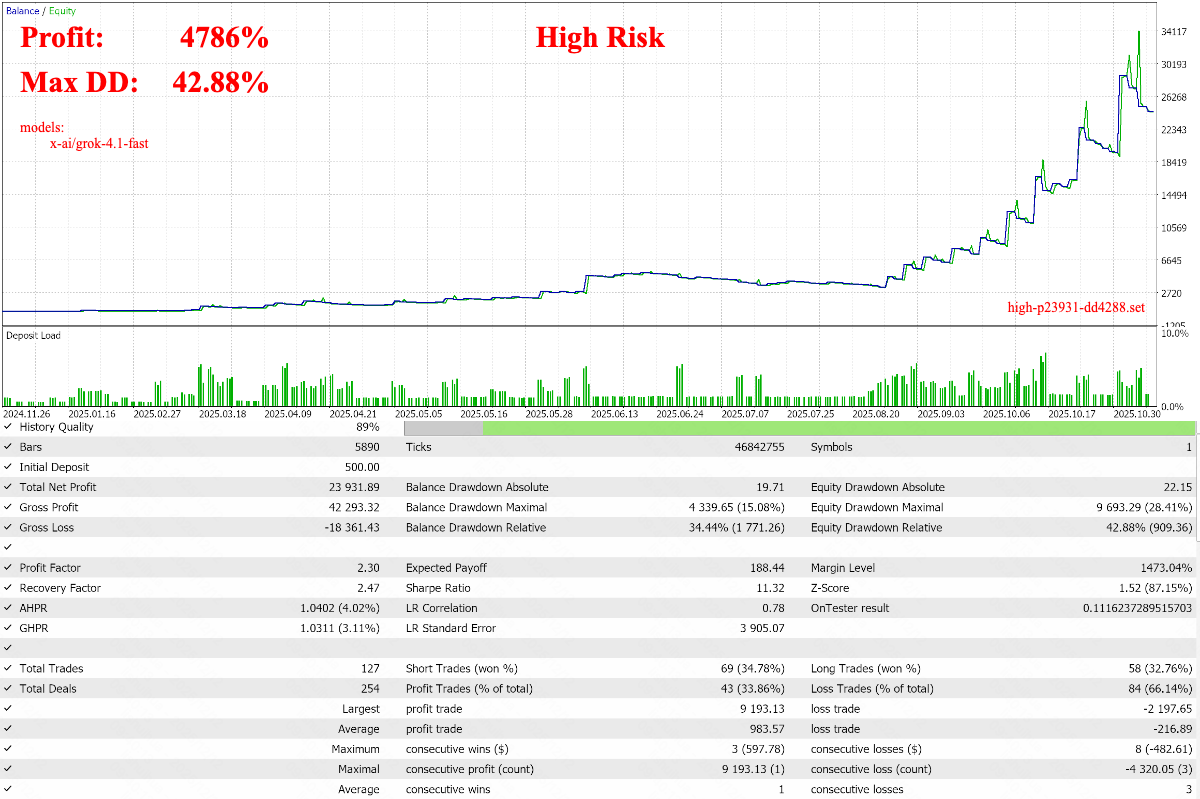
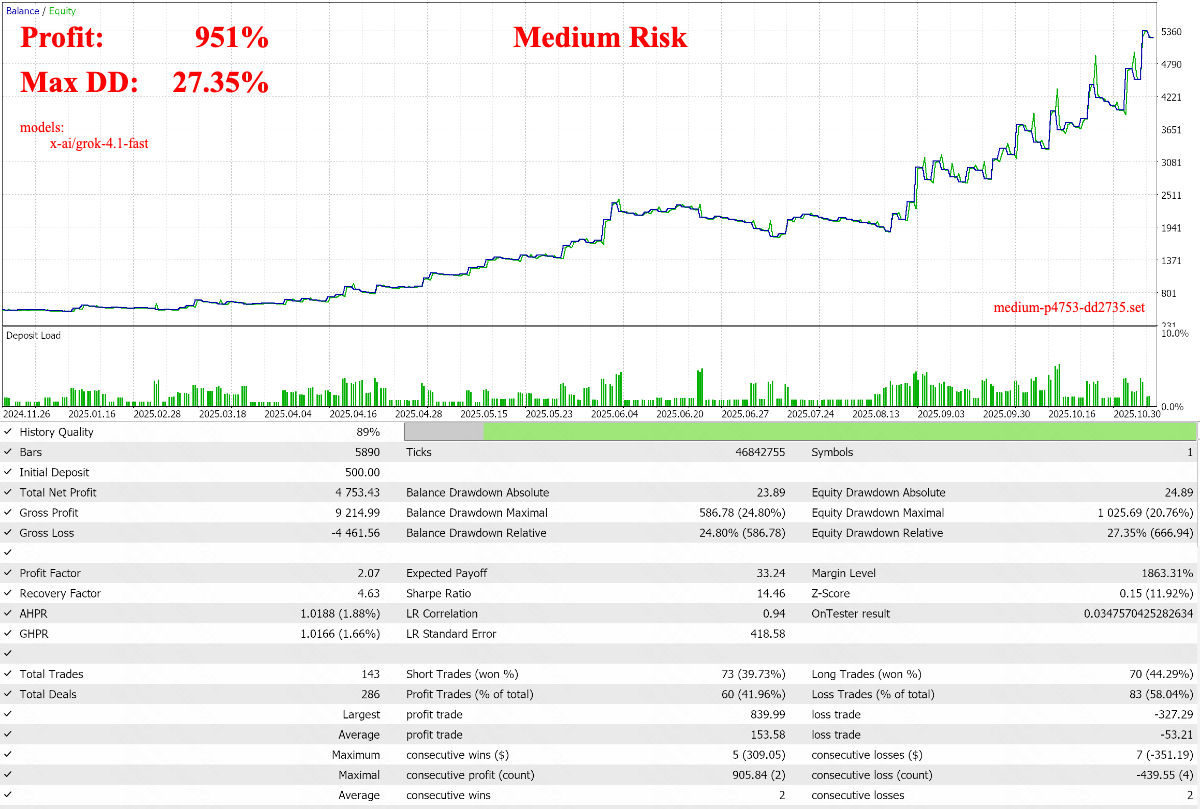
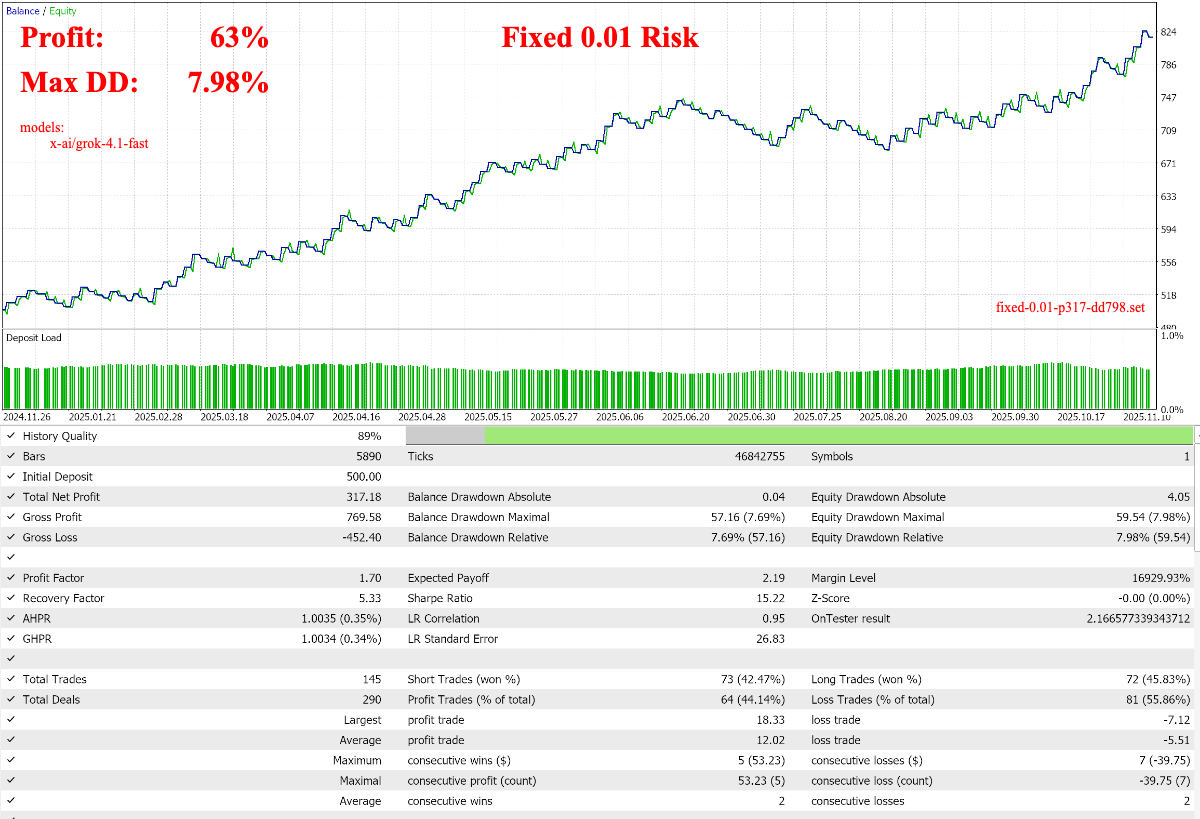
lc-h1-201124-251124-g4.1f
- Cache file timeframe: H1
- Time range: 2020-11-24 ~ 2025-11-24
- Models:
- x-ai/grok-4.1-fast: $0.05 per trading day
- Configuration archive: Click to download

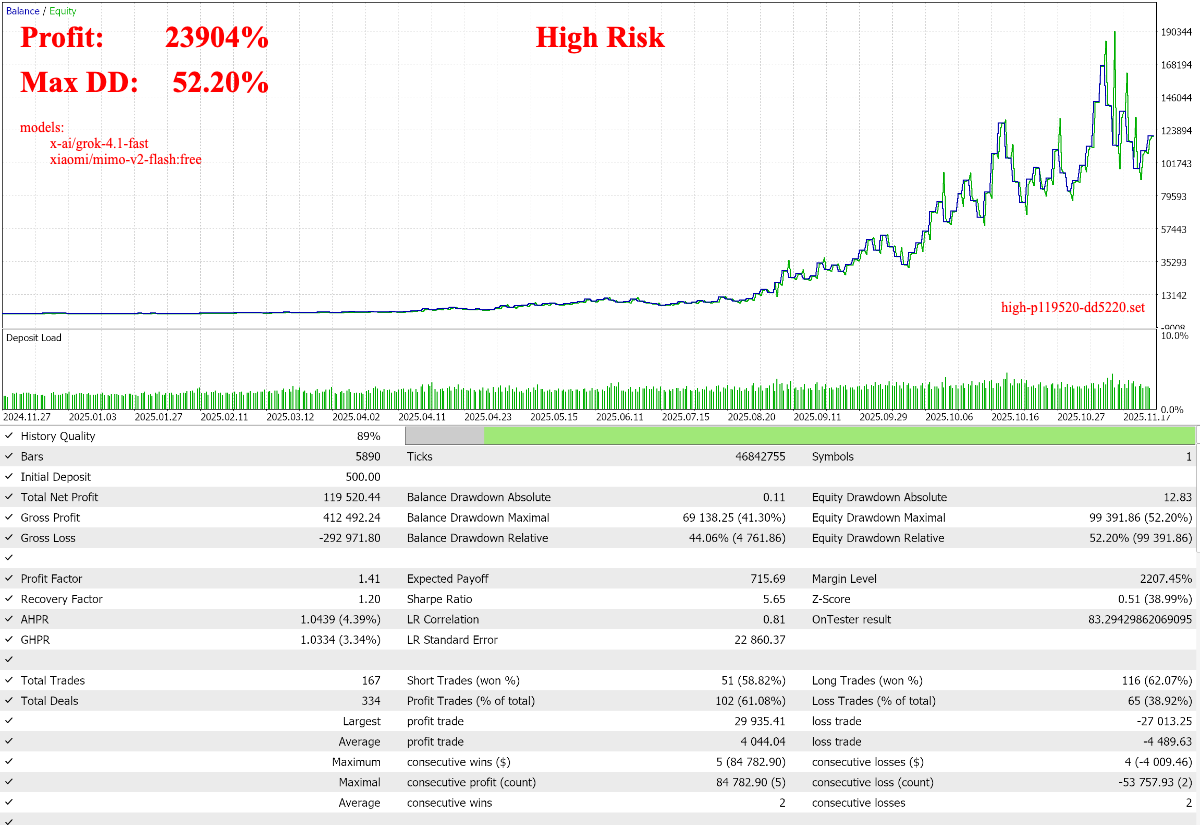
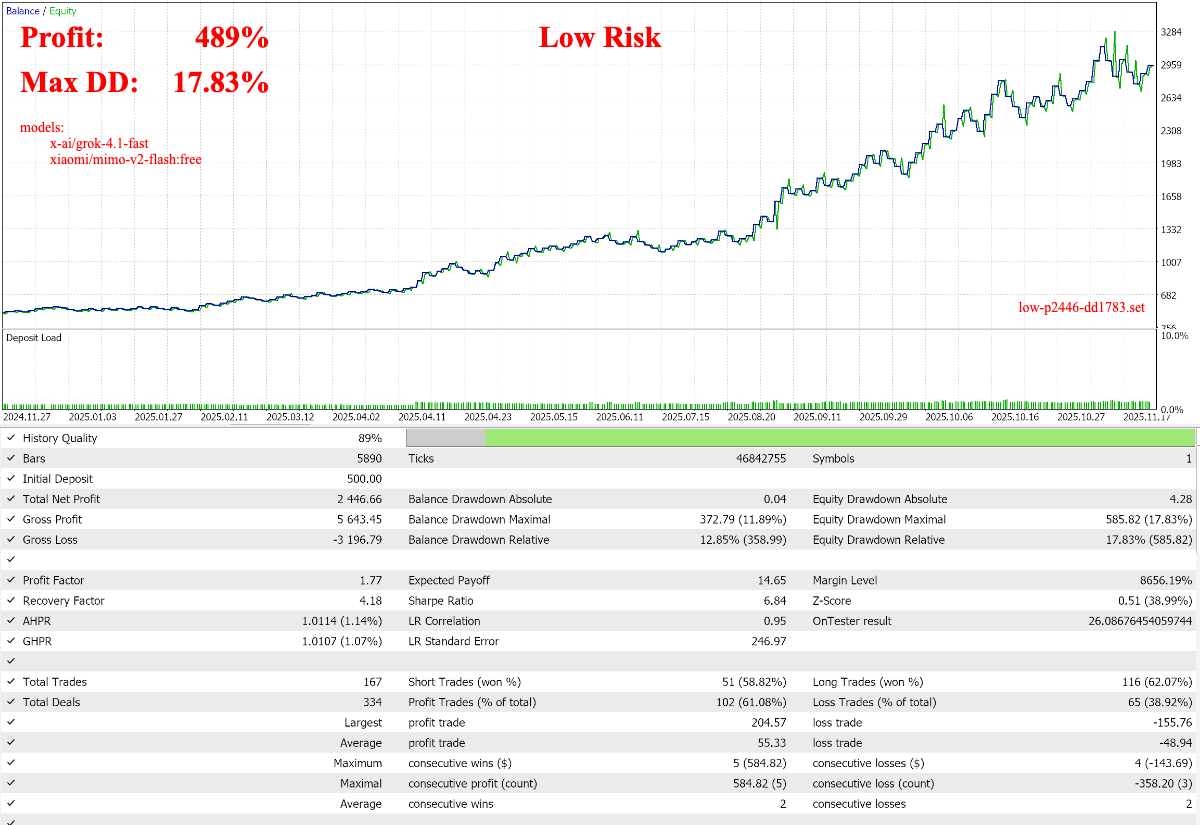
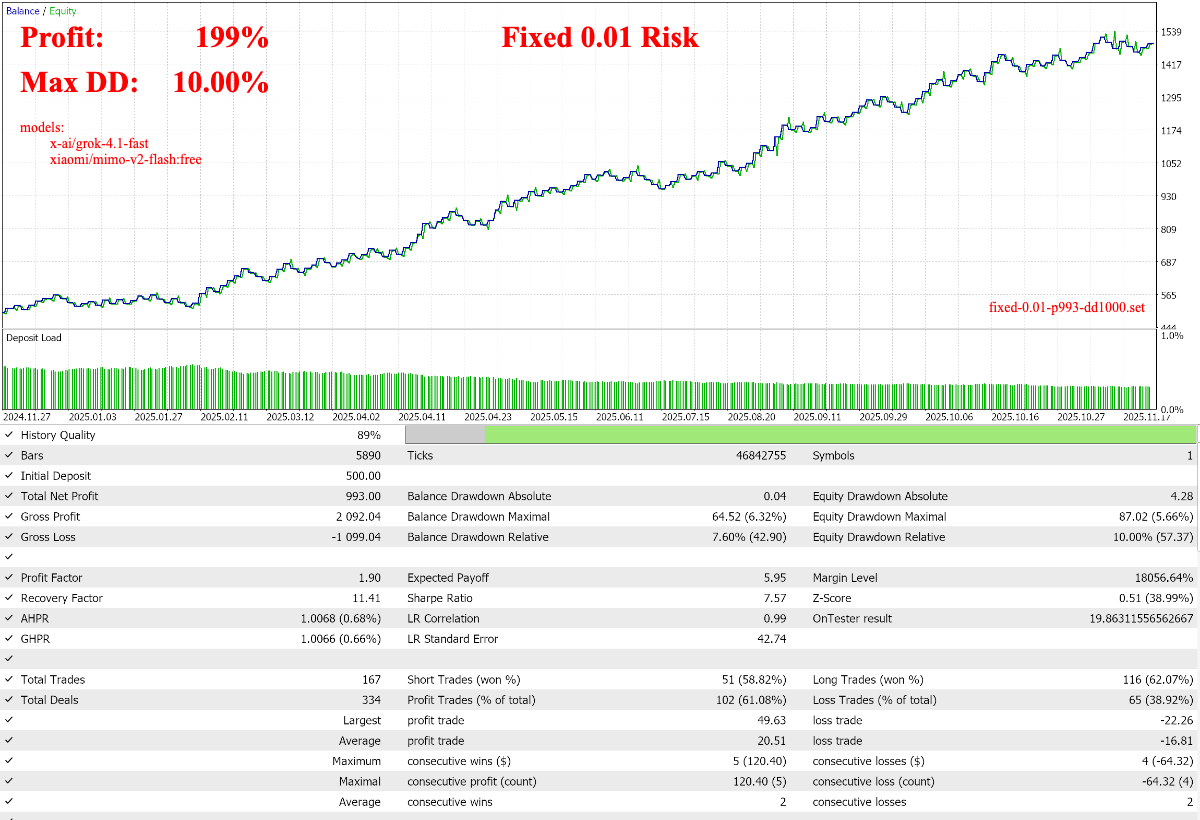
lc-h1-201124-251124-g4.1f-mimov2f
- Cache file timeframe: H1
- Time range: 2020-11-24 ~ 2025-11-24
- Models:
- x-ai/grok-4.1-fast: $0.013 per trading day, H4
- xiaomi/mimo-v2-flash:free: free
- Deprecated on January 26, 2026, free version for backtesting only. For live trading, please switch to the paid version: xiaomi/mimo-v2-flash, $0.008 per trading day , H4
- Configuration archive: Click to download

lc-h1-210103-260103-mimov2f
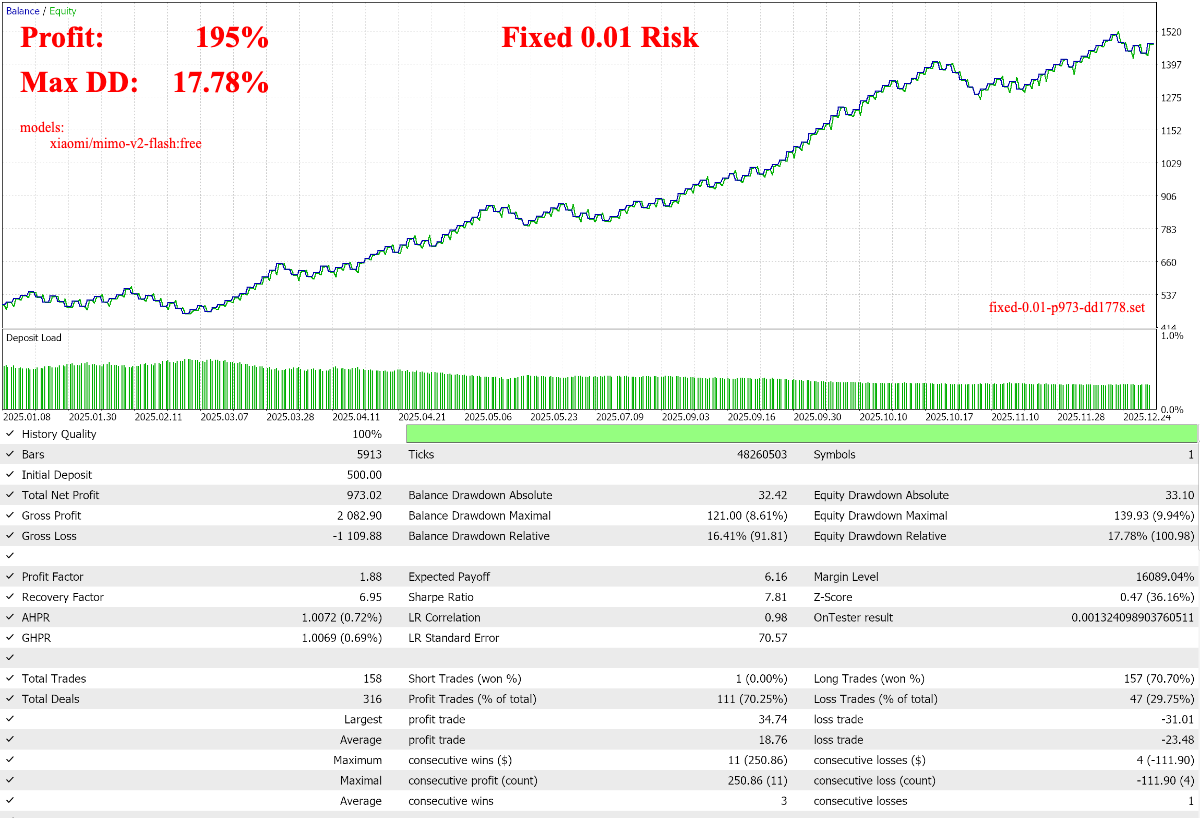
- Cache file timeframe: H1
- Time range: 2021-01-03 ~ 2026-01-03
- Models:
- xiaomi/mimo-v2-flash:free: free
- Deprecated on January 26, 2026, free version for backtesting only. For live trading, please switch to the paid version: xiaomi/mimo-v2-flash, $0.03 per trading day
- Configuration archive: Click to download

lc-h1-210214-260214-trinitylp
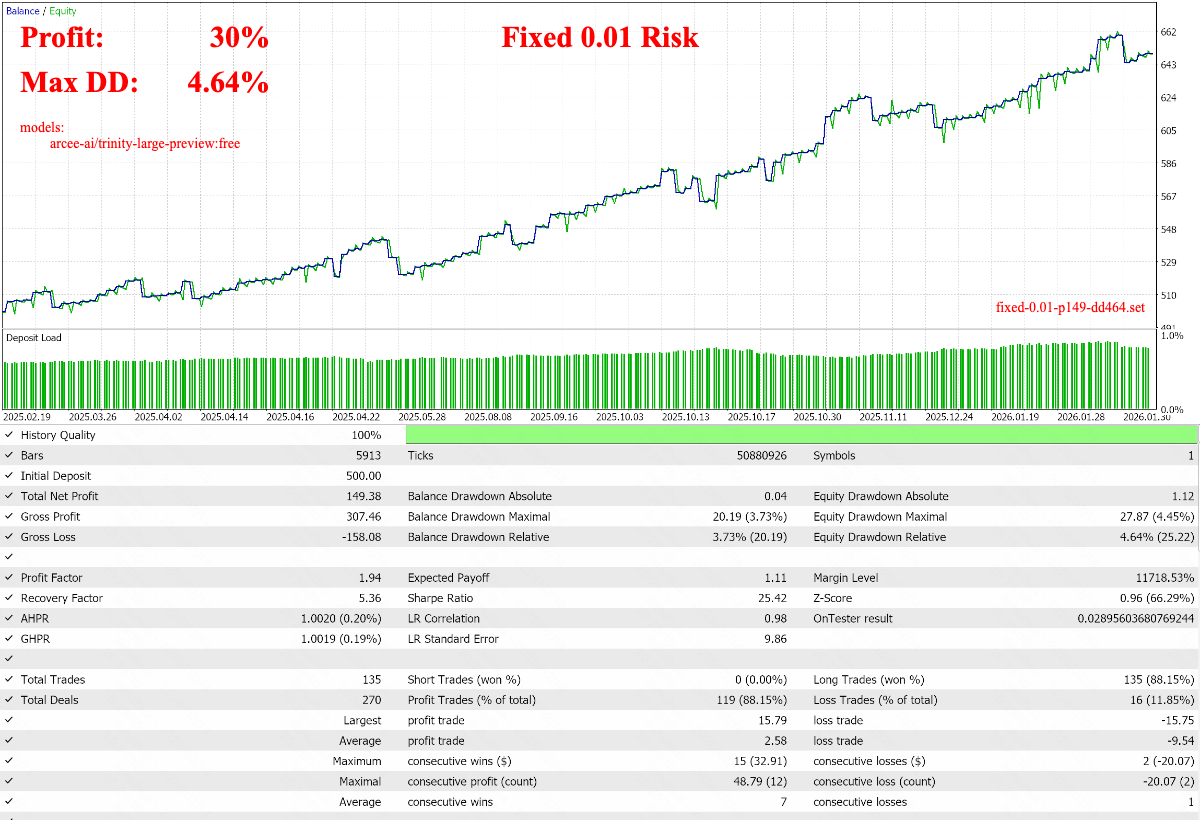
- Cache file timeframe: H1
- Time range: 2021-02-14 ~ 2026-02-14
- Models:
- arcee-ai/trinity-large-preview:free: free
- Configuration archive: Click to download
Advanced
Please download the latest Knights of the Round Helper .ex5 file first, click to download.
How to Backtest?
- After extracting the configuration archive, you will find a kotr-ai-res.jsonl file. This is the AI output cache file. Copy it to Mql5 FILE_COMMON, which is usually located at:
- Windows: C:\Users\<Username>\AppData\Roaming\MetaQuotes\Terminal\Common\Files
- Mac: ~/Library/Application Support/net.metaquotes.wine.metatrader5/drive_c/users/user/AppData/Roaming/MetaQuotes/Terminal/Common/Files
- Backtest Knights of the Round. Just make sure the Symbol, timeframe, time range, and cache file match.
Backtest Broker
How to Optimize Parameters?
Same as backtesting: enable optimization, select the Custom max optimization function, then choose the parameters you want to optimize and their ranges.
How to Switch Models?
- Modify the model list and fill in the models you like.
- Select the backtest start/end time and timeframe (H1 recommended), then run Knights of the Round once. This will generate a kotr-ai-req.jsonl file, located in FILE_COMMON mentioned above.
- Note: If a kotr-ai-res.jsonl file already exists, Knights of the Round will automatically enter the actual backtest instead of generating the kotr-ai-req.jsonl file. If you want to continue generating kotr-ai-req.jsonl, delete the kotr-ai-res.jsonl file first.
- No trades will occur while generating the kotr-ai-req.jsonl file, so if you see a straight equity curve, don’t worry—this is normal.
- Attach Knights of the Round Helper to any chart, enter the OpenRouter API Key, and keep it running until the Experts tab outputs RunFetchAiResTask End. At this point, you will get a kotr-ai-res.jsonl file, which is the AI output cache file.
- You can close the chart at any time to stop Knights of the Round Helper. When you start it again, it will resume from where it left off.
- Next, you can start optimizing parameters and backtesting. If the results are especially good, feel free to share them in the Knights of the Round comments section.




