
Telegram To MT5 Receiver
- 实用工具
- 版本: 5.20
- 更新: 1 八月 2026
- 激活: 10

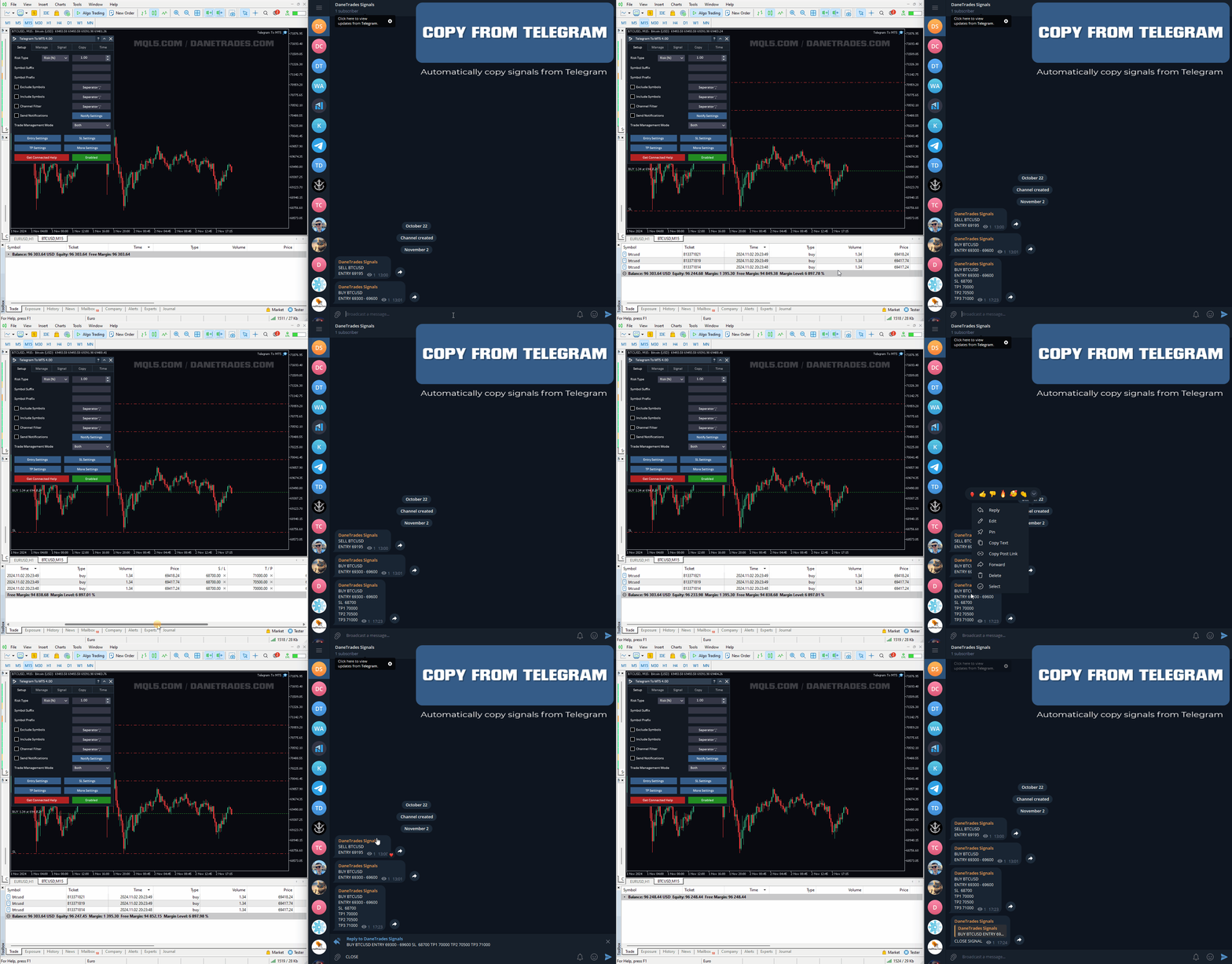
将信号从您所属的任何渠道(包括私人和受限渠道)直接复制到您的 MT5。
该工具在设计时充分考虑了用户的需求,同时提供了管理和监控交易所需的许多功能。
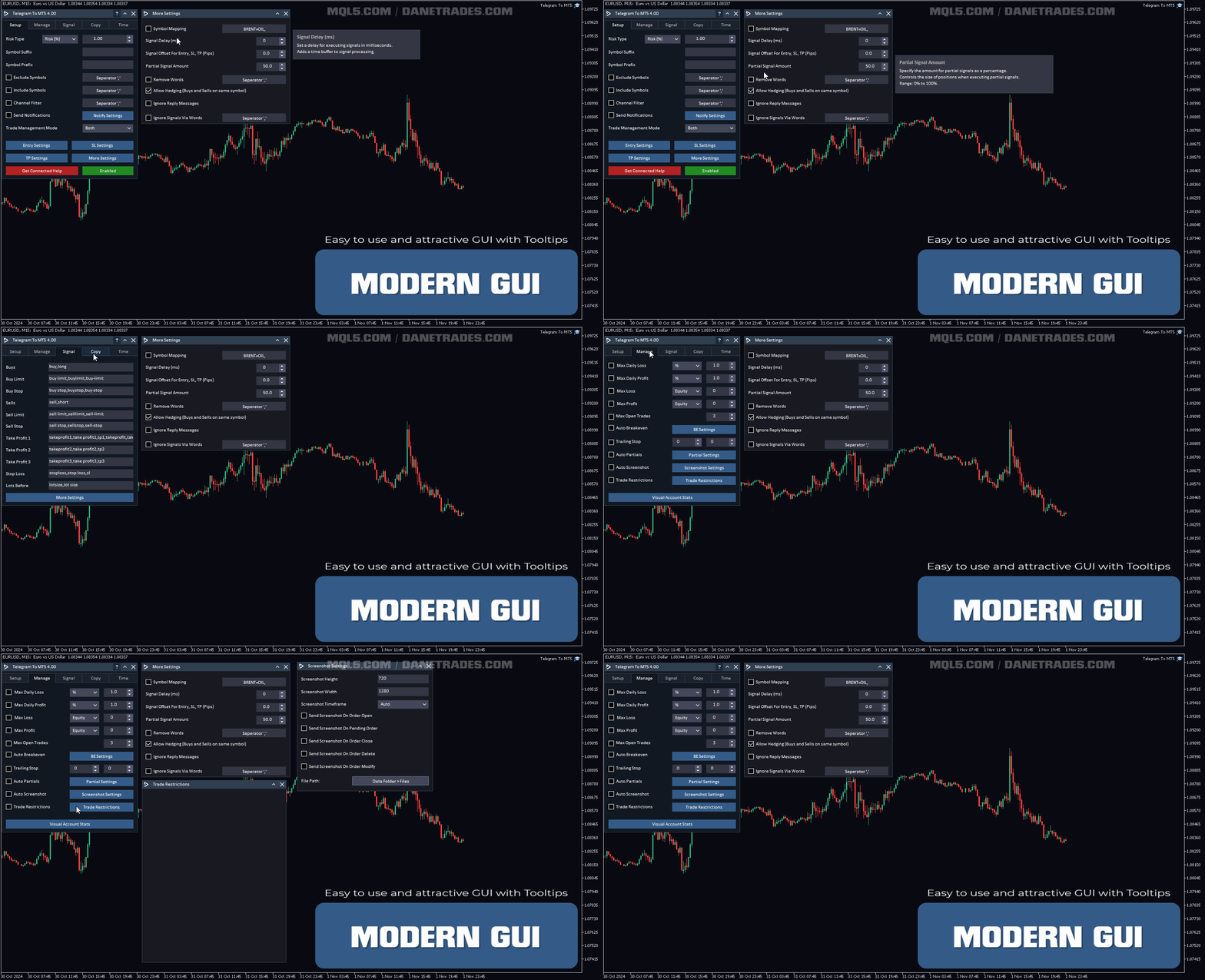
该产品采用易于使用且具有视觉吸引力的图形界面。 自定义您的设置并在几分钟内开始使用该产品!
Telegram 至 MT5 功能
- 一次复制多个通道的信号
- 从私人和受限频道复制信号
- 不需要机器人令牌或聊天 ID(如果出于某种原因需要,您仍然可以使用这些)
- 使用风险百分比或固定手数进行交易
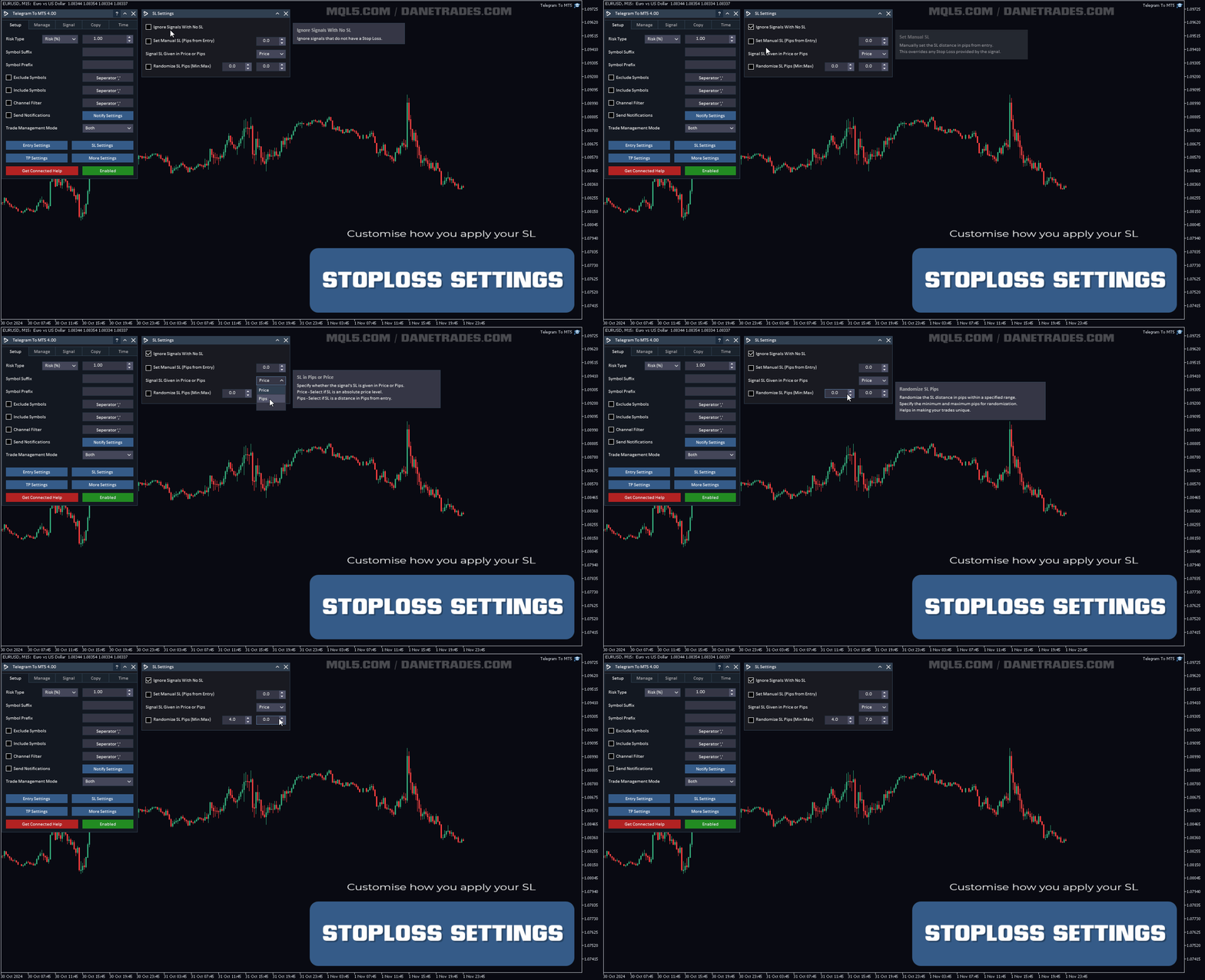
- 排除特定符号
- 选择复制所有信号或自定义要复制的信号
- 配置单词和短语以识别所有信号(默认值应适用于 99% 的信号提供商)
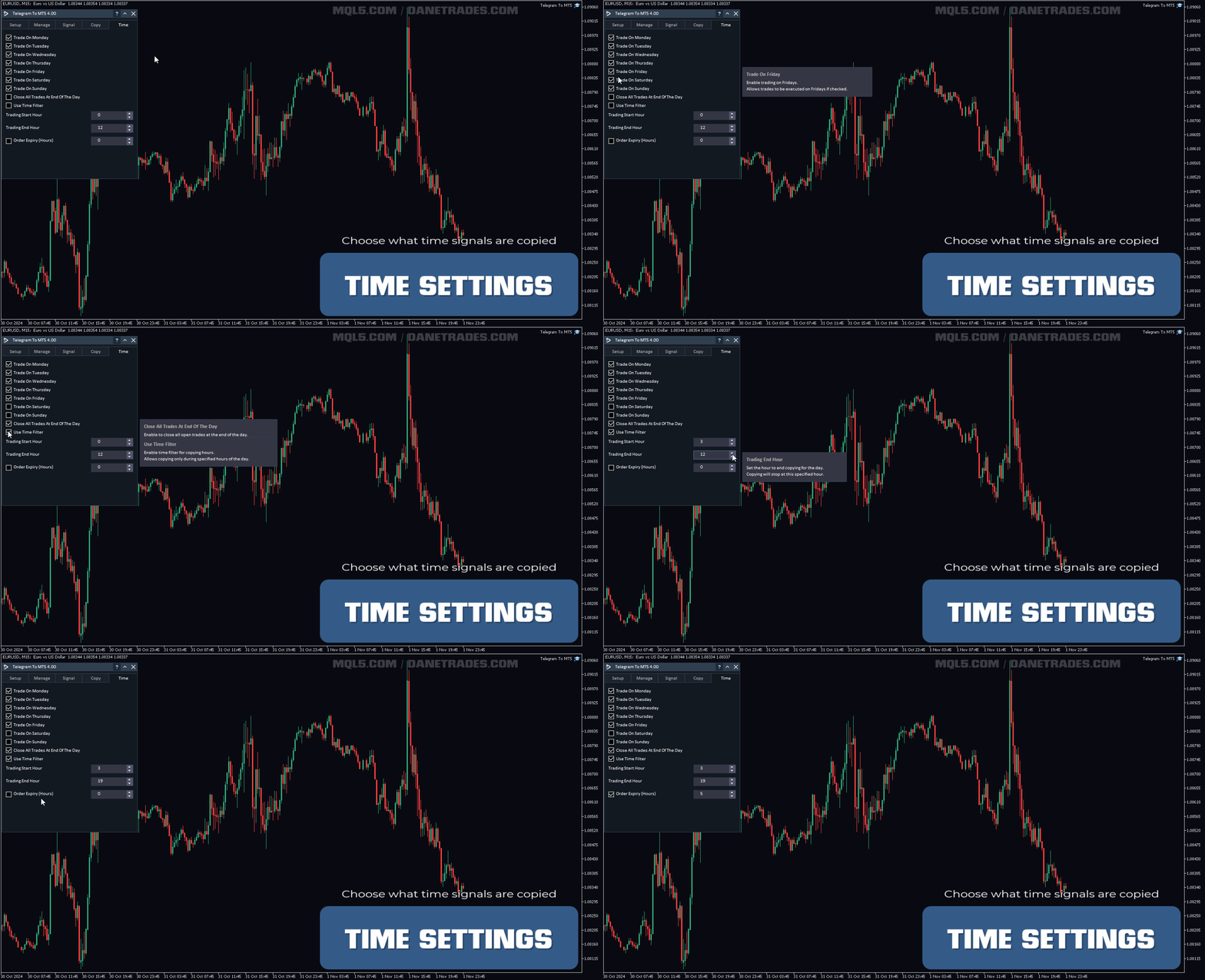
- 配置时间和日期设置以仅在需要时复制信号
- 设置一次打开的最大交易量
交易和头寸管理
- 使用信号或自动设置的管理
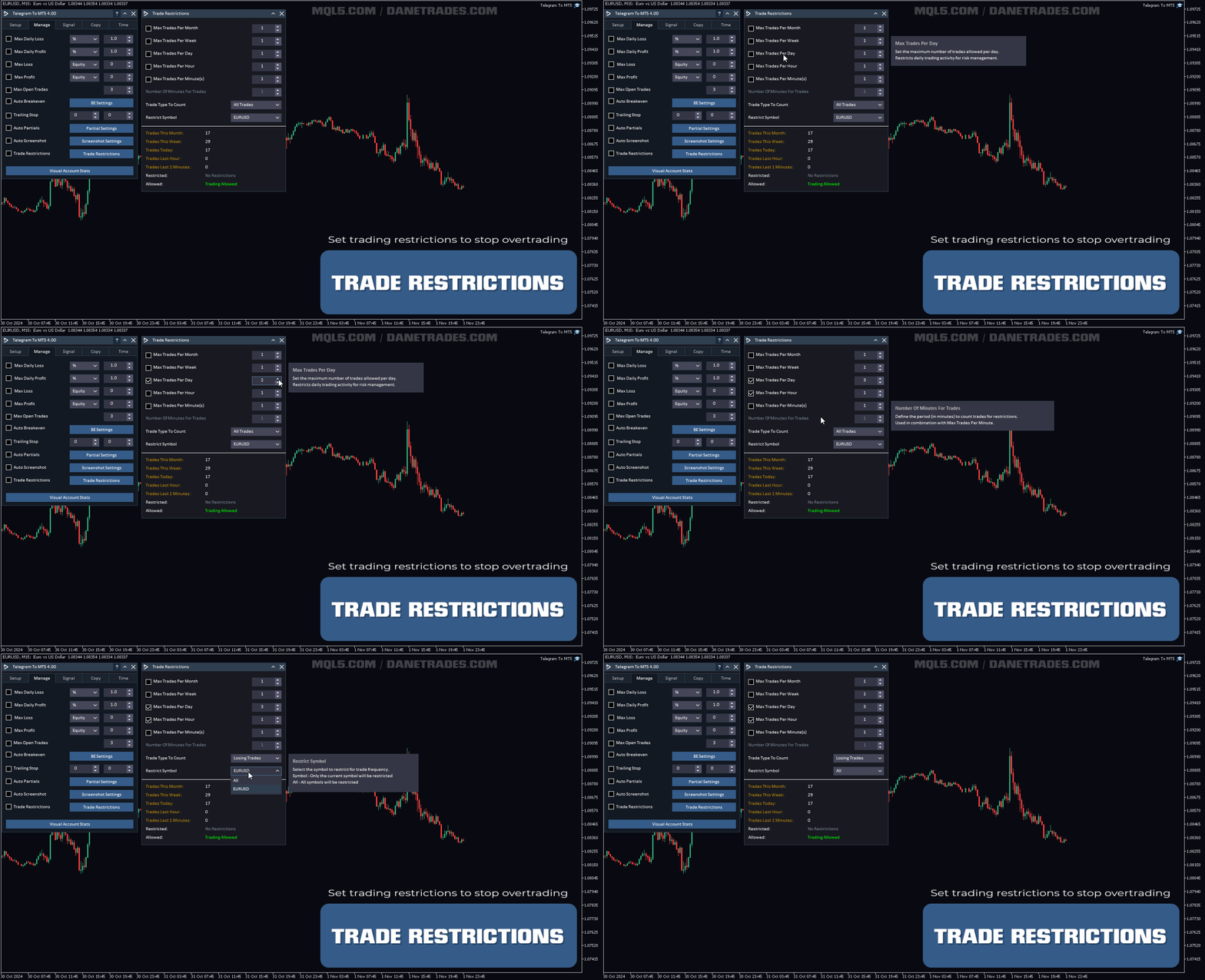
- 通过设置每月、每周、每天、每小时或每分钟的最大交易次数,停止过度交易和报复性交易。
- 支持市价订单和挂单
- 每日最大利润目标(以美元为单位)以确保头寸并停止过度交易
- 确保仓位的每日最大利润目标(%)
- 最大开放交易以限制风险和敞口。
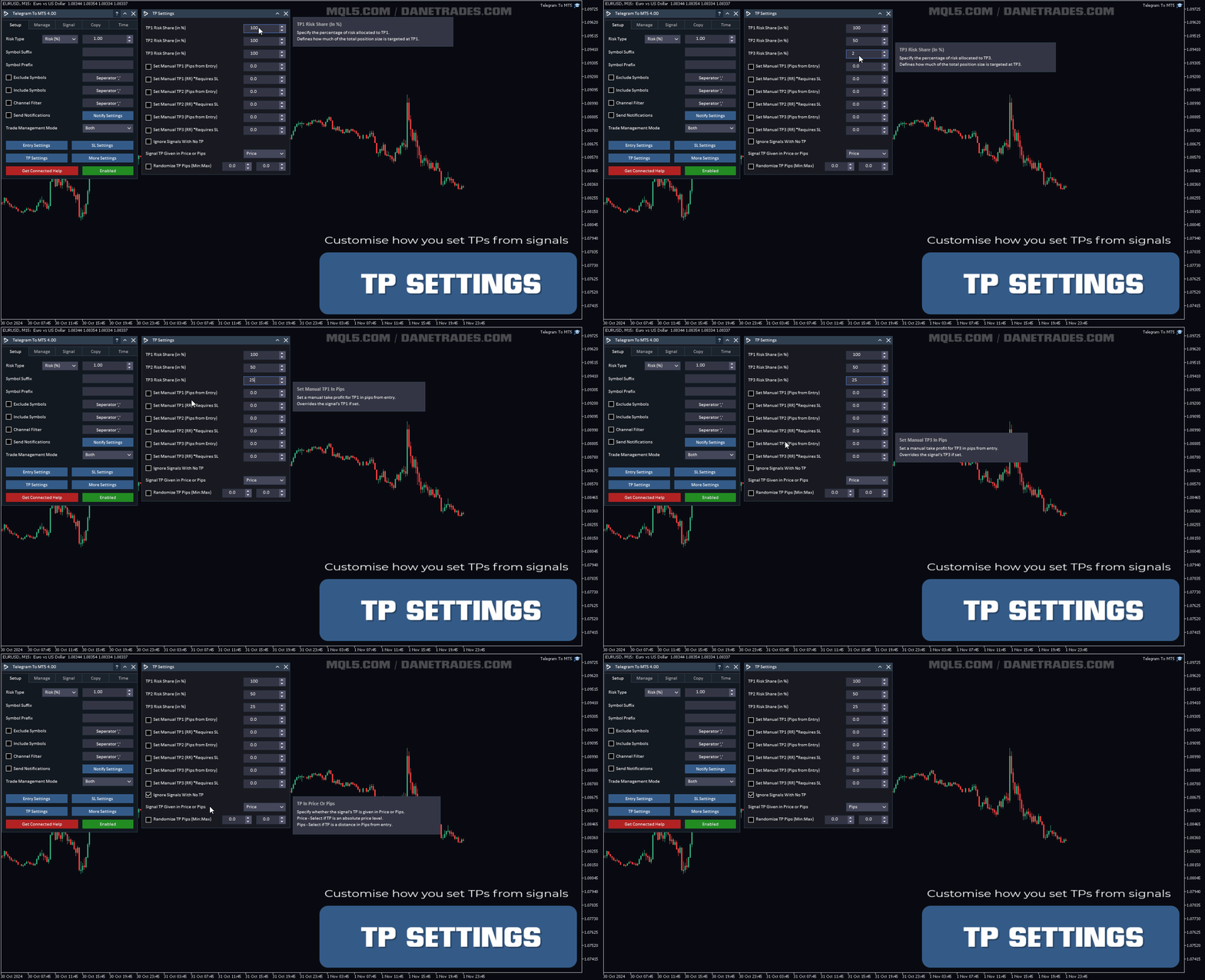
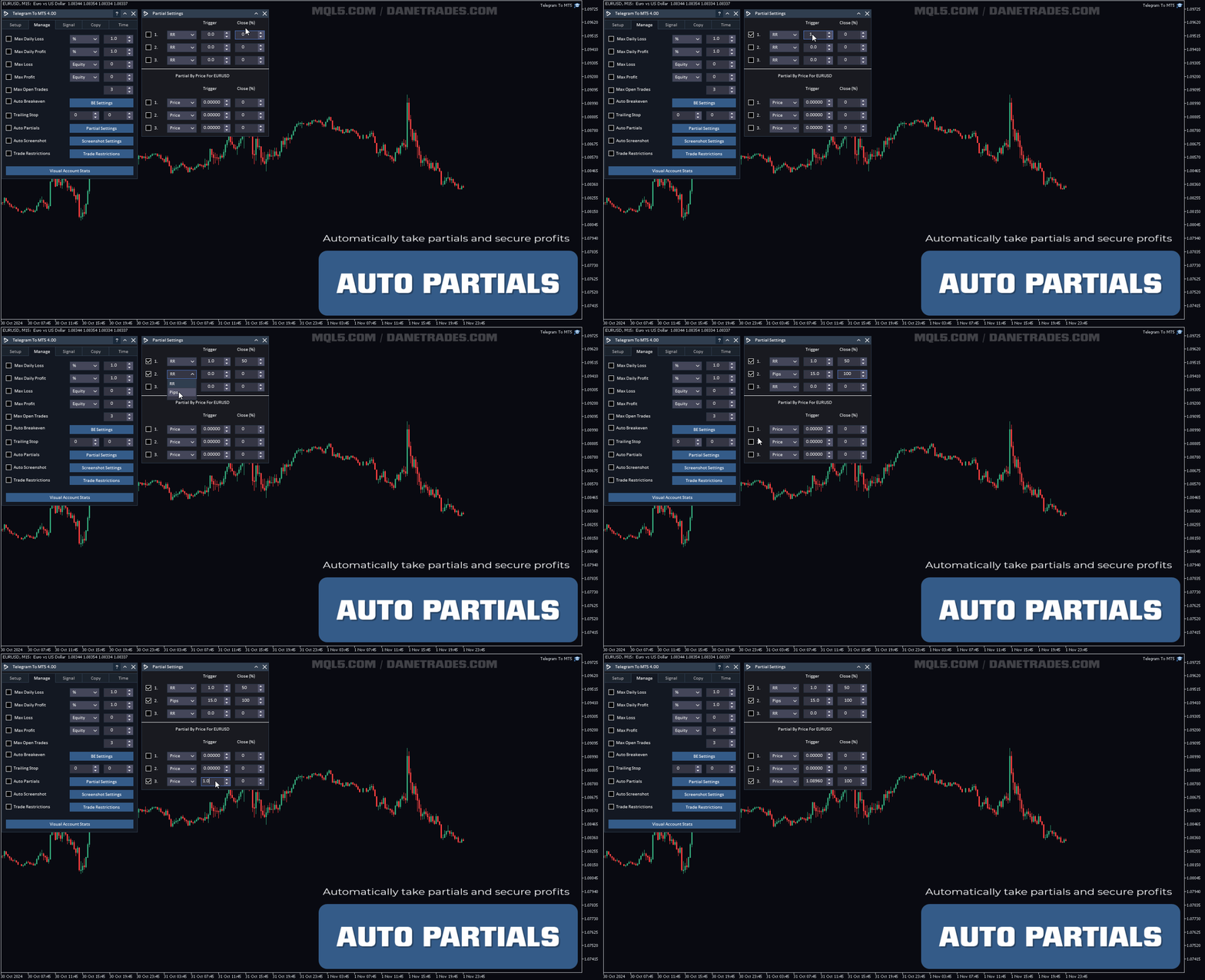
- 使用 RR、点数或价格自动获取部分内容
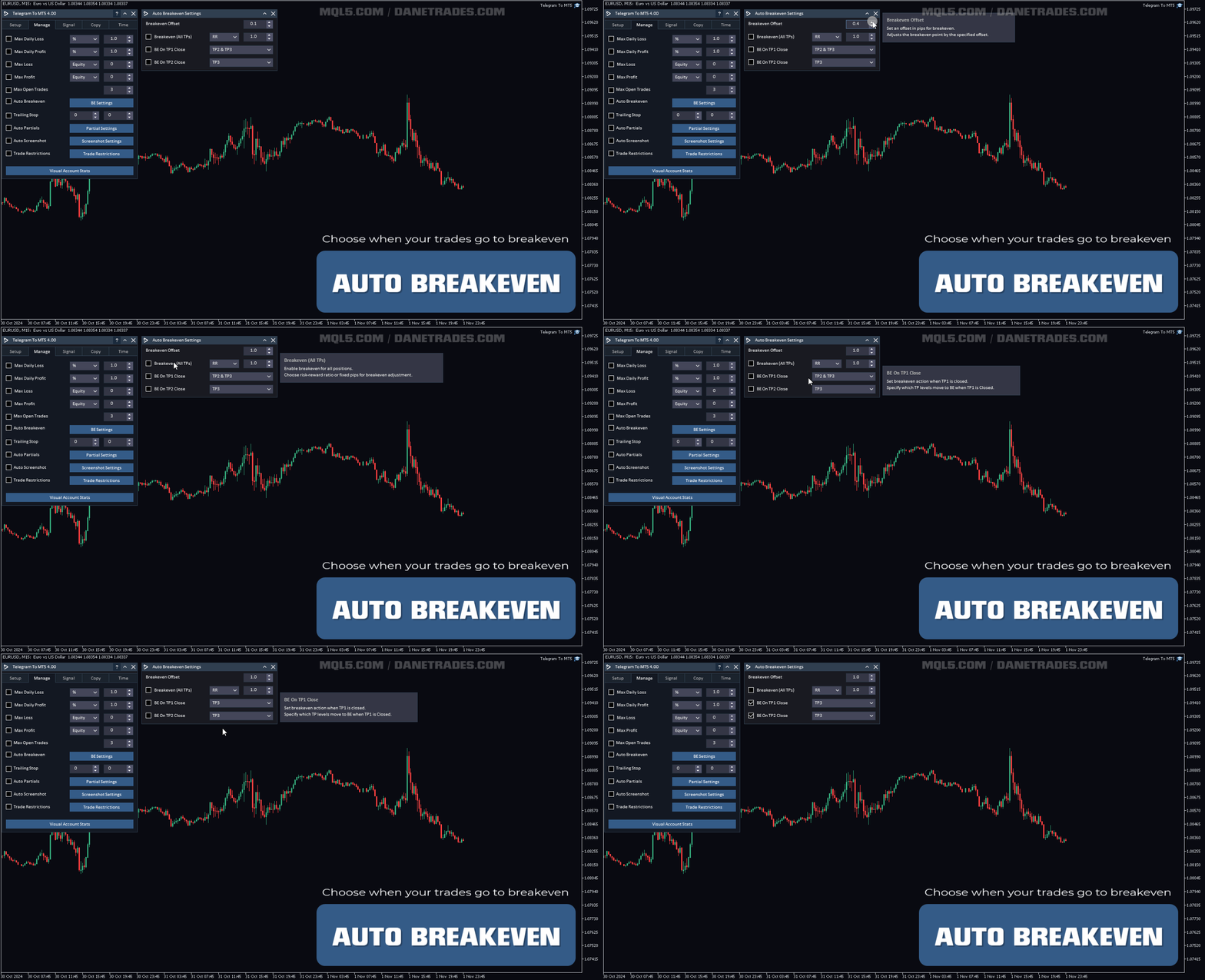
- 当 TP1 或 TP2 被击中时自动达到盈亏平衡
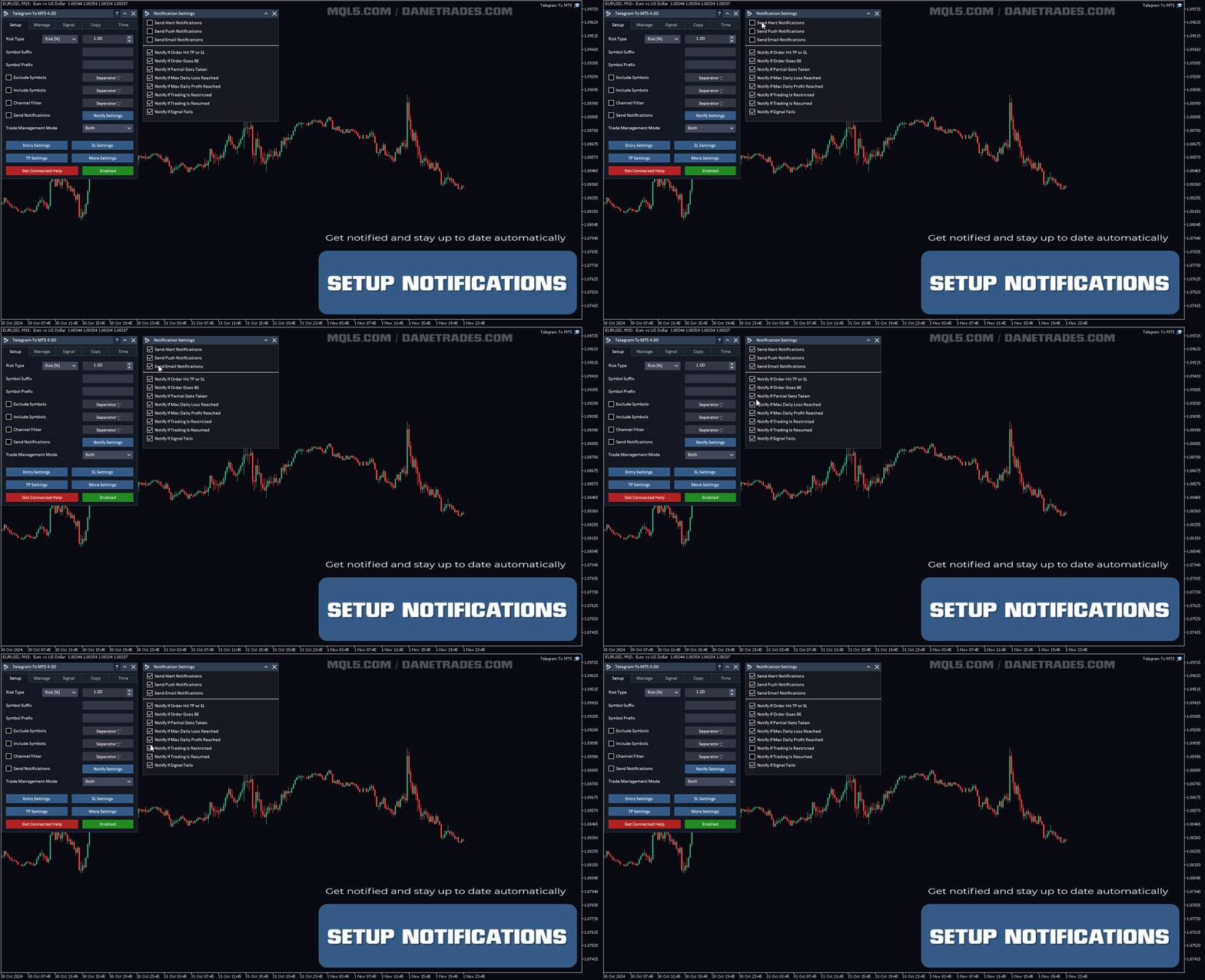
发送通知
- 从警报、推送和电子邮件通知中选择
- 订单达到止损或止盈时通知
- 订单是否达到盈亏平衡时通知
- 如果部分内容被占用,则通知
- 如果达到每日最大损失,则通知
- 通知是否达到每日最大利润
- 交易是否受到限制时通知
- 通知是否允许交易
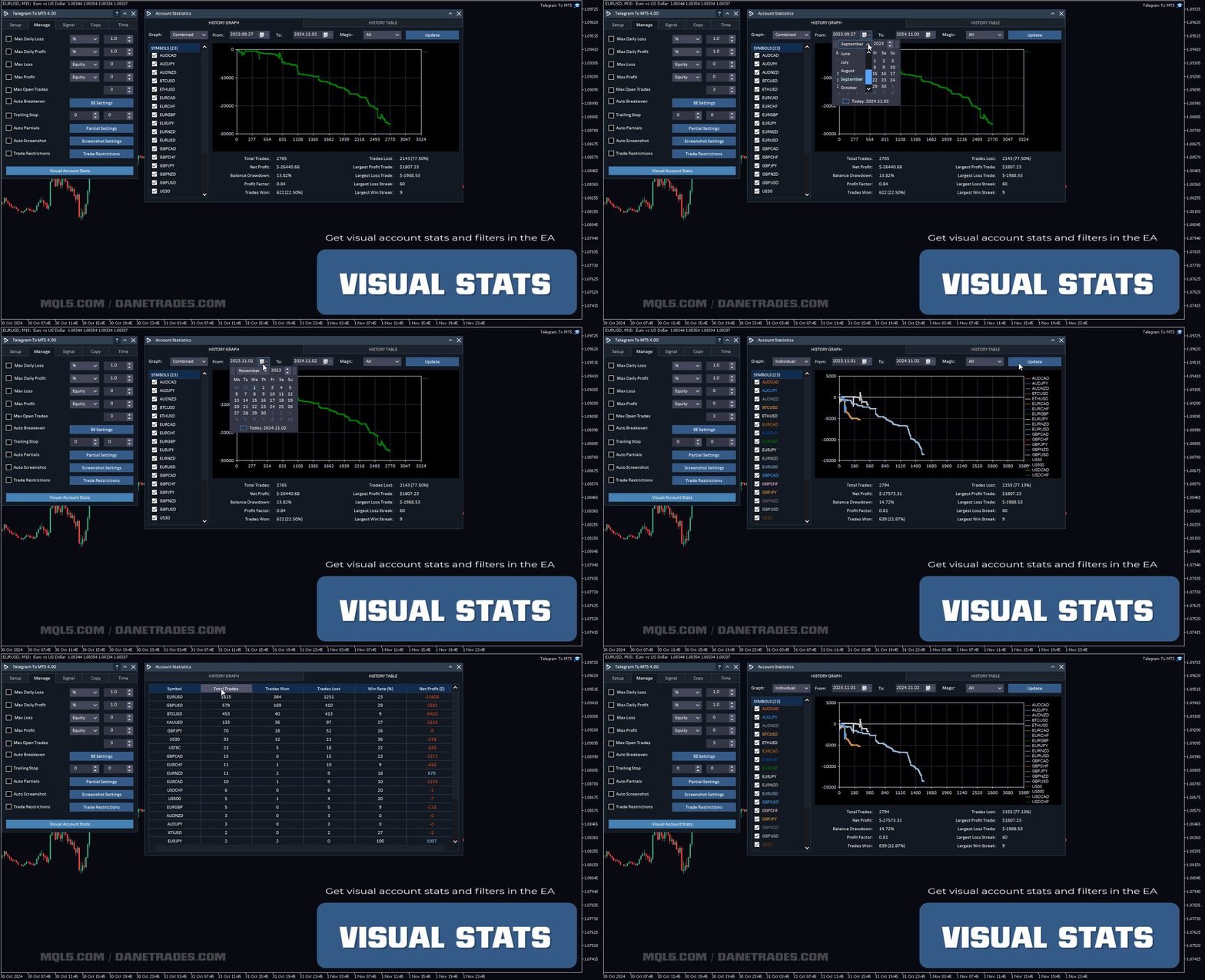
视觉账户统计
- 检查账户表现和统计数据,例如赢率、损失率、总交易等。
- 可视化交易表现并获取带有过滤器(例如交易品种、Magic No 和日期范围)的统计图表。
- 检查并查看哪些信号最有利可图
- 检查符号性能和统计数据的摘要


































































I rented the product initially, just to test it and make sure it worked. The download and install process was very easy, I ran into some difficulties on getting the system run on my VPS, quick zoom call with the support team and it transpired it was an issue with my VPS settings, quickly set up another VPS and the run program worked first time. I then followed the set up instructions which are very competent, the whole process was flawless and to get the actual copier set up with my telegram and have it running on the MT5 terminal took only a few minutes. The actual set up took about 30 minutes, but that is simply because the amount of options and settings the developer has created is incredible, pretty much if you can think of a process you want to happen, they have already built it in to the product. Getting the system to work with my test channel was very easy, getting it to work with the real signal channel was a bit harder. But this is where special credit to the support team come in, requested a zoom call, got one within 3 hours, they worked through the settings and identified an "at" being used in the signal message after the actual entry price, which was confusing the copier. So they simply removed the "at" in the signal dictionary and it wad fixed. As a couple of other people have already said, this is the real deal and an incredible EA if you use signal channels. Highly recommend this product.