 MetaTrader 5
 专家
专家
 指标
指标
 程序库
程序库
 实用工具
实用工具
 窗口小部件
窗口小部件
 规则
规则
免费的MetaTrader 5 交易实用工具 - 14
 以下是可在MetaTrader 5中简化交易的交易程序。将鼠标悬停在一个工具上,阅读它的描述和用途。
Friends, join us!
Ask questions and connect with like-minded traders: MetaCOT Public Group
MetaCOT Information Channel: news, CFTC reports, and signals: MetaCOT Channel
Here’s to successful trading and new profitable signals for us all! Attention! Recently, certain countries have been blocking access to the cftc.gov website. As a result, users in these countries are giving the product low ratings. MetaCOT has always adhered to the highest quality standards and is in no way associated with th
FREE

"Are you tired of losing money on unsuccessful trades? Look no further than EA Trailing Stop! Our program is designed to help you prevent losses and control your trades efficiently. With features such as adjustable stop loss and more, you can rest assured that your trades are in good hands. Don't wait any longer to start making successful trades. Try EA Trailing Stop today!"
You can use this as a starting point and tailor it to your audience and the platform you're using. This EA Trailing Stop
FREE
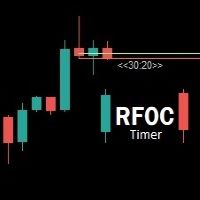
Uma informação de grande valor para o trader se localizar no tempo é a informação de quanto tempo temos para o encerramento do candle atual ou quanto falta para a formação de um novo candle. O RFOC Timer apresenta esta informação de forma clara e alocada à direita do candle atual. Adicionalmente o RFOC Timer acompanha a opção de inclusão das linhas de preços ASK e BID com e sem extensão a direita e/ou esquerda. Esta função auxilia, por exemplo, a não sobreposição das linhas de ASK e BID com as
FREE

# Trade Assistant Manager
Stop calculating lot sizes by hand. Trade Assistant Manager is an on-chart panel that turns your risk settings and chart lines into a precise, ready-to-fire order — automatically.
## Key Features
**Automatic Lot Sizing** Set your risk as a percentage of account balance or a fixed dollar amount. The panel reads the distance between your Entry and Stop Loss lines and instantly calculates the exact lot size for that risk — accounting for your broker's commission per lo
FREE

(Multiple Close All) for MT5 a lightweight and efficient utility designed to help traders close their open positions and pending orders directly from the chart.
It provides a clean panel with interactive buttons, allowing quick closing of opened trades and deleting the Pending Orders with one click. Key Features: Close all BUY , SELL , or ALL positions with one click. Close only profitable trades or only losing trades . Close trades filtered by Magic Number or Ticket Number . Perform par
FREE

安装之前:先了解本工具不做什么。请先阅读这一部分。如果以下某一项正是您想要的功能,那么这个工具并不适合您,最好在把它挂到图表之前就知道这一点。
- 绝不使用虚拟或隐藏止损。每一个止损都是真实的服务器端止损,您的经纪商和自营交易公司(prop firm)都能看到。设计上不向任何一方隐瞒任何东西。 - 每个图表只交易一个品种。免费版只交易其所挂图表的品种。其剩余风险额度预测只覆盖本面板在该品种上的交易。如果您同时交易多个品种,预测无法看到整个账户——这是单图表工具的真实能力边界,不是被关闭的功能。 - 不支持在策略测试器中交易。点击面板在测试器中无法被有意义地点击;面板只会在那里绘制出来,仅此而已。 - 不要与 Risk Sentinel 或 Prop Guardian 挂在同一图表。MetaTrader 5 每个图表只能运行一个 EA。请把账户级管理工具放在单独的图表上;Order Gatehouse 留在您实际交易的图表上。 - 不对 Mac ARM 模拟环境或内存低于 8 GB 的机器作任何承诺。本工具是免费的:请先在您自己的环境中挂载并验证,再依赖它。 - 迁移到 MQL5 V
FREE

MT5 Tick History Sync – Real Tick Downloader, History Verification & Data Export Download. Synchronize. Verify. Export. Make Every Backtest Count. Are you confident that your MetaTrader 5 backtests are using complete real tick history? Missing historical ticks can compromise the reliability of your backtesting results, especially when testing scalping strategies, high-frequency trading systems, and Expert Advisors that depend on precise price movements. MT5 Tick History Sync by Zistilo is a prof
FREE

The ZoomIN MT5 indicator is designed for quickly viewing the selected bar on the smaller timeframes in a pop-up window. Once launched, the indicator works in the background, does not take up space on the chart and does not consume system resources. When the indicator is activated by the Shift + i combination (can be changed in the settings), a pop-up window with a chart of a smaller timeframe is created. The displayed timeframe can be changed by a left-click on the magnifying glass icon. To hide
FREE

Risk Basket Planner Risk Basket Planner 是一款用于 MetaTrader 5 的手动篮子风险规划工具。它帮助交易者设置多个入场层级、技术止损,并在手动交易前计算每一层的手数和实际总风险。 主要功能 支持 1 到 5 个入场层级 。 可选择 BUY 或 SELL 方向。 风险按 账户净值 Equity 的百分比设置。 L1-L5 入场价格可直接输入或在图表上拖动。 所有层级共用一个 技术止损 。 Auto SL 预设:80%、100%、120%。 Manual SL 模式可由交易者精确设置止损价格。 修改入场、止损、风险%、方向或层级数量后自动重新计算。 尝试在各活跃层之间平均分配风险,并显示 经过经纪商最小手数/步进取整后的实际风险 。 显示每层手数、风险%、风险金额、总手数、目标风险和实际篮子风险。 显示当前点差以及点差与最近止损距离的关系。 当止损距离过近,或经纪商最小手数导致目标风险无法实现时给出提示。 可移动面板,支持最小化、恢复和关闭。 根据经纪商的交易品种规格进行计算,可用于经纪商支持的 Forex、贵金属和 CFD。 重要说明 本工
FREE

Multichart Dashboard — Your Central Command Center for Trading
The **Multichart Dashboard** Expert Advisor transforms your MetaTrader interface into a clean, professional trading hub. Manage up to **6 charts simultaneously** , switch between symbols in an instant and always stay in control — all within one compact, fully configurable panel.
What does Multichart Dashboard do?
**Up to 6 charts in parallel** — Set the desired number of charts (1–6) with a single input. All associated charts are
FREE

Trade Governor enforces trading discipline on manual trades or trades opened by another EA. It does not open trades and makes no market prediction - it is a pure risk-governor layer that protects your account with three rules.
Rules it enforces: - Trading-session window: positions held outside your allowed server-time window are closed (for example, keep only the Asian session). - Max trades per day: positions beyond your daily limit are closed (newest first); the counter resets each broker day
FREE

Product name: BVCandleStream Overview Background service that automatically creates custom tick-based symbols (equal-tick bars) for scalping and price action analysis.
It converts raw ticks of standard symbols into custom bars with a fixed number of ticks per bar, so you can apply any standard MT5 indicators or EAs to these synthetic tick charts.
Key Features 1. Tick-Based Bar Generation Monitors the symbol of the open chart and automatically groups ticks into bars at the specified count ( InpT
FREE

BS Trade Panel: Revolutionize Your Trading Approach Introducing the BS Trade Panel , the ultimate solution for traders seeking efficiency, speed, and accuracy in their market operations. Crafted with cutting-edge technology, our panel is designed to simplify your trading, making it more intuitive, swift, and effective. Innovative Features: Quick Orders with Shortcut Keys: Execute market orders or pending orders swiftly using configurable shortcut keys. Perfect for traders who need speed when ent
FREE

Collective TP SL Manager is a MetaTrader 5 utility that manages a combined take-profit and stop-loss across many open positions on one symbol. Instead of setting TP/SL per order, it watches the net profit or loss of all (or filtered) positions and closes the basket when your target is reached. Features Basket-level targets: one collective take-profit and one collective stop-loss for the whole group of positions. Net P/L monitoring: continuously sums the profit/loss of all selected positions in
FREE

Your chart. One glance. Total clarity. Built by @Ash_TheTrader for traders who are tired of guessing, Extreme Trading Dashboard is a professional-grade heads-up display that sits quietly in the corner of your chart — dark charcoal, rounded, semi-transparent, and genuinely easy on the eyes — until the moment it matters. Dual Session Highlighter Shade up to two independent time windows directly on your chart — London, New York, or your own custom kill-zone. Each gets its own color, so overlapp
FREE

Key Features Real-time P&L in $ Running P&L in Pips P&L converted to INR BUY / SELL direction Lot size Entry price Separate display for each open position Supports multiple open positions Works independently on multiple charts Follow Current Price mode Stay At Entry Price mode Adjustable vertical spacing in pixels Adjustable distance below the Bid price Adjustable candle offset Customizable text size and font Profit, loss and breakeven colors Automatic removal when a position is closed
FREE

Are you an MT5 trader who needs rapid, reliable risk management? Introducing this essential utility – a powerful, free Expert Advisor designed to instantly close all open positions on your MetaTrader 5 account with a single, dedicated action. This tool is a must-have for emergency market exits or quick, decisive profit-taking. Why is this a FREE tool? I am a professional MQL developer actively focused on delivering 5-star solutions and securing custom MQL5 Freelance Jobs . This free ut
FREE

【產品簡介】將RSI 轉化為精準的順勢交易利器 您是否曾在強烈趨勢行情中,因傳統RSI 指標頻繁發出「超買/超賣」信號而過早反向進場,導致不必要的虧損? RSI Sniper Pro V5 不僅僅是一個震盪指標,它是一套整合了「趨勢判斷」、「動能過濾」與「K 棒行為學」的完整交易策略系統。我們旨在解決RSI 在趨勢行情中鈍化的痛點,協助交易者在正確的時機扣下板機。 本系統的核心理念是: 「順大勢,找回調,精準狙擊」 。它僅在趨勢明確且動能充足時,利用RSI 尋找高盈虧比的回調進場點,協助您避開高風險的盤整震盪與逆勢交易。 【核心策略邏輯:四大濾網機制】 本指標透過嚴謹的四重過濾機制,確保每個訊號都具備高品質與高勝率潛能: 趨勢過濾器(Trend Filter - EMA 200) 嚴格遵循順勢原則:僅在價格位於200 EMA 之上時尋找買點;在EMA 之下時尋找賣點,從根本上避免逆勢接刀的風險。 動能確認(Momentum Filter - ADX) 內置ADX 動能過濾器(預設值> 20),自動識別並避開無趨勢、低波動的「盤整區間」,確保進場時市場具備足夠的爆發力。 狙擊板機(Sni
FREE

Mobile-EA is an Android-first trading companion for MetaTrader 5 , bringing market tools and connected account management together on your phone. This product is the companion MT5 Expert Advisor that links your terminal to the Mobile-EA Android app. The mobile app is available for Android; iPhone/iOS is not currently supported. The Android app is now available on Google Play , and new users receive a free 14-day Ultimate trial starting at registration . Watch the app introduction here: https://y
FREE

The utility draws reversal levels using the formulas for each of the selected number of candles:
Pivot = (high + close + low) / 3 R1 = ( 2 * Pivot) - low S1 = ( 2 * Pivot) - high R2 = Pivot + (R1 -S1) R3 = high + ( 2 * (Pivot - low)) S2 = Pivot - (R1 - S1) S3 = low - ( 2 * (high - Pivot)) H = high L = low U = if the candle is bullish, then close. Otherwise - open D = if the candle is bullish, then open. Otherwise - close
On any timeframe.
After a new candle closes on the calculated timeframe
FREE
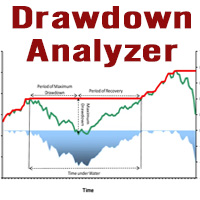
This tool is specifically designed to calculate drawdowns in a trading or investment account, expressed as a percentage, by using user-input balance figures. In essence, it allows users to track how much their account dips from a peak balance to a subsequent low point, a metric that is instrumental in understanding risk exposure. By supporting the option to choose a specific timeframe, it empowers traders and investors to pinpoint the start date of their measurement, ensuring that the data refle
FREE

**Bneu Trade Journal** is a trade analytics and journaling utility for MetaTrader 5. The utility automatically captures trade history, calculates statistics, and displays performance metrics. This free version provides basic analytics for the last 100 trades with CSV export functionality.
**Free Version Features**
**Automatic Trade Capture** - Automatically records closed trades from account history - Filter by magic number to track specific EA trades - Filter by symbol to track specific instr
FREE

Easy Signal Multiplier MT5 Easy Signal Multiplier is a utility Expert Advisor designed to automatically scale up trade volumes from Trade Signals, external EAs, or manual trades. By continuously monitoring active account positions, it dynamically opens supplementary orders, synchronizes Stop Loss and Take Profit levels, and manages position exits in real time to achieve your exact target position size multiplier. Product Features Custom Exposure Multiplier: Specify your target total exposure fac
FREE

Reverse TradeCopier for Followers can copy trades from an account that is running Reverse TradeCopier for Source . Features: Copies trades from one source (master) account to multiple following (slave) accounts. Allow investor (read only) password for source (master) account. There are no complicated settings and input parameters, everything is easy. Works with different brokers. Works with different quotes symbols (EURUSD_FX, eurusd_m, etc.). Can copy orders from 4-digit quotes platform to 5-
FREE

Description: Protect your live or evaluation accounts by not letting it hit the maximum daily draw down! This utility is best for prop firms such as FTMO and MFF(MyForexFunds) and etc. Guide: Apply to EURUSD 1m Chart.
Default Settings: Maximum Draw Down Balance: 4% Account Balance. Maximum Draw Down Equity: 4% Account Balance Target Profit Balance: 1% Account Balance. Target Profit Equity: 1% Account Balance. Time To Reset: 16:57 to 16:58 GMT
Behavior: Setting starting_balance to 0 will auto
FREE

Trade Assistant Panel: Your Optimal Trading Ally "The Trade Assistant Panel" is a graphical tool for traders aiming to simplify and enhance their trading experience. It streamlines order execution and management, allowing you to focus on market analysis and decision-making. With just a few clicks, you can initiate various order types, ensuring that you always have full control over your trading strategy: Buy Orders Sell Orders Buy Stop Orders Buy Limit Orders Sell Stop Orders Sell Limit Orders Y
FREE

QuickTrade Control (Free Version) The QuickTrade Control is a powerful and flexible Expert Advisor designed to give you complete control over your trades in MetaTrader 5. This free version includes a comprehensive set of tools and features that simplify decision-making and trade management. You can find more free products HERE . If you're looking for a low risk EA , check the Silent Pressure EA . Features: Instant closure of all open positions:
Close all active positions with a si
FREE

X-STOX Session Matrix Pro puts the market's clock on your chart. Instantly see which trading session is active, when the high-liquidity overlaps hit, and exactly how long until the next session opens or closes — all adjusted automatically to your broker's server time. Built as a single lightweight indicator. No DLLs, no external data, no configuration headaches. — What it does — Session zones on-chart — the Sydney, Tokyo, London and New York sessions are drawn as clean shaded zones so you always
FREE

ApexForge One Click Close EA 概述 ApexForge One Click Close EA 是一款輕量級交易輔助工具,讓您只需點擊一下,就能立即關閉所有符合條件的持倉,並可選擇同時刪除掛單。 在市場劇烈波動時,手動一筆一筆平倉既耗時又容易錯失良機。這款 EA 為您提供快速、可靠且視覺清晰的一鍵清倉解決方案。 ️ 本工具不會自動開單或產生交易訊號,僅用於 持倉管理 和 風險控制 。 主要功能 一鍵平倉 – 瞬間關閉所有持倉 顯示總手數 – 按鈕上即時顯示當前總持倉量 平倉範圍選擇 – 可選擇「全部帳戶」或「當前品種」 魔術數字過濾 – 只平倉特定 EA 的訂單 刪除掛單 – 可選擇同時刪除掛單(限價單/止損單) 非同步佇列處理 – 不卡頓,逐筆獨立重試 視覺回饋 – 按鈕顏色變化顯示目前狀態(就緒/平倉中/無持倉) 高度可自訂 – 位置、大小、顏色、字型、文字皆可調整 輕量設計 – CPU 佔用極低,50ms 定時器高效運作 輸入參數 平倉設定 參數 說明 平倉範圍 全部帳戶持倉 / 僅當前品種 啟用魔術數字過濾 開啟/關閉魔術數字過濾 魔術數字 指定要過
FREE

YuRaLytics Trade Analyzer reads the trade history of your account and breaks it down. You see which Expert Advisors and symbols make or lose money and how much commission and swap take out of the result. It also tests whether the average trade is large enough to tell apart from luck. The panel only reads history and never opens, changes or closes a trade, so you can run it next to live Expert Advisors. What it shows Summary: trades, win rate, profit factor, average trade, net result, gross resul
FREE

DIVERGENCE SCANNER Find Divergences Faster. See What Others May Miss. Divergence Scanner is a specialized tool designed to automatically identify potential divergences across multiple trading instruments. It analyzes Stochastic and RSI , detects bullish and bearish divergences, and presents the results in a clear, structured table. Key Features: Automatic divergence detection; Stochastic analysis; RSI analysis; Bullish divergences; Bearish divergences; MOSTIPAN SMART TRADING
FREE

Discover. Analyze. Get Notified. Master price action trading with PatternVision Pro , an advanced candlestick scanner for MetaTrader 5 that transforms pattern recognition into actionable insights and data-driven analysis. Whether you're studying a single Doji , tracking a 20-candle formation, or monitoring sharp price movements, this tool helps you systematically analyze market behavior with a percentage-based approach and real-time notifications.
Complete Documentation Included Step-by-step
FREE

The Quick Style utility is designed for facilitation and acceleration of working with the properties of graphical objects. Left-click a graphical object while holding the Shift key to open the quick access window for configuring the object properties. In the window, you can change the color, style and line width with one click, including those of other graphical objects. All changes are displayed immediately. To close the Quick Style , simply click the free space on the chart. The utility is eas
FREE

Trade Manager Panel is a free on-chart utility that helps you manage open positions quickly with a set of one-click buttons. It does not open trades on its own and generates no trading signals - it is a pure manual-trading assistant that works on any account with no restrictions.
Features: - Close All: close every open position at once. - Close Profit: close only the positions currently in profit. - Close Loss: close only the positions currently in loss. - Partial Close: close a configurable p
FREE

Garner Risk Calculator for MetaTrader 5
## Visual trade planning, position sizing and manual order placement
Garner Risk Calculator is an MT5 Expert Advisor that brings trade planning and position sizing directly onto your chart. Position your Stop Loss and Take Profit, choose the amount you want to risk, and view the calculated lot size before placing an order.
The dark navy panel with blue accents provides a clear view of your proposed trade. It is a manually operated calculator and order-e
FREE

FOREX17 MOUSE TRADING ASSISTANT BASIC (F17MTA)
- Forex17 Mouse Trading Assistant Basic 是一款可通过鼠标和键盘在图表上手动下单的可视化工具 - 支持动态设置入场、止损和止盈,并实时显示 - Basic 为简化版本,是 F17MTA 生态系统的入门版本
====================== 重要提示 ======================
- 这是免费 Basic 版本
- Standard 版本提供更多高级功能(英文版本)
- 建议阅读英文完整说明
- 必须在 MT5 中启用 AutoTrading
====================== 主要功能 ======================
- 按住 B 进入买入模式 - 按住 S 进入卖出模式
- 按住时: - 移动鼠标设置价格 - 动态显示各级别
- 松开取消 - 点击发送订单
====================== 策略与执行 ======================
FREE

图表链接辅助工具: 该工具充当MetaTrader中打开的图表与主图表上的专家之间的接口。许多多时间框架专家需要此文件与屏幕上的打开图表进行通信。您可以通过在图表上运行该工具,轻松将图表连接到主图表上的专家。 此文件的主要功能是将发生在打开图表上的所有事件发送到主图表上的专家。例如,如果主图表上放置了一个指导线,可能不会将这些指导线的更改反映在主面板中专家的参数上。通过拖放或运行此工具到图表上,您可以将它们连接在一起,确保图表上的更改会传达给主图表上的专家。 该工具还具有调试器和主图表专家的活动状态检查功能。如果与主图表上的专家的连接丢失,该工具将执行以下操作:首先,它会向MetaQuotes ID发送通知,然后通过Telegram提醒交易员,最后在当前图表上显示主面板上的专家已断开的警告。 要运行此专家,您需要在图表上执行或拖放它。在输入部分,您可以输入主图表ID号;如果您输入0,工具将自动处理,并且通常会在屏幕上显示。下一个参数允许您输入将警报发送到Telegram所需的信息。 如果在设置中定义了MetaQuotes ID,通知将发送到该ID
FREE
Candlestick Timer is a gadget by MT4Gadgets.com that quickly shows you the countdown to candle close / next candle. This information is useful in some strategies or when you need to be ready to react to news, volatility, market open/close and similar situations. The panels can be adjusted in position, size, color. You can also set a threshold to be alerted when the candle close/open, approach.
Features: Visual interface Size, position and colors adjustable Optional alert available Ease of use
FREE

Advanced Trade Mirror is a powerful Forex tool designed for traders who need instant, seamless trade replication across multiple terminals on the same machine. With lightning-fast execution, it ensures zero lag in copying trades, maintaining precision and efficiency in high-speed trading environments.
Get the Trade Mirror Follower here: https://www.mql5.com/en/market/product/133890 Specification:
Master ID: Identity value of master terminal, please use a unique value to prevent duplicated mas
FREE

Exact Time — detailed time on the seconds chart. The utility shows the opening time of the selected candle. This is necessary when working with seconds charts. For example, it can be used on a seconds chart built using the Seconds Chart utility. Inputs Base corner — the chart corner to which an object Is attached. X distance — the horizontal distance from the chart corner. Y distance — the vertical distance from the chart corner. Text font — font name Font size — font size Color — text color
FREE

Simple Trade Terminal Simple Trade Terminal is a compact and performance-optimized on-chart panel for MetaTrader 5. It solves two of the biggest friction points in manual trading: time-consuming lot size calculations and inaccurate placement of Stop-Loss and Take-Profit levels. Instead of typing numbers into standard order masks, you plan your trade visually directly on the chart. The panel automatically calculates your exact position size based on your predefined risk and executes the order. Th
FREE

MT4 MT5 Trade Bridge for MetaTrader 5 is the MetaTrader 5 component of the MT4 MT5 Trade Bridge system. It allows a MetaTrader 5 terminal to work either as a Master or as a Slave in a local bridge connection with MetaTrader 4. When configured as Master , the MT5 component reads trading activity from the MetaTrader 5 terminal and writes structured trade data into a local bridge file. The connected MT4 component can then read this data and mirror the trading activity according to its selecte
FREE

The PSM Trading Panel is a comprehensive, all-in-one trade management utility designed for both manual and automated traders. Whether you prefer executing precise manual entries, managing recovery with a Martingale system, or deploying a Grid strategy, this panel provides all the necessary tools directly on your chart. Built with advanced risk management and a highly intuitive interface, the panel minimizes the emotional stress of trading by automating complex calculations like Auto-Candle Stop
FREE

选择 1 年租用,即可仅以 $1.67/月获得完整访问权限。如有任何问题或需要帮助,我们提供快速支持。 这是一款专业的多功能工具,将 Remote control、Trading Statistics、Auto Reports、Price Alerts 和 Trade Notifications 集成到一个现代化的 Discord 监控系统中。 该工具支持使用 menu 命令 直接通过您的 Discord 频道进行 Remote control 。您无需返回 MetaTrader 5 终端,即可发送 Trade Reports、查看开放持仓、创建、删除和管理活动的 Price Alerts。 支持按计划自动发送 Discord 报告,同时也支持直接通过 Discord 手动发送 Daily / Weekly / Monthly / Yearly / All Time 周期的 Trade Reports。 该工具配备现代化的交互式控制面板,支持 Dark/Light 主题、灵活的交易通知设置,以及自定义文本标签和消息语言。只要工具未从图表中移除,所有设置都会在 MetaTrader 5
FREE

UZFX 资本控制指挥中心面板 v1.1 是一款全面的交易管理与风险控制面板,专为要求对交易操作进行全面监督的严肃外汇交易者设计。这一一体化解决方案将您的 MetaTrader 5 平台转变为一个具备实时监控、高级仓位管理和自动回撤保护功能的专业指挥中心。
实际上,该面板比许多自动化交易工具更为实用,因为手动交易者恰恰需要这种控制能力。 完整的交易仪表盘 通过单一且条理清晰的界面,即时掌握交易账户的各个方面。该面板显示任意数量交易品种的所有持仓,包括仓位类型、手数、浮动盈亏、未平仓止盈值和未平仓止损值。交易者无需在图表间切换或手动计算风险敞口,即可监控整个投资组合。
高级持仓管理 通过单个交易品种的专属控制功能,精准掌控您的交易。每行交易品种均设有专用按钮,可仅平仓亏损头寸、仅平仓盈利头寸、执行50%部分平仓,或对该品种的所有持仓进行完全平仓。这种精细化控制让您无需手动下单即可实施复杂的离场策略。
一键式投资组合控制 通过全局控制按钮同时影响所有持仓,全面掌控您的交易操作。只需单击一下,即可平仓所有盈利交易、平仓所有亏损交易、将所有持仓设为盈亏平衡,或删除所有挂单。在市场剧烈波动
FREE

Berikut adalah deskripsi profesional yang dapat digunakan untuk header source code , halaman MQL5 Market , GitHub, maupun dokumentasi EA Anda. Deskripsi ini disesuaikan dengan fitur yang ada pada versi terbaru panel trading. Berdasarkan file yang Anda unggah, panel ini merupakan Gold Manual Trading Panel - BangkacangFX v2.1 dengan fitur panel trading manual untuk MT5. BangkacangFX Gold Manual Trading Panel v2.20 BangkacangFX Gold Manual Trading Panel adalah panel trading manual profesional untuk
FREE

Candle Flowing PnL on Chart
This indicator shows PnL realised profits or losses flowing live on chart above or below candle were it took place. The nice part is it groups the same candle result, for example if you closed a grid with multiple positions you will see the result of candle PnL grouped. Basically this indicator helps trading directly from the chart, no need for toolbox windows, you can see live current open PnL , already cloed positions PnL and Today realised PnL You can switch to mo
FREE

Important: Do not download or install My Chart Control unless you already own My Chart Generator service. My Chart Control is not a standalone chart generator. It is designed to work together with the custom charts produced by My Chart Generator. Your Range/Volume chart, optimized for your indicator — automatically. My Chart Control is the on-chart dashboard and intelligence interface for My Chart Generator. Attach it to your My Chart custom symbol chart and it gives you complete control over
FREE

Backstop enforces the two rules that end funded accounts. A daily loss limit and a maximum loss limit, applied to everything on the account — every Expert Advisor, every symbol, and every trade you place by hand. Attach it to any one chart and it governs the whole terminal. It does not trade. It has no strategy, no signals and no opinion about the market. It is a governor. What it does Daily loss limit — measured from balance at the reset, equity at the reset, or a fixed account size. Firms diff
FREE

Risk Manager PRO – Manual Trading Utility with Dynamic Lot Size Calculation
Risk Manager PRO is a powerful yet simple utility for manual traders. It allows you to enter trades with calculated lot sizes based on your specified risk percentage and a visual stop-loss line. Just drag the red stop line to your desired level, input the risk %, and click Buy or Sell. Ideal for traders who want precise risk control without complex calculations.
Features:
Dynamic lot size calculation
Visual stop-lo
FREE

Time-Based Trade Closer EA - Risk-Free Overnight? Yes! Time-Based Trade Closer Does It for You. Love it? Hate it? Let me know in a review! Feature requests and ideas for new tools are highly appreciated. :) Try "The AUDCAD Trader":
https://www.mql5.com/en/market/product/151841 ️ ALWAYS TEST THIS EA ON A DEMO ACCOUNT BEFORE USING IT LIVE! Overview The Time-Based Trade Closer EA is a powerful MetaTrader 5 Expert Advisor designed to automatically close all open positions and pending orders at
FREE

核心功能 智能交易管理 一键开仓平仓操作,支持自定义手数设置. 多种平仓模式:全部平仓、按方向平仓、按盈亏状态平仓. 专业风险控制控制风险 实时监控点差,避免高成本交易环境.可视化控制面板。 直观的图形界面所有功能一键操作. 实时显示仓位信息、盈亏状况、点差状态. 支持面板最小化、锁定功能,防止误操作 . 产品优势 高效便捷无需复杂设置,开箱即用 图形化操作,告别繁琐代码.实时数据更新,决策更及时. ️安全可靠点差监控,避免恶劣市场条件交易. 专业实用支持多种订单类型管理,灵活的手数配置 详细的仓位信息展示. 适用场景 手动交易者:提供专业的方便控制工具 效率追求者:一键式操作,提升交易效率. 如果你用的方便的话,记得分享给你的朋友!
FREE

KS Timing Alert Tool 是一款用户友好的 MT5 指标,旨在帮助交易者通过可拖动的垂直计时线,直接在图表上设置精确的时间提醒。
主要功能:
点击创建计时线:使用“+ New Timer Line”(新建计时线)按钮(默认偏移量为 15 分钟)即可快速添加一条垂直线。
快速预设按钮:一键预设 15分钟、30分钟、45分钟、1小时、2小时……最长 12 小时的计时线。点击预设后,线条会自动放置在对应时间段的下一个整点 K 线收盘时刻(与 MT5 内置的 K 线倒计时逻辑一致)。例如,点击“1H”会将线条放置在下一个整点时刻。
完全可拖动与自定义:您可以将任何计时线拖动到任意时间点(过去或未来)。提醒触发完全基于真实的服务器时间,与价格波动或实际 K 线收盘无关。
实时倒计时标签:每条线上方均显示清晰的标签,包含:
HH:MM:SS 格式的剩余时间
目标时间
触发后的“FIRED”(已触发)状态
全面的图表内设置面板:
更改线条颜色、样式和宽度
切换标签、声音、弹窗提醒及推送通知的显示状态
声音选择(支持 MT5 内置声音及自定义 .wav 文件)
FREE

Arixis Spread Monitor — Understand the Real Cost of Trading
Arixis Spread Monitor is a lightweight real-time MetaTrader 5 utility designed to measure, record and analyze the spread of your trading instruments. Instead of showing only the current spread, it builds a historical profile that helps you understand how transaction costs change throughout the trading day. The system records Bid and Ask information and calculates spread statistics including current spread, mean, median, P75, P90, P95,
FREE

Arixis Grid Risk Calculator — Understand Grid Exposure Before Trading
Arixis Grid Risk Calculator is a professional mathematical analysis tool for traders who use grid, recovery or progressive position-sizing systems. Configure the initial lot size, distance between entries, maximum number of levels and position-sizing progression to visualize how exposure evolves as additional positions are added. The calculator generates a detailed level-by-level representation including individual lot size,
FREE

This Utility tells you the volatility of any symbol for any of the major time frames. As trades occur, the volume increases for each period. When each period ends, the bucket is reset to 0. Volumes are sorted from largest to smallest within each shown period. Click any symbol to highlight that symbol in all period columns. Volume information is specific to transactions placed at your broker. To test in the Tester, set the following:
EURUSD,M1,1 minute OHLC 2018.01.01 to 2018.01.02 (a day’s worth
FREE

Pulse Trade Dashboard is an interactive trade management panel for MetaTrader 5, built for traders who want full control of their account without leaving the chart. Attach it to any chart and get a real-time overview of your balance, equity, open positions, and floating P&L — all updating live. Place market orders instantly with the one-click BUY and SELL buttons, adjusting your lot size, stop loss, and take profit directly on the dashboard without opening a single settings menu. What's included
FREE

The Buffer Reader will help you to check and export the custom indicators buffers data for your current chart and timeframe. You can select the number of buffer and historical bars to read/export. The data can be exported in a CSV format and the files will be stored in the folder: \MQL5\Files .
How it works Put the number of buffers to read in the Buffers_Total input parameter. Put the number of rows to display in the Rows_Total. Choose the CSV separator in the parameter. Copy the correct nam
FREE

ZyloFx Position Size Calculator MT5 is a free risk management utility designed to calculate the appropriate lot size before opening a trade. The tool calculates position size based on your selected risk, account balance or equity, and Stop Loss distance. It also displays useful information directly on the chart. Explore all available ZyloFx Trading Tools: https://www.mql5.com/en/users/rosamartinez2825/seller Main Features Automatic lot size calculation. Percentage or fixed-money risk mode. Balan
FREE
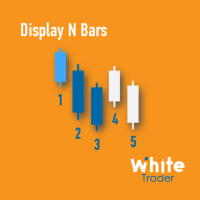
The Display N Bars utility is a simple tool designed to help identify candles.
If a trader tries to share knowledge with a colleague but it is difficult to pinpoint exactly the desired candle, just say the corresponding candle number.
The candle count is reset every day.
Seeking to offer a good customization the inputs are:
Display type -> Display only odd, only odd, or both candles?
Direction -> Horizontal or Vertical?
Display multiples of: (display frequency) -> Display all number
FREE
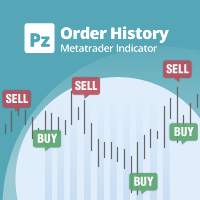
显示任何实时图表的交易/订单历史的通用指标,非常类似于策略测试器的可视化模式。它允许您检查任何特定交易品种的真实交易历史,以用于教育、改进、逆向工程或诊断目的。它可以与主密码和投资者密码一起成功使用。
[ 安装指南 | 更新指南 | 故障排除 | 常见问题 | 所有产品 ]
一些主要特点是:
方向分析
每笔交易的损益标签
可定制的颜色和尺寸 利润因子的计算 按工作日和一天中的时间划分的交易活动细分
输入参数 购买箭头:购买箭头的颜色
卖出箭头:卖出箭头的颜色
买入箭头大小:买入和卖出箭头的大小
Close Buy: 买单的关闭颜色
Close Sell:卖出订单的关闭颜色
关闭箭头大小:关闭订单箭头的大小
获胜交易线:显示盈利交易的线颜色
亏损交易线:显示亏损交易的线条颜色
买入线样式:长交易线样式
卖出线样式:短线交易线样式
买入线宽:显示多头交易的线的大小
卖线宽度:显示空头交易的线的大小
赢得贸易标签:盈利贸易标签的颜色
丢失贸易标签:丢失贸易标签的颜色
字体大小:图表标签的字体大小
支持 我很乐意提供免费产品,但鉴于我的时间有限,它们没有任何形式的支持。我很抱歉。
作
FREE

After downloading, message me via MQL5 inbox to receive your FREE User Kit - setup guide, practical checklist, and workflow resources built specifically for XAUUSD traders. If you've been trading Gold long enough, you already know the drill. Before the session opens, you pull up the chart and start looking for the same levels you've been marking every week: previous week high, previous week low, the midpoint, and yesterday's high and low. You draw them manually, label them, and keep an eye on t
FREE

(This is the free version of our trade manager, download it for free and test it, and provide feedback. If you are satisfied with its capabilities, you can try out its bigger brother the Deriv Scalp Manager also available from us.)
EA Summary If you are a scalping trader who wants to place and close trades quickly and efficiently, you need a powerful tool that can help you achieve your goals. That's why we created the Deriv Trade Assistant EA, a smart and easy-to-use expert advisor that au
FREE

如果您喜欢这款免费工具,请留下五星好评!非常感谢 :) “风险管理助手”专家顾问系列是一套全面的工具,旨在通过有效管理各种市场条件下的风险来增强交易策略。该系列包含三个关键组件:平均交易、切换交易和对冲交易专家顾问,每个组件都针对不同的交易场景提供独特的优势。
此 EA 是基于市场上标准风险管理策略的开发版本。
https://www.mql5.com/en/blogs/post/756961
1. “均线助手”EA: MT4: https://www.mql5.com/en/market/product/115468 MT5: https://www.mql5.com/en/market/product/115469 2. “切换助手”EA: MT4: https://www.mql5.com/en/market/product/115478 MT5: https://www.mql5.com/en/market/product/115428 3. “对冲助手”EA: MT4: https://www.mql5.com/en/market/product/115466 MT5
FREE

The script in the form of an expert is created for the possibility of automatic installation of pending orders of the Stop Close Only type, which are not in MT5 by default. This type of order implies entering a long position in case the price closes above a given price level and opening a short position if the price closes below the price set by the trader. At the same time, level breakouts are not taken into account. The expert indicates the levels on the chart with lines, overcoming which will
FREE
逐步“追踪止損”
該實用程序允許您設置在使用“追踪止損”工具時跟隨價格移動“止損”的步驟。 與“MetaTrader”終端中可用的“常規”“Trailing Stop”不同,它允許您以 1 點為增量設置“Stop Loss”移動,此“Trailing Stop”配置為任意增量。 此設置可讓您避免在錯誤的趨勢反轉期間平倉,此時價格在一個方向的長期移動之後出現小幅回調,然後再次繼續向同一方向移動。 為了方便管理具有可變“止損”移動步驟的“Trailing Stop”工具的工作,開發人員 Dmitry Fedoseev 已將實現該工具操作的腳本改編為現有的交易面板“eInTradePane”。 交易面板的源代碼可在 https://www.mql5.com/en/code/220 免費獲得。 添加了“Trailing Stop”的“eInTradePanel”交易面板的描述在“ 討論 ”選項卡上給出。
FREE
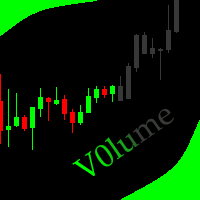
This indicator allows to hide Volume (on all MT5 timeframes) from a date define by the user with a vertical line (Alone) or a panel (with "Hidden Candles"). The color of each bar depends if this one is higher or lower of the previous bar. Indicator Inputs: No inputs for this indicator Information on "Volume" indicator is available in this post: https://www.mql5.com/en/forum/134260 ************************************************************* Hey traders!! Give me your feeds! We are a commun
FREE
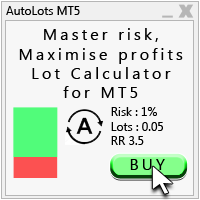
Auto Lots MT5
Auto Lots MT5 is an innovative and powerful application designed for traders on the MetaTrader 5 (MT5) platform. The application offers a user-friendly and intuitive interface, allowing traders to efficiently manage their positions, set precise entry levels and apply advanced risk management.
Key features: 1. Creation of SL/TP zones on the chart: The application allows users to create two customisable rectangles directly on the chart, making it easy to adjust entry points, take
FREE

TrendLinesFromFiboAndTrend2 — Proyección Dinámica de Tendencias en Niveles Fibonacci Descripción general: TrendLinesFromFiboAndTrend2 es una herramienta para MetaTrader 5 diseñada para clonar el ángulo y la velocidad de una línea de tendencia existente y proyectarla automáticamente a través de todos los niveles clave (retrocesos y extensiones) de un objeto Fibonacci dibujado en el gráfico. Ventajas principales: Proyección geométrica exacta: Mantiene la inclinación y duración exacta de la línea d
FREE

Overtrading Stopper MT5 1. Overview Overtrading Stopper MT5 is a MetaTrader 5 utility EA that helps discretionary traders follow their own trading rules. You can set rules in advance, such as: how many times you may trade today, how many consecutive losses should make you stop, how many minutes to pause after a loss, and how to avoid entering several trades in rapid succession. When a configured limit or condition is reached, the EA displays the reason for the protection state on the chart. Depe
FREE
MetaTrader市场是独有的自动交易和技术指标商店。
阅读MQL5.community用户备忘更多地了解我们提供给交易者的独特的服务:复制交易信号,自由职业者开发的自定义应用程序,通过支付系统完成的自动付款和MQL5云网络。
