 MetaTrader 5
 Uzmanlar
 Göstergeler
 Kütüphaneler
 Yardımcı programlar
 Widget'lar
 Kurallar
YouTube'dan Mağaza ile ilgili öğretici videoları izleyin
Bir alım-satım robotu veya gösterge nasıl satın alınır?
Uzman Danışmanınızı
sanal sunucuda çalıştırın
sanal sunucuda çalıştırın
Satın almadan önce göstergeyi/alım-satım robotunu test edin
Mağazada kazanç sağlamak ister misiniz?
Satış için bir ürün nasıl sunulur?
MetaTrader 5 için ücretsiz alım-satım yardımcı programları - 14
 Aşağıda MetaTrader 5'te işlem yapmayı kolaylaştıran alım-satım programları bulunmaktadır. Açıklamasını ve amacını okumak için aşağıdaki listeden ürünün üzerine gelin.
EMA Line Visualizer with Trend Analysis Description:
The Exponential Moving Average (EMA) Line Visualizer EA plots multiple EMAs on your chart (25, 50, 100, 200, and a custom EMA) and analyzes real-time trend direction. It detects whether the market is currently in an Uptrend , Downtrend , or Flat condition based on the latest EMA relationships. Features: Multi-EMA Display
Plot multiple EMAs with customizable periods. Custom Colors
Set distinct colors for each EMA line for better visual trac
FREE

Kurmadan önce: bu aracın yapmadıkları. Önce bunu okuyun. Aradığınız şey aşağıdakilerden biriyse, bu yanlış araçtır ve bunu grafiğinize eklemeden önce bilmek daha iyidir.
- Sanal veya gizli stop asla yoktur. Her stop, brokerınıza ve prop firmanıza görünür, gerçek bir broker tarafı stop emridir. Tasarım gereği hiçbir şey hiçbirinden gizlenmez. - Grafik başına tek sembol. Ücretsiz sürüm, eklendiği grafiğin sembolünü işlem yapar. Marj alanı projeksiyonu, bu panelin bu semboldeki kendi işlemlerini
FREE

Free Global Stop Loss and Take Profit Setter with Break Even
Free one click Stop Loss and Take Profit tool for manual trading. Apply a fixed SL and TP to every open position on the symbol, or move them all to break even, with a single button. It only modifies Stop Loss and Take Profit levels — it never opens or closes a trade. Set your SL and TP distance in points, click once, and every position on the current symbol is protected. The break even button moves stops to entry (or a configurable num
FREE

Ultimate Candle Countdown – Bir Daha Asla Mum Kapanışını Kaçırma! Ultimate Candle Countdown ile işlem hassasiyetini bir üst seviyeye taşı – tüm zaman dilimlerinde ve tüm enstrümanlarda çalışan sade, hafif ve güçlü bir mum geri sayım aracı.
İster M1’de scalping yapıyor olun, ister H1’de swing trade ediyor olun ya da günlük/haftalık kapanışları takip edin – bu araç, bir sonraki mum açılmadan önce ne kadar süre kaldığını her zaman kesin olarak bilmeni sağlar. Artık tahmine gerek yok – dikkatli
FREE

This is a very simple backtesting tool. It starts from the most old chart in the past chart. It has 0.2pips spread, and you can do averaging 10 times. You can set the size of bars and the time frame as a parameter. You can't change the time frame during the backtest. These are the functions of buttons. ------------------------------------------------------------ Resume/Pause: Auto scroll stop and resume. Next bar: Showing candle sticks one by one. Speed1,2,3: The speed of auto scroll. Skip: ski
FREE

The ZoomIN MT5 indicator is designed for quickly viewing the selected bar on the smaller timeframes in a pop-up window. Once launched, the indicator works in the background, does not take up space on the chart and does not consume system resources. When the indicator is activated by the Shift + i combination (can be changed in the settings), a pop-up window with a chart of a smaller timeframe is created. The displayed timeframe can be changed by a left-click on the magnifying glass icon. To hide
FREE
Sons of Advisorys: QuantumLevel This advanced MT5 Expert Advisor automates trading decisions based on a robust Support and Resistance breakout and retest strategy. It performs multi-timeframe analysis across H4, H1, and M15 charts to identify high-probability trade setups with precise zone validation. Key Features: Strategy: Support/Resistance breakout with retest continuation. Multi-Timeframe Detection: Independent analysis and toggle options for H4, H1, and M15 timeframes. Auto-Trading:
FREE

Collective TP SL Manager is a MetaTrader 5 utility that manages a combined take-profit and stop-loss across many open positions on one symbol. Instead of setting TP/SL per order, it watches the net profit or loss of all (or filtered) positions and closes the basket when your target is reached. Features Basket-level targets: one collective take-profit and one collective stop-loss for the whole group of positions. Net P/L monitoring: continuously sums the profit/loss of all selected positions in
FREE

After downloading, message me via MQL5 inbox to receive your FREE User Kit - setup guide, practical checklist, and workflow resources built specifically for XAUUSD traders. If you've been trading Gold long enough, you already know the drill. Before the session opens, you pull up the chart and start looking for the same levels you've been marking every week: previous week high, previous week low, the midpoint, and yesterday's high and low. You draw them manually, label them, and keep an eye on t
FREE

Trade Manager Pro is a professional MT5 trade management panel designed to simplify and speed up your trading execution. Open, manage, and close trades directly from your chart with one click — no manual calculations or menu navigation required. Key Features Automatic Risk-Based Lot Size Calculates position size automatically based on: Account balance Risk percentage Stop Loss distance Works on all instruments: Forex, Gold, Crypto, Indices One-Click Trade Execution Instantly open BUY a
FREE

Risk Basket Planner Risk Basket Planner , MetaTrader 5 için manuel sepet risk planlama aracıdır. Birden fazla giriş seviyesi planlamaya, teknik Stop Loss belirlemeye ve manuel işlemden önce her katmanın lot miktarı ile gerçek riskini hesaplamaya yardımcı olur. Başlıca Özellikler 1 ile 5 giriş katmanı planlama. BUY veya SELL yönü seçimi. Risk, hesap Equity yüzdesi olarak belirlenir. L1-L5 fiyatları yazılabilir veya grafik üzerinde sürüklenebilir. Tüm katmanlar için ortak Technical Stop Loss . Aut
FREE

Hello, trading champs! I trust you are doing well. Have you experienced entering a position where the market initially moves in your favour or approach your takeprofit then suddenly the market reversed opposite your position? Well, it has happened to me numerous times and today I decide to fight back.
I present to you a trade manager that help you protect your position(s). This project helps you set your position(s) to breakeven either when a certain amount of pips you specify is reached or a
FREE

BS Trade Panel: Revolutionize Your Trading Approach Introducing the BS Trade Panel , the ultimate solution for traders seeking efficiency, speed, and accuracy in their market operations. Crafted with cutting-edge technology, our panel is designed to simplify your trading, making it more intuitive, swift, and effective. Innovative Features: Quick Orders with Shortcut Keys: Execute market orders or pending orders swiftly using configurable shortcut keys. Perfect for traders who need speed when ent
FREE

QuantumFX Trade Manager Advanced Order & Risk Control Utility for MT5 QuantumFX Trade Manager is a powerful, professional-grade trade management utility designed for traders who want absolute control over execution, risk, and position handling — directly from an intuitive on-chart panel. Built for manual, semi-automated, and discretionary traders , QuantumFX transforms MetaTrader 5 into a precision trading workstation , allowing you to manage trades faster, safer, and smarter. What
FREE

Trade Assistant Panel: Your Optimal Trading Ally "The Trade Assistant Panel" is a graphical tool for traders aiming to simplify and enhance their trading experience. It streamlines order execution and management, allowing you to focus on market analysis and decision-making. With just a few clicks, you can initiate various order types, ensuring that you always have full control over your trading strategy: Buy Orders Sell Orders Buy Stop Orders Buy Limit Orders Sell Stop Orders Sell Limit Orders Y
FREE

SmartLotEA – Auto Lot Size Calculator for All Pairs SmartLotEA is a professional-grade MetaTrader 5 Expert Advisor designed to calculate trading lot sizes automatically based on account balance. It helps traders maintain consistent risk control across all trading pairs with minimal configuration. Built for precision and simplicity, SmartLotEA is fully compatible with all symbols — including forex majors, minors, exotics, and synthetic instruments — and adapts its lot sizing logic to your account
FREE

Are you an MT5 trader who needs rapid, reliable risk management? Introducing this essential utility – a powerful, free Expert Advisor designed to instantly close all open positions on your MetaTrader 5 account with a single, dedicated action. This tool is a must-have for emergency market exits or quick, decisive profit-taking. Why is this a FREE tool? I am a professional MQL developer actively focused on delivering 5-star solutions and securing custom MQL5 Freelance Jobs . This free ut
FREE

The "Takeandstop" script is a powerful tool designed to streamline your trading workflow by automatically setting Take Profit (TP) and Stop Loss (SL) levels on your MetaTrader 5 chart. This script is particularly useful for traders who want to efficiently manage their risk and reward without the hassle of manually calculating and entering these levels. Key Features: Effortless TP and SL Placement: With a few clicks, the script allows you to set predefined Take Profit and Stop Loss levels for you
FREE

Google SheetExporter — MT5 ↔ Google Sheets Google SheetExporter automatically exports your full MetaTrader 5 deal history to Google Sheets and keeps it synchronized. Every few minutes, your complete trading history appears in your own spreadsheet: every deal, every position matched from entry to exit, every EA identified by name. WHAT IT DOES • Exports the complete deal history (default: 10 years back) — not just open positions • Re-syncs automatically on a timer (default every 5 minutes), start
FREE

Interactive Trader - Advanced Visual Trading Panel for MT5 Get Ultra Charts Here! Interactive Trader is a comprehensive visual trading solution that enables traders to execute and manage trades directly from the chart using an intuitive graphical interface. This Expert Advisor combines one-click trading with advanced order management capabilities, making professional trading tools accessible through simple mouse and keyboard controls. Core Features
Visual Trading Interface - Clean, customizable
FREE

Mobile-EA is an Android-first trading companion for MetaTrader 5 , bringing market tools and connected account management together on your phone. This product is the companion MT5 Expert Advisor that links your terminal to the Mobile-EA Android app. The mobile app is available for Android; iPhone/iOS is not currently supported. The Android app is now available on Google Play , and new users receive a free 14-day Ultimate trial starting at registration . Watch the app introduction here: https://y
FREE

ScalperPOPs is a compact manual trading panel for MetaTrader 5 with quick Buy, Sell, lot control, candle-based stop loss, partial close and exit controls. ScalperPOPs is a compact manual trading panel for MetaTrader 5 designed for fast order management directly from the chart.
KEY FEATURES
• Buy and Sell market buttons • Lot selector from 0.01 to 1.00 • Visible minus and plus lot controls • Quick SL based on the previous two candles • Symbol-aware SL buffer for regular instruments and BTC symb
FREE

Market Scanner EA – Smart Multi-Asset Trading Scanner Market Scanner EA is a powerful, real-time decision-support trading tool designed for serious traders who want clarity bias before entering any trade. This EA scans multiple instruments simultaneously and delivers clear directional bias, momentum strength, and session-based performance — all in one clean dashboard. No noise. No guesswork. Just actionable market insight . MY OTHER EA and INDICATOR TREND BASED (MULTI SYMBOL) Solo Le
FREE

QuickTrade Control (Free Version) The QuickTrade Control is a powerful and flexible Expert Advisor designed to give you complete control over your trades in MetaTrader 5. This free version includes a comprehensive set of tools and features that simplify decision-making and trade management. You can find more free products HERE . If you're looking for a low risk EA , check the Silent Pressure EA . Features: Instant closure of all open positions:
Close all active positions with a si
FREE

Reverse TradeCopier for Followers can copy trades from an account that is running Reverse TradeCopier for Source . Features: Copies trades from one source (master) account to multiple following (slave) accounts. Allow investor (read only) password for source (master) account. There are no complicated settings and input parameters, everything is easy. Works with different brokers. Works with different quotes symbols (EURUSD_FX, eurusd_m, etc.). Can copy orders from 4-digit quotes platform to 5-
FREE

(Multiple Close All) for MT5 a lightweight and efficient utility designed to help traders close their open positions and pending orders directly from the chart.
It provides a clean panel with interactive buttons, allowing quick closing of opened trades and deleting the Pending Orders with one click. Key Features: Close all BUY , SELL , or ALL positions with one click. Close only profitable trades or only losing trades . Close trades filtered by Magic Number or Ticket Number . Perform par
FREE

TREND SCANNER Stay With the Trend. Trade With Confidence. Trend Scanner analyzes the market to determine trend direction and strength using a combination of technical indicators. The system combines EMA 150/365, EMA 9/21, RSI, MA to confirm market direction and filter out weak or sideways conditions. Key Features: Bullish and bearish trend detection; EMA 150/365 and EMA 9/21 analysis; RSI confirmation; MACD momentum analysis; ️ ADX ranging-market filter; Trend strength measur
FREE

Discover. Analyze. Get Notified. Master price action trading with PatternVision Pro , an advanced candlestick scanner for MetaTrader 5 that transforms pattern recognition into actionable insights and data-driven analysis. Whether you're studying a single Doji , tracking a 20-candle formation, or monitoring sharp price movements, this tool helps you systematically analyze market behavior with a percentage-based approach and real-time notifications.
Complete Documentation Included Step-by-step
FREE

EA交易快捷助手 —— 专为 MetaTrader 5 打造的硬件交易利器 本工具专为配合实体快捷键盘设计,将 MT5 的核心交易指令集中映射至硬件实体按键。无需频繁移动鼠标找寻按钮,助你在行情剧烈波动时实现毫秒级订单执行与快速风险规避。 核心功能与优势 毫秒级极速响应 :实体按键物理触发,极大缩短交易决策与订单送达服务器之间的时间差。 一键快捷交易 :支持一键市价买入、卖出、一键平仓、持仓锁仓及手数快速微调。 防误触安全锁 :内置安全锁定机制,有效规避手滑或误触造成的非预期建仓。 完全合规无 DLL :采用纯正 MQL5 原生逻辑编写, 不依赖任何第三方 DLL 文件 ,确保账户资金与平台安全。 快捷键默认映射 (Key Mapping) Key A / F1 :按预设手数一键买入 (Buy) Key B / F2 :按预设手数一键卖出 (Sell) Key C / F3 :一键平仓当前图表品种的所有持仓 (Close Current) Key D / F4 :一键平仓账户内所有品种持仓 (Close All) Key Up / Down :快速增减下一次下单的手数步长 输入参数
FREE

X-STOX Session Matrix Pro puts the market's clock on your chart. Instantly see which trading session is active, when the high-liquidity overlaps hit, and exactly how long until the next session opens or closes — all adjusted automatically to your broker's server time. Built as a single lightweight indicator. No DLLs, no external data, no configuration headaches. — What it does — Session zones on-chart — the Sydney, Tokyo, London and New York sessions are drawn as clean shaded zones so you always
FREE

Here is the English version of the product description, tailored to sound clear, professional, and engaging for the MQL5 Market: RBM SL TP Label — Indicator for MetaTrader 5 If you trade Forex and miss seeing the exact financial value of your risk and target directly on your chart, this indicator solves that in a clean, direct, and intuitive way. What It Does As soon as you open a position, the indicator automatically detects your Stop Loss and Take Profit lines and displays, in real-time, both
FREE

# ApexForge One Click Close EA
## Overview
**ApexForge One Click Close EA** is a lightweight, non-blocking trading utility that allows you to close all matching positions—and optionally delete pending orders—with a single click.
Instead of manually closing trades one by one during volatile markets, this EA provides a fast, reliable, and visually clear way to manage your exposure instantly.
> ️ This tool does not generate trading signals or open positions automatically. It is designed purely
FREE

Risk Manager PRO – Manual Trading Utility with Dynamic Lot Size Calculation
Risk Manager PRO is a powerful yet simple utility for manual traders. It allows you to enter trades with calculated lot sizes based on your specified risk percentage and a visual stop-loss line. Just drag the red stop line to your desired level, input the risk %, and click Buy or Sell. Ideal for traders who want precise risk control without complex calculations.
Features:
Dynamic lot size calculation
Visual stop-lo
FREE

YuRaLytics Trade Analyzer reads the trade history of your account and breaks it down. You see which Expert Advisors and symbols make or lose money and how much commission and swap take out of the result. It also tests whether the average trade is large enough to tell apart from luck. The panel only reads history and never opens, changes or closes a trade, so you can run it next to live Expert Advisors. What it shows Summary: trades, win rate, profit factor, average trade, net result, gross resul
FREE

ThemeChanger for MT5: Instantly Transform Your Chart Environment with One Click
In the dynamic world of trading, your chart's appearance is more than just aesthetics; it significantly impacts analytical efficiency, visibility, and even your psychological state. However, manually adjusting MT5's color settings can be time-consuming, and switching between preferred themes quickly is often a hassle.
ThemeChanger is the advanced MT5 indicator designed to revolutionize how you interact with your c
FREE

Trade Manager Panel is a free on-chart utility that helps you manage open positions quickly with a set of one-click buttons. It does not open trades on its own and generates no trading signals - it is a pure manual-trading assistant that works on any account with no restrictions.
Features: - Close All: close every open position at once. - Close Profit: close only the positions currently in profit. - Close Loss: close only the positions currently in loss. - Partial Close: close a configurable p
FREE

FOREX17 MOUSE TRADING ASSISTANT BASIC (F17MTA)
- Forex17 Mouse Trading Assistant Basic (F17MTA), mouse ve klavye ile grafik üzerinden manuel emir vermeyi sağlayan görsel bir araçtır - Giriş, stop loss ve take profit seviyelerini dinamik olarak ayarlamaya ve görüntülemeye olanak tanır - Basic sürüm, F17MTA ekosistemine giriş için basitleştirilmiş bir versiyondur
====================== ÖNEMLİ BİLGİ ======================
- Bu ücretsiz Basic sürümdür
- Standard sürüm İngilizce olarak sunulmak
FREE

Chart Link Yardımcı Aracı: Bu araç, MetaTrader'deki açık grafikler ile ana grafikteki uzman arasında bir arayüz görevi görür. Birçok çok zaman dilimli uzman, ekrandaki açık grafiklerle iletişim kurmak için bu dosyaya ihtiyaç duyar. Bu aracı grafiğinizde çalıştırarak grafiğinizi ana grafikteki uzmana kolayca bağlayabilirsiniz. Bu dosyanın ana işlevi, açık grafikte meydana gelen tüm olayları ana grafikteki uzmana göndermektir. Örneğin, ana grafikte bir kılavuz çizgisi yerleştirilirse, bu kılavuz ç
FREE
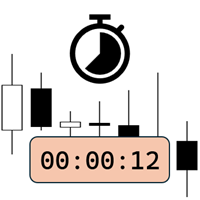
Candlestick Timer is a gadget by MT4Gadgets.com that quickly shows you the countdown to candle close / next candle. This information is useful in some strategies or when you need to be ready to react to news, volatility, market open/close and similar situations. The panels can be adjusted in position, size, color. You can also set a threshold to be alerted when the candle close/open, approach.
Features: Visual interface Size, position and colors adjustable Optional alert available Ease of use
FREE

Important: Do not download or install My Chart Control unless you already own My Chart Generator service. My Chart Control is not a standalone chart generator. It is designed to work together with the custom charts produced by My Chart Generator. Your Range/Volume chart, optimized for your indicator — automatically. My Chart Control is the on-chart dashboard and intelligence interface for My Chart Generator. Attach it to your My Chart custom symbol chart and it gives you complete control over
FREE

Exact Time — detailed time on the seconds chart. The utility shows the opening time of the selected candle. This is necessary when working with seconds charts. For example, it can be used on a seconds chart built using the Seconds Chart utility. Inputs Base corner — the chart corner to which an object Is attached. X distance — the horizontal distance from the chart corner. Y distance — the vertical distance from the chart corner. Text font — font name Font size — font size Color — text color
FREE

Simple Trade Terminal Simple Trade Terminal is a compact and performance-optimized on-chart panel for MetaTrader 5. It solves two of the biggest friction points in manual trading: time-consuming lot size calculations and inaccurate placement of Stop-Loss and Take-Profit levels. Instead of typing numbers into standard order masks, you plan your trade visually directly on the chart. The panel automatically calculates your exact position size based on your predefined risk and executes the order. Th
FREE

MT4 MT5 Trade Bridge for MetaTrader 5 is the MetaTrader 5 component of the MT4 MT5 Trade Bridge system. It allows a MetaTrader 5 terminal to work either as a Master or as a Slave in a local bridge connection with MetaTrader 4. When configured as Master , the MT5 component reads trading activity from the MetaTrader 5 terminal and writes structured trade data into a local bridge file. The connected MT4 component can then read this data and mirror the trading activity according to its selecte
FREE

Signalator Lot Size Evaluator MT5 , manuel işlem yapan traderların bir işlem açmadan önce tahmini pozisyon büyüklüğünü hesaplamaları için geliştirilmiş ücretsiz ve yerel bir MetaTrader 5 aracıdır. Seçilen sembol, BUY veya SELL yönü, planlanan giriş fiyatı, Stop Loss, isteğe bağlı Take Profit ve risk yüzdesini kullanarak işleminizi planlamanıza yardımcı olur. Hesaplayıcı, önerilen lot büyüklüğünü ve temel risk değerlerini tahmin etmek için mevcut hesap bilgilerini broker tarafından sağlanan sembo
FREE

1 yıllık kiralama ile ayda sadece $1.67 karşılığında tam erişim elde edin. Her türlü soru veya ihtiyaç duyabileceğiniz yardım için hızlı destek sunulmaktadır. Bu, Remote control, Trading Statistics, Auto Reports, Price Alerts ve Trade Notifications özelliklerini modern bir Discord izleme sisteminde bir araya getiren profesyonel ve çok işlevli bir araçtır. Araç, menu komutunu kullanarak doğrudan Discord kanalınız üzerinden Remote control özelliğini destekler. MetaTrader 5 terminaline geri dönmede
FREE

UZFX Capital Kontrol Komuta Merkezi Paneli v1.1, işlem faaliyetleri üzerinde tam denetim talep eden ciddi forex yatırımcıları için tasarlanmış kapsamlı bir işlem yönetimi ve risk kontrol panelidir. Bu hepsi bir arada çözüm, MetaTrader 5 platformunuzu gerçek zamanlı izleme, gelişmiş pozisyon yönetimi ve otomatik sermaye kaybı koruması özelliklerine sahip profesyonel bir komuta merkezine dönüştürür.
Manuel işlemcilerin tam da bu tür bir kontrole ihtiyaç duyması nedeniyle, bu panel aslında birçok
FREE

Berikut adalah deskripsi profesional yang dapat digunakan untuk header source code , halaman MQL5 Market , GitHub, maupun dokumentasi EA Anda. Deskripsi ini disesuaikan dengan fitur yang ada pada versi terbaru panel trading. Berdasarkan file yang Anda unggah, panel ini merupakan Gold Manual Trading Panel - BangkacangFX v2.1 dengan fitur panel trading manual untuk MT5. BangkacangFX Gold Manual Trading Panel v2.20 BangkacangFX Gold Manual Trading Panel adalah panel trading manual profesional untuk
FREE

Introduction:
The RosMaFin Trading Panel is not just a standard order execution tool. It is a comprehensive, professional assistant designed for manual and price-action traders who want to save time, manage risk with mathematical precision, and maintain full market awareness. Say goodbye to manual lot size calculations and tedious Stop Loss adjustments. This panel streamlines your entire trading workflow from analysis to trade exit. KEY FEATURES & BENEFITS: Advanced Risk Management & Exec
FREE

Strangely enough, everyone seems to have their own idea of how you should measure support and resistance. Not every support and resistance zone is strong. The strongest support or resistance levels will more often than not be with trend . What this means is, if we are in a bull trend, pullback levels to support will more often than not be ‘stronger‘ than resistance levels above. These expert advisors use several mathematical models and statistical models to determine the strongest support and r
FREE

The utility draws pivot levels based on a selection from day week month The previous candlestick of the selected timeframe is taken and the values for the levels are calculated using the following formulas:
Pivot = (high + close + low) / 3 R1 = ( 2 * Pivot) - low S1 = ( 2 * Pivot) - high R2 = Pivot + (R1 -S1) R3 = high + ( 2 * (Pivot - low)) S2 = Pivot - (R1 - S1) S3 = low - ( 2 * (high - Pivot));
The style and thickness for all lines are adjusted.
The colors for the R, Pivot and S lines ar
FREE

DF Fib Trader Pro DF Fib Trader Pro, MetaTrader 5 için tasarlanmış otomatik bir işlem sistemidir. Giriş ve çıkış noktalarını tanımlamak için Fibonacci tabanlı fiyat seviyelerini trend ve yapı analiziyle birleştirir. EA hem uzun hem de kısa pozisyonları destekler ve yerleşik risk yönetimi parametreleri içerir.
Temel Özellikler: • Giriş, SL ve TP noktalarını çizmek için Fibonacci geri çekilme ve uzatma mantığını kullanır. • Yapılandırılabilir lot büyüklüğü ve zarar durdurma/kâr alma seviyeleri •
FREE

PositionRelay Master Publisher, MetaTrader 5'teki açık pozisyon anlık görüntünüzü PositionRelay bulut aktarımına gönderir. Master hesap çalıştıran ve diğer terminallerde veya aracı kurumlardaki slave hesaplarda giriş, çıkış, stop loss ve take profit güncellemelerinin düşük gecikmeyle yansıtılmasını isteyen traderlar için tasarlanmıştır.
Tamamlayıcı ürün: PositionRelay Slave Subscriber (ücretsiz). Bu EA yayın yapmaya başladıktan sonra her takipçi hesaba kurun. Her iki EA da aynı PositionRelay Us
FREE

Day Close Hunter Bu Neden Önemli Her trader bu durumu bilir: Cuma akşamı, piyasa kapanmak üzeredir ve hafta sonundan önce pozisyonlarınızı kapatmayı unuttunuz. Pazartesi günü piyasa bir gap ile açılır ve hesabınız önlenebilir bir zarara uğrar. Birçok otomatik trading sistemi, Cuma günü kapatma işlevine sahip değildir. Tüm hafta sonu boyunca pozisyonları açık tutar ve sizi piyasa gap'lerine karşı savunmasız bırakır. Day Close Hunter bu sorunu kesin olarak çözer. Sadece kapatma saatini ve günlerin
FREE

KS Timing Alert Tool, yatırımcıların sürüklenebilir dikey zamanlayıcı çizgileri kullanarak doğrudan grafik üzerinde hassas, zamana dayalı uyarılar ayarlamasına yardımcı olmak için tasarlanmış, kullanıcı dostu bir MT5 göstergesidir.
Temel Özellikler:
Tıklayarak Zamanlayıcı Çizgisi Oluşturma: Anında dikey bir çizgi eklemek için "+ New Timer Line" (Yeni Zamanlayıcı Çizgisi) düğmesini kullanın (varsayılan olarak 15 dakikalık bir kayma süresiyle gelir).
Hızlı Hazır Ayar Düğmeleri: 15 dk, 30 dk, 45
FREE

Arixis Grid Risk Calculator — Understand Grid Exposure Before Trading
Arixis Grid Risk Calculator is a professional mathematical analysis tool for traders who use grid, recovery or progressive position-sizing systems. Configure the initial lot size, distance between entries, maximum number of levels and position-sizing progression to visualize how exposure evolves as additional positions are added. The calculator generates a detailed level-by-level representation including individual lot size,
FREE

AR Quant Binance Futures Bridge MT5 is a professional utility for MetaTrader 5 that allows you to bring selected Binance USDT-M Futures symbols into MT5 for charting, analysis, and indicator-based workflows.
With this product, you can load Binance Futures symbols, including altcoin futures, directly into MetaTrader 5 even if your broker does not offer those markets. Once loaded, you can open the generated charts in MT5, apply your indicators, use your templates, and analyze Binance Futures pri
FREE

This tool will allow you to export the Historical data (Open, High, Low, Close, Volume) for any financial instrument present in your MetaTrader 5. You can download multiple Symbols and TimeFrames in the same csv file. Also, you can schedule the frequency of download (every 5 minutes, 60 minutes, etc.). No need to open a lot of charts in order to get the last data, the tool will download the data directly. The CSV File will be stored in the folder: \MQL5\Files .
How it works Select the Symbols t
FREE

Pulse Trade Dashboard is an interactive trade management panel for MetaTrader 5, built for traders who want full control of their account without leaving the chart. Attach it to any chart and get a real-time overview of your balance, equity, open positions, and floating P&L — all updating live. Place market orders instantly with the one-click BUY and SELL buttons, adjusting your lot size, stop loss, and take profit directly on the dashboard without opening a single settings menu. What's included
FREE

Real-time profit monitor that projects your results directly onto the current price. Designed for traders who need total focus on the chart without distractions. Dynamic Visualization: Follow the price movement (Bid) for an immediate reading. Privacy Control: Activate or deactivate visibility instantly by pressing the "P" key. Precise Calculation: Includes net profit and swap of all open positions. Clean Interface: Automatic colors (green/red) to identify the status of your account at a glance.
FREE

ZyloFx Position Size Calculator MT5 is a free risk management utility designed to calculate the appropriate lot size before opening a trade. The tool calculates position size based on your selected risk, account balance or equity, and Stop Loss distance. It also displays useful information directly on the chart. Explore all available ZyloFx Trading Tools: https://www.mql5.com/en/users/rosamartinez2825/seller Main Features Automatic lot size calculation. Percentage or fixed-money risk mode. Balan
FREE
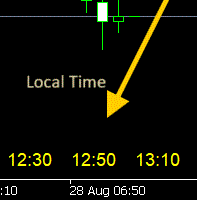
- 사용 설명서 개요 Time Scale Korea Display 는 차트 시간 스케일에 로컬 시간(한국시간)을 표시하는 MT5 커스텀 인디케이터입니다. 각 캔들에 해당하는 한국시간을 보여주어 트레이더가 현지 시간대와 시장 움직임을 쉽게 연결할 수 있습니다. 주요 기능 동적 시간 표시 : 각 차트 캔들에 해당하는 한국시간 표시 위치 선택 : 차트 상단/중앙/하단 표시 위치 선택 가능 윈도우 시간 연동 : 윈도우 시스템 시간으로 정확한 로컬시간 표시 타임프레임 적응 : 차트 타임프레임에 맞춰 자동 조정 외관 커스터마이징 : 폰트 크기, 색상, 위치 조정 가능 브로커 시간 독립 : 브로커 시간대(UTC+2, UTC+3 등)와 무관하게 작동 설정 옵션 표시 설정 매개변수 기본값 설명 DISPLAY_POSITION 하단 표시 위치 (상단/중앙/하단) SCALE_TEXT_COLOR 노란색 시간 텍스트 색상 SCALE_FONT_SIZE 10 폰트 크기 SCALE_FONT_NAME "Arial
FREE

This indicator is designed to provide all useful information about symbol, account, positions and profit. It is developed for improving trader's money management.
Parameters Calc can be divided to separate blocks. Each block is possible to hide, set its own color and other properties. Block symbol: This block displays information about actual SPREAD, POINT VALUE (in deposit currency for 1 lot), SWAP LONG and SHORT. Show symbol info - display/hide this block Color of symbol info - color of this
FREE

BTD2 Market Data Exporter for MT5 BTD2 Market Data Exporter is a high-performance utility script designed to extract M1 historical bar data, symbol properties, and daily reset schedules from MetaTrader 5 into optimized binary files ( .btd ). Built specifically for quantitative research, backtesting engines, and custom analytics pipelines. Key Features UTC+0 Timestamp Standardization: Automatically normalizes server time candles to UTC+0 end-label timestamps, eliminating broker server timezone sh
FREE

Ritz_BUYnSELL_Detection
The Ritz_BUYnSELL_Detection is a custom MetaTrader 5 (MT5) indicator that detects BUY and SELL trading signals based on trend detection and ATR-based volatility filtering. It provides visual arrows , entry alerts , and mobile push notifications , making it suitable for traders using a VPS setup for 24/7 signal monitoring. How to Use the Indicator Install on MT5 : Place the .mq5 file in the MQL5/Indicators folder. Compile it in MetaEditor, then apply it to any chart. A
FREE

This MQL5 indicator creates a customizable grid of horizontal lines on your trading chart. Here's what it does:
**Main Functions:** - Draws equally spaced horizontal lines across the visible price range - Supports two line types: horizontal lines or trend lines with forward projection - Automatically adjusts to price scale changes
**Key Features:** 1. **Customizable Spacing**: Set grid distance in pips (20 pips by default) 2. **Flexible Starting Point**: Auto-calculates starting price or lets
FREE

MQL5 Blogları: https://www.mql5.com/en/blogs/post/765148 MT4 Sürümü: https://www.mql5.com/en/market/product/154458 MT5 Sürümü: https://www.mql5.com/en/market/product/154459
Sınırlı Süre İçin Ücretsiz
Telegram Siparişi [tambangEA], daha hızlı, daha temiz ve daha kontrollü bir işlem akışı isteyen yatırımcılar için oluşturulmuş profesyonel bir yarı manuel işlem asistanıdır.
Bu ürün, kendi piyasa analizine sahip olan ve sadece işlemleri daha iyi bir şekilde yürütme, yönetme ve izleme ihtiyacı du
FREE

The script in the form of an expert is created for the possibility of automatic installation of pending orders of the Stop Close Only type, which are not in MT5 by default. This type of order implies entering a long position in case the price closes above a given price level and opening a short position if the price closes below the price set by the trader. At the same time, level breakouts are not taken into account. The expert indicates the levels on the chart with lines, overcoming which will
FREE
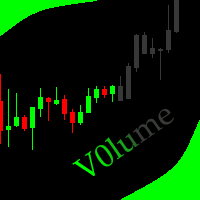
This indicator allows to hide Volume (on all MT5 timeframes) from a date define by the user with a vertical line (Alone) or a panel (with "Hidden Candles"). The color of each bar depends if this one is higher or lower of the previous bar. Indicator Inputs: No inputs for this indicator Information on "Volume" indicator is available in this post: https://www.mql5.com/en/forum/134260 ************************************************************* Hey traders!! Give me your feeds! We are a commun
FREE
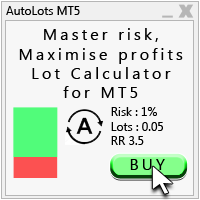
Auto Lots MT5
Auto Lots MT5 is an innovative and powerful application designed for traders on the MetaTrader 5 (MT5) platform. The application offers a user-friendly and intuitive interface, allowing traders to efficiently manage their positions, set precise entry levels and apply advanced risk management.
Key features: 1. Creation of SL/TP zones on the chart: The application allows users to create two customisable rectangles directly on the chart, making it easy to adjust entry points, take
FREE

TrendLinesFromFiboAndTrend2 — Proyección Dinámica de Tendencias en Niveles Fibonacci Descripción general: TrendLinesFromFiboAndTrend2 es una herramienta para MetaTrader 5 diseñada para clonar el ángulo y la velocidad de una línea de tendencia existente y proyectarla automáticamente a través de todos los niveles clave (retrocesos y extensiones) de un objeto Fibonacci dibujado en el gráfico. Ventajas principales: Proyección geométrica exacta: Mantiene la inclinación y duración exacta de la línea d
FREE
MetaTrader Mağazası, geçmiş verileri kullanarak test ve optimizasyon için alım-satım robotunun ücretsiz demosunu indirebileceğiniz tek mağazadır.
Uygulamaya genel bakışı ve diğer müşterilerin değerlendirmelerini okuyun, doğrudan terminalinize indirin ve satın almadan önce alım-satım robotunu test edin. Yalnızca MetaTrader Mağazasında bir uygulamayı tamamen ücretsiz olarak test edebilirsiniz.

Alım-satım fırsatlarını kaçırıyorsunuz:
- Ücretsiz alım-satım uygulamaları
- İşlem kopyalama için 8.000'den fazla sinyal
- Finansal piyasaları keşfetmek için ekonomik haberler
Kayıt
Giriş yap
Web sitesi politikasını ve kullanım şartlarını kabul edersiniz
Hesabınız yoksa, lütfen kaydolun