 MetaTrader 5
 Experts
 Indicatori
 librerie
 Utilità
 Widget
 Regole
Guarda i video tutorial del Market su YouTube
Come acquistare un Robot di Trading o un indicatore
Esegui il tuo EA
hosting virtuale
hosting virtuale
Prova un indicatore/robot di trading prima di acquistarlo
Vuoi guadagnare nel Market?
Come presentare un prodotto per venderlo con successo
Utilità di trading gratuite per MetaTrader 5 - 14
 Di seguito sono riportati i programmi di trading che semplificano il trading in MetaTrader 5. Passa il mouse su un'utilità per leggerne la descrizione e la sua funzione.
Click SLTP Manager MT5 is a simple and practical trade management utility designed to help manual traders set Stop Loss and Take Profit levels directly from the chart. Instead of opening the order modification window and manually typing SL and TP prices, traders can manage their existing positions or pending orders with a clean visual panel and a click-based workflow. The tool is made for traders who want faster, clearer, and more convenient order protection management in MetaTrader 5 . Main Fu
FREE

— Ultra-Short-Term AI Decision Tool integrated with the dedicated chart indicator Super Fast Second Chart — This product is an AI auto-decision system fully integrated with a dedicated chart indicator . Simply save a screenshot of your chart and the AI will return, within seconds, multi-timeframe analysis + direction + confidence level + reversal conditions + next opportunity . When combined with the dedicated chart indicator, the AI also receives CSV data (10–20 bars of numerical information) t
FREE

Important: Do not download or install My Chart Control unless you already own My Chart Generator service. My Chart Control is not a standalone chart generator. It is designed to work together with the custom charts produced by My Chart Generator. Your Range/Volume chart, optimized for your indicator — automatically. My Chart Control is the on-chart dashboard and intelligence interface for My Chart Generator. Attach it to your My Chart custom symbol chart and it gives you complete control over
FREE
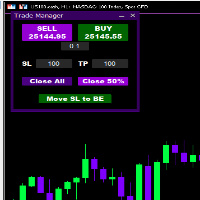
Introducing * *Trader Manager** for MetaTrader 5 - the most efficient tool for managing your trades and it's free! This smart assistant automatically sets **Stop Loss** and **Take Profit** immediately after opening a trade, saving you time and reducing the risk of errors.
With the ability to set a **Maximum Daily Loss** , you'll protect yourself from the dangers of **overtrading** and keep control of your finances.
Plus, you'll get a host of other features for easy position management: -
FREE

PipPal - Your Animated Robot Trading Companion Trading can feel lonely and stressful. PipPal puts a friendly little robot right on your chart who stays with you through every trade. He flies out of a glowing sci-fi portal, follows your live price in real time, and reacts to what is happening in your account - so your chart finally feels alive. PipPal is a pure visual companion. It reads your open trades to show emotions, but it never opens, modifies, or closes any position. Your trading stays 10
FREE

Il pannello UZFX Capital Control Command Center v1.1 è una soluzione completa per la gestione delle operazioni di trading e il controllo del rischio, pensata per i trader Forex più esigenti che richiedono una supervisione totale delle proprie operazioni. Questa soluzione all-in-one trasforma la tua piattaforma MetaTrader 5 in un centro di comando professionale con monitoraggio in tempo reale, gestione avanzata delle posizioni e protezione automatica dal drawdown.
Questo pannello è in realtà più
FREE

BuffersHunter — Lettore Universale di Buffer di Indicatori BuffersHunter è uno script che legge e analizza i buffer di qualsiasi indicatore MetaTrader 5. Basta indovinare quale buffer contiene segnali di acquisto, dove sono i livelli e quali buffer contengono linee di indicatore. Esegui lo script — e in un secondo ottieni la struttura completa di tutti i buffer con rilevamento automatico dei loro tipi. Per chi è questo script? Per sviluppatori di EA. Hai trovato un indicatore interessante e
FREE

PropBlaster Copier Duo - Copy Trades to a Second Account Copy trades from one MT5 account to one other account on the same PC or VPS. Lots 1:1, stop loss, take profit, partial closes and closes are mirrored. One EA for master and slave.
Runs locally - no server, no DLLs, no web requests. It copies trades but does not open trades of its own.
PropBlaster Copier Duo copies your trades from one MetaTrader 5 account (the master) to one other MT5 account (the slave) on the same computer or VPS.
At
FREE

Pulse Trade Dashboard is an interactive trade management panel for MetaTrader 5, built for traders who want full control of their account without leaving the chart. Attach it to any chart and get a real-time overview of your balance, equity, open positions, and floating P&L — all updating live. Place market orders instantly with the one-click BUY and SELL buttons, adjusting your lot size, stop loss, and take profit directly on the dashboard without opening a single settings menu. What's included
FREE

[Win Panel] Simple Entry and Close Positions Introducing WinPanel , an order management tool designed to enhance and simplify your trading experience. WinPanel features a clean and intuitive interface, allowing you to close orders instantly with ease. It supports flexible position management, enabling you to close losing positions, profitable positions, or all open positions with a single click. In addition, WinPanel displays the total number of open positions, current profit, and the overall p
FREE

is a multi-timeframe visual matrix that tracks the relative linear progression (log-return strength) of the eight major currencies — EUR, GBP, AUD, NZD, USD, CAD, CHF, and JPY — across selected timeframes in a single responsive panel. Motive Traders often struggle to quickly see which currencies are gaining or losing strength relative to one another across multiple timeframes. This indicator condenses that information into color-coded progression lines so you can immediately identify strong vers
FREE
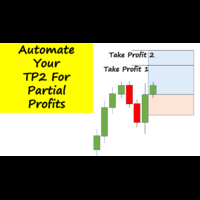
Have you ever been in a winning trade and wanted to close say half of position to lock in some profit. Well, this expert advisor does just that for you, and it's absolutely free. What you need to do is set what percentage of your trade you'd like closed and then set the price you like to close at. It that simple.
To get a better understanding of how it works, then watch the video below.
Note: The EA only works with one timeframe, changing timeframes will result in lose of all data by the EA i
FREE

Google SheetExporter — MT5 ↔ Google Sheets Google SheetExporter automatically exports your full MetaTrader 5 deal history to Google Sheets and keeps it synchronized. Every few minutes, your complete trading history appears in your own spreadsheet: every deal, every position matched from entry to exit, every EA identified by name. WHAT IT DOES • Exports the complete deal history (default: 10 years back) — not just open positions • Re-syncs automatically on a timer (default every 5 minutes), start
FREE

Nomad Trade Panel is a trade panel for MetaTrader 5 that works out the lot size from your stop loss and the risk you choose, then sends the order from the chart. It is for manual traders who decide the risk first and want to see what will be sent before they click.
It is a manual tool. It never opens, changes or closes anything by itself: every action starts with your click, a level you drag, or the close-all key (Ctrl+Shift+F, pressed twice).
To start: attach it to a chart, check the stop lo
FREE

Lascia una valutazione a 5 stelle se ti piace questo strumento gratuito! Grazie mille :) La collezione di consulenti esperti "Risk Management Assistant" è una suite completa di strumenti progettati per migliorare le strategie di trading gestendo efficacemente il rischio in diverse condizioni di mercato. Questa collezione comprende tre componenti chiave: consulenti esperti di media, switching e hedging, ognuno dei quali offre vantaggi specifici su misura per diversi scenari di trading.
Questo E
FREE

PropFirm Copilot Trade Risk Management EA: The Ultimate Prop Firm Copilot The Trade Risk Management Copilot EA is an automated trading utility designed to assist manual traders and proprietary firm traders in managing their open positions and risk parameters. The tool automates the process of stop-loss and take-profit calculations, position trailing, and account drawdown monitoring. Managing multiple positions across various symbols requires continuous calculation of stops, break-even points, a
FREE

ATR Stop Loss Manager— Smarter Risk Awareness for Forex Traders Confident trading begins with clear risk management.
The ATR Stop Loss Expert is a powerful utility tool that automatically adjusts your stop-loss levels using ATR (Average True Range) — a proven volatility measure — so your trades are protected by logic, not guesswork. What This Tool Does This EA monitors your open trades and sets a stop-loss based on recent market volatility, calculated from the ATR indicator. It doesn’t place t
FREE

Monte Carlo Risk Simulator shows how much worse a backtest could have gone with the same trades in a different order, and what more or less risk per trade does to its growth and drawdown. It reads saved Strategy Tester reports or the history of your account, runs thousands of simulations and writes one HTML page. How To Use Backtests: in the Strategy Tester, right click on the Backtest tab > Report > save it as HTML into MQL5\Files\RiskSimulator (File > Open Data Folder). Account: set "Trades to
FREE

Script to create arrows and lines on chart of history positions traded on account for the symbol where you launch the application. From inputs you can select: - Magic number (default is -1; -1 = all magics number) - "From" date and time (default is 1970.01.01 00:00; all positions) - "To" date and time (default is 1970.01.01 00:00; all positions) - Color for buy open positions (arrows and lines between open and close) - Color for buy closing positions (arrows) - Color for sell open positions
FREE

Inggris:
SAMA dengan Master → SAME as Master
1.0 = lot sama, 2.0 = 2x → 1.0 = Same lot, 2.0 = 2x
Beda tiap client boleh, biar tidak bentrok → Different for each client is allowed, to avoid conflicts
true = SL TP 100% sama kayak Master → true = SL TP 100% identical to Master
true = kalau Master close, Client ikut close → true = if Master closes, Client closes as well
" Here is a professional and engaging product description in English for your **EA Copy Client**, structured to attract and
FREE

TRADE WITH MAGIC – Professional One-Click Trading Panel
| Crystal AI Systems
Trade With Magic is a fast, lightweight, and highly efficient one-click trading panel designed for traders who require precise manual execution and full control over magic numbers, comments, and risk parameters. It is suitable for both manual trading and advanced EA testing environments where ac
FREE

English Description Title: Chart Cleaner (Eye Tool) Subtitle: Clean your charts instantly with 1 click while preserving your technical analysis. Inspired by TradingView's eye tool. Description: Have you ever wanted to look at clean price action without cluttering your chart with trendlines, support/resistance levels, and Fibonacci studies? Deleting and redrawing everything takes too much time. Chart Cleaner (Eye Tool) is designed to solve this exact problem. Featuring a minimalist design—a small
FREE
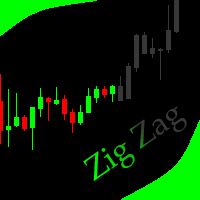
This indicator allows to hide ZigZag indicator (on all MT4 timeframes) from a date define by the user with the vertical line. This indicator can be use with other "Hidden Indicators". Indicator Inputs: Depth Deviation Backstep Information on "ZigZag" indicator is available here: https://www.mql5.com/en/articles/1537 ************************************************************* Hey traders!! Give me your feeds! We are a community here and we have the same objective.... make some money from th
FREE

Helm Trade Manager Helm Trade Manager brings a clean, TradingView-style workflow to MetaTrader 5. Instead of typing prices into order windows, you drag three lines directly on the chart — Entry, Stop Loss and Take Profit — and the panel instantly shows you everything you need to make the decision. What it does Draggable Entry, Stop Loss and Take Profit lines on the chart. Automatic lot sizing based on your risk: choose a percentage of your balance or a fixed money amount, and the panel calculate
FREE
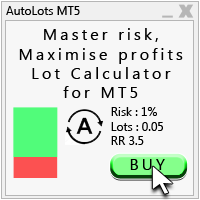
Auto Lots MT5
Auto Lots MT5 is an innovative and powerful application designed for traders on the MetaTrader 5 (MT5) platform. The application offers a user-friendly and intuitive interface, allowing traders to efficiently manage their positions, set precise entry levels and apply advanced risk management.
Key features: 1. Creation of SL/TP zones on the chart: The application allows users to create two customisable rectangles directly on the chart, making it easy to adjust entry points, take
FREE

Trading Toolbox for MT5 Faster chart control. Clearer account tracking. Less friction. Trading Toolbox is a lightweight on-chart utility for MetaTrader 5 that brings essential trading controls directly to your chart. Track PnL from a marked balance, manage trade sound alerts, toggle Scale Fix instantly, and keep your preferred setup saved between sessions—all from one clean, compact panel. Main Features Real-Time PnL Tracking
Mark your current account balance and instantly see your profit or lo
FREE

A. Chart Manager: Designed by an experienced trader and web performance engineer. Developed and built with performance, speed and optimization in mind. Uses unique clean outline of events, even when there are multiple events. Restyles your chart with one of five color themes when you click it. Removes background images and the objects other tools leave on the chart. Never removes the rectangle labels that Expert Advisor panels are built from. Shows or hides the grid, volumes, trade levels, price
FREE

Ritz_BUYnSELL_Detection
The Ritz_BUYnSELL_Detection is a custom MetaTrader 5 (MT5) indicator that detects BUY and SELL trading signals based on trend detection and ATR-based volatility filtering. It provides visual arrows , entry alerts , and mobile push notifications , making it suitable for traders using a VPS setup for 24/7 signal monitoring. How to Use the Indicator Install on MT5 : Place the .mq5 file in the MQL5/Indicators folder. Compile it in MetaEditor, then apply it to any chart. A
FREE
Trading Manager Tool – Execute and Manage Your Trades with Professional Precision Introduction
The Trading Manager Tool is a complete solution for traders who want precise control over risk, execution, and trade management.
No more manual calculations or complex steps — this tool simplifies your trading process and enhances your efficiency. Key Features Smart Risk Management Define SL/TP in real values (e.g., “I risk $30”) and let the tool calculate the lot size automatically Visualize risk and
FREE

================================================================ MATRIX CONDITION MONITOR Live Trade Condition Panel for MetaTrader 5 Fully Automatic -- Works with ALL Matrix EAs ================================================================
NEVER MISS A TRADE SETUP AGAIN
Matrix Condition Monitor is a free utility that attaches to any chart and automatically checks all 10 trade conditions in real time -- showing you exactly why a trade will or will not open, and alerting you the moment ever
FREE
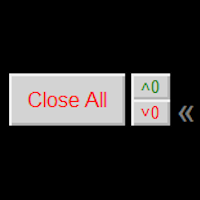
Close ALL button for simply closing your trades. +Close all BUYS in profit button, for closing your trades that are in profit. Leaving the trades in a loss untouched. +Close all SELLS in profit button, for closing your trades that are in profit. Leaving the trades in a loss untouched. +Hide and unhide buttons. Easy for when you don't need them
Configurable options Option: Close All trades OR for current Symbol/Pair only Option: close pending orders Option: Edit button text Option: Locate button
FREE

Second Level Candles And Alligator Indicators 每12秒产生一个K线,而且自带Alligator指标,对超短线选手交易非常有帮助。程序启动时可能不成功,是因为MT5 MqlTick 数据加载少的原因。可以通过修改显示的数据参数避免,比如display=100,程序正常之后再将参数调大 display=300 。如果数据不正常,也可以采用重新加载的方式解决。 如果您对这个指标有任何建议,请联系作者。 Second Level Candles And Alligator Indicators produced a candle per 12 seconds,include Alligator, it's helpful to Short-Term Trading。You'd better reload the indicator every start MT5 or change display parameter to reslove data bug. Please attach author when you had some su
FREE

X-STOX Session Matrix Pro puts the market's clock on your chart. Instantly see which trading session is active, when the high-liquidity overlaps hit, and exactly how long until the next session opens or closes — all adjusted automatically to your broker's server time. Built as a single lightweight indicator. No DLLs, no external data, no configuration headaches. — What it does — Session zones on-chart — the Sydney, Tokyo, London and New York sessions are drawn as clean shaded zones so you always
FREE

GLX1 Renko Euro Expert Advisor (EA) can create the Renko bar charts on EURUSD or EURAUD symbols only. The Renko charts are generated as real-time custom EURUSD or EURAUD charts which can be further used for technical analysis with any MT5 compatible indicator. If you want to create Renko charts on any symbol, please use GLX1 Renko Builder Expert Advisor from here. https://www.mql5.com/en/market/product/115077
Included Features: Truly responsive Renko Charting on a custom EURUSD or EURA
FREE

# ApexForge One Click Close EA
## Overview
**ApexForge One Click Close EA** is a lightweight, non-blocking trading utility that allows you to close all matching positions—and optionally delete pending orders—with a single click.
Instead of manually closing trades one by one during volatile markets, this EA provides a fast, reliable, and visually clear way to manage your exposure instantly.
> ️ This tool does not generate trading signals or open positions automatically. It is designed purely
FREE

Plan it on structure. Size it to the cent. Protect it like a funded account. PQ Trade Assistant is a free trade planner and manager with a market-structure engine built in. You decide the trade. The assistant places the stop and target on real structure, sizes the position from your risk, checks it against your account rules, and manages it once it is live. It never trades on its own. No other product is needed. Plan on structure PLAN BUY / PLAN SELL draws entry, stop and target lines with risk
FREE

Free. A picture of every trade, saved for you, without lifting a finger. TrueRisk Trade Journal takes a picture of the chart the moment a trade opens and again when it closes, writes the trade's numbers on the picture (side, lots, entry, stop, target, profit, R, how long you held it) and adds one row per closed trade to a journal file you can open in Excel or Google Sheets. It works for every trade on the account: trades from your panel, from an Expert Advisor, or from the MetaTrader app on your
FREE

Un cronómetro de fin de vela (o Candle Timer ) es una herramienta esencial, especialmente para alguien que opera con estrategias de precisióncomo las que manejan los traders. Su función es simple pero crítica: te dice exactamente cuánto tiempo falta para que la vela actual se cierre y comience una nueva..............................................
FREE

Monthly Calendar MT5 simply presents your MT5 Trading History Beautifully. Your Entire Trading Month. At a Glance. Key Features
Download:
User can download screenshot by clicking Download icon.
Customizable Title:
Users can change the default “Monthly P/L Calendar” title to their preferred title.
Instant Profit/Loss Recognition:
Live tracking and P\L updates in seconds.
Click-to-Inspect:
Click any trading day to open detailed trade information.
Complete Trade Details:
Review time, sym
FREE

Le regole di rischio delle società di trading e dei trader privati sono solitamente basate su una misura specifica di drawdown (il più delle volte un limite giornaliero, azzerato a un orario prestabilito), ed è facile perdere di vista la propria posizione esatta rispetto a tale limite mentre si fa trading.
Phoenix Drawdown Meter monitora il drawdown come percentuale del saldo del conto all’inizio della giornata di trading (azzeramento a mezzanotte), non come drawdown variabile o storico, in
FREE

Italian (Italiano) Parabolic SAR Cross Alert EA per MT5 Parabolic SAR Cross Alert EA è uno strumento semplice per MetaTrader 5 che ti notifica quando l'indicatore Parabolic SAR inverte direzione, segnalando potenziali inversioni di tendenza. Aiuta i trader a catturare i crossover SAR sopra o sotto il prezzo senza monitorare costantemente i grafici. Caratteristiche Rileva Parabolic SAR che attraversa sopra il prezzo (segnale rialzista) Rileva Parabolic SAR che attraversa sotto il prezzo (
FREE

A fast, clean on-chart trading panel for manual traders. Open market or pending grid orders directly from your chart, manage SL/TP, lot size, trailing, spread and margin — without using the order window. Technical Features One-click BUY / SELL Live Bid / Ask inside buttons SL / TP input (Pips & Points) + quick +/- adjustment Trailing Stop control Pending Grid (Buy/Sell Limit & Stop) Step distance (Pips/Points) Order count Lot multiplier Real-time margin estimate (uses account currency) Live spre
FREE

is an exit manager for trades you open yourself. It does not open positions and it does not send signals. After a manual buy or sell, it gives that trade a stop and up to six exit stages based on volatility. Three stages come from Average True Range, each with its own timeframe. Three come from completed range: daily (ADR), weekly (AWR), and monthly (AMR). Each stage can be switched on or off. Enabled stages are sorted by distance. Nearer stages trail the stop. The furthest is posted as the take
FREE

Settings Change Magic Number at The Top of the Setting to Zero for Manual Trade Profit threshold (pips) : this is the threshold (in pips) an order has to hit, before the SL is set and the SL starts trailing. Before the threshold is hit, the module will have no effect. Example: if this value is set to 30, then the SL will be set (and the trailing will start) when the order has a profit of 30 pips. Trail start value (pips) : the amount of pips where the SL starts trailing. The SL is set at: Open
FREE

Lucky Gold Mining Data Reader is a read-only account monitoring and audit utility for MetaTrader 5. It provides a clear dashboard for monitoring trading account activity without sending, modifying, closing or deleting orders and positions. READ ME BEFORE YOU LOVE ME
(SINCERELY — GOLD) Lucky Gold Mining — Automated XAUUSD Trading System - Trading Systems - 14 August 2026 - Traders' Blogs
FOX CUSTOMER BENEFITS Verified customers with qualifying MQL5 Market purchases may be eligible for complimen
FREE

AutoTarget Guardian is a trade management utility for MetaTrader 5 that automatically sets Take Profit and Stop Loss levels for newly opened positions. Instead of calculating point distances manually or dragging order lines on the chart, the utility can set target levels based on a specified monetary amount in the account deposit currency, or by fixed points. The target levels are calculated and applied immediately when a position opens. Key Features The utility monitors positions and applies ri
FREE

TradeAquila Monitor streams your MetaTrader 5 account to TradeAquila, a real-time dashboard for every trading account you run: broker, prop firm and crypto accounts, side by side. What it does Pushes a live snapshot of your account every 10 seconds: balance, equity, margin, open positions with their floating P/L, pending orders, and the closed trades of your history. On the dashboard you get today's realized P/L with its reset at 17:00 Chicago time, your prop firm rules (daily loss, max drawdown
FREE

Risk Pilot MT5 — Fast Trade Execution and Risk Management Panel Take absolute control of your trading risk with Risk Pilot , the ultimate interactive assistant for manual traders on MetaTrader 5. Designed for precision and built for speed, Risk Pilot eliminates manual lot calculations so you can enter trades instantly before the market moves.
️ IMPORTANT NOTICE: This is a manual trading UTILITY TOOL, not an automated trading robot (EA). This tool WILL NOT auto-trade or execute trades based
FREE

is a visual market-monitoring indicator that displays multiple trading instruments and timeframes within a single chart window. Developed using MQL5, the indicator transforms historical price data into a structured dashboard featuring custom candlesticks or price dots. Each row represents a symbol, while each column represents a selected timeframe. This arrangement allows traders to examine recent market behavior across several instruments and timeframes without continually opening and closing c
FREE

Position Closer MT5 è una pratica utility di trading che viene visualizzata direttamente sul grafico e consente di gestire la chiusura delle posizioni in modo rapido ed efficiente. Invece di chiudere ogni posizione singolarmente, puoi chiuderle tutte con un solo pulsante. Come funziona: Il pannello è composto da due grandi pulsanti informativi: Il pulsante verde "Close BUY" — mostra il numero di posizioni di Acquisto aperte sul simbolo corrente e il loro profitto/perdita totale. Il pulsante marr
FREE
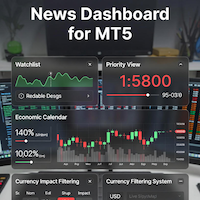
### MQL5 Marketplace Product Description News Dashboard for MT5 – with Live Sessions Map
#### Professional Real-Time Economic News Dashboard + Live Trading Sessions Map
Never get caught off-guard by high-impact news again. The ultimate all-in-one news tool trusted by thousands of professional traders – now with a beautiful embedded Live Sessions Map.
#### Core Features - Uses MT5’s built-in Economic Calendar (zero WebRequest, 100% compliant) - Real-time countdown timer to the
FREE

This is a demo version of a non-trading expert , which utilizes so called the custom symbols feature ( available in MQL as well ) to build renko charts based on historical quotes of selected standard symbol and to refresh renko in real-time according to new ticks. Also it translates real ticks to the renko charts, which allows other EAs and indicators to trade and analyze renko. Place the EA on a chart of a working instrument. The lesser timeframe of the source chart is, the more precise resulti
FREE
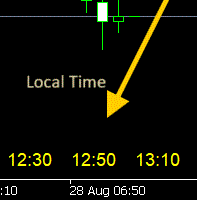
- 사용 설명서 개요 Time Scale Korea Display 는 차트 시간 스케일에 로컬 시간(한국시간)을 표시하는 MT5 커스텀 인디케이터입니다. 각 캔들에 해당하는 한국시간을 보여주어 트레이더가 현지 시간대와 시장 움직임을 쉽게 연결할 수 있습니다. 주요 기능 동적 시간 표시 : 각 차트 캔들에 해당하는 한국시간 표시 위치 선택 : 차트 상단/중앙/하단 표시 위치 선택 가능 윈도우 시간 연동 : 윈도우 시스템 시간으로 정확한 로컬시간 표시 타임프레임 적응 : 차트 타임프레임에 맞춰 자동 조정 외관 커스터마이징 : 폰트 크기, 색상, 위치 조정 가능 브로커 시간 독립 : 브로커 시간대(UTC+2, UTC+3 등)와 무관하게 작동 설정 옵션 표시 설정 매개변수 기본값 설명 DISPLAY_POSITION 하단 표시 위치 (상단/중앙/하단) SCALE_TEXT_COLOR 노란색 시간 텍스트 색상 SCALE_FONT_SIZE 10 폰트 크기 SCALE_FONT_NAME "Arial
FREE

The Ultimate Real-Time Account Dashboard & Pro Stats Monitor AURA Trade Information Panel - Ultimate Edition Maximize your trading efficiency with the ultimate all-in-one on-chart dashboard. The AiO Trade Information Panel provides a comprehensive, real-time overview of your trading performance, essential market data, and vital technical indicators without cluttering your workspace. Designed for both day traders and scalpers, this panel helps you stay disciplined and make informed decisions in
FREE

Advanced Trade Mirror is a powerful Forex tool designed for traders who need instant, seamless trade replication across multiple terminals on the same machine. With lightning-fast execution, it ensures zero lag in copying trades, maintaining precision and efficiency in high-speed trading environments. Get the Trade Mirror Master here: https://www.mql5.com/en/market/product/133891
Specification:
Master ID: Identity value of master terminal, please use a unique value to prevent duplicated mas
FREE

Краткое описание:
Индикатор для визуальной оценки стоимости ценового движения в валюте депозита с интерактивным вводом объема сделки прямо на графике. Описание:
PriceRiskRuler — новый инструмент для оценки финансового результата движения цены перед открытием позиции.
Индикатор отрисовывает вертикальный ценовой отрезок и рассчитывает его стоимость в зависимости от заданного объема и спецификаций торгового инструмента. Основные функции: Интерактивный ввод объема: Поле для ввода лота расположен
FREE
The Equity Closer Bot is a custom MetaTrader 5 (MT5) Expert Advisor (EA) designed to help traders manage their account equity levels automatically. It monitors the account's equity in real-time and closes all open trades when the equity reaches user-defined thresholds. This bot is ideal for traders who want to enforce strict risk management rules, protect their account from excessive losses, or lock in profits at specific equity levels. Key Features Dual Equity Thresholds : Below Equity Clos
FREE

Fast MT5 trade management utility for one-click entry, partial close, break-even control, and spread safety.
Launch offer: the first 10 users can download it free. If it helps your trading workflow, I’d appreciate your honest feedback and suggestions through MQL5 messages or comments.
SnapTrade Pro is a m anual execution and trade management panel for MetaTrader 5 with Risk $ sizing, automatic stop loss, optional TP Ratio, symbol-aware stop input, compact mode, and fast on-chart position manag
FREE

RMI • Position Size Pro V1.3 Precision Risk Management & Advanced Position Sizing for MetaTrader 5 Overview RMI • Position Size Pro is a professional-grade trading tool designed to give traders full control over risk, execution, and trade management directly on the chart. Built for precision and simplicity, this tool calculates optimal position sizes based on your defined risk parameters and provides an integrated dashboard to manage trades efficiently in real time. Whether you are a discretion
FREE

The simplest and most useful trading panel for every manual trader!
Are you tired of closing trades one by one during news? Do you want to protect your profit with one click?
This panel does exactly that:
CLOSE ALL - Instantly closes ALL open positions with one click. You can choose to close all symbols or only current symbol. Essential for scalpers and news traders.
BREAKEVEN ALL - Instantly moves Stop Loss to entry price (breakeven) for all profitable trades. Protect your profits and
FREE

QuickClose EA: Manage Trades Quickly and Efficiently QuickClose EA is a tool designed to help traders manage orders on the current chart easily and quickly. It provides full control over your trading status with clear feedback. Key Features of QuickClose EA: User-Friendly Control Panel: Clearly displays essential information such as the current symbol name, total profit/loss for Buy and Sell positions, and open lot sizes, giving you an immediate overview of your trading status. Precise Lot Size
FREE

THE HEAT MAP — Smart Money Density Detector
See exactly where price is magnetized to — before it happens.
FEATURES Live density heatmap — spot the market's real "hot zones" instantly Self-flipping Key Zones — support/resistance that evolves with price instead of dying 1-click Trading Style — QuickScalp / Scalp / Intraday auto-tunes the entire engine Pro HUD dashboard — bias, trend strength, HTF direction, risk status, momentum, all live Built-in Zone Touch & Zone Flip alerts
FREE

T-Wallpaper. This is a very useful wallpaper that comes with trade manager panel. You can choose any wallpaper of your choice. Must add the WallPaper file to your MQL5 Data Folder. Follow this easy steps: Download the WallPaper files from our channel https://www.mql5.com/en/channels/transitbk98 Open MT5 Select files Open Data Folder Open MQL5 Open Files and past the Wallpaper folder Now the wallpaper will display. Wallpaper settings are found on the user input. Trade panel settings are found on
FREE

This utility is designed to receive volumes from order books from larger crypto exchanges and transfer information to the indicator RealCryptoLevels . The RealCryptoLevels indicator by downloading the order book of crypt exchanges with maximum depth shows horizontal volumes of popular crypto currencies on the chart, so you can see not only the volumes, but also the levels and them strength (see screenshots), which is very important for successful trading in all strategies from scalping to m
FREE

NewsAlert è un sistema di allarme versatile progettato per tenere i trader informati sugli imminenti eventi di notizie di mercato cruciali. L'EA ti invierà Notifiche Push & Avvisi via Email quando ci sono eventi di notizie entro il Tempo specificato per l'Evento. Tutorial dettagliati sull'installazione dell'EA NewsAlert e sulla configurazione delle Notifiche Push & SMTP per le Notifiche via Email sono disponibili sul mio YouTube (collegamento nel mio linktree nel profilo). I tutorial coprono tut
FREE
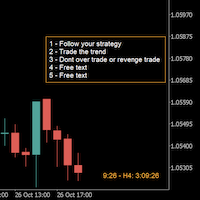
A good trader is a trader that respect his plan and keep the head cool. This indicator allow to display up to 5 lines of text for the things you always to see.
Congifuration 5 lines of text Text font, color, size Frame on/off, color, style, size Position of the text anchored Corners or anywhere on the screen Any questions or comments, send me a direct message here https://www.mql5.com/en/users/mvonline
FREE

(Multiple Close All) for MT5 a lightweight and efficient utility designed to help traders close their open positions and pending orders directly from the chart.
It provides a clean panel with interactive buttons, allowing quick closing of opened trades and deleting the Pending Orders with one click. Key Features: Close all BUY , SELL , or ALL positions with one click. Close only profitable trades or only losing trades . Close trades filtered by Magic Number or Ticket Number . Perform par
FREE

TREND SCANNER Stay With the Trend. Trade With Confidence. Trend Scanner analyzes the market to determine trend direction and strength using a combination of technical indicators. The system combines EMA 150/365, EMA 9/21, RSI, MA to confirm market direction and filter out weak or sideways conditions. Key Features: Bullish and bearish trend detection; EMA 150/365 and EMA 9/21 analysis; RSI confirmation; MACD momentum analysis; ️ ADX ranging-market filter; Trend strength measur
FREE

VisualRiskTool VisualRiskTool is a professional trade execution panel and risk management utility designed for MetaTrader. It streamlines the process of opening and managing positions by automating complex lot size calculations and providing a visual interface for setting stop-loss and take-profit levels directly on the chart. Core Functionality: Precision Risk Management The primary goal of VisualRiskTool is to eliminate manual calculation errors. By defining a fixed risk percentage (e.g., 0.5%
FREE

We apologize, but we are unable to provide service due to network issues. If you encounter any problems during installation or use, please contact 9048914@qq.com. Thank you. Binance is a world-renowned cryptocurrency exchange! In order to facilitate more accurate analysis of the encrypted digital currency market, the program can automatically import Binance’s futures K-line data to MT5 for analysis. The main functions are:
1. Support the automatic creation of all futures trading pairs on Binanc
FREE
Il MetaTrader Market è il posto migliore per vendere robot di trading e indicatori tecnici.
Basta solo sviluppare un'applicazione per la piattaforma MetaTrader con un design accattivante e una buona descrizione. Ti spiegheremo come pubblicare il tuo prodotto sul Market per metterlo a disposizione di milioni di utenti MetaTrader.

Ti stai perdendo delle opportunità di trading:
- App di trading gratuite
- Oltre 8.000 segnali per il copy trading
- Notizie economiche per esplorare i mercati finanziari
Registrazione
Accedi
Accetti la politica del sito e le condizioni d’uso
Se non hai un account, registrati